B283 - Blender Ceado - Free user manual and instructions
Find the device manual for free B283 Ceado in PDF.


User questions about B283 Ceado
0 question about this device. Answer the ones you know or ask your own.
Ask a new question about this device
Download the instructions for your Blender in PDF format for free! Find your manual B283 - Ceado and take your electronic device back in hand. On this page are published all the documents necessary for the use of your device. B283 by Ceado.
USER MANUAL B283 Ceado
natural_image
Illustration of a blender with a control panel and lid (no text or symbols)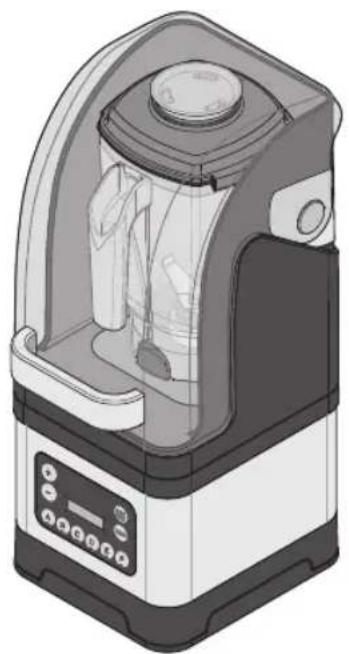
natural_image
Illustration of a kitchen blender with lid and control panel (no text or symbols)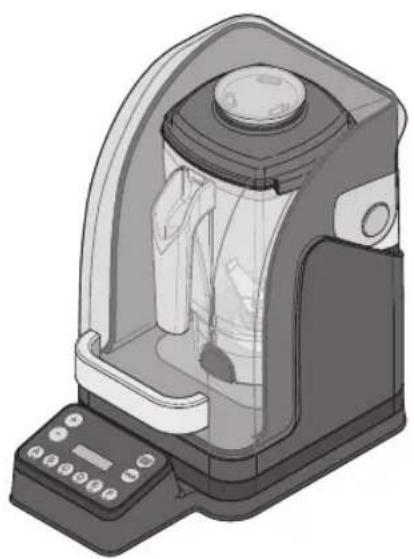
natural_image
Illustration of a laboratory instrument with a control panel and display unit (no text or symbols visible)FRULLATORE B283, B285 e B285IC
The B283/B285/B285IC are “SPECIALTY BLENDERS” for the special needs of the barman. Like all appliances, they should be used with particular care to avoid injury to the personnel and damage to the appliance.
It is therefore essential to read these instructions carefully before using the appliance and to f the safety recommendations.

Do not use the appliance if you are not sufficiently familiar with the instructions!
GB
Page 16
text_image
Diagram of a kitchen blender with labeled parts including control panel, fan, and tray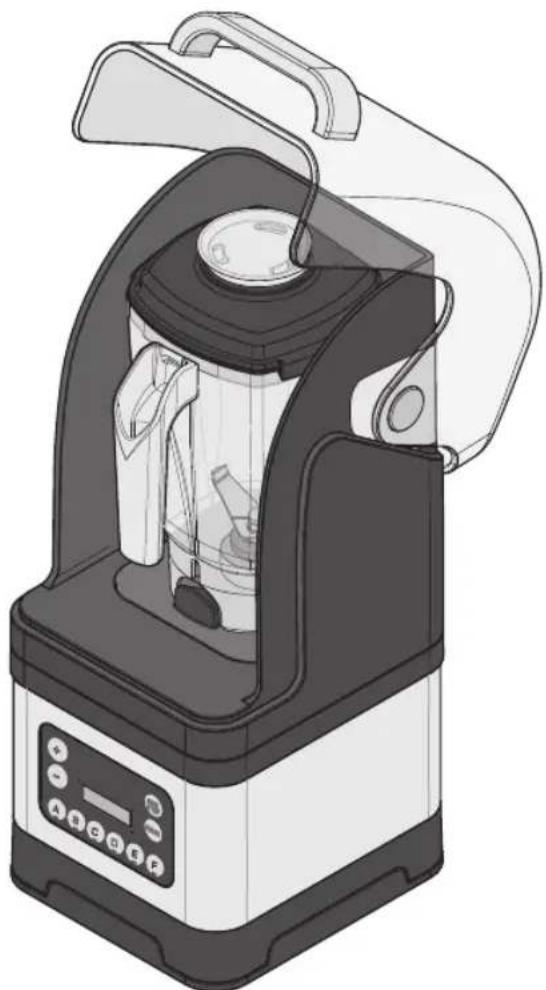
natural_image
Illustration of a kitchen blender with open lid and control panel (no text or symbols)Fig. 4
NORME DI SICUREZZA AVVERTENZE GENERALI
natural_image
Illustration of a hand pressing down on a mechanical component (no text or symbols)text_image
tasto B, C D E
Apple, the Apple logo, are trademarks of Apple Inc., registered in the U.S. and other countries. App Store is a service mark of Apple Inc., registered in the U.S. and other countries. Google Play and the Google Play logo are trademarks of Google Inc.
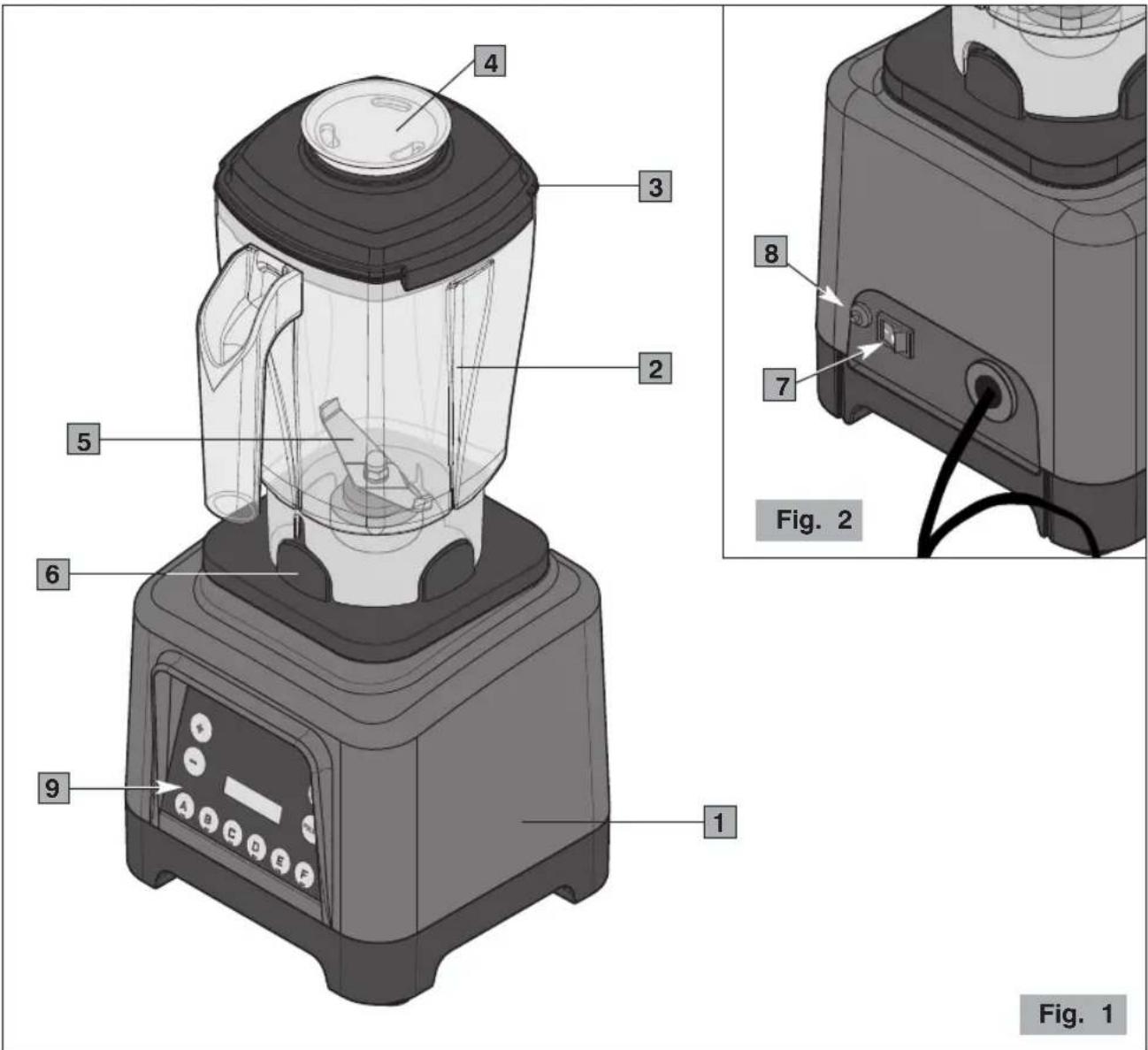
Main parts of the appliance (Fig. 1, Fig. 2)
1 Motor base
2 Container
3 Lid
4 Filler cap
5 Blade
6 Container base
7 ON-OFF (I-O) switch
8 Amperometric circuit breaker
9 Button panel
Button panel (Fig. 3)
1 START/STOP button
2 PULSE button
3 Button A, B, C, D, E, F
4 Button + -
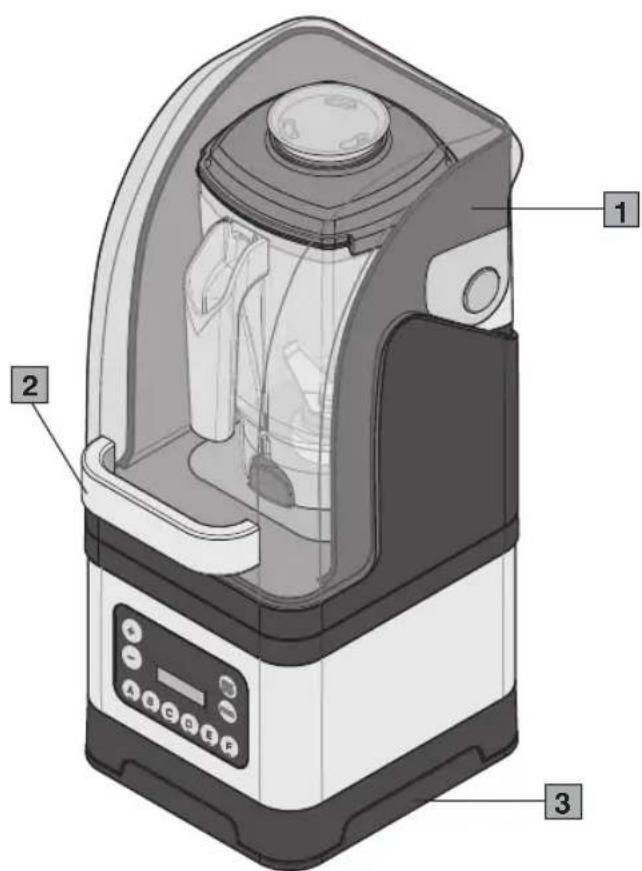
Model B285/B285IC (Fig. 4)
1 Removable sound enclosure
2 Handle
3 Soundproofing pad
text_image
4 3 2 5 6 9 1 8 7 Fig. 2 Fig. 1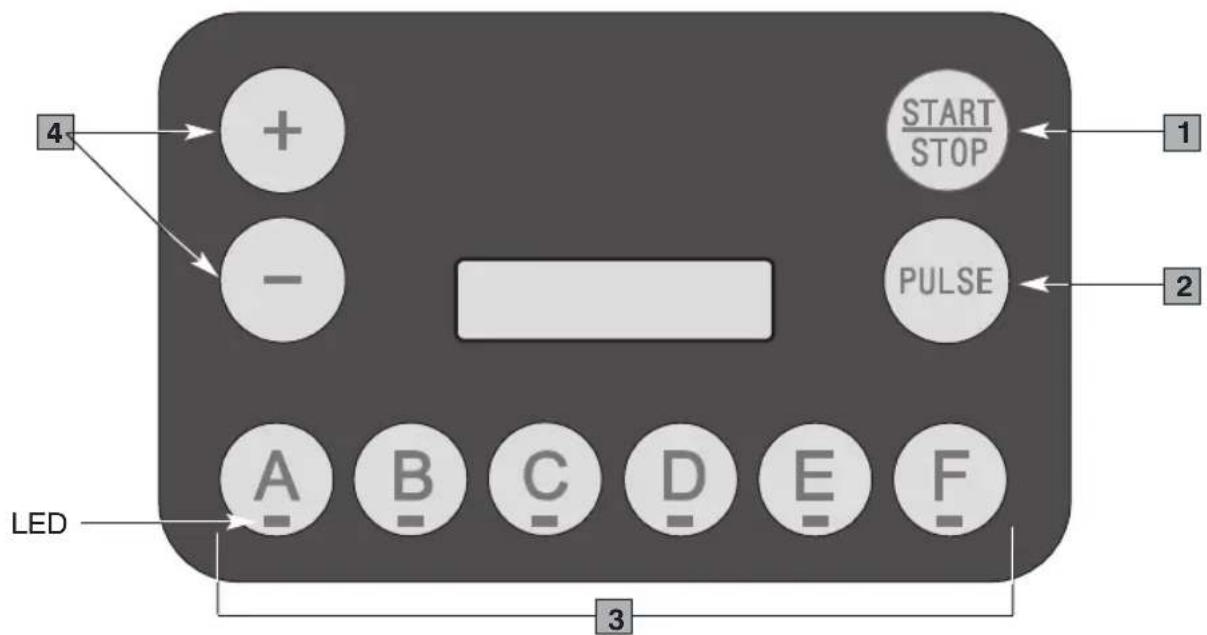
text_image
4 + - START STOP PULSE 1 2 LED A B C D E F 3Fig. 3
text_image
Diagram of a kitchen blender with labeled parts including control panel, tray, and buttons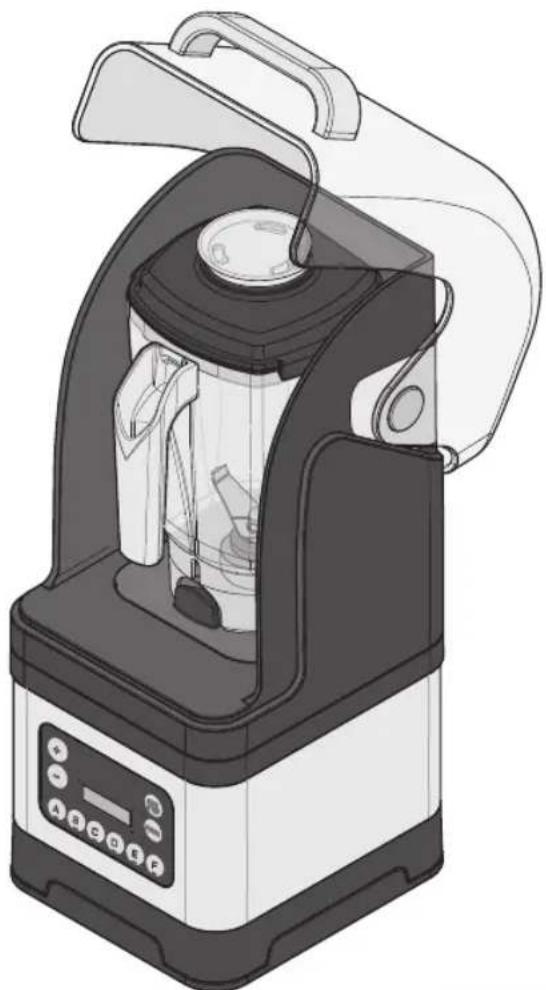
natural_image
Illustration of a kitchen blender with control panel and lid (no text or symbols)Fig. 4
SAFETY RECOMMENDATIONS GENERAL INSTRUCTIONS
- Read the following instructions carefully before using the appliance
- This appliance is intended for internal use only.
- This appliance is not intended to be used in kitchens (except m with an equipotential terminal and mentioned in the Installation paragraph).
- The maximum and minimum room temperature for correct operation of the appliance are respectively 32^ C and 10^ C.
- Installation and maintenance should be carried out by qualified personnel only who are authorized for such tasks.
- Make sure that the mains voltage is as indicated on the rating of the appliance and that the electrical system is grounded and equipped with a switch.
- Plug the power cable into a socket protected by a suitably rated circuit breaker (MCB) or fuses.
Do not use an adaptor plug.
- Install the appliance in a DRY, PROTECTED place, far from water sprays and jets, heat sources, open flames and inflammable substances.
- Place the appliance on a flat, horizontal, stable surface where it cannot tip over. The highest resting surface (container) must be a height of not less than 1.5 m.
- This appliance is intended for professional use, and should there used by experienced personnel only who are trained for this purpose. This appliance is NOT intended for industrial food processing in production.
- This appliance is not intended for use by persons (including children) with reduced physical, sensory or mental abilities, or without experience and knowledge, unless they have been instructed in the use of the appliance and are under the supervision of a person is responsible for their safety.
CHILDREN SHOULD BE SUPERVISED SO AS TO ENSURE THAT THEY DO NOT PLAY WITH THE APPLIANCE.
- Never use this appliance for any operations other than blending foods. Any other use is dangerous. Do not operate without conta and lid in place.
- Always work under safe conditions: do not use the appliance v wet hands or feet. Do not use outdoors.
- Keep the original package for possible future use. It is the most suitable protection against damage during transport.
- In case of fire use extinguishers. Do not use water or powder extinguishers.
- Never place the appliance in water!
- Do not disassemble the appliance or attempt to perform any re inside it.
- Always unplug the appliance before performing any maintenance cleaning and when it is not in use.
- Never pull the appliance by the cord to move it. Never unplug it by pulling the cord or touching it with wet hands.

If the power cable is damaged it must be replaced by the manufacturer or by the technical assistance service, or at any rate by a person with similar qualifications, so as to prevent all risks.
-
WARNING: Never place any utensils, metal or other hard material in the container. This is dangerous and could cause damage.
-
Never operate the appliance with the container empty and never it for more than 15 seconds if there are no liquids in the cont
-
Do not use the appliance if it is damaged or has loose parts. Immediately contact an authorized Service Center.
-
WARNING: BLADES ARE SHARP. HANDLE WITH CARE!
CAUTION: DO NOT OPERATE WITHOUT COVER IN PLACE!
The appliance complies with European regulation CE 1935/2004 and subsequent updates.
SAVE THESE INSTRUCTIONS
To consult these instructions on-line, visit the site www.ceado.com
CE
The EC declaration of conformity for this appliance is available in the Products section of our website www.ceado.com.
INSTALLATION
Comply with the Safety recommendations indicated above and hereafter when installing the appliance.
- Make sure that the mains voltage is as indicated on the rating label of the appliance and the electric system is grounded and equipped with a differential switch.
- Install the appliance in a DRY, PROTECTED place, far from water sprays or splashes, heat sources, open flames and inflammable substances.
Place the blender on a flat, horizontal, stable surface where it cannot tip over. - Make sure the switch on the appliance is in the "OFF" position and plug it into a socket protected by a magneto thermal switch or fuses.
Do not use a multiple outlet plug. - Stretch the power cable out to full length. Do not let it pass over sharp edges or hot surfaces.
Do not let oil spill on it. Do not let the power cable hang loose from the counter on which the blender stands.
PREPARATION AND USE

Before first use: rinse all of the parts that will have contact with food in running water i.e.: container, lid, filler cap, blade.
1 Place the ingredients in the container in this order: first liquids and fruit, then ice and otl foods.
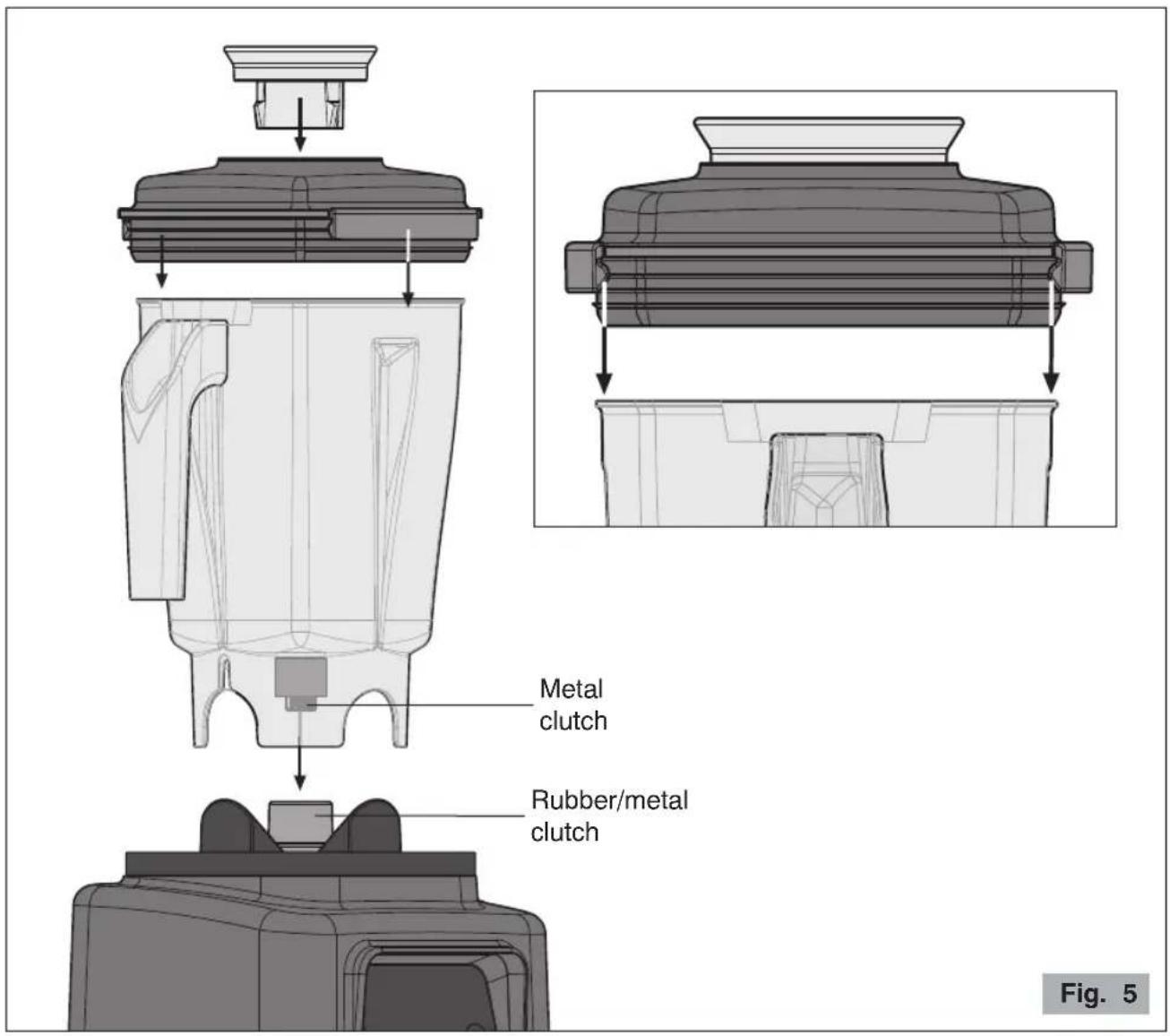
2 Stand the container on the base fitting it into its support as shown in figure 5.
3 Fit the lid on the container by pressing on the closing hooks (see Fig. 5).
Note: When new, the lid of blender may require extra force to apply and remove. After a times it will fit perfectly.
For model B285/B285IC, close the sound enclosure door.
4 Turn the ON-OFF switch (7, Fig. 2) to position ON (I).
text_image
Metal clutch Rubber/metal clutch Fig. 5Manual operation
When the appliance is switched on all the LEDs are lit meaning that the appliance is ready operate.
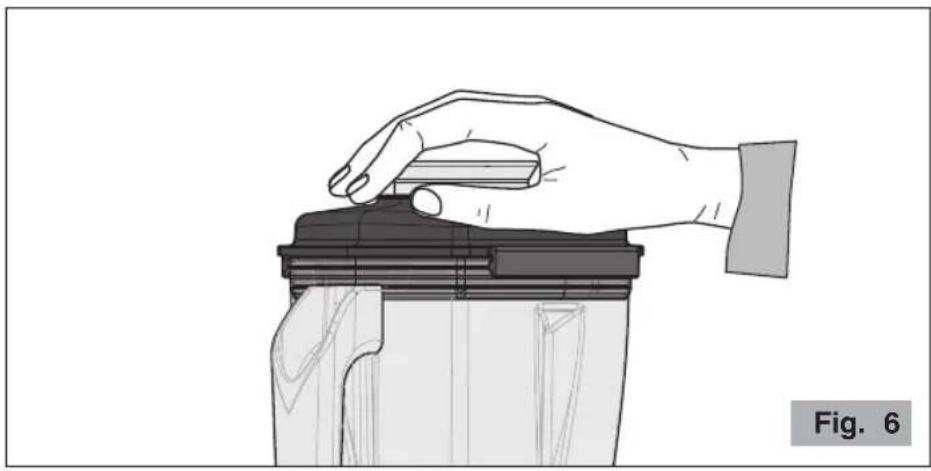
5 Run the motor by pressing the button keeping one hand on the lid (Fig. 6) (only for model B283).
Use the and buttons to increase or decrease the speed of rotation.
To stop operation, press the button again.
The “PULSE” function can also be used, that is “momentary” operation at full speed, by pres
and holding down the button for the whole operating time desire.
Note: You can use the "PULSE" function when preparing thick drinks that tend to "float" or to break up nuts or other ingredients that are unable to circulate in the working zone of the blades.
natural_image
Illustration of a hand pressing down on a mechanical component (no text or symbols)Automatic operation
This appliance has six predefined operating cycles (see table on next page), suitable for makir most popular recipes for cocktails, frozen drinks and smoothies completely automatically.
5 Select the desired cycle by pressing button , , , or C D E
F
The motor will run for the time and at the speeds determined by the particular program selected.
At the end of the cycle the appliance will return to its initial status.
The cycle selected can be paused at any time by pressing the button: the motor stops.
To resume operation press the button again. If you want to cancel operation, hold
down the button for three seconds.

text_image
ceado Barcuit ●Ceedo App Control
Ceado Blender App Control* allows you to program automatic cycles directly from your smartphone or tablet. Endless recipes, to be created and shared, to optimize your work and the production of mixes or bases for cocktails.
* Functionality present only in some models
Scan the QR code with your smartphone to immediately download the official Ceado app:




Apple, the Apple logo, are trademarks of Apple Inc., registered in the U.S. and other countries. App Store is a service mark of Apple Inc., registered in the U.S. and other countries. Google Play and the Google Play logo are trademarks of Google Inc.
| Cycle Name | Running time | Description | |
 | SHAKES 29 | seconds | A dense drink prepared by blending milk, sugar, fruit such as bananas or strawberries, or cocoa, ice cream, pistachio or hazelnut paste, etc. Generally a fairly high-calorie, sweet drink, comparable to a dessert. |
 | FRESH FRUIT | 30 seconds | Healthy drink based on mixed fruit or vegetables. |
 | FROZEN 20 | seconds | Created by mixing one or more liqueurs in the blender with fruit juices, fresh fruit or syrups and ice, to obtain a slightly alcoholic, frothy, frozen drink. |
 | COFFEE SHAKE | 15 seconds | Drinks with a base of coffee. |
 | SMOOTHIE 20 | seconds | Obtained by blending fruit and/or vegetables, ice and a liquid base, sometimes adding yogurt to make it creamier. |
 | SMOOTHIE 2 | 25 seconds | Liquid base, frozen fruit and/or vegetables chopped into small pieces. |
WARNINGS AND SUGGESTIONS
- The blender is also designed to crush ice and prepare FROZEN DRINKS from ice in cube Remember that if you place the ice in the container already crushed this will greatly exte life of the appliance.
- The blender is designed to ensure perfect preparation of the FROZEN DRINKS recipes contained in the international texts of the IBA associations. If you use the quantities indicate in those recipes you will always obtain the desired consistency.
- Certain preparations may cause cavitation of the blender. This means the ratio of liquid to is not correct. If this occurs, switch the blender off, remove the lid, stir the mixture with and try again.
- If you have to heat or chill a preparation made with the blender, do not place the container directly in the oven or freezer. This could damage it. Empty the container into a suitable
CLEANING AND MAINTENANCE
It is important to keep the appliance clean and in good working order to ensure optimum quality the products and long life of the appliance. Always rinse the container after use to prevent re-entry from drying in the container. This could damage the sealing elements and bearings, or cause blades to seize.
Do not dry the container in the oven or microwave oven.
For longer life of the container we recommend not washing it in the dishwasher.
To clean the motor base, unplug the appliance and clean with a damp cloth or alcohol, a generic detergent spray.
Dry with a dry cloth.

Never wash the blender with jets of water or immerse the motor base.
To clean the container: after rinsing the container and lid under the tap, fill the container halfway with warm water and a spoonful of dishwashing detergent. Fit the container on the base, cover with the lid and run for 20 seconds. Remove the container and rinse with raw water. Repeat the operation with 1 liter of warm water and 5 ml of household bleach. Ref the container, rinse and dry the container by turning it upside down on the drainboard. With the lid with warm water and dishwashing detergent.
For cleaning the sound enclosure (model B285/B285IC): wash with warm water and dishwashing detergent. Dry with a soft cloth.
TROUBLESHOOTING
(See Table on the next page)
In case of any malfunction, defect of the appliance or if you suspect any breakage after a the appliance immediately.
If you are unable to solve the problem referring to the table below, contact an Authorized S center.
Only qualified experts should repair the appliance.
We are not liable for any damage caused by repairs not made correctly by unauthorized per In these cases the warranty does not apply.
| Problem | Solution |
| The blender does not start. | Make sure it is plugged in.Make sure the safety circuit breaker is closed.Make sure the switch on the blender (7 Fig. 2) is turned to “ON”.If the problem occurs after a long period of intensive use the motor may have overheated. Wait at least 20 minutes and try again. If you put the blender in a cool place this will reduce the waiting time.If the problem occurs after an overload, the circuit breaker on the motor may have been tripped! Push the button on the back of the appliance (8 Fig. 2).Make sure the blades and motor revolve freely. |
| The blades do not turn with the motor on. | Check that the base/container coupling clutches are in good condition.Make sure the container is correctly fitted on the base. |
| Noise and vibration of container. | Make sure the blades and clutches are securely tightened.Check that the base/container coupling clutches are in good condition. |
| The blender stops and the following message appears on the display: “WARNING BLOCKED BLADES”. | Turn off the appliance by turning the ON-OFF switch to the "OFF" position and check the contents of the removing any obstructions to the blades. (7 Fig. container |
DISPOSAL
Correct disposal of this product (waste electrical and electronic equipment)
(Applicable in the European Union and other countries with separate collection systems in conformity with European Directive 2012/19/EU and subsequent updates)
This product has been made from high-quality parts and materials, which can be re-used and recycled.
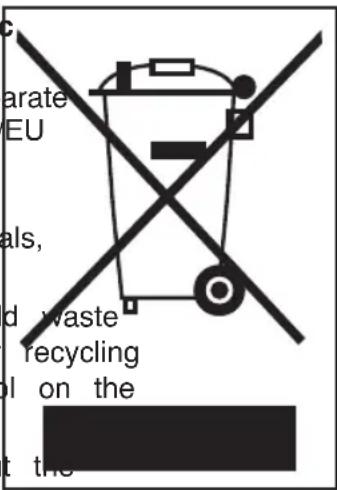
Therefore, do not throw the product away with normal household at the end of its working life. Take it to a collection point for electrical and electronic devices. This is indicated by this symbol product and in the operating manual.
Please contact your local government office for information about exact location of the closer collection point.
text_image
c arate EU als, d waste recycling on the t theWARRANTY
This product is guaranteed against faulty materials and workmanship.
The warranty period may vary according to local laws or commercial uses of the country who product is marketed. Therefore, please contact the retailer from whom the product was purcha
During the warranty period, this product can either be repaired or replaced, at the manufacturer discretion, at no additional cost only if it has been used according to the instructions in this maintenance manual.
If the products needs maintenance or repairs during the warranty period, contact your retailer shipping instructions. The product should be shipped in its original package or other suitable packing.
The warranty does not apply in case of neglect, misuse, abuse or unauthorized repairs. This warranty does not apply to parts subject to deterioration through normal use such as the cor blades, joints, etc.
The warranty is limited to the costs of repair or replacement of the product or its defective an amount equivalent to the price paid for its purchase. No additional requests of damages available to the purchaser.
The manufacturer will not accept any liability and the warranty will be invalidated if there failure to follow these instructions and the technical and/or safety standards in the country with the appliance is to be used.
In any case these instructions cannot cover every possible event and the user is recommend use the appliance responsibly.
THE MANUFACTURER RESERVES THE RIGHT TO MAKE ANY ALTERATIONS TO THE APPLIANCE WITHOUT NOTICE
text_image
Diagram of a kitchen blender with labeled parts including control panel, fan, and tray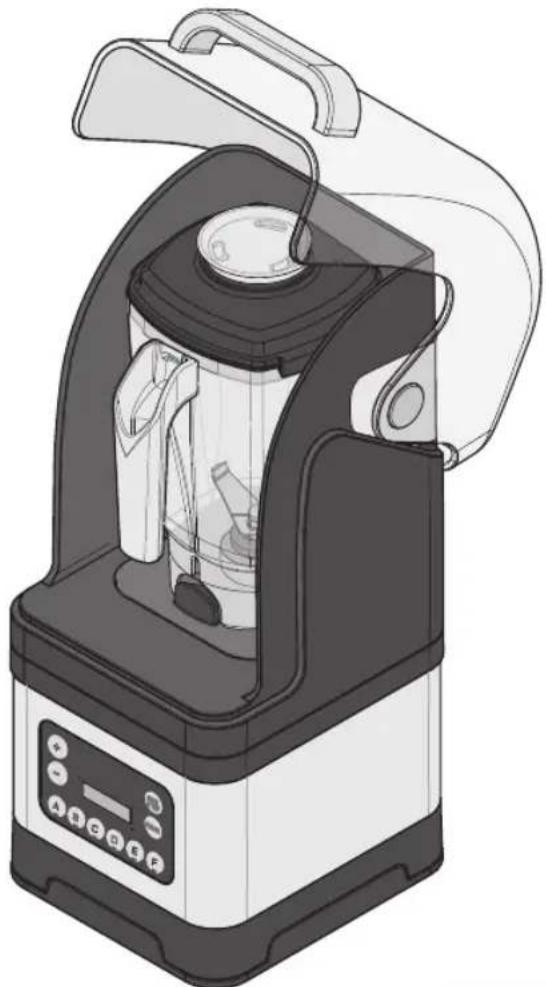
natural_image
Illustration of a kitchen blender with control panel and lid (no text or symbols)Fig. 4
NORMES DE SÉCURITÉ INSTRUCTIONS GÉNÉRALES
natural_image
Illustration of a hand pressing down on a mechanical component (no text or symbols)Apple, the Apple logo, are trademarks of Apple Inc., registered in the U.S. and other countries. App Store is a service mark of Apple Inc., registered in the U.S. and other countries. Google Play and the Google Play logo are trademarks of Google Inc.
CONDITIONS DE GARANTIE
text_image
Diagram of a kitchen blender with labeled parts including control panel, fan, and tray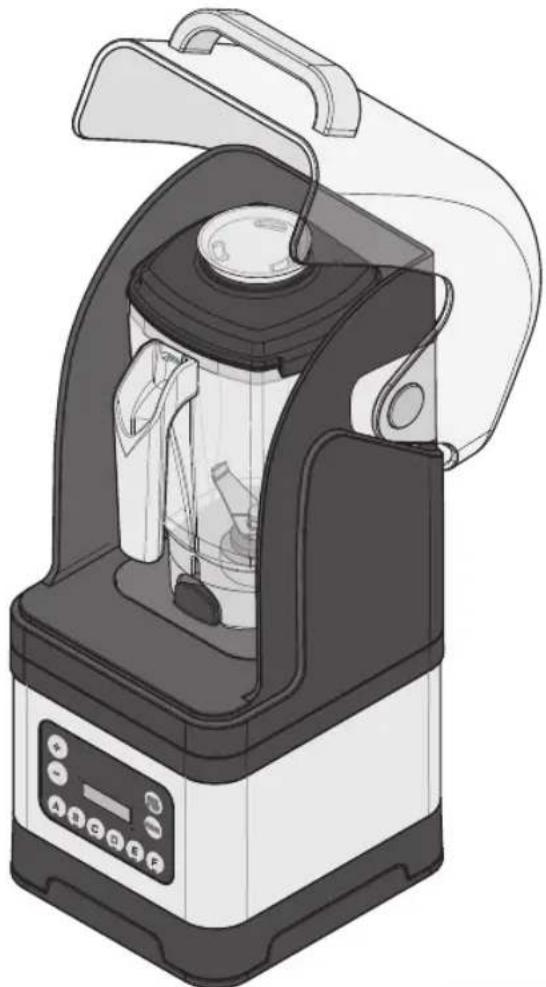
natural_image
Illustration of a kitchen blender with control panel and lid (no text or symbols)Abb. 4
natural_image
Illustration of a hand pressing down on a mechanical component (no text or symbols)Apple, the Apple logo, are trademarks of Apple Inc., registered in the U.S. and other countries. App Store is a service mark of Apple Inc., registered in the U.S. and other countries. Google Play and the Google Play logo are trademarks of Google Inc.
text_image
Diagram of a kitchen blender with labeled parts including control panel, fan, and tray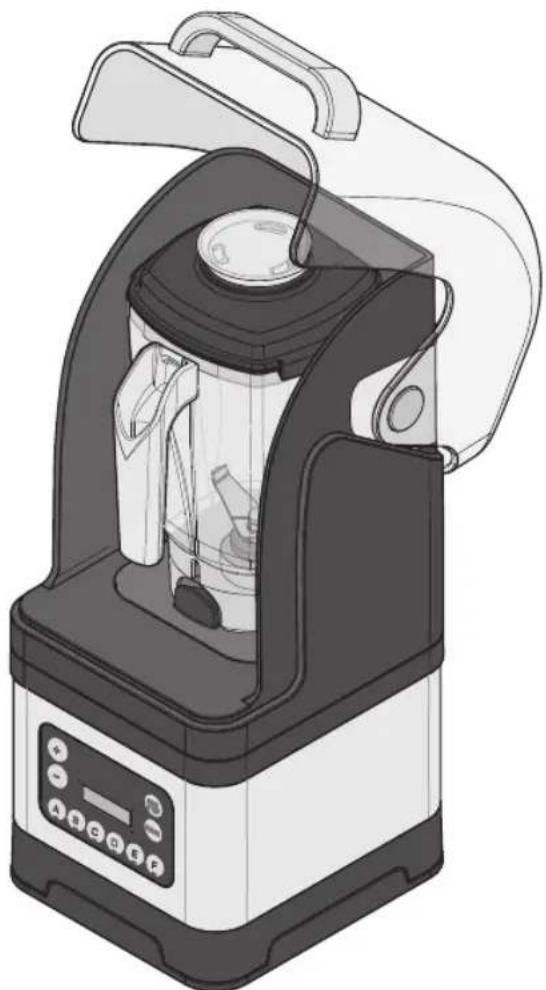
natural_image
Illustration of a kitchen blender with control panel and lid (no text or symbols)Fig. 4
natural_image
Illustration of a hand pressing down on a mechanical component (no text or symbols)Apple, the Apple logo, are trademarks of Apple Inc., registered in the U.S. and other countries. App Store is a service mark of Apple Inc., registered in the U.S. and other countries. Google Play and the Google Play logo are trademarks of Google Inc.