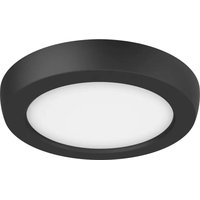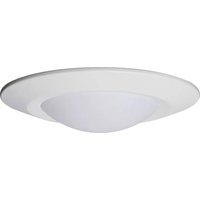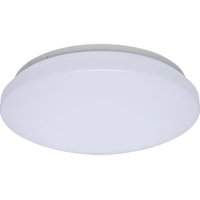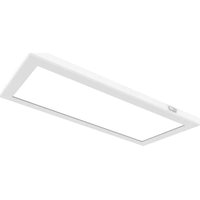
62/1858 - Lighting NUVO - Free user manual and instructions
Find the device manual for free 62/1858 NUVO in PDF.


User questions about 62/1858 NUVO
0 question about this device. Answer the ones you know or ask your own.
Ask a new question about this device
Download the instructions for your Lighting in PDF format for free! Find your manual 62/1858 - NUVO and take your electronic device back in hand. On this page are published all the documents necessary for the use of your device. 62/1858 by NUVO.
USER MANUAL 62/1858 NUVO
INSTALLATION AND SAFETY INSTRUCTIONS
IMPORTANT: Read before installing fixture. Retain for future reference.
WARNING: Risk of Fire or Electric Shock
- To avoid damage, falling, electric shock or fire, do not modify the fixture or replace accessories without confirming with the supplier first.
- Only authorized, qualified personnel should install this fixture and should follow the owner's manual. Any improper installation might cause failure, electric shock, fire or other injury, damage or hazard.
- Disconnect power before installation or any maintenance of the fixture.
- To prevent fire, these fixtures are rated for use in 120V (62-1860 & 62-1861: 120-277V).
- The product is for interior use only, suitable for damp location.
- Protect the product against direct contact with water.
- For use in environments where an accumulation of non-conductive dust on the fixture may be expected.
- Clean with a soft or damp cloth, making sure the power is OFF.
- The product (without integrated sensor) is dimmable and compatible with most residential dimmers.
- 5 Year limited warranty only in respect of any defect in material.
IMPORTANT: This product must be installed in accordance with the applicable installation code by a licensed electrician familiar with the construction and operation of the product and the hazards involved.
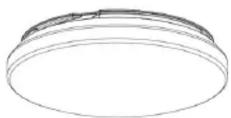
11.5W: 62-1850, 62-1851 (w/Sensor)
14W: 62-1860 (120/277V 0-10V, Dimmable)
∅ 11" (279mm) x 3.13"D (79mm)
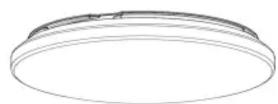
14W: 62-1852, 62-1853 (w/Sensor)
17W: 62-1861 (120/277V 0-10V, Dimmable)
∅ 14" (355.5mm) x 3.17"D (80mm)
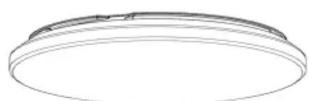
25W: 62-1858, 62-1859 (w/Sensor) ∅ 19" (482.6mm) x 4.13"D (105mm)
INSTALLATION:
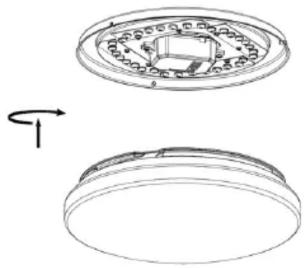
STEP 1: Turn OFF power supply before installation. Remove the diffuser (shade).
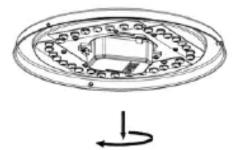
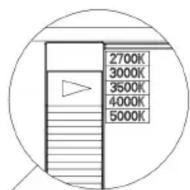
STEP 2: Select your preferred color temperature (CCT) by moving the switch to either 2700K, 3000K, 3500K, 4000K or 5000K.
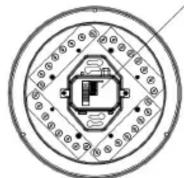
STEP 3: Screw the (2) screws to 3" or 4" junction box using the keyhole slots on the pan of the fixture.
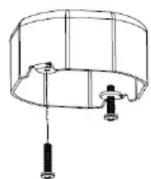
STEP 4: Connect wires separately (see wiring diagrams). Cap all connections with wire nuts (included). Push fixture and twist clockwise to lock the fixture with screws. Tighten the screws with a screwdriver.
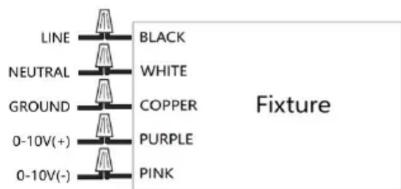
Wiring Diagram
Only for 62-1860 & 62-1861 0-10V dimmable models.
text_image
LINE NEUTRAL GROUND 0-10V(+) 0-10V(-) BLACK WHITE COPPER PURPLE PINK Fixture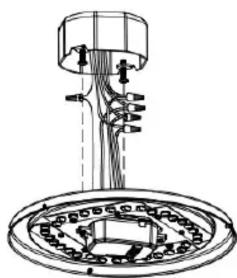
natural_image
Technical line drawing of a mechanical assembly with no visible text or symbols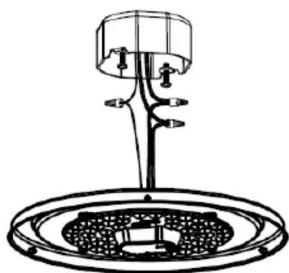
natural_image
Line drawing of a mechanical device with a central hub and circular base (no text or symbols)Wiring Diagram
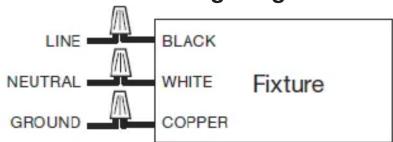
text_image
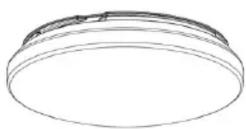
LINE NEUTRAL GROUND BLACK WHITE COPPER FixtureSTEP 5: Replace the diffuser (shade). Installation is complete. Turn power ON.
natural_image
Technical line drawing of a mechanical component with two views: top shows circular housing and inner ring, bottom shows flanged circular base (no text or symbols)
Satco Products, Inc.
Brentwood, NY 11717
MOTION SENSOR SETTINGS
Settings for 62-1851, 62-1853, 62-1859
text_image
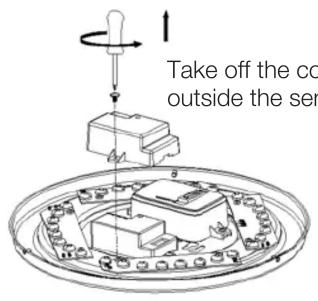
Take off the co outside the ser| 1 | 2 | ||
| I | ● | ● | 100% |
| II | ● | ○ | 75% |
| III | ○ | ● | 50% |
| IV | ○ | ○ | 10% |
Detection Area
In this area, movement will be detected and able to trigger the sensor. 100% detection area is also known as the strong sensitivity.
text_image
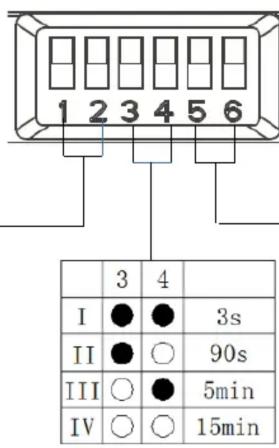
1 2 3 4 5 6 3 4 I ● ● 3s II ● ○ 90s III ○ ● 5min IV ○ ○ 15minHold-Time
The period of light keeping 100% brightness after moving objects leave the detection area.
| 5 | 6 | ||
| I | ● | ● | Disable |
| II | ● | ○ | 50Lux |
| III | ○ | ● | 10Lux |
| IV | ○ | ○ | 2Lux |
Daylight Threshold
Definition of the ambient brightness; only when the ambient brightness is lower than the preset specific lux amount, the sensor will work; when it's preset as "disable," the sensor works every time it detects motion regardless the ambient brightness.
MOTION SENSOR APPLICATIONS
Automatic ON/OFF Function: Lights automatically turn ON when movement is detected and OFF when no movement is detected (after people leave at night.) Applications: Corridors, Staircases.
natural_image
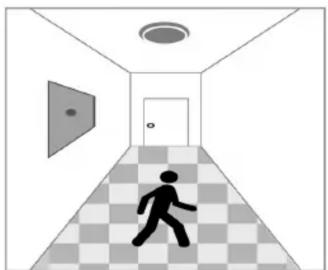
Silhouette of a person walking down a checkered corridor with ceiling lights and door (no text or symbols)With sufficient daylight, even when motion is detected, light remains OFF.
natural_image
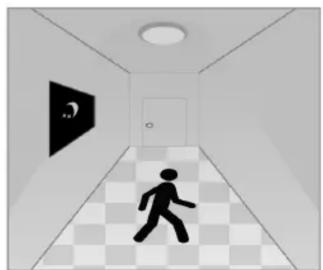
Interior hallway with a walking figure and a black wall-mounted sign (no text or symbols visible)With insufficient daylight, when motion is detected, the light will turn ON.
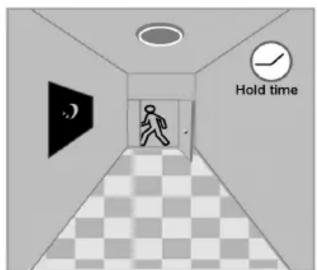
text_image
Hold timeAfter the last motion detection and the present hold-time elapses, the light will turn OFF.
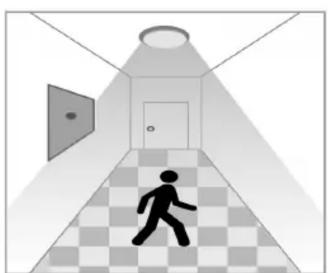
No Daylight Function: The daylight threshold is set to “Disable.” Light turns ON when movement is detected. After people leave or when no motion is detected, the light turns OFF after hold-time. Applications: Dim places such as Basement Parking, Underpass.
natural_image
Silhouette of a person walking down a checkered corridor with ceiling lights and a door (no text or symbols)When motion is detected, the sensor will switch ON the light to 100% brightness.
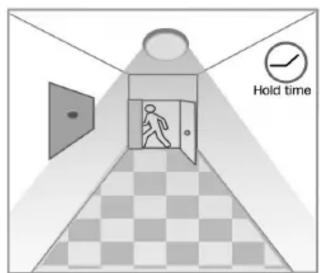
text_image
Hold timeAfter people leave the detection area, light remains 100% of brightness within hold-time.
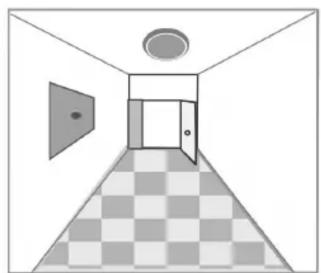
natural_image
Interior hallway view with checkered floor, door, ceiling, and window (no text or symbols)After the last motion detection and the present hold-time elapses, the light will turn OFF.