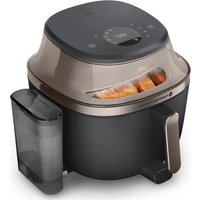
NA547 - Deep fryer PHILIPS - Free user manual and instructions
Find the device manual for free NA547 PHILIPS in PDF.


| Brand | Philips |
| Model | NA547 |
| Product type | Hot air fryer (Airfryer) |
| Basket capacity | Large cooking chamber (basket with MAX line) |
| Cooking modes | Air frying, steam cooking, steam and air cooking |
| Presets | Frozen fries, homemade fries, chops, breakfast, muffins, chicken drumsticks, vegetable mix, fish, ravioli |
| Additional functions | Keep warm, shake reminder, interior light, steam cleaning, descaling, automatic shut-off |
| Control panel | Digital screen, on/off buttons, start/pause, mode selection, temperature, time, presets, favorite |
| Water tank | With lid, MAX capacity (not specified) |
| Temperature range | Adjustable depending on mode (up to 200 °C) |
| Timer | Adjustable, with automatic shut-off after 20 min of inactivity |
| Automatic shut-off | Yes, after 20 minutes without action |
| Safety | Automatic shut-off, hot surfaces indicated, child safety (8 years and older) |
| Cleaning | Removable dishwasher-safe parts, integrated steam cleaning |
| Descaling | Automatic program with Philips CA6700 descaling solution (sold separately) |
| Standby consumption | 0.3 W |
| Warranty | 2 years |
| Included accessories | Basket, tub, water tank |
| Basket coating | Non-stick |
| Material | Plastic and metal |
Frequently Asked Questions - NA547 PHILIPS
User questions about NA547 PHILIPS
0 question about this device. Answer the ones you know or ask your own.
Ask a new question about this device
Download the instructions for your Deep fryer in PDF format for free! Find your manual NA547 - PHILIPS and take your electronic device back in hand. On this page are published all the documents necessary for the use of your device. NA547 by PHILIPS.
USER MANUAL NA547 PHILIPS
natural_image
Black Philips air fryer with visible branding and side panel (no text-heavy elements)
natural_image
Icon of a person reading a book inside a black circle (no text or symbols)English 3
Čeština 37
Dansk 71
Deutsch 105
Eesti 143
Español 177
Français 212
Hrvatski 248
Italiano 283
Latviešu 319
Lietuviškai 353
Magyar 387
Nederlands 423
Norsk 458
Polski 492
Português 528
Română 563
Shqip 598
Slovenščina 632
Slovensky 666
Srpski 700
Suomi 734
Svenska 768
Türkçe 802
Ελληνικά 836
Български 873
Македонски 911
Русский 949
Українська 986
Қазақша 1022
הכלה 1059
Contents
Important safety instruction 3
Recycling 6
Warranty and support 7
EcoDesign information 7
Introduction 7
General description 8
Before first use 13
Preparations before use 13
Using the appliance 13
Cleaning 25
Storage 32
Troubleshooting 32
Important safety instruction
Read this important information carefully before you use the appliance and save it for future reference.
Danger
natural_image
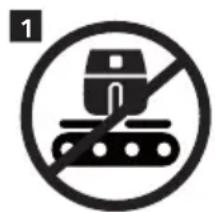
Symbol of a robot on a tracked surface without any text or labels- Do not place the appliance on or near a hot gas stove or all kinds of electric stove and electric cooking plates, or in a heated oven (fig. 1).
- Never immerse the appliance in water nor rinse it under the tap.
- Do not let any water or other liquid enter the appliance to prevent electric shock.
- Always put the ingredients to be fried in the basket, to prevent them from coming into contact with the heating elements.
- Do not cover the air inlet and the air outlet openings while the appliance is operating.
- Do not fill the pan with oil as this may cause a fire hazard.
- Do not use the appliance, if the plug, the mains cord or the appliance itself is damaged.
- Never touch the inside of the appliance while it is operating.
- Never put any amount of food that exceeds the maximum level indicated in the basket.
- Always make sure heater is clean and no food is stuck in heater.
- Be careful when cleaning the upper area of the cooking chamber: Hot heating element, edge of metal parts.
Warning
- If the supply cord is damaged, it must be replaced by Philips, its service agent or similarly qualified persons in order to avoid a hazard.
- Only connect the appliance to an earthed wall socket, protected by an earth leakage circuit breaker.
- Always make sure that the plug is inserted into the wall socket properly.
- This appliance is not intended to be operated by means of an external timer or a separate remote control system.
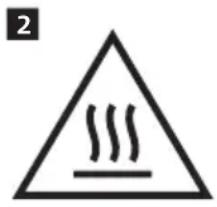
- The accessible surfaces may become hot during use (fig. 2).
- This appliance can be used by children aged from 8 years and above and persons with reduced physical, sensory or mental capabilities or lack of experience and knowledge if they have been given supervision or instruction concerning use of the appliance in a safe way and understand the hazards involved.
- Children shall not play with the appliance.
- Cleaning and user maintenance shall not be made by children unless they are older than 8 years and supervised.
- Do not place the appliance against a wall or against other appliances. Leave at least 15 cm free space at the back, on both sides and above the appliance. Do not place anything on top of the appliance.
- During hot air frying, hot steam is released through the air outlet openings. Keep your hands and face at a safe distance from the steam and from the air outlet openings. Also, be careful of hot steam and air when you remove the pan from the appliance.
- Never use light ingredients or baking paper in the appliance.
- Storage of potatoes: The temperature shall be appropriate to the potato variety stored and it shall be above 6 °C to minimize the risk of acrylamide exposure in the prepared foodstuff.
- Since this Airfryer has a big chamber, its electric power is large. Do not operate other powerful appliances on the same circuit at the same time (e.g., kettles, electric grills, and the like). Else, it can happen that the circuit breaker in your house installation responds and the power at this socket fails.
- When using the Airfryer, be careful care when opening, closing, or shaking the large, heavy drawer. Always handle it securely to prevent it from slipping or falling, which could cause injury."
- This appliance is designed to be used at ambient temperatures between 5^ C and 40^ C.
- Check if the voltage indicated on the appliance corresponds to the local mains voltage before you connect the appliance.
- Keep the mains cord away from hot surfaces.
- Do not use the appliance for any other purpose than described in this manual to avoid potential injury and use only original Philips accessories.
- Do not let the appliance operate unattended.
- The pan, basket, and accessories placed inside the cooking chamber becomes hot during and after use of the appliance, always handle carefully.
- Thoroughly clean the parts that come into contact with food before you use the appliance for the first time. Refer to the instructions in the manual.
- Do not place the pan and basket on the UI panel, as they may fall and cause injury.
- When steaming food, be careful when pulling out the pan to prevent burns from the escaping steam.
- Do not position the appliance's steam outlet towards the socket.
Caution
- This appliance is intended for normal household use only. It is not intended for use in environments such as staff kitchens of shops, offices, farms or other work environments. Nor is it intended to be used by clients in hotels, motels, bed and breakfasts and other residential environments.
- Always disconnect the appliance from the supply if it is left unattended and before you assemble, disassemble, store or cleaning.
- Place the appliance on a horizontal, even and stable surface.
- If the appliance is used improperly or for professional or semi-professional purposes or if it is not used according to the instructions in the user manual, the guarantee becomes invalid and Philips refuses any liability for damage caused.
- Always return the appliance to a service center authorized by Philips for examination or repair. Do not attempt to repair the appliance yourself, otherwise the guarantee becomes invalid.
- Always unplug the appliance after use.
- Let the appliance cool down for approximately 30 minutes before you handle or clean it.
- Make sure the ingredients prepared in this appliance come out golden yellow instead of dark or brown.
- Remove burnt remnants. Do not fry fresh potatoes at a temperature above 180^ C (to minimize the production of acrylamide).
- Always make sure that the food is fully cooked in the Airfryer.
- Always make sure that you have the control over your Airfryer.
- When cooking fatty food, the Airfryer could emit smoke.
- Do not press the basket release button during shaking and moving the pan.
- When the descaling icon lights up, please proceed with the descaling process.
- Be careful when pouring out the cooked food and be careful not to let the accessories fall out.
- Make sure the device is positioned with its back at least 15 cm away from the wall and its front 2 cm from the countertop edge. Also, make sure the air outlet is not facing any power socket.
- Do not place the Airfryer next to another cooking appliance, close to the kitchen wall, or beneath a kitchen cupboard, as hot steam may condense and run down the surfaces.
- In normal use, good ventilation must be ensured around the product.
- If steam accumulates inside or around the surface of the steam outlet, wipe with a soft dry cloth.
- If there are condensation water on socket, it is recommended to adjust the position of the appliance or use a socket dust cover to avoid condensation accumulated in sockets.
- This appliance is provided with a short power supply cord to reduce the risk of entanglement or tripping which can occur with a longer power-supply cord.
- Extension cords may be used if care is exercised in the use. If an extension cord is used:
- The marked electrical rating of the cord must be as great as the rating of the appliance.
- The cord should be arranged so that it will not drape over the edge of the counter or table top where it could be pulled by children or tripped over unintentionally.
- The extension cord should be a grounded type 3-wire cord.
- This appliance has a polarized plug (one blade is wider than the other). To reduce the risk of electric shock, this plug is intended to fit into a polarized outlet only one way. If the plug does not fit fully in the outlet, reverse the plug. If it still does not fit, contact a qualified electrician. Do not attempt to modify the plug in any way.
- To avoid damaging the appliance, do not use alkaline cleaning agents. Instead, clean with a soft cloth and a mild detergent.
- To avoid damaging the appliance, do not use hard water. Instead, use purified water for steam, steamfry, and descaling.
- Do not direct the cold air from fans or air conditioners towards the air outlet of the Airfryer.
- Please use Philips descaler only. Under no circumstances should you use a descaler based on sulfuric acid, hydrochloric acid, sulfamic or acetic acid (vinegar) as this may damage the water circuit in your machine and not dissolve the limescale properly. Not using the Philips descaler will void your warranty. Failure to descale the appliance will also void your warranty.
- Heating element surface is subject to residual heat after use.
Electromagnetic fields (EMF)
This appliance complies with the applicable standards and regulations regarding exposure to electromagnetic fields.
Automatic shut-off
- This appliance is equipped with an automatic shut-off function. If you do not press a button within 20 minutes, the appliance switches off automatically. To switch off the appliance manually, press the power On/off button.
Recycling
natural_image
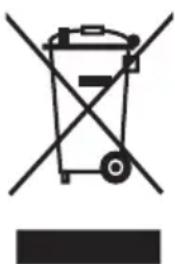
Symbol of a trash bin with crossed lines indicating no waste or restriction (no text or numbers present)- This symbol means that electrical products shall not be disposed of with normal household waste.
- Follow your country's rules for the separate collection of electrical products.
Warranty and support
Versuni offers a two-year warranty after purchase on this product. This warranty is not valid if a defect is due to incorrect use or poor maintenance. Our warranty does not affect your rights under law as a consumer. For more information or for invoking the warranty, please visit our website www.home.id/warranty.
EcoDesign information
EcoDesign information for Model identifier(s): NA540, NA541, NA543, NA547
| Description Symbol Value Unit | |||
| Off-mode power consumption P | off | 0.3 W | |
| Standby mode power consumption P | sb | / | W |
| Period before automatic switches into standby mode T | sb | 20 Min | |
| Measurement standard for service value EN 50564:2011 | |||
| Contact details for obtaining more information DAP B.V. | |||
| Tussendiepen 4a,9206AD Drachten, The Netherlands | |||
| The appliance complies with the ecodesign requirements of COMMISSION REGULATION (EU) 2023/826. | |||
Introduction
Congratulations on your purchase and welcome to Philips!
To fully benefit from the support that we offer, register your product at www.home.id.
General description
Product overview
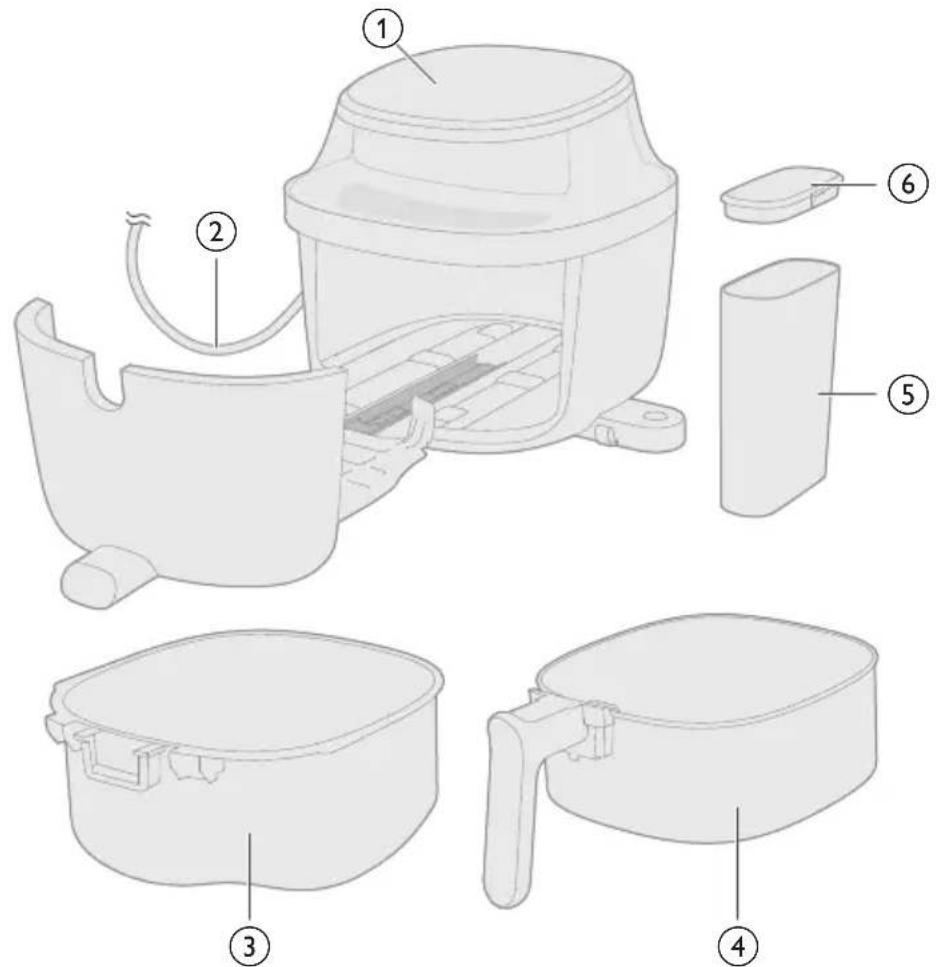
1 Control panel
2 Power cord
3 Pan
4 Basket
5 Water tank
6 Water tank lid
Control panel overview
Power and basic operations
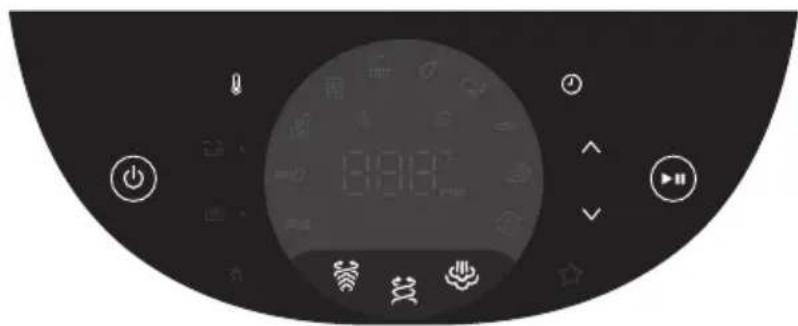
On/off button
Tap to power the Airfryer on or off.

Start/pause button
Tap to begin or pause the cooking process.

Airfry button
Tap to start airfrying with hot air circulation for crispy results.

Steamfry button
Tap to start steam and airfrying for moist interiors and crispy exteriors.

Steam button
Tap to cook food using steam for gentle and even heating.

Increase/decrease buttons
Tap to increase or decrease the cooking temperature and time.

Temperature button
Tap to enter temperature adjusting mode.

Time button
Tap to enter time adjusting mode.
Preset programs
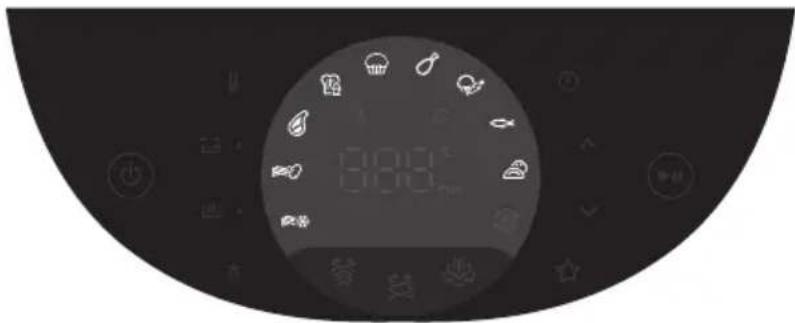

Frozen fries
Use this preset to cook frozen fries, wedges, or hash browns to a crispy golden finish.

Fresh potatoes
Use this preset for crispy fries or wedges made from fresh-cut potatoes.

Meat chops
Use this preset to grill steak to your preferred doneness with a seared exterior.

Breakfast
Use this preset for a quick, balanced breakfast with golden toast and soft-cooked eggs.

Muffin
Use this preset to bake fluffy, evenly cooked muffins.

Chicken drumsticks
Use this preset to cook chicken drumsticks thoroughly with a crispy skin.

Mixed vegetables
Use this preset to roast or crisp vegetables evenly with minimal oil.

Fish
Use this preset to gently cook fish fillets or seafood while keeping them moist and flaky.

Dumplings
Use this preset to cook dumplings evenly with a crisp exterior and tender filling.
Additional functions
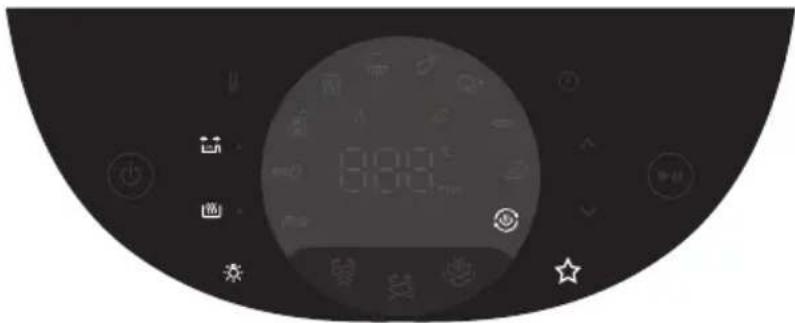

Keep warm
You can activate Keep-warm mode at any time—before or during cooking—by tapping the Keep warm button. When the Keep warm function is activated, the appliance will automatically switch to keep-warm mode once cooking is complete.

Shake reminder
This model features a shake reminder. For optimal results, shake or turn the food promptly when the reminder alarm sounds.
Press the Shake Reminder button to turn alerts on or off. When enabled, you'll hear a beep and see the button flash—reminding you to shake or turn your food during cooking for more even results.

Light
Turn the light in the cooking chamber on or off.

Steam cleaning
Effectively dissolves greasy residue and provides a deep clean for both the basket and pan.

Favorite
Your Airfryer includes a save favorite feature for quick access to your preferred settings.
- Set your desired cooking temperature and time.
- Press and hold the Favorite button until you hear a beep—this confirms the setting is saved.
- To update your favorite, simply repeat the steps above with the new settings.
Display
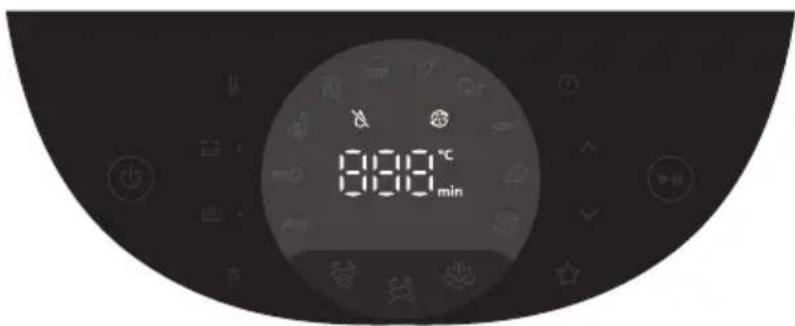
Time/temperature display
The screen cycles between displaying the cooking time and temperature.

No water indication
Lights up when there is not enough water in the water tank.

Descaling indication
Lights up when the steam enabled functions have been used for 20 hours.
Before first use
Important: During the first time use, the airfryer may produce some smoke and odor. This is normal and should dissipate in a few minutes.
Caution: This is an Airfryer that works on hot air. Do not fill the pan with oil, frying fat, or any other liquid.
Caution: Do not touch hot surfaces. Handle the hot pan with oven-safe gloves.
Caution: This appliance is for household use only.
Note: Preheating of the appliance is not necessary.
1 Remove all packing material.
2 Remove any stickers or labels (if applicable) from the appliance.
3 Thoroughly clean the appliance before first use.
Preparations before use
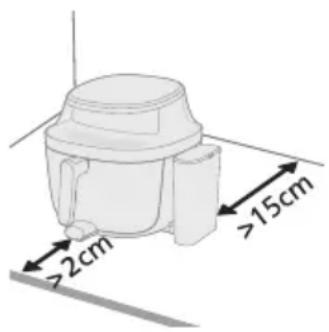
1 Place the appliance on a stable, level and heat-resistant surface. Make sure there is enough space on the table for the extended rail after the pan is pulled out.
2 Leave at least 15 cm free space at the back of the appliance. Leave at least 2 cm of space between the pointed edge of the rail and the countertop.
Note: During use, hot steam is released through the air outlets. Keep your hands and face safely away from the steam and outlets. Place the appliance at least 15 cm away from the wall, and do not position the air outlets directly in front of the socket.
Note: Do not put anything on top or on the sides of the appliance. This could disrupt the airflow and affect the frying result.
Note: Do not place the Airfryer next to another cooking appliance, close to the kitchen wall, or beneath a kitchen cupboard, as hot steam may condense and run down the surfaces.
Using the appliance
This appliance with steam function offers three versatile cooking modes designed to suit a wide range of cooking needs.
Airfry mode
natural_image
Diagram of a mechanical device with arrows indicating motion or force direction (no text or symbols)- Airfry Mode delivers crispy results with minimal oil, perfect for snacks and fried favorites.
- Steamfry Mode combines hot air and steam to lock in moisture while achieving a golden finish—ideal for delicate foods like homemade bread and fish.
- Steam Mode uses pure steam to gently cook ingredients, preserving nutrients and texture, making it perfect for vegetables and seafood.
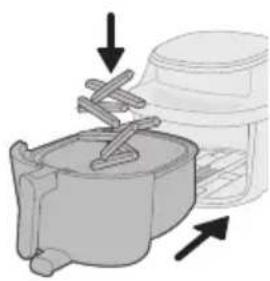
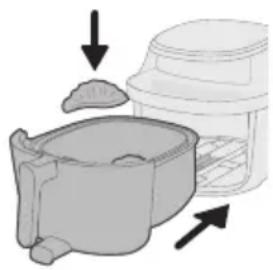
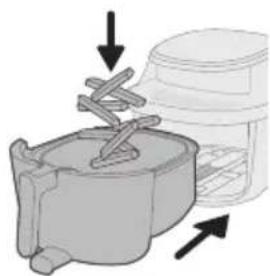
1 Add ingredients to the basket and slide the pan back into the appliance.
Note: The Airfryer is suitable for preparing a wide variety of ingredients. For best results, refer to the "Food table" for recommended quantities and cooking times.
Note: Avoid exceeding the suggested amounts or filling the basket beyond the "MAX" line, as this may impact cooking performance.
natural_image
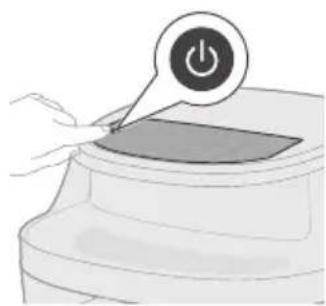
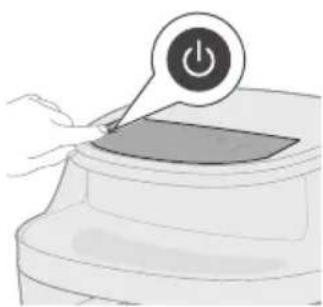
Illustration of a hand pressing a button on a device with a power symbol (no text or labels)2 Tap the On/off button to switch on the appliance.
natural_image
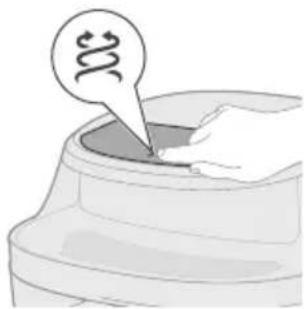
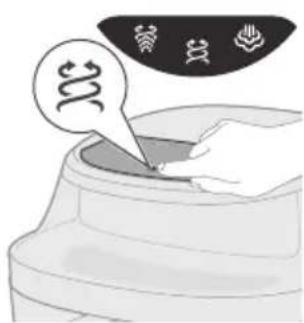
Illustration of a hand pressing down on a curved surface with a speech bubble containing a swirl symbol (no text or labels)3 Tap the Airfry button to enter Airfry mode.
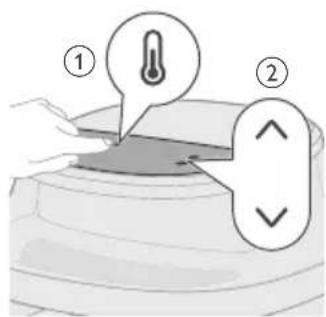
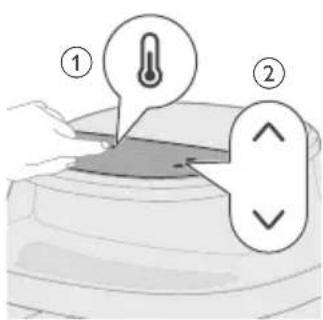
4 Tap the Temperature button and then use the Increase or Decrease button to select the desired cooking temperature.
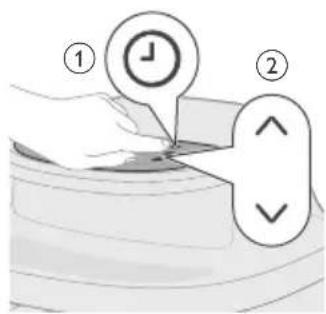
5 Tap the Time button and then use the Increase or Decrease button to select the desired cooking time.
Note: In addition to manually selecting the cooking temperature and time, you can also choose from a variety of preset programs designed for convenience and optimal results.
natural_image
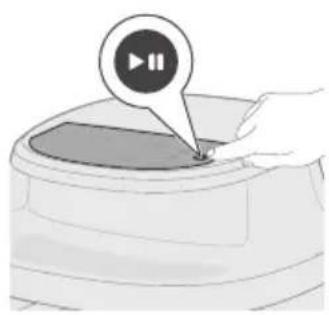
Illustration of a hand pressing a button on a device (no text or symbols visible)6 Tap the Start/pause button to start cooking.
Note: Some ingredients require shaking or turning halfway through the cooking time (see "Food table"). To do this:
- Gently pull out the pan.
- Shake or turn the ingredients over a heat-resistant surface.
- Slide the pan back to continue cooking.
Note: To pause the cooking process, press the Start/pause button. Press the same button again to resume.
Note: The appliance will automatically pause when the pan is removed. Cooking will automatically resume once the pan is placed back into the appliance.
natural_image
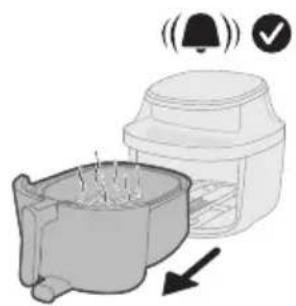
Illustration of a microwave oven with a bell icon and warning symbol (no text or labels)7 Once cooking is complete, a timer bell will sound. Carefully pull out the pan.
Caution: After the cooking process, the basket, pan, the interior housing and the ingredients will be hot. Always place the basket and pan on a heat resistant surface (e.g. trivet or silicone mat) when you remove them from the appliance. Depending on the type of food, hot steam may escape from the pan.
natural_image
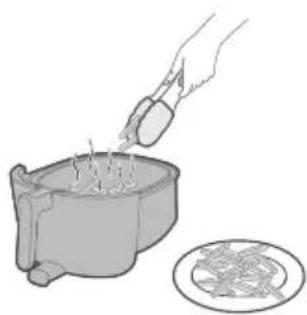
Illustration of a hand pouring liquid into a container with a circular inset showing a food item (no text or symbols)8 Remove the cooked food from the basket.
Note: Excess oil or rendered fat from the ingredients will collect at the bottom of the pan.
Note: Depending on the type of food being cooked, you may wish to pour off the excess oil or fat between batches or before shaking the contents. To do this safely, place the pan on a heat-resistant surface and wear oven-safe gloves. Carefully pour out the oil or fat.
Food table for Airfry mode
The table below provides recommended base settings for preparing various food types.
Note
- The settings listed are intended as guidelines. Due to variations in ingredient origin, size, shape, and brand, optimal results cannot be guaranteed for all ingredients.
- When cooking larger quantities (e.g., fries, prawns, drumsticks, frozen snacks), shake, turn, or stir the ingredients 2–3 times during the cooking process to ensure consistent texture and doneness.
Food items Food amount Tempera-
ture
Time Note
| Frozen spring rolls 800 g 200 °C 15 min Shake, turn, or stir 1-2 times in between | |||
| Hamburger (around 150 g/5 oz) | 6 patties 200 °C 16-25 | min | Shake, turn, or stir 1-2 times in between |
| Meat loaf 1400 g 150 °C 65-70 | min | ||
| Meat chops without bone (around 190 g/7 oz) | 4 chops 200 °C 16-25 | min | Shake, turn, or stir 1-2 times in between |
| Chicken breast (around 160 g/6 oz) | 5 pieces 180 °C 20-28 | min | Shake, turn, or stir 1-2 times in between |
| Whole chicken (1200 g/42 oz) | 1 piece 180 °C 50-60 | min | Shake, turn, or stir 1 time in between |
Steamfry mode
natural_image
Illustration of a kitchen sink with a lid and directional arrows indicating process flow (no text or symbols)1 Add ingredients to the basket and slide the pan back into the appliance.
Note: The Airfryer is suitable for preparing a wide variety of ingredients. For best results, refer to the 'Food Table' for recommended quantities and cooking times.
Note: Avoid exceeding the suggested amounts or filling the basket beyond the "MAX" line, as this may impact cooking performance.
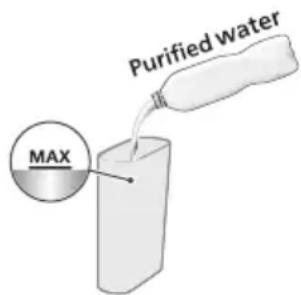
2 Fill the water tank with purified water up to the MAX water level.
3 Pull out the water tank base from the bottom side of the appliance.
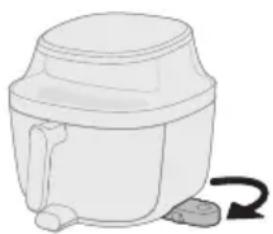
natural_image
Simple line drawing of a mechanical device with a curved arrow indicating rotation (no text or symbols)
4 Secure the lid on the water tank and place the water tank onto the base.
5 Tap the On/off button to switch on the appliance.
6 Tap the Steamfry button to enter Steamfry mode.
7 Tap the Temperature button and then use the Increase or Decrease button to select the desired cooking temperature.
8 Tap the Time button and then use the Increase or Decrease button to select the desired cooking time.
Note: In addition to manually selecting the cooking temperature and time, you can also choose from a variety of preset programs designed for convenience and optimal results.
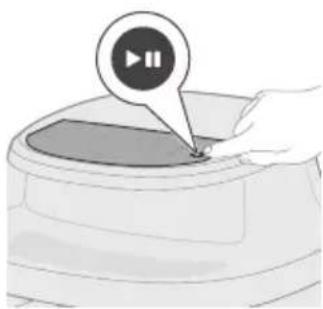
natural_image
Illustration of a hand pressing a button on a circular object with a play button icon (no text or symbols)9 Tap the Start/pause button to start cooking.
Note: Some ingredients require shaking or turning halfway through the cooking time (see "Food table"). To do this:
- Gently pull out the pan.
- Shake or turn the contents over a heat-resistant surface.
- Slide the pan back to continue cooking.
Note: To pause the cooking process, press the Start/pause button. Press the same button again to resume.
Note: The appliance will automatically pause when the basket is removed. Cooking will automatically resume once the basket is placed back into the appliance.
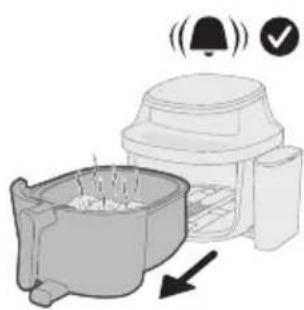
natural_image
Illustration of a coffee maker with warning symbols (bell, checkmark) and an arrow indicating motion or movement (no text or labels)10 Once cooking is complete, a timer bell will sound. Carefully pull out the pan.
Caution: After the cooking process, the basket, pan, the interior housing and the ingredients will be hot. Always place the basket on a heat resistant surface (e.g. trivet or silicone mat) when you remove the basket. Depending on the type of food, hot steam may escape from the basket.
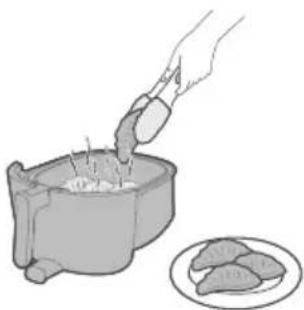
natural_image
Illustration of a hand pouring food into a container with meat pieces, alongside a plate of raw meat (no text or symbols)11 Remove the cooked food from the basket.
Note: Excess oil or rendered fat from the ingredients will collect at the bottom of the pan.
Note: Depending on the type of food being cooked, you may wish to pour off the excess oil or fat between batches or before shaking the contents. To do this safely, place the pan on a heat-resistant surface and wear oven-safe gloves. Carefully pour out the oil or fat.
Food table for Steamfry mode
The table below provides recommended base settings for preparing various food types.
Note
- The settings listed are intended as guidelines. Due to variations in ingredient origin, size, shape, and brand, optimal results cannot be guaranteed for all ingredients.
- When cooking larger quantities (e.g., fries, prawns, drumsticks, frozen snacks), shake, turn, or stir the ingredients 2–3 times during the cooking process to ensure consistent texture and doneness.
Food items Food amount Tempera-
Time Note
ture
| Fresh potato cubes 1200 g/42 oz 180 °C 35 min Shake, turn, or stir 1-2 times in between | |
| Chicken breast (around 160 g/6 oz) | 5 pieces 160 °C 29 min Shake, turn, or stir 1-2 times in between |
Food items Food amount Tempera-
Time Note
ture
| Fish fillet(around 125 g/4 oz) | 6 pieces 160 °C 22 min Shake, turn, or stir 1-2 times in between |
| Homemade bread 500 g 180 °C 30 min Spread the dough into an even, flat layer to prevent it from rising and touching the heating element during cooking, which could burn the bread. | |
Whole chicken 1200 g/42 oz 180 °C 50 min Shake, turn, or stir once in between
Steam mode
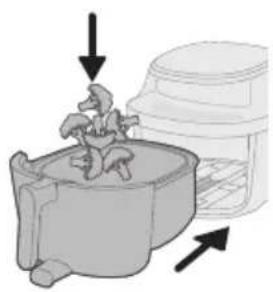
natural_image
Diagram showing a plant growing in a container with arrows indicating direction (no text or symbols)1 Add ingredients to the basket and slide the pan back into the appliance.
Note: The Airfryer is suitable for preparing a wide variety of ingredients. For best results, refer to the "Food Table" for recommended quantities and cooking times.
Note: Avoid exceeding the suggested amounts or filling the basket beyond the 'MAX' line, as this may impact cooking performance.
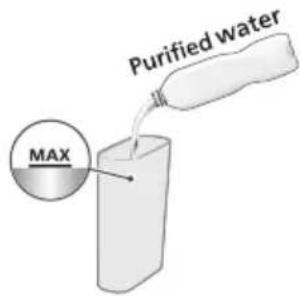
2 Fill the water tank with purified water up to the MAX water level.
3 Pull out the water tank base from the bottom side of the appliance.

natural_image
Simple line drawing of a kitchen appliance with a curved arrow indicating rotation (no text or symbols)
4 Secure the lid on the water tank and place the water tank onto the base.
5 Tap the On/off button to switch on the appliance.
6 Tap the Steam button to enter Steam mode.
7 Tap the Time button and then use the Increase or Decrease button to select the desired cooking time.
Note: Temperature adjustment is disabled for Steaming.
Note: In addition to manually selecting the cooking temperature and time, you can also choose from a variety of preset programs designed for convenience and optimal results.
8 Tap the Start/pause button to start cooking.
Note: Some ingredients require shaking or turning halfway through the cooking time (see "Food table"). To do this:
- Gently pull out the pan.
- Shake or turn the ingredients over a heat-resistant surface.
- Slide the pan back to continue cooking.
Note: To pause the cooking process, press the Start/pause button. Press the same button again to resume.
Note: The appliance will automatically pause when the basket is removed. Cooking will automatically resume once the basket is placed back into the appliance.
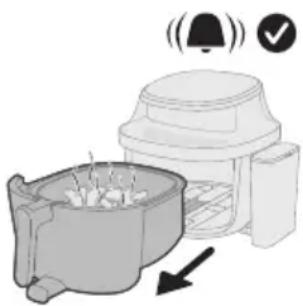
natural_image
Illustration of a microwave oven with a bell icon and a warning symbol (no text or labels)9 Once cooking is complete, a timer bell will sound. Carefully pull out the pan.
Caution: After the cooking process, the basket, pan, the interior housing and the ingredients will be hot. Always place the basket and pan on a heat resistant surface (e.g. trivet or silicone mat) when you remove them from the appliance. Depending on the type of food, hot steam may escape from the basket.
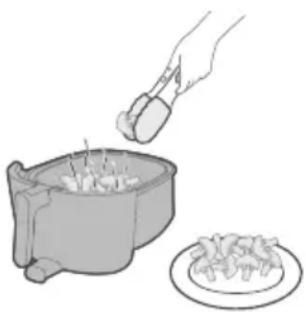
natural_image
Illustration of a hand using a tool to stir meat into a bowl, with a plate of food nearby (no text or symbols)10 Remove the cooked food from the basket.
Note: Excess oil or rendered fat from the ingredients will collect at the bottom of the pan.
Note: Depending on the type of food being cooked, you may wish to pour off the excess oil or fat between batches or before shaking the contents. To do this safely, place the pan on a heat-resistant surface and wear oven-safe gloves. Carefully pour out the oil or fat.
Food table for Steam mode
The table below provides recommended base settings for preparing various food types.
Note
- The settings listed are intended as guidelines. Due to variations in ingredient origin, size, shape, and brand, optimal results cannot be guaranteed for all ingredients.
- When cooking larger quantities (e.g., fries, prawns, drumsticks, frozen snacks), shake, turn, or stir the ingredients 2–3 times during the cooking process to ensure consistent texture and doneness.
Food items Food amount Tempera-
| ture | ||
| Fresh potato cubes 800 g / 28 oz 100 °C 28-35 | min | |
| Whole potato (around 250-300 g/9-11 oz) | 4 pieces 100 °C 50-60 | min |
| Pork ribs 300 g/11 oz 100 °C 25-35 | min | |
| Rice 320 g/11 oz 100 °C 35-40 | min | Using cooking pot, like baking pot, silicon tray etc.Add 320 ml of water to the pot, maintaining a rice-water ratio of 1:1.2. |
| Yam/Sweet Potato (around 100 g/3.5 oz) | 8 pieces 100 °C 50-75 | min |
Cooking with preset programs
natural_image
Diagram of a mechanical device with arrows indicating motion or force direction (no text or symbols)This appliance comes with a variety of preset cooking programs designed to simplify meal preparation. Each preset is optimized for a specific type of food, automatically setting the ideal temperature and cooking time to deliver delicious results with minimal effort.
1 Add ingredients to the basket and slide the pan back into the appliance.
Note: Avoid exceeding the suggested amounts or filling the basket beyond the "MAX" line, as this may impact cooking performance.
natural_image
Illustration of a hand pressing a button on a device (no text or symbols visible)2 Tap the On/off button to switch on the appliance.
natural_image
Illustration of a hand pressing down on a container with three spiral patterns above (no text or symbols)3 Tap the Airfry, Steam, or Steamfry button to enter one of the cooking modes.
Note: Make sure to have the filled water tank in place when you are using the Steam or Steamfry cooking modes.
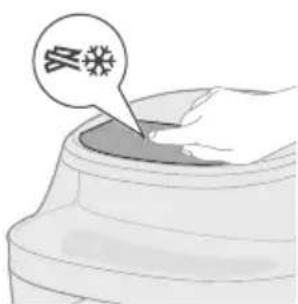
4 Choose one of the preset programs according to the food you are cooking.
natural_image
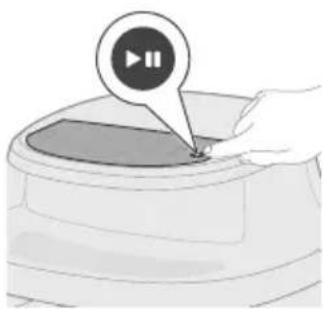
Illustration of a hand pressing a button on a device (no text or symbols visible)5 Tap the Start/pause button to start cooking.
Note: Some ingredients require shaking or turning halfway through the cooking time (see 'Food table'). To do this:
- Gently pull out the basket.
- Shake or turn the contents over a heat-resistant surface.
- Reinsert the basket to continue cooking.
Note: To pause the cooking process, press the Start/pause button. Press the same button again to resume.
Note: The appliance will automatically pause when the basket is removed. Cooking will automatically resume once the basket is placed back into the appliance.
natural_image
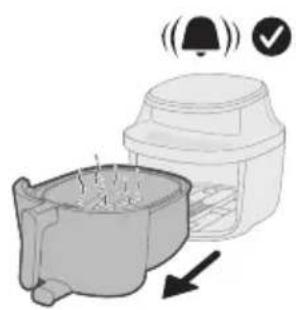
Illustration of a kitchen appliance with a bell icon and a downward arrow indicating cooling (no text or symbols)6 Once cooking is complete, a timer bell will sound. Carefully pull out the pan.
Caution: After the cooking process, the basket, pan, the interior housing and the ingredients will be hot. Always place the basket and pan on a heat resistant surface (e.g. trivet or silicone mat) when you remove them from the appliance. Depending on the type of food, hot steam may escape from the basket.
natural_image
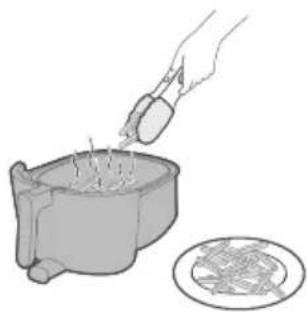
Illustration of a hand pouring liquid into a container with a plate nearby (no text or symbols)7 Remove the cooked food from the basket.
Note: Excess oil or rendered fat from the ingredients will collect at the bottom of the pan.
Note: Depending on the type of food being cooked, you may wish to pour off the excess oil or fat between batches or before shaking the contents. To do this safely, place the pan on a heat-resistant surface and wear oven-safe gloves. Carefully pour out the oil or fat.
Preset table for Airfry
Preset Recommended amount Time Temperature Shake
Reminder
| Frozen fries 1000 g 27 min 180 °C 2 times | ||
| Homemade fries | 1000 g 29 min 180 °C 2 times | |
| Meat chop 4 pieces (190g/piece) 17 min 200 °C 1 time | ||
| Egg and breakfast | 3 toasts, 4 eggs 12 min Add toast 6 min into cooking 160 °C / | |
| Muffin 9 cups (around 30g per cup) 16 min 160 °C / | ||

Chicken drumsticks
10 pieces (125g/piece) 28 min 180 °C 2 times

Mixed vegetables
1000 g (Airfry mode) 600 g (Steamfry and Steam modes)
12 min 180 °C 2 times

Whole fish 2 fish (300-400g per fish) 13 min 200 °C 1 time
Preset table for Steamfry
Preset Weight Time Temperature Shake
Reminder

Chicken drumsticks
10 pieces (125 g/piece) 35 min 180 °C 2 times

Cauliflower 600 g 19 min 160 °C 2 times

Whole fish 2 fish (300-400 g per fish) 18 min 200 °C 1 time

Dumplings 370 g 16 min 160 °C /
Preset table for Steam
Preset Weight Time
Temperature
 | Chicken drumsticks | 10 pieces (125 g/piece) | 33 min | 100 °C |
 | Broccoli | 600 g | 13 min | 100 °C |
 | Whole fish | 2 fish (300-400 g per fish) | 19 min | 100 °C |
 | Dumplings | 370 g | 13 min | 100 °C |
Cleaning
Routine cleaning
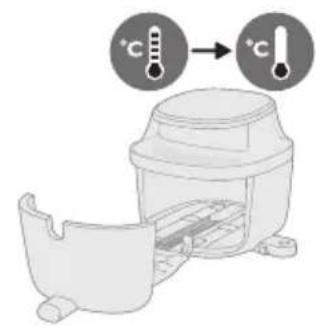
Warning: Let the pan, basket, and inside of the appliance cool down completely before you start cleaning.
Warning: the basket has a non-stick coating. Do not use metal kitchen utensils or abrasive cleaning materials as this may damage the non-stick coating.
Clean the appliance after every use. Remove oil and fat from the bottom of the pan after every use.
natural_image
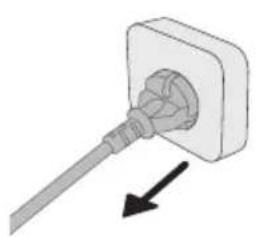
Simple line drawing of a plug inserted into a socket with an arrow indicating direction (no text or symbols)1 Press the power On/Off button to switch off the appliance, remove the plug from the wall outlet and let the appliance cool down.
2 Dispose of rendered fat or oil from the bottom of the pan.
natural_image
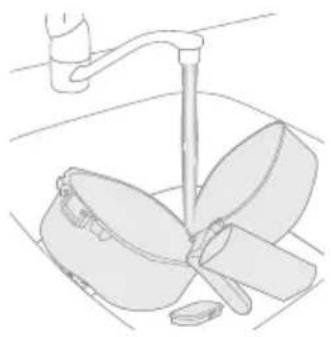
Line drawing of a kitchen sink with a hand holding a cup and a bowl, no text or symbols present3 Clean the basket, pan, and water tank under the tap, if necessary with warm water, dishwashing liquid and a non-abrasive sponge (see "cleaning table").
Tip: If food residues stuck to the basket or pan, you can soak them in hot water and dishwashing liquid for 10–15 minutes. Soaking loosens the food residues and makes it easier to remove. Make sure you use a dishwashing liquid that can dissolve oil and grease. If there are grease stains on the basket or pan and you have not been able to remove them with hot water and dishwashing liquid, use a liquid degreaser.
natural_image
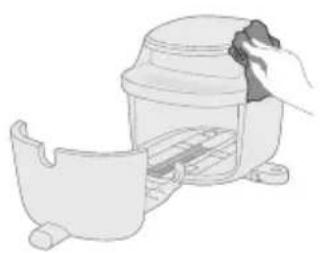
Illustration of a hand cleaning a small container with a lid (no text or symbols)Tip: If necessary, food residues stuck to the heating element can be removed with a soft to medium bristle brush. Do not use a steel wire brush or a hard bristle brush, as this might damage the coating on the heating element.
4 To prevent scratches, gently wipe the outside and inside of the appliance with an unwrinkled, clean, and soft cloth. Begin with a slightly moistened cloth and follow up with a dry one, if necessary.
natural_image
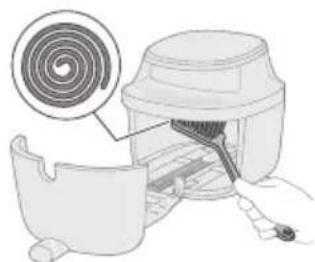
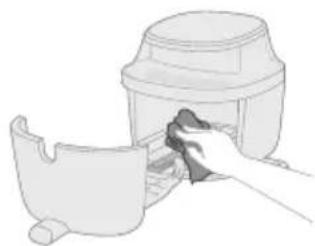
Illustration of a kitchen appliance with a spiral-patterned lid and handle, showing no text or symbols5 Clean the heating element with a cleaning brush to remove any food residues.
natural_image
Illustration of a hand cleaning a small container with a lid (no text or symbols)6 Clean the inside of the appliance with a slightly moistened soft cloth and follow up with a dry one, if necessary.
Steam cleaning
The steam cleaning function effectively dissolves greasy residue and provides a deep clean for both the basket and pan.
The program runs for 20 minutes, consisting of:
- 15 minutes of steam cleaning to dissolve buildup.
- 5 minutes of drying to ensure the pan is ready for use.
Note: When starting the steam cleaning program, the appliance may release more vapor from the back than during regular steam mode. This is normal and may result in increased condensation on nearby walls.
Before starting, please ensure the following:
- Air outlet is not directly facing any power socket.
- Do not place other kitchen appliances next to the appliance.
- Keep at least 15 cm of space between the appliance and the wall to minimize condensation buildup.
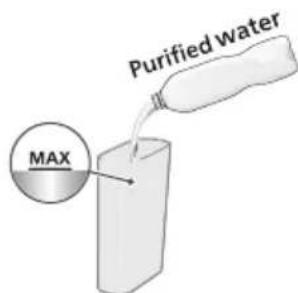
1 Fill the water tank with purified water up to the MAX water level.
natural_image
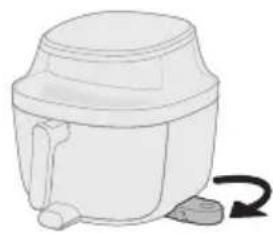
Simple line drawing of a mechanical device with a curved arrow indicating rotation (no text or symbols)2 Pull out the water tank base from the bottom side of the appliance.
natural_image
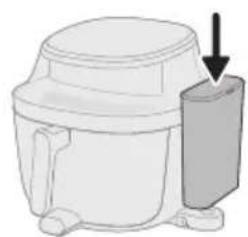
Diagram of a mechanical device with a downward arrow indicating a component (no text or symbols present)3 Secure the lid on the water tank and place the water tank onto the base.
natural_image
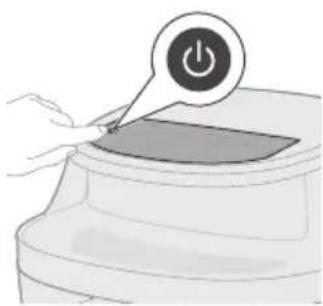
Illustration of a hand pressing a button on a device with a power symbol (no text or labels)4 Tap the On/off button to switch on the appliance.
natural_image
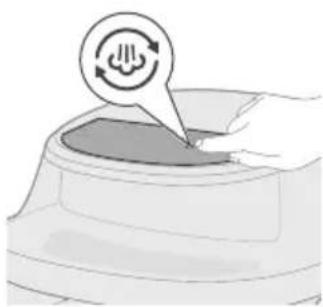
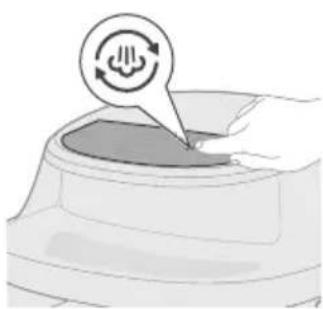
Illustration of a hand pressing down on a device with a circular icon above it (no text or symbols)5 Tap the Steam Clean button.
natural_image
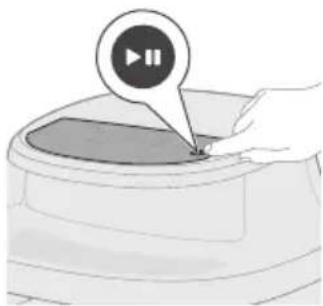
Illustration of a hand pressing a button on a circular object with a play button icon (no text or symbols)6 Press the Start/pause button to start the steam cleaning process.

7 After 15 minutes, the appliance will beep continuously and the steam clean icon will start flashing.
8 Pull out and clean the pan and basket.
Caution: Always wear heat-resistant gloves to handle the hot pan.
Note: If grease remains in the pan and basket, clean them with soapy water or detergent using a sponge, then rinse again.
9 Slide the basket and pan back into the appliance.
10 Tap the Start/pause button to start the drying process.
11 After 5 minutes, a beep sound indicates that drying is complete.
Tip: Before first use or if not used for a long time, we suggest using the "Steam cleaning" function to thoroughly clean the water circle and cooking chamber.
Descaling
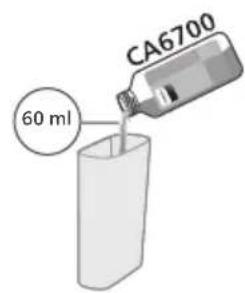
Every 20 hours of using steam mode, a descaling reminder will automatically appear and blink on the display—this means it is time to run the descaling program. The descaling program cleans limescale buildup from the airfryer's water system, helping to extend its lifespan.
1 Pour 60 ml of Philips Descaler CA6700 (sold separately) to the water tank.
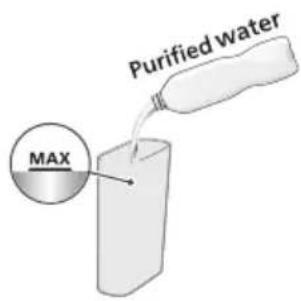
2 Fill the water tank with purified water up to the MAX level.
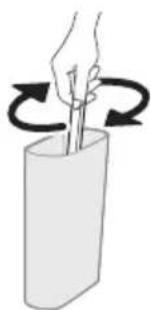
natural_image
Illustration of a hand holding a stick inside a cylindrical container with rotational arrows indicating rotation (no text or symbols)3 Mix the water and descaler evenly in the water tank.
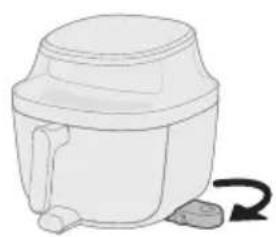
natural_image
Simple line drawing of a mechanical device with a curved arrow indicating rotation (no text or symbols)4 Pull out the water tank base from the bottom side of the appliance.

5 Secure the lid on the water tank and place the water tank onto the base.
6 Tap the On/off button to switch on the appliance
7 Tap and hold the Steam clean button for 2 seconds.
8 Tap the Start/pause button to start descaling.
9 After 25 minutes of descaling, the appliance will beep and remind you to pull out the pan.
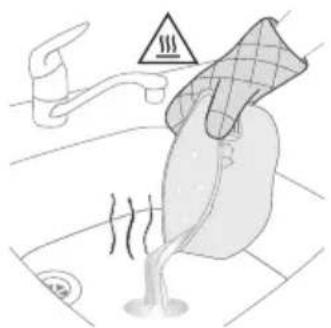
natural_image
Illustration of a toilet with steam rising, showing a faucet and warning symbol (no text or labels)10 Pull out the pan and pour off any remaining water in the pan.
Caution: Always wear heat-resistant gloves to handle the hot pan.
natural_image
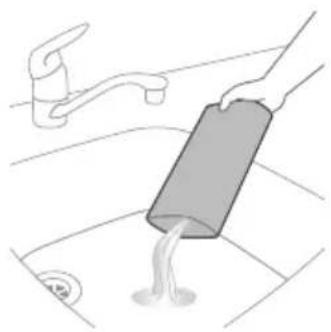
Illustration of a hand pouring liquid into a sink with a faucet in the background (no text or symbols)11 Pour off any remaining water in the water tank.
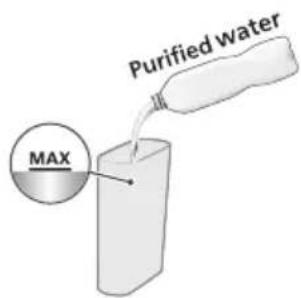
12 Refill the water tank with purified water.
natural_image
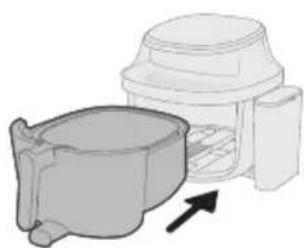
Diagram of a mechanical component with a cylindrical housing and a top housing, showing an arrow indicating direction (no text or symbols present)13 Slide the basket and pan back to the appliance.
natural_image
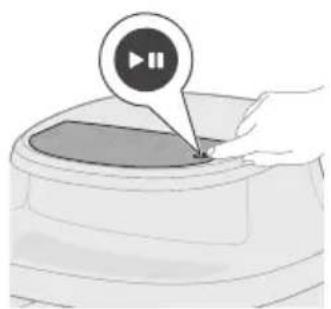
Illustration of a hand pressing a button on a device (no text or symbols visible)14 Press the Start/pause button to continue descaling.
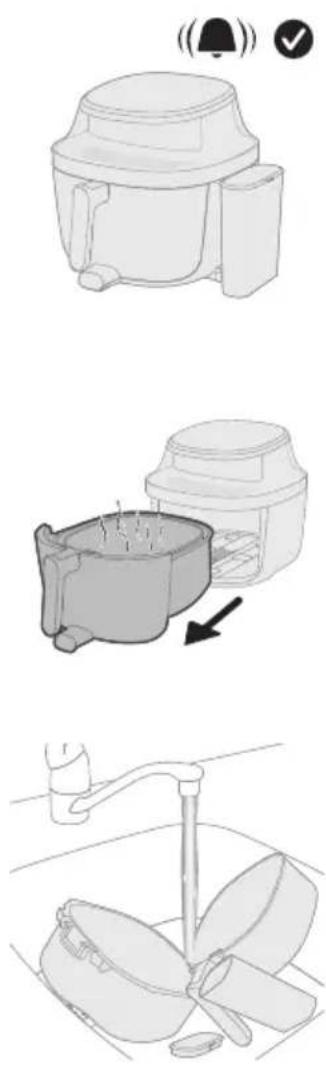
15 The descaling process ends when you hear the appliance beep again.
16 Pull out the basket and pan.
17 Rinse the basket, pan, and water tank under the tap.
Important: Under no circumstances should you use a descaling liquid based on sulfuric acid, hydrochloric acid, sulfamic or acetic acid (vinegar) as this may damage the water system in your appliance and not dissolve the limescale properly.
Note: If you often use hard water in your area, you may need to descale the device more frequently.
Storage
1 Unplug the appliance and let it cool down.
2 Make sure all parts are clean and dry before storing.
Note
- When carrying the Airfryer, hold it horizontally and support the pan at the front to prevent any accidental tilting and potential damage to the parts.
- Always make sure that the removable parts of the Airfryer are fixed before you carry and/or store it.
Troubleshooting
This chapter summarizes the most common problems you could encounter with the appliance. If you are unable to solve the problem with the information below, visit www.home.id/support for a list of frequently asked questions or contact the Consumer Care Center in your country.
Problem Possible cause Solution
| The outside of the appliance becomes hot during use. | The heat inside radiates to the outside walls. | This is normal. All areas that you need to touch during use stay cool enough to touch. |
| The pan, the basket, and the inside of the appliance always become hot when the appliance is switched on to ensure the food is properly cooked. These parts are always too hot to touch. | ||
If you leave the appliance switched on for a longer time, some areas get too hot to touch. These areas are marked on the appliance with the following icon: 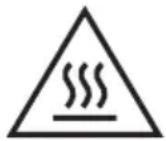 | ||
| As long as you are aware of the hot areas and avoid touching them, the appliance is safe to use. | ||
| My home-made fries do not turn out as I expected. | You did not use the right potato type. | To get the best results, use fresh floury potatoes. If you need to store the potatoes, do not store them in a cold environment like in a fridge. Choose potatoes whose package states that they are suitable for frying. |
| The amount of ingredients in the basket is too big. | Follow the instructions in this user manual to prepare home-made fries. | |
| Certain types of ingredients need to be shaken halfway through the cooking time. | Follow the instructions in this user manual to prepare home-made fries. | |
| The Airfryer does not switch on. The appliance is not plugged in. Check if the plug is inserted in the wall outlet properly. | ||
| Several appliances are connected to one outlet. | The Airfryer has a high wattage. Try a different outlet and check the fuses. | |
| You did not tap the On/off button. | Tap the On/off button to switch on the appliance. | |
Problem Possible cause Solution
| I see some peeling off spots inside my Airfryer. | Some small spots can appear inside the pan of the Airfryer due to the incidental touching or scratching of the coating (e.g. during cleaning with harsh cleaning tools and/or while inserting the basket). | You can prevent damage by lowering the basket into the pan properly. If you insert the basket at an angle, its side may knock against the wall of the pan, causing small pieces of coating to chip off. If this occurs, please be informed that this is not harmful as all materials used are food-safe. |
| White smoke comes out of the appliance. | You are cooking fatty ingredients. | Carefully pour off any excess oil or fat from the pan and then continue cooking. |
| The pan still contains greasy residues from previous use. | White smoke is caused by greasy residues heating up in the pan. Always clean the pan and the basket thoroughly after every use. | |
| Breading or coating did not adhere properly to the food. | Tiny pieces of airborne breading can cause white smoke. Firmly press breading or coating to food to ensure it sticks. | |
| Marinade, liquid or meat juices are splattering in the rendered fat or grease. | Pat food dry before placing it in the basket. | |
| The screen on the Airfryer shows "E1". | Your Airfryer might be stored in a place where it is too cold. | If your device was stored at a low ambient temperature, let it warm up to room temperature for at least 15 minutes before you plug it in again.If your display still shows "E1", call the service hot line or contact the Consumer Care Center in your country. |
| The screen on the Airfryer shows "E4–E12". | The device might have a malfunction. | Try to unplug and plug in the device again.If this does not help please call the service hot line or contact the Consumer Care Center in your country. |
| The screen on the Airfryer shows "E15". | The internal water tube is blocked. | Perform the descaling process (see 'Descaling').If this does not help please call the service hot line or contact the Consumer Care Center in your country. |
Problem Possible cause Solution
| I hear some strange noise coming from the inside of the appliance. | This appliance is equipped with a fan to circulate heat and a water pump to enable the steaming function.During operation, you may hear sounds from these components. | This is normal and expected.If the noise becomes noticeably louder or changes in character, please contact the Consumer Care Center for further assistance. |
| There is water in the cooking chamber after use. | After cooking, you may notice water remaining in the cooking chamber.This is due to the steam generated during operation, which condenses on the food and the inner walls of the chamber. | A small amount of condensation is normal.Simply wipe it away using a soft, damp, non-abrasive cloth. |
| is flashing. No water in water tank. Add purified water to the watertank. | ||
| Water tank is not placed properly. Press the water tank to secure it in place. | ||
| The internal water tube is blocked. Perform the descaling process (see 'Descaling').If this does not help please call the service hot line or contact the Consumer Care Center in your country. | ||
| is flashing. This is the descaling reminder. Perform the descaling process. See chapter "Descaling". | ||
| There is condensation on the wall during steaming, steam cleaning, or descaling. | It is normal. The appliance may release increased vapor from the air outlet. This vapor can be pushed toward nearby surfaces by the internal fan, leading to visible condensation on walls. | To ensure safe and optimal use:- Place the appliance at least 15 cm away from the wall to reduce condensation buildup.- Ensure the air outlet is not directly facing any power socket to avoid electrical hazards.- Do not place other kitchen appliances close to the unit during operation.- Use a mop or soft cloth to dry any condensation that forms on surrounding surfaces. |
Problem Possible cause Solution
| There is water leakage from the Airfryer. | Internal Leakage (e.g., water tube or internal components). | Contact the Consumer Care Center in your country for further assistance. |
| Cracks or Damage from External Force.If the appliance has been dropped or deformed, it may cause structural damage leading to leaks. | ||
| The water tank may not be properly installed or could be damaged. | Remove the water tank and reinstall it securely.Check for any visible cracks or damage.If damage is found, contact the Consumer Care Center for further assistance. | |
| The Airfryer is not producing enough steam. | Insufficient water in the water tank. | Check the water tank to ensure there is enough water. |
| The water tank is not properly inserted. | Press the water tank to secure it in place. | |
| The water inlet is dirty or clogged. | Clean and rinse thoroughly to remove any blockages. | |
| There is steam generator clogging or pipeline leakage. | If the appliance has been used for an extended period, the steam generator may require maintenance.Run the descaling program to clean the steam system.If the issue persists after descaling, please contact the Consumer Care Center in your country for further assistance. |
Obsah
natural_image
Symbol of a robot without any text or numbers, featuring a prohibition sign inside a circle (no readable text)natural_image
Symbol of a trash bin crossed with no text or numbers, representing waste sorting or disposal (no text present)
Mražené hranolky

Uchov. teplé
natural_image
Diagram of a mechanical device with arrows indicating motion or force, no text or symbols presentnatural_image
Illustration of a hand pressing a button on a device with a power symbol (no text or labels)natural_image
Illustration of a hand placing a circular icon with a spiral symbol into a container (no text or symbols present)natural_image
Illustration of a hand pressing a button on a device (no text or symbols visible)natural_image
Illustration of a blender with a bell icon and a downward arrow indicating sound or vibration (no text or symbols)natural_image
Illustration of a hand pouring liquid into a container with a circular inset showing a mesh (no text or symbols)natural_image
Illustration of a kitchen sink with a lid and directional arrows indicating process flow (no text or symbols)natural_image
Simple line drawing of a mechanical device with a curved arrow indicating rotation (no text or symbols)
natural_image
Illustration of a hand pressing a button on a circular object with a play button icon (no text or symbols)natural_image
Illustration of a coffee maker with warning symbols (bell, checkmark) and an arrow indicating process flow (no text or labels)natural_image
Illustration of a hand pouring liquid into a container with food items nearby (no text or symbols)natural_image
Illustration of a small animal inside a container with arrows indicating movement or flow (no text or symbols)natural_image
Simple line drawing of a mechanical device with a curved arrow indicating rotation (no text or symbols)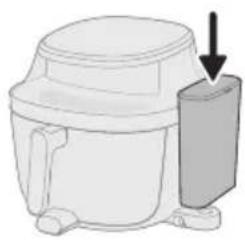
natural_image
Line drawing of a microwave oven with a lid and arrow indicating direction (no text or symbols)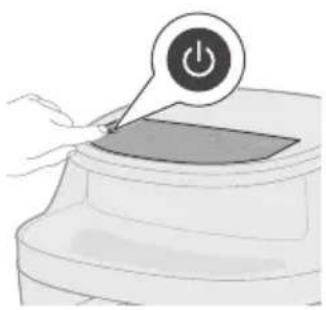
natural_image
Illustration of a hand pressing a button on a device (no text or symbols visible)
natural_image
Illustration of a small container with a speech bubble containing a cloud icon, no text or symbols present
natural_image
Illustration of a hand pressing a button on a device (no text or symbols visible)natural_image
Illustration of a microwave oven with a bell icon and warning symbol (no text or labels)natural_image
Illustration of a hand using a tool to stir meat into a bowl, with a plate of food nearby (no text or symbols)natural_image
Diagram of a mechanical device with arrows indicating motion or force direction (no text or symbols)natural_image
Illustration of a hand pressing a button on a device (no text or symbols visible)natural_image
Illustration of a hand pressing down on a container with a speech bubble and three abstract icons above (no text or symbols)natural_image
Illustration of a hand pressing a button on a device (no text or symbols visible)natural_image
Illustration of a blender with a bell icon and a downward arrow indicating cooling effect (no text or symbols)natural_image
Illustration of a hand pouring liquid into a container with a plate nearby (no text or symbols)natural_image
Diagram of a plug inserted into a socket with an arrow indicating direction (no text or symbols)natural_image
Line drawing of a kitchen sink with a hand holding a cup and a bowl, no text or symbols presentnatural_image
Illustration of a hand cleaning a small container with a lid (no text or symbols)natural_image
Illustration of a kitchen appliance with a spiral-patterned lid and handle, no text or symbols presentnatural_image
Illustration of a hand cleaning a small container with a lid (no text or symbols)natural_image
Illustration of a mechanical device with a curved arrow indicating rotation (no text or symbols)natural_image
Diagram of a mechanical device with a downward arrow indicating a component (no text or symbols present)natural_image
Illustration of a hand pressing a button on a device with a power symbol (no text or labels)natural_image
Illustration of a hand pressing down on a device with a circular icon above it (no text or symbols)natural_image
Illustration of a hand pressing a button on a device (no text or symbols visible)
natural_image
Illustration of a hand holding a stick inside a cylindrical container with rotational arrows indicating rotation (no text or symbols)natural_image
Simple line drawing of a white cylindrical container with a handle and side knob, no text or symbols present.natural_image
Illustration of a kitchen appliance with a power button and a downward arrow indicating action (no text or symbols)natural_image
Illustration of a hand pressing a button on a device (no text or symbols visible)natural_image
Simple line drawing of a toilet with a bell icon above it (no text or symbols)natural_image
Illustration of a toilet with steam rising, showing a faucet and warning symbol (no text or labels)natural_image
Illustration of a hand pouring liquid into a sink with a faucet in the background (no text or symbols)natural_image
Diagram of a mechanical component with a housing and arrow indicating direction (no text or symbols)natural_image
Illustration of a hand pressing a button on a device (no text or symbols visible)natural_image
Prohibition sign depicting a robot on a conveyor belt, no text or symbols present1 Kontrolpanel
2 Netledning
3 Beholder
4 Kurv
5 Vandtank
6 Låg til vandtank
Oversigt over kontrolpanel
natural_image
Diagram of a kitchen appliance with arrows indicating motion or force (no text or symbols)natural_image
Illustration of a hand pressing a button on a device with a power symbol (no text or labels)natural_image
Illustration of a hand pressing down on a curved surface with a circular arrow symbol (no text or labels)natural_image
Illustration of a hand pressing a button on a device (no text or symbols visible)6 Tryk på Start/pause-knappen for at starte tilberedningen.
natural_image
Illustration of a blender with a bell icon and a downward arrow indicating sound or vibration (no text or symbols)natural_image
Illustration of a hand pouring liquid into a container with a plate nearby (no text or symbols)natural_image
Illustration of a food preparation step showing a bowl with food being added to a container (no text or symbols)natural_image
Simple line drawing of a mechanical device with a curved arrow indicating rotation (no text or symbols)natural_image
Diagram of a mechanical device with a downward arrow indicating force or motion (no text or symbols present)natural_image
Illustration of a hand pressing a button on a device with a power symbol (no text or labels)natural_image
Illustration of a hand pressing a button into a container with a Wi-Fi symbol (no text or labels)natural_image
Illustration of a hand pressing a button on a device (no text or symbols visible)9 Tryk på Start/pause-knappen for at starte tilberedningen.
natural_image
Illustration of a coffee maker with a bell icon and checkmark, showing its base and side view (no text or symbols)natural_image
Illustration of a hand pouring liquid into a cylindrical container with food items nearby (no text or symbols)natural_image
Illustration of a small plant growing in a container with arrows indicating direction (no text or symbols)natural_image
Simple line drawing of a portable air purifier with a handle and side-mounted buttons (no text or symbols)
natural_image
Illustration of a microwave oven with a bell icon and warning symbol (no text or labels)natural_image
Illustration of a hand using a mortar to fill a pot with food, next to a plate (no text or symbols)natural_image
Diagram of a mechanical device with arrows indicating motion or force direction (no text or symbols)
natural_image
Illustration of a hand pressing a button on a device (no text or symbols visible)natural_image
Illustration of a hand pressing down on a container with icons above (no text or symbols)natural_image
Illustration of a hand pressing a button on a circular object with a play button icon (no text or symbols)5 Tryk på Start/pause-knappen for at starte tilberedningen.
natural_image
Illustration of a microwave oven with a bell icon and warning symbol (no text or labels)natural_image
Illustration of a hand pouring liquid into a container with a magnified inset showing a textured surface (no text or symbols)natural_image
Simple line drawing of a plug inserted into a socket (no text or symbols)natural_image
Line drawing of a kitchen sink with a hand holding a cup and a fork, containing a pan (no text or symbols)natural_image
Illustration of a hand cleaning a small container with a lid (no text or symbols)natural_image
Illustration of a kitchen appliance with a spiral-patterned lid and handle, no text or symbols presentnatural_image
Illustration of a hand cleaning a small container with a lid (no text or symbols)natural_image
Simple line drawing of a mechanical device with a curved arrow indicating rotation (no text or symbols)natural_image
Illustration of a microwave oven with a side panel showing a drop (no text or symbols)natural_image
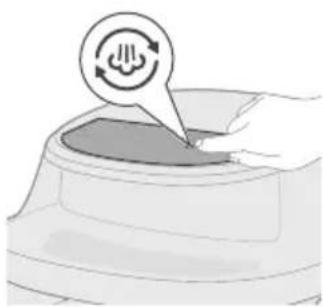
Illustration of a hand placing a power button on a device (no text or symbols present)5 Tryk på Damprensning-knappen.
natural_image
Illustration of a hand pressing down on a curved surface with a circular icon above (no text or symbols)natural_image
Illustration of a hand pressing a button on a circular object with a play button icon (no text or symbols)
natural_image
Illustration of a hand holding a stick inside a cylindrical container with rotational arrows indicating rotation (no text or symbols)natural_image
Simple line drawing of a mechanical device with a curved arrow indicating rotation (no text or symbols)natural_image
Illustration of a toilet with steam rising, showing water intake and a warning symbol (no text or labels)natural_image
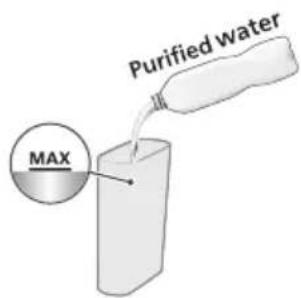
Illustration of a hand pouring liquid into a sink with a faucet in the background (no text or symbols)11 Tøm tanken for resterende vand.
natural_image
Diagram of a mechanical component with a cylindrical housing and a top housing, showing an arrow indicating direction (no text or symbols present)natural_image
Illustration of a hand pressing a button on a device (no text or symbols visible)natural_image
Symbol of a robot without any text or numbers, featuring a diagonal line over a tank (no text present)natural_image
Symbol of a trash bin with crossed lines indicating no waste or restriction, and a solid black rectangle below (no text or symbols)1 Bedienfeld
2 Netzkabel
3 Pfanne
natural_image
Diagram of a mechanical device with arrows indicating motion or force, no text or symbols presentnatural_image
Illustration of a hand pressing a button on a device with a power symbol (no text or labels)natural_image
Illustration of a hand pressing down on a container with a circular arrow symbol (no text or labels)natural_image
Illustration of a hand pressing a button on a device (no text or symbols visible)natural_image
Illustration of a coffee maker with a bell and checkmark indicating notification or alert (no text or symbols)natural_image
Illustration of a hand pouring liquid into a bowl with chopsticks, and a plate of noodles nearby (no text or symbols)natural_image
Illustration of a container with arrows indicating flow or movement, no text or symbols present
natural_image
Simple line drawing of a cylindrical container with a handle and side legs, no text or symbols present.natural_image
Illustration of a kitchen appliance with a downward arrow indicating a component (no text or symbols present)natural_image
Illustration of a hand pressing a button on a device with a power symbol (no text or labels)natural_image
Illustration of a hand inserting a device into a container with a Wi-Fi icon (no text or symbols)natural_image
Illustration of a hand pressing a button on a device (no text or symbols visible)natural_image
Illustration of a kitchen appliance with a bell icon and directional arrow (no text or symbols)natural_image
Illustration of a hand pouring food into a pot with meat slices nearby (no text or symbols)natural_image
Illustration of a mechanical component with arrows indicating direction (no text or symbols)
natural_image
Illustration of a white cylindrical container with a curved arrow indicating rotation (no text or symbols)natural_image
Illustration of a microwave oven with a side-mounted lid and arrow indicating direction (no text or symbols)natural_image
Illustration of a hand pressing a button on a device with a power symbol (no text or labels)natural_image
Illustration of a container with a small object inside, no text or symbols presentnatural_image
Illustration of a hand pressing a button on a device (no text or symbols visible)natural_image
Illustration of a kitchen appliance with a bell icon and a downward arrow indicating cooling or ventilation (no text or symbols)natural_image
Illustration of a hand using a mortar to pour food into a bowl, with a plate nearby (no text or symbols)natural_image
Diagram of a mechanical device with arrows indicating motion or force direction (no text or symbols)natural_image
Illustration of a hand pressing a button on a device (no text or symbols visible)natural_image
Illustration of a hand pressing down on a container with icons above (no text or symbols)natural_image
Illustration of a hand pressing a button on a circular object with a play button icon (no text or symbols)natural_image
Illustration of a microwave oven with a bell icon and checkmark indicating confirmation (no text or symbols)natural_image
Illustration of a hand pouring liquid into a container with a plate nearby (no text or symbols)natural_image
Diagram of a plug inserted into a socket with an arrow indicating direction (no text or symbols)natural_image
Line drawing of a kitchen sink with a hand holding a tool, no text or symbols presentnatural_image
Illustration of a hand cleaning a small container with a lid (no text or symbols)natural_image
Illustration of a kitchen appliance with a spiral-patterned lid and handle, no text or symbols presentnatural_image
Illustration of a hand cleaning a small container with a lid (no text or symbols)natural_image
Simple line drawing of a mechanical device with a curved arrow indicating rotation (no text or symbols)natural_image
Diagram of a mechanical device with a downward arrow indicating force or motion (no text or symbols present)natural_image
Illustration of a hand pressing a button on a device with a power symbol (no text or labels)natural_image
Illustration of a hand pressing down on a curved surface with a circular icon above (no text or symbols)natural_image
Illustration of a hand pressing a button on a circular object with a play button icon (no text or symbols)natural_image
Illustration of a hand holding a stick inside a cylindrical container with rotational arrows indicating motion (no text or symbols)natural_image
Simple line drawing of a white cylindrical container with a side outlet and a curved arrow indicating rotation (no text or symbols)natural_image
Illustration of a hand pouring liquid into a sink with a faucet in the background (no text or symbols)natural_image
Diagram of a mechanical component with a curved housing and a top component, showing an arrow indicating direction (no text or symbols present)natural_image
Illustration of a hand pressing a button on a device (no text or symbols visible)Ökodisaini teave 147
Tutvustus 147
natural_image
Symbol of a robot without any text or numbers, featuring a prohibition sign inside a circle (no readable text)natural_image
Symbol of a trash bin crossed with no text or numbers, representing waste sorting or disposal (no text present)

Soojana hoidmine
natural_image
Diagram of a mechanical device with arrows indicating motion or force direction (no text or symbols)natural_image
Illustration of a hand pressing a button on a device with a power symbol (no text or labels)natural_image
Illustration of a hand pressing down a cylindrical container with a circular arrow icon (no text or symbols)natural_image
Illustration of a hand pressing a button on a device (no text or symbols visible)natural_image
Illustration of a microwave oven with a bell icon and checkmark indicating confirmation (no text or symbols)natural_image
Illustration of a hand pouring liquid into a container with a circular inset showing a patterned surface (no text or symbols)natural_image
Illustration of a kitchen sink with a lid and directional arrows indicating process flow (no text or symbols)natural_image
Simple line drawing of a mechanical device with a curved arrow indicating rotation (no text or symbols)
natural_image
Illustration of a hand pressing a button on a circular object with a play button (no text or symbols)natural_image
Illustration of a kitchen appliance with a bell icon and warning symbol (no text or labels)natural_image
Illustration of a hand pouring sauce into a steaming pot with meat pieces nearby (no text or symbols)natural_image
Illustration of a small mechanical component with arrows indicating motion or force direction (no text or symbols)natural_image
Simple line drawing of a white cylindrical container with a handle and side legs, no text or symbols present.natural_image
Illustration of a kitchen mixer with a downward arrow indicating compression (no text or symbols)
natural_image
Illustration of a hand pressing a button on a device with a power symbol (no text or labels)natural_image
Illustration of a hand placing a small object into a container with a speech bubble containing a cloud icon (no text or symbols present)natural_image
Illustration of a hand pressing a button on a device (no text or symbols visible)natural_image
Illustration of a coffee maker with a bell icon and checkmark indicating confirmation (no text or symbols)natural_image
Illustration of a hand using a mortar to press food into a bowl, with a plate nearby (no text or symbols)natural_image
Illustration of a microwave oven with a bell icon and warning symbol (no text or labels)natural_image
Illustration of a hand pouring liquid into a container with a circular inset showing a mesh (no text or symbols)natural_image
Illustration of a plug inserted into a socket with an arrow indicating direction (no text or symbols)natural_image
Line drawing of a kitchen sink with a hand holding a tool, no text or symbols presentnatural_image
Illustration of a hand cleaning a small container with a lid (no text or symbols)natural_image
Illustration of a kitchen appliance with a spiral-patterned lid and handle, no text or symbols presentnatural_image
Illustration of a hand cleaning a small container with a lid (no text or symbols)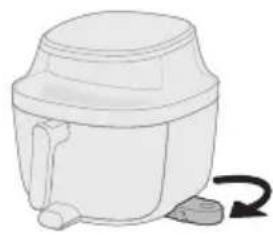
natural_image
Simple line drawing of a mechanical device with a curved arrow indicating rotation (no text or symbols)natural_image
Diagram of a mechanical device with a downward arrow indicating force or motion (no text or symbols present)natural_image
Illustration of a hand pressing a button on a device with a power symbol (no text or labels)natural_image
Illustration of a hand pressing down on a curved surface with a circular icon above (no text or symbols)natural_image
Illustration of a hand pressing a button on a circular object with a play button icon (no text or symbols)natural_image
Illustration of a hand holding a stick inside a cylindrical container with rotational arrows indicating rotation (no text or symbols)natural_image
Simple line drawing of a mechanical device with a curved arrow indicating rotation (no text or symbols)natural_image
Illustration of a toilet with steam rising, showing water intake and a warning symbol (no text or labels)natural_image
Illustration of a hand pouring liquid into a sink with a faucet in the background (no text or symbols)natural_image
Diagram of a mechanical component with a housing and arrow indicating direction (no text or symbols)13 Libistage korv ja pott seadme sisse tagasi.
natural_image
Illustration of a hand pressing a button labeled '播放' (play), no text or symbols presentnatural_image
Symbol of a trash bin crossed with no text or numbers, representing waste sorting or disposal (no text present)- This symbol means that electrical products shall not be disposed of with normal household waste.

Patatas fritas congeladas
natural_image
Diagram of a mechanical device with arrows indicating force or movement (no text or symbols)natural_image
Illustration of a hand pressing a button on a device with a power symbol (no text or labels)natural_image
Illustration of a hand pressing down on a curved surface with a circular arrow symbol (no text or labels)3 Toque el botón Airfry para acceder al modo Airfry.
natural_image
Illustration of a hand pressing a button on a device (no text or symbols visible)natural_image
Illustration of a blender with a bell icon and checkmark, showing a side view of its contents (no text or symbols)natural_image
Illustration of a hand pouring liquid into a container with a plate nearby (no text or symbols)natural_image
Illustration of a kitchen appliance with arrows indicating parts of the lid (no text or symbols)natural_image
Simple line drawing of a mechanical device with a curved arrow indicating rotation (no text or symbols)natural_image
Diagram of a mechanical device with a downward arrow indicating force or motion (no text or symbols present)natural_image
Illustration of a hand pressing a button on a device with a power symbol (no text or labels)natural_image
Illustration of a hand pressing a button into a container with a speech bubble containing Wi-Fi icons (no text or symbols on the diagram itself)natural_image
Illustration of a hand pressing a button on a device (no text or symbols visible)natural_image
Illustration of a kitchen appliance with a bell icon and a downward arrow indicating cooling (no text or symbols)natural_image
Illustration of a hand pouring food into a bowl with meat pieces nearby (no text or symbols)natural_image
Illustration of a small plant growing in a container with arrows indicating direction (no text or symbols)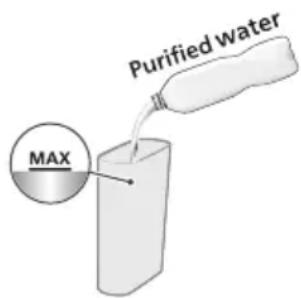
natural_image
Simple line drawing of a white cylindrical container with a curved arrow indicating rotation (no text or symbols)natural_image
Simple line drawing of a mechanical device with a downward arrow indicating force or motion (no text or symbols)natural_image
Illustration of a hand pressing a button on a device (no text or symbols visible)natural_image
Illustration of a container with a small object inside, no text or symbols presentnatural_image
Illustration of a hand pressing a button on a circular object with a play button icon (no text or symbols)natural_image
Illustration of a coffee maker with a bell and checkmark indicating notification or verification (no text or symbols present)natural_image
Illustration of a hand pouring liquid into a bowl with food on a plate (no text or symbols)natural_image
Diagram of a mechanical component with arrows indicating motion or force direction (no text or symbols)natural_image
Illustration of a hand pressing a button on a device with a power symbol (no text or labels)natural_image
Illustration of a hand pressing down on a container with icons above (no text or symbols)natural_image
Illustration of a container with a speech bubble containing snowflake symbols (no text or labels)natural_image
Illustration of a hand pressing a button on a device (no text or symbols visible)natural_image
Illustration of a kitchen appliance with a bell icon and a downward arrow indicating cooling (no text or symbols)natural_image
Illustration of a hand pouring liquid into a bowl with a plate nearby (no text or symbols)natural_image
Simple line drawing of a plug inserted into a socket, with an arrow indicating direction (no text or symbols)natural_image
Line drawing of a kitchen sink with a faucet and cooking pan (no text or symbols)natural_image
Illustration of a hand cleaning a small appliance with a lid and base (no text or symbols)natural_image
Illustration of a mechanical device with a spiral pattern and internal components (no text or symbols)natural_image
Illustration of a hand cleaning a small container with a cloth (no text or symbols)natural_image
Simple line drawing of a mechanical device with a curved arrow indicating rotation (no text or symbols)natural_image
Illustration of a microwave oven with a side-mounted lid and arrow indicating direction (no text or symbols)natural_image
Illustration of a hand pressing a button on a device (no text or symbols visible)202 Español
natural_image
Illustration of a hand placing a circular button into a container with a circular icon above (no text or symbols)natural_image
Illustration of a hand pressing a button on a device (no text or symbols visible)natural_image
Illustration of a toilet with a bell icon above it (no text or symbols)natural_image
Illustration of a hand washing a kitchen sink with a faucet (no text or symbols)natural_image
3D rendering of a mechanical component with a curved base and a flanged top, showing an arrow indicating direction (no text or symbols)natural_image
Illustration of a hand pressing a button on a device (no text or symbols visible)natural_image
Simple line drawing of a toilet with a bell icon and checkmark (no text or symbols)natural_image
Illustration of a hand holding a stick inside a cylindrical container with rotational arrows indicating rotation (no text or symbols)natural_image
Simple line drawing of a cylindrical container with a side arm and a curved arrow indicating rotation (no text or symbols)natural_image
Simple line drawing of a microwave oven with a side outlet and arrow indicating direction (no text or symbols)natural_image
Illustration of a hand pressing a button on a device with a power symbol (no text or labels)natural_image
Illustration of a hand pressing a button on a device (no text or symbols visible)natural_image
Simple line drawing of a mechanical component with a bell icon above it (no text or symbols)natural_image
Illustration of a hand pouring liquid into a basin with a faucet (no text or symbols)natural_image
Symbol of a robot on a tracked surface without any text or labelsnatural_image
Symbol of a waste bin with crossed lines indicating no waste, and a solid black rectangle below (no text or labels)
Frites surgelées
natural_image
Diagram of a mechanical device with arrows indicating force or movement (no text or symbols)natural_image
Illustration of a hand pressing a button on a device with a power symbol (no text or labels)natural_image
Illustration of a hand pressing down on a container with a circular arrow icon (no text or symbols)natural_image
Illustration of a hand pressing a button on a device (no text or symbols visible)natural_image
Illustration of a blender with a bell icon and a downward arrow indicating sound or notification (no text or symbols)natural_image
Illustration of a hand pouring liquid into a container with a plate nearby (no text or symbols)natural_image
Illustration of a food preparation step showing a bowl with food being added to a container (no text or symbols)natural_image
Illustration of a mechanical device with a curved arrow indicating rotation (no text or symbols)natural_image
Diagram of a mechanical device with a downward arrow indicating a component (no text or symbols present)natural_image
Illustration of a hand pressing a button on a device (no text or symbols visible)natural_image
Illustration of a hand inserting a small object into a container with a Wi-Fi symbol (no text or labels)natural_image
Illustration of a hand pressing a button on a device (no text or symbols visible)natural_image
Illustration of a coffee maker with a bell icon and checkmark indicating confirmation (no text or symbols)natural_image
Illustration of a hand pouring food into a pot with meat slices nearby (no text or symbols)natural_image
Illustration of a small animal inside a container with arrows indicating movement or force (no text or symbols)natural_image
Simple line drawing of a mechanical device with a curved arrow indicating rotation (no text or symbols)natural_image
Illustration of a mechanical device with a downward arrow indicating force or motion (no text or symbols)natural_image
Illustration of a hand pressing a button on a device with a power symbol (no text or labels)natural_image
Illustration of a container with a small object inside, no text or symbols presentnatural_image
Illustration of a hand pressing a button on a device (no text or symbols visible)natural_image
Illustration of a toaster oven with a bell icon and checkmark indicating notification (no text or symbols)natural_image
Illustration of a hand pouring sauce into a cooking pot and a plate (no text or symbols)natural_image
Diagram of a mechanical device with arrows indicating motion or force, no text or symbols presentnatural_image
Illustration of a hand pressing a button on a device (no text or symbols visible)natural_image
Illustration of a hand pressing down on a container with a speech bubble containing a swirling symbol (no text or labels)natural_image
Illustration of a hand pressing a container with a speech bubble containing a snowflake (no text or symbols on the container itself)natural_image
Illustration of a hand pressing a button on a device (no text or symbols visible)natural_image
Illustration of a blender with a bell icon and checkmark, showing a side view of its contents (no text or symbols)natural_image
Illustration of a hand pouring liquid into a bowl with a plate nearby (no text or symbols)natural_image
Illustration showing a plug inserted into a socket and a fan with blades, both without any text or symbols.natural_image
Illustration of a hand cleaning a small container with a lid (no text or symbols)natural_image
Diagram of a device with a magnified circular inset showing internal components (no text or symbols)natural_image
Illustration of a hand cleaning a small container with a lid (no text or symbols)natural_image
Simple line drawing of a mechanical device with a curved arrow indicating rotation (no text or symbols)
natural_image
Simple line drawing of a kitchen sink with a faucet and two cups (no text or symbols)natural_image
Diagram of a mechanical component with a curved housing and a top housing, showing an arrow indicating direction (no text or symbols present)natural_image
Illustration of a hand pressing a button on a device (no text or symbols visible)natural_image
Illustration of a toilet with a bell icon and checkmark (no text or symbols)natural_image
Illustration of a hand holding a stick inside a cylindrical container with rotational arrows indicating rotation (no text or symbols)natural_image
Simple line drawing of a mechanical device with a curved arrow indicating rotation (no text or symbols)natural_image
Diagram of a mechanical component with a downward arrow indicating force or direction (no text or symbols present)natural_image
Illustration of a hand pressing a button on a device with a power symbol (no text or labels)natural_image
Illustration of a hand pressing a button on a device (no text or symbols visible)natural_image
Line drawing of a toilet with a bell icon above it (no text or symbols)natural_image
Illustration of a hand pouring liquid into a sink with a faucet in the background (no text or symbols)natural_image
Diagram of a mechanical component with a curved housing and a top housing, showing an arrow indicating direction (no text or symbols present)natural_image
Illustration of a hand pressing a button on a device (no text or symbols visible)natural_image
Simple line drawing of a toilet with alarm icons (no text or symbols)natural_image
Diagram of a kitchen appliance with a lid and side view showing internal components (no text or symbols)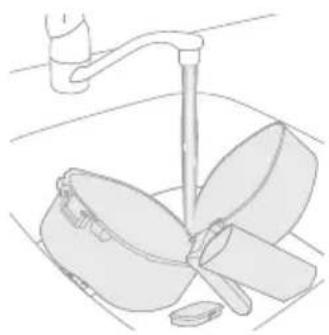
natural_image
Line drawing of a kitchen sink with a hand holding a pan and a handle (no text or symbols)natural_image
Symbol of a robot without any text or numbers, featuring a prohibition sign inside a circle (no readable text)- Aparat nemojte stavljati na vrući plinski štednjak, bilo koju vrstu električnog štednjaka i električnih ploča za kuhanje niti blizu njih, kao niti u zagrijanu pećnicu (sl. 1).
- Aparat nikad nemojte uranjati u vodu niti ga ispirati pod mlazom vode.
- Kako biste spriječili strujni udar, pazite da voda ili druga tekućina ne dospije u aparat.
- Sastojke za prženje obavezno stavite u košaru kako ne bi došli u dodir s grijaćim elementima.
- Nemojte pokrivati otvore za ulaz i izlaz zraka dok aparat radi.
- Nemojte puniti posudu uljem jer to može uzrokovati požar.
- Aparat nemojte upotrebljavati ako su utikač, kabel za napajanje ili sam aparat oštećeni.
- Nikad nemojte dodirivati unutrašnjost aparata dok on radi.
- Nikad nemojte prekoračiti maksimalnu razinu hrane naznačenu na košari.
- Obavezno provjerite je li grijač čist i uvjerite se da u njemu nema zaglavljene hrane.
- Budite oprezni prilikom čišćenja gornjeg dijela komore za kuhanje: vrući grijaći element, rubovi metalnih dijelova.
Upozorenje
natural_image
Symbol of a waste bin with crossed lines indicating no waste, and a solid black rectangle below (no text or labels)- Ovaj simbol naznačuje da se električni proizvodi ne smiju odlagati su običajenim otpadom iz kućanstva.
- Poštujte propise svoje države o zasebnom prikupljanju električnih proizvoda.
Jamstvo i podrška
1 Upravljačka ploča
2 Kabel za napajanje
3 Posuda
4 Košara
5 Spremnik za vodu
6 Poklopac spremnika za vodu

Zamrznuti krumpirići
Ovu prethodnu postavku upotrijebite za pripremu hrskavih zlatnih zamrznutih krumpirića, kriški ili zapečenog krumpira.

Svježi krumpir
Ovu prethodno postavljenu postavku upotrijebite za pripremu hrskavih krumpirića ili kriški krumpira od svježeg krumpira.

Mesni kotleti
1 Aparat postavite na stabilnu, ravnu površinu otpornu na toplinu. Provjerite ima li na stolu dovoljno prostora za produženu vodilicu kada se posuda izvadi.
2 Ostavite barem 15 cm slobodnog prostora sa stražnje strane aparata. Ostavite barem 2 cm prostora između šiljastog ruba vodilice i radne površine.
natural_image
Diagram of a mechanical device with arrows indicating force or movement (no text or symbols)natural_image
Illustration of a hand pressing a button on a device with a power symbol (no text or labels)natural_image
Illustration of a hand pressing down on a curved surface with a circular arrow symbol (no text or labels)4 Dodirnite gumb za temperaturu i zatim s pomoću gumba za povećanje ili smanjenje odaberite željenu temperaturu kuhanja.
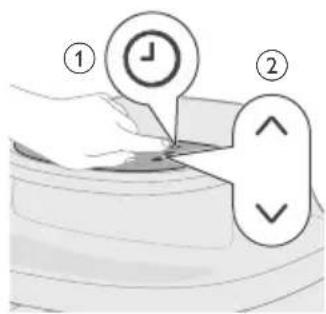
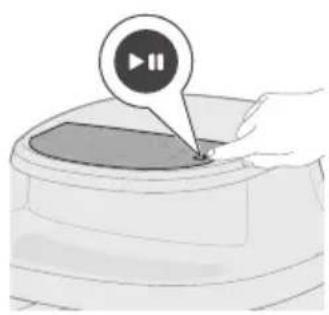
natural_image
Illustration of a hand pressing a button on a device (no text or symbols visible)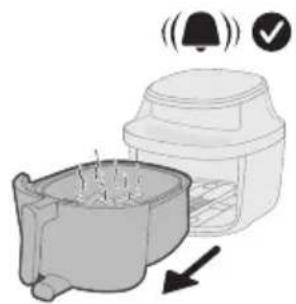
natural_image
Illustration of a microwave oven with a bell icon and checkmark indicating confirmation (no text or symbols)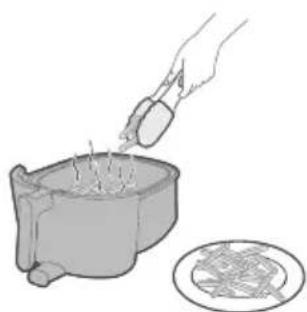
natural_image
Illustration of a hand pouring liquid into a container with a circular inset showing a patterned surface (no text or symbols)5 Dodirnite gumb za vrijeme i zatim s pomoću gumba za povećanje ili smanjenje odaberite željeno vrijeme kuhanja.
Napomena: Osim mogućnosti ručnog odabira temperature i vremena kuhanja, možete birati i između raznih prethodno postavljenih programa osmišljenih za praktičnu pripremu i optimalne rezultate.
natural_image
Illustration of a kitchen sink with a lid and directional arrows indicating process flow (no text or symbols)2 Napunite spremnik za vodu pročišćenom vodom do oznake MAX.
3 Izvucite podnožje spremnika za vodu s donje strane aparata.
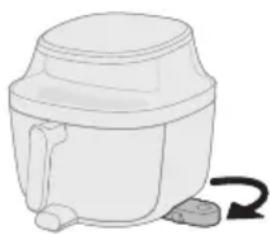
natural_image
Illustration of a white cylindrical container with a curved arrow indicating rotation (no text or symbols)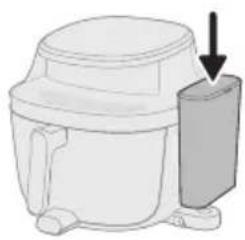
natural_image
Diagram of a microwave oven with a side panel and arrow indicating direction (no text or symbols)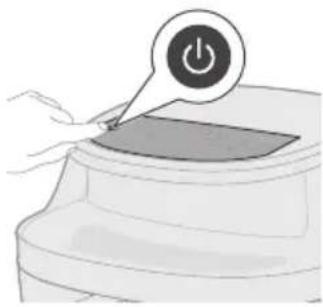
natural_image
Illustration of a hand pressing a button on a device with a power symbol (no text or labels)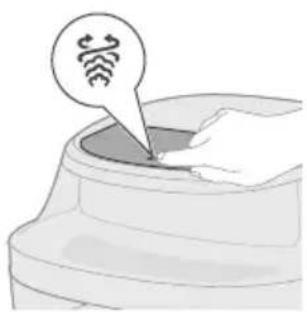
natural_image
Illustration of a hand pressing a button into a container with a circular icon above (no text or symbols)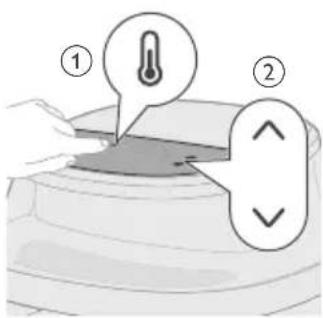
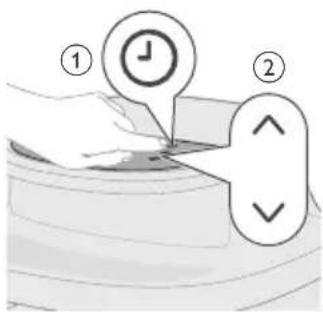
natural_image
Illustration of a hand pressing a button on a circular object with a play button (no text or symbols)natural_image
Illustration of a blender with a bell icon and checkmark, showing a side view of its contents (no text or symbols)Oprez: Košara, posuda, unutrašnjost kućišta i sastojci vrući su nakon kuhanja. Košaru stavite na površinu otpornu na toplinu (npr. podmetač ili silikonsku podlogu) kad je uklonite. Ovisno o vrsti hrane, iz košare može izlaziti vruća para.
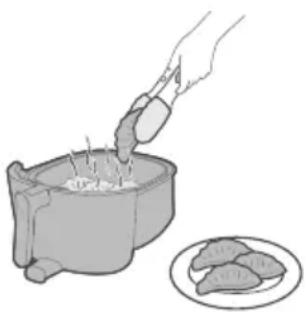
natural_image
Illustration of a hand pouring food into a pot with meat slices nearby (no text or symbols)11 Kuhanu hranu izvadite iz košare.
Napomena: Višak ulja ili masnoće iz sastojaka skuplja se na dnu posude.
Napomena: Ovisno o vrsti hrane koja se kuha, možete izliti višak ulja ili masti između kuhanja ili prije protresanja sastojaka. Kako biste to učinili na siguran način, posudu stavite na površinu otpornu na toplinu i nosite kuhinjske rukavice. Pažljivo izlijte ulje ili mast.
Tablica hrane za način rada prženja parom
U tablici u nastavku navode se preporučene osnovne postavke za pripremu raznih vrsta jela.
Napomena
natural_image
Illustration of a small animal in a container with arrows indicating movement or flow (no text or symbols)2 Napunite spremnik za vodu pročišćenom vodom do oznake MAX.
3 Izvucite podnožje spremnika za vodu s donje strane aparata.
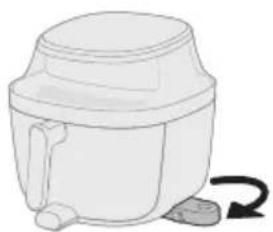
natural_image
Simple line drawing of a mechanical device with a curved arrow indicating rotation (no text or symbols)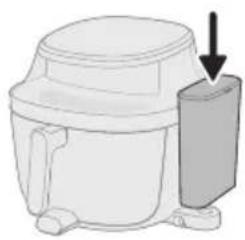
natural_image
Diagram of a microwave oven with a side-mounted lid and arrow indicating direction (no text or symbols)
natural_image
Illustration of a hand pressing a button on a device (no text or symbols visible)
natural_image
Illustration of a container with a speech bubble containing a cloud icon, no text or symbols present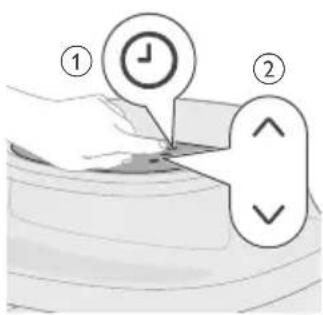
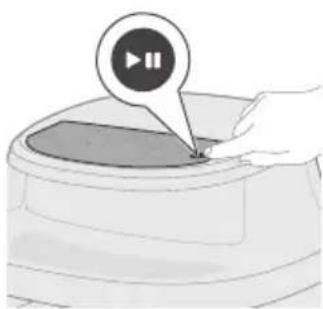
natural_image
Illustration of a hand pressing a button on a device (no text or symbols visible)4 Pričvrstite poklopac na spremniku za vodu i postavite ga na podnožje.
natural_image
Illustration of a toaster oven with a bell icon and checkmark indicating notification (no text or symbols)natural_image
Illustration of a hand using a mortar to press food into a pot, with a plate of meat nearby (no text or symbols)10 Kuhanu hranu izvadite iz košare.
Napomena: Višak ulja ili masnoće iz sastojaka skuplja se na dnu posude.
Napomena: Ovisno o vrsti hrane koja se kuha, možete izliti višak ulja ili masti između kuhanja ili prije protresanja sastojaka. Kako biste to učinili na siguran način, posudu stavite na površinu otpornu na toplinu i nosite kuhinjske rukavice. Pažljivo izlijte ulje ili mast.
Tablica hrane za način rada kuhanja na pari
U tablici u nastavku navode se preporučene osnovne postavke za pripremu raznih vrsta jela.
Napomena
natural_image
Diagram of a mechanical device with arrows indicating motion or force direction (no text or symbols)Ovaj aparat ima nekoliko prethodno postavljenih programa kuhanja kako bi vam pojednostavili pripremu jela. Svaka prethodna postavka optimizirana je za određenu vrstu hrane i automatski postavlja idealnu temperaturu i vrijeme kuhanja kako biste postigli ukusne rezultate uz malo truda.
natural_image
Illustration of a hand pressing a button on a device (no text or symbols visible)natural_image
Illustration of a hand pressing down on a container with three spiral patterns above (no text or symbols)3 Dodirnite gumb za prženje vrućim zrakom, kuhanje na pari ili prženje parom kako biste aktivirali jedan od načina kuhanja.
Napomena: Provjerite je li spremnik za vodu napunjen i postavljen na ispravno mjesto prilikom upotrebe način rada kuhanje na pari ili prženje parom.
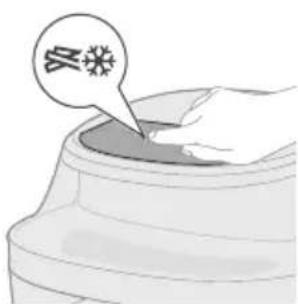
4 Odaberite jedan od prethodno postavljenih programa sukladno vrsti hrane koju pripremate.
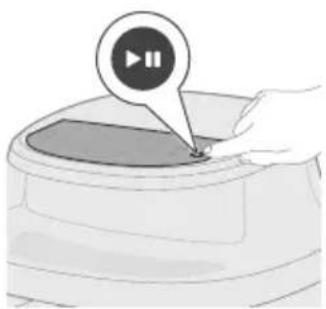
natural_image
Illustration of a hand pressing a button on a circular object with a play button icon (no text or symbols)natural_image
Illustration of a microwave oven with a bell icon and warning symbol (no text or labels)natural_image
Illustration of a hand pouring liquid into a container with a magnified inset showing a mesh texture (no text or symbols)7 Kuhanu hranu izvadite iz košare.
Napomena: Višak ulja ili masnoće iz sastojaka skuplja se na dnu posude.
Napomena: Ovisno o vrsti hrane koja se kuha, možete izliti višak ulja ili masti između kuhanja ili prije protresanja sastojaka. Kako biste to učinili na siguran način, posudu stavite na površinu otpornu na toplinu i nosite kuhinjske rukavice. Pažljivo izlijte ulje ili mast.
Tablica prethodno postavljenih postavki za prženje vrućim zrakom
Prethodna postavka
Preporučena količina Vrijeme Temperatura Podsjetnik
na
protresanje
 | Zamrznutikrumpirići | 1000 g 27 min 180 °C 2 puta | |
 | Domaćikrumpirići | 1000 g 29 min 180 °C 2 puta | |
 | Mesni kotlet 4 komada (190 g / komad) 17 min 200 °C 1 put | ||
 | Jaja i doručak 3 tosta, 4 jaja 12 min | Dodajte tostnakon 6minuta odpočetkakuhanja | 160 °C / |

Muffin 9 kalupa (oko 30 g po kalupu) 16 min 160 °C /

Pileći bataci 10 komada (125 g / komad) 28 min 180 °C 2 puta

Miješano povrće
1000 g (način rada prženja vrućim zrakom) 600 g (načini rada prženja parom i kuhanja na pari)
12 min 180 °C 2 puta

Cijela riba 2 ribe (300 – 400 g po ribi) 13 min 200 °C 1 put

Pileći bataci 10 komada (125 g / komad) 35 min 180 °C 2 puta

Cvjetača 600 g 19 min 160 °C 2 puta

Cijela riba 2 ribe (300 – 400 g po ribi) 18 min 200 °C 1 put

Valjušci 370 g 16 min 160 °C /
Tablica prethodno postavljenih postavki za kuhanje na pari Težina Vrijeme Temperatura

Prethodna postavka
Tablica prethodno postavljenih postavki za prženje parom Težina Vrijeme Temperatura Podsjetnik
na protresanje
| Prethodna postavka | Tablica prethodno postavljenih postavki za kuhanje na pari Težina Vrijeme Temperatura | |||
 | Pileći bataci | 10 komada (125 g / komad) | 33 min | 100 °C |
 | Brokula | 600 g | 13 min | 100 °C |
 | Cijela riba 2 ribe (300 – 400 g po ribi) | 19 min | 100 °C | |
 | Valjušci | 370 g | 13 min | 100 °C |
Čišćenje
Redovito čišćenje
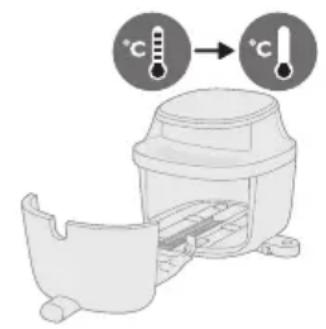
Upozorenje: Prije čišćenja ostavite posudu, košaru i unutrašnjost aparata da se potpuno ohlade.
natural_image
Illustration of a plug inserted into a socket with an arrow indicating direction (no text or symbols)natural_image
Line drawing of a kitchen sink with a hand holding a tool, no text or symbols present3 Operite košaru, posudu i spremnik za vodu pod mlazom vode, po potrebi upotrebljavajući toplu vodu, sredstvo za pranje posuđa i neabrazivnu spužvicu (pogledajte „Tablica za čišćenje“).
natural_image
Illustration of a hand cleaning a small container with a lid (no text or symbols)natural_image
Illustration of a kitchen appliance with a spiral-patterned lid and handle, no text or symbols present5 Grijaće elemente očistite četkom za čišćenje kako biste uklonili ostatke hrane.
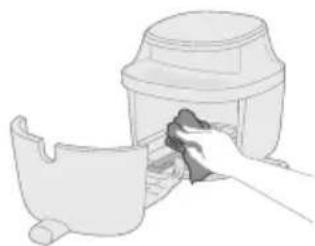
natural_image
Illustration of a hand cleaning a small container with a lid (no text or symbols)6 Unutrašnjost aparata očistite blago navlaženom mekanom krpom i nakon toga upotrijebite suhu ako bude potrebno.
Čišćenje parom
272 Hrvatski
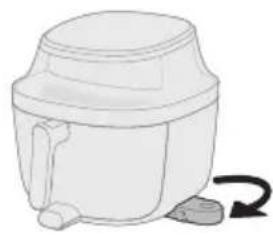
natural_image
Simple line drawing of a mechanical device with a curved arrow indicating rotation (no text or symbols)2 Izvucite podnožje spremnika za vodu s donje strane aparata.
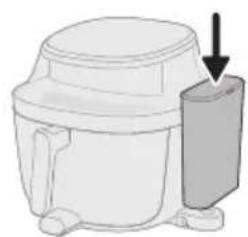
natural_image
Diagram of a mechanical device with a downward arrow indicating force or motion (no text or symbols present)3 Pričvrstite poklopac na spremniku za vodu i postavite ga na podnožje.
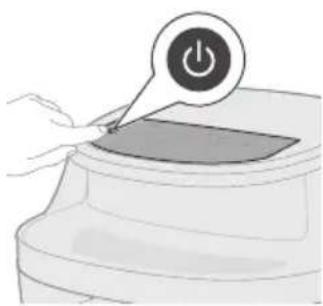
natural_image
Illustration of a hand pressing a button on a device with a power symbol (no text or labels)natural_image
Illustration of a hand pressing down on a curved surface with a circular icon above (no text or symbols)5 Dodirnite gumb za čišćenje parom.

natural_image
Illustration of a hand pressing a button on a circular object with a play button icon (no text or symbols)2 Napunite spremnik za vodu pročišćenom vodom do oznake MAX.
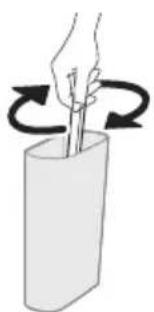
natural_image
Illustration of a hand holding a stick inside a cylindrical container with rotational arrows indicating rotation (no text or symbols)3 Ulijte ravnomjernu količinu vode i sredstva za uklanjanje kamenca u spremnik za vodu.
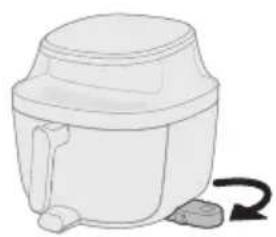
natural_image
Simple line drawing of a white cylindrical container with a side arm and a curved arrow indicating rotation (no text or symbols)4 Izvucite podnožje spremnika za vodu s donje strane aparata.

5 Pričvrstite poklopac na spremniku za vodu i postavite ga na podnožje.
10 Izvucite posudu i izlijte preostalu vodu iz nje.
Oprez: Uvijek nosite rukavice otporne na toplinu prilikom rukovanja vrućom posudom.
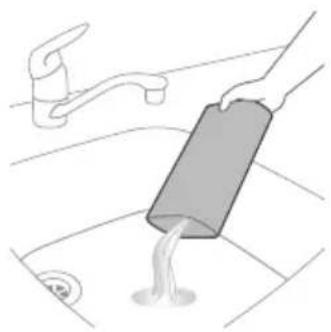
natural_image
Illustration of a hand pouring liquid into a sink with a faucet in the background (no text or symbols)12 Ponovo napunite spremnik za vodu pročišćenom vodom.

natural_image
Diagram of a mechanical component with a housing and arrow indicating direction (no text or symbols)13 Vratite košaru i posudu natrag u aparat.
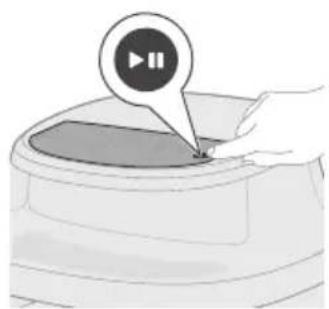
natural_image
Illustration of a hand pressing a button on a device (no text or symbols visible)14 Pritisnite gumb za pokretanje/pauziranje kako biste ponovno aktivirali postupak uklanjanja kamenca.
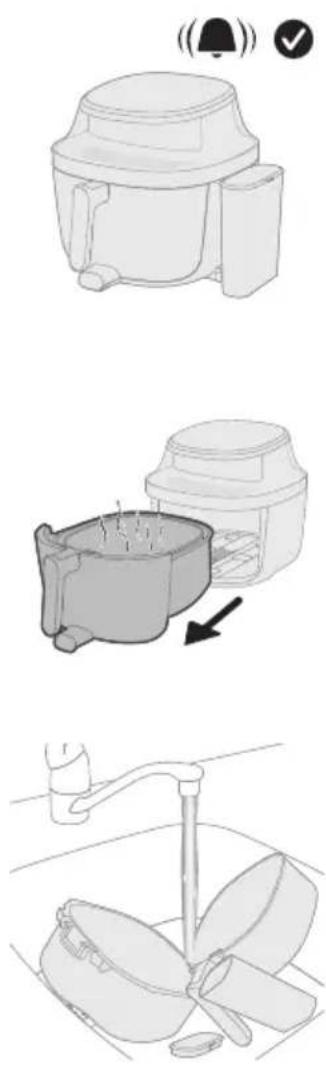
natural_image
Symbol of a robot without any text or numbers, featuring a prohibition sign inside a circle (no readable text)natural_image
Symbol of a trash bin crossed with no text or numbers, representing waste sorting or disposal (no text present)
Patatine surgelate
natural_image
Diagram of a mechanical device with arrows indicating motion or force, no text or symbols presentnatural_image
Illustration of a hand pressing a button on a device with a power symbol (no text or labels)natural_image
Illustration of a hand pressing down a cylindrical container with a circular arrow icon (no text or symbols)natural_image
Illustration of a hand pressing a button on a device (no text or symbols visible)natural_image
Illustration of a microwave oven with a bell icon and warning symbol (no text or labels)natural_image
Illustration of a hand pouring liquid into a container with a circular inset showing a cross-section (no text or symbols)natural_image
Illustration of a food preparation setup with a bowl and container, showing directional arrows (no text or symbols)natural_image
Simple line drawing of a cylindrical container with a handle and side legs, no text or symbols present.natural_image
Diagram of a mechanical device with a downward arrow indicating a component (no text or symbols present)natural_image
Illustration of a hand pressing a button on a device with a power symbol (no text or labels)natural_image
Illustration of a hand pressing down on a curved surface with a speech bubble containing wireless signal icons (no text or symbols present)natural_image
Illustration of a hand pressing a button on a device (no text or symbols visible)natural_image
Illustration of a coffee maker with a bell icon and checkmark indicating alert (no text or symbols)natural_image
Illustration of a hand pouring liquid into a container with food items nearby (no text or symbols)natural_image
Diagram showing a plant growing in a container with arrows indicating direction (no text or symbols)natural_image
Simple line drawing of a cylindrical container with a handle and side legs, no text or symbols present.natural_image
Diagram of a microwave oven with a side-mounted lid and arrow indicating direction (no text or symbols)natural_image
Illustration of a hand pressing a button on a device with a power symbol (no text or labels)natural_image
Illustration of a container with a small object inside, no text or symbols present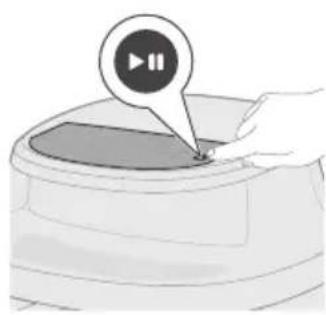
natural_image
Illustration of a hand pressing a button on a device (no text or symbols visible)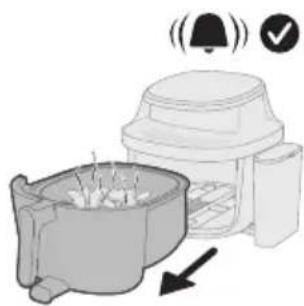
natural_image
Illustration of a coffee maker with a bell and checkmark indicating notification or approval (no text or symbols present)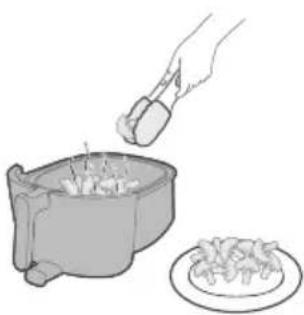
natural_image
Illustration of a hand pouring liquid into a bowl with food being added to a plate (no text or symbols)natural_image
Diagram of a cooking pot with a spring and directional arrows indicating process (no text or symbols)natural_image
Illustration of a hand pressing a button on a device (no text or symbols visible)natural_image
Illustration of a hand pressing down on a container with a smoke logo and three icons above (no text or symbols)natural_image
Illustration of a container with a speech bubble containing a snowflake icon (no text or symbols on the container itself)natural_image
Illustration of a hand pressing a button on a device (no text or symbols visible)natural_image
Illustration of a kitchen appliance with a bell icon and directional arrow (no text or symbols)natural_image
Illustration of a hand pouring liquid into a bowl with a plate nearby (no text or symbols)natural_image
Simple line drawing of a plug inserted into a socket with an arrow indicating direction (no text or symbols)natural_image
Line drawing of a kitchen sink with a fork and pan, no text or symbols presentnatural_image
Illustration of a hand placing a lid onto a container with a side panel (no text or symbols)natural_image
Illustration of a hand using a tool to clean or inspect a mechanical component, with a magnified spiral detail highlighting the component (no text or symbols present)natural_image
Illustration of a hand cleaning a small container with a lid (no text or symbols)natural_image
Simple line drawing of a cylindrical container with a handle and side outlet, no text or symbols present.natural_image
Illustration of a microwave oven with a side-mounted lid and arrow indicating direction (no text or symbols)natural_image
Illustration of a hand pressing a button on a device with a power symbol (no text or labels)natural_image
Illustration of a hand pressing down on a curved surface with a circular icon containing a hand symbol (no text or labels)natural_image
Illustration of a hand pressing a button on a device (no text or symbols visible)natural_image
Illustration of a toilet with a bell icon above it (no text or symbols)natural_image
Illustration of a hand washing clothes with a faucet, showing two cups (no text or symbols)natural_image
3D illustration of a mechanical component with an arrow indicating direction (no text or symbols)natural_image
Illustration of a hand pressing a button on a device (no text or symbols visible)natural_image
Simple line drawing of a toilet with a bell icon and checkmark (no text or symbols)natural_image
Illustration of a hand pressing a button on a device with a power symbol (no text or labels)natural_image
Illustration of a hand pressing a button on a circular object with a play button icon (no text or symbols)natural_image
Simple line drawing of a mechanical component with a bell icon above it (no text or symbols)natural_image
Illustration of a hand pouring liquid into a basin with a faucet (no text or symbols)natural_image
Symbol of a robot without any text or numbers, featuring a prohibition sign inside a circle (no readable text)natural_image
Symbol of a waste bin with crossed lines indicating no waste, and a solid black rectangle below (no text or labels)natural_image
Diagram of a mechanical device with arrows indicating motion or force direction (no text or symbols)natural_image
Illustration of a hand pressing a button on a device with a power symbol (no text or labels)natural_image
Illustration of a container with a circular arrow and spiral symbol pointing to the interior (no text or symbols present)natural_image
Illustration of a hand pressing a button on a device (no text or symbols visible)natural_image
Illustration of a microwave oven with a bell icon and checkmark indicating confirmation (no text or symbols)natural_image
Illustration of a hand pouring liquid into a container with a circular inset showing a patterned surface (no text or symbols)8 Izņemiet pagatavoto ēdienu no groza.
natural_image
Illustration of a food preparation step showing a bowl with food being added to a container (no text or symbols)natural_image
Simple line drawing of a portable kitchen appliance with a curved arrow indicating rotation (no text or symbols)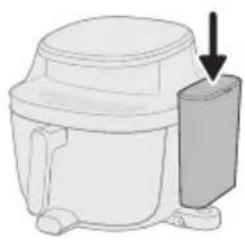
natural_image
Diagram of a microwave oven with a side panel and arrow indicating direction (no text or symbols)natural_image
Illustration of a hand pressing a button on a device with a power symbol (no text or labels)natural_image
Illustration of a hand pressing a button into a container with a circular icon above (no text or symbols)natural_image
Illustration of a hand pressing a button on a device (no text or symbols visible)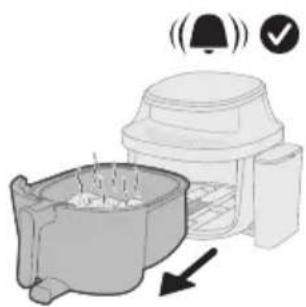
natural_image
Illustration of a coffee maker with a bell and checkmark indicating confirmation (no text or symbols)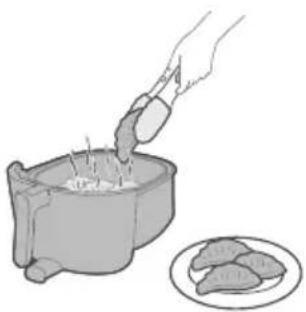
natural_image
Illustration of a hand pouring granular material into a pot with food items nearby (no text or symbols)natural_image
Illustration of a small animal in a container with arrows indicating movement or flow (no text or symbols)natural_image
Simple line drawing of a mechanical device with a curved arrow indicating rotation (no text or symbols)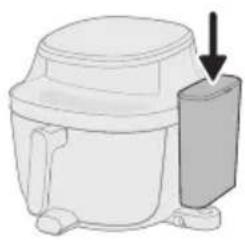
natural_image
Diagram of a microwave oven with a side-mounted lid and arrow indicating direction (no text or symbols)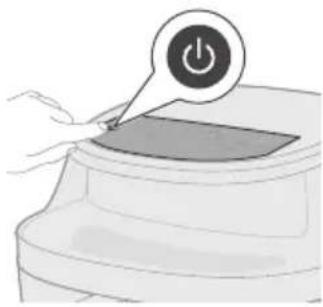
natural_image
Illustration of a hand pressing a button on a device with a power symbol (no text or labels)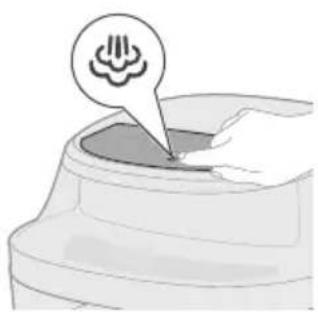
natural_image
Illustration of a container with a speech bubble containing a cloud icon, no text or symbols present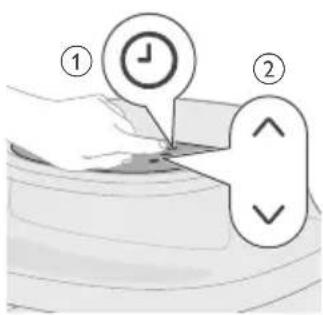
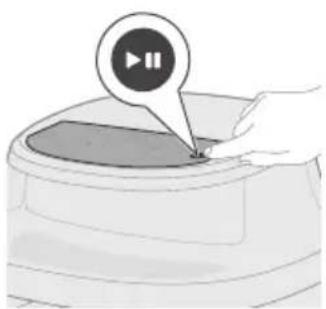
natural_image
Illustration of a hand pressing a button on a device (no text or symbols visible)natural_image
Illustration of a toaster oven with a bell icon and checkmark indicating confirmation (no text or symbols)natural_image
Illustration of a hand using a mortar to fill a pot with food, next to a plate (no text or symbols)10 Izņemiet pagatavoto ēdienu no groza.
natural_image
Diagram of a mechanical device with arrows indicating motion or force, no text or symbols presentnatural_image
Illustration of a hand pressing a button on a device (no text or symbols visible)natural_image
Illustration of a hand pressing down on a container with a speech bubble and three abstract icons above (no text or symbols)natural_image
Illustration of a hand pressing a button on a circular object with a play button icon (no text or symbols)natural_image
Illustration of a microwave oven with a bell icon and warning symbol (no text or labels)natural_image
Illustration of a hand pouring liquid into a container with a circular inset showing a mesh texture (no text or symbols)7 Izņemiet pagatavoto ēdienu no groza.
natural_image
Simple line drawing of a plug inserted into a socket with an arrow indicating direction (no text or symbols)natural_image
Line drawing of a kitchen sink with a faucet and a bowl containing leafy greens (no text or symbols)natural_image
Illustration of a hand cleaning a small container with a lid (no text or symbols)natural_image
Illustration of a kitchen appliance with a spiral-patterned lid and handle, no text or symbols presentnatural_image
Illustration of a hand cleaning a small container with a lid (no text or symbols)natural_image
Simple line drawing of a mechanical device with a curved arrow indicating rotation (no text or symbols)natural_image
Diagram of a mechanical device with a downward arrow indicating force or direction (no text or symbols present)natural_image
Illustration of a hand pressing a button on a device (no text or symbols visible)natural_image
Illustration of a hand pressing down on a curved surface with a circular icon above (no text or symbols)natural_image
Illustration of a hand pressing a button on a circular object with a play button (no text or symbols)
natural_image
Illustration of a hand holding a stick inside a cylindrical container with rotational arrows indicating rotation (no text or symbols)natural_image
Simple line drawing of a white cylindrical container with a handle and side outlet, no text or symbols present.natural_image
Diagram of a microwave oven with a side-mounted lid and arrow indicating direction (no text or symbols)natural_image
Illustration of a hand pressing a button on a device (no text or symbols visible)natural_image
Illustration of a hand pressing a button on a device (no text or symbols visible)natural_image
Line drawing of a toilet with a bell icon above it (no text or symbols)natural_image
Illustration of a showerhead spraying water with a warning symbol (no text or labels)10 Iznemiet pannu un izlejiet no pannas visu üdeni.
natural_image
Illustration of a hand pouring liquid into a sink with a faucet in the background (no text or symbols)natural_image
Diagram of a mechanical component with a curved housing and a top component, showing an arrow indicating direction (no text or symbols present)natural_image
Illustration of a hand pressing a button on a device (no text or symbols visible)natural_image
Symbol of a waste bin with crossed lines indicating no waste, and a solid black rectangle below (no text or labels)1 Valdymo skydelis
2 Maitinimo laidas
3 Keptuvas
4 Krepšelis
5 Vandens bakelis
6 Vandens bakelio dangtis
Valdymo skydelio apžvalga

Šaldytos bulvytės
natural_image
Diagram of a mechanical device with arrows indicating force or movement (no text or symbols)natural_image
Illustration of a hand pressing a button on a device with a power symbol (no text or labels)natural_image
Illustration of a hand pressing down on a curved object with a circular arrow symbol (no text or labels)natural_image
Illustration of a hand pressing a button on a device (no text or symbols visible)natural_image
Illustration of a microwave oven with a bell icon and checkmark indicating confirmation (no text or symbols)natural_image
Illustration of a hand pouring liquid into a bowl with a plate nearby (no text or symbols)natural_image
Illustration of a kitchen sink with a lid and directional arrows indicating process flow (no text or symbols)2 Pripilkite vandens bakelj išgryninto vandens iki MAX vandens lygio.
natural_image
Simple line drawing of a mechanical device with a curved arrow indicating rotation (no text or symbols)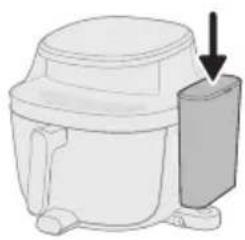
natural_image
Diagram of a microwave oven with a side panel and arrow indicating direction (no text or symbols)natural_image
Illustration of a hand pressing a button on a device (no text or symbols visible)natural_image
Illustration of a hand inserting a device into a container with a circular icon (no text or symbols)natural_image
Illustration of a hand pressing a button on a device (no text or symbols visible)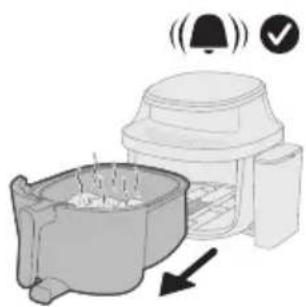
natural_image
Illustration of a coffee maker with a bell and checkmark indicating confirmation (no text or symbols)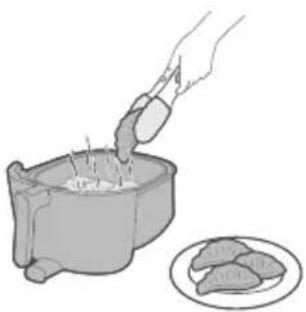
natural_image
Illustration of a hand pouring granular material into a pot with food items nearby (no text or symbols)natural_image
Illustration of a small animal inside a container with arrows indicating movement or flow (no text or symbols)2 Pripilkite vandens bakelj išgryninto vandens iki MAX vandens lygio.
natural_image
Simple line drawing of a mechanical device with a curved arrow indicating rotation (no text or symbols)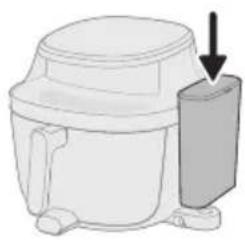
natural_image
Diagram of a microwave oven with a side-mounted lid and arrow indicating direction (no text or symbols)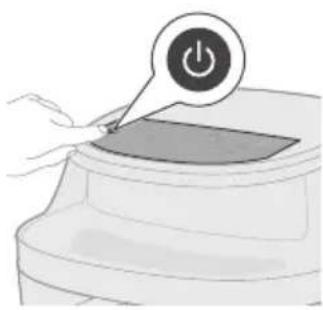
natural_image
Illustration of a hand pressing a button on a device (no text or symbols visible)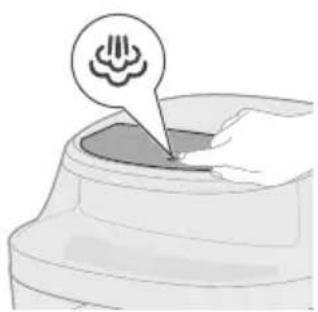
natural_image
Illustration of a container with a speech bubble containing a cloud icon, no text or symbols present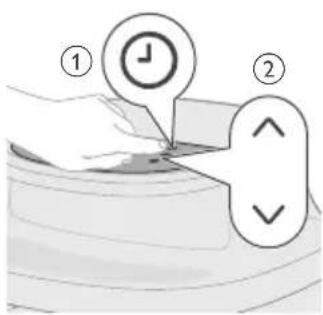
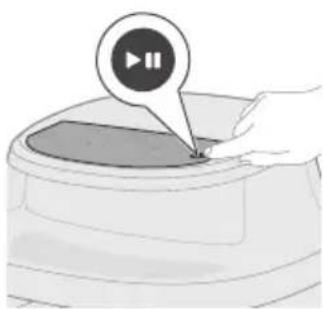
natural_image
Illustration of a hand pressing a button on a device (no text or symbols visible)natural_image
Illustration of a microwave oven with a bell icon and warning symbol (no text or labels)natural_image
Illustration of a hand using a pipette to add food into a pot, with a plate nearby (no text or symbols)natural_image
Diagram of a mechanical device with spring-loaded components and directional arrows indicating motion (no text or symbols)natural_image
Illustration of a hand pressing a button on a device (no text or symbols visible)natural_image
Illustration of a hand pressing down on a container with three spiral patterns above (no text or symbols)natural_image
Illustration of a hand pressing a button on a circular object with a play button icon (no text or symbols)natural_image
Illustration of a microwave oven with a bell icon and warning symbol (no text or labels)natural_image
Illustration of a hand pouring liquid into a container with a circular inset showing a mesh or meshing (no text or symbols)natural_image
Illustration of a plug inserted into a socket with an arrow indicating direction (no text or symbols)natural_image
Line drawing of a kitchen sink with a hand holding a tool, no text or symbols presentnatural_image
Illustration of a hand cleaning a small container with a lid (no text or symbols)natural_image
Illustration of a kitchen appliance with a spiral-patterned lid and handle, no text or symbols presentnatural_image
Illustration of a hand cleaning a small container with a lid (no text or symbols)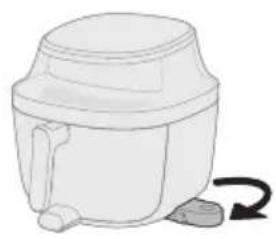
natural_image
Illustration of a mechanical device with a curved arrow indicating rotation (no text or symbols)natural_image
Diagram of a mechanical device with a downward arrow indicating a component (no text or symbols present)natural_image
Illustration of a hand pressing a button on a device (no text or symbols visible)natural_image
Illustration of a hand pressing down on a device component with a circular icon above (no text or symbols)natural_image
Illustration of a hand pressing a button on a device (no text or symbols visible)2 Pripilkite vandens bakelj išgryninto vandens iki MAX lygio.
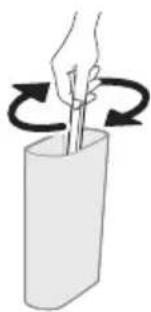
natural_image
Illustration of a hand holding a stick inside a cylindrical container with rotational arrows indicating rotation (no text or symbols)natural_image
Simple line drawing of a mechanical device with a curved arrow indicating rotation (no text or symbols)natural_image
Diagram of a microwave oven with a side-mounted lid and arrow indicating direction (no text or symbols)natural_image
Illustration of a hand pressing a button on a device (no text or symbols visible)natural_image
Illustration of a hand pressing a button on a device (no text or symbols visible)natural_image
Line drawing of a toilet with a bell icon above it (no text or symbols)natural_image
Illustration of a showerhead spraying water with a warning symbol (no text or labels)natural_image
Illustration of a hand pouring liquid into a sink with a faucet in the background (no text or symbols)natural_image
Diagram of a mechanical component with a curved housing and a top component, showing an arrow indicating direction (no text or symbols present)natural_image
Illustration of a hand pressing a button on a device (no text or symbols visible)natural_image
Symbol of a robot without any text or numbers, featuring a prohibition sign inside a circle (no readable text)natural_image
Symbol of a waste bin with crossed lines indicating no waste, and a solid black rectangle below (no text or labels)
Melegen tartás
natural_image
Diagram of a mechanical device with arrows indicating motion or force, no text or symbols presentnatural_image
Illustration of a hand pressing a button on a device (no text or symbols visible)natural_image
Illustration of a hand pressing a button into a container with a circular arrow icon (no text or symbols)natural_image
Illustration of a hand pressing a button on a device (no text or symbols visible)natural_image
Illustration of a blender with a bell icon and checkmark, showing a cooking step with smoke and a downward arrow (no text or symbols)natural_image
Illustration of a hand pouring liquid into a container with a circular inset showing a mesh or pattern (no text or symbols)natural_image
Illustration of a food container with arrows indicating direction (no text or symbols)natural_image
Simple line drawing of a mechanical device with a curved arrow indicating rotation (no text or symbols)natural_image
Diagram of a mechanical device with a downward arrow indicating force or direction (no text or symbols present)natural_image
Illustration of a hand pressing a button on a device (no text or symbols visible)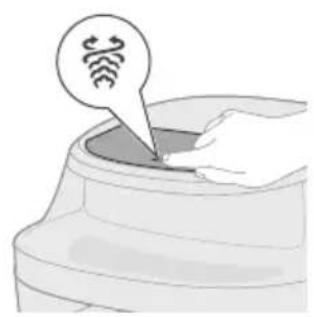
natural_image
Illustration of a hand inserting a device into a container with wireless signal icons (no text or symbols)natural_image
Illustration of a hand pressing a button on a device (no text or symbols visible)natural_image
Illustration of a kitchen appliance with a bell icon and directional arrow (no text or symbols)natural_image
Illustration of a hand pouring food into a pot with meat slices nearby (no text or symbols)natural_image
Illustration of a mechanical component with arrows indicating direction (no text or symbols)natural_image
Simple line drawing of a kitchen appliance with a handle and side legs (no text or symbols)natural_image
Diagram of a mechanical component with a downward arrow indicating force or direction (no text or symbols present)natural_image
Illustration of a hand pressing a button on a device with a power symbol (no text or labels)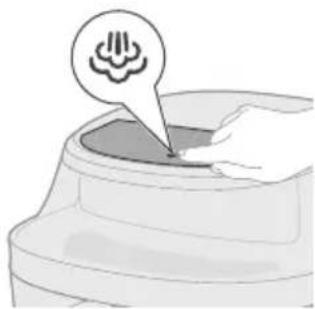
natural_image
Illustration of a container with a small object inside, no text or symbols presentnatural_image
Illustration of a hand pressing a button on a device (no text or symbols visible)natural_image
Illustration of a microwave oven with a bell and checkmark indicating confirmation (no text or symbols)natural_image
Illustration of a hand using a mortar to press food into a bowl, with a plate of food nearby (no text or symbols)natural_image
Diagram of a mechanical device with arrows indicating motion or force direction (no text or symbols)natural_image
Illustration of a hand pressing a button on a device (no text or symbols visible)natural_image
Illustration of a hand pressing down on a container with a speech bubble and three sensor icons above (no text or symbols)natural_image
Illustration of a hand pressing a button on a circular object with a play button icon (no text or symbols)natural_image
Illustration of a food processor with a bell icon and checkmark indicating confirmation (no text or symbols)natural_image
Illustration of a hand pouring liquid into a container with a plate nearby (no text or symbols)natural_image
Illustration of a plug inserted into a socket with an arrow indicating direction (no text or symbols)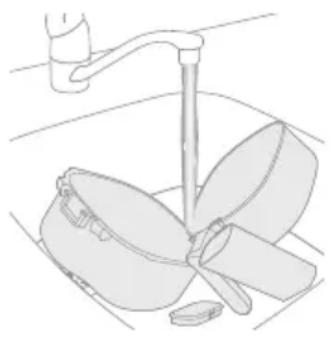
natural_image
Line drawing of a kitchen sink with a hand holding a tool, no text or symbols present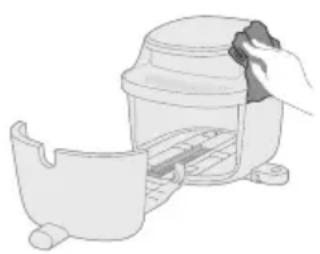
natural_image
Illustration of a hand cleaning a small container with a lid (no text or symbols)natural_image
Illustration of a kitchen appliance with a spiral-patterned lid and handle, no text or symbols presentnatural_image
Illustration of a hand cleaning a small container with a lid (no text or symbols)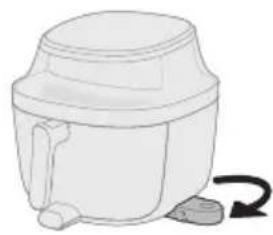
natural_image
Simple line drawing of a mechanical device with a curved arrow indicating rotation (no text or symbols)natural_image
Diagram of a mechanical device with a downward arrow indicating a component (no text or symbols present)natural_image
Illustration of a hand pressing a button on a device with a power symbol (no text or labels)natural_image
Illustration of a hand pressing down on a curved surface with a circular icon above (no text or symbols)natural_image
Illustration of a hand pressing a button on a circular object with a play button (no text or symbols)natural_image
Illustration of a hand holding a stick inside a cylindrical container with rotational arrows indicating rotation (no text or symbols)natural_image
Simple line drawing of a white cylindrical container with a handle and side outlet, no text or symbols present.natural_image
Illustration of a person cleaning a car with a pipe and steam, no text or symbols presentnatural_image
Illustration of a hand pouring liquid into a sink with a faucet in the background (no text or symbols)natural_image
Diagram of a mechanical component with a housing and arrow indicating direction (no text or symbols)natural_image
Illustration of a hand pressing a button on a device (no text or symbols visible)natural_image
Symbol of a robot without any text or numbers, featuring a diagonal line over a tank (no text present)natural_image
Symbol of a waste bin with crossed lines indicating no waste, and a solid black rectangle below (no text or labels)1 Bedieningspaneel
2 Voedingskabel
3 Pan
4 Mand
5 Waterreservoir
6 Deksel van het waterreservoir

Warmhouden
natural_image
Diagram of a mechanical device with arrows indicating motion or force, no text or symbols presentnatural_image
Illustration of a hand pressing a button on a device with a power symbol (no text or labels)natural_image
Illustration of a hand pouring liquid into a container with a spiral arrow icon (no text or symbols)3 Druk op de Airfry-knop om de Airfry-modus te activeren.
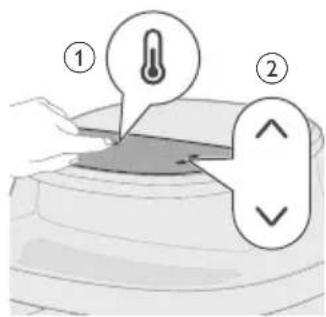
natural_image
Illustration of a hand pressing a button on a device (no text or symbols visible)natural_image
Illustration of a microwave oven with a bell and checkmark indicating alert (no text or symbols)natural_image
Illustration of a hand pouring liquid into a container with a circular inset showing a patterned dish (no text or symbols)natural_image
Illustration of a kitchen pot and a container with arrows indicating process flow (no text or symbols)natural_image
Simple line drawing of a mechanical device with a curved arrow indicating rotation (no text or symbols)natural_image
Illustration of a small appliance with a downward arrow pointing to its side (no text or symbols)natural_image
Illustration of a hand pressing a button on a device with a power symbol (no text or labels)natural_image
Illustration of a hand placing a small object into a container with a speech bubble containing Wi-Fi icons (no text or symbols on the object itself)natural_image
Illustration of a hand pressing a button on a device (no text or symbols visible)natural_image
Illustration of a coffee maker with a bell icon and checkmark indicating alert (no text or symbols)natural_image
Illustration of a hand pouring liquid into a container with food items nearby (no text or symbols)natural_image
Diagram showing a small object inside a container with arrows indicating direction, next to a larger container (no text or symbols)natural_image
Simple line drawing of a cylindrical container with a handle and side legs, no text or symbols present.natural_image
Diagram of a microwave oven with a side-mounted lid and arrow indicating direction (no text or symbols)natural_image
Illustration of a hand pressing a button on a device with a power symbol (no text or labels)natural_image
Illustration of a container with a small object inside, no text or symbols presentnatural_image
Illustration of a hand pressing a button on a device (no text or symbols visible)natural_image
Illustration of a coffee maker with a bell icon and checkmark, showing its base and side view (no text or symbols)natural_image
Illustration of a hand using a tool to stir ingredients into a pan, with a plate of food nearby (no text or symbols)natural_image
Diagram of a kitchen appliance with arrows indicating motion or force (no text or symbols)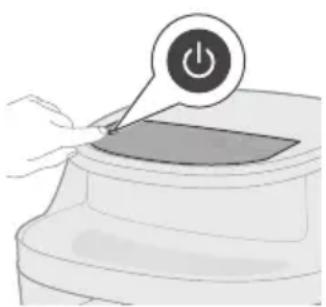
natural_image
Illustration of a hand pressing a button on a device with a power symbol (no text or labels)natural_image
Illustration of a hand pressing down on a container with icons above (no text or symbols)natural_image
Illustration of a container with a speech bubble containing a snowflake icon (no text or symbols on the diagram itself)natural_image
Illustration of a hand pressing a button on a device (no text or symbols visible)natural_image
Illustration of a microwave oven with a bell icon and warning symbol (no text or labels)natural_image
Illustration of a hand pouring liquid into a container with a circular inset showing a mesh (no text or symbols)natural_image
Simple line drawing of a plug inserted into a socket with an arrow indicating direction (no text or symbols)natural_image
Line drawing of a kitchen sink with a faucet and kitchen utensils (no text or symbols)natural_image
Illustration of a hand cleaning a small container with a lid (no text or symbols)natural_image
Illustration of a hand using a tool to clean or inspect a product, with a magnified spiral pattern highlighting the process (no text or symbols present)natural_image
Illustration of a hand cleaning a small container with a lid (no text or symbols)natural_image
Simple line drawing of a white cylindrical container with a curved arrow indicating rotation (no text or symbols)natural_image
Simple line drawing of a mechanical component with a downward arrow indicating force or direction (no text or symbols)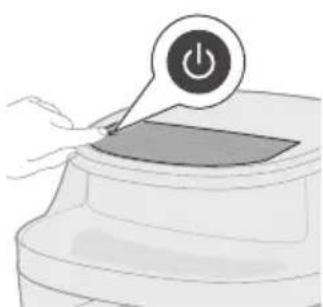
natural_image
Illustration of a hand pressing a button on a device (no text or symbols visible)natural_image
Illustration of a hand pressing down on a circular component with a circular icon above (no text or symbols)natural_image
Illustration of a hand pressing a button on a device (no text or symbols visible)natural_image
Illustration of a toilet with a bell icon above it (no text or symbols)natural_image
Illustration of a hand holding a faucet above a bowl with three leaves (no text or symbols)8 Trek de pan en de mand eruit en maak ze schoon.
natural_image
Illustration of a mechanical component with a curved base and a flanged top, showing an arrow indicating direction (no text or symbols)natural_image
Illustration of a hand pressing a button on a device (no text or symbols visible)natural_image
Simple line drawing of a toilet with a bell icon and checkmark (no text or symbols)natural_image
Illustration of a hand holding a stick inside a cylindrical container with rotational arrows indicating rotation (no text or symbols)natural_image
Simple line drawing of a cylindrical container with a side arm and a curved arrow indicating rotation (no text or symbols)natural_image
Diagram of a microwave oven with a side-mounted lid and arrow indicating direction (no text or symbols)natural_image
Illustration of a hand pressing a button on a device with a power symbol (no text or labels)natural_image
Illustration of a hand pressing a button on a device (no text or symbols visible)natural_image
Simple line drawing of a mechanical component with a bell icon above it (no text or symbols)natural_image
Illustration of a hand pouring liquid into a basin with a faucet (no text or symbols)natural_image
Symbol of a robot without any text or numbers, featuring a prohibition sign inside a circle (no readable text)natural_image
Symbol of a trash bin with no text or numbers present1 Kontrollpanel
2 Nettledning
3 Panne
4 Kurv
5 Vannbeholder
6 Lokk til vannbeholder
Oversikt over betjeningspanelet

Frosne pommes frites
natural_image
Diagram of a mechanical device with arrows indicating force or movement (no text or symbols)natural_image
Illustration of a hand pressing a button on a device with a power symbol (no text or labels)natural_image
Illustration of a hand placing a circular icon with a spiral symbol into a container (no text or symbols present)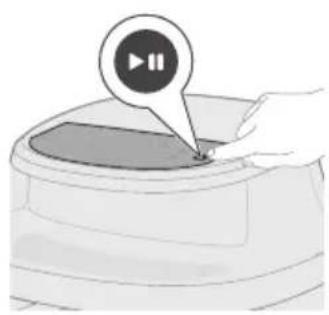
natural_image
Illustration of a hand pressing a button on a device (no text or symbols visible)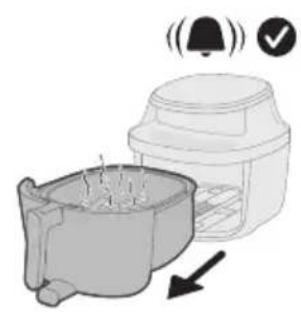
natural_image
Illustration of a kitchen appliance with a bell icon and a downward arrow indicating cooling (no text or symbols)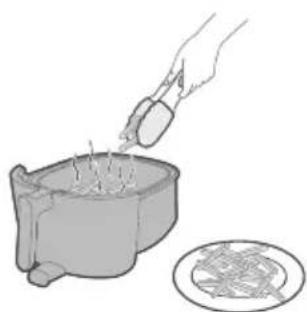
natural_image
Illustration of a hand pouring liquid into a container with a circular inset showing a patterned dish (no text or symbols)Matvaretabell for Airfry-modus
natural_image
Diagram showing a container with a lid and an arrow indicating direction (no text or symbols)natural_image
Simple line drawing of a white cylindrical container with a curved handle and a small arrow indicating rotation (no text or symbols)
natural_image
Illustration of a hand pressing a button on a device (no text or symbols visible)natural_image
Illustration of a coffee maker with a bell icon and checkmark, showing its side profile (no text or symbols)Advarsel: Etter stekeprosessen er kurven, pannen, innsiden og ingrediensene varme. Plasser alltid kurven på en varmebestandig overflate (f.eks. et gryteunderlag eller en silikonmatte) når du tar den ut. Det kan komme damp fra kurven, avhengig av typen mat.
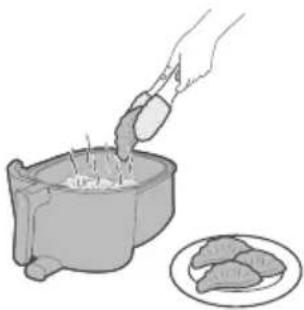
natural_image
Illustration of a hand pouring ingredients into a pot with meat slices nearby (no text or symbols)natural_image
Diagram showing a plant growing in a container with arrows indicating direction (no text or symbols)natural_image
Simple line drawing of a mechanical device with a curved arrow indicating rotation (no text or symbols)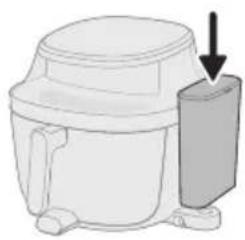
natural_image
Diagram of a microwave oven with a side-mounted lid and arrow indicating direction (no text or symbols)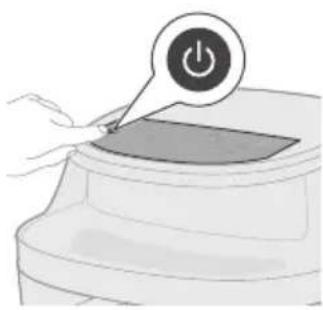
natural_image
Illustration of a hand pressing a button on a device (no text or symbols visible)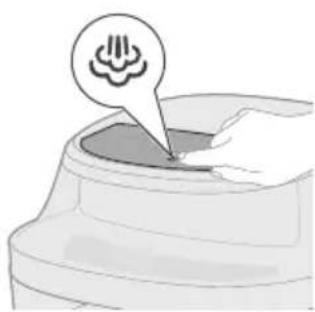
natural_image
Illustration of a container with a speech bubble containing a cloud icon, no text or symbols present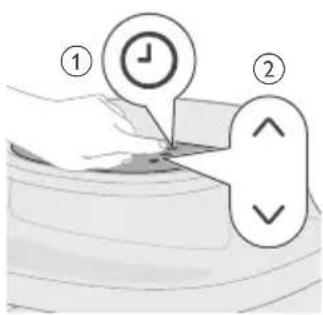
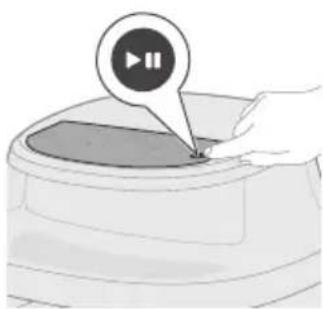
natural_image
Illustration of a hand pressing a button on a device (no text or symbols visible)natural_image
Illustration of a microwave oven with a bell icon and warning symbol (no text or labels)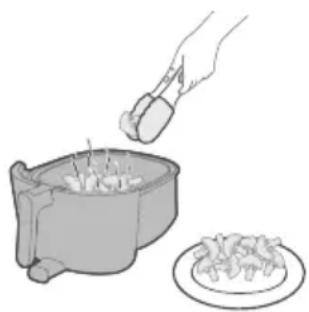
natural_image
Illustration of a hand using a pipette to add food into a pot, with a plate nearby (no text or symbols)9 Når matlagingen er ferdig, vil du høre en tidsbjelle. Dra forsiktig pannen ut.
Advarsel: Etter stekeprosessen er kurven, pannen, innsiden og ingrediensene varme. Plasser alltid kurven og pannen på en varmebestandig overflate (f.eks. et gryteunderlag eller en silikonmatte) når du tar dem ut. Det kan komme damp fra kurven, avhengig av typen mat.
natural_image
Diagram of a mechanical device with spring-loaded components and directional arrows indicating motion (no text or symbols)natural_image
Illustration of a hand pressing a button on a device (no text or symbols visible)natural_image
Illustration of a hand pressing down on a container with three spiral patterns above (no text or symbols)4 Velg et av de forhåndsinnstilte programmene i henhold til maten du lager.
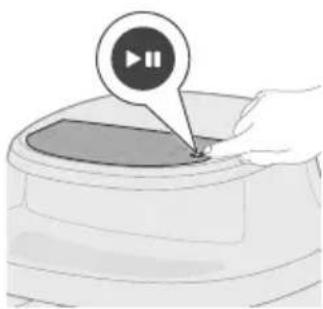
natural_image
Illustration of a hand pressing a button on a circular object with a play button icon (no text or symbols)natural_image
Illustration of a microwave oven with a bell icon and warning symbol (no text or labels)6 Når matlagingen er ferdig, vil du høre en tidsbjelle. Dra forsiktig pannen ut.
Advarsel: Etter stekeprosessen er kurven, pannen, innsiden og ingrediensene varme. Plasser alltid kurven og pannen på en varmebestandig overflate (f.eks. et gryteunderlag eller en silikonmatte) når du tar dem ut. Det kan komme damp fra kurven, avhengig av typen mat.
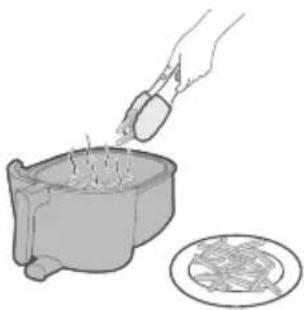
natural_image
Illustration of a hand pouring liquid into a container with a circular inset showing a mesh (no text or symbols)Tabell for forhåndsinnstillinger for Airfry
| Forhåndsin-nstilling | Anbefalt mengde Tid Temperatur Påminnelse om risting | |
| Frosne pommes frites | 1000 g 27 min 180 °C 2 ganger | |
| Hjemmelaget pommes frites | 1000 g 29 min 180 °C 2 ganger | |
| Koteletter 4 stykker (190 g per stykke) 17 min 200 °C 1 gang | ||
| Egg og frokost 3 skiver ristet brød, 4 egg 12 min | 160 °C / Legg til brødskivene når det har gått 6 min | |
| Muffins 9 kopper (rundt 30 g per kopp) 16 min 160 °C / | ||

Kyllingklubber 10 stykker (125 g per stykke) 28 min 180 °C 2 ganger

Blandede grønnsaker
Tabell for forhåndsinnstillinger for Steamfry
natural_image
Simple line drawing of a plug inserted into a socket (no text or symbols)natural_image
Line drawing of a kitchen sink with a hand holding a tool, no text or symbols presentnatural_image
Illustration of a hand cleaning a small container with a lid (no text or symbols)Tips: Eventuelle matrester som sitter fast på varmeelementet, kan fjernes med en oppvaskbørste med myk eller middels stiv bust. Ikke bruk en stålbørste eller en oppvaskbørste med stive buster, da dette kan skade belegget på varmeelementet.
natural_image
Illustration of a kitchen appliance with a spiral-patterned lid and handle, no text or symbols presentnatural_image
Illustration of a hand cleaning a small container with a lid (no text or symbols)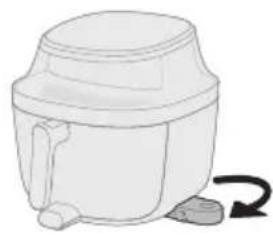
natural_image
Simple line drawing of a mechanical device with a curved arrow indicating rotation (no text or symbols)natural_image
Diagram of a mechanical device with a downward arrow indicating a component (no text or symbols present)natural_image
Illustration of a hand pressing a button on a device with a power symbol (no text or labels)natural_image
Illustration of a hand pressing down on a curved surface with a circular icon above (no text or symbols)natural_image
Illustration of a hand pressing a button on a circular object with a play button icon (no text or symbols)natural_image
Line drawing of a toilet with a bell icon above it (no text or symbols)natural_image
Simple line drawing of a kitchen sink with a faucet and a bowl (no text or symbols)natural_image
Diagram of a mechanical component with a curved housing and a top housing, showing an arrow indicating direction (no text or symbols present)natural_image
Illustration of a hand pressing a button on a device (no text or symbols visible)natural_image
Illustration of a toilet with a bell icon and checkmark (no text or symbols)2 yll vannbeholder med renset vann opp til MAX-merket.
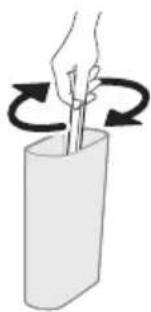
natural_image
Illustration of a hand holding a stick inside a cylindrical container with rotational arrows indicating rotation (no text or symbols)natural_image
Simple line drawing of a mechanical component with a curved arrow indicating rotation (no text or symbols)natural_image
Illustration of a person cleaning a car with a pipe and steam, no text or symbols presentnatural_image
Illustration of a hand pouring liquid into a basin with a faucet in the background (no text or symbols)natural_image
3D diagram of a mechanical component with an arrow indicating direction (no text or symbols)natural_image
Illustration of a hand pressing a button labeled '播放' (play), no text or symbols presentnatural_image
Symbol of a robot without any text or numbers, enclosed in a circle with a diagonal line crossing over a tank (no text present)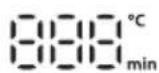
natural_image
Diagram of a mechanical device with arrows indicating motion or force direction (no text or symbols)natural_image
Illustration of a hand pressing a button on a device (no text or symbols visible)natural_image
Illustration of a hand pressing down on a curved surface with a circular arrow symbol (no text or labels)natural_image
Illustration of a hand pressing a button on a device (no text or symbols visible)natural_image
Illustration of a blender with a bell icon and checkmark, showing a cooking step (no text or symbols)natural_image
Illustration of a hand pouring liquid into a bowl with a plate nearby (no text or symbols)natural_image
Illustration of a food container with arrows indicating direction (no text or symbols)natural_image
Simple line drawing of a mechanical device with a curved arrow indicating rotation (no text or symbols)natural_image
Diagram of a microwave oven with a side-mounted cooling unit and a downward arrow indicating cooling effect (no text or symbols)
natural_image
Illustration of a hand pressing a button on a device with a power symbol (no text or labels)natural_image
Illustration of a hand inserting a chip into a container with a speech bubble containing Wi-Fi icons (no text or symbols present)natural_image
Illustration of a hand pressing a button on a device (no text or symbols visible)natural_image
Illustration of a kitchen appliance with a bell icon and directional arrow (no text or symbols)natural_image
Illustration of a hand pouring food into a pot with meat slices nearby (no text or symbols)natural_image
Illustration of a mechanical component with arrows indicating direction (no text or symbols)natural_image
Simple line drawing of a mechanical device with a curved arrow indicating rotation (no text or symbols)natural_image
Illustration of a mechanical device with a downward arrow indicating a component (no text or symbols present)natural_image
Illustration of a hand pressing a button on a device (no text or symbols visible)natural_image
Illustration of a container with a small object inside, no text or symbols presentnatural_image
Illustration of a hand pressing a button on a device (no text or symbols visible)natural_image
Illustration of a microwave oven with a bell and checkmark indicating confirmation (no text or symbols)natural_image
Illustration of a hand using a mortar to press food into a bowl, with a plate of food nearby (no text or symbols)natural_image
Illustration of a microwave oven with a bell icon and checkmark indicating confirmation (no text or symbols)natural_image
Illustration of a hand pouring liquid into a container with a plate nearby (no text or symbols)natural_image
Diagram of a plug inserted into a socket with an arrow indicating direction (no text or symbols)natural_image
Line drawing of a kitchen sink with a hand holding a tool, no text or symbols presentnatural_image
Illustration of a hand cleaning a small container with a lid (no text or symbols)natural_image
Illustration of a kitchen appliance with a spiral-patterned lid and handle, no text or symbols presentnatural_image
Illustration of a hand cleaning a small container with a lid (no text or symbols)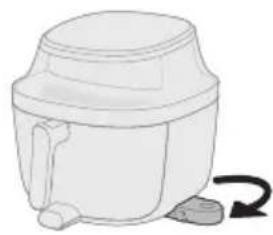
natural_image
Simple line drawing of a mechanical device with a curved arrow indicating rotation (no text or symbols)natural_image
Diagram of a mechanical device with a downward arrow indicating a component (no text or symbols present)natural_image
Illustration of a hand pressing a button on a device with a power symbol (no text or labels)natural_image
Illustration of a hand pressing down on a device with a circular icon above (no text or symbols)natural_image
Illustration of a hand pressing a button on a circular object with a play button icon (no text or symbols)natural_image
Illustration of a hand holding a stick inside a cylindrical container with rotational arrows indicating rotation (no text or symbols)natural_image
Simple line drawing of a cylindrical container with a handle and side legs, no text or symbols present.natural_image
Diagram of a microwave oven with a side-mounted lid and arrow indicating direction (no text or symbols)natural_image
Illustration of a hand pressing a button on a device (no text or symbols visible)natural_image
Illustration of a hand pressing a button on a device (no text or symbols visible)natural_image
Line drawing of a toilet with a bell icon above it (no text or symbols)natural_image
Illustration of a showerhead spraying water with a warning symbol (no text or labels)natural_image
Illustration of a hand pouring liquid into a sink with a faucet in the background (no text or symbols)natural_image
Diagram of a mechanical component with a cylindrical housing and a top housing, showing an arrow indicating direction (no text or symbols present)natural_image
Illustration of a hand pressing a button on a device (no text or symbols visible)natural_image
Symbol of a robot without any text or labels, including a prohibition symbol (no readable text)natural_image
Symbol of a trash bin crossed with a diagonal line, no text or numbers present
Batatas congeladas

Manter quente
natural_image
Diagram of a mechanical device with arrows indicating assembly or force direction (no text or symbols)natural_image
Illustration of a hand pressing a button on a device with a power symbol (no text or labels)natural_image
Illustration of a hand pressing down on a curved object with a circular arrow symbol (no text or labels)
natural_image
Illustration of a hand pressing a button on a device (no text or symbols visible)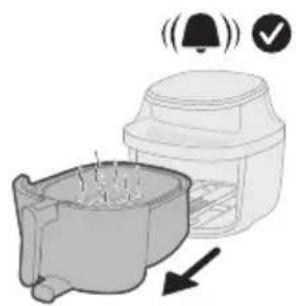
natural_image
Illustration of a blender with a bell icon and a downward arrow indicating sound or vibration (no text or symbols)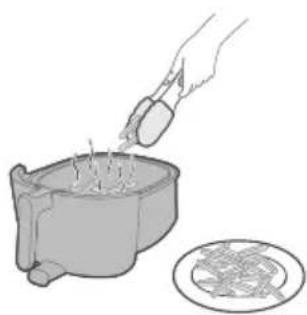
natural_image
Illustration of a hand pouring liquid into a container with a circular inset showing a food item (no text or symbols)natural_image
Illustration of a food preparation step showing a bowl with a lid and a container with arrows indicating direction (no text or symbols)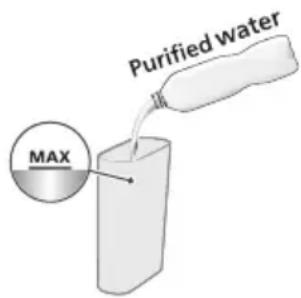
natural_image
Illustration of a mechanical device with a curved arrow indicating rotation (no text or symbols)natural_image
Diagram of a mechanical device with a downward arrow indicating a component (no text or symbols present)natural_image
Illustration of a hand pressing a button on a device (no text or symbols visible)natural_image
Illustration of a hand inserting a small object into a container with a Wi-Fi icon (no text or symbols)6 Toque no botão de fritar a vapor para entrar no modo de fritar a vapor.
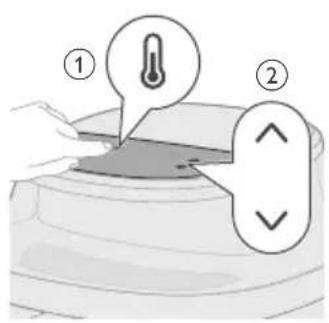
natural_image
Illustration of a hand pressing a button on a device (no text or symbols visible)natural_image
Illustration of a kitchen appliance with a bell icon and a downward arrow indicating cooling (no text or symbols)natural_image
Illustration of a hand pouring liquid into a cooking pot with meat slices nearby (no text or symbols)natural_image
Illustration of a small plant growing in a container with arrows indicating direction (no text or symbols)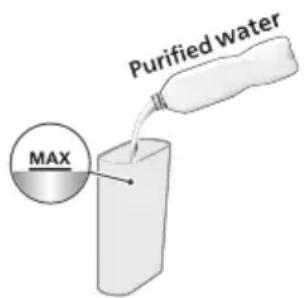
natural_image
Simple line drawing of a white cylindrical container with a curved arrow indicating rotation (no text or symbols)natural_image
Diagram of a mechanical device with a downward arrow indicating a component (no text or symbols present)natural_image
Illustration of a hand pressing a button on a device with a power symbol (no text or labels)natural_image
Illustration of a container with a small icon and a pointer, no text or symbols presentnatural_image
Illustration of a hand pressing a button on a device (no text or symbols visible)natural_image
Illustration of a kitchen appliance with a bell icon and a downward arrow indicating a drop or action (no text or symbols present)natural_image
Illustration of a hand using a mortar to press food into a pot, with a plate nearby (no text or symbols)natural_image
Diagram of a mechanical device with arrows indicating motion or force direction (no text or symbols)natural_image
Illustration of a hand pressing a button on a device (no text or symbols visible)natural_image
Illustration of a hand pressing down on a container with a speech bubble containing a logo (no text or symbols present)natural_image
Illustration of a hand pressing down on a container with a speech bubble containing a snowflake (no text or symbols on the container itself)natural_image
Illustration of a hand pressing a button on a device (no text or symbols visible)natural_image
Illustration of a kitchen appliance with a bell icon and a downward arrow indicating cooling (no text or symbols)natural_image
Illustration of a hand pouring liquid into a bowl with a plate nearby (no text or symbols)natural_image
Simple line drawing of a plug inserted into a socket with an arrow indicating direction (no text or symbols)natural_image
Line drawing of a kitchen sink with a faucet and kitchen utensils (no text or symbols)natural_image
Illustration of a hand using a tool to clean or install a container with a lid (no text or symbols visible)natural_image
Diagram of a microwave oven with a spiral-patterned lid and base, showing internal components (no text or symbols)natural_image
Illustration of a hand cleaning a small container with a lid (no text or symbols)natural_image
Simple line drawing of a cylindrical container with a side outlet and a curved arrow indicating rotation (no text or symbols)natural_image
Diagram of a mechanical device with a downward arrow indicating a component (no text or symbols present)natural_image
Illustration of a hand pressing a button on a device with a power symbol (no text or labels)5 Toque no botão de limpeza a vapor.
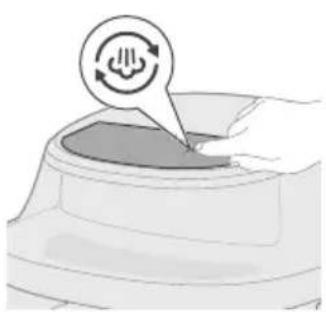
natural_image
Illustration of a hand pressing down on a curved surface with a circular icon above (no text or symbols)
natural_image
Illustration of a hand pressing a button on a device (no text or symbols visible)natural_image
Illustration of a small mechanical component with a bell icon above it (no text or symbols)natural_image
Illustration of a kitchen sink with a faucet and leafy pot (no text or symbols)8 Remova e limpe o recipiente e o cesto.
natural_image
Diagram of a mechanical component with a curved housing and a top component, showing an arrow indicating direction (no text or symbols present)natural_image
Illustration of a hand pressing a button on a device (no text or symbols visible)natural_image
Illustration of a mechanical device with a bell icon and checkmark (no text or symbols)natural_image
Illustration of a hand holding a stick inside a cylindrical container with rotational arrows indicating rotation (no text or symbols)natural_image
Simple line drawing of a mechanical device with a curved arrow indicating rotation (no text or symbols)natural_image
Diagram of a mechanical device with a downward arrow indicating force or movement (no text or symbols present)natural_image
Illustration of a hand pressing a button on a device with a power symbol (no text or labels)natural_image
Illustration of a hand pressing a button on a device (no text or symbols visible)natural_image
Illustration of a hand pressing a button on a device (no text or symbols visible)natural_image
Simple line drawing of a toilet with a bell icon and checkmark (no text or symbols)natural_image
Illustration of a kitchen mixer with a downward arrow indicating cooling effect (no text or symbols)16 Remova o cesto e o recipiente.
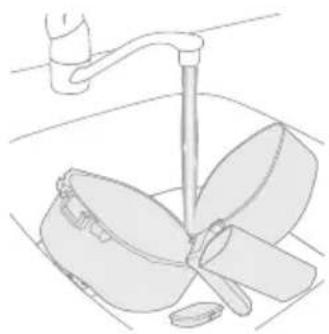
natural_image
Line drawing of a kitchen sink with a hand holding a pan (no text or symbols)natural_image
Symbol of a robot without any text or numbers, featuring a prohibition sign inside a circle (no readable text)natural_image
Symbol of a waste bin with no text or numbers, crossed by two crossed lines and a solid black rectangle below (no text or symbols present)www.home.id/warranty.

Păstrarea la cald
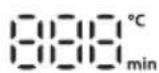
natural_image
Diagram of a mechanical device with arrows indicating force or movement (no text or symbols)natural_image
Illustration of a hand pressing a button on a device (no text or symbols visible)natural_image
Illustration of a hand pressing down on a container with a circular arrow icon (no text or symbols)natural_image
Illustration of a hand pressing a button on a device (no text or symbols visible)natural_image
Illustration of a microwave oven with a bell and checkmark indicating sound or notification (no text or symbols)natural_image
Illustration of a hand pouring liquid into a container with a plate nearby (no text or symbols)natural_image
Illustration of a kitchen mixer with a bowl and lid, showing directional arrows (no text or symbols)natural_image
Simple line drawing of a white cylindrical container with a curved arrow indicating rotation (no text or symbols)
natural_image
Illustration of a hand pressing a button on a device (no text or symbols visible)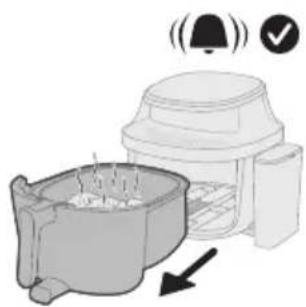
natural_image
Illustration of a coffee maker with a bell and checkmark indicating confirmation (no text or symbols)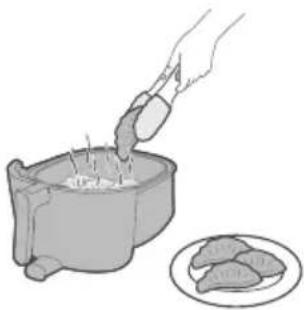
natural_image
Illustration of a hand pouring granular material into a bowl with food being added to a plate (no text or symbols)natural_image
Illustration of a small animal in a container with arrows indicating movement or flow (no text or symbols)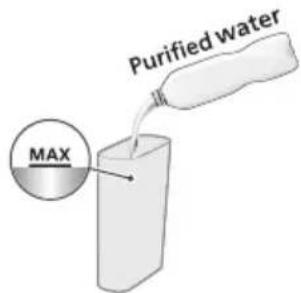
natural_image
Illustration of a white cylindrical device with a curved arrow indicating rotation (no text or symbols)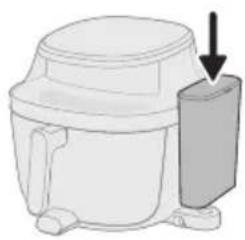
natural_image
Line drawing of a mechanical device with a downward arrow indicating a component (no text or symbols)
natural_image
Illustration of a hand pressing a button on a device (no text or symbols visible)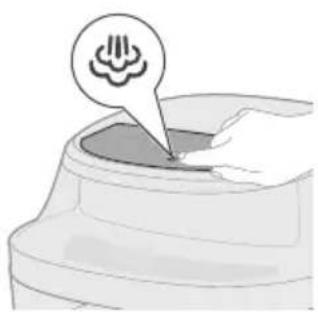
natural_image
Illustration of a container with a speech bubble containing a cloud icon, no text or symbols present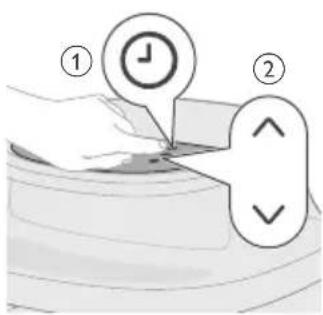
natural_image
Illustration of a hand pressing a button on a device (no text or symbols visible)natural_image
Illustration of a microwave oven with a bell icon and warning symbol (no text or labels)natural_image
Illustration of a hand using a pipette to add food into a pot, with a plate nearby (no text or symbols)natural_image
Diagram of a mechanical device with arrows indicating motion or force, no text or symbols presentnatural_image
Illustration of a hand pressing a button on a device (no text or symbols visible)natural_image
Illustration of a hand pressing down on a container with three spiral icons above (no text or symbols)natural_image
Illustration of a hand pressing a container with a speech bubble containing a virus symbol (no text or labels)natural_image
Illustration of a hand pressing a button on a circular object with a play button icon (no text or symbols)natural_image
Illustration of a microwave oven with a bell icon and warning symbol (no text or labels)natural_image
Illustration of a hand pouring liquid into a container with a magnified inset showing a textured surface (no text or symbols)natural_image
Simple line drawing of a plug inserted into a socket with an arrow indicating direction (no text or symbols)natural_image
Line drawing of a kitchen sink with a hand holding a cup and a handle, containing a bowl with leafy contents (no text or symbols)natural_image
Illustration of a hand cleaning a small container with a lid (no text or symbols)natural_image
Illustration of a mechanical device with a spiral pattern and handle, no text or symbols presentnatural_image
Illustration of a hand cleaning a small container with a cloth (no text or symbols)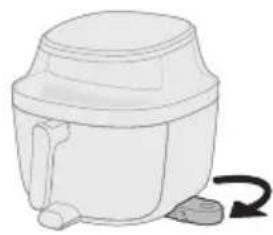
natural_image
Simple line drawing of a mechanical device with a curved arrow indicating rotation (no text or symbols)natural_image
Diagram of a mechanical device with a downward arrow indicating force or motion (no text or symbols present)natural_image
Illustration of a hand pressing a button on a device with a power symbol (no text or labels)natural_image
Illustration of a hand pressing down on a device with a circular icon above (no text or symbols)natural_image
Illustration of a hand pressing a button on a circular object with a play button icon (no text or symbols)natural_image
Illustration of a hand holding a stick inside a cylindrical container with rotational arrows indicating rotation (no text or symbols)natural_image
Simple line drawing of a white cylindrical container with a handle and side outlet, no text or symbols present.natural_image
Diagram of a mechanical device with a downward arrow indicating force or direction (no text or symbols present)natural_image
Illustration of a hand pressing a button on a device (no text or symbols visible)natural_image
Illustration of a hand pressing a button on a device (no text or symbols visible)natural_image
Line drawing of a toilet with a bell icon above it (no text or symbols)natural_image
Illustration of a showerhead spraying water with a warning symbol (no text or labels)natural_image
Illustration of a hand pouring liquid into a sink with a faucet in the background (no text or symbols)natural_image
Diagram of a mechanical component with a curved housing and a top component, showing an arrow indicating direction (no text or symbols present)natural_image
Illustration of a hand pressing a button into a device (no text or symbols visible)natural_image
Symbol of a robot without any text or numbers, featuring a prohibition sign inside a circle (no readable text)natural_image
Symbol of a trash bin crossed with no text or numbers, representing waste sorting or disposal (no text present)
natural_image
Diagram of a mechanical device with arrows indicating force or movement (no text or symbols)natural_image
Illustration of a hand pressing a button on a device with a power symbol (no text or labels)natural_image
Illustration of a hand pressing down on a curved surface with a circular arrow symbol (no text or labels)
natural_image
Illustration of a hand pressing a button on a device (no text or symbols visible)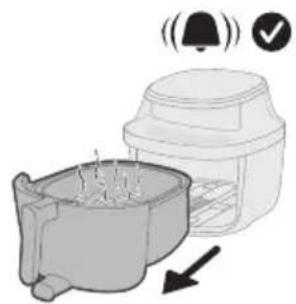
natural_image
Illustration of a microwave oven with a bell icon and checkmark indicating confirmation (no text or symbols)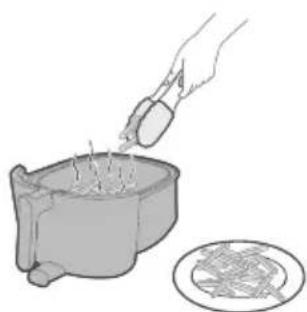
natural_image
Illustration of a hand pouring liquid into a container with a circular inset showing a food item (no text or symbols)natural_image
Illustration of a kitchen sink with a lid and directional arrows indicating process flow (no text or symbols)natural_image
Simple line drawing of a mechanical device with a curved arrow indicating rotation (no text or symbols)
natural_image
Illustration of a hand pressing a button on a device (no text or symbols visible)natural_image
Illustration of a blender with a bell icon and checkmark, showing a side view of its contents (no text or symbols)natural_image
Illustration of a hand pouring ingredients into a small bowl with meat slices, alongside a plate of raw meat (no text or symbols)natural_image
Illustration of a small animal inside a container with arrows indicating movement or flow (no text or symbols)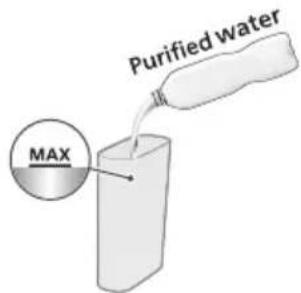
natural_image
Simple line drawing of a cylindrical container with a handle and side ports, no text or symbols present.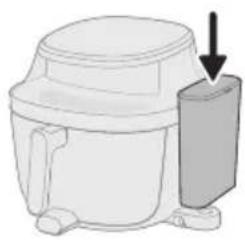
natural_image
Line drawing of a mechanical device with a downward arrow indicating a component (no text or symbols present)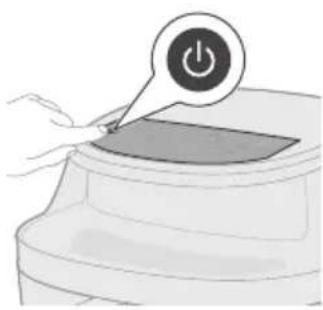
natural_image
Illustration of a hand pressing a button on a device (no text or symbols visible)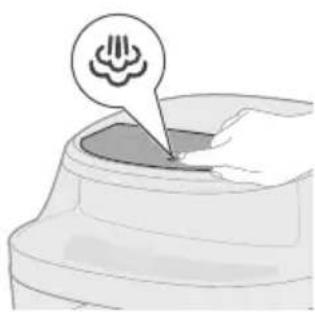
natural_image
Illustration of a container with a speech bubble containing a cloud icon, no text or symbols present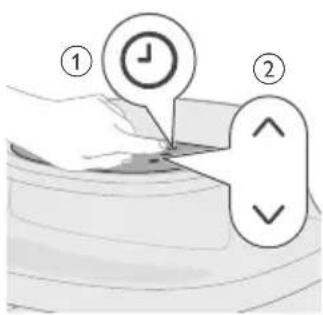
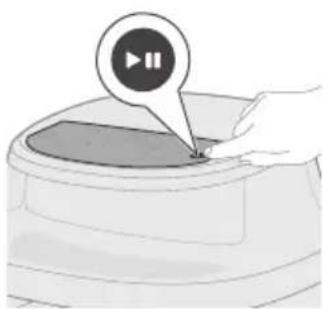
natural_image
Illustration of a hand pressing a button on a device (no text or symbols visible)natural_image
Illustration of a microwave oven with a bell icon and warning symbol (no text or labels)natural_image
Illustration of a hand using a mortar to fill a pot with food, next to a plate (no text or symbols)natural_image
Diagram of a mechanical device with arrows indicating motion or force, no text or symbols presentnatural_image
Illustration of a hand pressing a button on a device (no text or symbols visible)natural_image
Illustration of a hand pressing down on a container with three spiral patterns above (no text or symbols)natural_image
Illustration of a hand pressing a button on a circular object with a play button (no text or symbols)natural_image
Illustration of a blender with a bell icon and checkmark, showing a cooking pot and a tray (no text or symbols)natural_image
Illustration of a hand pouring liquid into a container with a circular inset showing a grid pattern (no text or symbols)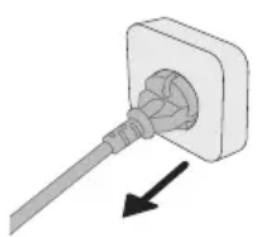
natural_image
Diagram of a plug inserted into a socket with an arrow indicating direction (no text or symbols)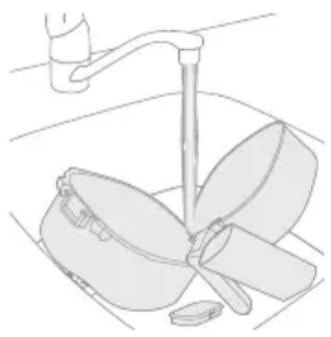
natural_image
Line drawing of a kitchen sink with a hand holding a tool, no text or symbols present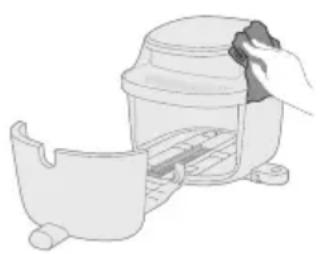
natural_image
Illustration of a hand cleaning a small container with a lid (no text or symbols)natural_image
Illustration of a kitchen appliance with a spiral-patterned lid and handle, no text or symbols presentnatural_image
Illustration of a hand cleaning a small container with a cloth (no text or symbols)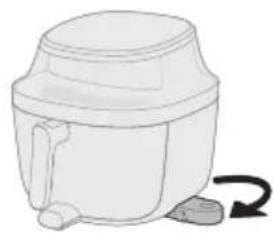
natural_image
Simple line drawing of a mechanical device with a curved arrow indicating rotation (no text or symbols)natural_image
Diagram of a mechanical device with a downward arrow indicating force or motion (no text or symbols present)natural_image
Illustration of a hand pressing a button on a device with a power symbol (no text or labels)natural_image
Illustration of a hand pressing down on a mechanical component with a circular icon above (no text or symbols)5 Shtypni butonin Steam Clean.
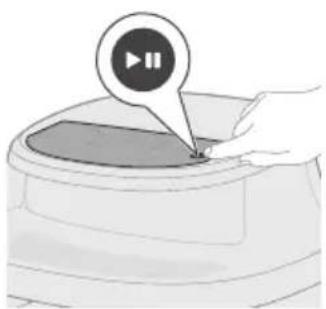
natural_image
Illustration of a hand pressing a button labeled '播放' (play), no text or symbols presentnatural_image
Illustration of a hand holding a stick inside a cylindrical container with rotational arrows indicating rotation (no text or symbols)natural_image
Simple line drawing of a white cylindrical container with a handle and side knob, no text or symbols present.natural_image
Illustration of a hand pouring liquid into a sink with a faucet in the background (no text or symbols)natural_image
Diagram of a mechanical component with a housing and arrow indicating direction (no text or symbols)natural_image
Illustration of a hand pressing a button on a device (no text or symbols visible)natural_image
Symbol of a trash bin crossed with a diagonal line, representing no waste or elimination (no text or numbers present)natural_image
Diagram of a mechanical device with arrows indicating motion or force, no text or symbols present1 Sestavine položite v košaro in posodo potisnite nazaj v aparat.
natural_image
Illustration of a hand pressing a button on a device with a power symbol (no text or labels)2 Za vklop aparata tapnite gumb Vklop/izklop.
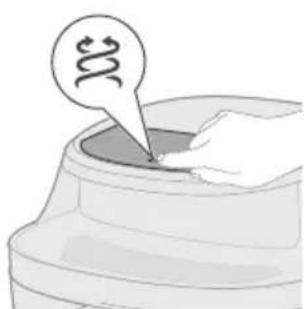
natural_image
Illustration of a hand pressing down on a container with a circular icon above (no text or symbols)4 Tapnite gumb Temperatura in nato z gumbom Zvišanje ali Znižanje izberite želeno temperaturo priprave.
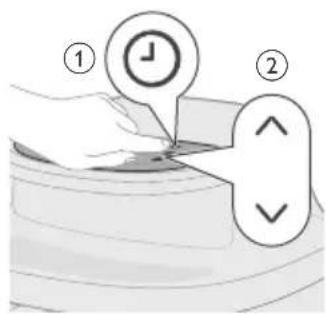
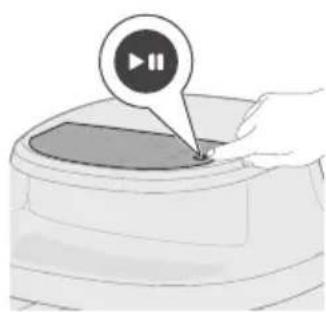
natural_image
Illustration of a hand pressing a button on a device (no text or symbols visible)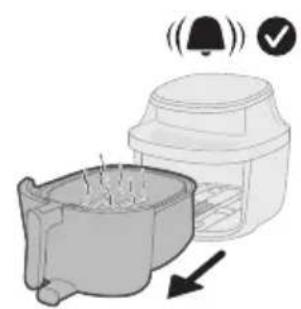
natural_image
Illustration of a kitchen appliance with a bell icon and a downward arrow indicating cooling (no text or symbols)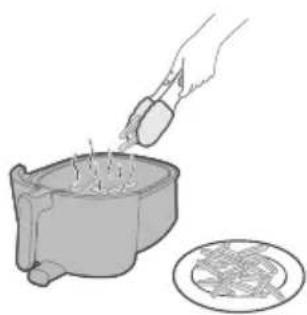
natural_image
Illustration of a hand pouring liquid into a pot with steam rising, next to a circular diagram showing a food item (no text or symbols)natural_image
Illustration of a kitchen sink with a lid and directional arrows indicating process flow (no text or symbols)1 Sestavine položite v košaro in posodo potisnite nazaj v aparat.
natural_image
Simple line drawing of a mechanical device with a curved arrow indicating rotation (no text or symbols)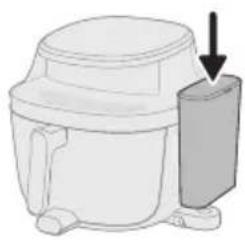
natural_image
Diagram of a microwave oven with a side panel and arrow indicating direction (no text or symbols)4 Na posodo za vodo pritrdite pokrov in jo postavite na podstavek.
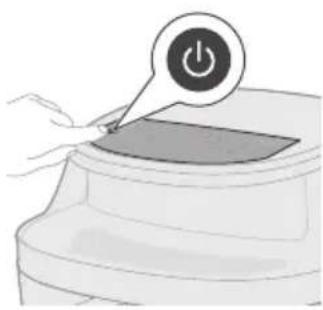
natural_image
Illustration of a hand pressing a button on a device (no text or symbols visible)5 Za vklop aparata tapnite gumb Vklop/izklop.
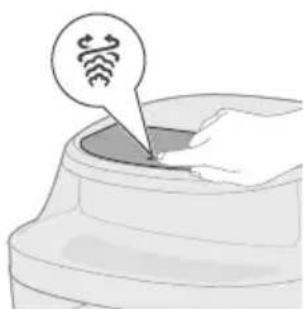
natural_image
Illustration of a hand inserting a device into a container with a circular icon (no text or symbols)6 Za preklop v način pare in cvrtja tapnite gumb Para in cvrtje.
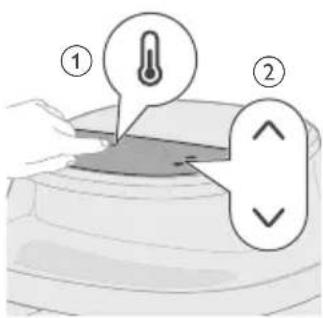
7 Tapnite gumb Temperatura in nato z gumbom Zvišanje ali Znižanje izberite želeno temperaturo priprave.
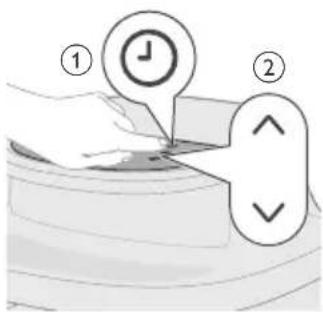
natural_image
Illustration of a hand pressing a button on a device (no text or symbols visible)9 Tapnite gumb Zagon/premor, da začnete pripravo jedi.
Opomba: nekatere sestavine je treba pretresti ali obrniti na polovici časa priprave (glejte "Preglednico s hrano"). To storite tako:
- Previdno izvlecite posodo.
- Vsebino pretresajte ali obračajte nad površino, ki je odporna na vročino.
- Posodo potisnite nazaj v aparat in nadaljujete s pripravo jedi.
Opomba: će želite začasno ustaviti pripravo jedi, pritisnite gumb Zagon/premor. Za nadaljevanje priprave znova pritisnite isti gumb.
natural_image
Illustration of a coffee maker with a bell icon and checkmark indicating confirmation (no text or symbols)natural_image
Illustration of a hand pouring food into a cylindrical container with meat pieces, alongside a plate of raw meat (no text or symbols)11 Iz košare odstranite pripravljeno jed.
natural_image
Illustration of a small animal inside a container with arrows indicating movement or flow (no text or symbols)1 Sestavine položite v košaro in posodo potisnite nazaj v aparat.
natural_image
Simple line drawing of a cylindrical container with a handle and side ports, no text or symbols present.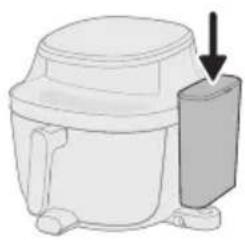
natural_image
Diagram of a microwave oven with a side-mounted lid and arrow indicating direction (no text or symbols)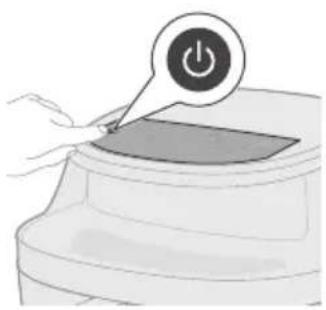
natural_image
Illustration of a hand pressing a button on a device (no text or symbols visible)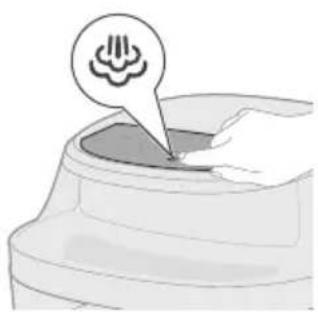
natural_image
Illustration of a small container with a speech bubble containing a cloud icon, no text or symbols present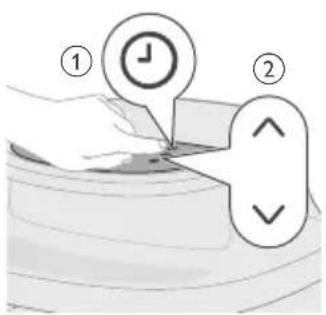
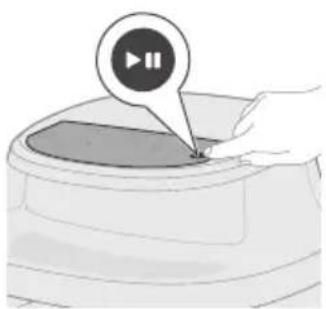
natural_image
Illustration of a hand pressing a button on a device (no text or symbols visible)4 Na posodo za vodo pritrdite pokrov in jo postavite na podstavek.
5 Za vklop aparata tapnite gumb Vklop/izklop.
6 Za preklop v način pare tapnite gumb Para.
natural_image
Illustration of a microwave oven with a bell icon and checkmark indicating confirmation (no text or symbols)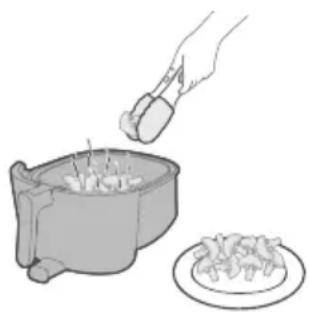
natural_image
Illustration of a hand using a pipette to add food into a pot (no text or symbols)natural_image
Diagram of a mechanical device with spring-loaded components and directional arrows indicating motion (no text or symbols)natural_image
Illustration of a hand pressing a button on a device (no text or symbols visible)2 Za vklop aparata tapnite gumb Vklop/izklop.

natural_image
Illustration of a hand pressing down on a container with three spiral patterns above (no text or symbols)3 Tapnite gumb Cvrtje z vročim zrakom, Para ali Para in cvrtje za preklop v želeni način priprave jedi.
natural_image
Illustration of a hand pressing a button on a circular object with a play button (no text or symbols)5 Tapnite gumb Zagon/premor, da začnete pripravo jedi.
Opomba: nekatere sestavine je treba pretresti ali obrniti na polovici časa priprave (glejte "Preglednico s hrano"). To storite tako:
- Previdno izvlecite košaro.
- Vsebino pretresajte ali obračajte nad površino, ki je odporna na vročino.
- Košaro vstavite nazaj, da nadaljujete pripravo jedi.
Opomba: će želite začasno ustaviti pripravo jedi, pritisnite gumb Zagon/premor. Za nadaljevanje priprave znova pritisnite isti gumb.
natural_image
Illustration of a blender with a bell icon and a downward arrow indicating cooling effect (no text or symbols)natural_image
Illustration of a hand pouring liquid into a container with a circular inset showing a food item (no text or symbols)7 Iz košare odstranite pripravljeno jed.
natural_image
Simple line drawing of a plug inserted into a socket (no text or symbols)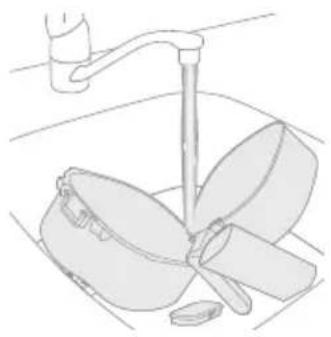
natural_image
Line drawing of a kitchen sink with a faucet and a bowl containing leafy greens (no text or symbols)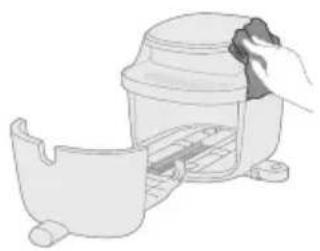
natural_image
Illustration of a hand cleaning a small container with a lid (no text or symbols)natural_image
Illustration of a hand using a spiral-patterned device to interact with a bowl (no text or symbols present)natural_image
Illustration of a hand cleaning a small container with a lid (no text or symbols)6 Notranjost aparata očistite z rahlo navlaženo mehko krpo, nato po potrebi še s suho.
Čiščenje s paro
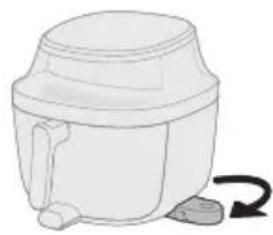
natural_image
Simple line drawing of a mechanical device with a curved arrow indicating rotation (no text or symbols)2 Izvlecite podstavek za posodo za vodo na spodnji strani aparata.
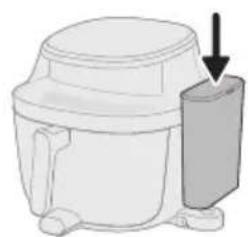
natural_image
Diagram of a mechanical device with a downward arrow indicating force or motion (no text or symbols present)3 Na posodo za vodo pritrdite pokrov in jo postavite na podstavek.
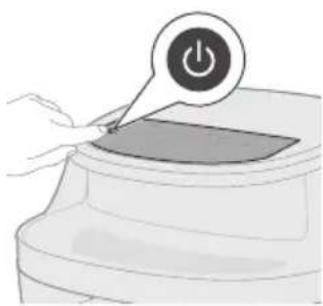
natural_image
Illustration of a hand pressing a button on a device with a power symbol (no text or labels)4 Za vklop aparata tapnite gumb Vklop/izklop.
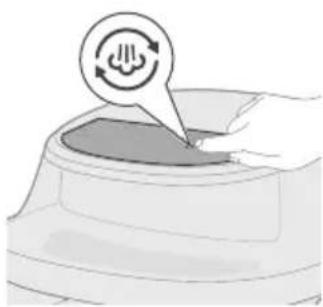
natural_image
Illustration of a hand pressing down on a device with a circular icon above (no text or symbols)5 Tapnite gumb Čiščenje s paro.
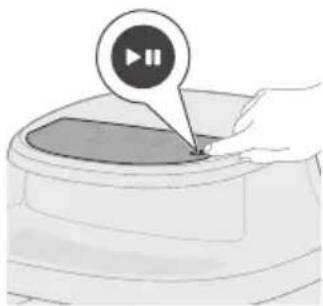
natural_image
Illustration of a hand pressing a button on a circular object with a play button icon (no text or symbols)6 Postopek čiščenja s paro zaženite s pritiskom gumba Zagon/premor.

natural_image
Illustration of a hand holding a stick inside a cylindrical container with rotational arrows indicating rotation (no text or symbols)natural_image
Simple line drawing of a white cylindrical container with a handle and side outlet, no text or symbols present.4 Izvlecite podstavek za posodo za vodo na spodnji strani aparata.

5 Na posodo za vodo pritrdite pokrov in jo postavite na podstavek.
6 Za vklop aparata tapnite gumb Vklop/izklop.
10 Izvlecite posodo in preostalo vodo v njej zlijte stran.
natural_image
Illustration of a hand pouring liquid into a basin with a faucet in the background (no text or symbols)11 Iz posode za vodo izlijte preostalo vodo.
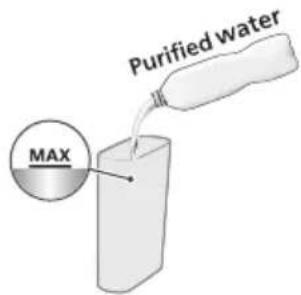
natural_image
3D diagram of a mechanical component with an arrow indicating direction (no text or symbols)13 Košaro in posodo potisnite nazaj v aparat.
natural_image
Illustration of a hand pressing a button labeled '播放' (play), no text or symbols presentnatural_image
Symbol of a robot without any text or numbers, featuring a prohibition sign inside a circle (no readable text)natural_image
Symbol of a waste bin with no text or labels, including a crossed-out box and a solid rectangle below (no readable text or symbols)
Mrazené hranolčeky
natural_image
Diagram of a mechanical device with arrows indicating force or movement (no text or symbols)natural_image
Illustration of a hand pressing a button on a device with a power symbol (no text or labels)natural_image
Illustration of a hand pressing down on a curved object with a circular arrow symbol (no text or labels)
natural_image
Illustration of a hand pressing a button on a device (no text or symbols visible)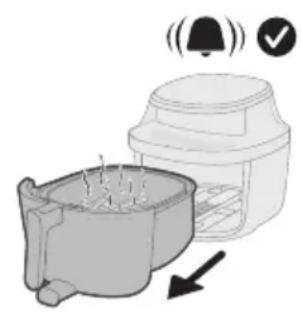
natural_image
Illustration of a microwave oven with a bell and checkmark indicating confirmation (no text or symbols)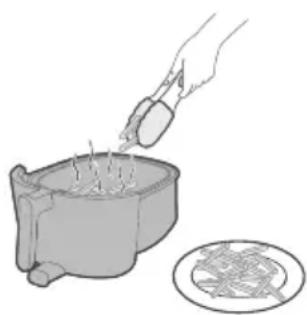
natural_image
Illustration of a hand pouring liquid into a pot with steam rising, alongside a circular diagram showing a food item (no text or symbols)natural_image
Illustration of a kitchen sink with a lid and directional arrows indicating process flow (no text or symbols)natural_image
Simple line drawing of a mechanical device with a curved arrow indicating rotation (no text or symbols)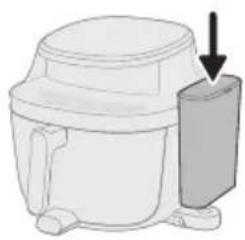
natural_image
Diagram of a microwave oven with a side panel and arrow indicating direction (no text or symbols)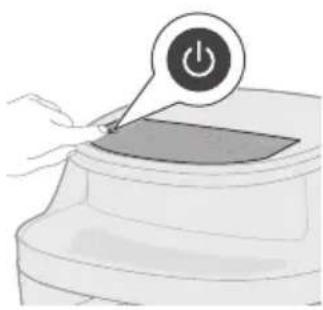
natural_image
Illustration of a hand pressing a button on a device (no text or symbols visible)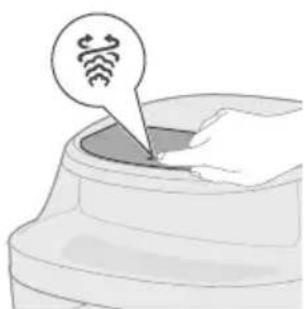
natural_image
Illustration of a hand inserting a device into a container with a circular icon (no text or symbols)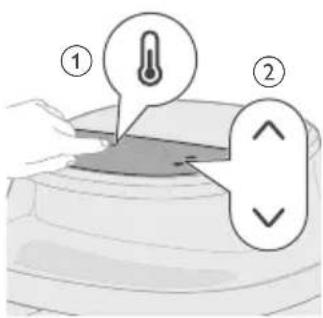
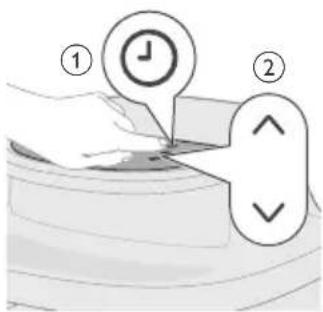
4 Zaistite veko na nádobe na vodu a nádobu na vodu umiestnite na základňu.
natural_image
Illustration of a hand pressing a button on a device (no text or symbols visible)natural_image
Illustration of a coffee maker with a bell icon and checkmark, showing its side profile (no text or symbols)natural_image
Illustration of a hand pouring liquid into a container with meat pieces nearby (no text or symbols)11 Z košíka vyberte uvarené jedlo.
natural_image
Illustration of a small animal inside a container with arrows indicating movement or flow (no text or symbols)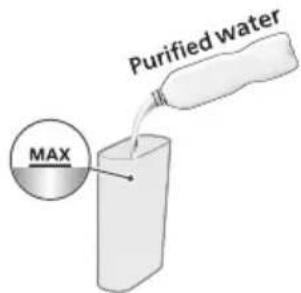
natural_image
Simple line drawing of a cylindrical container with a handle and side ports, no text or symbols present.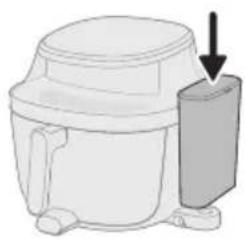
natural_image
Diagram of a microwave oven with a side-mounted lid and arrow indicating direction (no text or symbols)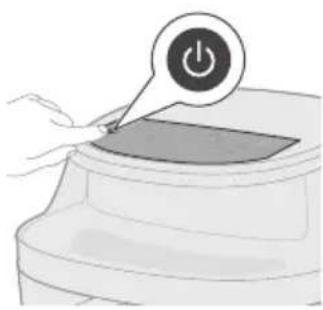
natural_image
Illustration of a hand pressing a button on a device (no text or symbols visible)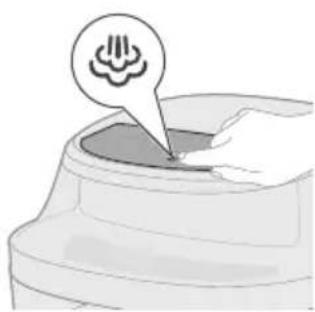
natural_image
Illustration of a container with a speech bubble containing a cloud icon, no text or symbols present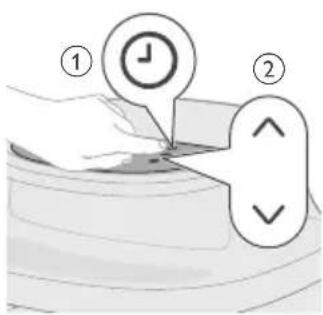
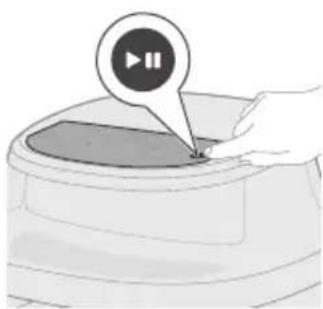
natural_image
Illustration of a hand pressing a button on a device (no text or symbols visible)4 Zaistite veko na nádobe na vodu a nádobu na vodu umiestnite na základňu.
natural_image
Illustration of a microwave oven with a bell icon and warning symbol (no text or labels)natural_image
Illustration of a hand using a mortar to pour food into a bowl, with a plate of meat nearby (no text or symbols)10 Z košíka vyberte uvarené jedlo.
natural_image
Diagram of a mechanical device with arrows indicating motion or force direction (no text or symbols)natural_image
Illustration of a hand pressing a button on a device with a power symbol (no text or labels)natural_image
Illustration of a hand pressing down on a container with three spiral patterns above (no text or symbols)natural_image
Illustration of a hand pressing a button on a device (no text or symbols visible)natural_image
Illustration of a microwave oven with a bell icon and warning symbol (no text or labels)natural_image
Illustration of a hand pouring liquid into a container with a circular inset showing a mesh or meshing (no text or symbols)7 Z košíka vyberte uvarené jedlo.
natural_image
Simple line drawing of a plug inserted into a socket (no text or symbols)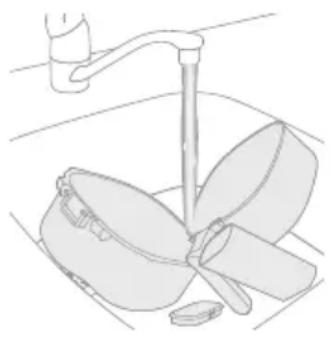
natural_image
Line drawing of a kitchen sink with a hand holding a cup and a leaf being inserted (no text or symbols)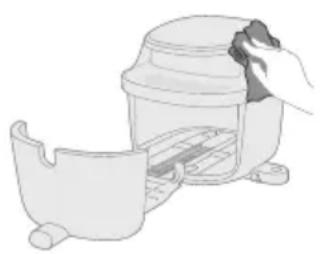
natural_image
Illustration of a hand placing a lid onto a small container with a handle (no text or symbols)natural_image
Illustration of a kitchen appliance with a spiral-patterned lid and handle, showing no text or symbolsnatural_image
Illustration of a hand cleaning a small container with a lid (no text or symbols)6 Vnútro spotrebiča očistite mierne navlhčenou mäkkou handričkou a v prípade potreby použite aj suchú handričku.
Čistenie parou
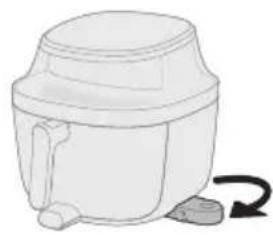
natural_image
Simple line drawing of a mechanical device with a curved arrow indicating rotation (no text or symbols)natural_image
Diagram of a mechanical device with a downward arrow indicating force or motion (no text or symbols present)3 Zaistite veko na nádobe na vodu a nádobu na vodu umiestnite na základňu.
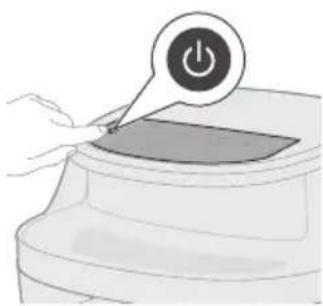
natural_image
Illustration of a hand pressing a button on a device with a power symbol (no text or labels)natural_image
Illustration of a hand pressing down on a curved surface with a circular icon above (no text or symbols)5 Ťuknite na tlačidlo Čistenie parou.
natural_image
Illustration of a hand pressing a button on a circular object with a play button (no text or symbols)natural_image
Illustration of a hand holding a stick inside a cylindrical container with rotational arrows indicating rotation (no text or symbols)natural_image
Simple line drawing of a cylindrical container with a handle and side legs, no text or symbols present.natural_image
Illustration of a hand pouring liquid into a basin with a faucet in the background (no text or symbols)natural_image
3D diagram of a mechanical component with an arrow indicating direction (no text or symbols)natural_image
Illustration of a hand pressing a button labeled '播放' (play), no text or symbols presentnatural_image
Symbol of a robot on a tracked vehicle with no text or numbers presentnatural_image
Symbol of a waste bin with no text or numbers present- Ovaj simbol ukazuje na to da električni proizvodi ne smeju da se odlaju sa običnim kućnim otpadom.
- Pratite propise svoje zemlje za zasebno prikupljanje otpadnih električnih proizvoda.
Garancija i podrška
Versuni za ovaj proizvod pruža dve godine garancije nakon kupovine. Ova garancija ne važi ako je kvar nastao nepravilnom upotrebom ili lošim održavanjem. Naša garancija ne utiče na vaša zakonska prava u skladu sa Zakonom o potrošačima. Za više informacija ili pokretanje garancije, posetite našu veb-stranicu www.home.id/warranty.
EcoDesign informacije
EcoDesign informacije za identifikacione oznake modela: NA540, NA541, NA543, NA547
| Opis Simbol Vrednost Jedinica | |||
| Potrošnja energije u isključenom stanju P | off | 0,3 W | |
| Potrošnja energije u režimu pripravnosti P | sb | / | W |
| Period pre automatskog prebacivanja u režim pripravnosti | T_sb | 20 Min | |
| Standard merenja za servisnu vrednost EN 50564:2011 | |||
| Podaci za kontakt za pronalaženje dodatnih informacija | DAP B.V.Tussendiepen 4a,9206AD Drachten, The Netherlands | ||
| Aparat je usaglašen sa zahtevima ekološki prihvatljivog dizajna iz PROPISA KOMISIJE (EU) 2023/826. | |||
Uvod
Čestitamo na kupovini i dobro došli u Philips!
Da biste na najbolji način iskoristili podršku koju nudimo, registrujte proizvod na
www.home.id.
Opšti opis
Pregled proizvoda
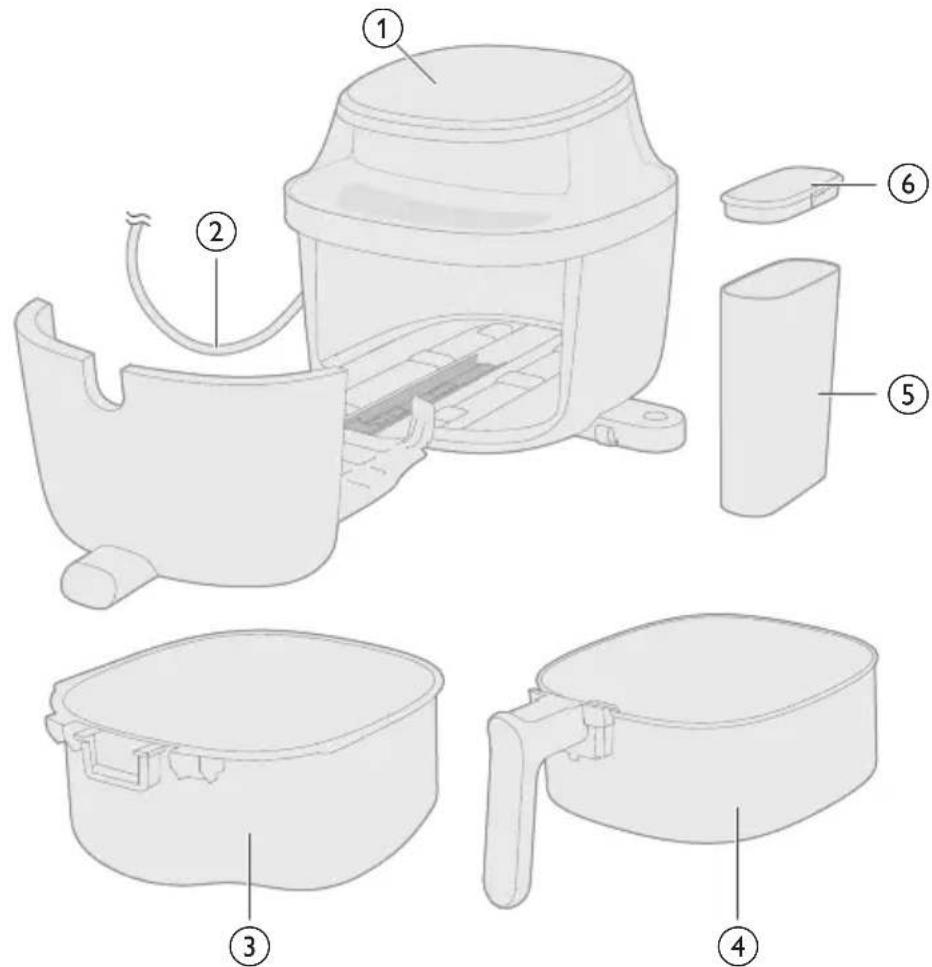
1 Kontrolna tabla
2 Kabl za napajanje
3 Posuda
4 Korpa
5 Rezervoar za vodu
6 Poklopac posude za vodu
Pregled kontrolne table
natural_image
Diagram of a mechanical device with arrows indicating motion or force (no text or symbols)1 Dodajte sastojke u korpu i gurnite posudu nazad u aparat.
Napomena: Airfryer je pogodan za pripremu najrazličitijih sastojaka. Za najbolje rezultate, pogledajte „Tabelu hrane” za preporučene količine i vremena kuvanja.
Napomena: Izbegavajte prekoračenje preporučenih količina ili punjenje korpe preko linije „MAX“, pošto to može da utiče na učinak kuvanja.
natural_image
Illustration of a hand pressing a button on a device with a power symbol (no text or labels)natural_image
Illustration of a hand pressing down on a curved surface with a circular arrow symbol (no text or labels)3 Dodirnite dugme Prženje na vazduhu da biste ušli u režim prženja na vazduhu.
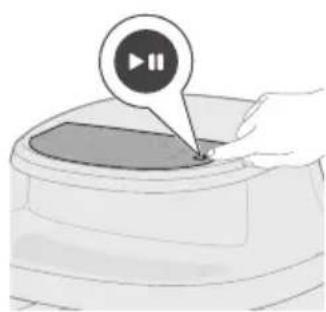
natural_image
Illustration of a hand pressing a button on a device (no text or symbols visible)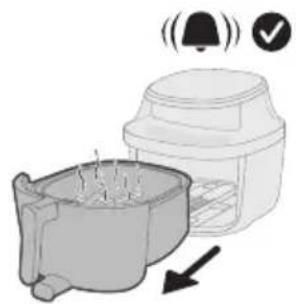
natural_image
Illustration of a microwave oven with a bell icon and checkmark indicating confirmation (no text or symbols)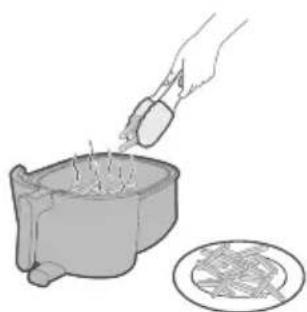
natural_image
Illustration of a hand pouring liquid into a bowl with a circular inset showing a patterned dish (no text or symbols)natural_image
Diagram showing a container with food and arrows indicating direction (no text or symbols)1 Dodajte sastojke u korpu i gurnite posudu nazad u aparat.
2 Napunite rezervoar za vodu prečišćenom vodom do MAX nivoa vode.
3 Izvucite postolje rezervoara za vodu sa donje strane aparata.
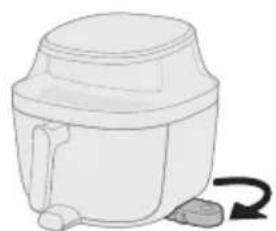
natural_image
Simple line drawing of a mechanical device with a curved arrow indicating rotation (no text or symbols)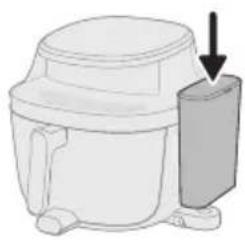
natural_image
Diagram of a microwave oven with a side panel and arrow indicating direction (no text or symbols)4 Pričvrstite poklopac na rezervoar za vodu i postavite rezervoar za vodu na postolje.
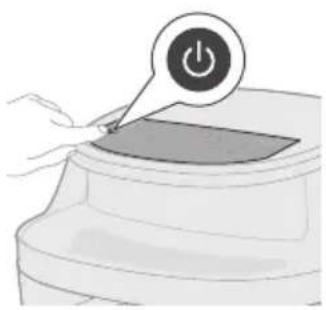
natural_image
Illustration of a hand pressing a button on a device (no text or symbols visible)natural_image
Illustration of a hand pressing a button into a container with a circular icon above (no text or symbols)6 Dodirnite dugme Prženje na pari da biste ušli u režim prženja na pari.
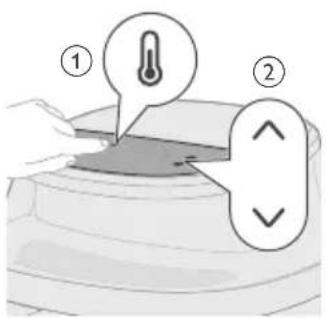
natural_image
Illustration of a hand pressing a button on a device (no text or symbols visible)9 Dodirnite dugme za pokretanje/pauziranje da biste započeli kuvanje.
natural_image
Illustration of a coffee maker with a bell icon and checkmark, showing a side view of its contents (no text or symbols present)Oprez: Nakon procesa kuvanja, korpa, posuda, unutrašnje kućište i sastojci će biti vrući. Uvek stavite korpu na površinu otpornu na toplotu (npr. podmetač ili silikonska podloga) kada je izvadite. U zavisnosti od vrste hrane, vruća para može izlaziti iz korpe.
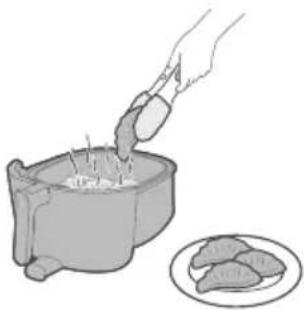
natural_image
Illustration of a hand pouring food into a pot with meat slices nearby (no text or symbols)natural_image
Diagram showing a mechanical component with arrows indicating direction, no text or symbols present1 Dodajte sastojke u korpu i gurnite posudu nazad u aparat.
2 Napunite rezervoar za vodu prečišćenom vodom do MAX nivoa vode.
3 Izvucite postolje rezervoara za vodu sa donje strane aparata.
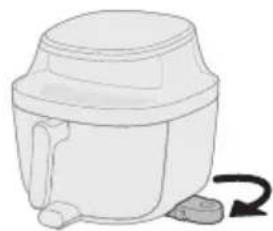
natural_image
Simple line drawing of a mechanical device with a curved arrow indicating rotation (no text or symbols)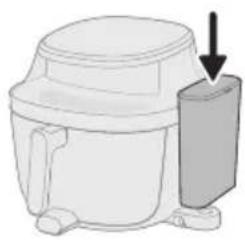
natural_image
Diagram of a microwave oven with a side-mounted lid and arrow indicating direction (no text or symbols)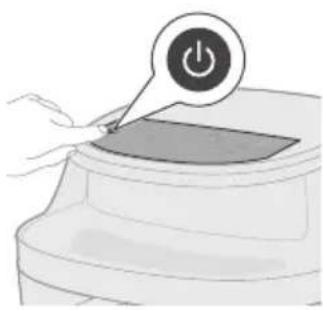
natural_image
Illustration of a hand pressing a button on a device (no text or symbols visible)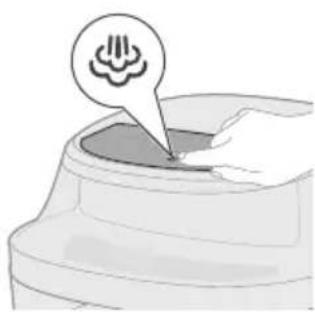
natural_image
Illustration of a container with a speech bubble containing a cloud icon, no text or symbols present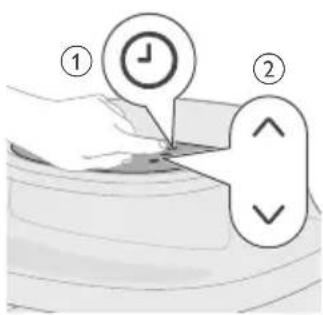

natural_image
Illustration of a hand pressing a button on a device (no text or symbols visible)4 Pričvrstite poklopac na rezervoar za vodu i postavite rezervoar za vodu na postolje.
natural_image
Illustration of a microwave oven with a bell icon and checkmark indicating confirmation (no text or symbols)natural_image
Illustration of a hand using a tool to stir meat into a bowl, with a plate of food nearby (no text or symbols)natural_image
Diagram of a mechanical device with arrows indicating motion or force direction (no text or symbols)Napomena: Izbegavajte prekoračenje preporučenih količina ili punjenje korpe preko linije „MAX“, pošto to može da utiče na učinak kuvanja.
natural_image
Illustration of a hand pressing a button on a device (no text or symbols visible)natural_image
Illustration of a hand pressing down on a container with icons above (no text or symbols)natural_image
Illustration of a hand pressing down on a curved object with a speech bubble containing a snowflake symbol (no text or labels present)natural_image
Illustration of a hand pressing a button on a circular object with a play button icon (no text or symbols)5 Dodirnite dugme za pokretanje/pauziranje da biste započeli kuvanje.
natural_image
Illustration of a microwave oven with a bell icon and warning symbol (no text or labels)natural_image
Illustration of a hand pouring liquid into a container with a circular inset showing a mesh texture (no text or symbols)natural_image
Simple line drawing of a plug inserted into a socket (no text or symbols)1 Pritisnite dugme za uključivanje/isključivanje da biste isključili aparat, isključite utikač iz zidne utičnice i sačekajte da se aparat ohladi.
2 Uklonite masnoću ili ulje sa dna posude.
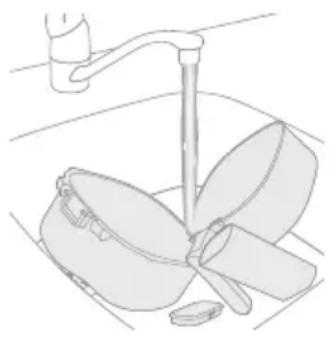
natural_image
Line drawing of a kitchen sink with a hand holding a cup and a leaf being inserted (no text or symbols)3 Očistite korpu, posudu i rezervoar za vodu pod česmom, ako je potrebno toplom vodom, tečnošću za pranje sudova i neabrazivnim sunderom (pogledajte „tabelu za čišćenje").
Koristan savet: Ako se ostaci hrane zalepe za korpu ili posudu, možete ih potopiti u vruću vodu i tečnost za pranje sudova 10–15 minuta. Potapanje oslobađa ostatke hrane i olakšava njihovo uklanjanje. Proverite da li koristite deterdžent za sudove koji može da rastvori ulje i masnoću. Ako na korpi ili posudi postoje masne mrlje, a niste uspeli da ih uklonite vrućom vodom i tečnošću za pranje sudova, koristite tečni odmašćivač.
Koristan savet: Po potrebi, ostatke hrane koji su zalepljeni za grejni element možete da uklonite pomoću četke sa mekanim ili srednje tvrdim vlaknima. Nemojte da koristite četku sa metalnim vlaknima niti četku sa tvrdim vlaknima pošto one mogu da oštete premaz na grejnom elementu.
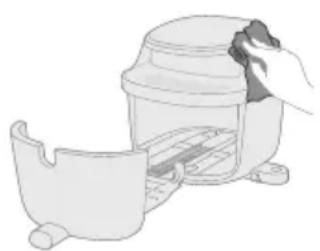
natural_image
Illustration of a hand cleaning a small container with a lid (no text or symbols)4 Nežno obrišite spoljašnjost i unutrašnjost aparata glatkom, čistom i mekom krpom da ne biste oštetili njegovu površinu. Očistite ga malo pokvašenom krpom, a zatim obrišite suvom krpom ako je potrebno.
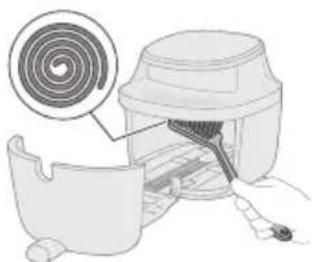
natural_image
Illustration of a kitchen appliance with a spiral-patterned lid and handle, no text or symbols presentnatural_image
Illustration of a hand cleaning a small container with a lid (no text or symbols)6 Očistite unutrašnjost aparata blago navlaženom mekom krpom i nakon toga osušite suvom, ako je potrebno.
Čišćenje parom
Funkcija čišćenja parom efikasno rastvara masne ostatke i pruža dubinsko čišćenje i za korpu i za posudu.
Program traje 20 minuta, i sastoji se od:
- 15 minuta čišćenja parom da bi se rastvorile naslage.
- 5 minuta sušenja da bi se osiguralo da je posuda spremna za upotrebu.
Napomena: Prilikom pokretanja programa za čišćenje parom, aparat može ispuštati više pare sa zadnje strane nego tokom redovnog režima pare. To je normalno i može dovesti do povećane kondenzacije na obližnjim zidovima.
Pre početka, proverite sledeće:
- Izlaz za vazduh nije direktno okrenut ni prema jednoj utičnici.
- Ne postavljajte druge kuhinjske aparate pored aparata.
- Ostavite najmanje 15 cm prostora između aparata i zida da biste smanjili nakupljanje kondenzacije.
1 Napunite rezervoar za vodu prečišćenom vodom do MAX nivoa vode.
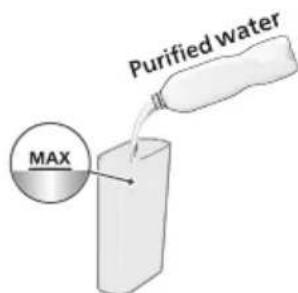
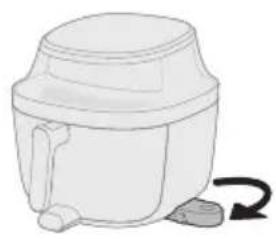
natural_image
Illustration of a mechanical device with a curved arrow indicating rotation (no text or symbols)2 Izvucite postolje rezervoara za vodu sa donje strane aparata.
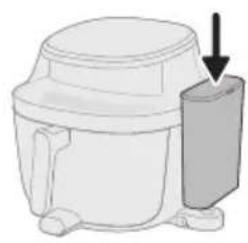
natural_image
Diagram of a mechanical device with a downward arrow indicating a component (no text or symbols present)3 Pričvrstite poklopac na rezervoar za vodu i postavite rezervoar za vodu na postolje.
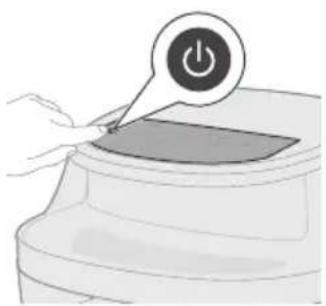
natural_image
Illustration of a hand pressing a button on a device with a power symbol (no text or labels)natural_image
Illustration of a hand pressing down on a device with a circular icon labeled 'Hand Roll' (no text or symbols beyond the icon)5 Dodirnite dugme Čišćenje parom.
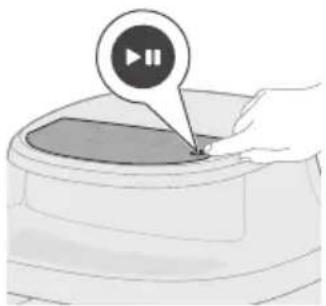
natural_image
Illustration of a hand pressing a button on a circular object with a play button icon (no text or symbols)6 Pritisnite dugme za pokretanje/pauzu da biste pokrenuli proces čišćenja parom.

2 Napunite rezervoar za vodu prečišćenom vodom do nivoa MAX.
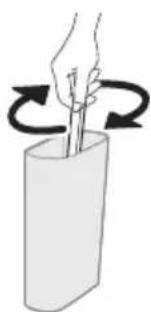
natural_image
Illustration of a hand holding a stick inside a cylindrical container with rotational arrows indicating rotation (no text or symbols)natural_image
Illustration of a white cylindrical container with a side arm and a curved arrow indicating rotation (no text or symbols)4 Izvucite postolje rezervoara za vodu sa donje strane aparata.
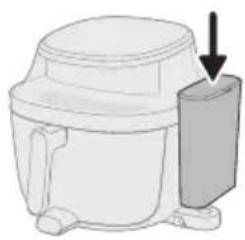
natural_image
Diagram of a microwave oven with a side-mounted lid and arrow indicating direction (no text or symbols)5 Pričvrstite poklopac na rezervoar za vodu i postavite rezervoar za vodu na postolje.
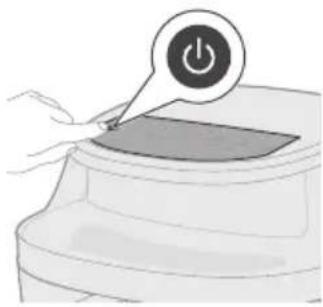
natural_image
Illustration of a hand pressing a button on a device with a power symbol (no text or labels)natural_image
Illustration of a hand pressing a button on a device (no text or symbols visible)8 Dodirnite dugme za pokretanje/pauzu da biste pokrenuli uklanjanje kamenca.
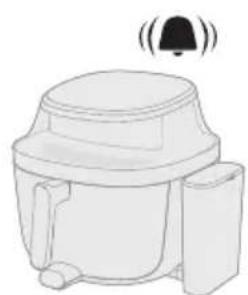
natural_image
Line drawing of a toilet with a bell icon above it (no text or symbols)9 Nakon 25 minuta uklanjanja kamenca, aparat će se oglasiti zvučnim signalom i podsetiti vas da izvučete posudu.
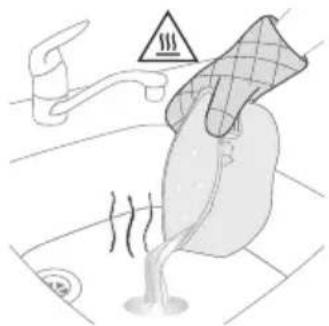
natural_image
Illustration of a person cleaning a car with a pipe and steam, no text or symbols present10 Izvucite posudu i prospite preostalu vodu iz posude.
Oprez: Uvek nosite rukavice otporne na toplotu da biste rukovali vrućom posudom.
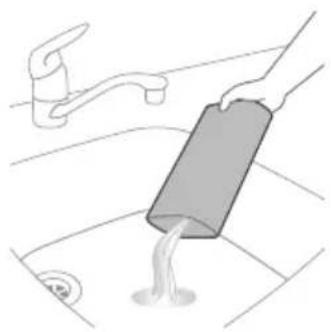
natural_image
Illustration of a hand pouring liquid into a sink with a faucet in the background (no text or symbols)12 Dopunite rezervoar za vodu prečišćenom vodom.
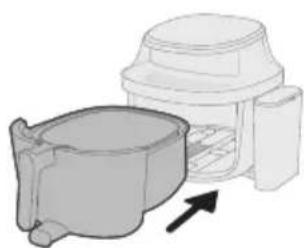
natural_image
Diagram of a mechanical component with a housing and arrow indicating direction (no text or symbols)13 Gurnite korpu i posudu nazad u aparat.
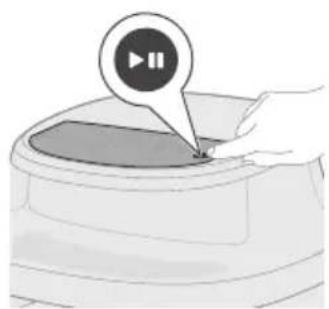
natural_image
Illustration of a hand pressing a button labeled '播放' (play), no text or symbols present14 Pritisnite dugme za pokretanje/pauzu da biste nastavili sa uklanjanjem kamenca.
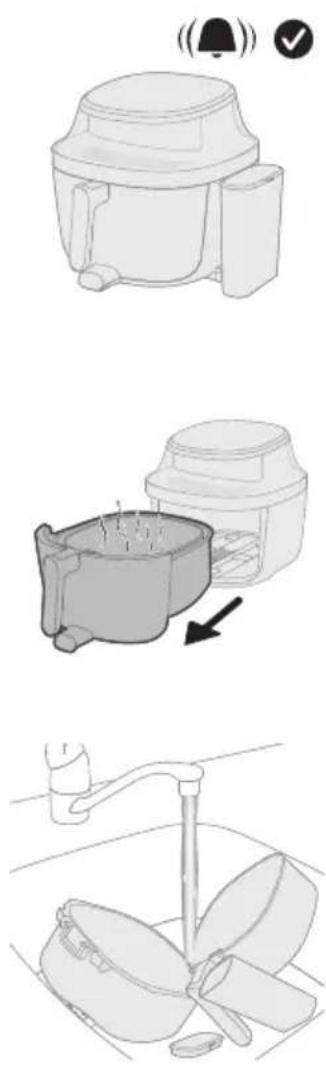
natural_image
Symbol of a robot without any text or numbers, featuring a prohibition sign inside a circle (no readable text)natural_image
Symbol of a waste bin with no text or labels
Pakasteranskanperunat
natural_image
Diagram of a mechanical device with arrows indicating force or movement (no text or symbols present)natural_image
Illustration of a hand pressing a button on a device with a power symbol (no text or labels)natural_image
Illustration of a hand pressing down on a curved object with a circular arrow symbol (no text or labels)natural_image
Illustration of a hand pressing a button on a device (no text or symbols visible)natural_image
Illustration of a blender with a bell icon and a downward arrow indicating sound or vibration (no text or symbols)natural_image
Illustration of a hand pouring liquid into a container with a circular inset showing a food item (no text or symbols)8 Poista kypsennetty ruoka korista.
natural_image
Illustration of a food preparation step showing a bowl with food being added to a container (no text or symbols)natural_image
Simple line drawing of a mechanical device with a curved arrow indicating rotation (no text or symbols)natural_image
Diagram of a mechanical device with a downward arrow indicating force or motion (no text or symbols present)natural_image
Illustration of a hand pressing a button on a device with a power symbol (no text or labels)natural_image
Illustration of a hand pressing a button into a container with a Wi-Fi symbol (no text or labels)natural_image
Illustration of a hand pressing a button on a device (no text or symbols visible)natural_image
Illustration of a coffee maker with a bell icon and checkmark, showing its base and side view (no text or symbols)natural_image
Illustration of a hand pouring liquid into a cylindrical container with food items nearby (no text or symbols)11 Poista kypsennetty ruoka korista.
natural_image
Diagram showing a container with a small object and directional arrows indicating flow or movement (no text or symbols)natural_image
Simple line drawing of a white cylindrical container with a side arm and a curved arrow indicating rotation (no text or symbols)
natural_image
Illustration of a microwave oven with a bell icon and checkmark indicating confirmation (no text or symbols)natural_image
Illustration of a hand using a tool to stir meat into a bowl, with a plate of food nearby (no text or symbols)10 Poista kypsennetty ruoka korista.
natural_image
Diagram of a mechanical device with arrows indicating motion or force direction (no text or symbols)natural_image
Illustration of a hand placing a power button on a device (no text or symbols present)natural_image
Illustration of a hand pressing down on a container with icons above (no text or symbols)natural_image
Illustration of a hand pressing down on a curved container with a speech bubble containing a virus symbol (no text or labels present)natural_image
Illustration of a hand pressing a button on a circular object with a play button icon (no text or symbols)natural_image
Illustration of a toaster oven with a bell icon and warning symbol (no text or labels)natural_image
Illustration of a hand pouring liquid into a container with a plate nearby (no text or symbols)7 Poista kypsennetty ruoka korista.
natural_image
Simple line drawing of a plug inserted into a socket (no text or symbols)natural_image
Line drawing of a kitchen sink with a fork and handle (no text or symbols)natural_image
Illustration of a hand placing a lid onto a small container with a handle (no text or symbols)natural_image
Illustration of a kitchen mixer with a spiral-patterned head and handle (no text or symbols)natural_image
Illustration of a hand cleaning a small container with a lid (no text or symbols)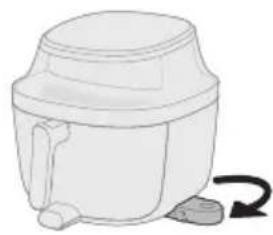
natural_image
Simple line drawing of a mechanical device with a curved arrow indicating rotation (no text or symbols)natural_image
Diagram of a mechanical device with a downward arrow indicating a component (no text or symbols present)natural_image
Illustration of a hand pressing a button on a device with a power symbol (no text or labels)natural_image
Illustration of a hand pressing down on a curved surface with a circular icon above (no text or symbols)natural_image
Illustration of a hand pressing a button on a circular object with a play button icon (no text or symbols)natural_image
Illustration of a hand holding a stick inside a cylindrical container with rotational arrows indicating rotation (no text or symbols)natural_image
Simple line drawing of a mechanical component with a curved arrow indicating rotation (no text or symbols)natural_image
Illustration of a hand pouring liquid into a sink with a faucet in the background (no text or symbols)natural_image
Diagram of a mechanical component with a housing and arrow indicating direction (no text or symbols)natural_image
Illustration of a hand pressing a button on a device (no text or symbols visible)natural_image
Symbol of a robot without any text or numbers, featuring a prohibition sign inside a circle (no readable text)natural_image
Symbol of a waste bin with crossed lines indicating no waste, and a solid black rectangle below (no text or labels)1 Kontrollpanel
2 Nätkabel
3 Panna
4 Korg
5 Vattenbehållare
natural_image
Diagram of a mechanical device with arrows indicating motion or force, no text or symbols presentnatural_image
Illustration of a hand pressing a button on a device (no text or symbols visible)natural_image
Illustration of a hand pressing down on a curved surface with a circular arrow symbol (no text or labels)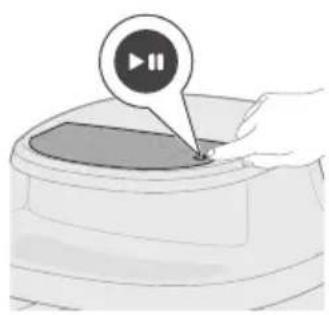
natural_image
Illustration of a hand pressing a button on a device (no text or symbols visible)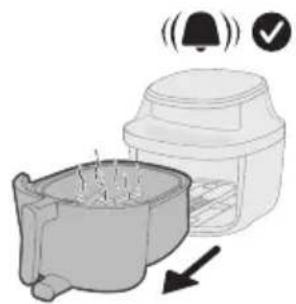
natural_image
Illustration of a microwave oven with a bell icon and checkmark indicating confirmation (no text or symbols)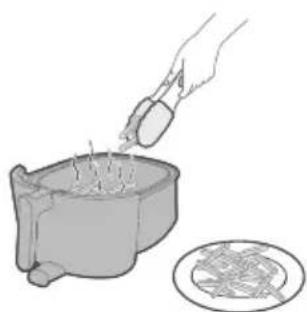
natural_image
Illustration of a hand pouring liquid into a container with a circular inset showing a food item (no text or symbols)natural_image
Illustration of a kitchen sink with a lid and directional arrows indicating process flow (no text or symbols)natural_image
Simple line drawing of a mechanical device with a curved arrow indicating rotation (no text or symbols)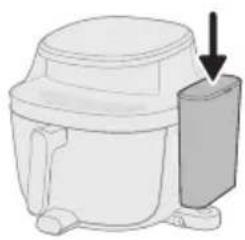
natural_image
Diagram of a microwave oven with a side panel and arrow indicating direction (no text or symbols)natural_image
Illustration of a hand pressing a button on a device (no text or symbols visible)natural_image
Illustration of a hand pressing a button into a container with a circular icon above (no text or symbols)natural_image
Illustration of a hand pressing a button on a device (no text or symbols visible)natural_image
Illustration of a coffee maker with a bell icon and checkmark, showing its side profile (no text or symbols)natural_image
Illustration of a hand pouring sauce into a pot with meat slices nearby (no text or symbols)11 Ta ut den tillagade maten ur korgen.
natural_image
Illustration of a small animal inside a container with arrows indicating movement or flow (no text or symbols)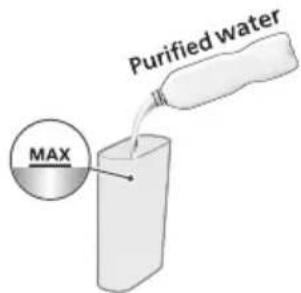
natural_image
Simple line drawing of a mechanical device with a curved arrow indicating rotation (no text or symbols)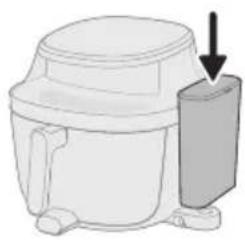
natural_image
Diagram of a microwave oven with a side-mounted lid and arrow indicating direction (no text or symbols)natural_image
Illustration of a hand pressing a button on a device with a power symbol (no text or labels)natural_image
Illustration of a container with a speech bubble containing a cloud icon, no text or symbols presentnatural_image
Illustration of a hand pressing a button on a device (no text or symbols visible)natural_image
Illustration of a microwave oven with a bell icon and a warning symbol (no text or labels)natural_image
Illustration of a hand using a mortar to fill a pot with food, next to a plate of meat (no text or symbols)10 Ta ut den tillagade maten ur korgen.
natural_image
Diagram of a mechanical device with arrows indicating motion or force direction (no text or symbols)natural_image
Illustration of a hand pressing a button on a device (no text or symbols visible)natural_image
Illustration of a hand pressing down on a container with three spiral patterns above (no text or symbols)natural_image
Illustration of a hand pressing a button on a device (no text or symbols visible)natural_image
Illustration of a microwave oven with a bell icon and warning symbol (no text or labels)natural_image
Illustration of a hand pouring liquid into a container with a circular inset showing a mesh (no text or symbols)7 Ta ut den tillagade maten ur korgen.
natural_image
Simple line drawing of a plug inserted into a socket (no text or symbols)natural_image
Line drawing of a kitchen sink with a hand holding a cup and a handle, containing a bowl and leaf (no text or symbols)natural_image
Illustration of a hand cleaning a small appliance with a lid and base (no text or symbols)natural_image
Illustration of a kitchen appliance with a spiral-patterned lid and handle, no text or symbols presentnatural_image
Illustration of a hand cleaning a small container with a lid (no text or symbols)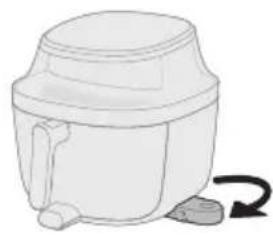
natural_image
Simple line drawing of a mechanical device with a curved arrow indicating rotation (no text or symbols)natural_image
Diagram of a mechanical device with a downward arrow indicating a component (no text or symbols present)natural_image
Illustration of a hand pressing a button on a device with a power symbol (no text or labels)natural_image
Illustration of a hand pressing down on a curved surface with a circular icon above (no text or symbols)natural_image
Illustration of a hand pressing a button on a circular object with a play button icon (no text or symbols)natural_image
Illustration of a hand holding a stick inside a cylindrical container with rotational arrows indicating rotation (no text or symbols)natural_image
Simple line drawing of a mechanical device with a curved arrow indicating rotation (no text or symbols)natural_image
Illustration of a hand pouring liquid into a sink with a faucet in the background (no text or symbols)natural_image
Diagram of a mechanical component with a curved housing and a top component, showing an arrow indicating direction (no text or symbols present)natural_image
Illustration of a hand pressing a button on a device (no text or symbols visible)natural_image
Symbol of a robot without any text or numbers, enclosed in a circle with a diagonal line crossing over it (no text present)natural_image
Symbol of a trash bin crossed with no text or numbers, representing waste sorting or disposal (no text present)1 Kontrol paneli
2 Güç kablosu
3 Tava
4 Sepet
5 Su haznesi
6 Su haznesi kapağı
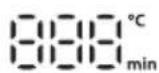
natural_image
Diagram of a mechanical device with arrows indicating motion or force direction (no text or symbols)natural_image
Illustration of a hand pressing a button on a device with a power symbol (no text or labels)natural_image
Illustration of a hand pressing down on a container with a circular icon above (no text or symbols)natural_image
Illustration of a hand pressing a button on a device (no text or symbols visible)natural_image
Illustration of a microwave oven with a bell icon and checkmark indicating confirmation (no text or symbols)natural_image
Illustration of a hand pouring liquid into a container with a circular inset showing a patterned surface (no text or symbols)natural_image
Illustration of a kitchen sink with a lid and directional arrows indicating process flow (no text or symbols)natural_image
Illustration of a white cylindrical container with a curved arrow indicating rotation (no text or symbols)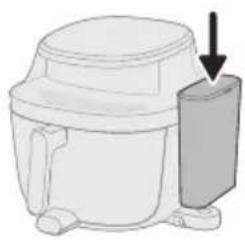
natural_image
Diagram of a microwave oven with a side panel and arrow indicating direction (no text or symbols)natural_image
Illustration of a hand pressing a button on a device (no text or symbols visible)natural_image
Illustration of a hand pressing a button into a container with a circular icon above (no text or symbols)natural_image
Illustration of a hand pressing a button on a device (no text or symbols visible)natural_image
Illustration of a coffee maker with a bell icon and checkmark, showing its base and side view (no text or symbols)natural_image
Illustration of a hand pouring food into a pot with meat slices nearby (no text or symbols)natural_image
Illustration of a small animal in a container with arrows indicating movement or flow (no text or symbols)natural_image
Simple line drawing of a mechanical device with a curved arrow indicating rotation (no text or symbols)
natural_image
Diagram of a microwave oven with a side-mounted lid and arrow indicating direction (no text or symbols)natural_image
Illustration of a hand pressing a button on a device with a power symbol (no text or labels)natural_image
Illustration of a container with a speech bubble containing a cloud icon, no text or symbols presentnatural_image
Illustration of a hand pressing a button on a device (no text or symbols visible)natural_image
Diagram of a mechanical device with arrows indicating motion or force direction (no text or symbols)natural_image
Illustration of a hand pressing a button on a device (no text or symbols visible)natural_image
Illustration of a hand pressing down on a container with three spiral patterns above (no text or symbols)natural_image
Illustration of a hand pressing a button on a circular object with a play button icon (no text or symbols)natural_image
Illustration of a microwave oven with a bell icon and warning symbol (no text or labels)natural_image
Illustration of a hand pouring liquid into a container with a magnified inset showing a mesh texture (no text or symbols)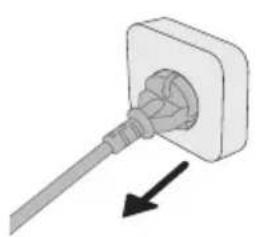
natural_image
Simple line drawing of a plug inserted into a socket (no text or symbols)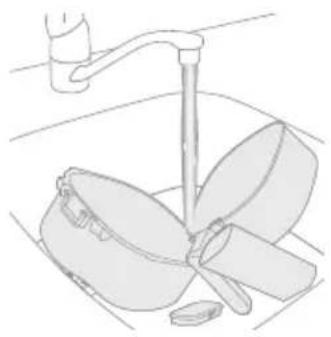
natural_image
Line drawing of a kitchen sink with a faucet and a bowl containing leafy greens (no text or symbols)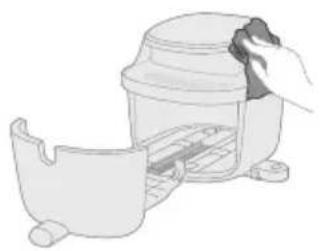
natural_image
Illustration of a hand cleaning a small container with a lid (no text or symbols)natural_image
Illustration of a kitchen appliance with a spiral-patterned lid and handle, no text or symbols presentnatural_image
Illustration of a hand cleaning a small container with a lid (no text or symbols)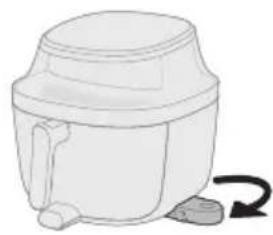
natural_image
Simple line drawing of a mechanical device with a curved arrow indicating rotation (no text or symbols)natural_image
Diagram of a mechanical device with a downward arrow indicating a component (no text or symbols present)natural_image
Illustration of a hand pressing a button on a device with a power symbol (no text or labels)natural_image
Illustration of a hand pressing down on a device with a circular icon above it (no text or symbols)natural_image
Illustration of a hand pressing a button on a circular object with a play button icon (no text or symbols)natural_image
Illustration of a hand holding a stick inside a cylindrical container with rotational arrows indicating rotation (no text or symbols)natural_image
Simple line drawing of a white cylindrical container with a side outlet and a curved arrow indicating rotation (no text or symbols)natural_image
Illustration of a hand pouring liquid into a sink with a faucet in the background (no text or symbols)natural_image
Diagram of a mechanical component with a curved housing and a top component, showing an arrow indicating direction (no text or symbols present)natural_image
Illustration of a hand pressing a button on a circular object with a play button (no text or symbols)natural_image
Symbol of a robot without any text or numbers, featuring a prohibition sign inside a circle (no readable text)natural_image
Symbol of a trash bin crossed with a diagonal line, no text or numbers presentnatural_image
Diagram of a mechanical device with arrows indicating motion or force direction (no text or symbols)natural_image
Illustration of a hand pressing a button on a device (no text or symbols visible)natural_image
Illustration of a hand inserting a plug into a container with a circular arrow icon (no text or symbols)natural_image
Illustration of a hand pressing a button on a device (no text or symbols visible)natural_image
Illustration of a coffee maker with a bell and checkmark indicating alert or notification (no text or symbols on the diagram itself)natural_image
Illustration of a hand pouring liquid into a bowl with chopsticks, and a plate of noodles nearby (no text or symbols)natural_image
Diagram showing a container with an outlet and arrows indicating flow or movement (no text or symbols)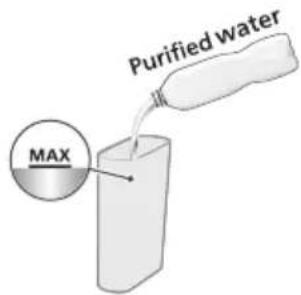
natural_image
Simple line drawing of a cylindrical container with a handle and side legs, no text or symbols present.natural_image
Illustration of a white industrial fan or motor with a downward arrow pointing to its side (no text or symbols present)natural_image
Illustration of a hand pressing a button on a device with a power symbol (no text or labels)natural_image
Illustration of a hand inserting a Wi-Fi icon into a container (no text or symbols)natural_image
Illustration of a hand pressing a button on a device (no text or symbols visible)natural_image
Illustration of a kitchen appliance with a bell icon and directional arrow (no text or symbols)natural_image
Illustration of a hand pouring food into a bowl with meat, and a plate of raw meat nearby (no text or symbols)natural_image
Illustration of a mechanical component with arrows indicating direction (no text or symbols)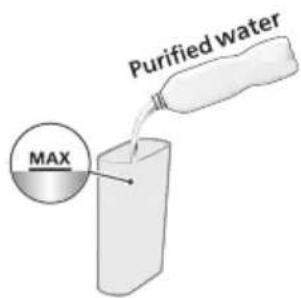
natural_image
Simple line drawing of a mechanical device with a curved arrow indicating rotation (no text or symbols)natural_image
Diagram of a mechanical device with a downward arrow indicating force or direction (no text or symbols present)natural_image
Illustration of a hand pressing a button on a device with a power symbol (no text or labels)natural_image
Illustration of a hand placing a small object into a container with a smoke icon (no text or symbols)natural_image
Illustration of a hand pressing a button on a device (no text or symbols visible)natural_image
Illustration of a blender with a bell icon and checkmark, showing a side view of its contents (no text or symbols)natural_image
Illustration of a hand using a mortar to mix ingredients into a bowl, with a plate of food nearby (no text or symbols)natural_image
Diagram of a mechanical device with arrows indicating motion or force direction (no text or symbols)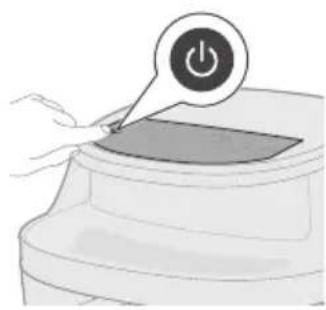
natural_image
Illustration of a hand pressing a button on a device with a power symbol (no text or labels)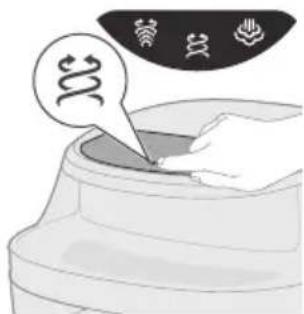
natural_image
Illustration of a hand pressing down on a container with a speech bubble and three icons above (no text or symbols)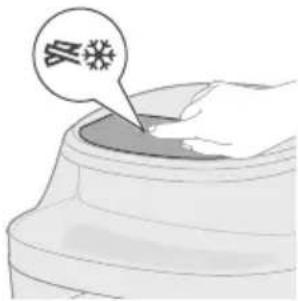
natural_image
Illustration of a hand pressing a button on a circular object with a play button icon (no text or symbols)natural_image
Illustration of a blender with a bell icon and checkmark, showing a side view of its contents (no text or symbols)natural_image
Illustration of a hand pouring liquid into a bowl with chopsticks, next to a plate (no text or symbols)natural_image
Diagram of a plug inserted into a socket with an arrow indicating direction (no text or symbols)natural_image
Line drawing of a kitchen sink with a hand holding a tool above it, no text or symbols presentnatural_image
Illustration of a hand holding a lid placed inside a container (no text or symbols visible)natural_image
Illustration of a kitchen appliance with a spiral-patterned lid and handle, no text or symbols presentnatural_image
Illustration of a hand cleaning a small container with a cloth (no text or symbols)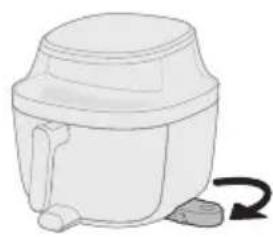
natural_image
Simple line drawing of a mechanical device with a curved arrow indicating rotation (no text or symbols)natural_image
Diagram of a mechanical device with a downward arrow indicating force or motion (no text or symbols present)natural_image
Illustration of a hand pressing a button on a device with a power symbol (no text or labels)natural_image
Illustration of a hand pressing down on a device with a circular icon above it (no text or symbols)natural_image
Illustration of a hand pressing a button on a circular object with a play button icon (no text or symbols)natural_image
Illustration of a hand holding a stick inside a cylindrical container with rotational arrows indicating rotation (no text or symbols)natural_image
Simple line drawing of a white cylindrical container with a handle and side outlet, no text or symbols present.natural_image
Illustration of a hand pouring liquid into a basin with a faucet in the background (no text or symbols)natural_image
Diagram of a mechanical component with a housing and arrow indicating direction (no text or symbols)natural_image
Illustration of a hand pressing a button labeled '播放' (play), no text or symbols presentnatural_image
Symbol of a robot without any text or numbers, featuring a prohibition sign inside a circle (no readable text)natural_image
Symbol of a waste bin with crossed lines indicating no waste, and a solid black rectangle below (no text or labels)
natural_image
Diagram of a mechanical device with arrows indicating motion or force direction (no text or symbols)natural_image
Illustration of a hand pressing a button on a device with a power symbol (no text or labels)natural_image
Illustration of a hand placing a circular arrow icon into a container with a spiral symbol (no text or labels)natural_image
Illustration of a hand pressing a button on a device (no text or symbols visible)natural_image
Illustration of a blender with a bell icon and checkmark, showing a side view of its contents (no text or symbols)natural_image
Illustration of a hand pouring liquid into a bowl with chopsticks, and a plate of noodles nearby (no text or symbols)natural_image
Diagram of a container with arrows indicating flow or movement, no text or symbols presentnatural_image
Simple line drawing of a white cylindrical device with a curved arrow indicating rotation (no text or symbols)natural_image
Illustration of a microwave oven with a side-mounted cooling unit and a downward arrow indicating cooling effect (no text or symbols)natural_image
Illustration of a hand pressing a button on a device with a power symbol (no text or labels)natural_image
Illustration of a hand inserting a chip into a container with a speech bubble containing Wi-Fi icons (no text or symbols present)natural_image
Illustration of a hand pressing a button on a device (no text or symbols visible)natural_image
Illustration of a kitchen appliance with a bell icon and a downward arrow indicating cooling effect (no text or symbols)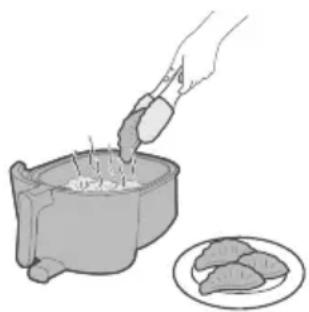
natural_image
Illustration of a hand pouring liquid into a bowl with meat pieces nearby (no text or symbols)natural_image
Illustration of a small plant growing in a container with arrows indicating direction (no text or symbols)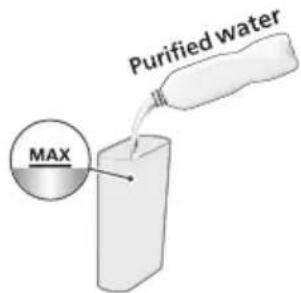
natural_image
Simple line drawing of a portable container with a handle and side legs, no text or symbols present.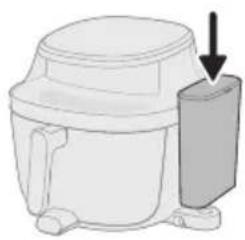
natural_image
Diagram of a microwave oven with a side-mounted lid and arrow indicating direction (no text or symbols)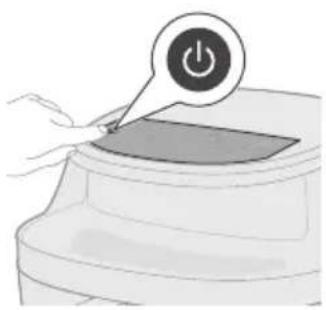
natural_image
Illustration of a hand pressing a button on a device (no text or symbols visible)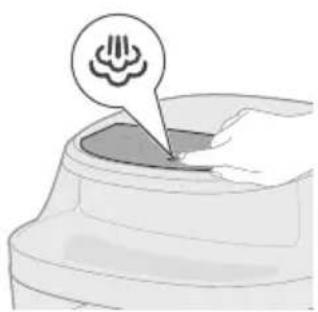
natural_image
Illustration of a hand pressing down on a curved surface with a small flower icon (no text or symbols)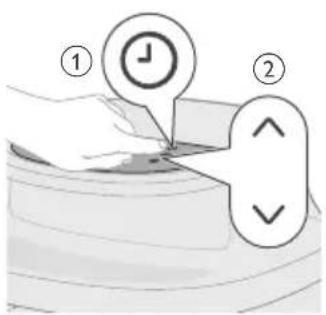
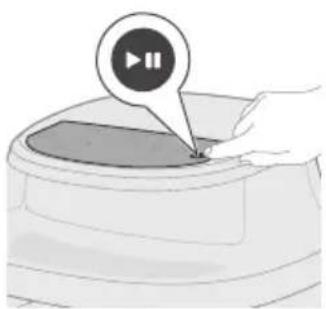
natural_image
Illustration of a hand pressing a button on a device (no text or symbols visible)natural_image
Illustration of a microwave oven with a bell icon and warning symbol (no text or labels)natural_image
Illustration of a hand using a mortar to mix food into a pot, with a plate of meat nearby (no text or symbols)natural_image
Diagram of a mechanical device with arrows indicating motion or force, no text or symbols presentnatural_image
Illustration of a hand pressing a button on a device with a power symbol (no text or labels)natural_image
Illustration of a hand pressing down on a container with abstract symbols above (no text or labels)natural_image
Illustration of a hand pressing a container with a speech bubble containing a snowflake (no text or symbols on the diagram itself)natural_image
Illustration of a hand pressing a button on a device (no text or symbols visible)natural_image
Illustration of a blender with a bell icon and checkmark indicating alert (no text or symbols)natural_image
Illustration of a hand pouring liquid into a container with a circular inset showing a mesh (no text or symbols)natural_image
Illustration showing a plug inserted into a socket and a bowl with blades, both without any text or symbols.natural_image
Illustration of a hand cleaning a small container with a lid (no text or symbols)natural_image
Illustration of a mechanical device with a magnified inset showing a spiral pattern (no text or symbols)natural_image
Illustration of a hand cleaning a small container with a lid (no text or symbols)natural_image
Simple line drawing of a mechanical device with a curved arrow indicating rotation (no text or symbols)natural_image
Diagram of a microwave oven with a downward arrow indicating cooling effect (no text or symbols)natural_image
Illustration of a hand pressing a button on a device with a power symbol (no text or labels)natural_image
Illustration of a hand pressing down on a curved surface with a circular icon above (no text or symbols)natural_image
Illustration of a hand pressing a button on a circular object with a play button icon (no text or symbols)natural_image
Line drawing of a toilet with a bell icon above it (no text or symbols)natural_image
Illustration of a hand holding a faucet above a bowl with a handle, placed on a tiled floor (no text or symbols)natural_image
Illustration of two mechanical components with an arrow indicating direction (no text or symbols)natural_image
Illustration of a hand pressing a button on a device (no text or symbols visible)natural_image
Illustration of a toilet with a bell icon and checkmark (no text or symbols)natural_image
Illustration of a hand holding a stick inside a cylindrical container with rotational arrows indicating rotation (no text or symbols)natural_image
Simple line drawing of a mechanical device with a curved arrow indicating rotation (no text or symbols)natural_image
Diagram of a mechanical component with a downward arrow indicating direction (no text or symbols)natural_image
Illustration of a hand pressing a button on a device (no text or symbols visible)natural_image
Illustration of a hand pressing a button on a device (no text or symbols visible)natural_image
Line drawing of a toilet with a bell icon above it (no text or symbols)natural_image
Illustration of a hand pouring liquid into a sink with a faucet in the background (no text or symbols)natural_image
Diagram of a mechanical component with a curved housing and a top housing, showing an arrow indicating direction (no text or symbols present)natural_image
Illustration of a hand pressing a button on a circular object with a play button icon (no text or symbols)natural_image
Simple line drawing of a toilet with alarm icons (no text or symbols)natural_image
Illustration of a kitchen appliance with a lid and side view showing internal components (no text or symbols)natural_image
Line drawing of a kitchen sink with a hand holding a pan and a handle (no text or symbols)natural_image
Symbol of a robot without any text or numbers, featuring a prohibition sign inside a circle (no readable text)natural_image
Symbol of a waste bin with crossed lines indicating no waste, and a solid black rectangle below (no text or labels)natural_image
Illustration of a hand pressing a button on a device (no text or symbols visible)natural_image
Illustration of a blender with a bell icon and checkmark, showing a drop in the cup (no text or symbols)natural_image
Illustration of a hand pouring liquid into a bowl with chopsticks, and a plate of noodles nearby (no text or symbols)natural_image
Diagram of a container with arrows indicating flow or movement, no text or symbols presentnatural_image
Simple line drawing of a mechanical device with a curved arrow indicating rotation (no text or symbols)natural_image
Illustration of a microwave oven with a side-mounted cooling unit and a downward arrow indicating cooling effect (no text or symbols)natural_image
Illustration of a hand pressing a button on a device with a power symbol (no text or labels)natural_image
Illustration of a hand inserting a Wi-Fi icon into a container (no text or symbols)natural_image
Illustration of a hand pressing a button on a device (no text or symbols visible)natural_image
Illustration of a kitchen appliance with a bell icon and a downward arrow indicating cooling effect (no text or symbols)natural_image
Illustration of a hand pouring liquid into a bowl with meat pieces nearby (no text or symbols)natural_image
Illustration of a small figure emerging from a container with arrows indicating direction (no text or symbols)natural_image
Simple line drawing of a mechanical device with a curved arrow indicating rotation (no text or symbols)natural_image
Illustration of a mechanical device with a downward arrow indicating force or direction (no text or symbols)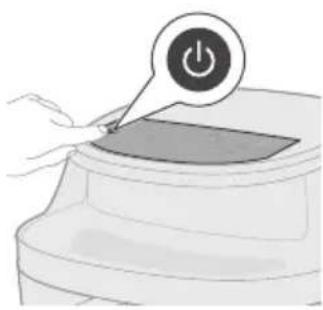
natural_image
Illustration of a hand pressing a button on a device (no text or symbols visible)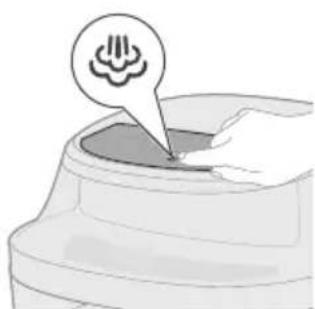
natural_image
Illustration of a small container with a speech bubble containing a cloud icon, no text or symbols present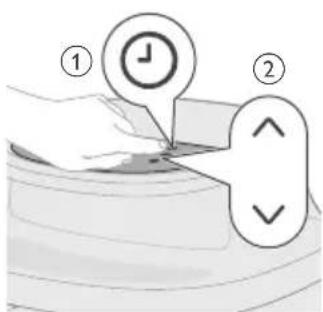
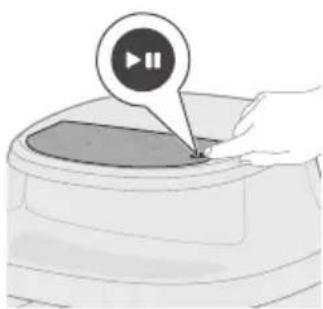
natural_image
Illustration of a hand pressing a button on a device (no text or symbols visible)natural_image
Illustration of a microwave oven with a bell icon and warning symbol (no text or labels)natural_image
Illustration of a hand using a mortar to pour food into a bowl, with a plate of meat nearby (no text or symbols)natural_image
Diagram of a mechanical device with arrows indicating motion or force, no text or symbols presentnatural_image
Illustration of a hand pressing a button on a device with a power symbol (no text or labels)natural_image
Illustration of a hand pressing down on a container with abstract symbols above (no text or labels)natural_image
Illustration of a hand pressing a container with a speech bubble containing a virus symbol (no text or labels)
natural_image
Illustration of a hand pressing a button on a device (no text or symbols visible)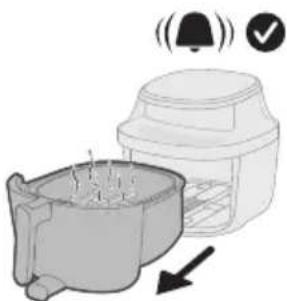
natural_image
Illustration of a blender with a bell icon and checkmark, showing a cooking pot and lid (no text or symbols)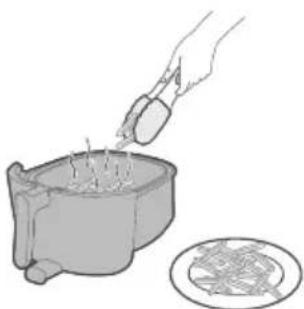
natural_image
Illustration of a hand pouring liquid into a container with a plate nearby (no text or symbols)natural_image
Simple line drawing of a plug inserted into a socket with an arrow indicating direction (no text or symbols)natural_image
Line drawing of a kitchen sink with a fork and pan, no text or symbols presentnatural_image
Illustration of a hand using a cleaning tool to clean or store contents (no text or symbols visible)natural_image
Illustration of a hand using a tool to clean or inspect a cylindrical object, with no visible text or symbols.natural_image
Illustration of a hand cleaning a small container with a lid (no text or symbols)natural_image
Line drawing of a mechanical component with a curved arrow indicating rotation (no text or symbols)natural_image
Diagram of a mechanical device with a downward arrow indicating a component (no text or symbols present)natural_image
Illustration of a hand pressing a button on a device (no text or symbols visible)natural_image
Illustration of a hand placing a circular button into a container with a circular icon above (no text or symbols)natural_image
Illustration of a hand pressing a button on a device (no text or symbols visible)natural_image
Illustration of a toilet with a bell icon above it (no text or symbols)natural_image
Illustration of a hand holding a faucet above a bowl with two leaves (no text or symbols)natural_image
3D rendering of a mechanical component with a curved base and a flanged top, showing an arrow indicating direction (no text or symbols)natural_image
Illustration of a hand pressing a button on a device (no text or symbols visible)natural_image
Simple line drawing of a toilet with a bell icon and checkmark (no text or symbols)natural_image
Illustration of a hand pressing a button on a device with a power symbol (no text or labels)
natural_image
Illustration of a hand pressing a button on a circular object with a play button icon (no text or symbols)natural_image
Simple line drawing of a mechanical component with a bell icon above it (no text or symbols)natural_image
Illustration of a hand pouring liquid into a basin with a faucet (no text or symbols)natural_image
Symbol of a trash bin crossed with no text or numbers, representing waste sorting or disposal (no text present)
natural_image
Diagram of a mechanical device with arrows indicating motion or force, no text or symbols presentnatural_image
Illustration of a hand pressing a button on a device with a power symbol (no text or labels)natural_image
Illustration of a hand pressing down on a curved surface with a circular arrow icon (no text or symbols)natural_image
Illustration of a hand pressing a button on a device (no text or symbols visible)natural_image
Illustration of a kitchen appliance with a bell icon and checkmark indicating confirmation (no text or symbols)natural_image
Illustration of a hand pouring liquid into a bowl with chopsticks, and a plate of noodles nearby (no text or symbols)natural_image
Illustration of a container with arrows indicating flow or movement, no text or symbols present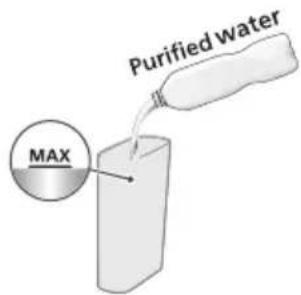
natural_image
Simple line drawing of a white cylindrical container with a handle and side ports, no text or symbols present.natural_image
Illustration of a mechanical device with a downward arrow indicating a component (no text or symbols present)natural_image
Illustration of a hand pressing a button on a device with a power symbol (no text or labels)natural_image
Illustration of a hand inserting a chip into a container with a speech bubble containing Wi-Fi icons (no text or symbols on the chip itself)natural_image
Illustration of a hand pressing a button on a device (no text or symbols visible)natural_image
Illustration of a kitchen appliance with a bell icon and a downward arrow indicating cooling effect (no text or symbols)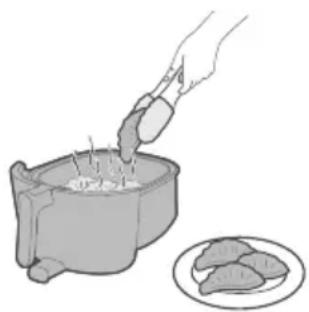
natural_image
Illustration of a hand pouring liquid into a bowl with meat pieces nearby (no text or symbols)natural_image
Illustration of a person standing in a container with arrows indicating movement or force (no text or symbols)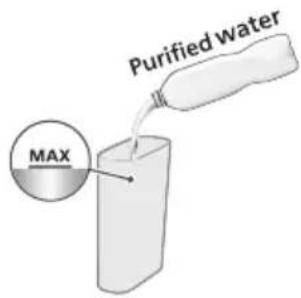
natural_image
Simple line drawing of a mechanical device with a curved arrow indicating rotation (no text or symbols)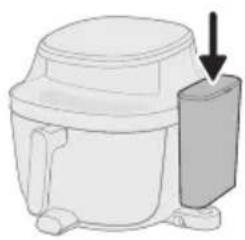
natural_image
Line drawing of a mechanical device with a downward arrow indicating a component (no text or symbols)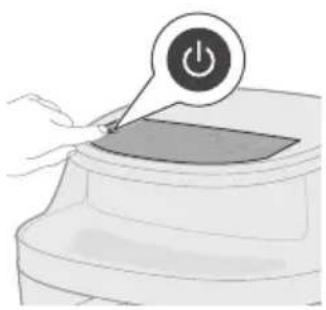
natural_image
Illustration of a hand pressing a button on a device (no text or symbols visible)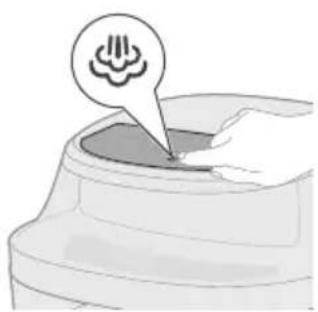
natural_image
Illustration of a hand holding a small object with a circular icon above, resembling a device or tool (no text or symbols present)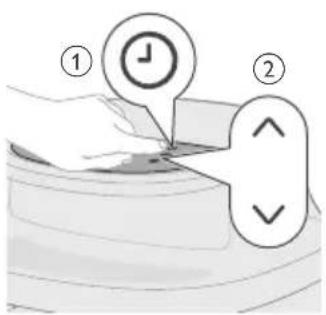
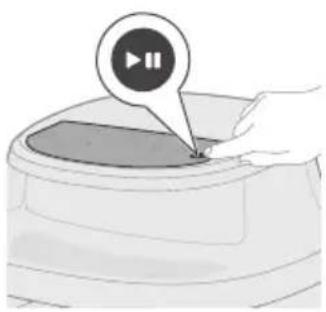
natural_image
Illustration of a hand pressing a button on a circular object with a play button (no text or symbols)natural_image
Illustration of a microwave oven with a bell icon and warning symbol (no text or labels)natural_image
Illustration of a hand using a mortar to mix food into a pot, with a plate nearby (no text or symbols)natural_image
Diagram of a cooking pot with arrows indicating direction of motion (no text or symbols)natural_image
Illustration of a hand pressing a button on a device with a power symbol (no text or labels)natural_image
Illustration of a hand pressing down on a container with a speech bubble containing a spiral symbol (no text or labels)natural_image
Illustration of a hand pressing down on a container with a speech bubble containing a virus symbol (no text or labels present)natural_image
Illustration of a hand pressing a button on a device (no text or symbols visible)natural_image
Illustration of a microwave oven with a bell icon and warning symbol (no text or labels)natural_image
Illustration of a hand pouring liquid into a container with a circular inset showing a food item (no text or symbols)natural_image
Simple line drawing of a plug inserted into a socket with an arrow indicating direction (no text or symbols)