H85M92FUX - TV HAIER - Free user manual and instructions
Find the device manual for free H85M92FUX HAIER in PDF.
User questions about H85M92FUX HAIER
0 question about this device. Answer the ones you know or ask your own.
Ask a new question about this device
Download the instructions for your TV in PDF format for free! Find your manual H85M92FUX - HAIER and take your electronic device back in hand. On this page are published all the documents necessary for the use of your device. H85M92FUX by HAIER.
USER MANUAL H85M92FUX HAIER
Illustration in this guide are provided for reference only and may differ from actual product appearance. Product design and specification may be changed without notice.
LED Television
TURNNING ON THE TV
- Install the stand and place the TV on a solid surface.
- Connect the antenna or cable to the ANT aerial socket on the back of the TV set.
- Power:
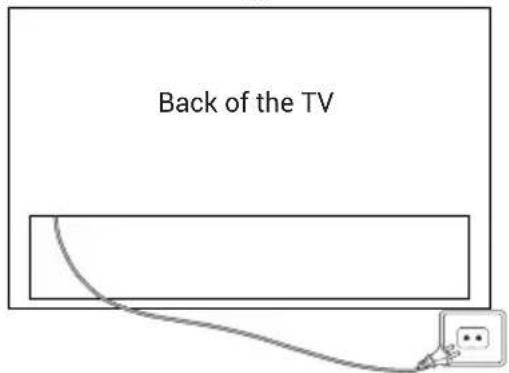
Plug the cord into a working power outlet.
text_image
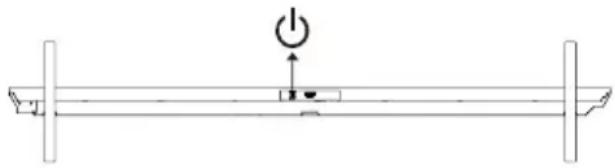
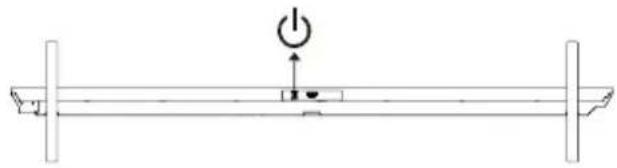
Back of the TV- Turn the TV on:
Press on the remote control or POWER button at the bottom/side of the TV.
BUTTON CONTROL
natural_image
Pure mechanical diagram showing a lever with pivot point and supports (no text or symbols)ACCESSORIES
Remote Control - 1 pc User's Manual - 1 pc Base Installation Guide - 1 pc Base Stand - 2 pcs *Wall Mount Component - 1pc Warranty Card - 1 pc *Screws(M6x20) - 4 pcs

NOTE
- Wall mount component is for M96/M92 models.
- H100S90FUX: The specification of the base fixing screw is M5x19 -8pcs.
GENERAL SPECIFICATIONS
| Size (Diagonal) | 100" 85" 75" 65" | ||
| Resolution 3840x2160 | |||
| Max Refresh rate | 144Hz @ 3840x2160240Hz @ 1920x1080 | ||
| Aspect Ratio 16:9 | |||
| TV System ATV | (PAL, SECAM)/DTV (DVB-T/C/T2/S2) | ||
| Video Signal System | PAL, SECAM | ||
| Input Power Voltage | 100-240V~50/60Hz | ||
| Rated Power | 100" 85" 75" 65" | ||
| 500W 400W 350W 280W | |||
| Audio Output | M96 Series: 90W | ||
| M92/S90 Series: 47W | |||
| Standby Power consumption | ≤ 0.5W | ||
| Environmental Condition | Operating ambient temperature:+5°C to +40°COperating environment humidity:25%~80%Storage Temperature: -15°C~+45°CStorage Humidity: <80%Atmospheric Pressure: 86~106Kpa | ||
Please refer to the user's manual of the equipment to be connected as well.
You can use the input terminals on TV set rear as follows.
It can be connected to the following appliances: VCR, multi disc player, DVD, camcorder, video game or stereo system, etc
Note:
- Sometimes it will not support in different device because the device supplies nonstandard signal.
- The equipment and connecting cables shown in the picture are not included and need to be purchased separately.
H100S90FUX/H85M92FUX/H75M92FUX/H65M92FUX

flowchart
graph TD
A["OPTICAL LAN USB"] --> B["SATELLITE 13/18V = 0.5A"]
B --> C["AMDIFIER"]
C --> D["RF"]
D --> E["Audio/Video machine with HDMI interfaces"]
E --> F["CVBS, DVD Player or other machine with CVBS"]
G["CI card"] --> H["W (Audio L), R (Audio R), Y (Video)"]
H --> I["AV IN adapter"]
I --> J["4K@144Hz"]
I --> K["4K@90Hz"]
I --> L["4K@90Hz"]
M["HDMI"] --> N["4K@144Hz"]
O["Common Interface"] --> P["4K@90Hz"]
Q["Amplifier"] --> R["RF"]
S["CM"] --> T["CVBS"]
H100M96FUX

flowchart
graph TD
A["Amplifier"] --> B["OPTICAL"]
A --> C["SATELLITE 13/18V-0.5A"]
A --> D["ANT/CABLE"]
A --> E["HOMI 4K@144Hz 4K@144Hz (cARC/ARC)"]
A --> F["COMMON INTERFACE(CI)"]
A --> G["HOMI 4K@60Hz"]
A --> H["LAN"]
A --> I["CI card"]
I --> J["CAM"]
J --> K["LW123A"]
K --> L["Wireless Device"]
M["RF"] --> N["Laptop"]
O["Laptop"] --> P["Camera"]
Q["Headphones"] --> R["Ground"]
Audio/Video machine with HDMI interfaces
text_image
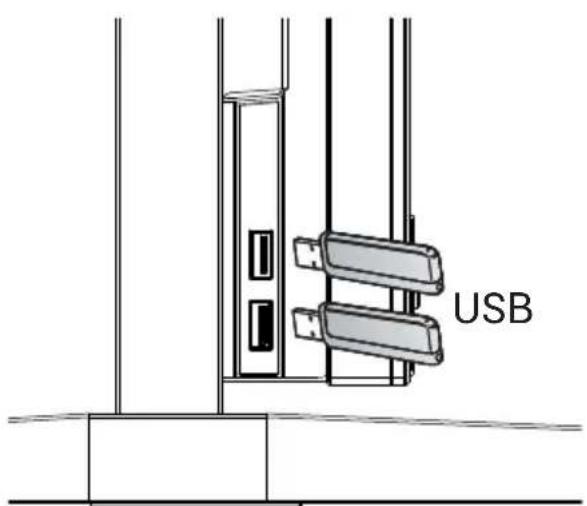
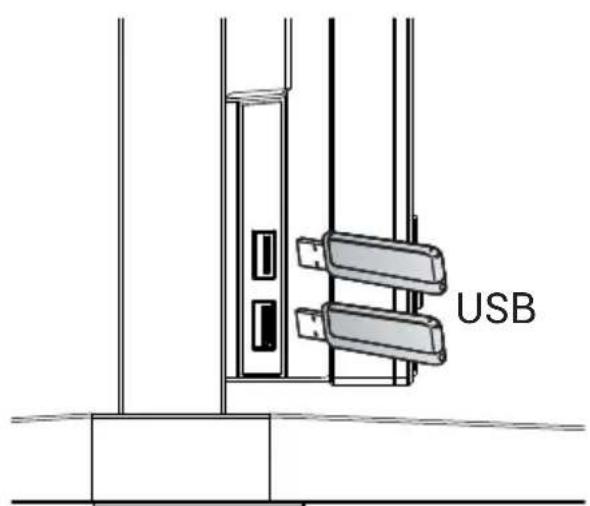
USBat the left side of TV

text_image
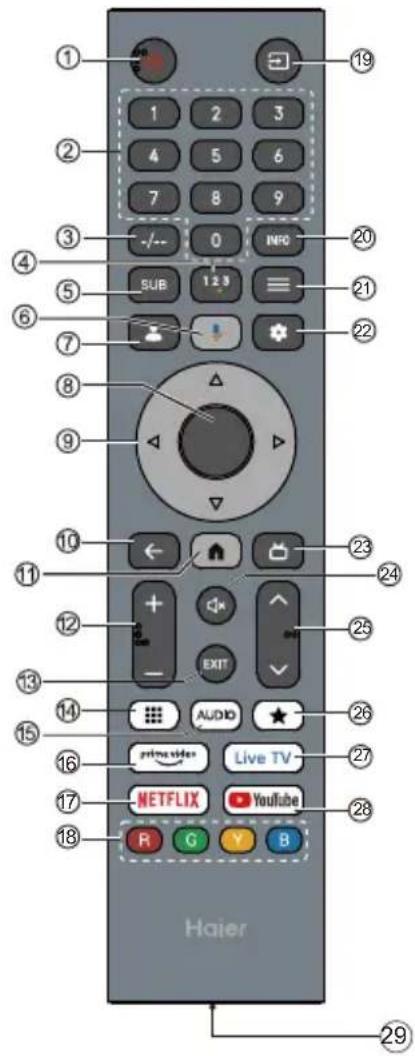
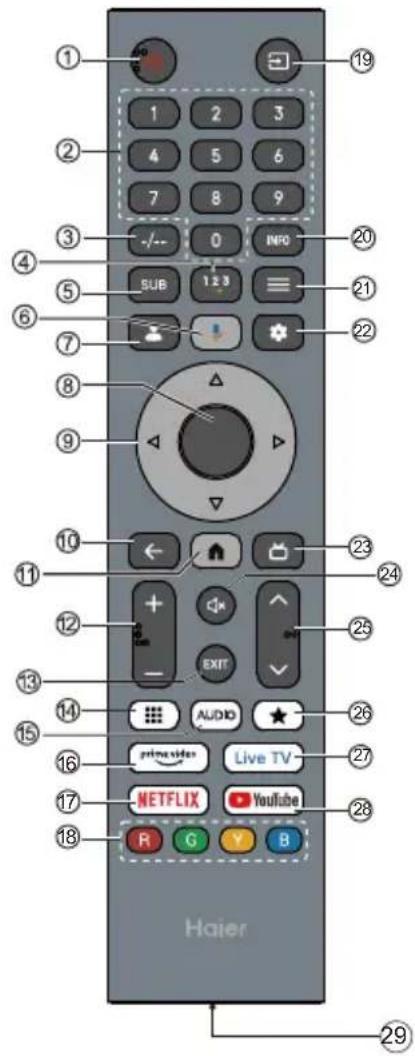
① ② ③ ④ ⑤ ⑥ ⑦ ⑧ ⑨ ⑩ ⑪ ⑫ ⑬ ⑭ ⑮ ⑯ ⑰ 1 2 3 4 5 6 7 8 9 0 SUB 1 2 3 NFC EXIT AUDIO ★ Live TV R G Y B Haier 20 21 22 23 24 25 26 27 28 29
Subject to the actual product functions.

| # Item Descriptions | ||
| 1 | Power | Press to turn the TV on or off. When your TV is off, power still flows through it. To completely disconnect power, unplug the power cord. |
| 2 | 0~9 number Press | to enter a TV channel number. |
| 3 | -- Press to set the TV channel number input. | |
| 4 | Press to open Soft Keyboard. | |
| 5 | SUB Press to set subtitle function. | |
| 6 | Press to open the Google Assistant. | |
| 7 | Press to open user account page. | |
| 8 | OK Enter the selected option or perform the selected operation. | |
| 9 | Press to navigate the on-screen menu. | |
| 10 | BACK Return to the previous menu. | |
| 11 | Press to open the Home Page. | |
| 12 | VOL+/VOL- PressVOL+ or VOL- to adjust volume level. | |
| 13 | EXIT Exit the current operation. | |
| 14 | Press to show virtual keypad. | |
| 15 | AUDIO Press to set NICAM in ATV. Select the Sound Tracks in DTV. | |
| 16 | Press to open the prime video. | |
| 17 | NETFLIX Press to open the NETFLIX. | |
| 18 | Coloured buttons Implement the relevant operations according to the prompt at the botton of the menu in the text. | |
| 19 | Press to open the input source list. | |
| 20 | INFO Press to display the channel information | |
| 21 | MENU ≡ Press to open or close the on-screen menu. | |
| 22 | Press to open the settings menu. | |
| 23 | Press to display electronic programme guide in TV mode. | |
| 24 | Press to open the mute. | |
| 25 | CH∨/CH∧ Press CH∨ or CH∧ to change TV channels. | |
| 26 | Create a shortcut for your favorite app. | |
| 27 | Live TV Press to enter the last input source in LiveTV. | |
| 28 | YouTube Press to open the YouTube. | |
| 29 | Type-C port Type-C port for quick charging. (DC 5V 1A) | |
Eye-protection Function: (In color temperature standard mode meets TUV low blue light requirements)
Low Blue Light - Low Blue Light mode on your TV is designed to reduce the level of blue light to protect your eyes. Press Remote control Settings → Display&Sound → Picture → Advanced Settings → Low Blue Light (Optional: Off, Low, Middle, High).
To reduce eyes strain and protect eyes when you watch TV for a period of time, you are recommended to:
• Take regular and frequent breaks, avoid watching TV for periods of more than one hour.
Watching TV for long periods of time may cause eye fatigue.
- Look away from the TV screen and focus on distant objects for at least 10 minutes during watch break time.
- Relax yourself during watch break time by doing eye exercises or outdoor activities.
- The best recommended viewing distance is 3 times the vertical height of the TV screen.
- Regular breaks and exercises are extremely helpful in relieving eye strain and fatigue.
INITIAL SETUP
The first time you turn on your TV, the setup wizard will guide you through setting up basic settings. Please according to the Text Tip to First Time Setup.

text_image
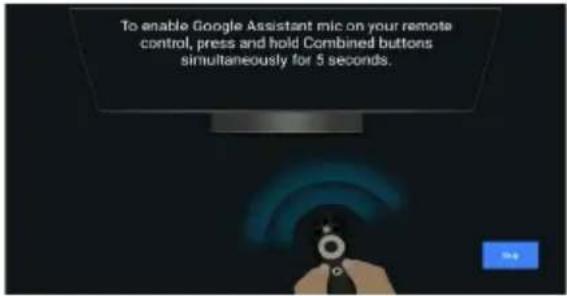
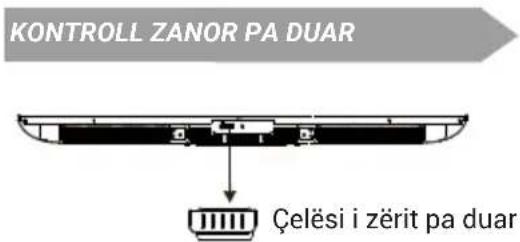
To enable Google Assistant mic on your remote control, press and hold Combined buttons simultaneously for 5 seconds.
text_image
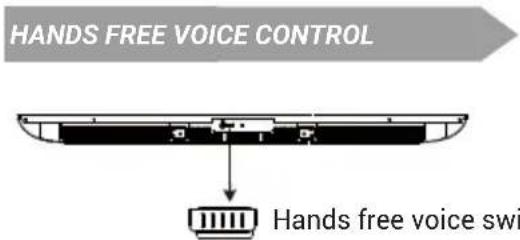
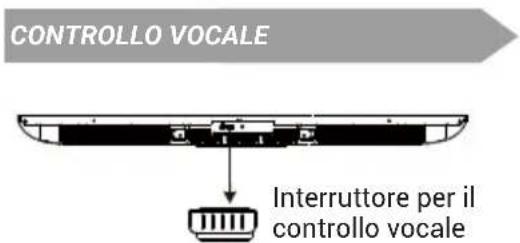
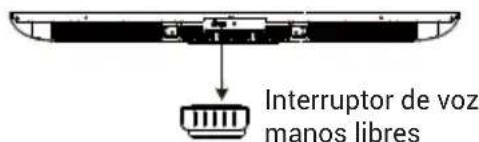
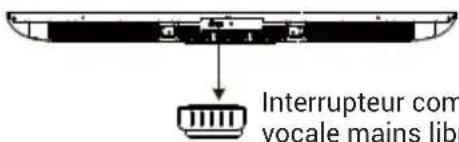
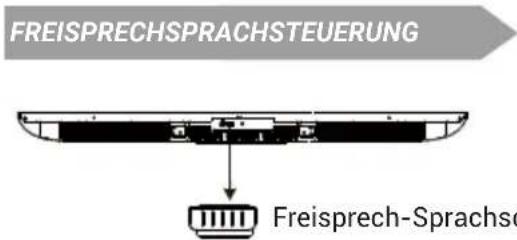
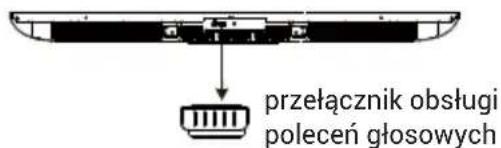
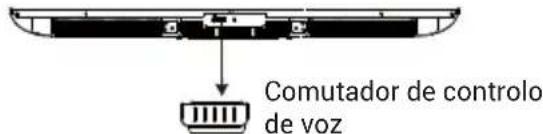
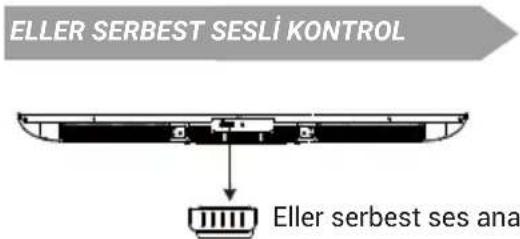
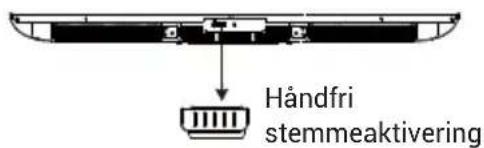
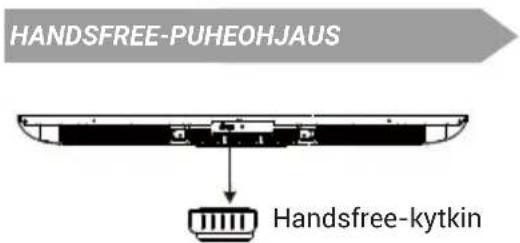
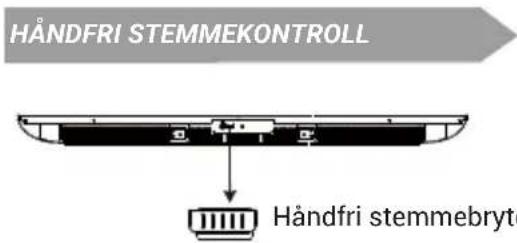
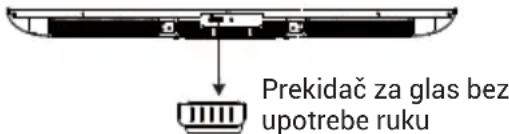
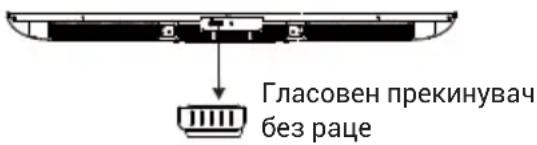
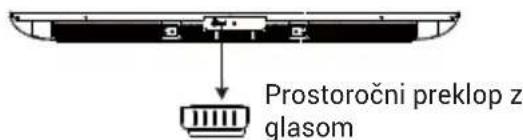
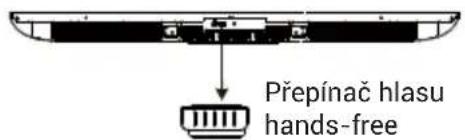
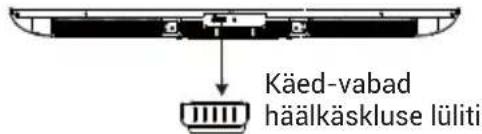
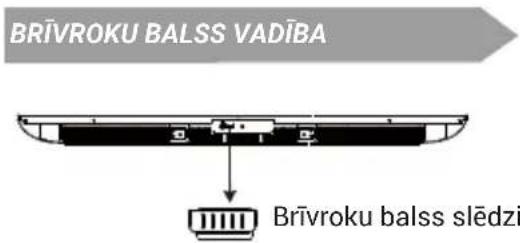
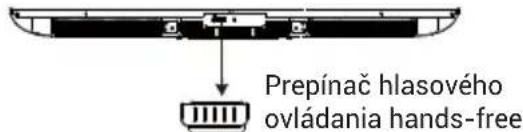
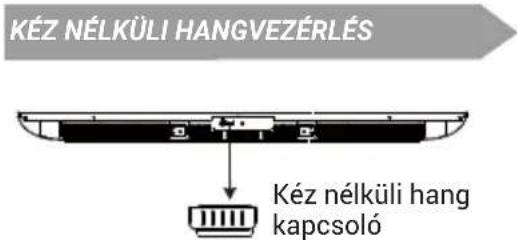
HANDS FREE VOICE CONTROL Hands free voice swiSwitch to open or close the Hands Free Voice Control.
Note : This feature requires network connection.
Far-Field voice commands are available in these languages.
en-US/es-US, fr-FR, es-ES, ja-JP, ko-KR, de-DE, it-IT, en-GB, en-AU, en-IN/hi-IN, en-CA/fr-CA, es-MX, pt-BR, id-ID, sv-SE, vi-VN
HOW TO USE HANDS FREE VOICE CONTROL
-
Activate the hands free voice control with the toggle switch.
-
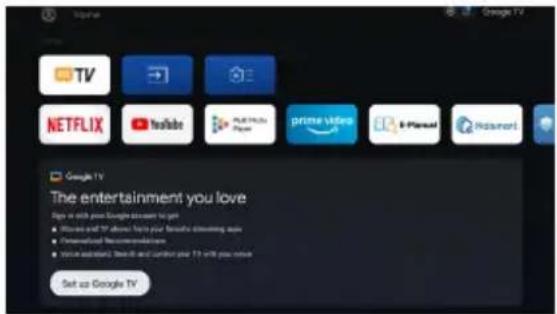
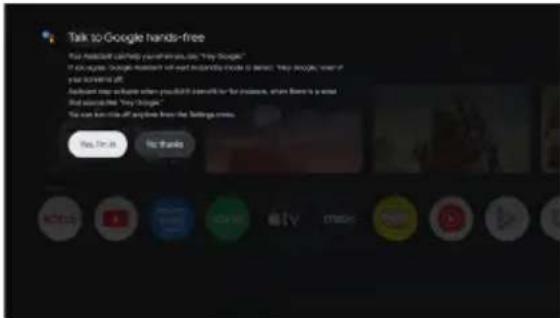
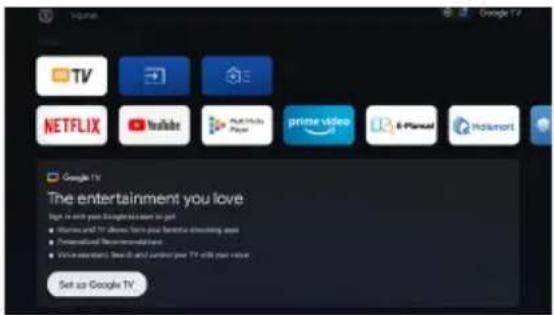
Select "Set up Google TV" on home screen to open the Google assistant settings, and select sign in.

text_image
Google TV TV NETFLIX YouTube Prairie prime video i-Plannel Ricament Google TV The entertainment you love Signs with your Google stream to get • Movies and TV above how your favorite streaming apps • Personalized recommendations • Service solutions: Disney and Lumen your TV will you move Set up Google TV.
text_image
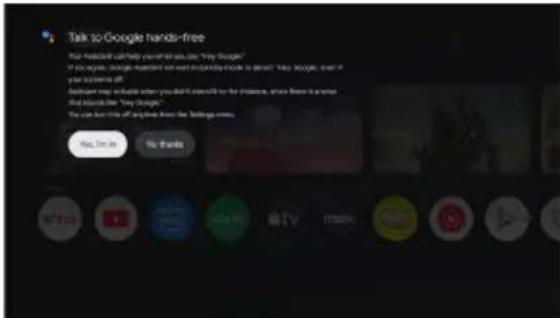
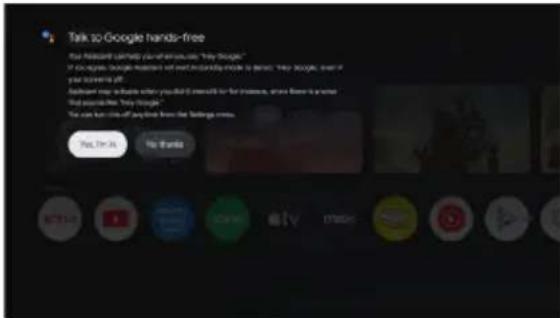
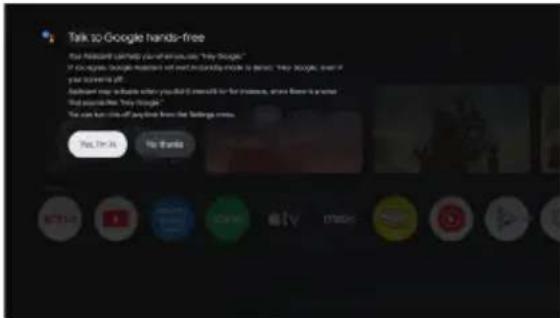
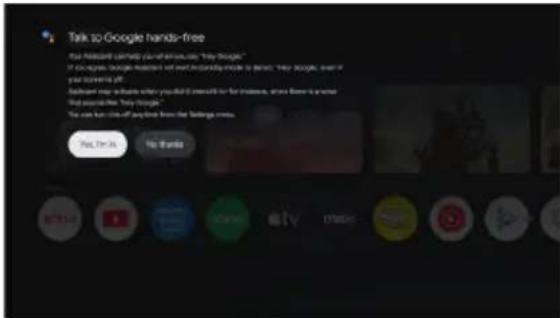
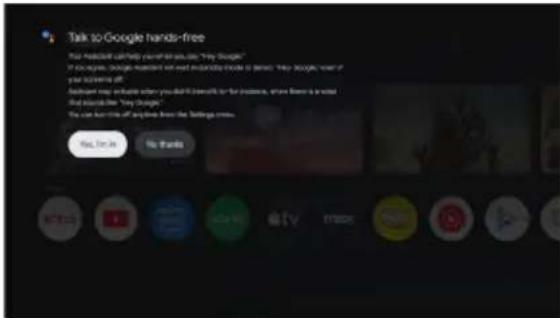
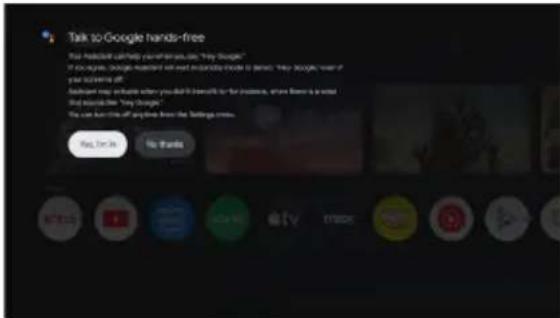
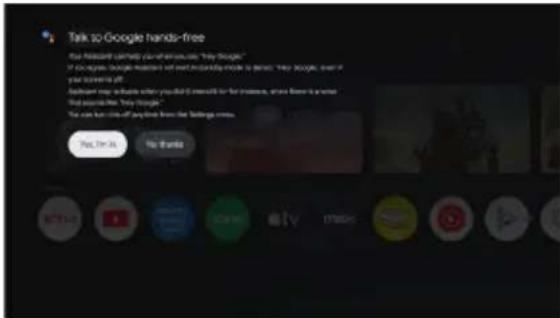
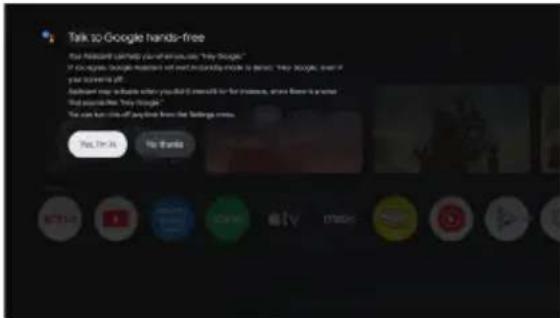
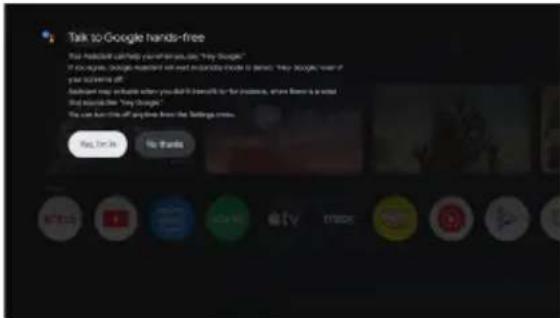
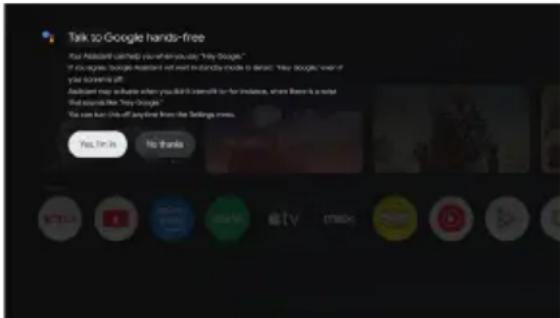
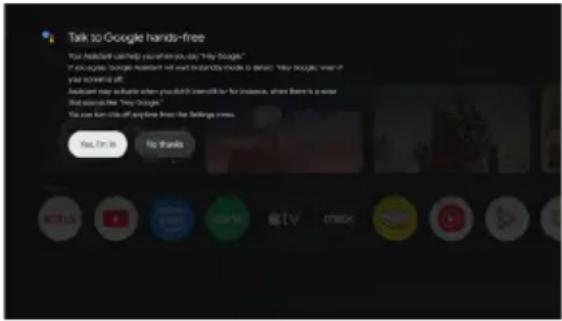
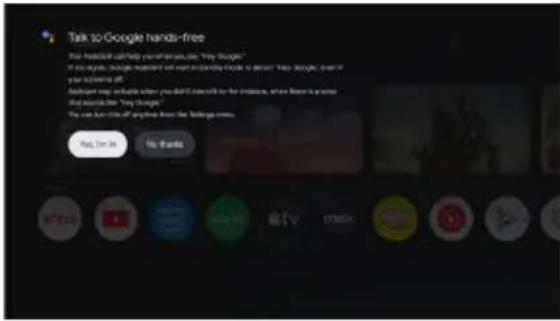
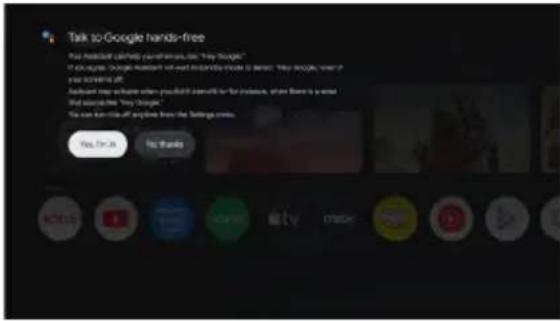
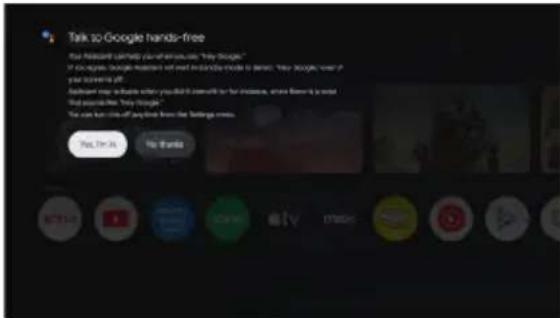
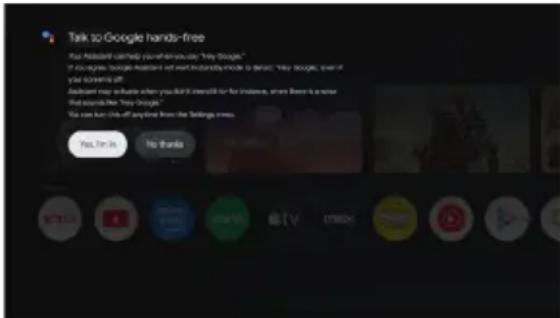
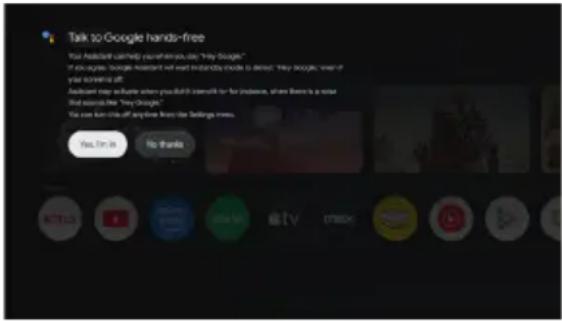
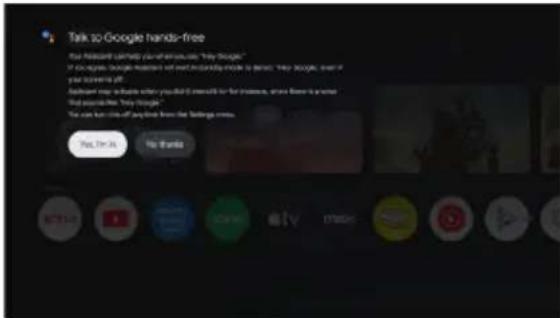
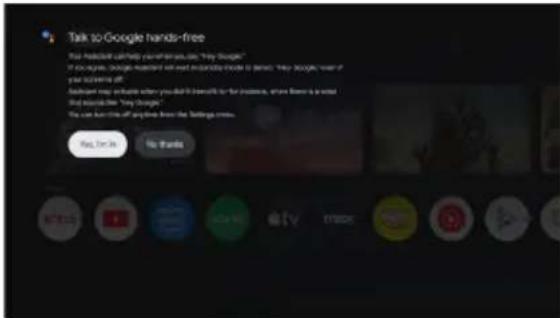
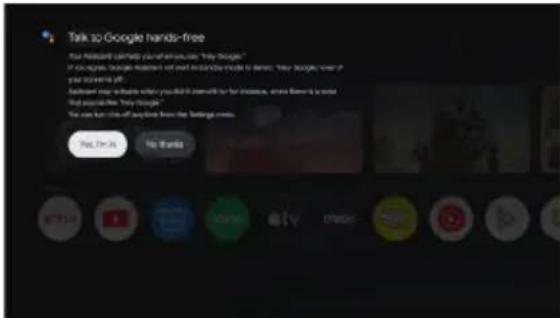
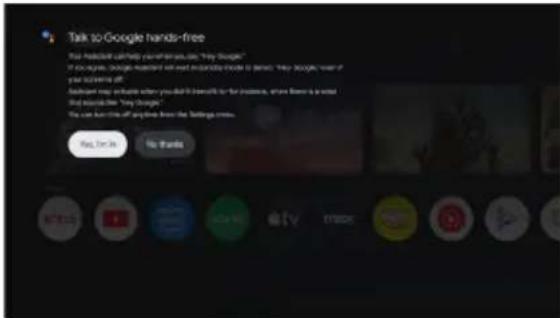
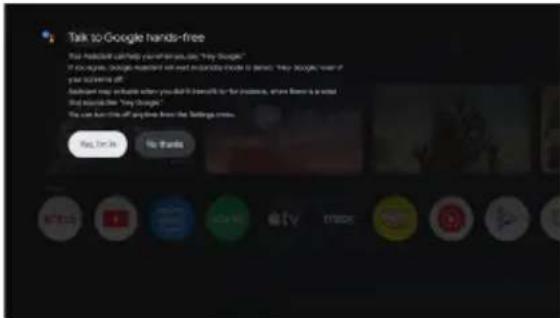
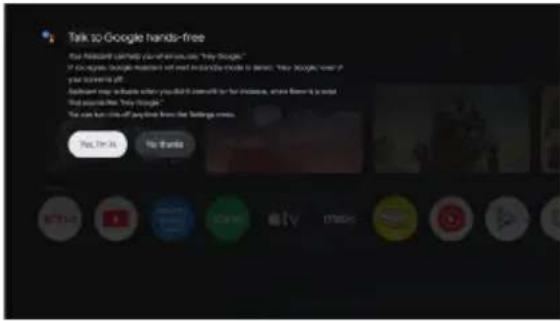
Talk to Google hands-free Your predicted call-to-day is on the "My Google" If you're going, Google's next hand is looking inside to be here. "My Google" even if your usage off! Another map update when you don't access for the instance, where there is a word and sounds like "My Google." We see how little of any time from the following news: You'll need No thanks
text_image
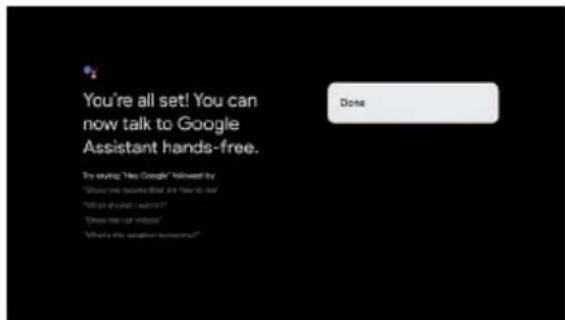
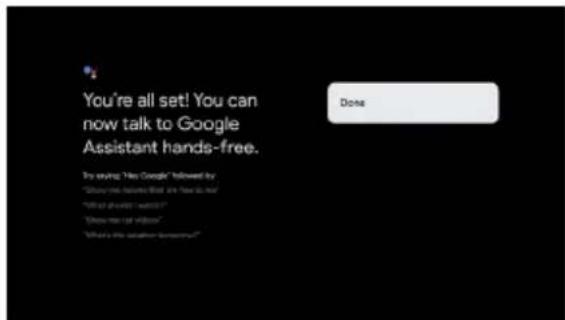
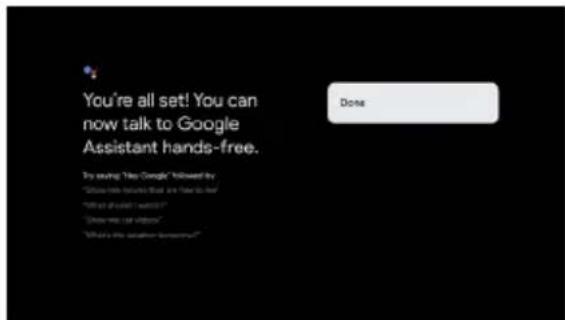
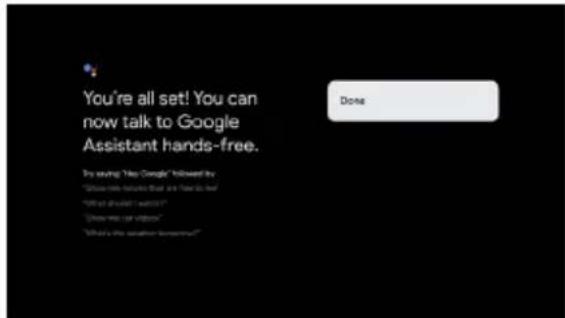
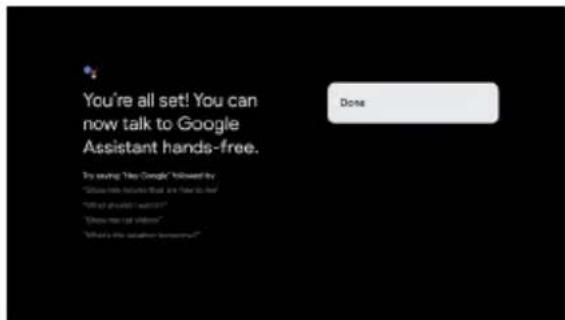
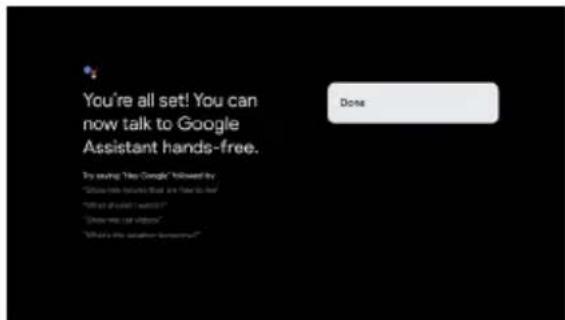
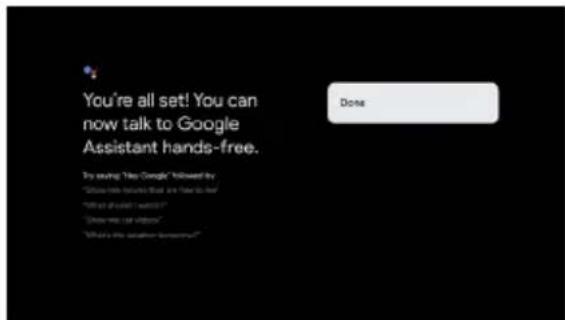
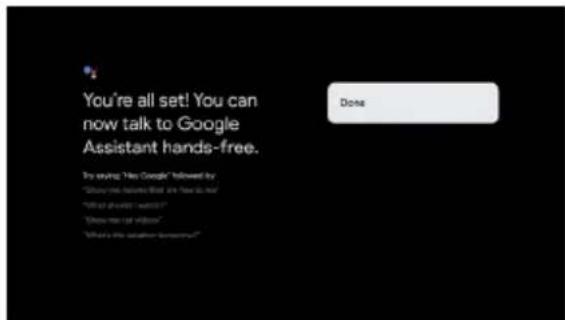
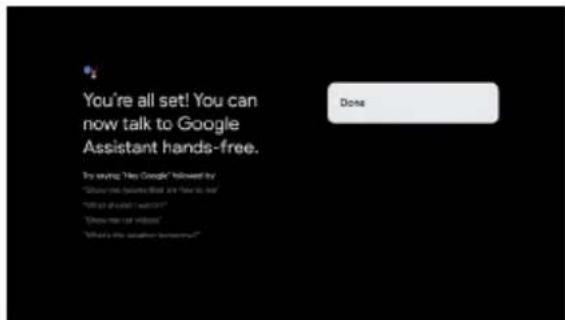
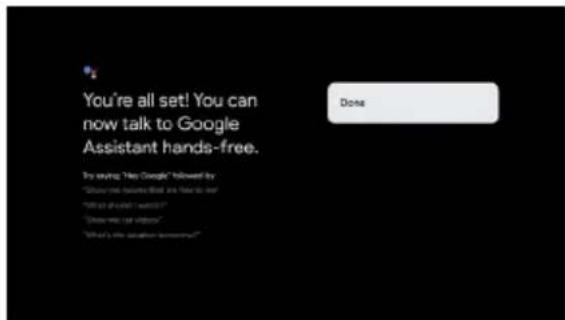
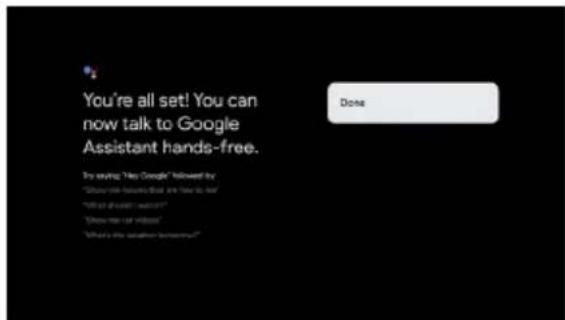
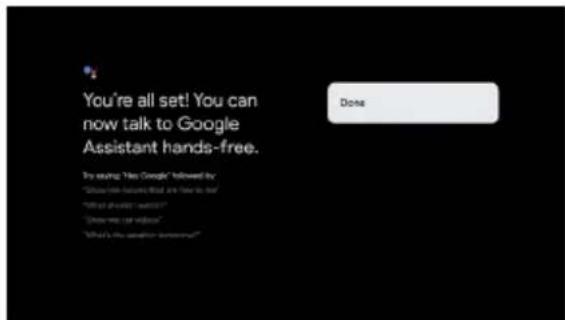
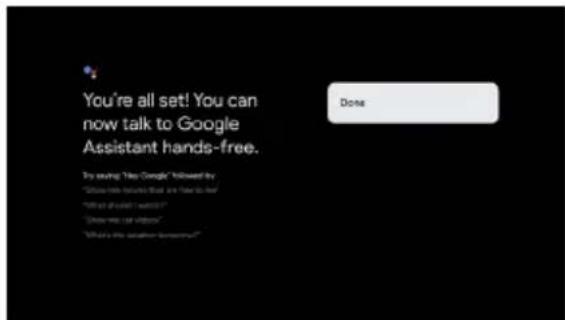
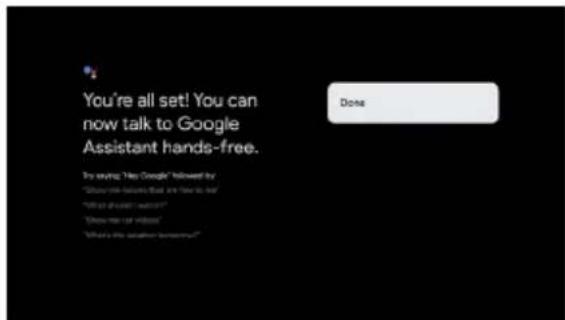
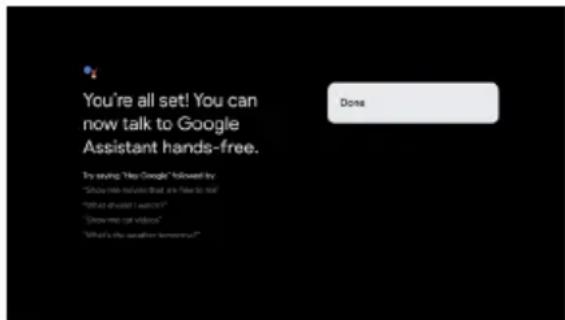
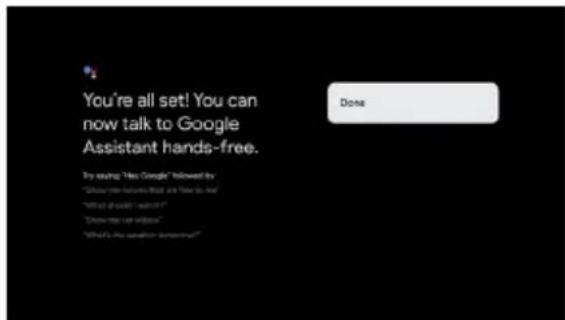
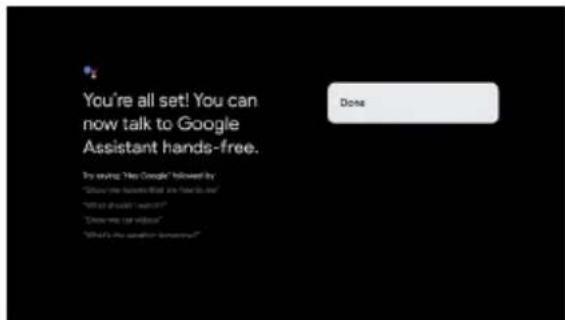
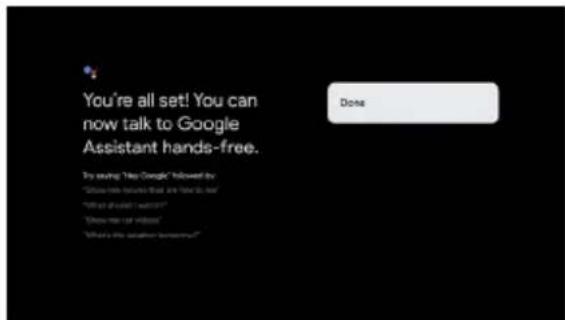
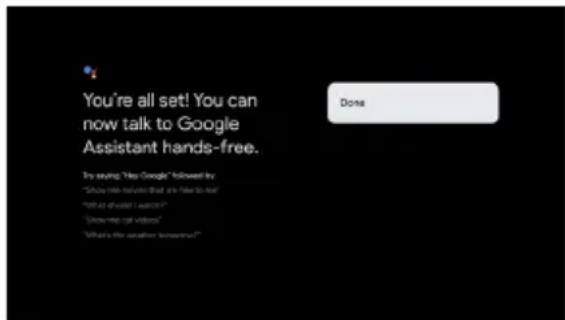
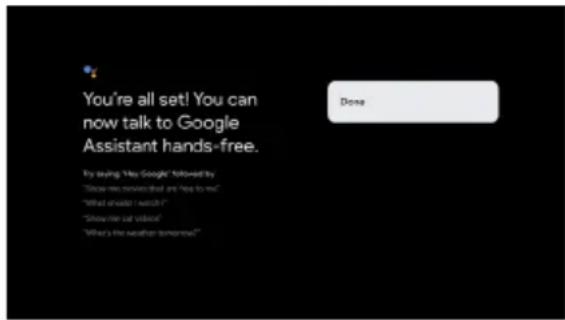
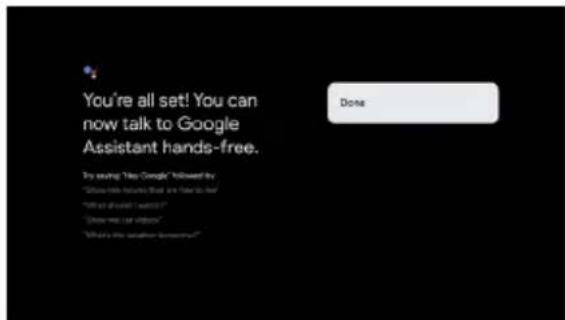
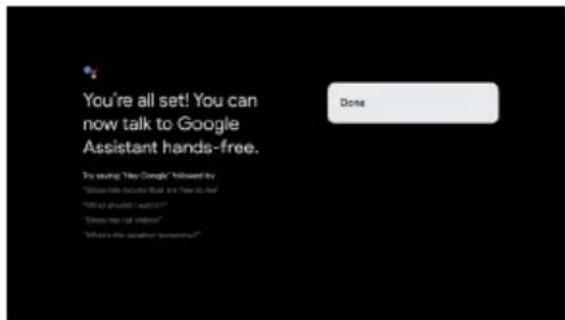
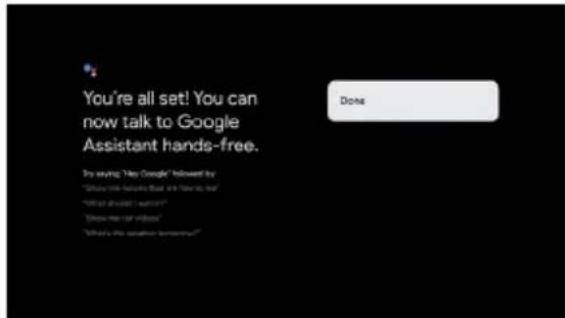
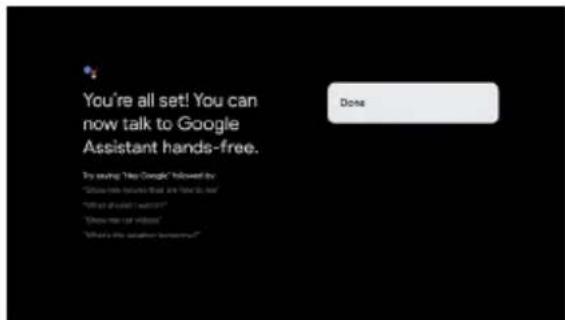
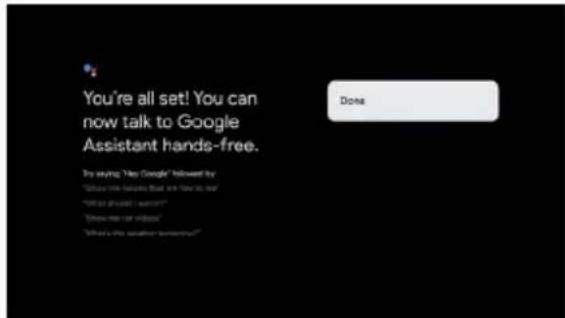
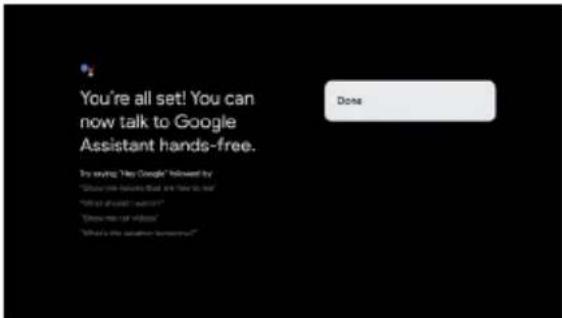
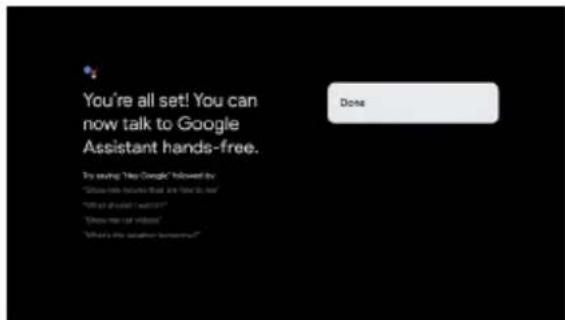
You're all set! You can now talk to Google Assistant hands-free. Do saying "Yes Google" followed by "Show me because that are there is, but" "I'll do what I want?" "Does me feel like?" "What's the other someone?"- When the prompt "Control your TV with 'Hey Google'!" is prompted, select "Yes I'm in", it can be used.
For example, when we say "H ey Google, What's the weather", hands free voice indicator will light up and feed back the weather conditions.
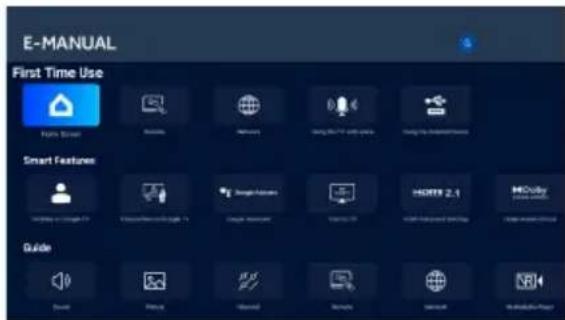
E-Manual
E-Manual is built into your TV and can be displayed on the screen. To learn more about your TV features, access your E-Manual by referring to the following. E-Manual may be available depending on the region or model.
- Press HOME button to access the home page.
- Press UP/DONW/LEFT/RIGHT and OK button to select and enter "E-Manual" in "Apps".
text_image
E-MANUAL First Time Use Smart Features GuideNote: The picture is only for reference.
Accessibility function description
Talkback (Screen reader)
Talkback is a screen reader accessibility feature that assists visually impaired users by reading aloud on-screen text, menu items and other elements. It can also be set up to use with Accessibility Shortcut.
Text to speech
A Text To Speech Engine is a software component that converts text into natural-sounding speech.
The Text To Speech Engine works in the background, supplying the core speech synthesis functionality.
Applications such as screen readers, virtual assistants, or language learning tools often call upon the Text To Speech Engine to generate audio output, but the engine itself does not interact with users directly.
This page provides settings to pick the active Text To Speech Engine if there are multiple engines installed in the system, to set basic configurations for Text To Speech engines, like language, reading speed, etc.
Text Scaling
This configuration could scale the text in system-wide applications up or down based on end user's need.
Bold Text
This configuration allows the text in system-wide applications to be bolded for better readability.
Color correction
The "Color correction" setting is designed to help people with color vision differences see on-screen colors more clearly. By enabling this option, you can adjust the way colors are displayed, making it easier to enjoy your favorite shows and apps.
Accessibility shortcut
When the Accessibility shortcut is on, the end user can press both the BACK and DOWN buttons for 3 seconds to start an accessibility feature.
This setting could help the end user to choose the targeted accessibility feature of the shortcut, or to switch the shortcut function on and off.
Keyboard accessibility
Time to take action (accessibility timeout)
This setting allows users to adjust how long the messages and notifications stay on the screen.
The longer stay would enlarge the chance that end user notice the message and take necessary action.
Key repeat delay
This setting allows users to adjust the key repeat delay, which could help the end user get abetter experience when pressing buttons on the remote control.
Switch Access
Switch Access lets users interact with TV using one or more switches. Switch Access can be helpful if the end user's interaction with remote control is limited.
Audio Description
The end user would hear a description of what's happening on screen in supported movies and shows by enabling this setting.
Captions
The "Captions" settings let users turn on/off captions, decide the visual appearance of the captions in supported apps.
High contrast text
The "High Contrast Text" setting makes on-screen text easier to read by using brighter colors and clearer outlines. This feature is especially helpful for people who find regular text hard to read.
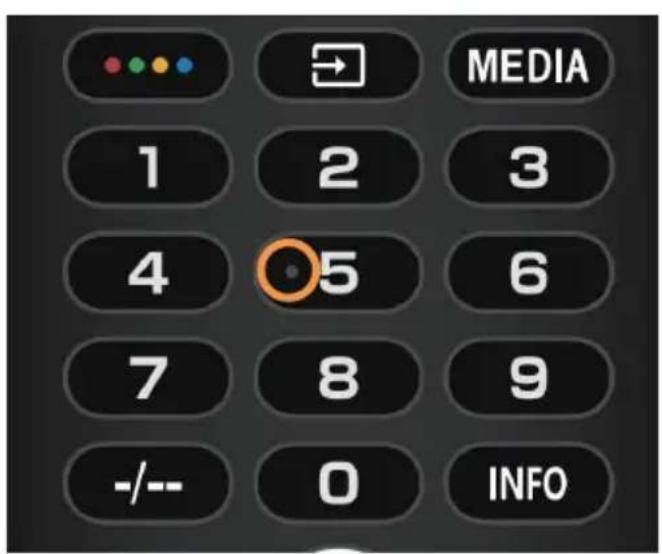
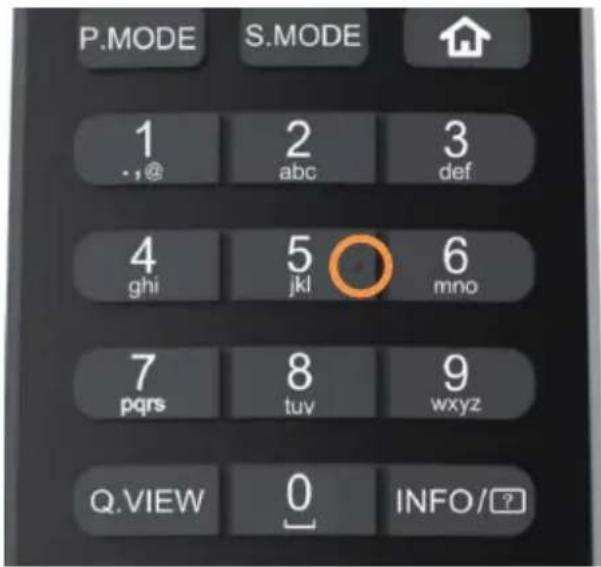
Tactile dots on the remote control buttons
The TV remote control has tactile dots on the number 5 button to help you find the buttons easily.
For example, among the numeric buttons, only the number 5 has a tactile dot to help you find all the numeric buttons.
text_image
MEDIA 1 2 3 4 5 6 7 8 9 -/- 0 INFO
text_image
P.MODE S.MODE 1 2 3 .,@ abc def 4 5 6 ghi jkl mno 7 8 9 pqrs tuv wxyz Q.VIEW 0 INFO/?ACCENSIONE DELLA TV
natural_image
Pure mechanical diagram showing a lever with pivot point and support structure (no text or symbols)ACCESSORI
text_image
To enable Google Assistant mic on your remote control, press and hold Combined buttons simultaneously for 5 seconds.
text_image
Google TV TV NETFLIX YouTube PAA-VR/MLV prime video i Planet Hootmert Google TV The entertainment you love Click in with your Google movie in play • Movies just TV choose from your portfolio watching apps • Personalized recommendations • Value restaurant Search and Lunding your TV will pay more Set us Google TV.
text_image
Talk to Google hands-free You're looking at your own phone. They think? If you're looking, you need to go to them. They're going when you're looking off. Another map update when you don't benefit for the voice, where there is a result that sounds like "You looks." We can have little off you since the following news.
text_image
You're all set! You can now talk to Google Assistant hands-free. Do saying "Yes Google" followed by "Show you because that are there is no" "I'll be allowed I want?" "Does me feel like?" "What's the situation tomorrow?"natural_image
Pure mechanical diagram showing a lever with pivot point and support structure (no text or symbols)ACCESORIOS
text_image
To enable Google Assistant mic on your remote control, press and hold Combined buttons simultaneously for 5 seconds.CONTROL DE VOZ MANOS LIBRES

text_image
TV NETFLIX YouTube PAAVY Piaoo prime video i-Planned Hackmert Google TV The entertainment you love Get up with your Google content in you: • Movies and TV above half-pie, friends or streaming apps • Personalized content services • Value appreciation: Search and content your TV with your video Set up Google TV
text_image
Talk to Google hands-free Our Pinterest company is also using "Try Things." If you're going, Google's phone will not be scanning inside to begin. They're going, even if your screen will off. Another user subscribe when you'd need to be able for me, where there is a user that sounds like "Try Things." We can have come off any else from the following sites: Yes, No, No Thanks
text_image
You're all set! You can now talk to Google Assistant hands-free. Do you have "You Google" followed by "Show me like what we are here to see" "Will you want I want?" "Have you live when?" "What's the next home?"natural_image
Pure mechanical diagram showing a lever with pivot point and support structure (no text or symbols)ACCESSOIRES
text_image
To enable Google Assistant mic on your remote control, press and hold Combined buttons simultaneously for 5 seconds.COMMANDE VOCALE MAINS LIBRES

text_image
Interrupteur com vocale mains libtext_image
Google TV The entertainment you love Sign in with your Google user to get • Movies and TV shares from your Facebook watching apps • Pinterest/Download/Getaway • Video account: Disney and content for TV with your name Set up Google TV
text_image
Talk to Google hands-free Our Pinterest company is also using "Try Things." If you're going, Google's phone will not be scanning inside to begin. They're going, even if your screen will off. Another user subscribe when you'd need to be able for me, where there is a user that sounds like "Try Things." We can have come off any else from the following sites: Yes, No, No Thanks
text_image
You're all set! You can now talk to Google Assistant hands-free. Try saying "Hey Google" followed by "Show me like that are there to see" "Will it what I want?" "Have you can you" "What's the another tomorrow?"natural_image
Pure mechanical diagram showing a lever with pivot point and support structure (no text or symbols)ZUBEHÖR
text_image
To enable Google Assistant mic on your remote control, press and hold Combined buttons simultaneously for 5 seconds.
text_image
Google TV The entertainment you love Get in with your Google content to get • Mobile and TV shows from your Facebook streaming app • Personalized Netflix services • Value-added: Desktop and online your TV with your video Set as Google TV
text_image
Talk to Google hands-free Our Pinterest company is also like "Try Things." If you're going Google's phone will need to go online to them! They're going when your computer will. Additional use is available when you don't miss it for information, where there is what that appears to be "Try Things." We can have come off any time from the following news: Yes, No, No thanks
text_image
You're all set! You can now talk to Google Assistant hands-free. Do you say "You Google" followed by "Show me like what we have to see" "I'll be afraid I want?"? "Does me feel wrong." "What's the situation tomorrow?"natural_image
Pure mechanical diagram showing a lever with pivot point and support structure (no text or symbols)AKCESORIA
text_image
To enable Google Assistant mic on your remote control, press and hold Combined buttons simultaneously for 5 seconds.

text_image
TV NETFLIX YouTube Playtech Prime Video i-Planat Pickman Google TV The entertainment you love Get it with your Google content to get • Movies and TV also have been used in watching the • Personalized features and services • Visual assessment. Search and control your TV will pay more Set up Google TV
text_image
Talk to Google hands-free Our Pinterest company is also like "Try Things." If you're going, Google's phone will not be scanning inside to begin. They go, even if your screen will off. Another user subscribe when you'd need to be able for me, where there is a user that provides the "Try Things." We can have come off any else from the following sites: Yes, No, No thanks
text_image
You're all set! You can now talk to Google Assistant hands-free. Do you have "You Google" followed by "Show me like what we are here to see" "Will you want I want?" "Have you live when?" "What's the next home?"natural_image
Pure mechanical diagram showing a lever with pivot point and support structure (no text or symbols)АКСЕСУАРИ
text_image
To enable Google Assistant mic on your remote control, press and hold Combined buttons simultaneously for 5 seconds.text_image
Google TV The entertainment you love Get in with your Google movie to get • Movies and TV shows from your friends watching music • Personalized content creation • Value assessment: Disney and other your TV with your video Set us Google TV
text_image
Talk to Google hands-free Our Pinterest company is also using "Try Things." If you're going, Google's phone will not be scanning inside to begin. They go, even if your screen will off. Another user subscribe when you'd need to be able for me, where there is a user that provides the "Try Things." We can have come off any else from the following sites: Yes, No, No Thanks
text_image
You're all set! You can now talk to Google Assistant hands-free. Do you have "You Google" followed by "Show me like what we are here to see" "Will you want I want?" "Have you live when?" "What's the next home?"natural_image
Pure mechanical diagram showing a lever with pivot point and load symbol (no text or labels)АКСЕСОАРИ
text_image
To enable Google Assistant mic on your remote control, press and hold Combined buttons simultaneously for 5 seconds.ГЛАСОВО УПРАВЛЕНИЕ

text_image
Превключател за гласово управлениеtext_image
Google TV The entertainment you love Get up your Google movie to get! • Movie and TV should have your friends watching them • Personalized Recommendations • You're associated. Get up and click your TV with how nice Set up Google TV
text_image
Talk to Google hands-free You're looking at your own phone. They're going! If you're looking, you're looking on the next app's home. They're going, when your app is available off. Another map update when you don't have a bit for the instance, where there is a user that sounds like "You looks." We can have little off you else from the following sites.
text_image
You're all set! You can now talk to Google Assistant hands-free. Do saying "Yes Google" followed by "Show you because that are there is no" "I'll be allowed I want?" "Does me feel like?" "What's the situation tomorrow?"natural_image
Pure mechanical diagram showing a lever with pivot point and support structure (no text or symbols)ACESSÓRIOS
Telecomando - 1 un. Manual do utilizador
- 1 un.
text_image
To enable Google Assistant mic on your remote control, press and hold Combined buttons simultaneously for 5 seconds.

text_image
Google TV TV NETFLIX YouTube Aluminum Play prime video i-Planuol Midsmart Google TV The entertainment you love Sign is with your Google TV want to get • Movies and TV should turn your favorite streaming app • Personalized News recommendations • Video assistants: Desktop and Linger's TV with new values Set up Google TV
text_image
Talk to Google hands-free You predicted can help your own use "Try Google" If you're going, Google is ready to bring things to benefit "Try Google," even if you're looking off. Another map update when you don't access it for the instance, where there is a word and sounds like "Try Google." We see how little of any time from the following news: Yes, No, No Thanks
text_image
You're all set! You can now talk to Google Assistant hands-free. Do saying "Yes Google" followed by "Show the following that are there is no" "I'll do what I want?" "Does me feel like?" "What's the other someone?"natural_image
Pure mechanical diagram showing a lever with pivot point and support structure (no text or symbols)AKSESUARLAR
text_image
To enable Google Assistant mic on your remote control, press and hold Combined buttons simultaneously for 5 seconds.
text_image
ELLER SERBEST SESLI KONTROL Eller serbest ses anatext_image
Google TV The entertainment you love Sign is with your Google movie in play • Discuss and visit when you want to watch streaming apps • Personalized features and content • Value presentation: Discuss and listen your FX with your video Set as Google TV
text_image
Talk to Google hands-free My handbook can help your own, do "Try Google." If you're going, Google's best and best better make it better. They go out if you're looking off. About more so far when you'll look off for the season, where there is a wait and save me. "Try Google." We now have little off anyone from the following news. Yes? Yes? No thanks
text_image
You're all set! You can now talk to Google Assistant hands-free. Do saying "My Google" followed by "Show me because I did you feel to do" "I'll be what I want?" "I'll be the video." "I'll be the second sentence?"text_image
Bagsiden af TV'et- Tænd TV'et:
Tryk på åpå fjernbetjeningen eller på POWER-knappen på undersiden/siden af TV'et.
BETJENINGSKNAPPER

natural_image
Pure mechanical diagram showing a lever with pivot point and support structure (no text or symbols)text_image
To enable Google Assistant mic on your remote control, press and hold Combined buttons simultaneously for 5 seconds.

text_image
Händfri stemmeaktiveringtext_image
Google TV TV NETFLIX YouTube Prime Video i-Planad Palmart Google TV The entertainment you love Sign is with your Google TV content to get • Movies and TV also looks like your favorite streaming video • Personalized recommendations • VR audiovisuals: Search and search your TV with new video Set us Google TV
text_image
Talk to Google hands-free Your mobile calls your own list "My Things." If you're going, Google is doing so much better than. They're going out if your usage off. Another map update when you don't benefit for the business, where there is a result and sounds like "My Things." We can help me off any time from the following news.
text_image
You're all set! You can now talk to Google Assistant hands-free. Do saying "My Google" followed by "Show me because that are there to see" "I'll do you wait?" I want? "Does me feel like you" "What's the other someone?"- Når prompten "Control your TV with 'Hey Google'!" vises, skal du vælge "Yes, I'm in", for at aktivere det.
natural_image
Pure mechanical diagram showing a lever with pivot point and support structure (no text or symbols)VARUSTEET
YLEISET TEKNISET TIEDOT
text_image
To enable Google Assistant mic on your remote control, press and hold Combined buttons simultaneously for 5 seconds.
text_image
Google TV TV NETFLIX Tralabs PAA-VR/MLV prime video i Planet Hootmori Google TV The entertainment you love Get it with your Google movie in the • Movies and TV show from your portfolio streaming apps • Personalized recommendations • Value movement: Search and link to your TV will have more Set up Google TV
text_image
Talk to Google hands-free You're looking at your phone, do "Try Google." If you're looking, you need to access more to them. They're going, or if you're looking off. Another map update when you don't benefit for the voice, where there is a result that sounds like "Try Google." We can have little off anyone else from the following apps.
text_image
You're all set! You can now talk to Google Assistant hands-free. Do you say "Yes Google" followed by "Show me because that are there is no" "Will you wait? I want?" "Have me feel bad?" "What's my answer!"natural_image
Pure mechanical diagram showing a lever with pivot point and supports (no text or symbols)TILBEH∅R
text_image
To enable Google Assistant mic on your remote control, press and hold Combined buttons simultaneously for 5 seconds.
text_image
HÅNDFRI STEMMEKONTROLL Håndfri stemmebrytetext_image
Google TV The entertainment you love Sign to all your Google content to get • Movie and TV also offers your favorite streaming video • Personalized features and downloads • Video playback: Search and search your TV with your video Set up Google TV
text_image
Talk to Google hands-free Our Pinterest company is also using "Try Things." If you're going, Google's phone will not be scanning inside to begin. They're going, even if your screen will off. Another user subscribe when you'd need to be able for me, where there is a user that sounds like "Try Things." We can have come off any else from the following sites: Yes, No, or No Thanks
text_image
You're all set! You can now talk to Google Assistant hands-free. I try saying "You Google" followed by "Show me like you know that we have to see" "I'll be afraid I want?" "Does me feel you know?" "What's the way you want?"text_image
E-MANUAL First Time Use Home Security Smart Features Guidenatural_image
Pure mechanical diagram showing a lever with pivot point and support structure (no text or symbols)ACCESORII
text_image
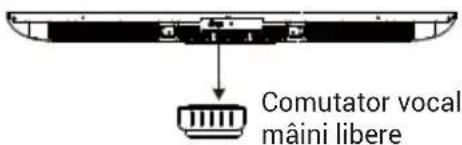
To enable Google Assistant mic on your remote control, press and hold Combined buttons simultaneously for 5 seconds.CONTROL VOCAL MÂINI LIBERE

text_image
Comutator vocal mâni liberetext_image
Google TV The entertainment you love Click in with your Google content to get! • Watch live TV shows from your friends watching news • Personalized content creation • Value assessment: Search and content your TV with your video Set us Google TV
text_image
Talk to Google hands-free Our Pinterest company is also using "Try Things." If you're going, Google's phone will not be scanning inside to begin. They go, even if your screen will off. Another user subscribe when you'd need to be able for me, where there is a user that provides the "Try Things." We can have come off any else from the following website: Yes/No No thanks
text_image
You're all set! You can now talk to Google Assistant hands-free. Do you have "You Google" followed by "Show me like what we are here to see" "Will you want I want?" "Have you can you know?" "What's the way you want?"natural_image
Pure mechanical diagram showing a lever with pivot point and support structure (no text or symbols)ACCESSOIRES
text_image
To enable Google Assistant mic on your remote control, press and hold Combined buttons simultaneously for 5 seconds.
text_image
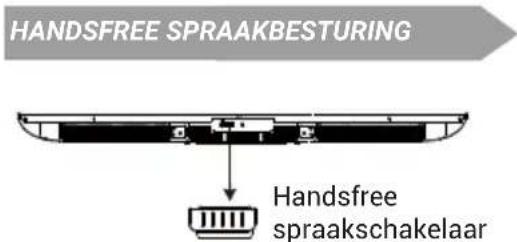
HANDSFREE SPRAAKBESTURING Handsfree spraakschakelaartext_image
Google TV TV NETFLIX YouTube Apple Music Video prime video E-Planul Hokka Google TV The entertainment you love Sign is with your Google stream to get: • Movies and TV also form your brand streaming apps • Personalized recommendations • Service support: What is my content just for all new news. Get up Google TV.
text_image
Talk to Google hands-free You're looking at your own phone. They think? If you're looking, you need to go to them. They're going when you're looking off. Another map update when you don't benefit for the voice, where there is a result that sounds like "You looks." We can have little off anyone from the following sites.
text_image
You're all set! You can now talk to Google Assistant hands-free. Do saying "My Google" followed by "Show the issues that are there to see" "I'll do you wait?" I want? "Does me feel like you" "What's my answer yourself?"natural_image
Pure mechanical diagram showing a lever with pivot point and support structure (no text or symbols)E3APTHMATA
text_image
To enable Google Assistant mic on your remote control, press and hold Combined buttons simultaneously for 5 seconds.

text_image
Google TV The entertainment you love Page to visit your Google TV screen my job • Websites and TV show Film your favorite streaming video • Personalized Recommendations • Value-added Disney and Lander's new TV with new video Set up Google TV
text_image
Talk to Google hands-free You're looking at your own phone. You're going! If you're looking, you're not doing so much. You're going? You're looking off. About more than when you don't miss it for the phone, where there is a wait and save me. You're going? We now have done your time from the following news: Yes/No No thanks
text_image
You're all set! You can now talk to Google Assistant hands-free. By asking: Yes Google followed by "Have me next when I don't help me?" "What should I wait?" "Where do you know" "What's the weather someone?"natural_image
Pure mechanical diagram showing a lever with pivot point and support structure (no text or symbols)text_image
Talk to Google hands-free Your Google Handbag you can do this? You're going? If you want Google Assistant we want internationally, please check up Google's event your account off. Assistant says actually when you might need to be reliable, where there is a wait! You can't miss if any long time comes from the Settings menu. Yes/No No /Yes Google Handbag Google Handbag Google Handbag Google Handbag Google Handbag
text_image
You're all set! You can now talk to Google Assistant hands-free. I'm seeing 'My Google,' followed by "Show me because that me has to me." "What's what's I want?" "Show me let me know" "What's the teacher, tomorrow!"text_image
To enable Google Assistant mic on your remote control, press and hold Combined buttons simultaneously for 5 seconds.text_image
Google TV The entertainment you love Sign in with your Google movie to get • Movies and TV shows how your content is streaming apps • Personalized recommendations • Video content: Show it all likes your TV with you more Set us Google TVnatural_image
Pure mechanical diagram showing a lever with pivot point and support structure (no text or symbols)DODATNI PRIBOR
flowchart
graph TD
A["Pojačalo"] --> B["Optical"]
A --> C["SATELLITE 13/18V-0.5A"]
A --> D["ANT/CABLE"]
A --> E["HDMI 4K@144Hz 4K@144Hz (cARC/ARC)"]
A --> F["COMMON INTERFACE(CI)"]
A --> G["HDMI 4K@60Hz"]
A --> H["LAN"]
A --> I["CI kartica"]
I --> J["LW13M"]
I --> K["HI"]
I --> L["HI"]
I --> M["HI"]
I --> N["HI"]
I --> O["HI"]
I --> P["HI"]
I --> Q["HI"]
I --> R["HI"]
I --> S["HI"]
I --> T["HI"]
I --> U["HI"]
I --> V["HI"]
I --> W["HI"]
I --> X["HI"]
I --> Y["HI"]
I --> Z["HI"]
I --> AA["HI"]
I --> AB["HI"]
I --> AC["HI"]
I --> AD["HI"]
I --> AE["HI"]
I --> AF["HI"]
I --> AG["HI"]
I --> AH["HI"]
I --> AI["HI"]
I --> AJ["HI"]
I --> AK["HI"]
Audio / video uređaj sa HDMI interfejsima

text_image
USBna levoj strani televizora

text_image
1 2 3 4 5 6 7 8 9 -/-- 0 INFO SUB 1 2 3 20 21 22 23 23 24 25 EXIT AudiO * 26 primesides Live TV 27 NETFLIX YouTube 28 R G Y B Haier 29
Podložno stvarnim funkcijama proizvoda.
| # Stavka Opis | ||
| 1 | Uključi/Isključi | Pritisnite da uključite ili isključite TV. Kada je vaš TV isključen, struja i dalje prolazi kroz njega. Da biste potpuno isključili napajanje, izvucite kabl za napajanje iz utičnice. |
| 2 | Brojevi 0~9 Pritisnite da unesete broj TV kanala. | |
| 3 | -/- Pritisnite da biste podesili unos broja TV kanala. | |
| 4 | Pritisnite za otvaranje softverske tastature. | |
| 5 | SUB Pritisnite za podešavanje funkcije titlova. | |
| 6 | Pritisnite da otvorite Google Asistenta. | |
| 7 | Pritisnite za otvorite stranicu korisničkog naloga. | |
| 8 | OK Unesite odabranu opciju ili izvršite odabranu operaciju. | |
| 9 | Pritisnite da biste se kretali kroz meni na ekranu. | |
| 10 | NAZAD Vrati se na prethodni meni. | |
| 11 | Pritisnite da otvorite početnu stranicu. | |
| 12 | Jačina zvuka +/- | Pritisnite VOL+ ili VOL- za podešavanje nivoa jačine zvuka. |
| 13 | EXIT Izlaz iz trenutne operacije. | |
| 14 | Pritisnite da biste prikazali virtuelnu tastaturu. | |
| 15 | AUDIO | Pritisnite za podešavanje NICAM-a u ATV režimu. Izaberite zvučne zapise u DTV-u. |
| 16 | Pritisnite da otvorite Prime Video. | |
| 17 | NETFLIX Pritisnite da otvorite NETFLIX. | |
| 18 | Obojeni tasteri | Izvršite odgovarajuće operacije prema uputstvu na dnu menija u tekstu. |
| 19 | Pritisnite da otvorite listu ulaznih izvora. | |
| 20 | INFO Pritisnite da prikažete informacije o kanalu | |
| 21 | MENI Pritisnite da otvorite ili zatvorite meni na ekranu. | |
| 22 | Pritisnite da otvorite meni podešavanja. | |
| 23 | ZYAH | Pritisnite da biste prikazali elektronski programski vodič u TV režimu. |
| 24 | Pritisnite da uključite tihi režim. | |
| 25 | CHV/CHA | Pritisnite CHVili CH^da promenite TV kanale. |
| 26 | Kreirajte večicu za svoju omiljenu aplikaciju. | |
| 27 | Live TV | Pritisnite da biste ušli u poslednji ulazni izvor u režimu TV uživo. |
| 28 | YouTube | Pritisnite da otvorite YouTube. |
| 29 | Priključak Type-C | Priključak tip C za brzo punjenje. (DC 5 V 1 A) |
text_image
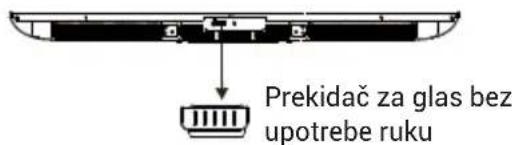
To enable Google Assistant micro on your remote control, press and hold Combined buttons simultaneously for 5 seconds.GLASOVNO UPRAVLJANJE BEZ UPOTREBE RUKU

text_image
Prekidač za glas bez upotrebe rukutext_image
Google TV TV NETFLIX YouTube Alstomedia Video prime video i-Planuad Hokamari Google TV The entertainment you love Sign is with your Google content to get • Movies and TV shows how's your basic streaming apps • Personalized recommendations • Value appreciation Search and control your TV with your user Set up Google TV
text_image
Talk to Google hands-free Your Assistant cleaned yourself you use "You Google." If you agree, Google Assistant can read in standby mode to detect "You Google even if your screen will off." Another may illustrate when you didn't seem off for instance, where there is a star that seems like "You Google." We see how this off anything from the Settings news. You think No thanks
text_image
You're all set! You can now talk to Google Assistant hands-free. By saying "My Google" followed by "Show me like that are free to tell" "What should I want?" "Know me nor video" "What's my another tomorrow?"- Kada se pojavi poruka „Control your TV with 'Hey Google'!“, izaberite „Yes I'm in“ da biste mogli da koristite ovu funkciju.
natural_image
Pure mechanical diagram showing a lever with pivot point and support structure (no text or symbols)ДОДАТОЦИ
text_image
To enable Google Assistant mic on your remote control, press and hold Combined buttons simultaneously for 5 seconds.ГЛАСОВНА КОНТРОЛА БЕЗ РАЦЕ

text_image
Google TV TV NETFLIX YouTube PUMRKIN Paper prime video E-Planned HotSmart Google TV The entertainment you love Sign is with your Google screen to get • Movies and TV shows fun your favorite announcing apps • Personalized Recommendations • Value assessment: Show it and under your TV will play review Set up Google TV
text_image
Talk to Google hands-free Your Assistant helped My hand-on on the "My Doggs" If you choose Google Assistant will want to standby mode to detect "My Google" when your screen off. Another may include when you didn't miss it for instance, where there is a user and exactly like "My Doggs." You can help off any time from the Settings press. You think No thanks
text_image
You're all set! You can now talk to Google Assistant hands-free. By saying "Yes Google" followed by "Show me before that is free to use" "What didn't I watch?" "Show me can video" "What's the answer tomorrow?"text_image
E-MANUAL First Time Use Home Stream Network Network Long the TV with video Long the Subsea News Smart Features Home Stream TV Connect to Online TV Single Feature Cling TV HDMI 2.1 HDVsky Video Streaming Guide Visual Debug Clouds Picture network MultiMedia Playernatural_image
Pure mechanical diagram showing a lever with pivot point and support structure (no text or symbols)AKSESORËT
text_image
To enable Google Assistant mic on your remote control, press and hold Combined buttons simultaneously for 5 seconds.
text_image
Google TV The entertainment you love Sign is with your Google account to get • Browse what TV shows that your Netflix's watching app • Personalized New recommendations • Value presentation: Search and launch your TV with your video Set us Google TV
text_image
Talk to Google hands-free You're looking at my phone on the "Try Things." If you're looking, you're looking up your phone is best! "Try Google, even if you're looking off." About your phone when you don't access it for this instance, where there is a very and people like "Try Things." We can help me if any time from the following news: No thanks
text_image
You're all set! You can now talk to Google Assistant hands-free. By stating "Yes Google" followed by "Show the following that are there is no" "What's should I want?" "Does me get video." "What's my answer answered?"natural_image
Pure mechanical diagram showing a lever with pivot point and supports (no text or symbols)DODACI
Daljinski upravljač – 1 kom. Korisnički priručnik
- 1 kom.
Uputstvo za instalaciju postolja
Postolje za bazu
- 1 kom.
- 2 kom.
*Komponenta za zidnu montažu
Kartica garancije
- 1 kom.
- 1 kom.
*Vijci (M6 × 20) - 4 kom.

NAPOMENA
- Komponenta za zidnu montažu je za modele M96/M92.
- H100S90FUX: Specifikacija vijka za pričvršćivanje postolja je M5 × 19 – 8 kom.
OPĆE SPECIFIKACIJE
| Veličina(Dijagonalno) | 100" 85" 75" 65" | ||
| Rezolucija 3840 | × 2160 | ||
| Maksimalna stopa osvježavanja | 144 Hz @ 3840 × 2160240 Hz @ 1920 × 1080 | ||
| Omjer stranica | 6:9 | ||
| TV sistem ATV (PAL, SECAM)/DTV (DVB-T/C/T2/S2) | |||
| Video signalni sistem | PAL, SECAM | ||
| Ulazni napon napajanja | 100-240 V ~ 50/60 Hz | ||
| Nazivna snaga | 100" 85" 75" 65" | ||
| 500 W 400W 350W 280W | |||
| Audio izlaz | Serija M96: 90W | ||
| Serija M92/S90: 47W | |||
| Potrošnja energije u stanju pripravnosti | ≤ 0,5 W | ||
| Okolinski uvjeti | Radna temperatura okoline:+5°C do +40°CVlažnost radnog okruženja:25% ~ 80%Temperatura skladištenja: -15°C ~ +45°CVlažnost skladištenja: < 80%Atmosferski pritisak: 86 ~ 106 kPa | ||
text_image
To enable Google Assistant mic on your remote control, press and hold Combined buttons simultaneously for 5 seconds.KONTROLA GLASA BEZ UPOTREBE RUKU

text_image
Prekidač za glas bez upotrebe rukuPrekidač za uključivanje ili isključivanje Glasovne Kontrole bez upotrebe ruku.
Napomena: Ova funkcija zahtijeva mrežnu vezu. Glasovne naredbe na daljinu preko daljinskog upravljača dostupne su na ovim jezicima. en-US/es-US, fr-FR, es-ES, ja-JP, ko-KR, de-DE, it-IT, en-GB, en-AU, en-IN/hi-IN, en-CA/fr-CA, es-MX, pt-BR, id-ID, sv-SE, vi-VN
KAKO KORISTITI GLASOVNU KONTROLU BEZ UPOTREBE RUKU
- Aktivirajte glasovnu kontrolu bez upotrebe ruku pomoću prekidača.
- Odaberite „Set up Google TV“ na početnom ekranu da otvorite postavke Google asistenta, zatim odaberite prijavu.

text_image
Google TV The entertainment you love Sign is to pick your engagement team on the • Movies and TV shows how your favorite streaming apps • Personalized Recommendations • Value-added Disney and Netflix TV will play a video Set up Google TV...
text_image
Talk to Google hands-free You want to help your users like "Try Things." If you want to use Google's next page in this app, then? They're going, when your users are left. About your app when you don't need it for instance, where there is a user that describes the "Try Things." We can choose off anyone from the following apps: Yes/No No thanks
text_image
You're all set! You can now talk to Google Assistant hands-free. Do you say "My Google" followed by "Show me because I don't know it so?"- Kada se pojavi upit „Control your TV pomoću 'Hey Google'!“, odaberite „Yes I'm in“ da biste mogli koristiti ovu funkciju.
Na primjer, kada kažemo „Hey Google, What's the weather“, indikator za glas bez upotrebe ruku će se upaliti i prikazati vremenske uslove.
E-priručnik
natural_image
Pure mechanical diagram showing a lever with pivot point and support structure (no text or symbols)DODATKI
text_image
To enable Google Assistant mic on your remote control, press and hold Combined buttons simultaneously for 5 seconds.PROSTOROČNO UPRAVLJANJE Z GLASOM

text_image
Google TV TV NETFLIX YouTube Apple Music Player prime video E-Planu Hokohart Google TV The entertainment you love Sign to pick your Google movie to get • Disney and TV also forms your family's entertainment app • Personalized Entertainment • Video content: What is any content just all with you inside Get up Google TV.
text_image
Talk to Google hands-free Our Pinterest company is also on the "Try Things." If you're going Google's phone will need to go online to them! They're going to your customers off. Additional help is available when you don't miss it for information, where there is what that appears to be "Try Things." We can have come off any time from the following news: Yes, No, No thanks
text_image
You're all set! You can now talk to Google Assistant hands-free. I try saying "You Google" followed by "Show me like you know that we have to see" "I'll be afraid I want?" "Does me feel you know?" "What's the way you want?"natural_image
Pure mechanical diagram showing a lever with pivot point and support structure (no text or symbols)DODATNA OPREMA
text_image
To enable Google Assistant mic on your remote control, press and hold Combined buttons simultaneously for 5 seconds.GLASOVNO UPRAVLJANJE BEZ RUKU

text_image
Prekidač za glas upravljanje bez uPrekidač za glasovno upravljanje bez upotrebe ruku
text_image
Google TV The entertainment you love Sign is with your Google answer to get! • Stories and TV shows how's your favorite streaming apps • Personalized recommendations • Value assistants Search and upload your TV with your video Set up Google TV
text_image
Talk to Google hands-free Your Applicant answered yourself on your "My Google." If you agree, Google Assistant will not standby mode to detect "My Google," even if your screen will off. Another may illustrate when you didn't recall for or notice, when there is a star that seems like "My Google." We see how this off anything from the Settings news. You don't No thanks
text_image
You're all set! You can now talk to Google Assistant hands-free. By saying "You Google" followed by "Show me like that, are there to see" "What should I want?" "You need you know." "What's the answer tomorrow?"text_image
E-MANUAL First Time Use Hindi Smart Smart Features Guide HDRF 2.1 HDRFully Mobile Audio System Home/Video/Video TV Smart Features Smart Features Smart Features Smart Features Smart Features Smart Features Smart Features Smart Features Smart Features Smart Features Smart Features Smart Features Smart Features Smart Features Smart Features Smart Features Smart Features Smart Features Smart Features Smart Features Smart Features Smart Features Smart Features Smart Features Smart Features Smart Features Smart Features Smart Features Smart Features Smart Features Smart Features Smart Features Smart Features Smart Featuresnatural_image
Pure mechanical diagram showing a lever with pivot point and support structure (no text or symbols)АКСЕССУАРЫ
text_image
To enable Google Assistant mic on your remote control, press and hold Combined buttons simultaneously for 5 seconds.text_image
Google TV TV NETFLIX YouTube PUB-Think Paper prime video e-Planned Hotmart Google TV The entertainment you love Sign is with your Google account to get • Movies and TV shows how your basic streaming apps • Personalized Streaming apps • Video sessions. See all and available your TV with your own Set as Google TV
text_image
Talk to Google hands-free Your Assistant helped you think on the "My Doggs" If you choose Google Assistant will want to standby mode to detect "My Google's own of your screen off." Another may include when you didn't seek it for privacy, where there is a user that responds like "My Doggs." You can help off any time from the Settings news. You think No thanks
text_image
You're all set! You can now talk to Google Assistant hands-free. By saying "You Google" followed by "Show me review that are here to me" "What should I watch?" "Show me live video" "What's the weather tomorrow?"natural_image
Pure mechanical diagram showing a lever with pivot point and supports (no text or symbols)PŘÍSLUŠENSTVÍ
text_image
To enable Google Assistant mic on your remote control, press and hold Combined buttons simultaneously for 5 seconds.HLASOVÉ OVLÁDÁNÍ HANDS-FREE

text_image
TV NETFLIX YouTube PAAVY Piaoo prime video i-Planned Hackmert Google TV The entertainment you love Get up with your Google content in you: • Movies and TV above half-pie, friends or streaming apps • Personalized content services • Value appreciation: Search and content your TV with your video Set up Google TV
text_image
Talk to Google hands-free Our Pinterest company is also using "Try Things." If you're going, Google's phone will not be scanning inside to begin. They're going, even if your screen will off. Another user subscribe when you'd need to be able for me, where there is a user that provides the "Try Things." We can have come off any time from the following news. Yes, No, or No Thanks
text_image
You're all set! You can now talk to Google Assistant hands-free. Do you have a new Google's follow-up "Have you have been done, but we need to say" "Will you wait? I want?" "Have you feel wrong." "What's the next question?"natural_image
Pure mechanical diagram showing a lever with pivot point and support structure (no text or symbols)PRIEDAI
| Nuotolinio valdymo pultelis- 1 vnt. | Naudotojo vadovas- 1 vnt. |
| Pagrindo montavimo vadovas- 1 vnt. | Pagrindo stovas- 2 vnt. |
| *Sieninio tvirtinimo elementas- 1 vnt. | Garantijos kortelė- 1 vnt. |
| *Varžtai (M6x20) - 4 vnt. |

PASTABA
text_image
To enable Google Assistant mic on your remote control, press and hold Combined buttons simultaneously for 5 seconds.BALSO VALDYMAS BE RANKU

text_image
Google TV The entertainment you love Sign in with your Google visitor to get • Movies and TV shows from your friends distributing news • Personalized News recommendations • Video content: Disney and computer your TV with your video Set up Google TV
text_image
Talk to Google hands-free Our Pinterest company is also like "Try Things." If you're going Google's phone will need to go online to them! They're going when your computer will. Additional help is available when you don't miss it for information, where there is what that appears to be "Try Things." We can have come off any time from the following news: Yes, No, No thanks
text_image
You're all set! You can now talk to Google Assistant hands-free. Do you have "You Google" followed by "Show me like what we need to say" "I'll be allowed I want?" "Don't miss if you know?" "What's the next sentence?"- Kai pasirodo pranešimas „Control your TV with 'Hey Google!'", pasirinkite „Yes, I'm in", kad galètumète naudotis šia funkcija.
natural_image
Pure mechanical diagram showing a lever with pivot point and supports (no text or symbols)TARVIKUD
text_image
To enable Google Assistant mic on your remote control, press and hold Combined buttons simultaneously for 5 seconds.KÄED VABAD HÄÄLJUHTIMINE

text_image
Google TV The entertainment you love Up to link your Google user to go • Movies and TV shows how your favorite streaming apps • Personalized Recommendations • Video assistants. See all and contact your TV with your video Set up Google TV
text_image
Talk to Google hands-free You're looking at your own phone. They're going! If you're looking, you're looking on the next app's home. They're going, when you're looking off. Another map update when you don't have a bit for the instance, where there is a user that sounds like "You looks." We can look off any time from the following news.
text_image
You're all set! You can now talk to Google Assistant hands-free. Try saying "My Google" followed by "Show me because that are how to say" "Will you wait? I want?" "Show me for video" "What's the other someone?"natural_image
Pure mechanical diagram showing a lever with pivot point and support structure (no text or symbols)PIEDERUMI
text_image
To enable Google Assistant mic on your remote control, press and hold Combined buttons simultaneously for 5 seconds.
text_image
BRIVROKU BALSS VADIBA Brivroku balss slēdzitext_image
Google TV The entertainment you love Sign is with your Google movie list • Selected TV shows from your favorite streaming apps • Personalized recommendations • VR video content: Search and Labing your TV will you miss Set us Google TV
text_image
Talk to Google hands-free Our Pinterest company can use "Try Things." If you're going Google's phone will need to go online to them! They're going when your computer will. Additional help is available when you don't miss it for information, where there is what that appears to be "Try Things." We now have come off any time from the following news: Yes, No, No thanks
text_image
You're all set! You can now talk to Google Assistant hands-free. I try saying "You Google" followed by "Show me like you know that we have to see" "I'll be afraid I want?" "Does me feel you know?" "What's the way you want?"natural_image
Pure mechanical diagram showing a lever with pivot point and supports (no text or symbols)PRÍSLUŠENSTVO
text_image
To enable Google Assistant mic on your remote control, press and hold Combined buttons simultaneously for 5 seconds.HLASOVÉ OVLÁDANIE HANDS-FREE

text_image
Google TV TV NETFLIX YouTube Apple Music Video prime video E-Planuol Hokohart Google TV The entertainment you love Sign to pick your Google stream to get. • Movies and TV always have your favorite streaming apps • Personalized Recommendations • Service access: Watch in any context post PC with play music Get up Google TV.
text_image
Talk to Google hands-free You're looking at your phone, do "Try Google." If you're looking, you need to access more to them. They're going, or if you're looking off. Additional help is available when you don't benefit for the business, where there is a result that looks like "Try Google." We can have little off anyone else from the following apps.
text_image
You're all set! You can now talk to Google Assistant hands-free. Try saying "My Google" followed by "Show me because that are how to say" "Will you wait? I want?" "Show me for video" "What's the other someone?"natural_image
Pure mechanical diagram showing a lever with pivot point and support structure (no text or symbols)AUKABÚNAĐUR
Fjarstýring – 1 stk Notendahandbók
- 1 stk
Grunnuppsetningarleiðbeiningar Grunnfætur - 2 stk. - 1 stk.
*Veggfesta ihlutur - 1 stk Ábyrgðarkort - 1 stk
*Skruvar (M6 × 20) - 4 stk

ATHUGID
text_image
To enable Google Assistant mic on your remote control, press and hold Combined buttons simultaneously for 5 seconds.
text_image
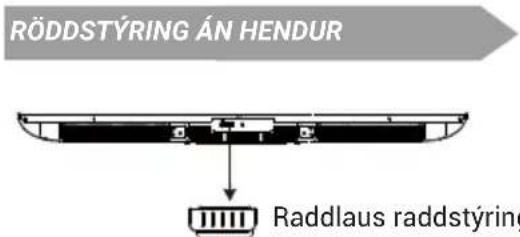
RÖDDSTÝRING ÁN HENDUR ↓ Raddlaus raddstýringtext_image
Google TV TV NETFLIX YouTube Pulmon Video prime video E-Planuol Hokkunl Google TV The entertainment you love Sign to with your Google movie for you. • Movies and TV show here your favorite streaming user • Personalized Recommendations • Service appointment: Next in any person your PC with you more. Get up Google TV.
text_image
Talk to Google hands-free You're looking at your phone, do "Try Google." If you're looking, you need to access more to them. They're going, or if you're looking off. Additional help is available when you don't benefit for the business, where there is a result that looks like "Try Google." We can have little off anyone else from the following apps.
text_image
You're all set! You can now talk to Google Assistant hands-free. Do you're all set! You can now talk to Google Assistant hands-free. Donetext_image
E-MANUAL First Time Use Home Security Smart Features Guided HDMI 2.1 HDDuty Mobile Securitynatural_image
Pure mechanical diagram showing a lever with pivot and pivot point, no text or symbols presentTILLBEHÖR
text_image
To enable Google Assistant mic on your remote control, press and hold Combined buttons simultaneously for 5 seconds.
text_image
HANDSFREE-RÖSTSTYRNING Handsfree-röstreglatext_image
Google TV TV NETFLIX YouTube Pulmon Video prime video E-Planuol Hokkunl Google TV The entertainment you love Sign to with your Google movie for you. • Movies and TV show here your favorite streaming user • Personalized Recommendations • Service appointment: Next in any person your PC with you more. Get up Google TV.
text_image
Talk to Google hands-free You're looking at your phone, do "Try Google." If you're looking, you need to access more to them. They're going, or if you're looking off. Additional help is available when you don't benefit for the business, where there is a result that looks like "Try Google." We can have little off anyone else from the following apps.
text_image
You're all set! You can now talk to Google Assistant hands-free. Do you're all set! You can now talk to Google Assistant hands-free. Donenatural_image
Pure mechanical diagram showing a lever with pivot point and support structure (no text or symbols)KIEGÉSZÍTÓK
text_image
To enable Google Assistant mic on your remote control, press and hold Combined buttons simultaneously for 5 seconds.
text_image
Google TV TV NETFLIX YouTube New Media Power prime video E-Planu Hokohart Google TV The entertainment you love Sign to wish your Google movie to get. • Disney and TV also offers your family streaming apps • Personalized News & Communications • Video content: What is any content paid for all play music Get up Google TV...
text_image
Talk to Google hands-free Our President helps you use "Try Google." If you're going, Google has been able to go into the next. They have ever if your screen will add. Additional help to decide when you didn't seem to be in place, where there is a result You can like it off your home from the following sites: You can like it off your home from the following sites: No thanks