DOC346CO - Deep fryer LIVOO - Free user manual and instructions
Find the device manual for free DOC346CO LIVOO in PDF.


| Product type | Oil-free fryer (air fryer) |
| Brand | Livoo |
| Model | DOC346CO |
| Capacity | 10 liters (tray with divider, 2 compartments) |
| Power | 2400 W |
| Supply voltage | 220-240 V ~ 50-60 Hz |
| Standby consumption | 0.37 W |
| Coating material | Non-stick (tray, grid, divider) |
| Control panel | Touch screen with adjustment buttons |
| Number of programs | 8 preset menus |
| Special functions | SYNC (synchronized cooking end), MATCH (copy settings), memory, flip (TURN) |
| Temperature range | Not specified (typical 80-200 °C) |
| Timer | Yes, adjustable (default 15 min) |
| Included accessories | Tray, grid, divider, handle |
| Safety | Automatic shut-off, hot surfaces (caution), do not immerse, do not use without grid |
| Cleaning | Tray, divider and grids washable with soapy water; heating element cleaned with soft brush |
| Maintenance | Do not use metal utensils or abrasive products |
| Dimensions (approx.) | Not provided (standard countertop model) |
| Weight (approx.) | Not provided (approximately 5-7 kg) |
| Usage | Oil-free cooking: fries, meats, fish, cakes, reheating |
| Warranty | Not specified (generally 2 years) |
| Repairability | Power cord replaceable by qualified professional |
Frequently Asked Questions - DOC346CO LIVOO
User questions about DOC346CO LIVOO
0 question about this device. Answer the ones you know or ask your own.
Ask a new question about this device
Download the instructions for your Deep fryer in PDF format for free! Find your manual DOC346CO - LIVOO and take your electronic device back in hand. On this page are published all the documents necessary for the use of your device. DOC346CO by LIVOO.
USER MANUAL DOC346CO LIVOO
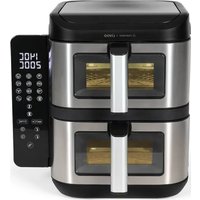
Air fryer with divider 1à L
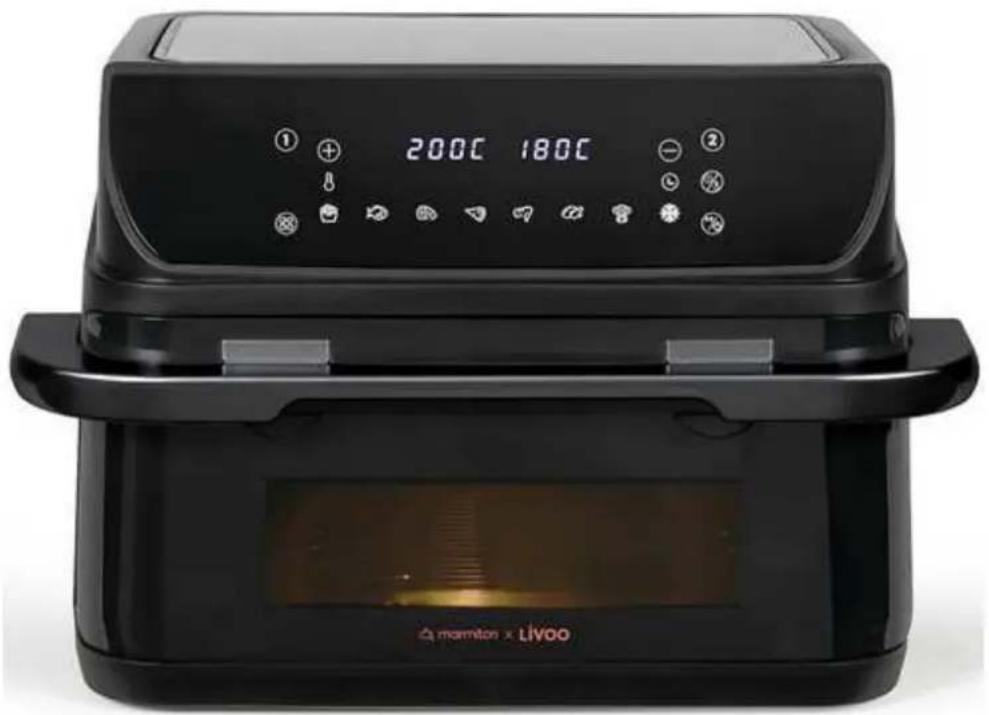
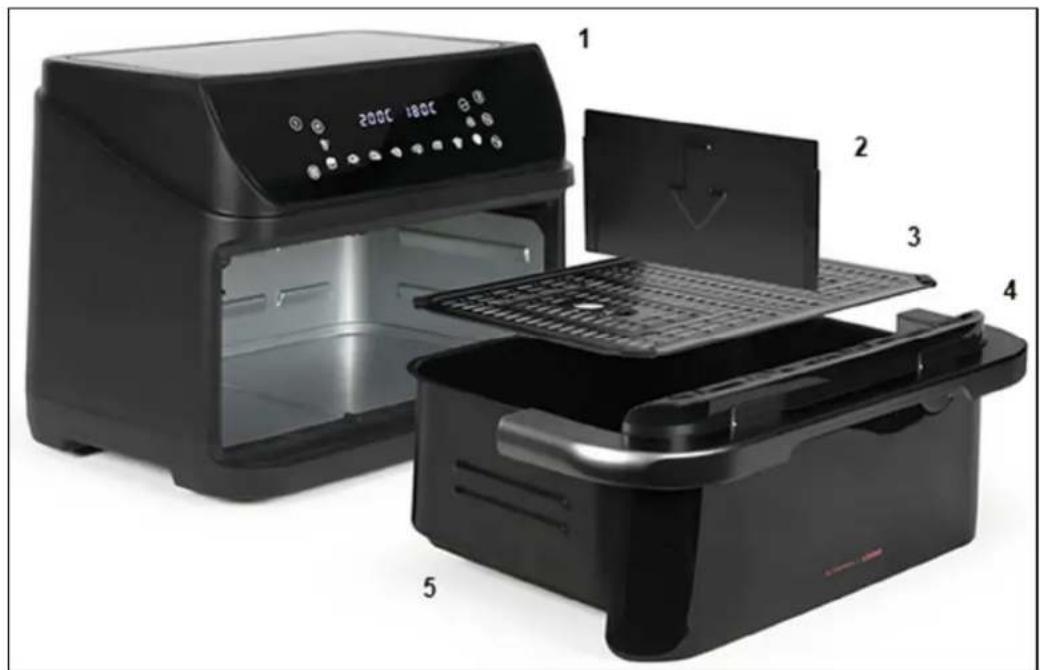
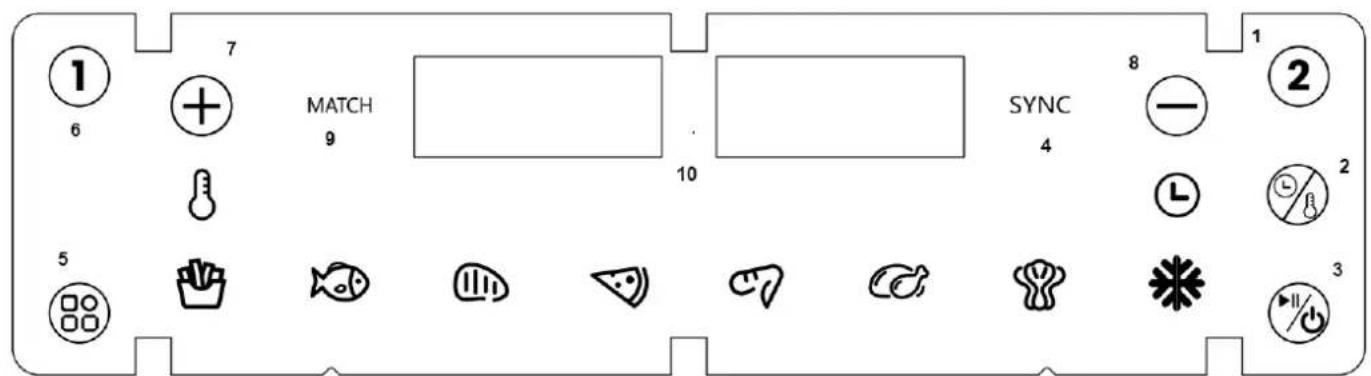
Figure 2
Thank you for choosing a Livoo and Marmiton product!
The collaboration between Marmiton and Livoo is a breath of fresh air. uy exploring our shared expertise, we've come up with a product that will simplify your life in the kitchen. oow do we do it? uy slipping you 30 ready-to-use recipes with your new oil-free fryer. Simply scan the Qr code on the product to access the recipes at any time. iith its 8 functions, you'll be able to prepare a wide range of meat and fish recipes, and even bake cakes. Find our entire collection on our website www.livoo.en.
Livoo, your daily companion till social networks

@Livoo

@livoo_officiel

@Livoo
Safety Instructions
Please, take time to read well the instruction sheet before the first use and keep them for a future use.
A misuse of the appliance can damage it or hurt the user. Assure that you use the appliance for the use for which it is designed. If refuse any responsibilities as for the damages by an incorrect use or a bad manipulation.
le Please check the voltage of the unit corresponds to the voltage of your installation before connecting the appliancee
2è Never immerse the applianceè Never clean the appliance by placing it under the tape Do not allow water or liquids enter the unitè «he appliance contains electronic componentsè -isk of electric shock!
4è Do not cover the air inlet or the air outlet when the unit is runningè
5è Do not fill the oil drawerè Fire hazard!
çè Do not touch the inside of the fryer when the unit is runningè Énstruction Manual 2 –isk of burns!
7è Éf the supply cord is damaged, it must be replaced by the manufacturer, its service agent or similarly qualified persons in order to avoid a hazard (àêè
8è «his appliance can be used by children aged from 8 years and above and by people with reduced physical, sensory or mental capabilities or lack of experience and knowledge if they have been given supervision or instruction concerning use of
the appliance in a safe way and understand the hazards involvedè
9è Children shall not play with the applianceè
lê Cleaning and user maintenance shall not be made by children unless they are older than 8 and supervisede
11è Keep the appliance and its cord out of reach of children less than 8 yearsè
12è Keep the power cord away from the hot surface of the appliance and any other heat sourcesè
13è Make sure the appliance is plugged into your power outletè
14è «his appliance is not intended to be operated by means of an external timer or separate remote-control systemè
15è Do not place the unit on or near flammable materials such as a tablecloth or curtainè
lçè Do not place the appliance against the wall or other appliancesè Keep a distance of at least lâ cm of free space at the back and sides and a clearance of lâ cm above the unitè Never place an object on top of the unitè Énstruction Manual 3
17è Never use the appliance for other purposes than those described in this manualeè
18è Surfaces are liable to get hot during useè Always use thermal glovesè
19è «urn off the power immediately and unplug the unit if you see black smoke coming out of the unitè iait smoke emission stop before removing the drawerè
zê Always place the unit on a level surface or a stable surfaceè
zlè Make sure to always unplug the appliance after useè
zzè Let cool for about 3à minutes before cleaningè
z3è Always keep the appliance clean as it comes in contact with foodè
z4è –egarding the details on how to clean the surfaces come in contact with food or oil, refer to the following paragraph of the leafletè
z5è «he temperature of accessible surfaces may be high when the appliance is operatingsè
zè Appliance must not be immersedè
- Cooking appliances should be positioned in a stable situation with the handles (if any) positioned to avoid spillage of the hot liquids.
-
This appliance is intended to be used in household and similar applications such as:
-
staff kitchen areas in shops, offices and other working environments,
-
farm houses,
- by clients in hotels, motels and other residential type environments,
- bed and breakfast type environments.
(*) Competent qualified electrician: after sales department of the producer or importer or any person who is qualified, approved and competent to perform this kind of repairs in order to avoid all danger. In any case you should return the appliance to this electrician.
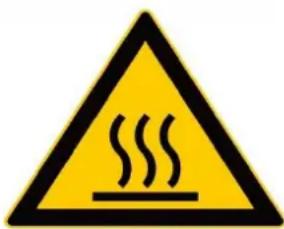
Warning: Hot surface! - Do not cover the air inlet and the air outlet when the appliance is working.
Technical Specifications
Voltage:220-240V~50-60Hz Power:2400W
Power consumption in off mode: 0.37W
Drawing of the device
| 1 | Touch screen |
| 2 | Divider |
| 3 | Grill |
| 4 | Handle |
| 5 | Tray |
Drawing of the control panel: Figure 2
| 1 | Right compartment |
| 2 | Temperature and timer adjustment button |
| 3 | Power button |
| 6 | Left compartment |
| 7 | to increase temperature or time |
| 8 | Button to decrease temperature or time |
4 SYNC button
5 Menu
9 MATCH button
Before the first use:
. Remove all packaging materials. Carefully clean the inside of the drawer and the grill with warm soapy water and a non-abrasive sponge. Wipe the inside and outside of the appliance with a lint-free cloth. Plug in the appliance and allow it to heat without any ingredients for a few minutes. It may emit a slight smoke or smell - this is normal for many appliances and does not affect its safety.
Using the Appliance
Selecting a Menu
After powering on the device, all indicators and digital displays light up for 1 second, then turn off. Simultaneously, a buzzer sounds and the power indicator lights up. Press the power button (button 3 - Figure 2) for 0.5 seconds to turn on the appliance. Once it starts, the power button light remains on along with the other indicators.
Select the left or right compartment as needed (button 6 or 1 - Figure 2).
If the left compartment is selected, the screen displays the default temperature/time setting of 180^ / 15 min. Temperature and time alternate on the display, and the corresponding indicators light up, while the right compartment shows ·s·s·s .
Press the menu button (button 5 - Figure 2) to choose a menu. The selected menu light flashes while the others remain lit. The screen displays the temperature of the selected menu.
Once settings are complete, press the power button to begin cooking. The selected menu light stays on, the others turn off, and the appliance starts operating.
Repeat the same steps if needed for the right compartment.
Custom Settings
If you wish to change the preset menu temperature or time (button 2 - Figure 2), or manually set your own temperature/time, use buttons 7 and 8 (Figure 2).
If the right compartment is already cooking and you want to adjust the left one, press the left compartment button (button 6 - Figure 2), make the changes, then press the power button so both compartments resume cooking simultaneously.
While the appliance is running, pressing any button will make the lights and indicators flash. The program pauses, and the fan continues running for 60 seconds before stopping.
To pause only one compartment, select the desired one (left or right) and press the power button. The screen alternates between temperature and time for the selected menu.
To stop cooking completely, press and hold the power button for 2 seconds while the appliance is running. A sound will play, and both compartments will stop. The screen will display "OFF" and all indicators will turn off.
To stop only one compartment, select it (button 1 or 6 - Figure 2), then press and hold the power button for 2 seconds. The screen will show "OFF".
During cooking, to adjust temperature or time, first select the corresponding compartment, then make your changes.
Note: After 5 seconds of inactivity, the appliance exits the setting mode.
To cancel a compartment selection, press and hold the left or right compartment button.
Memory Function
This appliance has a memory function. For example, if "Chicken Wings" is selected in the left compartment, it will be saved for the next use as long as the power is not disconnected. Memory is cleared after 1 hour of inactivity.
Synchronized End Cooking (SYNC)
After turning on the appliance, if you set different menus or temperature/time settings for each compartment, press the left compartment button, select your settings, then press the right
compartment button. The screen will show SYNC. Press SYNC, then set the desired program for the right compartment.
Press the power button: the compartment with the longer cooking time will start first, and the other will display "HOLD".
When both compartments reach the same remaining time, they will cook simultaneously.
Menu Copying (MATCH)
After switching on the appliance, if you want to use the same menu or temperature/time for both compartments, press the left compartment button and set the program. The screen displays MATCH. Press the MATCH button - the other compartment will automatically adopt the same settings. Press the power button and both compartments will run using the same settings.
Once started, the MATCH indicator turns off and the function cannot be changed.
Turn Reminder Function
For some recipes that require flipping food halfway through, a beep will sound 5 times and the display will show "TURN".
Using the Appliance
Plug in your air fryer. Remove the drawer and ensure the grill and divider are properly in place. Add your food with a little oil. Reinsert the drawer. Never operate the appliance without the grill.
Warning: Do not touch the sides of the drawer or the unit during or after use, as they become very hot. Use the handle and oven mitts. Set the air fryer based on your chosen ingredients.
Halfway through cooking, stir or shake the food to ensure even frying.
Once cooking is finished, remove the drawer carefully as food and the grill will be hot. Steam may also escape depending on the type of food inside.
Unplug the appliance and wait at least 30 minutes before cleaning.
Tips
Always preheat the appliance before use for optimal cooking results.
- Depending on the size of your ingredients, cooking time may vary.
- Add a bit of oil to fresh potatoes for a crispier result.
- The ideal quantity for crispy fries is 500 grams.
- Do not cook high-fat foods like sausages in this appliance.
- You can place a baking dish or oven-safe pan in the air fryer basket to bake a cake or cook delicate or stuffed foods.
The air fryer can also be used to reheat food.
Cleaning and storage
Clean the tray, divider and grills after each use. Do not use metal utensils or abrasive cleaners as they can damage the non-stick coating.
Unplug the appliance and let it cool. Wipe the exterior with a damp cloth and dry with a soft cloth.
Clean tray, divider and grills with warm soapy water and a non-abrasive sponge.
Clean the heating element with a soft, non-metallic brush to remove any food residue.
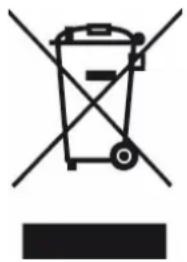
Correct disposal of the unit (Electrical and Electronic Equipmenty.
(Applicable in the European »nion and the rest of Europe that have adopted separate collection systems counrièsè è «he European Directive 2al2/19/E» on iaste Electrical and Electronic Equipment (iEEEē, requires that old household electrical appliances must not be disposed of in the normal household waste streamè Old appliances must be collected separately in order to optimize the recovery and recycling of the materials they contain and reduce the impact on human health and the environnementè «he symbol of the crossed out dustbin is marked on all products to remind the obligations of separate collectionè Consumers should contact their local authority or retailer for
information concerning the correct disposal of their producte
Non contractual illustration
Product information is subject to change without prior notice.

LIVOO
U P c1a7l
c7452 Mundolsheim - F-ANCE

- Thank you for choosing a Livoo and Marmiton product!
- Livoo, your daily companion till social networks
- Safety Instructions
- Technical Specifications
- Drawing of the device
- Drawing of the control panel: Figure 2
- Before the first use:
- Using the Appliance
- Selecting a Menu
- Custom Settings
- Memory Function
- Synchronized End Cooking (SYNC)
- Menu Copying (MATCH)
- Turn Reminder Function
- Halfway through cooking, stir or shake the food to ensure even frying.
- Unplug the appliance and wait at least 30 minutes before cleaning.
- Tips
- Cleaning and storage
- Correct disposal of the unit (Electrical and Electronic Equipmenty.
Brand : LIVOO
Model : DOC346CO
Category : Deep fryer