USER MANUAL BJ1623-800-10 Vevor
Technical Support and E-Warranty Certificate
www.vevor.com/support
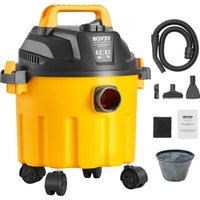
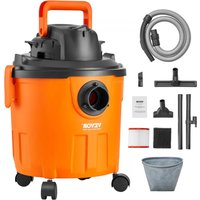
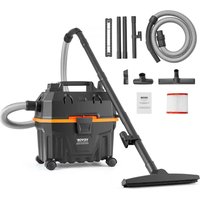
WET & DRY VACUUM CLEANER
We continue to be committed to provide you tools with competitive price. "Save Half", "Half Price" or any other similar expressions used by us only represent an estimate of savings you might benefit from buying certain tools with us compared to top brands and does not necessarily mean to cover all categories of tools offered. I kindly remind you to verify carefully when you are placing an order with us if you are saving half in comparison with the top major brands.
VEVOR®
TOUGH TOOLS, HALF PRICE
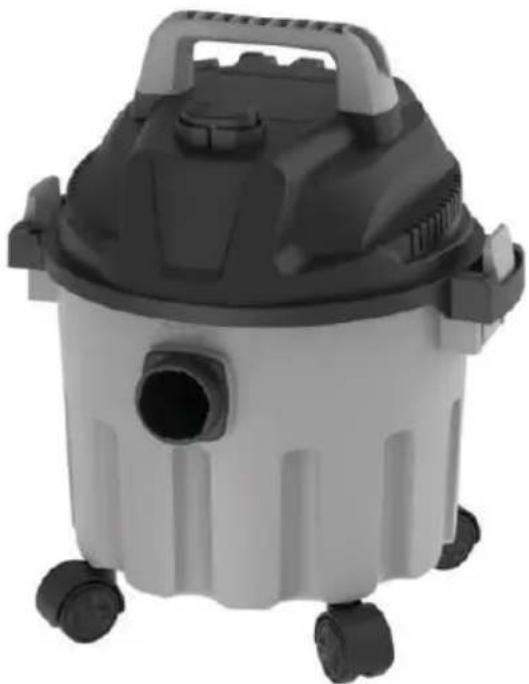
WET & DRY VACUUM CLEANER
MODEL: BJ1623-800-10
Have product questions? Need technical support? Please feel free to contact us:
Technical Support and E-Warranty Certificate
www.vevor.com/support
This is the original instruction. Please read all manual instructions carefully before operating. VEVOR reserves a clear interpretation of the user manual. The appearance of the product shall be subject to the product you received. Please forgive us that we won't inform you of any technology or software updates on our product.
 | Warning-To reduce the risk of injury, user must read in manual carefully. |
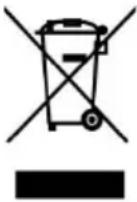 | CORRECT DISPOSALThis product is subject to the provision of European D 2012/19/EC. The symbol showing a wheelie bin cross through indicates that the product requires separate re collection in the European Union. This applies to the and all accessories marked with this symbol. Products as such may not be discarded with normal domestic w must be taken to a collection point for recycling electr electronic devices |
Warning:
- Do not leave the appliance when plugged in. Unplug from outlet when not in use and before servicing.
- Do not use it outdoors or on wet surfaces.
- Do not allow it to be used as a toy. Close attention is necessary when used by or near children.
- Use only as described in this manual. Use only the manufacturer's recommended attachments.
- Do not use a damaged cord or plug. If the appliance is not working properly, has been dropped, damaged, left outdoors, or dropped into water, return it to a service center.
- Do not pull or carry by the cord, do not use the cord as a handle, or pull around sharp edges or corners. Do not run the vacuum over the cord. Keep the cord away from heated surfaces.
- Do not unplug by dragging the cord. To unplug, grasp the plug, not the cord.
- Do not use the plug or the vacuum with wet hands.
- Do not put any object into the suction inlet. Do not use any inlet with blockages; keep free from dust, lint, hair, and anything that may reduce airflow.
- Keep hair, clothes, fingers, and all parts of your body away from the
vacuum when it is in use.
- Turn off the vacuum before unplugging.
- Use extra care when cleaning on stairs.
- Do not use to pick up flammable or combustible liquids, such as gasoline, or use in areas where they may be present.
- Do not pick up anything that is burning or smoking, such as cigarettes, matches, or hot ashes.
- Do not use the vacuum without the dust bag and/or the filter.
- This appliance is provided with double insulation. Please use identical replacement parts. See instructions for Servicing of Double-Insulated Appliances.
- This appliance is equipped with a polarized plug (one blade is wider than the other). To reduce the risk of electric shock, this plug is only intended to fit in a polarized outlet. If the plug does not fit the outlet, reverse the
plug. If it still does not fit, contact a qualified electrician. Do not modify the plug in any way.
If the supply cord is damaged, it must be replaced by the manufacturer, service agent, or similarly qualified persons in order to avoid a hazard. This appliance can be used by children aged from 8 years and above and persons with reduced physical, sensory or mental capabilities or lack of experience and knowledge if they have been given supervision or instruction concerning use of the appliance in a safe way and understand the hazards involved. Children shall not play with the appliance. Cleaning and user maintenance shall not be made by children without supervision.
SERVICING OF DOUBLE-INSULATED APPLIANCES

A double-insulated appliance is marked with one or more of the
following: The words "DOUBLE INSULATION" or "DOUBLE INSULATED" or the double insulation symbol (square within a square).
In a double-insulated appliance, two systems of insulation are provided instead of grounding. No grounding means is provided on a
double-insulated appliance, nor should a means for grounding be added to the appliance. Servicing a double-insulated appliance requires extreme care and knowledge of the system, and should be done only by qualified service personnel. Replacement parts for a double-insulated appliance must be identical to the parts they replace.
SAVE THESE INSTRUCTIONS
PARAMETER LIST
| Model | BJ1623-800-10 |
| Rating | AC220-240V~ 50-60Hz |
| Power Supplier | 800 W |
| Protection Against Electric Shock: | Class II |
| Degree Of Protection: | IPX4 |
| Capacity | 10L |
PART LIST
When unpacking this product, ensure the parts listed below are included and carefully inspect for any damage that may have occurred during shipping. Do not attempt to assemble or use the product if any part is missing or damaged.
| NO | PICTURE | PART NAME | QTY |
| 1 | 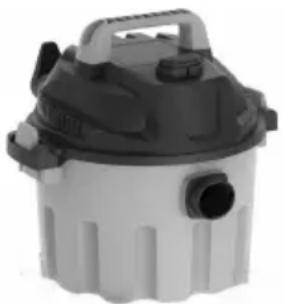 | Vacuum Cleaner | 1 |
| 2 | 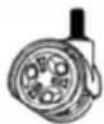 | Universal Wheel | 4 |
| 3 | 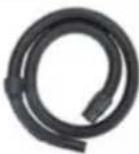 | Hose | 1 |
| 4 | 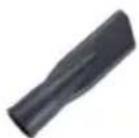 | Utility Nozzle | 1 |
| 5 | 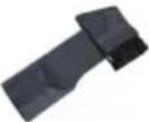 | 2 in 1 Crevice Noz | 1 |
| 6 | 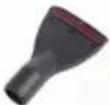 | Sofa Brush | 1 |
| 7 | 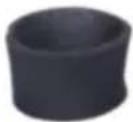 | Foam Filter | 1 |
| 8 |  | Cloth Filter | 1 |
FUNCTIONAL OPERATION INSTRUCTIONS
- Remove the product and accessories from the box and check that the accessories and equipment are in good condition.
- Loosen the buckles, pick up the main part, remove the attachment from the dust collector, and check if the filter is installed in place.
There are special screws and gaskets in the package. Fix the casters axle of the base with the screws and gaskets.
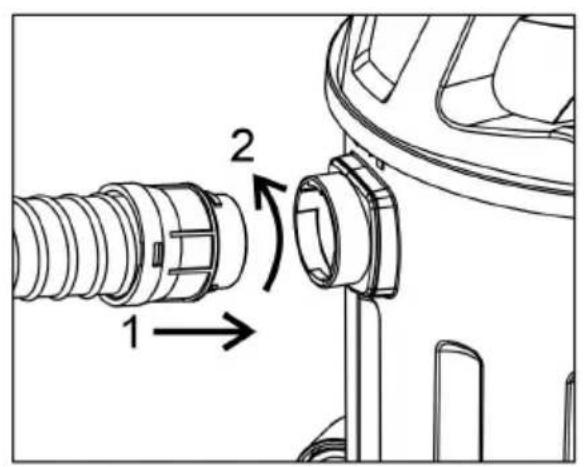
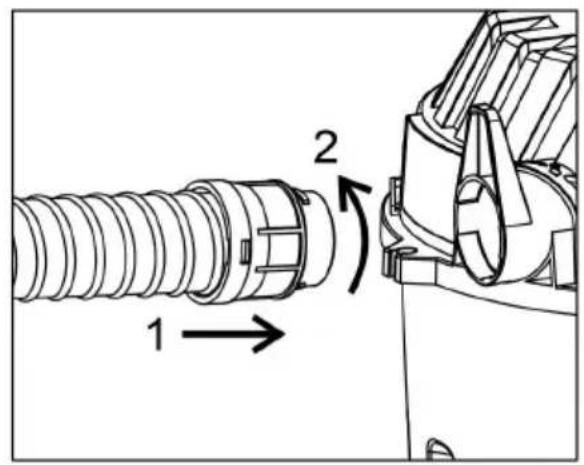
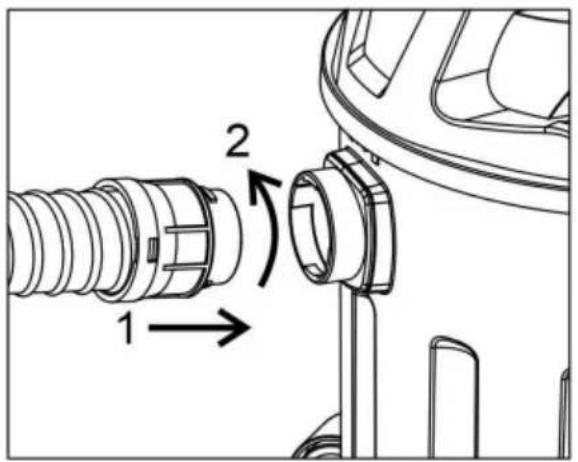
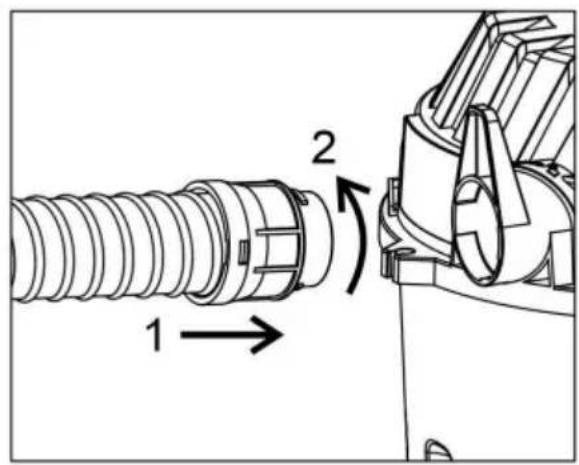
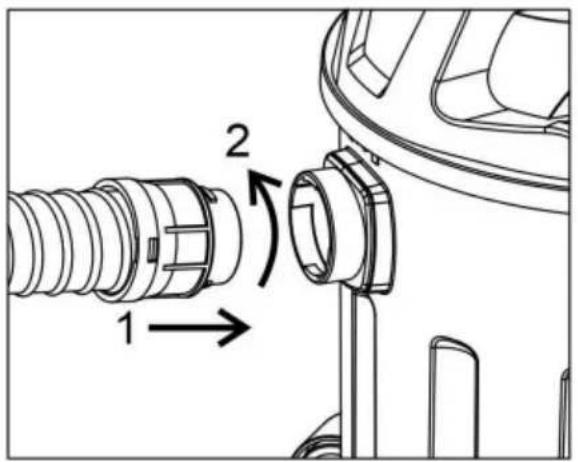
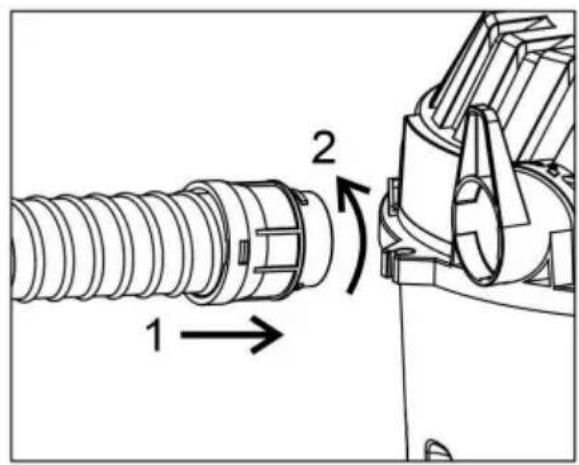
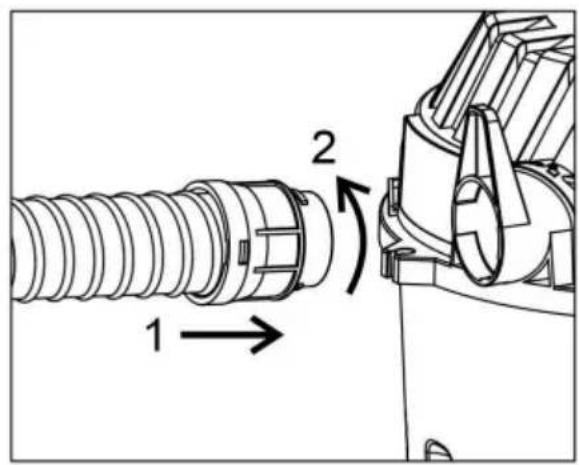
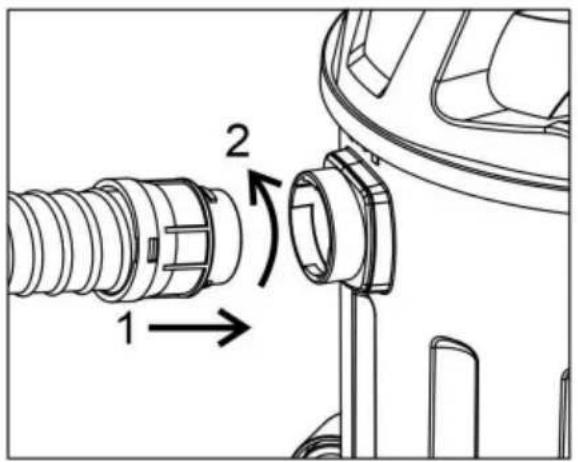
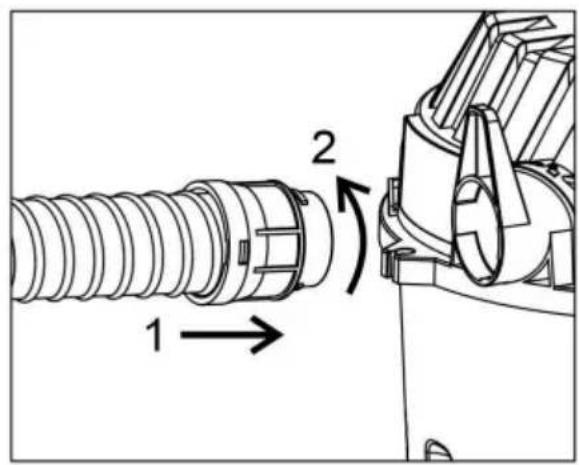
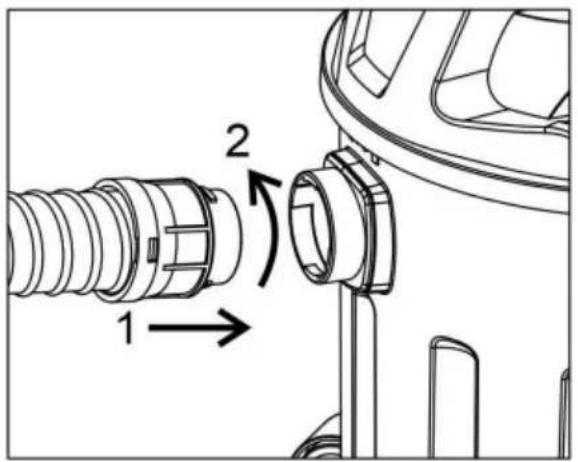
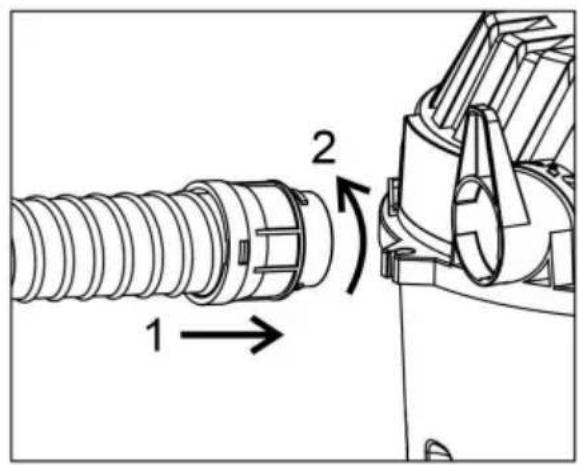
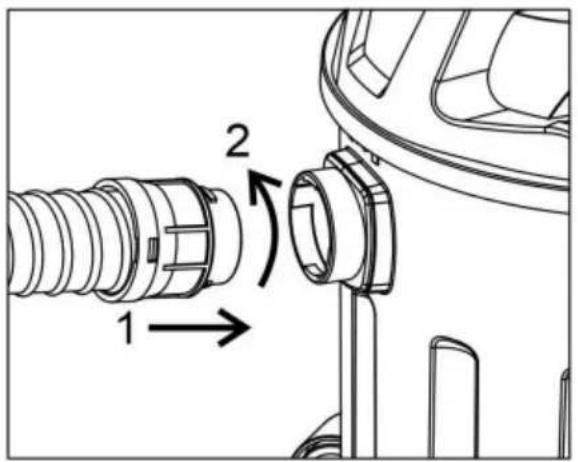
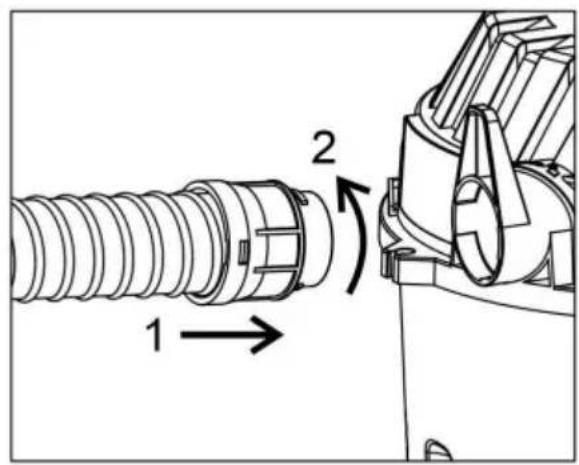
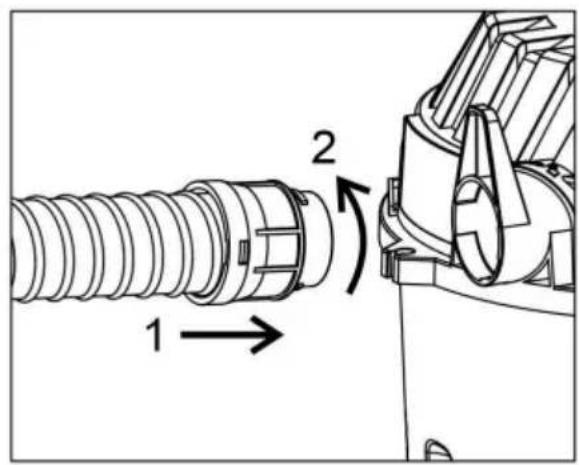
- Connect one end of the hose assembly to the suction nozzle and the other end to the suction attachment.
- Plug in the power cord, press the power switch, and start vacuuming.
- When using the water absorption function, remove the filter and install the sponge filter to ensure normal water absorption of the machine.
- Product installation and function introduction diagram:
![graph TD A[" fan with three sensors"] --> B[" component with fan and motor"] B --> C[" component with filter and motor"] C --> D[" final air purifier with sensor and motor"]](/content/2026/04/737676/images/db1c3756a814958379fb92429706be2becc99aedf4fbd6c085cd9e7c52f6d57d.jpg)
CLEANING AND MAINTENANCE
Please turn off the power switch first and pull out the power plug before cleaning the filter. Take out the filter and flush it with water. It is recommended to flush the filter under the tap. Flush the dust off the filter. Put the filter in a well-ventilated place and let it dry naturally.
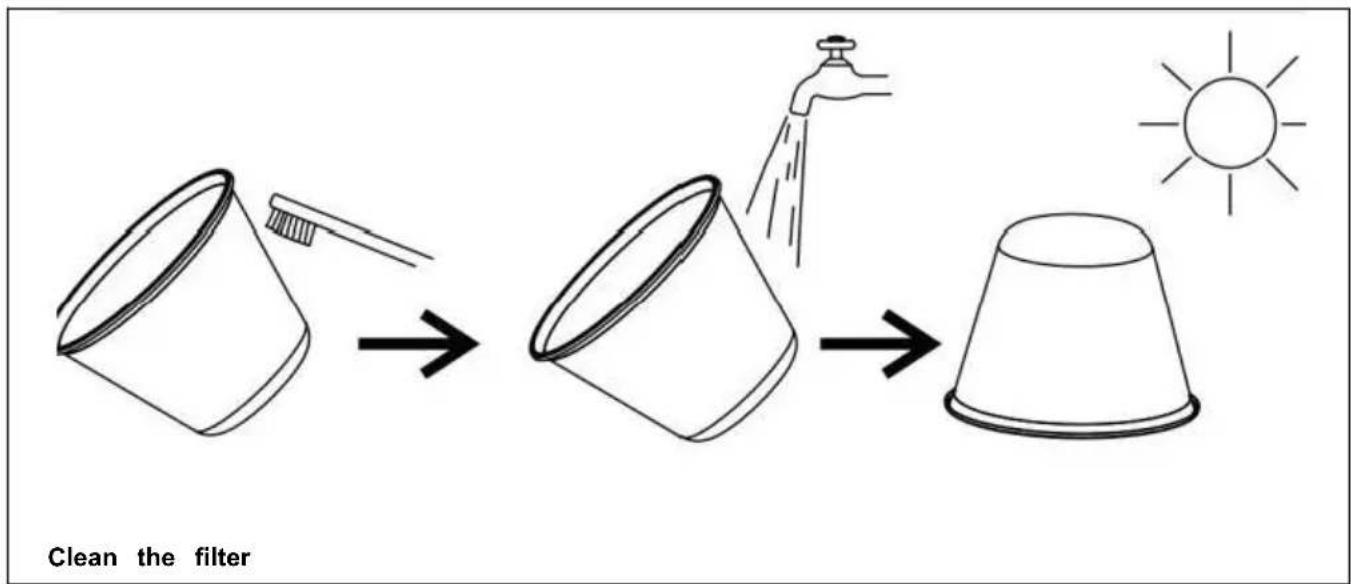
- Shake off the moisture and dry it completely (in order to prevent smell or blockage).
- Do not dry it with an air blower or other hot wind (in order to prevent deformation and faults).
- It is prohibited to use detergent, bleaching agent, diluents, alcohol, etc., in order to avoid cracks, color changes, etc.
Use requirements
Do not use the machine in combustible and explosive places, as the motor spark may cause fire. Do not block the air inlet, as this may cause the temperature to rise and damage the motor. Do not collect combustible and explosive objects such as glowing cigarettes, gasoline, etc. Do not collect sharp objects. Do not collect objects that can easily attach to the filter, such as
calcareous powder, plaster, and graphite powder, because these will block ventilation and damage the motor.

Turn off the machine and unplug it after each use and when being repaired.

Keep the machine away from strong sunlight and high temperatures to prevent plastic distortion.
Fault Analysis
| Fault | Probable cause | Treatment |
| Machine operation failure | 1.Check whether the power plug is firmly inserted into socket.2.Check whether there is electricity of the power soc | 1.Reinsert the plug into the socket.2.Ensure that there is electricity of the power socket. |
| Weakening of suction | 1.Check whether the floor brush, hose and additional pipe are blocked.2.Check whether the dustbir and main part are well assembled.3.Check whether the filter i blocked. | 1.Remove the blockage time.2. Reassemble in place. Clean or replace filter. |
| Abnormal noise | 1.Check whether the filter i blocked. | 1.Please remove the garbage and maintain th filter |
If the fault cannot be eliminated using the above methods, please send the machine to our maintenance center. Users are prohibited from disassembling the machine themselves.
VEVOR®
TOUGH TOOLS, HALF PRICE
Technical Support and E-Warranty Certificate
www.vevor.com/support
VEVOR®
www.vevor.com/support
www.vevor.com/support
VEVOR®
CLEANING AND MAINTENANCE
cigarettes, gasoline, etc.

CLEANING AND MAINTENANCE
warranty certificate www.vevor.com/support
VEVOR®
www.vevor.com/support
WET & DRY VACUUM
NEED HELP? CONTACT US!
www.vevor.com/support
VEVOR®
CLEANING AND MAINTENANCE
NEED HELP? CONTACT US!
electronics www.vevor.com/support
VEVOR®
NEED HELP? CONTACT US!
CLEANING AND MAINTENANCE
www.vevor.com/support