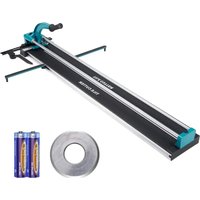
Vevor 8106C-8L - Slicer

8106C-8L - Slicer Vevor - Free user manual and instructions

Find the device manual for free 8106C-8L Vevor in PDF.
📄 96 pages English EN Download 💬 AI Question 10 questions ⚙️ Specs
Notice Vevor 8106C-8L - page 3
Pick your language and provide your email: we'll send you a specifically translated version.
Product Type Manual Tile Cutter
Brand Vevor
Model 8106C-8L (48 inches)
Maximum Cutting Length 1200 mm
Maximum Cutting Thickness 15 mm
Cutting Wheel Diameter 22 mm
Wheel Thickness 6 mm
Power Source Manual (motorless) + 2 AAA batteries for laser
Compatible Materials Ceramic, enamel, porcelain and polished tiles with flat surface
Main Function Straight and diagonal cutting of tiles
Laser Guide Yes, adjustable
Angle Ruler Yes, included
Included Accessories Main cutter, 2 AAA batteries, ruler, replacement cutting wheel (22x6x6 mm)
Safety Wear safety glasses and gloves; work on a flat, clean surface
Maintenance and Cleaning Clean after use; replace blade if worn; store in a dry place
Spare Parts Replacement cutting wheels available (ref. 22x6x6 mm)
Repairability Wheel replacement with a screwdriver; laser adjustable via screws
Weight Approximately 5 kg (estimated)
Dimensions (L x W x H) Approximately 1300 x 200 x 150 mm (estimated)

Frequently Asked Questions - 8106C-8L Vevor

What is the maximum tile length I can cut with the Vevor 8106C-8L?
The maximum cutting length is 1200 mm (48 inches).
What types of tiles can I cut with this machine?
This device is designed for ceramic, enamel, porcelain and polished tiles with a flat surface. Do not use it for other materials.
How to adjust the laser guide?
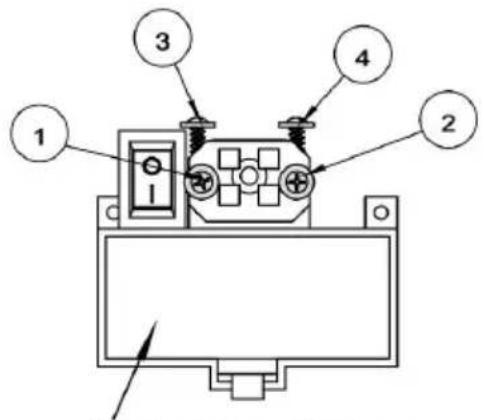
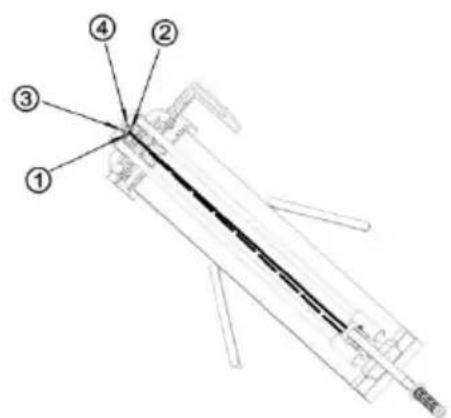
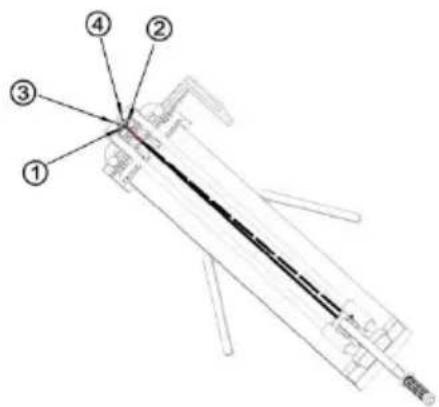
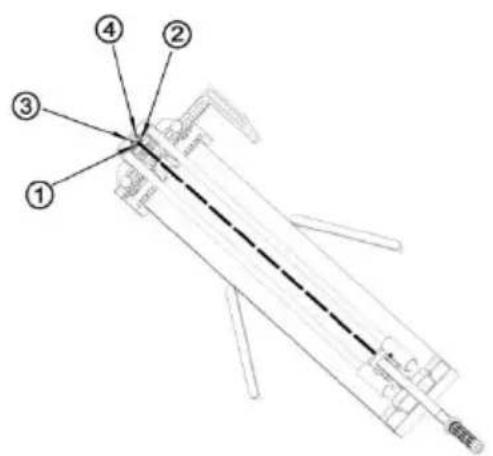
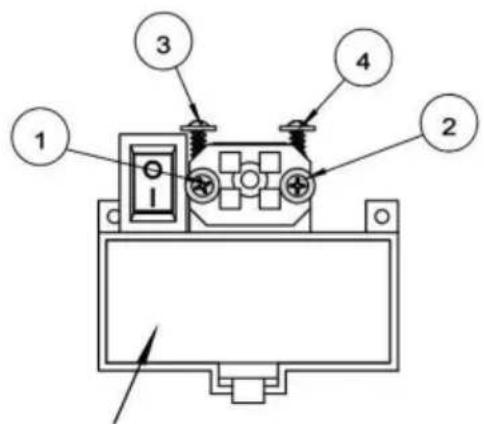
The laser is adjusted using four screws. If the laser is too far to the left, turn screw #2 clockwise and screw #1 counterclockwise. For height, use screws #3 and #4.
How to replace the cutting wheel?
Use a screwdriver to remove the worn wheel and install the new one (dimensions 22x6x6 mm). A replacement wheel is included.
What safety precautions should I take?
Always wear safety glasses and gloves. Work on a flat, clean surface, and keep children away from the work area.
How to make a straight cut?
Place the wheel on the back edge of the tile, push the handle forward applying medium pressure to score the surface. Then, lift the handle slightly so that the breaker is flat on the tile and apply increasing pressure to snap along the line.
How to make a diagonal cut?
Place the tile against the adjusted angle ruler. Follow the same procedure as for a straight cut: score the surface in one continuous motion, then snap the tile.
Why is the wheel not cutting properly?
Check that the wheel is in good condition and properly installed. Make sure to apply constant pressure and not to score the surface multiple times. The wheel may be worn: replace it.
Can I use this tile cutter without batteries?
Yes, the laser guide requires AAA batteries to operate, but the cutting itself is completely manual and does not require electrical power.
Where can I find spare parts?
Replacement cutting wheels (22x6x6 mm) are available from Vevor manufacturer or authorized dealers. Contact customer service at ServiceClient@vevor.com.

User questions about 8106C-8L Vevor

0 question about this device. Answer the ones you know or ask your own.

Ask a new question about this device

The email remains private: it is only used to notify you if someone responds to your question.

No questions yet. Be the first to ask one.

Download the instructions for your Slicer in PDF format for free! Find your manual 8106C-8L - Vevor and take your electronic device back in hand. On this page are published all the documents necessary for the use of your device. 8106C-8L by Vevor.

USER MANUAL 8106C-8L Vevor

Support and E-Warranty Certificate https://www.vevor.com/support

TILE CUTTER

MODEL:8106C-8L/48"

We continue to be committed to provide you tools with competitive price. "Save Half", "Half Price" or any other similar expressions used by us only represent of savings you might benefit from buying certain tools with us compared top brands and doses not necessarily mean to cover all categories of tools offered are kindly reminded to verify carefully when you are placing an order with us actually saving half in comparison with the top major brands.

VEVOR®

Tile Cutter

8106C-8L/48"

8106C-8L/48"
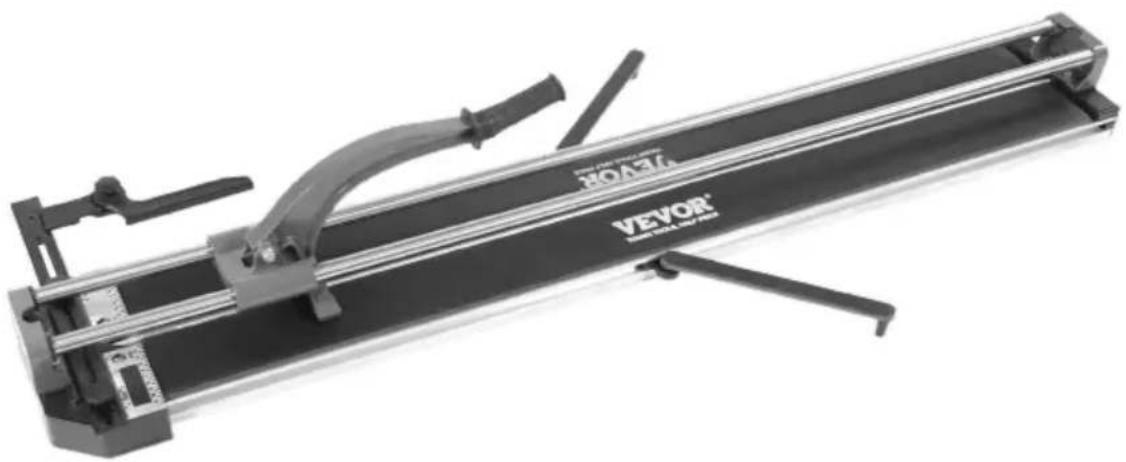
Vevor 8106C-8L - VEVOR® - 1

natural_image Mechanical device labeled 'VEVOR' with metal frame and lever mechanism (no readable text beyond branding)

NEED HELP? CONTACT US!

Have product questions? Need technical support? Please feel fr contact us:

Vevor 8106C-8L - NEED HELP? CONTACT US! - 1

CustomerService@vevor.com

This is the original instruction, please read all manual instruction carefully before operating. VEVOR reserves a clear interpretation user manual. The appearance of the product shall be subject to product you received. Please forgive us that we won't inform you there are any technology or software updates on our product.

SPECIFICATIONS

Maximum Cutting Length1200mm
Maximum Cutting Thickness15mm
Cutting Wheel SizeΦ22*Φ6*6mm

SAFETY INFORMATION

SymbolSymbol Description
Vevor 8106C-8L - SAFETY INFORMATION - 1Warning - To reduce the risk of injury, user must read in manual carefully.
Vevor 8106C-8L - SAFETY INFORMATION - 2This symbol, placed before a safety comment, indicates a precaution, warning, or danger. Ignoring this warning may an accident. To reduce the risk of injury, fire, or electro please follow the recommendation below.
Vevor 8106C-8L - SAFETY INFORMATION - 3Warning- Be sure to wear eye protectors when using this
Vevor 8106C-8L - SAFETY INFORMATION - 4Warning- Be sure to wear gloves when using this proc

Warning

Vevor 8106C-8L - Warning - 1

Read and understand all instructions before using this tile cutter. The operator must follow basic precautions to reduce the risk of personal injury a damage to the equipment.

Please familiarize yourself with the hazard notices found in this manual. A

is an alert that there is a possibility of property damage, injury or death if instructions are not followed.

WORK AREA

  1. Operate in a safe work environment. Keep your work area clean, well-lit and of distractions.
  2. Keep anyone not wearing the appropriate safety equipment away from the area.
  3. Store new tools properly in a safe and dry location to prevent rust or da Lock tile cutter away and keep out of the reach of children.
  4. Always place the tile cutting machine on a level and firm surface.

PERSONAL SAFETY

WARNING!

Wear personal protective equipment approved by the Canadian Standards Association (CSA) or American National Standards Institute (ANSI).

PERSONAL PROTECTIVE EQUIPMENT

  1. Always wear impact safety goggles that provide front and side protection f eyes. Eye protection equipment should comply with CSA Z94.3-07 or ANSI Z8 standards based on the type of work performed.
  2. Wear gloves that provide protection based on the work materials or to reduce the effects of tool vibration.
  3. Caution! The edges of cut tiles are sharp.

PERSONAL PRECAUTIONS

Control the tile cutter, personal movement and the work environment to avoid personal injury or damage to tile cutter.

  1. Do not operate any tile cutter when tired or under the influence of drugs or medications.
  2. Avoid wearing clothes or jewelry that can become entangled with a tool's parts. Keep long hair covered or bound.

SPECIFIC SAFETY PRECAUTIONS

  1. The tile cutting machine is fitted with replaceable circular blade. Keep the cutter and blade away from children.
  2. Use the correct tile cutter for the job. This tile cutter was designed for a function. Do not modify or alter this tile cutter or use it for an unintended p
  3. After use, the machine must be stored in a safe and dry place.
  4. This machine has been designed for cutting and breaking ceramic, glazed, porcelain, and polished tile, and which surface must be flat. Shall not be used any other purpose.

WARNING!

DO NOT let comfort or familiarity with product (gained from repeated use) restrict adherence to the tile cutter safety rules. If you use this tool unsafely or incorrectly, you can suffer serious personal injury.

WARNING!

Direct exposure of pressurized air or fluids to skin could result in severe body injury.

SAVE THESE INSTRUCTIONS
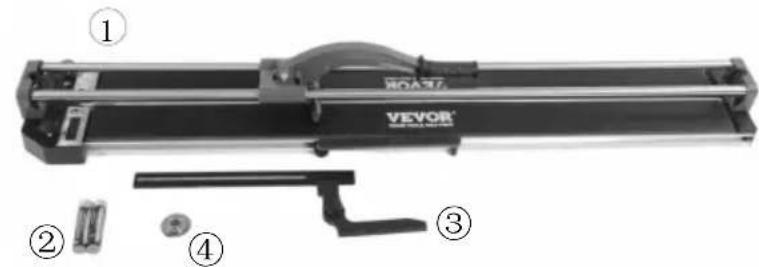
① VEVOR® ② ③ ④

① Cutter *1PCS
② AAA Battery*2PCS
③ Ruler *1PCS
④ Spare Cutting Wheel Φ22xΦ6x6mm *1PCS
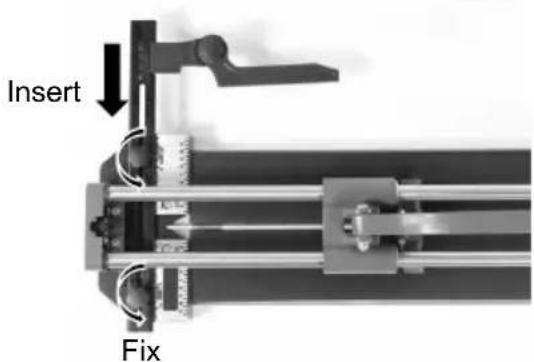
Insert Fix

Operation

Straight Cutting

1

Vevor 8106C-8L - Straight Cutting - 1

natural_image Mechanical device with a curved tool and paper sheet, no visible text or symbols

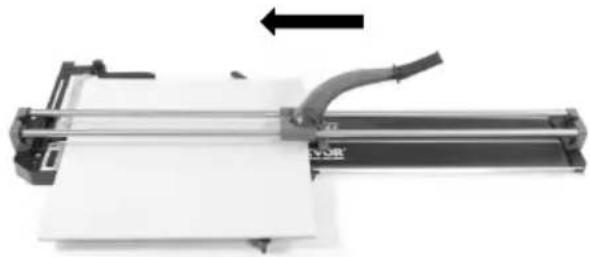
Place the cutting wheel on the rear edge of the tile.
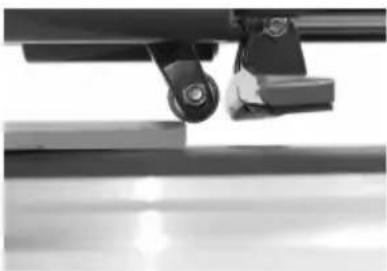
Vevor 8106C-8L - Straight Cutting - 2

natural_image Close-up of a mechanical assembly with a pulley and lever mechanism (no visible text or symbols)

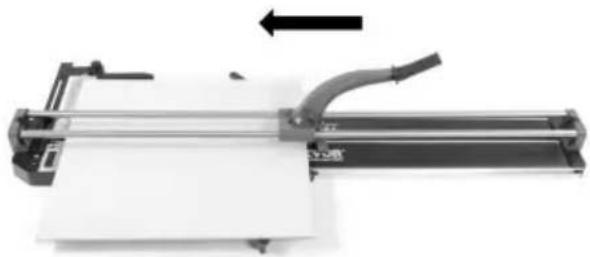
Slide the wheel forward by pushing the handle down with medium pressure.

Scoring the tile surface glaze as the handle is pushed forward.

It is important to make one continuous motion, scoring the surface only once time.

2

Vevor 8106C-8L - Straight Cutting - 3

natural_image Mechanical device with a lever and paper strip, no visible text or symbols

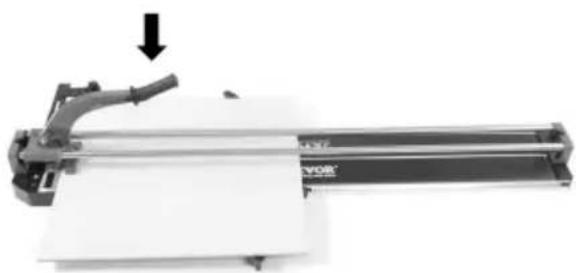
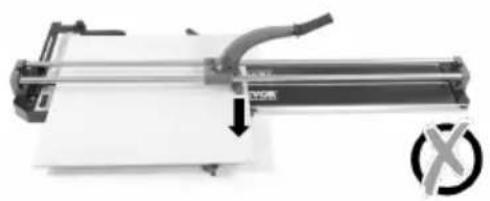
After scoring and without moving the tile position, the breaker is slightly in the edge of the tile and front stop.

Raise the handle a little so that the breaker is flat on the tile.

Apply increasing pressure on the handle until the tile snaps along the score

5-10mm

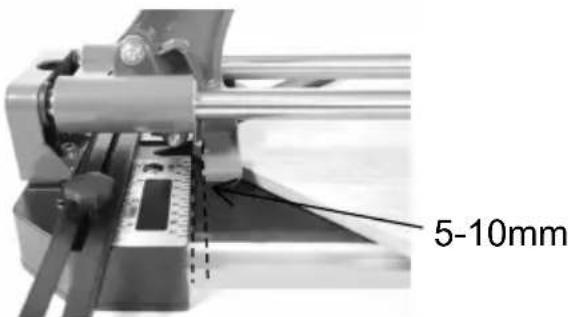
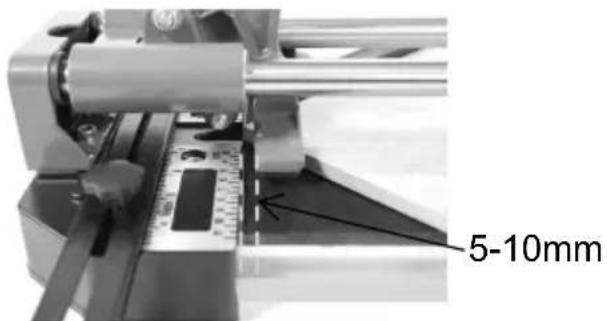
Tips: After scoring, it is better to pull back the handle to let the breaker slip backtrack 5-10mm, it's the best position to break the tile.
Vevor 8106C-8L - Straight Cutting - 5

natural_image Mechanical device with a downward arrow and a cross symbol (no readable text or labels)

Vevor 8106C-8L - Straight Cutting - 6

natural_image Mechanical device with a downward arrow and circular symbol (no readable text or labels)

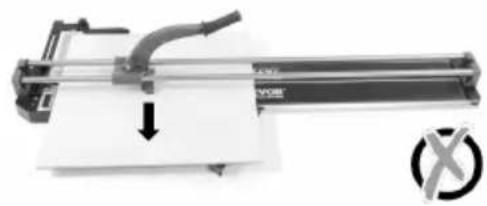
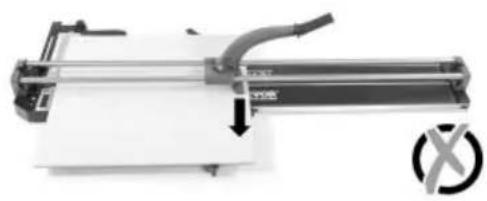
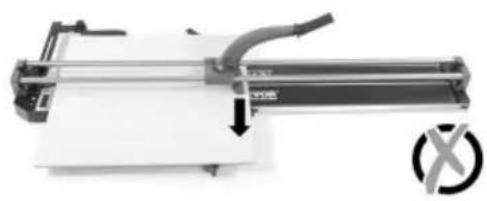
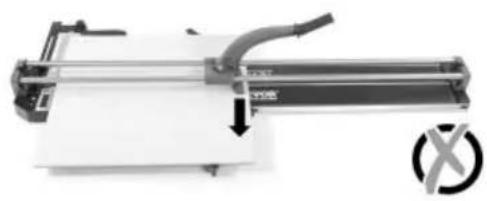
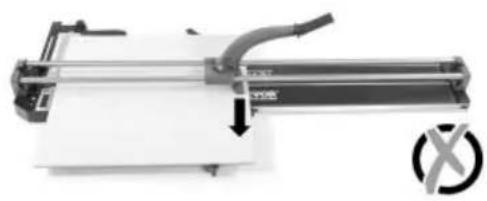
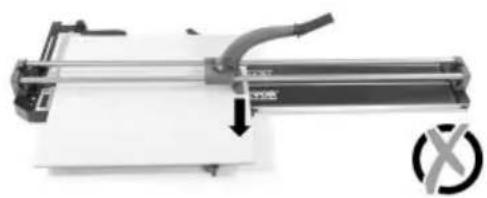
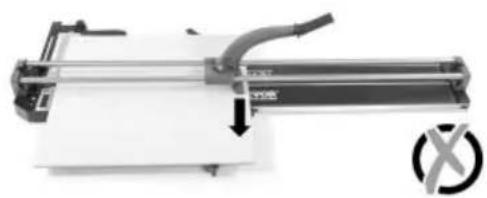
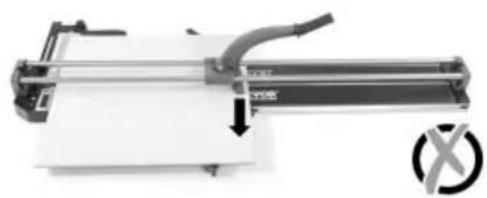
Tips: Do not press in the middle or the end.

Diagonal Cutting

1

Vevor 8106C-8L - Diagonal Cutting - 1

natural_image Mechanical device with a paper sheet and directional arrow, no visible text or symbols

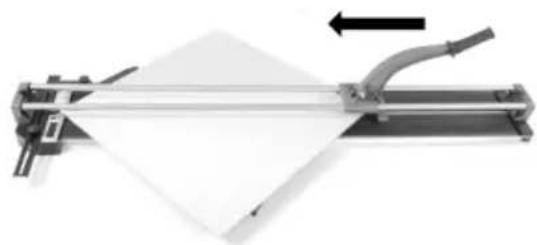
Put tile on the machine against the adjusted angle ruler.
Vevor 8106C-8L - Diagonal Cutting - 2

natural_image Close-up of a mechanical assembly with a lever and base, no visible text or symbols

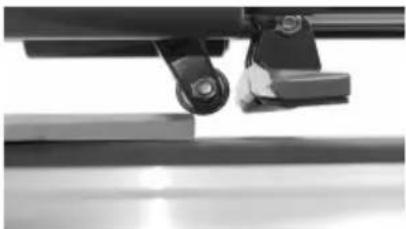
Place the cutting wheel on the rear edge of the tile.

Slide the wheel forward by pushing the handle down with medium pressure. Scoring the tile surface glaze as the handle is pushed forward.

It is important to make one continuous motion, scoring the surface only once time.

2

Vevor 8106C-8L - Diagonal Cutting - 3

natural_image Mechanical device with a paper sheet being cut, showing motion direction (no text or symbols visible)

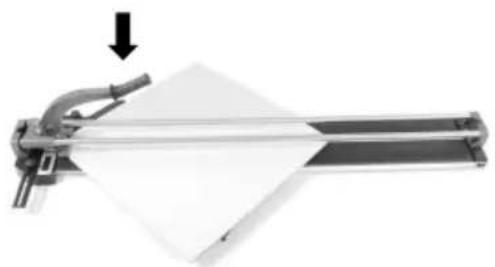
After scoring and without moving the tile position, the breaker is slightly in the edge of the tile and front stop.

Raise the handle a little so that the breaker is flat on the tile.

Apply increasing pressure on the handle until the tile snaps along the score

5-10mm

Tips: Do not put the tile too inside to make sure the scoring line is a who after scoring, it is better to pull back the handle to let the breaker slightly be 5-10mm, it's the best position to break the tile.

Use Screwdriver to replacement the blade.

Vevor 8106C-8L - Diagonal Cutting - 5

natural_image Close-up of mechanical components with no visible text or symbols

Laser Device Instruction

1 2 3 4

Required: 2pcs AAA battery

  1. There are four screws for laser device.

Technical diagram of a mechanical device with numbered components labeled 1 to 4

2, If the laser is biased to the adjust the No. 2 screw clockwise the No. 1 screw counterclockwise

Technical diagram of a mechanical device with numbered components labeled 1 to 4

3, If the laser is biased to the adjust the No. 1 screw clockwise the No. 2 screw counterclockwise

Technical diagram of a mechanical device with numbered components and labeled parts

  1. When the laser irradiation is too far/high, adjust the 3 and 4 screws clockwise.

  2. When the laser irradiation is too close/low, adjust the No. 3 and 4 screws counterclockwise.

Address: Baoshanqu Shuangchenglu 803long 11hao 1602A-1609shi Shanghai

Imported to USA: VEVOR STORE INC, 9448 RINCHMOND PL #E

RANCHO CUCAMONGA, California, 91730 United States of America

UKREP

Pooledas Group Ltd

Unit 5 Albert Edward House, The Pavilions
Preston, United Kingdom

ECREP

SHUNSHUN GmbH

Römeräcker 9 Z2021, 76351

natural_image Mechanical tool labeled 'VEVOR' with adjustable arms and a central curved component (no visible text beyond brand name)

BESOIN D'AIDE? CONTACTEZ-NOUS!

Association (CSA) ou American National Standards Institute (ANSI).

ÉQUIPEMENT DE PROTECTION INDIVIDUELLE

natural_image Mechanical assembly with VEVOR component and mounting bracket (no visible text or symbols)
natural_image Mechanical device with a curved handle and paper sheet, no visible text or symbols
natural_image Close-up of a mechanical assembly with a black component and metallic bracket (no visible text or symbols)
natural_image Mechanical device with a downward arrow indicating compression or disassembly (no visible text or symbols)
natural_image Mechanical device with a downward arrow and a cross symbol, no readable text or labels present.

Vevor 8106C-8L - ÉQUIPEMENT DE PROTECTION INDIVIDUELLE - 1

natural_image Mechanical device with a downward arrow and circular symbol (no readable text or labels)
natural_image Mechanical device with paper feed and directional arrow (no text or symbols)
natural_image Close-up of a mechanical assembly with a foot and roller, no visible text or symbols
natural_image Mechanical device with a paper roll and lever mechanism, no visible text or symbols
natural_image Close-up of mechanical components with no visible text or symbols

Required: 2pcs AAA battery

natural_image Mechanical tool labeled 'VEVOR' with adjustable arms and a central curved component (no visible text beyond brand name)

Kundenservice@vevor.com

natural_image Mechanical device with a curved handle and paper sheet, no visible text or symbols
natural_image Close-up of a mechanical assembly with a lever and base mount (no visible text or symbols)
natural_image Mechanical device with a downward arrow indicating compression or disassembly (no visible text or symbols)
natural_image Mechanical device with a downward arrow and a cross symbol, no readable text or labels present.

Vevor 8106C-8L - ÉQUIPEMENT DE PROTECTION INDIVIDUELLE - 2

natural_image Mechanical device with a downward arrow and circular symbol (no readable text or labels)
natural_image Mechanical device with paper feed and directional arrow (no text or symbols)
natural_image Close-up of mechanical components and surfaces, no visible text or symbols
natural_image Mechanical device with a lever and paper sheet, showing motion direction (no text or symbols visible)
natural_image Close-up of mechanical components including a wheel and bracket, with no visible text or symbols.

Required: 2pcs AAA battery

natural_image Mechanical tool labeled 'VEVOR' with adjustable arms and a central curved component (no visible text beyond brand name)
natural_image Mechanical device with a curved handle and paper sheet, no visible text or symbols
natural_image Close-up of a mechanical assembly with a black component and metallic bracket (no visible text or symbols)
natural_image Mechanical device with a lever and paper sheet, no visible text or symbols
natural_image Mechanical device with a downward arrow and a cross symbol, no readable text or labels present.

Vevor 8106C-8L - ÉQUIPEMENT DE PROTECTION INDIVIDUELLE - 3

natural_image Mechanical device with a downward arrow and circular symbol (no readable text or labels)
natural_image Mechanical device with paper feed and directional arrow (no text or symbols)
natural_image Close-up of a mechanical assembly with a foot and roller, no visible text or symbols
natural_image Mechanical device with a lever and paper sheet, showing motion direction (no text or symbols)
natural_image Close-up of mechanical components including a wheel and bracket, with no visible text or symbols.

Required: 2pcs AAA battery

natural_image Mechanical tool labeled 'VEVOR' with adjustable arms and a central curved component (no visible text beyond brand name)
natural_image Mechanical assembly with VEVOR component and mounting bracket (no visible text or symbols)
natural_image Mechanical device with a curved handle and paper sheet, no visible text or symbols
natural_image Close-up of a mechanical assembly with a black component and metallic bracket (no visible text or symbols)
natural_image Mechanical device with a downward arrow indicating compression or disassembly (no visible text or symbols)
natural_image Mechanical device with a downward arrow and a cross symbol, no readable text or labels present.

Vevor 8106C-8L - ÉQUIPEMENT DE PROTECTION INDIVIDUELLE - 4

natural_image Mechanical device with a downward arrow and circular symbol (no readable text or labels)
natural_image Mechanical device with paper feed and directional arrow (no text or symbols)
natural_image Close-up of a mechanical assembly with a foot and roller, no visible text or symbols
natural_image Mechanical device with a lever and paper sheet, showing a downward arrow (no text or symbols visible)
natural_image Close-up of mechanical components including a wheel and bracket, with no visible text or symbols.

Required: 2pcs AAA battery

natural_image Mechanical tool labeled 'VEVOR' with adjustable arms and a central curved component (no visible text beyond brand name)

POTRZEBUJESZ POMOCY? SKONTAKTUJ SIĘ Z NAMI!

natural_image Mechanical assembly with VEVOR component and mounting bracket (no visible text or symbols)
natural_image Mechanical device with a curved pipe and paper sheet, no visible text or symbols
natural_image Close-up of a mechanical assembly with a lever and base mount (no visible text or symbols)
natural_image Mechanical device with a lever and paper sheet, no visible text or symbols
natural_image Mechanical device with a downward arrow and circular symbol (no readable text or labels)

Vevor 8106C-8L - ÉQUIPEMENT DE PROTECTION INDIVIDUELLE - 5

natural_image Mechanical device with a downward arrow and circular symbol (no readable text or labels)
natural_image Mechanical device with paper feed and directional arrow, no visible text or symbols
natural_image Close-up of a mechanical assembly with a metallic component and a curved rod (no visible text or symbols)
natural_image Mechanical device with a paper roll being cut, showing mechanical components and a downward arrow (no text or symbols)
natural_image Close-up of mechanical components including a wheel and bracket, with no visible text or symbols.

Required: 2pcs AAA battery

natural_image Mechanical tool labeled 'VEVOR' with adjustable arms and a central curved component (no visible text beyond brand name)

HULP NODIG? NEEM CONTACT MET ONS OP!

Klantenservice@vevor.com

Bediening

Rechte snede

1

Vevor 8106C-8L - Rechte snede - 1

natural_image Mechanical device with a curved handle and paper sheet, no visible text or symbols
natural_image Close-up of a mechanical assembly with a black component and metallic bracket (no visible text or symbols)
natural_image Mechanical device with a lever and paper sheet, showing a downward arrow (no text or symbols visible)
natural_image Mechanical device with a downward arrow and circular symbol (no readable text or labels)

Vevor 8106C-8L - Rechte snede - 2

natural_image Mechanical device with a downward arrow and circular symbol (no readable text or labels)
natural_image Mechanical device with paper feed and directional arrow (no text or symbols)
natural_image Close-up of mechanical components with no visible text or symbols
natural_image Mechanical device with a lever and paper sheet, showing motion direction (no text or symbols)
natural_image Close-up of mechanical components with no visible text or symbols

Required: 2pcs AAA battery

Unit 5 Albert Edward House, De Paviljoens

natural_image Mechanical tool labeled 'VEVOR' with adjustable arms and a central curved component (no visible text beyond brand name)

BEHÖVER HJÄLP? KONTAKTA OSS!

natural_image Mechanical device with a curved handle and paper sheet, no visible text or symbols
natural_image Close-up of a mechanical assembly with a black component and metallic bracket (no visible text or symbols)
natural_image Mechanical device with a downward arrow indicating compression or disassembly (no visible text or symbols)
natural_image Mechanical device with a downward arrow and circular symbol (no readable text or labels)

Vevor 8106C-8L - BEHÖVER HJÄLP? KONTAKTA OSS! - 1

natural_image Mechanical device with a downward arrow and circular symbol (no readable text or labels)
natural_image Mechanical device with paper feed and directional arrow (no text or symbols)
natural_image Close-up of mechanical components with no visible text or symbols
natural_image Mechanical device with a curved handle and paper sheet, showing a downward arrow (no text or symbols visible)
natural_image Close-up of mechanical components including a wheel and bracket, with no visible text or symbols.

Laserenhetsinstruktion

Technical diagram of an electrical component with numbered parts labeled 1 to 4

Required: 2pcs AAA battery

Enhet 5 Albert Edward House, The Pavilions

Manual assistant
Powered by Anthropic
Waiting for your message
Product information

Brand : Vevor

Model : 8106C-8L

Category : Slicer