
CM5020B-UL - Coffee grinder Vevor - Free user manual and instructions
Find the device manual for free CM5020B-UL Vevor in PDF.
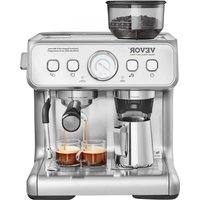


| Product Type | Espresso Machine with Integrated Grinder |
| Brand | Vevor |
| Model | CM5020B-UL |
| Power Supply | 120 V, 60 Hz, 1200 W |
| Pump Pressure | 15 bar (estimated) |
| Water Tank Capacity | 1 L |
| Bean Hopper Capacity | Approximately 200 g (estimated) |
| Dimensions (L × W × H) | Approximately 30 × 25 × 35 cm |
| Net Weight | Approximately 8 kg |
| Functions | Single/double espresso, steam for milk, hot water, integrated grinder with grind adjustment (30 levels) |
| Grind Adjustment | 30 levels from fine to coarse |
| Programmable Coffee Quantity | 20–400 ml per cup |
| Automatic Grinding | Yes, with automatic stop |
| Included Filters | Single cup filter (13 g) and double cup filter (19 g) |
| Descaling Function | Integrated descaling program with reminder |
| Auto Shut-off | After 20 minutes of inactivity |
| Maintenance | Removable parts washable with water; descaling recommended every 4–6 months |
| Safety | Overheat protection, auto shut-off, pressure lock on brewing unit |
| Included Accessories | Brewing unit, filters, tamper, cleaning brush, cleaning needles, tool kit |
| Warranty | Electronic warranty, online technical support (www.vevor.com/support) |
Frequently Asked Questions - CM5020B-UL Vevor
User questions about CM5020B-UL Vevor
0 question about this device. Answer the ones you know or ask your own.
Ask a new question about this device
Download the instructions for your Coffee grinder in PDF format for free! Find your manual CM5020B-UL - Vevor and take your electronic device back in hand. On this page are published all the documents necessary for the use of your device. CM5020B-UL by Vevor.
USER MANUAL CM5020B-UL Vevor
Technical Support and E-Warranty Certificate www.vevor.com/support
ESPRESSO MACHINE
MODEL: CM5020B-UL, CM5020B-GS
We continue to be committed to providing you with tools at competitive prices. "Save Half", "Half Price", or any other similar expressions used by us only represent an estimate of savings you might benefit from buying certain tools with us compared to top brands, and does not necessarily mean to cover all categories of tools offered. We kindly remind you to verify carefully when placing an order with us to see if you are actually saving half in comparison with the top major brands.
VEVOR®
TOUGH TOOLS, HALF PRICE
ESPRESSO MACHINE
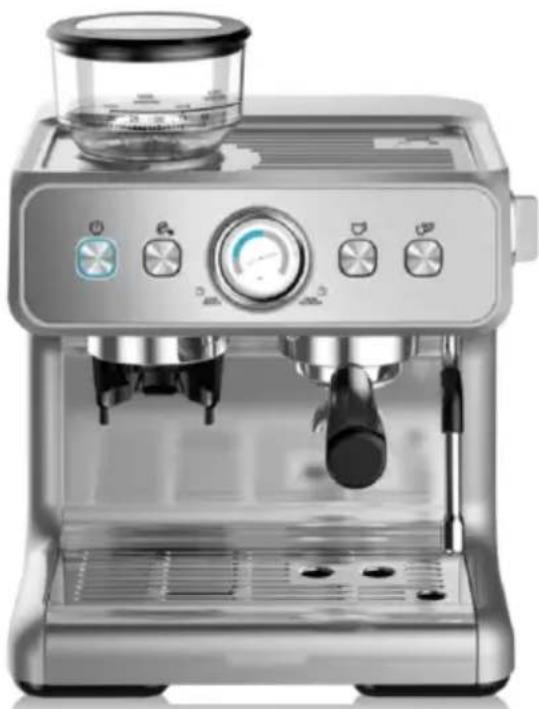
MODEL: CM5020B-UL, CM5020B-GS
NEED HELP? CONTACT US!
Have product questions? Need technical support? Please feel free to contact us:
Technical Support and E-Warranty Certificate www.vevor.com/support
This is the original instruction. Please read all manual instructions carefully before operating. VEVOR reserves the right to interpret the user manual. The appearance of the product shall be subject to the product you received. Please forgive us that we won't inform you if there are any technology or software updates on our product.

Warning - To reduce the risk of injury, the user must read the instruction manual carefully.
IMPORTANT SAFEGUARDS
Before using the electrical appliance, the following basic precautions should always be followed, including the following:
- Read all instructions.
- Before using, check that the voltage of the wall outlet corresponds to the rated voltage marked on the rating plate.
- To protect against fire, electric shock, and injury to persons, do not immerse the cord, plug, or appliance in water or other liquids.
- The appliance must not be immersed.
- Remove the plug from the wall outlet before cleaning and when not in use. Allow the appliance to cool down completely before
taking off or attaching components, or before cleaning.
- Do not operate any appliance with a damaged cord or plug, or after the appliance malfunctions, or is dropped or damaged in any manner. Return the appliance to the nearest authorized service facility for examination, repair, or electrical or mechanical adjustment.
- If the supply cord is damaged, it must be replaced by the manufacturer, its service agent, or similarly qualified persons in order to avoid a hazard.
- The use of accessory attachments not recommended by the appliance manufacturer may result in fire, electric shock, or injury to persons.
- Place the appliance on a flat surface or table. Do not let the power cord hang over the edge of the table or counter.
- Ensure the power cord does not touch hot surfaces of the appliance.
- Do not place the coffee machine on hot surfaces.
Do not place it near fire to avoid damage.
- To disconnect, remove the plug from the wall outlet. Always hold the plug, never pull the cord.
- Do not use the appliance for other than its intended use. Place it in a dry environment.
- Be careful not to get burned by the steam.
- The temperature for operating or storing the coffee machine shall be higher than 0°C.
- Do not operate the coffee machine in an environment with high temperature, strong magnetic fields, or moisture.
- Do not touch the hot surfaces of the appliance (such as the steam wand and the steel mesh just after boiling). Use handles or knobs.
- Do not let the coffee maker operate without water.
- Connect the plug to the wall outlet before using, and turn the switch off before removing the plug from the wall outlet.
- This appliance can be used by children aged from
This appliance can be used by children aged from 8 years and above if they have been given supervision or instruction concerning use of the appliance in a safe way and if they understand the hazards involved. Cleaning and user maintenance shall not be made by children unless they are older than 8 and supervised. Keep the appliance and its cord out of reach of children aged less than 8 years.
- Appliances can be used by persons with reduced physical, sensory or mental capabilities or lack of experience and knowledge if they have been given supervision or instruction concerning use of the appliance in a safe way and understand the hazards involved.
- Children shall not play with the appliance.
- This appliance is intended to be used in household and similar applications such as:
- staff kitchen areas in shops, offices and other working environments;
- farm houses;
- by clients in hotels, motels and other residential types environments;
- bed and breakfast type environments.
- Save these instructions.
Warning: pressure
In order to prevent hot steam and hot water from scalding the body or causing other personal injuries, and to prevent damage to this product, when the machine brews coffee foams, do not remove the water tank or funnel. Before removing the funnel to brew another cup of coffee, make sure that the coffee machine is in standby mode. If you want to add more water into the water tank, please turn off the machine by pressing the Power button. When four indicators are off, the product is turned off. When extracting coffee, make sure that the funnel is turned to the specified position to avoid it getting loose due to pressure during use, which may easily cause human injury.
High temperature
When the machine is working, do not extend your hands and other body parts, the bottom of the funnel or steam tube to prevent burns; at any time, it is not allowed to touch the steam tube with your hands or other body parts. You will turn the steam tube by touching the silicone sleeve that wraps the steam tube.
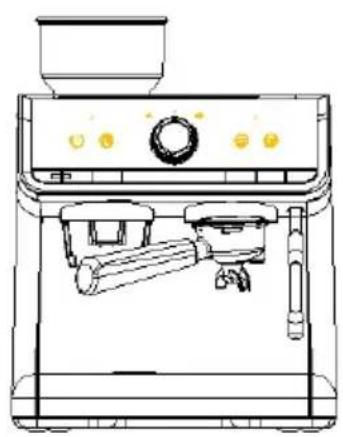
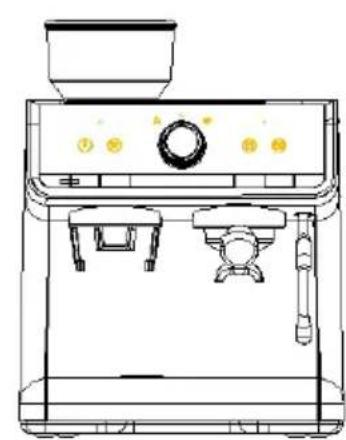
KNOW YOUR COFFEE MACHINE
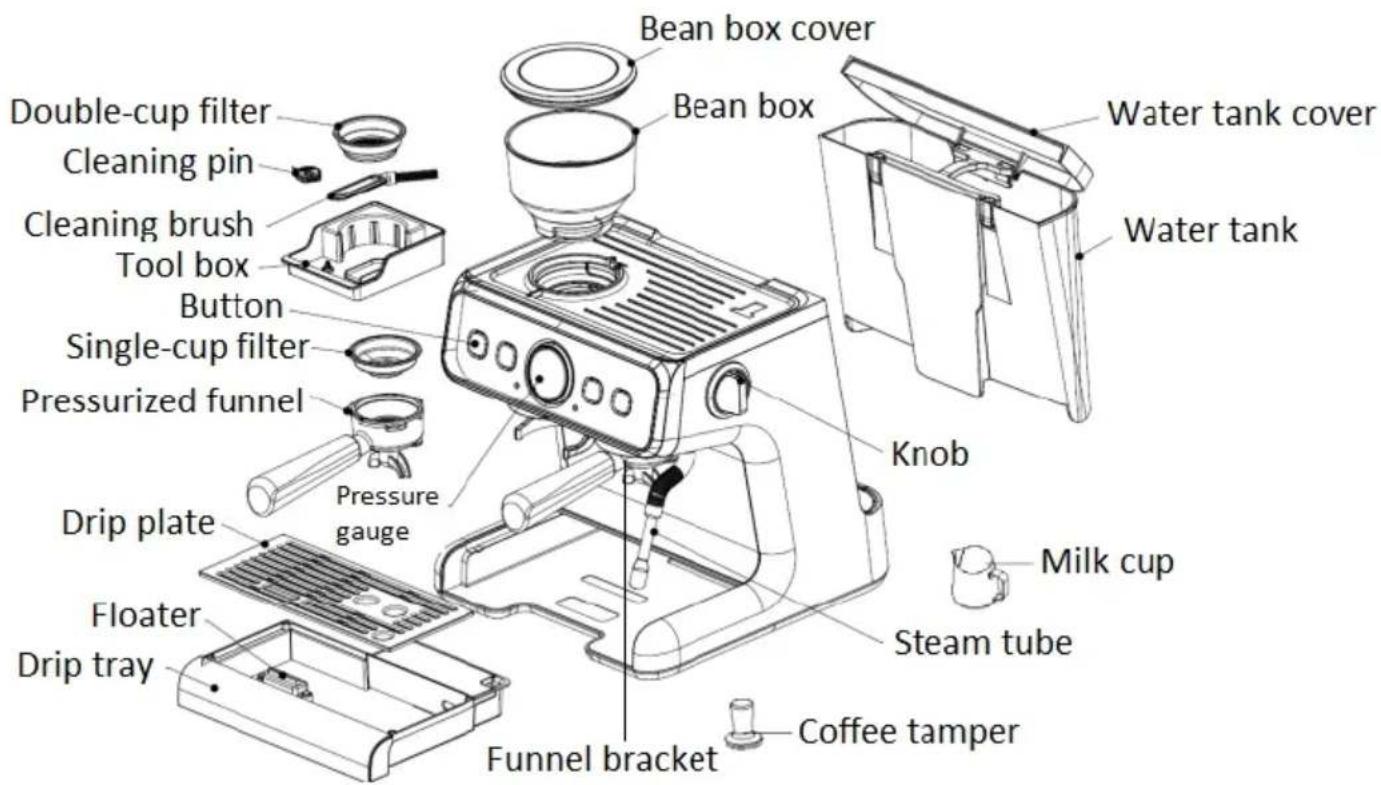
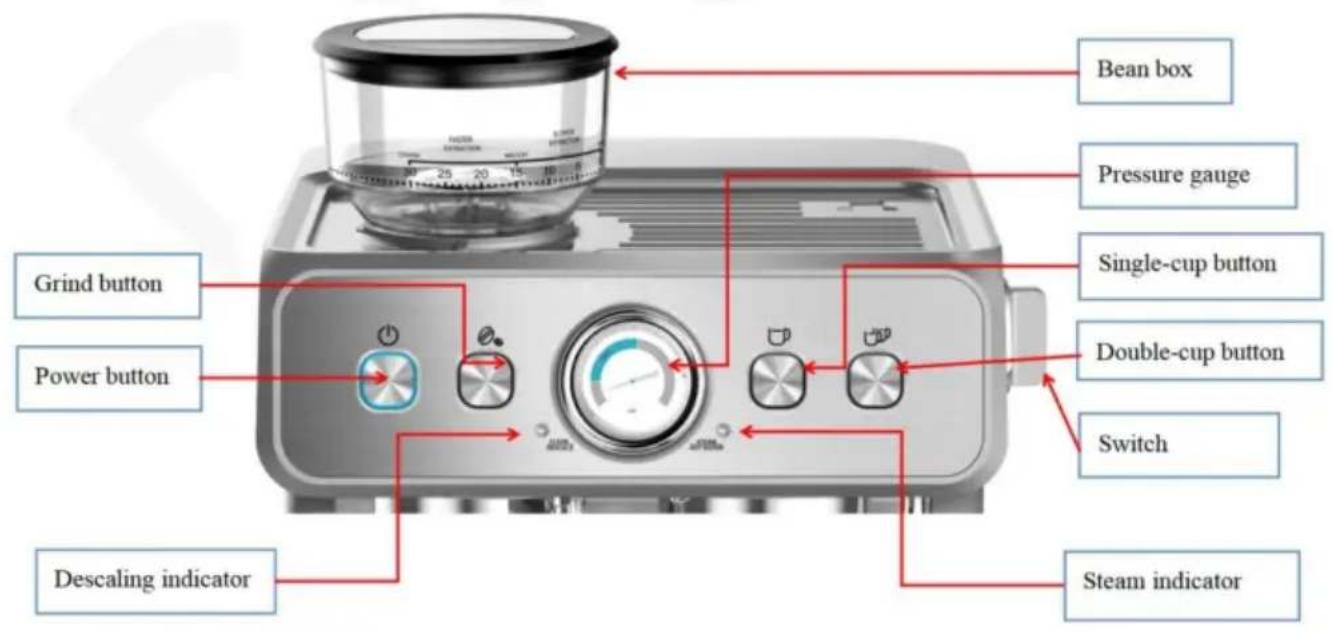
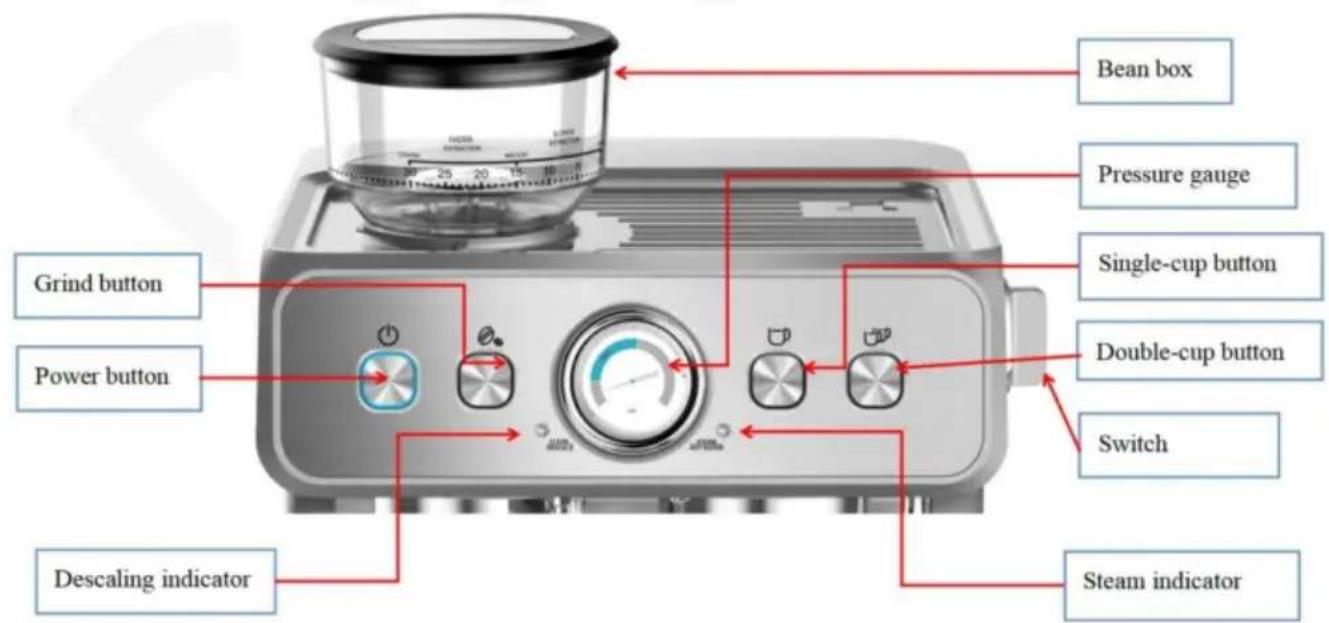
Control panel
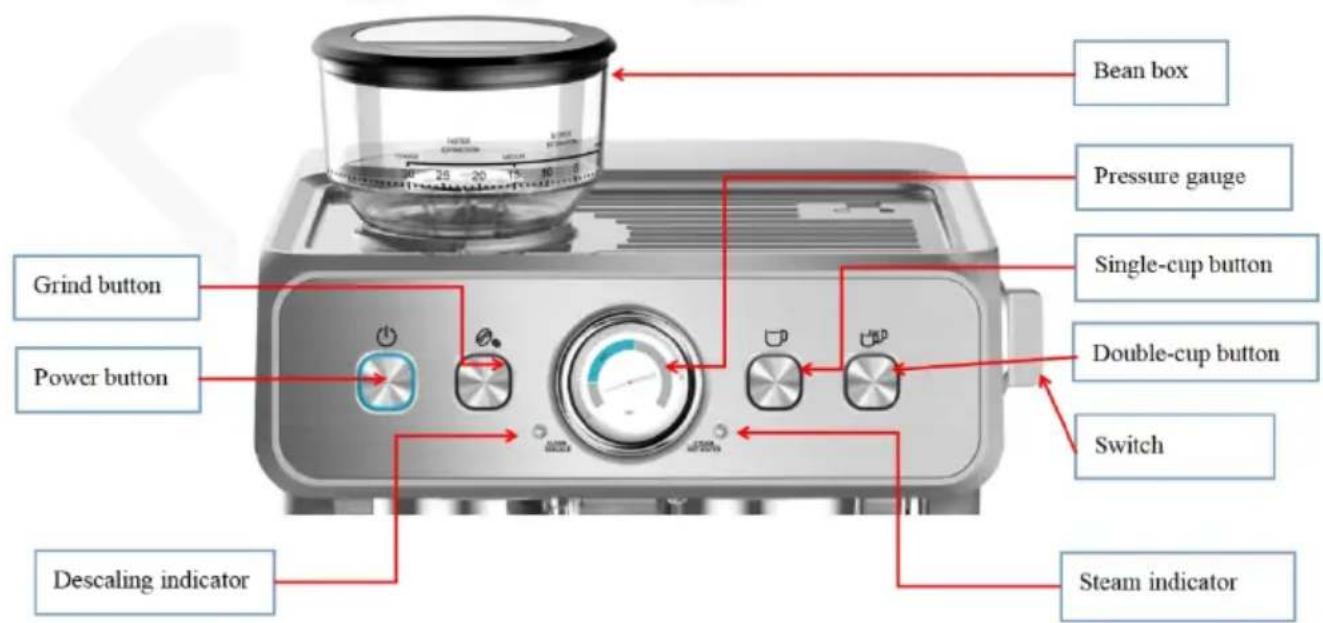
BEFORE THE FIRST USE
Before the first use or if the machine has not been used for a long time, follow the steps below to rinse and warm up the internal pipes of the machine.
- Check and ensure that all accessories are complete and not damaged.
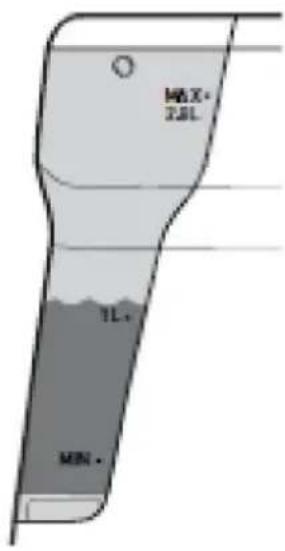
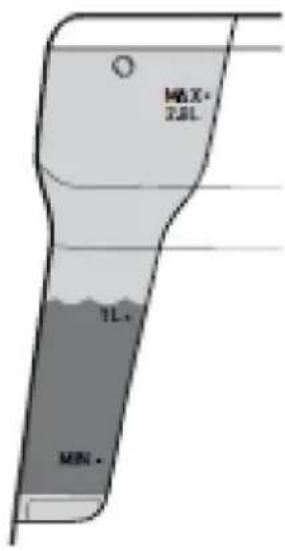
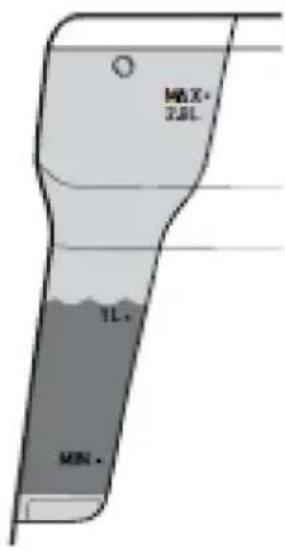
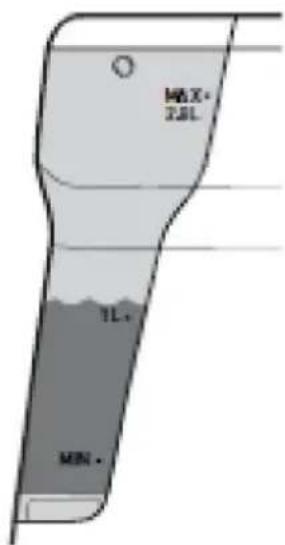
- Fill the water tank with clean water, and the water level should not exceed the "MAX" position.
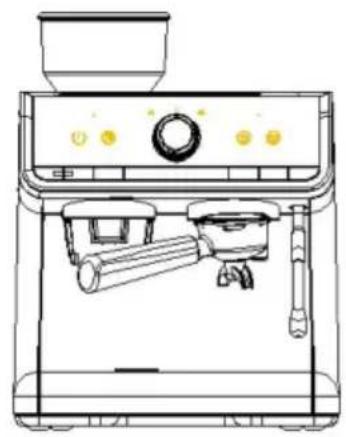
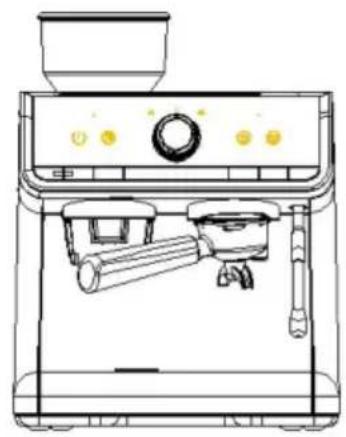
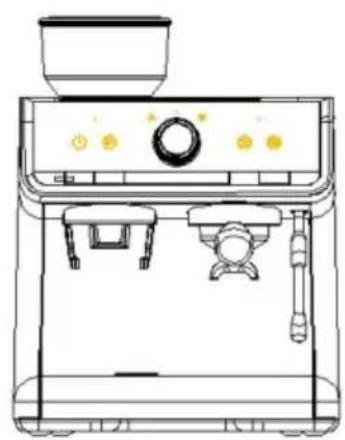
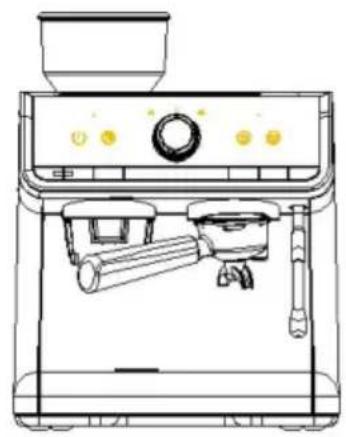
- Align the pressurized funnel with the funnel bracket (no coffee powder is placed at this moment), and rotate the funnel counterclockwise to lock it tightly (put in single-cup or double-cup filter as needed).
- Put a cup onto the drip plate, plug in the appliance, and press the Power button.
The machine enters the preheating mode. After preheating is finished, the machine will enter standby mode.
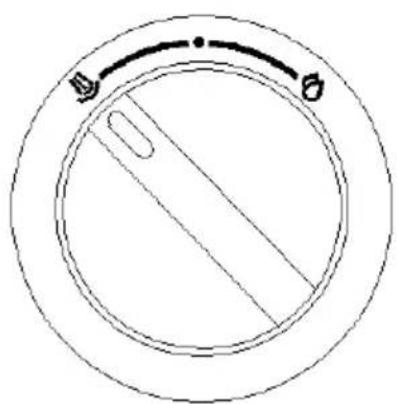
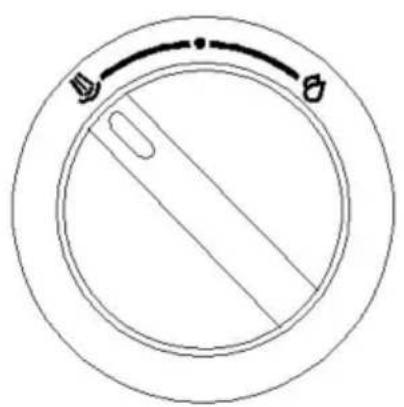
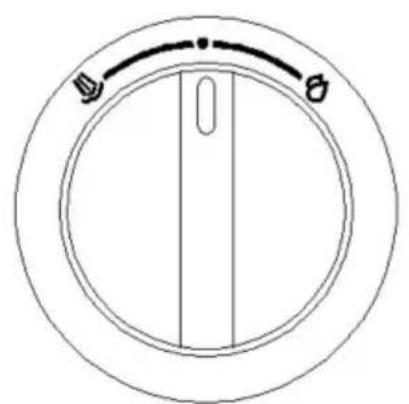
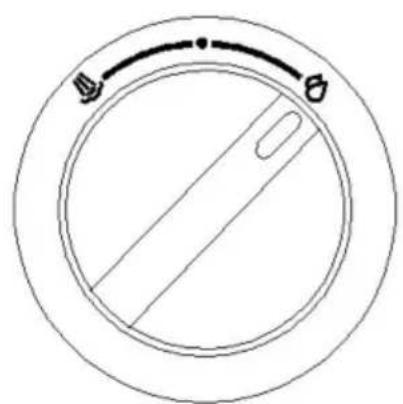
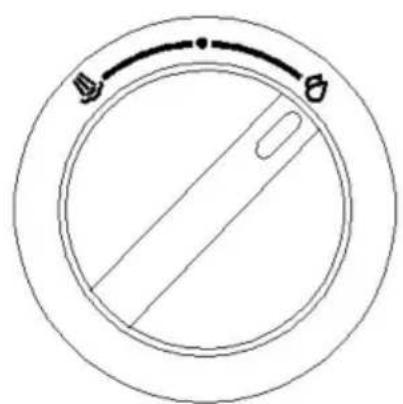
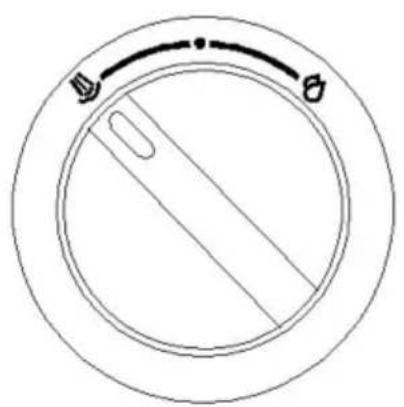
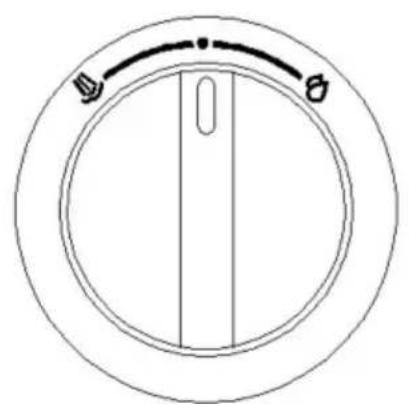
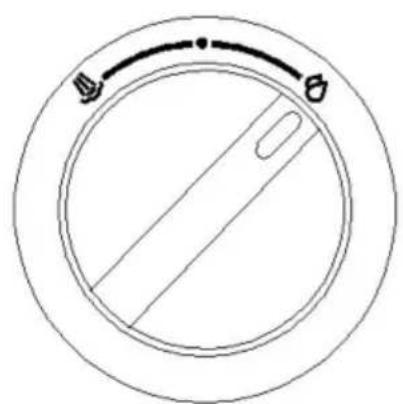
- Turn the knob to the hot water position. After a while, hot water will flow out of the steam tube. Align the steam tube to the drip tray or use a cup to collect the hot water.
- Press "" or "" to clean the pipes in the machine. Hot water will come out from the funnel. Use the drip tray or a cup to collect the hot water.
NOTE: Do not extend any parts of your body close to the funnel and steam to avoid scalding during brewing hot water.
- After water stops flowing, pour away the water in the drip tray or in the cup.
- Thoroughly clean the detachable parts of the whole machine with warm water.
NOTE: There may be noise when pumping water for the first time; this is normal.
Choose the right coffee powder.
Coffee powder
The coffee should be freshly ground and subjected to deep roasting. You may need to use French or espresso roasted coffee powder for espresso coffee. Pre-ground coffee powder can only keep the aroma for 7 to 8 days unless stored in a sealed container and placed in a cool place. Do not store coffee in the refrigerator or freezer. In general, it is not recommended to use pre-ground coffee powder. Freshly ground coffee beans retain the aroma more easily and yield higher coffee quality.
Grind
If you are making coffee, this step is a key step in the espresso making process and requires more practice.
- The correct powder should look like salt.
- If the powder is too finely ground, it may cause the coffee to flow intermittently or fail to brew coffee.
- If the powder is too coarse, the water will flow through the coffee too quickly, which will affect the aroma and taste of the extracted coffee.
- You can adjust the thickness of the ground coffee powder by adjusting the bean box, which will vary depending on the type and quality of the coffee beans you use, so you need to make appropriate adjustments to achieve the best results.
- For fresh roasted coffee beans (within 1 month), set the grinding position to 5-10. The double-cup grinder produces about 19g of powder and the single-cup about 13g, which will bring relatively good coffee extraction effect.
- In order to prevent the coffee beans from getting wet, affecting the grinding and the final coffee taste and effect, please do not put too many coffee beans in the bean box.
In order to obtain a uniform and consistent coffee powder, be sure to adjust the grinding degree according to the type and quality of coffee beans to obtain a high-quality coffee.
I. Brewing coffee, function of hot water and steam
- Fill the water tank with drinking water, the water level should not exceed the "MAX" position.
- Plug in the power and press the Power button (make sure the knob is in the correct position), then the machine enters into the preheating mode. The specific operation is as follows:
The functional buttons have their corresponding indicators. There are 3 indicators around the knob, and there are two functional indicators on the left and right separately. Indicators in different states show various working modes of the machine. Coffee brewing, hot water, and steam functions cannot work at the same time; only one function can work at a time.
Warm up: Press the "" once, the whole machine enters into warm-up mode, the power indicator "" lights up, and "" lights up at the same time.
Standby state: When the whole machine is warmed up, it enters into standby mode. At that time, the indicators of Power button, Grind button, Single-cup button, and Double-cup button light solidly, and the coffee machine can be used normally.
Brew a single-cup of coffee: In the standby mode, install the single filter into the funnel, load about 13 grams of coffee powder, use the tamper and press the coffee powder with a force of about 12.5 kg, then align the funnel with the funnel bracket, turn the funnel counterclockwise to lock it. Put a cup on the drip plate, press the SINGLE button, the machine starts to brew a single-cup coffee. When the set coffee dose is reached (about 30 ml), the machine will stop working automatically and enter into the standby mode.
Brew a double-cup of coffee: In the standby mode, install the double filter into the funnel, load about 18 grams of coffee powder, use the tamper and press the coffee powder with a force of about 12.5 kg, then align the funnel with the funnel bracket, turn the funnel counterclockwise to lock it. Put a cup on the drip plate, press the DOUBLE button, the machine starts to brew a double-cup coffee. When the set coffee dose is reached (about 60 ml), the machine will stop working automatically and enter into the standby mode.
Customized setting:
- Coffee dose of single-cup and double-cup, you can adjust the specific coffee dose according to your needs, operation is as follows:
Keep pressing the single-cup button or double-cup button, single-cup indicator
"" or double-cup indicator "" flash, and coffee starts to flow out. When
coffee dose reaches the desired amount, release the single-cup button or double-cup button, the buzzer sounds, and the machine will record the coffee. When you brew coffee next time, the machine will brew the coffee amount at your setting (adjustable coffee amount ranges between 20 ml-400 ml).
- Hold and press "", "" and "" will restore coffee dose of single and double-cup to factory settings.
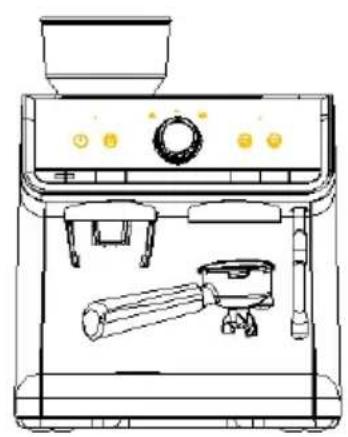
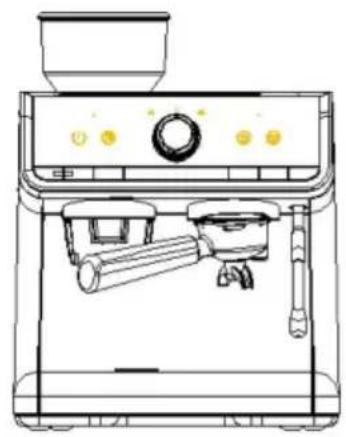
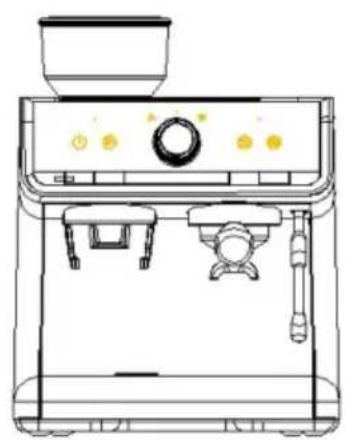
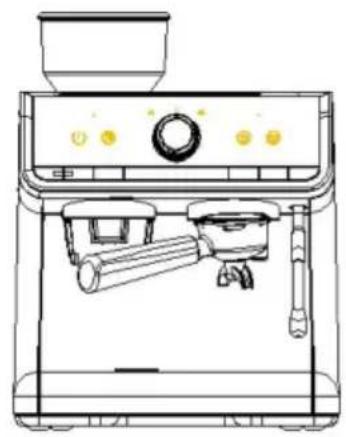
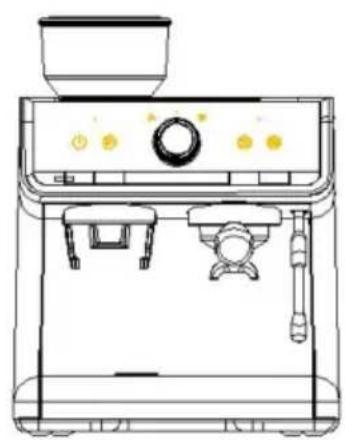
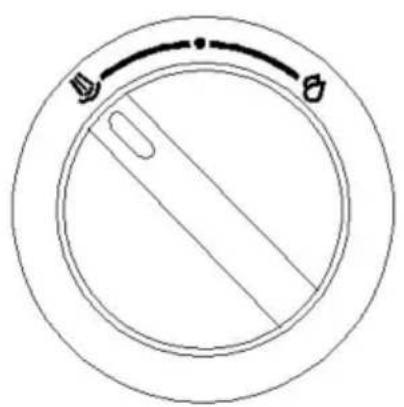
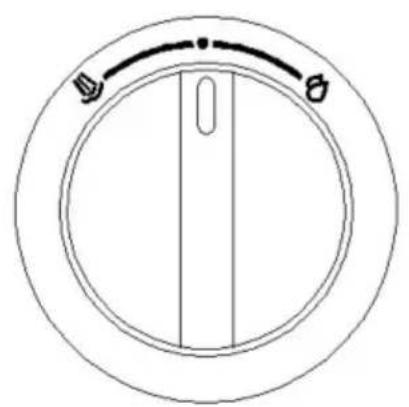
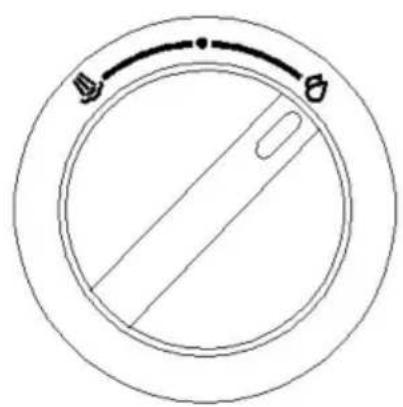
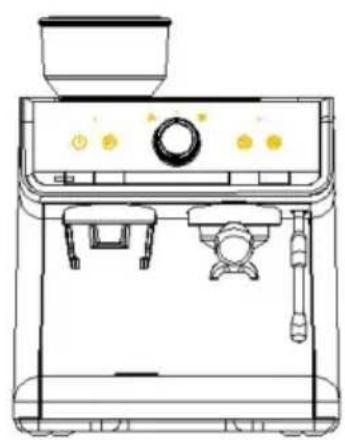
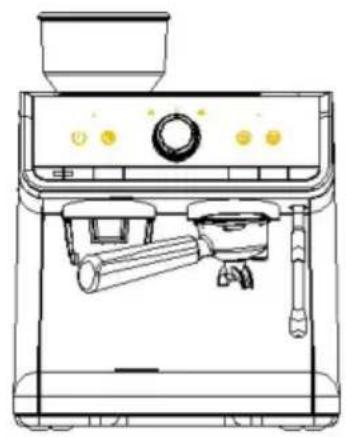
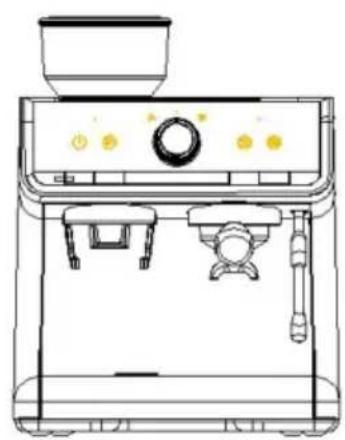
When extracting coffee, make sure that the funnel is turned counterclockwise to the correct position as shown in the figure below.
NO 1
NO 2
NO 3
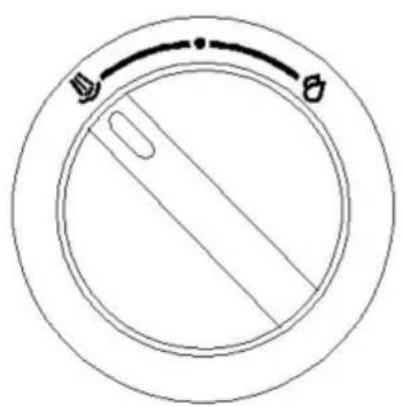
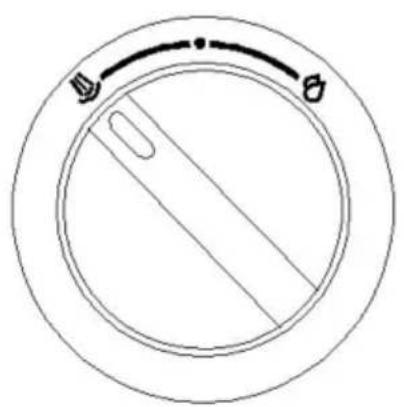
Boil hot water: In standby mode, turn the knob to the hot water indicator. The machine enters hot water mode. At that time, the hot water indicator and steam indicator light solidly. Except for the indicators of “” and “”, other indicators are off. Turn the knob to the knob indicator “” position, the machine brews hot water and enters standby mode.
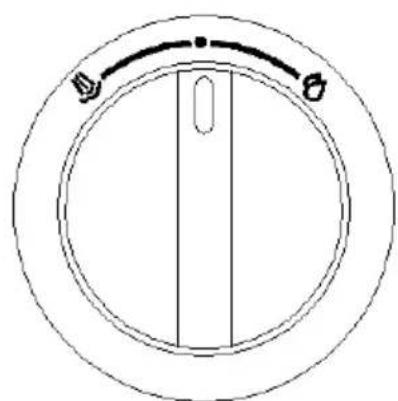
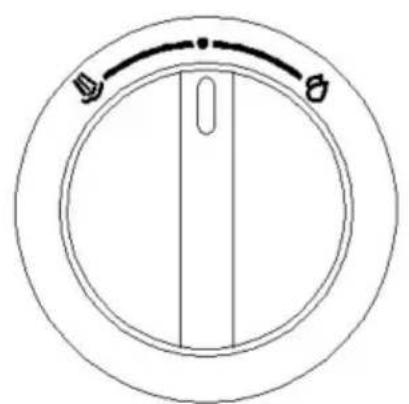
NOTE: The maximum water output of the hot water function is greater than 170r. It is important to use a container which is big enough to collect the hot water, or someone must guard it when in use. After the hot water function is finished, please turn the knob to the twelve o'clock position in time. If not, the indicator will flash as an alarm, and other functions will not be available.
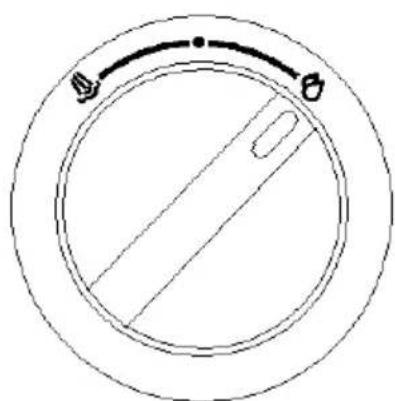
Steam preheating and steam function: In standby mode, turn the knob to the “” position. At that time, the steam indicator will flash. The single-cup indicator “” and double-cup indicator “” will extinguish, which means the steam function is warming up. Wait until the steam indicator lights up steadily, the steam function is finished preheating, and the machine enters steam mode.
NOTES:
- The steam function will generate high-temperature steam. Please pay attention to avoid scalding when using it.
- To ensure good foaming effect of milk, wait for the steam to run for 3-5 seconds, then turn the knob to the “” position, extend the steam tube into the milk, and turn the knob to the “” position to froth the milk.
- The maximum milk frothing time is 3 minutes.
- After milk frothing, please turn the knob to the “” position in time. If it is turned back, the steam indicator “” will flash as an alarm. Other functions are unavailable.
Sleep state: The machine will automatically enter into the sleep mode after minutes of no operation during the standby mode. You can activate the machine again by pressing Power button “”, the machine will re-enter into warm-up state.
Suggestion: We suggest that you can preheat the appliance, including the funnel, filters and cup before brewing coffee, so that the coffee will not be affected by the coldness of the appliance. The specific operation is as below: Put the filter in the funnel and then install the funnel onto the funnel bracket, put a cup in position and press “” or “” to make the appliance work. After the appliance stops working, the coffee-brewing can be activated.
II. Grind Coffee Beans
This product has a function of grinding coffee beans. Before using this function, please make sure that all devices are installed in accordance with the requirements. The details are as follows:
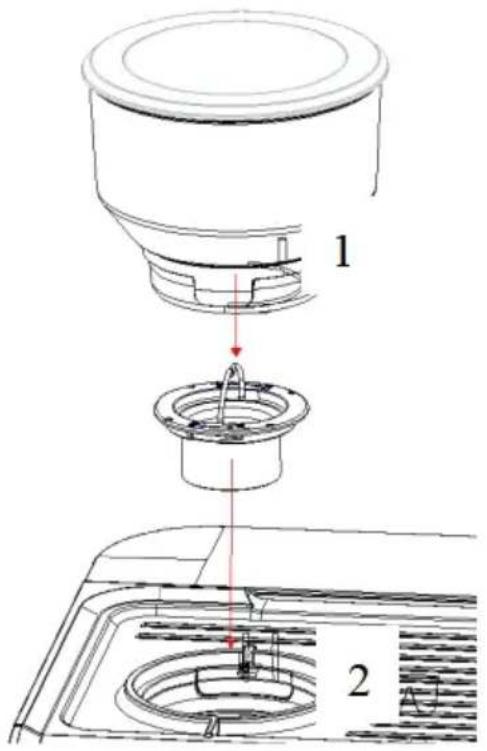
Fig. 1: Install the cutter head (2) and tighten it clockwise, then install the bean box (1) and screw as shown in Fig. 2.
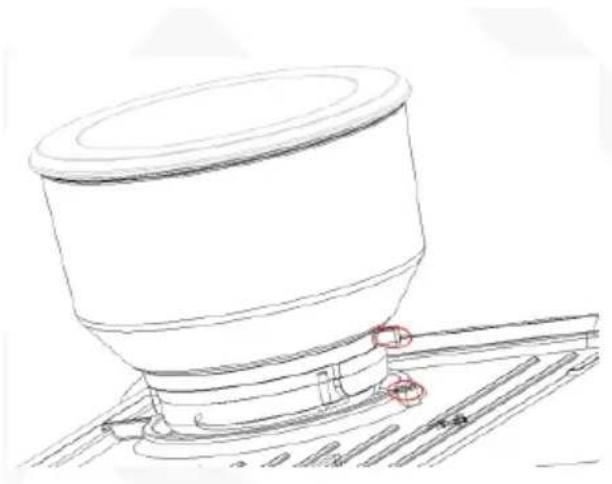
Fig. 2: Align the position in red circles in the Fig and press it down, rotate clockwise and install it in the machine.
There are markings to show the coffee coarseness on the bean box, see Fig. 3. Make the coffee coarseness you prefer, make sure the coffee coarseness set you want on the bean box is aligned with the mark position on the top cover (in Fig. 4).
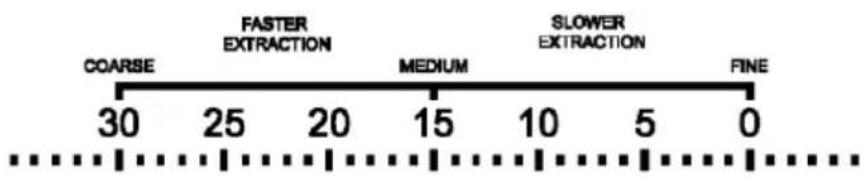
Fig. 3: From 0 to 30, coffee powder is from fine to coarse. Bigger number for coarser coffee powder.
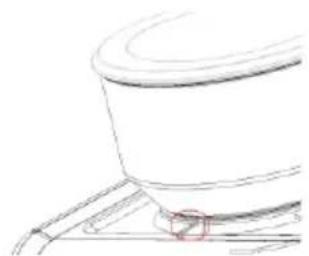
Fig. 4
- Make sure the bean box is installed. When the Grind button indicator lights up solidly, the grinder is ready for use.
- Add appropriate amount of coffee beans to the bean box. To prevent coffee beans from getting wet, affecting the grinding and the coffee taste and effect, please do not put many coffee beans in the bean box.
- As shown in Fig. 5, put the funnel with single-cup filter or double-cup filter into the receiving bracket, as shown in Fig. 5.
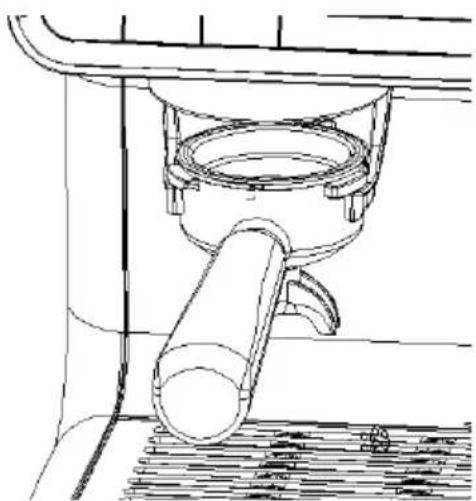
Fig. 5
- Press “” to start grinding. The grinder will automatically stop after reaching the set grinding amount. You can also press “” to stop halfway.
NOTE: The default grinding time is the time required for a double-cup dose. The grinder will produce about 19g (about 13 seconds) of powder at the grinding settings of 5-10, which has a relatively good coffee extraction effect.
If you use a single-cup filter, you need to manually control the amount or reset the grinding amount to ensure that the amount of powder is about 13g (10 seconds).
NOTE: The baking degree and freshness of coffee beans will affect the coffee taste; you may need to fine-tune the grinding setting.
- Take out the funnel, tap the funnel on the desktop, and add the coffee to the filter.
- Use the coffee tamper and apply a force of about 12.5 kg to compress the coffee powder.
- Tamp the coffee powder downwards.
When the edge of the tamper aligns with the edge of the funnel, the powder amount is appropriate.
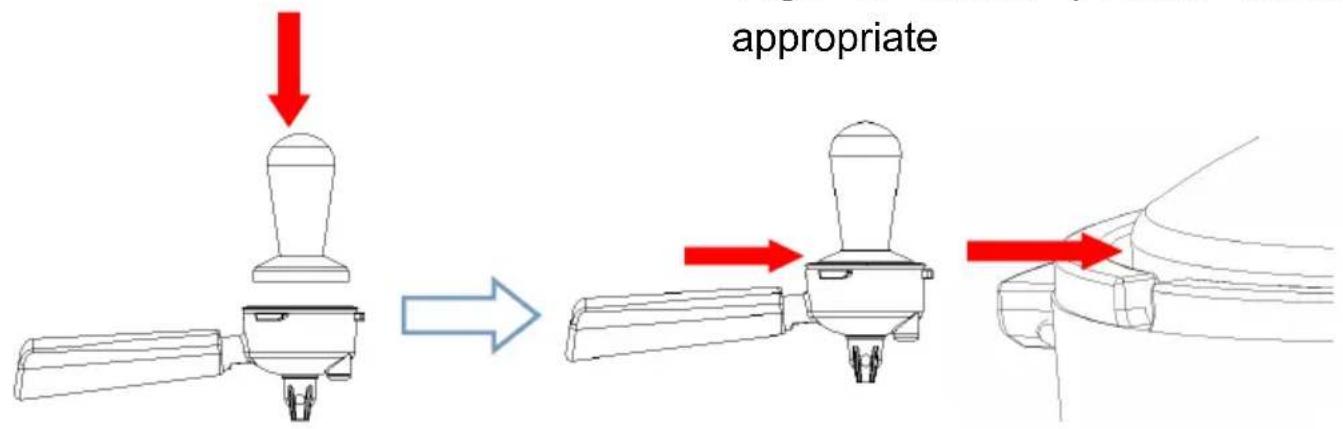
- Turn the funnel counterclockwise into the funnel bracket, and select the corresponding SINGLE or DOUBLE button according to the filter size.
NOTES:
- When the bean box is not installed, the indicator of the Grind button will illuminate in red solidly.
- When the grinding function cannot be used normally, the indicator of the Grinding button will flash and three beeps can be heard.
- When the grinder works continuously for 3 minutes and the intermediate rest time is less than 6 minutes, the machine will limit the use of the grinding function. When the rest time reaches 6 minutes, the machine will automatically release the limitation and the grinder can resume working again.
- When the grinder is limited to use, press the GRIND button “”, the buzzer will sound three times, and the indicator of the Grind button will flash.
Grinding time adjustment: You can set the grinding time as per your need. Pressing the GRIND button “”, the indicator of the Grind button will flash quickly and the grinder will start working. When it runs to the time you want, release the GRIND button “”, the buzzer will sound, and the machine will record the time. Each time you grind, the grinder will run for the set time. The machine can only record the grinding time over 6 seconds. If the grinding time is less than 6 seconds, the machine cannot record it.
NOTE: Hold and press “” and “” buttons at the same time, you can restore the grinder to factory settings.
III. Restore to factory settings
In the case of wrong settings, the user can press and hold the four buttons POWER, GRIND, SINGLE and DOUBLE at the same time. The machine will beep and all the indicators will flash together 3 times. Then the machine will return to factory settings.
IV. Tool box and cleaning accessories
The machine is equipped with a tool box which is used for storing the cleaning brush. Single-cup filter and double-cup filter can be stored in the tool box as well. The tool box is placed at the left lower part of the appliance, where you can pull it out when you remove the drip tray from the machine (Fig. 6).
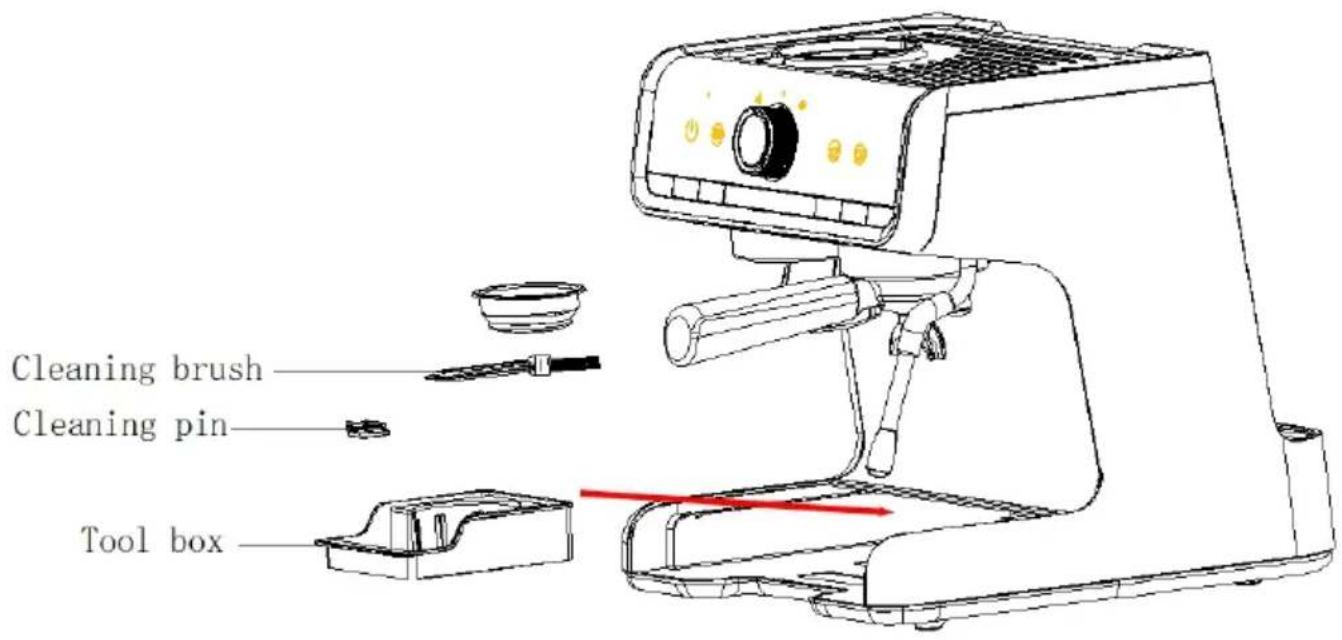
Fig.6
Cleaning pin
The cleaning pin is used for cleaning the steam spout and filters. The thicker pin cleans the steam tube (Fig. 7), and the thinner one is for filters (Fig. 8).
Clean the steam tube with the thicker pin.
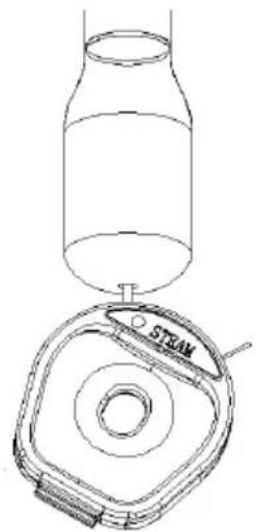
Fig. 7
Clean the filters with the thinner pin.
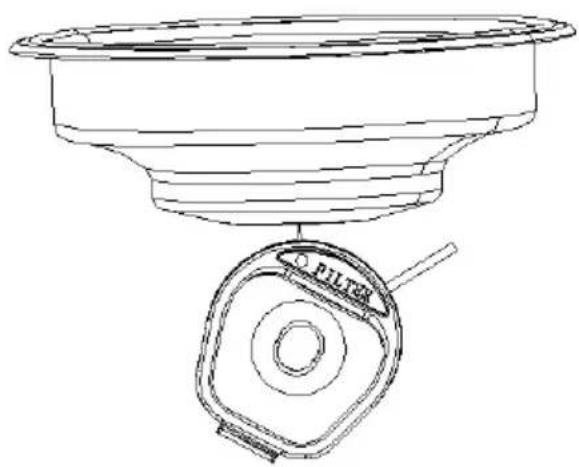
Fig. 8
Cleaning brush
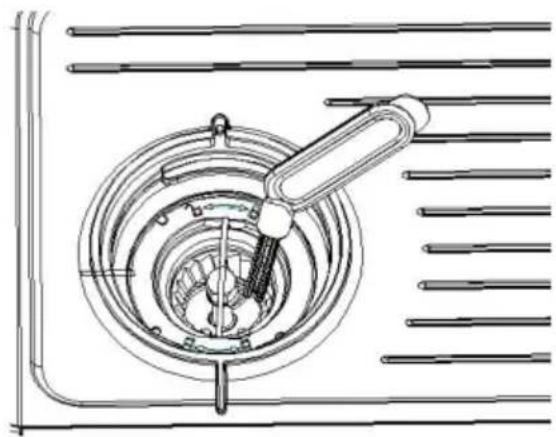
The cleaning brush is used for cleaning the grinding system. Following “III. Clean the grinder”, after taking out the bean box and grinding wheel, you can use the cleaning brush to clean the grinder chamber and the powder channel.
Clean the anti-static device and coffee powder outlet (if coffee powder comes out slower than usual or coffee powder floats, clean the anti-static device and the coffee powder outlet with the attached cleaning brush as shown in Fig. 9).
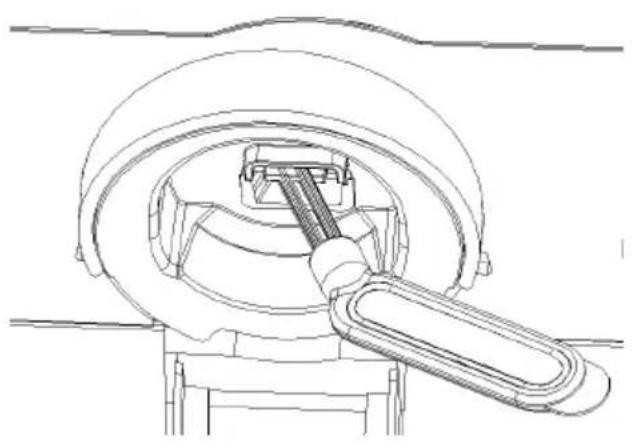
Fig. 9
Clean the grinder chamber and the powder channel with the attached cleaning brush as shown in Fig. 10.
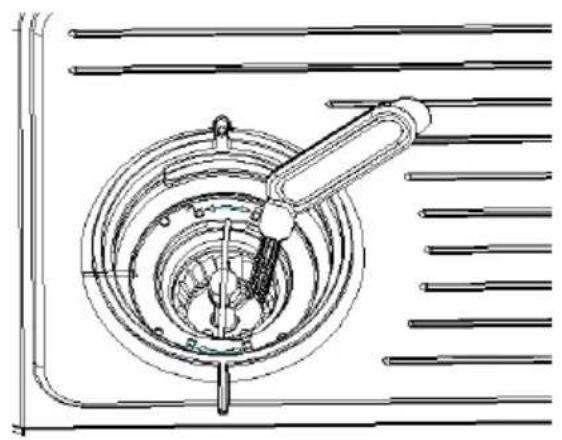
Fig. 10
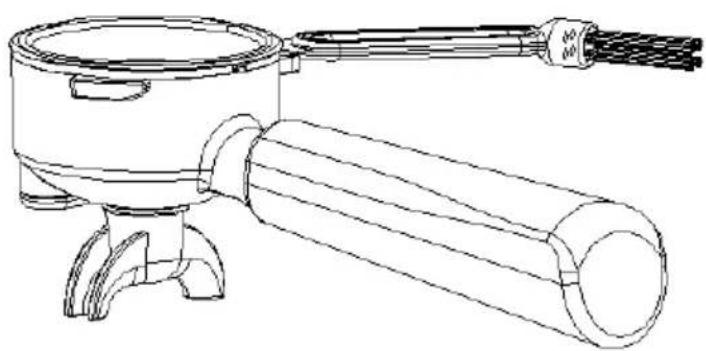
Fig. 11
The rear end of the cleaning brush can be used to detach the filter from the funnel (Fig. 11).
V. Clean the grinder
The grinder may be influenced by coffee beans and some other factors during operation, which may cause the powder outlet channel to be blocked. Please clean the product outlet channel in time when the following conditions occur:
- Clean the powder outlet and grinder at least once every two weeks.
- When there's a reduction in powder amount, please clean the powder passage and grinding wheel.
- When the coffee grinder is used to grind fine coffee powder, please clear the powder channel in time.
- The machine is equipped with an anti-static system which could prevent cold powder from spreading outside during grinding. When coffee powder floats out from the funnel, please use the cleaning brush to clean the powder entrance area in time.
VI. Clean the grinder
NOTE: When cleaning the grinder, please make sure there are no beans in the box, and when the GRIND button is pressed, the grinder can work properly and no coffee powder flows out from the powder outlet.
- Rotate the bean box counterclockwise to remove the bean box.
- Turn the internal grinding wheel counterclockwise and take it out. Use the attached cleaning brush to clean the grinding wheel and remove the coffee powder in the gears. Please note that the grinding wheel cannot be directly rinsed with water.
- Use the attached cleaning brush to clean the grinding chamber and the powder channel.
- Do not install the grinding wheel at this time; re-install the empty bean box and press the GRIND button, let the grinder run to sweep out the powder remaining in the grinding chamber. (If powder inside is not removed completely, please repeat steps 3 and 4)
- Remove the bean box counterclockwise and install the grinding wheel in the correct position. Cleaning is completed.
VII. Descaling
This product has a descaling reminder function and a descaling program, which requires your operation as per the following steps. The descaling process takes about 10 minutes.
NOTE: When starting the descaling program, please make sure:
- Ensure that there is at least 1 liter of water in the water tank.
- Empty the drip tray and install it in place.
- Turn on the machine and make it stay in standby mode.
- Place double-cup filter into the funnel.
- Turn the funnel into the funnel bracket.
- You can exit the cleaning function at any time by pressing the Power button “⏻”.
- When the cleaning starts, the indicator of Power button “” and the descaling indicator flash. And they will keep flashing during the whole cleaning process.
- If the descaling does not start within 1 minute, the appliance will exit from descaling cycle and return to standby mode.
Descaling instructions
It is recommended to descale every 4-6 months.
Descaling can be selected:
A. Coffee machine descaling tablets B. Liquid descaler C. White vinegar and warm water
Descaling cycle
The descaling cycle takes about 10 minutes.
NOTE: After the descaling reminder starts or before the user starts the descaling program, please complete the following descaling preparations before running the descaling program!
Descaling preparation
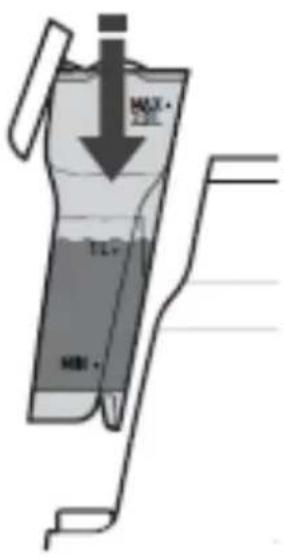
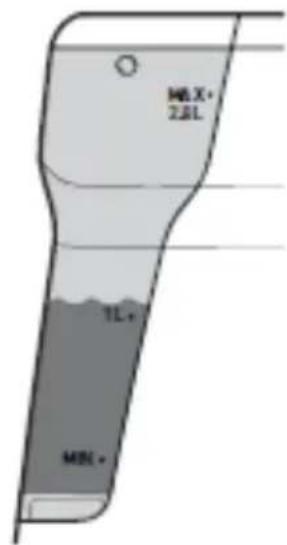
Add the solution to the water tank (choose one of three methods)
A. Fill the water tank with 1 liter of water. Add the descaling tablets and wait for the descaling tablets to dissolve. B. Add half a cup of liquid descaling agent into the water tank, then add 1 liter of warm water to allow the solution to mix thoroughly. C. Add 1.5 scoops of white vinegar into the water tank, then add 1 liter of warm water to allow the solution to mix thoroughly.
Insert the water tank into place.
Place a container
Place a 1-liter container under the brewing head and another 1-liter container under the steam tube.
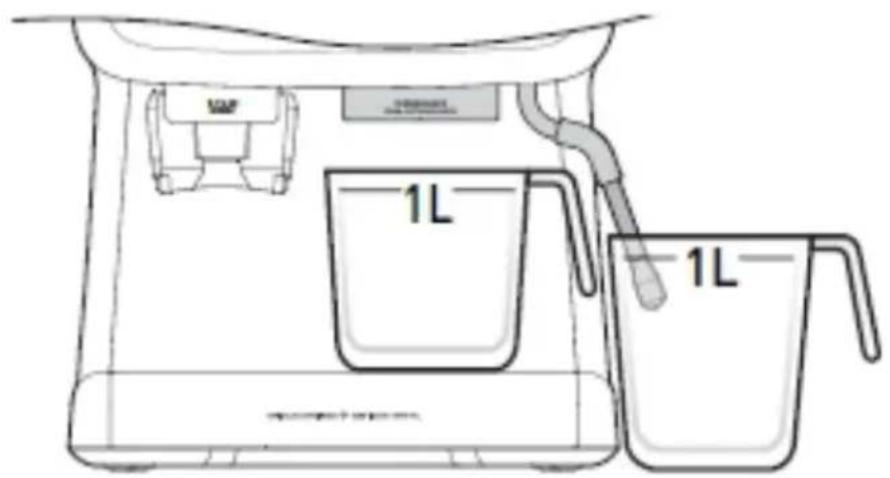
After completing the above steps, you can start the cleaning process as follows:
- When the system detects that the flow amount of the whole machine reads
1.5 liters, the descaling function will start and the machine will automatically enter the descaling program. 2. In standby mode, keep pressing the buttons of “” and “”, the machine starts the descaling process. When the indicator of the Power button turns on and the descaling indicator flashes quickly, follow the steps below.
Step 1: Start the descaling cycle
Turn the knob to the “” position.
The descaling indicator turns to flash slowly, the pump starts to work, the hot water dispenses from the brewing head and steam tube, and the pump will make different noises after 2 minutes. When the hot water stops coming out from the brewing head and steam tube, turn the knob to the “” position.
The indicator of the “” button lights solidly while the steam indicator flashes. Please perform step 2.
Step 2: Prepare to clean up
Important: A maximum of 5 minutes is allowed to complete the following steps before exiting from the descaling cycle.
The steam tube and brewing head need to be cleaned with fresh water to remove the descaling solution.
Clean the water tank
Fill the water tank with water
Empty the containers
Step 3: Start cleanup
Turn the knob to the “ ” position,
At that time, the indicator of “” and the descaling indicator flash.
The pump starts to work, the hot water will dispense from the brewing head steam tube, and the pump will make different noises after 2 minutes.
When hot water stops coming out from brewing head and steam tube, the descaling is complete.
Descaling cycle completed
The indicator stops illuminating and knob indicator “” starts flashing, which
means the machine completes this step.
Turn the knob to the “” position, the indicators of all buttons will illuminate. When the descaling cycle is finished, the buzzer will sound and the indicator “!” will stop flashing.
Turn the knob back to the vertical position
The machine returns to standby mode.
VIII. Water shortage reminder
When the water tank is short of water, the machine will remind the user to add water to the tank. At this time, the indicators of the Power button, Grind button, Single-cup button, and Double-cup button flash, accompanied by a buzzing sound.
NOTES:
- The reminder will appear when coffee powder is too fine and the machine cannot brew coffee.
- The buzzer sounds only 5 times and will not sound for a long time.
- If there is no operation one minute after reminding, the machine will enter standby mode.
CLEANING AND MAINTENANCE
WARNING: Please unplug before cleaning to allow the coffee machine to cool down sufficiently to prevent scalding. Do not immerse the coffee machine or power cord plug in water or other liquids to avoid danger.
- After each use, put all detachable parts into water for cleaning, add clear liquid if necessary, and then rinse with clean water.
- Often use a moisture-proof sponge to scrub the external surface of the coffee machine to remove dirt.
NOTE: Do not use alcohol or detergent, and do not immerse the machine in water for cleaning.
- Turn clockwise to remove the metal funnel to remove the coffee grounds. You can use a detergent to clean the funnel and metal filter accessories, but must rinse them with clean water after.
- After cleaning all the detachable parts, wipe all parts to dry.
NOTE: The detachable water tank cannot be washed in the dishwasher.
TROUBLESHOOTING
| Malfunction | Reason | Solution |
| No display | Check that the plug is place and Power button pressed. | Insert the power plug, make you press the Power button. |
| The indicator on the front panel of the machine is red | The bean box is not installed. | Install bean box |
| There are water mark on the bottom of the machine | The water tank or the water tray is not installed in place.The drip tray is full | Make sure that the water tank and the drip tray are installed place, and the drip tray is en If the issue is not solved, ple don't disassemble the machine on your own, but send it to authorized maintenance center for reparation. |
| You will hear a tickin sound after starting the machine and a hissing sound after the coffee is dispensed. | This is a normal phenomenon and the sound is produced by the normal operation of the pressure control valve. | |
| No coffee comes out from funnel, or coffee does not come out fr funnel smoothly, or th funnel cannot be installed in funnel bracket properly. | Excessive amount of coffee powder, too fine coffee powder or excessive pressure | The amount of powder should not exceed the standard amou Adjust the grinding setting of grinder appropriately until it is suitable. It should not be pres repeatedly with excessive force when pressing the powder. |
| Coffee without crema. | The coffee beans are damp or the coffee | Choose fresh coffee beans an powder with moderate grinding |
| powder is too coarse. thickness to make coffee. | ||
| No steam | The steam function is not preheated; The steam nozzle is blocked. | The machine can only produce steam after the machine is preheated in steam mode; the machine needs to be descaled and use a cleaning needle to clean the steam nozzle. |
| Can't make coffee or hot water immediately after the steam comes out and the machine will automatically pump water. | After steaming is completed, the pressure needs to be released to reduce the temperature. At this time, other operations cannot be performed. The water pumping is used for cooling down the heating element quickly. | It takes 20-30s to release the pressure and cool down. After the pressure is released and the cooling down is finished, the indicators on the control panel will work properly, then you can brew coffee and hot water normally. |
CORRECT DISPOSAL
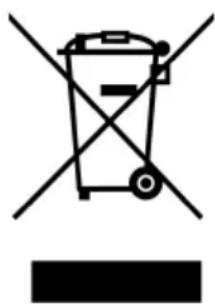
This product is subject to the provisions of European Directive 2012/19/EU. The symbol showing a wheelie bin crossed through indicates that the product requires separate refuse collection in the European Union. This applies to the product and all accessories marked with this symbol. Products marked as such may not be discarded with normal domestic waste, but must be taken to
a collection point for recycling electrical and electronic devices.
VEVOR®
TOUGH TOOLS, HALF PRICE
Technical Support and E-Warranty Certificate www.vevor.com/support
VEVOR®
TOUGH TOOLS, HALF PRICE
MODEL: CM5020B-UL, CM5020B-GS
NEED HELP? CONTACT US!
Control panel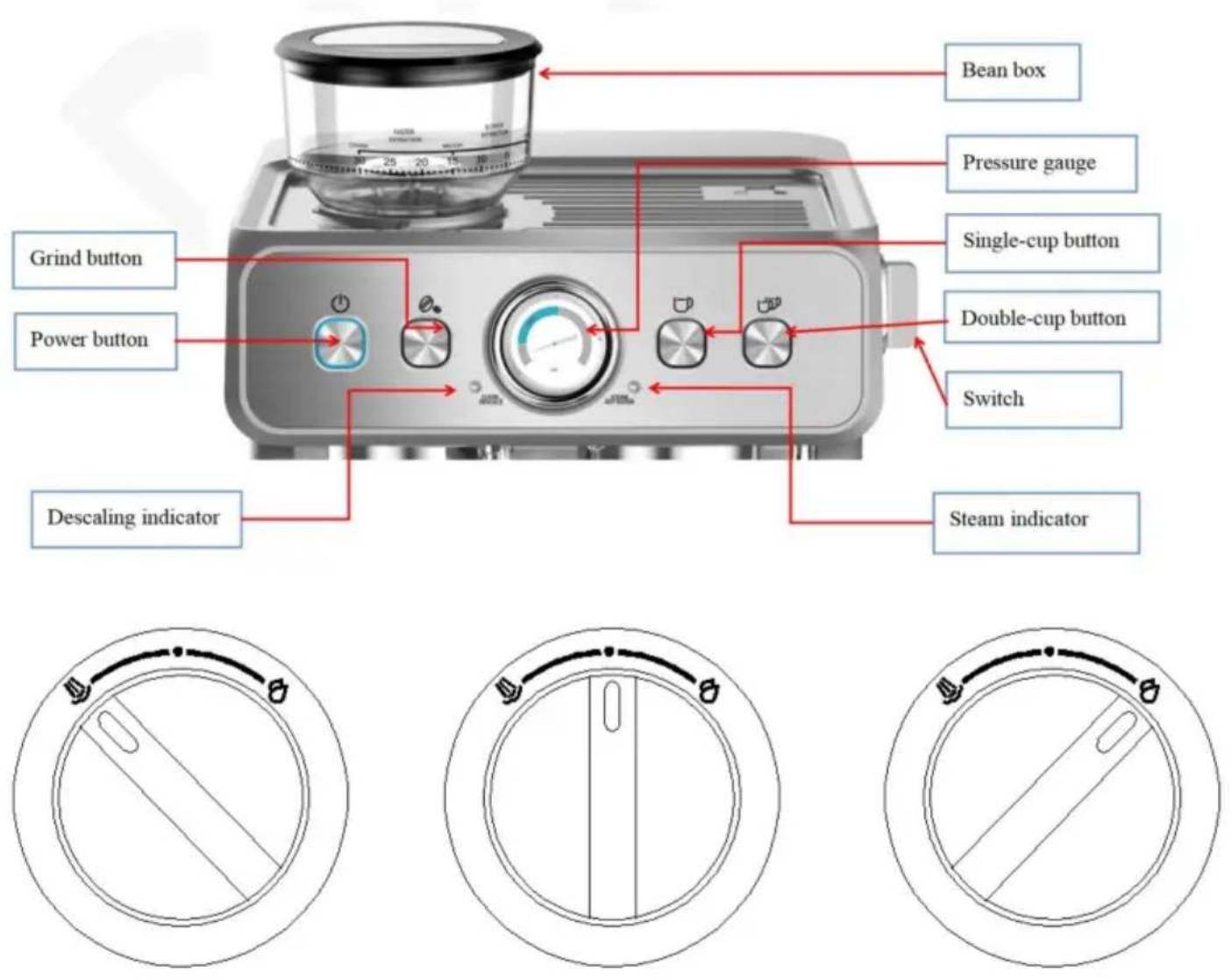
BEFORE FIRST USE
NO 1
NO 2
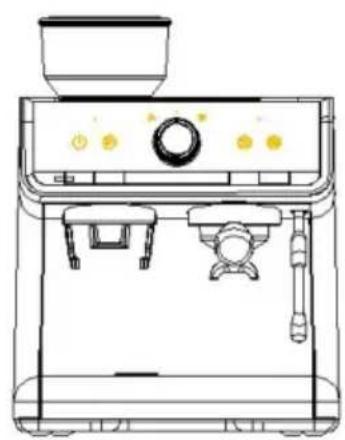
Fig. 3: From 0 to 30, coffee power is from fine to coarse. Bigger number for coarser coffee powder.
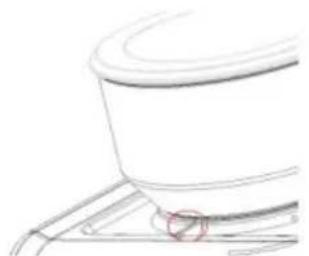
Fig. 4
Fig. 5
Fig. 6
Fig. 7
Fig. 8
Cleaning brush
Fig. 9 Fig. 10
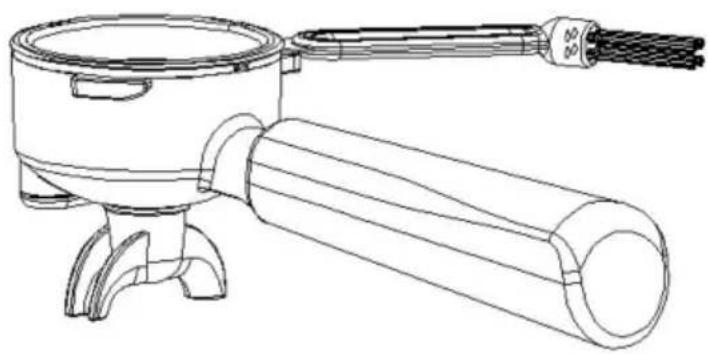
Fig. 11
Place a container
MODEL: CM5020B-UL, CM5020B-GS
Control panel
BEFORE FIRST USE
No. 2
No. 3
Fig. 3: From 0 to 30, coffee power is from fine to coarse. Bigger number for coarser coffee powder.
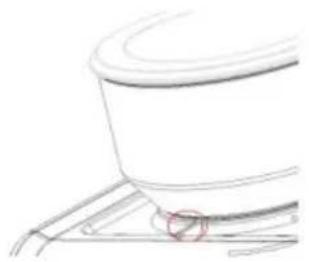
Fig. 4
Fig. 5
Fig. 6
Cleaning pin
Fig. 7
Fig. 8
Cleaning brush
Fig. 10, Fig. 9
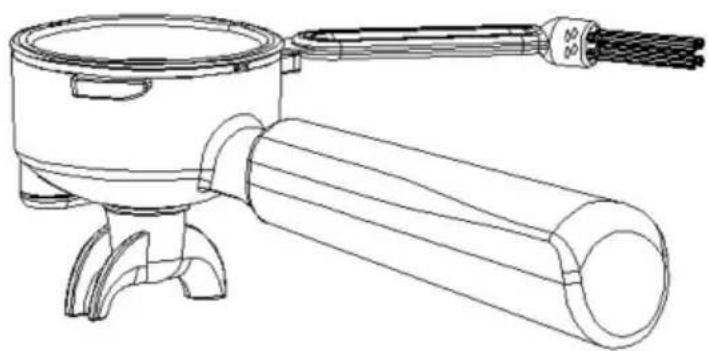
Fig. 11
"●" begins to blink, which
ESPRESSO MACHINE
MODEL: CM5020B-UL, CM5020B-GS
MODEL: CM5020B-UL, CM5020B-GS
NO 1
NO 2
NO 3
Fig. 3: From 0 to 30, coffee power is from fine to coarse. Bigger number for coarser coffee powder.
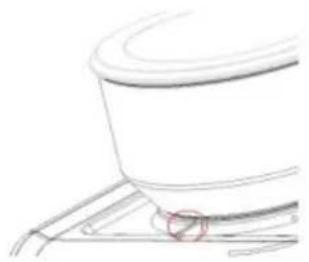
Fig. 4
Fig. 5
Fig. 6
Cleaning screw
Fig. 7
Fig. 8
Fig. 10, Fig. 9
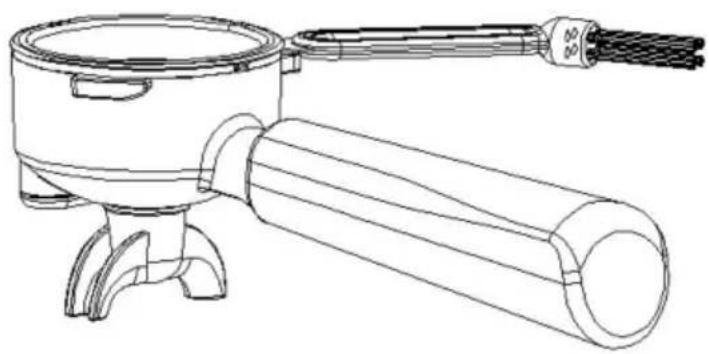
Fig. 11
MODEL: CM5020B-UL, CM5020B-GS
Control panel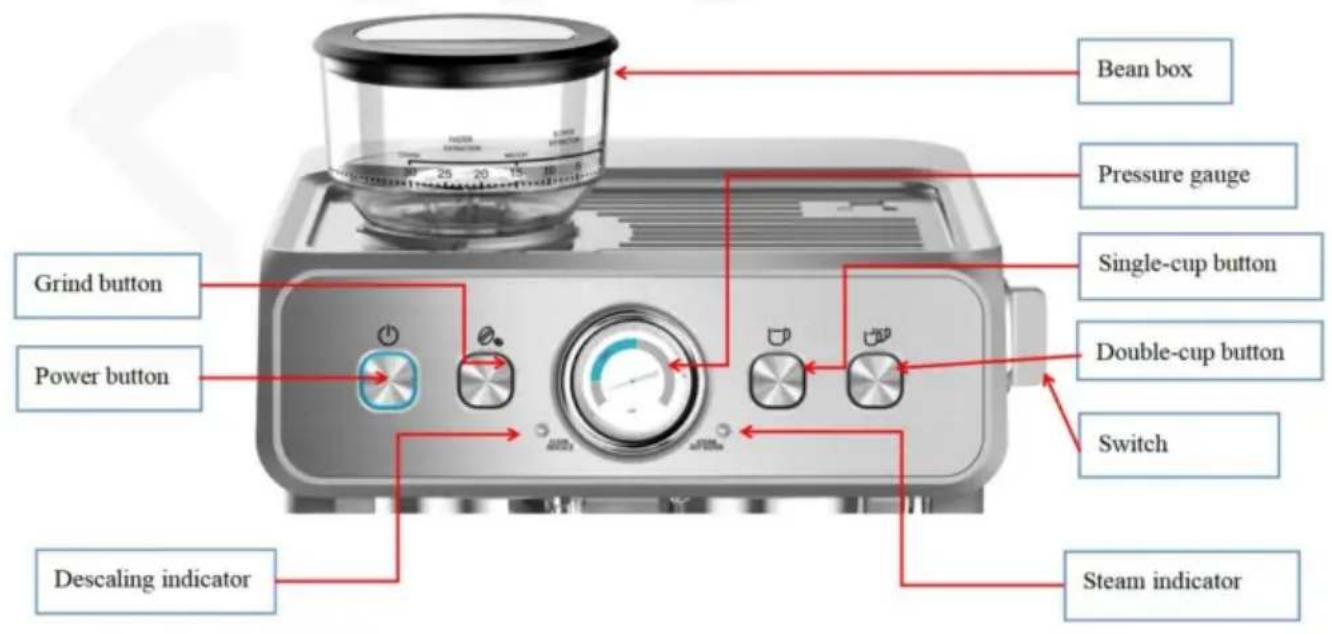
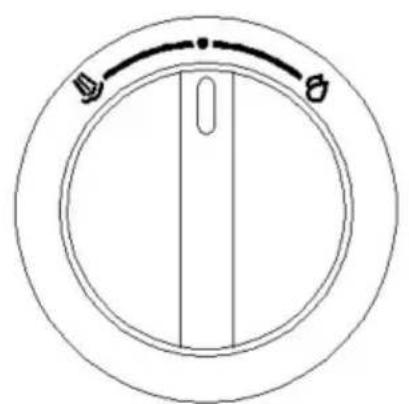
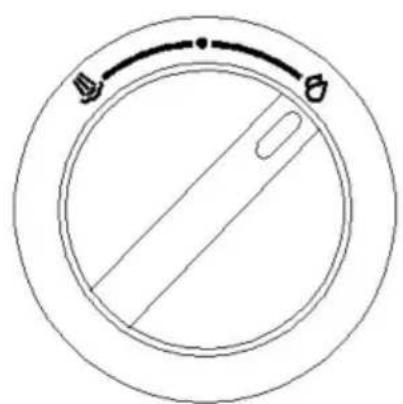
NO 1
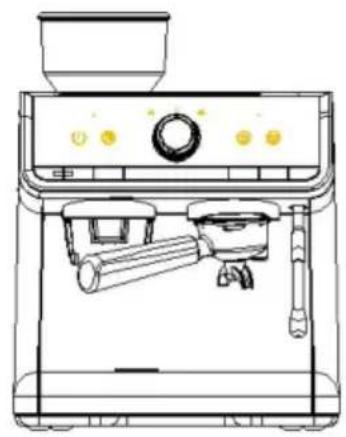
NO 2
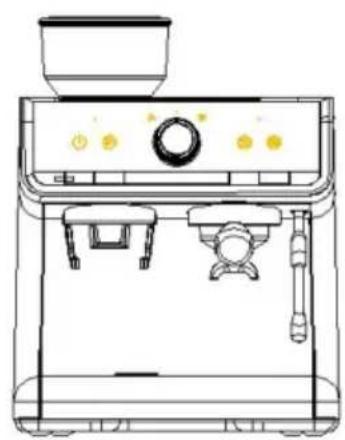
NO 3
Fig. 3: From 0 to 30, coffee power is from fine to coarse. Bigger number for coarser coffee powder.
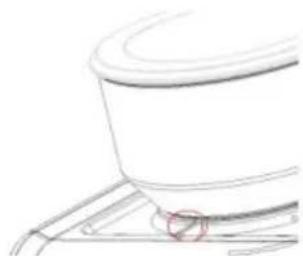
Fig. 4
Fig. 5
Fig. 6
Cleaning pin
Fig. 7
Fig. 8
Cleaning brush
Fig. 9, Fig. 10
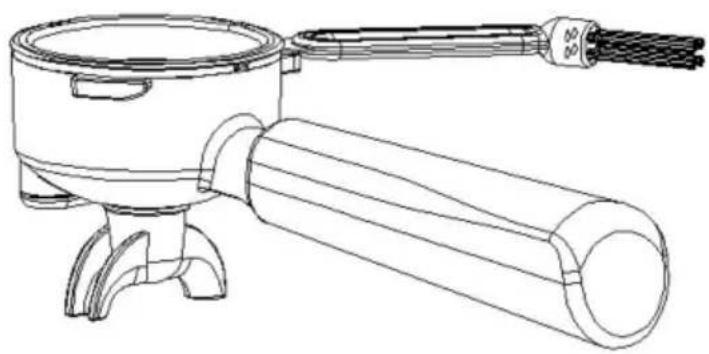
Fig. 11
Place a container
MODEL: CM5020B-UL, CM5020B-GS
NEED HELP? CONTACT US!
Control panel

BEFORE FIRST USE
NO 1
NO 2
NO 3
Fig. 3: From 0 to 30, coffee power is from fine to coarse. Bigger number for coarser coffee powder.
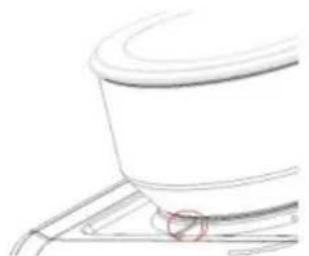
Fig. 4
Fig. 5
Fig. 6
Cleaning pin
Fig. 7
Fig. 8
Fig. 9 Fig. 10
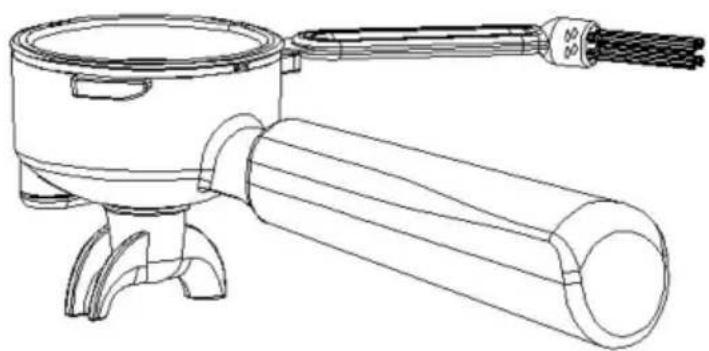
Fig. 11
Place the container
MODEL: CM5020B-UL, CM5020B-GS
NEED HELP? CONTACT US!
Control panel

NO 1
NO 2
NO 3
Fig. 3: From 0 to 30, coffee power is from fine to coarse. Bigger number for coarser coffee powder.
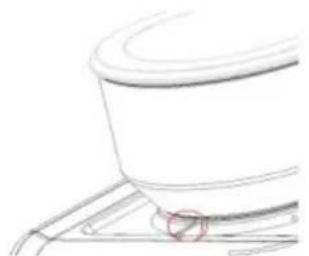
Fig. 4
Fig. 5
Fig. 6
Cleaning pin
Fig. 7
Fig. 8
Cleaning brush
MODEL: CM5020B-UL, CM5020B-GS
NEED HELP? CONTACT US!
www.vevor.com/support
Control panel
BEFORE FIRST USE
NO 1
NO 2
NO 3
Fig. 3: From 0 to 30, coffee power is from fine to coarse. Bigger number for coarser coffee powder.
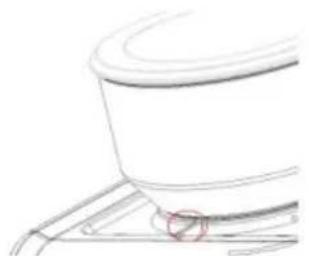
Fig. 4
Fig. 5
Fig. 6
Cleaning pin
Fig. 7
Fig. 8
Cleaning brush
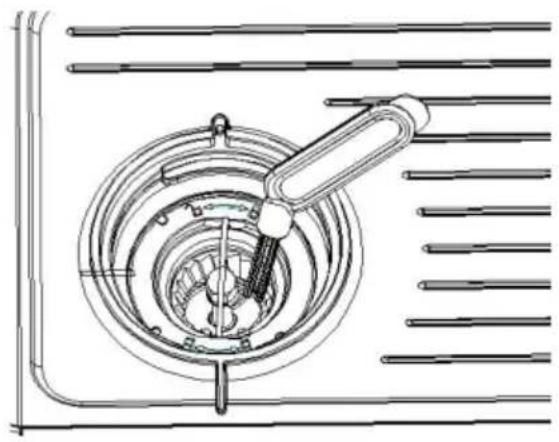
Fig. 10 Fig. 9
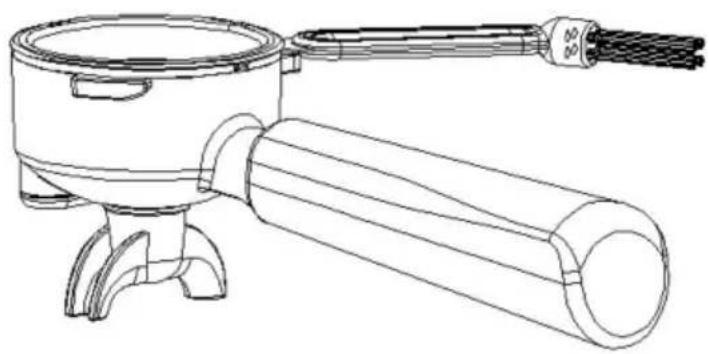
Fig. 11
- ESPRESSO MACHINE
- VEVOR®
- NEED HELP? CONTACT US
- IMPORTANT SAFEGUARDS
- WARNING: PRESSURE
- HIGH TEMPERATURE
- KNOW YOUR COFFEE MACHINE
- CONTROL PANEL
- BEFORE THE FIRST USE
- CHOOSE THE RIGHT COFFEE POWDER
- COFFEE POWDER
- GRIND
- BREWING COFFEE, FUNCTION OF HOT WATER AND STEAM
- CUSTOMIZED SETTING
- NOTES
- GRIND COFFEE BEANS
- RESTORE TO FACTORY SETTINGS
- TOOL BOX AND CLEANING ACCESSORIES
- CLEANING PIN
- CLEANING BRUSH
- CLEAN THE GRINDER
- DESCALING
- DESCALING INSTRUCTIONS
- DESCALING CYCLE
- DESCALING PREPARATION
- ADD THE SOLUTION TO THE WATER TANK (CHOOSE ONE OF THREE METHODS)
- PLACE A CONTAINER
- STEP 1: START THE DESCALING CYCLE
- STEP 2: PREPARE TO CLEAN UP
- STEP 3: START CLEANUP
- DESCALING CYCLE COMPLETED
- WATER SHORTAGE REMINDER
- CLEANING AND MAINTENANCE
- CORRECT DISPOSAL
- TOUGH TOOLS, HALF PRICE
- BEFORE FIRST USE
- MODEL: CM5020B-UL, CM5020B-GS
- CLEANING SCREW
- PLACE THE CONTAINER
Brand : Vevor
Model : CM5020B-UL
Category : Coffee grinder