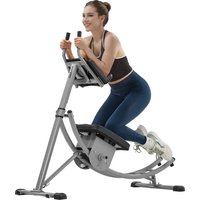
YN-388 - Fitness Equipment Vevor - Free user manual and instructions
Find the device manual for free YN-388 Vevor in PDF.


| Brand | Vevor |
| Model | YN-388 |
| Product Type | Abdominal exercise equipment |
| Maximum user weight | 200 kg (440 lb) |
| Power supply | Batteries (type not specified, presumably 2 AAA batteries) |
| LCD screen functions | Rep counter, time, calories, reps per minute, scan mode |
| Intensity adjustment | By height adjustment (forward/backward, low/high) |
| Materials | Steel (curved rail, support tubes, feet) |
| Dimensions (approx.) | Length: approx. 120 cm, width: approx. 50 cm, height: approx. 80 cm (not specified, estimate) |
| Machine weight (approx.) | Approx. 25 kg (estimate) |
| Assembly required | Yes, multiple steps: installation of curved rail, support tube, feet, armrest console |
| Tools provided | Allen key, 13x17 wrench |
| Spare parts available | M8 bolts (various lengths), washers, lock nuts, locking pin, pin |
| Certifications | CE (European conformity) |
| Warranty | Electronic warranty certificate via www.vevor.com/support |
| Safety instructions | Do not use if pregnant, consult a doctor before exercise, max weight 200 kg, stop if feeling unwell, supervise children and disabled individuals |
| Maintenance | Check screws and nuts before each use, keep the machine clean (cleaning not specified) |
| Storage | Push handles down, move machine on wheels (front foot), store upright or folded as per instructions |
| Usage conditions | Flat floor, sportswear and shoes recommended |
| Manufacturer | Shanghaimuxinmuyeyouxiangongsi, Shanghai, China |
| Importer (Australia) | SIHAO PTY LTD, NSW 2122 |
| Importer (United States) | Sanven Technology Ltd., Anaheim |
| Technical support | www.vevor.com/support |
Frequently Asked Questions - YN-388 Vevor
User questions about YN-388 Vevor
0 question about this device. Answer the ones you know or ask your own.
Ask a new question about this device
Download the instructions for your Fitness Equipment in PDF format for free! Find your manual YN-388 - Vevor and take your electronic device back in hand. On this page are published all the documents necessary for the use of your device. YN-388 by Vevor.
USER MANUAL YN-388 Vevor
Technical Support and E-Warranty Certificate
www.vevor.com/support
Ab Workout Equipment
MODEL:YN-388
We continue to be committed to provide you tools with competitive price. "Save Half", "Half Price" or any other similar expressions used by us only represents an estimate of savings you might benefit from buying certain tools with us compared to the major top brands and does not necessarily mean to co all categories of tools offered by us. You are kindly reminded to verify carefully when you are placing an order with us if you are actually Saving Half in comparison with the top major brands.
VEVOR®
TOUGH TOOLS, HALF PRICE
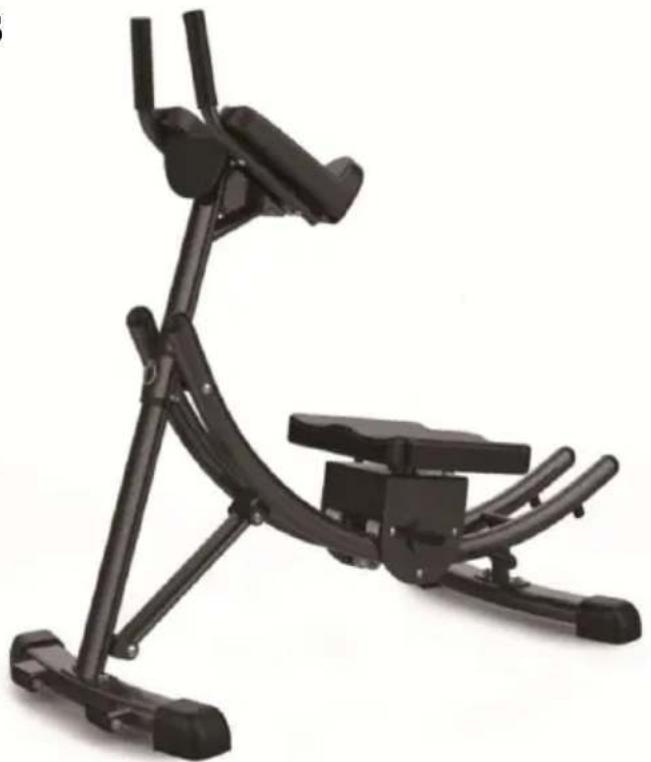
Ab Workout Equipment
MODEL:YN-388
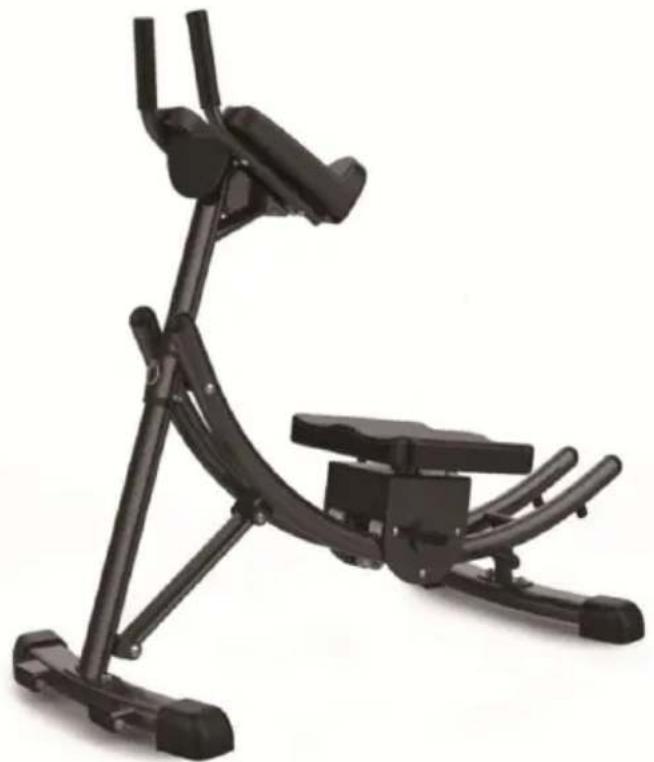
natural_image
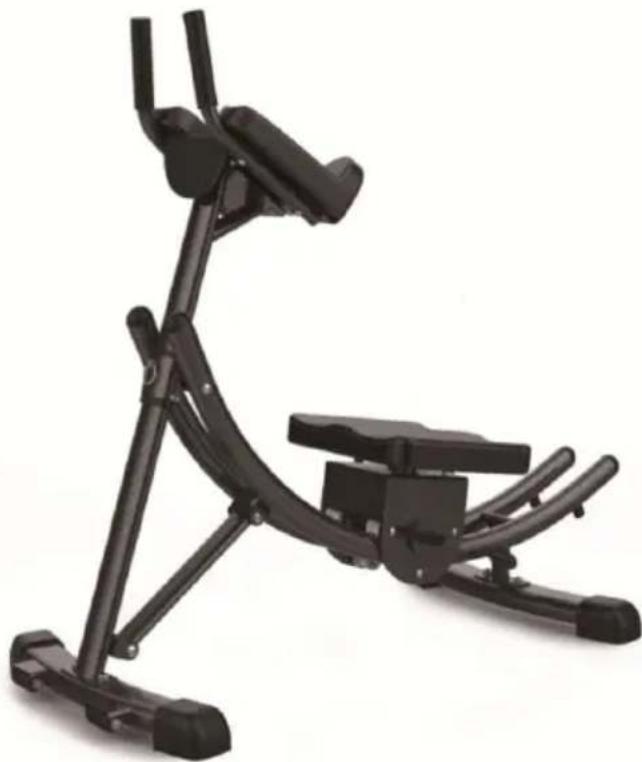
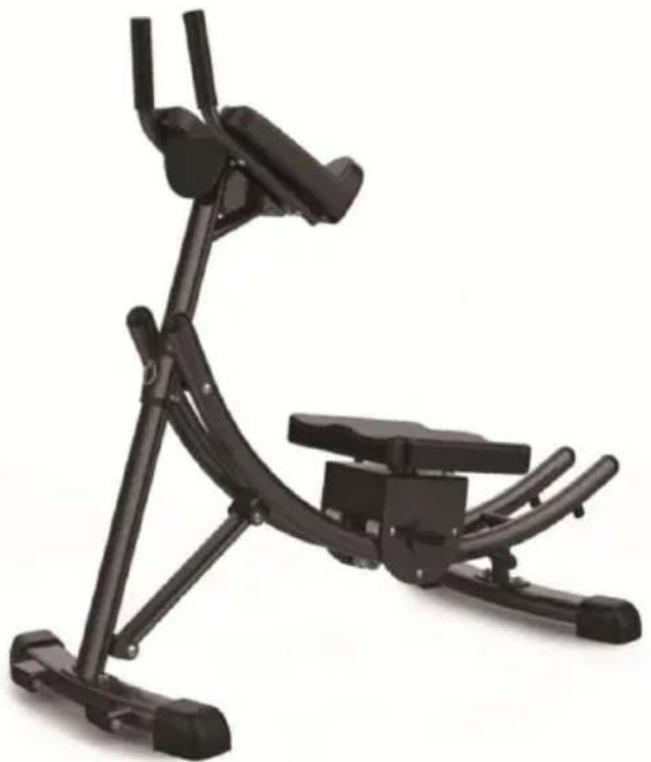
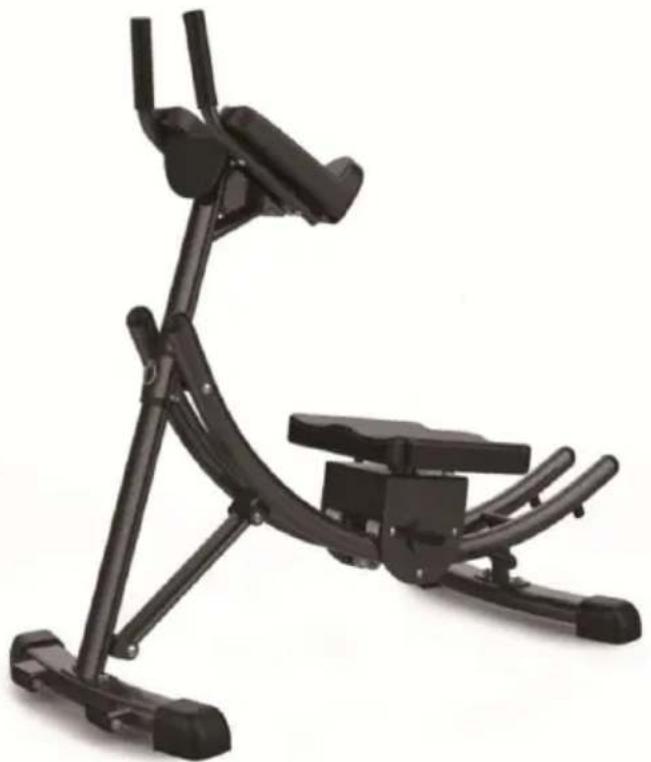
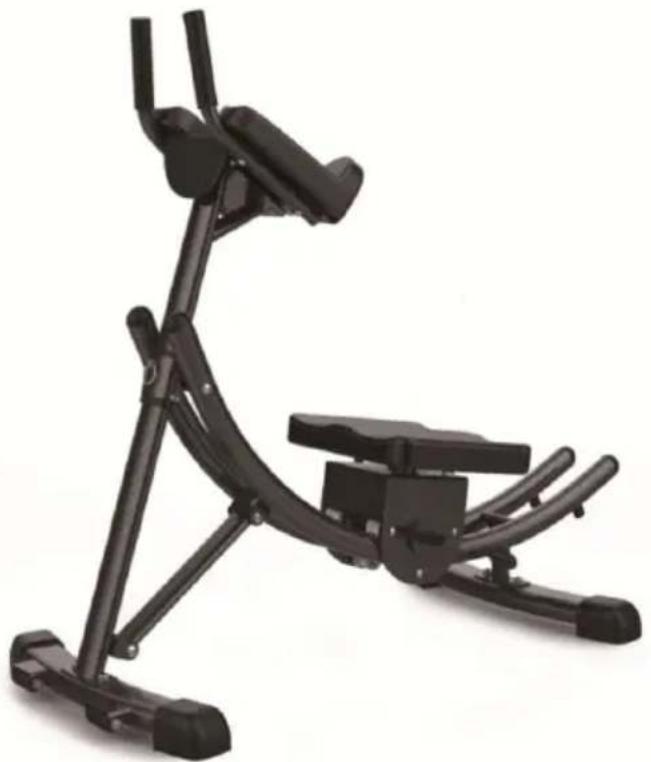
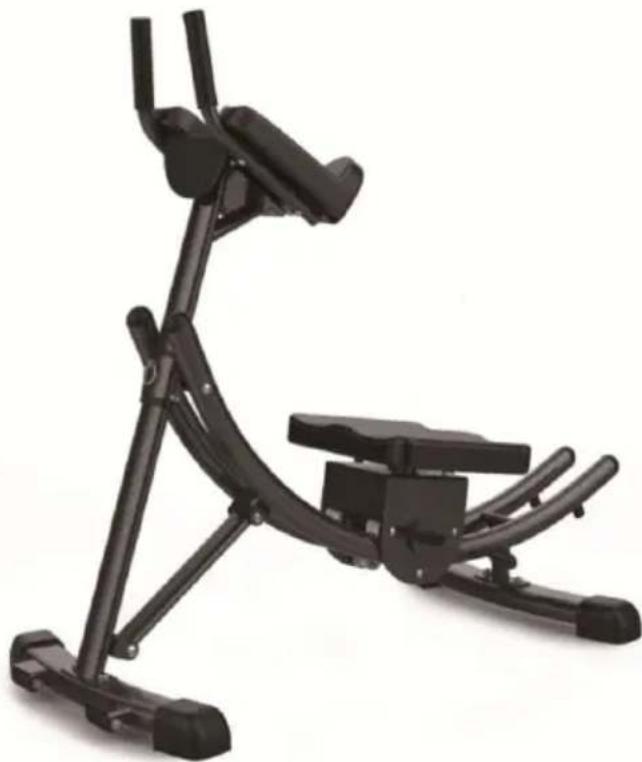
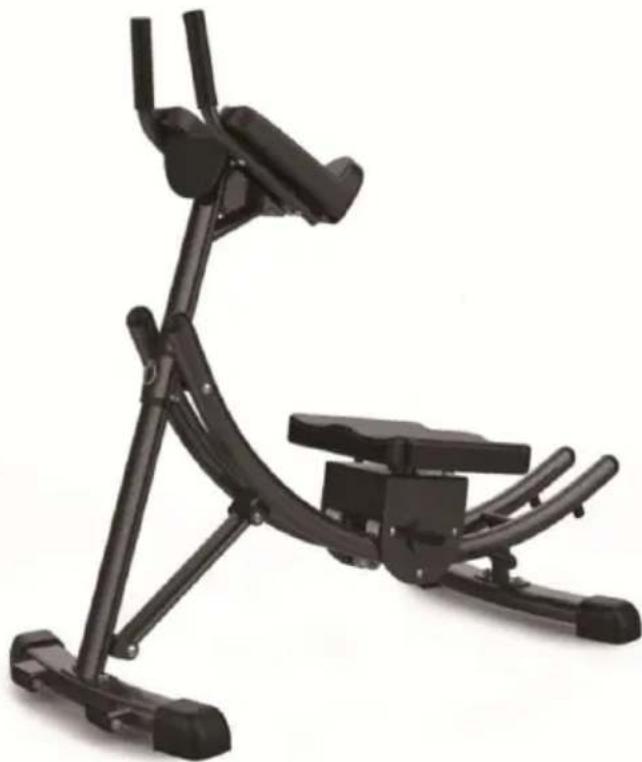
Black stationary exercise machine with adjustable arms and legs (no text or symbols visible)Note: The product picture is for reference, the actual details shall prevail
NEED HELP? CONTACT US!
Have product questions? Need technical support? Please feel free to contact us:
Technical Support and E-Warranty Certificate www.vevor.com/support
This is the original instruction, please read all manual instructions carefully before operating. VEVOR reserves a clear interpretation of o user manual. The appearance of the product shall be subject to the product you received. Please forgive us that we won't inform you ag there are any technology or software updates on our product.
 | Warning-To reduce the risk of injury, user must read instruction carefully. |
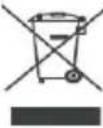 | CORRECT DISPOSAL for DisplayThis product is subject to the provision of european Directive 2012/19/EU. The symbol showing a wheelie bin crossed through indicates that the product requires separate refuse collection in European Union. This applies to the product and all accessories marked with this symbol. Products marked as such may not be discarded with normal domestic waste, but must be taken to a point for recycling electrical and electronic devices. |
 | Compliance is a EC security certification. |
Operation safety

WARNING:
Please read all instructions before using this product
It is the Owner's responsibility to ensure that all users of this product are fully aware of all warnings and precautions.
- Do not use it if you are pregnant
- Please install strictly according to the instructions
- To ensure user safety, please check whether all screws and other connecting parts on the device are intact before each use
- Incorrect or excessive intensity exercise is not good for health. It is recommended to consult a docto rbefore exercising
- It is best to wear sportswear and sports shoes when exercising
- If you feel dizziness, vomiting or other adverse symptoms during exercise, you should stop training immediately.
● Children and disabled people can only use it under the supervision
relevant personnel.
- This machine is designed to adjust the intensity of exercise by adjusting the height, which can beadjusted back and forth from low high.
● The user's weight cannot exceed 440lbs
● Note that all screws and nuts must be tightened before
Exercise Plans
- Beginners are recommended to start with less reps, 5 reps as 1 set example and add reps as goes.
- Please do not exercise half an hour before /after meals or 1 hour sleep
- Please make exercise plans.
Exploded view
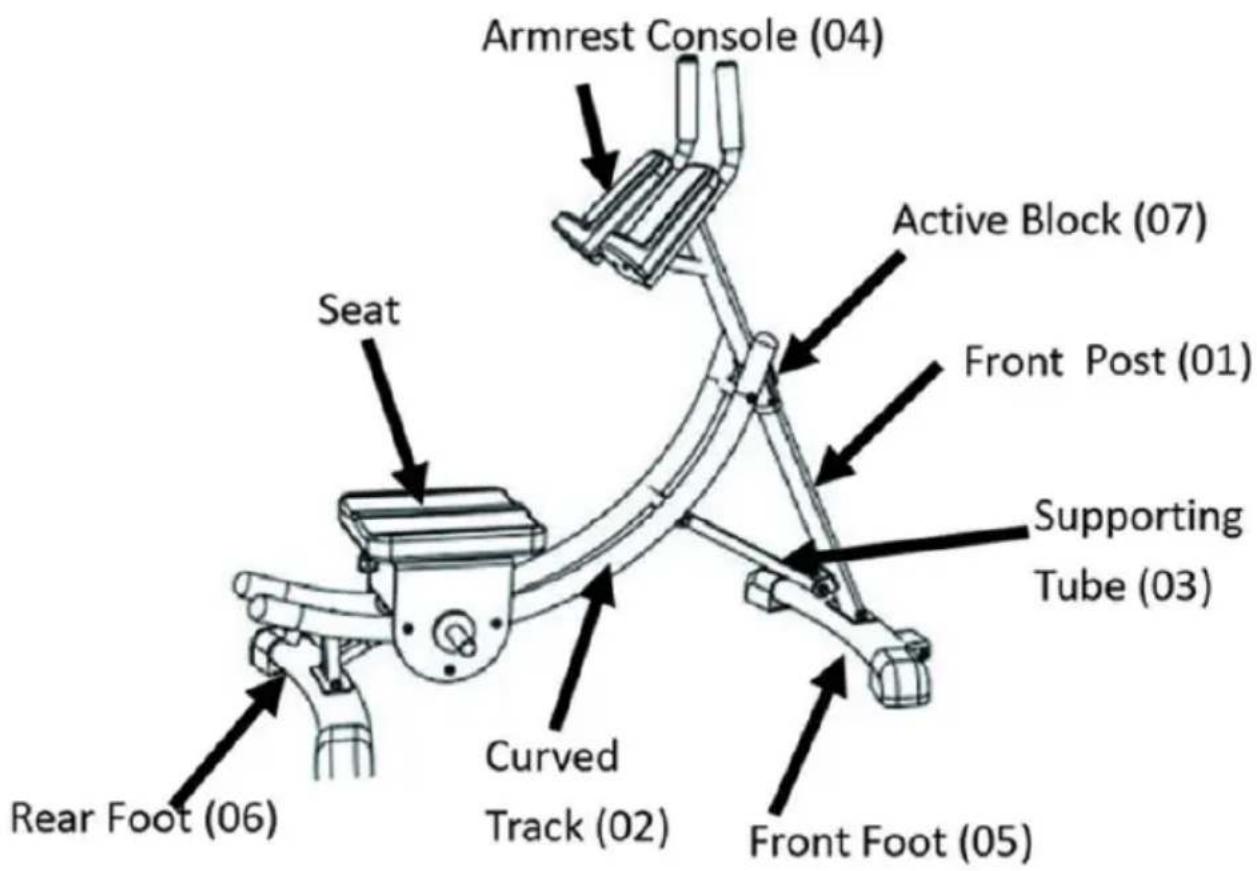
Assembly
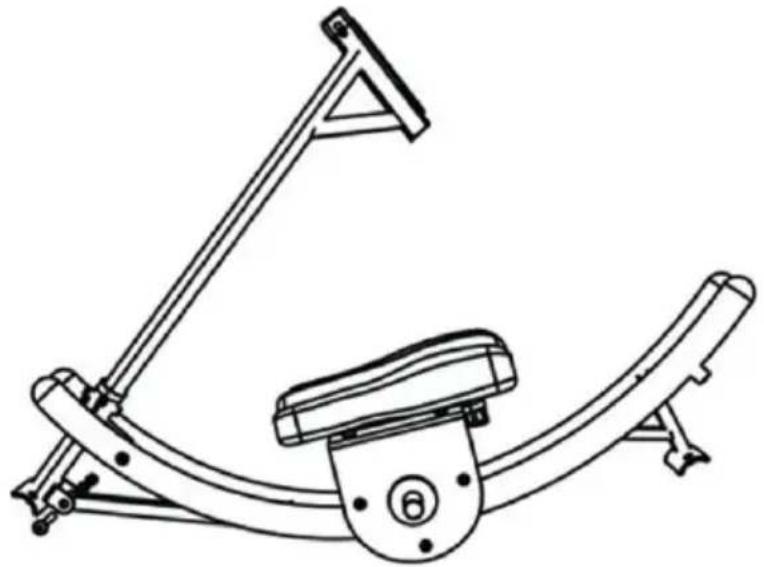
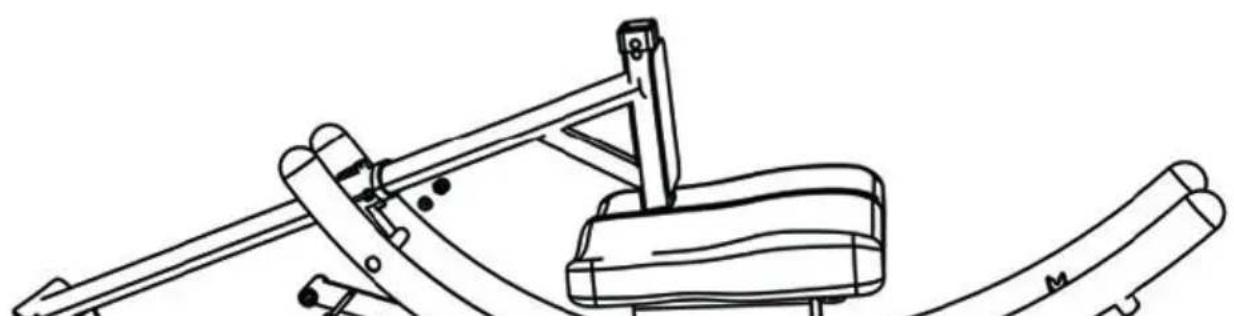
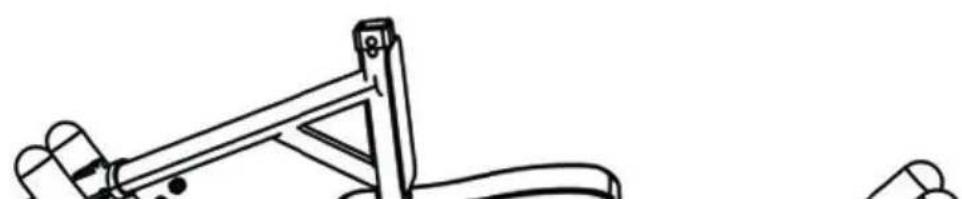
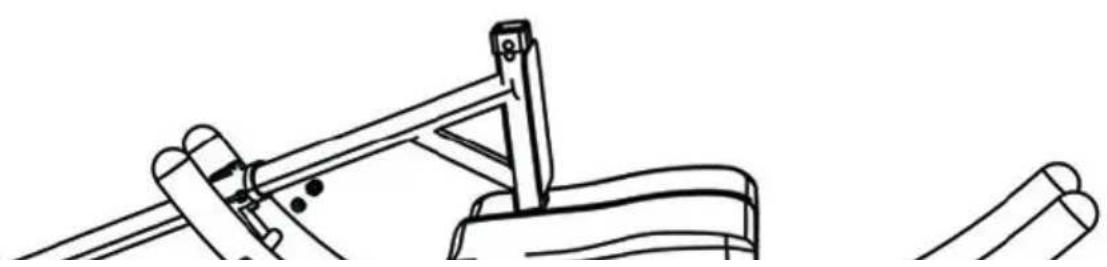
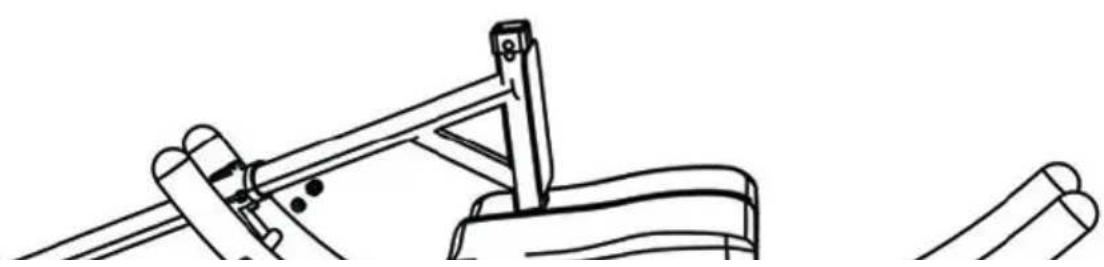
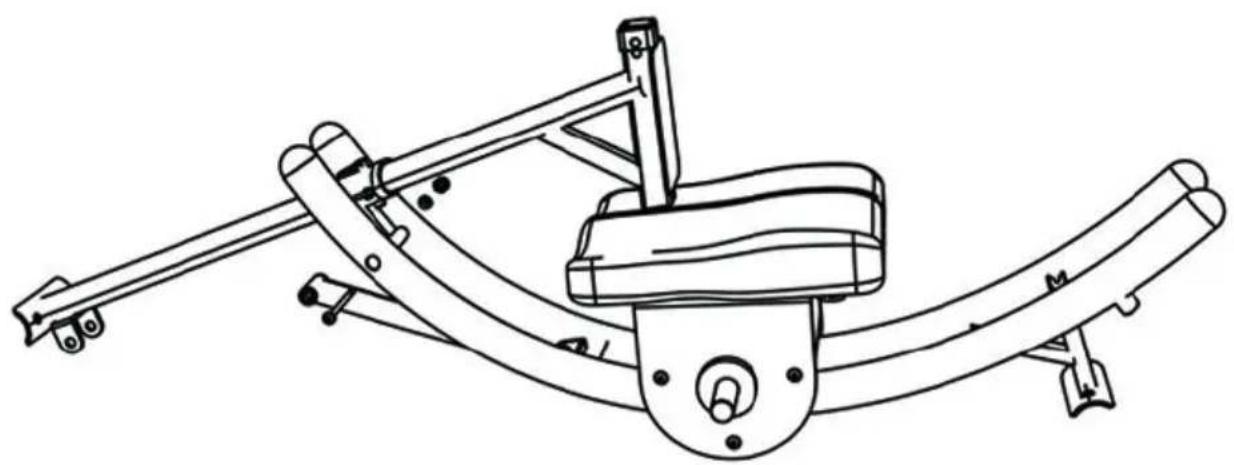
Step 1: Install Curved Track
Place the machine on I evel ground.Remove the bolts(#8 #9) which I been pre-attached to the Curved Track(#02),then re-attach the bolts to connect the Curved Track (#02) and Active Block (#7).
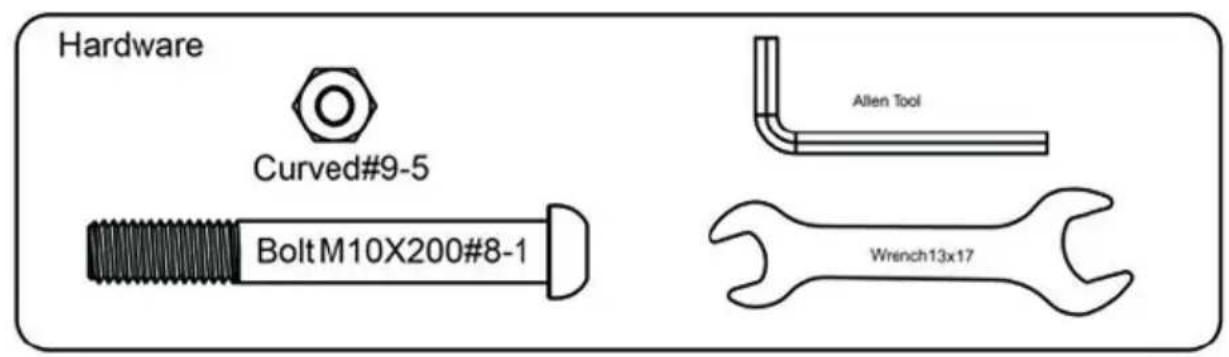
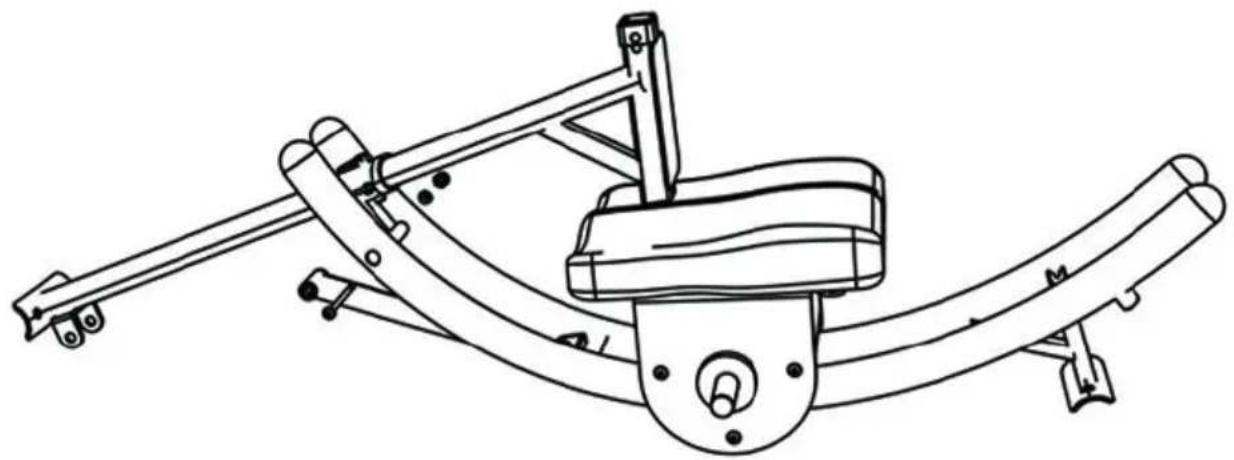
natural_image
Line drawing of a mechanical device with articulated arms and a central base (no text or symbols)Step 2: Install Supporting Tube
Remove the U shape hardware on Front Post(#01),re-attach with bolt (#10),washer (#11) and locknut (#12)
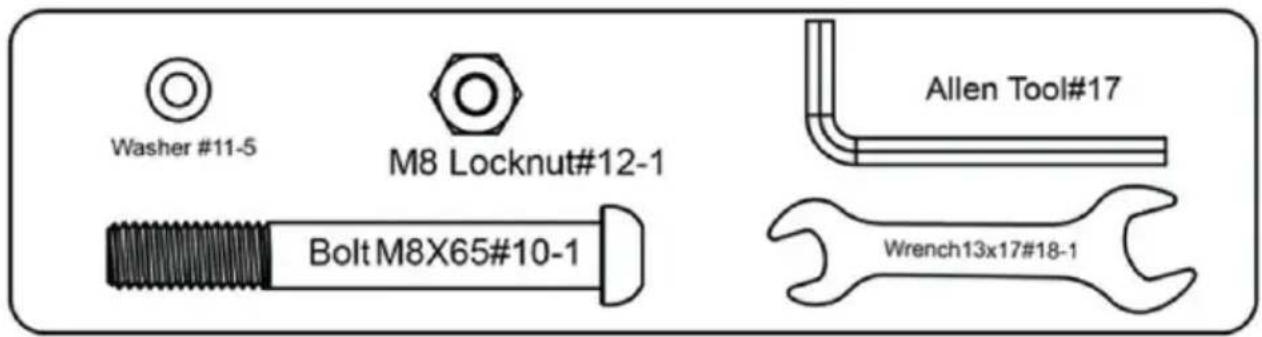
natural_image
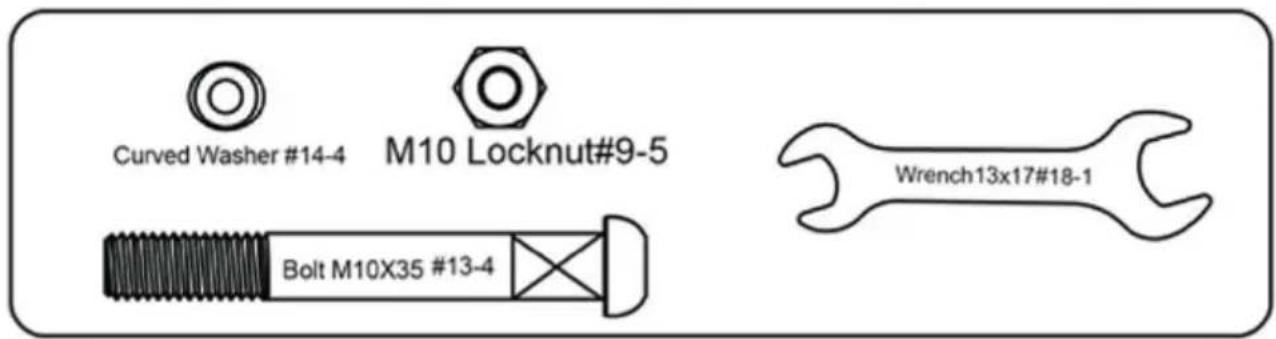
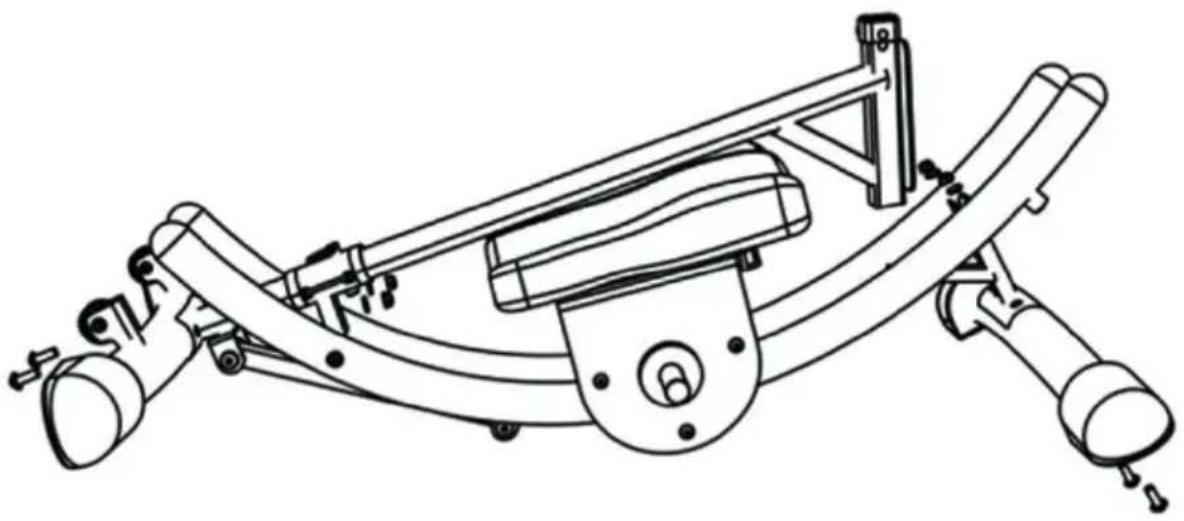
Line drawing of a stationary exercise machine with articulated arms and a circular base (no text or symbols)Step 3: Install Rear Foot and Front Foot
Remove hardware(#13#14#9), Re-attach on Front Foot (05) and Front P (01)
natural_image
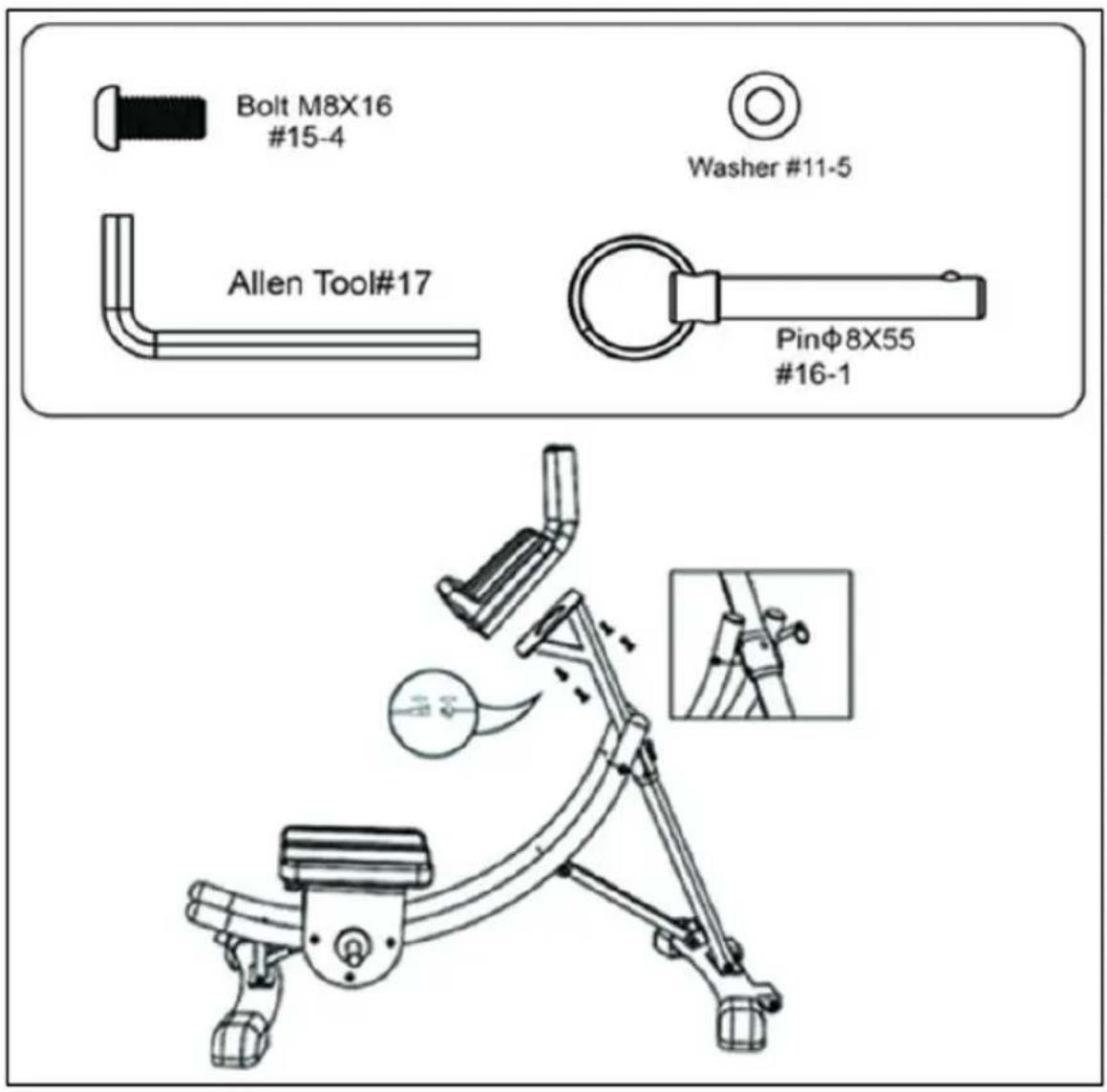
Technical line drawing of a mechanical device with articulated arms and mounting feet (no text or symbols)Step 4:
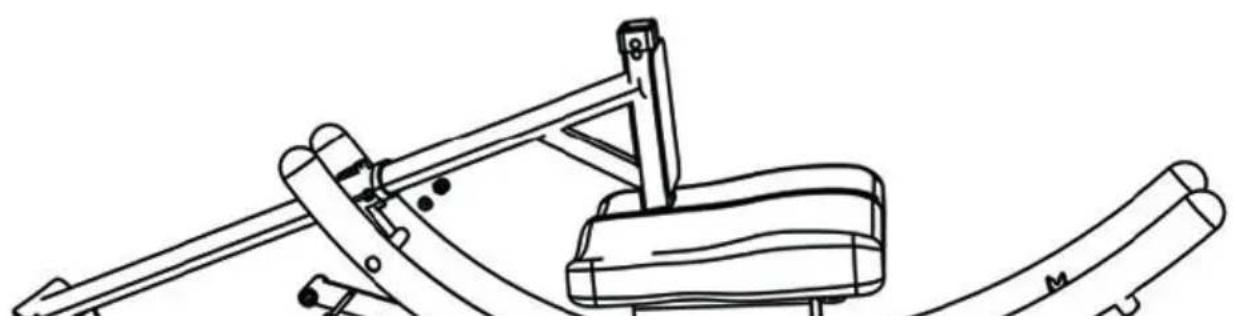
install Armrest ConsoleMove Active Block (#07) to the positionshown of the picture and insert with Pin (#16)Attach Armrest Console (04) to F Post (01)with Bolt (#15)and washer (#11).Connect wiresensor under console.
Storage
-
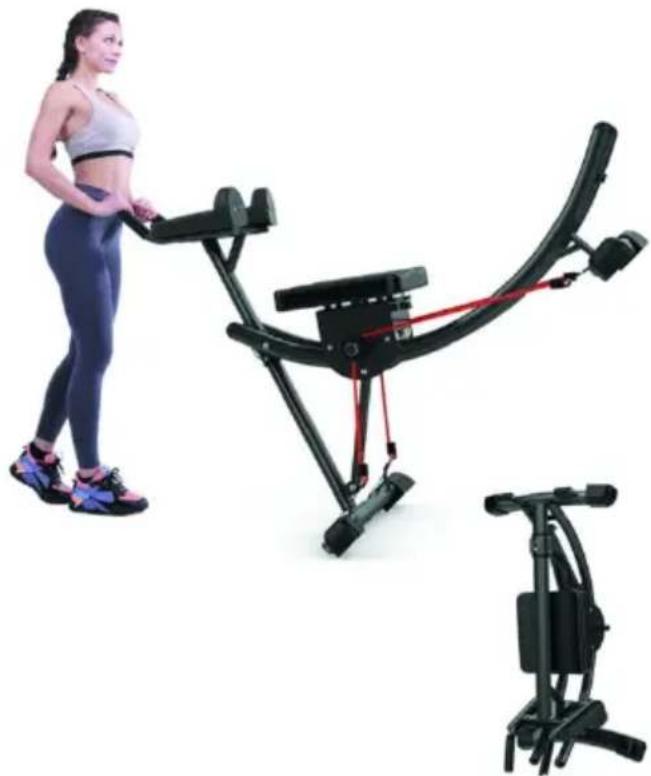
Push the handles downward. Move the machine with the wheels of front foot.
-
Remove the Pin. Move active block towards the foot. Lift front foc place the machine on the ground as shown in the picture
natural_image
Woman using a stationary exercise bike with red armrests, shown alongside a separate black exercise kit (no text or symbols visible)Counter
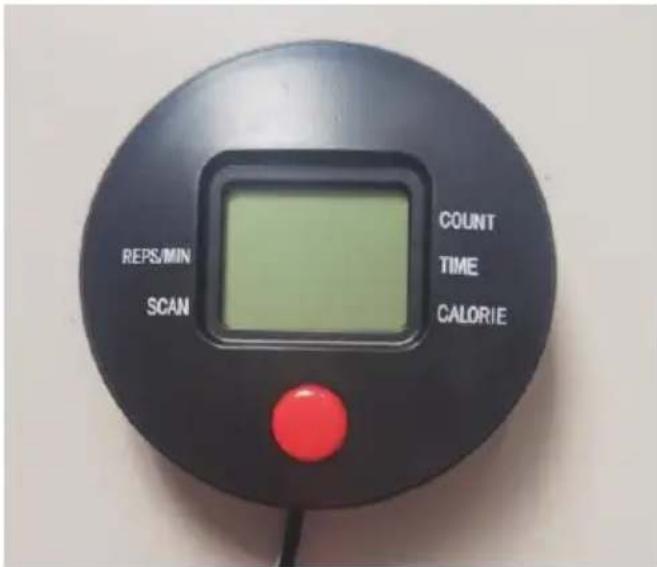
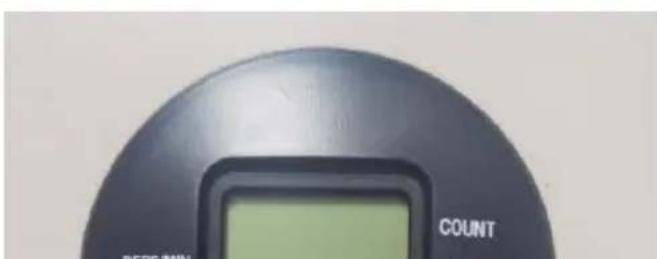
Digital Repetition Counter
-
The digital repetition counter helps to keep your workout on track. You focus on exercising correctly and the counter keeps track of your repetitions.
-
Requires 1 "AAA" batteries
- Press the mode key to start count function.
- To reset the counter, press a hold the button for 3 seconds.
Function:
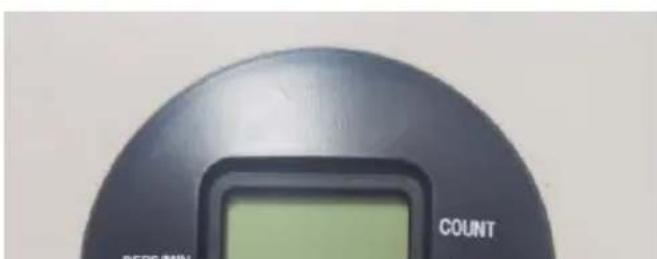
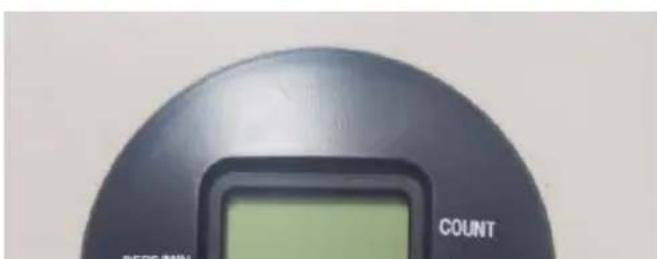
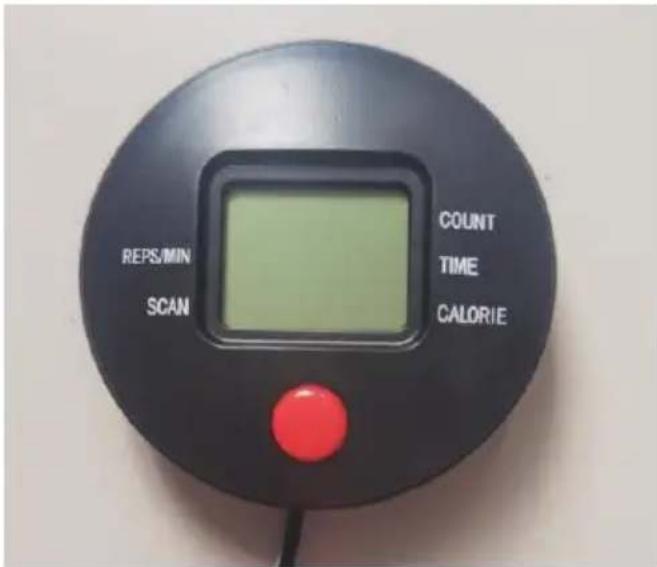
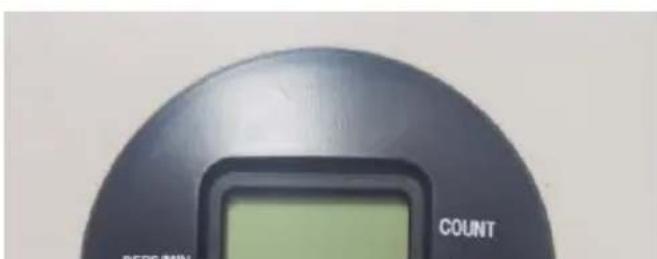
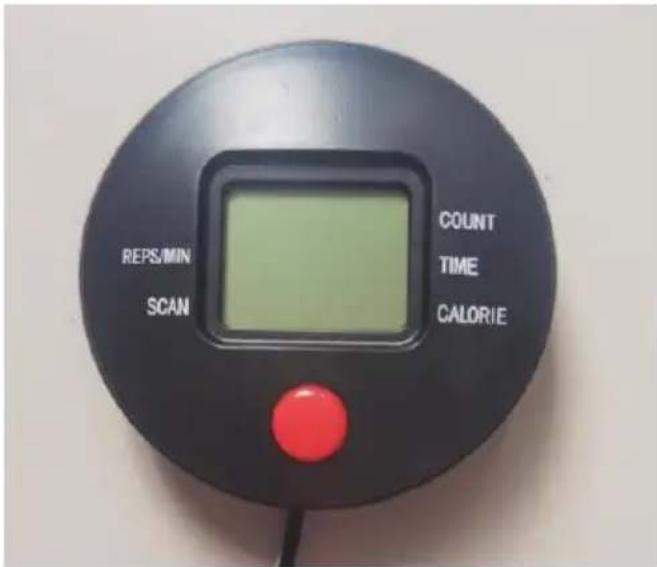
- Count: After pressing the red (gray) button key for 3 seconds, the movement starts to count
- Time: Press the red (gray) button until the pointer is fixed to TIM start the movement time
- Calorie: Press the red (gray) button until the pointer is fixed to the moving, showing the burning calories.
- REPS / min: Press the red (gray) button until the pointer is fixed STEP / MIN to show the number of movements per minute
- SCAN:Cyops show counts, times, calories
Tips:
A. With no signal for 4-5 minutes, the LCD screen will be turned off
B: If the display does not appear, replace the battery.
Manufacturer: Shanghaimuxinmuyeyouxiangongsi
Address: Shuangchenglu 803nong11hao1602A-1609shi, baoshanqu, shanghai 200000 CN.
Imported to AUS: SIHAO PTY LTD. 1 ROKEVA STREETEASTWOOD NSW 2122 Australia
Imported to USA: Sanven Technology Ltd. Suite 250, 9166 Anaheim Place, Rancho Cucamonga, CA 91730
| UK | REP |
YH CONSULTING LIMITED. C/O YH Consultin Limited Office 147, Centurion House, London Road, Staines-upon-Thames, Surrey, TW18 4A>
| EC | REP |
Technical Support and E-Warranty Certificate
www.vevor.com/support
VEVOR®
TOUGH TOOLS, HALF PRICE
Ab Workout Equipment
MODÈLE : YN-38
natural_image
Black exercise bike with adjustable arms and seat, isolated on white background (no text or symbols visible)Assembly
natural_image
Line drawing of a mechanical device with lever and base components (no text or symbols)natural_image
Line drawing of a stationary exercise machine with articulated arms and a circular base (no text or symbols)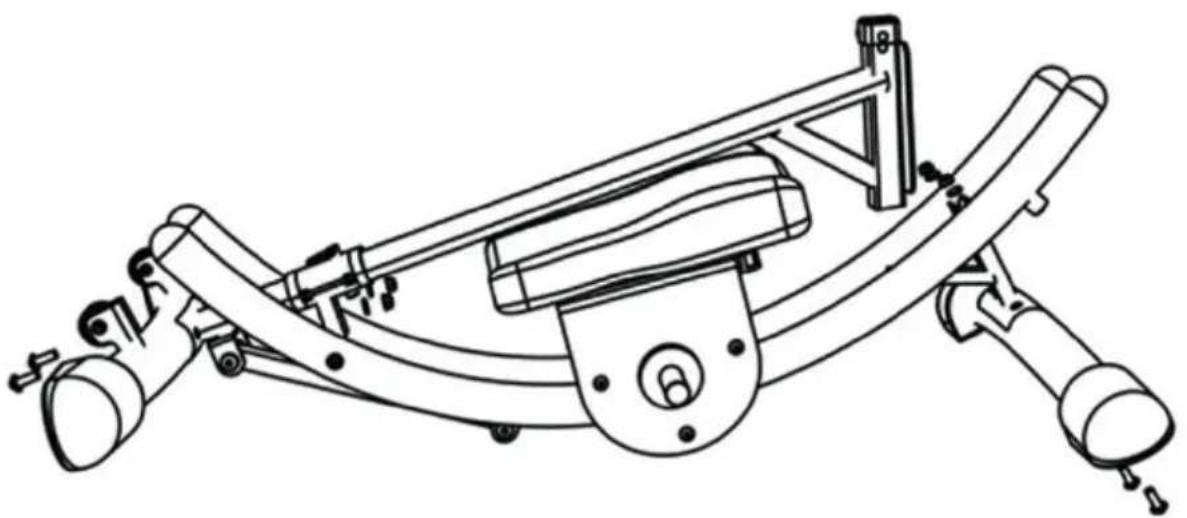
natural_image
Technical line drawing of a mechanical device with curved and straight components (no text or symbols)Étape 4 :
natural_image
Woman using a stationary exercise bike with red armrests, shown from front and side views (no text or symbols visible)Counter
Digital Repetition Counter
- The digital repetition counter helps to keep your workout on track. You focus on exercising
Fonction:
Lieu, Rancho Cucamonga, CA 91730
| UK | REP |
YH CONSULTING LIMITED. C/O YH Consultin
Limited Office 147, Centurion House, London
Road, Staines-upon-Thames, Surrey, TW18 4A>
| EC | REP |
E-CrossStu GmbH
Mainzer Landstr.69,
60329 Frankfurt am Main.
VEVOR®
TOUGH TOOLS, HALF PRICE
www.vevor.com/support
Ab Workout Equipment
MODELL: YN-38
natural_image
Black stationary exercise machine with adjustable arms and legs (no text or symbols visible)Assembly
natural_image
Simple line drawing of a mechanical lever or support structure (no text or symbols)natural_image
Line drawing of three abstract mechanical or architectural elements with no text or symbols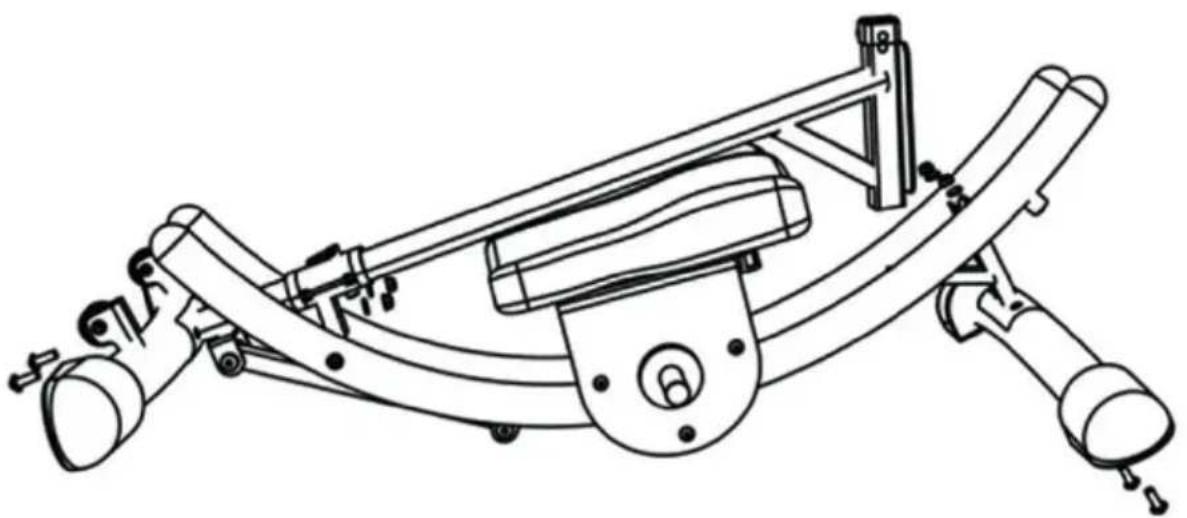
natural_image
Technical line drawing of a mechanical device with curved and straight components (no text or symbols)Schritt 4:
natural_image
Woman using a stationary exercise bike with red armrests, shown from front and side views (no text or symbols visible)Counter
Digital Repetition Counter
- The digital repetition counter helps to keep your workout on track. You focus on exercising
Funktion:
YH CONSULTING LIMITED. C/O YH Consultin Limited Office 147, Centurion House, London Road, Staines-upon-Thames, Surrey, TW18 4A>
| EC | REP |
www.vevor.com/support
VEVOR®
TOUGH TOOLS, HALF PRICE
Ab Workout Equipment
MODELLO: YN-3
natural_image
Black exercise bike with adjustable arms and seat, isolated on white background (no text or symbols visible)Assembly
natural_image
Line drawing of a mechanical device with lever and base components (no text or symbols)natural_image
Line drawing of a stationary exercise machine with articulated arms and a circular base (no text or symbols)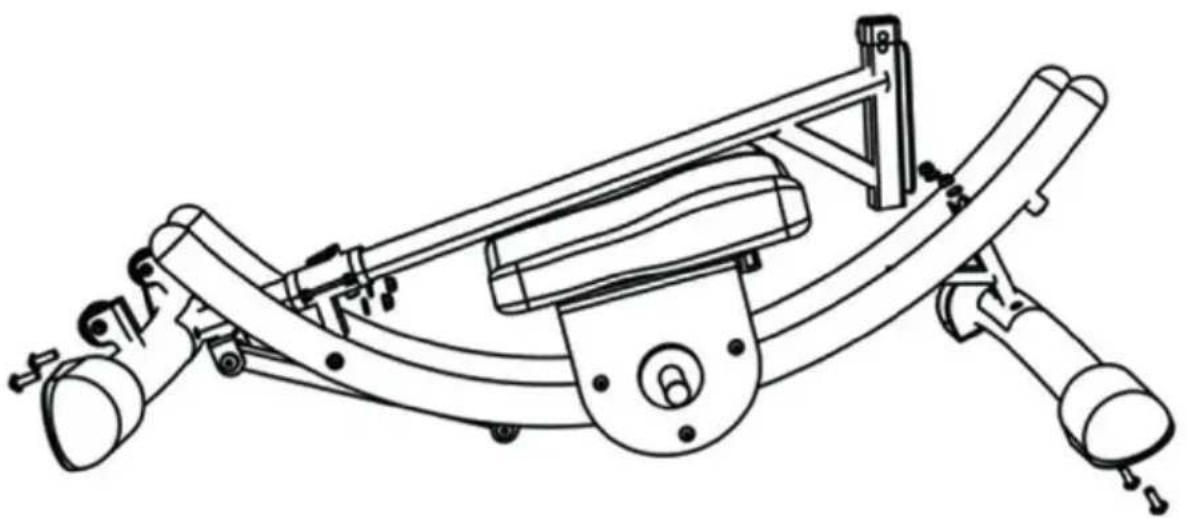
natural_image
Technical line drawing of a mechanical device with curved and straight components (no text or symbols)Fase 4:
natural_image
Woman using a stationary exercise bike with red armrests, shown from front and side views (no text or symbols visible)Counter
Digital Repetition Counter 13. The digital repetition counter helps to keep your workout on track. You focus on exercising
Funzione:
YH CONSULTING LIMITED. C/O YH Consultin Limited Office 147, Centurion House, London Road, Staines-upon-Thames, Surrey, TW18 4A>
| EC | REP |
Ab Workout Equipment
MODELO: YN-38
natural_image
Black exercise bike with adjustable arms and seat, isolated on white background (no text or symbols visible)Assembly
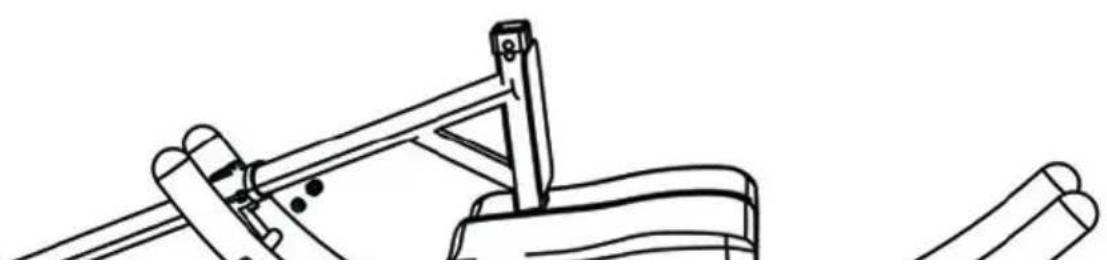
Paso 1: Instalar la pista curva
natural_image
Technical line drawing of a mechanical support structure (no text or symbols)natural_image
Line drawing of a stationary exercise machine with curved legs and seat (no text or symbols)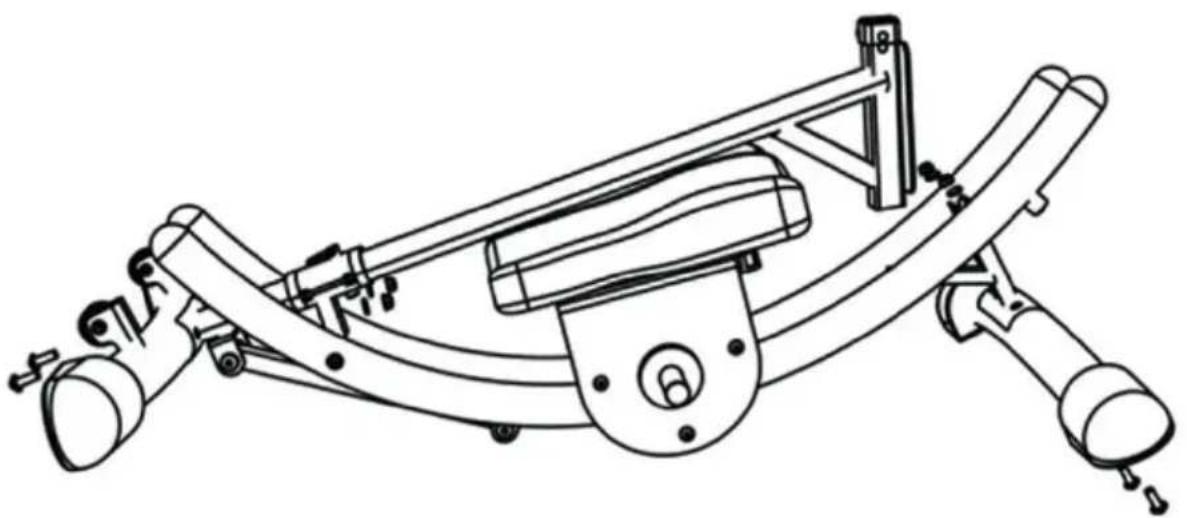
natural_image
Technical line drawing of a mechanical device with curved and straight components (no text or symbols)Paso 4:
natural_image
Woman using a stationary exercise bike with red armrests, shown from front and side views (no text or symbols visible)Counter
Digital Repetition Counter 17. The digital repetition counter helps to keep your workout on track. You focus on exercising
Función:
YH CONSULTING LIMITED. C/O YH Consultin Limited Office 147, Centurion House, London Road, Staines-upon-Thames, Surrey, TW18 4A>
| EC | REP |
www.vevor.com/support
VEVOR®
TOUGH TOOLS, HALF PRICE
www.vevor.com/support
Ab Workout Equipment
MODEL: YN-388
natural_image
Black exercise bike with adjustable arms and seat, isolated on white background (no text or symbols)Assembly
natural_image
Technical line drawing of a mechanical lever assembly (no text or symbols)natural_image
Line drawing of three mechanical components: a lever, a flat plate, and a curved bracket (no text or symbols)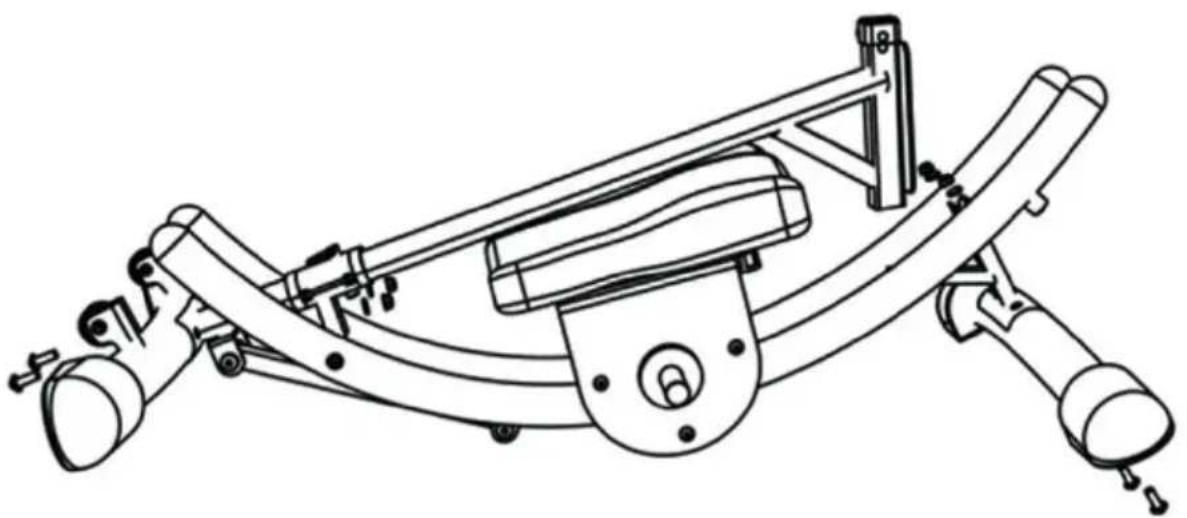
natural_image
Technical line drawing of a mechanical device with curved and straight components (no text or symbols)Krok 4:
natural_image
Woman using a stationary exercise bike with red armrests, shown from side to front (no text or symbols visible)Counter
Digital Repetition Counter
-
The digital repetition counter helps to keep your workout on track. You focus on exercising correctly and the counter keeps track of your repetitions.
-
Requires 1 "AAA" batteries
-
Press the mode key to star count function.
-
To reset the counter, press hold the button for 3 seconds.
Funkcjonować:
YH CONSULTING LIMITED. C/O YH Consultin Limited Office 147, Centurion House, London Road, Staines-upon-Thames, Surrey, TW18 4A>
| EC | REP |
www.vevor.com/support
VEVOR®
TOUGH TOOLS, HALF PRICE
www.vevor.com/support
Ab Workout Equipment
MODEL: YN-388
natural_image
Black stationary exercise machine with adjustable arms and legs (no text or symbols visible)HULP NODIG? NEEM CONTACT MET ONS OP!
Assembly
Stap 1: Gebogen rail installeren
natural_image
Technical line drawing of a mechanical lever assembly (no text or symbols)natural_image
Line drawing of a stationary exercise machine with curved legs and seat (no text or symbols)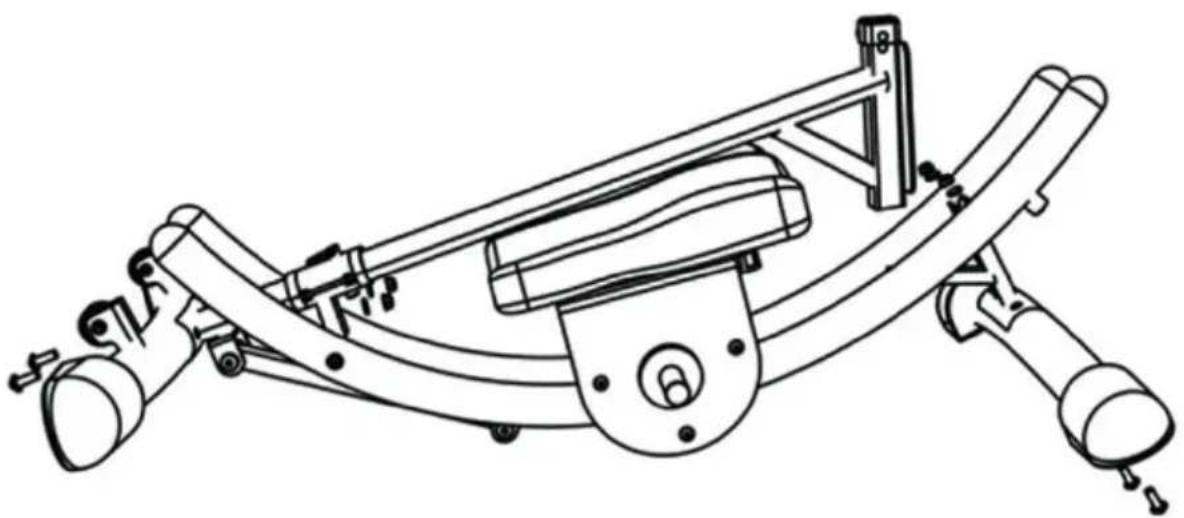
natural_image
Technical line drawing of a mechanical device with curved and straight components (no text or symbols)Stap 4:
natural_image
Woman using a stationary exercise bike with red armrests, shown from front and side views (no text or symbols visible)Counter
Digital Repetition Counter 25. The digital repetition counter helps to keep your workout on track. You focus on exercising
Functie:
YH CONSULTING LIMITED. C/O YH Consultin Limited Office 147, Centurion House, London Road, Staines-upon-Thames, Surrey, TW18 4A>
| EC | REP |
www.vevor.com/support
Ab Workout Equipment
MODELL: YN-38
natural_image
Black stationary exercise machine with adjustable arms and legs (no text or symbols visible)Assembly
Steg 1: Installera Curved Track
natural_image
Technical line drawing of a mechanical device with articulated arms and a central base (no text or symbols)natural_image
Line drawing of a stationary exercise machine with articulated arms and a circular base (no text or symbols)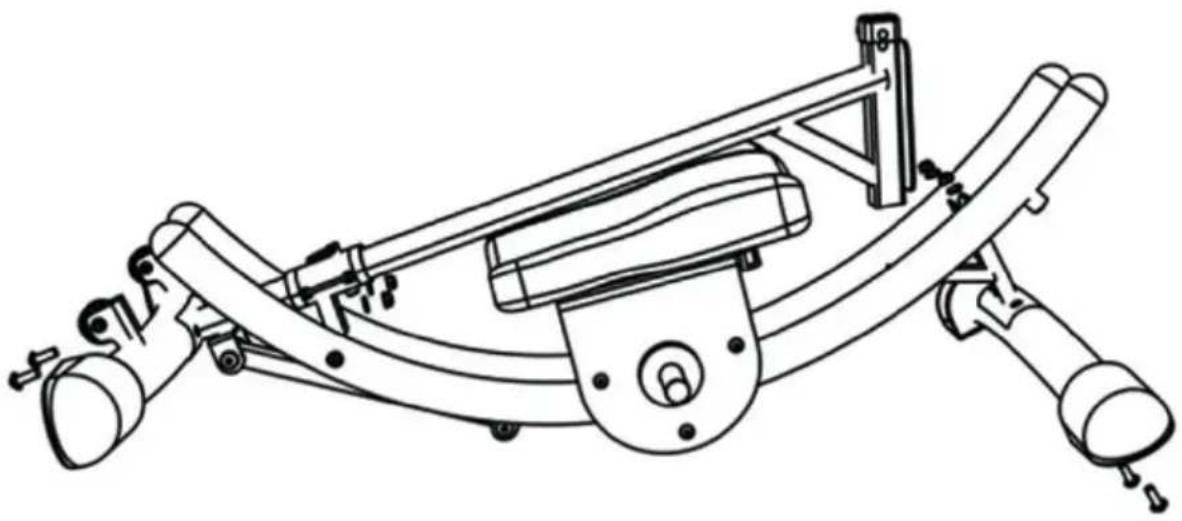
natural_image
Technical line drawing of a mechanical device with curved components and mounting brackets (no text or symbols)Steg 4:
natural_image
Woman using a stationary exercise bike with red and black components, next to a separate black exercise machine (no visible text or symbols)Counter
Digital Repetition Counter
-
The digital repetition counter helps to keep your workout on track. You focus on exercising correctly and the counter keeps track of your repetitions.
-
Requires 1 "AAA" batteries
-
Press the mode key to star count function.
-
To reset the counter, press hold the button for 3 seconds.
Fungera:
YH CONSULTING LIMITED. C/O YH Consultin Limited Office 147, Centurion House, London Road, Staines-upon-Thames, Surrey, TW18 4A>
| EC | REP |
www.vevor.com/support