TY-DNJ003 - Fitness Equipment Vevor - Free user manual and instructions
Find the device manual for free TY-DNJ003 Vevor in PDF.


User questions about TY-DNJ003 Vevor
0 question about this device. Answer the ones you know or ask your own.
Ask a new question about this device
Download the instructions for your Fitness Equipment in PDF format for free! Find your manual TY-DNJ003 - Vevor and take your electronic device back in hand. On this page are published all the documents necessary for the use of your device. TY-DNJ003 by Vevor.
USER MANUAL TY-DNJ003 Vevor
Technical Support and E-Warranty Certificate www.vevor.com/support
CYCLING DESK
MODEL: TY-DNJ003
We continue to be committed to provide you tools with competitive price. "Save Half", "Half Price" or any other similar expressions used by us only represent of savings you might benefit from buying certain tools with us compared top brands and does not necessarily mean to cover all categories of tools offered are kindly reminded to verify carefully when you are placing an order with us actually saving half in comparison with the top major brands.
CYCLING DESK
MODEL: TY-DNJ003
NEED HELP? CONTACT US!
Have product questions? Need technical support? Please feel fr contact us:
Technical Support and E-Warranty Certificate www.vevor.com/support
This is the original instruction, please read all manual instruction carefully before operating. VEVOR reserves a clear interpretation user manual. The appearance of the product shall be subject to product you received. Please forgive us that we won't inform your data on any technology or software updates on our product.
INTRODUCTION
- To avoid injury, please carefully read the instructions and use the product standardized manner.
- When you pass the bike repair stand to another user, please be sure to include the User Manual
- The user manual may be not described the product details and operation steps fully. Please contact us .when you need help or more information.
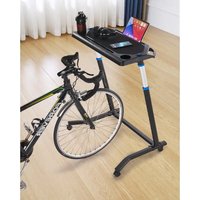
- The Adjustable Bike Fitness Desks designed to cooperate with the bike trainer to place iphone, ipad, notebook, etc. It can also be used as a makeshift desk, writing board, only for private use, not for commercial us
- This product moves by the universal wheel, please be sure to lock the br of the wheel and stable placement before use. Release the brake when move.
- Place this product on the ground which is hard and flat. Ensure the install space is sufficient, to avoid the product hitting the surrounding items.
- Please strictly follow this instruction when assembling or using this product. The seller will not liable for any damage caused by improper assembly of
- Please pay attention to the hand placement for avoid injury, when you adjust the height and fold the product.
● The maximum bearing of this item is 20 kg (44lb), please do not put overweight items.
Cautions
- If you find defect of products or missing parts, please contact us immediat
- Please do not left children to climb or use the desk, to prevent injuries by the dump of products.
- Please be sure to lock the brake of the wheel to prevent desktop movement or Desktop items fall When using this product.
Save the instructions.
FUNCTION IS INTRODUCED
The Adjustable Bike Fitness Desks designed to provide users with a better ri experience, cooperate with the bike trainer to place iphone,ipad, notebook, etc that you can enjoy both entertainment and office while riding. It can also be as a makeshift desk, writing board. Its main characteristics are as follows:
- The bottom have 4 universal casters that can be moved freely. Rear whe brake lock for stable placement.
- Large table top with non-slip mat. The front and rear double card slots car vertically placed iphone and ipad.
- The left and right water cup holders are designed to hold water cups or
- Dual armrest can be used to wrap and fix the phone power cord, also c towel on it.
- The desktop height can be adjusted as required.
6.Built-up bottom base is more stable.
PRODUCT PAREMETERS
| Material of Desktop | ABS |
| Height of Desktop | 31.5"-44.7"/ 800-1135mm |
| Footing Structure | Frame type with universal wheel |
| Load Capacity | ≤44lbs / 20 Kg |
| Color | Black |
PART LIST
When unpacking this product, ensure the parts listed below are includ and carefully inspect for any damage that may have occurred during Do not attempt to assemble or use the product if any part is missin damaged.
| No | Part Name | Qty | Picture |
| 1 | Tabletop | 1 | 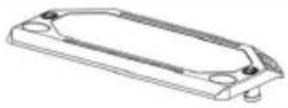 |
| 2 | Legs | 2 |  |
| 3 | Left tube of Bottom frame | 1 | 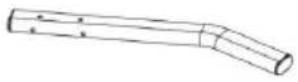 |
| 4 | Right tube of Bottom frame | 1 | 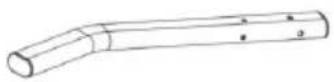 |
| 5 | Connection tube of Bottom fran | 1 | 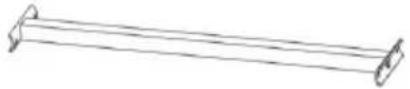 |
| 6 | Caster wheel | 2 |  |
| 7 | Caster wheel(with brake) | 2 |  |
| 8 | Screw(short) | 4 | 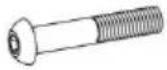 |
| 9 | Screw(long) | 4 | 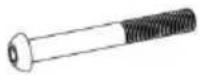 |
| 10 | Nuts | 8 |  |
| 11 | Flat washer (small) | 12 |  |
| 12 | Flat washer (big) | 4 |  |
| 13 | 5mm Hex wrench | 1 | 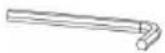 |
| 14 | 6mm Hex wrench | 1 | 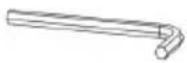 |
| 15 | Open-end wrench | 1 | 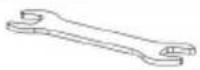 |
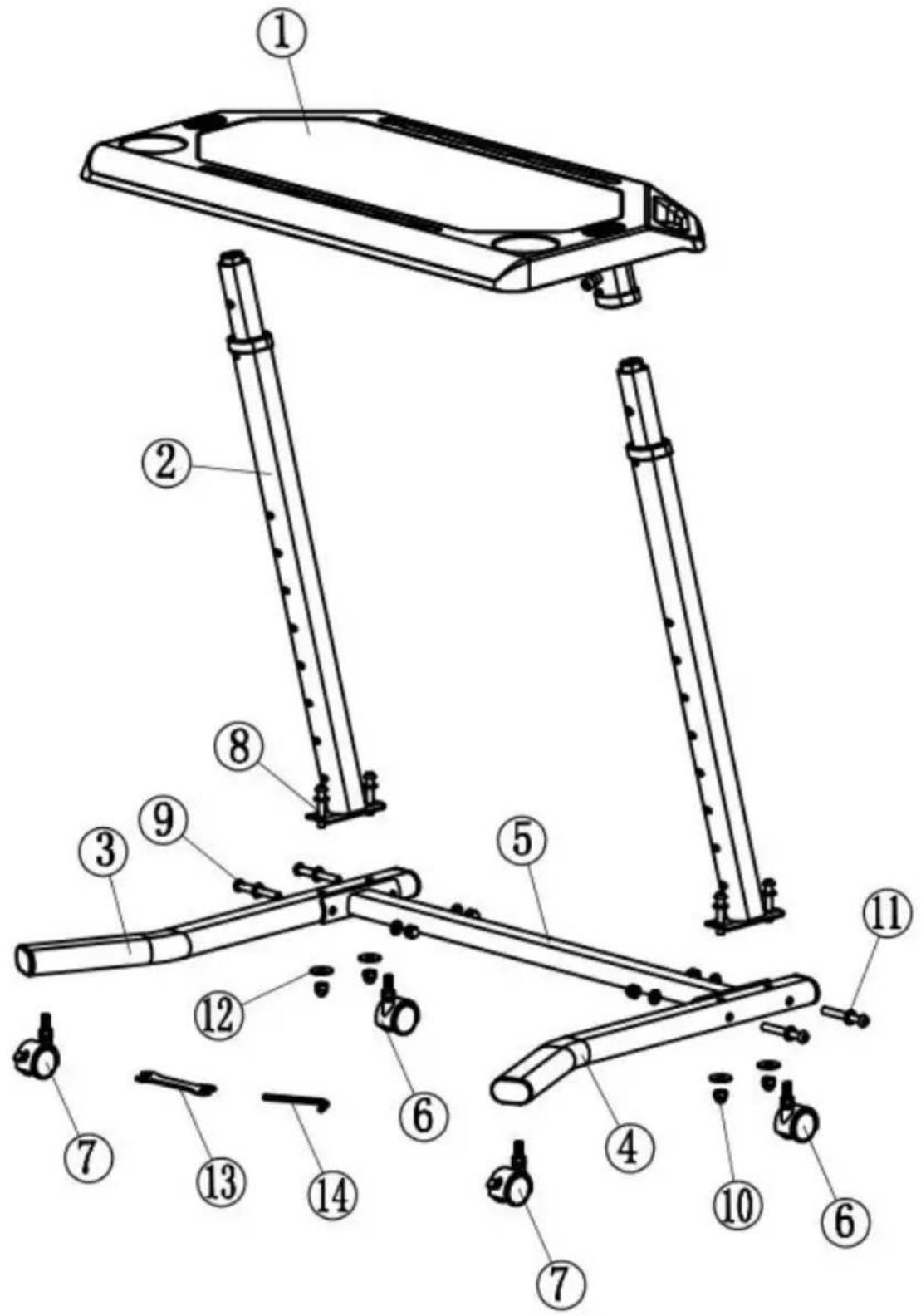
Step 1: Check product and accessories according the figure 1.
text_image
Technical diagram of a mechanical device with numbered parts for identificationFig 1
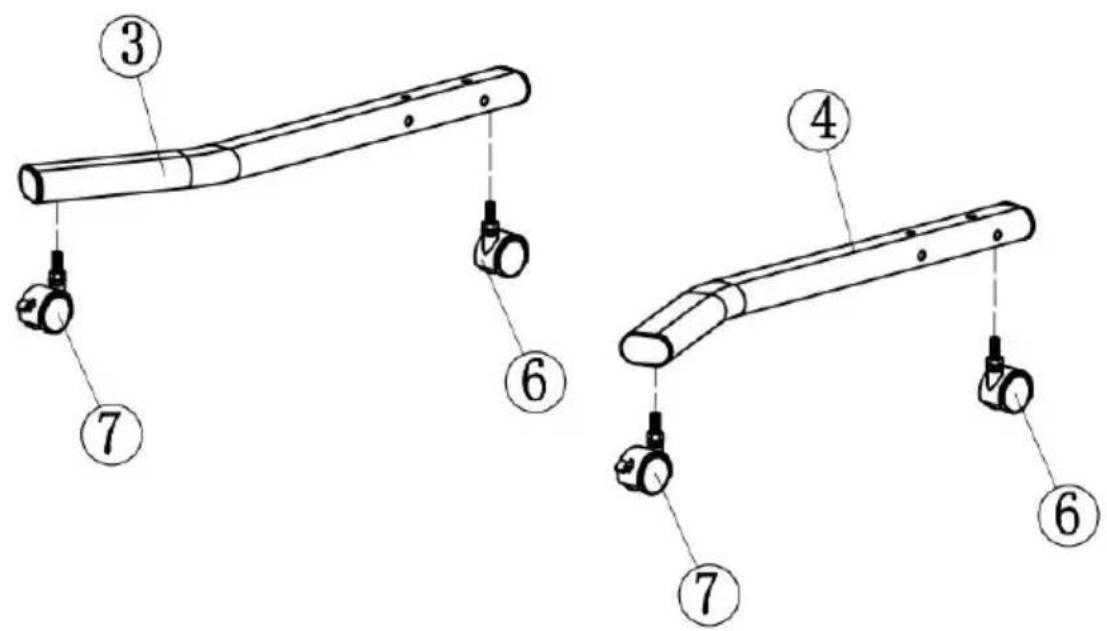
Step 2: Install the Caster wheel.
Install the wheel on the left/right tube of Bottom frame and screw clockwise.
Note: The two wheels with brake are mounted on rear (Short side bend).
text_image
Technical diagram showing labeled mechanical components with numbered parts 3, 4, 6, and 7Fig 2
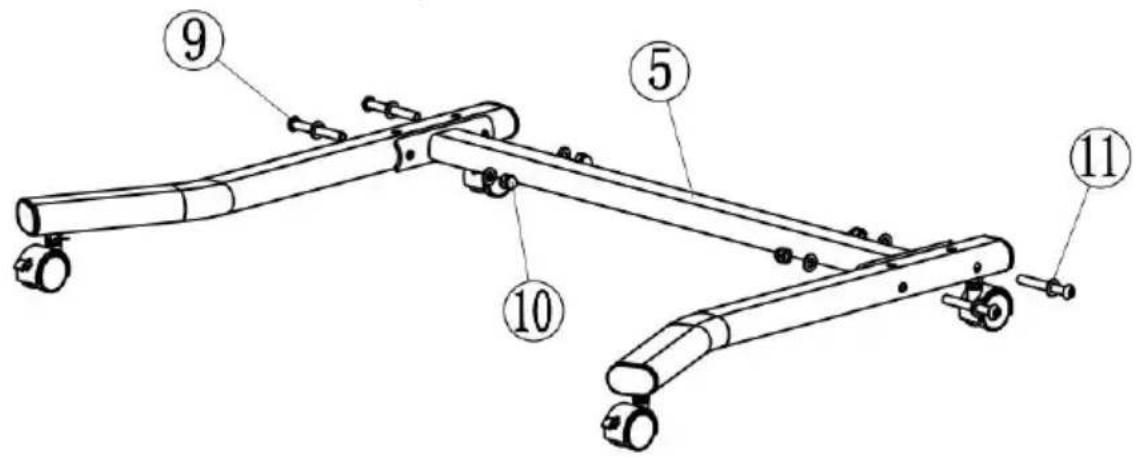
Step 3: Assemble the bottom frame.
Connect the assembled left and right tube of the bottom frame with Connection tube, then tighten the nuts as the fig 3. Screw the C until it is level with the ground. Then lock the nuts on the wheel.
text_image
Technical diagram of a mechanical device with numbered components labeled 5, 9, 10, and 11.Fig 3
Step 4: Install two legs.
Install the two legs to the left/right tube of the bottom as the fig Screw the nuts but not lock it for now.
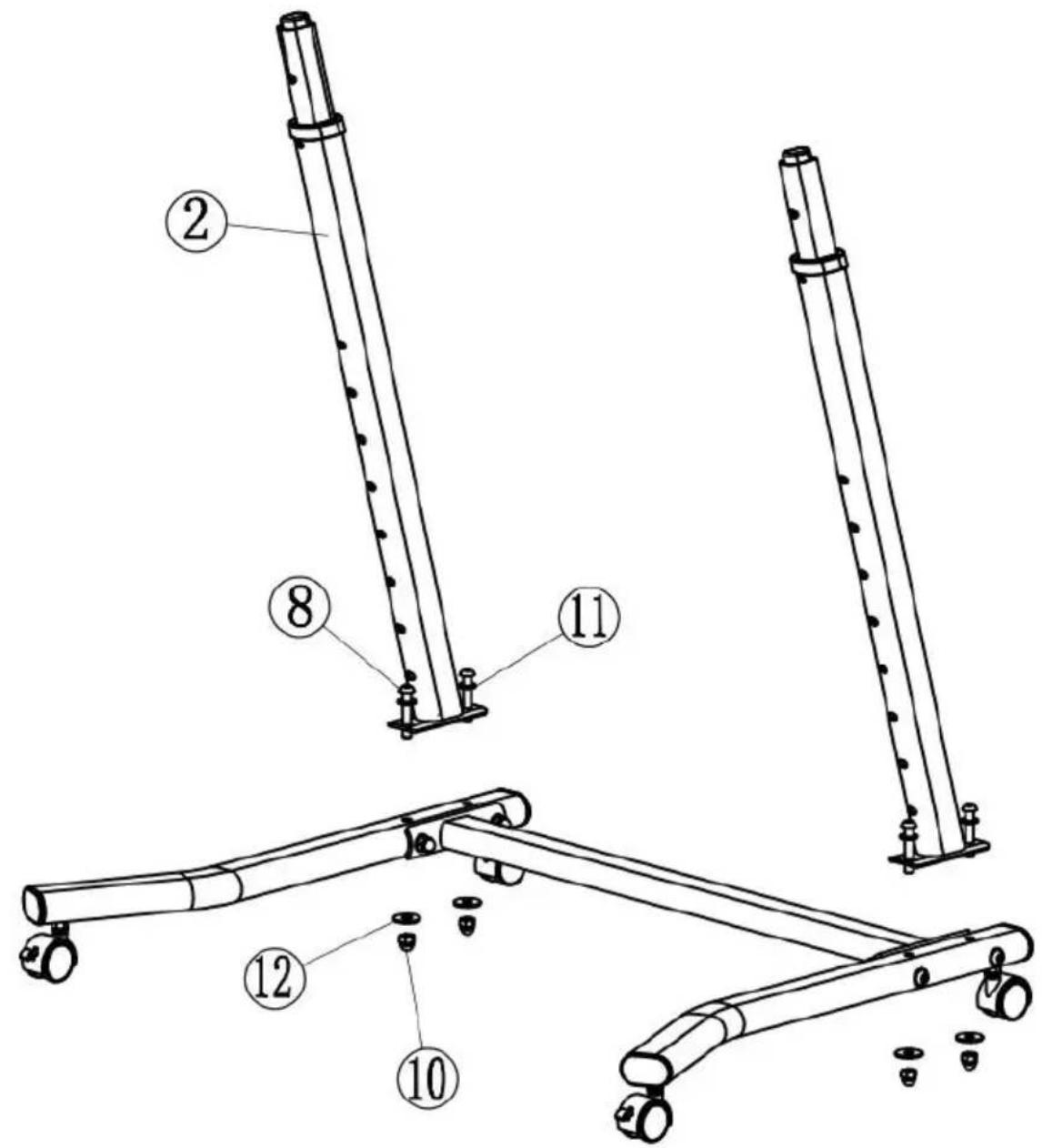
text_image
Technical diagram of a mechanical device with numbered components, likely for assembly or maintenance instructions.Fig 4
Step 5: Install the tabletop.
Place the tabletop on the legs and press down until the button from the hole, then lock the screws as shown fig 5(2 places on right).
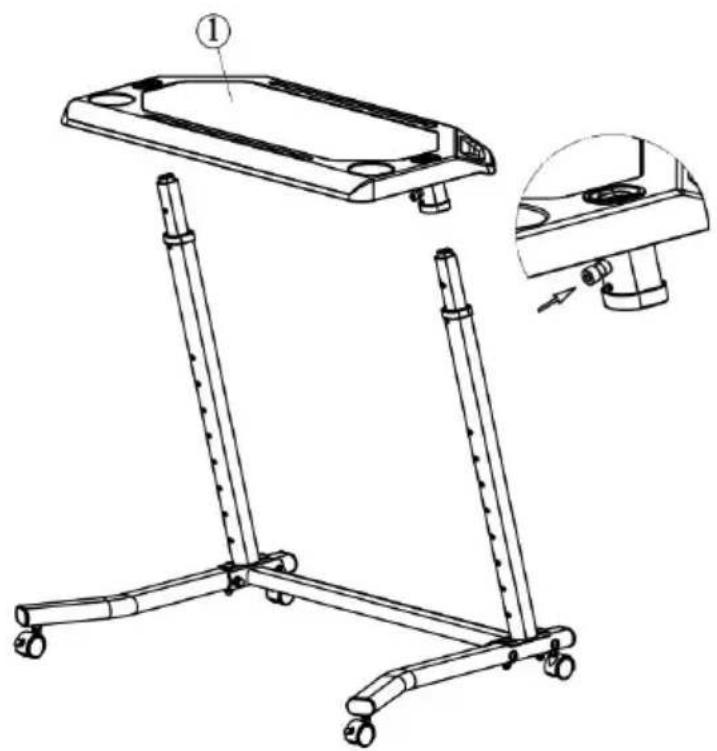
natural_image
Technical line drawing of a mobile phone stand with a close-up inset showing the base panel and handle (no text or symbols)Fig 5
Step 6:Lock the bottom nuts.
Lock the four nuts at the bottom of the tube using an open wire hex wrench as shown Fig6, when raise the desktop to the higher
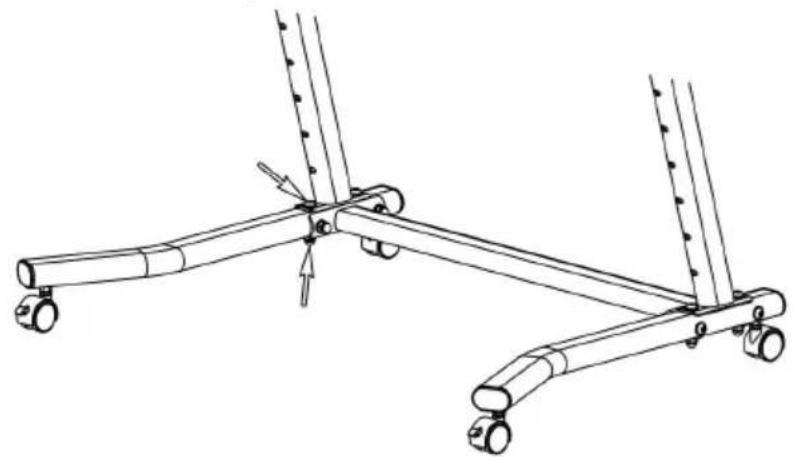
natural_image
Technical line drawing of a mechanical support system with two articulated legs and a central vertical rod (no text or symbols)Fig 6
Step 7 : Adjust height of desktop.
Simply press the button to raise or lower the table. Release the the height you need and check that the height position is secure before use.
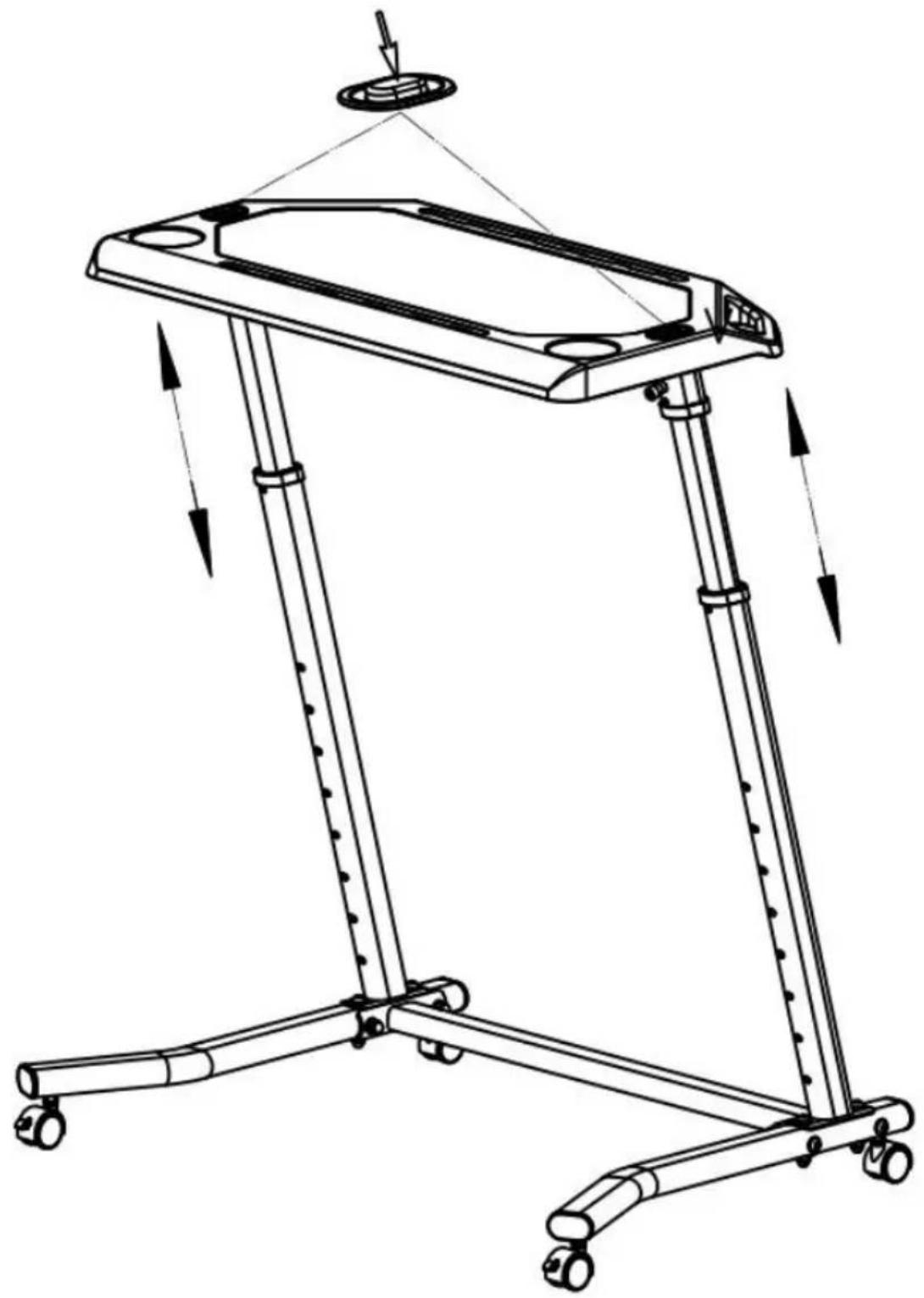
natural_image
Line drawing of a mechanical device with wheels and a hanging component (no text or symbols)Fig 7
MAINTENANCE AND STORAGE
- This product can move, please be sure to keep the brake locked and do place any heavy objects on the desktop to avoid damage when store it.
- This product need to be stored in a clean indoor environment, keep dry, direct sunlight, stay away from fire source, watersource or other dangerous it
- When cleaning this product, please clean with clean cloth to avoid damage surface appearance. Avoid clean with cleaner, clean powder or other chemical solvent.
Disposal instructions
Please classification recovery the packing bags and waste through the waste center or waste disposal company, to protect the environment. Please follow relevant laws and regulations.
Manufacturer: Shanghaimuxinmuyeyouxiangongsi
Address: Shuangchenglu 803nong11hao1602A-1609shi, baoshanqu, shanghai 200000 CN.
Imported to AUS: SIHAO PTY LTD. 1 ROKEVA STREETEASTWOOD NSW 2 Australia
Imported to USA: Sanven Technology Ltd. Suite 250, 9166 Anaheim Place, Rancho Cucamonga, CA 91730
| UK | REP |
YH CONSULTING LIMITED.
C/O YH Consulting Limited Office 147, Cent
House, London Road, Staines-upon-Thames,
Surrey, TW18 4AX
| EC | REP |
E-CrossStu GmbH
Mainzer Landstr.69,
60329 Frankfurt am Main.
VEVOR®
TOUGH TOOLS, HALF PRICE
Technical Support and E-Warranty Certificate
www.vevor.com/support
VEVOR®
TOUGH TOOLS, HALF PRICE
natural_image
Black adjustable table with wheels and a flat top (no text or symbols visible)BESOIN D'AIDE? CONTACTEZ-NOUS!
LA FONCTION EST INTRODUITE
PARAMÈTRES DU PRODUIT
text_image
Technical diagram of a mechanical device with numbered components for identificationFig 1
text_image
Technical diagram showing labeled parts of a mechanical device with numbered annotationsFig 2
text_image
Technical diagram of a mechanical device with numbered components labeled 5, 9, 10, and 11.Fig 3
text_image
Technical diagram of a mechanical device with numbered components for identificationFig. 4
natural_image
Technical line drawing of a mobile phone stand with a close-up inset showing the base panel and handle (no text or symbols)Fig. 5
natural_image
Technical line drawing of a mechanical support system with two articulated legs and a central vertical rod (no text or symbols)Fig. 6
natural_image
Line drawing of a mechanical device with wheels and a suspended frame, showing motion arrows (no text or symbols)Fig. 7
ENTRETIEN ET STOCKAGE
A/S YH Consulting Limited Bureau 147, Centurion
Maison, London Road, Staines-upon-Thames,
Surrey, TW18 4AX
text_image
REPRÉSENTAN DE LA CEE-CrossStu GmbH
69, rue Mainzer Landstr.,
natural_image
Black adjustable table with wheels and a flat top (no text or symbols visible)text_image
Technical diagram of a mechanical device with numbered components for identificationAbb. 1
text_image
Technical diagram showing labeled parts of a mechanical device with numbered annotationsAbb. 2
text_image
Technical diagram of a mechanical device with numbered components labeled 5, 9, 10, and 11.Abb. 3
text_image
Technical diagram of a mechanical device with numbered components for identificationAbb. 4
natural_image
Technical line drawing of a mobile phone stand with a close-up inset showing the base panel and handle (no text or symbols)Abb. 5
natural_image
Technical line drawing of a mechanical support system with two articulated legs and a central vertical rod (no text or symbols)Abb. 6
natural_image
Line drawing of a mechanical device with wheels and a suspended frame, showing motion arrows (no text or symbols)Abb. 7
C/O YH Consulting Limited Office 147, Centurion
Haus, London Road, Staines-upon-Thames,
Surrey, TW18 4AX
www.vevor.com/support
VEVOR®
TOUGH TOOLS, HALF PRICE
natural_image
Black adjustable table with wheels and a flat top (no text or symbols visible)text_image
Technical diagram of a mechanical device with numbered components for identificationFigura 1
text_image
Technical diagram showing labeled parts of a mechanical device with numbered annotationsFigura 2
text_image
Technical diagram of a mechanical device with numbered components labeled 5, 9, 10, and 11.Figura 3
text_image
Technical diagram of a mechanical device with numbered components for identificationFigura 4
natural_image
Technical line drawing of a mobile phone stand with a close-up inset showing the base panel and handle (no text or symbols)Figura 5
natural_image
Technical line drawing of a mechanical support system with two articulated legs and a central vertical rod (no text or symbols)Figura 6
natural_image
Line drawing of a mechanical device with wheels and a suspended frame, showing motion arrows (no text or symbols)Figura 7
Importato in AUS: SIHAO PTY LTD. 1 ROKEVA STREETEASTWOOD NSW 2122 Australia
Importato negli USA: Sanven Technology Ltd. Suite 250, 9166 Anaheim Place, Rancho Cucamonga, CA 91730
text_image
RAPPRESENTANZA DEL REGNO UNITOCONSULENZA YH LIMITATA.
C/O YH Consulting Limited Ufficio 147, Centurion
Casa, London Road, Staines-upon-Thames,
elettronica www.vevor.com/support
VEVOR®
TOUGH TOOLS, HALF PRICE
natural_image
Black adjustable table with wheels and a flat top (no text or symbols visible)text_image
Technical diagram of a mechanical device with numbered components for identificationFigura 1
Paso 2: Instale la rueda giratoria.
text_image
Technical diagram showing labeled parts of a mechanical device with numbered annotationsFigura 2
text_image
Technical diagram of a mechanical device with numbered components labeled 5, 9, 10, and 11.Figura 3
Paso 4: Instale dos patas.
text_image
Technical diagram of a mechanical device with numbered components for identificationFigura 4
natural_image
Technical line drawing of a mechanical device with a top component and a close-up inset showing the base assembly (no text or symbols)Figura 5
natural_image
Technical line drawing of a mechanical support system with two articulated legs and a central vertical rod (no text or symbols)Figura 6
natural_image
Line drawing of a mechanical device with wheels and a top frame, showing motion arrows (no text or symbols)Figura 7
Casa, London Road, Staines-upon-Thames,
Surrey, TW18 4AX
text_image
REPRESENTANTE CEE-CrossStu GmbH
Calle Mainz Landstr.69,
natural_image
Black adjustable table with wheels and a flat top (no text or symbols visible)POTRZEBUJESZ POMOCY? SKONTAKTUJ SIĘ Z NAMI!
text_image
Technical diagram of a mechanical device with numbered components for identificationRys. 1
text_image
Technical diagram showing labeled parts of a mechanical device with numbered annotationsRys. 2
text_image
Technical diagram of a mechanical device with numbered components labeled 5, 9, 10, and 11.Rys. 3
text_image
Technical diagram of a mechanical device with numbered components for identificationRys. 4
natural_image
Technical line drawing of a mobile phone stand with a handle and base, showing internal components and a close-up inset (no text or symbols)Rys. 5
natural_image
Technical line drawing of a mechanical support system with two articulated legs and a central vertical rod (no text or symbols)Rys. 6
pozy
natural_image
Line drawing of a mechanical device with wheels and a suspended frame, showing motion arrows (no text or symbols)Ryc. 7
KONSERWACJA I PRZECHOWYWANIE
C/O YH Consulting Limited Biuro 147, Centurion
Dom, London Road, Staines-upon-Thames,
Surrey, TW18 4AX
| Przedsławciel UE |
E-CrossStu GmbH
Mainzer Landstr.69,
60329 Frankfurt nad Menem.
VEVOR®
TOUGH TOOLS, HALF PRICE
natural_image
Black adjustable table with wheels and a flat top (no text or symbols visible)HULP NODIG? NEEM CONTACT MET ONS OP!
text_image
Technical diagram of a mechanical device with numbered components for identificationFiguur 1
text_image
Technical diagram showing labeled mechanical components with numbered parts for assembly or identification.Figuur 2
text_image
Technical diagram of a mechanical device with numbered components labeled 5, 9, 10, and 11.Figuur 3
text_image
Technical diagram of a mechanical device with numbered components for identificationFiguur 4
natural_image
Technical line drawing of a two-legged exercise table with a handle and wheels, showing internal components and a close-up inset (no text or symbols)Figuur 5
natural_image
Technical line drawing of a mechanical support system with two articulated legs and a central vertical rod (no text or symbols)Figuur 6
natural_image
Line drawing of a mechanical device with wheels and a suspended frame, showing motion arrows (no text or symbols)Figuur 7
ONDERHOUD EN OPSLAG
C/O YH Consulting Limited Kantoor 147, Centurion
Huis, London Road, Staines-upon-Thames,
Surrey, TW18 4AX
text_image
EC-REPE-CrossStu GmbH
Mainzer Landstr.69,
60329 Frankfurt am Main.
VEVOR®
TOUGH TOOLS, HALF PRICE
garantiecertificaat www.vevor.com/support
VEVOR®
TOUGH TOOLS, HALF PRICE
natural_image
Black adjustable table with wheels and a flat top (no text or symbols visible)BEHÖVER HJÄLP? KONTAKTA OSS!
text_image
Technical diagram of a mechanical device with numbered parts for identificationFig 1
Steg 2: Installera Caster-hjulet.
text_image
Technical diagram showing labeled parts of a mechanical device with numbered annotationsFig 2
text_image
Technical diagram of a mechanical device with numbered components labeled 5, 9, 10, and 11.Fig 3
text_image
Technical diagram of a mechanical device with numbered components for identificationFig 4
Steg 5: Installera bordsskivan.
natural_image
Technical line drawing of a four-legged exercise table with a handle and wheels, showing internal components and a close-up inset (no text or symbols)Fig 5
Steg 6: Lås de nedre muttrarna.
natural_image
Technical line drawing of a mechanical support system with two articulated legs and a central vertical rod (no text or symbols)Fig 6
natural_image
Line drawing of a mechanical device with wheels and a suspended frame, showing motion arrows (no text or symbols)Fig 7
UNDERHÅLL OCH FÖRVARING
C/O YH Consulting Limited Office 147, Centurion House, London Road, Staines-upon-Thames, Surrey, TW18 4AX
text_image
EC REPwww.vevor.com/support