
SC-F802 - Food warmer Vevor - Free user manual and instructions
Find the device manual for free SC-F802 Vevor in PDF.
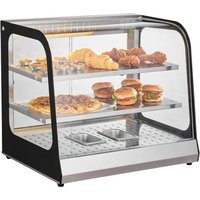


| Product Type | Commercial Food Warmer |
| Brand | Vevor |
| Model | SC-F802 |
| Dimensions (W × D × H) | 850 × 660 × 590 mm |
| Weight | 35 kg (approx.) |
| Power Supply | 110-120 V ~ 60 Hz or 220-240 V ~ 50 Hz |
| Power | 2000 W (approx.) |
| Material | Stainless steel, tempered glass |
| Number of shelves | Adjustable multi-levels (grid) |
| Heating System | Natural convection with adjustable thermostat |
| Lighting | Built-in LED lighting |
| Humidity maintenance | Built-in water tray (2 × 0.5 L) |
| Main Functions | Heat retention, food presentation, hydration, display lighting |
| Maintenance and cleaning | Clean with non-corrosive detergent; do not immerse in water; cut power before cleaning |
| Safety | Grounding mandatory; do not touch hot surfaces; do not use outdoors |
| Spare parts and repairability | Heating tube, thermostat, indicator light, switch repairable by a professional |
| Usage | Professional use only (not for home use) |
| Operating ambient temperature | 5 °C to 50 °C, relative humidity ≤ 90% |
| Warranty | Electronic warranty certificate available at www.vevor.com/support |
Frequently Asked Questions - SC-F802 Vevor
User questions about SC-F802 Vevor
0 question about this device. Answer the ones you know or ask your own.
Ask a new question about this device
Download the instructions for your Food warmer in PDF format for free! Find your manual SC-F802 - Vevor and take your electronic device back in hand. On this page are published all the documents necessary for the use of your device. SC-F802 by Vevor.
USER MANUAL SC-F802 Vevor
Technical Support and E-Warranty Certificate www.vevor.com/support
Food Warmer Display
MODEL: SC-F802
We continue to be committed to providing you with tools at competitive prices. "Save Half", "Half Price", or any other similar expressions used by us only represent the estimate of savings you might benefit from buying certain tools with us compared to major top brands and does not necessarily mean to cover all categories of tools. You are kindly reminded to verify carefully when placing an order that you are actually saving half in comparison with the top major brands.
MODEL: SC-F802
NEED HELP? CONTACT US!
Have product questions? Need technical support? Please feel free to contact us:
Technical Support and E-Warranty Certificate www.vevor.com/support
This is the original instruction. Please read all manual instructions carefully before operating. VEVOR reserves the right to interpret the user manual. The appearance of the product shall be subject to the product you received. Please forgive us that we won't inform you of any technology or software updates in our process.
 | Warning-To reduce the risk of injury, user must re instructions manual carefully. |
 | CORRECT DISPOSALThis product is subject to the provision of European D 2012/19/EU. The symbol showing a wheelie bin cros through indicates that the product requires separate re collection in the European Union. This applies to the and all accessories marked with this symbol. Products as such may not be discarded with normal domestic but must be taken to a collection point for recycling and electronic devices. |
 | Indoor Use Only |

Warming Tips
To ensure that this product will not be scratched during transportation, a protective film is attached to the surface of the machine. Please tear off the protective film before use!
1. Instructions for use:
- Must be safely grounded before use!
- The voltage used must be consistent with the rated voltage.
- When using it for the first time, add water to the water basin to the capacity before turning on the power; when the water basin under the machine is short of water, the power must be cut off before adding water, and ensure that the water level does not exceed the basin to avoid the risk of electric shock.
- Power supply: the power indicator light is on. Turn the temperature control heating switch and select the insulation temperature of the food. This will increase the temperature of the space inside the cabinet. Through natural convection, the temperature of each layer can be kept consistent.
- During use, if you need lighting, you can turn on the lighting switch. The light group will be turned on, which can improve
the display effect.
- When finished, the power must be cut off when cleaning to prevent accidents.
- If any abnormality occurs during the process, you should stop using it and ask a professional to troubleshoot it before continuing to use it.
- This product is not suitable for people (including children) with physical, sensory, or mental disabilities or lack of experience and knowledge.
- Never immerse your hands or other parts of your body in or come into contact with water. The surface of the machine is hot. Do not touch it to avoid burns or other injuries.
2. Precautions and maintenance:
- It should be operated by designated personnel who are proficient in the use of machinery and equipment.
- Be careful when moving the machine. If there is a fault, it must be repaired by a professional. Do not knock it.
- Please do not install or store this equipment in the following locations to avoid malfunction due to misoperation:
3.1 On an unstable table or counter. 3.2 Places where the temperature is too high or too low. 3.3 Places with excessive air volume and excessive dust. 3.4 Places where the power supply voltage is very unstable. 3.5 Where there is no good grounding device.
- The appliance must not be cleaned with a water spray pipe or immersed in water to prevent electrical leakage.
- After use, clean the inside of the insulation cabinet with non-corrosive detergent.
- It is strictly prohibited to use liquids that are soluble in baking to wipe the surface of the insulation cabinet.
- Special precautions: 7.1 This product is a commercial device and is not suitable for home use. 7.2 Do not shake or tilt during use. 7.3 It cannot be disassembled or modified. Disassembling it without
permission may cause serious accidents.
7.4 The power needs to be cut off before cleaning to prevent accidental leakage. 7.5 During use, please do not touch the cabinet directly with your hand due to the high temperature. Special tools and high-temperature-resistant gloves are required when handling food. 7.6 It is prohibited to use hard or sharp objects to scratch the glass.
3. Normal working environment conditions:
- The ambient temperature is 5-50°C, and the relative air humidity is more than 90%;
- Power supply voltage: 110V±10%, frequency: 60±1%HZ. (220V±10%, frequency: 50±1%HZ)
4. Product introduction
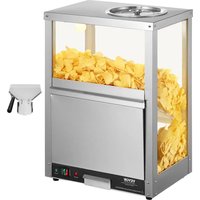
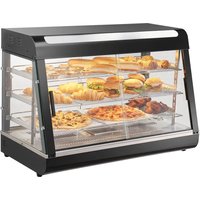
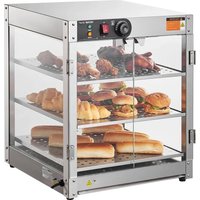
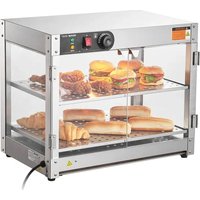
This product has a novel and unique design, beautiful appearance, and shape, multi-layer adjustable grid shelf, four-sided glass perspective, strong and durable, and easy to maintain. It has optional constant temperature, which can make the temperature uniform, and is equipped with moisturizing compensation to keep food fresh. It is a special equipment for food display, heat preservation and moisturizing.
5. Symbol description:
In this manual, symbols are used to highlight all important safety instructions and recommendations related to the equipment. To avoid risk of accidents, personal injury, or property damage, follow these instructions with extreme caution.
6. Product specifications
| Model | Voltage (V) | Frequency (Hz) | Power (W) | Dimension (mm) |
| SC-F802 | AC110-120 | 60 | 850 | 660*530*590 |
| AC220-240 | 50 |
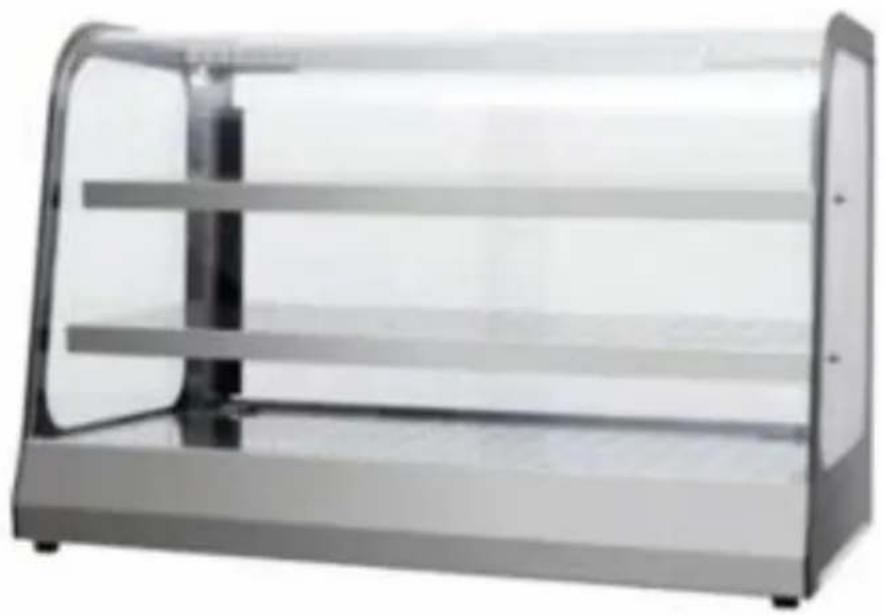
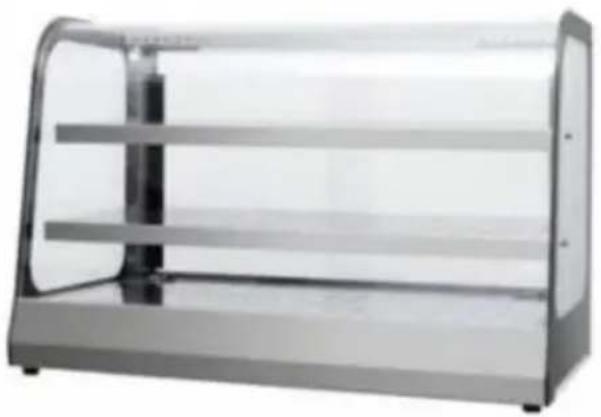
7. Product appearance
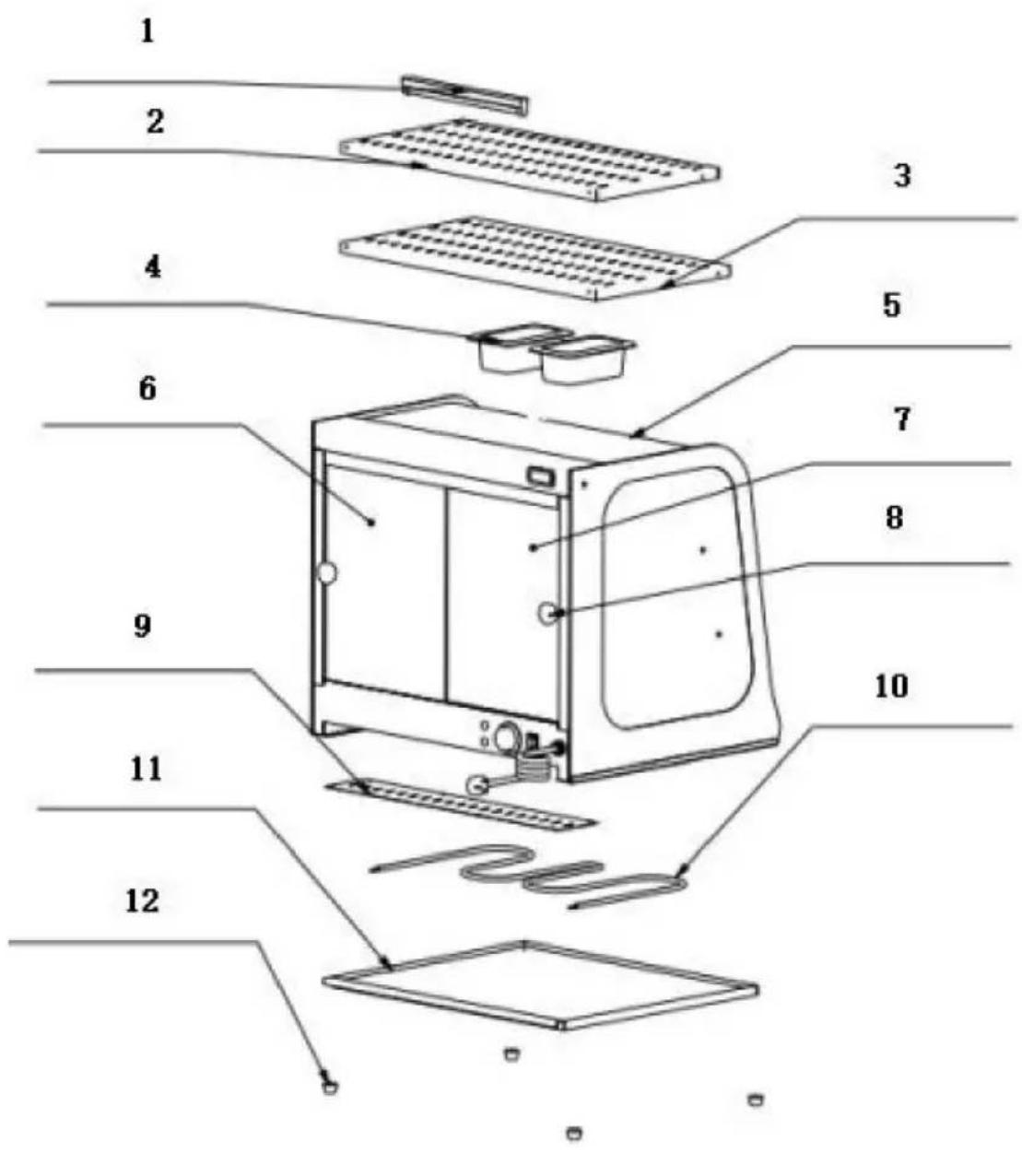
8. Product structure diagram
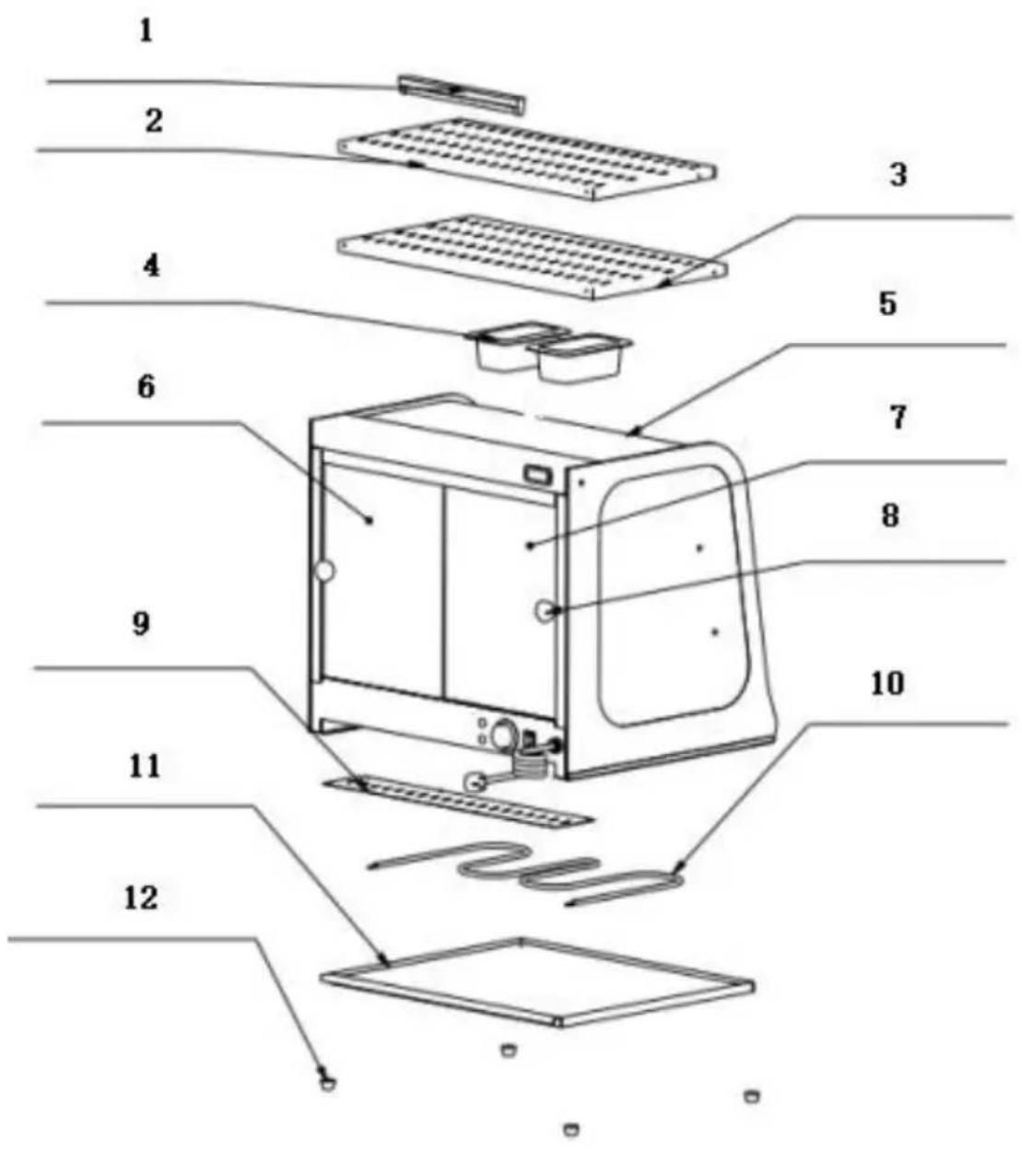
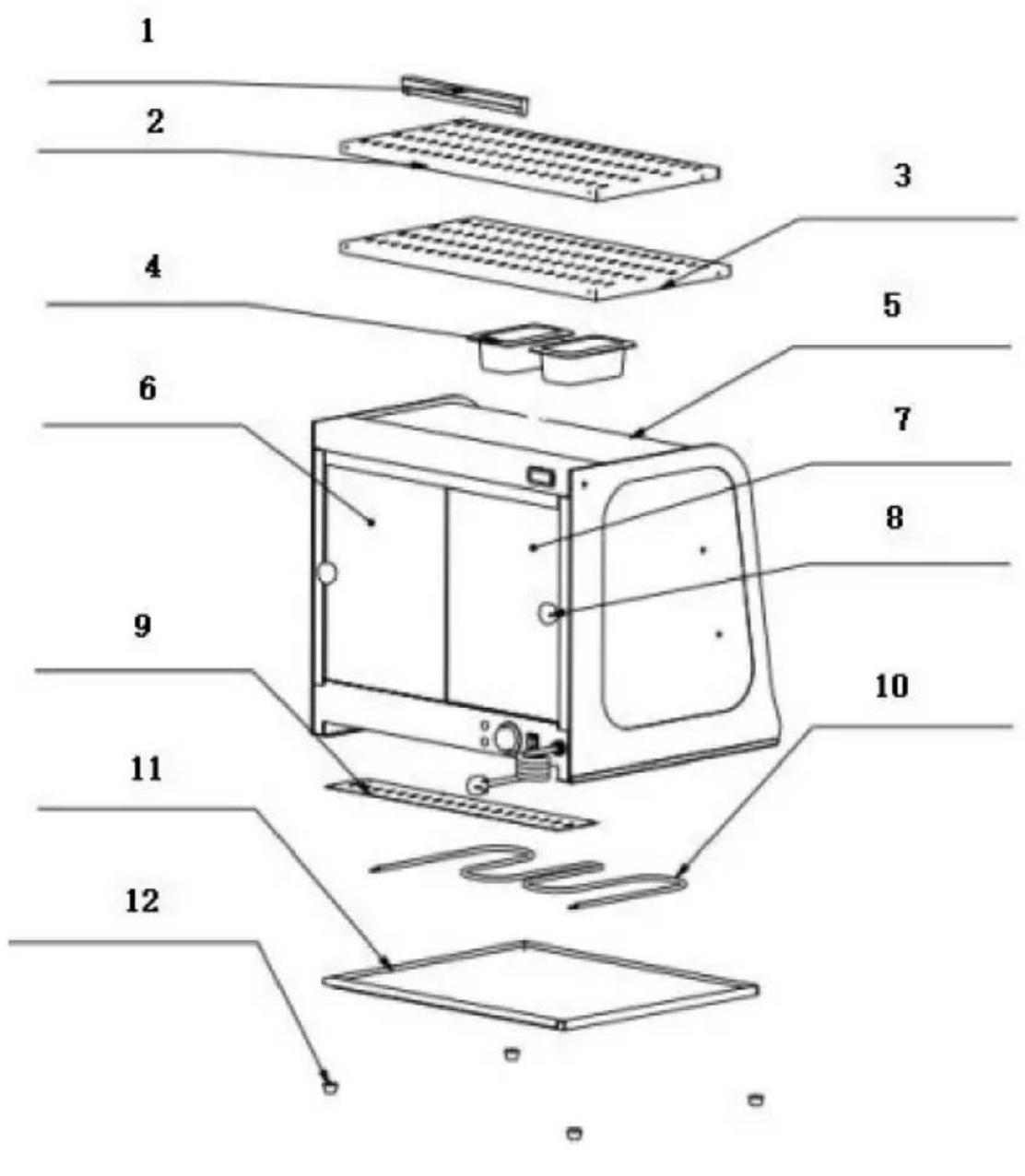
Note: The location of the electrical components is based on the design at that time. Our company reserves the right to change the participating designs. If the design is changed and the instructions are not updated in a timely manner, we hope for your understanding!
Warm reminder: It is recommended to wear gloves or other protective tools during installation to avoid scratching your hands or other parts!
| SC-F802 Bill of Materials | |||||
| No. | Name | Qty | No. | Name | Qty |
| 01 | LED tube | 1 | 08 | Right glass | 1 |
| 02 | Upper board | 1 | 09 | Plastic round toothed handle | 2 |
| 03 | Middle layer board | 1 | 10 | Wire box bottom cove | 1 |
| 04 | 0.5L basin | 2 | 11 | Warmer heating pipe | 1 |
| 05 | Middle arc glass | 1 | 12 | Tray | 1 |
| 06 | Front glass | 2 | 13 | Foot pads | 4 |
| 07 | Left glass | 1 | 14 | ||
| SC-F802 Assembly List | ||
| No. | Name | Qty |
| 1 | Glass door | 2pcs |
| 2 | Ball handle | 2pcs |
| 3 | Rubber gasket | 2pcs |
| 4 | M5 round head Phillips screws | 2pcs |
| SC-F802 installation diagram | |
| 1. Find the corresponding parts in the picture and pl them according to the position in the picture, and tighten the screws; there a two glass doors in total. | 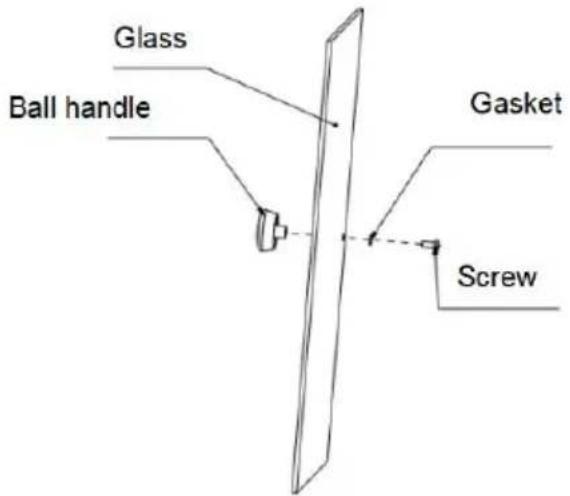 |
| Step 1 | |
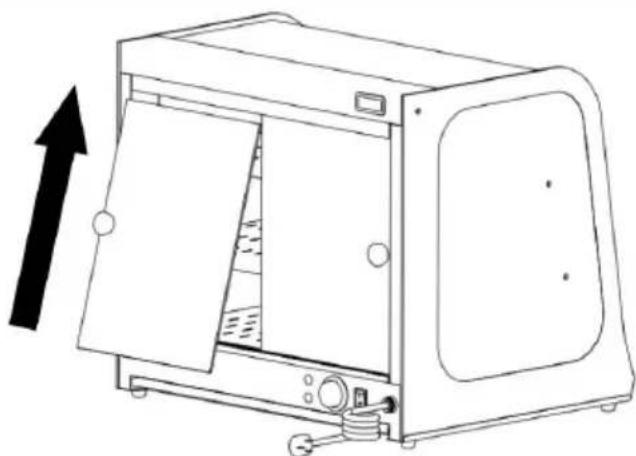 1. First install the upper part of the diagonally upward into the inner card slot, then swing the glass and insta glass into the lower inner card slot. 1. First install the upper part of the diagonally upward into the inner card slot, then swing the glass and insta glass into the lower inner card slot. | Notice:1. You need to install the inner piece of glass first a then the outer piece of gla2. When installing, the upp card slot should be aligned horizontally and vertically w the lower card slot! |
| Step 2 | |
| SC-F802 Circuit diagram | |
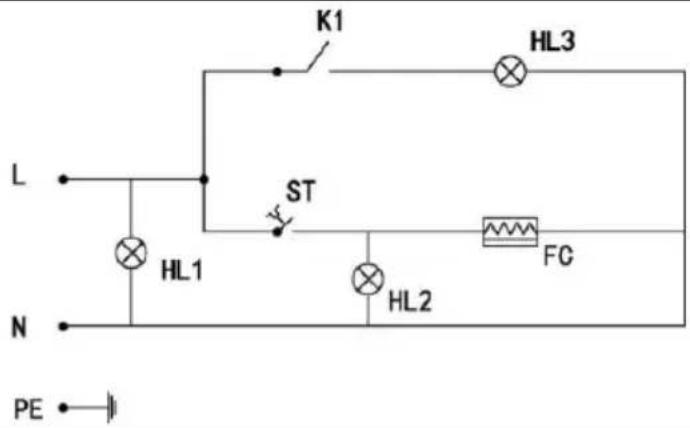 | IntroductionsK1: Light switchHL1: Power ledHL2: Heating indicatorHL3: Lighting tubeFC: Heating tubeST: Thermostat |
- Failure analysis
| No. | Fault phenomenon | Reason | Method of exclusion |
| 01 | The green and re indicator lights are on at the same ti and the temperature does not rise. | The electric heating tube wirin is loose and the electric heating tube is burned out | 1Tighten the electric heating pipe termina bolt.2Replace the electric heating tube |
| 02 | The work indicator light stays on an the temperature rise cannot be controlled. | Thermostat failure | 1Replace the thermostat |
| 03 | The indicator light off and the temperature control is normal | Indicator light burned out | 1Replace the indicator light |
| 04 | It cannot automatically keep warm. | Thermostat failure | 1Replace the thermostat |
| 05 | There is electricity leakage from the casing and my hands feel numb. | The insulation is damp or the inne conductor is in contact with the outer shell. | 1Send it to the maintenance department for repair. |
| 06 | The light does no light up or flickers | The cable interface is not connected or has poor contact. | 1Plug it in tightly |
| Note: The above problems are only for analysis and reference not deal with them by yourself. Relevant professionals are required conduct troubleshooting and repairs. In case of safety abnormal such as leakage, the power supply should be cut off immedia use should be stopped! | |||
Please keep this manual properly
Manufacturer: Shanghai Muxin Muye Youxian Gongsi
Address: Shuangchenglu 803nong11hao1602A-1609shi, Baoshanqu, Shanghai 200000 CN.
Imported to AUS: SIHAO PTY LTD. 1 ROKEVA STREET EASTWOOD NSW 2122 Australia
Imported to USA: Sanven Technology Ltd. Suite 250, 9166 Anaheim Place, Rancho Cucamonga, CA 91730
| UK | REP |
YH CONSULTING LIMITED. C/O YH Consulting Limited Office 147, Centurion House, London Road, Staines-upon-Thames, Surrey, TW18 4A>
| EC | REP |
Technical Support and E-Warranty Certificate www.vevor.com/support
VEVOR®
TOUGH TOOLS, HALF PRICE
BESOIN D'AIDE? CONTACTEZ-NOUS!
YH CONSULTING LIMITED. C/O YH Consulting Limited Office 147, Centurion House, London Road, Staines-upon-Thames, Surrey, TW18 4AX
E-CrossStu GmbH
Mainzer Landstr.69,
YH CONSULTING LIMITED. C/O YH Consulting Limited Office 147, Centurion House, London Road, Staines-upon-Thames, Surrey, TW18 4AX
NEED HELP? CONTACT US!
Imported into Australia: SIHAO PTY LTD. 1 ROKEVA STREET EASTWOOD NSW 2122 Australia
YH CONSULTING LIMITED. C/O YH Consulting Limited Office 147, Centurion House, London Road, Staines-upon-Thames, Surrey, TW18 4AX
| REP.CE |
E-CrossStu GmbH Mainzer Landstr.69, 60329 Frankfurt am Main.
VEVOR®
TOUGH TOOLS, HALF PRICE
YH CONSULTING LIMITED. C/O YH Consulting Limited Office 147, Centurion House, London Road, Staines-upon-Thames, Surrey, TW18 4AX
| REPRESENTANTE DE LA CE |
E-CrossStu GmbH
Mainzer Landstr.69,
NEED HELP? CONTACT US!
8. Product structure diagram
RESPONSIBILITY. C/O YH Consulting Limited
Office 147, Centurion House, London Road, Staines-upon-Thames, Surrey, TW18
E-CrossStu GmbH
Mainzer Landstr.69,
60329 Frankfurt am Main.
VEVOR®
TOUGH TOOLS, HALF PRICE
www.vevor.com/support
VEVOR®
TOUGH TOOLS, HALF PRICE
Technical support and e-warranty certificate www.vevor.com/support
Food warmer display
MODEL: SC-F802
NEED HELP? CONTACT US!
YH CONSULTING LIMITED. C/O YH Consulting Limited Office 147, Centurion House, London Road, Staines-upon-Thames, Surrey, TW18 4AX
| EG REP |
E-CrossStu GmbH
Mainzer Landstr.69,
60329 Frankfurt am Main.
VEVOR®
TOUGH TOOLS, HALF PRICE
warranty certificate www.vevor.com/support
VEVOR®
TOUGH TOOLS, HALF PRICE
NEED HELP? CONTACT US!
8. Product Structure Diagram
YH CONSULTING LIMITED. C/O YH Consulting Limited Office 147, Centurion House, London Road, Staines-upon-Thames, Surrey, TW18 4AX
| EC | REP |
www.vevor.com/support
- FOOD WARMER DISPLAY
- MODEL: SC-F
- NEED HELP? CONTACT US
- WARMING TIPS
- INSTRUCTIONS FOR USE
- PRECAUTIONS AND MAINTENANCE
- NORMAL WORKING ENVIRONMENT CONDITIONS
- PRODUCT INTRODUCTION
- SYMBOL DESCRIPTION
- PRODUCT SPECIFICATIONS
- PRODUCT APPEARANCE
- PRODUCT STRUCTURE DIAGRAM
- VEVOR®
- TOUGH TOOLS, HALF PRICE
- BESOIN D'AIDE? CONTACTEZ-NOUS
Brand : Vevor
Model : SC-F802
Category : Food warmer