
MMA-200 - Welding machine Vevor - Free user manual and instructions
Find the device manual for free MMA-200 Vevor in PDF.
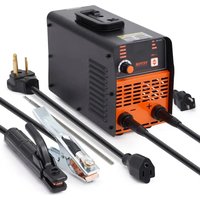


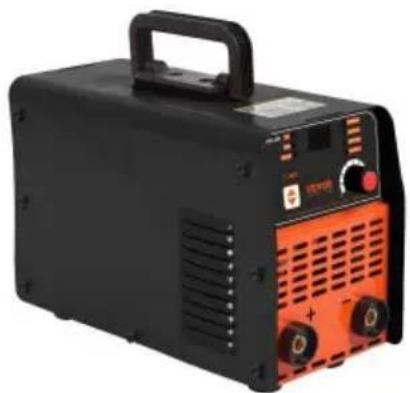
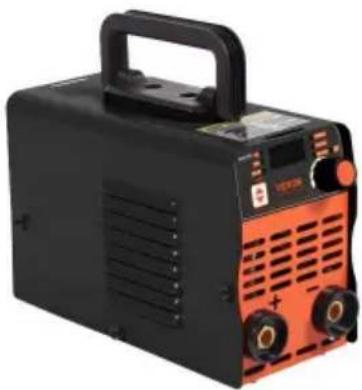
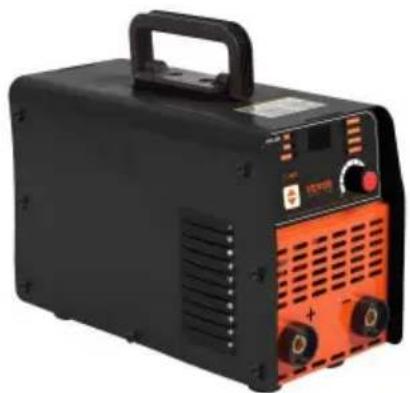
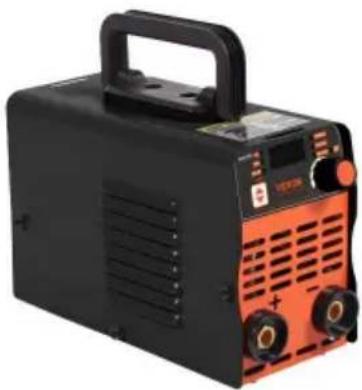
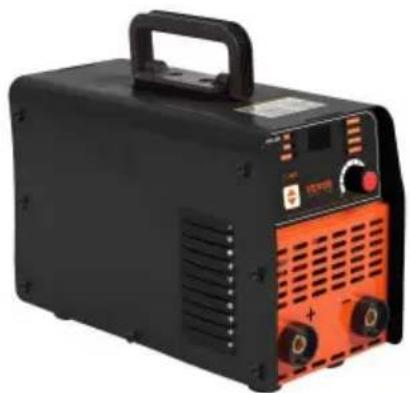
| Product Type | Manual Arc Welding (MMA) / TIG Lift Welding Machine |
| Model | MMA-200 |
| Brand | Vevor |
| Input Voltage | AC 110 V ±10% / AC 220 V ±10% (automatic selection) |
| Frequency | 50 / 60 Hz |
| Rated Power | 7.78 kVA |
| Maximum Output Current | 200 A ±10 A |
| Current Adjustment Range (MMA Welding) | 30-120 A (110 V), 30-140 A (220 V) |
| Duty Cycle (at 40°C) | 20% (10 minutes welding, 40 minutes rest) |
| No-Load Voltage | 60 V |
| Power Factor | 0.88 |
| Welding Modes | MMA (stick), Lift TIG (arc started by lift) |
| Built-in Functions | Hot Start, Arc Force, VRD (voltage reduction device), anti-stick |
| Thermal Protection | Yes, automatic shutdown in case of overheating, automatic reset after cooling |
| LED Indicators | Fault/thermal overload, MMA mode, TIG mode, VRD, Hot Start, current |
| Output Connectors | 2 DINSE connectors (positive and negative) |
| Switch | ON/OFF on the rear panel |
| Ventilation | Air cooling, at least 30 cm clearance around the machine |
| Safety | Mandatory grounding, VRD device, shock protection, recommended double-pole circuit breaker |
| Maintenance | Periodic dust cleaning with compressed air, check cables and connections |
| Spare Parts and Repairability | Power cable, welding cables, electrode holder, ground clamp, hoses and DINSE connectors |
| Warranty and Support | Manufacturer's warranty, technical support via www.vevor.com/support |
Frequently Asked Questions - MMA-200 Vevor
User questions about MMA-200 Vevor
0 question about this device. Answer the ones you know or ask your own.
Ask a new question about this device
Download the instructions for your Welding machine in PDF format for free! Find your manual MMA-200 - Vevor and take your electronic device back in hand. On this page are published all the documents necessary for the use of your device. MMA-200 by Vevor.
USER MANUAL MMA-200 Vevor
Technical Support and E-Warranty Certificate www.vevor.com/support
STICK WELDER
Applicable Model: MMA-140/MMA-160/MMA-200
We continue to be committed to providing you with tools at competitive prices. "Save Half", "Half Price", or any other similar expressions used by us only represent an estimate of savings you might benefit from buying certain tools with us compared to the major top brands and do not necessarily mean to cover all categories of tools offered by us. You are kindly reminded to verify carefully when placing an order with us if you are actually saving half in comparison with the top major brands.
VEVOR®
TOUGH TOOLS, HALF PRICE
Stick Welder
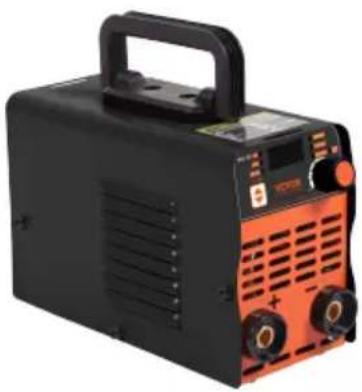
MMA-140
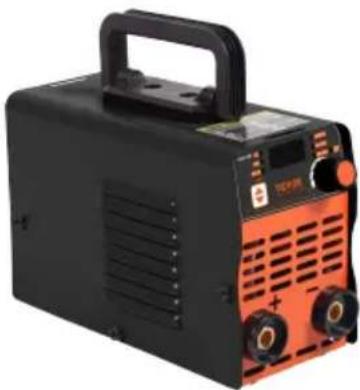
MMA-160
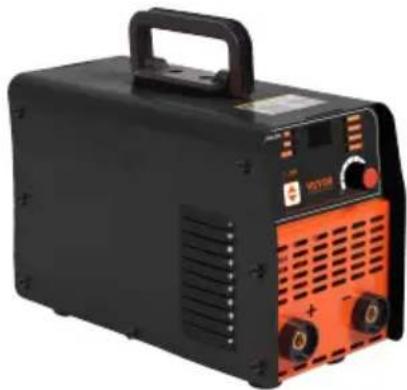
MMA-200
NEED HELP? CONTACT US!
Have product questions? Need technical support? Please feel free to contact us: Technical Support and E-Warranty Certificate www.vevor.com/support
This is the original instruction. Please read all manual instructions carefully before operating. VEVOR reserves a clear interpretation of the user manual. The appearance of the product shall be subject to the product you received. Please forgive us that we won't inform you of any technology or software updates on our product.
SAFETY
Welding is dangerous and may cause damage to you and others, so take good protection when welding. Please refer to the manufacturer's safety guidelines for accident prevention.
 | Professional training is needed before operating the machine. Use labor protection welding supplies authorized by the national security supervision department. Operators should have valid work permits for metal welding/cutting operations. Cut off power before maintenance or repair. |
 | Electric shock may lead to serious injury even death. Install earthing devices according to the user's specification. Never touch the live parts with bare skin or while wearing wet gloves/clothes. Make sure that you are insulated from the ground and workpiece. Make sure that your working position is safe. |
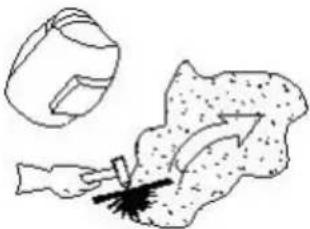 | Smoke & gas may be harmful to health. Keep your head away from smoke and gas avoid inhalation of exhaust gas during welding. Keep the working environment well ventilated with exhaust or ventilation equipment when welding. |
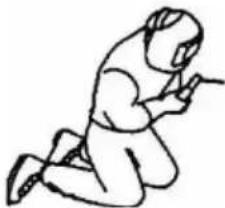 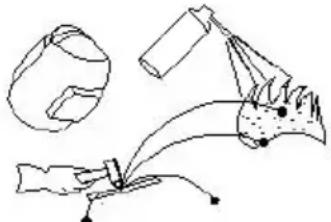 | Arc radiation may damage eyes or burn sl Wear suitable welding masks and protective clothing to protect your eyes and body. Use suitable masks or screens to protect spectators from harm.Improper operation may cause fire or explosion.● Welding sparks may result in a fire, so pleas check that no combustible materials are nearby and pay attention to fire hazards.● A fire extinguisher should be kept nearby, an it should be used by a trained person.● Do not weld in a confined space.● Do not use this machine for pipe thawing. |
 | Hot workpiece may cause severe scalding.● Do not touch hot workpiece with bare hands.● Cooling is needed during continuous use of the welding torch. |
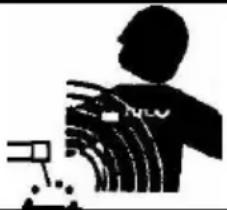 | Magnetic fields affect cardiac pacemaker.● Pacemaker users should stay be away from the welding area before medical consultation. |
 | Please seek professional help when encountering machine failure.● Refer to the relevant contents of this manual you encounter any difficulties in installation and operation.● Contact the service center of your supplier to seek professional help if you do not fully understand the manual or solve a problem according to the manual. |
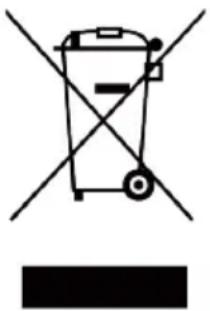 | CORRECT DISPOSAL for Display.● This product is subject to the provision of european Directive 2012/19/EU.The symbol showing a wheelie bin crossed through indicates that the product requires separate refuse collection in the European Union. This applies to the product and all accessories marked with this symbol. Products marked as such may not be discarded with normal domestic waste, but must be taken toacollection point for recycling electrical and electronic devices. |
Brief Introduction of the Principle
The welding machine uses advanced inverter technology with a designed rectifier. The emergence of inverter arc welding equipment is due to the development of inverter power theory and devices. Inverter arc welding power supplies use high-power devices such as MOSFET field-effect transistors or IGBT single tubes/modules to convert 50/60Hz power frequency electricity into high frequency (18-100kHz or above), then step down and rectify it. Through pulse width modulation (PWM) technology, they output a high-power DC source. This greatly reduces the weight and volume of the main transformer, and increases efficiency by more than 30%. The inverter welding machine is praised by experts as a revolution in the welding industry.
Hand arc welding machines can provide a stronger, more concentrated, and more stable arc during short-circuit droplet transfer. The electrode and workpiece react rapidly after a short circuit. In addition, this type of power supply can be equipped with an arc adjustment device, allowing the welding machine to be designed with different dynamic characteristics. These dynamic characteristics can be adjusted to make the arc softer or harder.
Hand arc welding machine series are characterized by high efficiency, energy saving, light weight, good dynamic characteristics, arc stability, and easy control of the weld pool. They feature high no-load voltage and better energy thrust compensation, making them widely applicable. They can weld stainless steel, alloy steel, carbon steel, copper, and other non-ferrous metals. The welding machine can use various electrode specifications and materials, including acid, alkaline, and cellulose electrodes, and is suitable for aerial work, fieldwork, and indoor and outdoor decoration. Compared with similar products at home and abroad, it has the advantages of small size, light weight, simple installation, and easy operation.
Installation
Main parameters
| ITEM | MMA-140 | |
| Power Voltage(V) | AC 110V ±10% | AC 220V ±10% |
| Frequency(HZ) | 50HZ-60HZ | 50HZ-60HZ |
| Rated input power(KVA) | 4.98 4.98 | |
| Duty cycle(40°C) | 15%/40°C | 15%/40°C |
| No load voltage(V) | 60V | 60V |
| Output current(A) | 140A ±10A | 140A ±10A |
| Power factor | 0.88 | 0.88 |
Installation
Main parameters
| ITEM | MMA-160 | |
| Power Voltage(V) | AC 110V/220V ±10% | AC 220V ±10% |
| Frequency(HZ) | 50HZ-60HZ | 50HZ-60HZ |
| Rated input power(KVA) | 5.87 5.87 | |
| Duty cycle(40°C) | 20%/40°C | 20%/40°C |
| No load voltage(V) | 60V | 60V |
| Output current(A) | 160A ±10A | 160A ±10A |
| Power factor | 0.88 | 0.88 |
Installation
Main parameters
| ITEM | MMA-200 | |
| Power Voltage(V) | AC 110V/220V ±10% | AC 220V ±10% |
| Frequency(HZ) | 50HZ-60HZ | 50HZ-60HZ |
| Rated input power(KVA) | 7.78 7.78 | |
| Duty cycle(40°C) | 20%/40°C | 20%/40°C |
| No load voltage(V) | 60V | 60V |
| Output current(A) | 200A ±10A | 200A ±10A |
| Power factor | 0.88 | 0.88 |
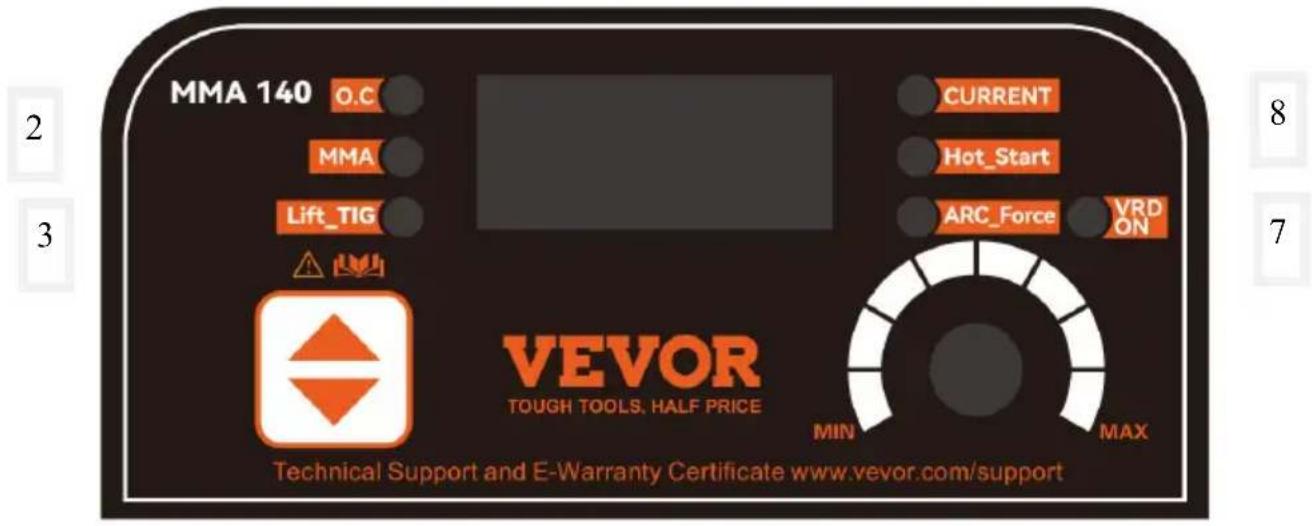
Control Panel Description
1
10
9
4
5
6
Note: The above images are for reference only
| Number | Explain |
| 1 | Abnormal indicator light |
| 2 | Manual welding status indicator light |
| 3 | Contact arc argon arc welding |
| 4 | Switch function keys, short press to switch between manual welding or argon arc welding |
| 5 | Thrust (refers to the welding force generated by the welding machine through parameters such as output current, voltage, and power during welding) |
| 6 | Short press the parameter knob to switch, rotate to adjust size |
| 7 | Anti electric shock indicator light (When the VRD function is turned on, the no-load voltage of the welding machine usually does not exceed 20V, which helps to carry out welding work in damp or other environments that are prone to electric shock, thereby significantly reducing the risk of electric shock for welding personnel). At the same time, press the function key and parameter knob, and the indicator light will light up as VRD on and off as VRD off |
| 8 | Thermal arc ignition (by increasing the length and strength of the arc, increasing the temperature and heat of the arc, accelerating the melting of the workpiece and electrode, thereby improving welding speed and quality) |
| 9 | Current regulation indicator light |
| 10 | Current display |
Functional Diagram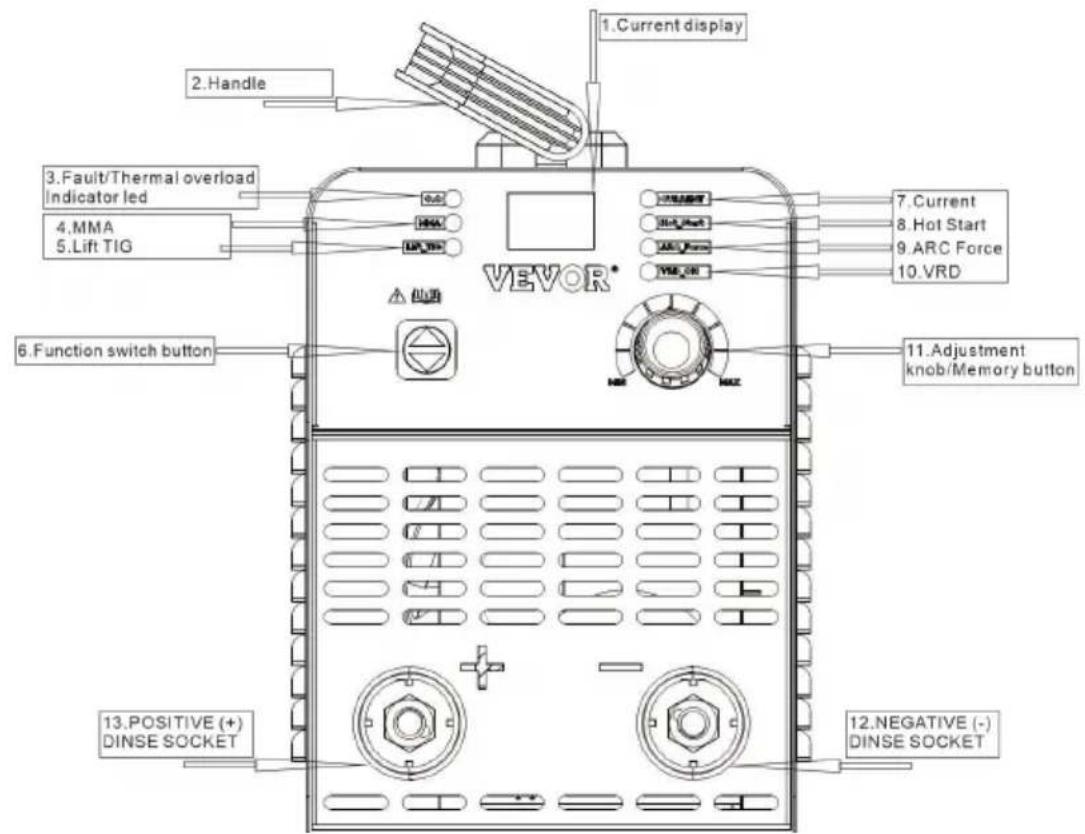
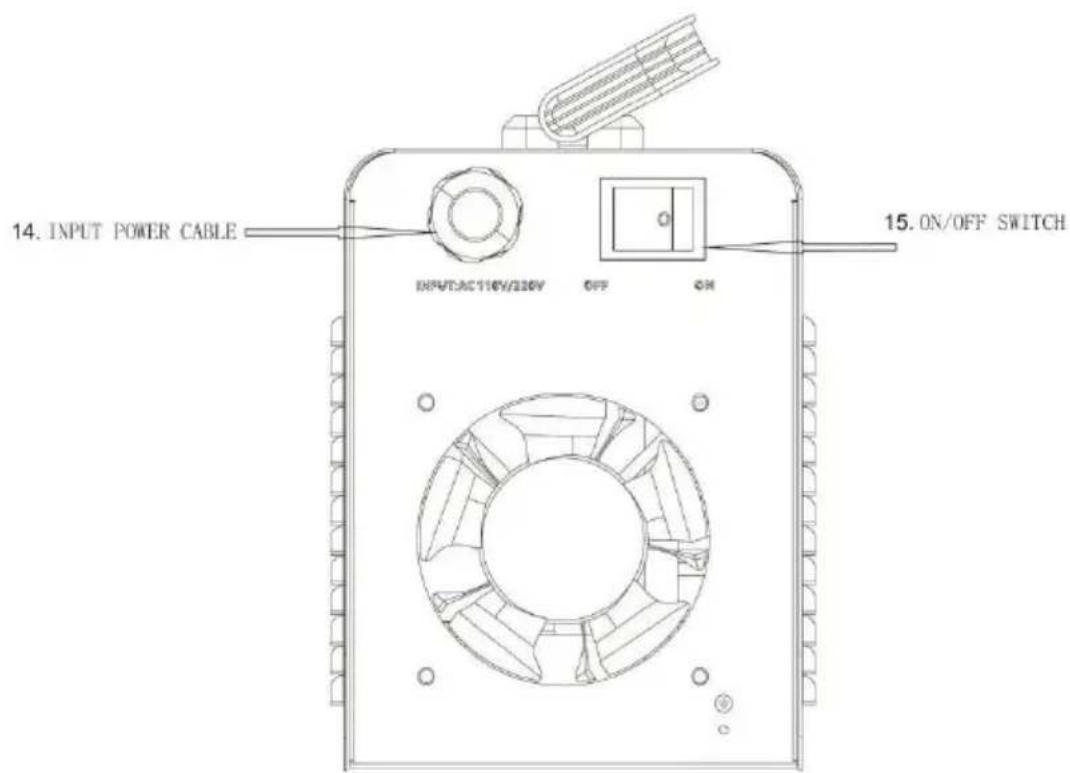
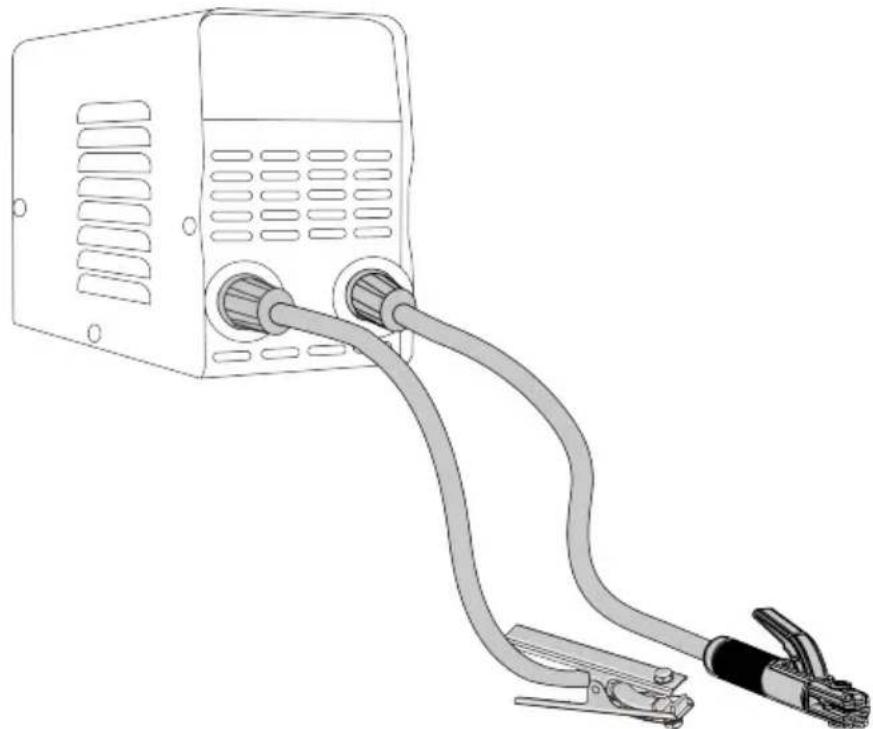
MMA Installation
Installation and Connection Diagram
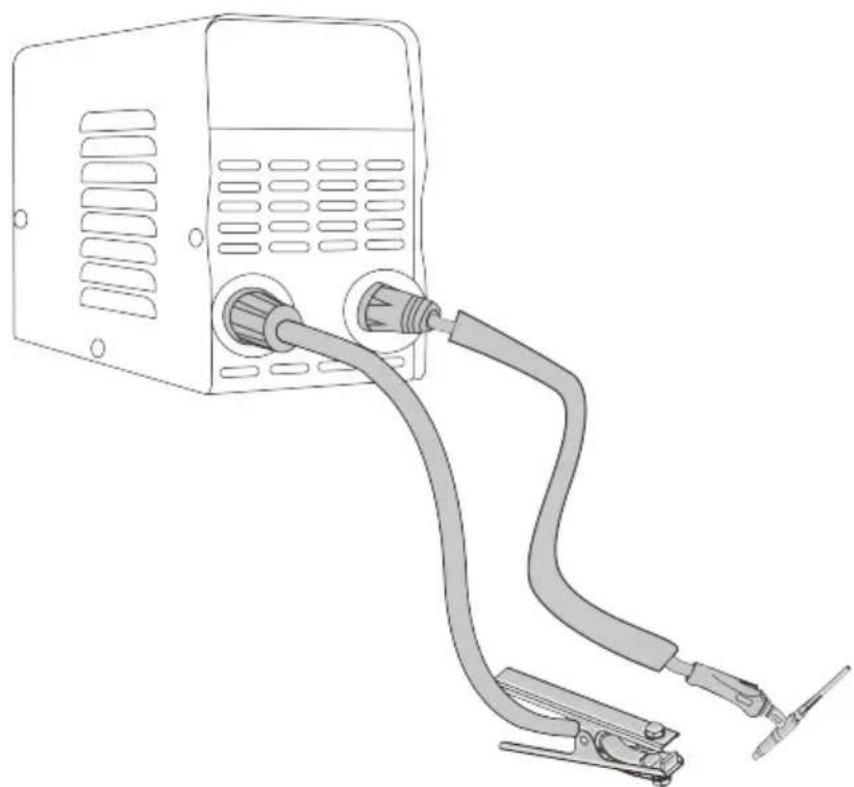
TIG Installation
Installation and Connection Diagram
SITE SELECTION
! BE SURE TO OPERATE THE WELDER ACCORDING TO THE FOLLOWING GUIDELINES:
• In areas free from moisture and dust; - In areas with an ambient temperature between 14°F to 104°F; - In areas free from oil, steam, and corrosive gases. - In areas not subjected to abnormal vibration or shock; - In areas not exposed to direct sunlight or rain; - Place at a distance of 12" or more from walls or similar obstructions that could restrict natural airflow for cooling.
Power Source Connection
Make sure that the ON/OFF SWITCH is OFF before you make any electrical connection. The power supply voltage and frequency available at the site are those stated in the rating label of your welder.
The main power supply voltage should be within ±10% of the rated main power supply voltage. Too low a power supply voltage may cause poor welding performance. Too high a power supply voltage will cause components to overheat and possibly fail. The welder outlet must be:
- Correctly installed, if necessary, by a qualified electrician.
- Correctly grounded (electrically) under national and local regulations.
- Connected to an electric circuit that is rated for sufficient amperage per the rating label of your welder.
If you are unsure of any of the above, have your outlet inspected by a qualified electrician before using the welder.
NOTE:
- Periodically inspect the INPUT POWER CABLE for any cracks or exposed wires. If it is not in good condition, have it repaired by a Service Center.
- Do not cut off the grounding prong or alter the plug in any way, and do not use any adapters between the
welder's INPUT POWER CABLE and the power source receptacle.
- Do not violently pull the INPUT POWER CABLE to disconnect it from the power outlet.
- Do not lay material or tools on the INPUT POWER CABLE. The INPUT POWER CABLE may be damaged and result in electrical shock.
- Keep the INPUT POWER CABLE away from heat sources, oils, solvents, or sharp edges.
- Do not use this welder on a circuit with a Ground Fault Circuit Interrupter (GFCI) on it. GFCIs are tripped by welding arcs and your welding operations will be interrupted regularly.
Generators
This welder can be operated from an AC generator. Ensure that the generator can supply a minimum of 5,000
watts of continuous output. The generator must not have an auto-idle fuel-saving feature, and must have the option to turn the auto-idle off. The generator must run at full speed at all times while your welder is plugged into it, or you risk damaging your welder. Any other power draws on the generator or anything that reduces the generator RPM may damage your welder.
Extension Cords
For optimum welder performance, an extension cord should not be used unless absolutely necessary. If necessary, care must be taken in selecting an extension cord appropriate for use with your specific welder.
Select a properly grounded extension cord that will connect directly with the AC power source receptacle and the welder INPUT POWER CABLE without the use of adapters. Make certain that the extension cord is properly wired and in good electrical condition. Extension cords must fit the following wire size guidelines:
- #12 AWG or larger wire
- Do not use an extension cord over 25 ft. in length.
Ventilation
Since the inhalation of welding fumes can be harmful, ensure that the welding area is effectively ventilated.
Additional Warnings
FOR YOUR SAFETY, BEFORE CONNECTING THE POWER SOURCE TO THE LINE CLOSELY FOLLOW THESE INSTRUCTIONS:
- An adequate two-pole breaker must be inserted before the main outlet. This breaker must be equipped with time-delay fuses.
- When working in a confined space, the welder must be kept outside the welding area and the ground cable should be fixed to the workpiece. New work in a damp or wet confined space.
- Do not use damaged INPUT POWER CABLE or welding cables.
- The welding torch/electrode should never be pointed at the operator or other people.
- The welder must never be operated without its panels attached. This
could cause serious injury to the operator and could damage the equipment.
OPERATION
Performance Data Plate and Duty Cycle
On the machine, there is a plate that includes all the operating specifications for your new unit. The serial number of the product is also found on this plate. The duty cycle rating of a welder defines how long the operator can weld and how long the welder must rest and be cooled. The duty cycle is expressed as a percentage of 10 minutes and represents a maximum welding time limit. The balance of a 10-minute cycle is required for cooling. For example, a welder has a duty cycle rating of 30% at the rated output of 90A. This means that the machine can weld at 90 A for three (3) minutes out of 10, with the remaining seven (7) minutes required for cooling. The duty cycle of your new welder can be found on the data plate affixed to the machine.
Internal Thermal Protection
The thermal protection system will engage, shutting off all welder output if you exceed the duty cycle of the welder. After cooling, the thermal protector will automatically reset, and the welding functions will resume. This is normal and automatic behavior from the machine. No user action is required during this phase. However, you should wait at least ten minutes after the thermal protector engages before resuming welding. You must do this even if the thermal protector resets itself before the ten minutes is up, or you may experience less than specified duty cycle performance.
CAUTION: DO NOT REGULARLY EXCEED THE DUTY CYCLE OR DAMAGE TO THE WELDER CAN RESULT
Welding Preparation
An important factor in making a satisfactory weld is preparation. This includes studying the process and equipment and practicing welding before attempting to weld finished product. An organized, safe, ergonomic, comfortable, and well-lit work area should be prepared for the operator. The work area should especially be free of all flammables, and a fire extinguisher and a bucket of sand should be available.
To properly prepare for welding with your new welder, it is necessary to:
- Read the safety precautions at the front of this manual.
- Prepare an organized, well-lit work area.
- Provide protection for the eyes and skin of the operator and bystanders.
- Attach the ground clamp to the bare metal to be welded, ensuring good contact.
Plug the machine into a suitable outlet.
- Completely open the gas cylinder valve. Adjust the gas pressure regulator to the correct flow rate.
MMA function: Select MMA by up and down button.
- Under MMA: The Current/Hot Start / Arc Force can be selected.
After selecting, adjust the knob directly to adjust each function parameter; after adjusting, press the knob once to save and enter the next function parameter adjustment. After adjustment, 5S automatically save and exit to Current.
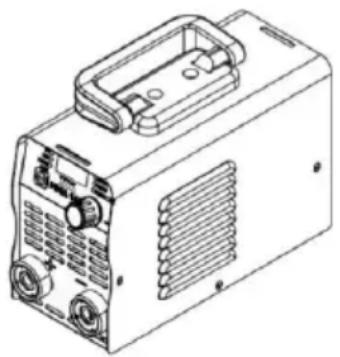
- Current: @110V, 30-120A adjustable; @220V, 30-140A
adjustable
Hot start: Superimposed current value (not exceeding the maximum current), 0-100A
Arc Force: superimposed current value (not exceeding the maximum current), 0-100A
- Under MMA, press and hold the knob for 5S to switch Vrd.
- Anti-stick: automatic, no need to operate
- Acid welding rod: positive electrode connection welding pliers / negative grounding wire clamps
Alkaline welding rod : Negative welding pliers / positive grounding clamps
Electric arc welding
- Welding rod grade and diameter. It mainly depends on the nature of the material, the thickness of the weld, the form of the joint weld position weld parameters, and other factors. The relationship between the diameter
The welding electrode and the thickness of the plate are related as follows.
| Thickness of Welded Parts (mm) | <4 | 4 ~ 8 | >8 ~ 12 | >12 |
| Diameter of Welding Electrode (φmm) | ≤ 3.5 | φ3 ~ 4 | φ4 ~ 5 | φ5 ~ 6 |
- Welding Current: The welding current depends on the electrode type, electrode diameter, thickness of the welded parts, and joint type and weld position. Other factors to consider include the structural steel welding electrode and flat welding positions. The welding current can be initially selected based on the following empirical formula.
I = K * d, where I is the welding current, K is the empirical coefficient, and d is the diameter of the welding electrode.
The relationship between the empirical coefficient of welding current and the diameter of the welding electrode is shown.
| Diameter of Welding Electrode (mm) | φ 1.6 | φ 2 2.5 | φ 3 4 | φ 4 6 |
| Empirical Coefficient (A/mm) | 20 ~ 25 | 25 ~ 30 | 30 ~ 40 | 40 ~ 50 |
The current for vertical welding, horizontal welding, and overhead welding should be 10-20% less than that for flat welding. The current for fillet welding should be 10-20% larger than that for flat welding. For alloy steel electrodes and stainless steel electrodes, due to their high thermal expansion coefficient and resistance, if the current is too high, the welding rod is prone to
reddening during the welding process, which can cause the flux coating to fall off and affect the quality of the weld.
- Connection method of welding output
For alkaline electrode welding, the DC reverse connection method should be used.
For acid electrode welding, the DC positive connection method should be used.
MAINTENANCE & SERVICING
General Maintenance
This welder has been engineered to require minimal service, provided that a few simple steps are taken for proper maintenance.
- Replace the input power cable, ground cable, ground clamp, or torch/electrode cable when damaged or worn.
- Avoid directing grinding particles toward the welder. These conductive particles can build up inside the machine and cause severe damage.
- Periodically clean dust, dirt, and grease from your welder. Every six months or as necessary, remove the side panels from the welder and use compressed air to blow out any dust and dirt that may have accumulated inside.
WARNING: DISCONNECT FROM POWER SOURCE WHEN CARRYING OUT THIS
OPERATION.
- Check all cables periodically. They must be in good condition and not cracked.
WARNING: ELECTRIC SHOCK CAN KILL! Be aware of the ON/OFF SWITCH. The OFF switch does not remove power from all internal circuits in the welder. To reduce the risk of electric shock, always unplug the welder from its AC power source and wait several minutes for electrical energy discharge before removing the side panels.
TROUBLESHOOTING
The following is a troubleshooting table provided to help you determine a possible remedy when you are having a problem with your welder.
This table does not provide all possible solutions, only those possibilities considered likely to be common faults.
| PROBLEM POSSIBLE CAUSE POSSIBLE SOLUTION | ||
| Neither INDICATOR LED is illuminated and nothing works on the welder. | Machine is not turned ON. | Turn machine ON with ON/OFF SWITCH |
| No input power present. | Make sure machine is plugged in.Verify that circuit breaker has not been tripped.Reset if needed.Verify output power from the outlet.Do not use the machine on a GFI outlet. | |
| INDICATOR LEDS are illuminated and there is no output power from the welder. | Exceeded duty cycle;thermal protector engaged. | Allow welder to cool at least 10 minutes with machine ON (observe and maintain proper duty cycle).FAULT/THERMAL OVERLOAD INDICATOR LED should turn off after the machine has cooled |
| Insufficient air flow causing machine to overheat before reaching duty cycle. | Check for obstructions blocking air flow and ensure that there are 12 inches of clearance between any obstacles and the vents on all sides of the machine. | |
| Incorrect voltage supplied to welder. | Check the voltage of your outlet. If it is 10% more or less than 120V, call a qualified electrician. | |
| Low output or non-penetrating weld. | Too long or improper extension cord. | Use a proper extension cord (#12 AWG wire or heavier,no longer than 25 ft.) |
| Poor ground connection or torch/electrode connection. | Reposition clamp and check cable to clamp connection.Check connection of ground cable,torch or electrode holder | |
| Input power too low. | Have a qualified electrician verify the voltage at your outlet. If the voltage is appropriate, verify that the circuit wiring is sufficient for 40A. | |
| Ground clamp,ground cable,and/or welding cable get hot. | Bad ground or loose ground connection. | Check connection of ground cable,torch or electrode holder.Check connection of the ground cable to the ground clamp.Tighten cable connection to ground clamp if needed.Ensure the connection between the ground clamp and workpiece is good and on clean,bare(not painted or rusted) metal. |
| Frequent circuit breaker trips. | Machine is not the only piece of electrical equipment on the circuit. | Make sure the welder is on a dedicated circuit or is the only thing plugged on a circuit. |
| Circuit breaker is incorrect/insufficient for use with this machine. | Verify that the circuit breaker for the circuit is a slow-blow breaker.If it is not,have a qualified electrician install the proper breakers. | |
| Poor quality welds. | Insufficient gas at weld area. | Check that the gas is not being blown away by drafts and, if so, move to a more sheltered weld area. If not,check gas cylinder contents,gauge,regulator setting, and operation of gas valve. |
| Rusty,painted,oily or greasy workpiece. | Ensure workpiece is clean and dry. | |
| Poor ground connection or torch/electrode connection. | Check ground clamp/workpiece connection and all connections to the machine. | |
| Difficult arc start. | Amperage is too low. Increase | se amperage setting. |
| Arc is wandering(TIG). | Tungsten is too large. Use a smaller tungsten. | |
VEVOR®
TOUGH TOOLS, HALF PRICE
Technical Support and E-Warranty Certificate
www.vevor.com/support
VEVOR®
TOUGH TOOLS, HALF PRICE
MMA-140 MMA-200
MMA-160
NEED HELP? CONTACT US!
www.vevor.com/support
TIG Installation
SITE SELECTION

MAKE SURE TO OPERATE THE WELDER ACCORDING TO THE
MMA-140 MMA-200
MMA-160
TIG Installation
STANDORTWAHL

STELLEN SIE SICHER, DASS DAS SCHWEISSGERÄT ENTSPRECHEND DER
www.vevor.com/support
VEVOR®
TOUGH TOOLS, HALF PRICE
Applicable model: MMA-140/MMA-160/MMA-200
MMA-140 MMA-200
MMA-160
www.vevor.com/support
TIG Installation
SITE SELECTION

MAKE SURE TO USE THE WELDER ACCORDING TO THE FOLLOWING GUIDELINES:
• In areas
electronics www.vevor.com/support
VEVOR®
TOUGH TOOLS, HALF PRICE
Applicable model: MMA-140/MMA-160/MMA-200
MMA-140 MMA-200
MMA-160
www.vevor.com/support
TIG Installation
SITE SELECTION

- Current: @110V, 30-120A adjustable; @220V, 30-140A adjustable. Start in
hot: value
MMA-160
MMA-200MMA-140
TIG installation
CHOICE OF LOCATION

OPERATE THE WELDER ACCORDING TO
www.vevor.com/support
VEVOR®
TOUGH TOOLS, HALF PRICE
Technical support and e-warranty certificate www.vevor.com/support
STOCK LASSER
MMA-160
MMA-200MMA-140
NEED HELP? CONTACT US!
www.vevor.com/support
TIG installation
LOCATION SELECTION

MAKE SURE YOU OPERATE THE WELDER ACCORDING TO
- Current: @110V, 30-120A adjustable; @220V, 30-140A adjustable Hot start:
MMA-160
MMA-200MMA-140
NEED HELP? CONTACT US!
TIG installation
LOCATION SELECTION

MAKE SURE YOU USE THE WELDER ACCORDING TO
THE FOLLOWING GUIDELINES: • In areas free
- Current: @110V, 30-120A adjustable; @220V, 30-140A adjustable Hot start:
Overlay
K = Id
- STICK WELDER
- VEVOR®
- NEED HELP? CONTACT US
- SAFETY
- BRIEF INTRODUCTION OF THE PRINCIPLE
- INSTALLATION
- CONTROL PANEL DESCRIPTION
- MMA INSTALLATION
- TIG INSTALLATION
- SITE SELECTION
- BE SURE TO OPERATE THE WELDER ACCORDING TO THE FOLLOWING GUIDELINES
- POWER SOURCE CONNECTION
- NOTE
- GENERATORS
- EXTENSION CORDS
- VENTILATION
- ADDITIONAL WARNINGS
- FOR YOUR SAFETY, BEFORE CONNECTING THE POWER SOURCE TO THE LINE CLOSELY FOLLOW THESE INSTRUCTIONS
- OPERATION
- PERFORMANCE DATA PLATE AND DUTY CYCLE
- INTERNAL THERMAL PROTECTION
- CAUTION: DO NOT REGULARLY EXCEED THE DUTY CYCLE OR DAMAGE TO THE WELDER CAN RESULT
- WELDING PREPARATION
- ELECTRIC ARC WELDING
- MAINTENANCE & SERVICING
- GENERAL MAINTENANCE
- WARNING: DISCONNECT FROM POWER SOURCE WHEN CARRYING OUT THIS
- TROUBLESHOOTING
- TOUGH TOOLS, HALF PRICE
- MAKE SURE TO OPERATE THE WELDER ACCORDING TO THE
- STANDORTWAHL
- STELLEN SIE SICHER, DASS DAS SCHWEISSGERÄT ENTSPRECHEND DER
- MAKE SURE TO USE THE WELDER ACCORDING TO THE FOLLOWING GUIDELINES
- IN AREAS
- CHOICE OF LOCATION
- OPERATE THE WELDER ACCORDING TO
- STOCK LASSER
- LOCATION SELECTION
- MAKE SURE YOU OPERATE THE WELDER ACCORDING TO
- MAKE SURE YOU USE THE WELDER ACCORDING TO
- THE FOLLOWING GUIDELINES: • IN AREAS FREE
Brand : Vevor
Model : MMA-200
Category : Welding machine