
TS-102 - Detector Vevor - Free user manual and instructions
Find the device manual for free TS-102 Vevor in PDF.
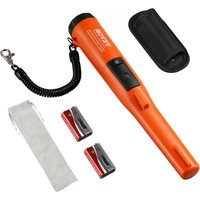


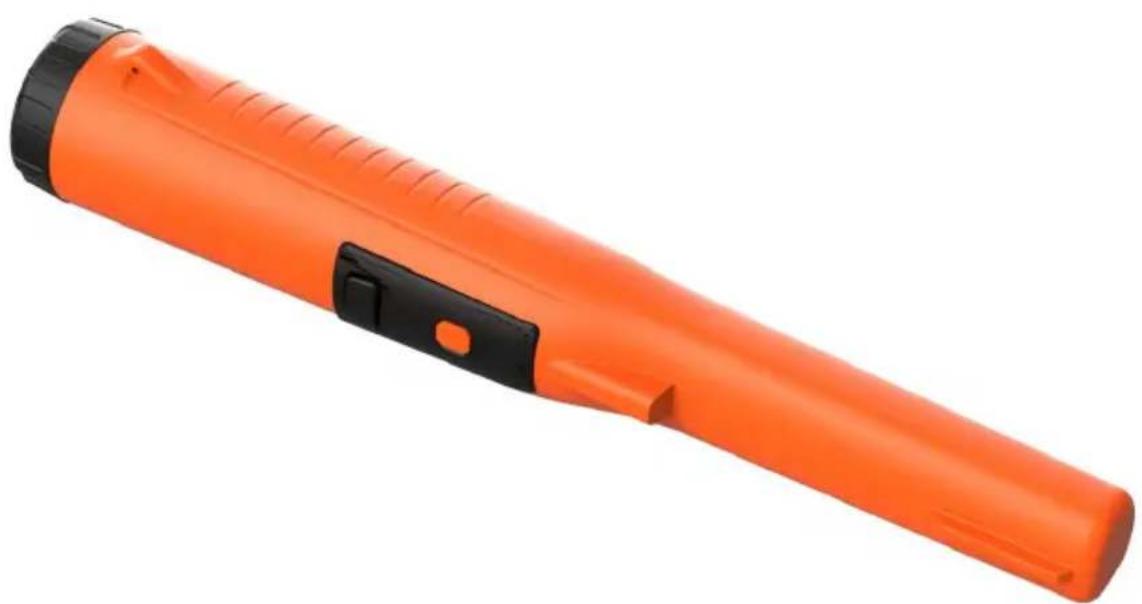
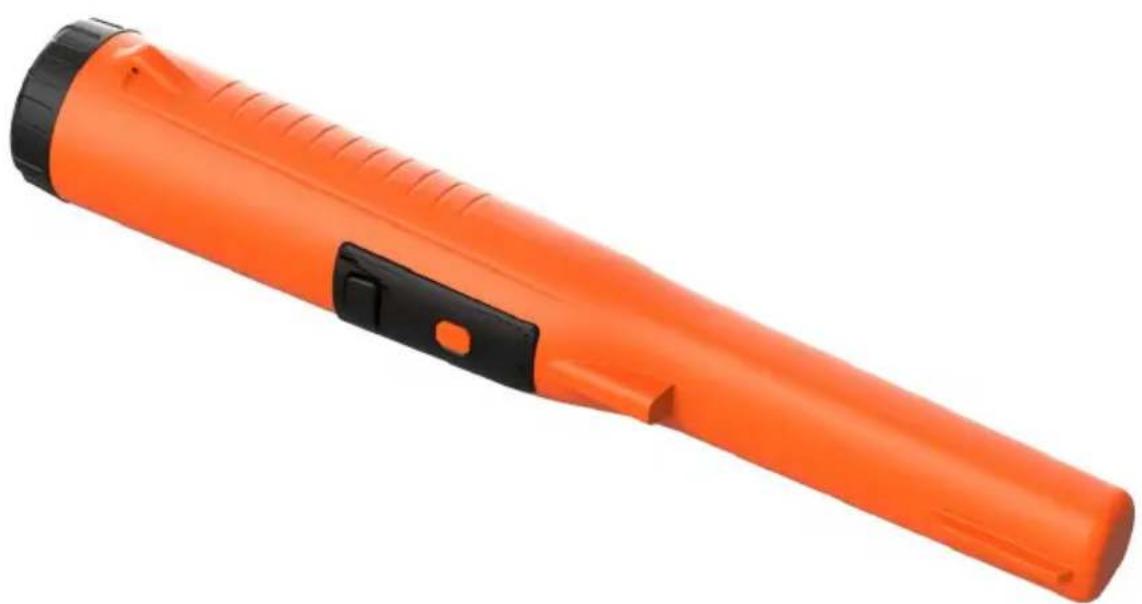
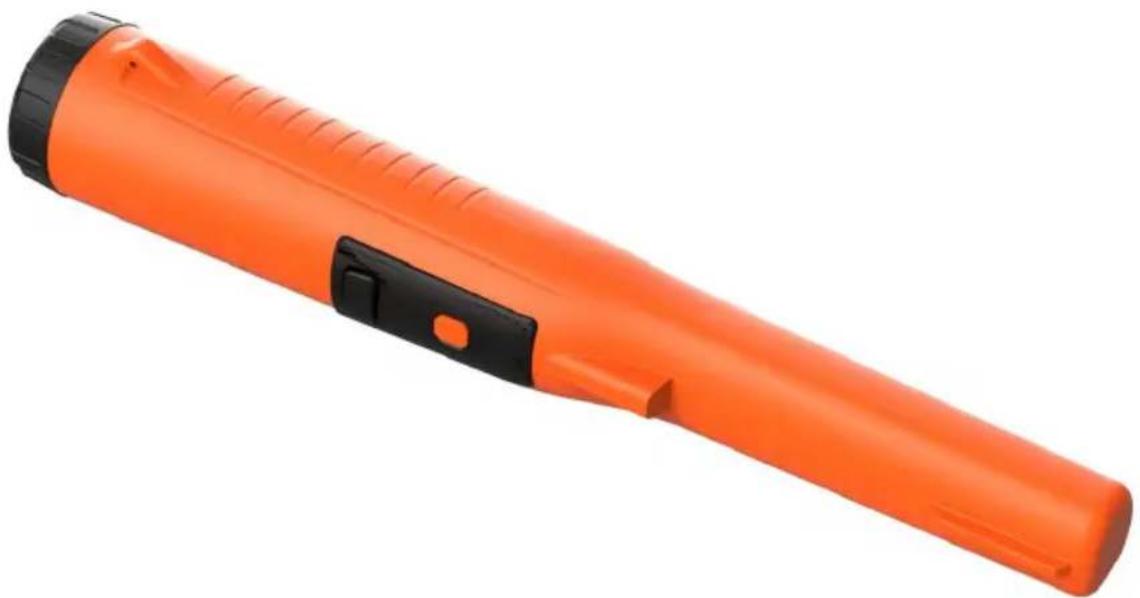
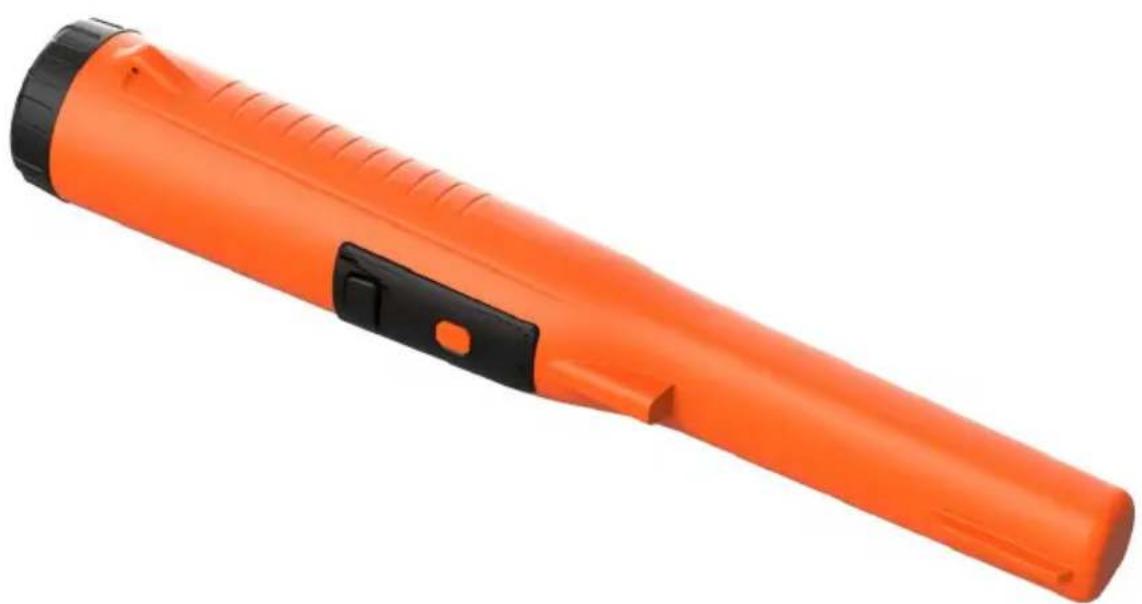
| Product Type | Handheld Metal Detector |
| Brand | Vevor |
| Model | TS-102 |
| Dimensions (approx.) | 250 mm x 45 mm x 42 mm |
| Weight (with battery) | About 180 g |
| Power Supply | 9 V battery (6F22 or equivalent) |
| Battery Life | About 5 minutes before automatic shutdown if inactive |
| Sensitivity | 4.0 mm (for a one-dollar coin) |
| Alarm Modes | Vibration + sound, sound only, vibration only |
| Protection Rating | IP68 (waterproof) |
| Operating Temperature | -20 °C to 60 °C |
| Maximum Relative Humidity | < 90% |
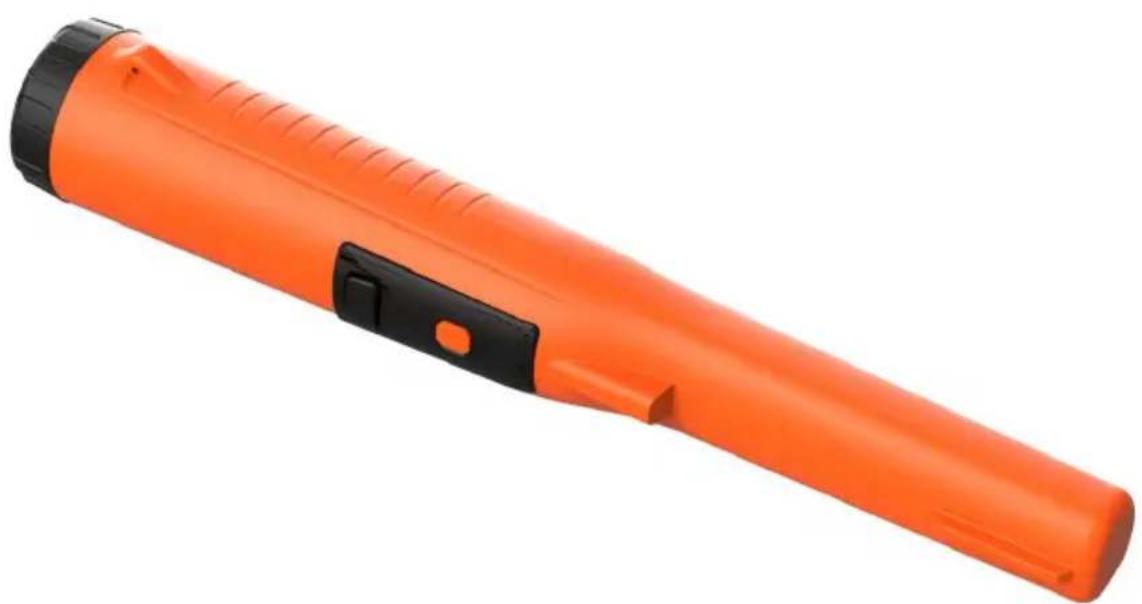
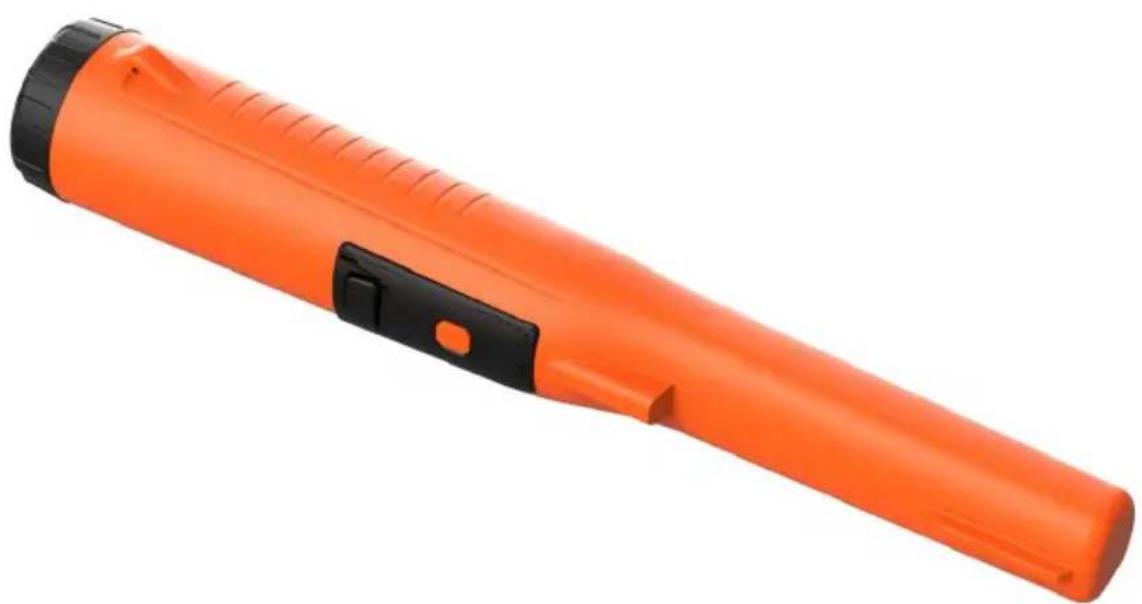
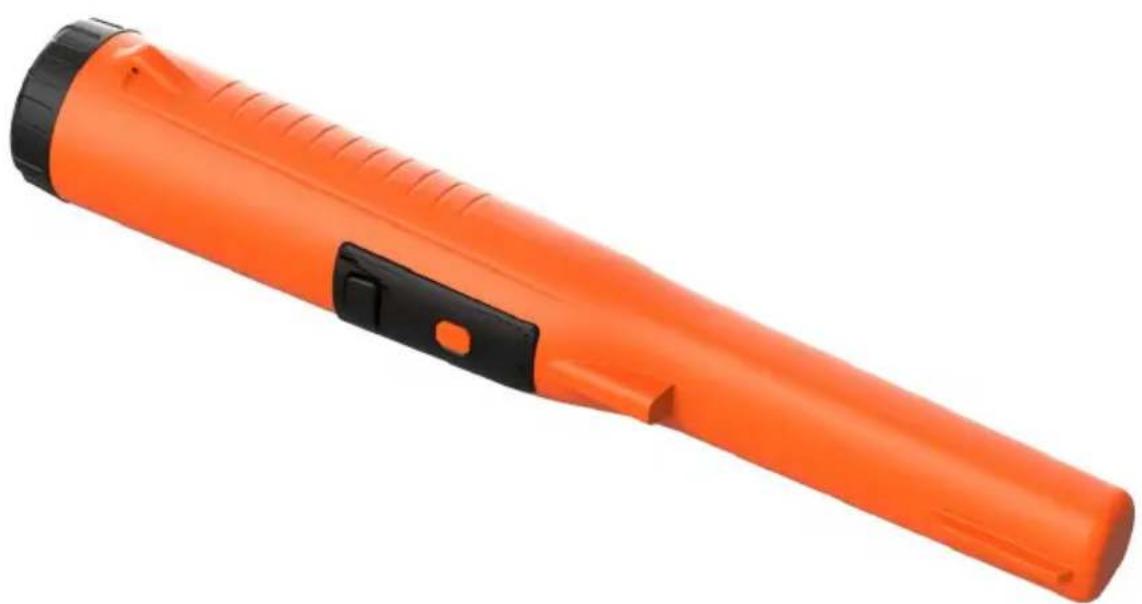
| Main Functions | Multi-directional detection, high-precision identification, automatic calibration, auto-off, low power consumption |
| Included Accessories | 9V battery, belt pouch, telescopic lanyard, manual |
| Maintenance | Remove the battery if not used for a long time; clean with a soft, dry cloth |
| Safety | Do not use if abnormal operation; keep away from metal objects when turning on |
| Available Spare Parts | 9V battery, pouch, lanyard (via after-sales service) |
| Warranty | Electronic warranty certificate at www.vevor.com/support |
Frequently Asked Questions - TS-102 Vevor
User questions about TS-102 Vevor
0 question about this device. Answer the ones you know or ask your own.
Ask a new question about this device
Download the instructions for your Detector in PDF format for free! Find your manual TS-102 - Vevor and take your electronic device back in hand. On this page are published all the documents necessary for the use of your device. TS-102 by Vevor.
USER MANUAL TS-102 Vevor
Technical Support and E-Warranty Certificate
www.vevor.com/support
HANDHELD METAL DETECTOR INSTRUCTIONS
MODEL: TS-102
We continue to be committed to provide you tools with competitive price. "Save Half", "Half Price" or any other similar expressions used by us only represent savings you might benefit from buying certain tools with us compared to top brands and does not necessarily mean to cover all categories of tools offered. We kindly remind you to verify carefully when placing an order with us that you are actually saving half in comparison with the top major brands.
MODEL: TS-102
NEED HELP? CONTACT US!
Have product questions? Need technical support? Please feel free to contact us:
Technical Support and E-Warranty Certificate www.vevor.com/support
This is the original instruction. Please read all manual instructions carefully before operating. VEVOR reserves the right to interpret the user manual. The appearance of the product shall be subject to the product you received. Please forgive us that we won't inform you of any technology or software updates on our product.
 | Warning-To reduce the risk of injury, user must read instructions manual carefully. |
 | This device complies with Part 15 of the FCC Rules. is subject to the following two conditions:(1)This device cause harmful interference, and (2)this device must acce interference received, including interference that may cau undesired operation. |
 | This product is subject to the provision of European Di 2012/19/EC. The symbol showing a wheelie bin crossed through indicates that the product requires separate refu collection in the European Union. This applies to the p and all accessories marked with this symbol. Products r as such may not be discarded with normal domestic w must be taken to a collection point for recycling electric electronic devices |
FEATURES
- Detect metal objects in all directions. ● High precision identifying system. ● Auto power off.
- Low power consumption.
- Shock resistance.
- Small size, light weight. ● Waterproof design, IP degree of IP68.
SPECIFICATIONS
● Sensitivity: 40mm (for one dollar coin) - Alarm Mode: Mode 1: Vibration and buzzer sound alarm mode Mode 2: Buzzer sound alarm mode Mode 3: Vibration alarm mode
- Operating Environment: Temperature: -20°C to 60°C Relative Humidity: <90% ● Battery: 9V battery, 6F22 or equivalent, 1 piece ● Dimensions: 250mm x 45mm x 42mm ● Weight: About 180g (including battery)
STRUCTURE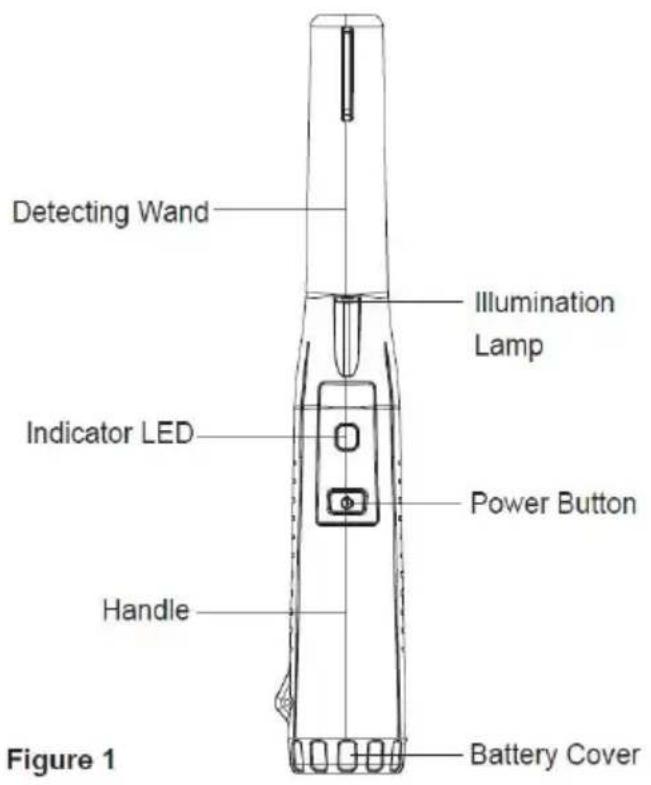
Note: The indicator LED is a bi-color LED, namely the green power indicator LED and the red detection indicator LED.
INSTALLING BATTERY
- Remove the battery cover by turning it counterclockwise.
- Install a new 9V battery (6F22 or equivalent) into the battery compartment, make sure the polarity connections are correct (see Figure 2); otherwise the metal detector may be damaged.
- Reinstall the battery cover, turn it clockwise to secure it in place.
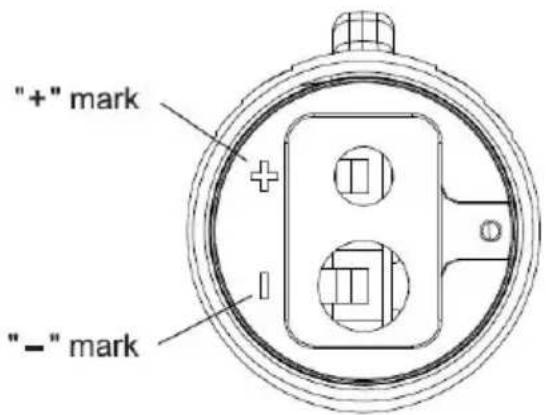
Battery Terminal Polarity Marks for Correct Placement of Battery Figure 2
Note:
- Never leave an exhausted battery in the detector.
- If you do not use the detector for a long period of time, remove the battery from the detector to avoid corrosion.
- Hold the detector by the handle. Make sure that the detector is away from any metal object, and then press the power button briefly to turn on the detector. The green power indicator LED and the illumination light up, and the detector vibrates once and/or the buzzer sounds once, indicating that the detector has been turned on. 2. The detector starts calibration automatically. The calibration takes about 2 to 4 seconds. When the calibration is completed, the detector vibrates briefly two times and/or the buzzer sounds two beeps.
Note: If you want to use this detector to detect metal objects buried in mineralized soil, salt water or wet salt sand, you must hold the tip of the detector to mineralized soil, salt water or wet salt sand and turn on the detector to let it perform auto calibration there.
- Move the detecting wand smoothly along the surface of the object being checked. As the detector gets close to a metal object, it will start to vibrate and/or the built-in buzzer will sound. The vibration and/or the beep sound will intensify as the detector gets closer to the metal.
- After the detector is turned on and calibrated, you can press and hold the power button for about 2 seconds to enter the alarm-mode-switching state. The illumination light will flash as an indication. The detector defaults to enter the alarm mode with vibration and buzzer sound. Press the power button once to switch to the buzzer sound alarm mode, and press again to switch to the vibration alarm mode. After selecting the desired mode, press and hold the power button for about 2 seconds to confirm it, or wait for about 5 seconds for the detector to automatically confirm. Note: After the next power-up, the detector will default to the alarm mode confirmed in the previous use.
- After finishing using the detector, press the power button once to turn off the detector; the detector will vibrate three times and/or the buzzer will sound three beeps.
Note:
- Before each use, verify the detector's operation by detecting a known metal object. Do not use the detector if it operates abnormally.
- If the illumination light flashes after the detector is turned on (in non-alarm mode-switching state), the battery is not high enough and you must replace the battery immediately; otherwise the detector may not operate or detect metal normally.
- When the battery is too low, the detector will turn off automatically.
- To save battery charge, turn off the detector when not in use.
AUTOMATIC POWER OFF
If you have not pressed the power button and the detector has not detected any metal object for about 5 minutes, the detector will start to prompt with vibration and/or buzzer sound every 12 seconds. And after six prompts, the detector will turn off automatically.
Note: If any metal object is detected or the power button is pressed, the prompt will be cancelled and the timer will reset.
DECLARATION
- This Instruction Sheet is subject to change without notice.
- Our company will not take any other responsibilities for any loss.
- The contents of this Instruction Sheet cannot be used as a result of using the detector for any special application.
LIST OF ACCESSORIES
● 9V carbon tandem battery (6F22)*1 - Waist hanging cover*1 - Telescopic lanyard*1 - Instructions*1
DISPOSAL OF THIS ARTICLE
Dear Customer,
If you at some point intend to dispose of this article, keep in mind that many of its components consist of materials that can be recycled.
Please do not dispose of it in the garbage bin, but check with your local council for recycling facilities in your area.

Address: Baoshanqu Shuangchenglu 803long 11hao 1602A-1609shi Shanghai Imported to AUS: SIHAO PTY LTD. 1 ROKEVA STREET EASTWOOD NSW 21 Australia
Imported to USA: Sanven Technology Ltd. Suite 250, 9166 Anaheim Place, Rancho Cucamonga, CA 91730
| EC | REP |
SHUNSHUN GmbH
Römeräcker 9 Z2021, 76351
Unit 5 Albert Edward House, Th
Pavilions Preston. United Kingdom
Made In China
VEVOR®
TOUGH TOOLS, HALF PRICE
Technical Support and E-Warranty Certificate
www.vevor.com/support
VEVOR®
TOUGH TOOLS, HALF PRICE
We continue to be committed to provide you tools with competitive price. "Save Half", "Half Price" or any other similar expressions used by us only represent of savings you might benefit from buying certain tools with us compared top brands and does not necessarily mean to cover all categories of tools offered are kindly reminded to verify carefully when you are placing an order with us actually saving half in comparison with the top major brands.
MODEL: TS-102
NEED HELP? CONTACT US!
Have product questions? Need technical support? Please feel free to contact us:
Technical Support and E-Warranty Certificate www.vevor.com/support
This is the original instruction, please read all manual instruction carefully before operating. VEVOR reserves a clear interpretation user manual. The appearance of the product shall be subject to product you received. Please forgive us that we won't inform you there are any technology or software updates on our product.
Note: The indicator LED is a bi-color LED, namely the green power indicator LED and the red detection indicator LED.
INSTALLING BATTERY
Battery Terminal Polarity Marks for Correct Placement of Battery Figure 2
Note:
Unit 5 Albert Edward House, Th
Pavilions Preston. United Kingdom
Made in China
VEVOR®
TOUGH TOOLS, HALF PRICE
www.vevor.com/support
HANDMETALLDETEKTOR
ANWEISUNGEN
MODELL: TS-102
We continue to be committed to provide you tools with competitive price. "Save Half", "Half Price" or any other similar expressions used by us only represent of savings you might benefit from buying certain tools with us compared to top brands and does not necessarily mean to cover all categories of tools offered are kindly reminded to verify carefully when you are placing an order with us actually saving half in comparison with the top major brands.
MODELL: TS-102
NEED HELP? CONTACT US!
Have product questions? Need technical support? Please feel free to contact us:
Technical Support and E-Warranty Certificate www.vevor.com/support
This is the original instruction. Please read all manual instructions carefully before operating. VEVOR reserves a clear interpretation of the user manual. The appearance of the product shall be subject to the product you received. Please forgive us that we won't inform you if there are any technology or software updates on our product.
Note: The indicator LED is a bi-color LED, namely the green power indicator LED and the red detection indicator LED.
INSTALLING BATTERY
Battery Terminal Polarity Marks for Correct Placement of Battery Figure 2

We continue to be committed to provide you with tools at competitive prices. "Save Half", "Half Price" or any other similar expressions used by us only represent the savings you might benefit from buying certain tools with us compared to top brands, and does not necessarily mean to cover all categories of tools offered. You are kindly reminded to verify carefully when you are placing an order with us that you are actually saving half in comparison with the top major brands.
MODEL: TS-102
NEED HELP? CONTACT US!
Have product questions? Need technical support? Please feel free to contact us:
Technical Support and E-Warranty Certificate www.vevor.com/support
This is the original instruction. Please read all manual instructions carefully before operating. VEVOR reserves a clear interpretation of the user manual. The appearance of the product shall be subject to the product you received. Please forgive us that we won't inform you of any technology or software updates on our product.
Note: The indicator LED is a bi-color LED, namely the green power indicator LED and the red detection indicator LED.
INSTALLING BATTERY
Battery Terminal Polarity Marks for Correct Placement of Battery Figure 2
| EC | REP |
| UK | REP |
Made in China
VEVOR®
TOUGH TOOLS, HALF PRICE
www.vevor.com/support
VEVOR®
TOUGH TOOLS, HALF PRICE
We continue to be committed to provide you tools with competitive price. "Save Half", "Half Price" or any other similar expressions used by us only represent the savings you might benefit from buying certain tools with us compared to top brands and does not necessarily mean to cover all categories of tools offered. We are kindly reminded to verify carefully when you are placing an order with us that you are actually saving half in comparison with the top major brands.
MODEL: TS-102
NEED HELP? CONTACT US!
Have product questions? Need technical support? Please feel free to contact us:
Technical Support and E-Warranty Certificate www.vevor.com/support
This is the original instruction. Please read all manual instructions carefully before operating. VEVOR reserves a clear interpretation of the user manual. The appearance of the product shall be subject to the product you received. Please forgive us that we won't inform you if there are any technology or software updates on our product.
Note: The indicator LED is a bi-color LED, namely the green power indicator LED and the red detection indicator LED.
INSTALLING BATTERY
Battery Terminal Polarity Marks for Correct Placement of Battery Figure 2
Note:
Unit 5 Albert Edward House, Th
Pavilions Preston. United Kingdom
Made in China
VEVOR®
TOUGH TOOLS, HALF PRICE
www.vevor.com/support
VEVOR®
TOUGH TOOLS, HALF PRICE
PROFESSIONAL METAL DETECTOR INSTRUCTIONS
MODEL: TS-102
We continue to be committed to provide you tools with competitive price. "Save Half", "Half Price" or any other similar expressions used by us only represent savings you might benefit from buying certain tools with us compared to top brands and does not necessarily mean to cover all categories of tools offered. We kindly remind you to verify carefully when placing an order with us to ensure you are actually saving half in comparison with the top major brands.
MODEL: TS-102
NEED HELP? CONTACT US!
Have product questions? Need technical support? Please feel free to contact us:
Technical Support and E-Warranty Certificate www.vevor.com/support
This is the original instruction. Please read all manual instructions carefully before operating. VEVOR reserves a clear interpretation of the user manual. The appearance of the product shall be subject to the product you received. Please forgive us that we won't inform you of any technology or software updates on our product.
Note: The indicator LED is a bi-color LED, namely the green power indicator LED and the red detection indicator LED.
INSTALLING BATTERY
Battery Terminal Polarity Marks for Correct Placement of Battery Figure 2
| EC | REP |
| UK | REP |
www.vevor.com/support
VEVOR®
TOUGH TOOLS, HALF PRICE
Technical Support and E-Warranty Certificate www.vevor.com/support
HAND-HELD METAL DETECTOR INSTRUCTIONS
MODEL: TS-102
We continue to be committed to provide you tools with competitive price. "Save Half", "Half Price" or any other similar expressions used by us only represent savings you might benefit from buying certain tools with us compared to top brands and does not necessarily mean to cover all categories of tools offered. We kindly remind you to verify carefully when placing an order with us that you are actually saving half in comparison with the top major brands.
MODEL: TS-102
NEED HELP? CONTACT US!
Have product questions? Need technical support? Please feel free to contact us:
Technical Support and E-Warranty Certificate www.vevor.com/support
This is the original instruction. Please read all manual instructions carefully before operating. VEVOR reserves a clear interpretation of the user manual. The appearance of the product shall be subject to the product you received. Please forgive us that we won't inform you of any technology or software updates on our product.
Note: The indicator LED is a bi-color LED, namely the green power indicator LED and the red detection indicator LED.
INSTALLING BATTERY
Battery Terminal Polarity Marks for Correct Placement of Battery Figure 2
Note:
Unit 5 Albert Edward House, Th
Pavilions Preston. United Kingdom
Made in China
VEVOR®
TOUGH TOOLS, HALF PRICE
www.vevor.com/support
VEVOR®
TOUGH TOOLS, HALF PRICE
www.vevor.com/support
HANDHELD METAL DETECTOR INSTRUCTIONS
MODEL: TS-102
We continue to be committed to provide you tools with competitive price. "Save Half", "Half Price" or any other similar expressions used by us only represent estimate of savings you might benefit from buying certain tools with us compared to top brands and does not necessarily mean to cover all categories of tools offered. We kindly remind you to verify carefully when you are placing an order with us if you are actually saving half in comparison with the top major brands.
MODEL: TS-102
NEED HELP? CONTACT US!
Have product questions? Need technical support? Please feel free to contact us:
Technical Support and E-Warranty Certificate www.vevor.com/support
This is the original instruction. Please read all manual instructions carefully before operating. VEVOR reserves a clear interpretation of the user manual. The appearance of the product shall be subject to the product you received. Please forgive us that we won't inform you of any technology or software updates on our product.
Note: The indicator LED is a bi-color LED, namely the green power indicator LED and the red detection indicator LED.
INSTALLING BATTERY
Battery Terminal Polarity Marks for Correct Placement of Battery Figure 2
Note:
Address: Baoshanqu Shuangchenglu 803long 11hao 1602A-1609shi Shanghai Imported to AUS: SIHAO PTY LTD . 1 ROKEVA STREETEASTWOOD NS 2122 Australien
to USA: Sanven Technology Ltd. Suite 250, 9166 Anaheim Place, Rancho Cucamonga, CA 91730
| EC | REP |
SHUNSHUN GmbH
Römeräcker 9 Z2021, 76351
Unit 5 Albert Edward House, Th
Pavilions Preston. United Kinadon
Made in China
VEVOR®
TOUGH TOOLS, HALF PRICE
www.vevor.com/support
- HANDHELD METAL DETECTOR INSTRUCTIONS
- MODEL: TS
- NEED HELP? CONTACT US
- FEATURES
- SPECIFICATIONS
- INSTALLING BATTERY
- NOTE
- AUTOMATIC POWER OFF
- DECLARATION
- LIST OF ACCESSORIES
- DISPOSAL OF THIS ARTICLE
- VEVOR®
- TOUGH TOOLS, HALF PRICE
- HANDMETALLDETEKTOR
- ANWEISUNGEN
- MODELL: TS
- PROFESSIONAL METAL DETECTOR INSTRUCTIONS
- HAND-HELD METAL DETECTOR INSTRUCTIONS
Brand : Vevor
Model : TS-102
Category : Detector