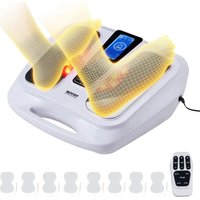
AST-300L - Massage device Vevor - Free user manual and instructions
Find the device manual for free AST-300L Vevor in PDF.


| Product Type | Foot circulation massager |
| Brand / Model | Vevor / AST-300L |
| Dimensions (main unit) | Φ497 mm x 191 mm x 435 mm |
| Weight | 2,49 kg |
| Material | ABS / PS |
| Power supply | AC adapter 100-240 V AC 50/60 Hz, output 5 V DC 3000 mA |
| Rated consumption | 5 V DC / 3000 mA |
| Massage modes | 25 preset modes (acupuncture, kneading, tapping, shiatsu, etc.) |
| Intensity levels | 50 continuously adjustable levels |
| Heat levels | 3 levels: 40 °C, 45 °C, 50 °C |
| Infrared therapy | Yes, built-in IR light |
| Timer | Adjustable up to 60 minutes (default 25 min) |
| Massage zones | Feet (built-in foot rests) and body (2 pairs of adhesive pads included) |
| Remote control | Infrared remote control (range up to 25 m) |
| Care and cleaning | Wipe with a soft damp cloth; do not immerse; store in a dry place |
| Safety | Automatic shut-off, intensity reset to zero when changing mode, numerous contraindication warnings |
| Spare parts available | Replacement body pads via www.vevor.com/support |
| Warranty | 2 years (excluding accessories, batteries, damage from misuse) |
| General information | CE compliant; disposal according to WEEE directive; manufactured in China |
Frequently Asked Questions - AST-300L Vevor
User questions about AST-300L Vevor
0 question about this device. Answer the ones you know or ask your own.
Ask a new question about this device
Download the instructions for your Massage device in PDF format for free! Find your manual AST-300L - Vevor and take your electronic device back in hand. On this page are published all the documents necessary for the use of your device. AST-300L by Vevor.
USER MANUAL AST-300L Vevor
Technical Support and E-Warranty Certificate www.vevor.com/support
FOOT CIRCULATION MASSAGER
MODEL: AST-300L
We continue to be committed to provide you tools with competitive price.
"Save Half", "Half Price" or any other similar expressions used by us only represents an estimate of savings you might benefit from buying certain tools with us compared to the major top brands and does not necessarily mean to cover all categories of tools offered by us. You are kindly reminded to verify carefully when you are placing an order with us if you are actually saving half in comparison with the top major brands.
VEVOR®
TOUGH TOOLS, HALF PRICE
FOOT CIRCULATION MASSAGER
MODEL:AST-300L
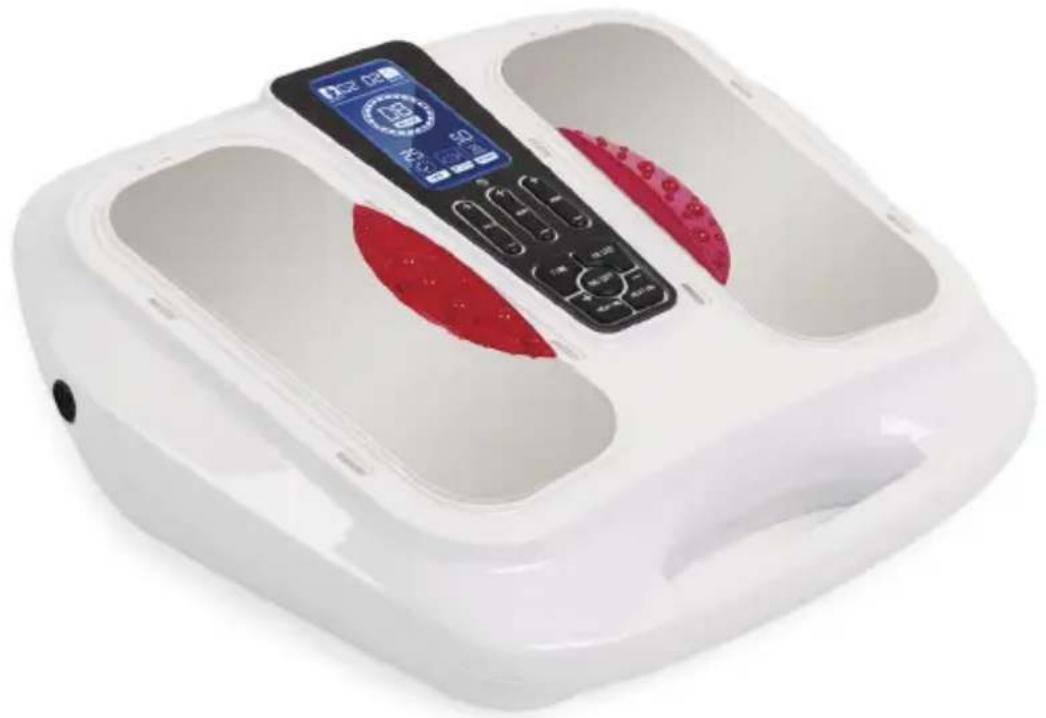
natural_image
White medical or rehabilitation device with digital display and red buttons, no visible text or symbolsNEED HELP? CONTACT US!
Have product questions? Need technical support? Please feel free to contact us:
Technical Support and E-Warranty Certificate www.vevor.com/support
This is the original instruction, please read all manual instructions carefully before operating. VEVOR reserves a clear interpretation of our user manual. The appearance of the product shall be subject to the product you received. Please forgive us that we won't inform you again if there are any technology or software updates on our product.
natural_image
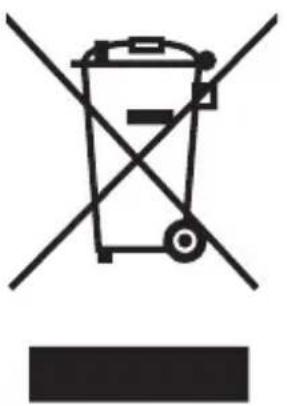
Symbol of a trash bin crossed with no text or numbers, representing waste sorting or disposal (no text present)CORRECT DISPOSAL
This product is subject to the provision of european Directive 2012/19/EU. The symbol showing a wheelie bin crossed through indicates that the product requires separate refuse collection in the European Union. This applies to the product and all accessories marked with this symbol. Products marked as such may not be discarded with normal domestic waste, but must be taken to acollection point for recycling electrical and electronic devices.
Operating Instruction SAFETY PRECAUTIONS

The product should be used in the correct manner, as explained in this manual, in order to prevent any accident.
Acknowledgment
Thanks for choosing our electronic muscle stimulator Before using it, please read the user manual carefully, especially the caution part, so that you can operate it correctly, and the user manual should be well-kept for your reference at any time.
What is Inside the Box?
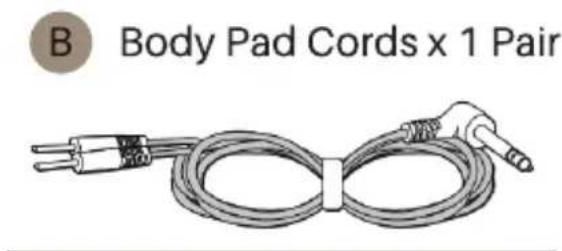
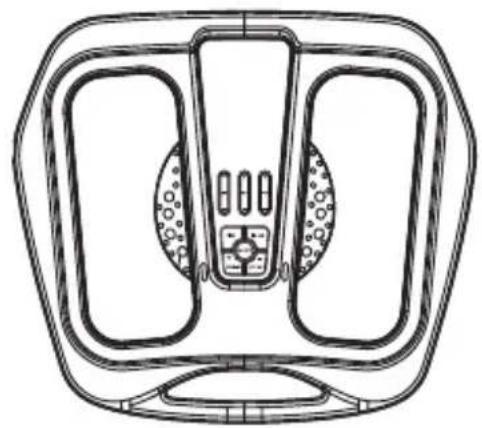
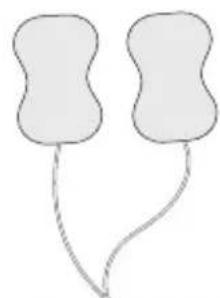
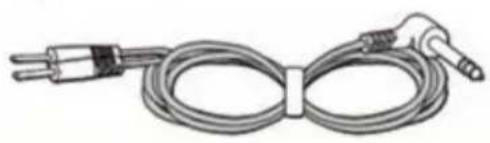
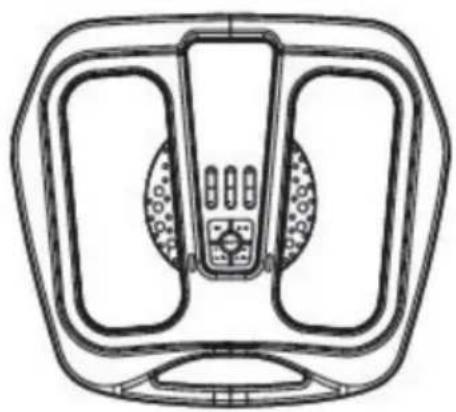
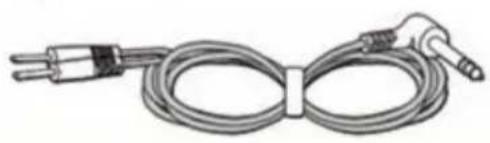
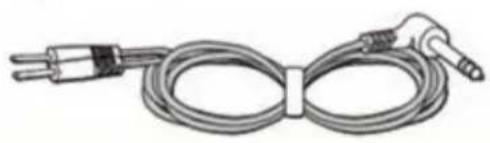
Upon opening the carton, please check that the following components are provided. If you think anything is missing, contact us feel free on our service email: e-crossstu@outlook.com or www.vevor.com/support
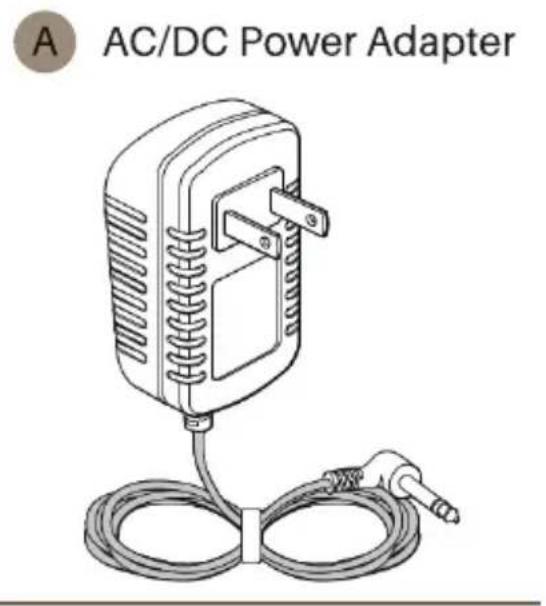
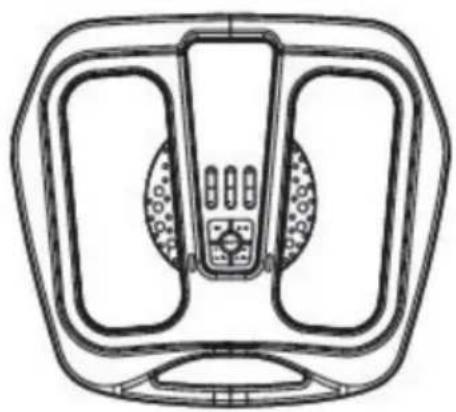
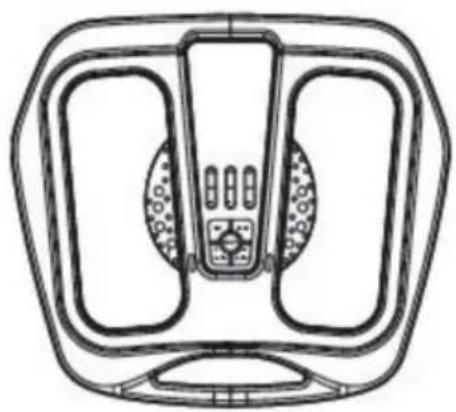
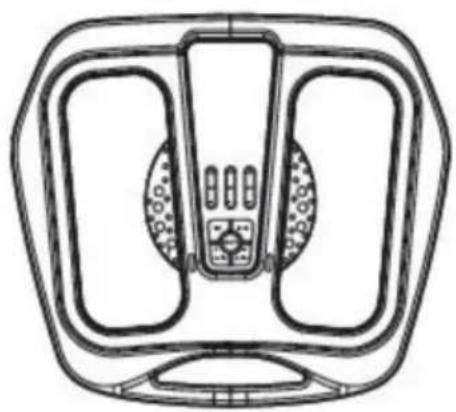
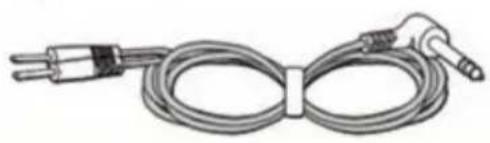
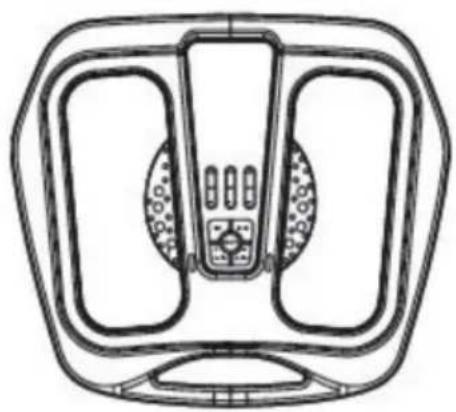
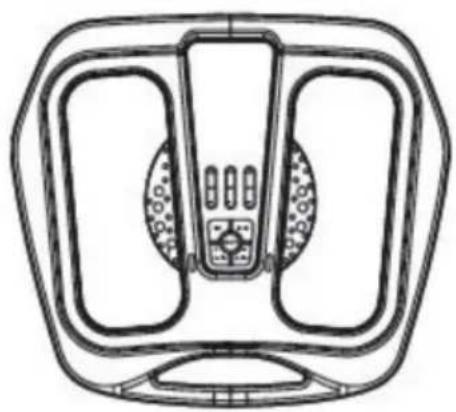
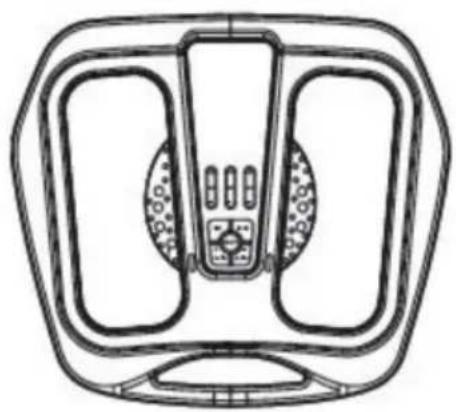
C New Upgrade Foot Circulation Massager With Hleating
natural_image
Technical line drawing of a mechanical component with symmetrical slots and central hub (no text or symbols)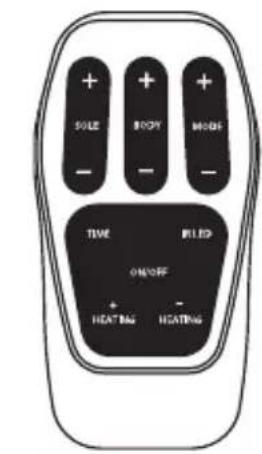
D Remote Control
natural_image
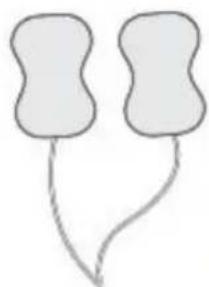
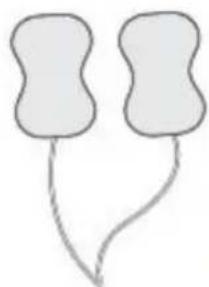
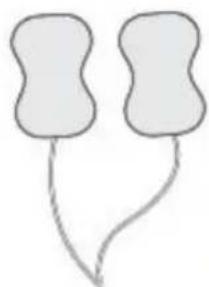
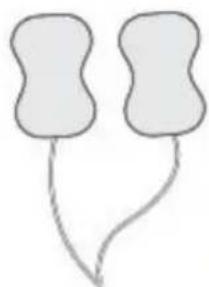
Simple line drawing of two abstract shapes connected by a curved line (no text or symbols)E Body Pads x4 Pairs
F User Manual

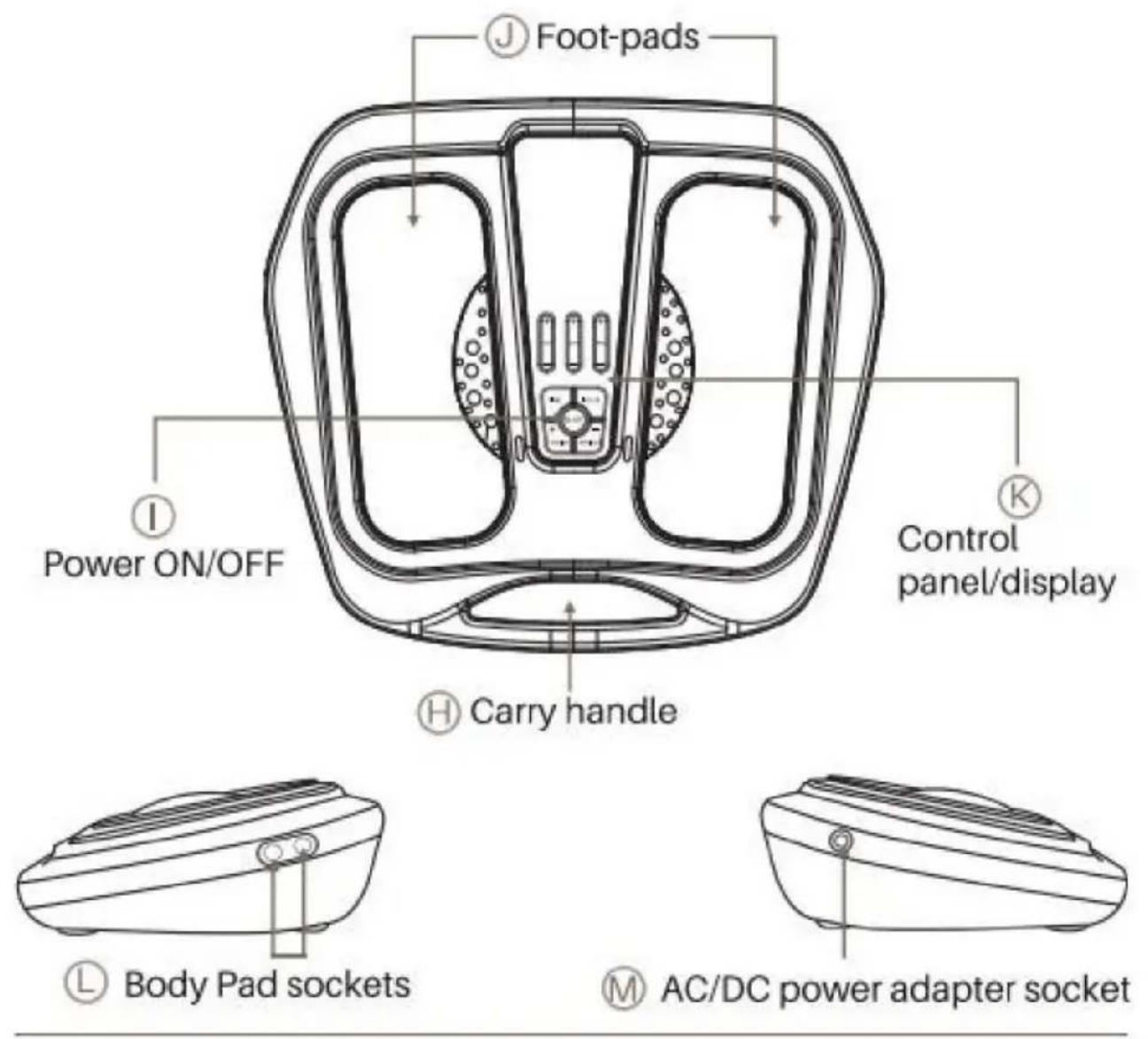
Parts Identification
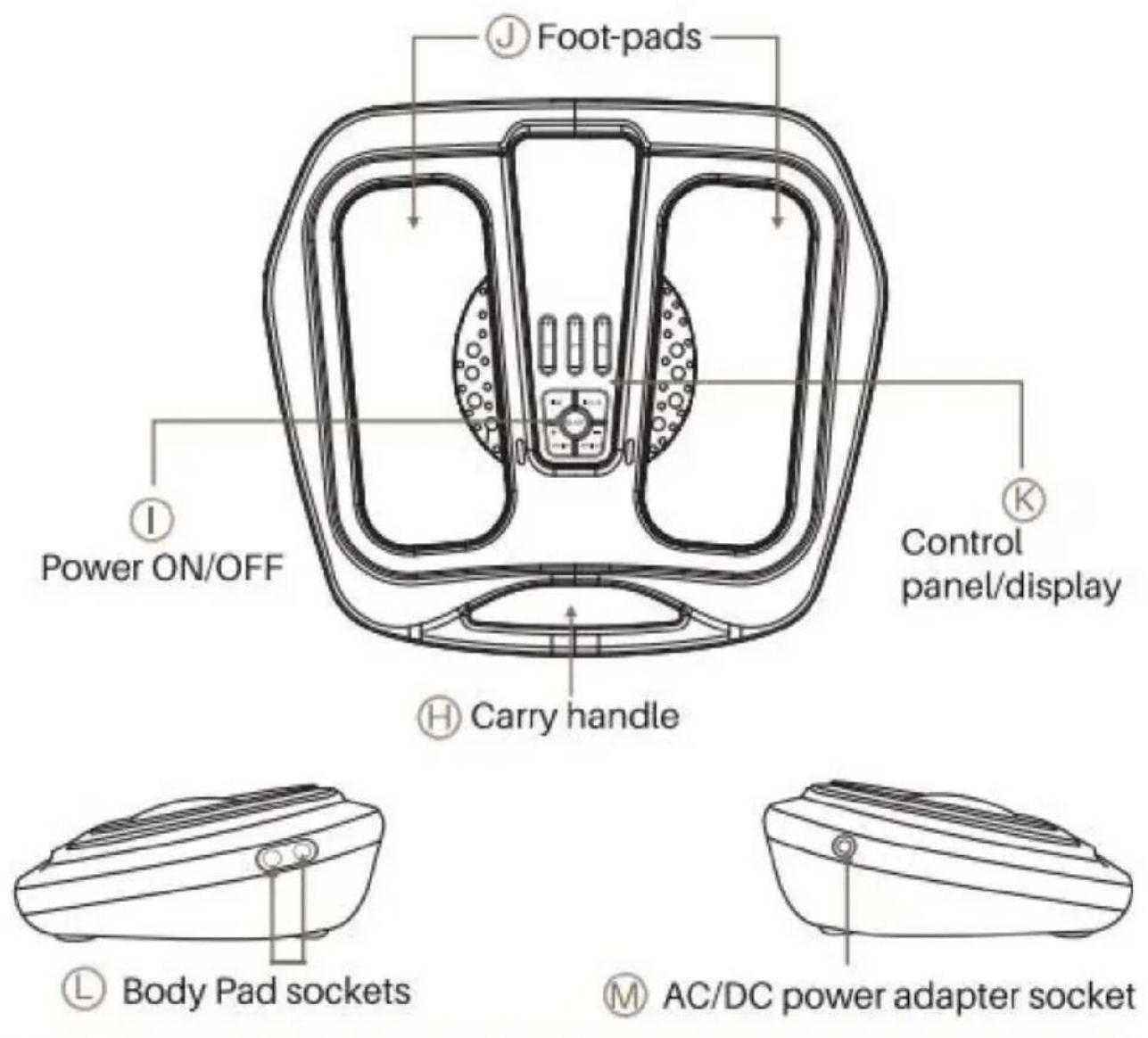
Parts of the Machine
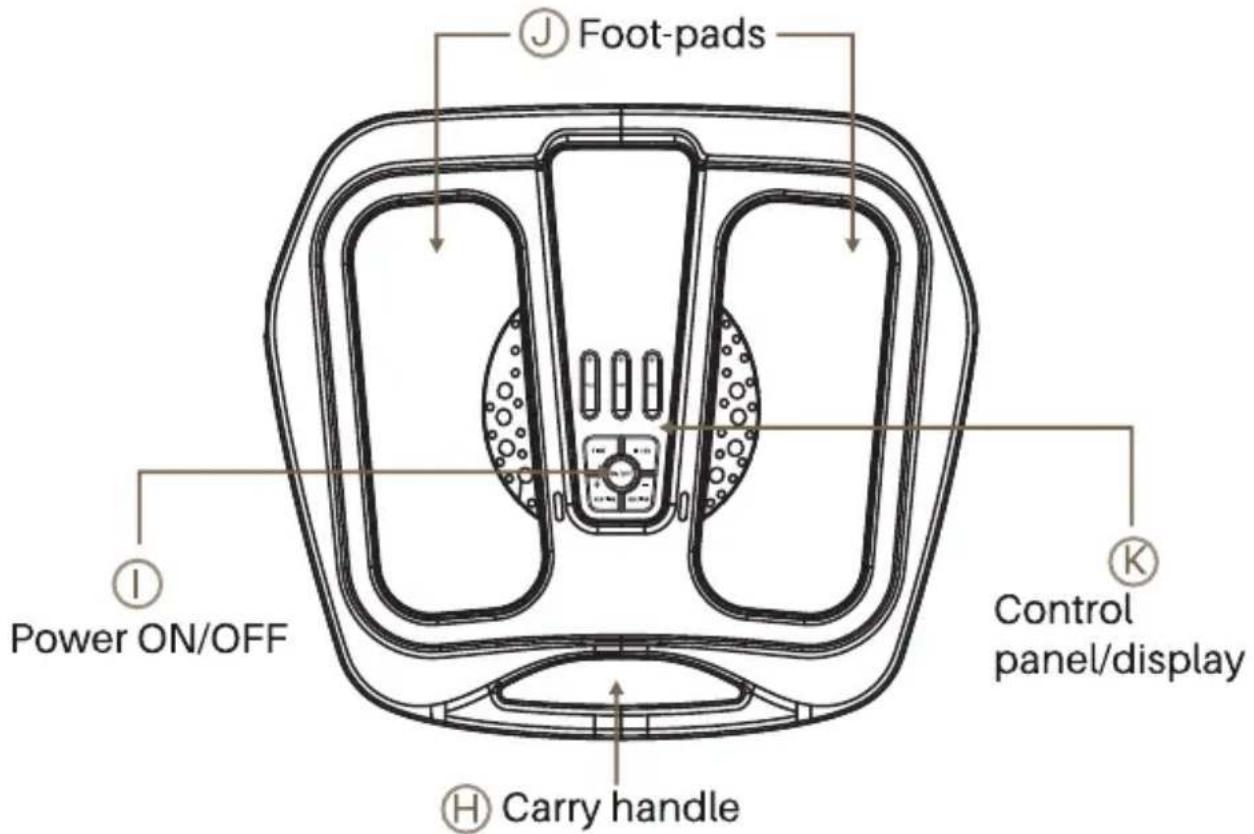
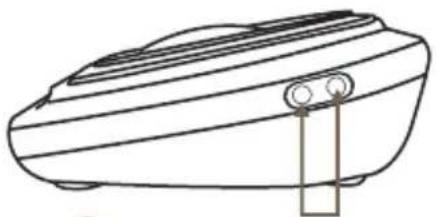
natural_image
Line drawing of a rectangular electronic device with a button and ventilation slots (no text or symbols)
Body Pad sockets
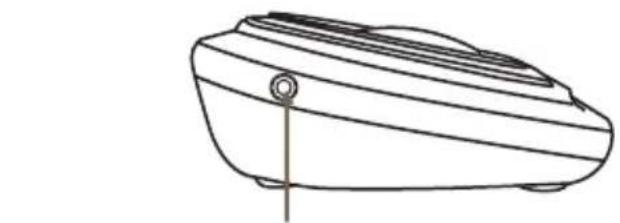
natural_image
Line drawing of a mechanical device with a cylindrical component inserted (no text or symbols)
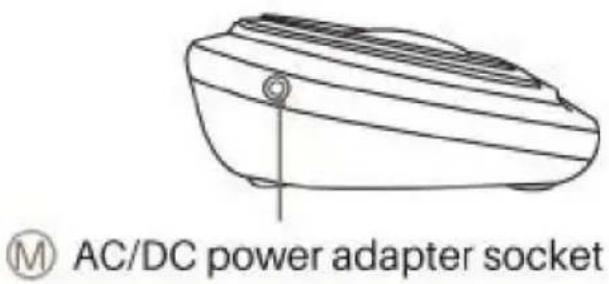
AC/DC power adapter socket
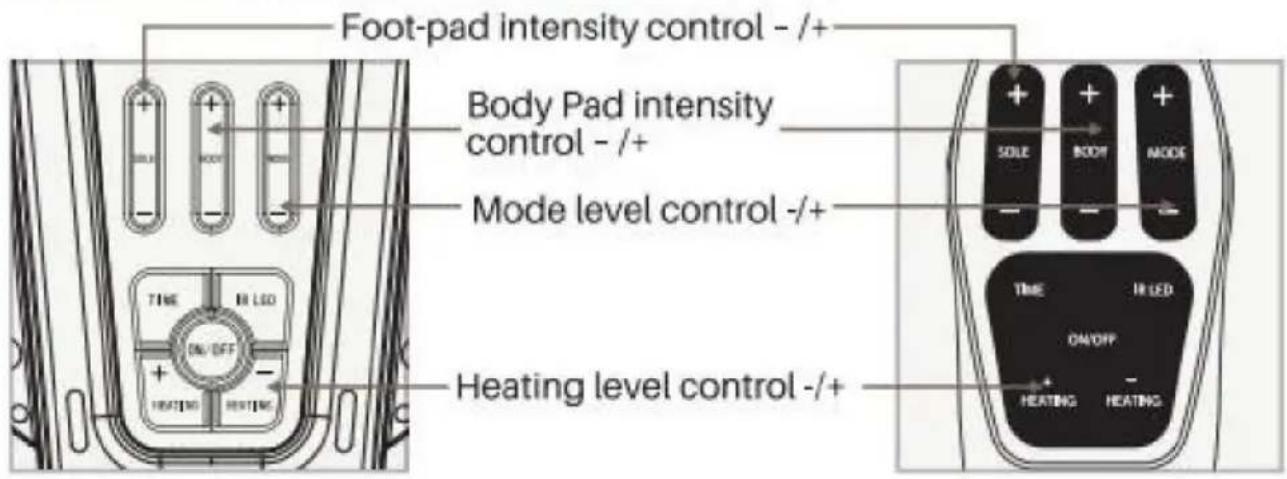
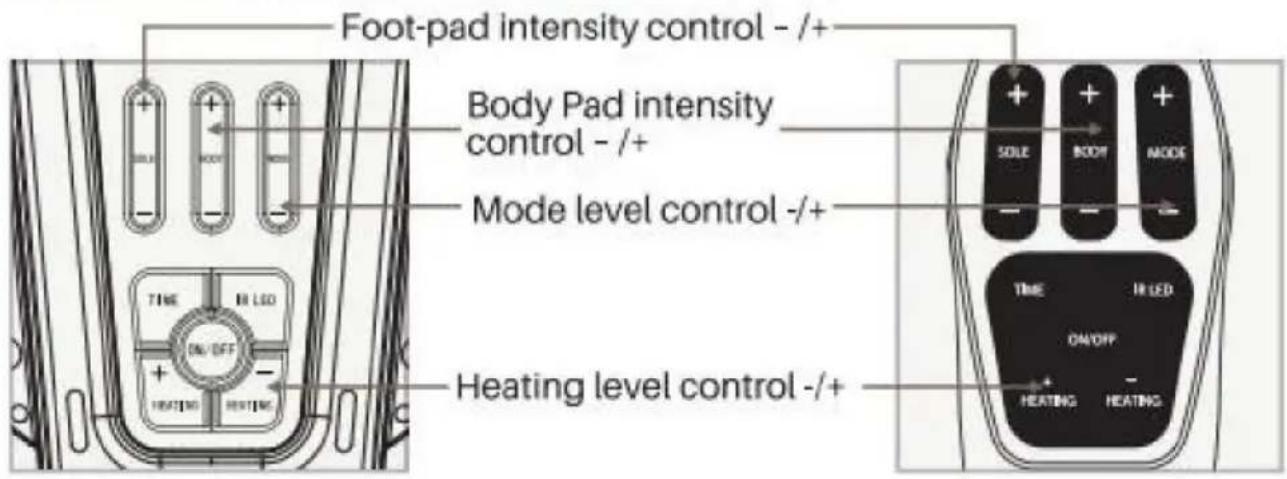
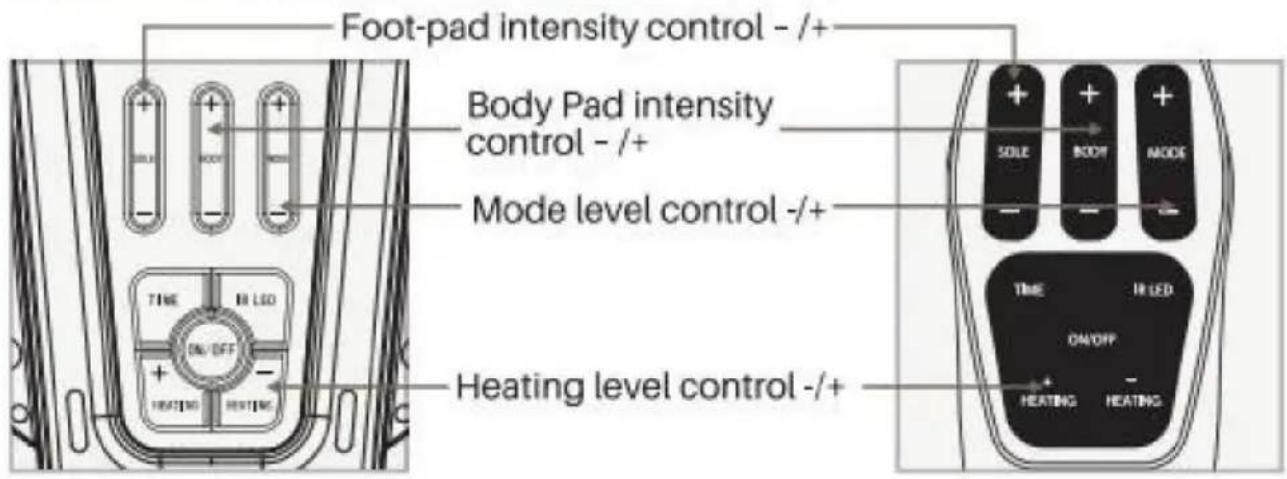
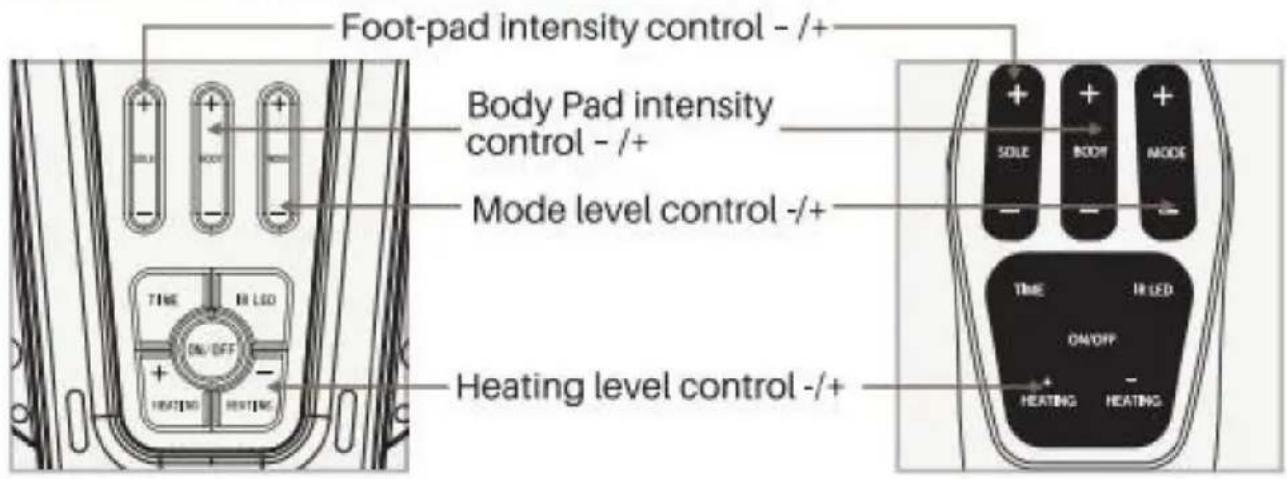
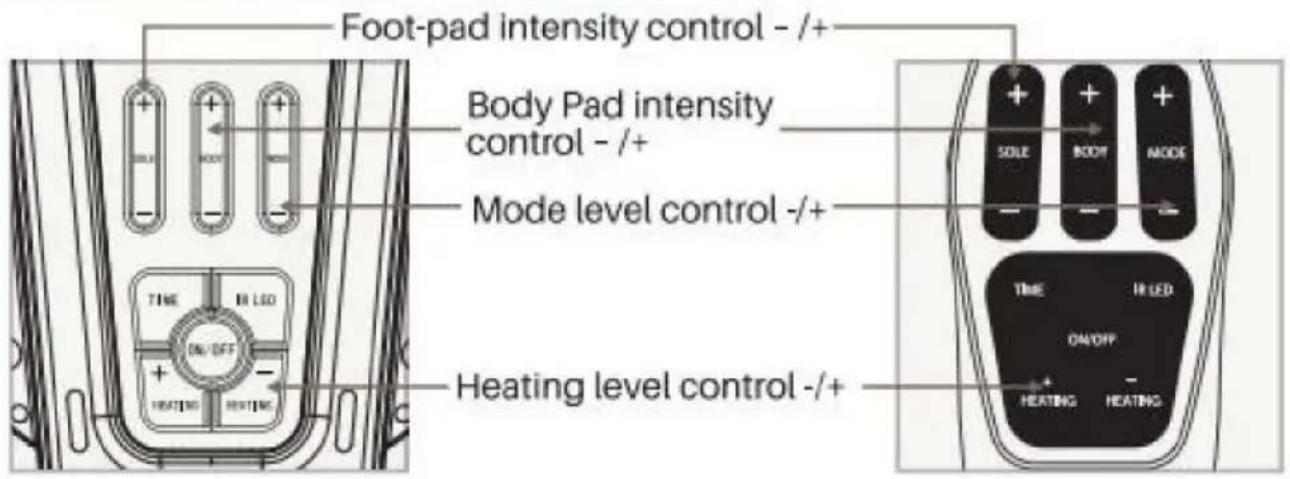
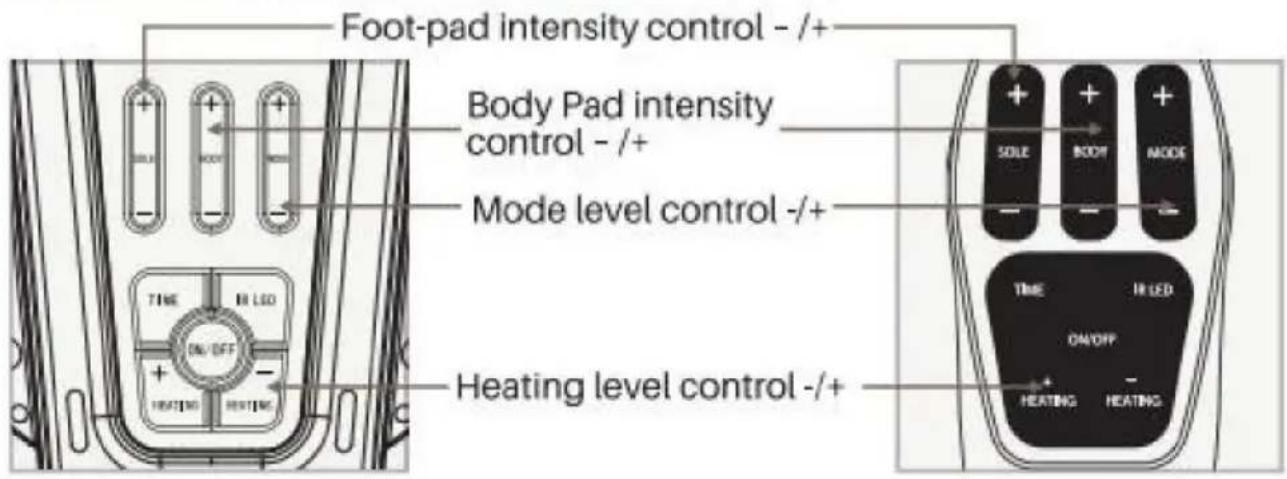
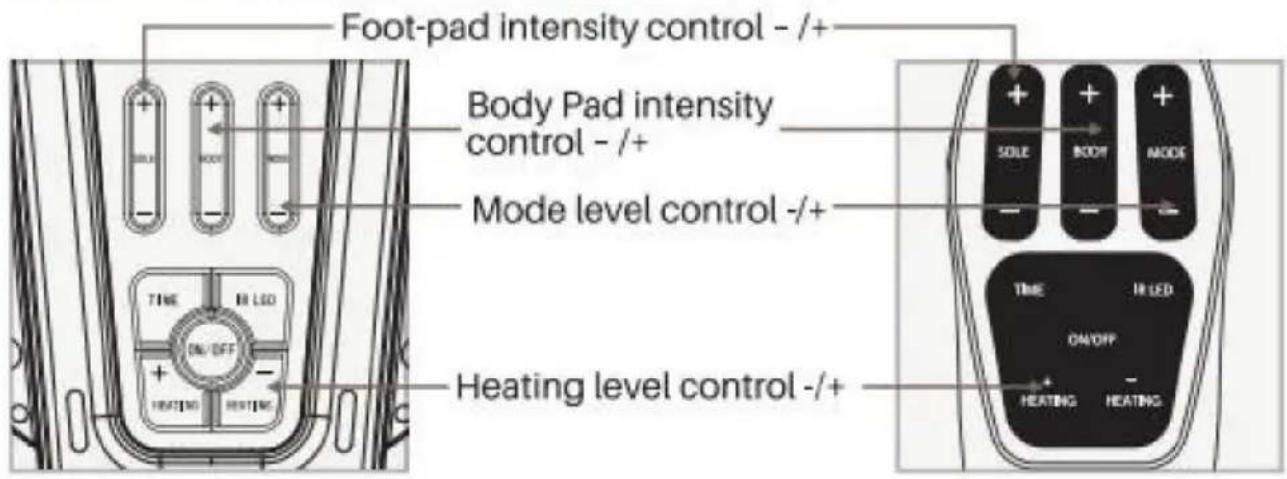
Controls of of the Machine
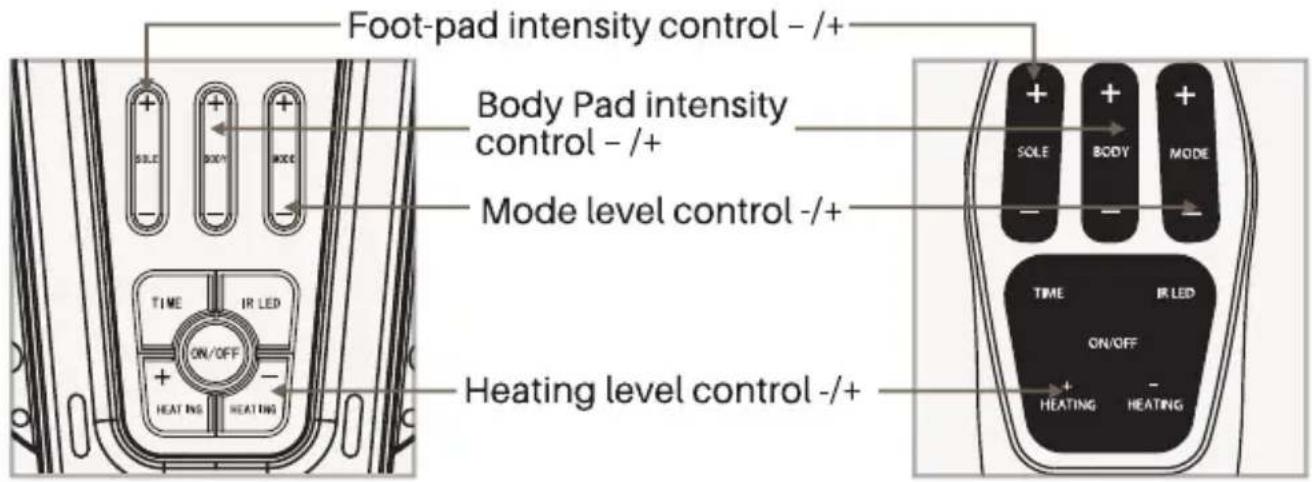
Introduction of the Machine
WHAT IT ROLE:
• To temporarily increase and warm local blood circulation in swelling leg muscles
• To stimulate healthy muscles in order to improve and facilitate muscle function
- For temporary relief of pain associated with sore and aching muscles in the shoulder, waist, back, upper extremities (arms), and lower extremities (legs) due to strain from exercise or normal household duties
HOW IT WORKS:
Adopting the constant temperature and low-frequency current stimulates ache-spots of the human body for muscle contraction or relaxation.
- When muscle relaxation, blood entering.
- When muscle contraction, the blood that contains metabolites to be sent out.
This kind of action will recycle which helps to accelerate the blood circulation and alleviate pain, swelling, fatigue, pain, and other symptoms.
WHAT IT MAIN FEATURES:
- Adopted to better ABS materials and design according to man-machine engineering science. The item looks very modern, fashion and delicate
- 50 kinds of electromagnetic wave intensity with continuous adjustment, will meet your required ideal result in proper sequence
• 25 minutes automatical time set
- There are 25 kinds of massage modes for sole and body, each impulse massage mode will improve the different symptoms, and eliminate fatigue
• 3 Types of heating modes (40\~45\~50°C) with IR light
- All functions can be operated by a remote controller and be easy to use.
Introduction of the Machine
WHAT USAGE OF THE MACHINE MODES
| Mode | Type | Usage |
| 1.Accupuncture Pushing | TENS | High blood pressure |
| 2.Accupuncture | TENS | Headache |
| 3.Accupuncture Kneading | TENS | Abnormal menstruation |
| 4.Accupuncture Tapping | TENS | Lumbar strain |
| 5.Scrapping | TENS | Tired feet |
| 6.Squeezing | EMS | Sciatica |
| 7.Massage | EMS | Immune system |
| 8.Pushing Massage | EMS | Lumbago |
| 9.Pushing Squeezing | TENS | Muscle relaxation |
| 10.Accupuncture Squeezing | TENS | Muscle activation |
| 11.Accupuncture Hammering | TENS | Neck pains |
| 12.Kneading | EMS | Chest pains |
| 13.Thumping | TENS | Apoplexy |
| 14.Scrapping Pressing | TENS | Constipation |
| 15.Cupping | EMS | Stomach ache |
| 16.Body Shaping | EMS | Weight loss |
| 17.Hammering | EMS | Insomnia |
| 18.Massage Tapping | TENS | Fatigue |
| 19.Pushing | EMS | Pain in the vertebrae |
| 20.Rolling Pounding | EMS | Neurasthenia |
| 21.Squezzing | EMS | Osteoporosis Osteoporosis |
| 22.Stoke | TENS | Cervical spondylosis |
| 23.Accupuncture Therapy Massage | TENS | Arthritis/Rheumatism |
| 24.Shiatsu | TENS | Blood circulation |
| 25.Rolling Kneading | EMS | Stress |
Important to Know
WHO SHOULD NOT USE THE MACHINE

Do not use if: (contraindications)
- You're pregnant.
- You have a cardiac pacemaker, implanted defibrillator, or other implanted electronic device, if yes, this may cause electric shock, burns, electrical interference, or death.
- You are being treated for, or have the symptoms of, an existing Deep Vein Thrombosis ('DVT')
Long periods of inactivity can put you at greater risk of developing Deep Vein Thrombosis (DVT). DVT is a blood clot and usually occurs in a deep leg vein. If part of the DVT breaks off it may lead to potentially life-threatening complications such as pulmonary embolism.
If you have been inactive for prolonged periods and suspect you may have a DVT, consult your doctor immediately. To prevent dislodging the clot do not use Machine.
In some cases of DVT there may be no symptoms. However it is important to be aware of the symptoms that may include:
• pain, swelling and tenderness in one of your legs (usually your calf)
• a heavy ache in the affected area
• warm skin in the area of the clot
- redness of your skin, particularly at the back of your leg, below the knee
Consult your doctor as soon as possible if you show any signs of the above symptoms.
Important to Know
WHO SHOULD CONSULT WITH DOCTOR BEFORE USE

Warnings
- You have suspected or diagnosed from a chronic illness or cancer.
• You have suspected or diagnosed fever
- You have suspected or diagnosed heart disease
- You have suspected or diagnosed epilepsy
- You have slow-healing wounds
- You have a loss of feeling in the hands or feet
- You have had medical or physical treatment for your pain
• You are in the care of a doctor
- You are experiencing cramping leg pain that occurs during walking
- You are unsure about the suitability of the Machine for you
- You are unsure about the cause of your symptoms
- If you have a metallic implant, you may experience pain or discomfort near the implant when applying electrical stimulation, if this should occur discontinue use and seek advice from your doctor
- The electrical stimulation may feel more intense close to a metallic implant. It is safe to continue use provided no pain is experienced. You may need to adjust the intensity to a comfortable level
- Do not use the Body Pads on your head, face, neck, or chest.
• There is a chance that serious health problems, and in rare cases death may be caused by using the Body Pads on your head, face, neck or chest
- Use Body Pads only on parts of your body as directed in this guide
Important to Know
- It is possible Machine may reduce the sensation of pain that would normally act as a warning of an underlying problem
- If your pain does not improve gets worse or continues for more than 5 days, stop using the device and talk to your doctor
• The long-term effects of chronic electrical stimulation are unknown
• This product is not intended for use by persons with reduced physical, sensory or mental capabilities, unless they are supervised by a person responsible for their safety

- Do not stand on the machine. Use only when sitting down
- Use the device only for its intended purpose
- Do not expose the device to extreme heat
- Do not spill liquid on the device or its accessories
- Do not overload the electrical outlet
- Keep this device out of the reach of children
- The Machine may be used by multiple persons, ensure the device is cleaned after each use
- Use the Machine only with the Body Pads, cords, and accessories supplied by, or purchased from, the manufacturer
- Check Body Pads, cords, and cables periodically for damage
- Do not open the Machine or repair it yourself. This will invalidate your warranty and may cause serious harm
• In the unlikely event your Machine malfunctions, disconnect it from the power source and contact your authorized agent - The Machine has passed the required tests for EMI, it may still be affected by excessive emissions and/or may interfere with more sensitive equipment
Important to Know
- Ensure the device is turned off after use.
- Unplug the device from the mains immediately after use and prior to cleaning.
- Store the device in a clean and dry location.

Adverse reactions
- Skin irritation and burns beneath the electrodes have been reported with the use of powered muscle stimulators
- If you experience adverse reactions, stop using Machine and talk with your doctor
- The product should be used in the correct manner, as explained in this manual, in order to prevent any accidents.
Instructions for Use
How long should I use Machine?
Do not use Machine more than 6 sessions of 30 minutes (or the equivalent) per day. This may result in muscle fatigue.
It is recommended to use Machine for 20-30 minutes per day.
STEP 1: SETTING UP Machine FOR THE FIRST TIME
a Remove all parts from the carton:
- AC/DC Power Adapter
•Machine
•Body Pads
•Body Pad Cords - Remote Control
See What is inside the Box? pages 3 to help identify the parts
Hint: The AC/DC power adapter is supplied in a small, white labelled box situated to one side as you open the carton
Note: If something is missing, contact our helpline on EMAIL: e-crossstu@outlook.com or www.vevor.com/support
Instructions for Use
natural_image
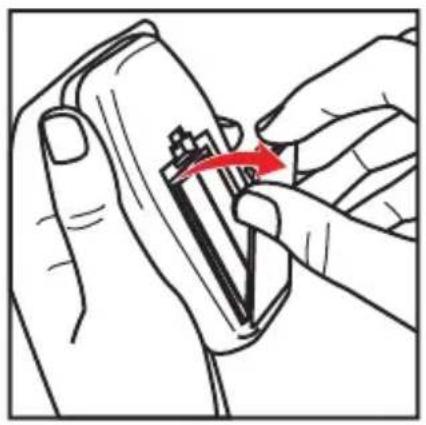
Illustration of a hand holding a small electronic device with a red arrow indicating rotation (no text or symbols)b Locate the remote control.
C Locate the back cover of the remote control.
d Pull the latch to open the cover.
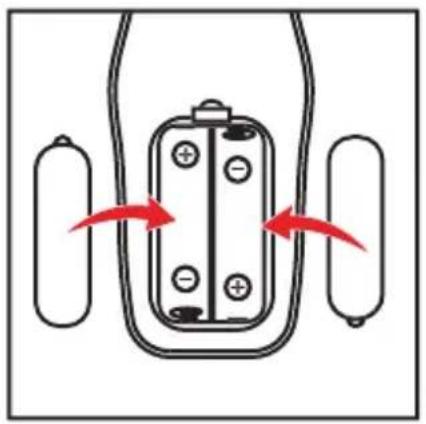
e Insert the batteries.
Make sure you insert the batteries correctly with the flat end (negative (-) end) placed against the spring in each slot.
natural_image
Pure electrical circuit lines without any symbolsf Press the cover onto the back of the remote to close it.
Before you use Machine for the first time, read the Warnings and Cautions on pages 7-11. If in doubt, consult your doctor before using the product.
STEP 2: SETTING UP Machine FOR USE
natural_image
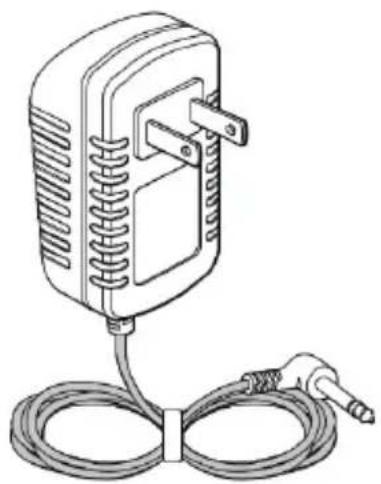
Line drawing of a wall-mounted electrical plug with coiled cable (no text or symbols)a Place the Machine Device on a flat surface.
b Locate the AC/DC power adapter.
Instructions for Use
natural_image
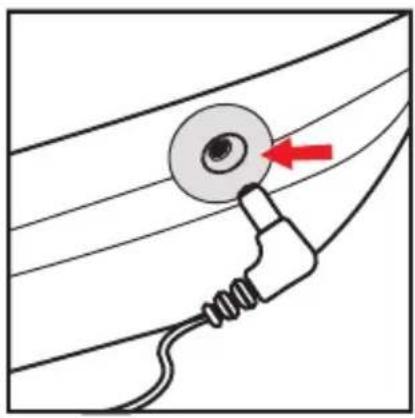
Diagram of a medical or electrical device with a red arrow pointing to a circular component, connected by wires (no text or symbols)c Plug the small end of the power cord into the opening on
d Plug the power adapter into the nearest electrical outlet.
STEP 3: USING THE FOOT-PADS

natural_image
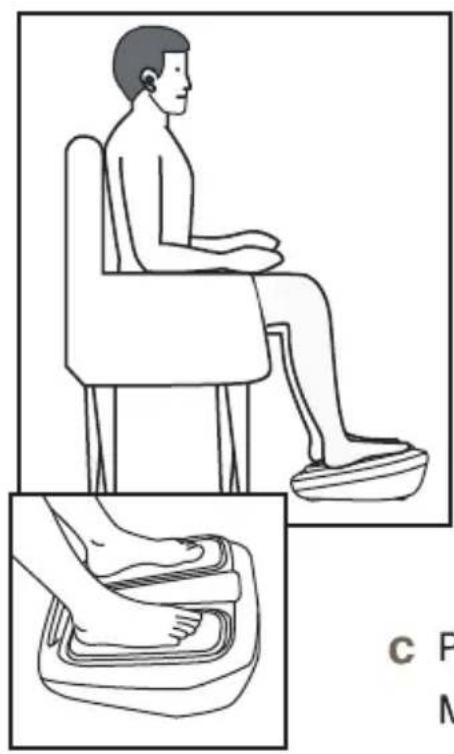
Illustration of a seated person in chair and foot presser's feet, showing body positioning (no text or symbols)a Get into a comfortable seated position. For best results sit with your knees and ankles at right angles to your body.
b Place Machine on the floor in front of you.
Never stand on the Machine unit.
VEVOR is designed to be used while seated.
c Place both bare feet on the foot-pads.
Make sure you remove all footwear, including socks / stockings.
d If desired, apply a moisturizing lotion/olive oil to the soles of your feet.
Tip: Applying a moisturizing lotion/olive oil to the soles of the feet before using Machine can help improve the delivery of electrical stimulation.
Instructions for Use
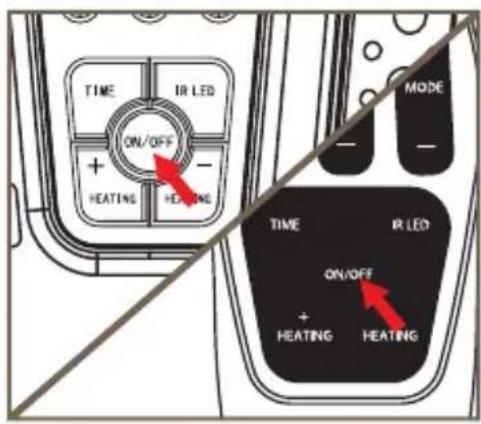
e Press the power button on the Machine or remote control to turn VEVOR on.
You will hear a beep and the control panel settings light up.
To turn off Machine at any time during operation, press the power button on the machine or remote control.
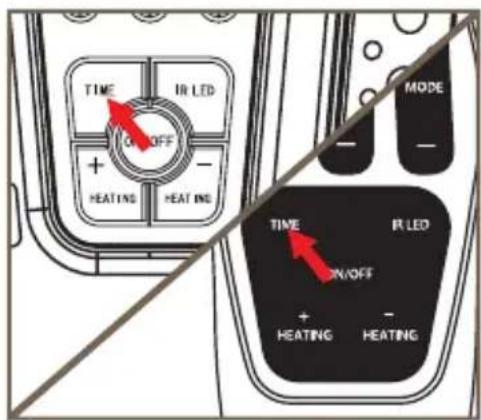
f Set the time for the number of minutes you want to use Machine.
You can use the buttons on the control panel or remote control.
Press the time button to select the time setting.
The default time is 25 minutes. You can set the timer for up to 60 minutes.
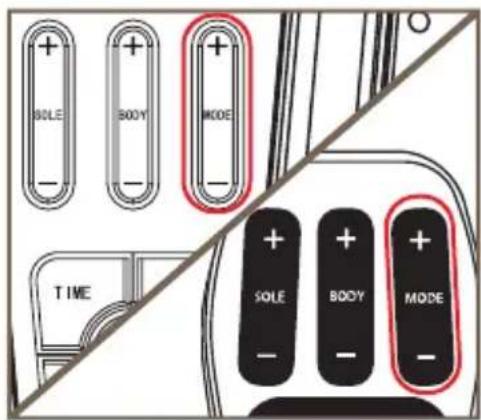
g Press the foot pad mode (+) button one time to choose the different massager modes.
You can set the mode between 1-25.
h Press the footpad mode (+) button until it is at the desired level.
Use a mode that provides you with comfortable muscle contraction and note that the intensity required may vary from day to day.
Read the mode's usage for the best-suited mode.
Hint: For safety reasons, the intensities will go back to zero while changing modes.
Instructions for Use
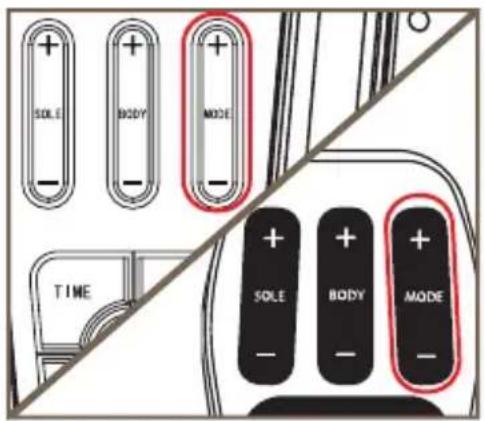
i Press the foot pad intensity (+) button one time to start stimulation. You can set the intensity between 1-50.
j Press the foot pad intensity (+) button until it is at the desired level.
Use an intensity that provides you with strong but comfortable muscle contraction and note that the intensity required may vary from day to day.
It is normal to feel tingling or varying sensations in your calf muscles.
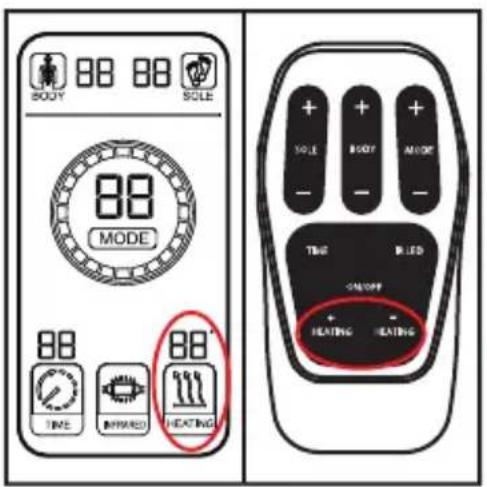
k Press the heating button to choose the different massager modes You can set 25 different modes.
You can use the buttons on the control panel or remote control.
Press the (+) button to increase the temperature.
Press the (-) button to decrease the temperature.
Total 3 Types of heating modes (40\~45\~50°C) are available.
Press the IR button to open the IR therapy.
Warm reminder: The IR light has a good heat penetration effect to improve the blood flow rate, promote blood circulation, and eliminate blood circulation obstacles.
Instructions for Use
If you feel pain or discomfort:
- Remove one or both feet from the foot-pads to stop the stimulation.
- Lower the intensity of the foot-pads using the foot-pad intensity - button on the control panel or remote control before replacing your feet on Machine.
The machine does not vibrate.
m The time control/display will start to count down in minutes as Machine cycles through its program.
n When it times out, the time display reads (00) and you will hear three beeps.
- The Machine switches itself off automatically.
Instructions for Use
STEP 4: USING THE BODY PADS
Each Machine comes with two pairs of reusable (up to 20-30 applications) Body Pads that can be used to deliver electrical stimulation to the knees, shoulders, back or arms.
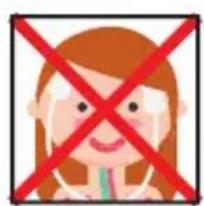
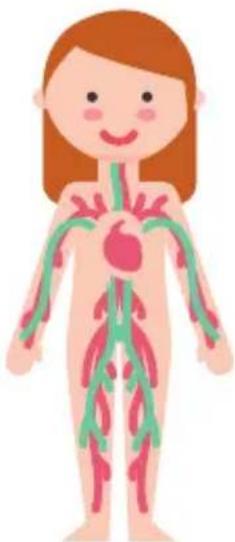
Do NOT use the Body Pads on your head, face, neck or chest.

DO NOT PLACE BODY PADS ON YOUR:
natural_image
Illustration of a human body with vascular structures (no text or labels)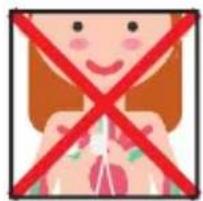
natural_image
Illustration of a smiling girl with a red X symbol crossed out, no text or symbols present
natural_image
Illustration of a human torso with red prohibition signs crossed out (no text or symbols)There is a chance that serious health problems, and in rare cases death, may be caused by using the Body Pads on your head, face, neck or chest.
- There is a chance that using the Body Pads on your head, face or neck may cause closure of the airway, difficulty in breathing, or adverse effects on heart rhythm or blood pressure.
• The introduction of electrical current into the chest may cause rhythm disturbances to your heart, which could be lethal.
- Use Body Pads only on parts of your body as directed in this guide.
Instructions for Use
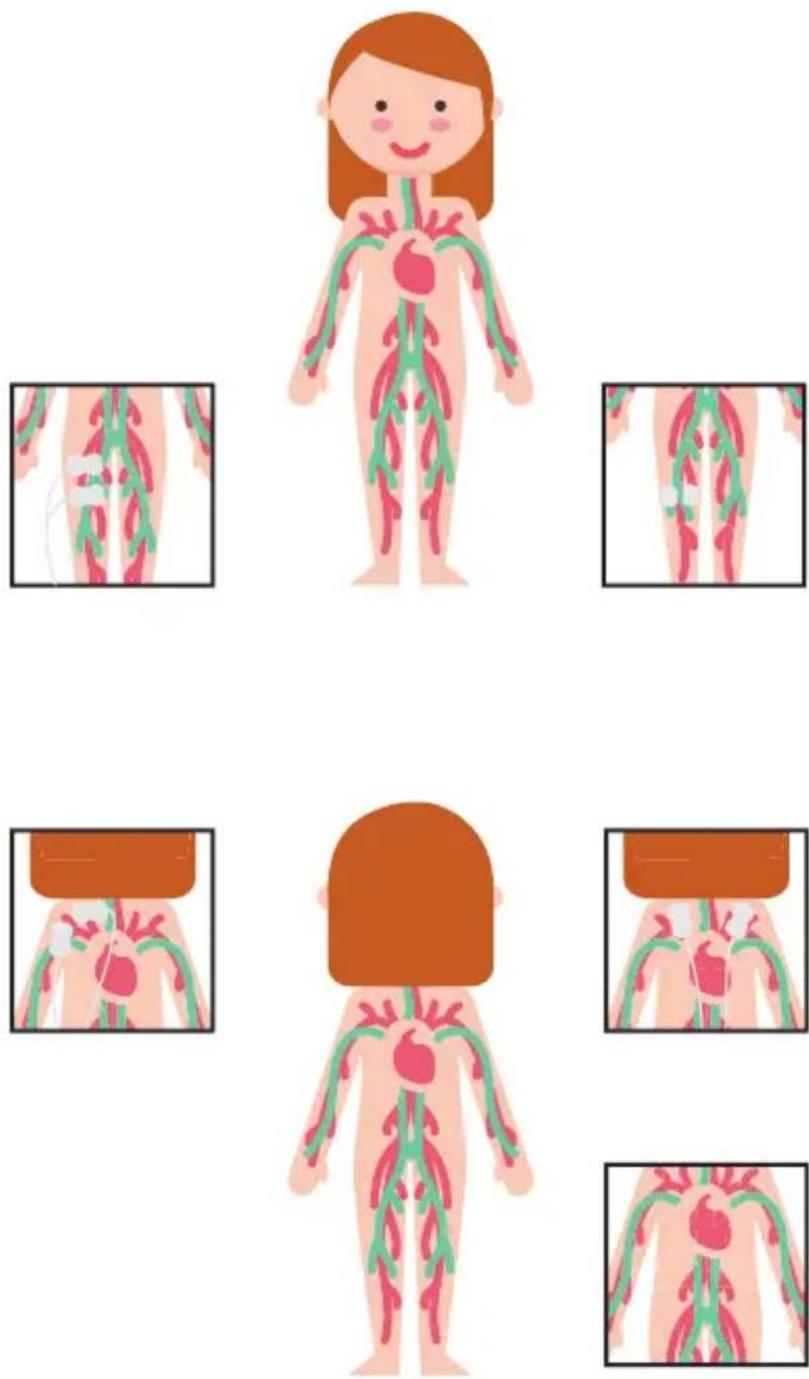
a Select the area you wish to apply electrical stimulation. If you wish to treat two areas at the same time, apply a pair of Body Pads to each area.

Example placements are shown below:
nstructions for Use
natural_image
Diagram showing a curved line with a red arrow pointing to a rectangular component, no text or symbols present
natural_image
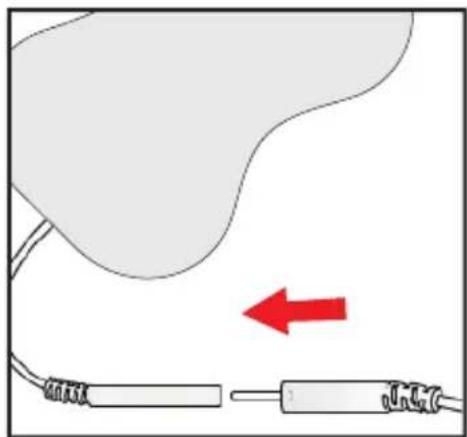
Simple line drawing of a cable with a red circle highlighting a rectangular component (no text or symbols)d Attach the ends of the Body Pads to the Body Pad cords. If you are using both pairs of Body Pads, repeat this step for the remaining Body Pads.
Press connectors until no gap is between them.
Leaving a gap may cause disconnection.
natural_image
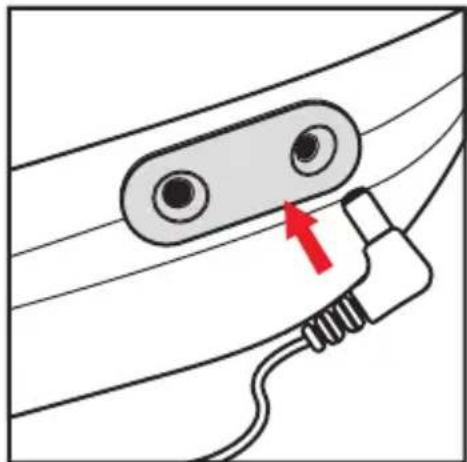
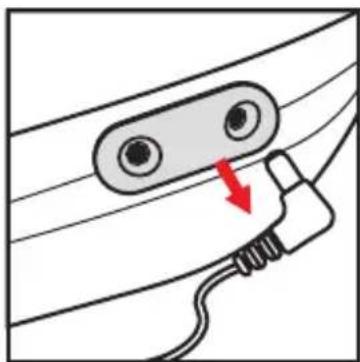
Diagram of a cable connector with a red arrow pointing to a circular component (no text or symbols)e Plug the other end of the Body Pad cord into either of the openings on the side of it. If you are using both pairs of Body Pads, repeat this step for the remaining Body Pad cord.

natural_image
Illustration of a hand pressing down on a medical device with a red arrow indicating motion (no text or symbols)f First time use only: remove the plastic liner from the Body Pads, by peeling it off carefully, then discard.
Instructions for Use
natural_image
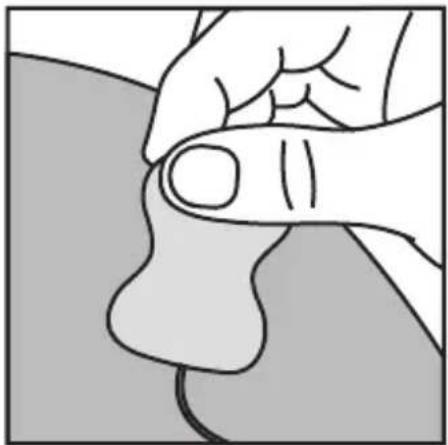
Illustration of a hand holding a small object, possibly a tool or device, with no visible text or symbols.g Press the Body Pads on the area(s) you wish to apply electrical stimulation, as shown on page 20, gently pressing the adhesive side against the skin.
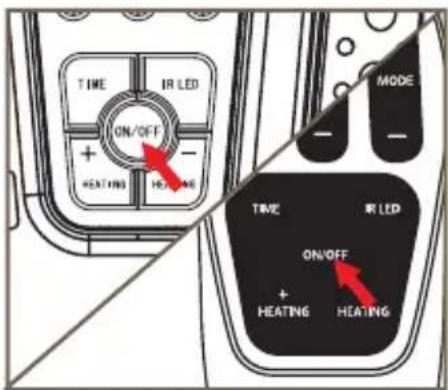
h Press the power button on machine or the remote control to turn Machine on.
You will hear a beep and the control panel settings light up.
To switch off the Machine unit at any time during operation, simply press the power ON/OFF button.
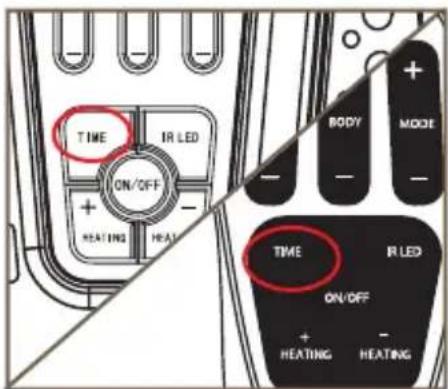
i Set the time for the number of minutes you want to use Machine.
You can use the buttons on the control panel or remote control.
Press the time button to select the time setting
The default time is 25 minutes. You can set the timer for up to 60 minutes.
Instructions for Use
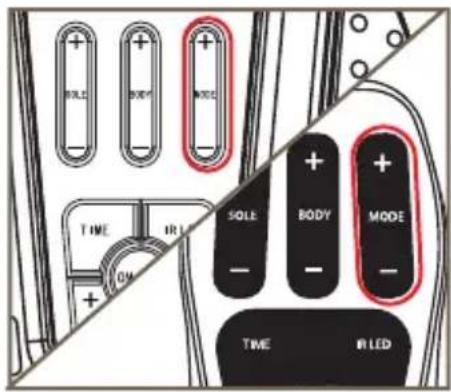
j Press the Body pad mode (+) button one time to choose the different massager modes.
You can set the mode between 1-25.
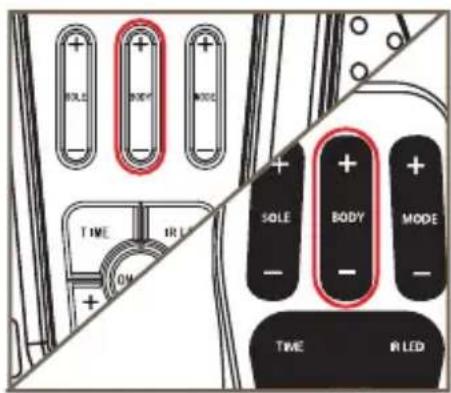
k Press the Body Pad intensity (+) button until it is at the desired level.
Use an intensity that provides you with strong but comfortable muscle contraction and note that the intensity required may vary from day to day.
It is normal to feel tingling or varying sensations in the area you are delivering electrical stimulation to.
If you are using both pairs of Body Pads, the Body Pad intensity buttons control both pairs of pads.
If you feel pain or discomfort:
- Lower the intensity of the Body Pads using the Body Pad intensity (-) button on the control panel or remote control.
Instructions for Use
natural_image
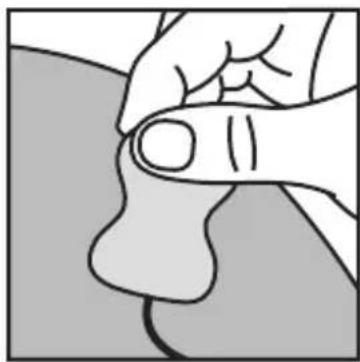
Illustration of a hand holding a small object, possibly a tool or device, with no visible text or symbols.The time control/display will start to count down in minutes as Machine cycles through its program.
m When Machine times out, the time display reads (00) and you will hear three beeps.
natural_image
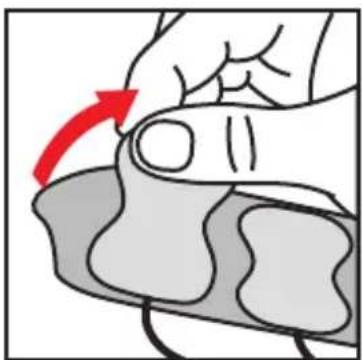
Illustration of a hand pressing down on a textured surface with a red arrow indicating the motion direction (no text or symbols present)n The Machine switches itself off automatically.
Gently peel the Body Pads from the skin.
natural_image
Diagram of a cable connector with a red arrow indicating a specific cable or cable attachment (no text or symbols present)p Place the Body Pads adhesive side down on the original pad film.
q Unplug the Body Pad cord(s) from the opening(s) on Machine.
STEP 5: USING THE FOOT-PADS AND THE BODY PADS AT THE SAME TIME
If you want to use Body Pads and the foot-pads at the same time:
• Follow the steps for Using the Body Pads
- Then follow the steps for Using the foot-pads
Do not apply the Body Pads to the lower legs when using the foot-pads as this may cause muscle contractions to become uncomfortable.
Instructions for Use
STEP 6: CLEANING AND STORING Machine
a Press the power button and turn Machine off, if needed.
b Wipe down the foot-pads with a soft damp cloth. Do not clean with chemicals.
c Do not immerse Machine in water.
d Store Machine in a cool, dry, and dust-free location. Store out of direct sunlight.
e Place Body Pads on the Pad film.(Do not throw the films away)
f Store the Body Pads in a dry and ventilated location. Store out of direct sunlight.
g You do not have to detach the Body Pads from the Body Pad cords to store them.
Replacing the Body Pads
The Body Pads are reusable for up to 20-30 applications. If the Body Pads start to lose their adhesiveness, rub a few drops of water into the surface. Replacement Body Pads can be obtained via www.vevor.com/support
About the Machine Remote Control
The technology used in the remote control allows an emitted infrared signal to be sent to the Machine unit. Infrared is a common and reliable technology within remote control devices. The signal is a binary-coded command that is unidirectional and low speed. This instructs the microprocessor within the Machine to change specific functions. The remote control must be aimed directly at the Machine with no obstacles in between. The remote control does not change function itself but simply communicates a command
Troubleshooting
| Porblem | Possible Cause | Solution |
| This foot massager is on (lights illuminated on the LED display) but I cannot feel the electrical stimulation through the footpads. | Not placing both bare feet on the foot-pads at the same time. | Ensure that your feet are bare and each foot is placed on each of the foot-pads at the same time. Keep increasing the intensity up to a maximum of 50 until you feel the stimulation. |
| Your feet may be dry. | Moisturize the soles of your feet to improve conductivity and stimulation and try the procedure again. You may also have to increase the intensity level. | |
| You may be dehydrated. | Drink plenty of water before and after using the device. The device uses your body to create the electrical circuit. Water is an excellent conductor of electricity and if your body is less hydrated (below 60%) then the stimulation may be less. Therefore it is important to always remain well hydrated. |
Troubleshooting
| Porblem | Possible Cause | Solution |
| The intensity level may be on too low a setting. | This is a very safe device. Keep increasing the intensity level towards 50 until you feel the stimulation. You may find that you have to increase the intensity level as you get used to the therapy. The aim is not to get to 50 but to find a setting that is comfortable for you. | |
| If, having tried the solutions above, you still cannot feel the stimulation: | Test the device by placing one hand across both footpads at the same time (The heel end of the footpads are easiest). With your other hands, and starting from zero, increase the intensity level until you can feel the stimulation. If you can feel the stimulation through your hand then the device is working. If on 50 you still cannot feel the stimulation then please contact your authorized dealer. |
Troubleshooting
| Porblem | Possible Cause | Solution |
| No power or lights to this foot massager when it is switched | AC Adapter not switched on at the electrical outlet or AC Adaptor not plugged into device properly. | Check electrical outlet power is switched on and the AC Adaptor is plugged into the device correctly. If still not working - contact your authorized dealer. |
| This foot massager is not vibrating. | This foot massager IS NOT | |
| My legs are aching after treatment. | You may have the intensity on too high a setting and your muscles are being overworked. | Leave adequate time after each treatment to allow the muscles to recover (just like after vigorous exercise!). On your next session starts on a lower setting (where you can feel the mild electrical stimulation and it is comfortable) and reduce the duration until your muscles have acclimatized to the stimulation. |
| No heating or hard to feel the warm | You may need to open the IR light as well, wait for 5-10 minutes |
If any other troubles, please contact us feel free on our helpline email: e-crossstu@outlook.com or
www.vevor.com/support
Symbols
Explanation of figures, symbols, warning statements and abbreviations on the equipment
| 1 |  | (Symbol for "BATCH CODE". This symbol should be with Production Batch No, and next to graph, batch code and lot number and batch number and so on) Examples:LOT ABC123 |
| 2 |  | (Symbol for "DATE OF MANUFACTURE". This symbol should be next to number)Production date of medical equipment (use markin front of theoroduction date) |
| 3 |  | Symbol for "ATTENTION, CONSULT ACCOMPANYING DOCUMENTS" |
| 4 |  | The Symbol for the Manufacturer (the "manufacturer" tag), the tag should contain the company name and address of the manufacturer.Product manufacturers, CE represents the name and address of importers and/or distributors. |
| 5 | 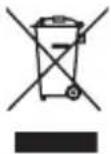 | The waste products should behand ledlegally. |
| 6 |  | BF devices |
| 7 |  THIS SIDE UP THIS SIDE UP | Upside |
| 8 |  FRAGILE FRAGILE | Fragile |
| 9 |  KEEP DRY KEEP DRY | Keepdry |
Symbols
| 10 |  | Stacking |
| 11 |  | Device's serial number |
| 12 |  | Protected from touch by fingers and objects greater than 12 millimeters and protected from water spray less than 15 degrees from vertical. |
| 13 |  | Indicates the item is a medical device |
Technical Specifications
| Name of product | Foot Circulation Massager |
| Model | AST-003L |
| Weight | 2.49Kg (5.5lb) |
| Dimensions | Ø 497mm x 191mm x 435mm (Main Machine)Ø 65mm x 120mm (Body pads) |
| Material | ABS / PS |
| Power Source: | |
| Powered by adaptor Safety Mark | EE-0503000DP/ EE-0503000DPE |
| Rated | 100-240Vac 50/60Hz 0.5A |
| Rated Voltage | DC5V 3000mA |
| Rated Input | DC5V |
| Rated Output | 3000mA |
| Disposal: At the end of product life do not throw this product into normal household garbage, but take it to a collection point for the recycling of electronic equipment. | |
| Output Specifications: | |
| Waveform | Pulsed Symmetrical Biphasic |
| Shape | Rectangular |
Technical Specifications
| Operation Condition | Storage Condition |
| 10-40 °C30% RH ~ 75%RH860 hPa to 1060 hPa | 0-40 °C≤80% RH860 hPa to 1060 hPa |
The Remote Control replicates the controls found on the device
| Operating Frequencies | 38 KHz |
| Operating Range Distance | 0 to 25m at horizontal0 to 18m at +/- 30 degree angle from the horizontal |
Warranty
It is important to retain the retailer's receipt as proof of purchase. Staple your receipt to this back cover for future reference.
Please quote the following information if the product develops a fault. These numbers can be found on the base of the product:
Model no: ....
Lot no:
All foot massager devices are individually tested before leaving the factory. In the unlikely event of any device proving to be faulty within 28 days of purchase, it should be returned to the place of purchase for it to be replaced.
If the fault develops after 28 days and within 24 months of original purchase, you should contact your local distributor quoting model number and LOT number on the product, or write to your local distributor at the address shown.
You will be asked to return the product (in secure, adequate packaging) to the address shown with a copy of proof of purchase.
Subject to the exclusions set out below (see Exclusions), the faulty device will
then be repaired or replaced and dispatched usually within 7 working days of receipt.
If, for any reason, this item is replaced during the 2 year guarantee period, the guarantee on the new item will be calculated from the original purchase date. Therefore, it is vital to retain your original till receipt or invoice to indicate the date of initial purchase.
To qualify for the 2 year guarantee, the device must have been used according to the manufacturer's instructions supplied.replaced and dispatched usually within 7 working days of receipt.
Warranty
EXCLUSIONS:
1 VEVOR Ltd, manufacturer of foot massager devices, shall not be liable to replace or repair the goods under the terms of the guarantee where:
- The fault has been caused or is attributable to accidental use, misuse, negligent use or used contrary to the manufacturer's recommendations or where the fault has been caused by power surges or damage caused in transit.
• The device has been used on a voltage supply other than that stated on the product or used with a power adaptor other than the one supplied with the product.
• Repairs have been attempted by persons other than our service staff (or authorized dealer).
• The device has been used for hire purposes or non-domestic use.
• The device is second hand.
2 VEVOR Ltd are not liable to carry out any type of servicing work, under the guarantee.
3 Accessories such as Electrode pads are not covered by the guarantee.
4 Batteries and damage from leakage are not covered by the guarantee.
- This guarantee does not confer any rights other than those expressly set out above and does not cover any claims for consequential loss or damage. This guarantee is offered as an additional benefit and does not affect your statutory rights as a consumer.

Shenzhen OSTO Medical Technology Company Limited ADD: 2104, Unit4, Building2, Zhongxin Longsheng Square, NO. 219 Shenshan Road (Longgang Section), Longxin Community, Baolong Street, Longgang District, 518116 Shenzhen City, Guangdong Province, China
2024-08
Imported to AUS: SIHAO PTY LTD. 1 ROKEVA STREETEASTWOOD NSW 2122 Australia Imported to USA: Sanven Technology Ltd. Suite 250, 9166 Anaheim Place, Rancho Cucamonga, CA 91730
Phoenix Medtech GmbH Koenigsberger Strasse 11, 64839, Muenster Hessen, Germany.
VEVOR®
TOUGH TOOLS, HALF PRICE
Technical Support and E-Warranty Certificate
www.vevor.com/support
VEVOR®
TOUGH TOOLS, HALF PRICE
natural_image
White medical or fitness device with digital display and red buttons, no visible text or symbolsBESOIN D'AIDE? CONTACTEZ-NOUS!
natural_image
Line drawing of a portable electrical device with coiled cable and plug (no text or symbols)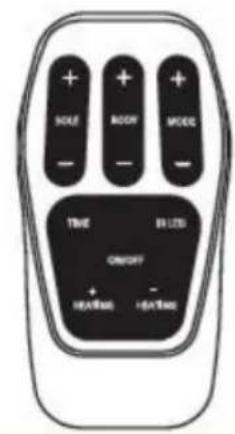
D Remote Control
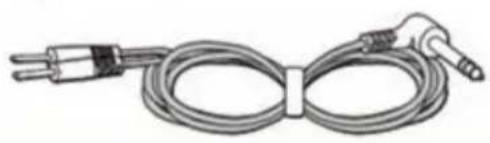
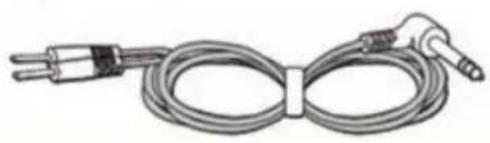
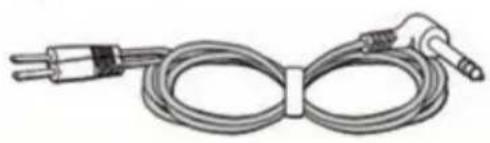
B Body Pad Cords x 1 Pair
natural_image
Coiled electrical probe with terminal connectors and a connector pin (no text or symbols visible)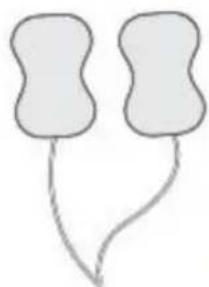
natural_image
Simple line drawing of two abstract shapes with curved lines (no text or symbols)E Body Pads x4 Pairs
C New Upgrade Foot Circulation Massager With Hleating
natural_image
Line drawing of a medical or anatomical device with symmetrical chambers and central ports (no text or symbols)F User Manual

Controls of of the Machine
natural_image
Illustration of a hand holding a small electronic device with a red arrow indicating rotation (no text or symbols)natural_image
Diagram of a battery pack with red arrows indicating direction, no text or symbols presentnatural_image
Line drawing of a small electrical transformer with attached cables (no text or symbols)natural_image
Diagram of a medical or electrical device with a red arrow pointing to a circular component, connected by wires (no text or symbols)natural_image
Illustration showing a seated person in chair and foot stepping on a foam roller, with no text or symbols present.a Get into a comfortable seated position. For best results sit with your knees and ankles at right angles to your body.
b Place Machine on the floor in front of you.
Never stand on the Machine unit. OSITO is designed to be used while seated.
c Place both bare feet on the foot-pads. Make sure you remove all footwear, including socks / stockings.
natural_image
Diagram showing a curved line with a red arrow pointing to a rectangular component, no text or symbols present.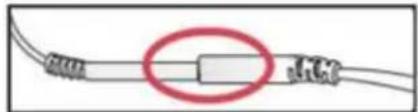
natural_image
Pure electrical circuit lines without any symbolsnatural_image
Diagram of a cable connector with a red arrow pointing to a circular component (no text or symbols present)natural_image
Illustration of a hand pressing down on a medical device with a red arrow indicating motion (no text or symbols)natural_image
Illustration of a hand holding a small object, possibly a tool or device, with no visible text or symbols.natural_image
Illustration of a hand holding a small object, possibly a tool or device, with no visible text or symbols.natural_image
Illustration of a hand pressing down on a wrist with a red arrow indicating motion (no text or symbols)natural_image
Diagram of a cable connector with a red arrow indicating a downward force or adjustment (no text or symbols present)natural_image
White medical or electrocardiogram device with digital display and red buttons (no visible text or symbols)natural_image
Line drawing of a portable electrical transformer with coiled cable (no text or symbols)B Body Pad Cords x 1 Pair
natural_image
Coiled electrical probe with terminal connectors (no text or symbols visible)C New Upgrade Foot Circulation Massager With Hleating
natural_image
Line drawing of a medical device with four rectangular chambers and internal compartments (no text or symbols)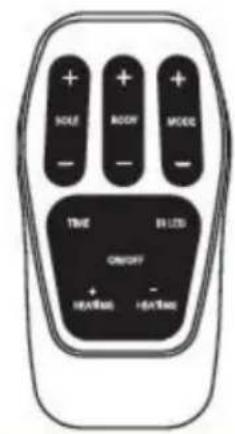
D Remote Control
natural_image
Simple line drawing of two abstract shapes with curved lines (no text or symbols)E Body Pads x4 Pairs
F User Manual

Teileidentifikation
Teile der Maschine
Controls of of the Machine
natural_image
Illustration of a hand holding a small electronic device with a red arrow indicating rotation (no text or symbols)natural_image
Diagram of a battery pack with red arrows indicating direction, no text or symbols presentnatural_image
Illustration of a wall-mounted electrical plug connected to a coiled cable (no text or symbols visible)natural_image
Diagram of a medical or electrical device with a red arrow pointing to a circular component, connected by wires (no text or symbols)natural_image
Illustration showing a seated person in chair and foot stepping on a foam roller, with no text or symbols present.a Get into a comfortable seated position. For best results sit with your knees and ankles at right angles to your body.
b Place Machine on the floor in front of you.
Never stand on the Machine unit. OSITO is designed to be used while seated.
C Place both bare feet on the foot-pads. Make sure you remove all footwear, including socks / stockings.
natural_image
Diagram showing a curved line with a red arrow pointing to a rectangular component, no text or symbols present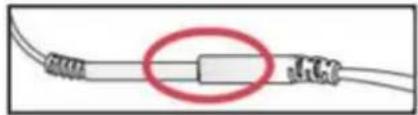
natural_image
Pure electrical circuit lines without any symbolsnatural_image
Diagram of a cable connector with a red arrow pointing to a circular component (no text or symbols present)natural_image
Illustration of a hand pressing down on a medical device with a red arrow indicating the motion (no text or symbols present)natural_image
Illustration of a hand holding a small object, possibly a tool or device, with no visible text or symbols.natural_image
Illustration of a hand holding a small object, possibly a tool or device, with no visible text or symbols.natural_image
Illustration of a hand pressing down on a wrist with a red arrow indicating motion (no text or symbols)natural_image
Diagram of a cable connector with a red arrow indicating a downward force or change (no text or symbols present)www.vevor.com/support
VEVOR®
TOUGH TOOLS, HALF PRICE
natural_image
White medical or electrocardiogram device with digital display and red buttons (no visible text or symbols)natural_image
Line drawing of a portable electrical transformer with coiled cable (no text or symbols)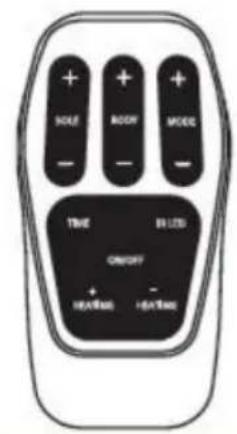
D Remote Control
B Body Pad Cords x 1 Pair
natural_image
Coiled electrical probe with terminal connectors (no text or symbols visible)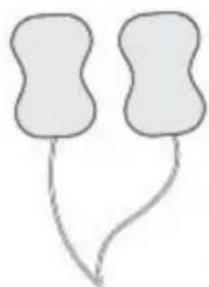
natural_image
Simple line drawing of two abstract shapes with curved lines (no text or symbols)E Body Pads x4 Pairs
C New Upgrade Foot Circulation Massager With Hleating
natural_image
Line drawing of a medical device with four rectangular chambers and internal compartments (no text or symbols)F User Manual

Controls of of the Machine
natural_image
Illustration of hands using a handheld device to adjust or install a component (no text or symbols visible)natural_image
Diagram of a battery pack with red arrows indicating direction, no text or symbols presentnatural_image
Line drawing of a small electrical transformer with attached cables (no text or symbols)natural_image
Diagram of a medical or electrical device with a red arrow pointing to a circular component, connected by wires (no text or symbols)natural_image
Illustration showing a seated person in chair and foot stepping on a foam roller, with no text or symbols present.a Get into a comfortable seated position. For best results sit with your knees and ankles at right angles to your body.
b Place Machine on the floor in front of you.
Never stand on the Machine unit.
OSITO is designed to be used while seated.
c Place both bare feet on the foot-pads.
Make sure you remove all footwear, including socks / stockings.
natural_image
Diagram showing a curved line with a red arrow pointing to a rectangular component, no text or symbols present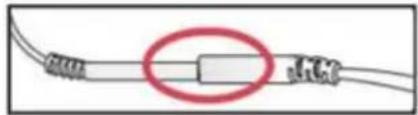
natural_image
Pure electrical circuit lines without any symbolsnatural_image
Diagram of a cable connector with a red arrow pointing to a circular component (no text or symbols)natural_image
Illustration of a hand pressing down on a medical device with a red arrow indicating the motion (no text or symbols present)natural_image
Illustration of a hand holding a small object, possibly a tool or device, with no visible text or symbols.natural_image
Illustration of a hand holding a small object, possibly a medical or anatomical component (no text or symbols visible)natural_image
Illustration of a hand pressing down on a wrist with a red arrow indicating motion (no text or symbols)natural_image
Diagram of a cable connector with a red arrow indicating a downward force or change (no text or symbols present)FASE 5: UTILIZZO DEI CUSCINETTI PER I PIEDI E DEI CUSCINETTI PER IL CORPO INSIEME TEMPO
Piazza Longsheng, NO.219 Shenshan Road

2024-08
Importato in AUS: SIHAO PTY LTD. 1 ROKEVA STREETEASTWOOD
Nuovo Galles del Sud 2122 Australia
Importato negli USA: Sanven Technology Ltd. Suite 250, 9166 Anaheim Place, RanchoCucamonga, CA 91730
Phoenix Medtech GmbH Koenigsberger Strasse 11, 64839, Münster Assia, Germania
VEVOR®
TOUGH TOOLS, HALF PRICE
elettronica www.vevor.com/support
VEVOR®
TOUGH TOOLS, HALF PRICE
natural_image
White medical or fitness device with digital display and red buttons, no visible text or symbolsnatural_image
Line drawing of a portable electrical transformer with coiled cable (no text or symbols)B Body Pad Cords x 1 Pair
natural_image
Coiled electrical probe with terminal connectors (no text or symbols visible)C New Upgrade Foot Circulation Massager With Hleating
natural_image
Line drawing of a medical device with four rectangular chambers and internal compartments (no text or symbols)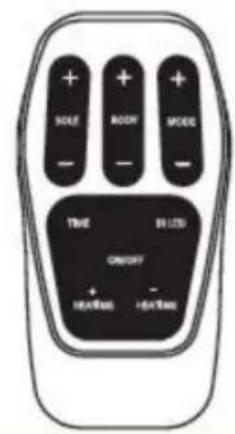
D Remote Control
natural_image
Simple line drawing of two abstract shapes with curved lines (no text or symbols)E Body Pads x4 Pairs
F User Manual

Controls of of the Machine
natural_image
Illustration of a hand holding a small electronic device with a red arrow indicating rotation (no text or symbols)natural_image
Diagram of a battery pack with red arrows indicating direction, no text or symbols presentnatural_image
Illustration of a wall-mounted electrical plug connected to a coiled cable (no text or symbols visible)natural_image
Diagram of a medical or electrical device with a red arrow pointing to a circular component, connected by wires (no text or symbols)natural_image
Illustration showing a seated person in chair and foot stepping on a foam roller, with no text or symbols present.a Get into a comfortable seated position. For best results sit with your knees and ankles at right angles to your body.
b Place Machine on the floor in front of you.
Never stand on the Machine unit. OSITO is designed to be used while seated.
c Place both bare feet on the foot-pads. Make sure you remove all footwear, including socks / stockings.
natural_image
Diagram showing a curved line with a red arrow pointing downward and a separate wire with a label 'G4' (no text or symbols on the diagram itself)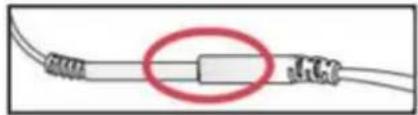
natural_image
Pure electrical circuit lines without any symbolsnatural_image
Diagram of a cable connector with a red arrow pointing to a circular component (no text or symbols)natural_image
Illustration of a hand pressing down on a blood pressure vessel with a red arrow indicating force direction (no text or symbols)natural_image
Illustration of a hand holding a small object, possibly a tool or device, with no visible text or symbols.natural_image
Illustration of a hand holding a small object, possibly a medical or anatomical component (no text or symbols visible)natural_image
Illustration of a hand pressing down on a wrist with a red arrow indicating motion (no text or symbols)natural_image
Diagram of a cable connector with a red arrow indicating a downward force or adjustment (no text or symbols present)natural_image
White medical or fitness device with digital display and red buttons, no visible text or symbolsPOTRZEBUJESZ POMOCY? SKONTAKTUJ SIĘ Z NAMI!
natural_image
Line drawing of a portable electrical device with coiled cable and plug (no text or symbols)B Body Pad Cords x 1 Pair
natural_image
Coiled electrical probe with two terminal connectors (no text or symbols visible)C New Upgrade Foot Circulation Massager With Hleating
natural_image
Line drawing of a symmetrical mechanical or electrical component with no text or symbols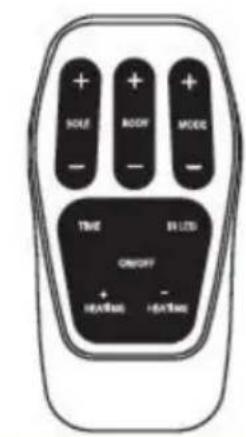
D Remote Control
natural_image
Simple line drawing of two abstract shapes with curved lines (no text or symbols)E Body Pads x4 Pairs
F User Manual

Controls of of the Machine
KTO NIE POWINIEN UŻYWAĆ MASZYNY

KIEDY NIE NALEŻY UŻYWAĆ MASZYNY
natural_image
Illustration of a hand holding a small electronic device with a red arrow indicating rotation (no text or symbols)B. Znajdź pilota.
natural_image
Diagram of a battery pack with red arrows indicating direction, no text or symbols presentnatural_image
Line drawing of a small electrical transformer with attached cables (no text or symbols)natural_image
Diagram of a medical or electrical device with a red arrow pointing to a circular component, connected by wires (no text or symbols)natural_image
Illustration showing a seated person in chair and foot stepping on a foam roller, with no text or symbols present.a Get into a comfortable seated position. For best results sit with your knees and ankles at right angles to your body.
b Place Machine on the floor in front of you.
Never stand on the Machine unit. OSITO is designed to be used while seated.
C Place both bare feet on the foot-pads. Make sure you remove all footwear, including socks / stockings.
natural_image
Diagram showing a curved line with a red arrow pointing to a rectangular component, no text or symbols present.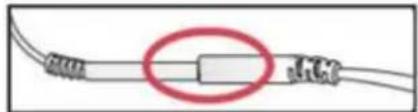
natural_image
Pure electrical circuit lines without any symbolsnatural_image
Diagram of a cable connector with a red arrow pointing to a circular component (no text or symbols present)natural_image
Illustration of a hand pressing down on a blood pressure vessel with a red arrow indicating force direction (no text or symbols)natural_image
Illustration of a hand holding a small object, possibly a tool or device, with no visible text or symbols.natural_image
Illustration of a hand holding a small object, possibly a tool or device, with no visible text or symbols.natural_image
Illustration of a hand pressing down on a wrist with a red arrow indicating motion (no text or symbols)natural_image
Diagram of a cable connector with a red arrow indicating a downward force or change (no text or symbols present)natural_image
White medical or fitness device with digital display and red buttons, no visible text or symbolsHULP NODIG? NEEM CONTACT MET ONS OP!
natural_image
Line drawing of a portable electrical device with coiled cable and plug (no text or symbols)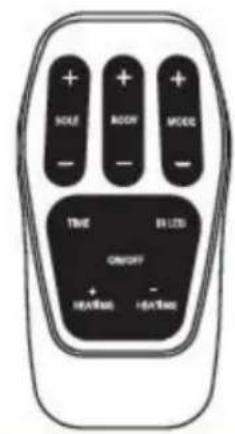
D Remote Control
B Body Pad Cords x 1 Pair
natural_image
Coiled electrical probe with terminal connectors (no text or symbols visible)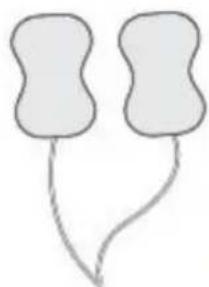
natural_image
Simple line drawing of two abstract shapes with curved lines (no text or symbols)E Body Pads x4 Pairs
C New Upgrade Foot Circulation Massager With Hleating
natural_image
Line drawing of a symmetrical mechanical or electrical component with no text or symbolsF User Manual

Controls of of the Machine
natural_image
Illustration of a hand holding a small electronic device with a red arrow indicating rotation (no text or symbols)natural_image
Diagram of a battery pack with red arrows indicating direction, no text or symbols presentnatural_image
Line drawing of a small electrical transformer with attached cables (no text or symbols)natural_image
Diagram of a medical or electrical device with a red arrow pointing to a circular component, connected by wires (no text or symbols)natural_image
Illustration showing a seated person in chair and foot stepping on a foam roller, with no text or symbols present.a Get into a comfortable seated position. For best results sit with your knees and ankles at right angles to your body.
b Place Machine on the floor in front of you.
Never stand on the Machine unit.
OSITO is designed to be used while seated.
c Place both bare feet on the foot-pads.
Make sure you remove all footwear, including socks / stockings.
natural_image
Diagram showing a curved line with a red arrow pointing to a rectangular component, no text or symbols present.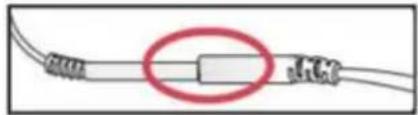
natural_image
Pure electrical circuit lines without any symbolsnatural_image
Diagram of a cable connector with a red arrow pointing to a circular component (no text or symbols present)natural_image
Illustration of a hand pressing down on a medical device with a red arrow indicating the motion (no text or symbols present)natural_image
Illustration of a hand holding a small object, possibly a tool or device, with no visible text or symbols.natural_image
Illustration of a hand holding a small object, possibly a medical or anatomical component (no text or symbols visible)natural_image
Illustration of a hand pressing down on a wrist with a red arrow indicating motion (no text or symbols)natural_image
Diagram of a cable connector with a red arrow indicating a downward force or change (no text or symbols present)STAP 6: REINIGEN EN OPSLAAN Machine
District, 518116 Shenzhen City, Guangdong
Provincie, China
garantiecertificaat www.vevor.com/support
VEVOR®
TOUGH TOOLS, HALF PRICE
natural_image
White medical or fitness device with digital display and red buttons, no visible text or symbolsBEHÖVER HJÄLP? KONTAKTA OSS!
natural_image
Line drawing of a portable electrical device with coiled cable and plug (no text or symbols)B Body Pad Cords x 1 Pair
natural_image
Coiled electrical probe with terminal connectors (no text or symbols visible)C New Upgrade Foot Circulation Massager With Hleating
natural_image
Line drawing of a symmetrical mechanical or electrical component with no text or symbols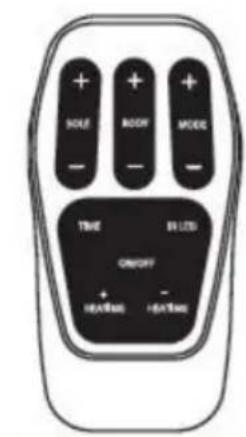
D Remote Control
natural_image
Simple line drawing of two abstract shapes with curved lines (no text or symbols)E Body Pads x4 Pairs
F User Manual

Delar identifying
Maskinens delar
Controls of of the Machine
natural_image
Illustration of a hand holding a small electronic device with a red arrow indicating rotation (no text or symbols)natural_image
Diagram of a battery pack with red arrows indicating direction, no text or symbols presentnatural_image
Line drawing of a small electrical transformer with attached cables (no text or symbols)natural_image
Diagram of a medical or electrical device with a red arrow pointing to a circular component, connected by wires (no text or symbols)natural_image
Illustration showing a seated person in chair and foot stepping on a foam roller, with no text or symbols present.a Get into a comfortable seated position. For best results sit with your knees and ankles at right angles to your body.
b Place Machine on the floor in front of you.
Never stand on the Machine unit. OSITO is designed to be used while seated.
C Place both bare feet on the foot-pads. Make sure you remove all footwear, including socks / stockings.
natural_image
Diagram showing a curved line with a red arrow pointing downward and a separate wire with a label 'G4' (no text or symbols on the diagram itself)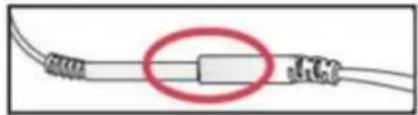
natural_image
Pure electrical circuit lines without any symbolsnatural_image
Diagram of a cable connector with a red arrow pointing to a circular component (no text or symbols present)natural_image
Illustration of a hand pressing down on a blood pressure vessel with a red arrow indicating force direction (no text or symbols)natural_image
Illustration of a hand holding a small object, possibly a tool or device, with no visible text or symbols.natural_image
Illustration of a hand holding a small object, possibly a tool or device, with no visible text or symbols.natural_image
Illustration of a hand pressing down on a wrist with a red arrow indicating motion (no text or symbols)natural_image
Diagram of a cable connector with a red arrow indicating a downward force or change (no text or symbols present)Shenzhen OSTO Medical Technology Company LimitedADD: 2104, Unit4, Building2, Zhongxin Longsheng Square, NO.219 Shenshan Road
(Longgang Section), LongxinCommunity, Baolong Street, Longgang District, 518116 Shenzhen City, Guangdong Provinsen, Kina

2024-08
Importerad till AUS: SIHAO PTY LTD. 1 ROKEVA STREETEASTWOOD NSW 2122 Australien
Importerad till USA: Sanven Technology Ltd. Suite 250, 9166 Anaheim Place, RanchoCucamonga, CA 91730
Phoenix Medtech GmbH Koenigsberger Strasse 11, 64839, Muenster Hesse, Tyskland
VEVOR®
TOUGH TOOLS, HALF PRICE
www.vevor.com/support
- FOOT CIRCULATION MASSAGER
- VEVOR®
- NEED HELP? CONTACT US!
- Technical Support and E-Warranty Certificate www.vevor.com/support
- CORRECT DISPOSAL
- Operating Instruction SAFETY PRECAUTIONS
- Acknowledgment
- What is Inside the Box?
- Parts Identification
- Introduction of the Machine
- WHAT IT ROLE:
- HOW IT WORKS:
- WHAT IT MAIN FEATURES:
- Important to Know
- WHO SHOULD NOT USE THE MACHINE
- Do not use if: (contraindications)
- WHO SHOULD CONSULT WITH DOCTOR BEFORE USE
- Warnings
- Adverse reactions
- Instructions for Use
- How long should I use Machine?
- STEP 1: SETTING UP Machine FOR THE FIRST TIME
- STEP 2: SETTING UP Machine FOR USE
- STEP 3: USING THE FOOT-PADS
- Never stand on the Machine unit.
- STEP 4: USING THE BODY PADS
- nstructions for Use
- Press connectors until no gap is between them.
- STEP 5: USING THE FOOT-PADS AND THE BODY PADS AT THE SAME TIME
- STEP 6: CLEANING AND STORING Machine
- Replacing the Body Pads
- About the Machine Remote Control
- Troubleshooting
- Symbols
- Technical Specifications
- Warranty
- EXCLUSIONS:
- TOUGH TOOLS, HALF PRICE
- BESOIN D'AIDE? CONTACTEZ-NOUS!
- Teileidentifikation
- FASE 5: UTILIZZO DEI CUSCINETTI PER I PIEDI E DEI CUSCINETTI PER IL CORPO INSIEME TEMPO
- KTO NIE POWINIEN UŻYWAĆ MASZYNY
- KIEDY NIE NALEŻY UŻYWAĆ MASZYNY
- HULP NODIG? NEEM CONTACT MET ONS OP!
- STAP 6: REINIGEN EN OPSLAAN Machine
- BEHÖVER HJÄLP? KONTAKTA OSS!
- Delar identifying
Brand : Vevor
Model : AST-300L
Category : Massage device