Vevor TP10 - Teleprompter

TP10 - Teleprompter Vevor - Free user manual and instructions

Find the device manual for free TP10 Vevor in PDF.
📄 96 pages English EN Download 💬 AI Question
Notice Vevor TP10 - page 1
Pick your language and provide your email: we'll send you a specifically translated version.

User questions about TP10 Vevor

0 question about this device. Answer the ones you know or ask your own.

Ask a new question about this device

The email remains private: it is only used to notify you if someone responds to your question.

No questions yet. Be the first to ask one.

Download the instructions for your Teleprompter in PDF format for free! Find your manual TP10 - Vevor and take your electronic device back in hand. On this page are published all the documents necessary for the use of your device. TP10 by Vevor.

USER MANUAL TP10 Vevor

Technical Support and E-Warranty Certificate

www.vevor.com/support

TELEPROMPTER

USER MANUAL

MODEL:TP10

We continue to be committed to provide you tools with competitive price. "Save Half", "Half Price" or any other similar expressions used by us only represent estimate of savings you might benefit from buying certain tools with us compared top brands and does not necessarily mean to cover all categories of tools offered are kindly reminded to verify carefully when you are placing an order with us actually saving half in comparison with the top major brands.

VEVOR®

TOUGH TOOLS, HALF PRICE

TELEPROMPTER

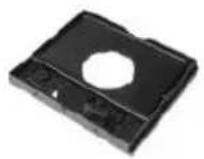
PACKAGING LIST

Vevor TP10 - PACKAGING LIST - 1
Teleprompter

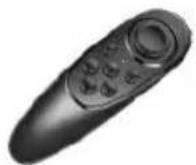
Vevor TP10 - PACKAGING LIST - 2
Remote Controller

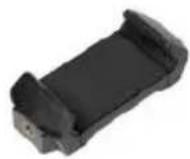
Vevor TP10 - PACKAGING LIST - 3
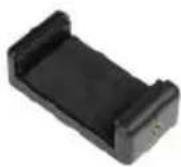
Phone/Tablet Clamp

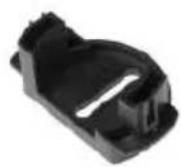
Vevor TP10 - PACKAGING LIST - 4
Quick Assembly Accessory

Vevor TP10 - PACKAGING LIST - 5
Phone Clamp

Vevor TP10 - PACKAGING LIST - 6
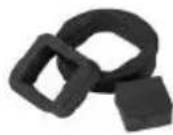
Foam Ring

Vevor TP10 - PACKAGING LIST - 7
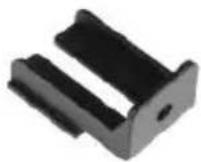
Phone Clamp Accessory

Vevor TP10 - PACKAGING LIST - 8
Sun Hood

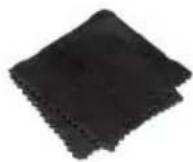
Vevor TP10 - PACKAGING LIST - 9
Mircofiber Cloth

Vevor TP10 - PACKAGING LIST - 10

Vevor TP10 - PACKAGING LIST - 11
Lens Adapter (49/52/55/58/62/67/72/77/82mm)

Vevor TP10 - PACKAGING LIST - 12
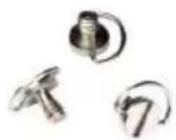
1/4 C-ring Screw

Vevor TP10 - PACKAGING LIST - 13

natural_image Pure electrical circuit lines without any symbols

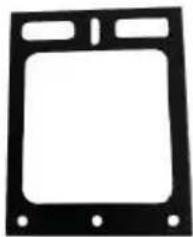
Tablet Stable Bracket

Vevor TP10 - PACKAGING LIST - 14
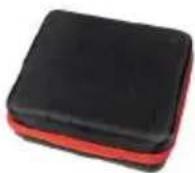
Carrying Case

Vevor TP10 - PACKAGING LIST - 15
User Manual

(The picture is for reference only, please refer to the actual object

NEED HELP? CONTACT US!

Have product questions? Need technical support? Please feel fr contact us:

Technical Support and E-Warranty Certificate www.vevor.com/support

This is the original instruction, please read all manual instruction carefully before operating. VEVOR reserves a clear interpretation user manual. The appearance of the product shall be subject to product you received. Please forgive us that we won't inform you there are any technology or software updates on our product.

Vevor TP10 - NEED HELP? CONTACT US! - 1Warning-To reduce the risk of injury, user must read in manual carefully.
Vevor TP10 - NEED HELP? CONTACT US! - 2This device complies with Part 15 of the FCC Rules. C is subject to the following two conditions:(1)This device cause harmful interference, and (2)this device must acce interference received, including interference that may caus undesired operation.
Vevor TP10 - NEED HELP? CONTACT US! - 3This product is subject to the provision of European Dir 2012/19/EC. The symbol showing a wheelie bin crossed through indicates that the product requires separate refus collection in the European Union. This applies to the pr and all accessories marked with this symbol. Products n as such may not be discarded with normal domestic wa must be taken to a collection point for recycling electric electronic devices

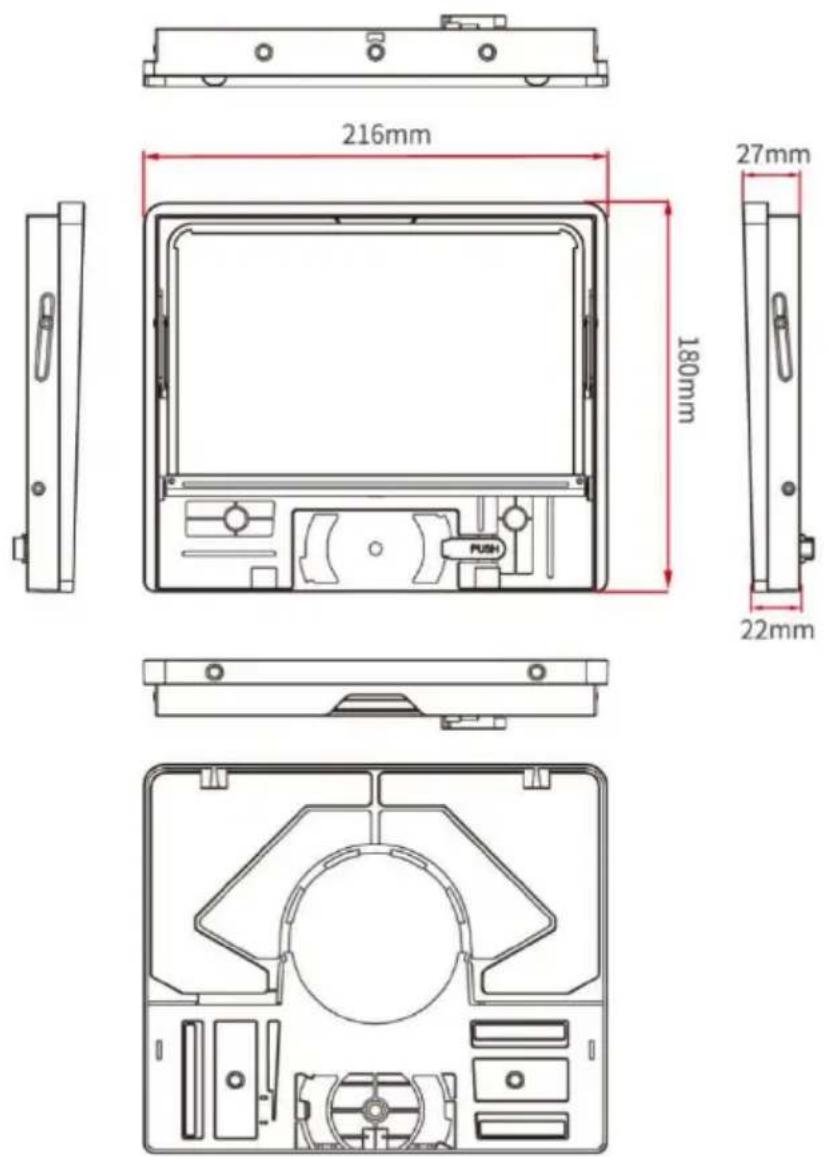
STRUCTURE
Vevor TP10 - NEED HELP? CONTACT US! - 4

PARAMETES

Beam splitter glass size: 8.8-inch

Main material: ABS

Farthest reading range: 6.5FT

Transmission/ reflection ratio: 70/30

Shooting focal length: More than 24mm

Compatible lens: 49/52/55/58/62/67/72/77/82mm

Compatible phone: 59\~90mm

Compatible tablet: 110\~175mm

INSTRUCTIONS

Phone/Tablet Clamp Installation
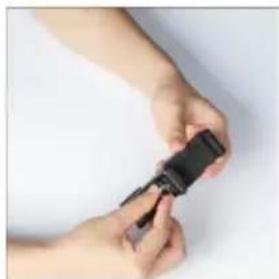
Vevor TP10 - Phone/Tablet Clamp Installation - 1

natural_image Close-up of hands holding a small black object with textured surface (no visible text or symbols)

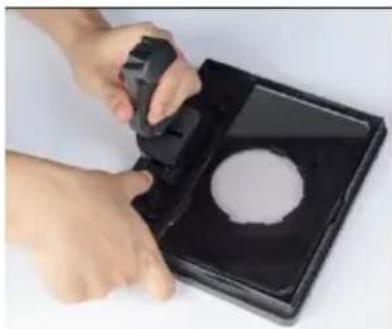
Lock the phone/tablet clamp and quick assembly accessory together via a 1/4 C-ring screw
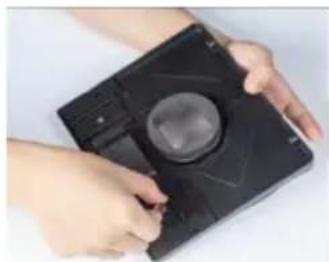
Vevor TP10 - Phone/Tablet Clamp Installation - 2

natural_image Close-up of hands using a handheld device to clean a circular object on a black tray (no text or symbols visible)

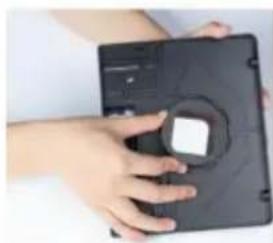
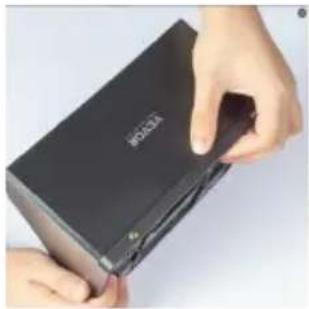
After locking, install to the slot under the glass and PUSH lock
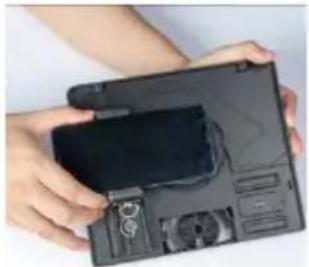
Vevor TP10 - Phone/Tablet Clamp Installation - 3

natural_image Close-up of hands holding a black electronic device with a logo (no visible text or symbols on the device itself)

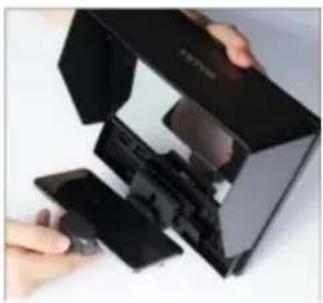
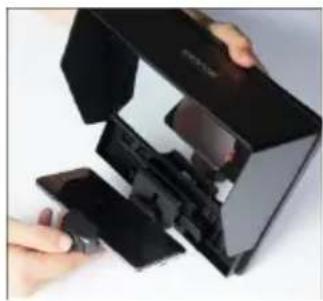
Install the sun-hood on the teleprompter
Vevor TP10 - Phone/Tablet Clamp Installation - 4

natural_image Close-up of hands assembling a black electronic device with visible internal components (no text or symbols)

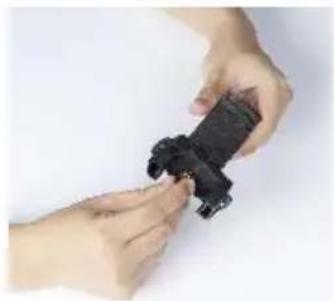
Fix the phone on the clamp

Tablet stable bracket installation
Vevor TP10 - Tablet stable bracket installation - 1

natural_image Mechanical component with black frame and central vertical bar (no visible text or symbols)

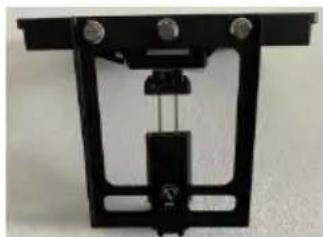
Lock the tablet stable bracket with the teleprompter body and phone tablet clamp together using 1/4 screws
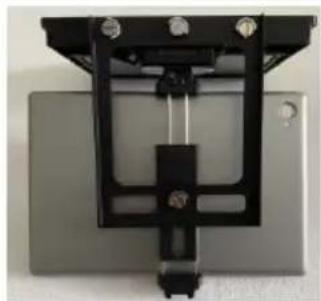
Vevor TP10 - Tablet stable bracket installation - 2

natural_image Mechanical assembly with black frame and mounting holes (no visible text or symbols)

Then fix the tablet on the phon tablet clamp

Camera shooting installation
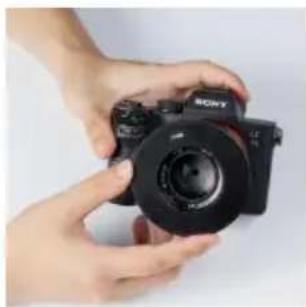
Vevor TP10 - Camera shooting installation - 1

natural_image Close-up of hands holding a black Sony 3.0 camera (no visible text or symbols on body)

Install a ring adapter of the corresponding size on the camera lens
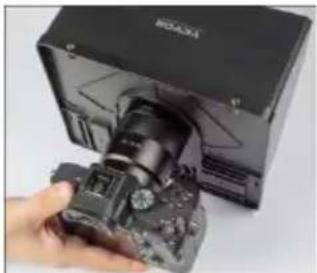
Vevor TP10 - Camera shooting installation - 2

natural_image Hand holding a DSLR camera inside a black box (no visible text or symbols)

After installation, take into the ri which behind the teleprompter to it

Phone shooting installation

Vevor TP10 - Phone shooting installation - 1

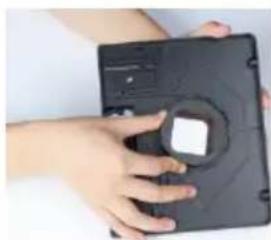
natural_image Close-up of hands holding a black circular object with a square hole, against a plain white background (no text or symbols visible)

Install the 72mm ring adapter an foam ring together

Vevor TP10 - Phone shooting installation - 2

natural_image Close-up of hands holding a black electronic device with a circular button (no visible text or symbols)

After installation, take it into the which behind the teleprompter to it

Vevor TP10 - Phone shooting installation - 3

natural_image Close-up of hands holding a black plastic clip against a plain white background (no text or symbols visible)

Lock the phone clamp and phor clamp accessory together via a C-ring screw
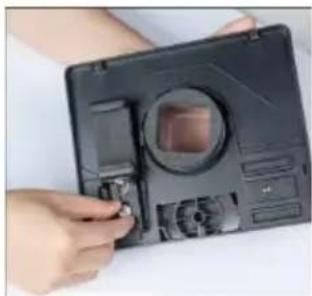
Vevor TP10 - Phone shooting installation - 4

natural_image Close-up of hands holding a camera module with a circular lens and adjustment knobs (no visible text or symbols)

For horizontal shooting, please sit into the left slot and reinforce it a 1/4 C-ring screw

Vevor TP10 - Phone shooting installation - 5

natural_image Close-up of hands holding a black electronic device with a display and accessories (no visible text or symbols)

Fix the phone the phone clamp adjust the lens

Vevor TP10 - Phone shooting installation - 6

natural_image Close-up of hands holding a black electronic device with a circular lens (no visible text or symbols)

For vertical shooting, please slide into the right slot and reinforce with a 1/4 C-ring screw
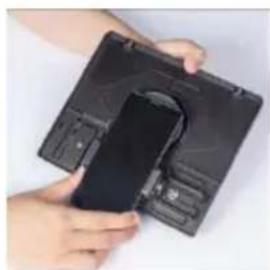
Vevor TP10 - Phone shooting installation - 7

natural_image Close-up of hands holding a black plastic device with a circular component inserted (no visible text or symbols)

Fix the phone the phone clamp adjust the lens

Vevor TP10 - Phone shooting installation - 8

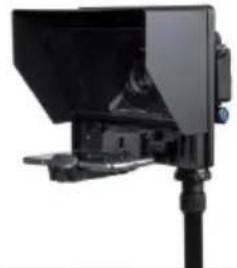
natural_image Close-up of a black electronic device with a vertical screen and support bracket (no visible text or symbols)

Install the assembled kit on the tripod, the installation is complete

APP DOWNLOAD

iOS APP Download

Vevor TP10 - APP DOWNLOAD - 1

Download on the App Store

iOS user search "VEVOR TELEPROMPTER" in App Store to download

Android APP Download

Vevor TP10 - APP DOWNLOAD - 2

Android APP on Google Play

Android user search “VEVOR TELEPROMPTER” in Google Play to download

APP INSTRUCTION

After installed app and enter app

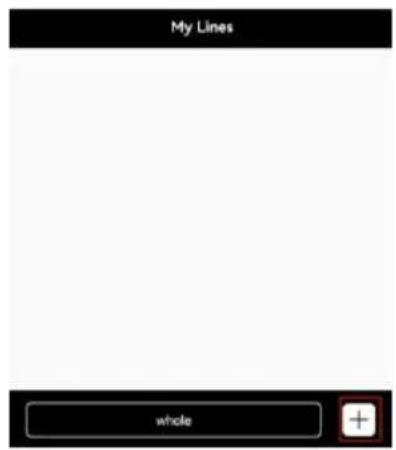
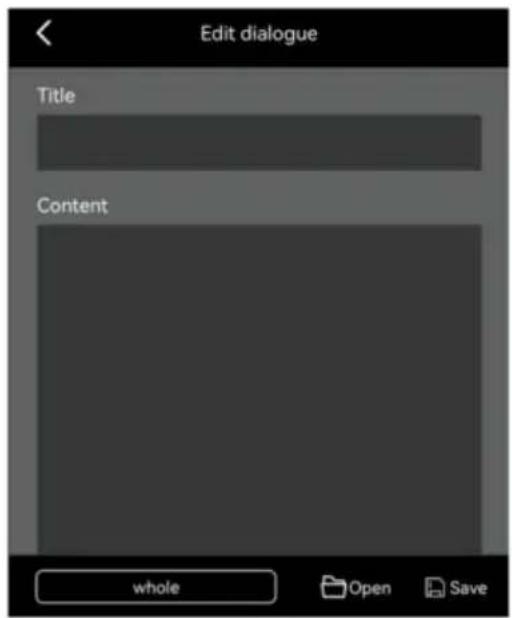
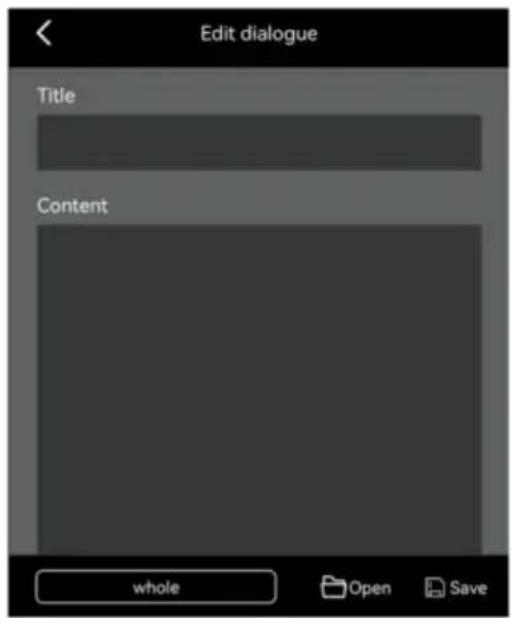
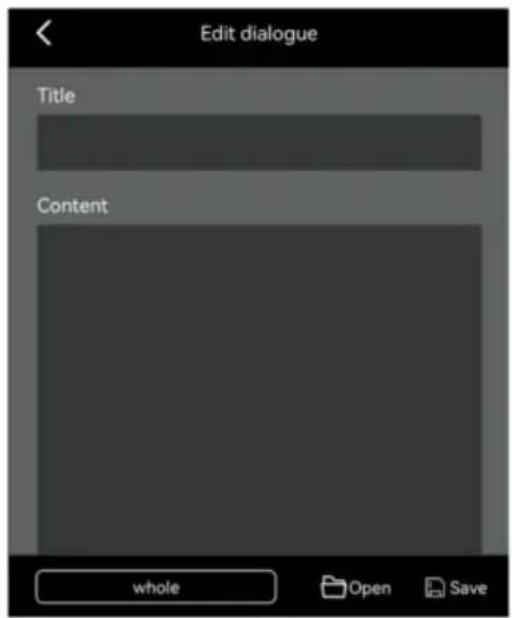
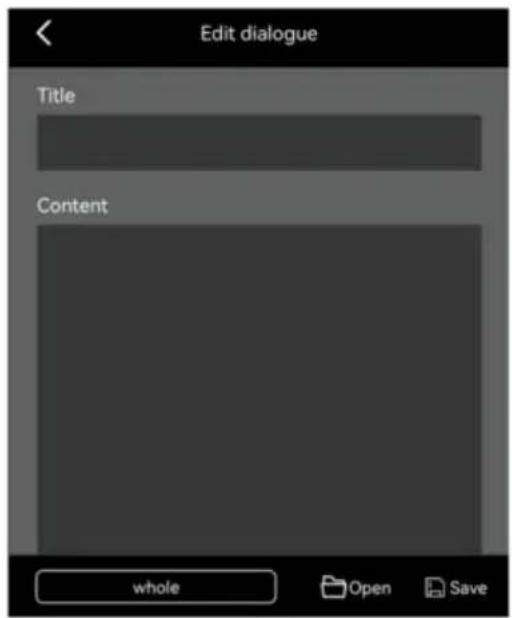
Tap “+” to enter Edit dialogue

Vevor TP10 - APP INSTRUCTION - 1

text_image My Lines whole

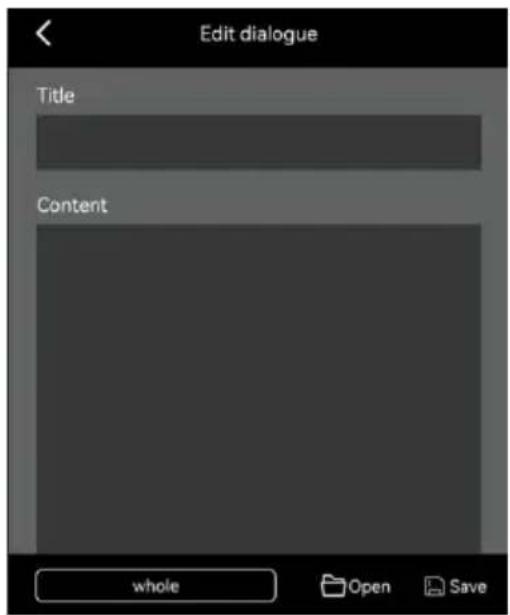
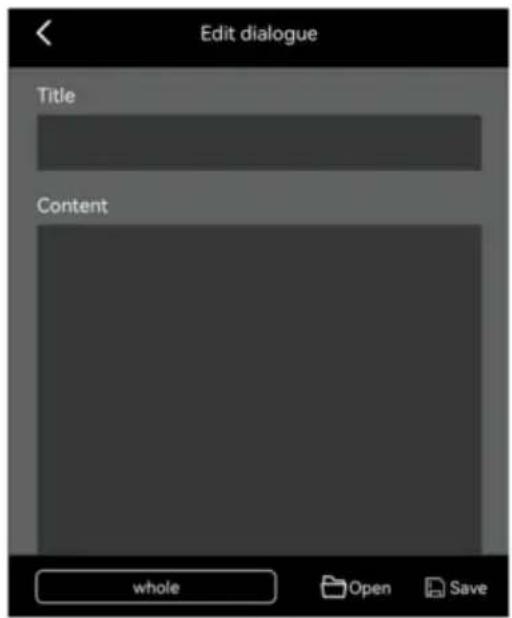
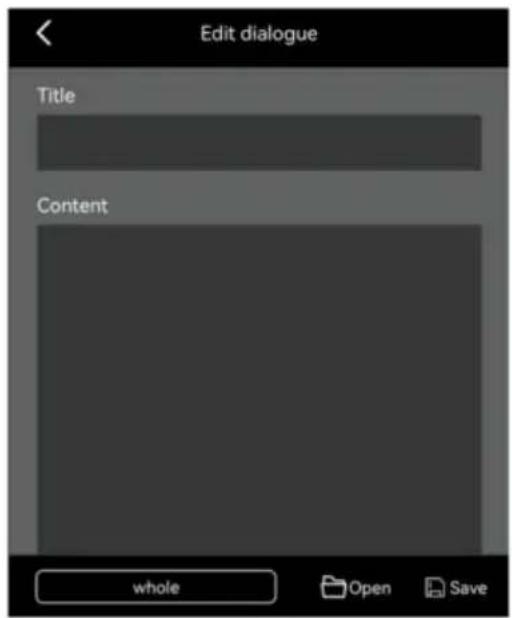
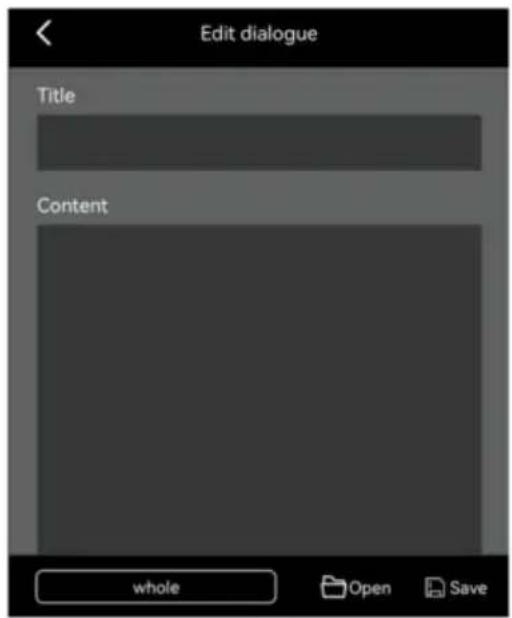
You can edit the title and content directly or click "open" to import the text from the phone, then click save

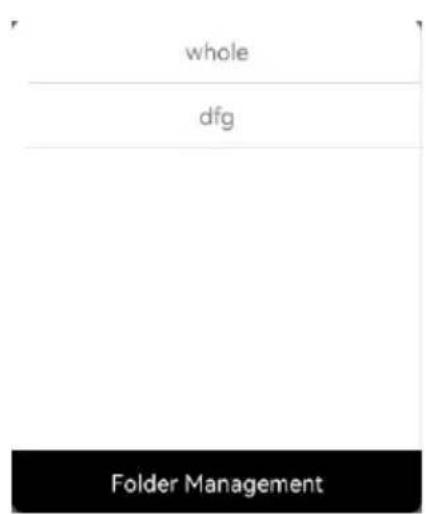
Click "whole", you can manage the whole files

Vevor TP10 - APP INSTRUCTION - 2

text_image Edit dialogue Title Content whole Open Save

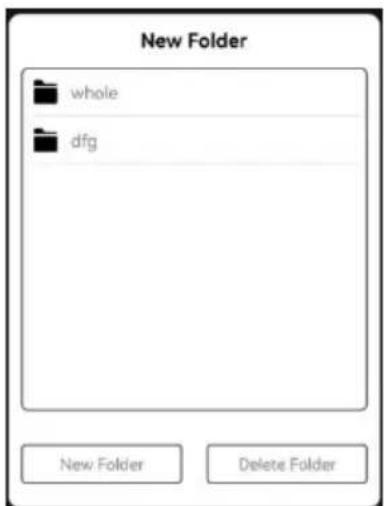
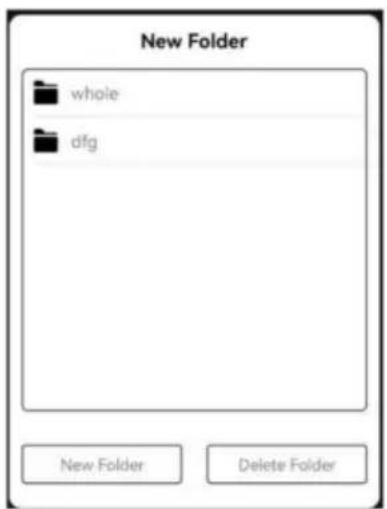
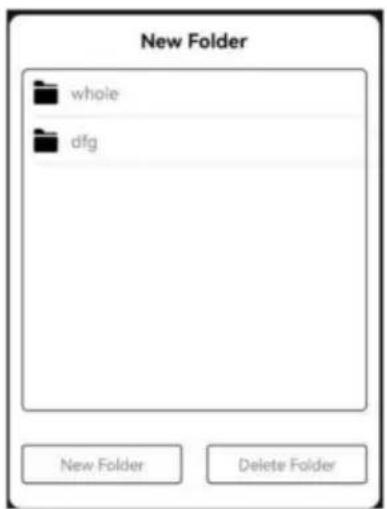
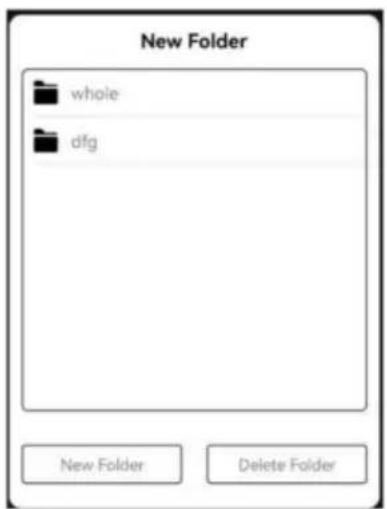
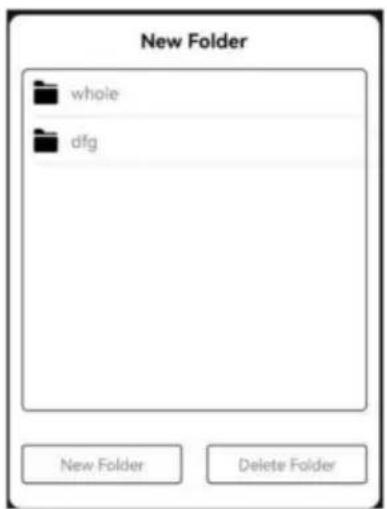
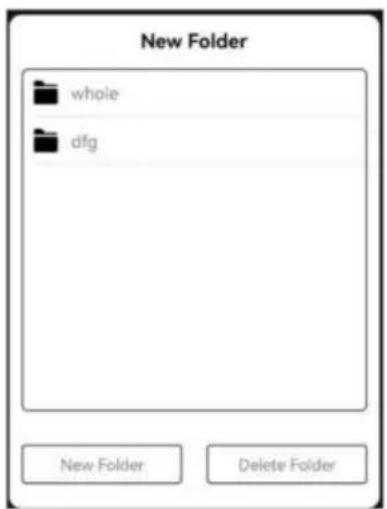
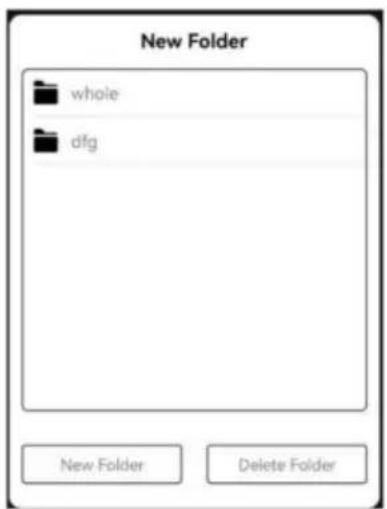
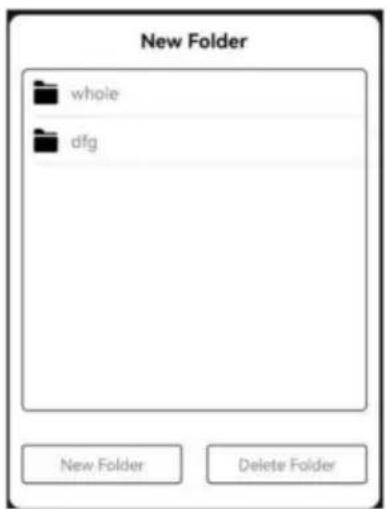
Click "Folder Management", you can set new folder or delete folder

Vevor TP10 - APP INSTRUCTION - 3

text_image whole dfg Folder Management

Vevor TP10 - APP INSTRUCTION - 4

text_image New Folder whole dfg New Folder Delete Folder

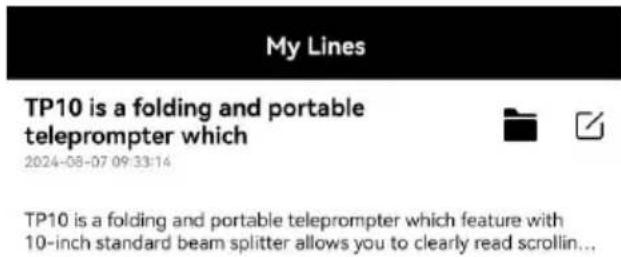
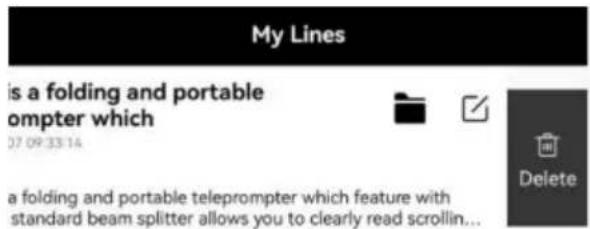
After saved, click the text to enter play interface.

You can also tap icon to edit the text or tap icon to manage the

Vevor TP10 - APP INSTRUCTION - 5

text_image My Lines TP10 is a folding and portable teleprompter which 2024-08-07 09:33:14 TP10 is a folding and portable teleprompter which feature with 10-inch standard beam splitter allows you to clearly read scrollin...

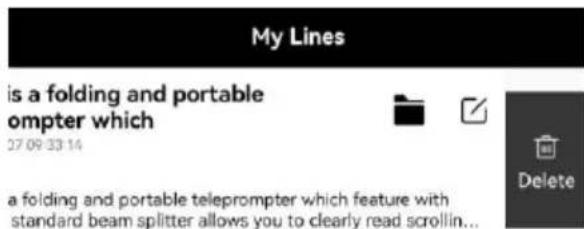
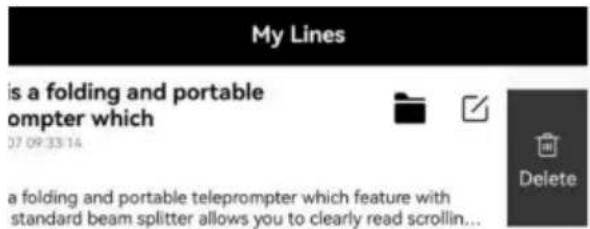
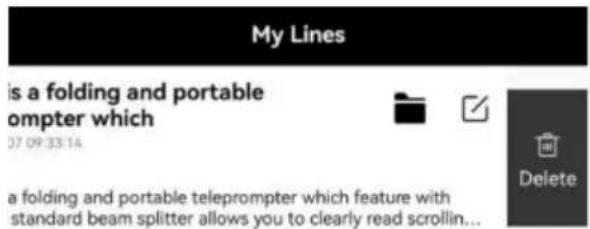
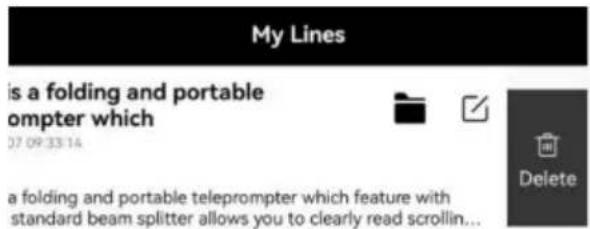
If you want to delete the file, please swipe left at the corresponding file location and tap "Delete"

Vevor TP10 - APP INSTRUCTION - 6

text_image My Lines is a folding and portable ompter which 27 09 33 14 a folding and portable teleprompter which feature with standard beam splitter allows you to clearly read scrollin... Delete

After entered the play interface and tap an position, the function menu will show on the bottom, tap again hide the function menu

Vevor TP10 - APP INSTRUCTION - 7

natural_image Completely black image with no visible content or text

Vevor TP10 - APP INSTRUCTION - 8

Play/Pause

Vevor TP10 - APP INSTRUCTION - 9

Adjust font size, word space, space Color, background.

Vevor TP10 - APP INSTRUCTION - 10

: Adjust browse speed

Vevor TP10 - APP INSTRUCTION - 11

: Loop play

Vevor TP10 - APP INSTRUCTION - 12

Vertical/horizontal screen switch

Vevor TP10 - APP INSTRUCTION - 13

: Mirror

TP10 is a folding and portable teleprompter which feature with 10-inch standard beam splitter allows you to clearly read scrolling text while looking directly into the camera, perfect for vlog, live broadcast, online class, video recording, interviews, video studio, news and presentation. No need to recite the script, confidence and charming! It can be prompted via smartphone or tablet while DSLR camera or phone is shooting. Supports wide angle lens, Android/iOS app, Bluetooth remote control, easy to operate, make the video production more efficient. Use with exquisite special storage case, more convenient to carry. It is ideal for video, program creator.

Vevor TP10 - APP INSTRUCTION - 14

REMOTE CONTROLLER

Remote Button Instruction
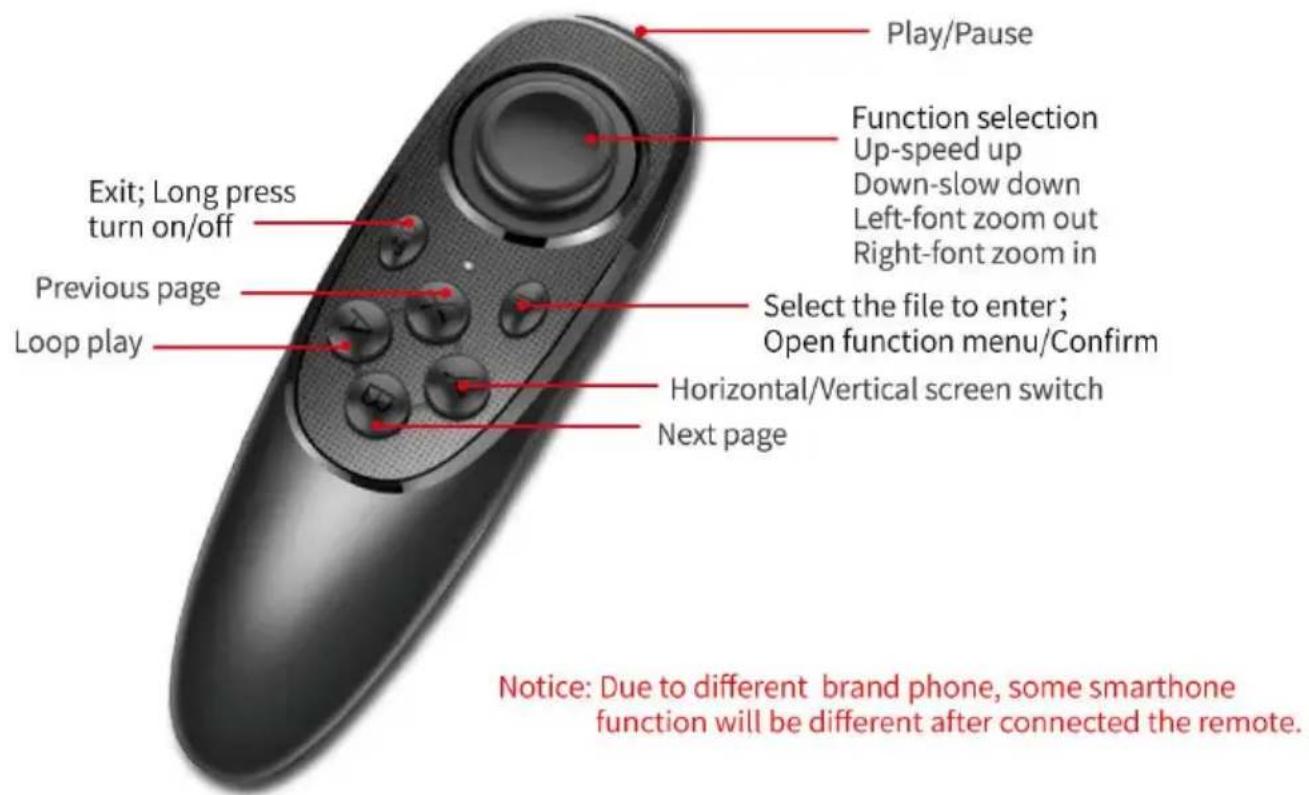
Vevor TP10 - REMOTE CONTROLLER - 1

text_image Play/Pause Function selection Up-speed up Down-slow down Left-font zoom out Right-font zoom in Exit; Long press turn on/off Previous page Loop play Select the file to enter; Open function menu/Confirm Horizontal/Vertical screen switch Next page Notice: Due to different brand phone, some smartphone function will be different after connected the remote.

Remote Use Instruction

  1. Power on: Keep press power button, until the light on (about 2 seconds)
  2. Power off: Keep press power button, until the light off (about 5 seconds)

Notice: if power on without connect anything, it will power off after 5 min if connected the phone, it will power off after 30 minutes.

3. iOS Connection

Turn on the Bluetooth of the phone first, then turn on APP, and power remote controller last. LED lights on, auto into paring mode, allowing the Bluetooth pair. The APP will show automatically connected to VEVOR-xx,

the connection is successful.

What can I do if my iPhone can not connect with remote controller?

Please go to Bluetooth connection of your phone, check if remote control had been connected by iphone;

then follow below steps to reconnect: 1) disconnect iphone Bluetooth, an switch off remote controller; 2) turn on iPhone Bluetooth, open APP and switch on remote controller.

4. Android Connect

After power on, LED light on, auto into paring mode. Turn on the Bluetooth the phone, then turn on APP, will show the Bluetooth connected automati

FAQ

FAQ: The remote controller can not connect the Android phone, how can

  1. Please check Location Permission on your phone, the connection need on permission.
  2. Please check if the remote controller has been connected with your pl
  3. Please check if there is Bluetooth signal from remote controller.(check other app to detect the Bluetooth)
  4. Reboot the remote controller, reopen the app.

FAQ: The remote controller has been connected my Android phone, but it is not control the app.

  1. Please close other app at background on your phone.
  2. Please turn of Bluetooth on other phones on worksite, to make sure Android phone is the only device to connect the remote controller.
  3. Please make sure that every time to connect with your phone is by setting on you phone.

★ As we are improving product features and product performance, so if there is an on the specification without prior notice.

Manufacturer: Shanghaimuxinmuyeyouxiangongsi

Address: Shuangchenglu 803nong11hao1602A-1609shi, baoshanqu, shanghai 200000 CN.

Imported to AUS: SIHAO PTY LTD, 1 ROKEVA STREETEASTWOOD NS 2122 Australia

Imported to USA: Sanven Technology Ltd., Suite 250, 9166 Anaheim Pla Rancho Cucamonga, CA 91730

ECREP

E-CrossStu GmbH

Mainzer Landstr.69, 60329 Frankfurt am Ma

UKREP

YH CONSULTING LIMITED.

C/O YH Consulting Limited Office 147, Centurion H

London Road, Staines-upon-Thames, Surrey, TW18 4

VEVOR®

TOUGH TOOLS, HALF PRICE

Technical Support and E-Warranty Certificate

www.vevor.com/support

VEVOR®

TOUGH TOOLS, HALF PRICE

Assistance technique et certificat garantie

natural_image Close-up of hands holding a small black object with a strap, against a plain white background (no text or symbols visible)
natural_image Close-up of hands using a black plastic tool to handle a circular hole in a black square tray (no text or symbols visible)
natural_image Close-up of hands holding a black electronic device with a small display (no visible text or symbols)
natural_image Close-up of hands assembling a black 3D printer case (no visible text or symbols)
natural_image Mechanical device with black frame and central vertical component (no visible text or symbols)
natural_image Mechanical assembly with black frame and mounting bracket (no visible text or symbols)
natural_image Close-up of hands holding a black DSLR camera (no visible text or symbols)
natural_image Close-up of hands holding a black circular object with a square hole, against a plain white background (no text or symbols visible)
natural_image Close-up of hands holding a black tablet device with a white square on the cover (no visible text or symbols)
natural_image Close-up of hands holding a black wrist strap (no text or symbols visible)
natural_image Close-up of a hand holding a black electronic device with a circular lens and adjustment knob (no visible text or symbols)
natural_image Close-up of hands holding a black electronic device with visible ports and buttons (no text or symbols)
natural_image Close-up of hands holding a black compact electronic device with a circular lens (no visible text or symbols)
natural_image Close-up of hands holding a black electronic device with a partially open lid (no visible text or symbols)
natural_image Close-up of a black monitor with a vertical stand and support bracket (no visible text or symbols)

Download on the App Store

text_image My Lines whole

Vevor TP10 - TOUGH TOOLS, HALF PRICE - 1

text_image Edit dialogue Title Content whole Open Save
text_image whole dfg Folder Management

Vevor TP10 - TOUGH TOOLS, HALF PRICE - 2

text_image New Folder whole dfg New Folder Delete Folder

TP10 is a folding and portable teleprompter which

2024-08-07 09:33:14

Vevor TP10 - TP10 is a folding and portable teleprompter which - 1

Vevor TP10 - TP10 is a folding and portable teleprompter which - 2

TP10 is a folding and portable teleprompter which feature with 10-inch standard beam splitter allows you to clearly read scrollin...

Vevor TP10 - TP10 is a folding and portable teleprompter which - 3

is a folding and portable ompter which

37 09:33:14

Vevor TP10 - is a folding and portable ompter which - 1

Vevor TP10 - is a folding and portable ompter which - 2

Vevor TP10 - is a folding and portable ompter which - 3

a folding and portable teleprompter which feature with standard beam splitter allows you to clearly read scrollin...

natural_image Completely black image with no visible content or text

TP10 is a folding and portable teleprompter which feature with 10-inch standard beam splitter allows you to clearly read scrolling text while looking directly into the camera.

te erfect for vlog, live broadcast, online class, video recording, interviews, video studio, news and presentation. No need to recite the script, confidence and charming! It can be prompted via smartphone or tablet while DSLR camera or phone is shooting. Supports wide angle lens, Android/iOS app, Bluetooth remote control, easy to operate, make the video production more efficient. Use with exquisite special storage case, more convenient to carry. It is ideal for video, program creator.

Vevor TP10 - is a folding and portable ompter which - 4

TÉLÉCOMMANDE

text_image Play/Pause Function selection Up-speed up Down-slow down Left-font zoom out Right-font zoom in Exit; Long press turn on/off Previous page Loop play Select the file to enter; Open function menu/Confirm Horizontal/Vertical screen switch Next page Notice: Due to different brand phone, some smartphone function will be different after connected the remote.

A/S YH Consulting Limited Bureau 147, Centurion House,

London Road, Staines-upon-Thames, Surrey, TW18 4AX

VEVOR®

TOUGH TOOLS, HALF PRICE

www.vevor.com/support

VEVOR®

TOUGH TOOLS, HALF PRICE

www.vevor.com/support

TELEPROMPTER

BENUTZERHANDBUCH

MODELL:TP10

natural_image Close-up of hands holding a small black object with a strap, against a plain white background (no text or symbols visible)
natural_image Close-up of hands using a black plastic tool to handle a circular hole in a black square tray (no text or symbols visible)
natural_image Close-up of hands holding a black electronic device with a small display (no visible text or symbols)
natural_image Close-up of hands assembling a black 3D printer case (no visible text or symbols)
natural_image Mechanical device with black frame and central vertical component (no visible text or symbols)
natural_image Mechanical assembly with black frame and mounting bracket (no visible text or symbols)
natural_image Close-up of hands holding a black DSLR camera (no visible text or symbols)
natural_image Close-up of hands holding a black circular object with a square hole, against a plain white background (no text or symbols visible)
natural_image Close-up of hands holding a black tablet device with a white square on the cover (no visible text or symbols)
natural_image Close-up of hands holding a black wristband (no text or symbols visible)
natural_image Close-up of a hand holding a camera module with a circular lens and adjustment knob (no visible text or symbols)
natural_image Close-up of hands holding a black electronic device with visible ports and buttons (no text or symbols)
natural_image Close-up of hands holding a black compact electronic device with a circular lens (no visible text or symbols)
natural_image Close-up of hands holding a black electronic device with a partially open lid (no visible text or symbols)
natural_image Close-up of a black electronic device with a vertical screen and mechanical components mounted on a pole (no visible text or symbols)

Download on the App Store

text_image My Lines whole

Vevor TP10 - BENUTZERHANDBUCH - 1

text_image Edit dialogue Title Content whole Open Save
text_image whole dfg Folder Management

Vevor TP10 - BENUTZERHANDBUCH - 2

text_image New Folder whole dfg New Folder Delete Folder

TP10 is a folding and portable teleprompter which

2024-08-07 09:33:14

Vevor TP10 - TP10 is a folding and portable teleprompter which - 1

Vevor TP10 - TP10 is a folding and portable teleprompter which - 2

TP10 is a folding and portable teleprompter which feature with 10-inch standard beam splitter allows you to clearly read scrollin...

Vevor TP10 - TP10 is a folding and portable teleprompter which - 3

is a folding and portable ompter which

37 09:33:14

Vevor TP10 - is a folding and portable ompter which - 1

Vevor TP10 - is a folding and portable ompter which - 2

Vevor TP10 - is a folding and portable ompter which - 3

a folding and portable teleprompter which feature with standard beam splitter allows you to clearly read scrollin...

natural_image Completely black image with no visible content or text.

TP10 is a folding and portable teleprompter which feature with 10-inch standard beam splitter allows you to clearly read scrolling text while looking directly into the camera, perfect for vlog, live broadcast, online class, video recording, interviews, video studio, news and presentation. No need to recite the script, confidence and charming! It can be prompted via smartphone or tablet while DSLR camera or phone is shooting. Supports wide angle lens, Android/iOS app, Bluetooth remote control, easy to operate, make the video production more efficient. Use with exquisite special storage case, more convenient to carry. It is ideal for video, program creator.

Vevor TP10 - is a folding and portable ompter which - 4

FERNBEDIENUNG

text_image Play/Pause Function selection Up-speed up Down-slow down Left-font zoom out Right-font zoom in Exit; Long press turn on/off Previous page Loop play Select the file to enter; Open function menu/Confirm Horizontal/Vertical screen switch Next page Notice: Due to different brand phone, some smartphone function will be different after connected the remote.

C/O YH Consulting Limited, Büro 147, Centurion House,

London Road, Staines-upon-Thames, Surrey, TW18 4AX

VEVOR®

TOUGH TOOLS, HALF PRICE

www.vevor.com/support

VEVOR®

TOUGH TOOLS, HALF PRICE

elettronica www.vevor.com/support

TELEPROMPTER

MANUALE D'USO

MODELLO:TP10

Obiettivo compatibile: 49/52/55/58/62/67/72/77/82 mm

Tablet compatibile: 110\~175mm

ISTRUZIONI

natural_image Close-up of hands holding a small black object with a strap, against a plain white background (no text or symbols visible)
natural_image Close-up of hands using a black plastic tool to handle a circular hole in a black square tray (no text or symbols visible)
natural_image Close-up of hands holding a black electronic device with a small display (no visible text or symbols)
natural_image Close-up of hands assembling a black 3D printer case (no visible text or symbols)
natural_image Mechanical device with black frame and central vertical component (no visible text or symbols)
natural_image Mechanical assembly with black frame and mounting bracket (no visible text or symbols)
natural_image Close-up of hands holding a black DSLR camera (no visible text or symbols)
natural_image Close-up of a hand holding a camera lens inside a black box (no visible text or symbols)
natural_image Close-up of hands holding a black circular object with a square hole, against a plain white background (no text or symbols visible)
natural_image Close-up of hands holding a black tablet device with a white square on the cover (no visible text or symbols)
natural_image Close-up of hands holding a black wrist strap (no text or symbols visible)
natural_image Close-up of hands holding a black electronic device with a circular lens and adjustment knob (no visible text or symbols)
natural_image Close-up of hands holding a black electronic device with visible ports and buttons (no text or symbols)
natural_image Close-up of hands holding a black compact device with a circular lens (no visible text or symbols)
natural_image Close-up of hands holding a black electronic device with a partially open lid (no visible text or symbols)
natural_image Close-up of a black monitor with a vertical support structure and a blue control panel (no visible text or symbols)

Download on the App Store

text_image My Lines whole

Vevor TP10 - ISTRUZIONI - 1

text_image Edit dialogue Title Content whole Open Save
text_image whole dfg Folder Management

Vevor TP10 - ISTRUZIONI - 2

text_image New Folder whole dfg New Folder Delete Folder
text_image My Lines TP10 is a folding and portable teleprompter which 2024-08-07 09:33:14 TP10 is a folding and portable teleprompter which feature with 10-inch standard beam splitter allows you to clearly read scrollin...

Vevor TP10 - ISTRUZIONI - 3

text_image My Lines is a folding and portable ompter which 07 09:33:14 a folding and portable teleprompter which feature with standard beam splitter allows you to clearly read scrollin... Delete
natural_image Completely black image with no visible content or text

TP10 is a folding and portable teleprompter which feature with 10-inch standard beam splitter allows you to clearly read scrolling text while looking directly into the camera, perfect for vlog, live broadcast, online class, video recording, interviews, video studio, news and presentation. No need to recite the script, confidence and charming! It can be prompted via smartphone or tablet while DSLR camera or phone is shooting. Supports wide angle lens, Android/iOS app, Bluetooth remote control, easy to operate, make the video production more efficient. Use with exquisite special storage case, more convenient to carry. It is ideal for video, program creator.

Vevor TP10 - ISTRUZIONI - 4

TELECOMANDO

text_image Play/Pause Function selection Up-speed up Down-slow down Left-font zoom out Right-font zoom in Exit; Long press turn on/off Previous page Loop play Select the file to enter; Open function menu/Confirm Horizontal/Vertical screen switch Next page Notice: Due to different brand phone, some smartphone function will be different after connected the remote.

Importato in AUS: SIHAO PTY LTD, 1 ROKEVA STREETEASTWOOD NSW

2122 Australia

Importato negli USA: Sanven Technology Ltd., Suite 250, 9166 Anaheim Place,

Rancho Cucamonga, CA91730

C/O YH Consulting Limited Ufficio 147, Centurion House,

London Road, Staines-upon-Thames, Surrey, TW18 4AX

VEVOR®

TOUGH TOOLS, HALF PRICE

www.vevor.com/support

VEVOR®

TOUGH TOOLS, HALF PRICE

natural_image Close-up of hands holding a small black object with a strap, against a plain white background (no text or symbols visible)
natural_image Close-up of hands using a black plastic tool to handle a circular hole in a black square tray (no text or symbols visible)
natural_image Close-up of hands holding a black electronic device with a small display (no visible text or symbols)
natural_image Close-up of hands assembling a black 3D printer case (no visible text or symbols)
natural_image Mechanical device with black frame and central vertical component (no visible text or symbols)
natural_image Mechanical device with black frame and mounting bracket (no visible text or symbols)
natural_image Close-up of hands holding a black DSLR camera (no visible text or symbols)
natural_image Hand holding a camera lens inside a black box (no visible text or symbols)
natural_image Close-up of hands holding a black circular object with a square hole, against a plain white background (no text or symbols visible)
natural_image Close-up of hands holding a black tablet device with a white square on the cover (no visible text or symbols)
natural_image Close-up of hands holding a black wrist strap (no text or symbols visible)
natural_image Close-up of hands holding a black electronic device with a circular lens and adjustment knob (no visible text or symbols)
natural_image Close-up of hands holding a black electronic device with a partially open screen (no visible text or symbols)
natural_image Close-up of hands holding a black compact device with a circular lens (no visible text or symbols)
natural_image Close-up of hands holding a black electronic device with a partially open lid (no visible text or symbols)
natural_image Close-up of a black monitor with a vertical support structure and a blue control panel (no visible text or symbols)

Download on the App Store

text_image My Lines whole

Vevor TP10 - TOUGH TOOLS, HALF PRICE - 1

text_image Edit dialogue Title Content whole Open Save
text_image whole dfg Folder Management

Vevor TP10 - TOUGH TOOLS, HALF PRICE - 2

text_image New Folder whole dfg New Folder Delete Folder
text_image My Lines TP10 is a folding and portable teleprompter which 2024-08-07 09:33:14 TP10 is a folding and portable teleprompter which feature with 10-inch standard beam splitter allows you to clearly read scrollin...

Vevor TP10 - TOUGH TOOLS, HALF PRICE - 3

text_image My Lines is a folding and portable ompter which 07 09:33:14 a folding and portable teleprompter which feature with standard beam splitter allows you to clearly read scrollin... Delete
natural_image Completely black image with no visible content or text

TP10 is a folding and portable teleprompter which feature with 10-inch standard beam splitter allows you to clearly read scrolling text while looking directly into the camera, perfect for vlog, live broadcast, online class, video recording, interviews, video studio, news and presentation. No need to recite the script, confidence and charming! It can be prompted via smartphone or tablet while DSLR camera or phone is shooting. Supports wide angle lens, Android/iOS app, Bluetooth remote control, easy to operate, make the video production more efficient. Use with exquisite special storage case, more convenient to carry. It is ideal for video, program creator.

Vevor TP10 - TOUGH TOOLS, HALF PRICE - 4

CONTROL REMOTO

text_image Play/Pause Function selection Up-speed up Down-slow down Left-font zoom out Right-font zoom in Exit; Long press turn on/off Previous page Loop play Select the file to enter; Open function menu/Confirm Horizontal/Vertical screen switch Next page Notice: Due to different brand phone, some smartphone function will be different after connected the remote.

Importado a AUS: SIHAO PTY LTD, 1 ROKEVA STREET, EASTWOOD NSW 2122 Australia

Importado a EE. UU.: Sanven Technology Ltd., Suite 250, 9166 Anaheim Place, Rancho Cucamonga, CA91730

Representante de laCE

C/O YH Consulting Limited Oficina 147, Centurion House,

London Road, Staines-upon-Thames, Surrey, TW18 4AX

VEVOR®

TOUGH TOOLS, HALF PRICE

www.vevor.com/support

VEVOR®

TOUGH TOOLS, HALF PRICE

natural_image Close-up of hands holding a small black object with a strap, against a plain white background (no text or symbols visible)
natural_image Close-up of hands using a black plastic tool to handle a circular hole in a black square tray (no text or symbols visible)
natural_image Close-up of hands holding a black electronic device with a small cable or connector (no visible text or symbols)
natural_image Close-up of hands assembling a black electronic device with visible internal components (no text or symbols)

Zamocuj telefon na zacisku

natural_image Mechanical device with black frame and central vertical component (no visible text or symbols)
natural_image Mechanical assembly with black frame and mounting bracket (no visible text or symbols)
natural_image Close-up of hands holding a black DSLR camera (no visible text or symbols)
natural_image Close-up of hands holding a black circular object with a square hole, against a plain white background (no text or symbols visible)
natural_image Close-up of hands holding a black tablet device with a white square on the cover (no visible text or symbols)
natural_image Close-up of hands holding a black wrist strap (no text or symbols visible)
natural_image Close-up of hands holding a black electronic device with a circular lens and adjustment knob (no visible text or symbols)
natural_image Close-up of hands holding a black electronic device with a partially open screen (no visible text or symbols)
natural_image Close-up of hands holding a black compact device with a circular lens (no visible text or symbols)
natural_image Close-up of hands holding a black electronic device with a partially open lid (no visible text or symbols)
natural_image Close-up of a black electronic device with a vertical screen and mechanical components mounted on a pole (no visible text or symbols)

Download on the App Store

text_image My Lines whole

Vevor TP10 - TOUGH TOOLS, HALF PRICE - 1

text_image Edit dialogue Title Content whole Open Save
text_image whole dfg Folder Management

Vevor TP10 - TOUGH TOOLS, HALF PRICE - 2

text_image New Folder whole dfg New Folder Delete Folder
text_image My Lines TP10 is a folding and portable teleprompter which 2024-08-07 09:33:14 TP10 is a folding and portable teleprompter which feature with 10-inch standard beam splitter allows you to clearly read scrollin...

Vevor TP10 - TOUGH TOOLS, HALF PRICE - 3

text_image My Lines is a folding and portable ompter which 07 09:33:14 a folding and portable teleprompter which feature with standard beam splitter allows you to clearly read scrollin... Delete
natural_image Completely black image with no visible content or text

TP10 is a folding and portable teleprompter which feature with 10-inch standard beam splitter allows you to clearly read scrolling text while looking directly into the camera, perfect for vlog, live broadcast, online class, video recording, interviews, video studio, news and presentation. No need to recite the script, confidence and charming! It can be prompted via smartphone or tablet while DSLR camera or phone is shooting. Supports wide angle lens, Android/iOS app, Bluetooth remote control, easy to operate, make the video production more efficient. Use with exquisite special storage case, more convenient to carry. It is ideal for video, program creator.

Vevor TP10 - TOUGH TOOLS, HALF PRICE - 4

text_image Play/Pause Function selection Up-speed up Down-slow down Left-font zoom out Right-font zoom in Exit; Long press turn on/off Previous page Loop play Select the file to enter; Open function menu/Confirm Horizontal/Vertical screen switch Next page Notice: Due to different brand phone, some smartphone function will be different after connected the remote.

Importowane do AUS: SIHAO PTY LTD, 1 ROKEVA STREETEASTWOOD NSW 2122 Australia

Importowane do USA: Sanven Technology Ltd., Suite 250, 9166 Anaheim Place, Rancho Cucamonga, CA91730

Przedstaw ciel UE
REP WIELKIEJ BRYTANII

E-CrossStu GmbH

Mainzer Landstr.69, 60329 Frankfurt namenem.

YH CONSULTING LIMITED.

C/O YH Consulting Limited Biuro 147, Centurion House, London Road, Staines-upon-Thames, Surrey, TW18 4AX

VEVOR®

TOUGH TOOLS, HALF PRICE

www.vevor.com/support
VEVOR®

TOUGH TOOLS, HALF PRICE

www.vevor.com/support

AUTOPROMPTER

GEBRUIKERSHANDLEIDING

MODEL:TP10

HULP NODIG? NEEM CONTACT MET ONS OP!

natural_image Close-up of hands holding a small black object with a strap, against a plain white background (no text or symbols visible)
natural_image Close-up of hands using a black plastic tool to handle a circular hole in a black square tray (no text or symbols visible)
natural_image Close-up of hands holding a black electronic device with a small display (no visible text or symbols)
natural_image Close-up of hands assembling a black 3D printer case (no visible text or symbols)
natural_image Mechanical device with black frame and central vertical component (no visible text or symbols)
natural_image Mechanical device with black frame and mounting bracket (no visible text or symbols)
natural_image Close-up of hands holding a black DSLR camera (no visible text or symbols)
natural_image Close-up of hands holding a black circular object with a square hole, against a plain white background (no text or symbols visible)

Installeer de 72mm ringadapter en de schuimring samen

Vevor TP10 - HULP NODIG? NEEM CONTACT MET ONS OP! - 1

natural_image Close-up of hands holding a black tablet device with a white square on the cover (no visible text or symbols)
natural_image Close-up of hands holding a black wristband (no text or symbols visible)
natural_image Close-up of hands holding a black electronic device with a circular lens and adjustment knob (no visible text or symbols)
natural_image Close-up of hands holding a black electronic device with a partially open screen (no visible text or symbols)
natural_image Close-up of hands holding a black compact device with a circular lens (no visible text or symbols)
natural_image Close-up of hands holding a black electronic device with a partially open lid (no visible text or symbols)
natural_image Close-up of a black electronic device with a vertical screen and mechanical components mounted on a pole (no visible text or symbols)

Download on the App Store

iOS-gebruiker zoekt "VEVOR TELEPROMPTER" in de app Winkel om tedownloaden

Android-app downloaden

Vevor TP10 - HULP NODIG? NEEM CONTACT MET ONS OP! - 2

Android APP on Google Play

text_image My Lines whole

Vevor TP10 - HULP NODIG? NEEM CONTACT MET ONS OP! - 3

text_image Edit dialogue Title Content whole Open Save
text_image whole dfg Folder Management

Vevor TP10 - HULP NODIG? NEEM CONTACT MET ONS OP! - 4

text_image New Folder whole dfg New Folder Delete Folder

TP10 is a folding and portable teleprompter which

2024-08-07 09:33:14

Vevor TP10 - TP10 is a folding and portable teleprompter which - 1

Vevor TP10 - TP10 is a folding and portable teleprompter which - 2

TP10 is a folding and portable teleprompter which feature with 10-inch standard beam splitter allows you to clearly read scrollin...

My Lines

is a folding and portable ompter which

37 09:33:14

Vevor TP10 - is a folding and portable ompter which - 1

Vevor TP10 - is a folding and portable ompter which - 2

Vevor TP10 - is a folding and portable ompter which - 3

a folding and portable teleprompter which feature with standard beam splitter allows you to clearly read scrollin...

natural_image Completely black image with no visible content or text

TP10 is a folding and portable teleprompter which feature with 10-inch standard beam splitter allows you to clearly read scrolling text while looking directly into the camera, perfect for vlog, live broadcast, online class, video recording, interviews, video studio, news and presentation. No need to recite the script, confidence and charming! It can be prompted via smartphone or tablet while DSLR camera or phone is shooting. Supports wide angle lens, Android/iOS app, Bluetooth remote control, easy to operate, make the video production more efficient. Use with exquisite special storage case, more convenient to carry. It is ideal for video, program creator.

Vevor TP10 - is a folding and portable ompter which - 4

AFSTANDSBEDIENING

text_image Play/Pause Function selection Up-speed up Down-slow down Left-font zoom out Right-font zoom in Exit; Long press turn on/off Previous page Loop play Select the file to enter; Open function menu/Confirm Horizontal/Vertical screen switch Next page Notice: Due to different brand phone, some smartphone function will be different after connected the remote.

C/O YH Consulting Limited Kantoor 147, Centurion House, London Road, Staines-upon-Thames, Surrey, TW18 4AX

VEVOR®

TOUGH TOOLS, HALF PRICE

Technische ondersteuning en e-garantiecertificaat www.vevor.com/support

VEVOR®

TOUGH TOOLS, HALF PRICE

www.vevor.com/support

TELEPROMPTARE

ANVÄNDARMANUAL

MODELL: TP10

natural_image Close-up of hands holding a small black mechanical component (no visible text or symbols)
natural_image Close-up of hands using a black plastic tool to handle a circular opening on a black square tray (no text or symbols visible)
natural_image Close-up of hands holding a black electronic device with a label 'NVIDIA' on its side (no other text or symbols visible)

Montera solskyddet på teleprompter

Vevor TP10 - ANVÄNDARMANUAL - 1

natural_image Close-up of hands assembling a black electronic device with visible internal components (no text or symbols)
natural_image Mechanical device with black frame and central vertical component (no visible text or symbols)
natural_image Mechanical assembly with black frame and mounting holes (no visible text or symbols)
natural_image Close-up of hands holding a black DSLR camera (no visible text or symbols)
natural_image Close-up of hands holding a black circular object with a square hole, against a plain white background (no text or symbols visible)
natural_image Close-up of hands holding a black tablet device with a white square on the cover (no visible text or symbols)
natural_image Close-up of hands holding a black wrist strap (no text or symbols visible)
natural_image Close-up of hands holding a black electronic device with a circular lens and adjustment knob (no visible text or symbols)
natural_image Close-up of hands holding a black electronic device with visible ports and buttons (no text or symbols)
natural_image Close-up of hands holding a black compact electronic device with a circular lens (no visible text or symbols)
natural_image Close-up of hands holding a black electronic device with a partially open lid (no visible text or symbols)
natural_image Close-up of a black electronic device with a vertical screen and support bracket (no visible text or symbols)

Download on the App Store

text_image My Lines whole

Vevor TP10 - ANVÄNDARMANUAL - 2

text_image Edit dialogue Title Content whole Open Save
text_image whole dfg Folder Management

Vevor TP10 - ANVÄNDARMANUAL - 3

text_image New Folder whole dfg New Folder Delete Folder
text_image My Lines TP10 is a folding and portable teleprompter which 2024-08-07 09:33:14 TP10 is a folding and portable teleprompter which feature with 10-inch standard beam splitter allows you to clearly read scrollin...

Vevor TP10 - ANVÄNDARMANUAL - 4

text_image My Lines is a folding and portable ompter which 07 09:33:14 a folding and portable teleprompter which feature with standard beam splitter allows you to clearly read scrollin... Delete
text_image TP10 is a folding and portable teleprompter which feature with 10-inch standard beam splitter allows you to clearly read scrolling text while looking directly into the camera, perfect for vlog, live broadcast, online class, video recording, interviews, video studio, news and presentation. No need to recite the script, confidence and charming! It can be prompted via smartphone or tablet while DSLR camera or phone is shooting. Supports wide angle lens, Android/iOS app, Bluetooth remote control, easy to operate, make the video production more efficient. Use with exquisite special storage case, more convenient to carry. It is ideal for video, program creator.

FJÄRRKONTROLL

text_image Play/Pause Function selection Up-speed up Down-slow down Left-font zoom out Right-font zoom in Exit; Long press turn on/off Previous page Loop play Select the file to enter; Open function menu/Confirm Horizontal/Vertical screen switch Next page Notice: Due to different brand phone, some smartphone function will be different after connected the remote.

C/O YH Consulting Limited Kontor 147, Centurion House,

London Road, Staines-upon-Thames, Surrey, TW18 4AX

VEVOR®

TOUGH TOOLS, HALF PRICE

www.vevor.com/support
Manual assistant
Powered by Anthropic
Waiting for your message
Product information

Brand : Vevor

Model : TP10

Category : Teleprompter