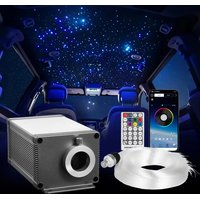
LLE-005 - Lighting Vevor - Free user manual and instructions
Find the device manual for free LLE-005 Vevor in PDF.


User questions about LLE-005 Vevor
0 question about this device. Answer the ones you know or ask your own.
Ask a new question about this device
Download the instructions for your Lighting in PDF format for free! Find your manual LLE-005 - Vevor and take your electronic device back in hand. On this page are published all the documents necessary for the use of your device. LLE-005 by Vevor.
USER MANUAL LLE-005 Vevor
Affordable.Reliable.Home Improvement.
FIBER OPTIC LIGHTS STAR CEILING LIGHT MODEL:LLE-005
Technical Support and E-Warranty Certificate www.vevor.com/support
MODEL:LLE-005
This is the original instruction, please read all manual instructions carefully before operating. VEVOR reserves a clear interpretation of our user manual. The appearance of the product shall be subject to the product you received. Please forgive us that we won't inform you again if there are any technology or software updates on our product.
| Warning-To reduce the risk of injury, user must read instructions manual carefully. | |
| This device complies with Part 15 of the FCC Rules. Operation is subject to the following two conditions: (1) This device may not cause harmful interference, and (2) this device must accept any interference received, including interference that may cause undesired operation. |
INSTRUCTIONS
Welcome to use Fiber Optic Lights Star Ceiling Light. Please read the manual carefully before turning on the light engine
Safety Notes:
- Make sure the input voltage is correct.
- Avoid placing the light engine in the rain or in moist areas. Please ensure that the light engine has sufficient ventilation and is not placed in a completely sealed area.
- Avoid using the device above 40^ temperature.

The fiber strands cannot be folded in half, and the bending radius should not be less than 10mm .
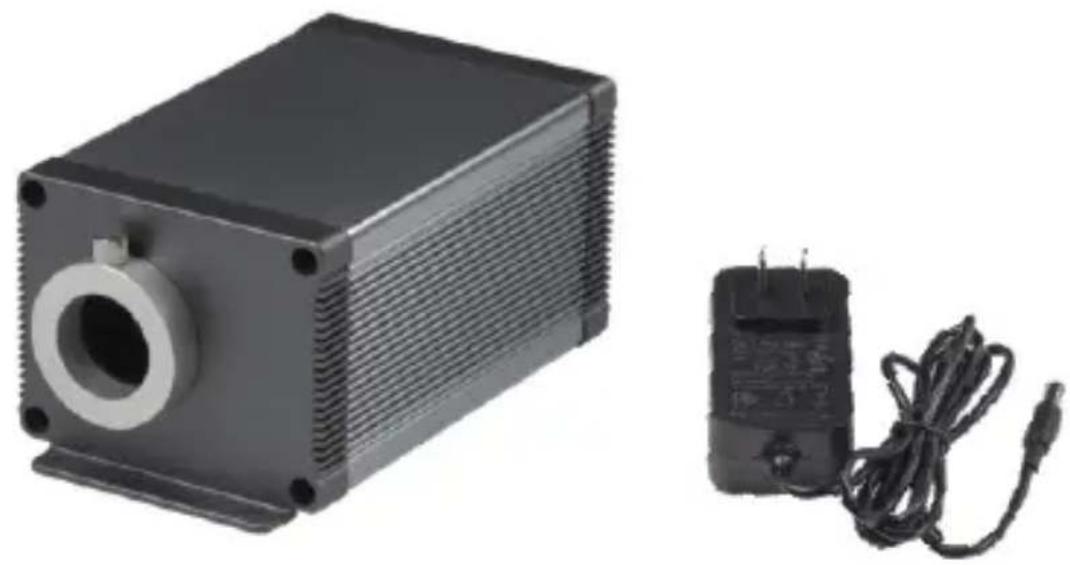
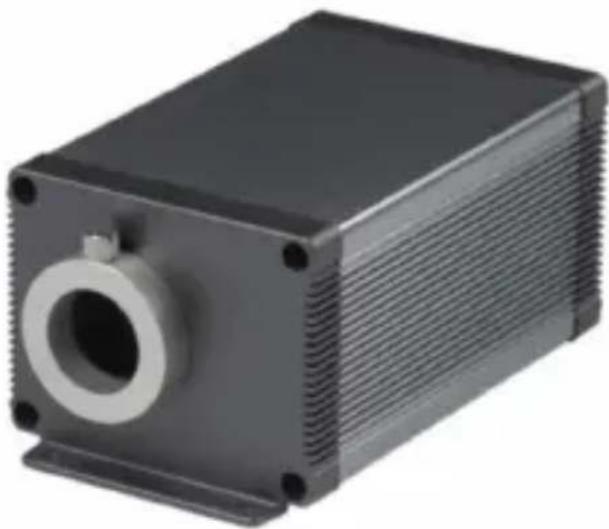
I. Light engine information and dimensions
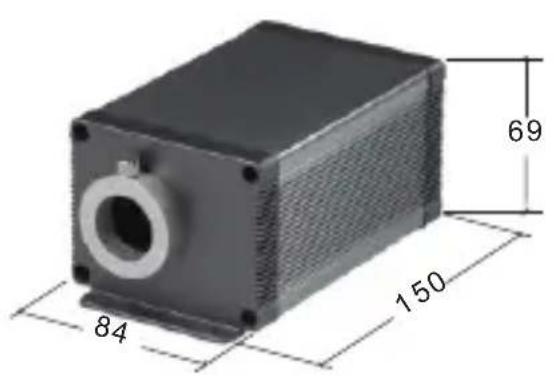
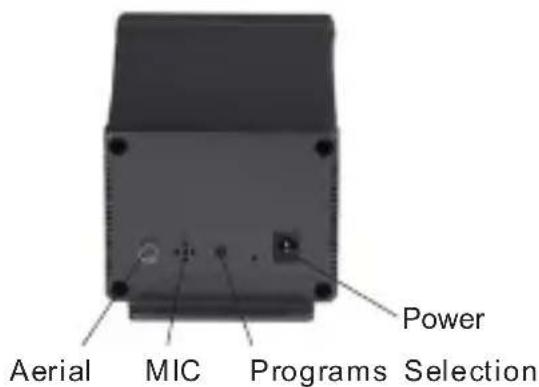
II. Technical parameters:
Model:LLE-005
Input Voltage: 12V DC
Emitting Colors: RGBW Mixing
Remote Control: Yes
Sound Control: Yes
Port Aperture: MAX: Φ20mm
Fiber Strands: 450pcs/550pcs 9.8ft 0.03"
Power:16W
LED: RGBW*4 LEDs
Sound Control: Yes
Twinkle: Yes
APP: Yes
III. Fiber optic light engine settings
1. Those light engines are the regular version, and the control is the following:
| Working Status | Built-in Programs | Remote control | DMX controller | Sound | APP |
| Standalone | ✓ | ✓ | ×✓ | ✓ |
To select different programs, press the "Program Section" knob on the pack panel when the light engine is turned on. Each press will change the program in-turn as shown in the table.

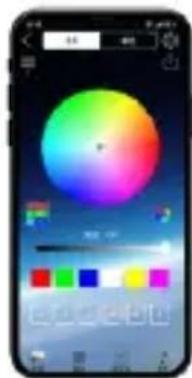
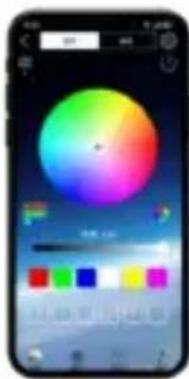
APP Download
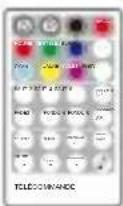
2. Remote control Instructions:
(1) By default, the light engine and the remote control in the same box has been paired. The light engine can be controlled by the paired remote control only. Do not mix the light engine with other remote controls
(2) Before using the remote control, make sure that the remote control has a fresh button cell. (Need to purchase CR2032H by yourself).
(3) If necessary, you can pair the current light engine with more remotes. It is also possible to pair the current remote with more light engines.
How to pair the remote control and the light engine:
(1)Turn on the light engine. At the same time, press one of the four pairing keys 3 times in a row to start the pairing.
(2) The light engine will flash 3 times.
The pairing is complete.
The pairing rules:
(1) The four keys on the last row of the remote are the four pairing keys.
(2) Each Pairing Key can be paired with multiple light engines and will have the same effect.
(3) Each Pairing Key can be paired with multiple light engines and will have the same effect. Pairing Keys with different icons can be from different remote controls.
(4) Once the device is successfully paired with the remote control, the pairing function cannot be canceled, but can be overwritten.
(5) For the same light engine, a new pairing key will overwrite the previous pairing key with the same icon.
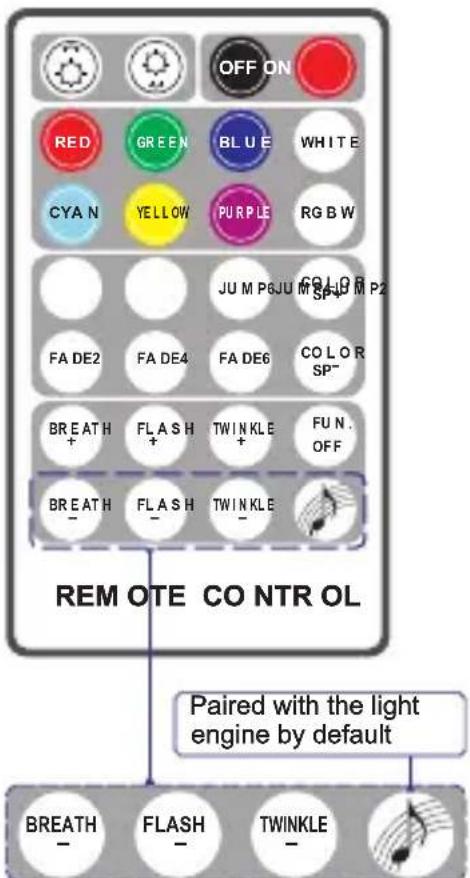
4 Pairing Keys
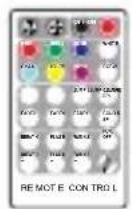
2. The keys of the remote control
| OFFON | Dimming+/- (7-tier) ON/OFF |
| CYAN GREEN BLUE WHITE PURPLE RGBW | Static colors (Red,Green,Blue,White,Cyan,Yellow,Purple,RGBW) |
| JUMP2: W、B Jump JUMP4: W、B、G、R Jump JUMP6: W、B、G、R、Y、C Jump FADE2: W、B Fade FADE4: W、B、G、R Fade FADE6: W、B、G、R、Y、C Fade COLOR SP +/- Color Cycling Speed Adjustment(7-tier) | |
| BREATH + FLASH + TWINKLE + FUN. OF F BR-EATH FLASH TWINKLE | BREATH+/-: Breathing Effect. (7-tier) FLASH+/-: Strobe Effect. (7-tier speed) TWINKLE+/-: Twinkle Effect. (7-tier speed) FUN.OFF: Termination of Breathe/Flashing/Sound control/ Twinkle effect. Activate the Sound Control mode |
| 4 Pairing Keys: To match the light engine and the remote control for use. By default, is paired with the light engine. | |
Remarks:
(1) Press "Breath" or "Flash", the light engine will breathe or flash in a static color of the last emitted color. If "FUN.OFF" is pressed, the current breathing, flash or twinkle function will be turned off, and the light engine will resume the last program.
(2) The light engine has a memory function. When it is turned on, it runs the last program before it is turned off.
(3) The "TWINKLE+", "TWINKLE-" and "FUNON" buttons on the remote control correspond to the "K1", "K2" and "K3" buttons in the APP.
IV.The built-in programs table of LLE-005
| Pro.No. | Function |
| 00 | Light off |
| 01 | White |
| 02 | Blue |
| 03 | Green |
| 04 | Red |
| 05 | Yellow |
| 06 | Cyan |
| 07 | White Blue Green Red Yellow Cyan Jump 4S、、、、、、、 |
| 08 | White Blue Green Red Yellow Cyan、、、、、、、、、、、、、、、、、、、、、、、、、、、、、、、、、、、、、、、、、、、、、、、、、、、、、、、、、、、、、、、、、、、、、、、、、、、、、、、、、、、、、、、、、、、、、、、、、、、、 |
| 09 | White、Blue Jump 4S |
| 10 | White、Blue Fade 4S |
| 11 | White Twinkle 1RPM |
| 12 | White Twinkle 2RPM |
| 13 | Blue Twinkle 1RPM |
| 14 | Blue Twinkle 2RPM |
| 15 | White、Blue Fade 4S Twinkle 1RPM |
| 16 | White、Blue Fade 4S Twinkle 2RPM |
| 17 | White、Blue、Green、Red、Yellow、Cyan Fade 4S Twinkle 1RPM |
| 18 | White、Blue、Green、Red、Yellow、Cyan Fade 4S Twinkle 2RPM |
Remarks: The "PROGRAMS" button can be used to control the machine when the remote control and the APP are unavailable.
V. Fiber Bundle Assembly and Installation
- Fiber connectors / couplings Assembly
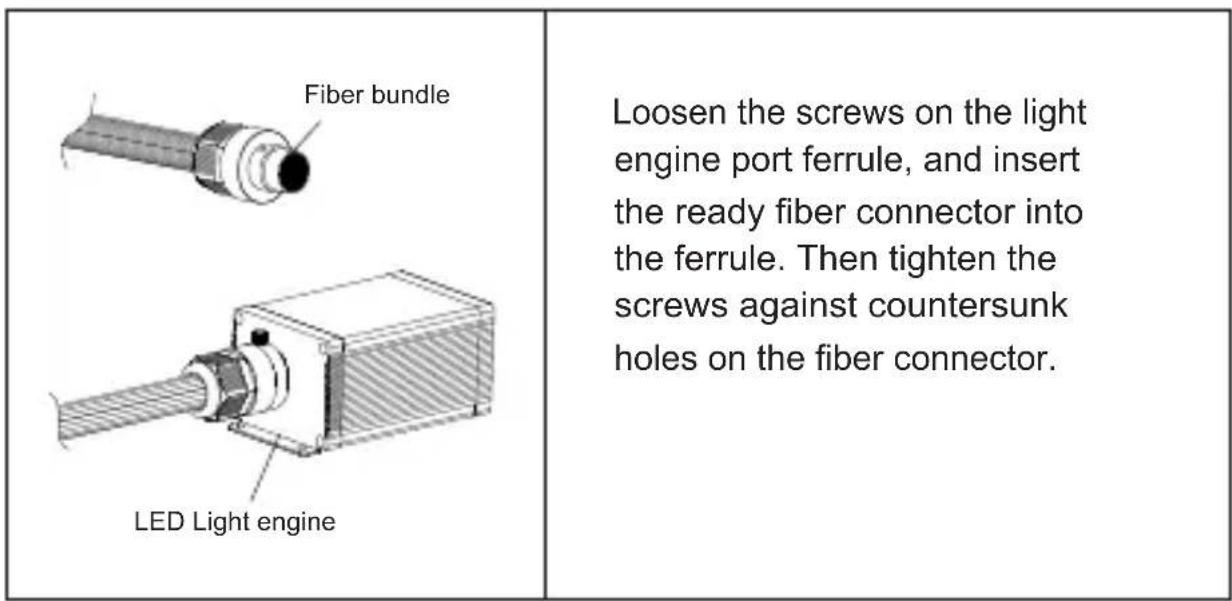
- Fiber strands installation on ceilings
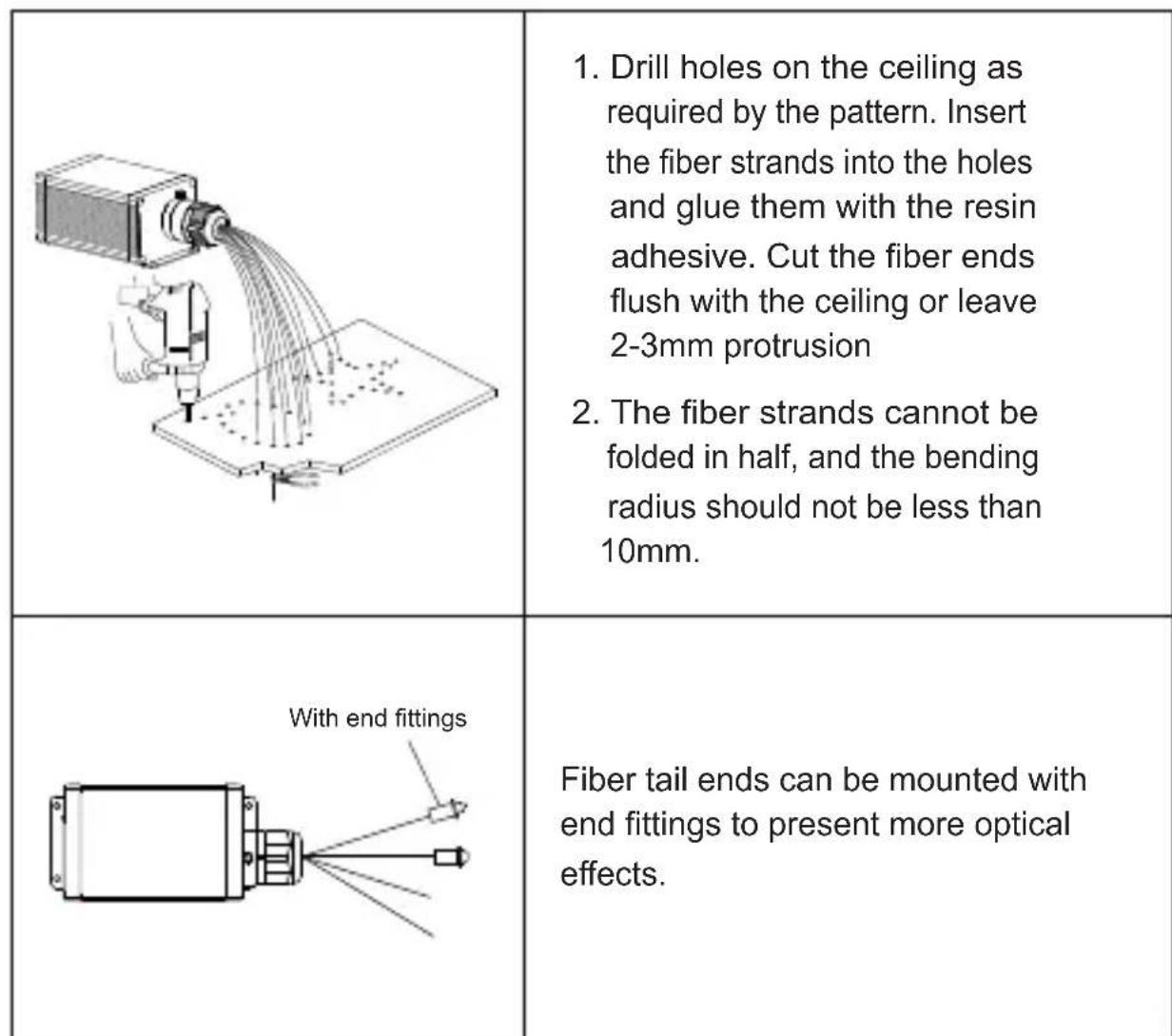
Precautions:
- Reasons and troubleshooting methods for the remote control being out of control:
(1) Check whether the remote control indicator light is on. If the indicator light is not on or the brightness is low, please replace the battery.
(2) If the remote control is out of control after replacing the battery, re-pair it.
(3) Ensure that the remote control is used within a range of 10 meters.
- Reasons and troubleshooting methods for the APP being out of control:
(1) If the APP is installed normally and the APP cannot search for the light engine, it is necessary to confirm whether this light engine is occupied by other mobiles.
(2) If the light engine is occupied by other mobiles, it needs to be released and then powered on for search and connection.
(3) One mobile supports connecting to about 5 light engines. The specific number varies depending on the mobile signal reception.
Manufacturer: Shanghaiuxinmuyeyouxiangongsi
Address: Shuangchenglu 803nong11hao1602A-1609shi, baoshanqu, shanghai 200000 CN.
Imported to AUS: SIHAO PTY LTD. 1 ROKEVA STREETEASTWOOD NSW 2122 Australia
Imported to USA: Sanven Technology Ltd. Suite 250, 9166 Anaheim Place, Rancho Cucamonga, CA 91730

YH CONSULTING LIMITED. C/0 YH Consulting Limited office 147, Centurion House, London Road, Staines-upon-Thames, Surrey, TW18 4AX
Technical Support and E-Warranty Certificate
www.vevor.com/support
VEVOR
Abordable.Fiable.Amélioration de l'habitat.
PLAFONNIER ÉTOILE À FIBRE OPTIQUE MODELE: LLE-005
VEVOR
Abordable.Fiable.Amelioration de l'habitat.
LUMIERES A FIBRE OPTIQUE
PLAFONNIER ETOILE
MODELE:LLE-005
Lieu, Rancho Cucamonga, CA 91730

YH CONSULTING LIMITED. Adresse: YH Consulting Limited, bureau: 147, Centurion House, London Road, Staines-upon-Thames, Surrey, TW18 4AX
E-CrossStu GmbH
Mainzer Landstr.69, 60329 Francfort-sur-le-Main.

Assistance technique et certificate de garantie
YH CONSULTING LIMITED. C/0 YH Consulting Limited, Buro 147, Centurion House, London Road, Staines-upon-Thames, Surrey, TW18 4AX
Importato in AUS: SIHAO PTY LTD. 1 ROKEVA STREETEASTWOOD
Nuovo Galles del Sud 2122 Australia
YH CONSULTING LIMITED. C/0 YH Consulting Limited 147, Centurion House, London Road, Staines-upon-Thames, Surrey, TW18 4AX
E-CrossStu GmbH Via Magonza 69, 60329 FrancofortesulMeno.

YH CONSULTING LIMITADA. C/0 YH Consulting
Limited, oficina 147, Centurion House, London
Road, Staines-upon-Thames, Surrey, TW18 4AX
E-CrossStu GmbH
Mainzer Landstr.69,
www.vevor.com/support
VEVOR
Diody LED: Diody LED RGBW*4
Limited 147, Centurion House, London Road,
Staines-upon-Thames, Surrey, TW18 4AX
E-CrossStu GmbH
Mainzer Landstr.69,
60329 Frankfurt nad Menem.

YH CONSULTING LIMITED. C/0 YH Consulting Limited kantoor 147, Centurion House, London Road, Staines-upon-Thames, Surrey, TW18 4AX