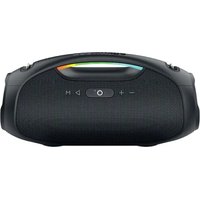
TUB 60W V2 - Speaker EDENWOOD - Free user manual and instructions
Find the device manual for free TUB 60W V2 EDENWOOD in PDF.


| Product Type | Portable Speaker |
| Brand | Edenwood |
| Model | TUB 60W V2 |
| Output Power (RMS) | 60 W (tweeter 10 W x 2 + woofer 20 W x 2) |
| Output Power (Peak) | 120 W |
| Speaker Impedance | 4 Ω |
| Speaker Dimensions | Tweeter 3.8 cm (x2), woofer 7.6 cm (x2) |
| Battery | Li-ion 7.4 V, 5400 mAh (18650) |
| Charging Time | 6 h 30 (5 V 2 A), 4 h 30 (fast charge 9 V 2 A) |
| Battery Life | Approximately 13 h at 50% volume, 10 h at 80% volume |
| Bluetooth Version | 5.3 with A2DP |
| Bluetooth Range | Up to 15 m (without obstacles) |
| Compatible Audio Formats | MP3, WAV, WMA, FLAC |
| Water Resistance | IPX6 (splashes and light rain) |
| Dimensions (W x D x H) | 377 x 157 x 180 mm |
| Weight | 2.8 kg |
| Power Supply | DC 5 V 2 A (max 9 V 2 A) |
| Connectivity | Bluetooth, USB, AUX IN, TWS (up to 100 speakers) |
| Main Functions | USB player, voice assistant, hands-free calling, LED lights, equalizer |
| Package Contents | Speaker, USB Type-C cable, 3.5 mm AUX cable, shoulder strap |
| Warranty | 2 years (upon presentation of receipt) |
| Care and Cleaning | Soft dry cloth, do not immerse, suitable for outdoor use IPX6 |
| Safety | Turn off before cleaning, use a quality charger, do not expose to extreme temperatures |
| Spare Parts and Repairability | Built-in battery not user-replaceable, repair by qualified technician |
Frequently Asked Questions - TUB 60W V2 EDENWOOD
User questions about TUB 60W V2 EDENWOOD
0 question about this device. Answer the ones you know or ask your own.
Ask a new question about this device
Download the instructions for your Speaker in PDF format for free! Find your manual TUB 60W V2 - EDENWOOD and take your electronic device back in hand. On this page are published all the documents necessary for the use of your device. TUB 60W V2 by EDENWOOD.
USER MANUAL TUB 60W V2 EDENWOOD
natural_image
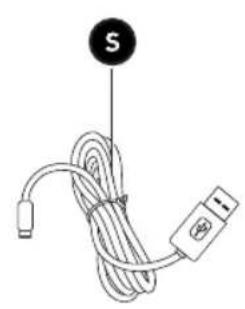
Coiled cable with a USB connector and a labeled point S (no text or symbols on the cable itself)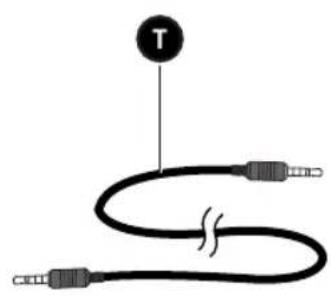
natural_image
Diagram of a coiled audio cable with two connectors and a labeled point T (no text or symbols beyond the label)_
| _
一
1
Thank you!
Thank you for choosing this EDENWOOD product. EDENWOOD products are chosen, tested, and recommended by ELECTRO DEPOT, so you can be sure you are getting a top-quality, easy-to-use product that won't let you down.
We're confident your new device will be a pleasure to use every day!
Welcome to ELECTRO DEPOT.
Table of Contents

Product overview
Parts
Product overview
Intended use
Specifications
Declaration of conformity

Product usage
Before using the product
Connections
Operation

Cleaning and maintenance
Cleaning and maintenance
Troubleshooting
Storage
Parts
| Button | Description | |
| In Bluetooth/USB/AUX IN mode | ||
| A | - | Press to decrease the volumeIn Bluetooth/USB modePress and hold to skip to the previous track or file |
| B | + | In Bluetooth/USB/AUX IN modePress to increase the volumeIn Bluetooth/USB modePress and hold to skip to the next track or file |
| C | ☀ | Press repeatedly to select an LED light mode 1, 2, 3 or turn the LED lights off |
| D | Microphone | |
| E | ◎ | Power button with indicator lightPress and hold to turn the unit on or off |
| F | ∞ | TWS buttonIn Bluetooth modeWhen not paired with another device, press to connectPress and hold to disconnect Bluetooth |
| G | ▷ | In Bluetooth/USB modePress to play or pause musicIn AUX INPress to mute or unmute the soundIn Bluetooth modePress and hold to activate the voice assistant (Siri or Google Assistant). You can only do this when your phone is connected via Bluetooth to the speaker |
| H | M | In Bluetooth/USB/AUX IN modePress to switch between BT, USB and AUX IN modesPress and hold to select 1 of the 2 equalizer sound effects |
| I | Handle | |
| J | LED lights | |
| K | Strap holder to connect a strap (shoulder strap provided) |
A
Product overview
| L | Tweeter speaker x 2 | |
| M | Subwoofer speaker x 2 | |
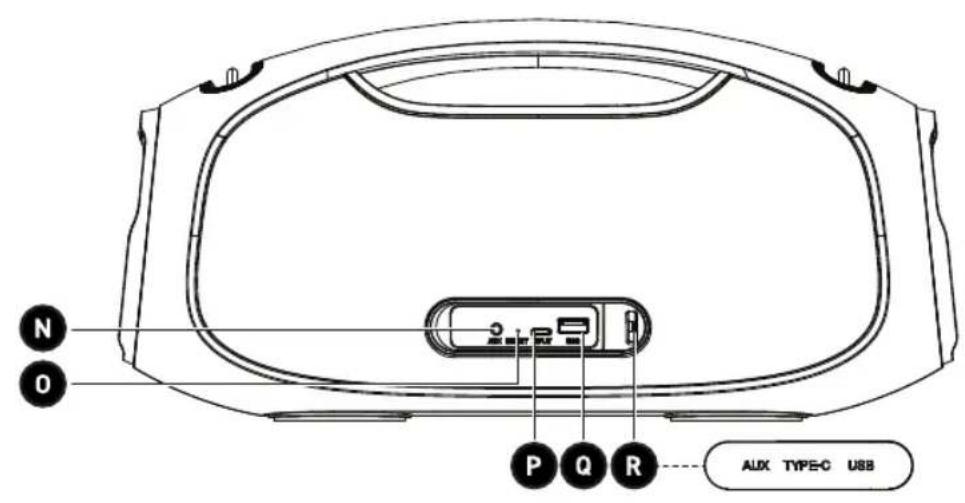
| N | AUX | AUX IN port |
| O | RESET | Reset slot |
| P | INPUT | Speaker charging port (DC 5V) |
| Q | USB | Port for a USB memory disk or for charging USB devices |
| R | Waterproof cover | |
| S | Type-C USB charging cable | |
| T | AUX IN 3.5mm cable |
Product overview
- Unpack and remove all labels from the unit except the nameplate. Please check that all parts are included and intact. If the unit is damaged or faulty, do not use it and take it to your retailer or after-sales service centre.
- Keep all packaging out of the reach of children. There is a risk of accidents if children play with packaging materials.
Intended use
- This product is for household use only. It can be used indoors and outdoors. The unit has a waterproof rating of IPX6 and can withstand splashes or light rain. It is not designed for industrial or professional use.
- Any other use may damage the product or cause injury.
Specifications
| Model: 10011785 - TUB 60W V2 | |
| Company name or registered trademark,business registration number andmanufacturer's address: | ELECTRO DEPOT / R.C.S. 433 744 5391 route de vendeville, 59155 FachesThumesnil, FRANCE |
| Speaker output power (RMS): | Tweeter 10W x 2Subwoofer 20W x 260W (maximum) |
| Speaker output power (Peak): | Tweeter 20W x 2Subwoofer 40W x 2120W (maximum) |
| Speaker size/impedance: | 1.5 inches (tweeter x 2), 4Ω3 inches (subwoofer x 2), 4Ω |
| Power input: DC 5V 2A (maximum 9V 2A) | |
| Signal to noise ratio: ≥80dB | |
| Operating frequency: 80Hz-20KHz | |
| Rechargeable Li-ion battery: 7.4V, 5400mAh (Lithium-ion 18650) | |
| Charging time: | Approximately 6 hours and 30 minutes when charged with a 5V, 2A adapter, and 4 hours and 30 minutes when charged with a fast charger rated 9V, 2A |
| Playback time: | Approximately 13 hours at 50% volume and 10 hours at 80% volume |
| Bluetooth ® version: 5.3 / A2DP | |
| Bluetooth (BT) name: EDENWOOD TUB 60W V2 | |
| BT frequency: 2.4GHz | |
| BT range: Up to 15m (with no obstructions) | |
| Compatible file format: MP3, WAV, WMA and FLAC | |
| Maximum power transmitted by BT: 1.07dBm | |
| Working temperature range: 0~40°C | |
| Relative humidity range: 60-90% | |
| Waterproof rating: IPX6 | |
| Protection class: | Class III |
Weight: 2.8kg
Size (W x D x H): 377 x 157 x 180mm
Low air pressure: 78.9Kpa
Compatibility disclaimer
Wireless performance is dependent on your device's Bluetooth wireless technology.
Please check with the manufacturer. ELECTRO DÉPÔT cannot be held responsible for any data loss or leaks resulting from the use of these devices.
Bluetooth®
Declaration of conformity
In this document, ELECTRO DÉPÔT declares that this unit complies with the essential requirements and other relevant provisions of Directive 2014/53/EU. The declaration of conformity can be viewed on the following website: http://www.electrodepot.fr/sav/notices/
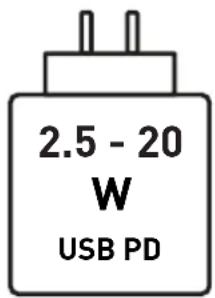
a. The power supplied by the charger must be between, at least 2.5 Watts by the radio equipment and, at most, 20 Watts to achieve the maximum charging speed.
b. USB PD fast charging: For the radio equipments concerned by point 3) a) of part IV. Manufacturer's obligations.
c. If the charger is abnormally hot during charging, this may indicate that it is not powerful enough. If this is the case, opt for a charger with a higher maximum power.
Before using the product
Charging the speaker
- Connect the USB connector on the charging cable to a USB port on a computer, laptop, or USB charger plug (with a rated output of DC5V/1A and above).

NOTE:
If charging via a computer or laptop, the charging time will be much longer.
-
Insert the Type-C USB connector into the charging port.
-
If the Bluetooth is not connected, the white indicator light flashes and the red indicator light is constant to confirm the unit is charging. If the speaker is connected to Bluetooth, the indicator white light is constant.
- When you first charge the battery, charge it for 6 hours and 30 minutes.
- When the battery is full, the red indicator light will no longer display.
- If the battery is low, the red light flashes, and a low battery warning will sound. Charge the battery immediately.
- To preserve the battery's lifespan, we recommend charging the speaker at least once a month.
WARNING!
- To protect the battery, we recommend that you turn the speaker off while it is charging.
- Use a good quality adapter to charge the speaker.
- Unplug the charging cable once the speaker is fully charged.
Connections
There are 3 ways to connect the speakers to play media. You can use an AUX IN cable, a USB memory stick or a Bluetooth connection. To access the connection ports, open the waterproof cover.
AUX IN
You can connect your speaker to a mobile phone, computer, CD Player, MP3/MP4 player, record player, MIDI device or TV using the AUX IN cable.
- Press and hold the button to turn on the speaker. A melody will play, and the speaker lights will turn on.
- Connect the 3.5mm plug to the speaker AUX IN port and plug the other end into your device.
B
Product usage

NOTE:
- When you connect a 3.5mm plug into the AUX IN port, a melody will play, and the speaker will automatically enter AUX IN mode.
- You can change the volume on the speaker and mute the sound. For all other playback options, use the external device's controls.
- If the speaker is paused in AUX IN mode for more than 10 minutes, it will automatically turn off to save power.
USB memory stick
- Press and hold the button to turn on the speaker. A melody will play, and the speaker lights will turn on.
- Insert the USB memory stick into the USB port.

NOTE:
- When you connect a USB memory stick, a melody will play, and the speaker will automatically enter USB mode.
-
For best playback, make sure only compatible audio files (MP3, WAV, WMA or FLAC) are stored on the USB memory stick.
-
To remove the USB memory stick, simply pull it out of the USB port.

NOTE: If the speaker is paused in USB mode for more than 10 minutes, it will automatically turn off to save power.
Pairing a Bluetooth device
To connect this speaker to a Bluetooth device, you must first pair the speaker with the device.
-
Turn on the Bluetooth device (such as your phone or tablet):
-
Go to settings on your device.
- Select Bluetooth and turn it on.

NOTE: Before attempting to connect with the speaker, check and remove any connections such as the AUX IN cable or USB memory stick.
- Press and hold the button to turn on the speaker. A melody will play, and the speaker will enter the Bluetooth mode (default mode). (If the speaker is already on but not in Bluetooth mode, press the button to enter Bluetooth mode directly.) The speaker will automatically start searching for a new or existing Bluetooth device. While the speaker is searching for the Bluetooth device, the indicator light will flash white.
- When the Bluetooth device displays the speaker's Bluetooth name, EDENWOOD TUB 60W V2, select the name and confirm the connection. A beep will sound, and the Bluetooth indicator light will become constantly white to confirm the devices have successfully paired.
B
Product usage
- Only one external device can be connected to the speaker at a time. Press and hold the 🎥 button to disconnect the Bluetooth connection and initiate pairing for a new external device. A melody will play to confirm the disconnection. You can also disconnect the Bluetooth connection on the external device.
- Once you have paired a device, the units should remember the connection and you will not need to pair them again. If the speaker does not automatically search for an existing Bluetooth connection this may be because it is not in Bluetooth mode, press the M button repeatedly until you enter Bluetooth mode, then it will automatically search and reconnect the speaker to the last connected Bluetooth device.

natural_image
Black rectangular icon with a white lowercase 'i' in the center, representing information (no text or symbols beyond the icon itself)NOTE:
- If the speaker's Bluetooth name does not appear on your Bluetooth device, move the devices closer together (within 15 metres with no obstructions). Check the speaker is in Bluetooth mode. If it is not in Bluetooth mode, press the button to select Bluetooth and start pairing the devices. If that does not work, turn the devices off and then on again before re-starting the pairing process.
- If the speaker does not pair with another device after 10 minutes, it will automatically turn off to save power.
Operation
Turning the speaker on and off
- Press and hold the button to turn on the speaker. A melody will play, and the indicator light will turn on.
- Press and hold the button to turn off the speaker. A melody will play, then the speaker will turn off.
- If the unit is not used for 10 minutes, it will automatically turn off and a melody will play. To turn it back on, press and hold the Ⓞ button.
Playback
- Turn the speaker on and setup your connection (as detailed above).
- Press the M button to select the audio mode: BT, USB or AUX IN. A melody will play each time you enter a new mode.
- To control playback of the audio, you can either use your external device's controls (if available), or you can use the following buttons on the speaker:
Button Mode Action
| Bluetooth/USB Press to play or pause the track or file. | ||
| AUX IN | Press to mute the sound. Press again to unmute the sound. | |
B
Product usage
 | All modes | Press to decrease the volume. |
| Bluetooth/USB | Press and hold to skip to the previous track or file. | |
 | All modes | Press to increase the volume.NOTE:A beep sounds when you have reached the highest volume setting. |
| Bluetooth/USB | Press and hold to skip to the next track or file. | |
 | All modes | Press and hold to select 1 of the 2 equalizer sound effects. |

NOTE: When you turn the speaker on, the default volume is set to 50% of the maximum volume.
LED lights
Press the 📂 button repeatedly to select one of the three LED light displays or turn the lights off.
Connecting two speakers (TWS)
You can connect multiple EDENWOOD TUB 60W V2 speakers (up to 100) to play music at the same time. The LED lights and playback buttons can be used on either speaker to operate it in TWS mode.
- Make sure that both units are not connected to any other Bluetooth devices.
- Place the speakers within 15 metres (with no obstructions) of each other.
- Turn on the master speaker and connect to an external device. Press the button to prepare the speaker for connection. The white indicator light will be constant.
- Turn on the slave speaker.
- If the slave speaker is in BT mode, disconnect it by pressing and holding the button. The white indicator light will flash.
- Press the cotton on the slave speaker to connect to the master speaker. A melody will sound, and the white indicator light will display constantly on both speakers when they are connected. The slave speaker will try for 1 minute to connect to the master speaker. If the connection fails, the slave speaker white indicator light will turn off.
- For multiple pairing, follow the steps 4-6 to connect additional slave speakers to the master speaker.
- Press the cotton on the master speaker to stop TWS mode on all speakers. A melody will play, the white indicator light will turn off.
- Press the button on a slave speaker to disconnect the TWS mode for that slave speaker only. A melody will play, the white indicator light will turn off.
B
Product usage

NOTE:
- You can connect multiple speakers when you are in Bluetooth mode. Once the speakers have been connected in TWS mode, if they are turned off and then later turned on again, they will automatically reconnect with each other.
- You can only connect a EDENWOOD TUB 60W V2 speaker with another EDENWOOD TUB 60W V2 speaker. You cannot pair the EDENWOOD TUB 60W V2 speaker with other models or brands of speakers that have TWS capability.
- If you cannot successfully connect the speakers, turn them off and start the connection process again.
Charging USB devices
- Connect the USB plug of a USB device (such as your mobile) to the USB charging port (DC5V, 1A).
Activating the voice assistant
- Set up a Bluetooth connection with your mobile phone.
- Press and hold the button to activate the voice assistant (Siri or Google Assistant).
Using the speaker to make phone calls
When your speaker is connected to a phone, computer or tablet via a Bluetooth connection, it can be used to answer a phone call (as detailed below). You can also talk and listen to the caller through the speaker.
Function Button
| Answer a call | Press the button. |
| Reject a call | Press and hold the button. |
| End a call | At the end of the conversation, press the button. |
| Switch from speaker to mobile phone during a call | Press and hold the button. |
Reset
If the speaker is not working properly, insert a thin blunt instrument, such as a tip of a pen or paper clip end, into the reset hole to reset the speaker.
Cleaning and maintenance

WARNING!
- Always turn off and unplug the unit from the power supply before cleaning.
- Never immerse the unit in water or any other liquid.
-
When cleaning the unit, never use abrasive products, metal brushes, scouring pads, or sharp utensils.
-
Regularly clean your unit and keep it dust free to reduce the need for repairs and ensure product longevity.
- Clean the unit with a dry, soft cloth. Make sure that no liquid enters the inside of the unit.
- The unit has a waterproof rating of IPX6 and can withstand splashes and rain. If it does get wet, always dry it thoroughly.
Troubleshooting
Problem Possible Cause Solution
| The unit does not work. | It is not properly charged.The indicator lights did not light up during charging.There is a problem with the charging cable. | Charge the battery fully with the charging cable.Check that the charging cable is properly plugged into the speaker and the external device. Also check that the USB charging plug or external device plug is correctly inserted into the wall socket.If the unit is still not charging, replace the charging cable and if that does not work, take the unit to a qualified technician. |
| The usage time is very short after charging. | The charging time is insufficient. | Charge the battery as indicated in the Charging the speaker section. |
C
Cleaning and maintenance
Problem Possible Cause Solution
| There is no sound. • The battery level is too low.• The volume is too low.• The distance between the speaker and external device (BT mode) or secondary speaker (TWS mode) is too far or there is an obstruction in between.• The unit is not connected properly. | • Charge the battery as indicated in the Charging the speaker section.• Increase the volume (on the speaker or on the external device).• In BT/TWS mode, make sure the speaker and external device/speakers are placed within 15 metres with no obstructions. Check the Bluetooth function on the external device is on and pair the speaker(s) again if necessary.• In AUX IN mode, make sure that the cable is properly connected, and the external device works well. | |
| The speaker cannot pair with the Bluetooth device. | • The devices may not be compatible.• Other Bluetooth devices may be interfering with the pairing process. | • Check if the audio device is A2DP compatible. If it is, turn the A2DP stereo mode on.• Turn off nearby Bluetooth devices. |
| The USB memory stick is not working. | • The USB memory stick may be damaged or in poor condition.• Incorrect file formats.• The speaker is not in USB mode. | • Try saving the files onto a newer/better quality USB memory stick.• Only MP3, WAV, WMA and FLAC files can be played.• Change to USB mode. |
Storage
• Always unplug the unit before storing it.
- Store the unit in a fresh, dry and dust-free place, out of the reach of children and pets.
- Please retain the packaging and use it to store your unit when it is not in use for an extended period of time.

natural_image
Solid gray rounded rectangle shape with no text or symbolsMerci !
natural_image
Black rectangular button with a white circular icon containing an indistinct symbol (no text or numbers)REMARQUE :
natural_image
Black rectangular icon with a white lowercase 'i' in the center, representing information (no text or symbols beyond the icon itself)REMARQUE :
natural_image
Black rectangular button with a white circular icon containing an indistinct symbol (no text or numbers)OPMERKING:
This product is guaranteed against faults caused by defects in manufacturing or the materials used for a period of two years, starting from the date of purchase.* This warranty does not cover defects or damage caused by failure to install the device correctly, incorrect use of the product, or excessive wear and tear.
*proof of purchase required.
CONDITION DE GARANTIE
FR
- Thank you!
- Table of Contents
- Parts
- A
- Product overview
- Intended use
- Compatibility disclaimer
- Bluetooth®
- Declaration of conformity
- Before using the product
- Charging the speaker
- NOTE:
- WARNING!
- Connections
- AUX IN
- B
- Product usage
- USB memory stick
- Pairing a Bluetooth device
- Operation
- Turning the speaker on and off
- Playback
- LED lights
- Connecting two speakers (TWS)
- Charging USB devices
- Activating the voice assistant
- Using the speaker to make phone calls
- Reset
- Cleaning and maintenance
- Troubleshooting
- C
- Storage
- Merci !
- REMARQUE :
- OPMERKING:
- CONDITION DE GARANTIE
- FR
Brand : EDENWOOD
Model : TUB 60W V2
Category : Speaker