D70S - SLR camera NIKON - Free user manual and instructions
Find the device manual for free D70S NIKON in PDF.


User questions about D70S NIKON
0 question about this device. Answer the ones you know or ask your own.
Ask a new question about this device
Download the instructions for your SLR camera in PDF format for free! Find your manual D70S - NIKON and take your electronic device back in hand. On this page are published all the documents necessary for the use of your device. D70S by NIKON.
USER MANUAL D70S NIKON
At the heart of the image
natural_image
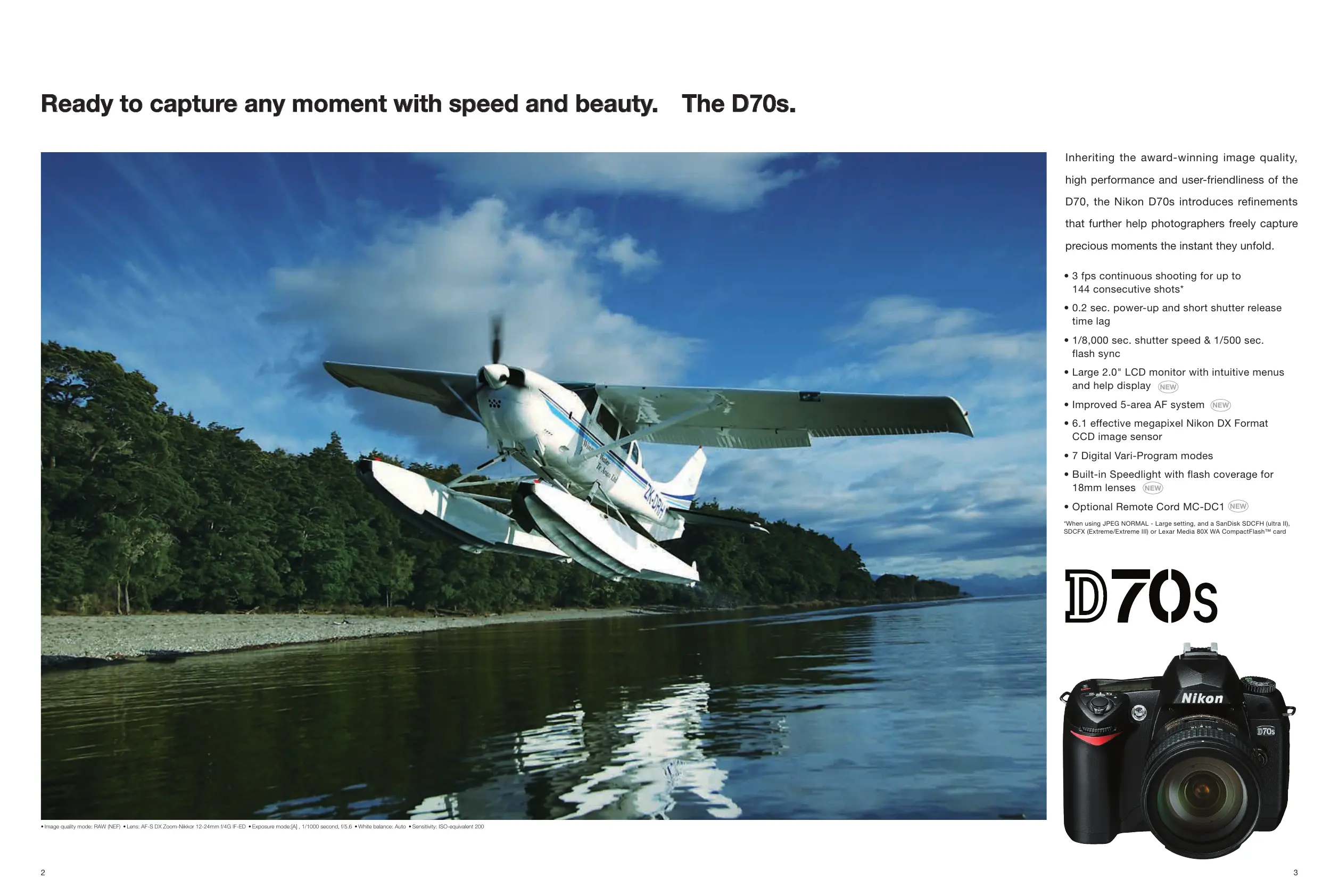
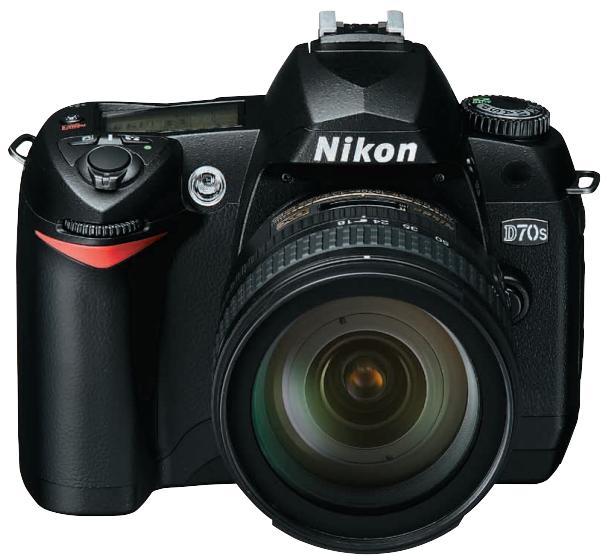
Exterior view of a Nikon DSLR camera with attached screen showing landscape (no text or symbols on main body)Ready to capture any moment with speed and beauty. The D70s.
natural_image
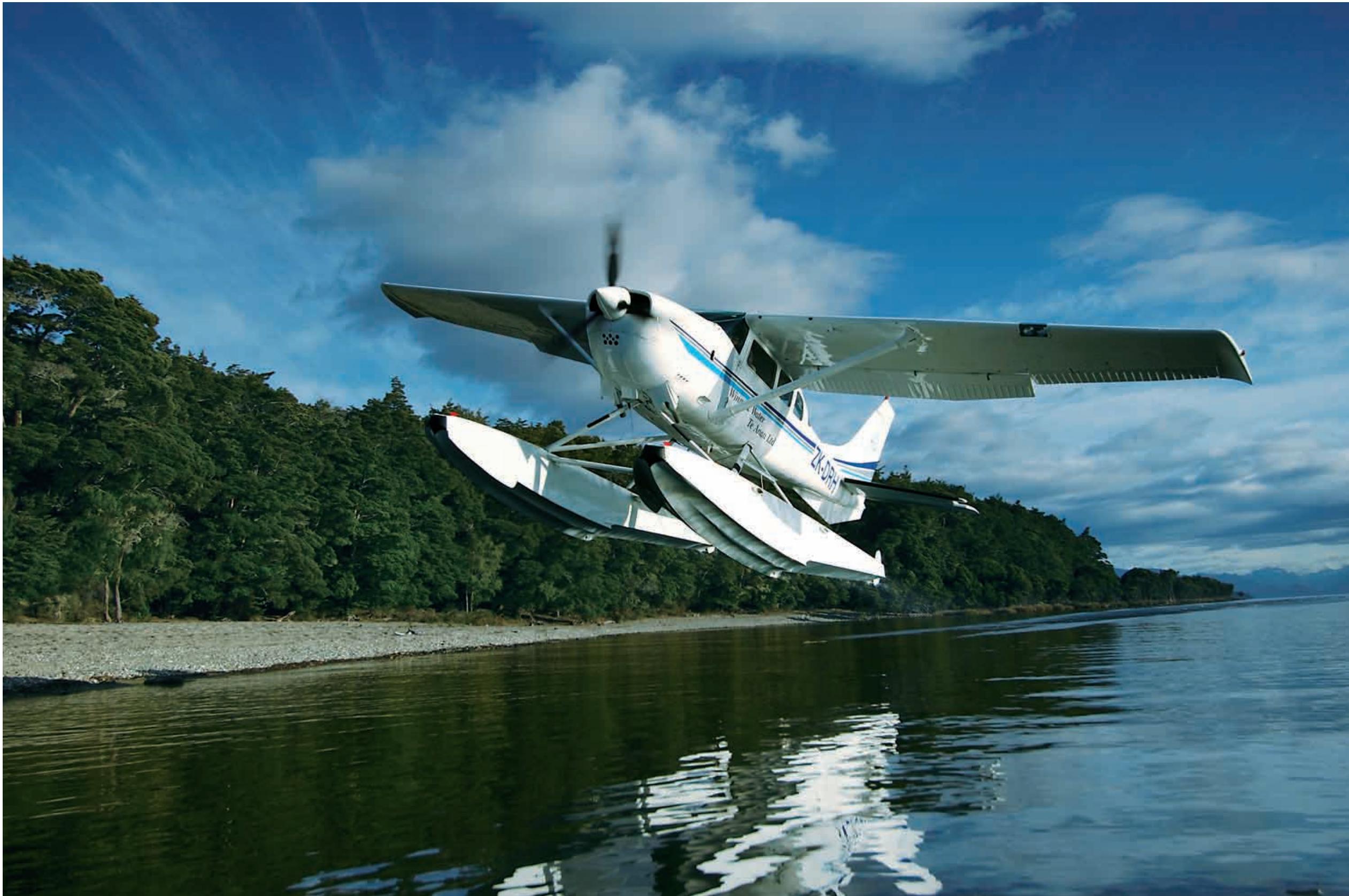
White seaplane taking off from a calm lake with forested shoreline and blue sky (no visible text or symbols)- Image quality mode: RAW (NEF) • Lens: AF-S DX Zoom-Nikkor 12-24mm f/4G IF-ED • Exposure mode:[A] , 1/1000 second, f/5.6 • White balance: Auto • Sensitivity: ISO-equivalent 200
Inheriting the award-winning image quality, high performance and user-friendliness of the D70, the Nikon D70s introduces refinements that further help photographers freely capture precious moments the instant they unfold.
- 3 fps continuous shooting for up to 144 consecutive shots*
- 0.2 sec. power-up and short shutter release time lag
- 1/8,000 sec. shutter speed & 1/500 sec. flash sync
- Large 2.0" LCD monitor with intuitive menus and help display NEW
- Improved 5-area AF system NEW
- 6.1 effective megapixel Nikon DX Format CCD image sensor
• 7 Digital Vari-Program modes - Built-in Speedlight with flash coverage for 18mm lenses NEW
- Optional Remote Cord MC-DC1 NEW
*When using JPEG NORMAL - Large setting, and a SanDisk SDCFH (ultra II), SDCFX (Extreme/Extreme III) or Lexar Media 80X WA CompactFlash™ card
D70s
natural_image
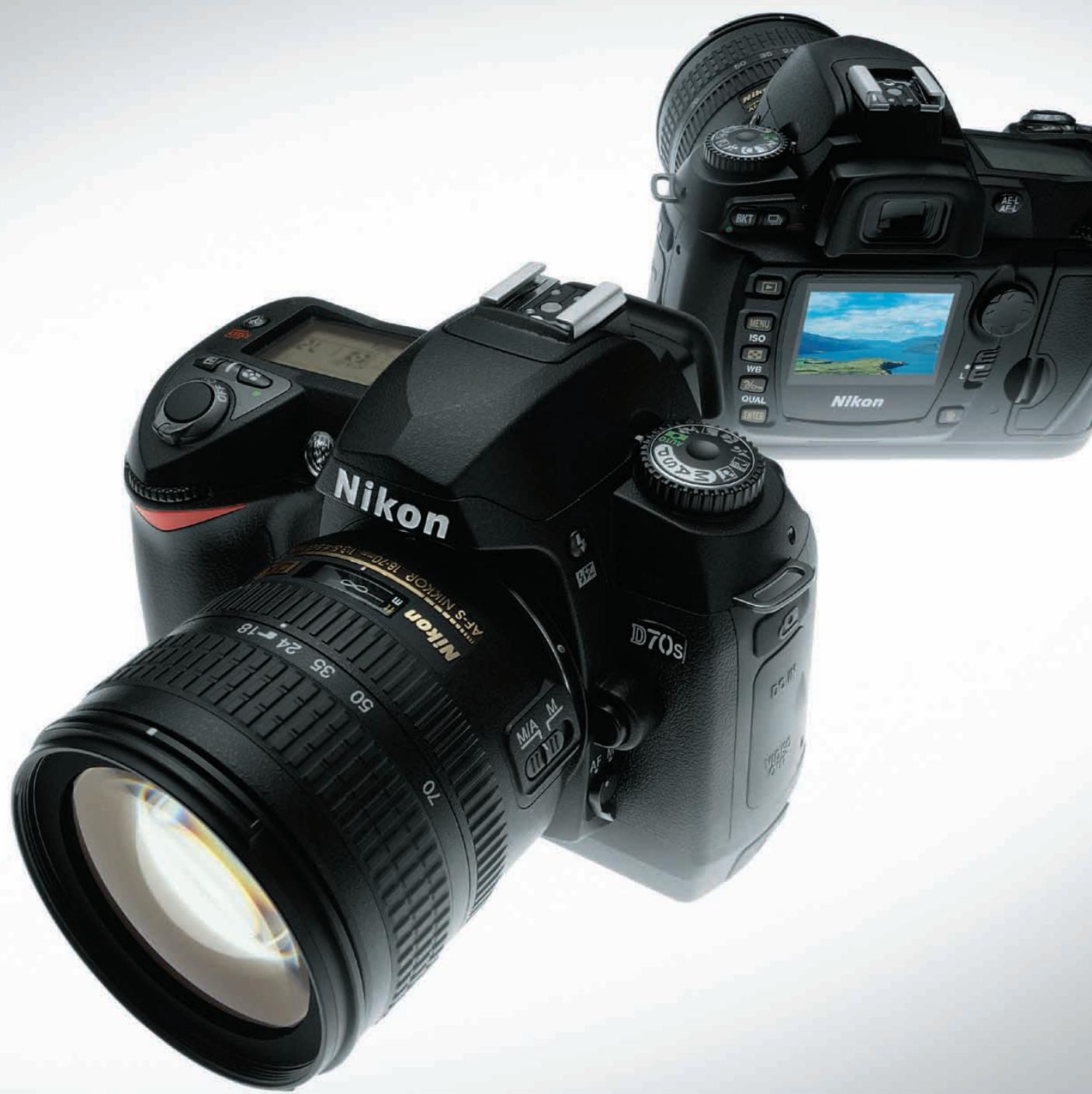
Black Nikon D70s DSLR camera with lens and control panel (no visible text or symbols beyond branding)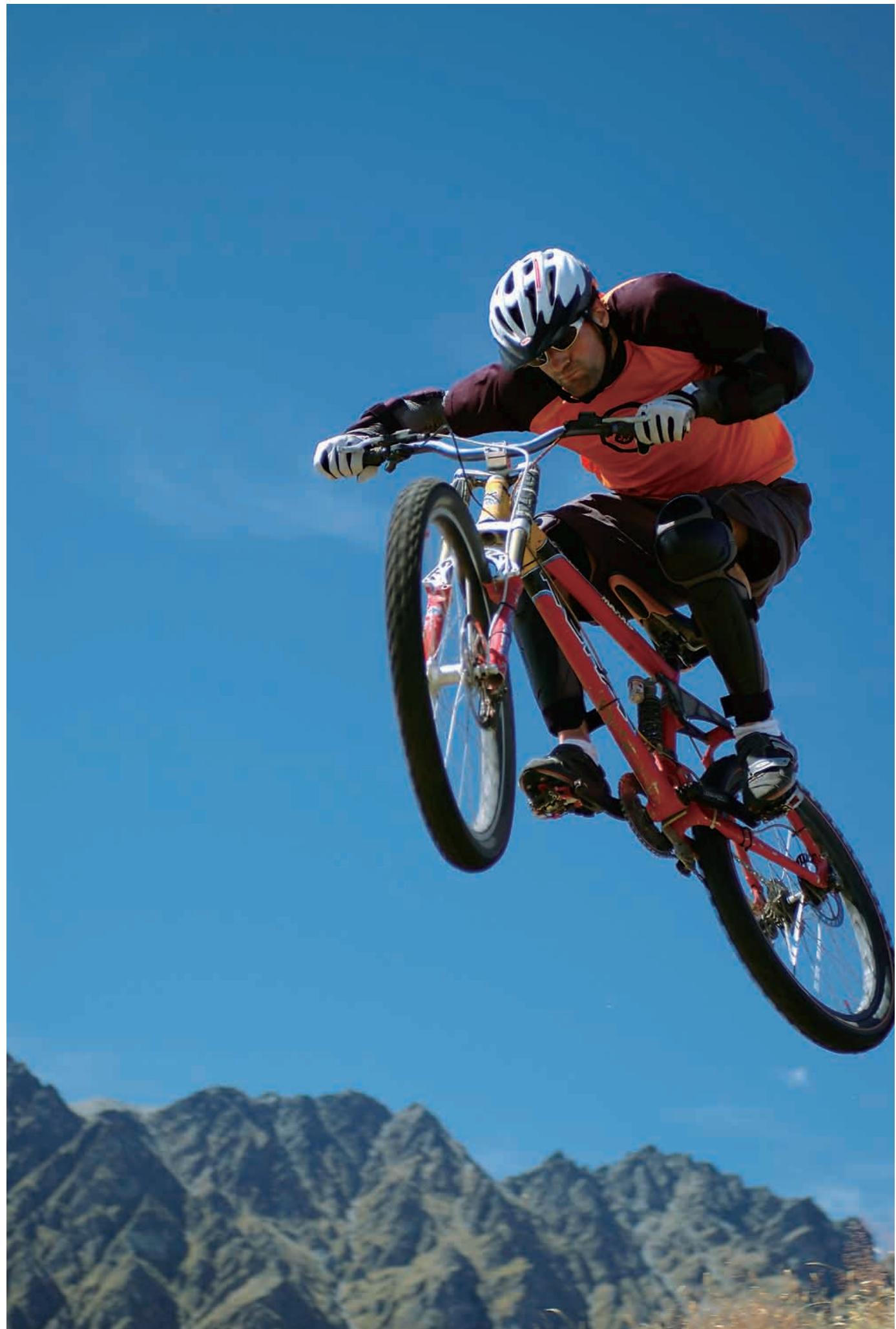
natural_image
Bicycle mid-jump against a clear blue sky with mountainous background (no text or symbols visible)- Image quality mode: RAW (NEF) • Lens: AF-S Zoom-Nikkor 28-70mm f/2.8D IF-ED • Exposure mode: [A], 1/320 second, f/2.8 • White balance: Auto • Sensitivity: ISO-equivalent 200
Performance capable of capturing all the action in stride
Speed and precision assure readiness when that special moment arises
Improved 5-area AF system

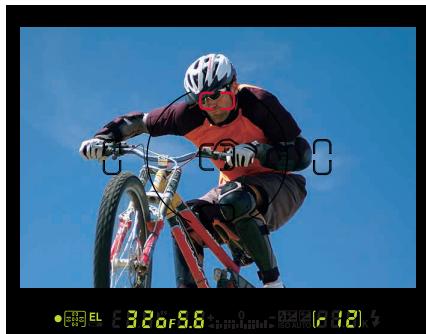
Nikon's advanced 5-area Multi-CAM900 autofocus system continues to feature a cross-type sensor in the center, broad frame coverage, as well as the same class-leading low light detection and convenient AF-assist illuminator that aid shooting in dark situations. New are
natural_image
Person riding a bicycle against a clear blue sky, wearing helmet and racing gear (no visible text or symbols)refinements to deliver greater precision with fast, more consistent subject acquisition and improved focus tracking when using Closest Subject Priority Dynamic AF or Dynamic AF mode with predictive focus tracking and Lock-on™.

natural_image
Child in yellow and blue shirt performing a physical exercise outdoors with trees in the background (no text or symbols visible)
natural_image
Two children in outdoor gear jumping over a rock, surrounded by green trees (no text or symbols visible)The AF system automatically determines which focus area should be given priority, prevents the camera from focusing on the background, and improves the focus 'hit rate' when tracking the intended subject.
144-picture 3 fps continuous shooting
The D70s can shoot a rapid 3 frames per second for a continuous burst of 144 pictures* thanks to optimized systems throughout the camera, including high-speed buffer memory handling, fast image processing, high-speed memory card access, and large system bus bandwidth.
*When using JPEG NORMAL - Large setting, and a SanDisk SDCFH (ultra II), SDCFX (Extreme/Extreme III) or Lexar Media 80X WA CompactFlash™ card
Near-instant power-up and quick response (0.2 sec. power-up and short shutter release lag)
Turn on the D70s and, with a power-up time of a mere 0.2 seconds, it's ready to shoot immediately. Press the shutter button and it responds without hesitation. Nikon's 5-area Multi-CAM900 autofocus with AF-assist illuminator ensures a fast and precise focus under even challenging lighting conditions. Pictures taken are processed and recorded extremely quickly. Preview images appear on the LCD monitor almost instantly. And, high-speed continuous shooting means never falling behind the pace of the action or missing the heartbeat of the moment.
Fast shutter speeds
(1/8,000 sec. maximum shutter speed & 1/500 sec. flash sync)
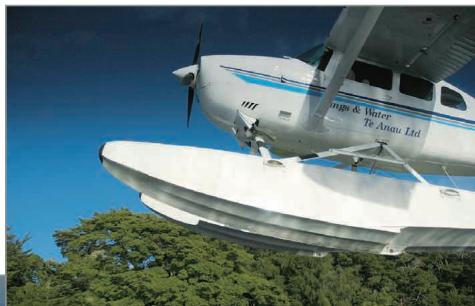
Shutter speeds from 30 to 1/8,000 sec. and flash-synchronized shutter speeds of up to 1/500 sec. provide a photo experience with greater breadth and creative flexibility to catch more of those precious moments.
natural_image
White seaplane aircraft flying above a tree-covered ground, under clear blue sky (no visible text or symbols)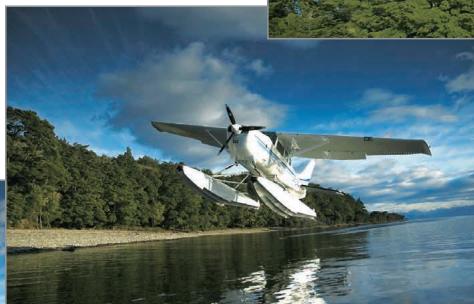
natural_image
Aircraft floating on a lake surrounded by dense forest under a blue sky with clouds (no visible text or symbols)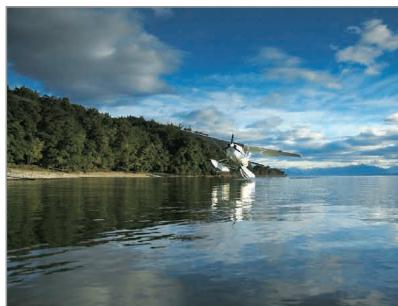
natural_image
Scenic lake view with a large aircraft taking off, surrounded by forested hills under a partly cloudy sky (no text or symbols visible)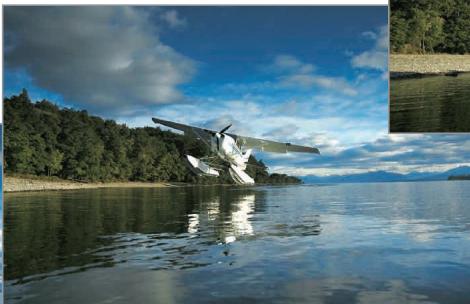
natural_image
Aerial view of a white aircraft floating on calm water with forested hills in the background under a blue sky with clouds (no visible text or symbols)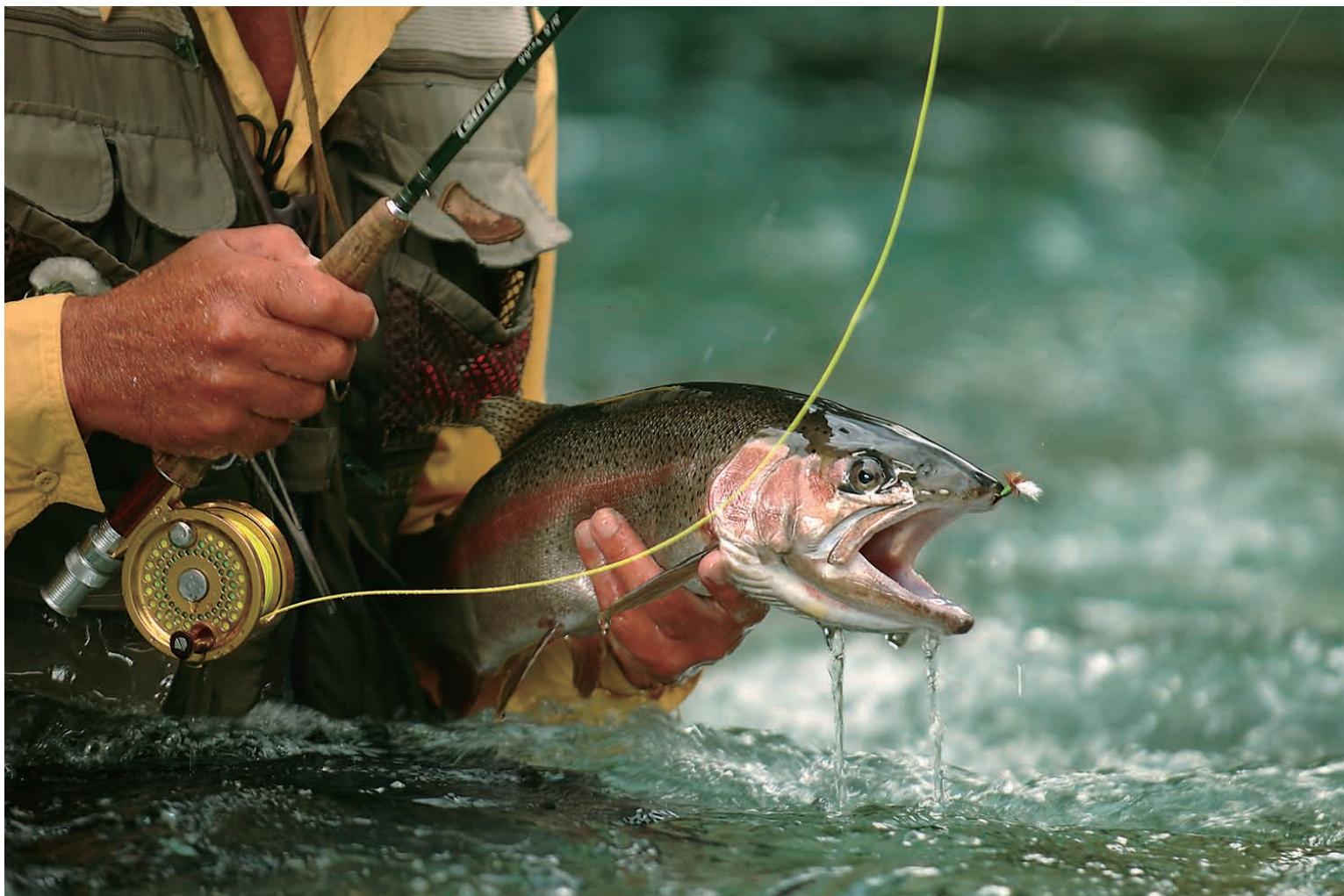
natural_image
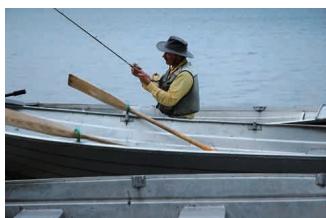
Fisherman fishing with a large fish emerging from water, no visible text or symbols- Image quality mode: RAW (NEF) • Lens: AF-S VR Zoom-Nikkor 70-200mm f/2.8G IF-ED • Exposure mode: [A], 1/80 second, f/2.8 • White balance: Cloudy • Sensitivity: ISO-equivalent 200
Advanced image processing engine
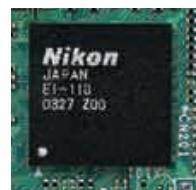
The D70s's advanced System LSI processor produces images with pure, vivid colors and maximum clarity. Auto white balance, auto tone and color control are optimized, while real-time processes diminish digital noise in long exposure shots. Processed images are ready to print right
from the camera, minimizing time spent to achieve pleasing results. The image processing engine also maximizes system performance to ensure fast file compression, high-speed data handling in memory, fast simultaneous recording of JPEG and NEF files, and near-instant display of images.
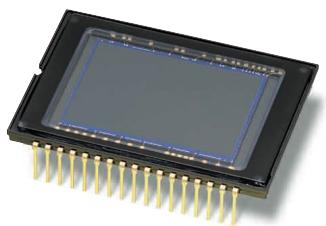
Nikon DX Format CCD image sensor
Optimized to deliver a wide dynamic range that produces great pictures with high resolution and sharp details, the DX Format CCD sensor's 6.1 effective megapixels yield 3,008 x 2,000-pixel images that are suitable for making large prints, or for creative cropping to bring out detail. Micro-optics incorporated into each of the sensor's pixels precisely align the image from the camera's lens for maximum
performance, whether using AF Nikkor lenses or high-quality, digital-dedicated DX Nikkor lenses. All Nikon digital SLR cameras employ the DX Format, establishing a level of high performance and uniformity.
Three color modes
Nikon's advanced color reproduction system optimizes the three available color modes to best match your subject or intended use.
Mode Ia: Renders natural-looking skin tones out of the camera. (sRGB)
Mode II: Realizes a wider
color range suited for processing or retouching. (Adobe RGB)
Mode IIIa: Renders vivid landscape and flora colors out of the camera. (sRGB)
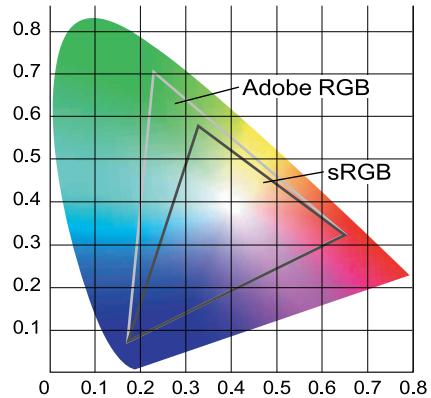
area
| Category | Value | | ------------ | ----- | | Adobe RGB | 0.7 | | sRGB | 0.3 |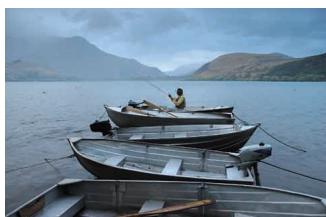
18mm
Nikkor lenses
The D70s employs the Nikon F lens mount for seamless compatibility with the comprehensive lineup of high-quality AF and AF-S Nikkor lenses long favored by professionals around the world for their superb color, high contrast and razor-sharp images, as well as for outstanding autofocus performance. The increasing family of DX Nikkor lenses designed for use with Nikon digital SLR cameras make the options even richer, delivering a wider variety of picture angles, higher performance, and out-standing center-to-edge-to-corner image quality.
When used with the D70s or any Nikon Digital SLR, all AF, AF-S and DX Nikkor lenses have a picture angle comparable to 1.5x that of 35mm [135] format.
70mm

300mm
natural_image
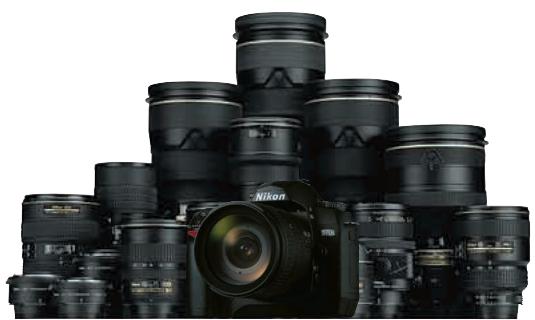
Black Nikon DSLR camera with multiple black lenses stacked on top (no visible text or symbols)• AF-S DX Zoom-Nikkor 18-70mm f/3.5-4.5G IF-ED
Designed to combine top performance with outstanding value, this compact standard zoom lens covers the highly practical focal length range of 18-70mm, which is equivalent to 27-105mm in 35mm [135] format.
• AF Zoom-Nikkor 70-300mm f/4-5.6G
With a range ready to cover everything from portraits to sports shooting, this high-power telephoto zoom lens packs a 4.3x zoom ratio into a compact and lightweight package that is ideally suited for traveling. (Equivalent to 105-400mm in 35mm [135] format.)
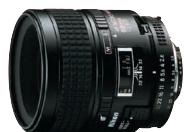
• AF Micro-Nikkor 60mm f/2.8D
Nikon's most compact micro lens excels at both close-up and general photography. The medium telephoto reach when used with the D70s (equivalent to 90mm in 35mm [135] format) provides extra working distance for elusive subjects or when supplemental illumination is required.
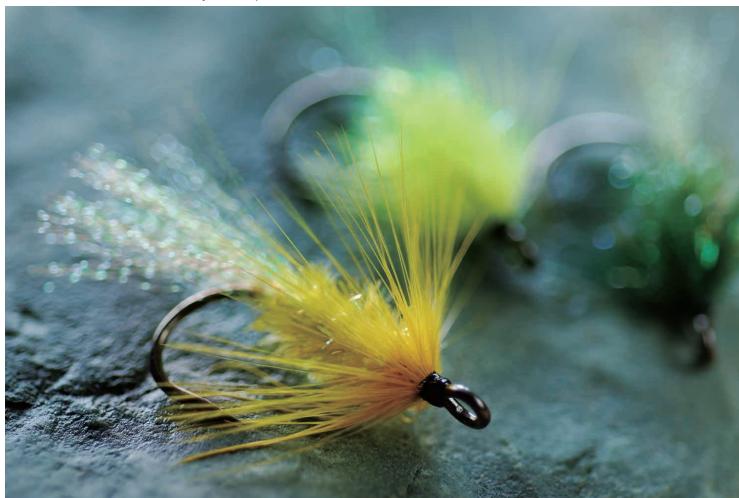
- Image quality mode: RAW (NEF) • Lens: AF Micro-Nikkor 60mm f/2.8D - Exposure mode: Digital Vari-Program [Close up], 1/30 second, f 3.8 - White balance: Auto • Sensitivity: ISO-equivalent 200
natural_image
Close-up of a yellow and green fishing hook with fine hairs, resting on a textured surface (no text or symbols visible)Automated Digital Vari-Program and exposure modes


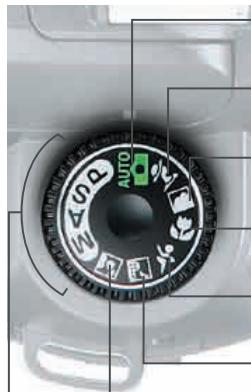
Selecting one of the seven Digital Vari-Program selections automatically optimizes white balance, sharpening, tone (contrast), color, saturation and hue settings to best match the selected scene, making creative photography as simple as rotating the mode dial. Choose from Auto, Portrait, Landscape, Close Up, Sports, Night Landscape, or Night Portrait for automated performance that makes the D70s the right choice, whether you are still learning how to make great pictures or an experienced photographer simply in a hurry to capture precious moments. Exposure mode settings provide greater personal control over camera operation. [P] Auto Multi Program mode automatically sets the shutter speed and aperture, and includes Flexible Program for quick selection of alternate exposure-combination settings. [S] Shutter-Priority Auto offers a choice of shutter speeds from 1/8,000 to 30 seconds. [A] Aperture-Priority Auto allows free selection from the complete range of aperture settings. And, [M] Manual gives full control over shutter speed and aperture.
Image enhancement options
When using Auto Multi Program [P], Shutter-Priority Auto [S], Aperture-Priority Auto [A], or Manual [M] exposure modes, easy-to-set image enhancement options optimize sharpening, tone (contrast), color, saturation and hue to best match the scene or intended use for the picture. Choices include Normal, Vivid, Sharp, Soft, Direct print, Landscape or Custom optimization.
Precise white balance control
The D70s produces natural coloration by matching white balance to the light source of the shot. Advanced Auto white balance handles most situations, but the flexible options include a choice of six specific manual settings with fine-tuning, (Incandescent, Fluorescent, Direct Sunlight, Flash, Cloudy, and Shade), as well as a preset option for using a gray or white object as a reference for white balance.
natural_image
Close-up of a camera dial with no visible text or symbols on the dial itselfAuto: Makes it easy to produce vivid, smooth snapshots with balanced saturation, color, and sharpness.
Portrait: Produces beautiful skin tones and highlights the subject by softening background details.
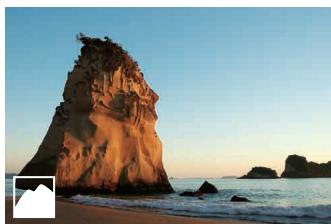
Landscape: Produces vivid landscape shots with enhanced outlines, colors, and contrast.
Close Up: Makes the subject stand out clearly in close-up shots of flowers, insects, and other small objects.
Sports: Uses high shutter speeds to freeze motion for dynamic sports shots in which the subject stands out clearly.
Night Landscape: Slow shutter speeds produce stunning shots while minimizing low-light imperfections.
Night Portrait: Provides natural balance between the subject and background in portraits taken under low light.
Exposure modes: Auto Multi Program [P], Shutter-Priority Auto [S], Aperture-Priority Auto [A], or Manual [M] exposure mode settings
Exposure metering options
Nikon's 1,005-pixel RGB Exposure/Color Matrix Metering Sensor evaluates brightness, color, contrast, selected focus area, and subject-to-camera distance information, references the results against an onboard database of 30,000 scenes from actual photography, and then uses high-speed processing to deliver consistently dependable automatic exposure. Variable center-weighted metering and a choice of five spot meters are also available, as is exposure compensation and auto exposure bracketing.
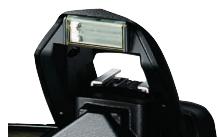
Built-in Speedlight with i-TTL flash control (with wider angle coverage) NEW
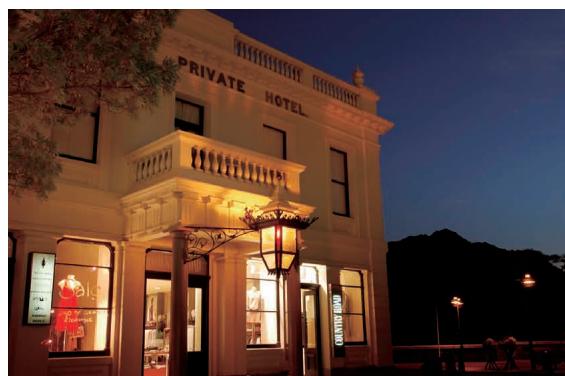
The built-in Speedlight automatically pops up and fires when natural lighting is inadequate, or to add Balanced Fill-Flash when there is strong backlighting. With a new optimized des coverage has been increased to support lenses:
natural_image
Exterior night view of a commercial building with illuminated signage and outdoor display windows (no readable text or symbols)• Image quality mode: RAW(NFF)
- Lens: AF-S Zoom-Nikkor 17-35mm f/2.8D IF-ED
- Exposure mode: Digital Vari Program [Night Landscape] 1/60 second, f/5.6
- White balance: Auto
- Sensitivity: ISO-equivalent 200
natural_image
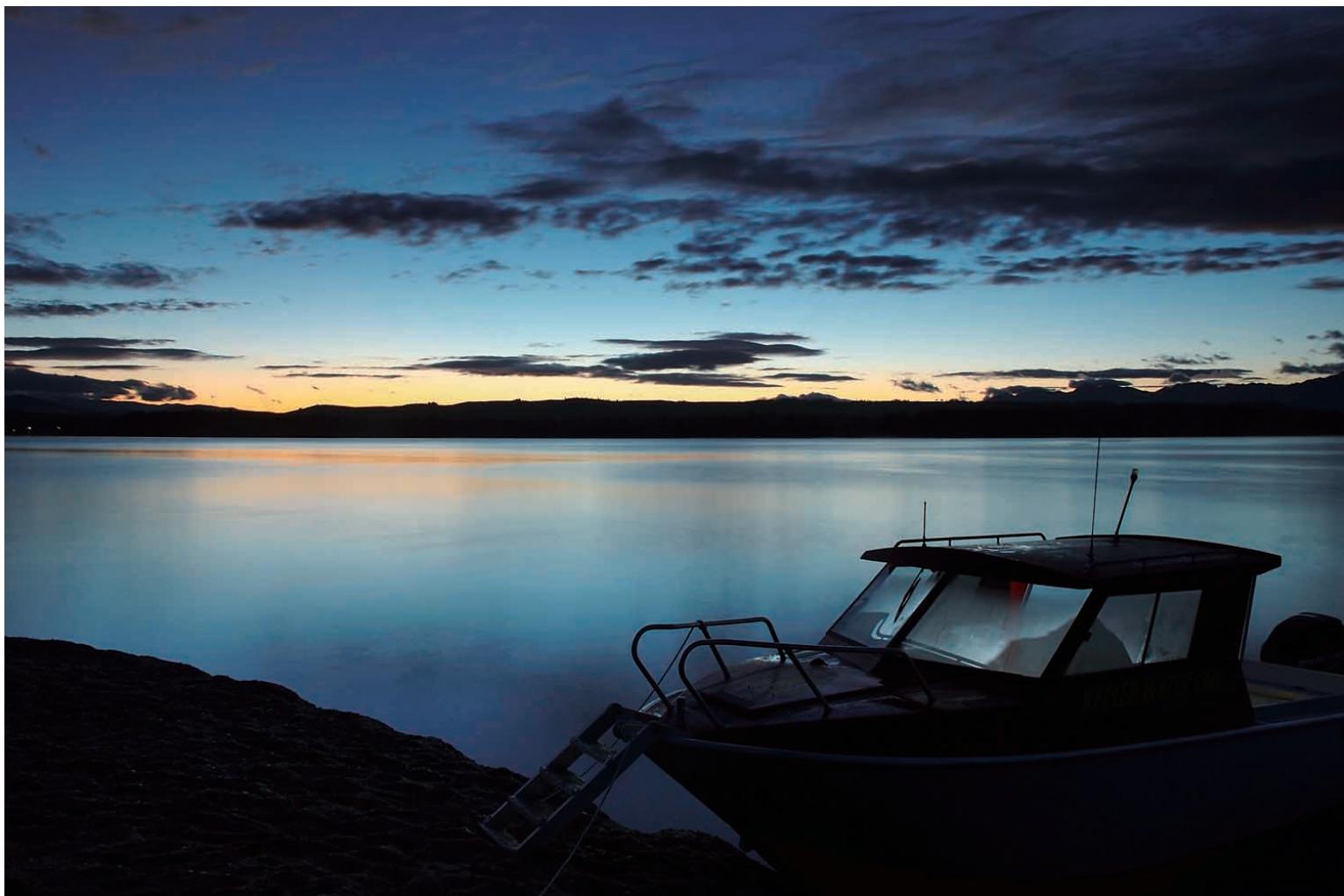
Silhouette of a boat on a rocky shore at dusk with a calm lake reflecting the sky and distant hills (no text or symbols visible)- Image quality mode: RAW (NEF) • Lens: AF-S DX Zoom-Nikkor 18-70mm f/3.5-4.5G IF-ED • Exposure mode: [A], 8 second, f/11 • White balance: Auto • Sensitivity: ISO-equivalent 200
Creative Lighting System support
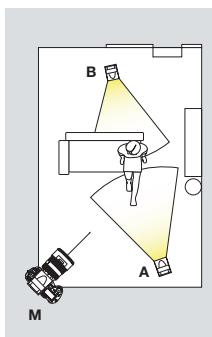
A major benefit of the D70s's built-in flash is that it adopts Nikon's highly robust and advanced i-TTL flash control, technology that leads the industry in vastly expanding the possibilities for using creative lighting in photography. The built-in Speedlight also works with the Creative Lighting System, serving as a remote commander that controls one group of multiple wireless SB-600 or SB-800 Speedlights. Alternately, attach an SB-800 and control up to 3 wireless remote groups, each consisting of any number of SB-800 or SB-600 Speedlight units.

natural_image
Woman in red dress holding a potted flower, with stone wall and lamp in background (no visible text or symbols)• Image quality mode: RAW (NEF)
- Lens: AF-S DX Zoom-Nikkor 18-70mm f/3.5-4.5G IF-ED
- Exposure mode: [M], 1/250 second, f/4.5
- White balance: Auto
• Sensitivity: ISO-equivalent 200
• SB-800 mode settings
Master: Flash canceled, Remote A: Manual, Remote B: Manual
Wireless multiple flash photography with Nikon's Creative Lighting System helps create more natural-looking pictures by using several flash units to emphasize the subject or eliminate shadows.
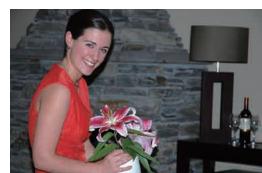
On-camera single flash
natural_image
Front view of a Nikon DSLR camera with visible lens, control buttons, and display (no readable text or symbols beyond branding)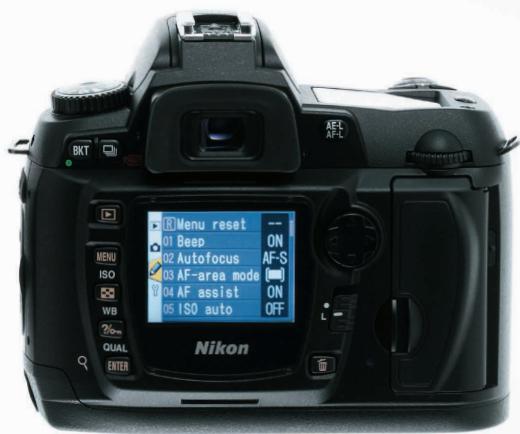
Large 2.0" LCD monitor and new menu design

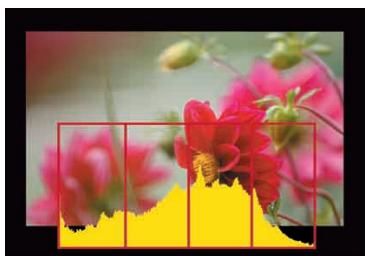
A new menu design combining a carefully selected color scheme, the right amount of contrast, and larger fonts makes the user-friendly keywords of the menu displays easier to view and quicker to recognize. Playback options on the new 2.0-inch LCD monitor include single frame, 4 or 9-image thumbnail display, zoom with scroll (up to 4.7x), automatic slide show, histogram indication, and highlight point display.
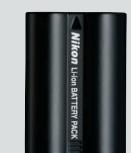
New higher energy lithium-ion battery

natural_image
Close-up of vibrant pink and red flowers with yellow background, no text or symbols visible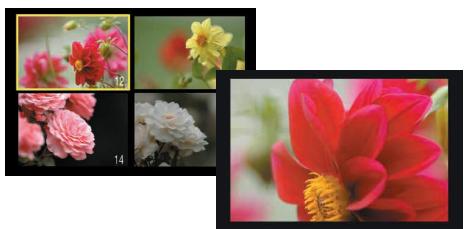
natural_image
Collage of four flower photos: pink and yellow, white, and red, with no visible text or symbols.The new EN-EL3a rechargeable lithium-ion battery increases energy capacity to deliver enough power to shoot as many as 2,500 images per charge*, all while maintaining the same form factor as the EN-EL3 battery. The new Quick Charger MH-18a is smaller than the charger it replaces, and is capable of charging both the EN-EL3a and EN-EL3 batteries. When the need arises, the D70s can also be run using CR2 batteries. (Requires the optional CR2 battery holder, MS-D70).
*Achieved under following test conditions: Fully charged EN-EL3a battery; temperature of 20°C/68°F; Zoom-Nikkor AF-S DX 18-70mm f/3.5-4.5G IF-ED lens; continuous shooting mode; continuous-servo autofocus; image quality set to JPEG BASIC; image size set to Medium; shutter speed 1/250 sec.; shutter release pressed halfway for three seconds and focus cycled from infinity to minimum range three times with each shot; monitor turned on for five seconds after six shots and then turned off; cycle repeated once exposure meters have turned off.
Multi selector and Nikon ergonomics provide greater operating ease
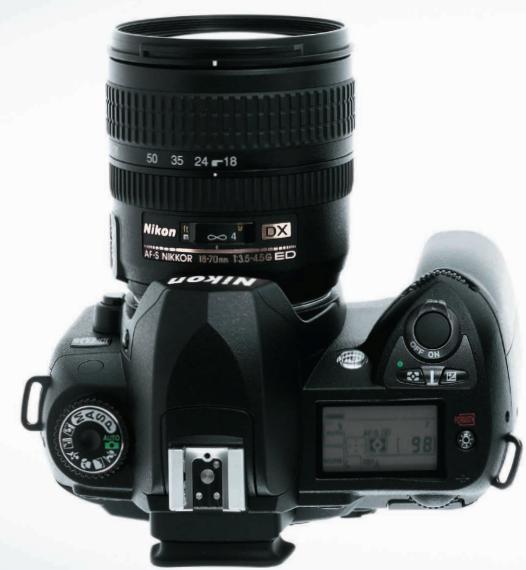
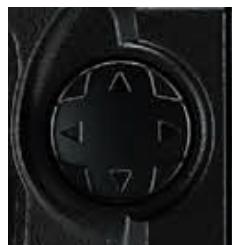
The handy four-direction multi selector on the camera's back makes it easy to select a specific focus area when using Single AF or Dynamic AF modes, or to navigate menus and control image playback. The light, compact camera body fits the hand well and ensures easy access to controls, which themselves are designed and logically placed for ease of use. This includes the Mode dial and Help button, as well as the Main and Sub Command Dials that facilitate easy control over settings and smooth single-handed operation. The large LCD data control panel atop the camera body allows quick confirmation of important settings. One example of attention to detail is the channel used for D70s system beeps, making them
Viewfinder
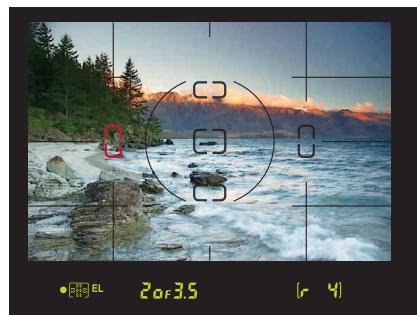
The bright optical viewfinder features Vari-Brite Focus Area display, which makes focus confirmation easier by automatically superimposing the selected focus area in black when lighting is sufficient, but momentarily illuminating it in red when shooting in dim light or focusing on a dark-colored subject. On-Demand grid lines superimpose a grid over the viewfinder that can prove helpful for architectural photography or shooting landscapes that include horizons. A digital readout along the bottom displays valuable information on settings and camera status.
natural_image
Coastal landscape at sunset with mountains and waves, no visible text or symbolsRemote cord support

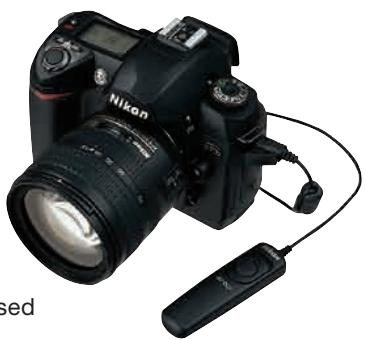
The new Remote Cord (MC-DC1) adds greater convenience and ease of use in a wider variety of shooting situations, including long exposures and close-ups. The optional Wireless Remote Control ML-L3 can also be used with the D70s.
natural_image
Black Nikon DSLR camera with attached remote control via cable (no visible text or symbols)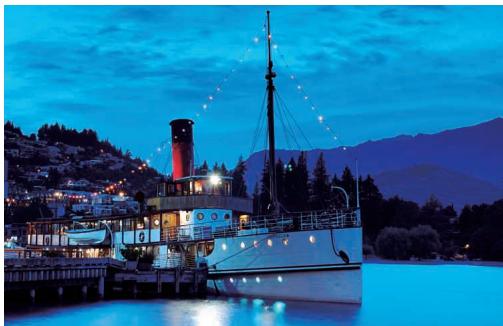
natural_image
Nighttime lakeside scene featuring a steamship docked at dusk with illuminated boats and hills in the background (no visible text or symbols)- Image quality mode: RAW(NEF) - Lens: AF-S Zoom-Nikkor 28-70mm f/2.8D IF-ED - Exposure mode: Shutter Priority, 10 seconds, f/8 - White balance: Incandescent - Sensitivity: ISO-equivalent 200 Photo taken using the Remote Coro MC-DC1.
Remote camera control support
Using the supplied USB cable to connect the D70s to a computer running Nikon Capture 4 software enables remote control from the
computer over most shooting settings as well as triggering of the shutter release. Images can be downloaded directly to the computer, eliminating the need to change memory cards while shooting.

natural_image
Green and red toy robot toy with a white headband (no visible text or symbols)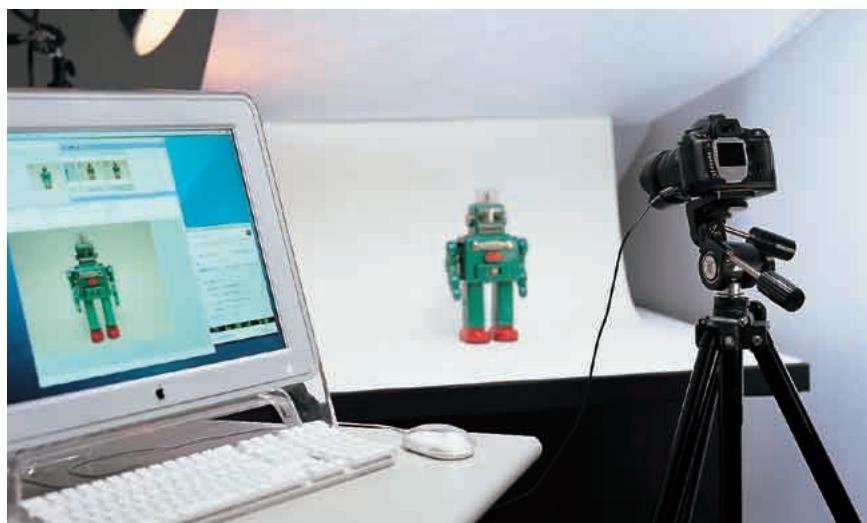
natural_image
Studio setup with a computer monitor displaying a green robot image, a camera on a tripod, and a robot model in the background (no visible text or symbols)Variety of custom settings
A total of 25 custom settings help personalize the operation of the D70s to match individual shooting styles, or optimize it for use under the demands of different shooting conditions. The custom settings menu is displayed on the LCD monitor in easy-to-understand fashion, and selections are made using the handy multi selector on the camera's back. Help dialogs that describe each setting can also be displayed with the press of a button.
Simultaneous NEF + JPEG recording
The D70s's ability to simultaneously save individual NEF (RAW) and JPEG files for the same image helps optimize workflow operations for varying conditions and needs.
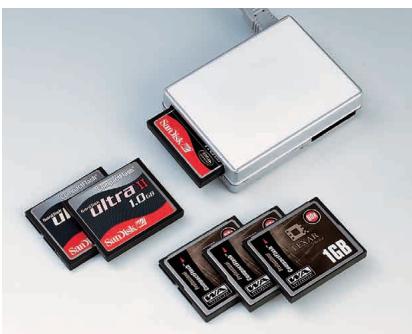
Storage media (CF Card, Microdrive™)
The D70s is compatible with CompactFlash™ cards and Microdrive™ media of up to 4GB capacity.
natural_image
Collection of various gray memory cards and a white rectangular device, no visible text or symbols on the cards themselves.PictBridge support
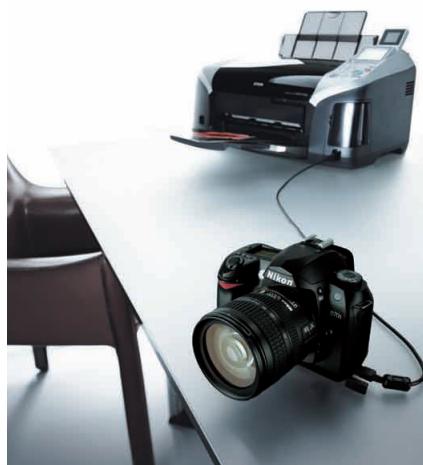
Printing pictures can be as simple as connecting the D70s to any PictBridge compatible printer via the supplied USB cable. The D70s improves PictBridge support by adding in-camera page setup support for easier printing and greater control over the results.
natural_image
Two DSLR camera models on a white table, one with a printer and the other lying on the table (no visible text or symbols)The following CompactFlash™ cards can be used with the D70s:
• SanDisk Corporation
SDCFB 32/128/256/512MB/1GB, SDCFB (Type II) 192/300MB, SDCF2B (Type II) 256MB, SDCFH (Ultra) 128/256/384/512MB/1GB, SDCFH (Ultra II) 256/512MB/1GB, SDCFX (Extreme) 512GB, SDCFX (Extreme III) 1GB/2GB
• Lexar Media Corporation
12X USB series: 64/128/256/512, 16X USB series: 256/512/1GB, 16X WA USB series: 128/256/512MB,
24X USB series: 256/512MB, 24X WA USB series: 256/512MB, 32X WA USB series: 1GB, 40X WA USB series: 256/512MB/1GB/4GB,
80X WA series: 512/1GB/2GB/4GB
- Renesas Technology (Hitachi) HB28BxxxC8x series: 16/32ME
- Microdrive™
DSCM-11000 (1GB), 3K4-2 (2GB), 3K4-4 (4GB)
Operation is not guaranteed with cards produced by other manufacturers.
For more details on the above cards, please contact the relevant manufacturer.
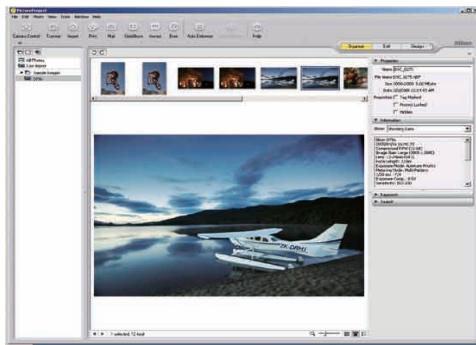
PictureProject
Software

☐ PictureProject intuitive new user interface that makes image management, editing and sharing easier and more fun. Simply connect the camera to a computer to automatically import pictures. Quickly e-mail or Auto Enhance images, run slideshows, burn CD/DVDs*, and access other commonly used functions via practical buttons. Use drag-and-drop to organize pictures into separate collections, and quickly locate any file by name, keyword, or date. Plug-in filter support offers feature set expansion, including compatibility with the wide range of filters and effects offered by nik Color Efex Pro 2.0. And, with support for JPEG, TIFF and NEF files, PictureProject seamlessly bridges workflow with the powerful feature set of Nikon Capture 4.
* DVD burning requires the optional PictureProject DVD Show.
PictureProject System Requirements
| Windows | Macintosh | |
| OS | Preinstalled versions of Windows XP Home Edition, Windows XP Professional, Windows 2000 Professional, Windows Millennium Edition (Me), Windows 98 Second Edition (SE) | Mac OS X version 10.1.5 or later (Mac OS X version 10.2.8 or later required for “Burn Disc” function) |
| CPU/Model | 300 MHz Pentium or better recommended(500 MHz Pentium III or better for muvee option) | Model with built-in USB or FireWire port |
| HDD | 60MB required for installation | |
| RAM | 64MB or more (128MB or more with RAW images or muvee option) | |
| Display | 800 x 600 pixels or more with 16-bit color (High Color / thousands of colors) or more | |
| Others | CD-ROM drive required for installation. Write-capable drive required for “Burn Disc” function.Internet connection required for some options. E-mail option requires Internet connection and supported e-mail program. | |
Note 1: Data transfer may not work properly if the connection to a computer is via a USB hub.
Nikon Capture 4 (Ver. 4.2)
Software
Nikon Capture 4 offers a unique image-editing environment and is the only program that provides complete functionality to edit NEF (Nikon Electronic Format) files, enabling photographers to optimize output for every possible need.
The NEF difference
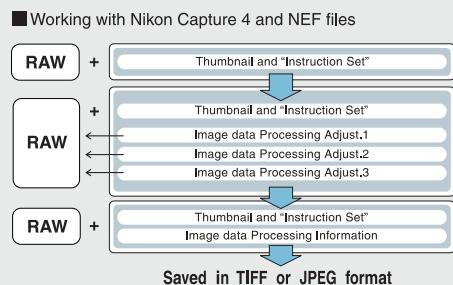
Nikon Electronic Format (NEF) is a unique file format consisting of an image's RAW data, along with an instruction set that provides unparalleled image editing capability. With NEF, all corrections and adjustments made are saved in the file's instruction set. The original file's RAW data is never altered, regardless how many times the instruction set is changed. Instruction sets can also be saved separately for all adjustments or only selected parameters, and then later applied to individual files or to a large number using automated batch processing. It's the best of versatile image editing combined with precious savings in hard disk space.
Nikon Capture 4 processes and displays NEF files using a full 16 bits per color channel for smoother fidelity when making tonal and other color corrections. Changes can be saved to the NEF file, as a new Instruction Set, or as a TIFF or JPEG file.
Version 4.2 continues to refine the power, speed and flexibility of Nikon Capture 4. Building on familiar features such as Fisheye-to-rectilinear image transformation, Image Dust Off and batch processing, a number of new functions expand the creative possibilities and improve workflow efficiency.
•D-Lighting:
adjusts shadows and highlights while maintaining mid-tones for optimized results that compensate for underexposure and overexposure.
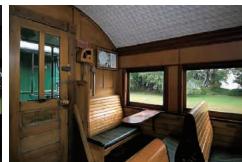
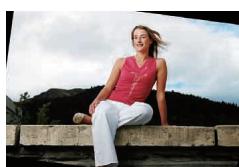
•Straighten:
rotates a picture to level it on the horizontal or vertical axis using either a simple defining mouse action, or by directly entering the amount of rotation to be applied. ( ±10^ )

- Improved color noise reduction — better filters out color noise for smoother transitions while preventing resolution loss at higher settings.
flowchart
graph TD
    A["Working with Nikon Capture 4 and NEF files"] --> B["RAW"]
    B --> C["+"]
    C --> D["Thumbnail and "Instruction Set""]
    D --> E["+"]
    E --> F["Thumbnail and "Instruction Set""]
    F --> G["Image data Processing Adjust.1"]
    G --> H["+"]
    H --> I["Image data Processing Adjust.2"]
    I --> J["+"]
    J --> K["Image data Processing Adjust.3"]
    K --> L["+"]
    L --> M["Thumbnail and "Instruction Set""]
    M --> N["+"]
    N --> O["Image data Processing Information"]
    O --> P["+"]
    P --> Q["Saved in TIFF or JPEG format"]
The RAW data within a NEF file is preserved unchanged regardless how many times it is processed in Nikon Capture.
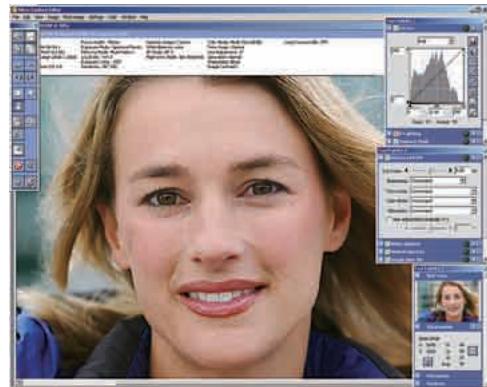
- Histogram tool:
displays a histogram that more closely represents the final image, and that can be used to confirm specific ranges of pixels in the image window.
- Marker:
saves the parameters for each image at each step during processing, making it easy to apply distinct finishing touches when preparing the same image for different applications.
- Improved Multi Image window:
opens more quickly, and the new scrollable thumbnail image display is also faster. The interface adds new features, including simultaneous editing of multiple files, the ability to undo or redo commands, and file deletion.
- Photo Effects tool:
applies monochrome, sepia or tint effects, and provides both manual and auto brightness control.
- Plug-in filter support:
allows feature set expansion for even greater capability to enhance and transform images. The three editions of nik Color Efex Pro 2.0 for Nikon Capture 4 as well as nik Color Efex Pro 2.0 Express Edition offer selections of a wide range of filters and effects packaged to match differing needs.
Remote Camera Control
Nikon Capture Control can control most shooting settings and trigger the D70s's shutter release remotely from a computer when the camera is connected via the USB interface to a computer with Nikon Capture 4 installed.

Nikon Capture 4 (Ver. 4.2) System Requirements
| Windows | Macintosh | |
| OS | Preinstalled versions of Windows XP Home Edition, Windows XP Professional, Windows 2000 Professional, Windows Millennium Edition (Me), Windows 98 Second Edition (SE) | Mac OS 9.0.4, 9.1, 9.2, Mac OS X (version 10.1.5 or later) |
| CPU/Model | 300 MHz Pentium or better recommended | iMac, iMac DV, Power Macintosh G3 (Blue/White), Power Mac G4 or later, iBook, PowerBook G3 or later |
| RAM | 256MB (768MB or more recommended) | Mac OS X: 256MB (768MB or more recommended) Mac OS 9: memory allocation of 64MB or more to Nikon Capture 4 Camera Control, 512MB or more to Nikon Capture 4 (Ver. 4.2) |
| HDD | 200MB required for installation | |
| Display | 800 x 600 pixels or more with 16-bit color (High Color/thousands of colors). 24-bit color (True Color/millions of colors) recommended | |
| Others | CD-ROM drive required for installation.Only computers with built-in USB ports supported. | |
Note 1: Data transfer may not work properly if the connection to a computer is via a USB hub. Note 2: Installation and usage require user authorization.
A wealth of accessories for optimizing performance and adaptability
- Remote Cord MC-DC1
The new Remote Cord MC-DC1 was developed as a convenient option for landscape and macro photography, one that makes the camera more convenient and even easier to use. (Approx. 1.0m in length.)
- Speedlight System
Powerful, full-featured with i-TTL flash control for use with Nikon's Creative Lighting System.
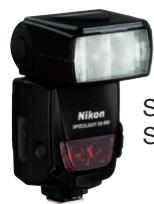
Speedlight
SB-800
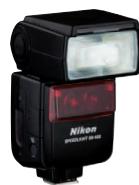
Speedlight
SB-600
Accessories
• COOLWALKER MSV-01
Nikon's original compact digital photo storage device features view-anywhere convenience and versatile compatibility.
• Wireless Remote Control ML-L3
Cable-free remote triggering of the shutter makes it easier to use slow shutter speeds without disturbing the camera.
• Hot Shoe Sync Terminal Adapter AS-15
Provides an additional PC sync connector for easy connection of external studio Speedlights.
- Semi-Soft Case CF-D70
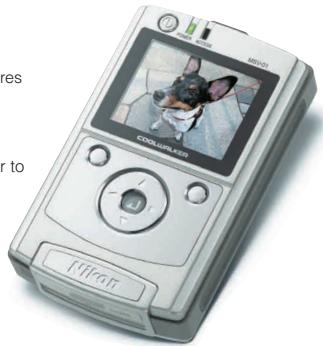
COOLWALKER MSV-01
Power Accessories
- Rechargeable Li-ion Battery EN-EL3a (supplied)
- Quick Charger MH-18a (supplied)
- Multi Charger MH-19
- AC Adapter EH-5
• CR2 Battery Holder MS-D70
Function Compatibility Chart (IX-Nikkor lenses cannot be used)
| Camera setting Lens / accessory | Focus Mode | Exposure Mode | Metering System | ||||||
| AF | M (with electronic rangefinder) | M | DVP, P, S, A | M | Q | ( \ ) | |||
| 3D | Color | ( \ ) | |||||||
| CPU lenses ^1 | Type G or D AF Nikkor ^2 AF-S, AF-I Nikkor | √ | √ | √ | √ | √ | √ | - | 3 |
| PC-Micro Nikkor 85mm f/2.8D ^4 | - | 5 | √ | - | √ | √ | - | 3 | |
| AF-S / AF-I Teleconverter ^6 | 7 | 7 | √ | √ | √ | √ | - | 3 | |
| Other AF Nikkor (except lenses for F3AF) | 8 | 8 | √ | √ | √ | - | √ | 3 | |
| AI-P Nikkor | - | 9 | √ | √ | √ | - | √ | 3 | |
| Non-CPU lenses ^10 | AI, AI-S, or Series E, AI modified Nikkor AI modified | - | 9 | √ | - | 11 | - | - | - |
| Medical Nikkor 120mm f/4 | - | √ | √ | - | 12 | - | - | - | |
| Reflex-Nikkors | - | - | √ | - | 11 | - | - | - | |
| PC-Nikkor | - | 5 | √ | - | 11 | - | - | - | |
| AI-type Teleconverter | - | 7 | √ | - | 11 | - | - | - | |
| PB-6 Bellows Focusing Attachment ^13 | - | 7 | √ | - | 11 | - | - | - | |
| Auto extension rings (PK-series 11-A, 12, or 13; PN-11) | - | 7 | √ | - | 11 | - | - | - | |
1 IX Nikkor lenses cannot be used.
2 Vibration Reduction (VR) supported with VR lenses.
3 Spot metering meters selected focus area
4 The camera's exposure metering and flash control
systems do not work properly when shifting and/or
tilting the lens, or when an aperture other than the
maximum aperture is used.
5 Electronic rangefinder cannot be used during shifting or tilting.
6 Compatible with AF-I Nikkor lenses and with all
AF-S lenses except DX 12-24mm f/4G, ED 17-35mm
f/2.8D, DX 17-55mm f/2.8G, DX ED 18-70mm f/3.5-4.5G,
ED 24-85mm f/3.5-4.5G, VR ED
24-120mm f/3.5-5.6G, and ED 28-70mm f/2.8D
7 Compatible with lenses with maximum effective
aperture of f/5.6 or faster
8 If AF 80-200mm f/2.8S, AF 35-70mm f/2.8S, new-
model AF 28-85mm f/3.5-4.5S, or AF 28-85mm
f/3.5-4.5S is zoomed in while focusing at minimum
range, image on matte screen in viewfinder may
not be in focus when in-focus indicator is displayed
Focus manually using image in viewfinder as guide
in such circumstances.
9 With maximum aperture of f/5.6 or faster.
0 Some lenses cannot be used.
1 Can be used in mode M, but camera exposure meter
cannot be used.
2 Can be used in mode M at shutter speeds slower than
1/125 s, but camera exposure meter cannot be used.
3 Attach in vertical orientation (can be used i
horizontal orientation once attached).
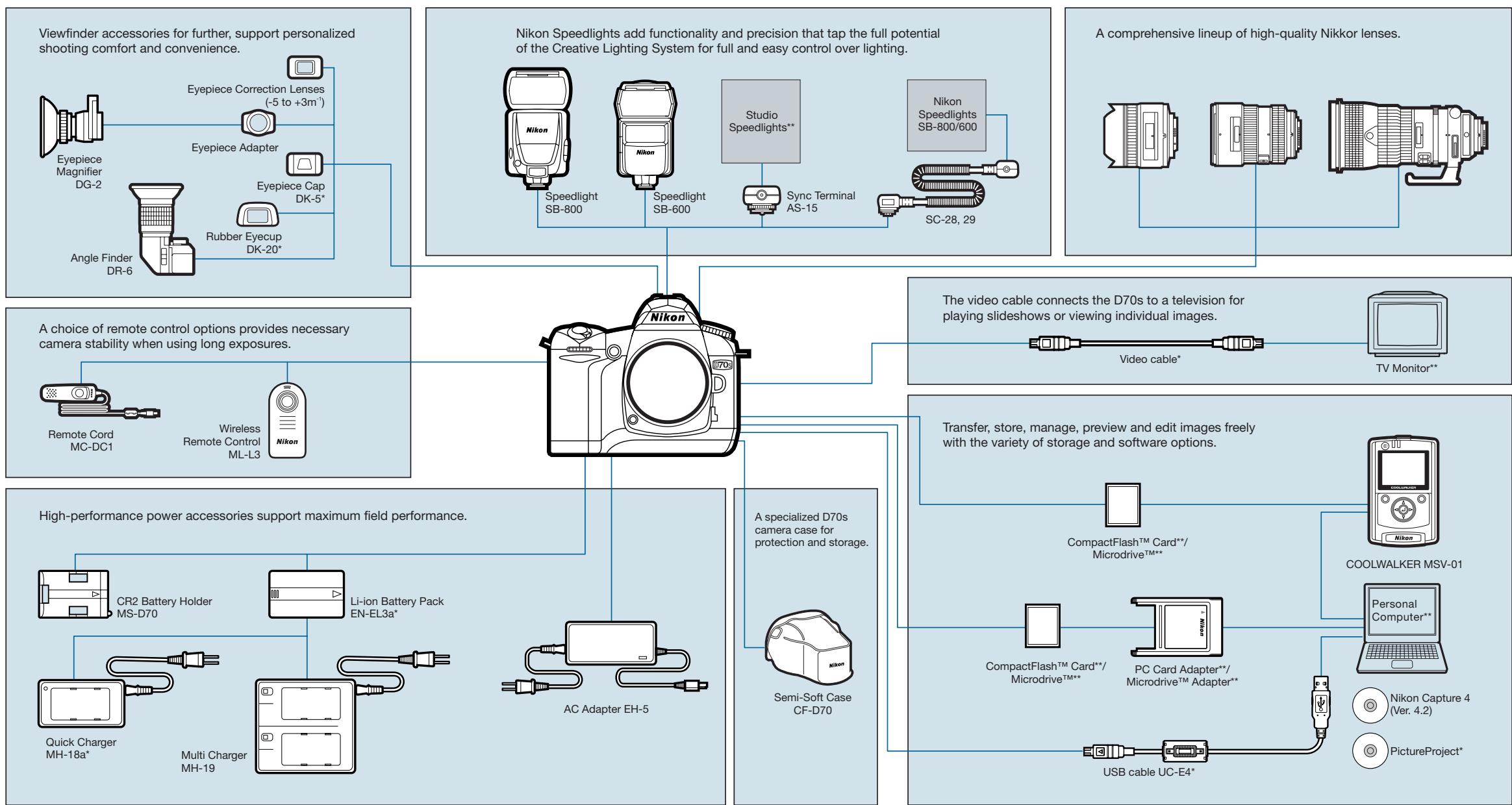
*Supplied accessories **Non-Nikon products
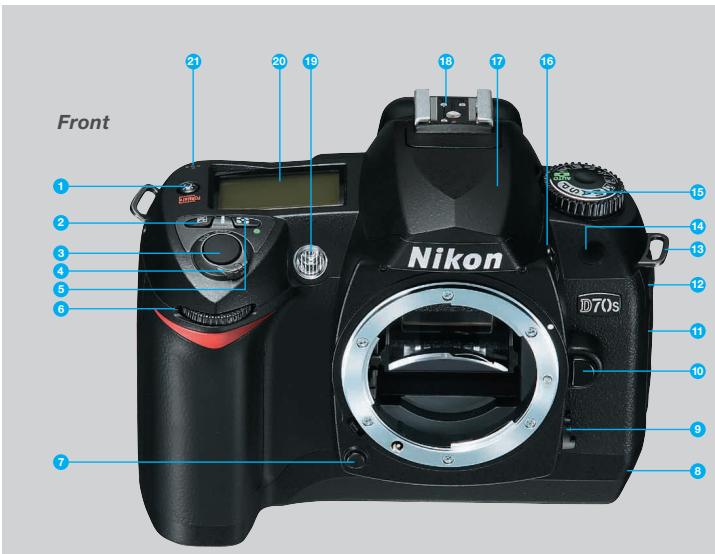
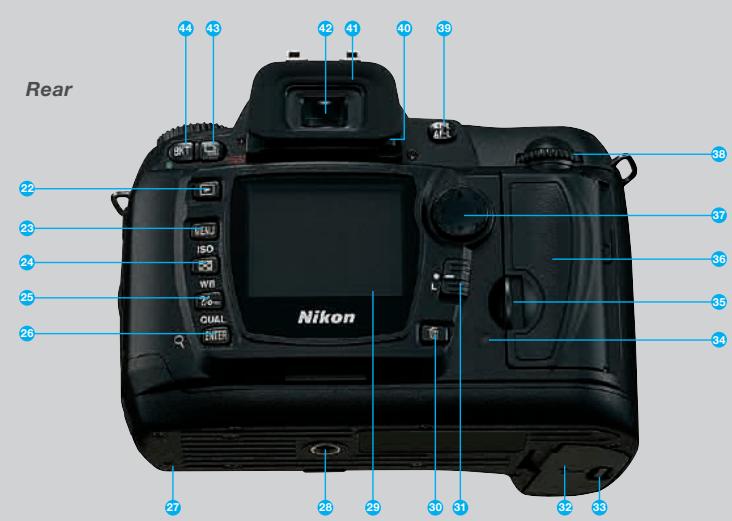
1 LCD illuminator / Format button
2 Exposure compensation button
3 Shutter-release button
4 Power switch
- Power switch
5. Metering mode button
5 Metering mode button
6 Sub commands dial
Sub-command dial
7 Depth of Field preview button
8 USB connector (under cover)
9 Focus-mode selecto
10 Lens release button
11 DC-in connector (under cover)
Video connector (under cover)
12 Remote cord connector(under cover)*
12 Remote cord connector(under cover)
13 Eyslet for camera strip
13 Eyelet for camera strap
14 Infrared receiver
15 Mode dial
16 Speedlight lock release / Flash
sync mode / Flash exposure
syne mode, hash of compensation button
17. Built in Consolidated
17 Built-in Speedlight
18 Accessory shoe
19 Self-timer / AF-assist illuminator /
Red-eye reduction lamp
20 Control panel
21 Focal plane mark
* Do not insert any cable other than MC-DC1 into the remote cord terminal on D70s camera.
Nikon Digital SLR Camera D70s Specifications
| Type of Camera | Single-lens reflex digital camera |
| Effective Pixels | 6.1 million |
| Image Sensor | RGB CCD, 23.7 x 15.6mm; total pixels: 6.24 million |
| Image Size (pixels) | 3,008 x 2,000 [L], 2,240 x 1,488 [M], 1,504 x 1,000 [S] |
| Sensitivity | 200 to 1600 (ISO equivalent) in steps of 1/3 EV |
| Storage Media | CompactFlashTM (CF) Card (Type I and II ) and MicrodriveTM |
| Storage System | Compressed NEF (RAW): 12-bit compression,JPEG: JPEG baseline-compliant |
| File System | Exif 2.21, Compliant DCF 2.0 and DPOF |
| Storage (Number offrames per 256MB | RAW approx. 44, FINE approx. 73NORMAL approx. 144 |
| CF card, image size L) | BASIC approx. 279, RAW & BASIC approx. 39 |
| White Balance | Auto (TTL white balance with 1,005-pixel RGB sensor),six manual modes with fine-tuning, preset white balance,white balance bracketing possible |
| LCD Monitor | 2.0-in., 130,000-dot, low-temperature polysilicon TFT LCD with brightness adjustment |
| Playback Function | 1 frame: Thumbnail (4 or 9 segments); Magnifying playback; Slide show;Histogram indication; Highlight point display; Auto image rotation |
| Delete Function | Card format, All frames delete, Selected frames delete |
| Video Output | Can be selected from NTSC and PAL |
| Interface | USB: Mass storage and PTP selectable |
| Text Input | Up to 36 characters of alphanumeric text input available with LCD monitorand multi-selector; stored in Exif header |
| Compatible Lenses | Refer to page 14 |
| Picture Angle | Equivalent in 35mm [135] format is approx. 1.5 times lens focal length |
| Viewfinder | Fixed eye-level penta-Dach-mirror type; built-in diopter adjustment (-1.6 to +0.5m-1) |
| Eyepoint | 18mm (-1.0m-1) |
| Focusing Screen | Type-B BriteView Clear Matte screen Mark V with superimposed focus brackets and on-demand grid lines |
| Viewfinder Frame Coverage | Approx. 95% |
| Viewfinder Magnification | Approx. 0.75x with 50mm lens at infinity; -1.0m-1 |
| Viewfinder Information | Focus indications, AE/FV lock indicator, Shutter speed,Aperture value, Exposure/Exposure compensation indicator,Exposure mode, Flash output level compensation, Exposure compensation,Number of remaining exposures, Flash-ready indicator |
| Autofocus | TTL phase detection by Nikon Multi-CAM900 autofocusmodule with AF-assist illuminator (approx. 0.5m to 3.0m)Detection range: EV -1 to +19(ISO 100 equivalent, at normal temperature: 20°C) |
| Lens Servo | 1) Autofocus (AF): single-servo AF (AF-S); continuous servo AF (AF-C);predictive focus tracking automatically activated according to subject status2) Manual focus (M) |
| Focus Area | Can be selected from 5 focus areas |
| AF Area Mode | 1) Single Area AF, 2) Dynamic Area AF, 3) Closest Subject Priority Dynamic Area AF |
| Focus Lock | Focus can be locked by pressing shutter-release button halfway(single-servo AF) or by pressing AE-L/AF-L button |
| Exposure MeteringSystem | TTL full-aperture exposure metering system(1) 3D Color Matrix Metering with 1,005-pixel RGB sensor(2) Center-weighted: Weight of 75% (8mm dia. circle)given to 6, 8, 10, or 12mm dia. circle in center offrame, or weighting based on average of entire frame(3) Spot: Meters 2.3mm dia. circle (about 1% of frame)centered on active focus area |
| Exposure MeteringRange | 1) EV 0 to 20 (3D Color Matrix or center-weighted metering)2) EV 2 to 20 (spot metering) (ISO 100 equivalent, f/1.4 lens, 20°C) |
| Exposure Mode | Digital Vari-Program (Auto, Portrait, Landscape, Close up,Sports, Night landscape, Night portrait),Programmed Auto [P] with flexible program; Shutter-Priority Auto [S];Aperture Priority Auto [A]; Manual [M] |
| Exposure Compensation | ±5 EV in increments of 1/3 or 1/2 EV |
| Auto Exposure Lock | Luminosity locked at detected value with AE-L/AF-L button |
| Auto Exposure Bracketing | Two or three frames ±2 EV in 1/3 or 1/2 steps |
| Shooting Modes | 1) Single frame shooting mode2) Continuous shooting mode: approx. 3 frames per second3) Self-timer mode4) Delayed remote mode : 2 sec. delay5) Quick-response remote mode |
| Shutter | Combined mechanical and CCD electronic shutter,30 to 1/8000 sec. in steps of 1/3 or 1/2 EV, bulb |
| Sync Contact | X-contact only; flash synchronization at up to 1/500 sec. |
| Flash Control | 1) TTL: TTL flash control by 1,005-pixel RGB sensorBuilt-in Speedlight: i-TTL Balanced Fill-Flash or standard i-TTL flash (spot metering or mode dial set to [M])SB-800 or 600: i-TTL Balanced Fill-Flash or standard i-TTL flash (spot metering)2) Auto aperture: Available with SB-800 with CPU lens3) Non-TTL Auto: Available with Speedlights such as SB-800, 80DX, 28DX, 28, 27, and 22s4) Distance-priority manual available with SB-800 |
| Flash Sync Mode | 1) Front-curtain Sync (normal sync), 2) Red-eye Reduction,3) Red-eye Reduction with Slow Sync, 4) Slow Sync, 5) Rear-curtain Sync |
| Built-in Speedlight | Auto, ☑, ☑, ☑: auto flash with auto pop-up [P], [S], [A], [M]: manual pop-up with button releaseGuide number (ISO 200/ISO 100, m): approx. 15/11 (manual full 17/12) |
| Flash Compensation | -3 to +1 EV in increments of 1/3 or 1/2 EV |
| Accessory Shoe | Standard ISO hot-shoe contact with safety lock provided |
| Self-timer | Electronically controlled timer with 2 to 20 seconds duration |
| Depth of Field Preview | When CPU lens is attached, lens aperture can be stopped down and previewed by pressing the preview button |
| Remote Control | Via Remote Cord MC-DC1 (optional) or Wireless Remote Control ML-L3 (optional) |
| Power Source | One Rechargeable Li-ion Battery EN-EL3a or EN-EL3,Three CR2 Lithium batteries (with optional MS-D70 CR2 battery holder),AC Adapter EH-5 (optional) |
| Tripod Socket | 1/4 in. (ISO 1222) |
| Dimensions (W x H x D) | Approx. 140 x 111 x 78mm |
| Weight | Approx. 600g without battery, memory card, body cap, or monitor cover |
| Supplied Accessories* | Rechargeable Li-ion Battery EN-EL3a, Quick Charger MH-18a, Video Cable, USB Cable UC-E4, Strap, Body cap, Eyepiece Cap DK-5, Rubber Eyecup DK-20, LCD monitor cover BM-5, PictureProject CD-ROM |
| Optional Accessories | Rechargeable Li-ion Battery EN-EL3a, Multi Charger MH-19, Quick Charger MH-18a, AC Adapter EH-5, CR2 Battery Holder MS-D70, Speedlight SB-800/600, Angle Finder DR-6, Nikon Capture 4 (Ver. 4.2) Software, Semi-Soft Case CF-D70, Remote Control ML-L3, Remote Cord MC-DC1, CompactFlashTM Card |
*Supplied accessories may differ in each country or area.
Image Quality, Image Size and Number of Available Shots (when using 256MB CF card)
| Image Quality | Image Size | File Size | Number of Available Shots*1 | Number of Consecutive Shots Available*2 *3 |
| RAW | — | Approx. 5.0MB | Approx. 44 shots*4 | 4 shots |
| FINE | L | Approx. 2.9MB | Approx. 73 shots | 14 shots |
| M | Approx. 1.6MB | Approx. 130 shots | 10 shots | |
| S | Approx. 0.8MB | Approx. 279 shots | 279 shots | |
| NORMAL | L | Approx. 1.5MB | Approx. 144 shots | 144 shots |
| M | Approx. 0.8MB | Approx. 253 shots | 10 shots | |
| S | Approx. 0.4MB | Approx. 528 shots | 528 shots | |
| BASIC | L | Approx. 0.8MB | Approx. 279 shots | 279 shots |
| M | Approx. 0.4MB | Approx. 481 shots | 9 shots | |
| S | Approx. 0.2MB | Approx. 950 shots | 950 shots | |
| RAW+BASIC | L | Approx. 5.8MB | Approx. 39 shots*5 | 4 shots |
*1. May change according to shooting conditions. *2. Number of frames when using the SanDisk SDCFH (ultra II) 256MB CF card. *3. The number of continuous shots possible in a single burst may be fewer depending on the type of CF card used. *4. The displays show "23" as the number of remaining exposures. *5. The displays show "21" as the number of remaining exposures.
◆ Microsoft® and Windows® are either registered trademarks or trademarks of Microsoft Corporation in the United States and/or other countries. ◆ Macintosh® is a registered trademark or a trademark of Apple Computer Inc. in the United States and/or other countries. ◆ CompactFlash™ is a trademark of SanDisk Corporation. ◆ Products and brand names are trademarks or registered trademarks of their respective companies. ◆ Images on LCDs and monitors shown in this brochure are simulated.
Specifications and equipment are subject to change without any notice or obligation on the part of the manufacturer. April 2005 © 2005 NIKON CORPORATION

WARNING
TO ENSURE CORRECT USAGE, READ MANUALS CAREFULLY BEFORE USING YOUR EQUIPMENT. SOME DOCUMENTATION IS SUPPLIED ON CD-ROM ONLY.

PictBridge

http://nikonimaging.com/global/activity/npci/

THEOPEN
CHAMPIONSHIP