
FE - SLR camera NIKON - Free user manual and instructions
Find the device manual for free FE NIKON in PDF.



| Product Type | 35 mm SLR camera |
| Dimensions (W x H x D) | 142 x 89.5 x 57.5 mm |
| Weight (bare) | 590 g |
| Power source | 2 silver-oxide batteries 1.55 V or 1 lithium battery 3 V (button type) |
| Lens mount | Nikon bayonet |
| Shutter | Vertical travel focal plane, speeds 8 s to 1/1000 s, B and M90 (mechanical 1/90 s) |
| Exposure metering mode | Aperture-priority auto or manual (match-needle) |
| Film speed range (ISO) | 12 to 4000 |
| Metering range (EV) | EV 1 to 18 (with 50 mm f/1.4 and ISO 100) |
| Viewfinder | Fixed eye-level pentaprism, with speed and aperture display |
| Focusing screen | Type K (standard): split-image rangefinder + microprism + matte; Types B and E optional |
| Flash sync | ISO hot shoe (1/125 s for electronic, 1/30 s for bulbs); built-in ready light with SB-10 |
| Self-timer | Approx. 8 to 14 s, cancelable, dual exposure memory function |
| Special functions | Depth-of-field preview, exposure lock, multiple exposures, optional MD-12 motor drive |
| Maintenance and cleaning | Clean optical surfaces with a blower or lens paper moistened with absolute alcohol. Avoid silicone cloths. Store in a cool, dry place. |
| Safety | Remove batteries when not in use for extended periods to prevent leakage. Keep out of reach of children. Do not dispose of batteries in fire. |
| Spare parts and repairability | Focusing screens (K, B, E), eyepiece correction lenses, MD-12 motor drive, SB-10 flash, hoods, filters. Lubrication should be done by a Nikon authorized technician. |
| General information | Compact SLR with aperture-priority automatic exposure. Compatible with over 50 Nikkor lenses and many Nikon system accessories. |
Frequently Asked Questions - FE NIKON
User questions about FE NIKON
0 question about this device. Answer the ones you know or ask your own.
Ask a new question about this device
Download the instructions for your SLR camera in PDF format for free! Find your manual FE - NIKON and take your electronic device back in hand. On this page are published all the documents necessary for the use of your device. FE by NIKON.
USER MANUAL FE NIKON
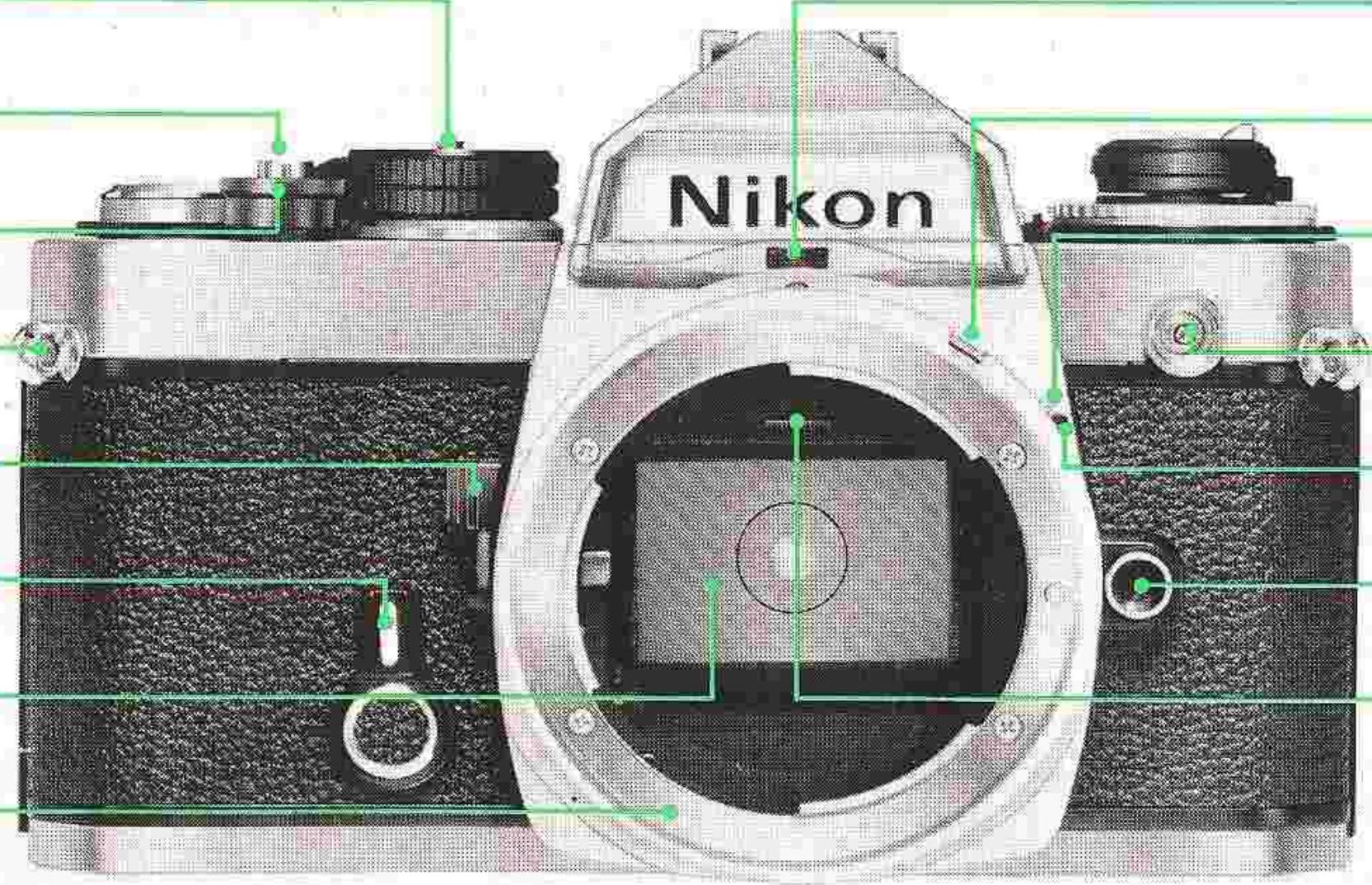
Shutter-speed dial lock
Lens aperture direct readout window
Shutter release button
Meter coupling lever
Shutter release fingerguard
Meter coupling lever release
Neckstrap eyelet
Sync terminal (cover provided)
Depth-of-field preview lever
Lens mounting index
Self-timer/memory lock
Lens release button
Reflex mirror
Focusing screen holder release
Lens mounting flange
Tripod socket
Motor drive shutter coupling
Battery chamber lid
Motor drive coupling
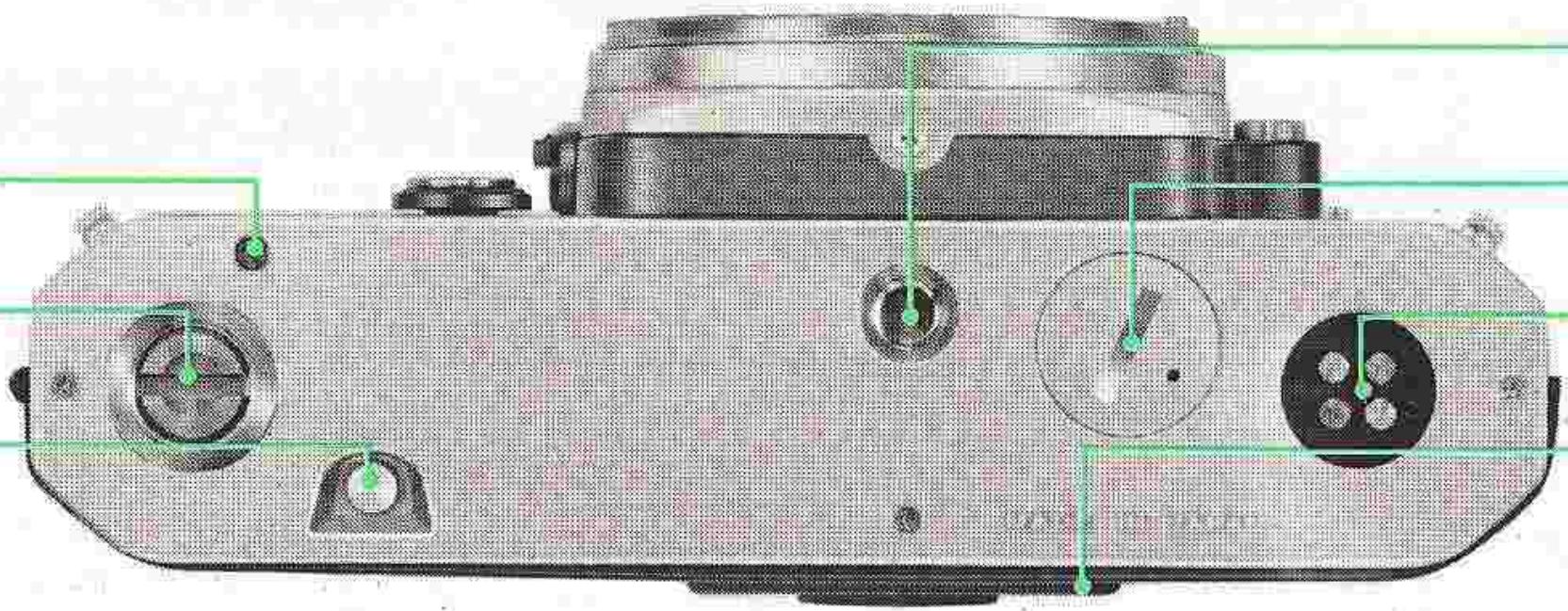
Motor drive electrical contacts
Film rewind button
Memo holder
CONTENTS
Foreword. 5
Preparation for use 6
Installing the batteries 6
Checking battery power 6
Loading film. 7
Prior to shooting. 8
Setting the film speed. 9
Memo holder 9
Operation of camera controls. 10
Setting the shutter speed. 10
Film-advance lever. 12
Frame counter 12
Self-timer. 13
Memory lock 14
Unloading film 15
Holding the camera 16
Shutter release operation 17
Operation with cable release 17
Focusing 18
Infrared photography. 20
Film-plane indicator. 20
Depth of field. 21
Depth-of-field preview lever. 21
Depth-of-field indicators. 22
Exposure measurement. 24
Automatic shutter speed selection 24
Manual shutter speed selection. 26
Exposure control. 27
Metering range 28
High-contrast lighting situations. 28
Stop-down exposure measurement 30
Exposure compensation adjustments. 32
EV range of the camera 33
Multiple exposures. 36
Flash synchronization 37
Ready-light 38
Tips on camera care. 39
Mounting and removing lenses 40
Changing focusing screens. 41
Focusing screen selector guide 42
Lens/screen compatibility chart 43
Accessories. 44
Features/specifications. 46
FOREWORD
The Nikon FE is a compact 35mm single-lens reflex camera with a host of outstanding features. It offers aperture-priority automatic exposure control with shutter speeds from 1/1000 second down to 8 seconds, has interchangeable focusing screens, and accepts the optional MD-12 for motor-driven exposures up to 3.5 frames per second. In addition, the FE incorporates automatic flash speed setting when used in conjunction with the accessory Speedlight Unit SB-10. When the SB-10 is mounted on the camera's hot shoe and turned on, the shutter speed is automatically set to the proper synchronization speed of 1/90 second when the camera is set to "automatic." The FE will also accept virtually every accessory in the Nikon System—the most comprehensive ever created for photography. To get the most out of this camera, study the instructions in this manual carefully, and practice using the controls before loading the camera with film. Keep the manual on hand for ready reference until you have mastered operation. The few minutes you spend familiarizing yourself with the camera will guarantee you the best results and increase your pleasure in taking pictures many times over.
PREPARATION FOR USE
Installing the Batteries
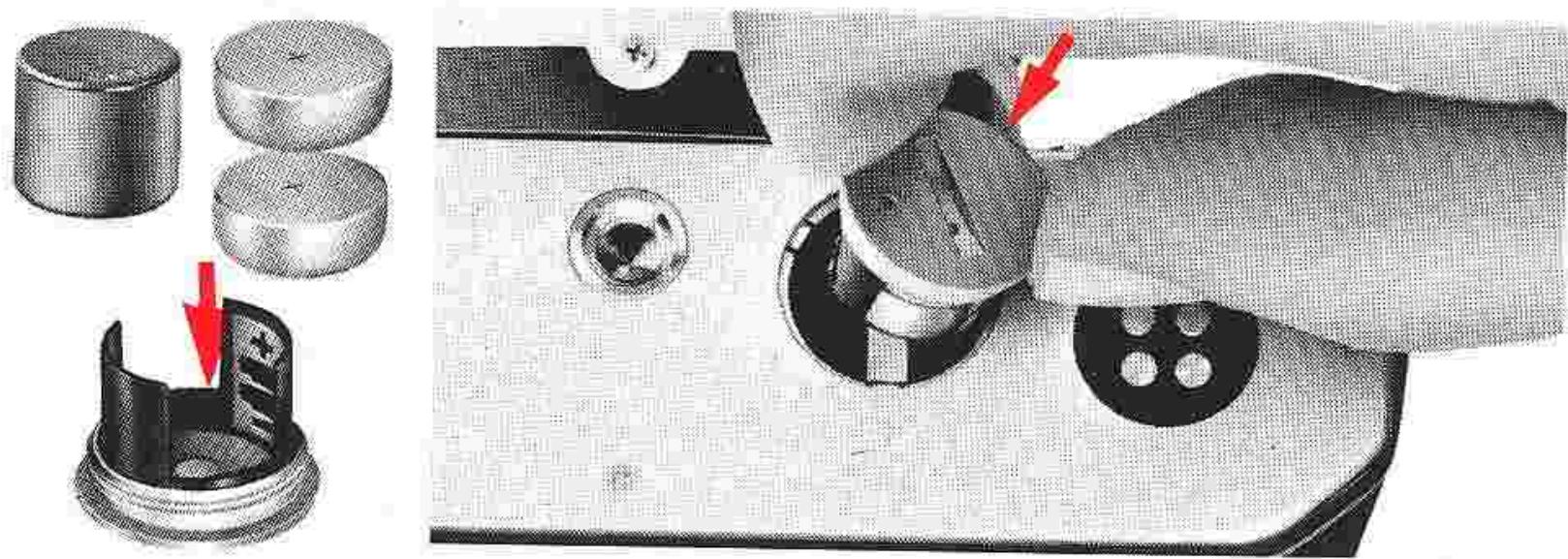
The Nikon FE's built-in exposure meter and the electronic shutter control circuits are powered by two button-cell type 1.55V silver-oxide batteries or one 3V lithium battery. These are mounted in the battery clip, which forms a single unit with the battery chamber's coin-slotted lid, in the camera's baseplate. To install the battery or batteries, first unscrew the lid by turning it counterclockwise, with a coin or something similar, until it can be freely removed by hand. Then, seat the battery, or the two batteries one on top of the other, in the battery clip, making sure that the respective plus (+) and minus (-) signs correspond with similar marks provided in the clip. After seating the batteries correctly, replace the lid, and secure the connection by turning it clockwise with the coin as far as it will go. It is advisable to remove the batteries, when the camera is not to be used for a long period, to prevent battery leakage within the camera; for additional information, refer to "Tips on Camera Care" on page 39.
Checking Battery Power
To check battery power, simply turn the power check lever downward and watch the power check lamp. If the lamp fails to glow, check the battery seating and make any necessary adjustments. Should the lamp still fail to light up, install new batteries.
Caution:
1) When the camera is not in use, make sure that the film-advance lever is positioned flush with the camera body. As the lever doubles as the meter on-off switch, leaving it in the stand-off position will result in the camera's battery being completely drained in just a few days.
2) When the camera is attached to the MD-12 motor drive, make sure the motor drive is switched off when it is not in use to prevent drain of both the camera and the motor drive's batteries.
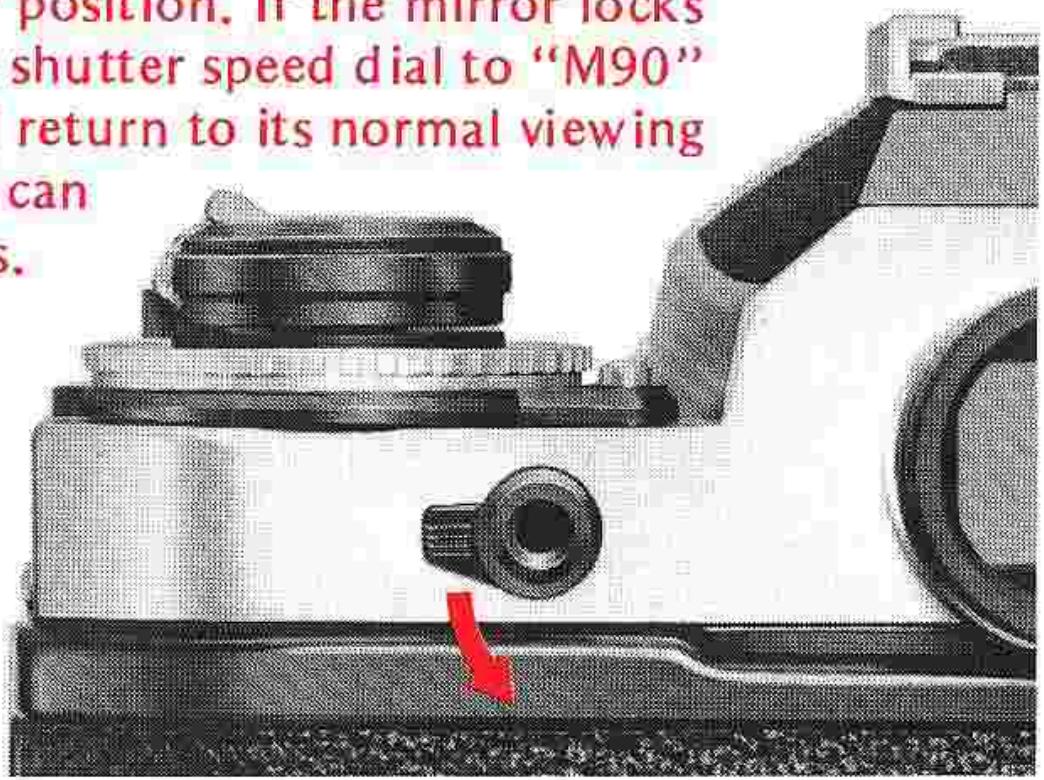
3) When the batteries are dead or there are none installed in the camera, the only two settings which can be used are "M90" and "B." If you trip the shutter with the camera set to any other speed, the shutter won't open or the reflex mirror may
remain in the "up" position. If the mirror locks up, simply turn the shutter speed dial to "M90" and the mirror will return to its normal viewing
position. Then you install new batteries.
To avoid wasting a frame, stroke the winding lever while holding in the multiple-exposure lever.
Loading Film
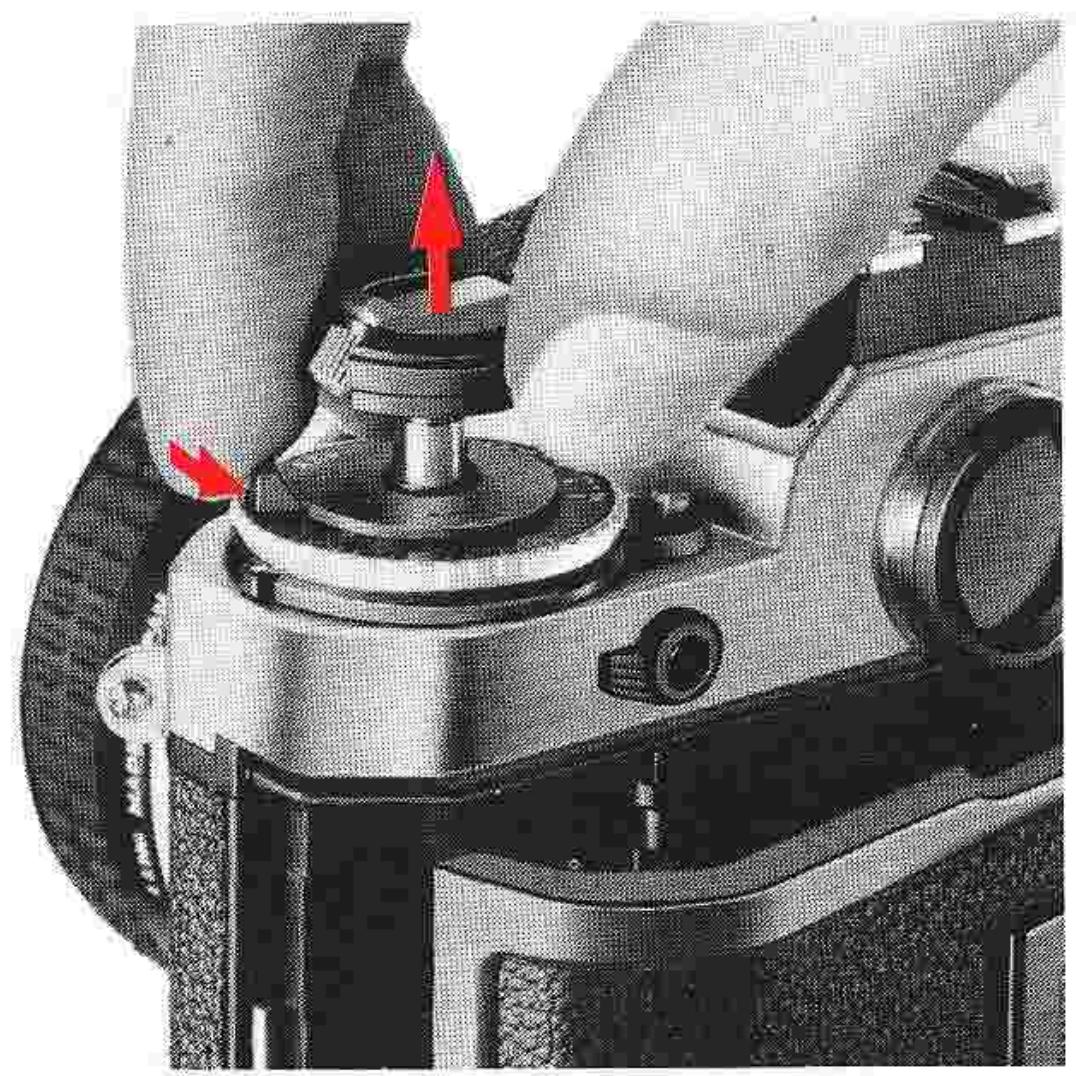
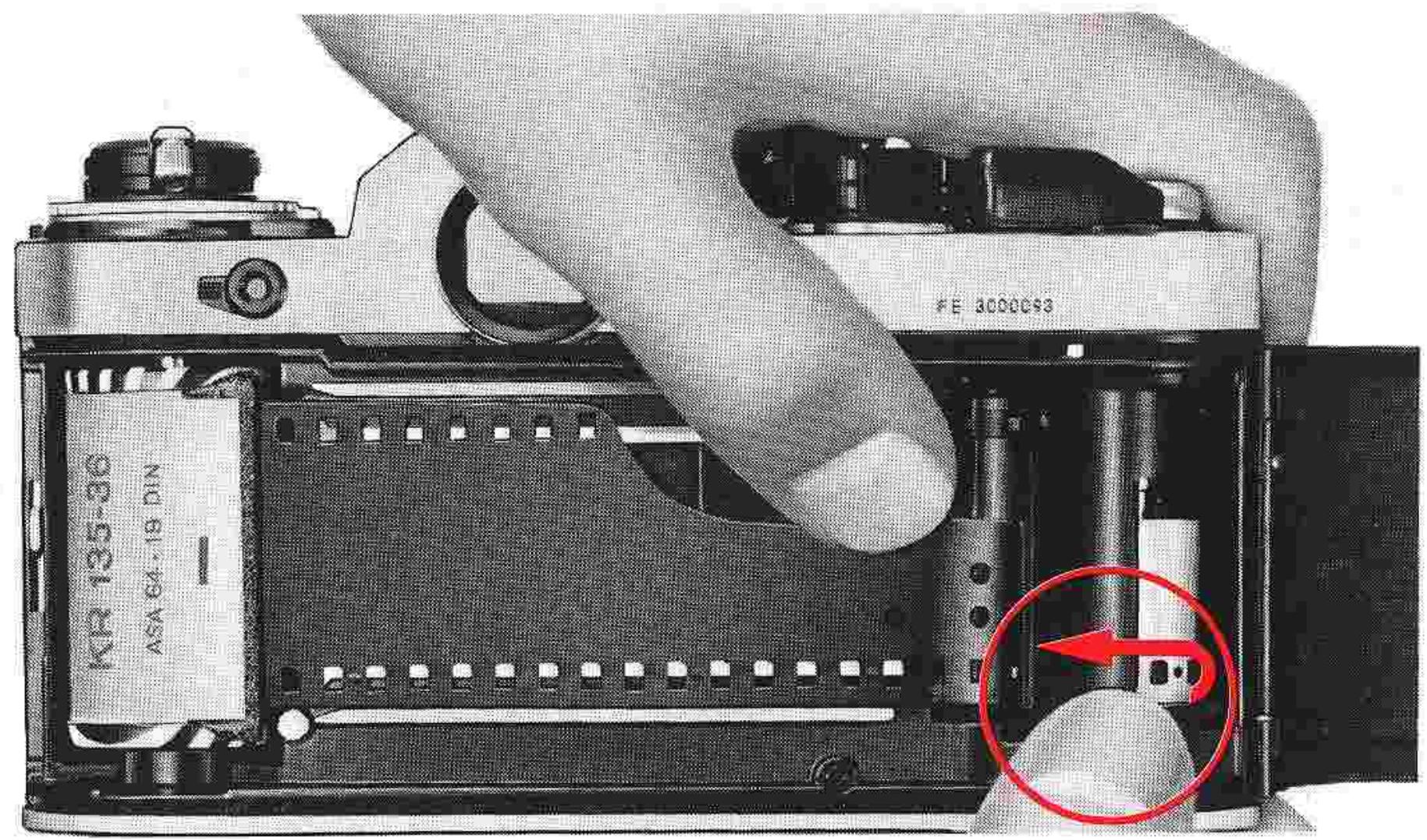
First, open the camera back by sliding its safety lock to the rear and lifting the film rewind knob as far as it will go. Position the film cartridge or cassette in the film chamber, which is located on the left-hand side, with the film leader aligned along the film guide rails; then, push the rewind knob down to hold the cartridge in place. Pull the film leader out sufficiently for feeding into the film take-up spool, and insert its end into any of the spool's slots. Rotate the take-up spool as shown in the illustration so that the film passes under the spool with its emulsion
side (dull side) facing out. Make sure that the perforations along the edges of the film mesh with the sprockets. If necessary, release the shutter by pushing the shutter release button, and stroke the film-advance lever slowly to make sure that the leader winds smoothly on the spool and that the film edge perforations engage the film sprocket roller. When you are certain that the film is being fed properly onto the spool and traveling correctly along the film guide rails, close the camera back by pressing it until it snaps into place.
PREPARATION FOR USE—continued
Prior to Shooting
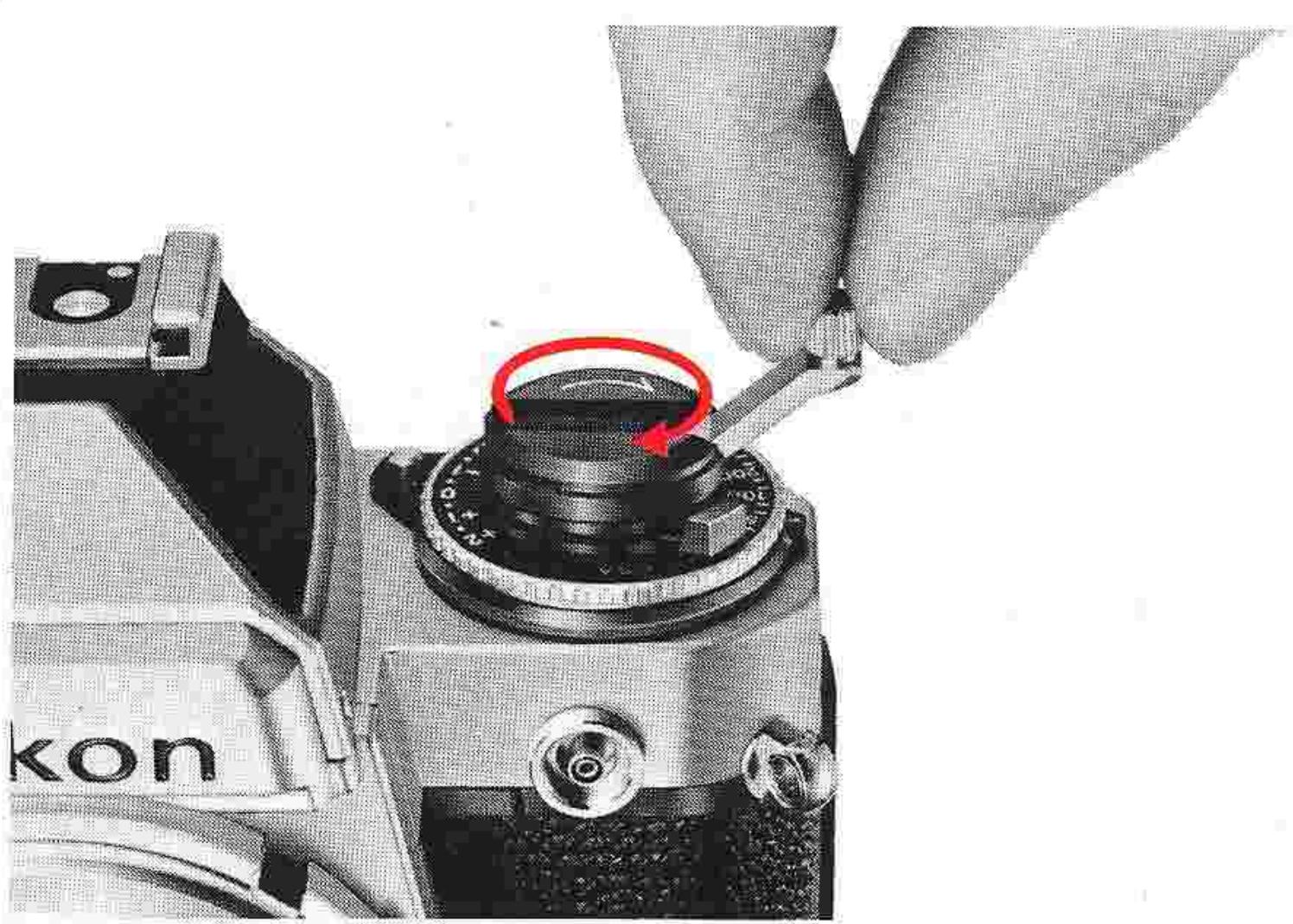
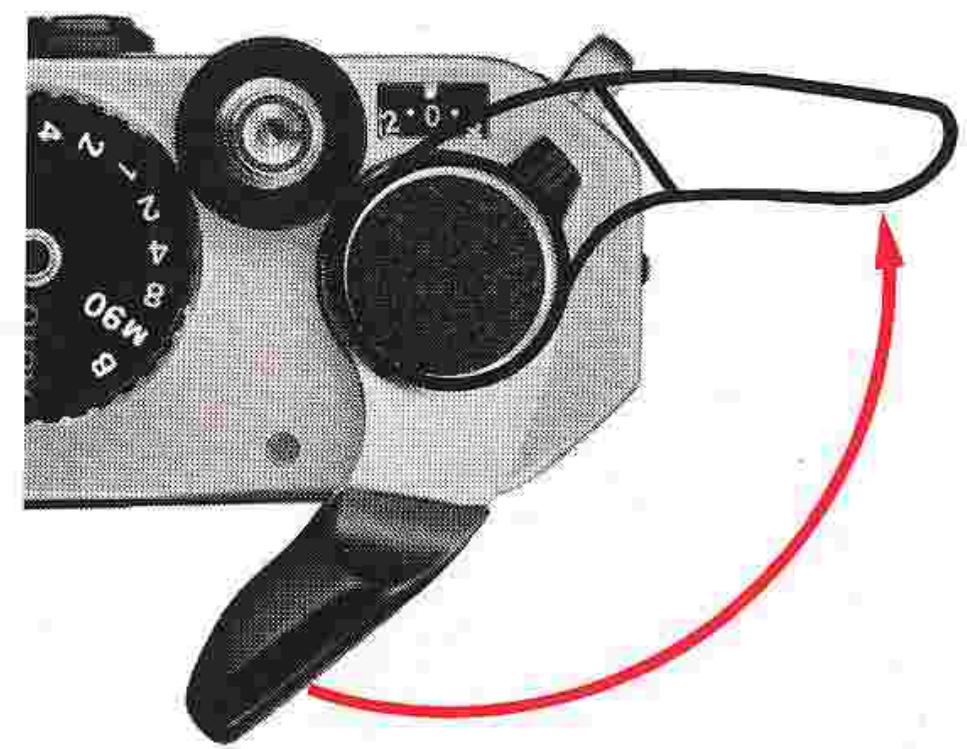
Fold out the film rewind crank, and turn it gently in the direction of the engraved arrow until you feel a slight resistance; this will indicate that any slack in the film cartridge has been taken up. Then, fold the rewind crank into place.
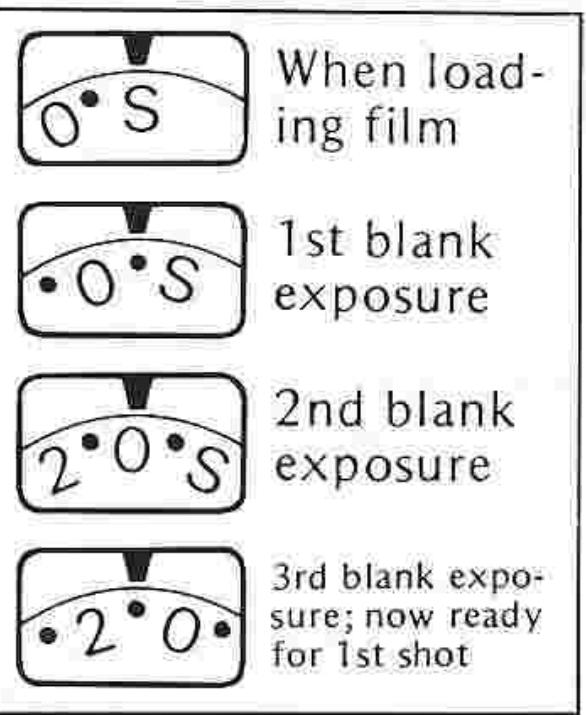
Advance the film (refer to page 12 for film advance operation), and make two blank exposures; this will dispose of the initial portion of the film exposed during loading. As you advance the film, confirm that the rewind crank turns in the direction opposite the arrow. This indicates that the film has been loaded properly and is being advanced.
After advancing the film two frames, check that the frame counter is at "0"; then, advance the film one more frame to prepare the camera for taking the first picture.
Note: Setting the shutter-speed dial to a manual position (rather than "AUTO") will speed up film loading by preventing the camera from selecting a slow speed, as might be the case when the lens cap is in place. However, be sure to reset the dial to "AUTO" if automatic operation is desired.
Setting the Film Speed
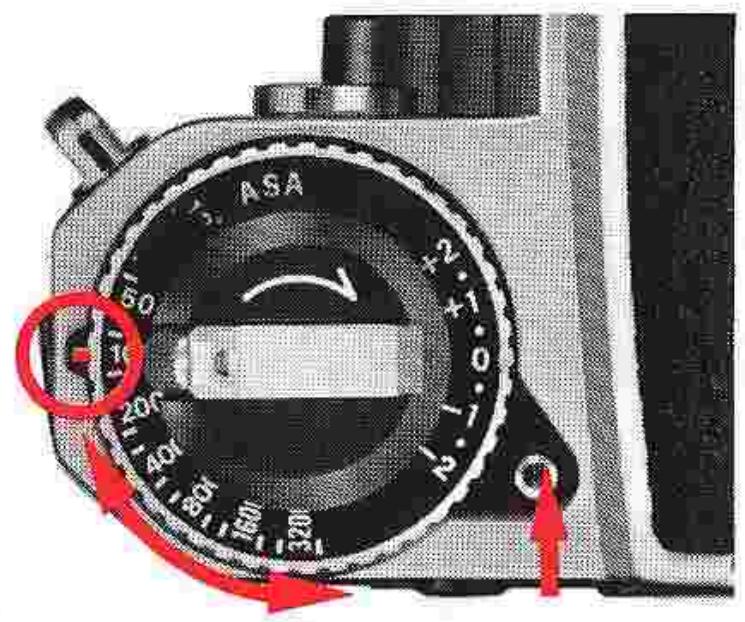
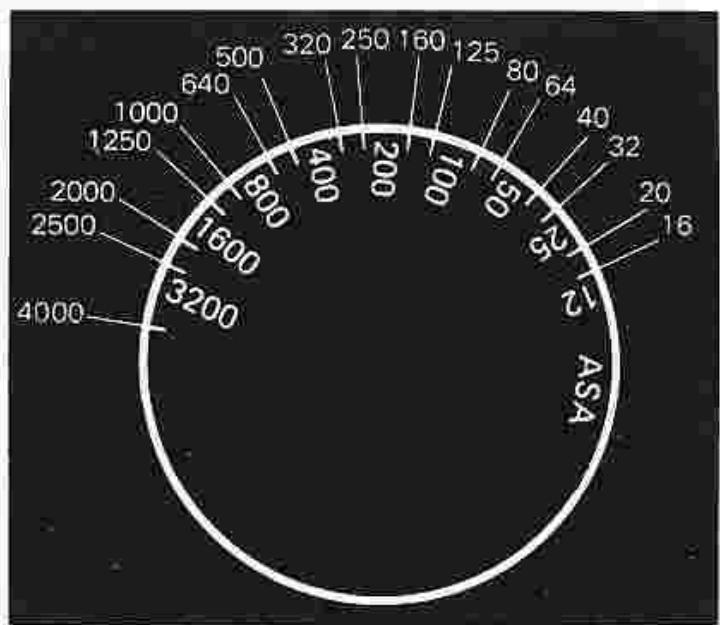
As film sensitivity to light (called "film speed") varies with film type, adjustment of the camera's metering circuit is essential to ensure uniform exposures under all conditions. Thus, a film-speed dial is provided for this purpose, with a safety lock mechanism built in to prevent accidental shifting of the dial during shooting. To set the film speed, hold in the film-speed dial lock and turn the ASA film-speed dial until the ASA number is aligned with the red index. After setting the dial, release the lock and test the dial to ensure that it is set firmly at the desired ASA value. The meter is sensitive from ASA 12 to ASA 4000. The film-speed dial has two graduations between each pair of numbers for intermediate settings such as 64, 80, 125, etc. The illustration below indicates all intermediate settings.
Memo Holder
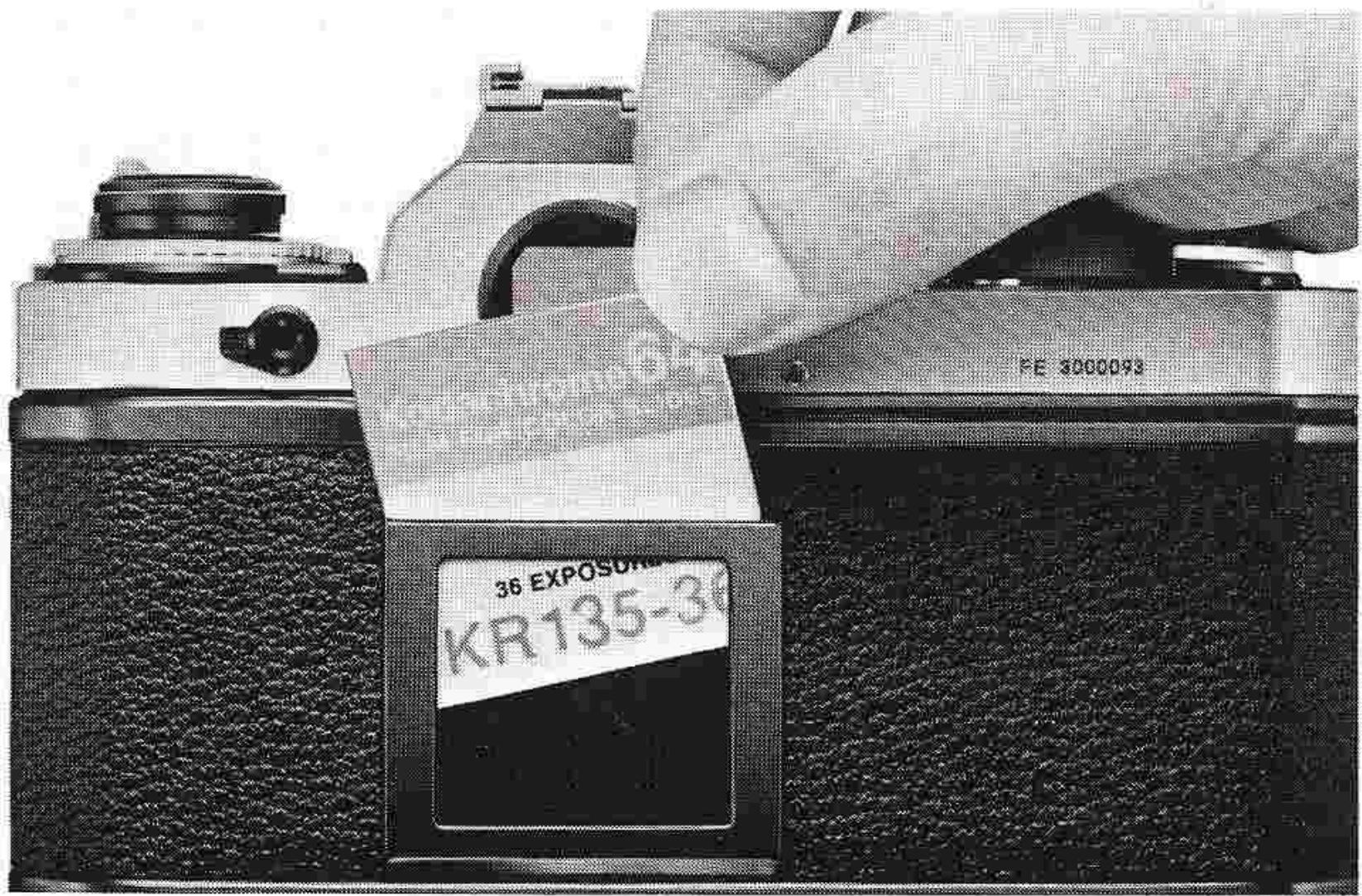
A special holder is provided on the camera back for convenient storage of any relevant information. You can use it, for instance, to hold the end flap of a film carton to remind you of the type of film loaded in the camera, the ASA film speed and the total number of exposures available.
OPERATION OF CAMERA CONTROLS
Setting the Shutter Speed
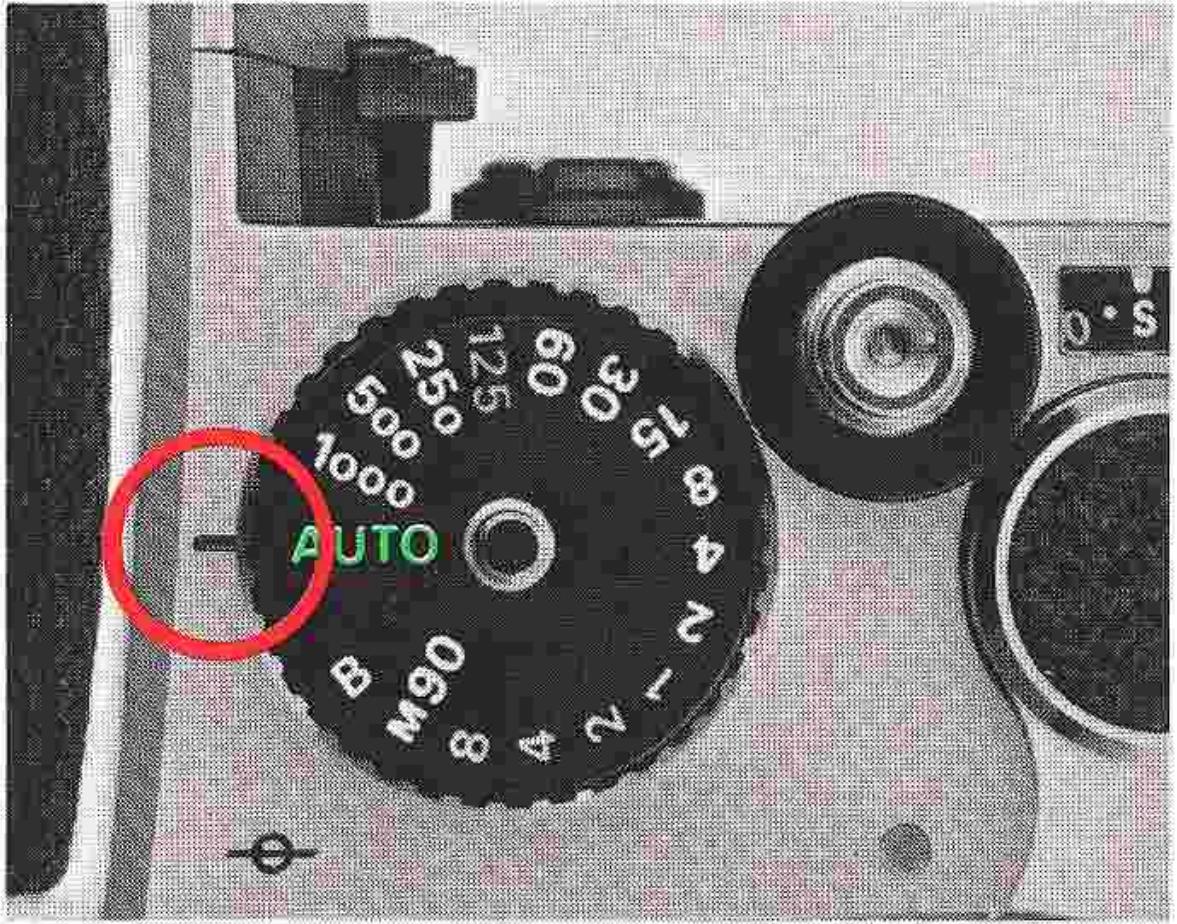
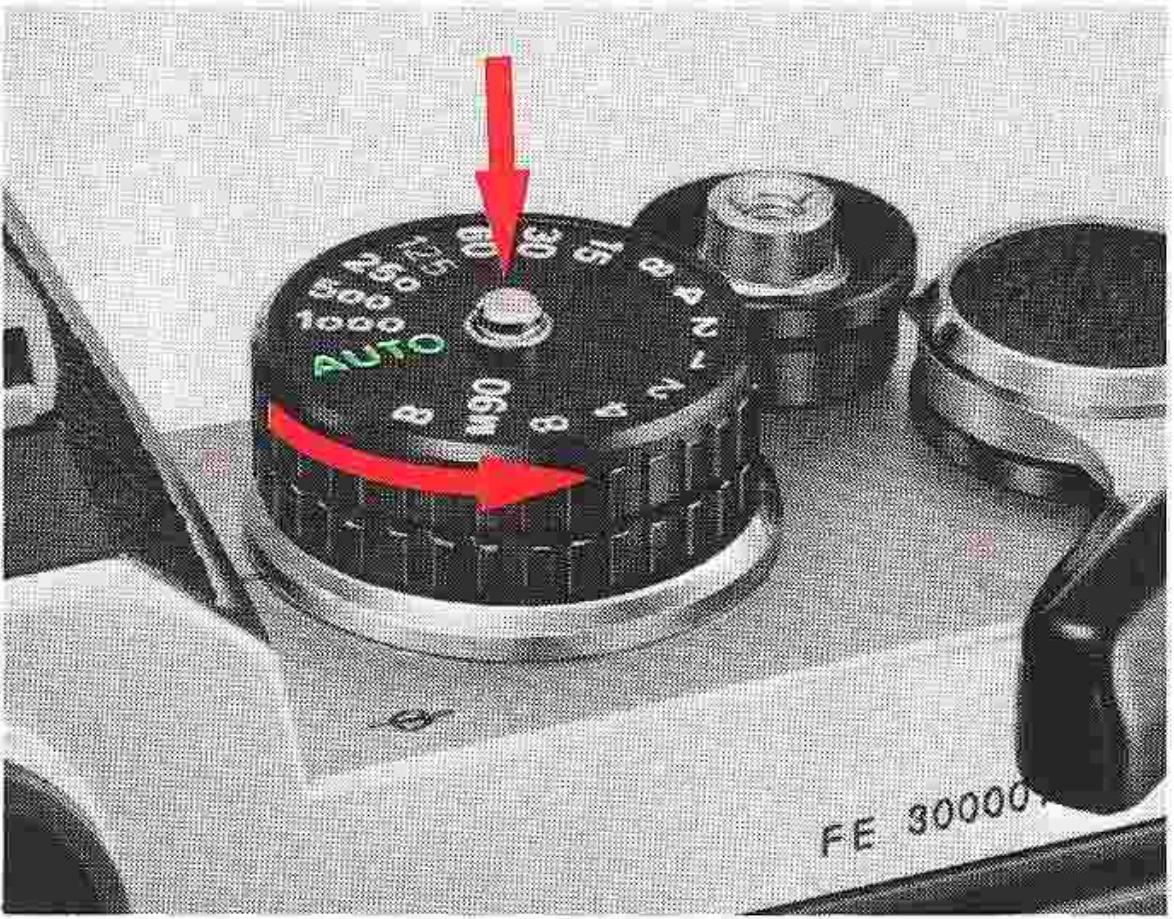
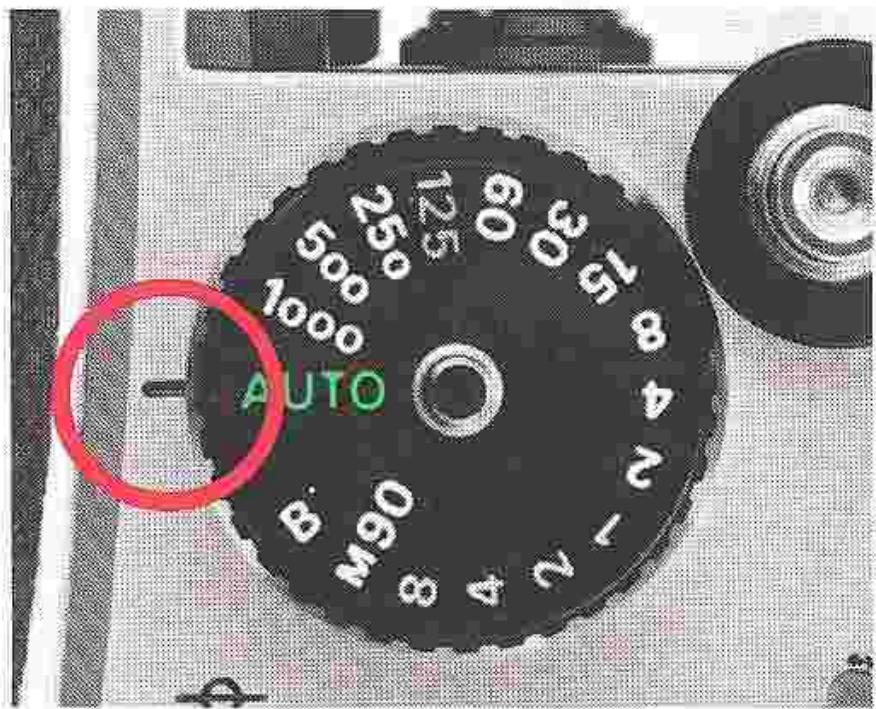
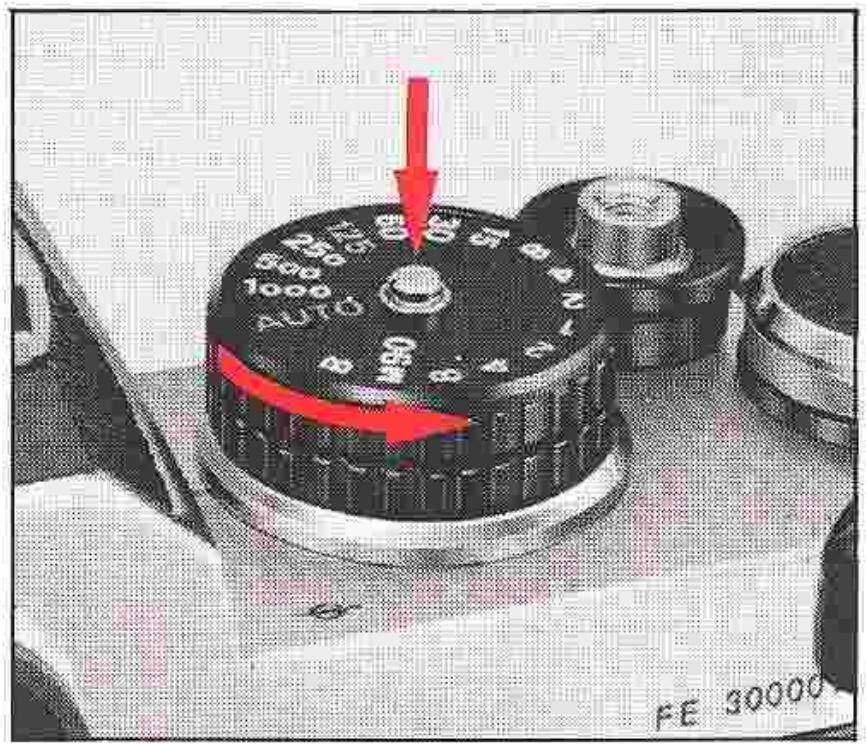
The Nikon FE is set for automatic or manual shutter speed selection via the shutter-speed dial positioned to the right of the finder, with setting operation possible at any time either before or after the shutter is wound. The dial is provided with positions for automatic (AUTO), and manual speeds from 8 seconds to 1/1000 second. To set the dial for automatic shutter speed selection, simply rotate the dial clockwise until the green AUTO (automatic) setting clicks and locks into place aligned with the shutter-speed scale index at the base of the dial; the built-in locking mechanism ensures that the dial cannot be accidentally shifted from the automatic position during shooting.
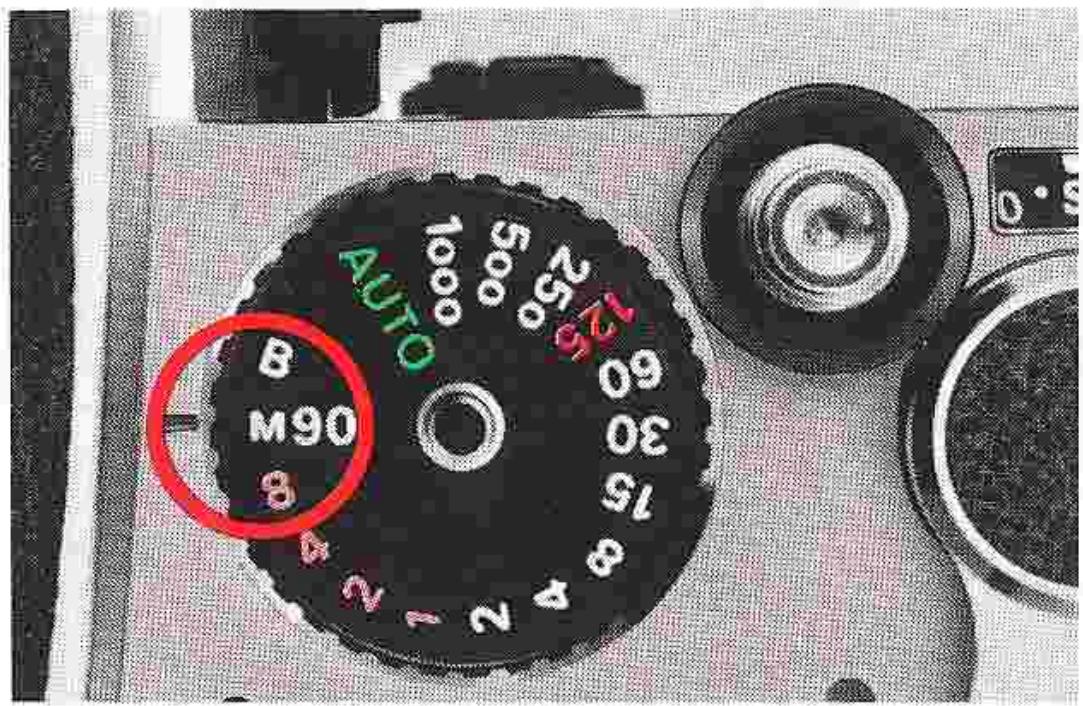
To set the dial for manual shutter speed selection used during "match-needle" exposure measurement, simply hold in the shutter-speed dial lock and rotate the dial counterclockwise off the "AUTO" position; when the dial is aligned with white settings from 2 to 1000, the actual shutter speed is a fractional value from 1/2 second to 1/1000 second, while the remaining settings indicate the actual values from 8 seconds to 1 second. The "M90" setting indicates a mechanical shutter speed of 1/90 second which operates independently of battery power. This is the only setting (except "B") which can be used when
the batteries are exhausted or none are loaded in the camera. The "M90" setting also serves as a known shutter speed when shooting with electronic flash. At the "B" setting, the shutter remains open as long as the shutter release button is depressed. "B" is also a mechanical shutter speed, so there is no battery drain when shooting time exposures. To conserve battery power when making really long time exposures, use a cable release and then push the film-advance lever back in flush with the camera body after opening the shutter. Note that the 125 setting is engraved in red; this indicates 1/125 second, the fastest shutter speed available for synchronization with electronic flash units. (Refer to page 37 for additional information on flash photography.)
OPERATION OF CAMERA CONTROLS—continued
Film-Advance Lever
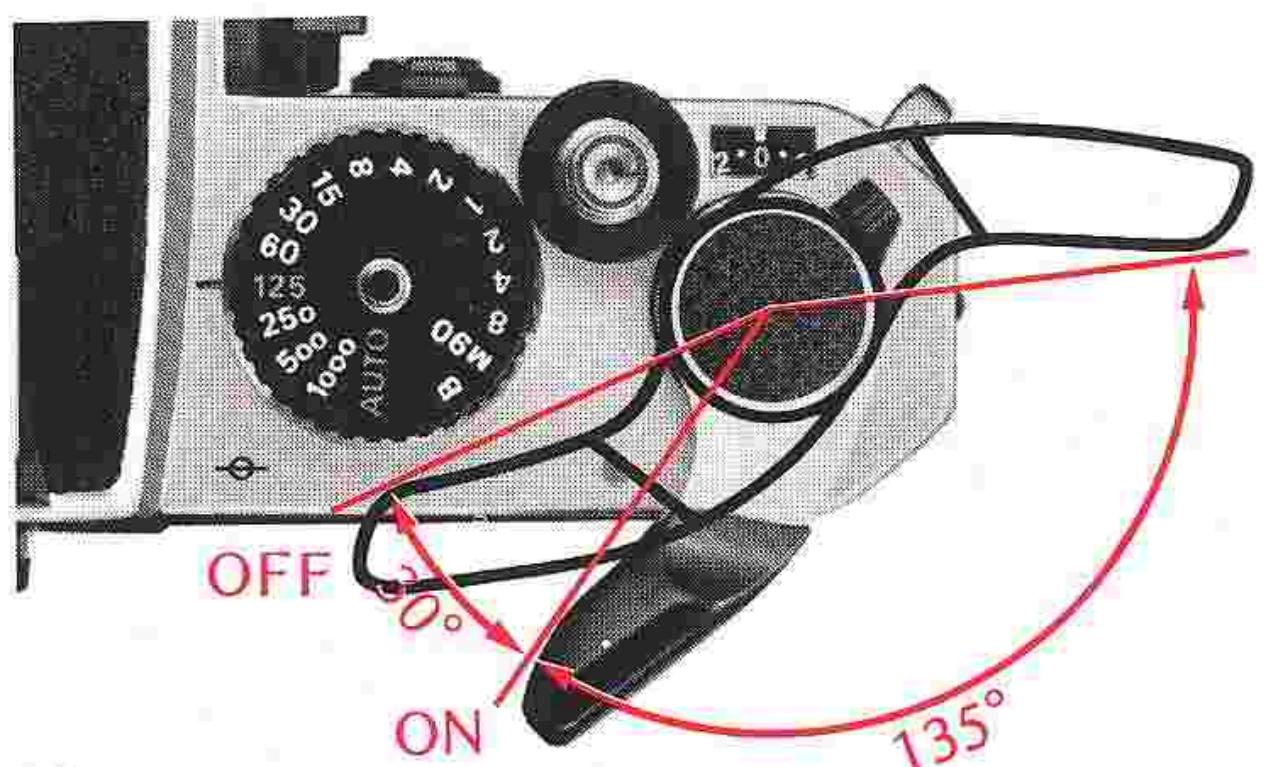
The film-advance lever simultaneously advances the film, cocks the shutter and operates the frame counter. It also doubles as the Nikon FE's meter on/off switch and shutter button lock.
To advance the film, stroke the lever with your right thumb as far as it will go. The film will be advanced a full frame. The lever automatically returns to its 30^ stand-off position when released upon the completion of film advance.
The film-advance lever switches the meter on when moved to its stand-off position; it switches the meter off when moved back flush with the camera body. With the lever set flush against the camera body, it serves also as a lock to prevent accidental tripping when the shutter is cocked. In this position (when the meter is off), the meter needle in the viewfinder rests below "B" on the shutter-speed scale.
Frame Counter
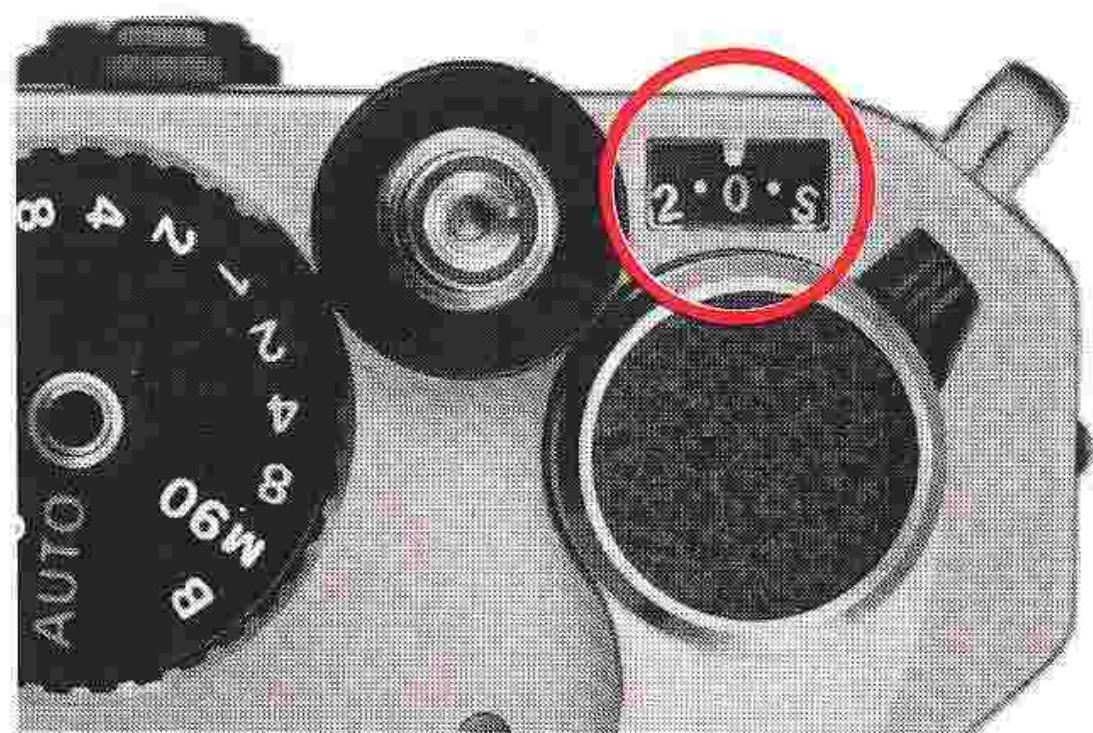
Each time the film is advanced one frame by a full stroke of the film-advance lever, the frame counter operates to show how many frames have been exposed. It is automatically reset to S (start), two frames before 0, when the camera back is opened to remove an exposed film cartridge and/or to load a new roll of film. The frame counter has indications for up to a maximum of 36 frames, with all odd numbers calibrated in dots and all even numbers in figures. The figures are in white, except for 12, 20 and 36 which appear in red to indicate the maximum number of exposures available, respectively, with standard film cartridges.
Self-Timer
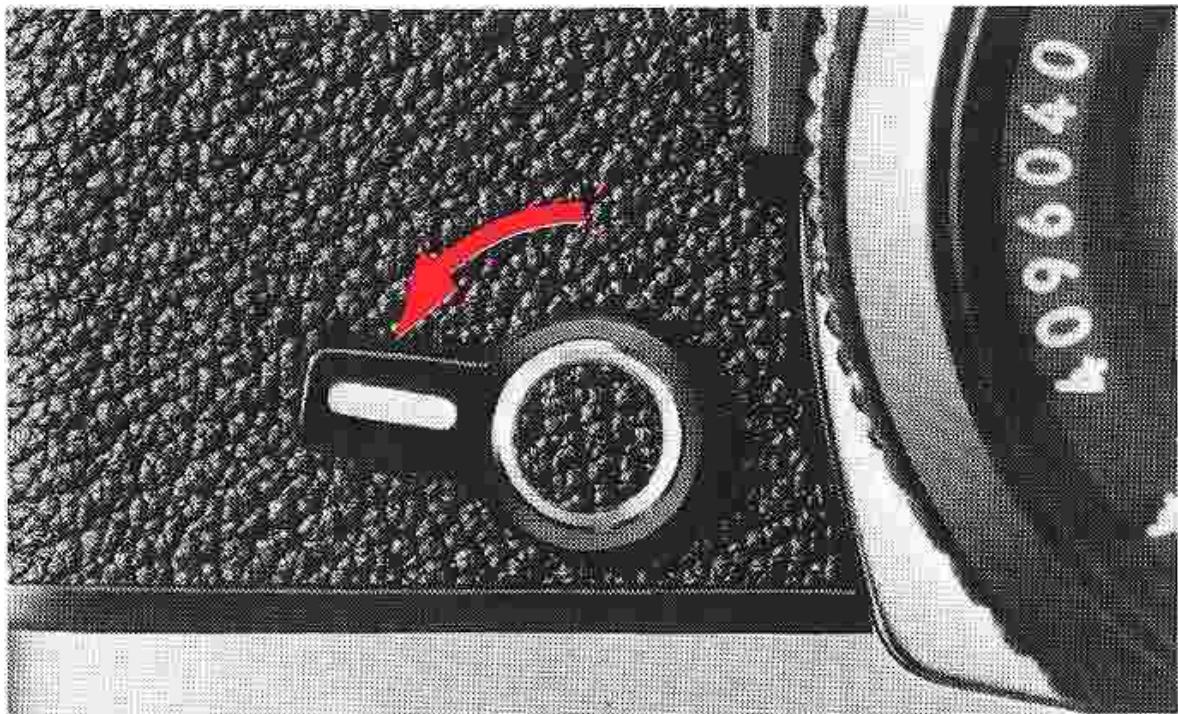
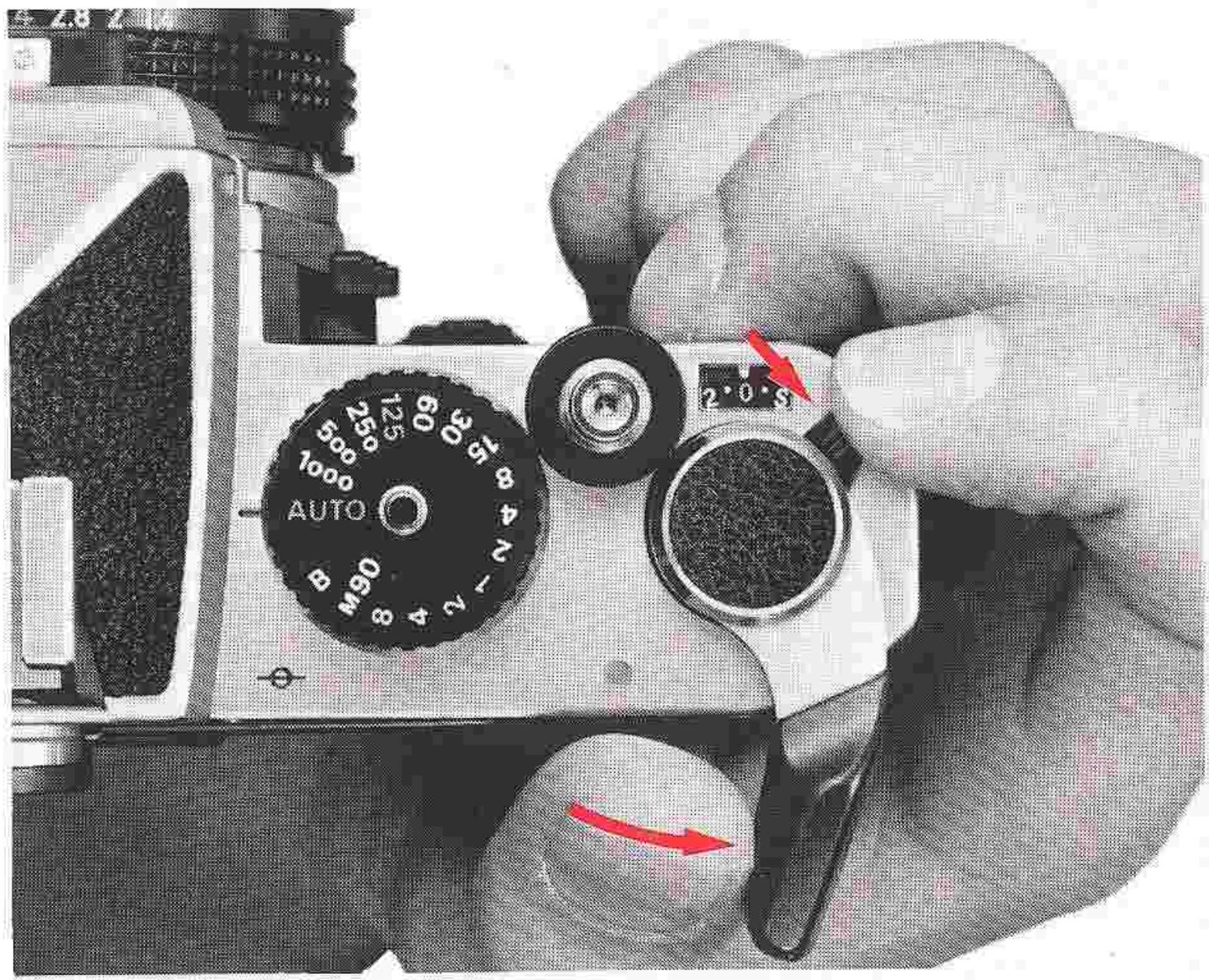
The built-in self-timer can be used to trip the shutter after a delay of approximately 8-14 seconds. To take a picture using the self-timer, first set the aperture and shutter speed controls, advance the film, and cock the self-timer by turning the self-timer lever downwards. Then, depress the shutter release button and the timer will start (note that the mirror will rise as the shutter button is depressed and return at the end of the cycle). A unique feature of the FE's self-timer lever is that its setting is "cancellable." In other words, should you decide not to use the self-timer after setting it, you
simply turn it back upwards and push it towards the lens mount. Then you can resume normal shutter tripping operation. The self-timer works at all shutter speed settings, except "B." For critical close-up photography, the self-timer, in combination with a tripod, is particularly useful in preventing vibration.
Note: When using the self-timer with the camera on automatic, cover the eyepiece with your hand only at the instant you release the shutter; this will prevent light from entering into the eyepiece and adversely affecting exposure measurement.
OPERATION OF CAMERA CONTROLS—continued
Memory Lock
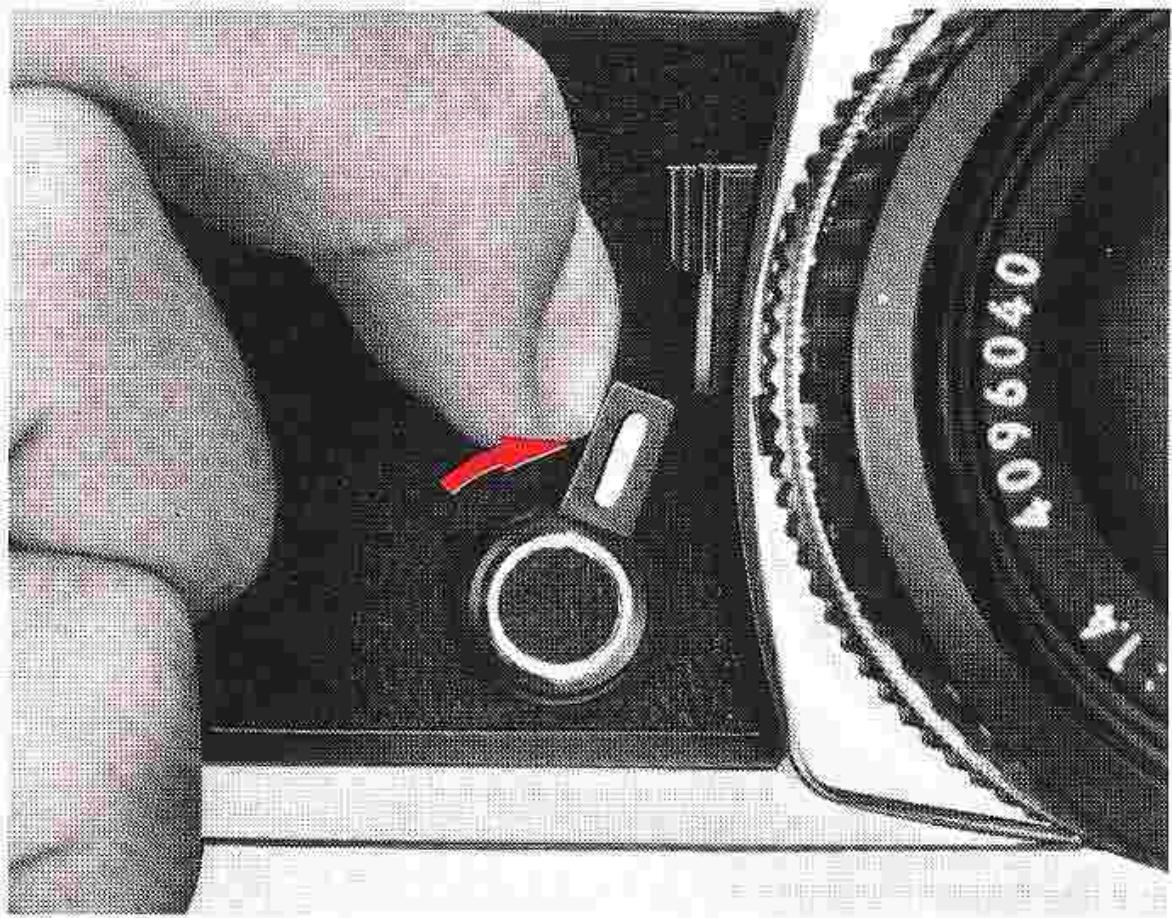
The convenient location of the self-timer lever, making for ready finger access, proves advantageous when using the built-in memory lock. Memory lock enables the photographer to "lock in" a close-up reading of the subject. To operate the memory lock, view through the finder and meter on the selected area; then, simply push the lever toward the lens to hold the reading until the completion of the exposure. The reading will be retained as long as the control is held in this position. Even though the meter needle continues to move while the memory lock is activated, the shutter speed is still "locked in" electronically. Thus, several frames can be exposed using the same locked reading. Also, the aperture can be adjusted without affecting the locked-in shutter speed. (See "High-Contrast Lighting Situations" on page 28 for details on the use of the memory lock.)
UNLOADING FILM
As soon as the frame counter indicates that the last exposure has been made, or when the film-advance lever can no longer be stroked, the roll of film has been fully exposed and now must be rewound prior to unloading.
First press the rewind button on the camera's baseplate; then, unfold the film rewind crank and turn it in the direction of the engraved arrow with smooth, even pressure. You can tell when the film leader has left the take-up spool, because the rewind crank becomes much easier to turn. Now, open the camera back by sliding its safety
lock and pulling up the rewind knob as far as it will go; then, remove the film cartridge. Note that when the film-advance lever is stroked for the next exposure (with the next roll of film), the rewind button will be released to engage the film-advance mechanism once again.
You should not push the rewind button during film advance operation; otherwise, film advance will temporarily stop and frame-overlap may result. Note, too, that the camera back can be removed from the body by depressing the locking catch on the hinge.
HOLDING THE CAMERA
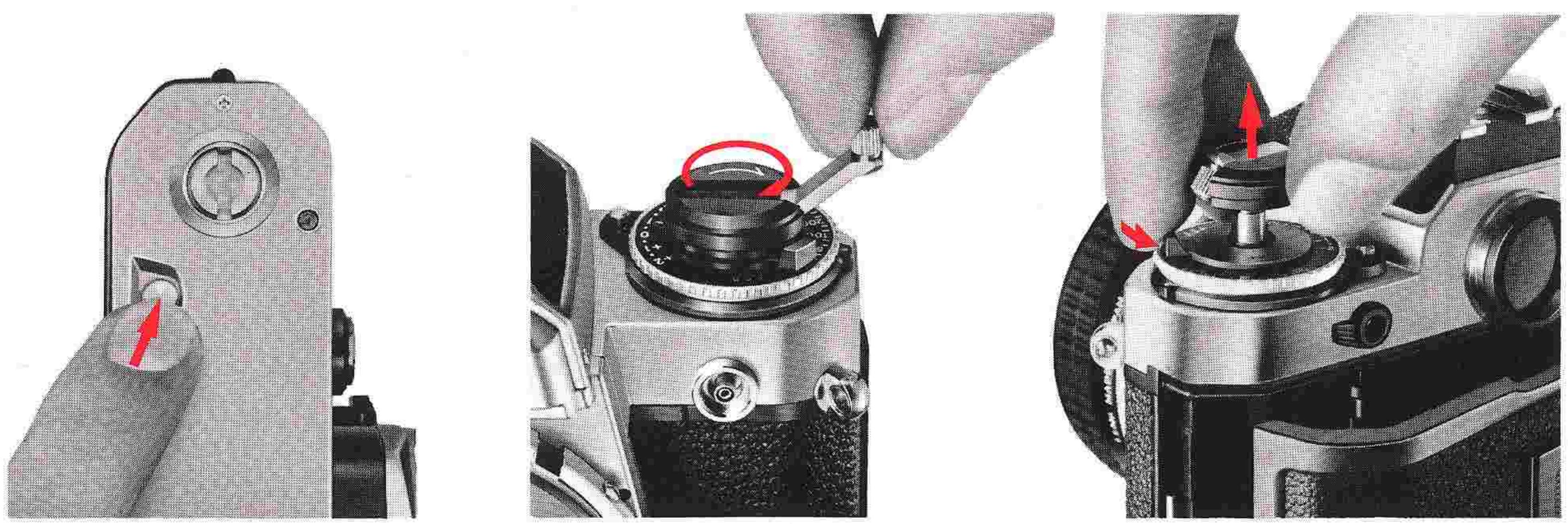
Camera shake is one of the most common causes of blurred, unsharp pictures, especially at slow shutter speeds. To prevent this, learn how to hold the camera correctly and practice steady shutter squeezing.
Wrap the fingers of the right hand around the camera body so that the index finger of your right hand rests comfortably on the shutter release button and the thumb fits between the camera body and the film-advance lever. Position the camera so you can look through the center of the viewfinder. Cradle the camera with your left hand for additional support, using the thumb and middle finger to grasp the focusing ring. In this way, the camera is properly supported and can easily be switched from horizontal to vertical format shooting.

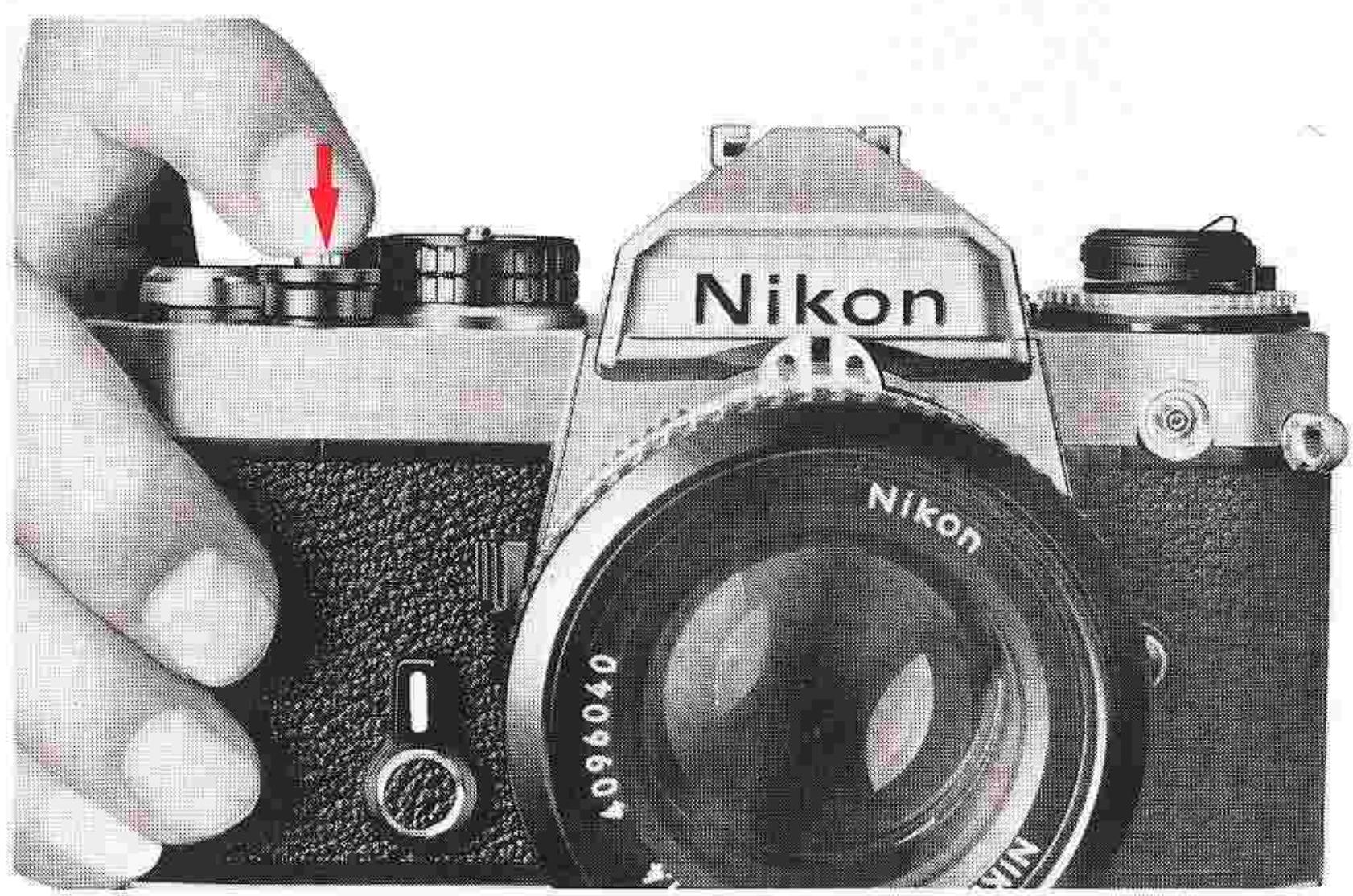
Correct shutter release operation is just as important to obtaining sharp pictures as holding the camera properly. To release the shutter correctly, move the advance lever to its stand-off position, hold the camera steady and depress the shutter release button with smooth, even pressure. Relax even when you're in a hurry—a quick jab at the shutter release button will cause camera shake and result in an unintentionally blurred photograph.
Operation with Cable Release
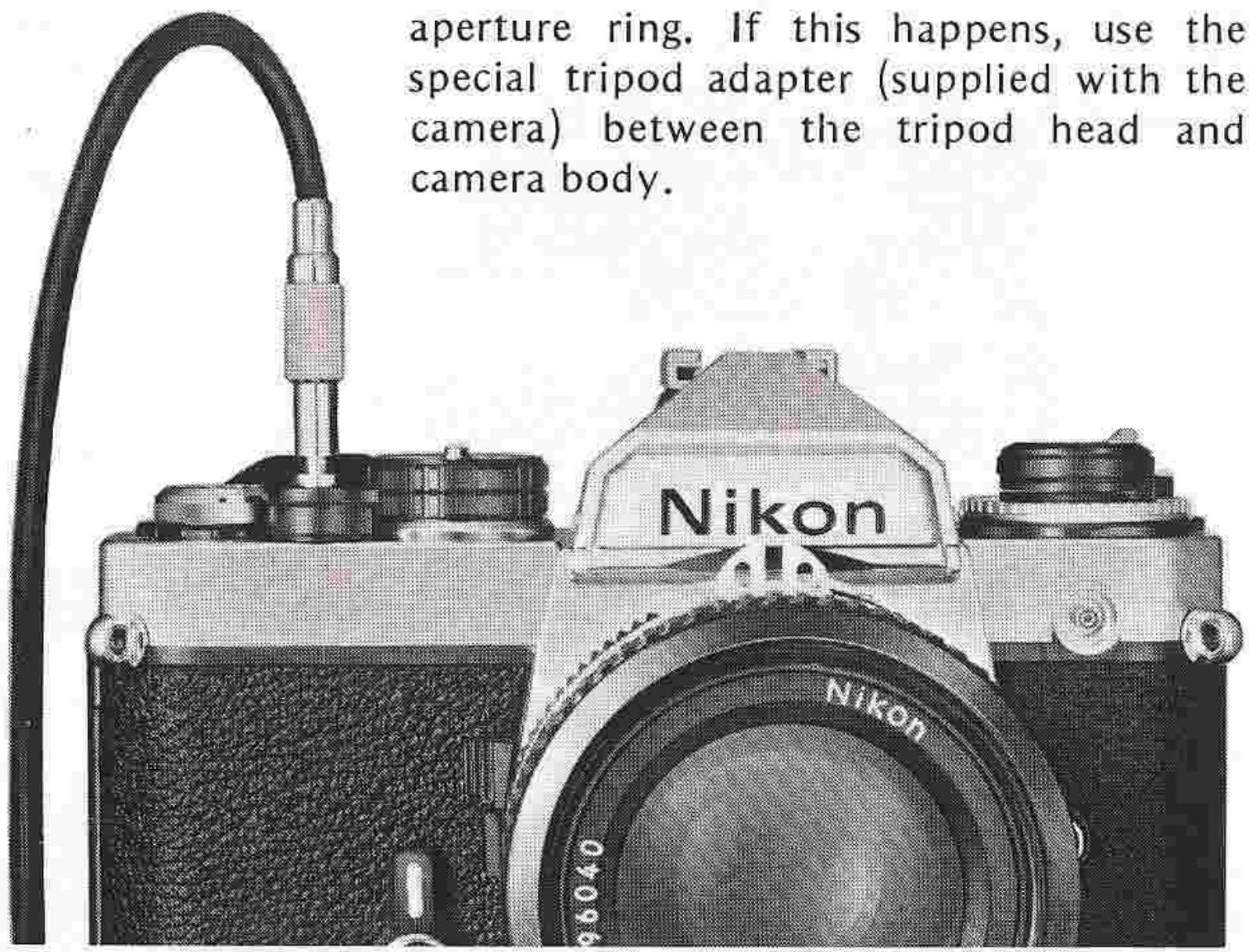
The shutter release button can also be tripped with a cable release. To attach a cable release to the camera, screw the threaded cable connector into the button. The shutter is then tripped by depressing the cable release plunger. Cable release operation is especially recommended for critical shooting situations, such as photomicrography or time exposures, where vibration-free shutter release is of prime importance.
Important: If you mount the Nikon FE on a tripod having a large head, contact between the lens body and the head may make it impossible to turn the lens aperture ring. If this happens, use the special tripod adapter (supplied with the camera) between the tripod head and camera body.
FOCUSing
When the FE is used with a Nikkor lens fitted with an automatic diaphragm, focusing is done at full aperture. This makes for the brightest possible image on the focusing screen, enabling easy focusing and composing. Three types of focusing screens are available exclusively for the Nikon FE. (For details about changing focusing screens, see page 41.) The type K focusing screen comes with the camera as standard equipment. It gives you a choice of three focusing aids: a central split-image range-finder spot, a microprism collar and a fine matte outer field.
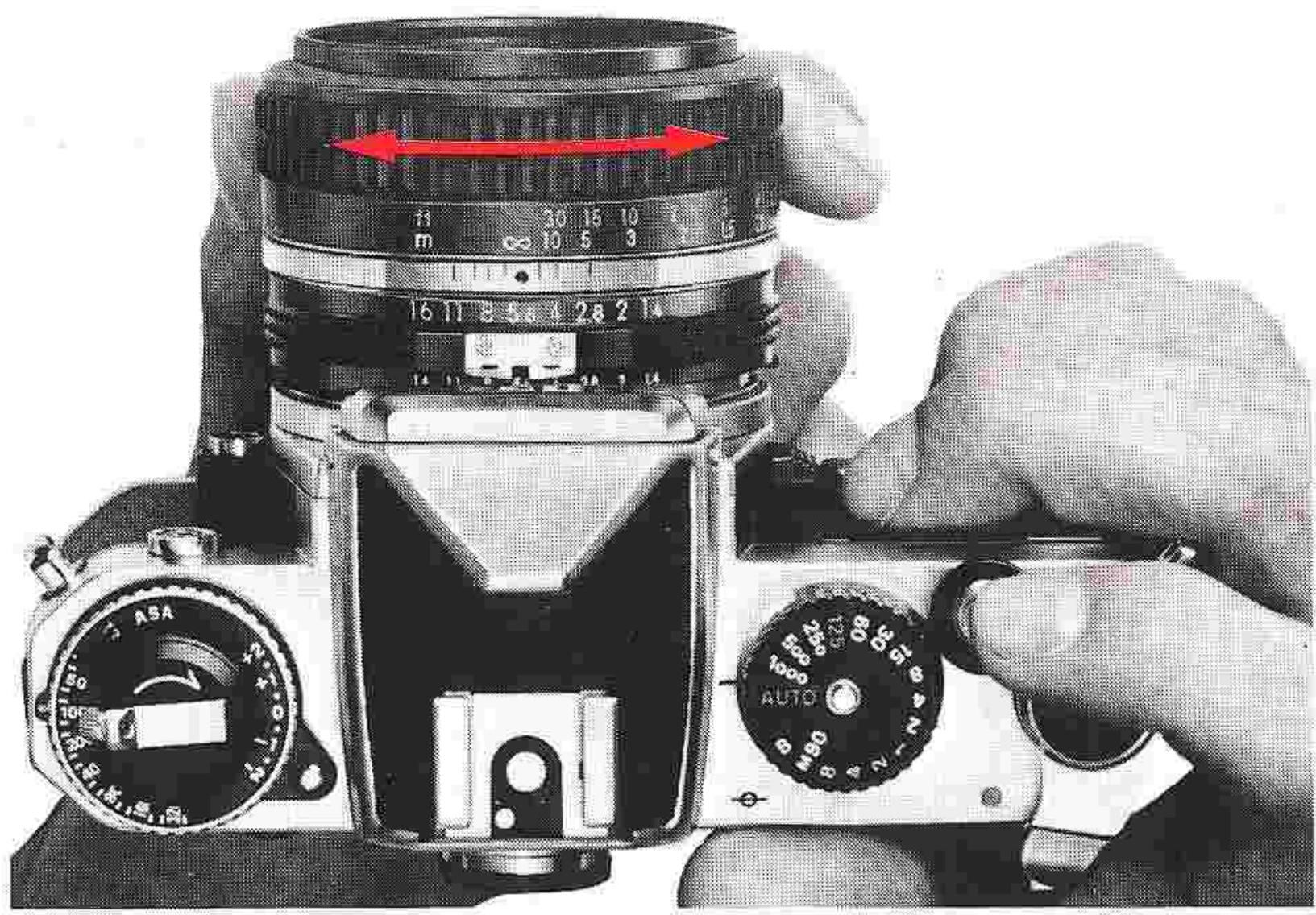
To focus, using the split-image rangefinder spot, turn the focusing ring of the lens until the two halves of the range-finder spot perfectly coincide, forming a single, crisp image. To focus with the microprism collar, turn the focusing ring until the image seen through the microprism pattern appears sharp and crisp. With the matte outer field, turn the ring until the image viewed in the field appears sharp.
The split-image rangefinder spot is the most suitable for precise, pinpoint focusing, while the microprism collar is perfect for rapid focusing in sports or action-type photography. The fine matte outer field, on the other hand, is ideal for use with telephoto lenses or in closeup and macrophotography.
You can also prefocus the lens by using the distance scale engraved in both meters and feet on the lens barrel. Simply turn the focusing ring until the measured or estimated camera-to-subject distance is lined up with the distance scale index on the lens barrel. This technique is useful for picture-taking situations where either the subject is elusive or time does not permit through-the-lens focusing.
Note: When using lenses with maximum apertures of f/3.5 or smaller, one-half of the split-image rangefinder may black out. In this case, use the matte outer field instead.
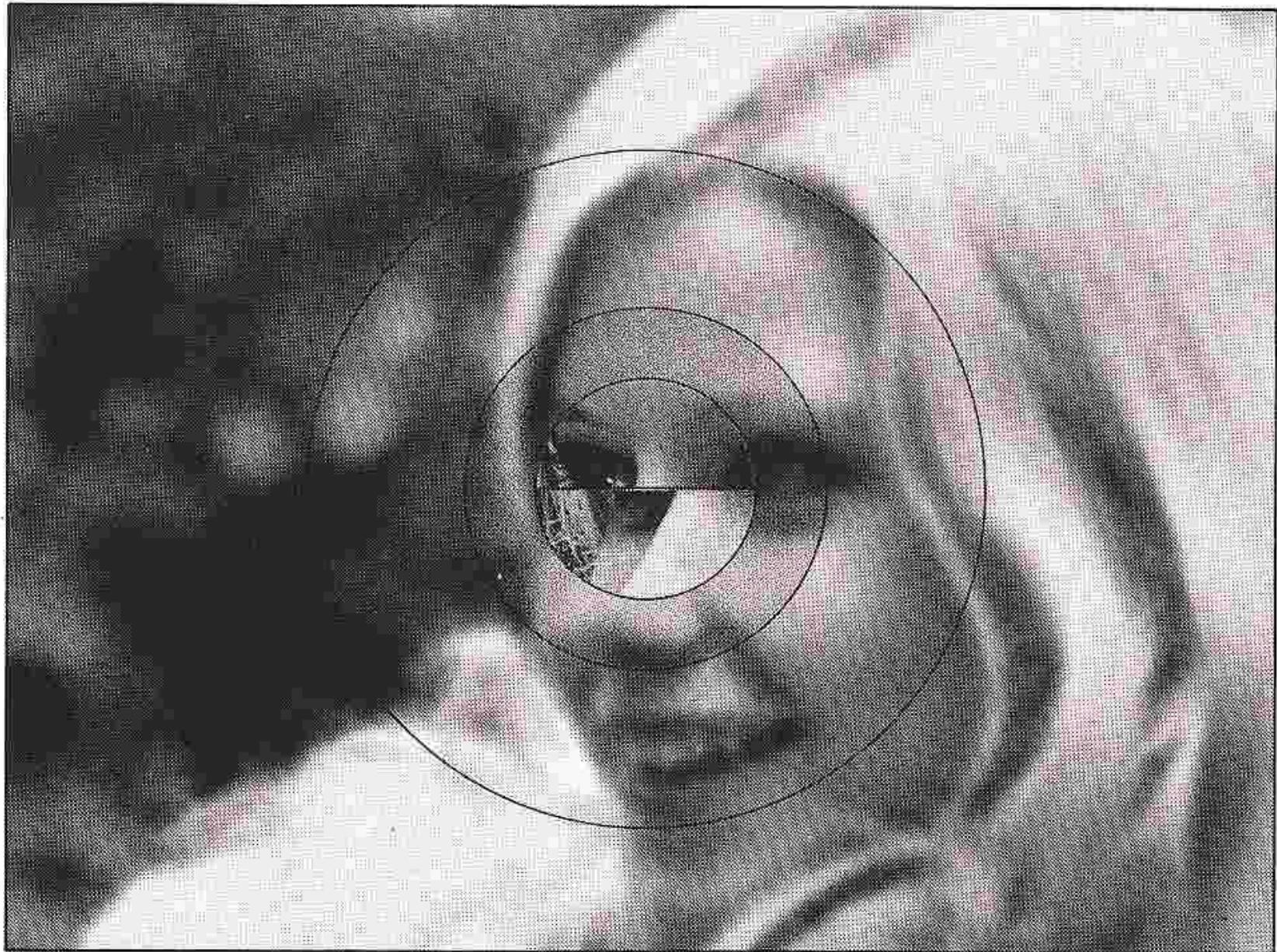
Out of focus
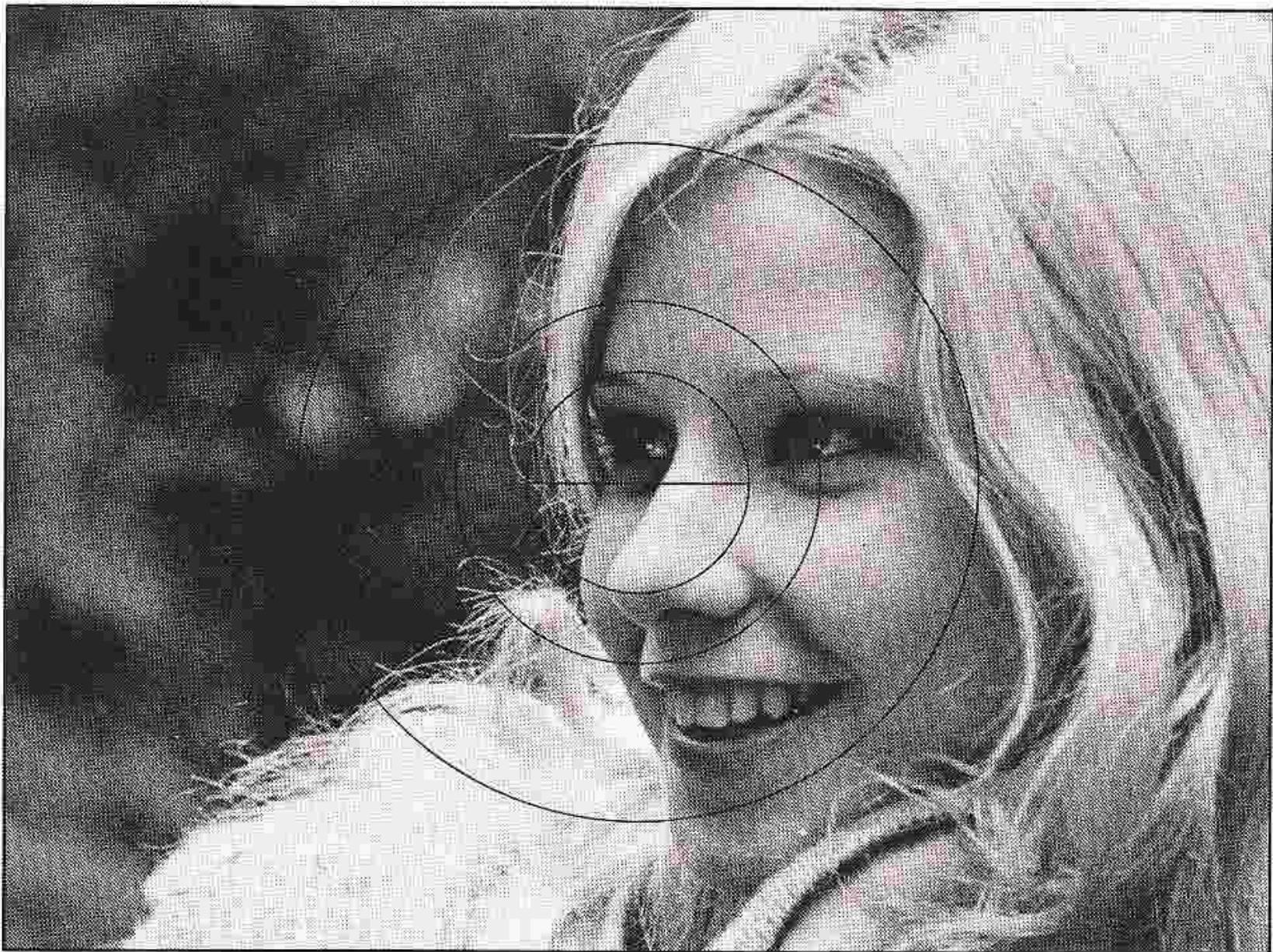
In focus
FOCUSingcontinued
Infrared Photography
The plane of sharpest focus for infrared light is slightly further away than its counterpart for visible light as seen through the camera's viewfinder. To compensate for this, first focus the image sharply through the viewfinder. Then, turn the focusing ring counterclockwise until the point focused is aligned with the red dot (or line) provided on the lens barrel. For example, in the picture below, the lens has been focused for infinity () infrared shooting. Note that when lenses with a focal length of 50mm or less are used stopped-down to f/8 or below, compensation is not necessary due to the large depth of field available.
There are some Nikkor lenses that do not require refocusing for infrared photography; refer to their instruction manuals for details.
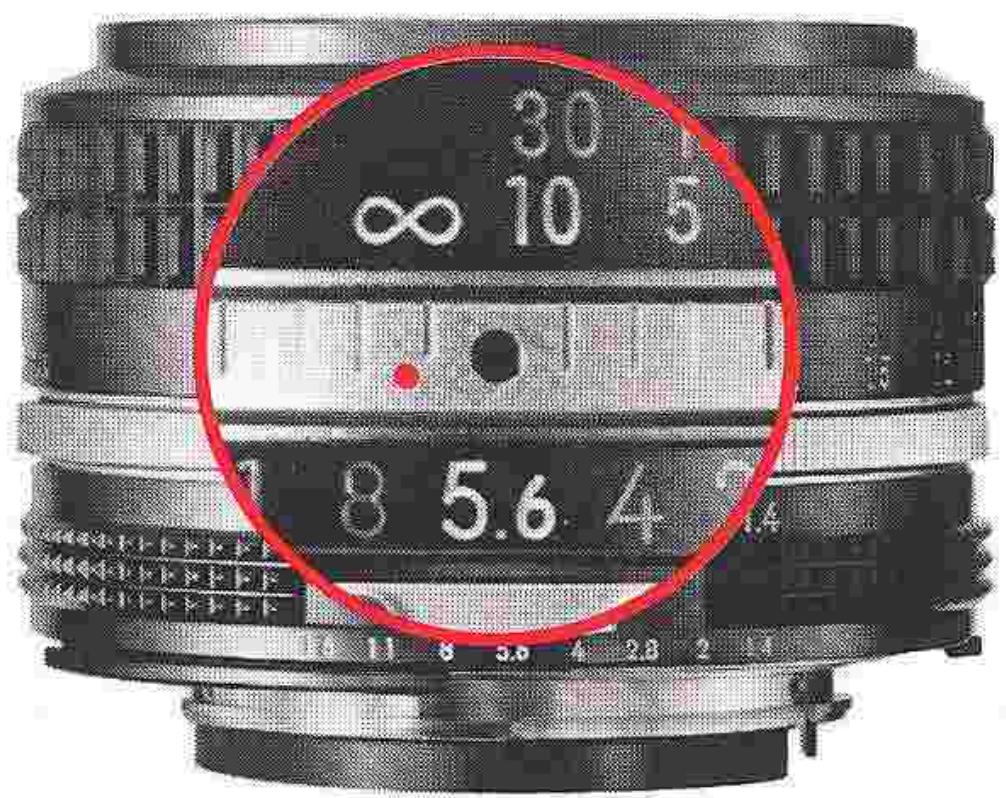
Film-Plane Indicator
To ensure the best results in critical picture-taking situations, such as closeup or copy photography, it might be necessary to determine the exact subject-to-film-plane distance. The Nikon FE is thus provided with a film plane indicator () ; this is positioned exactly on the film plane, which is 46.5mm from the front surface of the lens mounting flange.
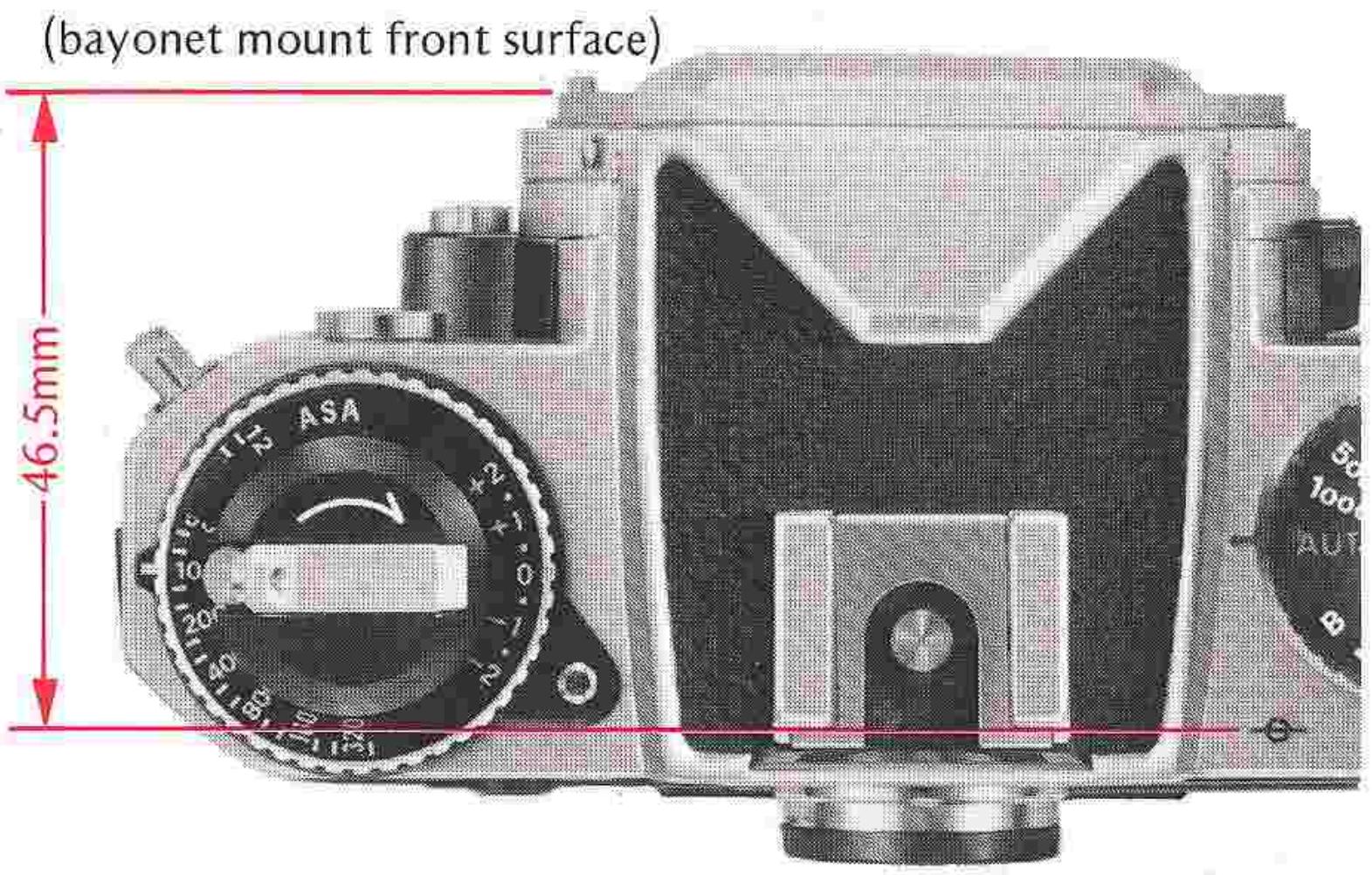
DEPTH OF FIELD
When you focus on your subject, you will find that not only is the subject itself in focus but that objects both in front of and behind it appear to be in focus. This "zone" of focus is called "depth of field."
Depth of field is not a fixed quantity. It varies by lens, depending on both the subject's distance from the camera and the specific lens aperture in use. A third factor, the focal length of the lens, also influences the apparent depth of field, i.e., the longer the lens, the shallower the depth of field appears to be, and vice versa. In the same manner, the wider the taking aperture (i.e., the lower the f/stop number), the shallower the depth of field, and vice versa. Also, the closer you approach your subject, the shallower the depth of field becomes, and vice versa. In all cases, you will find that the depth of field behind the subject is larger than that in front.
Depth-of-Field Preview Lever
Most Nikkor lenses are "automatic." This means that the aperture diaphragm remains open at its widest while you are viewing, focusing and metering. When you press the shutter release button, the camera automatically "stops down" the diaphragm to the aperture which is set on the aperture ring.
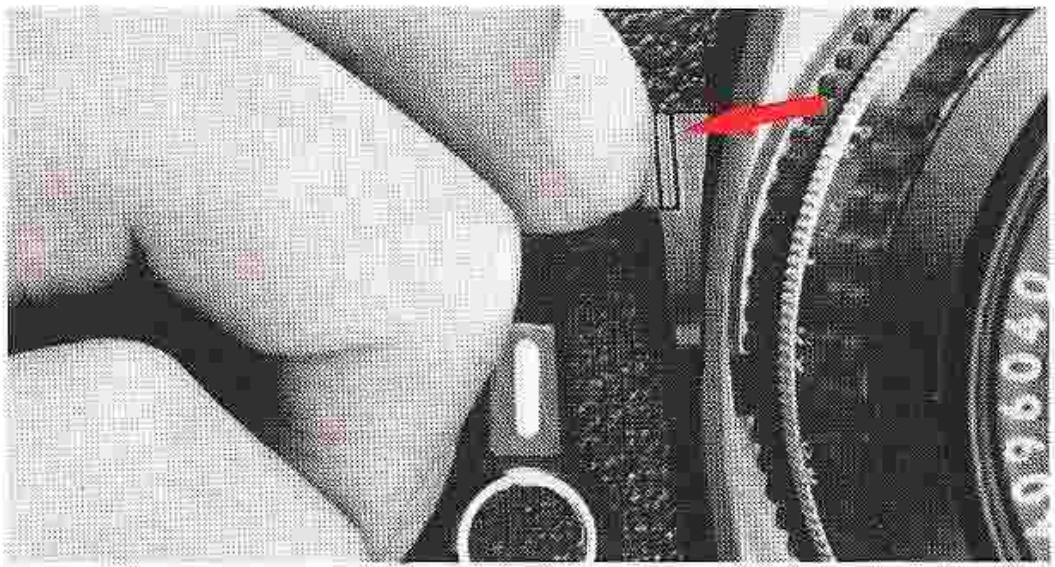
To examine the depth of field before taking a picture, it is necessary to stop down the lens manually. You can do this by pushing the depth-of-field preview lever. Assuming that the lens is not set to its maximum aperture, depressing the lever will stop down the lens to that aperture. You will then be able to see the elements in front of and behind the main subject that will be in sharp focus in the final photograph—although some of them may have not appeared to be in focus prior to pushing the lever. A side effect is the "darkening" of the image in the viewfinder (the higher the f/number, the darker the image appears); this is normal and should be no cause for concern. Note that the correct "automatic" exposure cannot be obtained if the lever is depressed when the shutter is released. After taking a stopped-down meter reading, you can release the shutter with the depth-of-field lever depressed, but it must be depressed all the way. Otherwise, the shutter may not open.
DEPTH OF FIELD—continued
Depth-of-Field Indicators
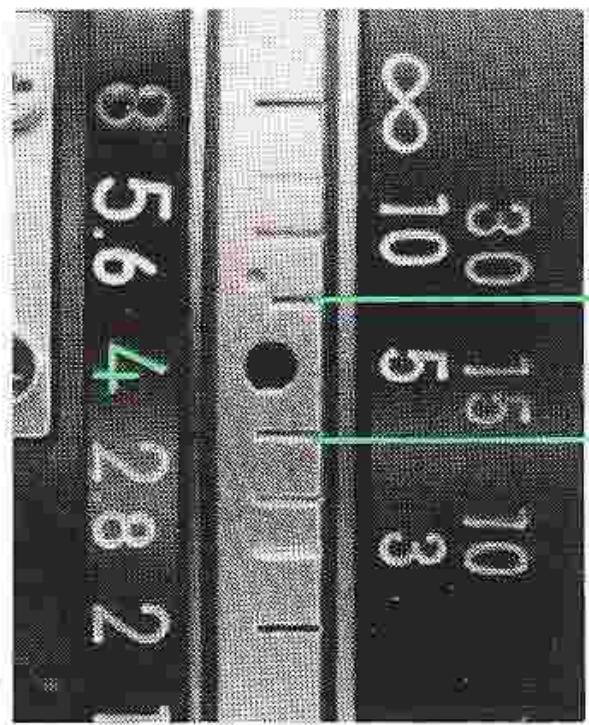
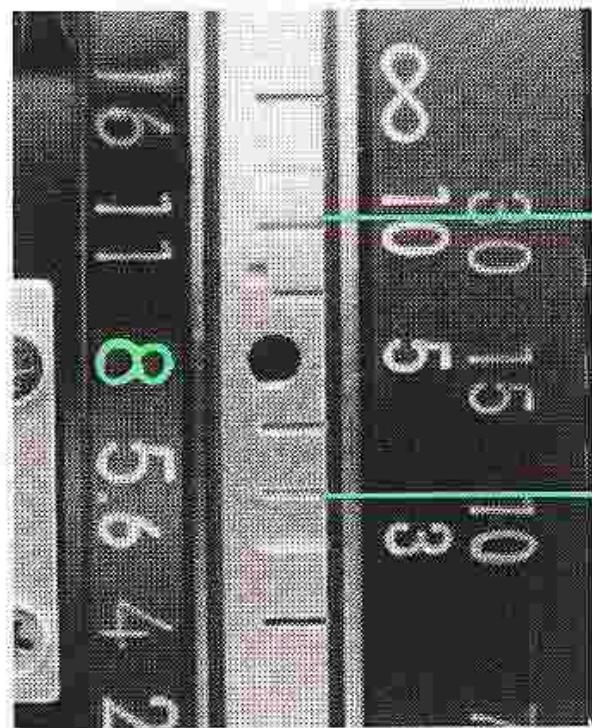
Virtually every Nikkor lens comes with three scales which can be used for determining the depth of field. The first is the lens aperture scale, with the f/numbers color-coded. The second consists of two sets of colored lines, the colors corresponding to the colors of the f/numbers. The third is the focusing scale which is calibrated in meters and feet.
To determine depth of field, note the color of the f/ number in use. The depth of field at the taking aperture is indicated by the numbers on the focusing scale which are adjacent to the colored lines that correspond to the color of the f/number set.
Example:
Taking aperture: f/16
Color: Blue
Focusing distance: 5m
In the example above, the farthest point of sharp focus behind the subject is infinity () ; this is the figure on the focusing scale which is adjacent to the blue line on the second scale, which in turn corresponds to the blue color of the f/16 setting. The closest point of sharp focus is 2.7m , although this number does not appear in the focusing scale.
Note that for exact depth-of-field determination, you should refer to the depth-of-field tables in the instruction manual for the Nikkor lens in use.
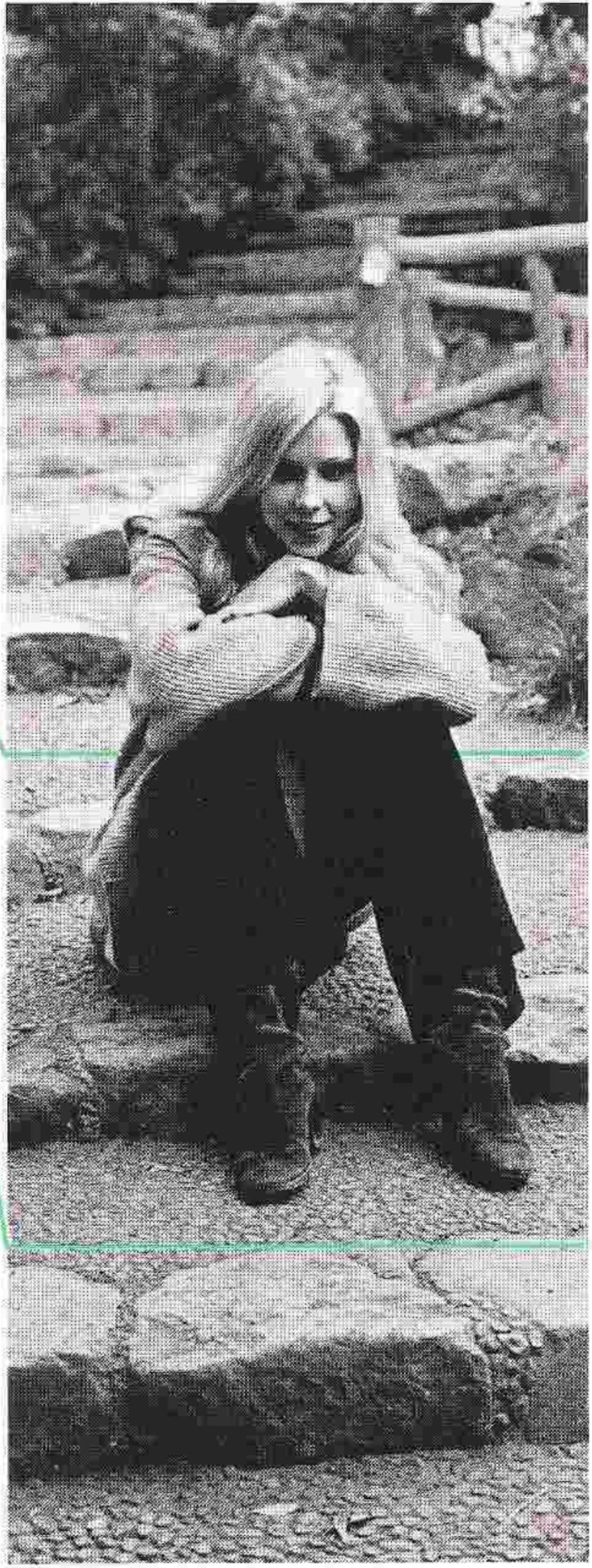
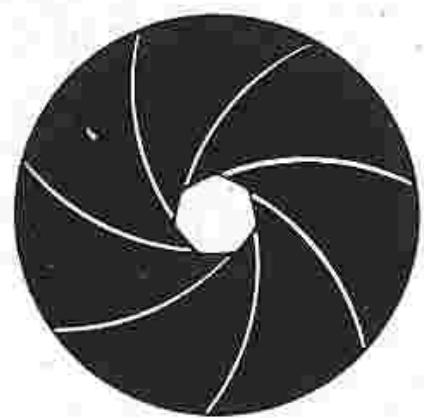
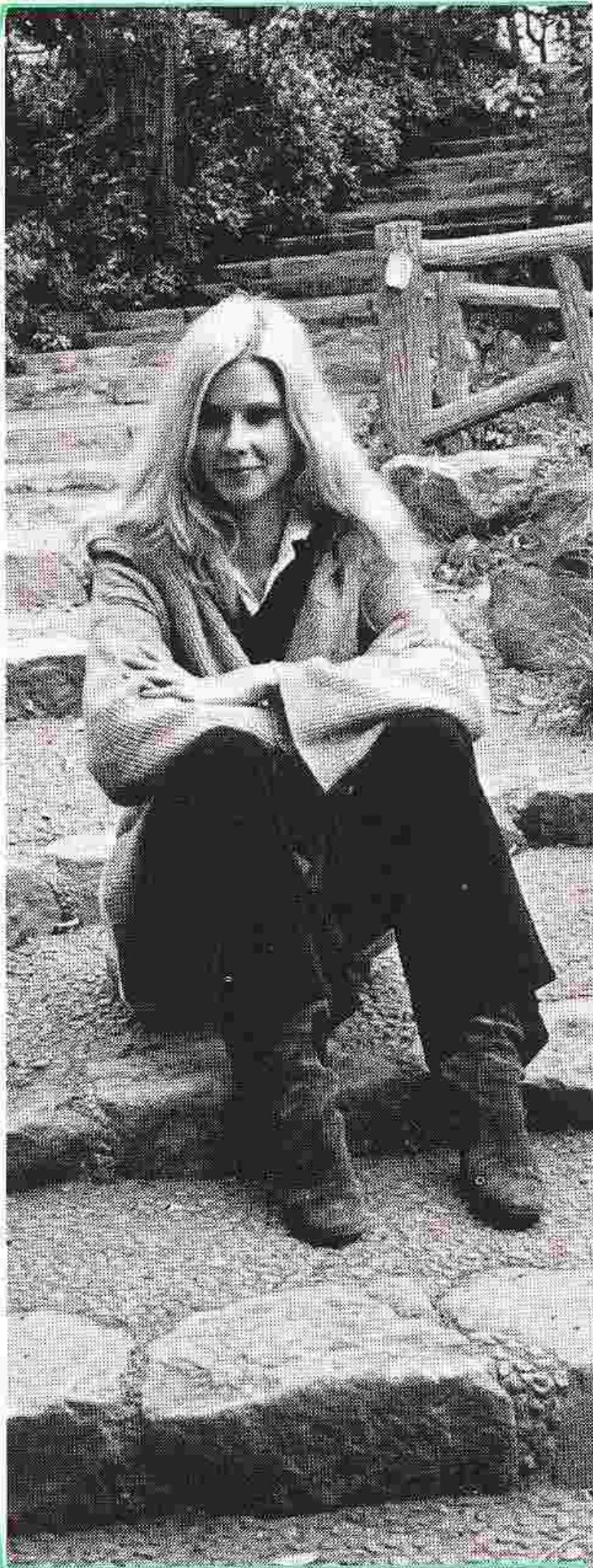
Lens set at f/4: Shallow depth of field centered on the main subject.
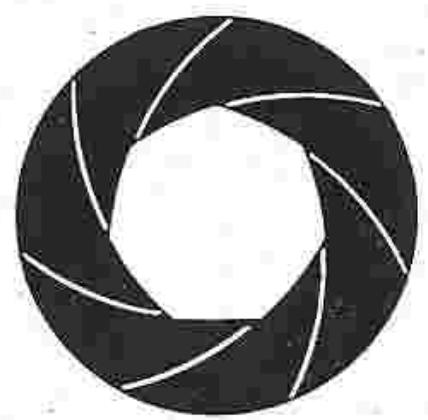
Lens at f/8: Depth of field extends in front of/behind the main subject.
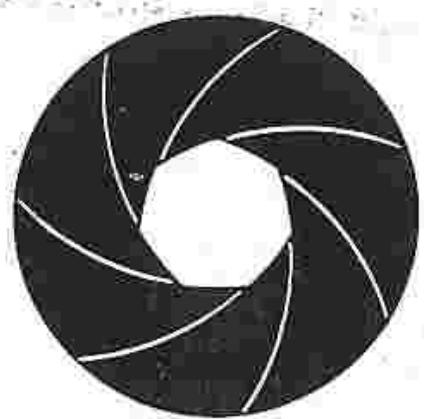
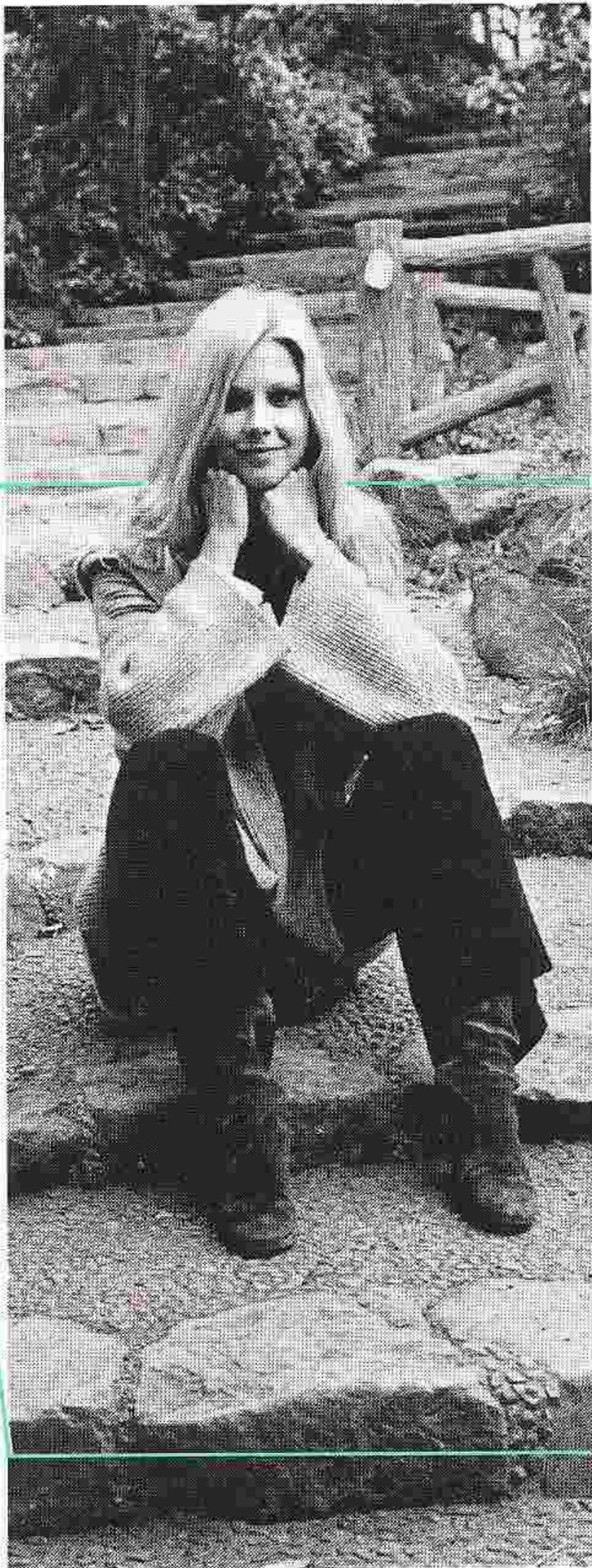
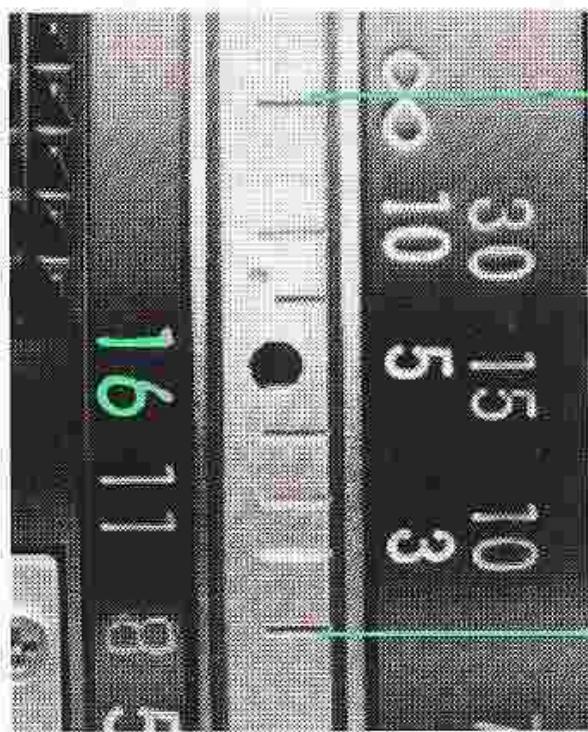
Lens at f/16: Sharp focus encompasses the entire foreground and background.
EXPOSURE MEASUREMENT
The exposure meter of the Nikon FE is center-weighted. The meter reads the light over the entire focusing screen but favors the central 12mm-diameter area, while still taking the entire area into consideration. This allows you to make precise readings of the selected subject area, and results in more balanced overall exposures.
Automatic Shutter Speed Selection
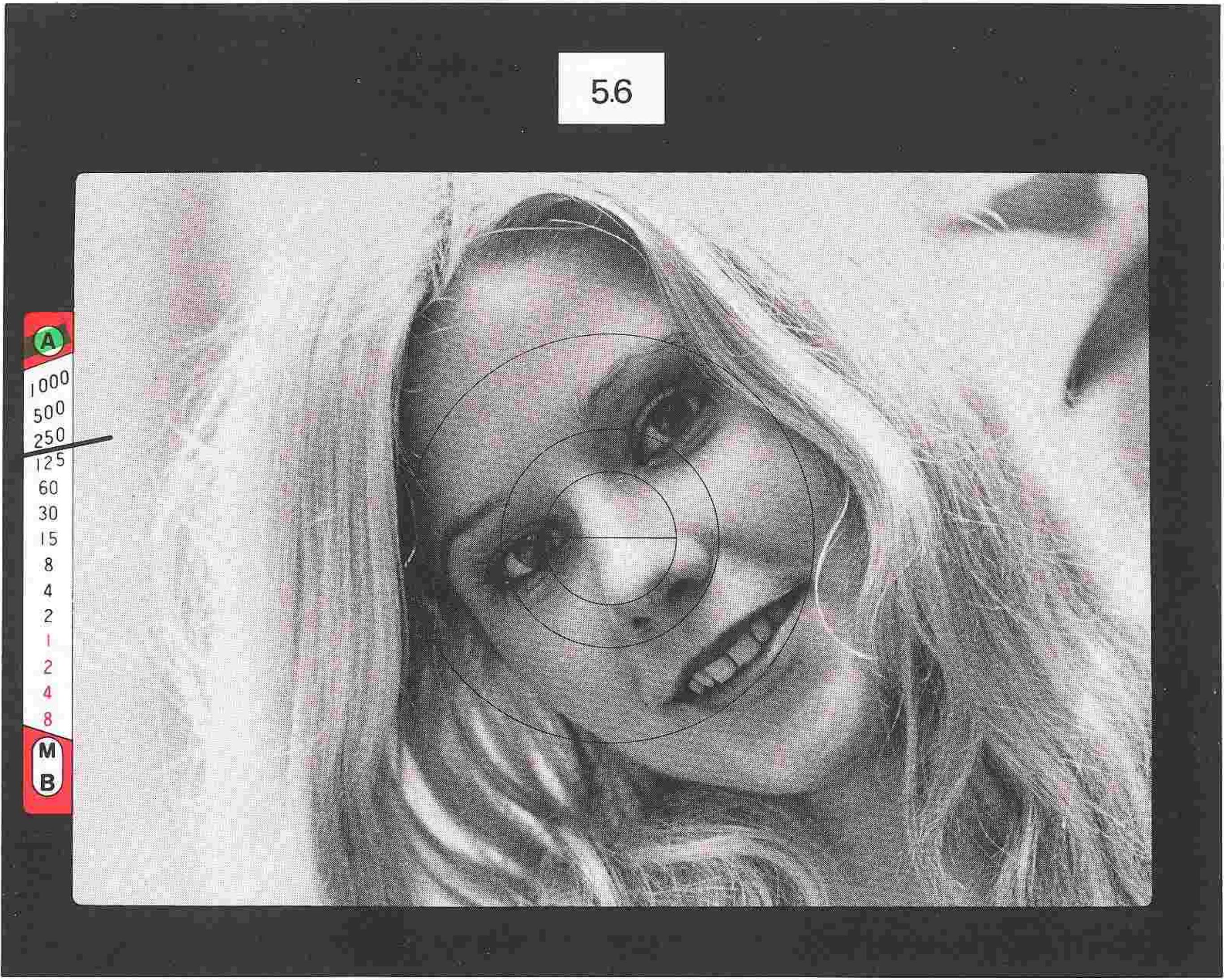
When set to the "AUTO" shutter-speed dial setting, the FE is capable of fully automatic selection of the shutter speed appropriate to the aperture setting of the lens and the existing lighting conditions. The exposure meter display, visible inside the finder, enables the photographer to maintain continuous control over the exposure while viewing and focusing. And as lighting conditions (or the aperture setting) change, the shutter speed control circuit continues to maintain continuous and automatic control, for perfect exposures every time.
To take a picture using automatic shutter speed selection, first set the shutter-speed dial to "AUTO" (the green needle in the finder will move to the upper "A" position and remain there) and select an appropriate aperture setting. As you compose and focus, the black needle will continuously indicate the shutter speed being selected for correct exposure. Prior to exposing the film, make sure that the needle indicates a shutter speed appropriate for the subject; if the indicated speed is too fast or too slow, simply adjust the aperture ring on the lens until the desired shutter speed is indicated. Then, press the shutter release button to take the shot. Note that as long as the needle remains within the scale, provided the EV range of the metering system is not exceeded, the camera gives the correct exposure automatically.
EXPOSURE MEASUREMENT—continued
Manual Shutter Speed Selection
When the shutter-speed dial is set to other than the "AUTO" setting, manual shutter speed selection is provided, with exposure determination via the "match-needle" method. To determine the correct exposure using manual speed selection, perform the following: Switch on the meter by moving the advance lever to its stand-off position. Adjust the shutter-speed dial until the green needle is aligned with the desired speed; then, simply adjust the aperture setting of the lens until the black needle moves to overlap the green needle. If deliberate under- or overexposure is desired, adjust the controls so that the green needle overlaps the next higher number (one-stop underexposure) or the next lower number (one-stop overexposure). Example under- and overexposure indications are shown at the right.
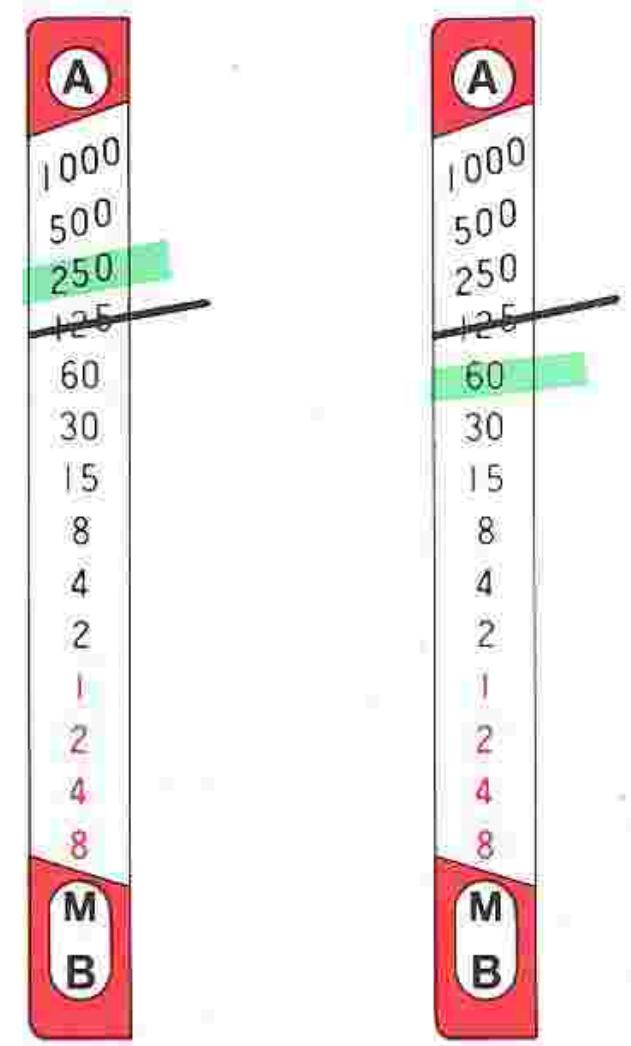
Deliberate one-stop underexposure
... and one-stop overexposure.
Exposure Control
The amount of light reaching the film plane is determined by a combination of the lens aperture and the shutter speed. Since the two are interrelated, different combinations will give the same exposure. A 1-step change in the shutter speed, or a 1-stop change in the aperture setting, will either halve or double the exposure. For example, a shutter speed of 1/125 second allows twice as much light to strike the film as a setting of 1/250 second, and only half as much light as a speed of 1/60 second; with an aperture setting of f/11, twice as much light enters the lens at f/8, and half as much at f/16. With this in mind, it's easy to see that if a correct exposure for a scene is 1/125 at f/11, then 1/60 at f/16 or 1/250 at f/8 will give you exactly the same exposure. The best combination will depend on the desired results. Use fast shutter speeds to freeze motion, or slow speeds to produce deliberate and creative blur. Small apertures give greater depth of field, while large apertures restrict sharp focus to the main subject. The creative selection of both speeds and apertures will greatly enhance your photography.
EXPOSURE MEASUREMENT—continued
Metering Range
If the black meter needle fails to leave the "A" or "M/B" positions during auto (or fails to "match" the green needle in manual), even after all possible lens-aperture/shutter-speed combinations have been tried, then the available light is too bright or too dim for the meter's range. To correct this situation, several measures may be taken as follows: Mount a neutral density filter on the lens to decrease the light reaching the film plane; or use artificial lighting (i.e., an electronic flash unit) to increase subject illumination. Remember, too, that the lens in use can greatly influence suitability for bright or dim-light shooting. For example, a 50mm f/1.4 lens (with ASA 100 film) couples from EV 1 (f/1.4 at 1 second) to EV 18 (f/16 at 1/1000 second) for excellent low-light performance; on the other hand, a 135mm f/2.8 lens proves more usable at bright-light levels, coupling (with ASA 100 film) to EV 3 ~ EV 20 (f/32 at 1/1000 second). Thus, choose the lens carefully to match the existing lighting conditions.
High-Contrast Lighting Situations
When there are substantial brightness differences between the main subject and the background, unimportant bright spots or dark spots can adversely influence the meter reading, and thus the final exposure. To prevent under- or overexposure of the main subject under these shooting conditions, some corrective action must be taken to ensure proper exposure of the main subject. Fortunately, the finder's center-weighted TTL metering (and the memory lock function) simplify adjustments, making for quicker camera operation and more accurate final results.
To compensate for an excessively bright or dark background, place the main subject in the center of the focusing screen while performing metering; this action ensures that the main emphasis of the meter reading will be on the chosen subject. Then, after completing aperture and shutter speed adjustments (and depressing the memory lock to retain the shutter speed, if set to auto), recompose to the desired picture composition and make the exposure without readjusting the camera controls. For example, when shooting landscapes, it is often advisable to aim the camera slightly downward during exposure measurement to eliminate the effects of a bright expanse of sky; without such compensation, the landscape may appear underexposed in the final print. Also, for backlit subjects, it may be necessary to move closer to the subject to ensure a proper reading.
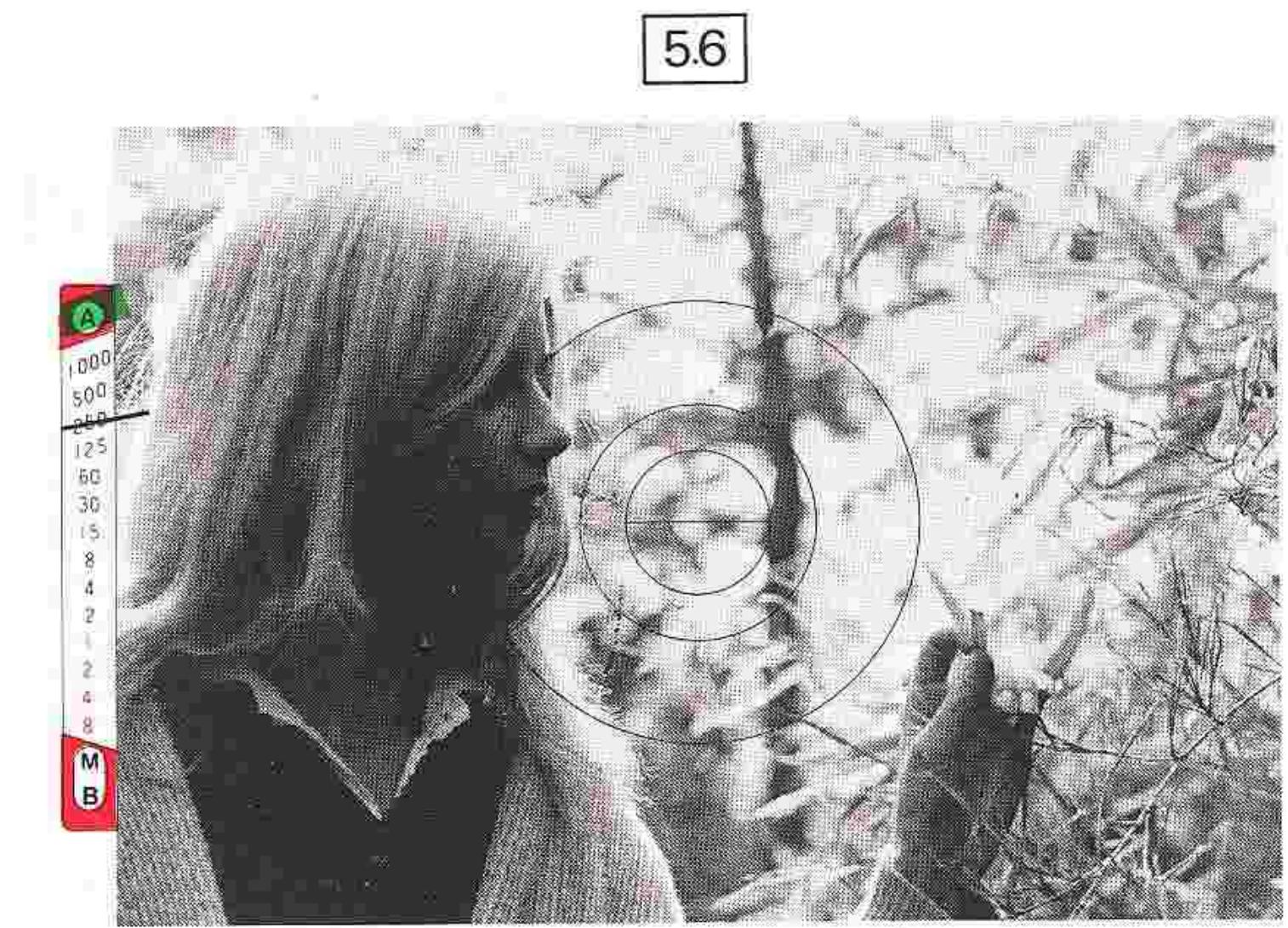
- Metering with a bright area in the center will cause underexposure of the main subject.
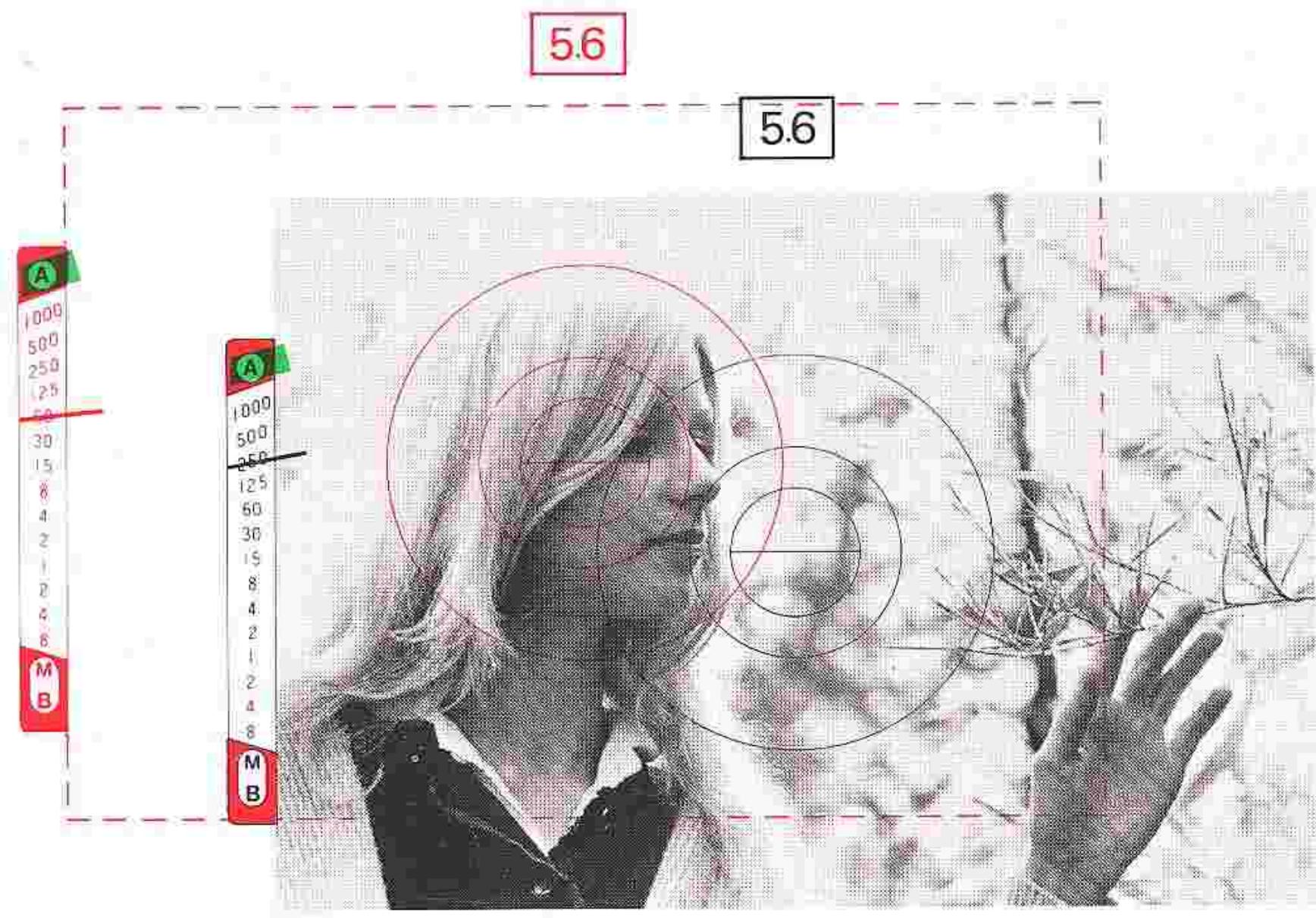
- For correct exposure, first measure the main subject; then, recompose and shoot.
STOP-DOWN EXPOSURE MEASUREMENT
The vast selection of lenses available for use with your Nikon FE includes some which are fitted neither with an automatic diaphragm nor a meter coupling ridge, both of which are essential to full-aperture exposure measurement. The FE works with these lenses, through an alternative method called "stop-down" exposure measurement. First, the meter coupling lever should be raised and locked up out of the way manually by depressing the coupling lever release button; to avoid accidental damage, make sure you do not use excessive force when raising the lever.
After setting the lever, mount the lens or lens/accessory combination on the camera, switch on the meter by moving the film-advance lever to the stand-off position, and then set the controls for correct exposure as follows:
For lenses or accessories having no automatic diaphragm, nor meter coupling ridge (e.g., bellows units, extension rings, preset lenses)
AUTO: First, set the camera at "AUTO." Focus on the subject and stop down the lens manually until the desired shutter speed is indicated in the viewfinder.
MANUAL: First, focus on the subject. Adjust either the shutter-speed dial or the lens aperture ring until the needles in the viewfinder overlap.
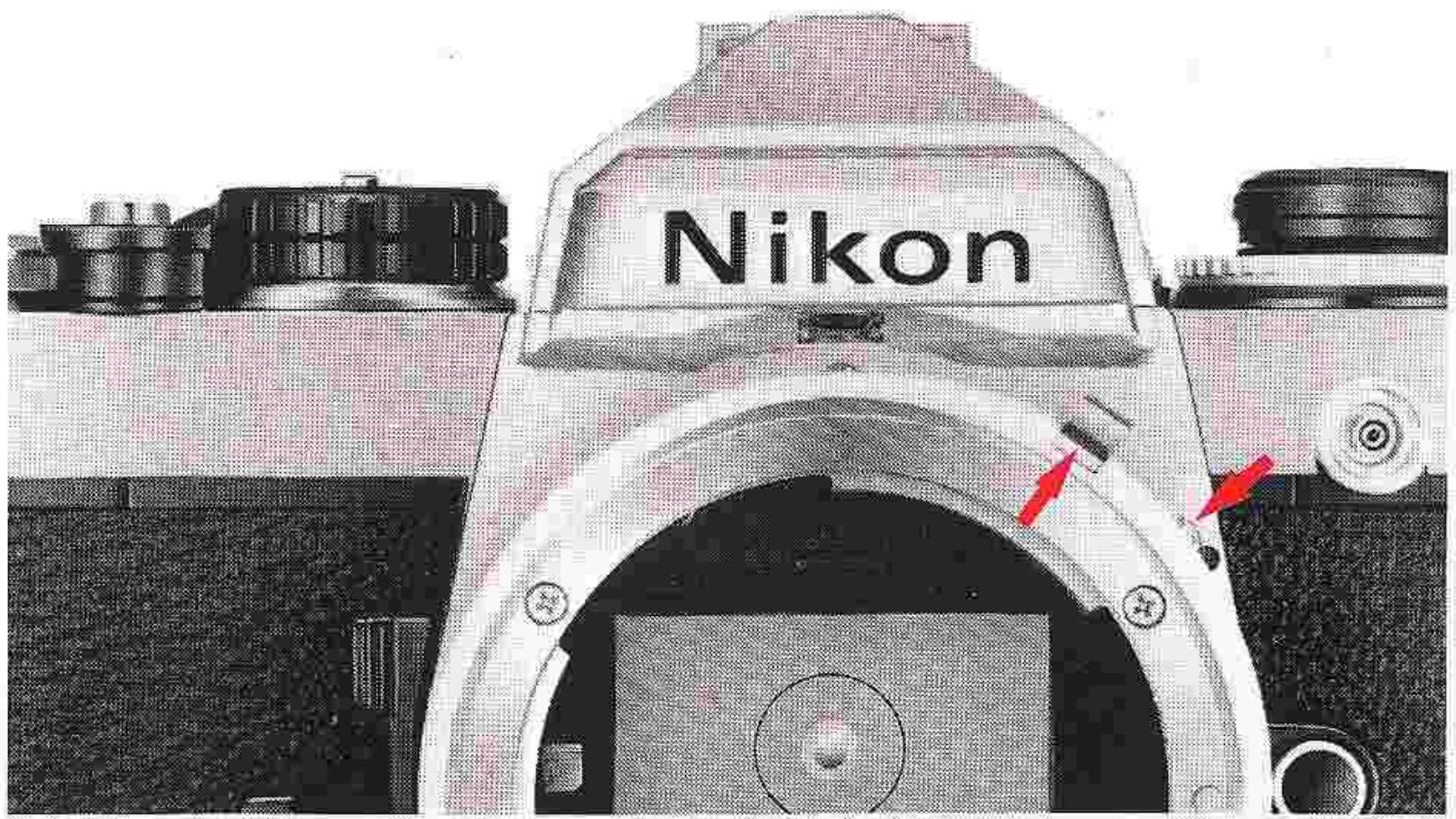
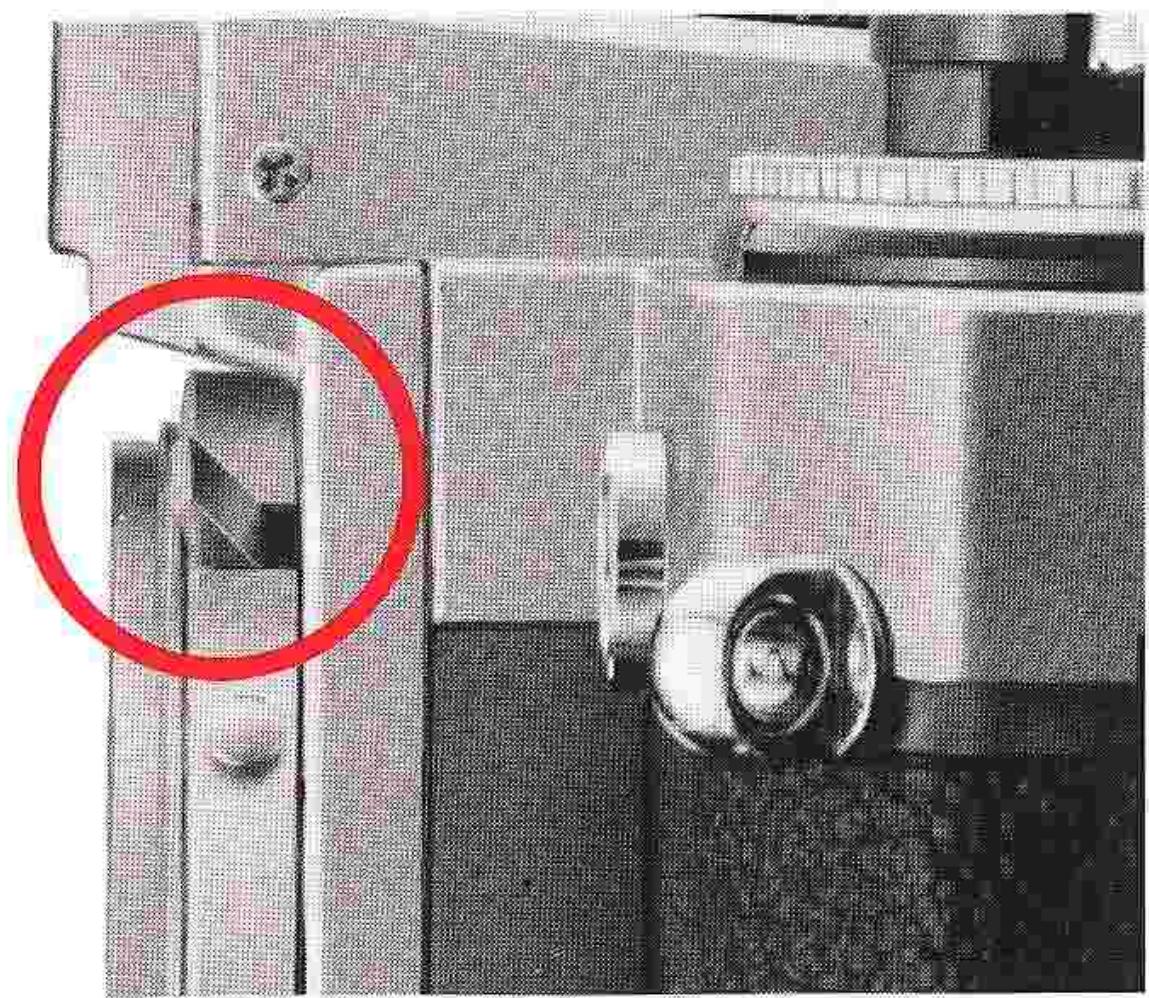
For automatic diaphragm lenses with no coupling ridge
AUTO: Hold in the depth-of-field preview lever to stop down the lens diaphragm. Then, adjust the aperture ring until the black meter needle indicates the desired shutter speed. Trip the shutter with the preview lever fully depressed toward the camera body until the completion of the exposure. An alternative way is to use the built-in memory lock function. In this case, after reading the meter in the same method as mentioned above, use the memory lock to freeze the reading (be sure the preview lever is still depressed when “locking in” the reading), and then free the preview lever. Release the shutter while keeping the memory lock depressed.
MANUAL: Select the desired shutter speed, depress and hold the depth-of-field preview lever, and while keeping it depressed, adjust the aperture ring until the needles in the viewfinder overlap.
You may free the preview lever before releasing the shutter.
For fixed-aperture lenses such as Reflex-Nikkors, photomicrography or astrophotography
AUTO: As the lens aperture is fixed, no additional control is necessary.
MANUAL: Adjust the shutter-speed dial until the needles in the viewfinder overlap.
For additional control of exposure in either mode of operation, use ND filters, or adjust the illumination, or switch to a higher or slower speed film.
EXPOSURE COMPENSATION ADJUSTMENTS
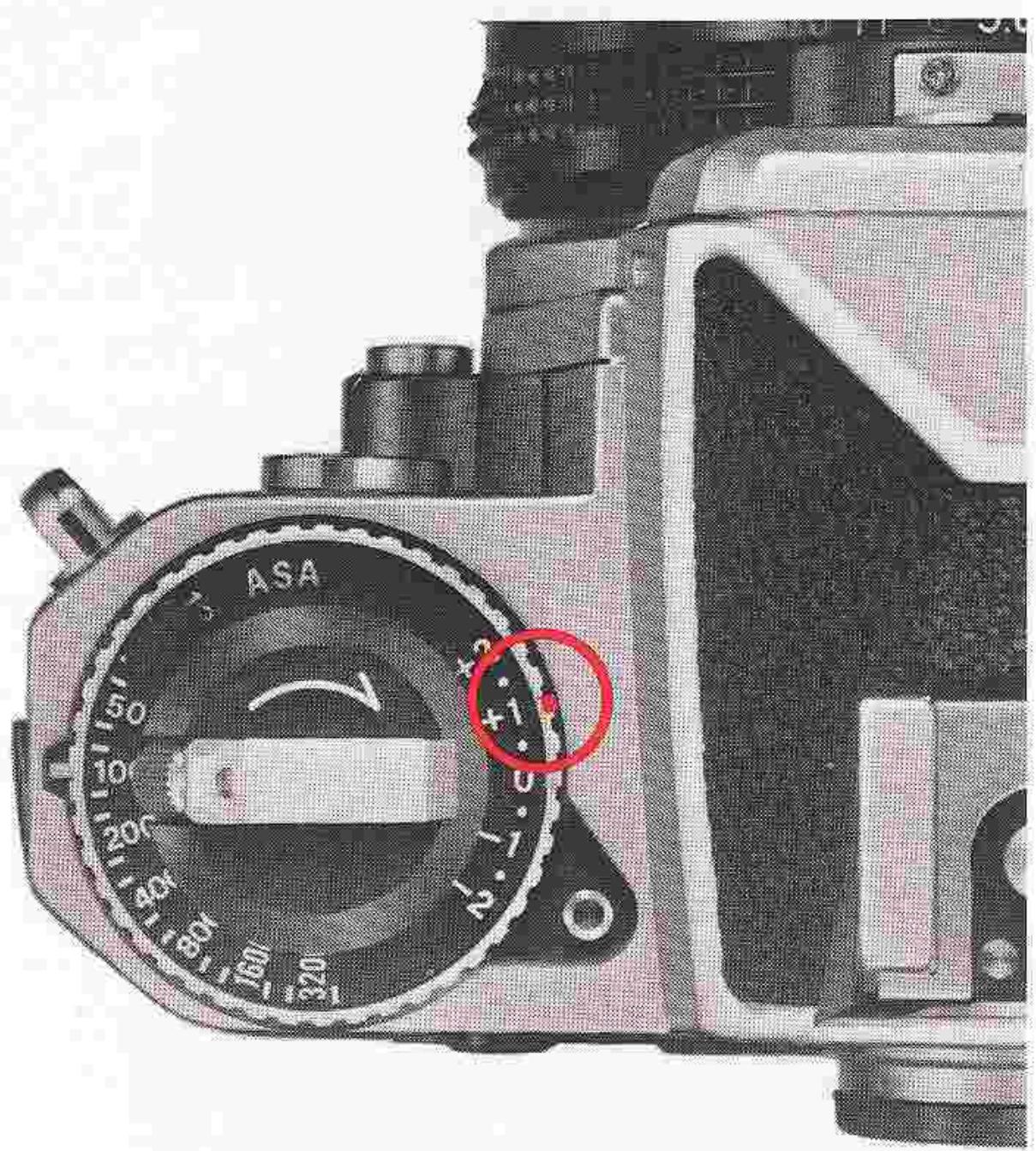
Some exposure correction may be necessary when certain types of films are used for copying or photomicrography applications; the amount of correction required, however, will depend on the type of film and the specific application. The following table lists the exposure corrections in f/stops required for various film/shooting requirements. Compensation is possible by adjusting the shutter speed or the aperture by the indicated amount; also, compensation is possible by adjusting the exposure compensation ring provided for this purpose. To adjust the ring, simply lift and turn it until the index mark is aligned with the value corresponding to the amount of compensation. In the example shown, the red dot on the ring is set to the +1 position, as required when performing photomicrography using Panchromatic film. Exposure compensation on the FE ranges in half stops from EV +2 to EV -2. However, when the ASA film-speed dial is set at ASA 3200 or 4000, the compensation ranges down to EV -1; at ASA 12, up to EV +1.
| Original Type of film | Repro-copying & slide-copying | Photo- micrography | ||
| B&W or color photo | Letters or figures on light background | Letters or figures on dark background | ||
| Panchromatic film for general use | No compensation necessary | +1½ stops | -½ stop | +1 stop |
Caution: When performing general photography with the FE, always make sure that the exposure compensation ring is set to the "0" position; if not, incorrect exposure will occur.
EV RANGE OF THE CAMERA
The camera's meter may be used only within the shutter speed range covered by the exposure value (EV) range of the meter, which varies with the aperture and ASA setting.
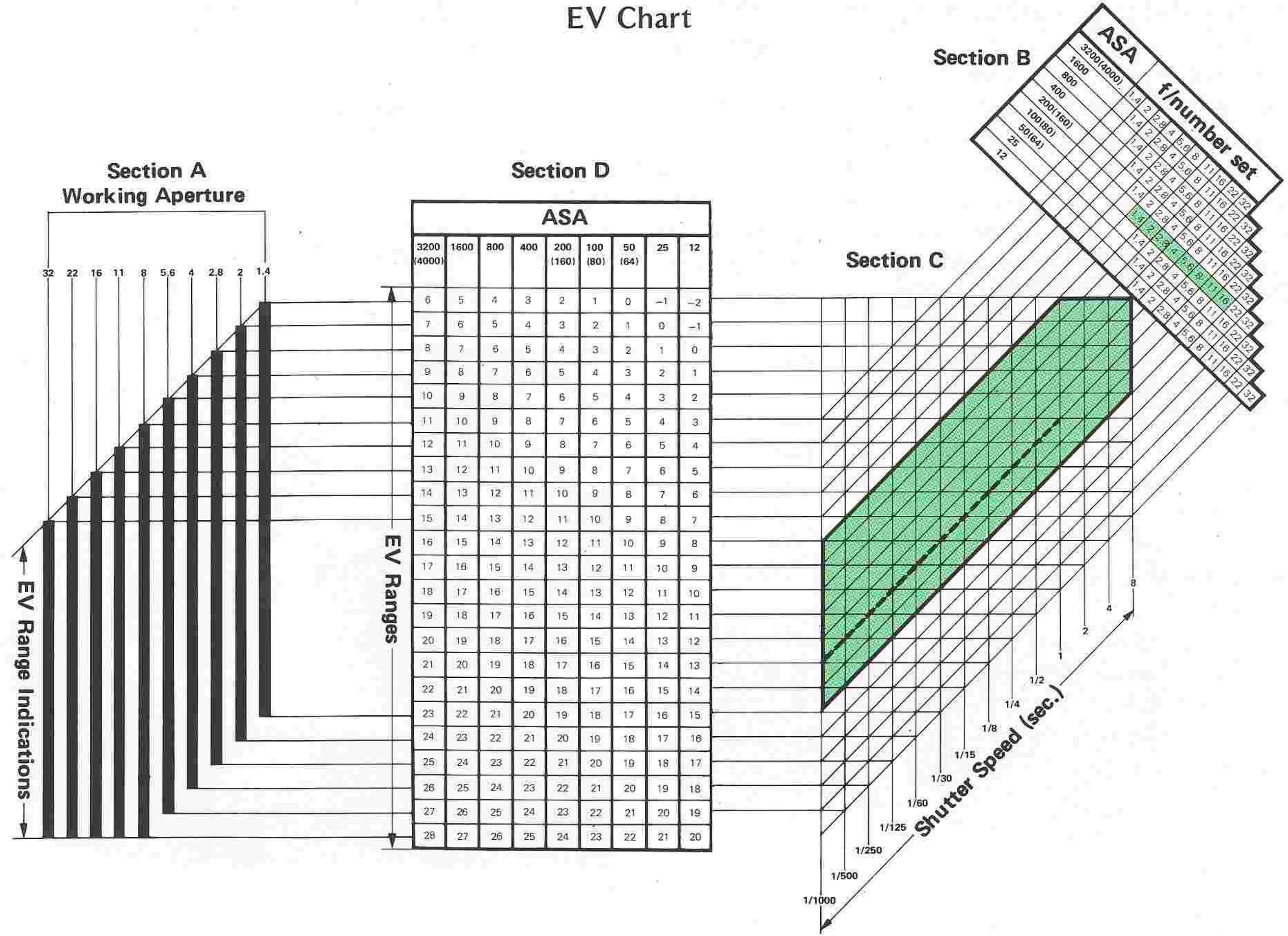
The chart on page 35 shows the relationships between the f-stop, shutter speed and film speed, indicating the slowest usable shutter speed (for metering purposes) with any film speed/f-stop combination.
Careful attention to the following instructions will assure precise exposure, automatically, over the complete range of your Nikon FE.
Auto exposure control at full aperture
For example, with an f/1.4 lens and ASA 100 film, the automatic shutter will function down to one second with the lens set at 1.4, and proportionately slower as the aperture is closed down.
Using ASA 25 film as a standard, you may be assured of at least a four-second speed regardless of the aperture of the lens used as long as the lens is set at full aperture (refer to table).
With ASA 400 film at f/1.4, the slowest speed is 1/4 second; however, as the aperture is closed down, the usable shutter speed becomes progressively slower until we reach f/8 when the slowest speed of eight seconds is possible.
Auto exposure control with stop-down metering
When using a bellows or other extension equipment which does not couple directly to the exposure meter, it is necessary to use stop-down metering. Certain limitations are imposed in this mode.
As lens-to-film distance is increased, the metering range (EV range) changes proportionately. For example, when an f/2 lens is used at a 2:1 reproduction ratio (twice life-size) the effective f/number is f/5.6. When used at f/8, the effective f/number is f/22.
When pictures are taken under low-light levels, it is desirable to use a high-speed film (ASA 160 or higher). Using Tri-X at ASA 400 with stop-down metering, with an effective f/number of f/8, the shutter speed range would be from 1/4 second to 1/1000. Should the light level drop below EV 6, it would be out of the shutter speed range of the meter.
Slowest shutter speed at full aperture with any lens
| ASA speed | Slowest shutter speed (sec.) |
| 3200 | 1/30 |
| 1600 | 1/15 |
| 800 | 1/8 |
| 400 | 1/4 |
| 200 (160) | 1/2 |
| 100 (80) | 1 |
| 50 (64) | 2 |
| 25 | 4 |
| 12 | 8 |
EV RANGE OF THE CAMERA—continued
How to read the EV chart
Full-aperture metering
Example: Lens maximum aperture; f/1.4
ASA film speed: 100
Working aperture: f/5.6
By referring to the f/1.4 column in Section A and the EV values indicated for ASA 100 in Section D, you will find that the EV range for an f/1.4 lens at ASA 100 is 1 to 18. Now, refer to Section B and single out the f/5.6 indication for ASA 100. Go diagonally down until the protruding line intersects with Section C's vertical line for the shutter speed of 8 sec. (the FE's slowest shutter speed). From this point of intersection, follow the horizontal line that leads to Section D's EV value for ASA 100, and you will obtain an EV value of 2. Start again from the f/5.6 indication for ASA 100 in Section B, and go down diagonally until the protruding line intersects with Section C's vertical line for the shutter speed of 1/1000 sec. (the FE's fastest shutter speed) this time. Then follow the horizontal line that leads to Section D's EV value for ASA 100, and you will get a reading of EV 15. This means that an f-stop of f/5.6 at ASA 100 and a shutter speed of from 8 to 1/1000 sec. has an effective EV range of 2 to 15, which is well within the FE's metering range of EV 1 to EV 18. The area encompassed by the heavy lines in Section C demonstrates a metering range for full aperture method using an f/1.4 lens and ASA 100 film.
Stop-down metering
Example: ASA film speed: 100
Stopped-down aperture: f/8
The procedure is the same. The f/8 column in Section A and the EV values indicated for ASA 100 in Section D will show you that the EV range for f/8 is 6 to 23. Refer now to Section B and single out f/8 at ASA 100. Go diagonally down until the protruding line intersects with Section C's vertical line for the shutter speed of 8 sec. From this point of intersection, follow the horizontal line that leads to Section D's EV value for ASA 100, and you will obtain an EV reading of 3. This means that an f/stop of f/8 at ASA 100 and a shutter speed of 8 sec. give an EV value outside the metering range. To find out the slowest shutter speed usable, follow the f/8 indication for ASA 100 in Section B diagonally down until it intersects the horizontal line in Section C that leads to Section D's EV value of 6 for ASA 100, and you will find that the slowest shutter speed usable is 1 sec. In other words, at f/8 and ASA 100, the available shutter speed range that is within the metering range is from 1 to 1/1000 sec., which has an effective EV range of 6 to 16 (indicated by the broken line in Section C)—well within the metering range.
In practice, you will find that it is generally the high end and the low end which require a careful check. The EV range of the Nikon FE encompasses most lighting situations, and it is only under dim-light or extra-bright picture-taking situations that you need pay any special attention.
EVChart
MULTIPLE EXPOSURES
Intentional multiple exposure (two or more exposures on the same frame) for creative effects are easy with the FE. First, make the initial exposure. Then pull back the multi-exposure lever as far as it will go, and while holding it, stroke the film-advance lever. The multi-exposure lever needs to be held in only during the beginning of the advance lever stroke. Repeat this procedure for each additional exposure on the same frame. When you have achieved the desired number of exposures on the same frame, release the lever and stroke the film-advance lever once more. Note that during multiple exposure operation, both the camera's shutter speed and the lens aperture can be changed to any setting. The frame counter will remain at the same setting until the multi-exposure lever is released—a convenient way of confirming that multiple exposure operation is proceeding properly.
For motor-driven multiple exposures, in combination with the optional MD-12 Motor Drive Unit, simply pull back the multi-exposure lever while firing off the desired number of frames either in the "Single" or "Continuous" mode. After releasing the lever, cover the lens with a lens cap and make a blank exposure to get the film ready for the next shot.
FLASH SYNCHRONIZATION
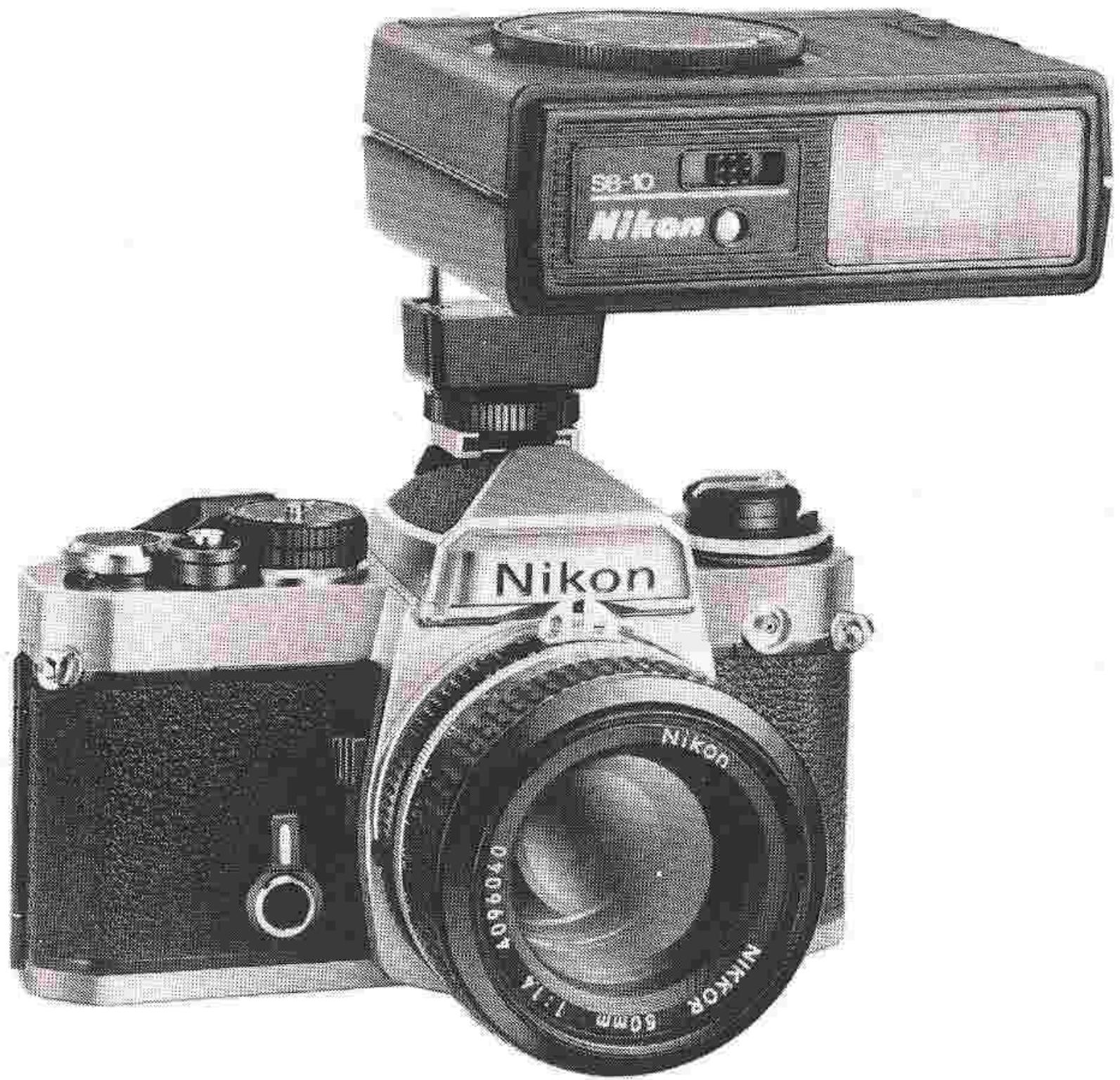
The Nikon FE is designed to synchronize with electronic flash units at all shutter speeds up to and including 1/125 second, or with flashbulbs up to and including 1/30 second. A built-in hot shoe offers operation without the need for a sync cord when using flash units equipped with an ISO-type hot-shoe mount such as the Nikon Speedlight Units SB-4, SB-8E, SB-9, and SB-10. For other units such as the Flash Unit BC-7 and the Speedlight Unit SB-7E, the Flash Unit Coupler AS-2 is available for direct connection between the speedlight and the FE camera body. For the FE's shutter speed sync range, see the following table.
| Flashbulb | Shutter speed (sec.) | |||||||||||||||
| 1/1000 | 1/500 | 1/250 | 1/125 | 1/60 | 1/30 | 1/15 | 1/8 | 1/4 | 1/2 | 1 | 2 | 4 | 8 | M90 | B | |
| Speedlight | ||||||||||||||||
| FP | ||||||||||||||||
| M | ||||||||||||||||
| MF | ||||||||||||||||
Synchronized
Cannot be used
FLASH SYNCHRONIZATION—continued
Ready-light
A ready-light is built into the eyepiece of the FE for use with the Nikon Speedlight Unit SB-10. This unique feature provides for greater ease of operation during flash photography, as the photographer need not remove his eye from the eyepiece to check if the flash unit is ready for the next exposure; this built-in lamp lets the photographer know the condition of the flash (either "ready" when glowing brightly, or "not ready" when off or glowing dimly) at all times even while viewing. When the FE is set to "AUTO," mounting the SB-10 flash unit into the hot shoe and turning the unit on automatically sets the shutter speed to 1/90 second. No switchover to manual shutter speed setting is required for flash shooting. The camera's shutter operates in the ordinary automatic mode if you release the shutter when the speedlight is turned off. This prevents wasting an exposure. Note that the above procedure is applicable only to the SB-10/FE combination. Also, be sure to release the shutter when the ready-light glows brightly when using the SB-10 unit.
The ready-light also lights up when the shutter-speed dial is set at a speed slower than 1/125 second and the flash unit is charged. This indicates readiness for flash photography.
Additionally, the ready-light functions as a sync warning signal; when the flash unit is not charged, the light is off, but even when it is charged, the ready-light flickers to warn you if the shutter speed is manually set beyond the camera's sync range (e.g. 1/250 second or above). In this case, set the shutter-speed dial to a lower setting, or switch to automatic control mode.
Note: When using an electronic flash other than the Nikon Speedlight Unit SB-10 with the FE in the "AUTO" mode, it is advisable for perfect synchronized photography that you adjust the aperture ring to set the meter needle in the viewfinder to a speed slower than 1/60 sec., even though the X-synchronization is 1/125 sec. and below. Because the silicon photodiode in the FE responds immediately to the slightest change in scene brightness, it's a good idea to give yourself some leeway.

TIPS ON CAMERA CARE
Tough and durable though your Nikon FE is, it is a precision optical instrument, and careless or rough handling can cause irreparable damage. Observe the following tips, and the camera will always work as perfectly as the day you bought it.
Remember that the camera's controls are designed to operate with a minimum of pressure. If you find yourself exerting extra force, take it as a warning that you're doing something wrong.
- Keep all lens and prism surfaces free from dust, dirt and fingerprints. These not only impair viewing—they also generally result in a deterioration of optical performance. Clean such surfaces either with a blower-type brush or with lens tissue moistened with absolute alcohol. Never use lens tissue dry—it will scratch the lens. In general, avoid using cleaning fluids and lens tissue containing silicone (i.e., eyeglass tissue).
- When loading or unloading film, ensure that the interior of the camera body is free of dust, grit or chips of film. Use a blower-type brush to remove such foreign particles. Avoid touching all internal surfaces, particularly the shutter curtains and film pressure plate.
- When mounting or removing lenses, prevent the entry of foreign matter, and take extra care not to damage the rear portion of the lens. Use a blower-type brush to do your cleaning.
- Use the cleaning cloth to clean the external surfaces of the camera body.
- If condensation should form on the lens surfaces (i.e., when the camera is exposed to sudden temperature changes or to high humidity), let the camera dry thoroughly at room temperature before storing it in a cool, dry place.
- Should you drop the camera accidentally on the floor or in water, take it to an authorized Nikon dealer or service facility for servicing immediately.
It is best to store the camera in a case or something similar when you're not using it. In this case, make sure the camera's shutter or self-timer is not cocked; also, don't leave film in the camera if it is to be stored for a long period of time.
- Do not lubricate any part of the camera yourself; all such work should be left to an authorized Nikon dealer or service facility.
It is good practice to test your camera for proper operation before proceeding to your shooting assignment.
- Observe normal battery handling procedures to ensure your camera delivers maximum performance at all times: (1) Install batteries correctly; (2) clean them periodically with a dry cloth; (3) remove batteries when the camera is stored for a long period of time; (4) store unused batteries in a cool, dry place; (5) change weak batteries promptly to prevent leakage within the camera. Also, dispose of used batteries properly (i.e., they should never be burnt), and keep them out of the reach of children. For details on battery performance by brand, refer to the literature available from the manufacturer.
MOUNTING AND REMOVING LENSES
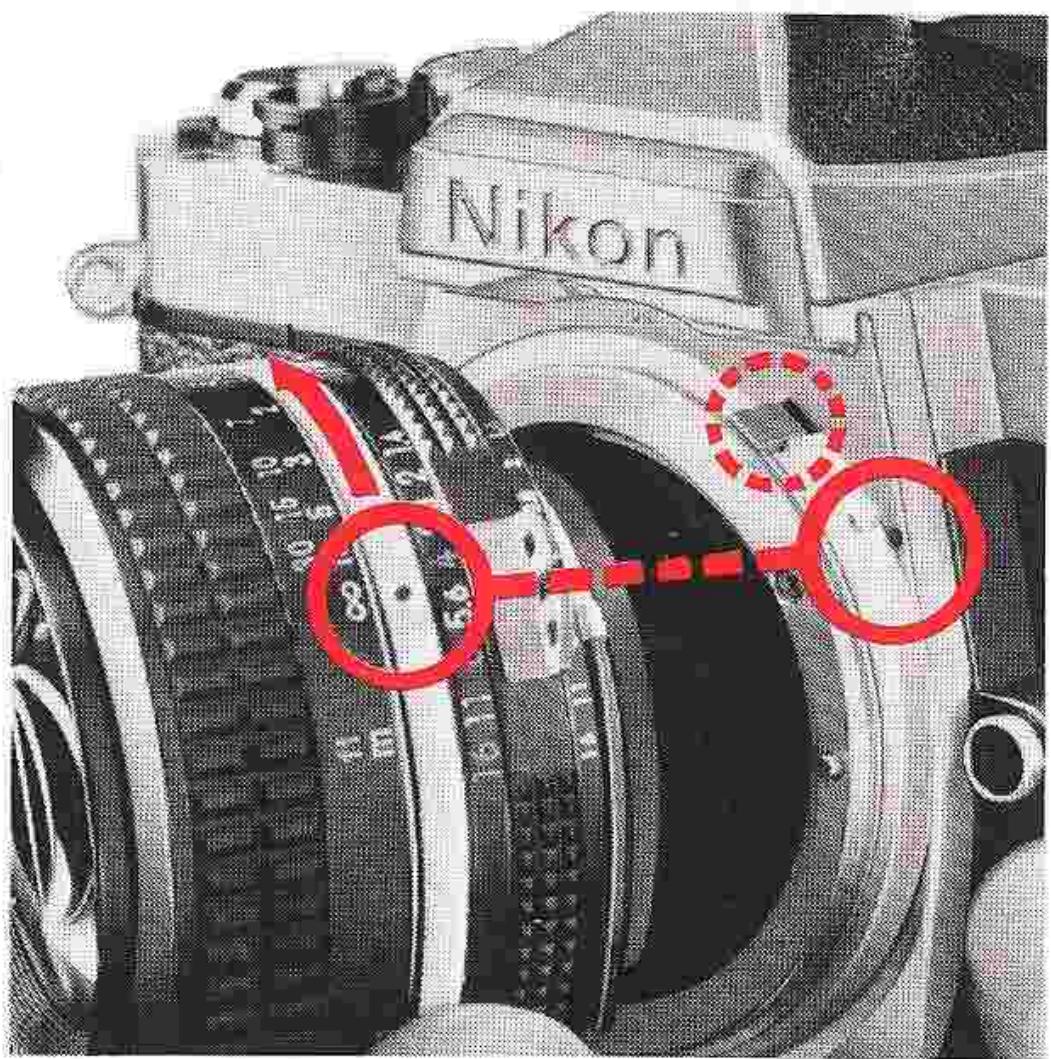
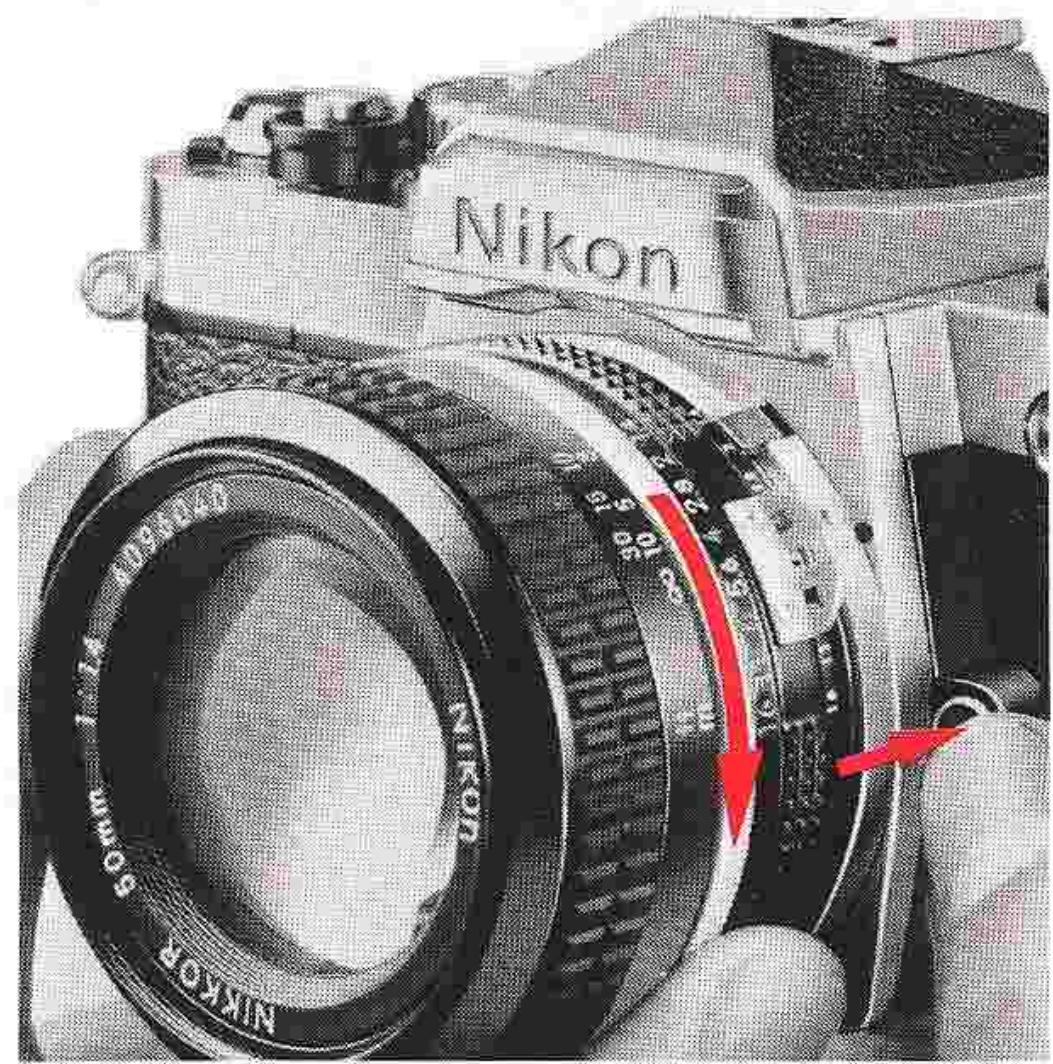
To mount a lens fitted with a meter coupling ridge, first make sure that the camera's meter coupling lever is in the normal position (i.e., it protrudes from the camera's lens mounting flange). Position the lens in the flange so that the mounting index on the lens is aligned with the mounting index on the camera body. Then, twist the lens counterclockwise until it clicks and locks into place. The lens' maximum aperture is automatically indexed to the camera's meter as soon as it is mounted.
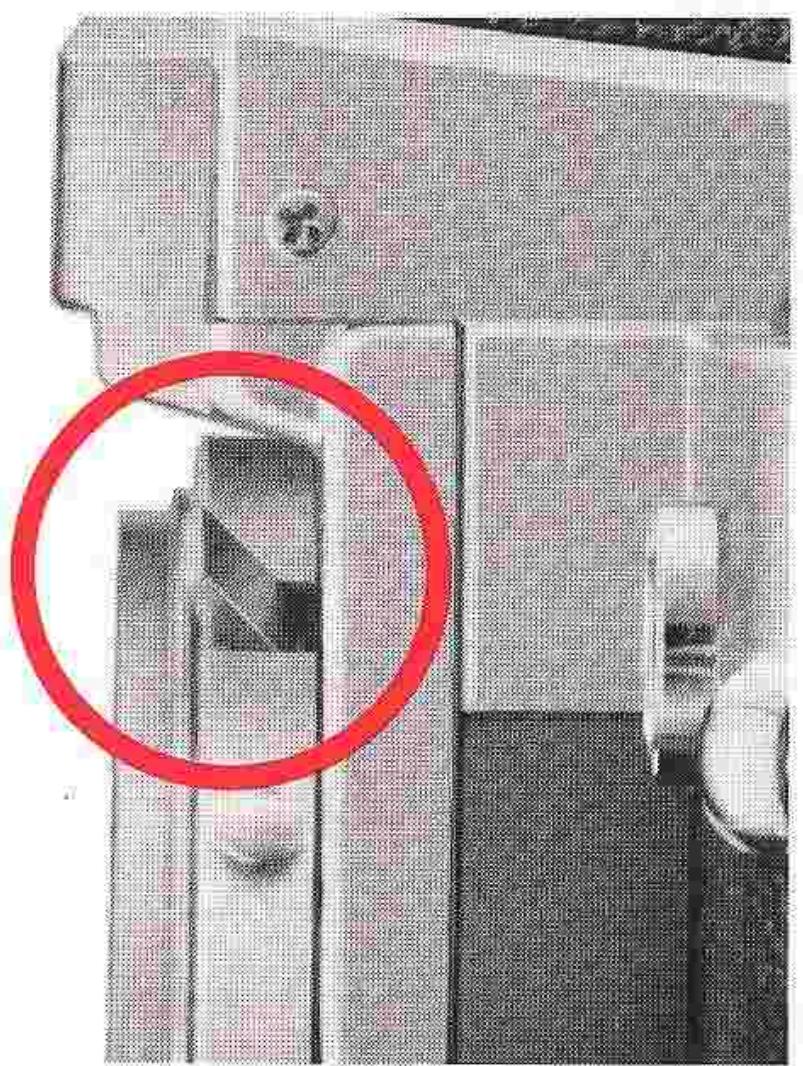
To mount a lens not fitted with a meter coupling ridge, first make sure that the camera's meter coupling lever is locked up out of the way by pushing the coupling lever release and manually lifting the lever up. The mounting procedure is the same as described previously. Remember that stop-down exposure measurement is required for lenses of this type (see page 30).
To remove the lens from the camera body, push in the lens release button while twisting the lens clockwise as far as it will go. Lift the lens out when it comes loose.
Note: The Nikon Fisheye 6mm f/5.6 and OP 10mm f/5.6 cannot be used with the Nikon FE, because the camera does not have a provision for locking the mirror in the "up" position.
CHANGING FOCUSING SCREENS
Three different types of focusing screens are available for the Nikon FE camera, each designed to meet specific focusing requirements. The type K screen comes with the camera as standard equipment.
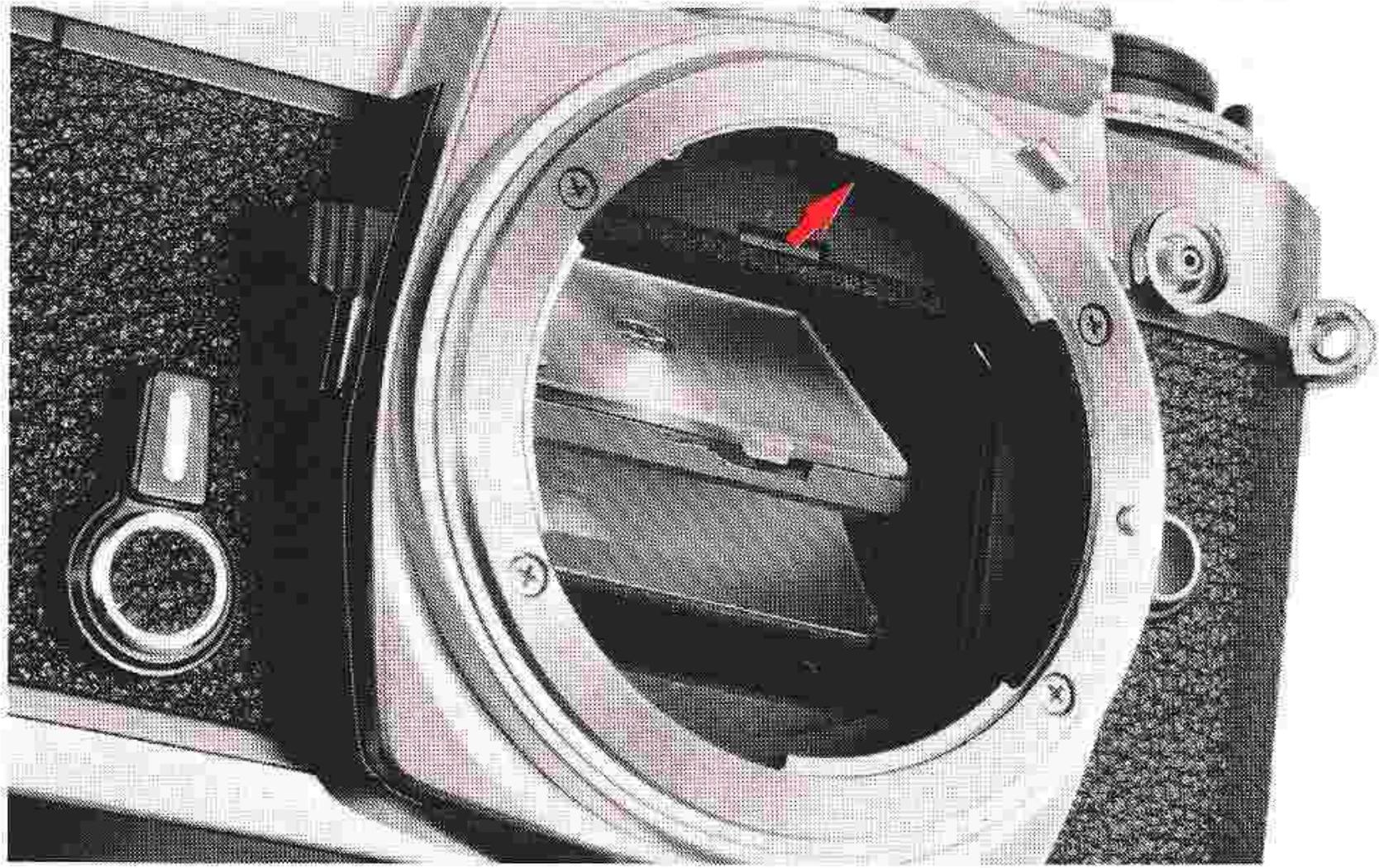
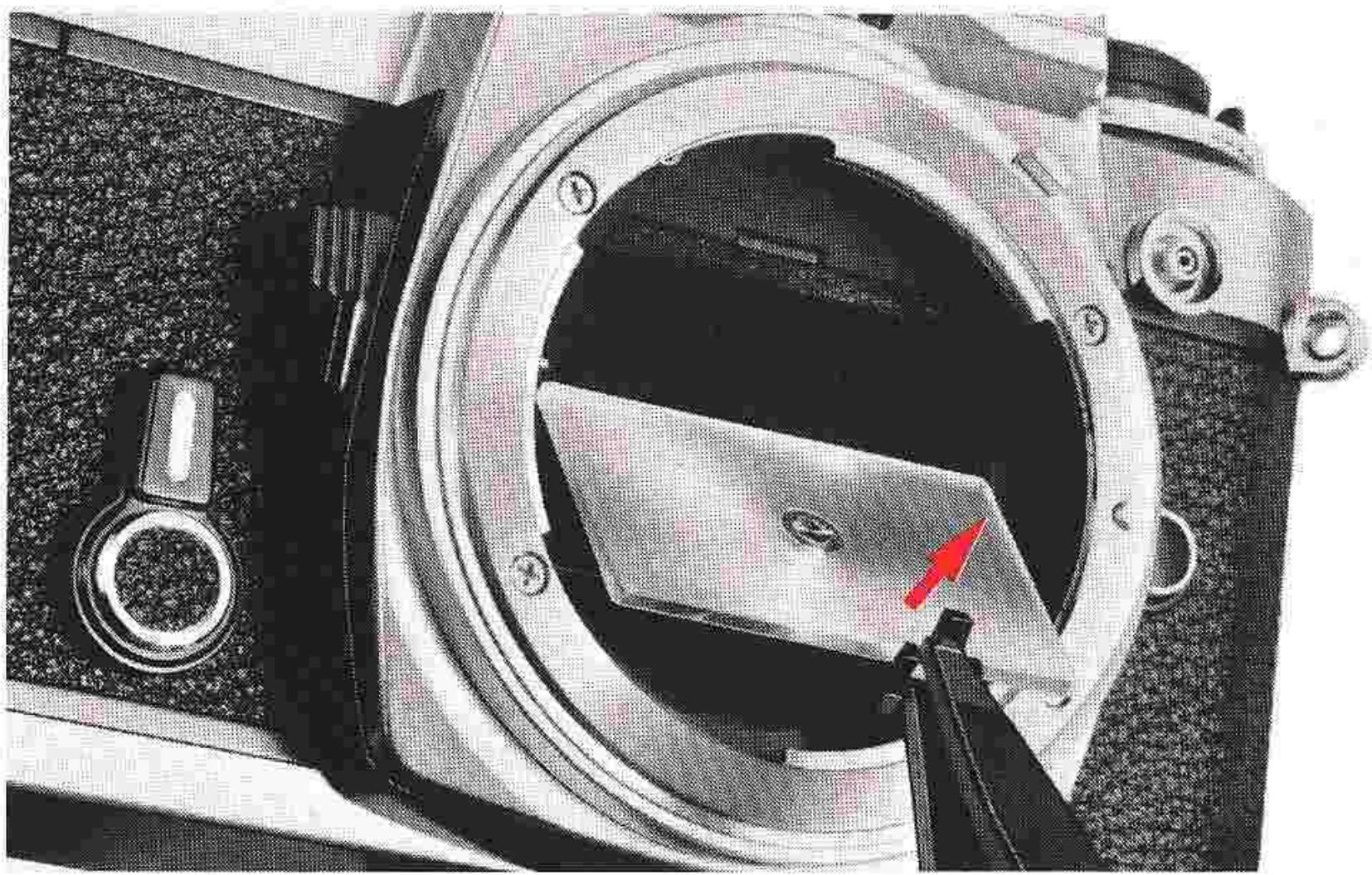
After removing the lens from the camera body, look into the mirror box. At the top front of the mirror box casting, there is a latch for snapping open the focusing screen frame holder. Then slip the small tip of the special tweezers, which are supplied with the accessory focusing screen, under the latch and pull outward to spring open the holder. Take the screen out of the holder by grasping the small tab with the tweezers. To avoid getting smudges or fingerprints on the screen's optical surfaces, do not remove the screen with your fingers.
To mount another screen, carefully place it into position with the flat side facing downward and the tab out (closer to the right side, facing the camera), then push the front edge of the holder upward until it clicks into position.
CHANGING FOCUSING SCREENS—continued
Focusing Screen Selector Guide Description
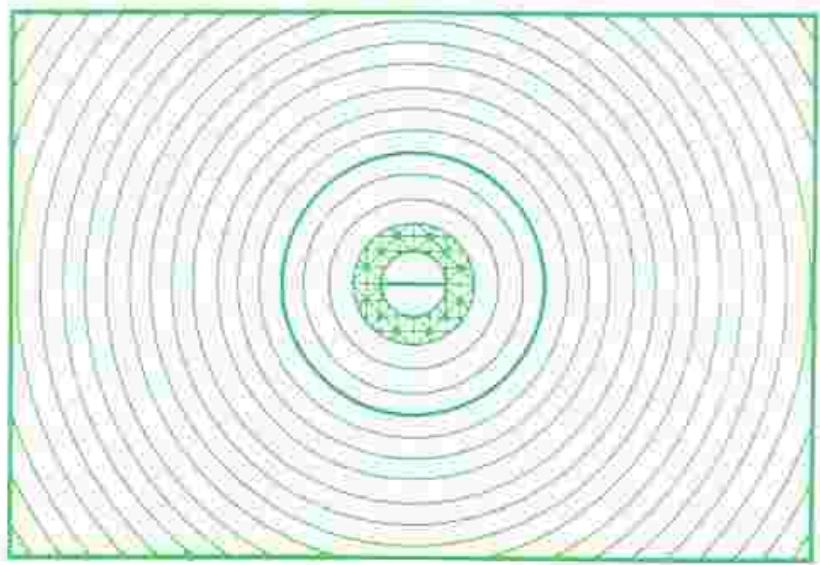
TYPE K: Matte/Fresnel with horizontal rangefinder and microprism. Matte/Fresnel field with central 3mm-diameter split-image rangefinder (horizontally aligned) surrounded by 1mm-wide microprism collar. This screen combines the split-image and the microprism for quick and accurate focusing, particularly with lenses of brighter maximum aperture. Screen also provided with centrally positioned, 12mm-diameter etched reference circle denoting area of center-weighting TTL exposure measurement. Excellent for general photography, the Type K screen is standard equipment on the Nikon FE.
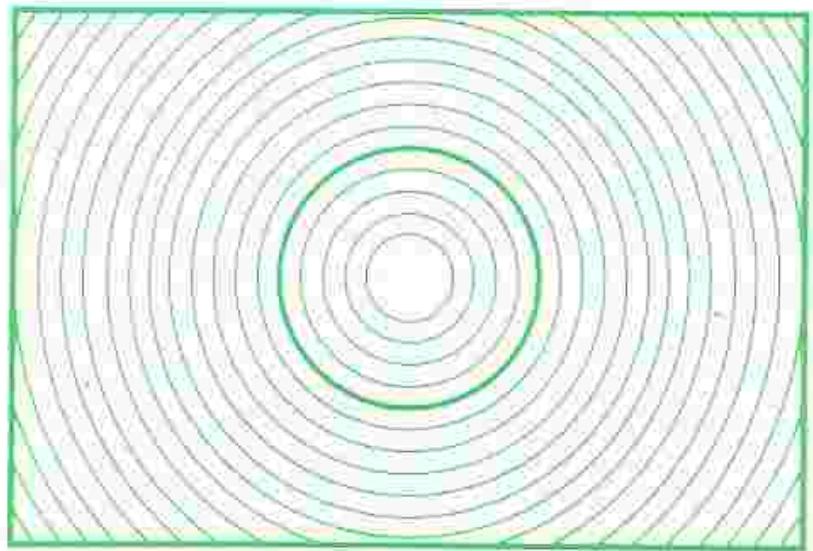
TYPE B: Matte/Fresnel with focusing spot.
Matte/Fresnel field with central 3mm-diameter fine-ground matte focusing spot. The 12mm-diamter reference circle corresponds to the area of center-weighted TTL exposure measurement. Rated excellent with all lenses, this screen proves especially good with lenses having small maximum apertures, such as Reflex-Nikkors, as well as for closeup photography applications.
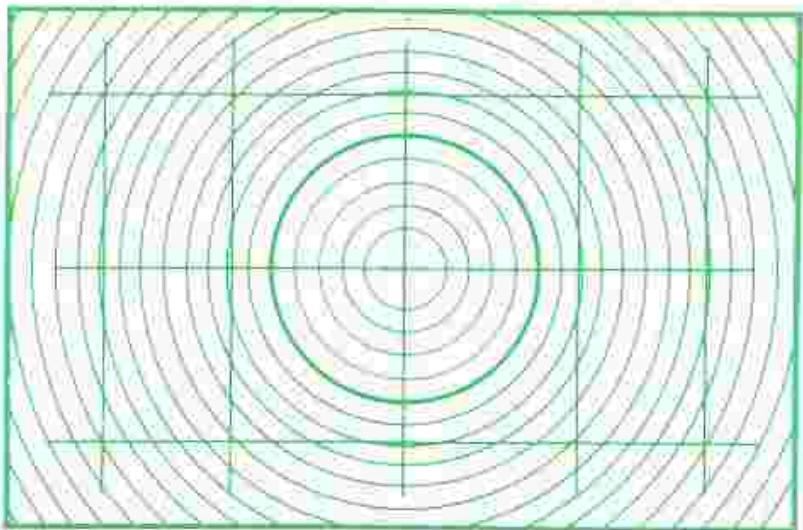
TYPE E: Matte/Fresnel with focusing spot and grid.
Matte/Fresnel field with central 3mm-diameter fine-ground matte focusing spot and etched grid. The 12mm-diamter reference circle corresponds to the area of center-weighted TTL exposure measurement. Rated excellent with all lenses, this screen proves especially good for exacting reproduction work, such as copying, as well as for architectural photography with PC-Nikkor lenses.
Lens/Screen Compatibility Chart
Lens/screen selection
| Lens Screen | B | E | K | |
| Fisheye | 6mm f/2.8 | |||
| 8mm f/2.8 | ||||
| 16mm f/3.5 | ||||
| Wideangle | 13mm f/5.6 | |||
| 15mm f/5.6 | ||||
| 18mm f/4 | ||||
| 20mm f/3.5 | ||||
| 20mm f/4 | ||||
| 24mm f/2 | ||||
| 24mm f/2.8 | ||||
| 28mm f/2 | ||||
| 28mm f/2.8 | ||||
| 28mm f/3.5 | ||||
| 35mm f/1.4 | ||||
| 35mm f/2 | ||||
| 35mm f/2.8 | ||||
| Normal | 50mm f/1.2 | |||
| 50mm f/1.4 | ||||
| 50mm f/1.8 | ||||
| Telephoto | 85mm f/2 | |||
| 105mm f/2.5 | ||||
| 135mm f/2 | ||||
| 135mm f/2.8 | ||||
| 135mm f/3.5 | ||||
| 180mm f/2.8 | ||||
| 200mm f/4 | ||||
| *IF-ED 300mm f/2.8 | ||||
| 300mm f/4.5 | ||||
| *IF-ED 300mm f/4.5 | ||||
| Super telephoto | 400mm f/4.5 | |||
| ED 400mm f/5.6 | ||||
| *IF-ED 400mm f/3.5 | ||||
| *IF-ED 400mm f/5.6 | ||||
| 600mm f/5.6 | ||||
| *IF-ED 600mm f/5.6 | ||||
| *IF-ED 800mm f/8 | ||||
| *IF-ED 1200mm f/11 | ||||
| Zoom | 28 ~ 45mm f/4.5 | |||
| 35 ~ 70mm f/3.5 | ||||
| 43 ~ 86mm f/3.5 | ||||
| 50 ~ 300mm f/4.5 | ||||
| ED 50 ~ 300mm f/4.5 | ||||
| 80 ~ 200mm f/4.5 | ||||
| ED 180 ~ 600mm f/8 | ||||
| 200 ~ 600mm f/9.5 | ||||
| ED 360 ~ 1200mm f/11 | ||||
| PC | 28mm f/4 | |||
| 35mm f/2.8 | ||||
| Noct | 58mm f/1.2 | |||
| Micro | 55mm f/3.5 | |||
| 105mm f/4 | ||||
| *IF 200mm f/4 | ||||
| Medical | 200mm f/5.6 | |||
| Reflex Telephoto | 500mm f/8 | |||
| 1000mm f/11 | ||||
| 2000mm f/11 | ||||
- Internal focusing type.
Excellent
□ =Acceptable The image is brilliant from edge to edge, but the center area (rangefinder, microprism or crosshair) is dim. Focusing should be performed on the surrounding matte area.
Exposure metering method
| Lens Screen | B | E | K | |
| Fisheye | 6mm f/2.8 | |||
| 8mm f/2.8 | ||||
| 16mm f/3.5 | ||||
| Wideangle | 13mm f/5.6 | |||
| 15mm f/5.6 | ||||
| 18mm f/4 | ||||
| 20mm f/3.5 | ||||
| 20mm f/4 | ||||
| 24mm f/2 | ||||
| 24mm f/2.8 | ||||
| 28mm f/2 | ||||
| 28mm f/2.8 | ||||
| 28mm f/3.5 | ||||
| 35mm f/1.4 | ||||
| 35mm f/2 | ||||
| 35mm f/2.8 | ||||
| Normal | 50mm f/1.2 | |||
| 50mm f/1.4 | ||||
| 50mm f/1.8 | ||||
| Telephoto | 85mm f/2 | |||
| 105mm f/2.5 | ||||
| 135mm f/2 | ||||
| 135mm f/2.8 | ||||
| 135mm f/3.5 | ||||
| 180mm f/2.8 | ||||
| 200mm f/4 | ||||
| * IF-ED 300mm f/2.8 | ||||
| 300mm f/4.5 | ||||
| * IF-ED 300mm f/4.5 | ||||
| Super telephoto | 400mm f/4.5 | |||
| ED 400mm f/5.6 | ||||
| * IF-ED 400mm f/3.5 | ||||
| * IF-ED 400mm f/5.6 | ||||
| 600mm f/5.6 | ||||
| * IF-ED 600mm f/5.6 | ||||
| * IF-ED 800mm f/8 | ||||
| * IF-ED 1200mm f/11 | ||||
| Zoom | 28 ~ 45mm f/4.5 | |||
| 35 ~ 70mm f/3.5 | ||||
| 43 ~ 86mm f/3.5 | ||||
| 50 ~ 300mm f/4.5 | ||||
| ED 50 ~ 300mm f/4.5 | ||||
| 80 ~ 200mm f/4.5 | ||||
| ED 180 ~ 600mm f/8 | ||||
| 200 ~ 600mm f/9.5 | ||||
| ED 360 ~ 1200mm f/11 | ||||
| PC | 28mm f/4 | |||
| 35mm f/2.8 | ||||
| Noct | 58mm f/1.2 | |||
| Micro | 55mm f/3.5 | |||
| 105mm f/4 | ||||
| * IF 200mm f/4 | ||||
| Medical | 200mm f/5.6 | |||
| Reflex Telephoto | 500mm f/8 | |||
| 1000mm f/11 | ||||
| 2000mm f/11 | ||||
- Internal focusing type.
Exposure measurement via full-aperture method
Exposure measurement via stop-down method
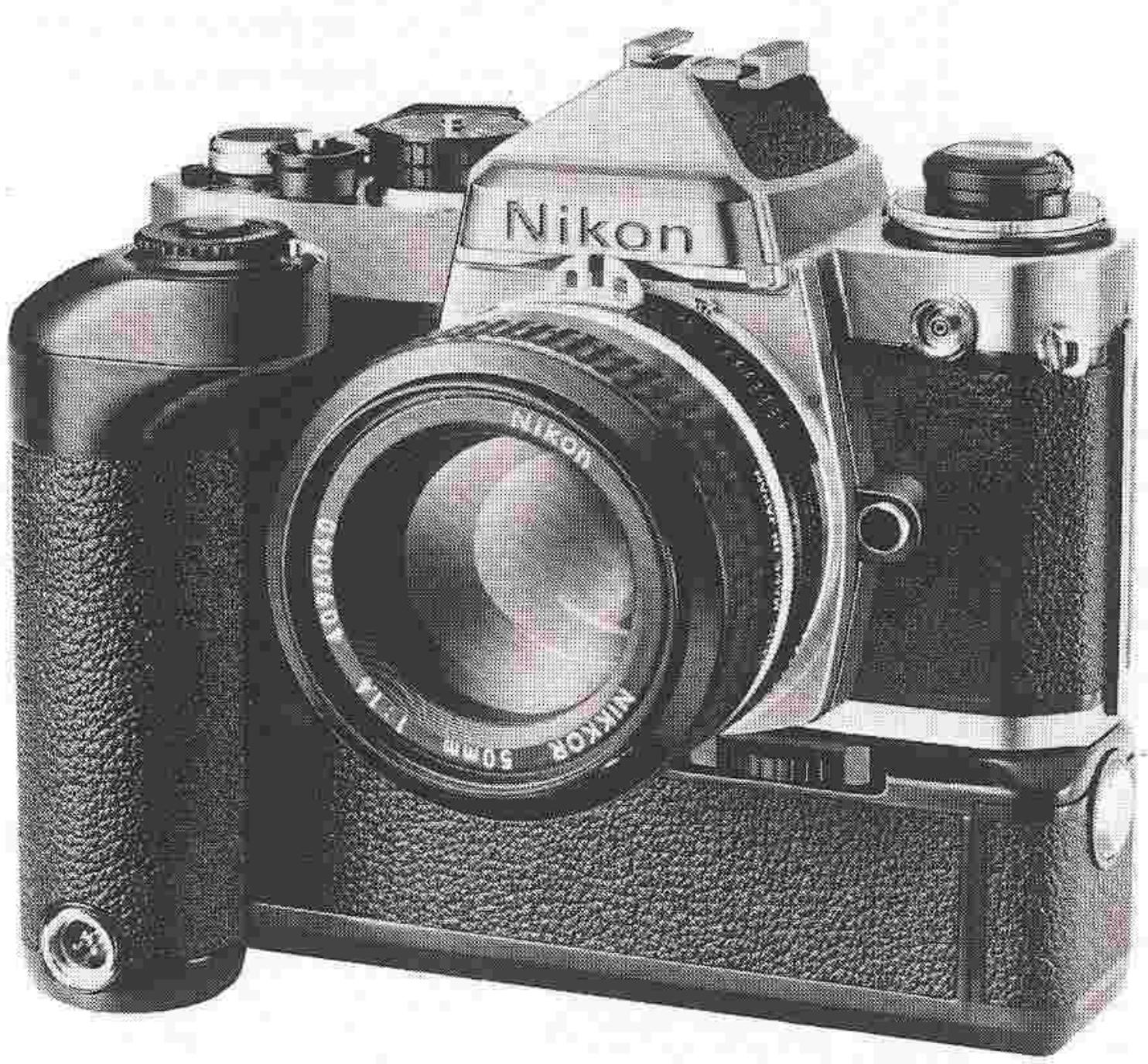
MD-12 Motor Drive Unit
The Nikon FE's own compact motor drive unit. Hand-somely finished in black and made of durable steel, the MD-12 attaches to the FE in seconds, requiring absolutely no modification or special adjustment of the camera body. Continuous and single frame operation available, with a maximum shooting speed of 3.5 frames per second from 1/125 sec. to 1/1000 sec. Firing speed automatically adjusted as shutter speed is adjusted. Built-in battery pack contributes to overall reduced size and weight. Fitted with remote control socket for use with Nikon remote control accessories such as the MT-1 Intervalometer and the MW-1 Radio Remote Control Set.
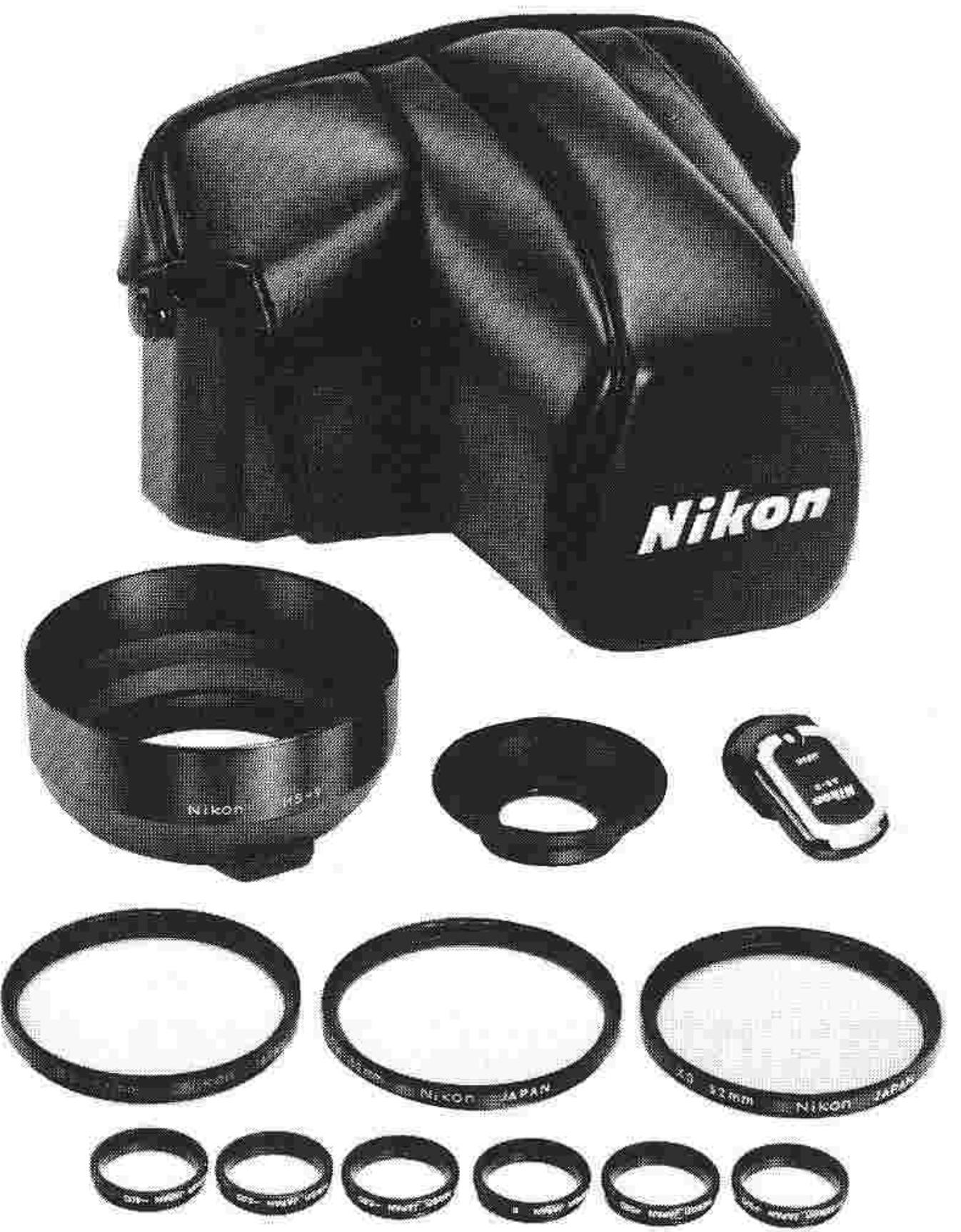
Camera Cases
Recommended for storing camera body with lens attached. Different sizes available to accommodate most Nikkor lenses.
Lens Hoods
Recommended to prevent extraneous light from striking the lens and causing ghost images and flare; also useful for protecting the lens. All kinds of models to match various Nikkor lenses.
Filters
A wide selection of sizes and types to meet the needs of color or black-and-white photography. These filters work best with Nikkor lenses, and vice versa. Also useful for protecting the front of the lens.
Eyepiece Correction Lenses
Available in nine different powers for maximum selectivity, Nikon eyepiece correction lenses permit the near- or far-sighted user to view and focus without wearing spectacles. Diopters available are -5, -4, -3, -2, 0, +0.5, +1, +2 and +3, with each value representing the combined lens/finder dioptry.
Type of camera: 35mm single-lens reflex (SLR)
Picture format: 24mm× 36mm (35mm film format)
Lens mount: Nikon bayonet type
Lenses available: Nikkor 50mm f/1.2, f/1.4, f/1.8, f/2, or 55mm f/1.2 as standard; more than 50 interchangeable Nikkor lenses in all
Shutter: Vertical-travel focal-plane shutter with speeds from 8 to 1/1000 sec., "B" and M90 (mechanical, 1/90 sec.); automatic shutter speed selection within a range of 8 sec. to 1/1000 sec.; manual shutter speed selection for the 8-1/1000 sec. range plus "B" and M90; shutter speed selected indicated in the viewfield; shutter release via shutter button or self-timer
Flash synchronization: Built-in ISO-type hot-shoe contact with safety switch for synchronization with electronic flash units; built-in ready-light for use with the optional Nikon Speedlight Unit SB-10, serves also as a sync warning signal; sync terminal provided
Synchronization range: For electronic flash units, 1/125 sec. to 8 sec. plus "B" and M90; for flashbulbs, 1/30 sec. to 8 sec. plus B; sync speed of 1/90 sec. fixed when the SB-10 is mounted on the "AUTO"-set FE camera body and the flash unit is switched on
Accessory shoe: ISO-type built into the finder housing; fitted with hot-shoe contact and electrical safety switch which turns on contact as flash unit is mounted; fitted also with ready-light contact for use with the SB-10 Speedlight Unit
Viewfinder: Fixed eyelevel pentaprism type with built-in through-the-lens (TTL) exposure meter; shutter speed indicated to the left within the viewfield; lens aperture setting indicated in the finder when lens in use is fitted with a meter coupling ridge and an aperture-direct-readout lens aperture scale
Focusing screen: Matte Fresnel focusing screen with central split-image rangefinder spot and microprism collar (Nikon Type K)
screen); two other types of screens available optionally (Types B and E)
Reflex mirror: Automatic instant-return mirror
Self-timer: Can be set for approx. 8 to 14 sec. delay; setting "cancellable"; serves also as a memory-lock lever
Exposure metering: Through-the-lens, center-weighted, full-aperture exposure measurement employing two silicon photodiodes (SPD's) with Nikkor lenses fitted with meter coupling ridge; stop-down metering applies for other lenses; exposure correctly set either automatically or by matching two needles; meter cross-coupled with both lens diaphragm and shutter speed controls, meter powered by two 1.55V silver-oxide batteries or one 3V lithium battery
Metering range: EV 1 to EV 18 (i.e., f/1.4, 1 sec.-f/16, 1/1000 sec.) with 50mm f/1.4 lens at ASA 100; built-in meter coupling lever can be locked up, enabling use with both AI-type and non-AI-type Nikkor lenses; aperture coupling range f/1.2 to f/32; film speed setting ASA 12 to ASA 4000; exposure compensation range EV +2 to EV -2 (up to -1 at ASA 3200 and 4000; up to +1 when set at 12)
Film winding: Via single-stroke lever with 135^ winding angle and 30^ stand-off angle; lever also serves as meter on/off switch; automatic film winding also possible using the optional Motor Drive Unit MD-12
Frame counter: Additive type; automatically resets to "S," two frames before "0," when camera back is opened
Film rewinding: Manual crank type
Depth-of-field preview: Via lever provided on front of camera
Camera back: Hinged, swing-open type; removable; memo holder provided
Dimensions: 142mm× 89.5mm× 57.5mm (approx.)
Weight: 590g (body only, approx.)
Other features included are multiple exposure facility and motor drive functions.

NIPPON KOGAKU K.K.
No reproduction in any form of this booklet, in whole or in part (except for brief quotation in critical articles or reviews), may be made without written authorization from the publishers.
- CONTENTS
- FOREWORD
- PREPARATION FOR USE
- Installing the Batteries
- Checking Battery Power
- Caution:
- Loading Film
- PREPARATION FOR USE—continued
- Prior to Shooting
- Setting the Film Speed
- Memo Holder
- OPERATION OF CAMERA CONTROLS
- Setting the Shutter Speed
- OPERATION OF CAMERA CONTROLS—continued
- Film-Advance Lever
- Frame Counter
- Self-Timer
- Memory Lock
- UNLOADING FILM
- HOLDING THE CAMERA
- Operation with Cable Release
- FOCUSing
- FOCUSingcontinued
- Infrared Photography
- Film-Plane Indicator
- DEPTH OF FIELD
- Depth-of-Field Preview Lever
- DEPTH OF FIELD—continued
- Depth-of-Field Indicators
- EXPOSURE MEASUREMENT
- Automatic Shutter Speed Selection
- EXPOSURE MEASUREMENT—continued
- Manual Shutter Speed Selection
- Exposure Control
- Metering Range
- High-Contrast Lighting Situations
- STOP-DOWN EXPOSURE MEASUREMENT
- For automatic diaphragm lenses with no coupling ridge
- For fixed-aperture lenses such as Reflex-Nikkors, photomicrography or astrophotography
- EXPOSURE COMPENSATION ADJUSTMENTS
- EV RANGE OF THE CAMERA
- Auto exposure control at full aperture
- Auto exposure control with stop-down metering
- EV RANGE OF THE CAMERA—continued
- How to read the EV chart
- Full-aperture metering
- Stop-down metering
- MULTIPLE EXPOSURES
- FLASH SYNCHRONIZATION
- FLASH SYNCHRONIZATION—continued
- Ready-light
- TIPS ON CAMERA CARE
- MOUNTING AND REMOVING LENSES
- CHANGING FOCUSING SCREENS
- CHANGING FOCUSING SCREENS—continued
- Focusing Screen Selector Guide Description
- Lens/Screen Compatibility Chart
- MD-12 Motor Drive Unit
- Camera Cases
- Lens Hoods
- Filters
- Eyepiece Correction Lenses
Brand : NIKON
Model : FE
Category : SLR camera