
F80D - SLR camera NIKON - Free user manual and instructions
Find the device manual for free F80D NIKON in PDF.


| Product type | 35mm autofocus SLR camera |
| Brand | NIKON |
| Model | F80D |
| Dimensions (W x H x D) | 141.5 x 98.5 x 71.5 mm |
| Weight (without batteries) | Approx. 520 g |
| Power supply | Two CR123A or DL123A lithium batteries |
| Autofocus | TTL phase detection, Multi-CAM900 module, 5 focus points |
| AF modes | Single AF (S) with focus priority, Continuous AF (C) with release priority |
| Exposure metering | 3D 10-segment Matrix, center-weighted, spot (linked to focus point) |
| Exposure modes | Program (P), Shutter priority (S), Aperture priority (A), Manual (M) |
| Built-in flash | Guide number 12 (ISO 100, meters), coverage 28 mm |
| Shutter speed | 30 s to 1/4000 s, Bulb |
| Flash sync | Up to 1/125 s |
| Advance modes | Single frame, Continuous (2.5 fps) |
| Viewfinder | Fixed pentaprism, 92% coverage, 0.75x magnification |
| Customization options | 18 custom settings menus |
| Date/time function | Built-in (F80D), imprint on film, adjustable up to 2049 |
| Maintenance and cleaning | Clean the camera body with a soft dry cloth. Use the flash regularly to maintain performance. Store in a dry place. |
| Safety | Keep batteries out of reach of children. If swallowed, consult a doctor. Use only Nikon accessories. |
| Repairability | Have the camera checked by an authorized Nikon dealer every two years. Spare parts are available from authorized dealers. |
Frequently Asked Questions - F80D NIKON
User questions about F80D NIKON
0 question about this device. Answer the ones you know or ask your own.
Ask a new question about this device
Download the instructions for your SLR camera in PDF format for free! Find your manual F80D - NIKON and take your electronic device back in hand. On this page are published all the documents necessary for the use of your device. F80D by NIKON.
USER MANUAL F80D NIKON
Supplied accessories
Body cap (P. 19)
Eyepiece cap DK-5 (P. 68)
LCD Panel/Viewfinder Display
LCD panel
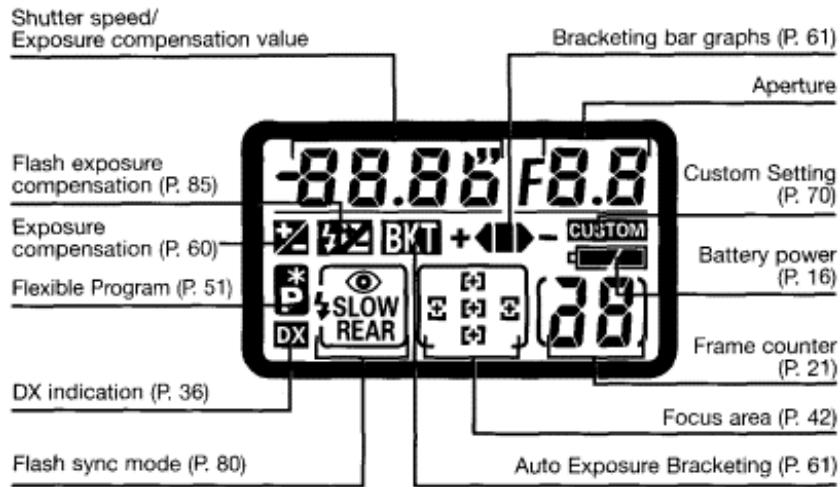
- The illustrations are fully labelled for your reference.
About Nikon Advanced Focusing Screen Display
The new Nikon Advanced Focusing Screen Display of the F80/F80D/F80S employs the convenient Vari-Brite Focus Area display system; it enables clear display of the focus brackets at the selected focus area in the viewfinder for easy identification. When the finder image is bright, the focus brackets are displayed in black and when the finder image is dark, the focus brackets are momentarily illuminated in red. The selected focus area can be identified easily in both bright and dark conditions with this function (page 72).
Also, the new Nikon Advanced Focusing Screen Display allows the superimposition of OnDemand Grid Lines. The grid lines can be displayed by using Custom Setting Menu #4 (page 71). These grids assist you in composing the frame, in taking landscape pictures or in shifting/tilting PC-Nikkor lenses.
- Due to characteristics of the LCD used in the Vari-Brite Focus Area display system, a thin line
outside the selected focus area may also be displayed or the entire viewfinder may be
illuminated in red under certain conditions. These are not malfunctions.
About LCD
The LCD panel and viewfinder displays tend to turn darker at high temperatures and slower response time at low temperatures. On the other hand, the LCD in the Nikon Advanced Focusing Screen Display tends to turn lighter at high temperatures and darker with slower response time at low temperatures. In either case, when the temperature returns to normal, the displays also return to normal.
- Viewfinder Display
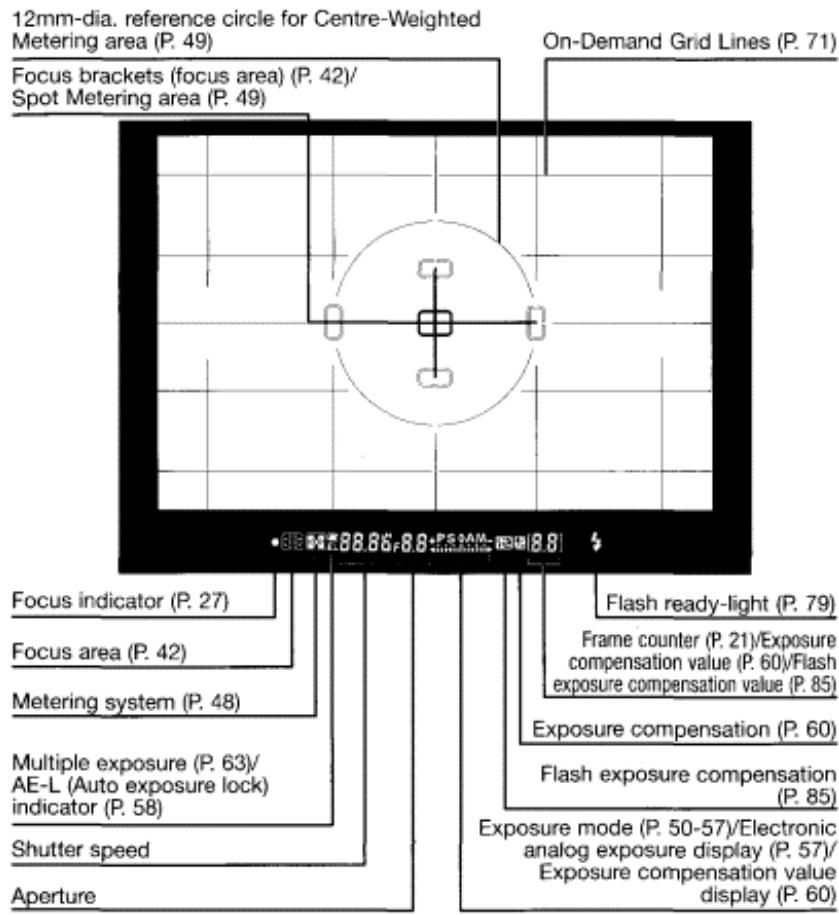
Nikon
CAUTION: About viewfinder
The viewfinder will be dark without battery power but brightens after installation of fresh batteries. This is not a malfunction.
Command Dials
- The F80/F80D/F80S's Main- and Sub-Command Dials are used alone or in combination with other buttons to select/set various functions or modes.
See "Basic Operation" on pages 15 to 31 if you want to start shooting immediately with F80/F80D/F80S's basic mode.
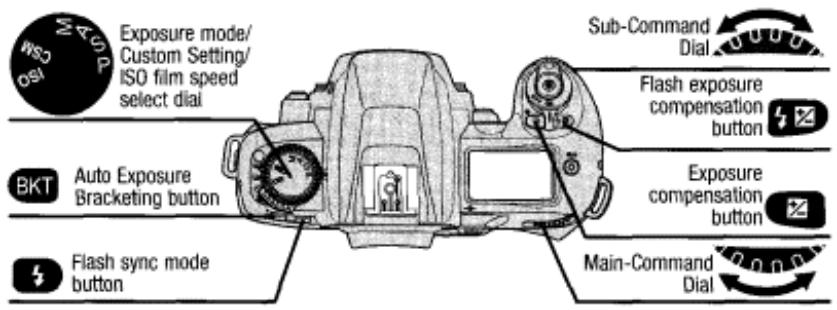
Nikon

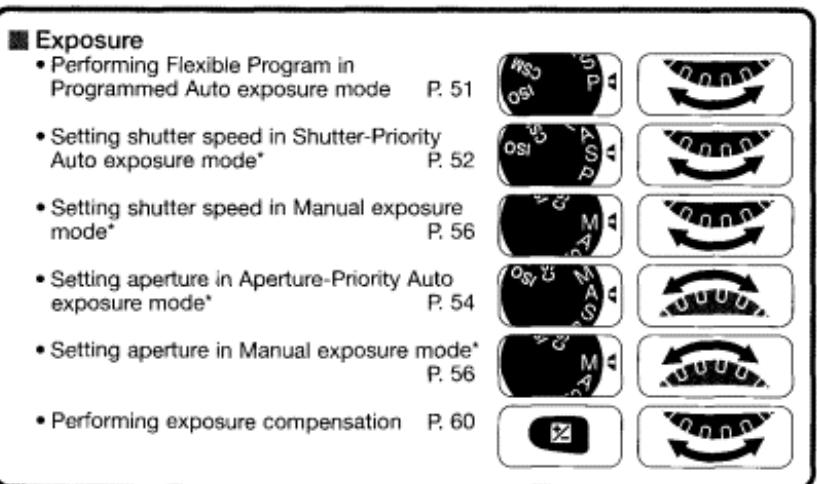
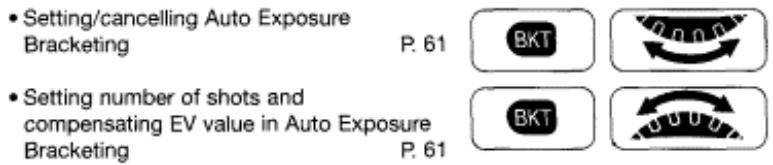
Custom Setting
- Selecting menu number of Custom Setting
P.70
C
- Selecting and making Custom Setting
Flash
- Selecting flash sync mode
P. 80

Setting flash exposure compensation value
P.85
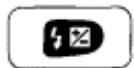
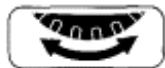
C5M 12:
Shutter speed can be set to change with the Sub-Command Dial (in Shutter-Priority Auto or Manual exposure mode) and aperture with the Main-Command Dial (in Aperture-Priority Auto or Manual exposure mode) (page 74).
Introduction
- Thank you for purchasing the Nikon F80/F80D/F80S—a camera that is sure to make photography a bigger part of your life.
Nikon
Get to know your F80/F80D/F80S camera, and be sure to read this manual thoroughly before using it. We recommend that you keep this manual handy.
Main features of the F80/F80D/F80S:
- SLR camera with built-in Speedlight makes taking pictures easy and enjoyable, even for the most inexperienced beginner.
- The Dynamic AF, which utilises five-area autofocusing, enables sharp focus on irregularly moving subjects (page 39).
- The Vari-Brite Focus Area display system clearly displays focus brackets at selected focus area in the viewfinder (page 4).
- Nikon's exclusive 10-segment 3D Matrix Metering provides correct exposure in various shooting situations (page 48).
- Custom Setting enables you to choose customised combinations of various functions/modes (page 70).
Take trial shots
Take trial shots before shooting at important occasions like weddings or graduations.
Have Nikon spot-check your camera regularly
Nikon recommends that you have your camera serviced by an authorised dealer or service centre at least once every two years.
Using your camera correctly
The Nikon F80/F80D/F80S's performance has been optimised for use with Nikon brand accessories. Accessories made by other manufacturers may not meet Nikon's criteria for specifications, and nonconforming accessories could damage the F80/F80D/F80S's components. Nikon cannot guarantee the F80/F80D/F80S's performance when it is used with other than Nikon brand accessories.
Note: CSM 00
SSM CC (numbers from 1 to 18 [F80/F80D] or 1 to 13 [F80S]): indicates that the function/mode changes according to Custom Setting menu number.
Contents
The "Basic Operation" section introduces battery, lens, film, focusing, metering, exposure and shooting in basic steps easy enough even for SLR camera beginners to take pictures.
"Detailed Operation" explains each function, from lens to exposure functions, in detail, in approximately the same order as the steps in the "Basic Operation" section. After becoming familiar with basic shooting, refer to the detailed explanation of each operation/function and start using advanced shooting techniques.
"Flash Photography" introduces flash photography using the F80/F80D/F80S's built-in Speedlight or an optional Speedlight in darkness and flash-shooting situations in bright conditions
Nikon
R RATION. 2-13
Nomenclature. 2-3
LCD Panel/Viewfinder Display. 4-5
Command Dials. 6-7
Introduction 8-9
About This Manual 12-13
BASIC OPERATION. 15-31
- Install Batteries and Check Battery Power 16-17
- Mount Lens. 18-19
3.Load Film. 20-21 - Set Focus Mode, AF Area Mode and Focus Area 22-23
- Set Metering System and Exposure Mode 24-25
6.Hold Camera and Focus 26-27 - Confirm Indications in Viewfinder and Release Shutter 28-29
- Using Built-in Speedlight 30-31
About Metering System and Exposure 32
DETAILED OPERATION 33-68
Lens Compatibility. 34-35
Film (film speed, mid-roll rewind, film advance mode, etc.) 36-37
Autofocus (Single Servo AF, Continuous Servo AF) 38
AF Area Mode 39-41
Focus Area. 42
AF-Assist Illuminator. 43
Focus Lock (Single Servo AF, Continuous Servo AF) 44-45
Situations Where Autofocus May Not Work As Expected 46
Manual Focus 47
Exposure Metering System (Matrix, Centre-Weighted, Spot) 48-49
Shooting in Each Exposure Mode. 50-57
Programmed Auto Exposure Mode (Flexible Program, Program Chart)..50-51
Shutter-Priority Auto Exposure Mode 52-53
Aperture-Priority Auto Exposure Mode 54-55
Manual Exposure Mode 56-57
Auto Exposure Lock. 58-59
Exposure Compensation 60
Auto Exposure Bracketing 61-62
Multiple Exposure. 63-64
Long Time Exposure. 65
DiopTre Adjustment/LCD Illuminator. 66
Nikon
Depth-of-Field Preview/Film Plane Indicator. 67
Self-Timer Operation 68
CUSTOM SETTING. 69-76
Menu/Features of Custom Setting. 70-75
Two-Button Reset. 76
FLASH PHOTOGRAPHY 77-87
About Flash Photography 78
Accessory Shoe/Ready-Light. 79
Flash Sync Mode Features 80-81
Using the Built-in Speedlight 82-83
Usable Lenses with Built-in Speedlight. 84
Flash Exposure Compensation. 85
Usable Optional Speedlights. 86-87
About Depth of Field and Focus Tracking. 88
DATABASEK. 89-94
Adjusting Date and Time and Imprinting Data. 90-93
Imprinting Shooting Data (F80S only). 94
MISCELLANEOUS 95-113
Optional Accessories 96-97
Camera Care. 98-99
Notes on Batteries. 100
Troubleshooting 101-103
Specifications. 104-109
Index 110-111
Custom Setting Menu 112-113
About This Manual
Detailed Operation and Notes on Batteries P. 33-94,100
Notes on Batteries. .P. 100
Lens Compatibility. P. 34-35
Film. P. 36-37
Autofocus (P. 38), AF Area Mode (P. 39-41), Focus Area (P. 42), AF-Assist Illuminator (P.43), Focus Lock (P. 44-45), Situations Where Autofocus May Not Work As Expected (P. 46), Manual Focus (P. 47)
Exposure Metering System (P. 48-49), Shooting in Each Exposure Mode (P. 50-57), Auto Exposure Lock (P. 58-59), Exposure Compensation (P. 60), Auto Exposure Bracketing (P. 61 -62), Multiple Exposure (P. 63-64), Long Time Exposure (P. 65)
DiopTre Adjustment/LCD Illuminator. P. 66
Depth-of-Field Preview/Film Plane Indicator. P. 67
Self-Timer Operation .P.66
Custom Setting. 69-75
Two-Button Reset.. P. 76
Data Back. P. 89-94
Flash Photography (About Flash Photography/Accessory Shoe/
Ready-Light/Flash Sync Mode Features/Using the Built-In Speedlight/
BASIC OPERATION
This section features the settings for most common picture-taking situations when using Programmed Auto exposure mode.
The shooting modes explained in this section cover most of your shooting situations.
Shooting modes/functions explained in this section
are as follows:
| Lens attached | D-type AF Nikkor |
| Film speed setting | ### |
| Film advance mode | Single frame (###) |
| AF mode | Single Servo AF (AF-S) |
| AF Area mode | Single Area AF (C) |
| Focus area | Centre |
| Exposure metering system | 3D Matrix Metering (###) |
| Exposure mode | Programmed Auto (P) |
| Flash sync mode | Front-Curtain Sync ($) |
Install Batteries and Check Battery Power
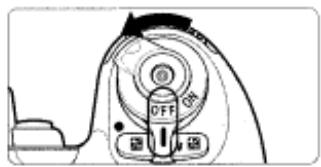
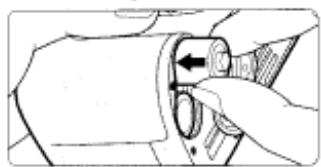
1.1 Turn the power switch off and open the battery chamber cover by sliding the camera back lock release lever toward indicated direction.
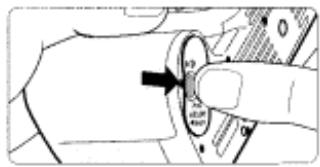
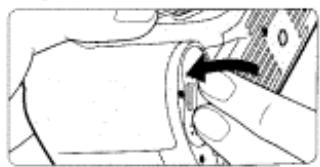
1.2 Insert batteries with the and ends positioned as marked inside the battery chamber cover, then firmly close the battery chamber cover.
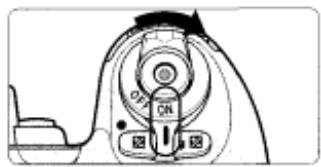
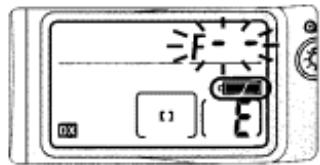
1.3 Turn the power switch on and confirm battery power with the indication.
Check points
Keep the batteries out of children's reach. If swallowed, contact a doctor immediately. (For "Notes on Batteries", see page 100.)
When replacing batteries, be sure to turn the power switch off and replace both batteries at the same time. Always use fresh batteries of the same brand.
We recommend that you take spare batteries with you, especially when travelling.
For the number of film rolls that can be shot with fresh batteries, see
page 108.
appears: Sufficient battery power.
appears: Batteries are nearing exhaustion. Have a fresh set ready. (Viewfinder indications turn off when you release your finger from any button.)
blinks: Batteries are exhausted. Replace batteries. (Shutter locks.)
- Shutter speed and aperture indications in the LCD panel automatically turn off 6 sec. after the power switch is turned on and the camera remains unused. (All indications in the viewfinder turn off.)
- For F80D/F80S only: Batteries in the camera body also power the Quartz Date. After installing batteries for the first time, set the date and time (page 90).
1.4 Lightly press the shutter release button to activate
the exposure meter.
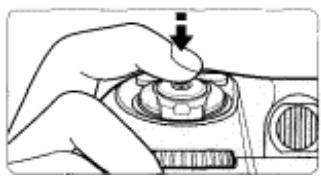
- Lightly pressing the shutter release button reactivates the exposure meter and indications in the LCD panel and viewfinder for approx. 6 sec.
15: It is possible to change the duration of inactive time before automatic meter switch-off occurs (page. 74).
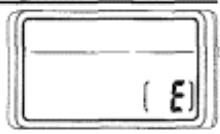
LCD panel when the power switch is off
When the power switch is turned off with batteries installed, the frame counter display remains on in the LCD panel.
Mount Lens
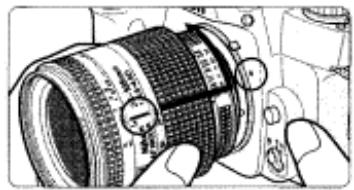
2 Turn the power switch off, mount the lens to the camera body and set the lens aperture to its minimum setting (largest f-number).
2
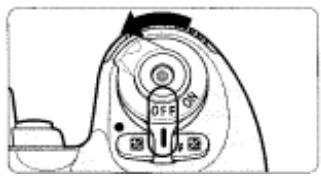
.1 Turn the power switch off and mount the lens to the camera body.
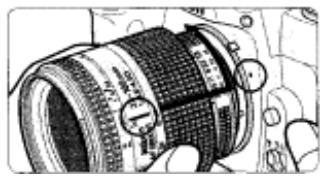
- Position lens in the camera's bayonet mount so that the mounting indexes on lens and camera body are aligned, then twist lens counterclockwise until it locks into place. (Be sure not to touch the lens release button.)
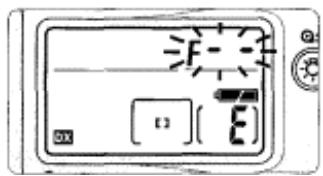
- When the lens is not attached or when a non-CPU Nikkor lens is attached and the power switch is turned on, f- - blinks in the LCD panel and viewfinder, and the shutter cannot be released. See page 34 for a non-CPU lens.
2.2 Set the lens aperture to its minimum and lock.
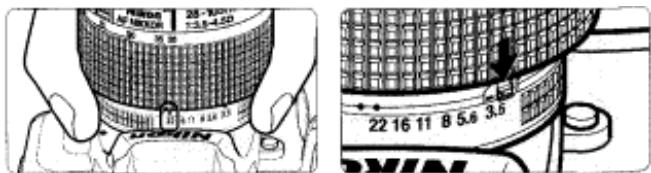
- When the lens is not set to its minimum aperture setting (largest f-number) and the power switch is turned on, FEE blinks in the LCD panel and viewfinder and the shutter cannot be released.
Checkpoints
Use a D-type AF Nikkor lens to utilise all of this camera's functions.
(See page 34 for Lens Compatibility.)
Make sure to turn the power switch off when attaching/detaching the lens.
When attaching the lens, take care not to press the lens release button. Avoid direct sunlight when attaching/detaching the lens.
2.3 Detaching the lens.
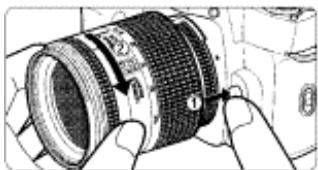
- Push and hold the lens release button, then turn the lens clockwise.
When camera is left unattended without lens
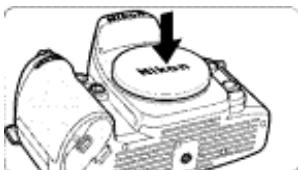
When you leave the camera unattended without a lens attached, be sure to attach the supplied body cap (page 3), or optional body cap BF-1A. (BF-1 body cap cannot be used.)
Load Film
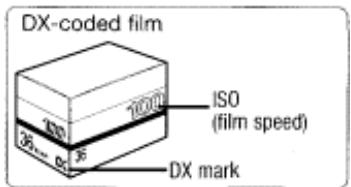
3 Turn the power switch on and load DX-coded film. With DX-coded film, film speed will be set automatically (ISO 25-5000).
Nikon
When the camera is turned on, film is loaded and the camera back is closed, the film automatically advances to the first frame.
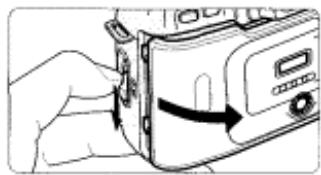
3.1 Turn the power switch on, confirm that the film speed setting is set to DX, then open the camera back by sliding the camera back lock release lever.
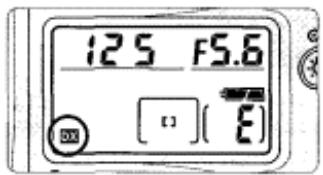
- If the film speed setting is not set to DX, see page 36.
3.2 Insert film from the bottom side and pull film leader out to red index mark.
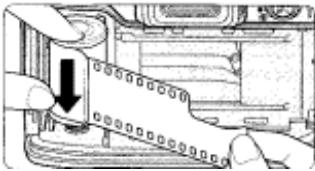
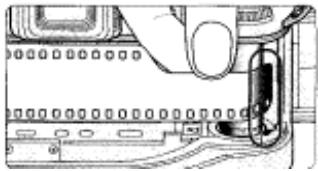
- Do not insert the film leader beyond the red index mark. NOTE: Loading/removing film
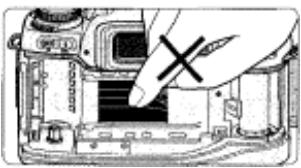
Shutter curtains are very thin. Do not touch the shutter curtains with your finger or the film leader.
Check points
To change film speed with DX-coded film or select film advance mode, see pages 36-37.
Shutter curtains are very thin. Do not touch the shutter curtains with your finger or the film leader.
Avoid direct sunlight when changing film outdoors.
3.3 Hold the film cartridge and ensure film is properly positioned with no slack, then gently close the camera back until the camera back snaps closed. Film automatically advances to the first frame.
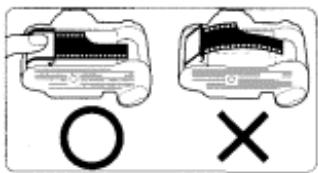
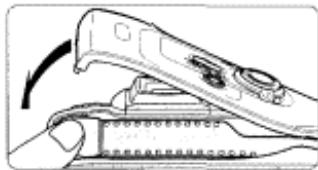
- When I appears on the LCD panel, the film has advanced to the first frame.
- When Err and E blink in the LCD panel and viewfinder, film is not properly installed. Open the camera back again and reload film.
and Err in the LCD panel and Err in viewfinder blink and the shutter locks when a non-DX-coded film is loaded with camera film speed set to Set film speed manually (page 36). - Frame number display remains when the power switch is off.
- You can check the number of available exposures on the film roll through the film cartridge confirmation window.
- Infrared films cannot be used since an infrared sensor is used for the detection of the film frame position.
GEM 8: Camera can be set to advance the film to the first frame not until the shutter release button is pressed (page 72).
3.5 Set the film advance mode selector to S (single-frame shooting) while pressing the film advance mode selector lock release.
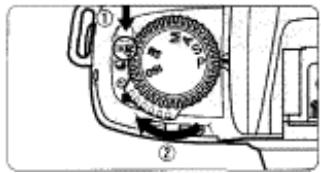
Set Focus Mode, AF Area Mode and Focus Area
4 Set the focus mode to S (Single Servo AF), AF Area mode to [ ] (Single Area AF) and focus area to centre.
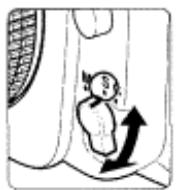
4.1 Set the focus mode selector to S (Single Servo AF).
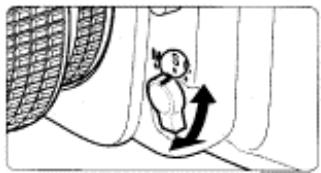
- Make sure to turn the focus mode selector until it clicks into position.
- To focus, lightly press the shutter release button (page 27).
Auto focus detection can be set to start by pressing the AE-L/ AF-L button only (page 73).
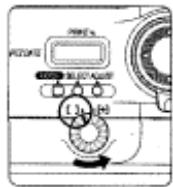
4.2 Set the AF Area mode selector to [ ] (Single Area AF).
- Set the AF Area mode selector firmly.
Check points
Do not attempt to rotate the lens focus ring manually while the focus mode is set to S or C.
With the focus mode set at S (Single Servo AF), the shutter cannot be released when the subject is out of focus.
See pages 38-42 for details regarding focus mode, AF Area mode and focus area.
See page 46 for situations where autofocus may not work as expected.
4.3 Rotate the focus area selector lock lever and select centre focus area with the focus area selector.
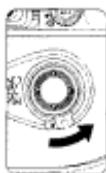
F80
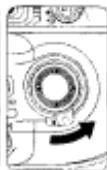
F80D
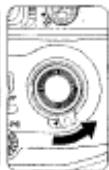
F80S
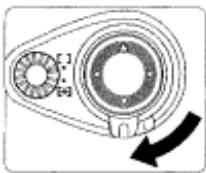
- Pressing the focus area selector up/down/right/left shifts the focus area toward the desired direction. Press the focus area selector while the exposure metre is on (page 42).
- Selected focus area is indicated in the LCD panel and viewfinder (page 42).
S: Focus area indication in red when the subject is dark can be cancelled or can be set to appear in any situation (page 72).
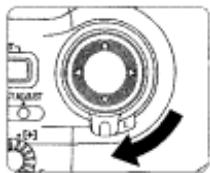
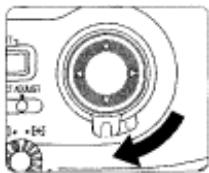
4.4 Rotate the focus area selector lock lever to lock focus area.
F80
F80D
F80S
- When the focus area is locked, pressing the focus area selector does not change the focus area.
Set Metering System and Exposure Mode
Set metering system to (Matrix Metering) and exposure mode to P (Programmed Auto).
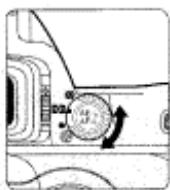
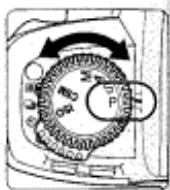
5.1 Set the metering system selector to (Matrix Metering).
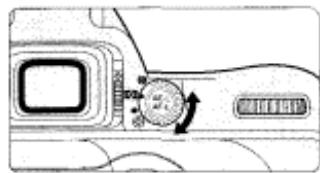
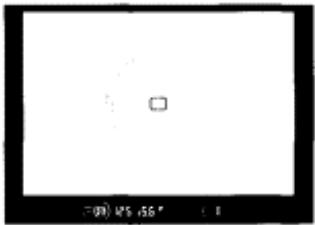
- Matrix Metering indication ED appears in the viewfinder.
- The frame is divided into 10 segments in Matrix Metering, and data from each segment is used to determine correct exposure. Use of a D-type Nikkor lens automatically activates 3D Matrix Metering (page 48), which accounts for scene brightness and contrast, as well as subject distance (Distance Information) in order to determine exposure accurately.
5.2 Set the exposure mode select dial to P (Programmed Auto).
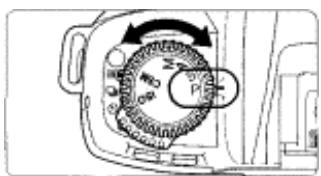
- When the shutter release button is lightly pressed, shutter speed and aperture appear in the LCD panel and viewfinder.
Check points
Three metering systems—the F80/F80D/F80S features Matrix, Centre-Weighted and Spot Metering (page 48). Four exposure modes—the F80/F80D/F80S features Programmed Auto, Shutter-Priority Auto, Aperture-Priority Auto and Manual exposure modes. Each exposure mode provides a choice of exposure controls for various shooting situations. See step 5.2 for a summary of each exposure mode and its reference page for operating instructions and details.
- Shooting characteristics of exposure modes
Symbol Exposure mode Shooting characteristics
P
Programmed Auto P. 50
Camera controls shutter speed and aperture automatically—allowing you to freely take pictures, concentrating only on the shutter release opportunity. In addition, other settings, such as Flexible Program (page 51) or exposure compensation (page 60) are possible.
S
Shutter-Priority Auto P. 52
You set desired shutter speed, and the camera selects the correct aperture. "Freeze" the motion of a moving subject using a fast shutter speed or "blur" the subject using a slower speed.
A Aperture-Priority You set the desired aperture, and the
Auto P. 54 camera selects the correct shutter speed.
Lets you determine depth of the in-focus area (page 88), so you can choose whether near or far subjects are in sharp focus, or whether foreground or background is to be blurred.
M Manual P. 56 Shutter speed and aperture are set
manually. Suitable for situations where it is difficult to attain the desired effect using other exposure modes. Also, use Manual exposure mode when using a non-CPU Nikkor lens. (Camera's exposure meter cannot be used.)
Hold Camera and Focus
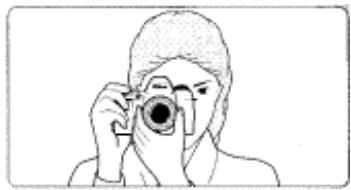
6 Lightly pressing the shutter release button automatically focuses the camera on the subject and when the subject is in focus, causes to appear in the viewfinder.
6.1 Hold the camera properly.
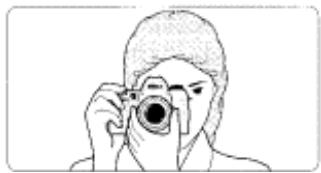
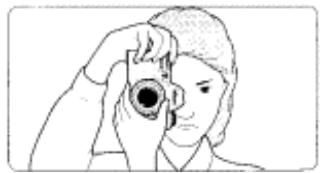
- Keep your elbow propped against your body for support.
- Stand with one foot forward a half step and keep your upper body still.
- Grasp the camera handgrip with your right hand and use your left hand to cradle the camera (or lens).
Camera shake and shutter speed
Preventing camera shake is crucial when taking photographs. In general, you should set the shutter speed faster than 1/60 sec. Use of a tripod or Speedlight (pages 30, 78) is recommended for shooting at shutter speeds slower than 1/60 sec.
NOTE: Composing frame
This camera's viewfinder frame shows approximately 92% of the image actually exposed on the film frame. Therefore, the actual exposed frame
Nikon
is somewhat larger than the image you see through the viewfinder. Note that the edges of a negative film are partially cropped by most labs.
Check points
Dioptre adjustment (page 66) enables you to see more clearly through the viewfinder.
To take a picture of a subject outside the focus area, shift the focus area by using the focus area selector (page 42) or use focus lock (page 44).
F80D/F80S only: You can imprint date and/or time (page 90) or shooting data (F80S only) on your photos/negatives (page 94).
6.2 Compose frame and focus by lightly pressing the shutter release button.
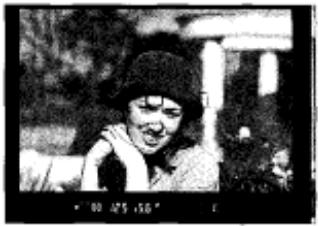
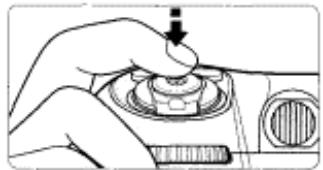
- Centre the focus brackets on your subject and lightly press the shutter release button. The camera focuses automatically and focus indicator appears or blinks as follows.
- appears: Subject is in focus.
- blinks: Unable to focus using autofocus.
- With dark subjects, the camera's AF-Assist Illuminator (page 43) is automatically activated to guide autofocus.
- To take a picture of a subject outside the focus area, shift the focus area by using the focus area selector (page 42) or use focus lock (page 44).
- In situations where autofocus may not work as expected, see page 46.
Confirm Indications in Viewfinder and Release Shutter
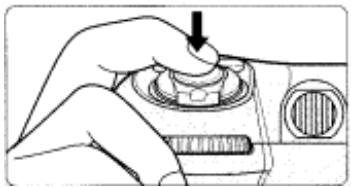
7 Confirm that · (in-focus indicator) appears in the viewfinder, then slowly, fully depress the shutter release button. Camera automatically tracks subject that has been moving (page 88).
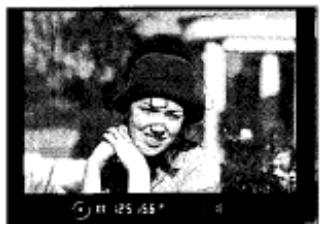
7.1 Confirm indications in the viewfinder while lightly
pressing the shutter release button. (Shutter speed and aperture are shown in 1/2 steps.)
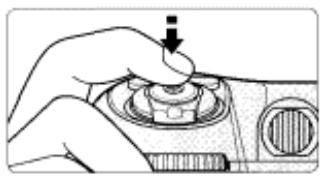

- When the subject is dark or the shutter speed is slower than 1/60 sec., use the built-in Speedlight to avoid picture blur (page 30).
- If any warning indications appear in the LCD panel or viewfinder, see page 101.
7.2 Confirm that focus indicator · appears and slowly depress the shutter release button.
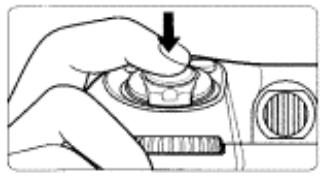
- After shutter is released, the film automatically advances to the next frame and the next shot can be taken.
Check points
Focus, shutter speed and aperture can be confirmed in the
viewfinder. If any other warning indications appear, see page 101.
When you reach the end of the film roll, the film starts to rewind automatically.
For mid-roll rewind, see page 36.
For self-timer operation, see page 68.
7.3 Film starts to rewind automatically when film reaches the end of the roll.
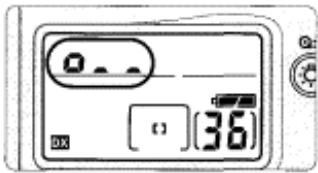
- o.., o., and then o appear in the LCD panel and viewfinder during film rewind and the frame counter counts down until rewind is complete.
- Pictures taken on frames beyond the indicated number of the exposures for the film roll may be discarded in the process of developing.
GSM: Film rewind can be changed not to start automatically when the end of a film roll is reached (page 71).
13: High-speed film rewind is normally executed. This film rewind can be changed to quiet film rewind (page 74).
7.4 Confirm that film is completely rewound, then remove film cartridge.
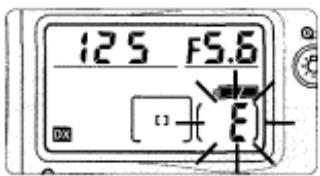
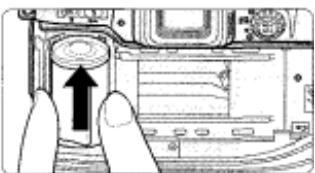
- Film is completely rebound when the frame counter shows blinking "£" in the LCD panel and viewfinder. (E appears without blinking when the exposure meter is off.) Open the camera back away from sunlight and remove the film cartridge by tilting it to one side.
8 Using Built-in Speedlight
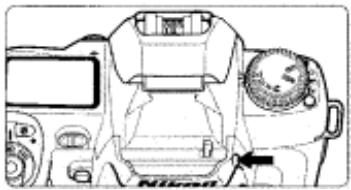
When the subject is dark or the shutter speed is slower than 1/60 sec., use the built-in Speedlight to avoid picture blur. Speedlight photography is also suitable for shooting backlit subjects.
8.1 Press the Speedlight lock-release button to release the Speedlight. The Speedlight starts charging automatically.
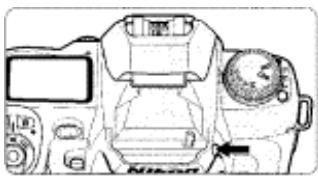
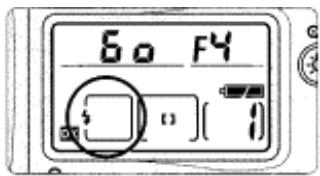
See page 80 if the flash sync mode is not set to the normal Front-Curtain Sync.
- When the Speedlight is ready to fire, φ appears without blinking in the viewfinder (when the camera's meter is on).
- To close the Speedlight, press gently until it clicks shut. (To conserve power, keep the Speedlight closed when it is not in use.)
Suitable situations for use of Speedlight
- Shutter speed is slower than 1/60 sec.
- Subject is dark at night or indoors.
- Subject is backlit or when more light is desired on the main subject, such as the subject's face.
NOTE: Continuous use of built-in Speedlight
After continuous use of the built-in Speedlight, it may stop firing to protect the firing tube. Wait for a while before using the Speedlight again.
Check points
The built-in Speedlight offers an angle of coverage of 28mm tens with
a guide number of 12 (ISO 100, m).
Using a D-type Nikkor lens enables use of 3D Multi-Sensor Balanced
Fill-Flash. (For details, see page 78.)
Be sure to remove (or store) the lens hood before flash shooting.
Some lenses have limitations using the built-in Speedlight and may
cause vignetting. (For details, see page 84.)
8.2
Confirm in viewfinder, then compose, focus and take the picture.
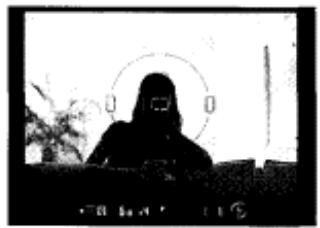
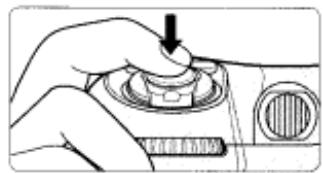
-
The shutter cannot be released unless appears without blinking in the viewfinder.
blinks in the viewfinder approx. 3 sec. after full flash output. If this happens, underexposure may have occurred. Check the flash shooting distance range (page 83) and shoot again. -
Normal Front-Curtain Sync flash mode is introduced in this section. Flash with Red-Eye Reduction, which reduces the "red-eye" effect with a person or animal, and Slow Sync flash, which brings out the background details, are also available. For details, see page 80.
- With dark subjects, the camera's AF-Assist Illuminator is automatically activated to guide autofocus. See page 43 for details.
3D Multi-Sensor Balanced Fill-Flash
When a D-type Nikkor lens is attached, it integrates Distance Information from the lens with other exposure control information, automatically compensating the flash output level so that flash output and ambient light are balanced (page 78).
About Metering System and Exposure
Metering systems and exposure are important factors for taking pictures. Knowing the characteristics of each factor helps you widen your photographic expression.
-Metering System
As the proper combination of shutter speed and aperture for correct exposure is determined according to subject brightness and film sensitivity, measuring subject brightness is very important. In general, brightness inside the viewfinder is not uniform. The F80/F80D/F80S provides three metering systems: Matrix Metering, Centre-Weighted Metering and Spot Metering. With Matrix Metering, scene brightness data is detected by the 10-segment Matrix sensor. With Centre-Weighted Metering, most of the meter's sensitivity is concentrated on the 12mm -diameter centre circle in the viewfinder. Spot Metering sensitivity is concentrated in a small, selected focus area from five available focus areas. Using D-type Nikkor lenses, the F80/F80D/F80S camera performs 3D Matrix Metering by adding distance information to determine correct exposure. See page 48.
Exposure
Light from the subject passes through the lens and exposes the film.
Shutter speed and aperture control how much light reaches the film. The
combination of shutter speed and aperture appropriate for subject
brightness and film sensitivity results in correct exposure-a result
provided by the F80/F80D/F80S's four exposure modes: Programmed
Auto (page 50), Shutter-Priority Auto (page 52), Aperture-Priority Auto
(page 54) and Manual (page 56) exposure modes.
When a highly reflective or very low reflective object is within a frame,
correct exposure may not be obtained. In such situations, exposure
compensation is required. The F80/F80D/F80S offers auto exposure lock
(page 58), exposure compensation (page 60) or Auto Exposure
Bracketing function (page 61) allowing a photographer greater control of
exposure than that afforded by Auto exposure modes.
DETAILED OPERATION
This section features detailed descriptions of all camera functions—including lens, film, focus, exposure and other functions.
Lens Compatibility
- Use a CPU lens (except IX-Nikkor) with this camera. D-type AF lenses give you access to all available functions.
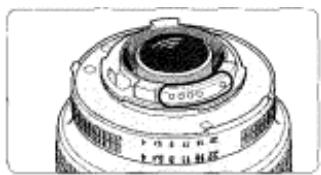
CPU contacts of CPU lens
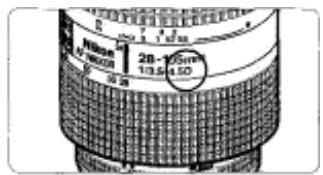
D-type Nikkor lens
When a non-CPU lens is attached
Set exposure mode to Manual with a non-CPU lens. (When other modes are selected, shutter cannot be released.) The camera's exposure meter cannot be used and the aperture cannot be set using the Sub-Command Dial when using non-CPU lenses, f- - appears in place of the aperture indication in the LCD panel and viewfinder; set/confirm aperture using the lens aperture ring.
CAUTION: Nikkor lenses/accessories that cannot be attached to the F80/F80D/F80S
The following Nikkor lenses/accessories cannot be attached to the F80/F80D/F80S (otherwise camera body or lens may be damaged):
- TC-16A Teleconverter
Non-AI lenses - 400mm f/4.5, 600mm f/5.6, 800mm f/8 and 1200mm f/11 with Focusing Unit AU-1
Fisheye 6mm f/5.6, 8mm f/8 and OP 10mm f/5.6
-Old type 21mm f/4
K2 ring
ED 180-600mm f/8 (No. 174041 -174180)
ED 360-1200mm f/11 (No. 174031-174127)
200-600mm f/9.5 (No. 280001-300490) -
80mm f/2.8, 200mm f/3.5 and TC-16 Teleconverter for F3AF
-
PC 28mm f/4 (No. 180900 or smaller)
- PC 35mm f/2.8 (No. 851001-906200)
- Old type PC 35mm f/3.5
- Old type Reflex 1000mm f/6.3
- Reflex 1000mm f/11 (No. 142361-143000)
-
Reflex 2000mm f/11 (No. 200111 -200310)
-
Types of CPU lenses and other usable lenses/accessories
| Mode Lens/accessories | Focus mode | Exposure mode | Metering system | ||||||
| Autofocus | Manual with electronic rangefinder | Manual | Any mode other than M | M | Matrix | Centre-Weighted, Spot* | |||
| 3D 10-segment | 10-segment | ||||||||
| CPU Nikkor* | D-type AF Nikkor*, AF-S, AF-I Nikkor | ○ | ○ | ○ | ○ | ○ | ○ | — | ○ |
| PC Micro-Nikkor 85mm f/2.8D** | — | ○** | ○ | — | ○ | ○ | — | ○ | |
| AF-I Teleconverter** | ○** | ○** | ○ | ○ | ○ | ○ | — | ○ | |
| Non-D-type AF Nikkor (except AF Nikkor for F3AF) | ○ | ○ | ○ | ○ | ○ | — | ○ | ○ | |
| AI-P Nikkor | — | ○** | ○ | ○ | ○ | — | ○ | ○ | |
| Non-CPU Nikkor* | AI-S or AI type Nikkor, Series-E, Al-modified Nikkor | — | ○** | ○ | — | ○**10 | — | — | — |
| Medical-Nikkor 120mm f/4 | — | ○ | ○ | — | ○**11 | — | — | — | |
| Reflex-Nikkor | — | — | ○ | — | ○**10 | — | — | — | |
| PC-Nikkor | — | ○** | ○ | — | ○**10 | — | — | — | |
| AI-S or AI type Teleconverters | — | ○** | ○ | — | ○**10 | — | — | — | |
| Bellows Focusing Attachment PB-6* | — | ○** | ○ | — | ○**10 | — | — | — | |
| Auto Extension Rings (PK-11A, PK-12, PK-13 and PN-11) | — | ○** | ○ | — | ○**10 | — | — | — | |
"1 Spot Metering area can be shifted with focus area selector (page 49) with CPU Nikkor lens.
-2 IX-Nikkor lenses cannot be attached.
3 This camera is compatible with the Vibration Reduction function of the VR Nikkor lens.
"4 The camera's exposure metering and flash control system do not work properly when shifting and/or tilting the lens, or when using an aperture other than the maximum aperture.
'5 Without shifting and/or tilting the lens.
"6 Compatible with AF-S and AF-I Nikkor except AF-S 17-35mm f/2.80 IF-ED and AF-S 28-70mm f/2.80 IF-ED.
"7 With maximum effective aperture of f / 5.6 or faster.
'8 With maximum aperture of f / 5.6 or faster.
"9 Some lenses/accessories cannot he attached. (See page 34.)
- 10 With exposure mode set to Manual. The exposure meter cannot be used.
'11 With exposure mode set to Manual and shutter speed set to 1/125 sec. or slower but the exposure meter cannot be used.
"12 Attach the PB-6 vertically. (PB-6 can be set to horizontal position after attaching.)
- AS-15 must be attached in combination with Medical-Nikkor 200mm f/5.6 for the lens to fire flash.
- Reprocopy Outfit PF-4 can be attached in combination with Camera Holder PA-4.
- Do not attach the following accessories to the lens, as they might damage the parts such as the lens' CPU contacts: Auto Extension Ring PK-1, PK-11, Auto Ring BR-4 and K1 Ring.
Film
- Setting and confirming film speed
Set the exposure mode/ISO film speed select dial to ISO
and rotate the Main-Command Dial to set film speed in use.
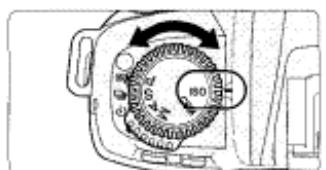
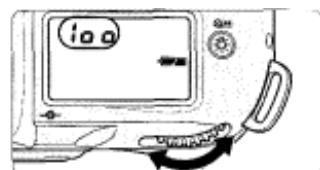
- Film speed can be set to 10 and between ISO 6-6400 in 1/3 steps by rotating the Main-Command Dial. When a film is reinstalled, film speed is automatically set to 10.
- When film speed is set to and DX-coded film is installed, film speed is automatically set between ISO 25-5000. Film speed can also be set manually with DX-coded film to have an effect of increased or decreased film sensitivity.
- Film speed can be set between ISO 6-6400 with non-DX-coded film.
To confirm either automatically set or manually set film speed on the camera, set the exposure mode/ISO film speed select dial to ISO.
The shutter cannot be released when the exposure mode/ISO film speed select dial is set to ISO. Set the dial to the desired exposure mode (P, S, A or M) before shooting.
GSM: Film speed setting can be set not to become when a film is reinstalled (page 71).
Mid-roll rewind
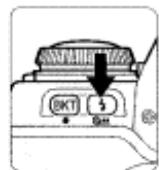
To rewind film at mid-roll, press the two film rewind buttons 品 = simultaneously for approx. 1 sec.
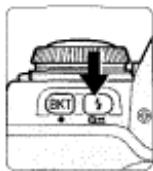
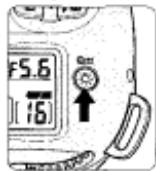
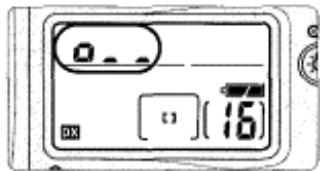
- o... , o. and then o appear in the LCD panel and viewfinder during film rewind and the frame counter counts backwards until rewind is complete.
-
Film is completely rebound when the frame counter shows blinking "E". (E appears without blinking when the exposure metre is off.) Open the camera back and remove the film cartridge.
GSM 13: High-speed film rewind is normally executed. This film rewind can be changed to quiet film rewind (page 74). -
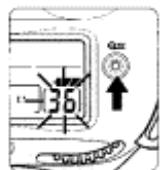
If film does not start to rewind or film rewind stops at mid-roll
-
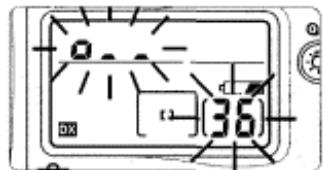
When battery power is very low, or at low temperatures, film may not start rewinding or film rewind may stop at mid-roll, and o... and frame number will blink in the LCD panel. In this case, turn the power switch off, change batteries, then turn the power switch on and rewind film again.
-
Film advance mode
Rotate the film advance mode selector while pressing the film advance mode selector lock release to select film advance mode.
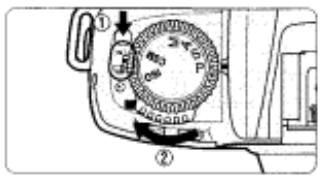
The following film advance modes are available:
Single-frame shooting
Fully depressing the shutter release button takes one picture and automatically advances the film by one frame.
: Continuous shooting
Shots are taken continuously at the rate of up to approx. 2.5 fps as long as you keep the shutter release button fully depressed.
Nikon
Film advance speed is tested using camera settings of focus mode M, exposure mode M, shutter speed 1/125 sec. or faster, aperture other than maximum, at normal temperature of 20°C (68°F) , with fresh batteries, for the 1st to 36th frames of a film.
- When the film advance mode selector is set to , multiple exposure can be performed (page 63). Also, when it is set to , self-timer operation can be performed (page 68).
Autofocus
- Focus mode selector
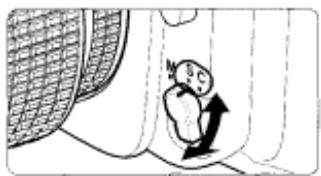
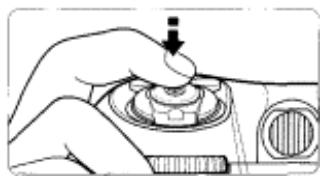
- Set focus mode selector to S (Single Servo AF with Focus-Priority) or !
(Continuous Servo AF with Release-Priority). Camera focuses automatically on the subject when the shutter release button is lightly pressed.
S: Single Servo AF with Focus-Priority
The shutter can only be released when in focus indicator · appears in the viewfinder (Focus-Priority). Once focused on a subject, keeping the shutter release button lightly pressed locks focus (Focus Lock, page 44). With a subject that has been moving, the camera continuously focuses on a subject as long as the shutter release button is kept lightly pressed (Focus Tracking, page 88) and focus locks when the subject stops moving.
C: Continuous Servo AF with Release-Priority
Since the priority is on shutter release, you can release the shutter regardless of the focus status (Release-Priority). Focus is not locked when
- appears in the viewfinder and the camera continues to focus on a subject until shutter release. With a moving subject, the camera continuously focuses on a subject as long as the shutter release button is kept lightly pressed (Focus Tracking, page 88).
CSM:1:Autofocus detection can be set to start by pressing the AE-L/AF-L button only (not by lightly pressing the shutter release button) (page 73).
AF Area Mode
- Autofocus operation lets you select Single Area AF that uses one focus area selected or Dynamic AF that also utilises the other four focus areas. Rotate AF Area mode selector to select AF Area mode.
- appears when the Single Area AF is selected and or (when Dynamic AF Mode with Closest Subject Priority is activated) appears when Dynamic AF is selected in the LCD panel.
[ ]: Single Area AF With Single Area AF, only the focus brackets selected among five focus areas is used for autofocus. This mode is useful for achieving accurate focus on a selected focus brackets when shooting a stationary subject.
[+] Dynamic AF [in Dynamic AF Mode with Closest Subject Priority] In Dynamic AF, you designate the primary sensor (the first to detect the subject), then if the detected subject moves, Dynamic AF automatically shifts to the next sensor that detects the subject, then the next again, shifting among the progression of sensors as the subject moves. Dynamic AF thereby follows and maintains accurate focus even on subjects that move irregularly. (LCD panel and viewfinder indications do not change as sensing shifts in Dynamic AF mode.) Dynamic AF Mode with Closest Subject Priority can also be activated in Dynamic AF mode. See next page.
If the focus mode is set to Single Servo AF in Dynamic AF, the camera is automatically set to Dynamic AF Mode with Closest Subject Priority in initial setting.
AF Area Mode—continued
■Dynamic AF Mode with Closest Subject Priority
- The Closest Subject Priority AF operation is possible in the Dynamic AF, where the camera automatically selects the focus area with the closest subject. Focus is always achieved at any of the five focus areas so you can avoid out-of-focus pictures.
- In Dynamic AF Mode with Closest Subject Priority, focus area indication does not appear in the LCD panel and viewfinder and focus area cannot be selected.
- When the telephoto lens is attached or the subject is very dark, the closest subject may not be selected. In this case, use Single Area AF.
- Autofocus modes
The following focusing operations can be executed with combinations of the focus mode and AF Area mode.
| Focus mode | AF Area mode | Dynamic AF Mode with Closest Subject Priority | LCD panel | Viewfinder | Focus area indication | Focus area | |
| I | Single Servo AF | Single Area AF | — | c1 | c2 | Appears | Selectable |
| II | Single Servo AF | Dynamic AF | Activated in initial setting | c1 | c2 | Does not appear | Automatically selected |
| III | Single Servo AF | Dynamic AF | Cancelable with c20 | c1 | c2 | Appears | Selectable |
| IV | Continuous Servo AF | Single Area AF | — | c1 | c2 | Appears | Selectable |
| V | Continuous Servo AF | Dynamic AF | Not activated in initial setting | c1 | c2 | Appears | Selectable |
| VI | Continuous Servo AF | Dynamic AF | Activated with c20 | c1 | c2 | Does not appear | Automatically selected |
Dynamic AF Mode with Closest Subject Priority can be selected in either focus mode, in Single Servo AF or Continuous Servo AF. When the AF Area Mode is set to Dynamic AF Mode, the following settings are selected in combination with the given focus mode.
- In Single Servo AF: Dynamic AF Mode with Closest Subject Priority is activated in initial setting.
GSM 3: Dynamic AF Mode with Closest Subject Priority can be disabled (page 73).
- In Continuous Servo AF: Dynamic AF Mode with Closest Subject Priority is not activated in initial setting.
GSM ID: Dynamic AF Mode with Closest Subject Priority can be activated (page 73).
Focusing operation
Suitable shooting situation
Focus is obtained only at the selected focus area and focus is locked (as long as the shutter release button is lightly pressed) once focus is achieved.
General shooting such as a stationary subject.
Dynamic AF Mode with Closest Subject Priority automatically maintains focus on the subject located closest to any of five focus areas and focus is locked once focus is achieved. If the subject moves from the selected focus area before focus lock, camera automatically focuses on the subject determining the data from the other focus areas.
Snapshot where you let the camera's autofocus operation determine the focusing,
Focus is obtained at the selected focus area and focusing is locked (as long as the shutter release button is lightly pressed) once it is achieved. If the subject moves from the selected focus area before focus lock, camera automatically focuses on the subject determining the data from the other focus areas.
General shooting including a moving subject where you want to expand the range of a regular snapshot.
Focus is obtained only at the selected focus area. Focus is not locked and focusing continues until the shutter is released.
Subject moving straight toward or away from the camera such as a racing car or track athlete to follow a subject with one focus area,
Focus is obtained at the selected focus area. Focus is not locked. If the subject moves from the selected focus area, camera automatically focuses on the subject determining the data from the other focus areas.
Irregularly moving subject such as a player in a football game where subject is difficult to follow in one focus area.
Dynamic AF Mode with Closest Subject Priority automatically maintains focus on the subject located closest to any of five focus areas. Focus is not locked. If the subject moves from the selected focus area, camera automatically focuses on the subject determining the data from the other focus areas.
Snapshot of a moving subject where you let the camera's autofocus operation determine the focusing.
Focus Area
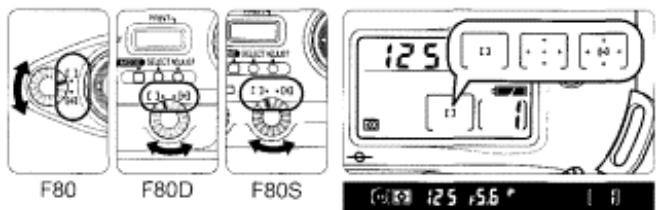
- This camera's five focus areas cover a wide frame area, and you can select among them, depending on the subject's position in the frame or your desired composition. They reliably provide sharp focus without use of focus lock (page 44).
1 Rotate the AF Area mode selector to select Single Area AF [ ] or Dynamic AF [+] .
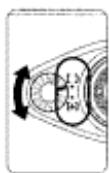
F80
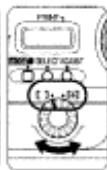
F80D
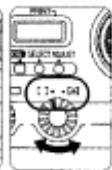
F80S
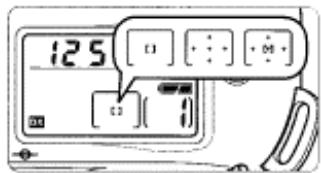
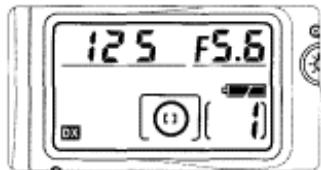
125.56
Focus area cannot be selected in Dynamic AF Mode with Closest Subject Priority (□, page 40).
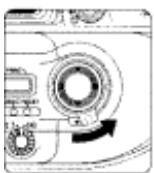
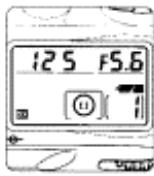
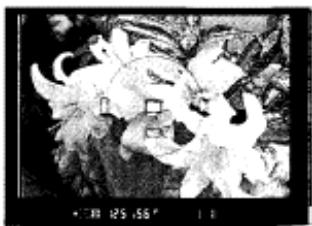
2 Rotate the focus area selector lock lever to release the lock, then select desired focus area with the focus area selector.
-
Lightly press the shutter release button and press the focus area selector up/down/right/left to change the focus area toward the corresponding direction. Selected focus area is indicated (momentarily in red when the subject is dark, page 4) in the viewfinder. Selected focus area is also indicated in the LCD panel.
-
Selected focus area can be locked by rotating the focus area selector lock lever to lock position.
GSM S: Focus area indication in red when the subject is dark can be cancelled or can be set to appear in any situation (page 72).
Gm 6: Focus area can be switched to the opposite position without pressing the opposite position on the focus area selector (page 72).
AF-Assist Illuminator
- When the subject is dark and the shutter release button is pressed lightly, the camera's AF-Assist Illuminator automatically turns on and enables autofocus operation in a dark environment.
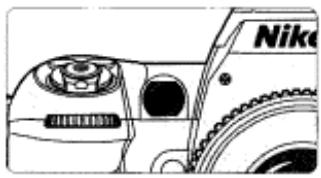
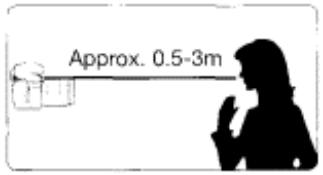
- AF-Assist Illuminator automatically turns on in the following situations:
Focus mode is Single Servo AF, AF Nikkor lens is used, subject is dark and centre focus area is selected or Dynamic AF Mode with Closest Subject Priority is activated. - Focal length of the usable AF Nikkor lens is 24 - 200mm and the distance range of the AF-Assist Illuminator is approx. 0.5 - 3m .
CSM 18: AF-Assist Illuminator can be cancelled (page 75).
NOTE: Continuous use of the AF-Assist Illuminator
When the AF-Assist Illuminator is used continuously, illumination is limited temporarily to protect the firing tube. The illumination restarts after a few moments. Also, when the AF-Assist Illuminator is used repeatedly in a short period of time, be careful not to touch the AF-Assist Illuminator lamp because it may have become hot.
Optional Speedlight and AF-Assist Illuminator
When an optional Speedlight is attached and the condition for the AF-Assist Illumination is met, the AF-Assist Illuminator of the optional Speedlight SB-28/28DX, SB-27, SB-26, SB-25 and SB-24 automatically turns on. With other optional Speedlights, camera's Illuminator turns on.
- Autofocus using the camera's AF-Assist Illuminator cannot be performed due to vignetting with following lenses at shooting distance within 1m :
AF Micro 200mm f/4 IF-ED, AF-S 17-35mm f/2.8 IF-ED (24mm or longer focal length), AF 20-35mm f/2.8 IF, AF 24-120mm f/3.5-5.6 IF, AF-S 28-70mm f/2.8 IF-ED, AF 35-70mm f/2.8, AF Micro 70-180mm f/4.5-5.6 ED - Autofocus using the camera's AF-Assist Illuminator cannot be performed due to vignetting with AF-S 80-200mm f/2.8 IF-ED, AF 80-200mm f/2.8 ED and AF VR 80-400mm f/4.5-5.6 ED.
Focus Lock
- Focus lock is useful in autofocus shooting when you want to capture a subject that's framed outside of the F80/F80D/F80S's five focus areas, and in situations where autofocus may not work as expected (page 46). Focus lock is operated differently in Single Servo AF or Continuous Servo AF.
1 Position the focus area on the subject and lightly
press the shutter release button.
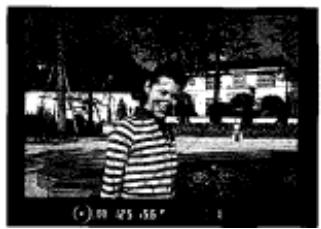
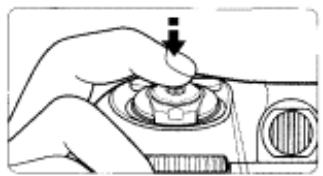
- appears when the subject is in focus.
2 Confirm focus indicator · and lock focus.
In Single Servo AF;
Focus is locked as long as the shutter release button is kept lightly pressed.
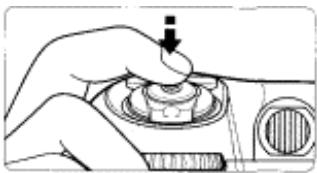
Focus can also be locked by pressing the button. (Refer to the operation in Continuous Servo AF.)
In Continuous Servo AF
Confirm focus indicator ● then (while keeping shutter release button lightly pressed) press the button.
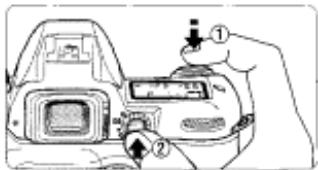
Focus is locked as long as the button is kept pressed, even if you remove your finger from the shutter release button. In Auto Exposure mode, exposure is also locked in this case (page 58).
GEM 1: Only focus can be set to lock when button is pressed (page 73).
3 While keeping the focus locked, recompose and shoot.
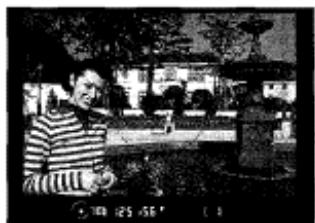
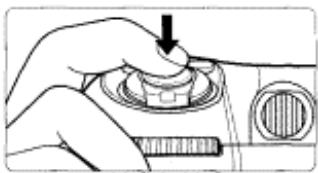
After you have locked focus, do not change the camera-to-subject distance.
- If you keep the shutter release button lightly pressed or keep the button pressed after releasing the shutter in Single Servo AF, the shutter can be released repeatedly with the same focusing.
- If the subject moves after focus is locked (the camera-to-subject distance changes), remove your finger from the shutter release button or button to release the focus lock, refocus and lock the focus again.
Situations Where Autofocus May Not Work As Expected!
- Autofocus may not work as expected in the following situations. In such situations, focus manually using the clear matte field (page 47) or focus on a different subject located at the same distance, use focus lock (page 44) then recompose.
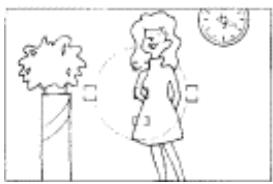
Low-contrast scenes
For example, where the subject is wearing clothing the same colour as a wall or other background.
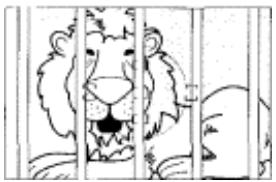
Scenes with subjects within the focus brackets located at different distances from the camera
For example, when shooting an animal in a cage or a person in a forest.
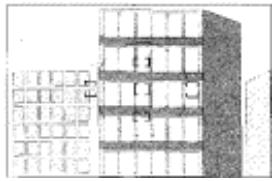
Patterned subject or scene
For example, building windows.
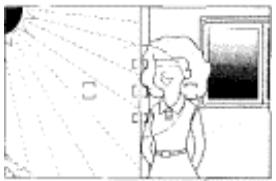
Scenes with pronounced differences in brightness within the focus brackets
For example, when the sun is in the background and the main subject is in shadow.
Manual Focus
- Focus can be set manually when the focus mode selector is set to M.
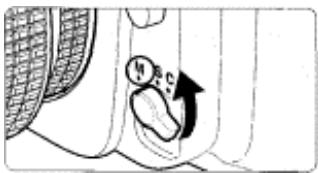
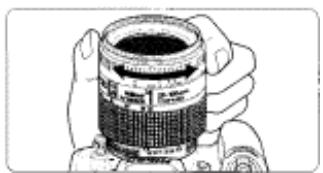
- Set the focus mode selector to M. Look through the viewfinder and rotate the lens focusing ring until a sharp image appears on the clear matte field in the viewfinder. The shutter can be released whether or not the subject is in focus. Use Manual focus in situations where autofocus may not work as expected (page 46) or a lens other than an AF Nikkor lens (page 35) is attached.
- Manual focus using Electronic Rangefinder
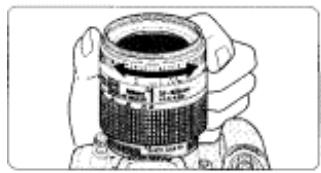
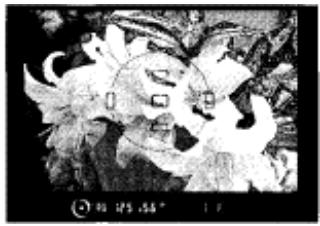
- Set the focus mode selector to M. The focus can be confirmed with indication in the viewfinder. The Electronic Rangefinder works with most Nikkor lenses (including AF Nikkors when operated manually) having a maximum aperture of f/5.6 or faster.
- Lightly press the shutter release button and while the meter is on, rotate the lens focusing ring until appears in the viewfinder. The shutter can be released anytime. The Electronic Rangefinder can be activated with any of five focus brackets selected as the focus area (page 42).
Exposure Metering System
- Three choices of metering system are available to suit the lighting for your subject.
Rotate the metering system selector to select the desired metering system.
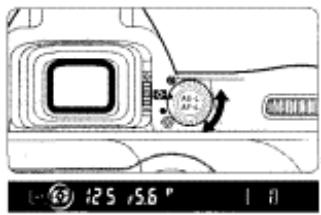
- When a metering system is selected, it is indicated in the viewfinder.
- Metering systems cannot be used when a non-CPU Nikkor lens is attached.
- Metering systems and characteristics of each are as follows:
: Matrix Metering/3D Matrix Metering
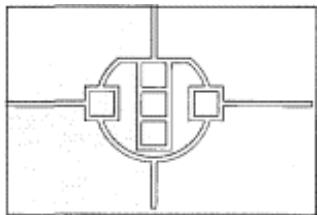
Matrix Metering provides correct exposure control using a 10-segment Matrix Sensor. With D-type Nikkor lenses, 10-segment 3D Matrix Metering automatically activates, applying scene brightness, scene
Nikon
contrast and subject distance information to ensure even more accurate exposure control. Centre-Weighted or Spot Metering is recommended for the Auto Exposure Lock function (page 58) or exposure compensation (page 60).
: Centre-Weighted Metering
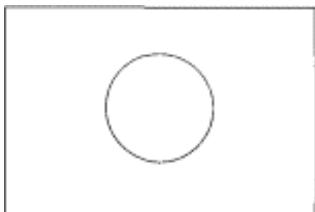
Centre-Weighted Metering places special emphasis on brightness within the 12mm -diameter circle in the viewfinder, so it is useful for basing exposure on a specific area of the scene.
: Spot Metering
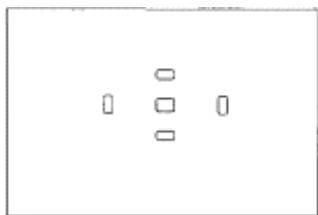
Nearly 100% of the meter's sensitivity is concentrated on the 4mm-dia. area (approx. 1% of entire frame) within the selected focus area of the viewfinder. Use Spot Metering when you want to base the exposure on a very small area within the frame, such as with a backlit subject or high-contrast scenes.
- When Spot Metering is selected, shifting focus area also shifts Spot Metering area to a corresponding position.
- Spot Metering area stays at centre (does not shift) as long as Dynamic AF Mode with Closest Subject Priority (page 40) is activated.
Shooting in Each Exposure Mode
P: Programmed Auto
The camera automatically controls exposure according to the exposure combination in the program chart for exposure that is correct for any shooting situation. Suited for situations such as when taking a snapshot, where you want to concentrate only on the shutter release opportunity. For more complex shooting, use Flexible Program, exposure
compensation (page 60) or auto exposure bracketing (page 61).
- Programmed Auto can only be selected when using a CPU Nikkor lens (page 34).
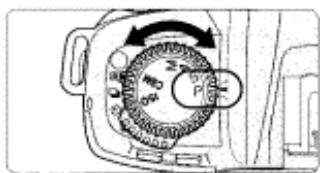
1 Rotate the exposure mode select dial to select P.
NOTE: Minimum aperture with CPU Nikkor lens.
Always set the aperture ring of a CPU Nikkor lens to its minimum (largest f-number).
- When the lens is not set to its minimum aperture setting, fEE blinks in the LCD panel and viewfinder and the shutter locks.
- When a non-CPU lens is attached, F- - blinks in the LCD panel and viewfinder, and the shutter cannot be released. In this case, set the exposure mode to Manual (page 56) and set/confirm aperture with the lens aperture ring. Camera's exposure meter cannot be used. See "Lens Compatibility" on page 34 for details.
2 Compose picture, focus and shoot.
- When the subject is too dark or bright, one of the following warning indications will appear in the viewfinder or LCD panel.
- HI: Use ND filtr.
- Lo: Use Speedlight.
Flexible Program
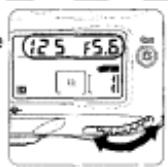
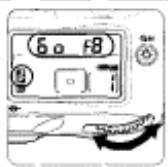
In Programmed Auto, by rotating the Main-Command Dial you can change the combination of shutter speed and aperture while maintaining correct exposure. With this function, you can shoot in Programmed Auto as though you were shooting in Shutter-Priority Auto or Aperture-Prior panel when the Flexible Program is used. Program, rotate the Main-Command I exposure mode, turn the power switch (82), or perform Two-Button Reset (pa
Program chart
The program chart shows exposure control in Programmed Auto exposure mode.
With ISO 100, lens with maximum aperture of f/1.4 and minimum aperture of f/16 (e.g. AF 50mm f/1.4D).
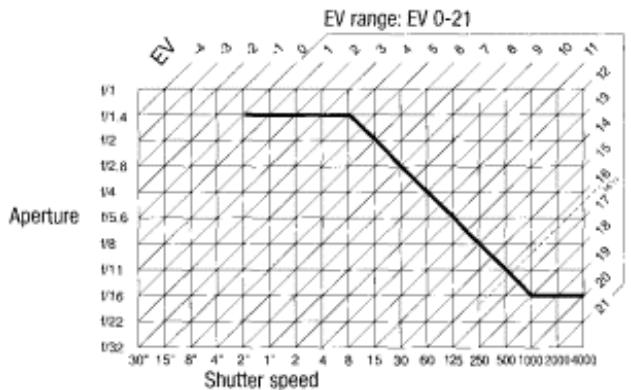
- There are limitations for minimum and maximum EV depending on the film speed.
- In Matrix Metering, any EV above 161/3 is controlled to EV 16V3 when using ISO 100 film.
Shooting in Each Exposure Mode—continued
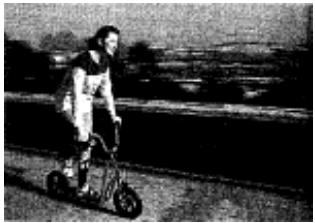
· S:Shutter-Priority Auto
Enables you to manually set your desired shutter speed (30-1/4000 sec.); the camera automatically selects the proper aperture to provide correct exposure. With high shutter speeds, you can freeze the motion of a fast-moving subject; with slower speeds, you can create a blurry, motion effect.
-Shutter-Priority Auto can only be selected with CPU Nikkor lens (page
1 Rotate the exposure mode select dial to select S.
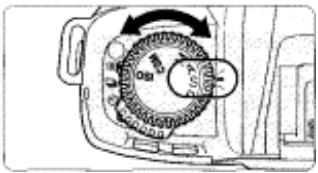
NOTE: Minimum aperture with CPU Nikkor lens
Always set the aperture ring of a CPU Nikkor lens to its minimum (largest f-number).
- When the lens is not set to its minimum aperture setting, FEE blinks in the LCD panel and viewfinder, and shutter locks.
- When a non-CPU Nikkor lens is attached, f- - blinks in the LCD panel and viewfinder, and the shutter cannot be released. In this case, set the exposure mode to Manual (page 56) and set/confirm aperture with the lens
Nikon
aperture ring. Camera's exposure meter cannot be used. See "Lens Compatibility" on page 34 for details.
- If bulb is selected in Manual exposure mode and the exposure mode is changed to Shutter-Priority Auto without cancelling bulb, bulb blinks and the shutter locks. To shoot in Shutter-Priority Auto exposure mode, select shutter speed other than bulb by rotating the Main-Command Dial.
2
Set the shutter speed (30-1/4000 sec.) by rotating the Main-Command Dial.
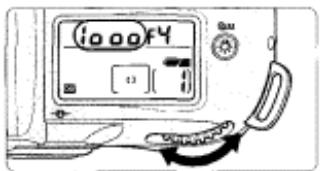
GEM 12: Shutter speed can be set to change with Sub-Command Dial (page 74).
3 Compose picture, focus and shoot.
- When the subject is too dark or bright, one of the following warning indications will appear in the LCD panel or viewfinder. (Electronic analog exposure display will also indicate the amount of under- or overexposure.)
- HI: Select higher shutter speed. If the warning indication still remains on, use ND fibre.
- Lo: Select a slower shutter speed. If the warning indication still remains on, use the Speedlight.
Shooting in Each Exposure Mode—continued
A: Aperture-Priority Auto
Enables you to set the desired aperture manually. The camera automatically selects a shutter speed suitable for correct exposure. By varying the aperture, and thus controlling the depth of field (page 88), you can sharpen the background and foreground, or blur the background. In flash photography, varying the aperture
changes the flash shooting distance (page 83).
- Aperture-Priority Auto can only be selected with CPU Nikkor lens (page 34).
1 Rotate the exposure mode select dial to select A.
NOTE: Minimum aperture with CPU Nikkor lens
Always set the aperture ring of a CPU Nikkor lens to its minimum (largest f-number).
- When the lens is not set to its minimum aperture setting, FEE blinks in the LCD panel and viewfinder, and the shutter locks.
- When a non-CPU Nikkor lens is attached, f- - blinks in the LCD panel and viewfinder, and the shutter cannot be released. In this case, set the exposure mode to Manual (page 56) and set/confirm aperture with the lens aperture ring. Camera's exposure meter cannot be used. See "Lens Compatibility" on page 34 for details.
2 Set the aperture by rotating the Sub-Command Dial.
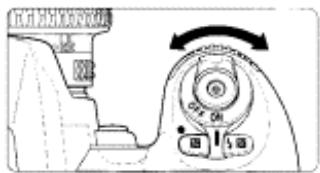
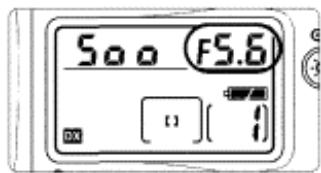
GIM: Aperture can be set to change with Main-Command Dial (page 74).
3 Compose picture, focus and shoot.
- When the subject is too dark or too bright, one of the following warnings will appear in the LCD panel or viewfinder. (Electronic analog exposure display will also indicate the amount of under- or overexposure.)
- HI: Select smaller aperture (larger f-number). If the warning indication persists, use an ND fibre.
- L o: Select larger aperture (smaller f-number). If the warning indication persists, use the Speedlight.
Shooting in Each Exposure Mode—continued
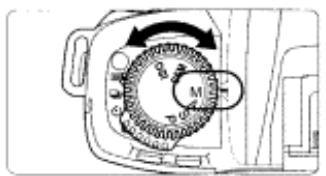
M: Manual
Enables you to set both shutter speed and aperture manually. With electronic analog exposure display in the viewfinder, you can produce various creative effects by adjusting the exposure. Long Time Exposure (Bulb) can be set in Manual exposure mode.
1 Rotate the exposure mode select dial to select M.
NOTE: Minimum aperture with CPU Nikkor lens
Always set the aperture ring of a CPU Nikkor lens to its minimum (largest f-number).
- When the lens is not set to its minimum aperture setting, fEE blinks in the LCD panel and viewfinder, and the shutter cannot be released.
- When a non-CPU Nikkor lens is attached, F- - appears in the LCD panel and viewfinder. Set/confirm aperture with the lens aperture ring. Camera's exposure meter cannot be used. See "Lens Compatibility" on page 34 for details.
2
Set the shutter speed and aperture and confirm by looking at the electronic analog exposure display in the viewfinder.
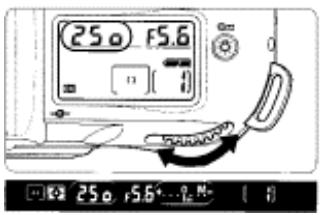
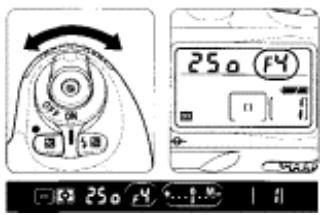
- Set the shutter speed by rotating the Main-Command Dial and the aperture by rotating the Sub-Command Dial. These functions can be set independently.
- Long Time exposure (Bulb) can be set by setting the shutter speed to bulb (page 65).
- When the shutter speed is set to 1/125 sec., the shutter can be released with the camera back open.
GSM: Shutter speed can be set to change with the Sub-Command Dial and aperture with the Main-Command Dial (page 74).
Electronic analog exposure display
The electronic analog display in the viewfinder indicates the difference
between the selected exposure (shutter speed and aperture) and the
correct exposure. Not available with Long Time Exposure.
The electronic analog exposure display blinks when the subject
brightness is beyond the camera's exposure range.
The following examples show electronic analog exposure display
indications:
| Correct exposure | -1/2 EV | Over +3 EV |
| +...0...- | +...0...- | +...0...- |
3 Compose picture, focus and shoot.
Auto Exposure Lock
When you want to control the exposure of a specific area within a scene, measure the exposure on the area with Spot or Centre-Weighted Metering, press the button to lock the exposure, then recompose the picture. Set exposure to a mode other than Manual.
1 Rotate the metering system selector to select Centre-Weighted or Spot Metering.
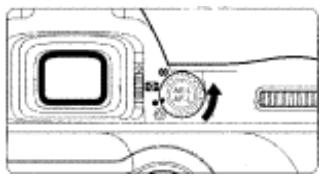
- Matrix Metering is not recommended since the effect of the Auto Exposure Lock cannot be effectively attained.
2 Position focus area on subject and lightly press the shutter release button, then press the button. Confirm focus indicator appears in the viewfinder.
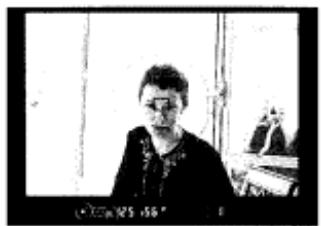
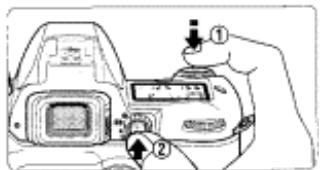
- When the button is pressed, exposure at the area of selected metering system is locked and remains locked as long as the button is kept pressed.
-
When the button is pressed, EL appears in the viewfinder.
-
Area of exposure in Spot Metering:
-
When the focus area and metering area are linked in Spot Metering (page 49), exposure is locked at selected focus area.
-
When Dynamic AF Mode with Closest Subject Priority (page 40) is selected in Spot Metering, exposure is locked at centre focus area (page 49).
-
When the Centre-Weighted Metering is selected, exposure at 12mm -diameter circle is locked.
- In Single Servo AF or Continuous Servo AF, focus is also locked simultaneously (page 44). Make sure to confirm focus indicator - appears in the viewfinder.
C: Only exposure can be set to be locked when the button is pressed (page 73).
3 While keeping the button pressed, recompose, focus and shoot.
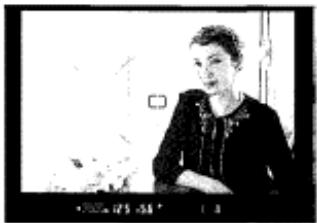
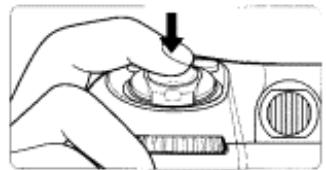
The following functions can be operated while the button is kept pressed:
Nikon
- Flexible Program (page 51) in Programmed Auto Exposure mode
- Shutter speed adjustment in Shutter-Priority Auto Exposure mode
-
Aperture adjustment in Aperture-Priority Auto Exposure mode In any of these three situations, controlled shutter speed and/or aperture will be displayed after change.
-
Rotating the metering system selector to another setting does not change the metering system during Auto Exposure Lock operation. (The metering system changes as soon as the Auto Exposure Lock is cancelled.)
Auto Exposure Lock can be set to be activated by lightly pressing the shutter release button (page 72).
GSM: Auto Exposure Lock can be set to remain after you remove your finger from the button. In this case, AE lock is released when the button is pressed again (page 73).
Exposure Compensation
- To modify exposure control (i.e. from the ISO standard), use the exposure compensation function. This can be useful when intentionally achieving under- or overexposure. Use Centre-Weighted or Spot Metering. Exposure compensation can be performed in any exposure mode.
1 Set exposure compensation by rotating the MainCommand Dial while pressing the 2 button until the desired compensation value appears (-3 EV to +3 EV in 1/2 steps).
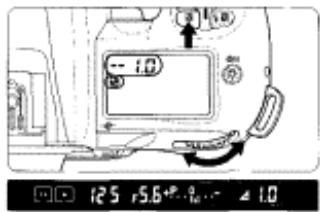
Electronic analog exposure display

-0.5 EV compensation

+2 EV compensation
-
When the exposure compensation is set, appears in the LCD panel and viewfinder. The Electronic analog exposure display also appears in the viewfinder. The compensation value can be checked by pressing the button.
-
Electronic analog exposure display indicates the exposure compensation value and 0 blinks.
- Normally, you should compensate exposure to the + side when the background is brighter than your main subject, or to the - side when the background is darker.
- See page 85 for flash exposure compensation where only the flash output level is compensated.
2 Compose picture, focus and shoot.
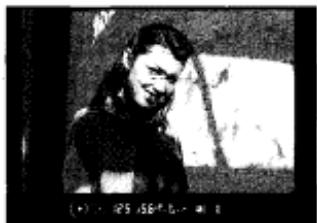
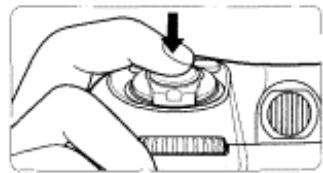
- To cancel exposure compensation, rotate the Main-Command Dial while pressing the button to reset the compensation value to 0.0. Alternately, you can perform Two-Button Reset (page 76). (Turning the power switch off does not cancel the exposure compensation function.)
Auto Exposure Bracketing
Auto Exposure Bracketing allow you to shoot in selected compensated EV value (maximum of ± 2 ev) shifting from the automatically set proper
exposure (or selected exposure in Manual exposure mode) for a selected number of shots (two or three) each time the shutter is released. For example, this is useful in selecting one shot out of several shots with Bracketed exposures after processing the film, when the subject has pronounced contrast in shooting with colour slide film and where the latitude of the proper exposure is minimal. Auto Exposure Bracketing can be performed in any exposure mode.
1 Rotate the Main-Command Dial while pressing the Auto Exposure Bracketing button so appears in the LCD panel.
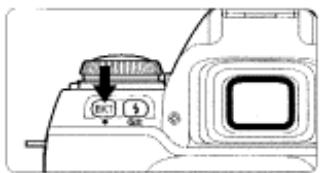
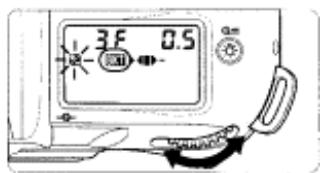
- When 2 appears, starts blinking.
- Shutter speed and aperture in Programmed Auto, aperture in Shutter-Priority Auto and shutter speed in Aperture-Priority Auto and Manual exposure mode differ.
- In any of the exposure modes, Flash Exposure Bracketing and Auto Exposure Bracketing are simultaneously performed when a Speedlight is used.
2 Set the number of shots and compensated EV value by rotating the Sub-Command Dial while pressing the Auto Exposure Bracketing 出 button.
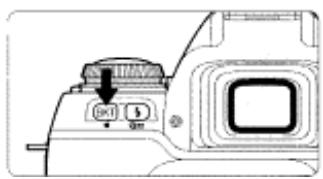

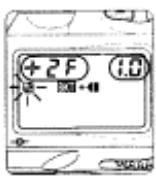
- See the table on the next page for the combinations of the number of shots and compensated EV value.
Auto Exposure Bracketing—continued
- Rotating the Sub-Command Dial while pressing the Auto Exposure Bracketing button changes the setting as follows:
| Number of shots and compensated EV value | Bracketing bar graphs | Bracketing order |
| 3F 0.5 | +←- | 0, -0.5, +0.5 |
| 3F 1.0 | +←- | 0, -1.0, +1.0 |
| 3F 1.5 | +←- | 0, -1.5, +1.5 |
| 3F 2.0 | +←- | 0, -2.0, +2.0 |
| +2F 0.5 | +← | 0, +0.5 |
| +2F 1.0 | +← | 0, +1.0 |
| +2F 1.5 | +← | 0, +1.5 |
| +2F 2.0 | +← | 0, +2.0 |
| --2F 0.5 | →- | 0, -0.5 |
| --2F 1.0 | →- | 0, -1.0 |
| --2F 1.5 | →- | 0, -1.5 |
| --2F 2.0 | →- | 0, -2.0 |
3: Bracketing order can be set to change from negative EV value to positive EV value (page 71).
3 Compose picture, focus and shoot.
-
Compensated shutter speed and aperture values are displayed during shooting.
-
To cancel the Bracketing, rotate the Main-Command Dial while pressing the button so disappears from the LCD panel or perform Two-Button Reset (page 76). The number of shots and compensated EV values previously selected will remain when they are cancelled with the Main-Command Dial, and they automatically reset to "3F 0.5" when the Two-Button Reset is performed.
If the exposure compensation function (page 60) or flash exposure compensation (page 85) is also set, Bracketing will be combined with the exposure compensation values. It is useful to perform Bracketing with a compensated value of over +2 EV or under -2 EV. -
With film advance mode in (continuous shooting), fully depress and hold the shutter release button until the set number of shots has been taken and film advance stops automatically.
-
If the end of the film roll is reached during Bracketing, the remaining shots can be taken after new film has been loaded. Also, if you turn the power switch off during Bracketing, the remaining shots can be taken after the power is turned back on.
- Bracketing is performed with one frame at a time when the self-timer (page 68) is set.
Multiple Exposure
Multiple exposure consists of two or more exposures of one or more subjects in the same frame. Multiple exposure can be performed in any of the available exposure modes.
1 Rotate and set the film advance mode selector to while pressing the film advance mode selector lock release.
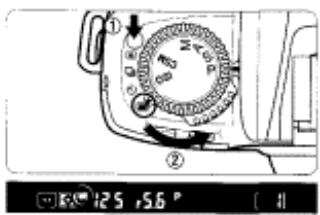
- appears in the viewfinder.
2 Rotate the Main-Command Dial while pressing the button to set the necessary exposure compensation.
Standard compensation value in Multiple exposure
Exposure compensation is necessary depending on the number of exposures in Multiple exposure since more than one image is exposed in the same frame.
Number of Compensation exposures value
Two -1.0 EV
Three -1.5 EV
- Test shooting is recommended since the compensation actually required varies depending on the shooting situation.
- When the background is completely dark and subjects do not overlap, no compensation is necessary for each shot.
- In some cases, frames may shift slightly in multiple exposure. In particular, film advance becomes unstable at the beginning and near the end of a film roll so multiple exposure is not recommended.
Multiple Exposure—continued
3 Compose picture, confirm focus indicator · and shoot.
-
The first shot is taken when the shutter release button is fully depressed. The film does not advance and multiple exposures can be taken from the second shutter release.
-
blinks in the viewfinder when the first shot is taken. The frame counters in the LCD panel and viewfinder do not count up and the counter display blinks.
To cancel multiple exposure, set the film advance mode selector to a position other than Film is advanced when the exposure meter is on or the shutter release button is lightly pressed. When the film is advanced, the frame counter counts up.
650: The film advance mode in multiple exposure is normally set to single-frame shooting. However, it can be set to continuous shooting (page 74).
Long Time Exposure
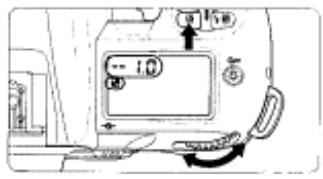
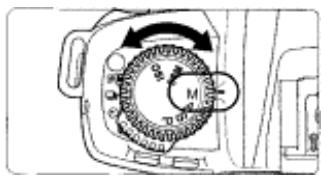
- This function is useful for shooting nighttime scenes or stars, which require extended exposure of more than 30 sec. The shutter will be open as long as the shutter release button is kept fully depressed. (Use of a tripod is recommended.)
1 Rotate the exposure mode select dial to select M (Manual exposure).
- Use of a tripod is recommended to avoid camera shake. Using the optional cable release (page 97) attached to the release terminal instead of pressing the shutter release button with your finger also reduces camera shake.
- Use the LCD illuminator (page 66) to view the LCD panel in the dark.
2 Rotate the Main-Command Dial to select buLb and rotate the Sub-Command Dial to set the aperture.
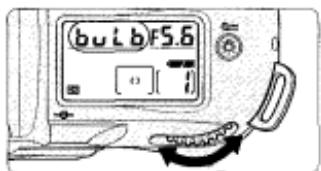
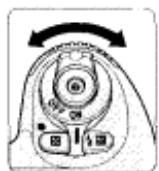
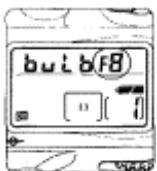
- If buLb is selected in Manual exposure mode and the exposure mode is changed to Shutter-Priority Auto without cancelling buLb, bulb blinks and the shutter locks (page 52).
- Continuous exposure of approx. 6 hours is possible with a fresh set of lithium batteries. Note that continuous exposure time is reduced when shooting at low temperatures.
3 Compose picture, focus and shoot.
- The shutter will be open as long as the shutter release button is kept fully depressed.
Dieptre Adjustment/LCD Illuminator
- The finder dioptre enables near- or far-sighted photographers to adjust the eyepiece dioptre to suit their vision.
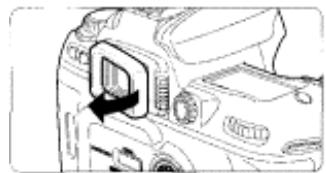
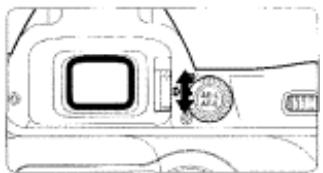
- Remove the rubber eyecup and slide the dioptre adjustment lever while looking through the viewfinder until the focus brackets or other displays in the viewfinder appear sharp. Attach the rubber eyecup again after adjustment.
- The adjustable range of the finder dioptre is -1.8 DP to +0.8 DP. Nine optional eyepiece correction lenses provide a viewfinder dioptre range of -5 to +3 DP (P. 96).
NOTE: Using the dioptré adjustment lever
Since the dioptre adjustment lever is located next to the viewfinder, be careful not to poke yourself in the eye with your finger or fingernail while sliding the lever.
- Displays in the LCD panel can be confirmed in the dark with the LCD illuminator.
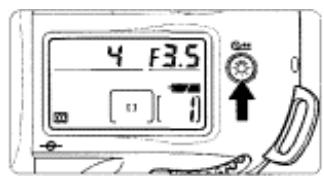
- Press the button. The exposure meter turns on and the LCD panel is illuminated.
The illumination remains on as long as the exposure meter is on. Illumination turns off after lightly pressing the shutter release button or shutter release.
GSM 17: The illuminator can be set to come on when any button is pressed (page 75).
Depth-of-Field Preview/Film Plane Indicator
- Depress the depth-of-field preview button to confirm the depth of field through the viewfinder (see page 88).
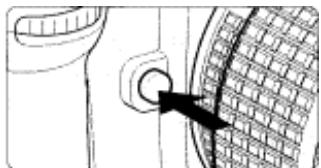
- Pressing the depth-of-field button stops the lens down to the aperture controlled in Programmed Auto or Shutter-Priority Auto exposure mode, and down to the aperture selected in Aperture-Priority Auto or Manual exposure mode. By looking through the viewfinder, the approximate depth of field with the given aperture can be confirmed.
- The film plane indicator shows the position of the film plane inside the camera body.
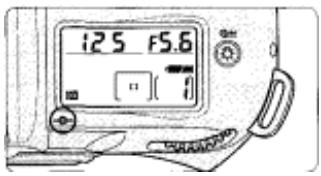
- The film plane indicator shows the standard line of the shooting distance and indicates the position of the film plane inside the camera body. Use this indicator when actually measuring camera-to-subject distance, e.g. in close-up photography.
- The exact distance from the lens mounting flange to the film plane is 46.5mm .
Self-Timer Operation
- You can use the self-timer when you want to be in the photograph. Use a tripod or place the camera on a stable surface before using the self-timer.
1 Set the film advance mode selector to while pressing the film advance mode selector lock release.
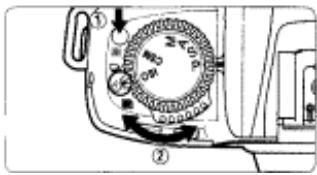
- Self-timer shooting cannot be performed unless the camera's shutter can be released (i.e. when subject cannot be brought into focus with autofocus in Single Servo AF).
- To shoot in an exposure mode other than Manual, cover the eyepiece with the supplied eyepiece cap DK-5 (page 3) or with your hand before pressing the shutter release button to prevent interference and achieve correct exposure from stray light.
- Do not stand in front of the lens when setting the self-timer in autofocus mode.
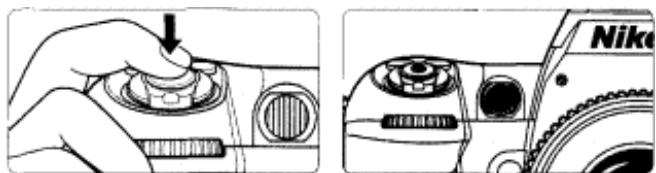
2 Compose picture, focus by lightly pressing the shutter release button and fully depress the shutter release button.
- Once the self-timer is activated, the shutter will release in 10 seconds. The
self-timer indicator LED will blink for 8 sec. and then illuminate for 2 sec. before the shutter is released.
To cancel the self-timer, set the film advance mode selector to a position other than
- When bul b is selected in Manual exposure mode, shutter speed is controlled to approx. 1/8-1/15 sec.
6: The time delay of the self-timer can be set to 2, 5, or 20 sec. (page 75).
CUSTOM SETTING
Using the Custom Setting feature, you can create a combination of functions that is different from the initial factory settings. The functions listed in this section can be selected with the F80/F80D/F80S.
Menu/Features of Custom Setting
- Creating Custom Setting
1 Set the exposure mode/Custom Setting select dial to CSM and select a menu number by rotating the Main-Command Dial.
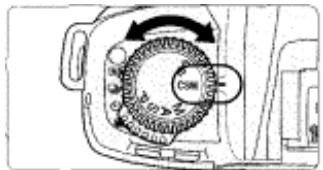
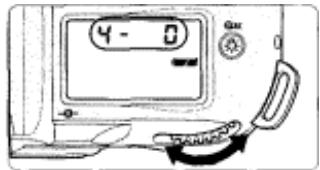
- 19 menus (1 to 19) are available with the F80S and 18 menus (1 to 18) are available with the F80/F80D.
2 Select the desired option number by rotating the SubCommand Dial.
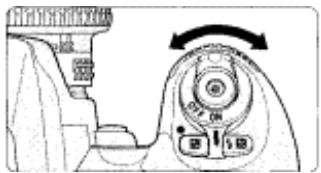
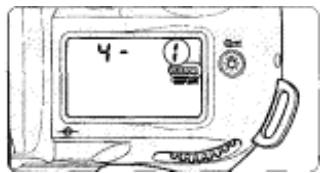
- When the desired option number is displayed in the LCD panel, CUSTOM appears in the LCD panel. Rotate the exposure mode/Custom Setting select dial to set desired exposure mode and picture can be taken with desired settings.
- The shutter cannot be released when the exposure mode/Custom Setting select dial is set to CSM. Set the dial to the desired exposure mode before shooting.
- Cancelling Custom Setting
Set the exposure mode/Custom Setting select dial to CSM and perform Two-Button Reset (page 76).
- All the Custom Settings are cancelled and reset to their initial factory settings.
- Each Custom Setting can be cancelled and reset to initial setting by selecting the number of "initial setting" (e.g. 0 with Custom Setting menu number 1) at step 2 above.
Menu number and Custom Setting options
1. Automatic film rewind at the end of film roll (page 29)
Options: 0: Activated (initial setting)
1: Disabled
At initial setting, film rewind is automatically started when the end of the film roll is reached. However, the camera can be set not to rewind film at the end of the film roll but instead film rewind is started by pressing the two film rewind buttons for more than 1 sec.
2. Reset to DX film speed setting for new film (page 36)
Options: 0: Activated (initial setting)
1: Disabled
At initial setting, film speed automatically sets to when a new film roll is loaded even after manually setting film speed to other than. However, the film speed setting can be changed to remain the same.
3.Bracketingorder (page62)
Options: 0: Metered value, under, over (initial setting)
1: Under, metered value, over
Bracketing is normally performed in the order of the initial setting (page 62). However, this Bracketing order can be changed to be performed from negative compensation to positive compensation.
4. On-Demand Grid Lines superimposition display (page 5)
Options: 0: Not displayed (initial setting)
1: Displayed
At initial setting, On-Demand Grid Lines (page 5) are not displayed in the viewfinder. However, they can be set to be displayed.
Menu/Features of Custom Setting—continued
5. Illumination for superimposition (page 4)
Options: 0: Automatically illuminated for low light (initial setting)
1: Cancelled
2: Always illuminated
At initial setting, selected focus area (focus brackets) in the viewfinder are temporarily illuminated in red depending on the subject brightness for easy identification. However, they can be set not to be illuminated or always illuminated no matter the subject brightness.
6. Focus area selection (page 42)
Options: 0: Normal selection (initial setting)
1: Enables successive rotation of focus area selection
At initial setting, the focus area can be selected by pressing the focus area selector in the desired direction. However, it can be set to be changed continuously in the same direction. For example, when the top of the focus area selector is pressed, focus area continues to change from top, bottom, middle and so on. With this option, focus area can be switched to the opposite position without pressing the opposite position on the focus area selector.
7. Auto Exposure Lock when shutter release button is lightly pressed (page 58)
Options: 0: Disabled (initial setting)
1: Activated
At initial setting, Auto Exposure Lock can be performed by pressing the button. However, Auto Exposure can be set to be locked by lightly pressing the shutter release button.
8. Auto film loading when camera back is closed (page 21)
Options: 0: Enabled (initial setting)
1: Disabled
At initial setting, film advances to the first frame when the camera back is closed after it is loaded. However, film advance can be set not to start until the camera back is closed and the shutter release button is fully depressed.
9. Closest-subject-priority Dynamic AF in Single Servo AF (page 40)
Options: 0: Enabled (initial setting)
1: Disabled
At initial setting, Dynamic AF Mode with Closest Subject Priority (page 40) is activated when Dynamic AF mode is selected in Single Servo AF. However, Dynamic AF Mode with Closest Subject Priority can be set to be disabled in Single Servo AF.
10.Closest-subject-priority Dynamic AF in Continuous Servo AF (page 40)
Options: 0: Disabled (initial setting)
1: Enabled
At initial setting, selecting Dynamic AF in Continuous Servo AF does not activate Dynamic AF Mode with Closest Subject Priority (page 40). However, Dynamic AF Mode with Closest Subject Priority can be set to be activated in Continuous Servo AF.
11. AE-L/AF-L button (page 44/58)
Options 0: AE/AF simultaneous lock (initial setting)
1: Auto Exposure lock only
2: Autofocus lock only
3: Auto Exposure lock (remains locked until button is pressed
again)
4: AF operation only starts by pressing AE-L/AF-L button
At initial setting, Auto Exposure and autofocus are locked simultaneously when the button is pressed. However, it can be set to be locked separately or exposure remains locked after removing your finger from the button and released when the button is pressed again or picture is taken. Also at initial setting, autofocusing starts when the shutter release button is lightly pressed, but it can be set to activate when the button is pressed. (In this setting, pressing the shutter release button lightly does not start autofocusing.)
Menu/Features of Custom Setting—continued
12.Command Dial functions (pages 50-57)
Options: 0: Main-Command Dial for shutter speed; Sub-Command Dial for
aperture setting (initial setting)
1: Main-Command Dial for aperture; Sub-Command Dial for
shutter speed setting
Nikon
Unlike the initial Command Dial functions, the Sub-Command Dial can be set to select shutter speed (in Shutter-Priority Auto or Manual exposure mode) and the Main-Command Dial to select aperture (in Aperture-Priority Auto or Manual exposure mode).
13.Film rewind (pages 21)
Options: 0: High-speed film rewind (initial setting)
1: Quiet film rewind
Film rewind can be set to perform more silently as opposed to initial high-speed film rewind setting. Film rewind speed of the high-speed film rewind is approx. 15 sec. and quiet film rewind is approx. 23 sec. per 36-exposure film roll with fresh batteries.
14.Multiple exposure (page 63)
Options: 0: Single shutter release operation (initial setting)
1: Continuous shutter release operation
At initial setting, the shutter is released once each time the shutter release button is fully depressed in multiple exposure (single frame shooting). However, it can be changed to continuous shooting where the shutter can be continuously released as long as the shutter release button is fully depressed.
15. Time delay for auto metre-switch-off (page 17)
Options 4:4 sec.
6:6 sec. (initial setting)
8:8 sec.
16:16 sec.
At initial setting, the exposure metre automatically turns off 6 sec. after turning the power switch on or lightly pressing the shutter release button. However, it can be changed to 4 sec., 8 sec. or 16 sec. (Note that the usable number of film rolls per batteries decreases with the longer delay time for auto metre-switch-off.)
16. Self-timer duration (page 68)
Options 2:2 sec. 10:10 sec.(initial setting)
5:5 sec. 20:20 sec.
At initial setting, the shutter is released 10 sec. after the shutter release button is fully depressed in self-timer operation. However, this can be changed to 2, 5, or 20 sec.
17LCD illuminates by pressing any function button (page 66)
Options 0: Disabled (initial setting)
1: Activated
At initial setting, pressing the " " button activates the LCD illuminator. However, it can be set to be activated with a press of any button.
18.AF-Assist Illuminator activation (page 43)
Options 0: Activated (initial setting)
1: Disabled
When the condition for the AF-Assist Illumination is met (page 43) and the shutter release button is pressed lightly, the AF-Assist Illuminator of the camera automatically turns on and enables autofocus operation in a dark environment. However, it can be changed not to turn on (autofocus may
19. ISO film speed setting for data imprint between frames (F80S only, page 94)
Options 0: Automatically (initial setting) 3: ISO 100
1:Under ISO 25
4:ISO125-200
2:ISO32-80
5:OverISO250
At initial setting, the F80S automatically sets the film speed of the loaded film when imprinting shooting data between film frames. However, it can be changed to be set manually. Note that Custom Setting Menu 19 can only be selected when the shooting data imprint between film frames is set on the camera.
- Set the Custom Setting option to / (automatic setting) or at an option of
the ISO value of the film in use to imprint shooting data at regular exposure level.
To increase the imprint exposure level, select an option number of lower
ISO number than the film in use. To decrease it, select a higher ISO
number.
Two-Button Reset
- Two-Button Reset lets you instantly reset specified settings to their original initial settings.
Press the and 出 buttons (indicated with green symbols) simultaneously, and hold them for more than 2 sec.
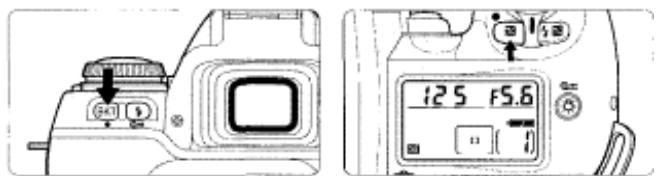
- The LCD turns off momentarily and the following functions are reset to their original settings with exposure mode/Custom Setting select dial set at either P, S, A or M:
Function Condition
Focus area Centre
Flexible Program Cancelled
Exposure Cancelled compensation
Auto Exposure Lock Cancelled
Auto Exposure/Flash Cancelled Exposure Bracketing
Flash Sync mode Front-curtain sync
-
Cancelling Custom Setting
-
Set the exposure mode/Custom Setting select dial to CSM and perform Two-Button Reset. The LCD turns off momentarily and then CUSTOM disappears from the LCD panel. All the Custom Settings are cancelled and reset to their initial factory settings (pages 71-75).
FLASH PHOTOGRAPHY
You can enjoy the excitement of the Nikon
F80/F80D/F80S's advanced flash
technology by using the built-in Speedlight
or an optional AF Speedlight such as the
SB-28, SB-27 or SB-26. With the
F80/F80D/F80S system you'll discover the
benefits of flash for more picture-taking
situations than ever. Make fill-flash a
standard part of your photography. Brighten
dull scenes and erase harsh shadows for
beautiful portraits. With the F80/F80D/F80S
system's automatic operation, you can take flash pictures like never before.
About Flash Photography
Built-in Speedlight
This camera is equipped with a built-in Speedlight that provides an angle of coverage for a 28mm lens with a guide number of 12 (ISO100, m). TTL Auto Flash modes such as 3D Multi-Sensor Balanced Fill-Flash and Multi-Sensor
Balanced Fill-Flash are available and ensure proper exposure of the main subject and background, while providing adequate flash output to create natural-looking flash photography. In addition to shooting in dim light, the flash can be used in daylight to reduce shadows on the main subject or to put catchlights in your subject's eyes. Five flash sync modes—Front-Curtain Sync (Normal Sync), Slow Sync, Rear-Curtain Sync, Red-Eye Reduction and Red-Eye Reduction with Slow Sync—are available with this camera.
-
See below for the TTL Flash modes, page 82 for using the built-in Speedlight and page 80 for the flash sync modes.
-
The following TTL Auto Flash modes are available depending on the type of lens used.
Lens TTL Auto Flash mode
D-type Nikkor lens 3D Multi-Sensor Balanced Fill-Flash
(with Distance Information and Monitor
Pre-Flash)
Other CPU Nikkor lens Multi-Sensor Balanced Fill-Flash (except AF Nikkor for (with Monitor Pre-Flash)* F3AF)
Non-CPU Nikkor lens Standard TTL
3D Multi-Sensor Balanced Fill-Flash
3D Multi-Sensor Balanced Fill-Flash can be performed with a combination of the F80/F80D/F80S camera and D-type Nikkor lens. In this flash mode, just after you press the shutter release button and before the shutter is activated, the built-in Speedlight will fire a series of imperceptible pre-flashes that are detected by the F80/F80D/F80S's five-segment TTL Multi Sensor, then analysed for brightness and contrast. Furthermore, it integrates Distance Information from the lens with other exposure control information, automatically compensating the flash output level so that flash output and ambient light are balanced.
3D Multi-Sensor Balanced Fill-Flash enables flash photography in very difficult situations, such as a scene that includes an object with extremely high reflectivity or a subject against an "infinite" background (empty sky, clouds, etc.). Set the camera's exposure mode to any mode other than Manual and metering system to other than Spot.
Accessory Shoe/Ready-Light
Multi-Sensor Balanced Fill-Flash
Multi-Sensor Balanced Fill-Flash, without the Distance Information added to the 3D Multi-Sensor Balanced Fill-Flash, can be performed with a combination of the F80/F80D/F80S camera and CPU Nikkor lens other than D-type.
- Set the camera's exposure mode to any mode other than Manual and metering system to other than Spot.
3D Multi-Sensor Balanced Fill-Flash together with Multi-Sensor Balanced Fill-Flash is called Automatic Balanced Fill-Flash with TTL Multi-Sensor
Standard TTL Flash
Standard TTL Flash can be performed with non-CPU Nikkor lens. (Can only be used with exposure mode set to Manual) With CPU Nikkor lens, Standard TTL Flash is automatically set when the camera is set to Manual exposure mode or Spot metering. In Standard TTL Flash, automatic flash output level compensation is not available. This means that, even though the main subject is correctly exposed, the background may not be. Standard TTL Flash is useful when you want to highlight the main subject or perform flash exposure compensation.
- Monitor Pre-Flash is cancelled in Standard TTL Flash.
- Accessory shoe
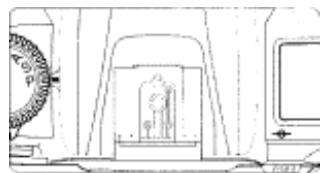
- An optional Speedlight, i.e. SB-28/28DX, SB-27, SB-26, SB-25, SB-24, SB-23 or SB-22s can be attached directly to the accessory shoe of the F80/F80D/ F80S without a cord. This accessory shoe is equipped with a safety-lock which prevents accidental drop when a Speedlight with a safety-lock pin (i.e. SB-28/ 28DX, SB-27, SB-26, SB-25 or SB-22s) is attached.
-Ready-light

- When using the built-in Speedlight or an optional Speedlight such as the SB-28/28DX, SB-27, SB-26, SB-25, SB-24, SB-23 or SB-22s, the ready-light appears in the viewfinder when the Speedlight is fully charged and ready to fire.
- If the ready-light blinks approx. 3 sec. after full flash output, underexposure may have occurred (when the Speedlight is set to TTL or non-TTL Auto Flash mode). Check the focus distance, aperture or flash shooting distance range and shoot again.
Flash Sync Mode Features
Five flash sync modes are available with the F80/F80D/F80S. Set the flash sync mode by rotating the Main-Command Dial while pressing the flash sync mode button
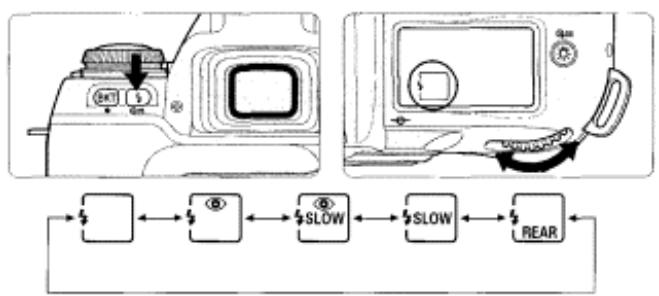
:Front-Curtain Sync
Set the flash sync mode to Front-Curtain Sync for normal flash photography. The camera's shutter speed is automatically set to 1/60 to 1/125 sec. for flash photography in Programmed Auto or Aperture-Priority Auto exposure mode.(With an optional Speedlight SB-26, SB-25 and SB-24, set the Speedlight's sync mode selector to NORMAL.)
:Slow Sync
Normally, the camera's shutter speed is automatically set to 1/60 to 1/125 sec. for flash photography in Programmed Auto or Aperture-Priority Auto exposure mode.
However, for shooting nighttime scenes, Slow Sync uses a slower shutter speed (down to 30 sec.) to bring out background details using all of the available light.

Rear-Curtain Sync
The Speedlight fires at the end of the exposure, turning available light into a stream of light that follows the flash-illuminated moving subject. When Rear-Curtain Sync is set in Programmed Auto or Aperture-Priority Auto exposure mode, Slow Sync is automatically set. (With an optional Speedlight SB-26, 25 and 24, set the Speedlight's sync mode selector to REAR.)

Red-Eye Reduction

The Red-Eye Reduction lamp lights for approx. 1 sec. before the flash fires in order to reduce the red-eye effect in photos of people or animals. (With an optional Speedlight SB-28/28DX, SB-27 or SB-26, the Red-Eye Reduction lamp of the Speedlight lights.)

Red-Eye Reduction with Slow Sync
Red-Eye Reduction and Slow Sync mode are simultaneously set. Set the exposure mode to Programmed Auto or Aperture-Priority Auto. (With an optional Speedlight SB-28/28DX, SB-27 or SB-26, the Red-Eye Reduction lamp of the Speedlight lights.)
NOTE: Flash Sync Modes
- When Red-Eye Reduction or Red-Eye Reduction with Slow Sync is selected, the Red-Eye Reduction lamp lights for approx. 1 sec. before the flash fires. Do not move the camera or let the subject move until the shutter is released. (Red-Eye Reduction is not recommended in shooting situations where shutter release is your top priority.)
- With some lenses, light from the Red-Eye Reduction lamp may not reach the subject's eyes. In some cases, red-eye effect may not be reduced
effectively due to the location of subject.
- With Slow Sync and Red-Eye Reduction with Slow Sync, keep the camera steady to prevent picture blur since the shutter speed is slow. Use of a tripod is recommended.
- Rear-Curtain Sync cannot be used with a studio flash system since the correct synchronisation cannot be obtained.
Using the Built-in Speedlight
- Operation described in this section applies when the built-in Speedlight and D-type AF Nikkor are attached.
1Set the metering system.
- Set the metering system to Matrix or Centre-Weighted Metering.
2 Release the built-in Speedlight by pressing the flash lock-release button, and set the flash sync mode by rotating the Main-Command Dial while pressing the button.
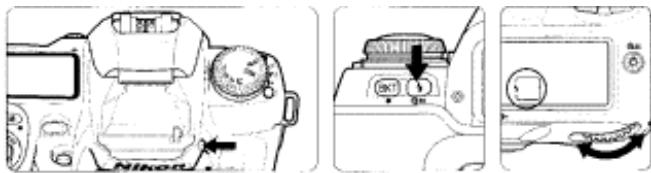
- Speedlight starts to charge when it is released and 1 appears in the viewfinder when Speedlight is fully charged.
- Press the Speedlight down gently until it clicks into place to retract it. (To conserve power, keep the Speedlight retracted when it is not in use.)
3 Set exposure mode and confirm shutter speed and aperture.
- Note that Automatic Balanced Fill-Flash with TTL Multi Sensor is executed with the exposure mode set to Programmed Auto, Shutter-Priority Auto or Aperture-Priority Auto, and Standard TTL with the Manual.
- Available shutter speed and aperture in each exposure mode
| Exposure mode | Available shutter speed | Available aperture | Page |
| Programmed Auto | Automatically set | Automatically | 50 |
| (1/125-1/60 sec.) | set | 52 |
| Shutter-Priority | 1/125-30 sec.*1 |
| Auto |
| Aperture-Priority | Automatically set | Desired | 54 |
| Auto | (1/125-1/60 sec.) | setting*2 | 56 |
| Manual | 1/125-30 sec.*1, bulb |
*1 Shutter speed shifts automatically to 1/125 sec. when the shutter speed is set to faster than 1/125 sec. and the flash is fired (or attached optional Speedlight is turned on). In this case, 125 appears in the viewfinder and the selected shutter speed display blinks in the LCD panel.
*2 Flash shooting distance range depends on the ISO film speed of the film in use and aperture selected. In Aperture-Priority Auto or Manual exposure mode, set the aperture according to the flash shooting distance range table on page 83.
4 Confirm appears in the viewfinder, make sure the subject is within the flash shooting distance range and shoot.

The shutter cannot be released unless appears without blinking in the viewfinder.
- in the viewfinder blinks approx. 3 sec, after full flash output. This may indicate underexposure has occurred. Check the focus distance, aperture or flash shooting distance range and shoot again.
- When the conditions for AF-Assist Illumination are met (page 43), the AF-Assist Illuminator automatically turns on to guide autofocus.
- In Programmed Auto exposure mode, the camera automatically controls maximum available aperture according to the film speed. See page 87.
- Continuous shooting (B) cannot be used in flash shooting.
-Flash shooting distance range for built-in Speedlight
Flash shooting distance changes according to the film speed in use and aperture setting.
| ISO Film speed25 | 50 | 100 | 200 | 400 | 800 | Flash shooting distance range* (m) |
| Guide number 6 | 8.5 | 12 | 17 | 24 | 34 |
| Aperture value — | — | 1.4 | 2 | 2.8 | 4 | 2-8.5 |
| — | 1.4 | 2 | 2.8 | 4 | 5.6 | 1.4-6 |
| 1.4 | 2 | 2.8 | 4 | 5.6 | 8 | 1-4.2 |
| 2 | 2.8 | 4 | 5.6 | 8 | 11 | 0.7-3 |
| 2.8 | 4 | 5.6 | 8 | 11 | 16 | 0.6-2.1 |
| 4 | 5.6 | 8 | 11 | 16 | 22 | 0.6-1.5 |
| 5.6 | 8 | 11 | 16 | 22 | 32 | 0.6-1.1 |
| 8 | 11 | 16 | 22 | 32 | — | 0.6-0.8 |
-
The table shows the flash shooting distance range for print films. The flash shooting distance range of color slide film is approx. 2/3 that of print film with the same ISO film speed rating.
-
The maximum flash shooting distance can also be calculated by dividing the guide number by the aperture value selected.
Example: When f/2.8 is selected with ISO 100 film using the camera's built-in Speedlight, the maximum flash shooting distance will be;
12 / 2.8 = approx. 4.2m
Nikon
- Usable lenses with built-in Speedlight
- 28mm to 300mm CPU lenses can be used with the built-in Speedlight.
- Make sure to remove the lens hood.
- The built-in Speedlight cannot be used with zoom lenses set to Macro in wideangle.
- Vignetting occurs at the edges of the frame resulting in underexposure with the following zoom lenses, which have limitations in usable focal length or shooting distance:
Lens Limitations
AF-S 17-35mmf/2.835mm focal length at 1.5m or longer shooting ED distance.
AF 20-35mm f/2.8 28mm focal length at 2m or longer shooting distance or 35mm focal length at 0.7m or longer shooting distance
AF 24-120mm 28mm or longer focal length; and at 28mm ,at f/3.5-5.6 0.8m or longer shooting distance
AF-S 28-70mm 50mm or longer focal length; and at 50mm ,at f/2.8 ED 0.8m or longer shooting distance
AF 28-85mm 28mm or longer focal length; and at 28mm ,at f/3.5-4.5 2m or longer shooting distance
AF 35-70mm f/2.8 35mm or longer focal length; and at 35mm , at 0.8m or longer shooting distance.
AF Micro 70mm or longer focal length; and at 70mm ,at
70-180mm 0.7m or longer
f/4.5-5.6 ED shooting distance
- 28mm to 200mm non-CPU Nikkor lenses (AI-S, Al, Al-modified Nikkor) and Series-E lenses except 200mm f/2 lens can be used with the built-in Speedlight. However following lenses have limitations in usable focal length or shooting distance:
- AI-S/AI 25-50mm f/4 (40mm or longer focal length; and at 40mm, at 0.8m or longer shooting distance)
AI-S 28-85mm f/3.5-4.5 (35mm or longer focal length) - Al 35-70mm f/3.5 (35mm or longer focal length; and at 35mm, at 1 mm or longer shooting distance)
- Al 28-45mm f/4.5 (28mm or longer focal length; and at 28mm, at 1m or longer shooting distance)
- Al-modified 50 - 300mm f/4.5 (200mm or longer focal length)
AI-S"AI 50-300mm f/4.5 (135mm or longer focal length)
- Al 80-200mm f/2.8 (105mm or longer focal length)
- Al-modified 80 - 250mm f/4 (135mm or longer focal length)
Exposure Compensation
Flash exposure compensation lets you intentionally change the correct exposure computed by the Speedlight and the camera. For example, you can highlight the main subject by increasing the flash output or prevent the main subject from becoming too bright by decreasing the flash output.
1 Set flash exposure compensation by rotating the Main-Command Dial while pressing the button until the desired compensation value appears (-3EV to +1 EV in 1/2 steps).
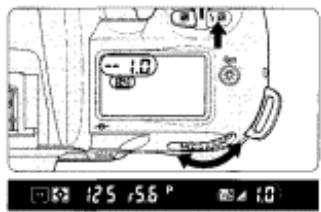
Electronic analog exposure display
25,56
-0.5 EV compensation
125,56
+1 EV compensation
- When the flash exposure compensation is set, appears in the LCD panel and viewfinder. The compensation value can be checked by pressing the button.
- Normally, you should compensate exposure to the + side when the background is brighter than your main subject, or to the - side when the background is darker.
2 Release the built-in Speedlight by pressing the flash lock-release button, and set the flash sync mode and exposure mode.
3 Compose picture, focus and confirm 4 appears in viewfinder. Then make sure the subject is within the flash shooting distance range and shoot.
- To cancel flash exposure compensation, rotate the Main-Command Dial while pressing the button to reset the compensation value to 0.0. Alternately, you can perform Two-Button Reset (page 76). (Turning the power switch off does not cancel the flash exposure compensation function.)
Usable Optional Speedlights
The following optional Speedlights are compatible with the F80/F80D/F80S. In the table, ① indicates D-type Nikkor lenses (except IX-Nikkor),
② indicates CPU Nikkor lens other than D-type (except AF Nikkor for F3AF) and ③ indicates non-CPU Nikkor lenses.
1 Standard TTL is performed with Spot Metering. Selecting Spot Metering or Manual exposure mode automatically changes the TTL Auto Flash mode to Standard TTL with Speedlights other than SB-28/28DX, 27, 26, 25 and 24 that are equipped with TTL Auto Flash.
2 Wireless Slave Flash can be performed with the SB-26. Shutter speed is automatically controlled to slower than 1/90 sec. when the Wireless Slave Flash selector is set to 0.
3 With the SB-21 B, autofocus can only be used when an AF Micro-Nikkor (60mm, 105mm, 200mm and 70-180mm) is attached.
4 TTL Auto Flash is possible with TTL Remote Cord SC-23.
In A or M flash mode, attach SU-2 to SC-13 with SB-11 and SB-14, or attach SU-3 to SC-13 with
SB-140.
SC-11 or SC-15 can also be used; however, the ready-light does not appear in the viewfinder and
the shutter speed does not change automatically.
*5 Ultraviolet photography can be performed only when SB-140 is set to M. (Infrared photography cannot be performed.)
Notes on using the optional Speedlight
- See your Speedlight manual for details. If the camera groups are defined in the manual of the Speedlight with TTL Auto Flash, see the section for camera group I.
- Flash sync speed is 1/125 sec. or slower when using an optional Speedlight.
- Available film speeds for TTL Auto Flash are ISO 25 to ISO 1000.
- With the SB-26, 25 or 24, flash sync mode set on the Speedlight overrides the setting on the camera body.
- When Red-Eye Reduction or Red-Eye Reduction with Slow Sync is set on a camera attached with the SB-28/28DX, 27 or 26, the Red-Eye Reduction lamp of the Speedlight lights up.
-
Even when the optional Speedlight with the AF-Assist Illuminator is attached, AF-Assist Illuminator does not emit light unless the conditions for AF-Assist Illumination are met (page 43).
-
With SK-6 and SB-24 are attached, AF-Assist Illuminators of the camera body and the Speedlight do not emit light.
- In Programmed Auto exposure mode, the camera automatically controls the maximum available aperture as follows in relation to the film speed:
ISO film speed 25 50 100 200 400 800 1000
MaximumBuilt-in Speedlight 2 2.4 2.8 3.3 4 4.8 available
aperture Optional 2.8 3.3 4 4.8 5.6 6.7 6.7 Speedlight
-
When film speed increases by one step, the maximum available aperture is stopped down by 1/2 f/stop . If you are using a lens with a maximum aperture smaller than that listed above, the automatically controlled aperture range is from the lens' maximum to minimum aperture.
-
Use the optional Accessory Shoe Adaptor AS-15 to use the sync terminal
-
When flash exposure compensation is set, appears in the viewfinder without the compensation value.
-
FEE in the LCD panel and P in the viewfinder blink and the shutter cannot be released when the exposure mode is set to P and attached Speedlight is not set to TTL Auto Flash. Set the Speedlight flash mode to TTL, or set the camera's exposure mode to S, A or M.
NOTE: Flash attachments made by manufacturers other than Nikon
Use only Nikon Speedlights. Other units may damage the camera's electrical circuit due to incompatible voltage requirements (not compatible with 250V or higher), electric contact alignment or switch phase.
About Depth of Field and Focus Tracking
This camera is equipped with autofocus where focusing is automatically executed by the camera. Basics of the relationship between focus and depth of field and Focus Tracking are explained in this section.
Depth of field
When focusing, depth of field should be considered. Depth of field is the zone of sharpest focus in front of and behind the subject on which the lens is focused. It varies according to shooting distance, focal length and, above all, aperture. Smaller apertures (larger f-numbers) will produce a deeper depth of field where the background and foreground become sharper: larger apertures (smaller f-numbers) will produce a shallower depth of field where the background becomes blurred. Similarly, shorter shooting distance or longer focal length will produce a shallower depth of field, and longer shooting distance or shorter focal length will produce a deeper depth of field. Note that depth of field tends to be shallower in front of and deeper behind the subject in focus.
- Focus Tracking
When the focus mode selector is set to Single Servo AF (S) or Continuous Servo AF (C) and the shutter release button is lightly pressed or AE-L/AF-L button (when AF start in CSM 11 is selected) is kept pressed, the camera automatically switches to Focus Tracking when a moving subject is detected. Focus Tracking enables the camera to analyse the speed of
Nikon
the moving subject according to the focus data detected, and to obtain correct focus by anticipating the subject's position—and driving the lens to that position—at the exact moment of exposure.
In Single Servo AF, Focus Tracking is activated with a subject that has been moving in advance to the focus detection, and focus is locked when the subject stops moving and appears in the viewfinder. In Continuous Servo AF, camera continues to track subject (even with a subject which started moving in the middle of the focus detection) and focus is not locked.
DATA BACK
Imprint the date and/or time on photographs with the data back of the Nikon F80D or F80S, and also shooting data between frames (F80S only).
Adjusting Date and Time and Imprinting Data
- The F80D and F80S allow you to imprint Year/Month/Day,
Day/Hour/Minute (24-hour clock), Month/Day/Year or Day/Month/Year on your picture (in any exposure mode).
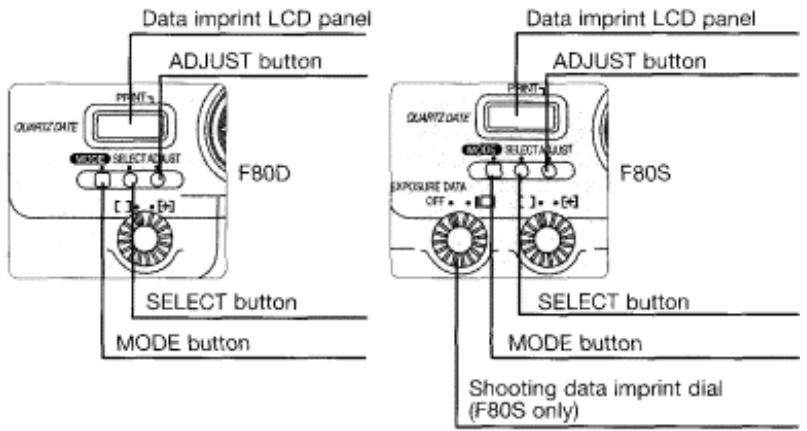
- Adjusting date and time (Example: year 2000, April 21, 15:30; shows the operation with F80D; same operation with F80S)
1 Push MODE button to select one of the date displays.
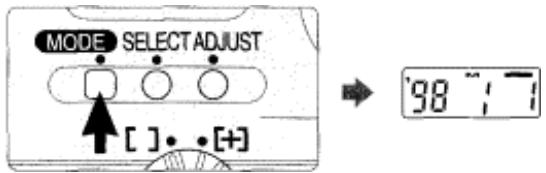
Each time you push the MODE button the display changes as follows:
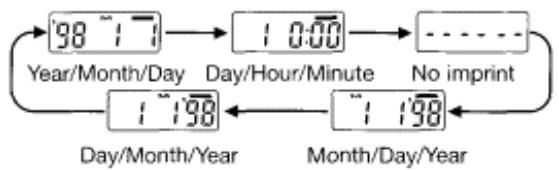
- To set date choose display other than Day/Hour/Minute. With Day/Hour/Minute display, only time can be set.
2 Push SELECT button so year section starts blinking.
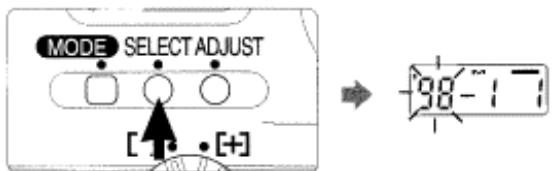
Nikon
- Each time you push the SELECT button the blinking section moves in the order of year, month and day. ' indicates the year section (last two digits) and m indicates the month section, (< is not imprinted on the picture.)
3 Push ADJUST button to set the year to "00".
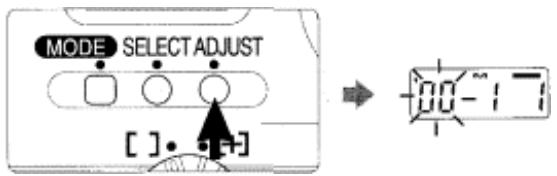
- Each time you push the ADJUST button the year section changes as follows (between 1998 to 2049):

- To change the numerical indication rapidly, hold the ADJUST button down for more than 1 sec.
4 Set the month and day following steps 2 and 3. When the setting is complete, push the SELECT button so
the newly adjusted date display appears without
blinking.
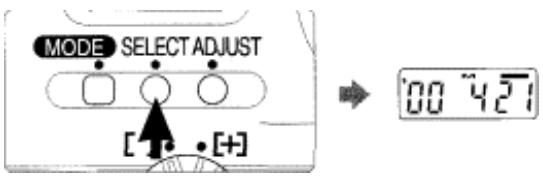
- Push the SELECT button until the date display stops blinking. When the data imprint indicator — appears in the data imprint LCD panel, date setting is complete.
Adjusting Date and Time and Imprinting Data-continued
5 Push MODE button to select Day/Hour/Minute display.
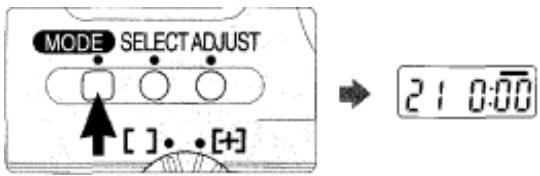
6 Push SELECT button so hour section starts blinking.
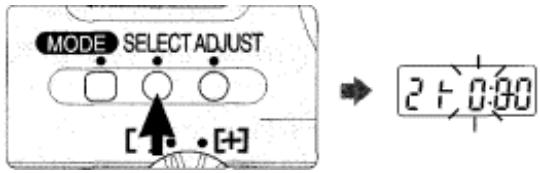
- Each time you push the SELECT button, the blinking section moves in the order of hour, minute and : (colon).
7 Push ADJUST button to set the hour to "15".
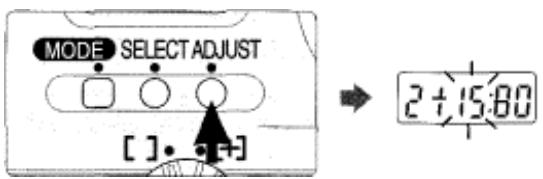
8 Set the minute following steps 6 and 7. When the setting is complete, push the SELECT button twice so
the newly adjusted time display appears without
blinking.
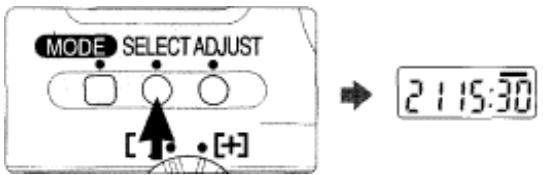
-
Pushing the SELECT button once makes : blink and pushing it a second time makes — appear. When — appears, the setting is complete.
-
To set time to the precise second, push the SELECT button once at the step 8 so : indication blinks. When the actual time coincides with the time you have set, push the ADJUST button. The clock starts from 00 sec. (Seconds are not displayed in the LCD panel.)
Example: To set the clock to 13:00:00:
Set the clock to 13:00. Push the SELECT button so : indication blinks. When the time becomes exactly 13:00:00, push the ADJUST button to start the clock at exactly 13:00:00. - Batteries in the camera body also power the Quartz Date. Set the date and time after installing batteries for the first time. When changing batteries, date and time remain in the Quartz Date memory up to approx. 15 minutes without batteries. If the date and time data are lost, reset them.
- Imprinting date/time
Push MODE button to select date/time display and fully depress the shutter release button to take a picture with the imprinted date/time.

- The data displayed on the data imprint LCD will be imprinted on the picture. Select - - - - - (no imprint) to cancel data imprint. Compatible film speeds for data imprinting are ISO32-3200.
- Data imprint indicator - blinks for approx. two to three sec. immediately after the shutter is released (when a film is loaded).
Imprinted date/time
The illustration at right indicates the position of the imprinted date/time on the film. It may be difficult to read against bright colours such as white or reddish hues.
Imprinting Shooting Data (F80S only)
- With the F80S, you can imprint shutter speed, aperture and selected exposure compensation values between film frames (in any exposure mode).
Select shooting data imprint by rotating the shooting data imprint dial to
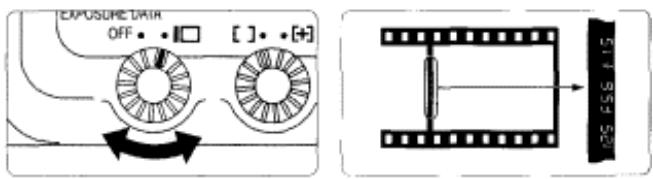
- When a picture is taken, three shooting data—shutter speed, aperture and selected exposure compensation value—are imprinted between film frames.
- Compatible film speeds for shooting data imprinting are ISO25-3200.
- To fit into a slide mount, edges of the film and the imprinted shooting data may be cut off in processing.
- When shooting data imprint is selected, film advance speed may slow down even when the film advance mode is set to continuous shooting. The film advance speed varies with film sensitivity and temperature; it becomes slower with slower film sensitivity and at lower temperatures.
- Liquid crystal illumination is used in imprinting shooting data. Due to slow response characteristics of the liquid crystal, previous data may be imprinted or data imprint may overlap. This tends to occur at lower temperatures. Make sure to release the shutter after shooting data has changed especially with continuous shooting. Also, correct data imprint may not be executed when the brightness, shutter speed or aperture of each frame vary
ESM: At initial setting, F80S automatically sets the film speed of the loaded film when imprinting shooting data between film frames. However, it can be changed to set manually (page 75).
- Custom Setting Menu 19 can only be selected when the shooting data imprint between film frames is set on the camera.
MISCELLANEOUS
The Nikon F80/F80D/F80S is a high-performance, precision instrument, designed to deliver superior pictures. You'll want to take good care of your camera to ensure the best possible performance. Take time to review this section thoroughly, as doing so will add to your picture-taking pleasure.
We've also included information about optional accessories and a detailed section with technical specifications. Please read these areas carefully.
Optional Accessories
- A variety of optional accessories, including power source and Speedlight are available for the F80/F80D/F80S.
Battery Pack MB-16
- With the Battery Pack MB-16, four 1.5V AA-type alkaline-manganese, lithium. NiCd or Ni-MH batteries can be used to power the F80/F80D/F80S,
Eyepiece correction lenses
- Eyepiece correction lenses enable near- or far-sighted photographers to adjust the eyepiece dioptre to suit their vision, and can be attached easily by inserting onto the viewfinder eyepiece. Nine optional eyepiece correction lenses provide viewfinder dioptre settings of -5, -4, -3. -2. , +0.5, +1. +2 and +3 DP (combined dioptre with setting on camera body). We recommend that you actually look through the viewfinder with various correction lenses attached before making a purchase, since viewfinder dioptre differs from one person to another. Use the optional eyepiece correction lens when you need eyepiece correction over -1.8 to +0.8 DP that can be adjusted using the F80/F80D/F80S's dioptre adjustment lever.
Lenses
- A wide variety of lenses — 16mm to 600mm wideangle, telephoto, zoom. Micro or DC (Defocus image Control) — is available for the F80/F80D/F80S.
Filtres
- Nikon filters can be divided into three types: screw-in, drop-in and rear-interchange. With the F80/F80D/F80S, the fibre factor need not be considered except for the R60 fibre. Compensate exposure +1 EV when using the R60. Note that when special filters available from manufacturers other than Nikon are used, autofocus or the electronic rangefinder may not operate properly.
- Use circular-polarising fibre C-PL instead of polarising fibre Polar. The linear polarising fibre cannot be used with the F80/F80D/F80S.
- Use NC fibre when using the fibre to protect the lens.
- Moire may occur when shooting a subject against bright light or if a bright light source is in the frame. In this case, remove the fibre before shooting.
Cable release AR-3
. When the Cable Release AR-3 is attached to the release terminal of the F80/F80D/F80S, camera shake can be reduced when shooting with slow shutter speed such as in night scene photography, astronomical photography or close-up photography.
Speedlight SB-28/SB-27
- Speedlight SB-28/SB-27 normally uses four AA-type alkaline-manganese batteries with a guide number of 36 (SB-28) and 30 (SB-27) (manual flash, 35mm zoom-head position, ISO 100, m, 20°C ). Optional external power source SD-7 and SD-8A or Power Bracket SK-6 (SB-28 only) can also be used.
. 3D Multi-Sensor Balanced Fill-Flash, which enables natural-looking overall exposures and a better balance between ambient light and the fill-flash (even when a highly reflective object is located within the frame or the background is non-reflective), is compatible with the SB-28/SB-27. Also, the AF Assist Illuminator enables autofocus operation in a dark environment. - Automatic power zoom continuously changes the zoom-head position according to the lens' focal length. Also, a variety of flashes, including Slow Sync, Rear-Curtain Sync, non-TTL Auto Flash or manual flash are compatible with the SB-28/SB-27. With SB-28, Repeating Flash is also available.
Wireless Slave Flash Controller SU-4 (with SG-2)
- TTL multi-flash, where a Speedlight to which Wireless Slave Flash Controller SU-4 (with SG-2) is attached is fired simultaneously with the Speedlight attached to the F80/F80D/F80S, can also be used. Use the Diffuser SG-2 supplied with the SU-4. The Diffuser SG-1 cannot be used. If the SG-1 is supplied with your SU-4, contact an authorised Nikon dealer or service centre.
Nikon
Soft case (CF-59/CF-60)
- Two camera cases, CF-59 (for standard lens) and CF-60 (for telephoto lens) are available for this camera.
CF-59: Camera body fits inside case with AF 28-200mm f/3.5-5.6D IF or
smaller lens attached.
CF-60: Camera body fits inside case with AF 75-240mm f/4.5-5.6D or smaller
lens attached.
Neckstraps/Handstrap AH-4
- Braid-type AN-4B (black) and AN-4Y (yellow), wide braid-type neckstrap AN-6Y (yellow) and AN-6W (burgundy) neckstraps are available.
- Handstrap -4 helps you to hold the camera firmly and easily, and shoot in quick-motion.
Camera Care
- Cleaning camera body
Use a blower brush to remove dirt and dust from the camera body and clean it with a soft, clean cloth. After using the camera near seawater, wipe the camera body with a soft, clean cloth slightly moistened with pure water to remove salt, and then dry it with a dry cloth. NEVER use organic solvents like thinner or benzene. They may damage the camera.
- Cleaning mirror and lens
Use a blower brush to remove dirt and dust from the mirror or lens. To remove fingerprints or smudges from the lens' surface, use a soft, clean cotton cloth or lens tissue moistened with ethanol (alcohol) or lens cleaner.
- Do not subject the camera or lens to strong vibration or shock
Do not drop the camera body and lens or hit them against a hard surface as this may damage their precision mechanism.
- Do not touch the shutter curtains
The shutter is made of very thin curtains. Do not hold, poke, or blow strongly with a blower brush. Doing so may scratch, deform or tear the shutter curtains.
- Avoid strong electric or magnetic fields
The camera may not function properly in strong electric or magnetic fields such as near a transmitter tower. Avoid using the camera in such locations.
- Store the camera in a cool, dry place
Store the camera in a cool, dry place to prevent mold and mildew.
Keep it away from naphthalene or camphor (moth repellent), electrical appliances that generate magnetic fields or an excessively hot place such as inside a vehicle during the summer or near a heater.
- Avoid extreme temperature change
An extreme temperature change can cause condensation inside the camera body. When taking the camera to a very hot place from a very cold place or vice versa, place it inside an airtight container such as a plastic bag and leave it inside a while to expose the camera gradually to the temperature change.
- Avoid water or moisture
Keep the camera away from water or moisture. When using the camera near water, guard against splashes, especially salt water spray.
. Remove the batteries and store the camera with a desiccant
If you do not intend to use the camera for a long time, remove the batteries to protect the camera from battery leakage.
- In a humid environment, store the camera inside a plastic bag with a desiccant to keep out dust, moisture and salt. Note, however, that storing leather cases in vinyl bags may cause the leather to deteriorate. Keep the batteries in a cool, dry place away from heat or humidity.
- Change the desiccant occasionally since it does not absorb moisture effectively after a while.
- Leaving the camera unused for a long period of time may cause mold to grow and result in malfunction. Turn the power on and release the shutter a few times once per month.
- To maintain the built-in Speedlight in peak condition, fire it a few times every month. This will enable you to use the flash for many years.
Notes on Batteries


Keep batteries out of children's reach. If someone accidentally swallows batteries, call a doctor immediately.
«Use two CR123A or DL123A lithium batteries
Use two CR123A or DL123A lithium batteries.
- Change the batteries well before the end of their life and prepare spare batteries before important photographic occasions.
- Turn the camera power off when changing batteries.
Turn the camera power off before changing batteries and insert the batteries with (+) and (-) ends positioned correctly.
- Stains on the battery poles may cause lack of contact. Wipe the batteries well with a dry cloth before installing.
- Use fresh batteries at low temperatures.
Battery power diminishes at extremely low temperatures and the camera may not function properly with old batteries. Use a fresh set of batteries at low temperatures, keep spare batteries warm, and use them alternately.
- Film advance speed lowers and number of usable film rolls becomes less at low temperatures. However, battery power may recover when the temperature returns to normal.
- Do not throw batteries into a fire or short circuit batteries.
Do not throw batteries into a fire. Do not short, disassemble, heat or charge batteries.
Troubleshooting
| LCD panel | Viewfinder | Cause | Remedy | Page |
| rEE blinks | rEE blinks | ·Lens is not set to its minimum aperture. | ·Set lens to minimum aperture. | 18 |
| rEE blinks | P blinks | ·Attached Speedlight is not set at TTL Auto Flash in P mode. | ·Set the Speedlight flash mode to TTL, or set the camera's exposure mode to S, A or M. | 87 |
| □ appears | — | ·Batteries are nearing exhaustion. | ·Have fresh ones ready. | 17 |
| □ blinks | — | ·Batteries are just about exhausted. | ·Turn the power off and replace batteries with new ones. | 17 |
| □ and Err blink | Err blinks | ·Batteries are exhausted during film rewind. | ·Replace batteries with new ones or recharge batteries and turn the power on again. If this warning appears frequently, contact authorised Nikon dealer or service centre. | 17 |
| F-- blinks | F-- blinks | ·Non-CPU lens is attached or lens is not attached. | ·Attach CPU lens (except IX-Nikkor). With a non-CPU lens, set the exposure mode to M and set the aperture with lens' aperture ring. | 18, 34 |
| Err and E blink | Err and E blink | ·Film is not correctly advanced. | ·Reload film. | 21 |
| XX, and Err blink | Err blinks | ·Film speed is set to DX and non-DX-coded film is loaded. | ·Load DX-coded film or set the film speed manually. | 21, 36 |
| E blinks when exposure meter is turned on | E blinks when exposure meter is turned on | ·Film remains in the camera after film rewind is complete. | ·Remove the film cartridge. | 29 |
Troubleshooting—continued
| LCD panel | Viewfinder | Cause | Remedy | Page |
| End blinks | End blinks | The end of the film roll has been reached (When CSM I is selected). | Rewind film by pressing the two film rewind buttons. | 29, 36 |
| — | blinks | Autofocus is not possible. | Focus manually. | 47 |
| H1 appears | H1 appears | Overexposure warning (subject is too bright). | In P mode, use ND fibre. In S mode, select faster shutter speed. In A mode, select smaller aperture (larger f-number). (If the warning indication remains after performing above remedies in S or A mode, use ND fibre as well.) | 50-55 52 54 |
| Lo appears | Lo appears | Underexposure warning (subject is too dark.) | In P mode, use flash. In S mode, select slower shutter speed. In A mode, select larger aperture (smaller f-number). (If the warning indication remains after performing above remedies in S or A mode, use flash as well.) | 50-55 52 54 |
| — | Electronic analog exposure display blinks | Subject brightness is beyond camera's exposure range. | When the subject is bright, use ND fibre and when the subject is dark, use flash. The electronic analog exposure display remains blinking when the Speedlight is used. | 57 |
| bulb blinks | bulb blinks | Shutter speed is set to bulb in S mode. | Cancel the bulb by selecting 30 sec. or faster shutter speed, or select M mode to perform Long Time Exposure. | 52, 65 |
| LCD panel | Viewfinder | Cause | Remedy | Page |
| Shutter speed indication blinks | 125 appears | •Shutter speed faster than sync speed is selected in S or M mode. | •Release the shutter as it is to take a flash picture. (Shutter speed automatically shifts to 1/125 sec.) | 82 |
| — | 4 blinks for 3 sec. after flash | •Flash has fired at full output and underexposure may have occurred. | •Shoot again after confirming focus distance, aperture or flash shooting distance range. | 79, 83 |
| Err blinks | Err blinks | •Malfunction detected. | •Release shutter again. If the warning indication remains, or this warning appears frequently, contact authorised Nikon dealer or service centre. | |
| o... and frame counter blink | o... and frame counter blink | •Camera back is opened during film rewind. | •Close the camera back immediately and restart rewinding film by pressing the two @- buttons. | 36 |
In certain cases, due to static electricity or poorly loaded batteries, the F80/F80D/F80S's microcomputer may turn the camera off, even with fresh, properly installed batteries. For the same reason, the film may not advance properly. In each of these cases, to resume operation, simply turn the power off, then turn it on again. Or, remove and reinstall the batteries.
Specifications
Type of camera Integral-motor autofocus 35mm single-lens reflex with electronically controlled focal-plane shutter and built-in Speedlight
Exposure modes P: Programmed Auto (Flexible Program possible)
S: Shutter-Priority Auto
A: Aperture-Priority Auto
M: Manual
Picture format 24 x 36mm (standard 35mm film format)
Lens mount Nikon F mount (with AF coupling, AF contacts)
Lens D-type AF Nikkor: All functions possible
- PC Micro-Nikkor 85mm f/2.8D: All functions except autofocus and exposure modes other than Manual possible without shifting and/or tilting the lens
- AF Nikkor other than D-type (except AF Nikkor for F3AF): All functions except 3D Matrix Metering possible
AI-P Nikkor: All functions except 3D Matrix Metering and autofocus possible
IX-Nikkor:Cannot be used
- Non-CPU: Usable in Manual exposure mode (exposure meter cannot be used)
Electronic Rangefinder usable with lens with maximum aperture of f/5.6 or faster
Viewfinder Fixed eye-level pentaprism, built-in dioptre adjustment (-1.8 to +0.8 DP)
Eyepoint 17mm (at-1.0 DP)
Focusing screen Clear Matte Screen II with focus brackets and On-Demand Grid Lines able to display
Viewfinder Approx. 92% frame coverage
Finder Approx. 0.75x with 50mm lens set to infinity (at -1.0 magnification DP)
Dioptre -1.8 DP to+0.8 DP adjustment
Viewfinder Focus indications, metering system, AE lock, shutter information speed, aperture, exposure mode, electronic analog exposure display/exposure compensation display, exposure compensation, frame counter/ exposure compensation value, ready-light, multiple exposure, focus area, flash exposure compensation, five sets of focus brackets (area)/Spot Metering area, 12mmo reference circle for Centre-Weighted metering, On-Demand Grid Lines able to display
Reflex mirror Automatic, instant-return type
| Lens aperture | Instant-return type, with depth-of-field preview button |
| Autofocus | TTL phase detection, Nikon Multi-CAM900 autofocus module • Detection range: EV -1 to EV 19 (ISO 100, at normal temperature) |
| Lens servo | • Single Servo AF (S). Continuous Servo AF (C). Manual focus (M) • Focus Tracking automatically activated in subject's status in Single Servo AF (S) or Continuous Servo AF (C) |
| Focus area | One of five focus areas can be selected |
| AF Area mode | • Single Area AF • Dynamic AF (Dynamic AF Mode with Closest Subject Priority is available) |
| Focus lock | Focus is locked by pressing button or lightly pressing shutter release button in Single Servo AF |
| Metering system | TTL full-aperture exposure metering system Three metering systems selectable (limitations with lens used) • 3D Matrix Metering • Centre-Weighted Metering: Approx. 75% of the meter's sensitivity concentrated on the 12mm dia. circle • Spot Metering: 4mm dia. circle (approx. 1% of entire frame) |
| Metering range | 3D Matrix Metering: EV 0-21 Centre-Weighted Metering: EV 0-21 Spot Metering: EV 3-21 (at normal temperature, ISO 100, f/1.4 lens) |
| Exposure meter coupling | CPU |
| Exposure compensation | Exposure compensated in ±3 EV range, in 1/2 steps |
| Auto Exposure Lock | Detected exposure value locked by pressing button |
| Auto Exposure Bracketing | Bracketing range: ±2 EV; number of shots: two or three; bracketing steps: 0.5, 1, 1.5 or 2 EV |
| Film speed setting | • DX or manual selectable • Film speed range: DX: ISO25-5000, Manual: ISO 6-6400 in 1/3 steps |
Specifications—continued
Shutter Electronically controlled vertical-travel focal-plane shutter
Release terminal Available on the shutter release button
Shutter speeds In P, A: 30 to 1/4000 sec.
In S: 30 to 1/4000 sec. (in 1/2 steps)
In M: 30 to 1/4000 sec. (in 1/2 steps), bulb
Sync contact X-contact only; flash synchronisation up to 1/125 sec.
Built-in Activated by pressing Speedlight lock-release button, Speedlight guide number: 12 (at ISO 100, m); flash coverage: 28mm or longer lens; film speed range: ISO 25 to ISO 800
Flash control Controlled by five-segment TTL Multi Sensor Automatic Balanced Fill-Flash with TTL Multi Sensor: 3D MultiSensor Balanced Fill-Flash compatible with built-in Speedlight, SB-28/28DX, 27, 26, 25 and D-type Nikkor lens; Multi-Sensor Balanced Fill-Flash with built-in Speedlight or Speedlight such as SB-29, 28/28DX, 27, 26, 25, 24, 23, 22s, 22, 20 and AF Nikkor other than D-type or Ai-P Nikkor lens (except for AF Nikkor for F3AF) Standard TTL: With built-in Speedlight, SB-29, 28/28DX, 27, 26, 25, 24, 23, 22s, 22, 20 and non-CPU Nikkor lens; or with built-in Speedlight, SB-29, 28/28DX, 27, 26, 25, 24, 23, 22s, 22, 20 and exposure mode set to Manual or metering system to Spot
Flash sync mode Front-Curtain Sync (normal sync), Red-Eye Reduction, Red-Eye Reduction with Slow Sync, Slow Sync, Rear-Curtain Sync
Ready-light Lights up when flash fully charged with built-in Speedlight, SB-28/ 28DX, SB-27, SB-26, SB-23, etc.; blinks (3 sec. after flash) for full output warning
Accessory shoe Standard ISO-type hot-shoe contact (sync contact, ready-light contact, TTL auto flash contact, monitor contact, GND), safety lock provided
Self-timer Electronically controlled; timer duration: 10 sec.
Depth-of-field Stop-down lens aperture by pressing depth-of-field preview button button
Film loading Film automatically advances to first frame when camera back is closed (shutter and reflection mirror not activated)
| Film advance | Automatic advance with built-in motor; for suitable Film advance speed (with Manual focus, Manual exposure mode, shutter speed 1/125 sec. or faster [imprint data between film frames not selected for F80S], 36-exposure film) One frame advance Continuous shooting Approx. 2.5 fps (fresh batteries) |
| Film rewind | Automatic rewind with built-in motor Rewind speed with 36-exposure film and fresh batteries: High-speed film rewind: approx. 15 sec., Quiet film rewind: approx. 23 sec. |
| Multiple exposure | Activated using film advance mode dial |
| LCD panel information (illuminator built-in) | DX indication, shutter speed/exposure compensation value, aperture, exposure compensation, flash exposure compensation, Auto Exposure Bracketing, Bracketing bar graphs, Custom, Flexible Program, flash sync mode, AF Area mode, focus area, battery power, frame counter |
| Date/time imprint function (F80D/F80S only) | Built-in clock: 24-hour type with timing accuracy within ±90 seconds a month; leap year adjustment until 2049 Usable film: ISO 32 to 3200 DX-coded film Display mode: Year/Month/Day, Day/Hour/Minute, No Imprint, Month/Day/Year and Day/Month/Year |
| Shooting data imprint function (F80S only) | Selected/cancelled with shooting data imprint dial Imprinted data: Shutter speed, aperture and exposure compensation value (selected compensation value) Imprinted location: Between film frames |
| Camera back | Hinged back with film confirmation window; AF Area mode selector, focus area selector F80D/F80S: Data imprint LCD panel/buttons F80S: Shooting data imprint dial |
| Power source | Two CR123A or DL123A lithium batteries; optional Battery Pack MB-16 is also available (for four AA-type alkaline-manganese, lithium, NiCd or Ni-MH batteries) |
| Power switch | Power ON and OFF position |
| Exposure meter | Auto meter shut-off 6 sec. after power turned on if no operations are performed; activated by lightly pressing shutter release button after power is turned on |
| Battery power confirmation | In LCD panel, with exposure meter on • for sufficient power • indicates batteries are nearing exhaustion • Blinking indicates batteries are just about exhausted |
Specifications—continued
| Usable number of 36-exposure film rolls per set of two fresh 3V lithium batteries | At 20°C | At -10°C | ||
| Without flash | Approx. 55 | Approx. 35 | ||
| With flash for half of all exposures | Approx. 12 | Approx. 10 | ||
| After lightly pressing the shutter release button for 6 sec., autofocus operation using an AF Zoom-Nikon 26-80mm f/3.5-5.60 lens, covering the full range from infinity (∞) to the closest distance and back to infinity (∞) before each shot, with a shutter speed of 1/125 sec. or faster, after the exposure meter automatically turns off (2 sec., or 5 sec. with flash), the same operation follows for the next shot. | ||||
| At 20°C | At -10°C | |||
| Without flash | Approx. 50 | Approx. 30 | ||
| With flash for half of all exposures | Approx. 10 | Approx. 5 | ||
| After lightly pressing the shutter release button for 6 sec., autofocus operation using an AF Zoom-Nikon 26-105mm f/3.5-4.50 IF lens, covering the full range from infinity (∞) to the closest distance and back to infinity (∞) before each shot, with a shutter speed of 1/125 sec. or faster, after the exposure meter automatically turns off (2 sec., or 6 sec. with flash), the same operation follows for the next shot. | ||||
| Duration of Long Time (Bulb) exposure | Battery Temperature | Two 3V lithium | ||
| +20°C | Approx. 6 hours | |||
| Tripod socket | 1/4 (diameter, JIS standard) | |||
| Custom Setting | 19 (F80S) or 18 (F80/F80D) Custom Setting menus are available (1) Automatic film rewind at the end of film roll (2) Reset to DX film speed setting for new film (3) Bracketing order (4) On-Demand Grid Lines superimposition display (5) Illumination for superimposition (6) Focus area selection (7) Auto Exposure Lock when shutter release button is lightly pressed (8) Auto film loading when camera back is closed (9) Closest-subject-priority Dynamic AF in Single Servo AF (10) Closest-subject-priority Dynamic AF in Continuous Servo AF (11) AE-L/AF-L button (12) Command Dial functions (13) Film rewind (14) Multiple exposure (15) Time delay for auto meter-switch-off (16) Self-timer duration (17) LCD illuminates by pressing any function button (18) AF-Assist Illuminator activation (19) ISO film speed setting for data imprint between frames | |||
| Two-Button Reset | Pressing the and buttons simultaneously and holding them for more than 2 sec. resets various settings to their original initial settings (with some exceptions) | |||
| Dimensions (W x H x D) | F80: Approx. 141.5 x 98.5 x 71mm F80D: Approx. 141.5 x 98.5 x 71.5mm F80S: Approx. 141.5 x 98.5 x 73.5mm | |||
| Weight (without batteries) | F80: Approx. 515g F80D: Approx. 520g F80S: Approx. 525g | |||
| Optional exclusive accessories | Battery Pack MB-16, Soft case CF-59/60 | |||
All specifications apply when fresh batteries are used at normal temperature (20°C) . Specifications and design are subject to change without notice.
Index
AFArea mode. 22, 39-41
AF-Assist Illuminator...27, 31, 43, 83, 87
Aperture-Priority Auto exposure
Auto Exposure Bracketing. 61-62
Auto Exposure Lock 58-59
Autofocus. 22, 38, 46
Automatic Balanced Fill-Flash
!
Centre-Weighted Metering.....32, 35, 49
Continuous shooting 37
Continuous Servo AF. 38, 40-41, 88
CPU Nikkor lens.....34-35, 78-79, 84, 86
Custom Setting 69-75, 112-113
D
mode. 25, 54-55
with TTL Multi Sensor. 78-79, 86
Depth of field. 67, 88
Dioptre adjustment. 66
Distance information 32,48,78
D-type Nikkor lens 32, 34, 78, 86
DX-coded film 20,36
Dynamic AF mode 39-41, 42
Dynamic AF Mode with Closest Subject Priority. 39-41, 42
E
Exposure compensation 60
Exposure meter. 17
Exposure metering
system. 32, 35, 48-49
Exposure mode. 24, 35, 50-57
F
Film advance mode. 21, 37
Flash exposure compensation. 85
Flash shooting distance range. 83
Flash sync mode. 80-81
Flexible Program 51
Focus brackets (area) ....4, 5, 23, 27, 42
Focus Lock. 44-45, 46
Focus mode. 22, 35, 38
Focus Tracking. 38, 88
Front-Curtain Sync. 30, 80
L
Icd illuminator. 66
Long Time Exposure (Bulb). 65
M
Manual exposure mode. 25, 56-57
Manual focus. 46, 47
Manual focus with electronic rangefinder 47
Matrix Metering. 24, 32, 35, 48
Maximum aperture.....54, 56, 83, 87, 88
Minimum aperture. 18, 50-56, 88
Monitor Pre-Flash. 78
Multiple exposure 63-64
Multi-Sensor Balanced
Fill-Flash. 31, 78-79, 86
P
Programmed Auto exposure
mode. 24-25, 50-51
R
Ready-light. 30, 79, 82-83, 85
Rear-Curtain Sync. 81, 86
Red-Eye Reduction. 81, 86
Red-Eye Reduction with
SIow Sync. 81, 86
S
Self-timer. 68
Shutter-Priority Auto exposure
Single Area AF mode. 22, 39-42
Single-frame shooting. 21, 37
Single Servo AF. 22, 38, 40-41, 88
Slow Sync flash. 80
Spot Metering 32, 35, 49
Standard TTL flash 78-79
Syncshutter speed 82
1
3D Multi-Sensor Balanced
3D 10-Segment Matrix
Two-Button Reset. 76
Custom Setting Menu
Function
Options
1 Automatic film rewind at the end 0: Activated (initial setting)
of film
1:Disabled
roll
mode. 25, 52-53
Fill-Flash. 31, 78-79, 86
Metering 32, 35, 48
2 Reset to DX film speed setting 0: Activated (initial setting) for new 1: Disabled film
3 Bracketing order 0: Metered value, under, over (initial setting)
1: Under, metered value, over
4 On-Demand Grid Lines 0: Not displayed (initial setting) superimposition 1: Displayed display
5 Illumination for superimposition 0: Automatically illuminated for low light (initial setting)
1: Cancelled
2: Always illuminated
6 Focus area selection 0: Normal selection (initial setting)
1: Enables successive rotation of focus area selection
7 Auto Exposure Lock when 0: Disabled (initial setting) shutter release 1: Activated button is lightly pressed
8 Auto film loading when camera 0: Enabled (initial setting) back is 1: Disabled closed
9 Closest-subject-priority Dynamic 0: Enabled (initial setting)
AF in 1:Disabled
Single Servo AF
10 Closest-subject-priority Dynamic 0: Disabled (initial setting)
AF in 1:Enabled
Continuous Servo AF
11 AE-L/AF-L button 0: AE/AF simultaneous lock (initial setting)
1: Auto Exposure lock only
2: Autofocus lock only
3: Auto Exposure lock (remains locked until button is pressed again)
4: AF operation only starts by pressing AE-
L/AF-L button
Function
Options
12 Command Dial functions
0: Main-Command Dial for
shutter speed;
Sub-Command Dial for aperture setting
(initial setting)
1: Main-Command Dial for
aperture; Subcommand Dial for shutter speed setting
13 Film rewind
0: High-speed film rewind (initial setting)
1: Quiet film rewind
14 Multiple exposure
0: Single shutter release operation (initial setting)
1: Continuous shutter release operation
15 Time delay for auto meter-switch-off
4:4 sec.
6:6 sec. (initial setting)
8:8sec.
12: 16 sec.
11 Self-timer duration
2:2 sec.
5:5sec.
10: 10 sec. (initial setting)
20: 20 sec.
17 LCD illuminates by pressing any function button
0: Disabled (initial setting)
1: Activated
18 AF-Assist Illuminator activation
0: Activated (initial setting)
1: Disabled
19 ISO film speed setting for data imprint between frames
0: Automatically (initial setting)
1:Under ISO 25
2:ISO32-80
3:ISO100
4:ISO125-200
5:OverISO250
To create Custom Setting: Set the exposure mode/Custom Setting dial to CSM. Rotate the Main-Command Dial to select menu number and rotate the Subcommand Dial to select desired option number. See pages 70-75 for details.
- About Nikon advanced focusing screen display
- About lcd
- Caution: about viewfinder
- Command dials
- Custom setting
- Flash
- C5M 12
- Nikon
- Take trial shots
- Have Nikon spot-check your camera regularly
- Using your camera correctly
- Contents
- Basic operation. 15-31
- Detailed operation 33-68
- Basic operation
- Check points
- Page 108
- Lcd panel when the power switch is off
- Mount lens
- Checkpoints
- When camera is left unattended without lens
- Load film
- 3.5 Set the film advance mode selector to s (single-frame shooting) while pressing the film advance mode selector lock release
- 4.1 Set the focus mode selector to s (single servo af)
- 4.2 Set the af area mode selector to [ ] (single area af)
- 4.3 Rotate the focus area selector lock lever and select centre focus area with the focus area selector
- 5.1 Set the metering system selector to (matrix metering)
- Shooting characteristics of exposure modes
- Camera shake and shutter speed
- Note: composing frame
- 7.3 Film starts to rewind automatically when film reaches the end of the roll
- 8 Using built-in speedlight
- 8.1 Press the speedlight lock-release button to release the speedlight. the speedlight starts charging automatically
- Suitable situations for use of speedlight
- Note: continuous use of built-in speedlight
- 3D multi-sensor balanced fill-flash
- Detailed operation
- Lens compatibility
- Caution: nikkor lenses/accessories that cannot be attached to the F80/F80D/F80S
- Mid-roll rewind
- Autofocus
- Af area mode
- Focus area
- Af-assist illuminator
- Note: continuous use of the af-assist illuminator
- Optional speedlight and af-assist illuminator
- Focus lock
- 1 Position the focus area on the subject and lightly
- 2 Confirm focus indicator · and lock focus
- In single servo af
- In continuous servo af
- Low-contrast scenes
- Scenes with subjects within the focus brackets located at different distances from the camera
- Patterned subject or scene
- Scenes with pronounced differences in brightness within the focus brackets
- Manual focus
- Matrix Metering/3D matrix metering
- Centre-weighted metering
- Spot metering
- P: programmed auto
- Flexible program
- Program chart
- S:shutter-priority auto
- Note: minimum aperture with cpu nikkor lens
- Set the shutter speed (30-1/4000 sec.) by rotating the main-command dial
- 3 Compose picture, focus and shoot
- A: aperture-priority auto
- 2 Set the aperture by rotating the sub-command dial
- M: manual
- Electronic analog exposure display
- Auto exposure lock
- 1 Rotate the metering system selector to select centre-weighted or spot metering
- 2 Position focus area on subject and lightly press the shutter release button, then press the button. confirm focus indicator appears in the viewfinder
- 3 While keeping the button pressed, recompose, focus and shoot
- Exposure compensation
- 2 Compose picture, focus and shoot
- Auto exposure bracketing
- 1 Rotate the main-command dial while pressing the auto exposure bracketing button so appears in the lcd panel
- 2 Set the number of shots and compensated ev value by rotating the sub-command dial while pressing the auto exposure bracketing 出 button
- Auto exposure bracketing—continued
- Multiple exposure
- Standard compensation value in multiple exposure
- 3 Compose picture, confirm focus indicator · and shoot
- Dieptre adjustment/lcd illuminator
- Note: using the dioptré adjustment lever
- Depth-of-field preview/film plane indicator
- Self-timer operation
- Automatic film rewind at the end of film roll (page 29)
- Reset to dx film speed setting for new film (page 36)
- 3.Bracketingorder (page62)
- On-demand grid lines superimposition display (page 5)
- Illumination for superimposition (page 4)
- Focus area selection (page 42)
- Auto exposure lock when shutter release button is lightly pressed (page 58)
- Options: 0: disabled (initial setting)
- 1: Activated
- Auto film loading when camera back is closed (page 21)
- Closest-subject-priority dynamic af in single servo af (page 40)
- 10.Closest-subject-priority dynamic af in continuous servo af (page 40)
- Ae-l/af-l button (page 44/58)
- 12.Command dial functions (pages 50-57)
- 13.Film rewind (pages 21)
- 14.Multiple exposure (page 63)
- Time delay for auto metre-switch-off (page 17)
- Self-timer duration (page 68)
- 17LCD illuminates by pressing any function button (page 66)
- 18.AF-Assist illuminator activation (page 43)
- Iso film speed setting for data imprint between frames (F80S only, page 94)
- Flash photography
- Multi-sensor balanced fill-flash
- Standard ttl flash
- Rear-curtain sync
- Red-eye reduction
- Red-eye reduction with slow sync
- Note: flash sync modes
- 3 Set exposure mode and confirm shutter speed and aperture
- 4 Confirm appears in the viewfinder, make sure the subject is within the flash shooting distance range and shoot
- Notes on using the optional speedlight
- Note: flash attachments made by manufacturers other than Nikon
- Depth of field
- Focus tracking
- Data back
- 3 Push adjust button to set the year to "00
- 4 Set the month and day following steps 2 and 3. when the setting is complete, push the select button so
- 5 Push mode button to select day/hour/minute display
- 6 Push select button so hour section starts blinking
- 7 Push adjust button to set the hour to "15
- Imprinted date/time
- Miscellaneous
- Eyepiece correction lenses
- Lenses
- Filtres
- Cable release AR-3
- Speedlight SB-28/SB-27
- Wireless slave flash controller SU-4 (with SG-2)
- Soft case (CF-59/CF-60)
- Neckstraps/handstrap AH-4
- Cleaning camera body
- Cleaning mirror and lens
- Do not subject the camera or lens to strong vibration or shock
- Do not touch the shutter curtains
- Avoid strong electric or magnetic fields
- Store the camera in a cool, dry place
- Avoid extreme temperature change
- Avoid water or moisture
- Specifications
- Specifications—continued
- Index
- E
- F
- L
- M
- P
- R
- S
- 1
Brand : NIKON
Model : F80D
Category : SLR camera