
F3 - SLR camera NIKON - Free user manual and instructions
Find the device manual for free F3 NIKON in PDF.


| Product type | 35mm SLR camera |
| Image format | 24 x 36 mm |
| Lens mount | Nikon bayonet mount |
| Shutter | Titanium horizontal focal-plane |
| Shutter speeds | Auto: 8 s to 1/2000 s (stepless); Manual: 8 s to 1/2000 s, B, X (1/80 s), T; Mechanical: 1/60 s (backup lever) |
| Metering system | TTL full-aperture, center-weighted, SPD cell |
| Metering range | EV 1 to 18 (ISO 100, f/1.4) |
| Film speed (ISO) | 12 to 6400 |
| Exposure compensation | +2 EV in 1/3 EV increments |
| Exposure memory lock | Yes, in Auto mode |
| Viewfinder | DE-3 High-Eyepoint (standard), interchangeable |
| Focusing screen | Type K (standard), 21 interchangeable types |
| Film advance | Winding lever (140°) |
| Frame counter | Additive, auto-reset |
| Self-timer | 10 seconds, blinking LED |
| Flash sync | 1/80 s (electronic), hot shoe with TTL contacts, threaded sync terminal |
| Power source | 2 1.5V silver-oxide (EPX76) or alkaline batteries, or 1 3V lithium battery |
| Dimensions (W x H x D) | 148.5 x 101.5 x 69 mm |
| Weight | Approx. 760 g (with DE-3 viewfinder) |
| Lens cleaning | Blower, soft brush; alcohol or lens cleaner on lens tissue |
| Body maintenance | Brush interior, avoid moisture, store in a case |
| Spare parts | Interchangeable viewfinders, focusing screens, MD-4 motor drive, MF-4 back, SB flashes |
| Repairability | Do not disassemble yourself, take to an authorized repair shop |
Frequently Asked Questions - F3 NIKON
User questions about F3 NIKON
0 question about this device. Answer the ones you know or ask your own.
Ask a new question about this device
Download the instructions for your SLR camera in PDF format for free! Find your manual F3 - NIKON and take your electronic device back in hand. On this page are published all the documents necessary for the use of your device. F3 by NIKON.
USER MANUAL F3 NIKON
- Shutter-speed dial locking button
- Depth-of-field preview button
- Mirror lockup lever
- Neckstrap eyelet
- Self-timer LED
- Backup mechanical release lever
- Expose memory lock button
- Lens mounting flange
- Reflex mirror
- ADR window
- Film rewind knob
- ASA/ISO film speed/Exposure compensation dial
- Sync terminal
- Lens mounting index
- Lens release button
- Meter coupling lever release button
- Meter coupling lever
22.Viewfinder illuminator - Motor drive coupling
- Motor drive positioning hole
- Film rewind button
- Memo holder
- Tripod/Motor drive coupling socket
- Motor drive electrical contacts
- Battery chamber lid
- Motor drivecoupling cover
- Depth-of-field indicators/Mounting ring
- Focusing ring
- Aperture ring
- Meter coupling ridge
- Finder mounting/release levers
- Exposure compensation scale
- Exposure compensation index
- Film rewind crank
- Hot-shoe contacts
- Accessory shoe
- Camera back lock lever
- Exposure compensation locking button
- ASA/ISO film-speed scale
- Eyepiece shutter lever
- Viewfinder eyepiece
42.Shutter speed index - Aperture/Focusing index
- Meter coupling shoe
- Distance scale
- Aperture-direct-readout scale
- Viewfinder illuminator button
- Self-timer lever
- Self-timer ON index
- Power switch ON index
- Power switch
- Multiple exposure lever
53.Shutter release button - Frame counter
- Film advance lever
56.Shutter-speed scale
57.Shutter speed dial - Film plane indicator
TABLE OF CONTENTS
2-3
FOREWORD 5
Shutter speed dial 17 - 19
Exposure memory lock button 20
Exposure compensation dial 21
ASA film speed dial 21
Memo holder 22
Shutter release button 22
Film advance lever 23
Frame counter 23
Multiple exposure lever 24
Batteries 24
Backup mechanical release lever 25
Depth-of-field preview button 25 - 26
Meter coupling lever 27
Mirror lockup lever 28
Self-timer 28
Eyepiece shutter lever 29
Accessory shoe 29
Sync terminal 30
Viewfinder illuminator 30
Film plane indicator 31
Infrared focusing index 31
ABOUT THE LIQUID CRYSTAL DISPLAY (LCD) 32
EV RANGE OF THE CAMERA 33 - 35
ACCESSIONS 36-41
Interchangeable viewfinders 36
Interchangeable focusing screens 37
38
Motor Drive MD-4 39
Speedlights 40
Other accessories 41
TIPS ON CAMERA CARE 42 - 43
SPECIFICATIONS 44 - 45
IMPORTANT 46
FOREWORD
Congratulations! You now own one of the most advanced and easy-to-use cameras on the market today. With a wealth of exciting new features, the Nikon F3 is designed to be as up-to-date as you are in your approach to photography. However, before actually taking pictures with the F3, you should familiarize yourself with its basic operation as presented in the first section. For more detailed explanations and special picture-taking situations, refer to the second section, CONTROLS IN DETAIL. A few minutes wisely invested now will pay off in years of rewarding photographic experiences.
BASIC OPERATION
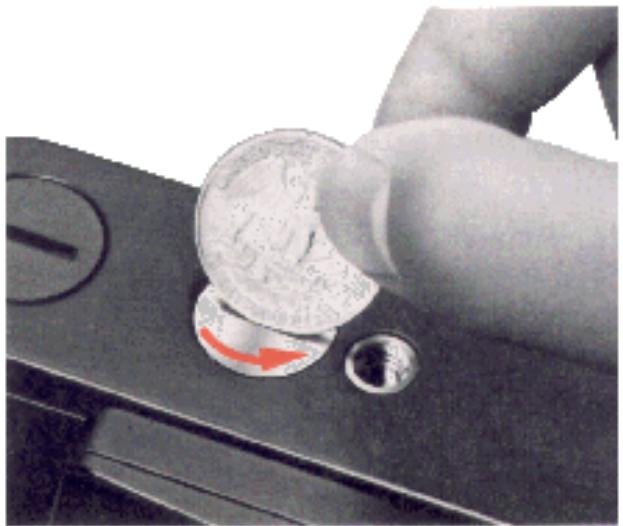
1. Remove the battery chamber lid 25
Use a coin to twist the lid counter clockwise to unscrew it.
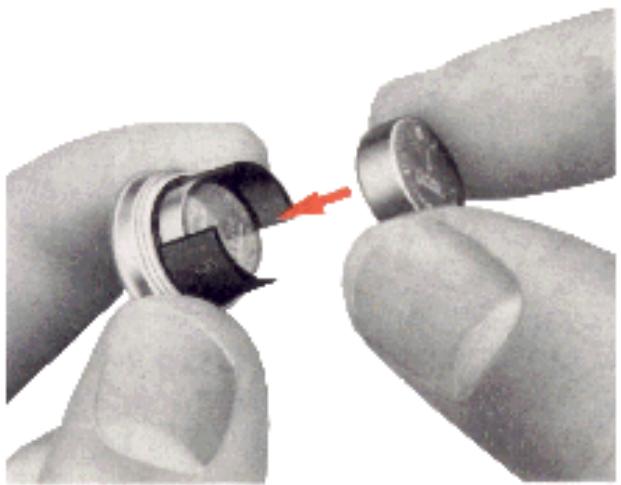
2. Install the batteries.
Insert the two 1.5V silver-oxide batteries supplied with the camera, making sure that the "+" signs are up.
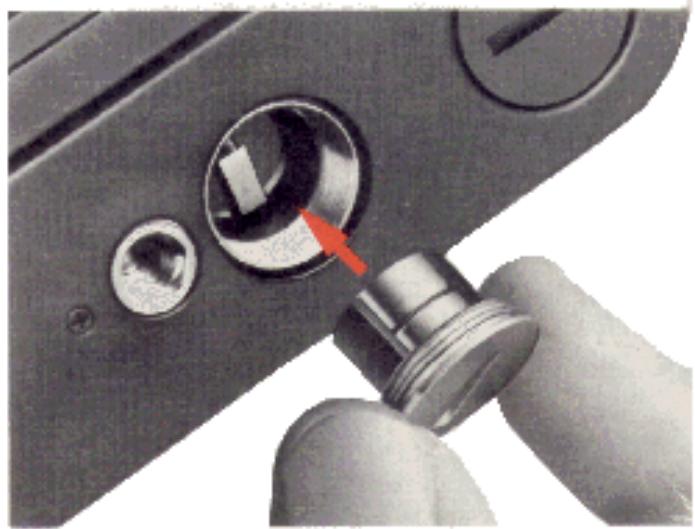
3. Replace the battery chamber lid.
Slip the battery clip back into the camera body and screw it tightly into place.
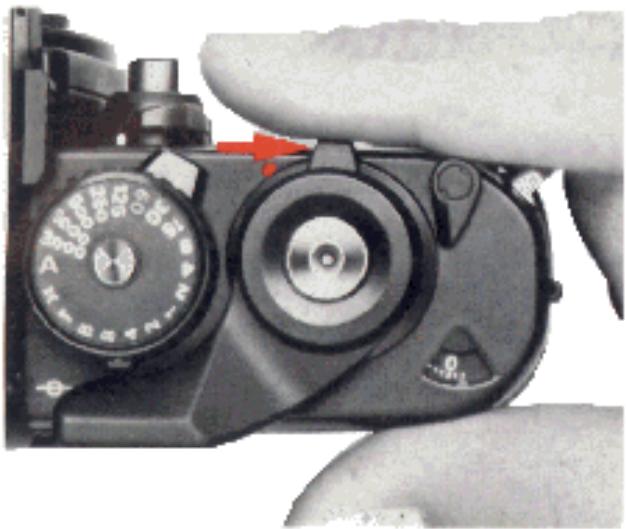
4. Move the power switch 51 to uncover the red dot 50
This turns the camera on and makes it ready for exposure reading and shooting.
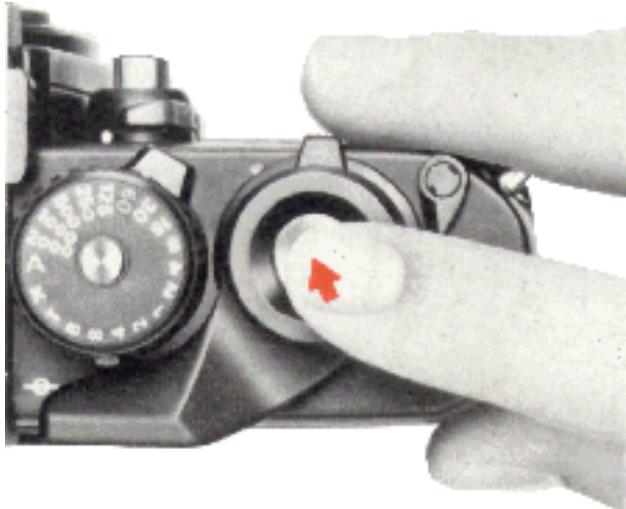
5. Touch the shutter release button 53 lightly.
This activates the exposure meter. The meter stays on for 16 seconds after you take your finger off the button and turns itself off automatically to conserve battery power.
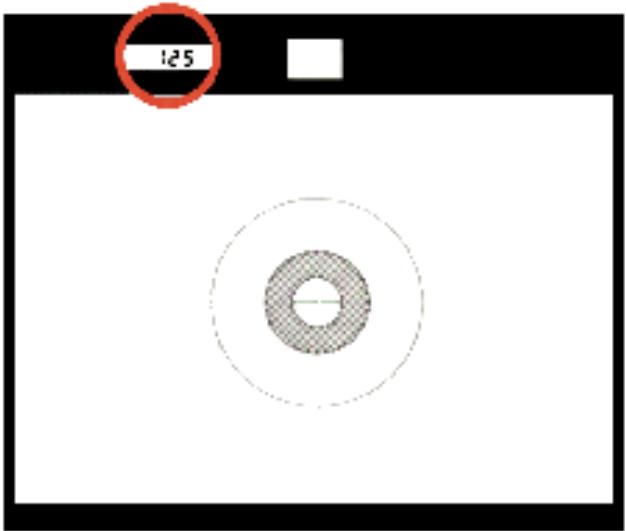
6. Check battery power.
Look through the viewfinder at the liquid crystal display (LCD). The shutter speed should be displayed to show that the batteries have been properly installed and their power is adequate. If not, replace both batteries.
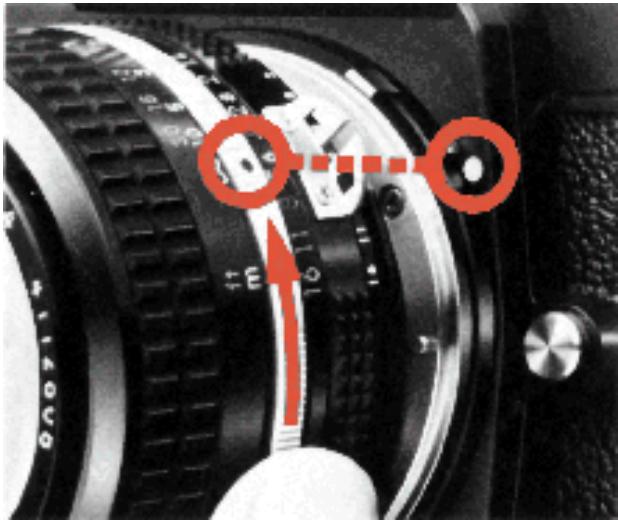
7. Mount the lens onto the camera.
Grasp the lens by its mounting ring 27 . Then line up the focusing index 43 on the lens with the white dot 18 on the camera body and twist the lens counterclockwise until it clicks into place.
To remove: Push the lens release button and turn the lens clockwise until it comes off.
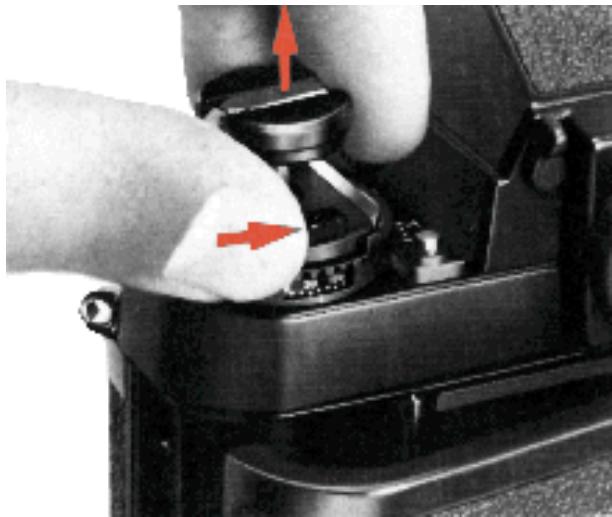
8. Open the camera back.
Push the camera back lock lever to the right with your thumb while lifting the film rewind knob. The camera back will pop open.
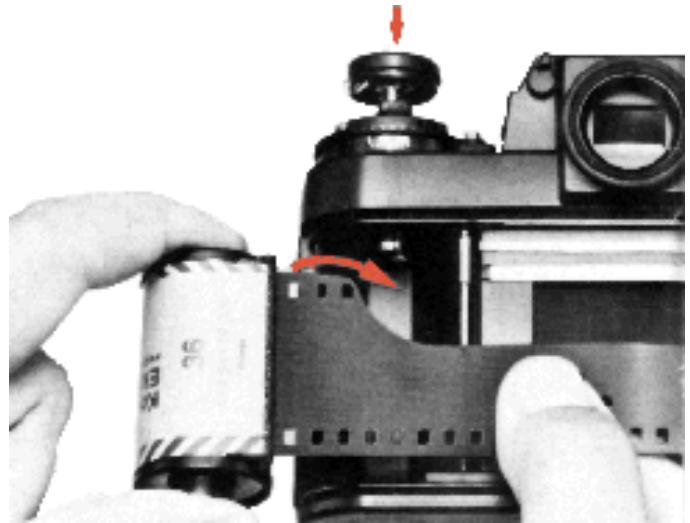
9. Install the film cartridge.
Drop the film cartridge into the film cartridge chamber so that the film leader points towards the makeup spool, and push the rewind knob back down into place.
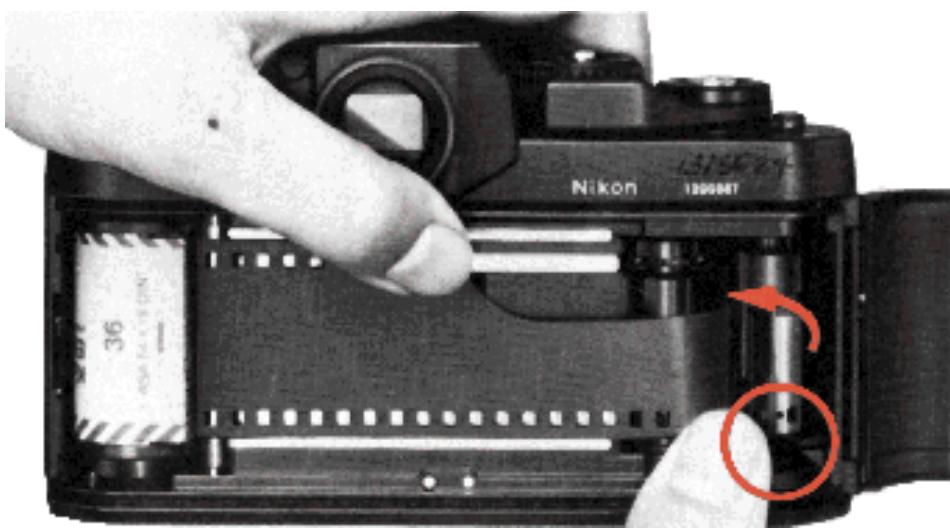
- Insert the film leader in the makeup spool.
Pull the leader across the camera and insert it into one of the slots in the film makeup spool.
Note: The two data back contacts located inside the camera below the film guide rails are for use with a data back available in the future.
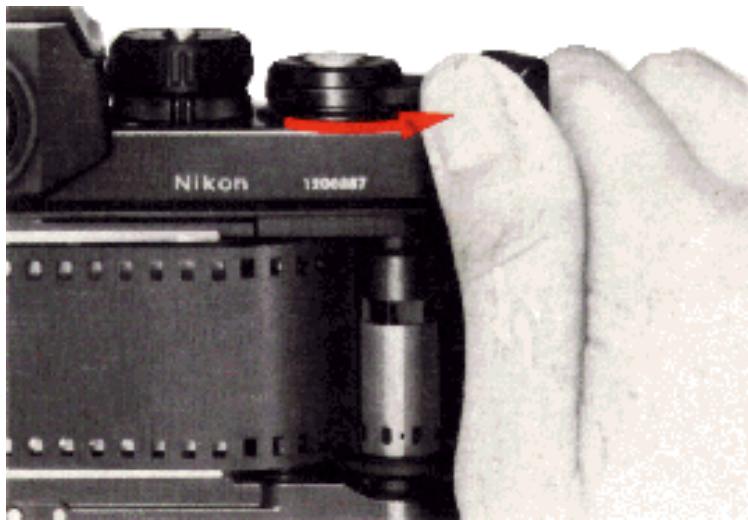
11. Wind the film advance lever 55 to advance film onto the makeup sprocket.
Wind the film advance lever and depress the shutter release button until the film sprockets engage the perforations on the edges of the film.
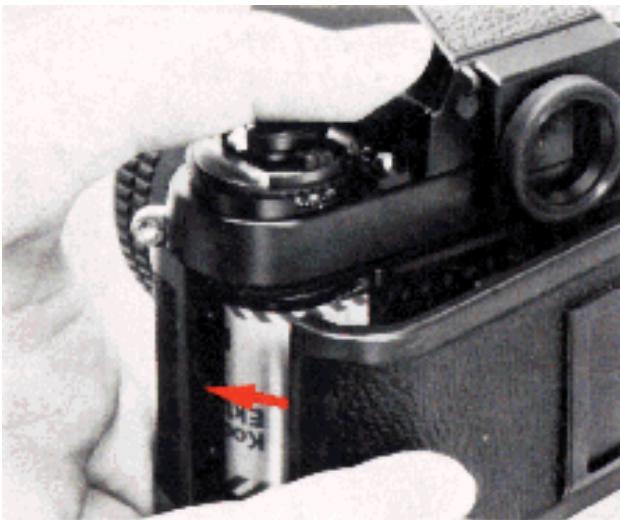
12. Close the camera back.
Close the camera back until it snaps shut.
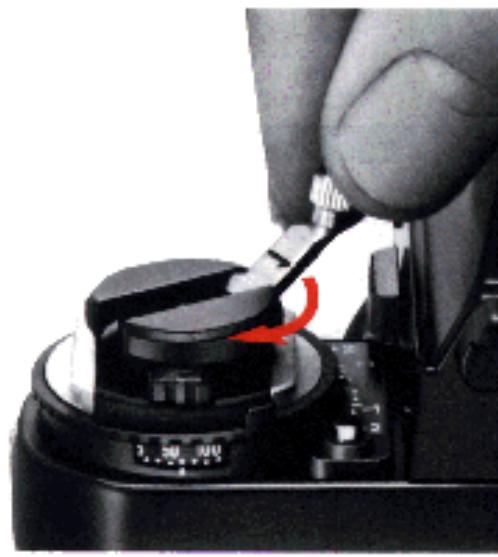
13. Take up the film slack.
Fold out the film rewind crank 34 and rotate it in the direction of the arrow until it stops. Then fold the crank back in.
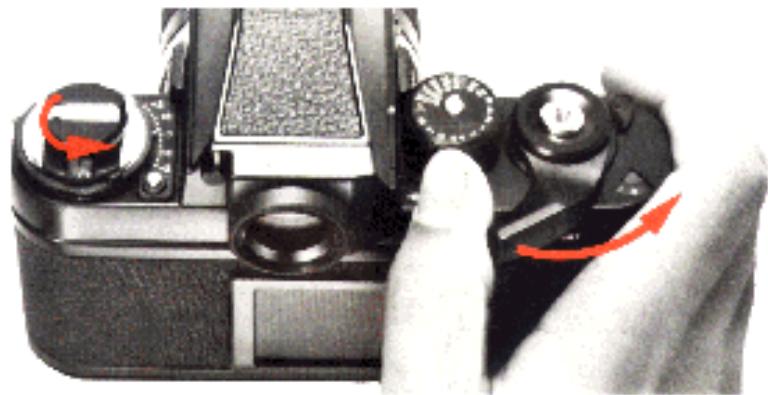
14. Make blank exposure until the frame counter 54 shows "1."
Continue to wind the film advance lever and depress the shutter release button until the frame counter shows "1." While making blank exposures, watch the rewind knob to see that it rotates. This indicates that the film has been
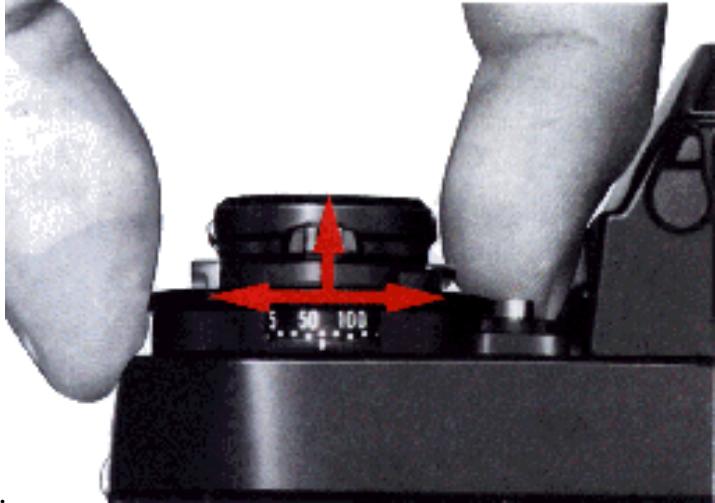
loaded correctly and is being advanced.
15. Set the ASA film speed.
Lift up the ASA film speed dial and rotate it in either direction until the white dot is opposite the ASA film speed in use. Also make sure the exposure compensation dial is set to the red "0." This programs the camera's exposure meter so that it may provide a proper exposure for the type of film being used.
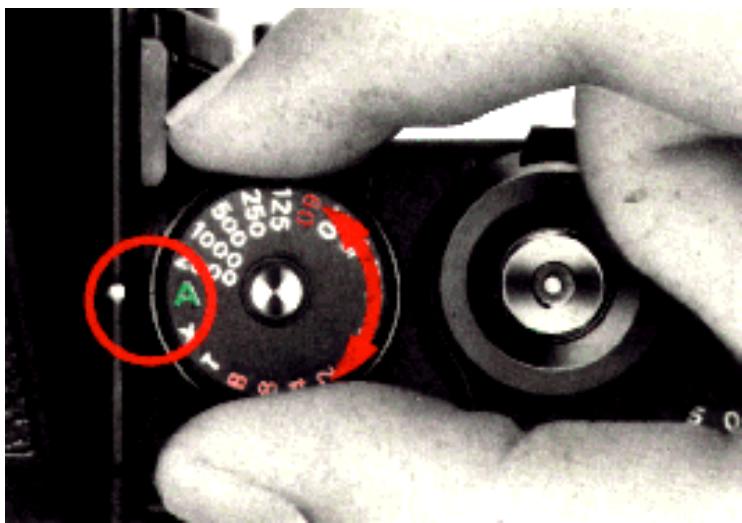
16. Set the camera for automatic operation.
Rotate the shutter speed dial 57 until the "A" is opposite the white dot 42 . The built-in locking mechanism ensures that the dial cannot be accidentally shifted from the auto position during shooting.
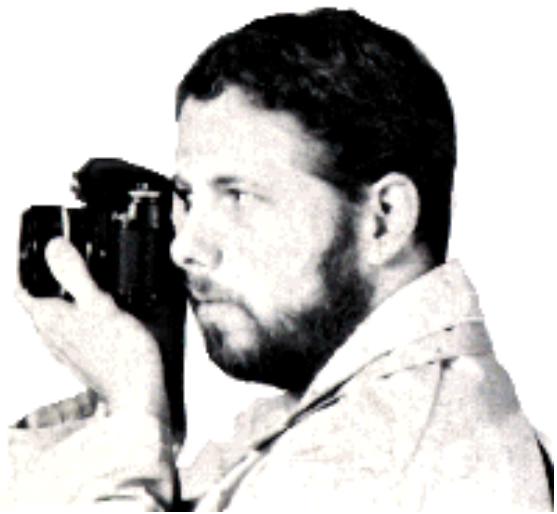
17. Hold the camera steady.
Wrap the finqers of your right hand around the camera body so that the index finger rests comfortably on the shutter release button and the thumb fits between the body and film advance lever.
Then, cradle the camera in the left hand with the thumb and fingers grasping the lens focusing ring. The camera may be switched from horizontal to vertical format shooting in this position.
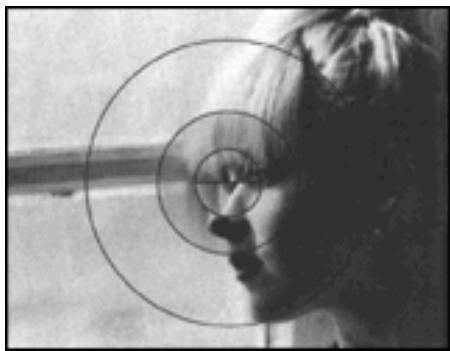
Out of focus
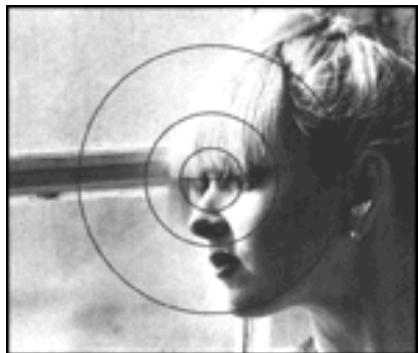
In focus
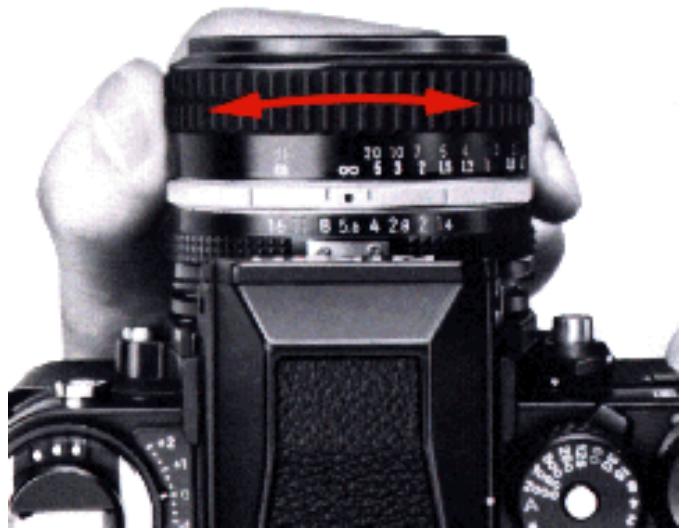
18. Focus on the subject.
Turn the lens focusing ring until the image in the viewfinder becomes sharp.
The K focusing screen comes with the camera as standard equipment. With the split-image rangefinder, turn the ring until the split image becomes whole. With the microprism grid, turn the ring until the shimmering image appears sharp. With the matte outer field, turn the ring until the image appears sharp. The split image rangefinder works well for subjects having definite lines or boundaries. The microprism collar is for fast-moving subjects or ones with indistinct lines, while the matte outer field is suitable for close-ups. In fast moving or candid shooting situations, you can measure or estimate the distance between you and the subject and preset it on the lens using the distance scale engraved both in feet and meters.
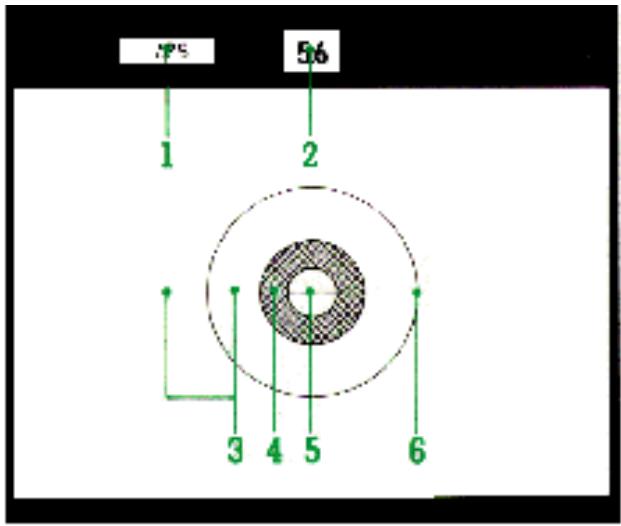
Inside the viewfinder
- LCD exposure information
- ADR f/number
- Fine matte/Fresnel outer field
- Microprism collar
- Split-image rangefinder spot
- 12mm reference circle
Note: The meter reads the light over the entire focusing screen but is distinctly biased toward the central 12mm area.
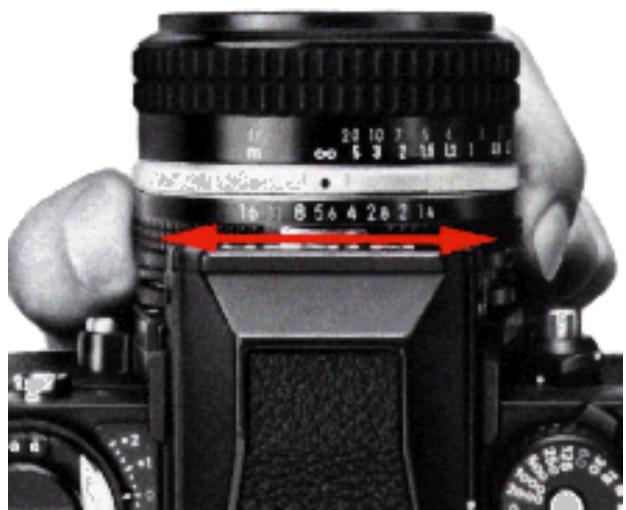
19. Set the lens aperture.
Turn the lens aperture ring until the desired f/number is opposite the index mark on the lens. The selected f/number appears in the viewfinder for convenient reference.
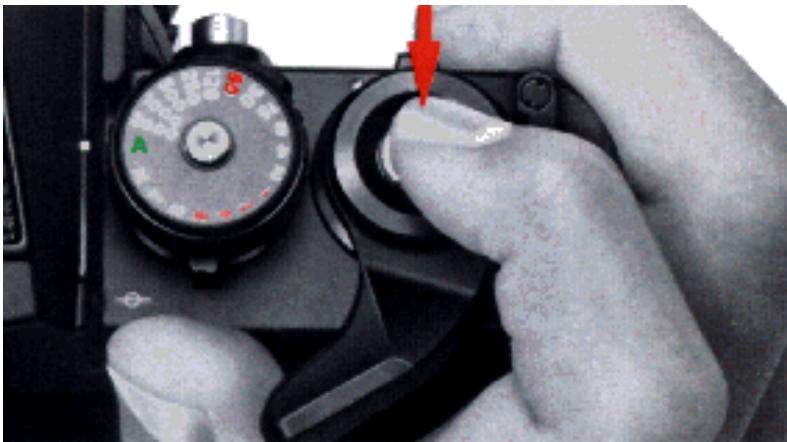
20. Take the picture
Look through the viewfinder and press the shutter release button lightly to turn on the exposure meter. The shutter speed display indicates the shutter speed selected by the camera. As long as neither +2000 nor -8- appears in the shutter speed display, the camera gives the correct exposure. If either indication appears, adjust the aperture ring on the lens until a desirable shutter speed is indicated. Should either indication appear even after all possible lens apertures have been tried, then the available light is too bright or too dim for the meter's range. Use either artificial light to increase the subject's brightness or a neutral density filter to reduce the amount of light reaching the film.
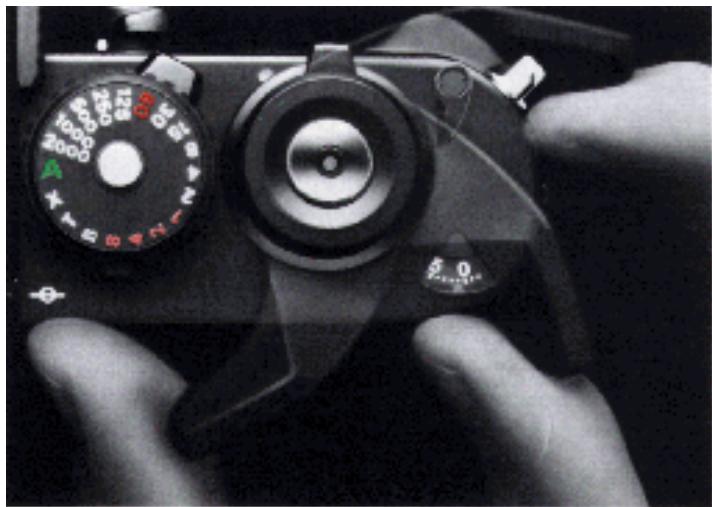
21. Advance the film.
Stroke the film advance lever to transport the film to the next frame and get the camera ready for the next shot.
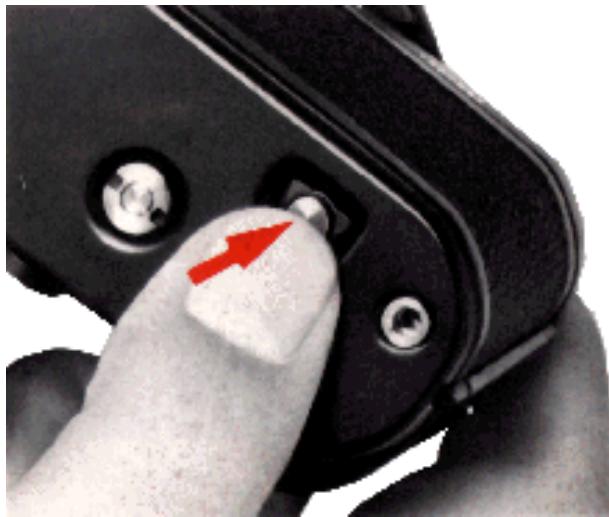
After the last exposure has been made, the film advance lever will stop working. You must then rewind the exposed film back into its cartridge. To do this, first turn the camera upside down and depress the rewind button to disengage the film sprocket drive.
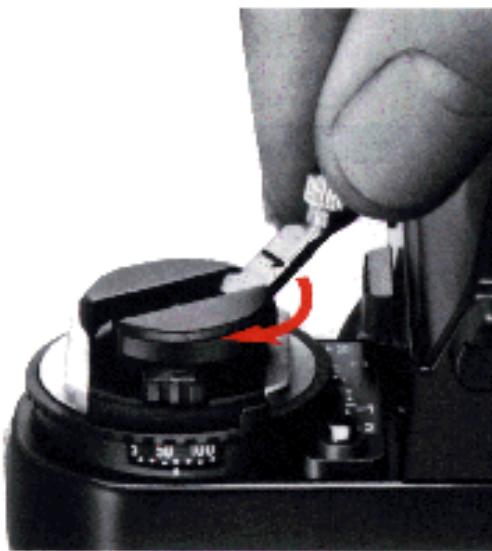
23. Rewind the film.
Lift the film rewind crank and turn it in the direction of the arrow to rewind the film. When you feel the tension lessen, continue winding one or two more turns until the film leader is rewound completely back into the cartridge.
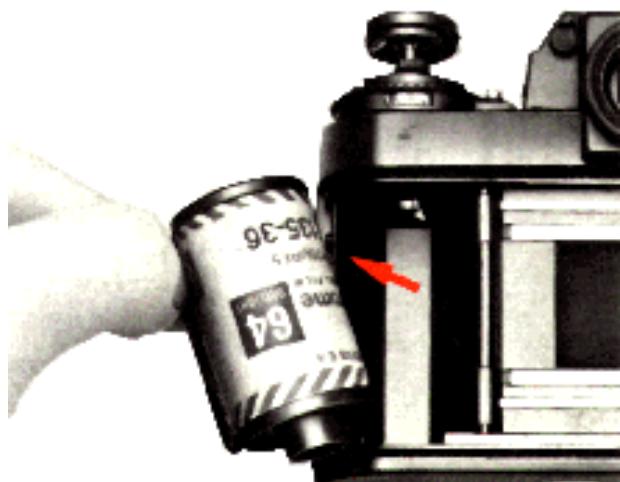
24. Remove the film cartridge.
Open the camera back and take out the film cartridge. Avoid unloading the film in direct sunlight. If there is no shade available, turn your back on the sun and use your own shadow to shield the camera while unloading film.
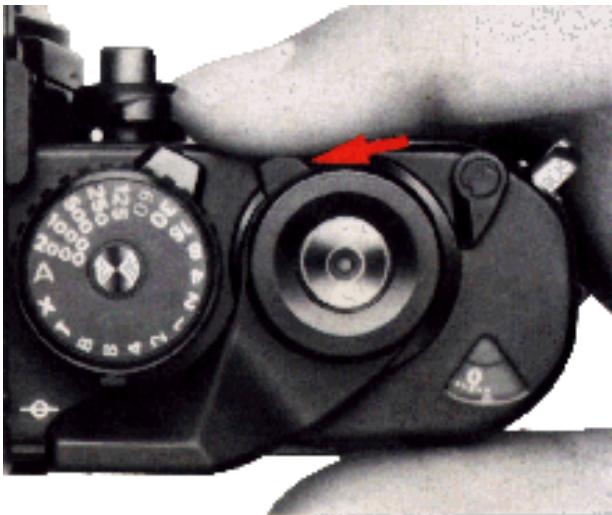
25. Turn the camera off.
To conserve battery power between takes, return the power switch to the "off" position.
CONTROLS IN DETAIL
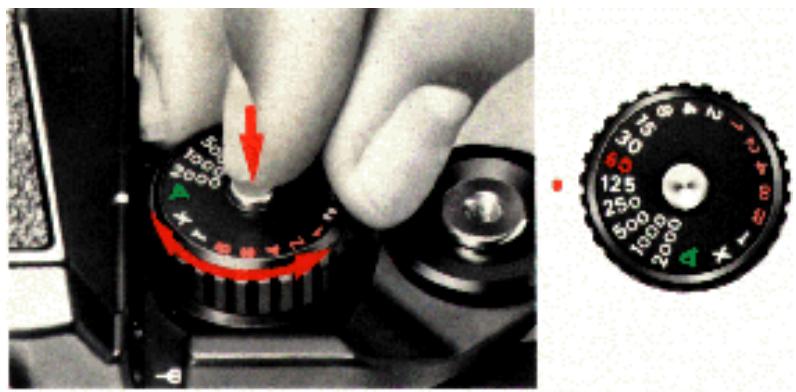
In addition to automatic stepless shutter speed control, the Nikon F3 offers manual control of all shutter speeds from 1/2000 sec. to 8 sec. including X, B, and T. To move the shutter speed dial off "A," depress the locking button 1 as you rotate the dial counterclockwise to the 1/2000 sec. setting. You can then rotate the dial freely between any setting except "X" which, like "A," is a locked setting. Shutter speeds from 1/2000 sec. to 1/2 sec. are engraved in white, 1 to 8 seconds and "B" in orange, and "T" and "X" in white. 1/60 sec. is in red, indicating the highest manual shutter speed for proper synchronization with electronic flash except "X."
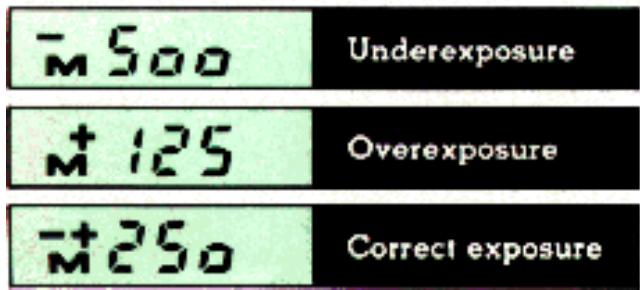
When the camera is on manual, an "M" appears to the left of the liquid crystal shutter speed display inside the viewfinder. In addition, above the "M," the following symbols appear: "-," "+" and "-+" indicating underexposure, overexposure and correct exposure, respectively. To obtain correct exposure, simply turn the shutter speed dial and/or aperture ring until the "-+" symbol appears.
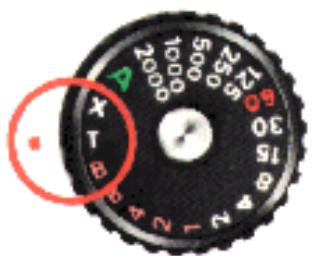
The F3 has two separate settings for time exposures. On "B," the shutter remains open for as long as the shutter release button is depressed. On "T," the shutter stays open until the dial is rotated to another setting, making it ideal for really long time exposures. Being a mechanical setting, "T" will not cause battery drain regardless of how long the shutter remains open.
"X" provides a shutter speed setting of 1/80 sec. It is used to provide proper synchronization with electronic flash units other than the Nikon SB- 12.
The amount of light reaching the film plane is determined by a combination of the shutter speed and the lens aperture. Since the two are interrelated, different combinations will give the same degree of exposure. A one-step change in shutter speed, or a one-stop change in aperture setting, will either halve or double the degree of exposure. For example, a shutter speed of 1/125 sec. lets in twice as much light as a setting of 1/250 sec., and only half as much light at 1/60 sec. For an aperture setting of f/11, twice as much light as f/16 and half at much as
f/8, is let in. Thus, if the correct exposure for a particular picture-taking situation is 1/125 at f/11, then 1/60 at f/16 or 1/250 at f/8 will give the same exposure. The following table illustrates the interrelation between shutter speed and aperture.
| Shutter speed (sec.) | 1/1000 | 1/500 | 1/250 | 1/125 | 1/60 |
| Aperture (f/number) | 4 | 5.6 | 8 | 11 | 16 |
The best combination will depend on the results you want. Use fast shutter speeds to freeze motion; use slow speeds to produce a deliberate blur. (See the example pictures on the opposite page.). Also, small apertures give greater depth of field, while large apertures restrict sharp focus to the main subject. (See page 26.)
A good rule to follow in preventing camera shake is to select a minimum shutter speed which is the reciprocal of the focal length of the lens in use. For example, when using a normal 50mm lens, select a speed no slower than 1/60 sec. (the closest number to 1/50). For a 500mm super-telephoto, use no less than 1/500 sec., and so forth.
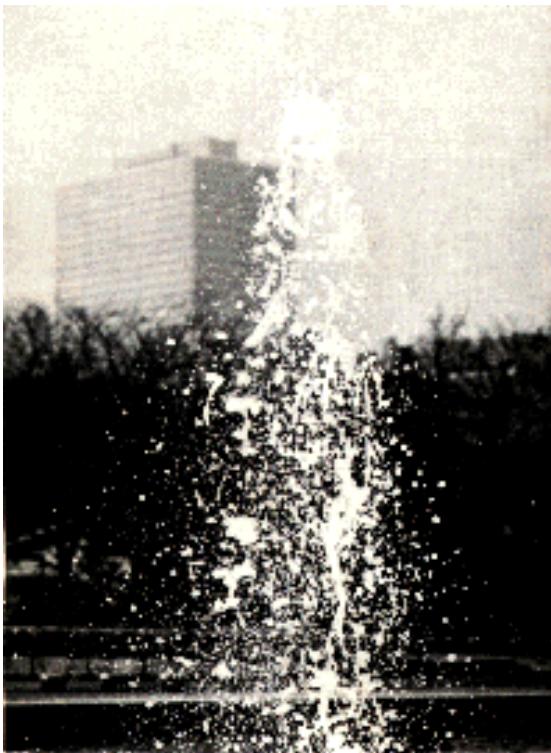
(Stop action)
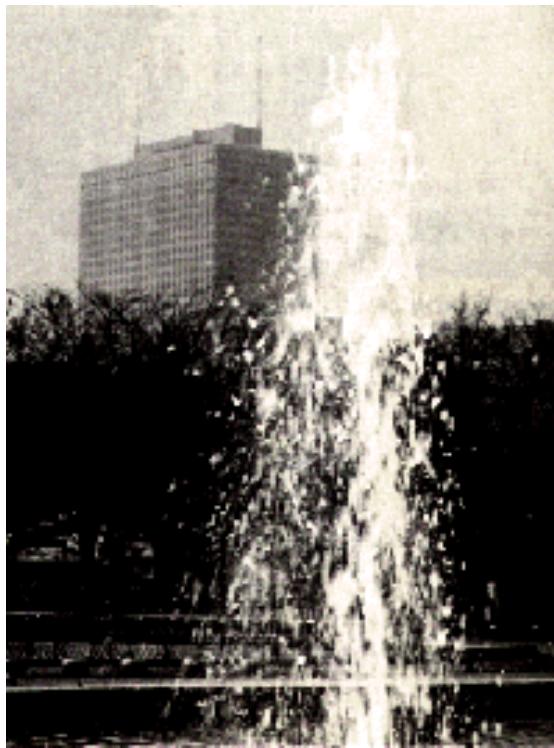
(Subject motion blur)
Exposure memory lock button

When there is a substantial difference between the main subject and the background, unimportant bright spots or dark spots are likely to fool the camera's metering, resulting in under or overexposure (see Fig. 1). One way to make exposure compensation is to use the memory lock. This control allows you to lock in an exposure reading with the camera on automatic control. To compensate for an excessively bright or dark background, center the main subject in the viewfinder or move in close to the subject, depress the memory lock button and hold it in; then recompose and shoot ( see Fig. 2).
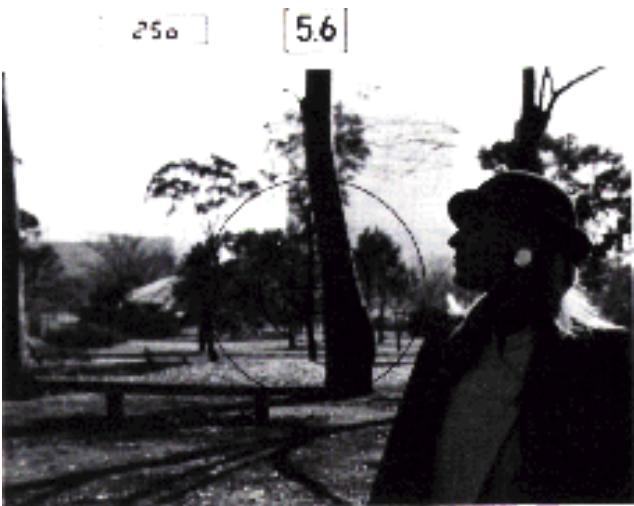
(fig. 1)
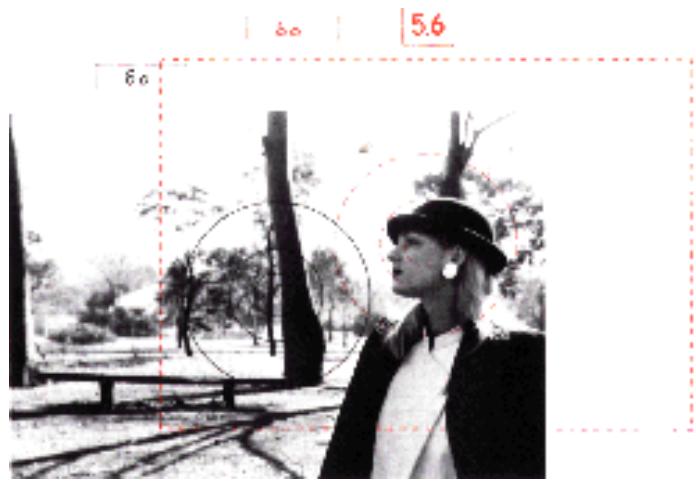
(fig. 2)
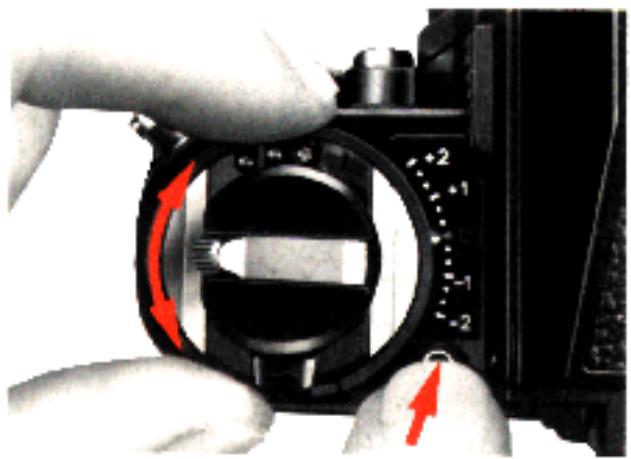
Exposure compensation dial 15
Another way to correct exposure is to use this dial. Push the locking button 3B while rotating the dial. The dial is graduated in one-third stop increments. - 1 and - 2 indicate one and two stops underexposure, whereas + 1 and + 2 indicate one and two stops overexposure.
At ASA 6400, the compensation extends to only - 1; at ASA 12, up to + 1. The following table indicates the recommended settings for various subjects. After use, make sure you set the dial back to "0."
| Copy work | Photographs and pictures with continuous gradation | Compensation not necessary |
| Documents and drawings of high contrast | Approx. +1 to +2 stops for black letters on white background; approx. -1/2 to -1 stop for white letters on black background. | |
| Slide duplication | General film with continuous gradation | Approx. +1 to +2 stops |
| Film of documents and drawings photographed | Approx. +1.1/2 to +2.1/2 stops for black letters on white background | |
| 0 to approx. -1/2 stop for white letters on black background |
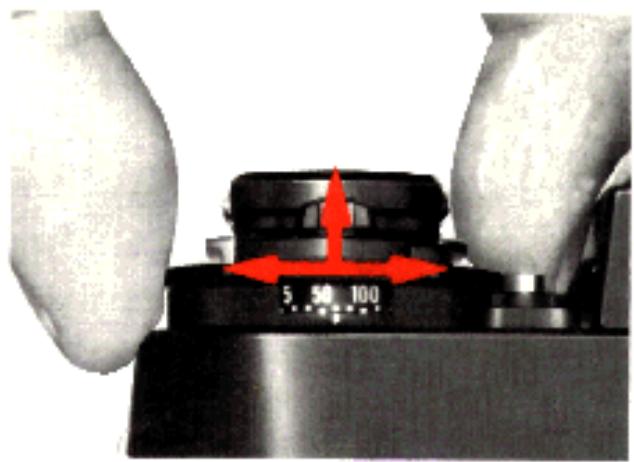
ASA film speed dial 15
The scale on the ASA dial has numbered settings for speeds from ASA 12 to 6400. Two dots between each pair of ASA numbers stand for intermediate settings, such as 64, 80, etc. The table below gives the speeds for all intermediate settings.

ASA is a numerical rating of the film's sensitivity to a given amount of light. The higher the number, the greater the sensitivity, and vice versa. The ASA of your film is indicated on the cartridge itself. It is also printed on the film carton and on the data sheet packed inside.
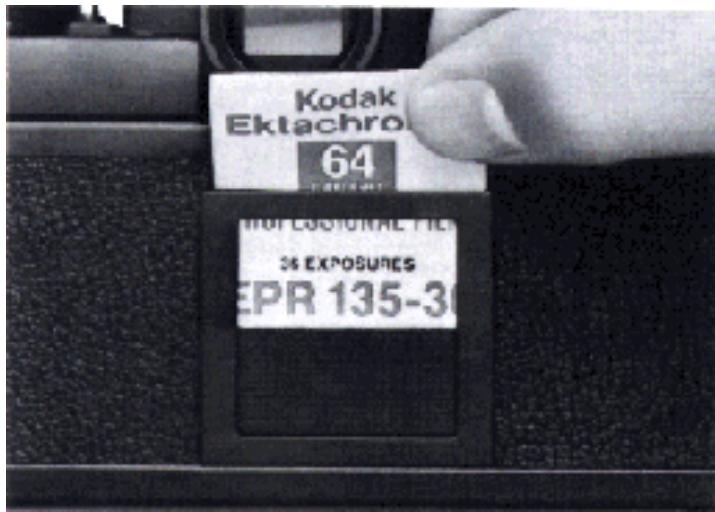
Memo holder 13
As a reminder of the film type and the number of exposures on the roll in use, clip off the end of the film carton and insert it into the memo holder.
Note: At the "B" setting, unless you hold the shutter release button down all the way, the shutter may close prematurely.
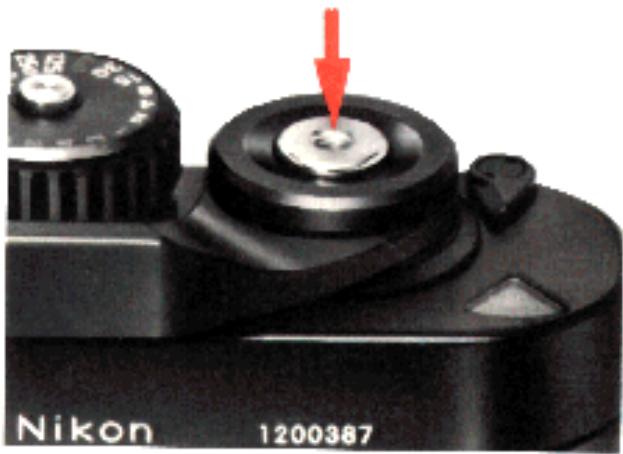
Shutter release button 53
Slight pressure on the shutter release button switches on the exposure meter. Pushing the button all the way down releases the shutter. The shutter release button is threaded at the center to accept a standard cable release.
When battery power fails, the F3's electromagnetically controlled shutter ceases to operate. You cannot release the shutter release button unless you use the backup mechanical release lever.
To lock the shutter release button when the camera is not in use, turn the power switch to the "OFF" position.
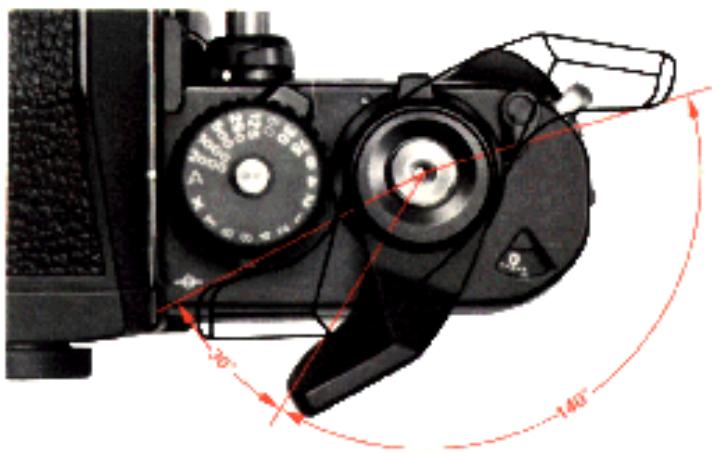
Film advance lever 55
The film advance lever is specially contoured to fit the thumb and is coaxial with the shutter release button. It has a 30^ stand-off with a throw of 140^ and may be operated in one complete stroke or a series of shorter ones.
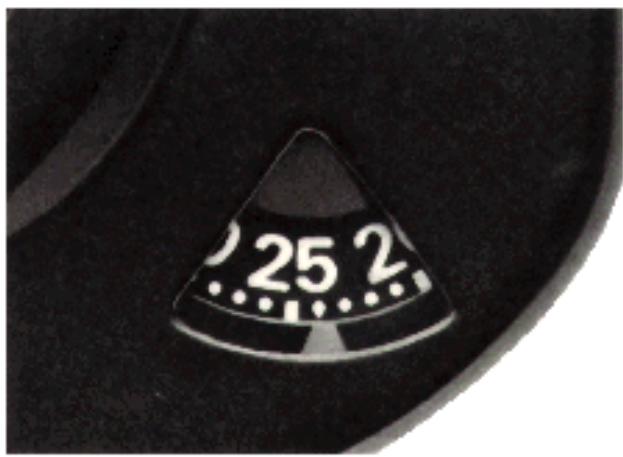
Frame counter

To keep track of the number of exposed frames, the frame counter is graduated from two frames below 0 up to 40. Blue numerals appear every 5 frames (0, 5, 10, etc.) with dots in between. White marks at 12, 20, 24, and 36 indicate the number of frames available on most film cartridges. When making blank shots with the shutter speed dial set to "A," the shutter will fire at 1/80 sec. until the frame counter reaches "1." In addition, the LCD shows 80 in the finder. Or if you set the dial manually between 1/125 and 1/2000 sec., the shutter will still fire at 1/80 sec. In the finder, an "M80" is displayed. However, if the speed is manually set to 1/80 sec. (X) or below, the shutter will fire at the speed set and the speed will be displayed by the LCD. Therefore, to speed up film loading, set the dial to "A" or to 1/80 sec. (X) or above. "T" should not be used when making blank shots as the shutter will remain locked open.
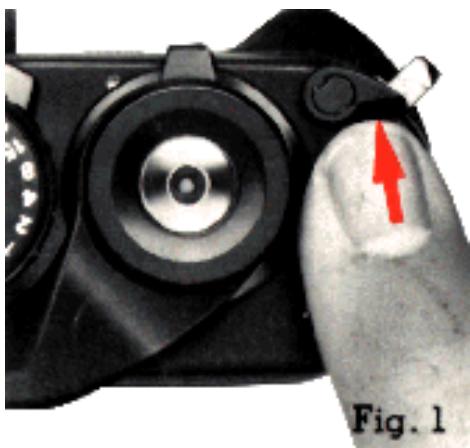
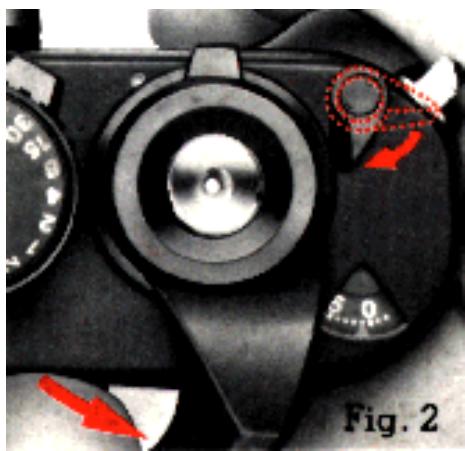
Multiple exposure lever 52
Double or multiple exposures are easy to accomplish with the F3's multiple exposure lever. Follow this procedure:
- Take the first shot.
- Then to recock the shutter without advancing the film, push the multiple exposure lever forward (Fig. 1), and stroke the advance lever. Immediately the multiple exposure lever will spring back to its normal position (Fig. 2).
- Now you're ready to take the second shot on the same frame. For more than two shots on the same frame, just repeat the same procedure for each additional exposure. When you've finished, simply advance the film normally to the next frame.
Note: While making multiple exposurea, the frame counter doesn't advance.
Batteries
When battery power fails, the camera's exposure meter stops working and the shutter won't work either unless you use the backup mechanical release lever. For this reason, it is a good idea to carry an extra set of batteries with you whenever you set out to take pictures.
Under normal usage, one set of 1.5V silver-oxide batteries (Eveready EPX76 or equivalent) will last for about one year. Try not to touch the + or - surfaces of the batteries as this many result in poor electrical contact. If you do get fingerprints on the battery terminals, wipe them off with a soft cloth.
At below-freezing temperatures, battery performance deteriorates. The use of a fresh set of batteries is recommended to ensure reliable service at low temperatures. In extremely cold climates, it is recommended to use the F3 in conjunction with the MD-4 Motor Drive. With the motor drive attached, the camera gets all its power from the batteries in the motor drive. Thus, if you use a NiCd battery, the camera/motor drive will operate down to -20^ .
Note: At -10°C or below, the LCD may exhibit a slight delay in response time. This is natural and should be no cause for concern. However, exposure to extremely high temperatures (80°C and above) may actually shorten the life of the LCD.
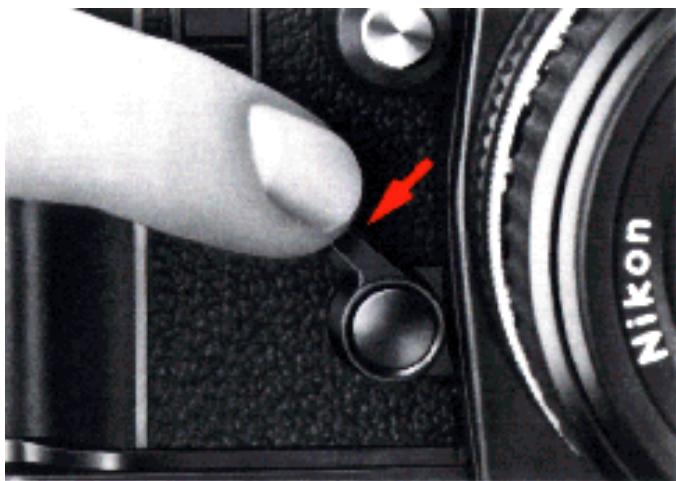
Backup mechanical release lever
This lever is provided as an alternative method of tripping the shutter in case the camera's batteries become weak or completely exhausted. To operate the lever, first use your fingernail to pull it down to the ready position. Then push it down to trip the shutter. The shutter operates at a mechanical speed of approx. 1/60 sec. regardless of the setting on the shutter speed dial. Even when the batteries are exhausted, you can still make time exposures by setting the dial to "T" and using the backup mechanical release lever to trip the shutter.
Caution: If you advance the film while holding down the backup mechanical release lever, the shutter will fire immediately at the completion of the film advance stroke, thus wasting a frame.
Also if you fail to advance the film completely and then use this lever to trip the shutter, the mirror will remain in the "up" position until the advance lever stroke is completed.
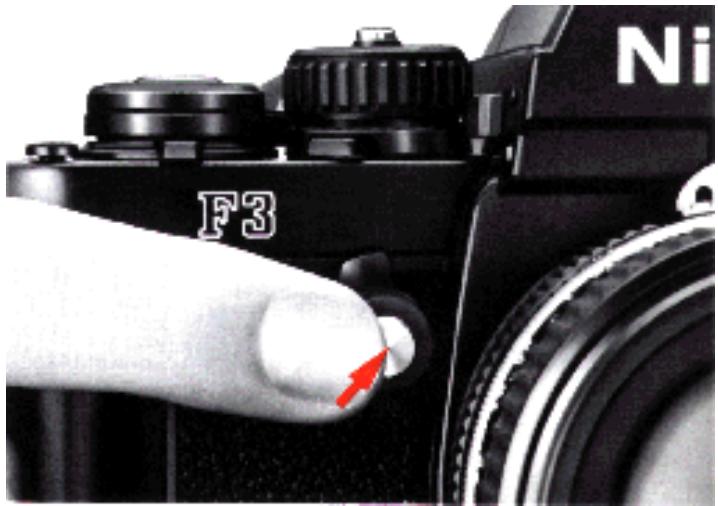
Depth-of-field preview button

This control allows you to get a visual impression of the various parts of the scene in front of and behind the main subject which will appear sharp in the final photograph (see the photos on the next page.) To operate this control, push the button while looking through the viewfinder. If the lens is set to anything other than maximum aperture, the image on the focusing screen will give you an indication of exactly what will be in focus in the final photo. The image progressively gets darker as the lens aperture gets smaller.
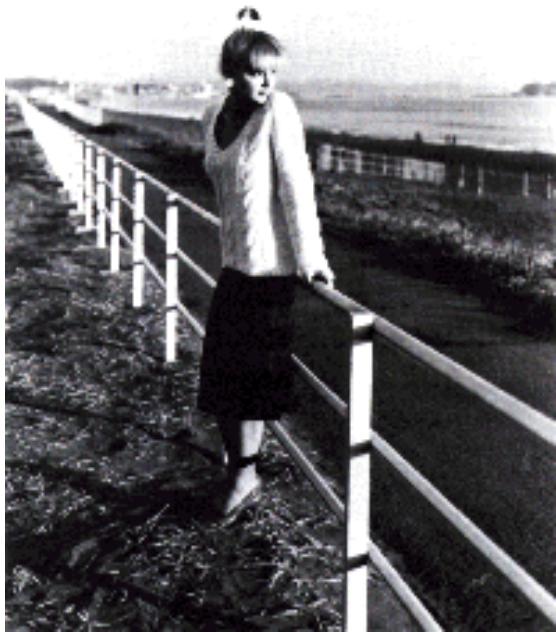
Lens set at f/2.8
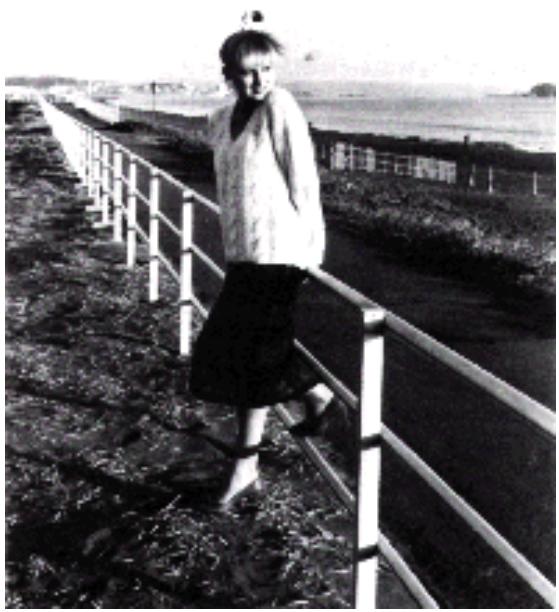
Lens set at f/16
At wide apertures, the depth-of-field is very shallow with the main subject in focus.
But when the lens is stopped down to f/16, most objects from near to far are in sharp focus.
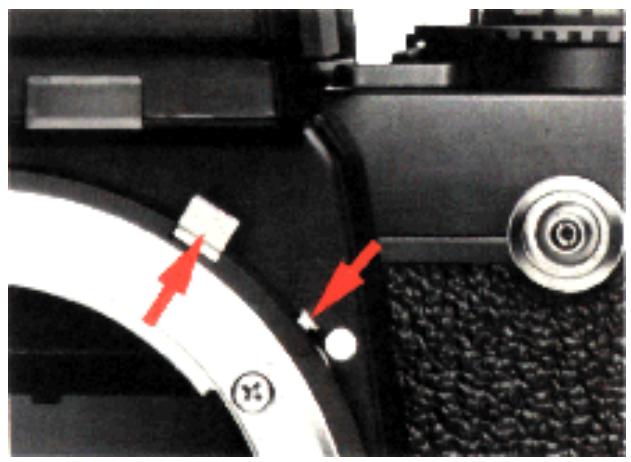
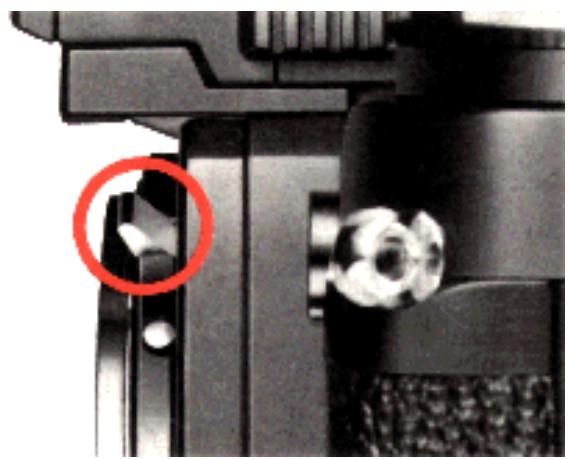
Meter coupling lever 21
Push the meter coupling lever release button 20 and lock the meter coupling lever in the "up" position before mounting a non-AI Nikkor lens. Then perform stopped-down metering in the following manner:
For non-AI Nikkor lenses with automatic diaphragms
On AUTO: Push in and hold the depth-of-field preview button while you trip the shutter.
Caution: If the depth-of-field preview button is not depressed all the way, the mirror may remain in the "up" position.
On MANUAL: Select a shutter speed. Then hold in the preview button and turn the aperture ring until the "-+" symbol appears in the finder. Release the preview button and take the shot.
For non-AI lenses or accessories without automatic diaphragms
On AUTO: Stop the lens down manually until the desired shutter speed appears in the finder. Then take the picture.
On MANUAL: Adjust the shutter speed or aperture until the "- +" sign appears.
For fixed-aperture reflex lenses, photomicrography, or astrophotography
On AUTO: No control is necessary.
On MANUAL: Adjust the shutter speed dial until the "- +" appears.
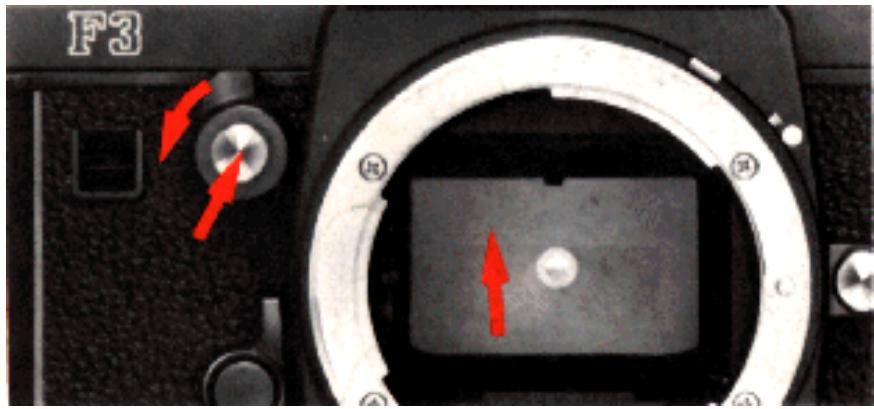
Mirror lockup lever 3
When using super-telephoto lenses or doing photomicrography, it becomes necessary to reduce camera vibration to the absolute minimum. To lock the reflex viewing mirror in the "up" position, push in the depth-of-field preview button and rotate the lever counterclockwise until it stops.
Note: Two Nikkor lenses require that the mirror be locked up before mounting – the Fisheye Nikkor 6mm f/5.6 and OP Fisheye Nikhor 10mm f/5.6.
Caution: With the mirror locked up, you should not operate the camera on automatic. Even though the LCD continues to show you the shutter speed automatically selected by the camera, this speed will not produce the correct exposure.
Self-timer
The F3 High-Eyepoint camera's blinking self-timer provides a 10 sec. delay in shutter release.
To operate the self-timer:
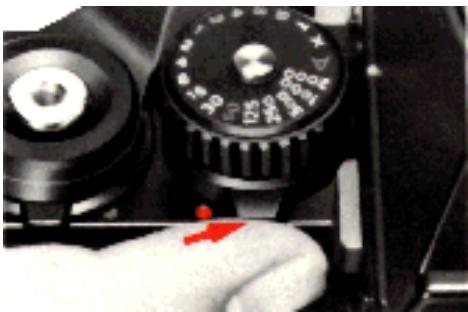
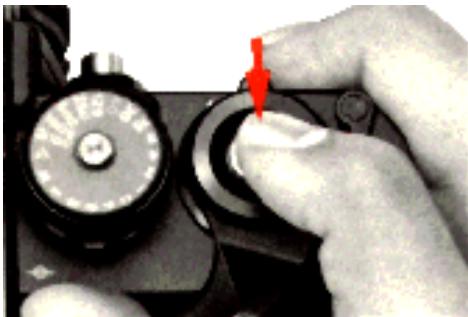
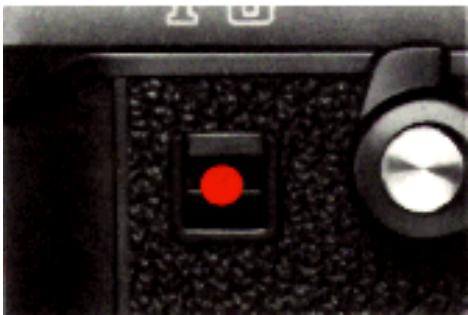
- Push the self-timer lever to uncover the red dot 49
- Push the shutter release button.
- Watch the blinking red LED 5 on the front of the camera. The LED blinks faster during the final two seconds before the shutter opens to warn you to get ready.
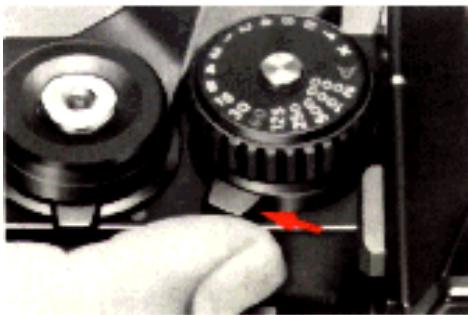
- Don't forget to return the salt timer to its original position after using it.
If you want to cancel the self timer after pushing the shutter release button, return the selftimer lever to its original position. The picture then will not be taken.
Eyepiece shutter lever

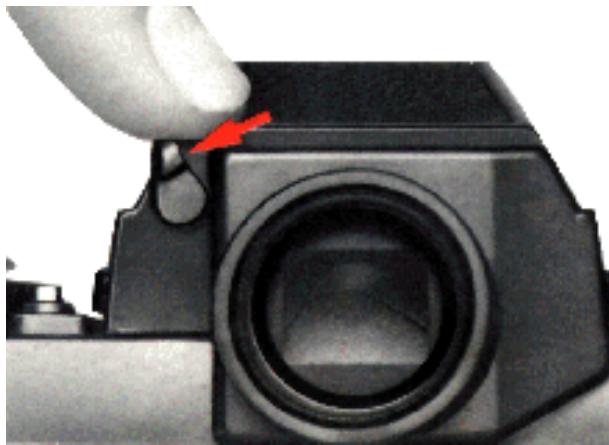
When it's impossible to keep your eye at the viewfinder (such as when utilizing the self timer), you should use the eyepiece shutter. This shutter prevents stray light from entering the eyepiece and adversely affecting the automatic exposure meter reading. Just push the lever to the left to close the shutter. As a visual reminder that it's in use, the blind is painted red.
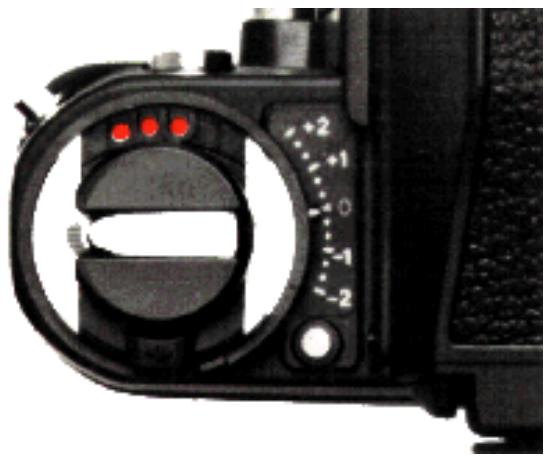
Accessory shoe

Located at the base of the rewind knob, Lhe accessory shoe allows direct mounting of the Nikon SB-12, SB-16A, SB-17 or SB-21A Speedlight. Three electrical contacts provide for synchronization of the flash unit, automatic through the lens flash output control, and ready light indication in the camera's viewfinder (via an LED), plus auto switching to the proper synchronization speed of 1/80 sec. Three Nikon Flash Unit Couplers are available allowing either ISO- or Nikon F2-type direct-mounting electronic flash units to be attached.
Caution:
1) For flash photography, it is recommended that you use a Nikon dedicated electronic flash unit which operates with a low-voltage current. Use of any other flash which operates at high voltages may damage the camera's circuitry. Any damage caused by such use is not covered by the Nikon Warranty.
2) Even with the coupler, the Nikon Speedlight SB-19, SB-18, SB-16B and SB-E cannot be used with an F3 High-Eyepoint camera when a finder other than the standard DE-3 or Eye-Level Finder DE-2 is used.
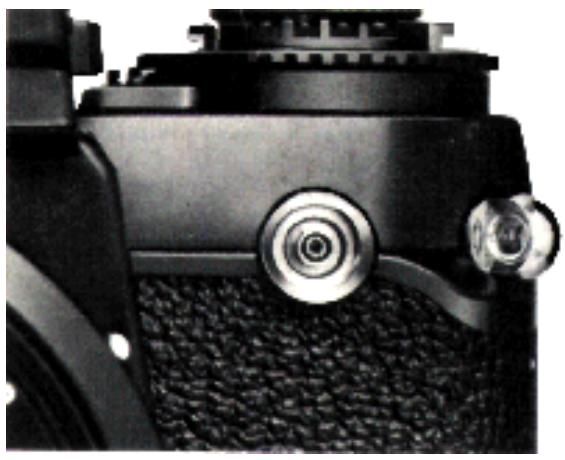
Sync terminal 17
A separate sync terminal with a protective screw-in-cover is provided on the Nikon F3 High-Eyepoint camera. It accepts all standard plug-in sync cords, plus it is threaded for use with a Nikon screw-in sync cord. When using flash bulbs or an electronic flash without a hot shoe, it is necessary to use the sync terminal. Use the following table to determine the correct synchronization speed to set on the camera.
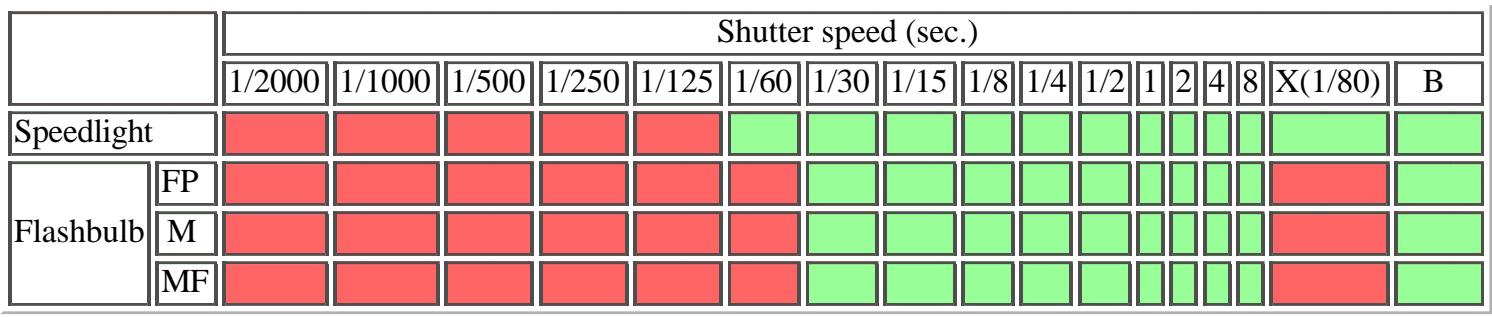

Note: When using a special electronic flash unit with provision for time leg, an electronic flash unit with long flash duration time, or the Medical-Nikkor 120mm f/4 IF, adjust shutter speed down to 1/30 sec. or slower.
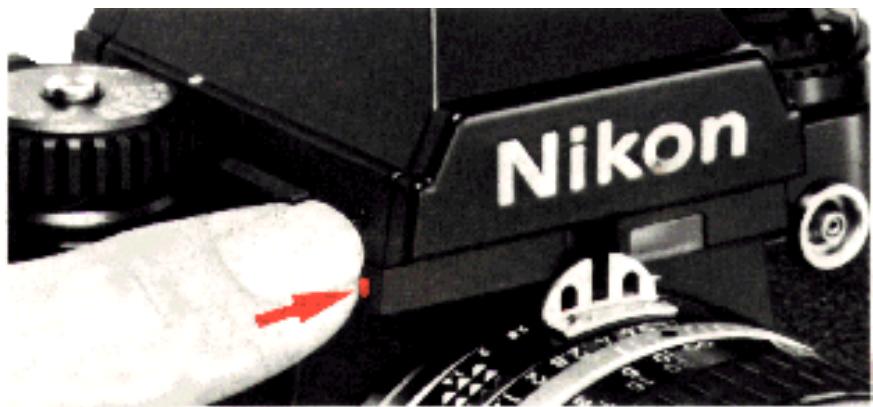
Viewfinder illuminator

A convenient built-in viewfinder illuminator lets you see the liquid crystal display shutter speed, including the aperture, even in dim light. While the LCD is displayed in the finder, push the illuminator button 47
Note: The power switch must he turned on and the shutter button must be depressed halfway prior ro using the illuminator. Otherwise, it will not light up.
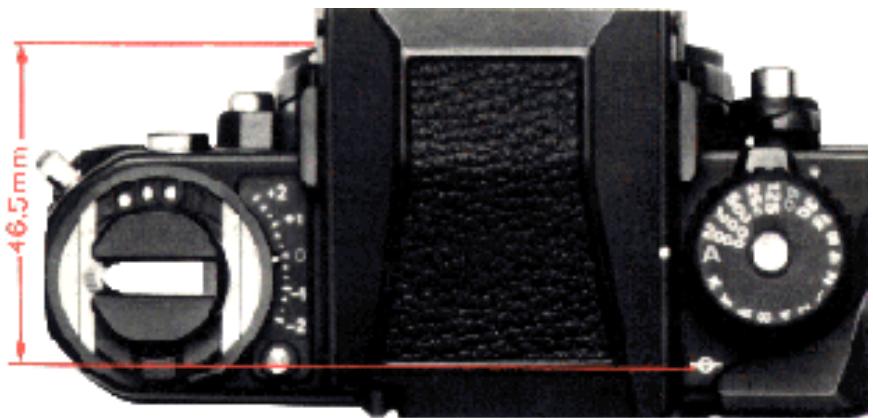
Film plane indicator

The film plane indicator () is engraved in white on the top deck just behind the shutter speed dial. It indicates the exact position of the film plane inside the camera. Whenever it becomes necessary to measure the exact distance
between the subject and film plane, such as in macrophotography, use the film plane indicator. The distance between the film plane and the lens mounting flange is exactly 46.5mm .
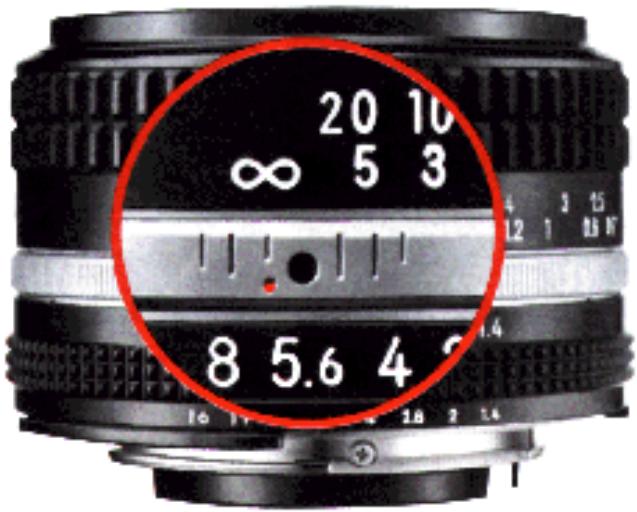
Infrared focusing index
When you shoot infrared film, note that the plane of sharpest focus is slightly farther away than that in visible-light photography. As a rule of thumb, you can compensate for this shift in focus by referring to the infrared compensation index (in the form of either a red dot or a red line) near the focusing index on the lens barrel. (Some lenses, including the Reflex Nikkor, do not need compensation.)
After focusing the image sharply through the viewfinder check the focused distance and turn the focusing ring to the left until the red infrared compensation index lines up with the prefocused distance. Be sure to shoot with the appropriate filter, such as R60, etc. (In this photo, the subject-to-camera distance is set at i.)
ABOUT THE LIQUID CRYSTAL DISPLAY (LCD)
- At high temperatures (over approx. 60^ ), the whole surface turns black so that the exposure information cannot be read. However, this situation will return to normal when the temperature drops.
- Avoid storing the camera in excessively hot places, such as in a car parked in direct sunlight or inside the trunk. You may shorten the LCD's life by doing so.
- When the temperature goes below freezing, the response time decreases as the liquid crystal becomes more viscose.
EV RANGE OF THE CAMERA
The camera's meter may be used only within the shutter speed range covered by the exposure value (EV) range of the meter, which varies with the aperture and ASA/ISO settings.
The chart on page 35 shows the relationships between the f/stop, shutter speed and film speed, indicating the slowest functioning shutter speed (for metering purposes) with any film speed/aperture combination.
Careful attention to the following instructions will assure precise exposure, automatically, over the complete exposure control and meter range capabilities of your Nikon F3 High-Eyepoint camera.
- Auto exposure control at full aperture
For example, with an f/1.4 lens and ASA/ISO 100 film, the automatic shutter will function down to one second with the lens set at f/1.4, and proportionately slower as the aperture is closed. However, practically speaking, even if the shutter speed/aperture combination is outside the guaranteed EV range shown in Section C of the EV Chart, you can still obtain good exposures at either the AUTO or MANUAL setting unless "+" or "-" appears in the viewfinder.
Using a standard of ASA/ISO 25 film, you may be assured of at least a four-second speed regardless of the aperture of the lens used as long as the lens is set at full aperture (refer to Table).
Using ASA/ISO 400 at f/1.4, the slowest speed is 1/4 second; however, as the aperture is closed down, the functioning shutter speed becomes progressively slower until we reach f/8 when the slowest speed of eight seconds is functioning.
- Auto exposure control with stop-down metering
When using a bellows or other extension equipment which disengages the meter coupling device, it is necessary to revert to stop-down metering. Certain limitations are imposed in this mode.
As lens-to-film distance is increased, the metering range (EV range) changes proportionately. For example, when an f/2 lens is used at 2:1 reproduction (twice life size) the effective f/number is f/5.6. When used at f/8, the effective f/number is f/22.
When pictures are taken under minimal light levels, it is desirable to use a high speed film (ASA/ISO 160 or higher). Using Tri-X at film speed 400 with stop-down metering, with an effective f/number of f/8, the shutter speed range would be from 1/4 second to 1/2000. Should the light level drop below EV 6, it would be out of the shutter speed range of the meter.
| ASA/ISO speed | Slowest shutter speed (sec.) |
| 6400 | 1/60 |
| 3200 (4000) | 1/30 |
| 1600 | 1/15 |
| 800 | 1/8 |
| 400 | 1/4 |
| 200 (160) | 1/2 |
| 100 (80) | 1 |
| 50 (64) | 2 |
| 25 | 4 |
| 12 | 8 |
Table
Slowest shutter speed at full aperture with any lens
How to read the EV chart
- Full-aperture metering
Example: Lens maximum aperture f/1.4
ASA/ISO film speed 100
Working aperture f/5.6
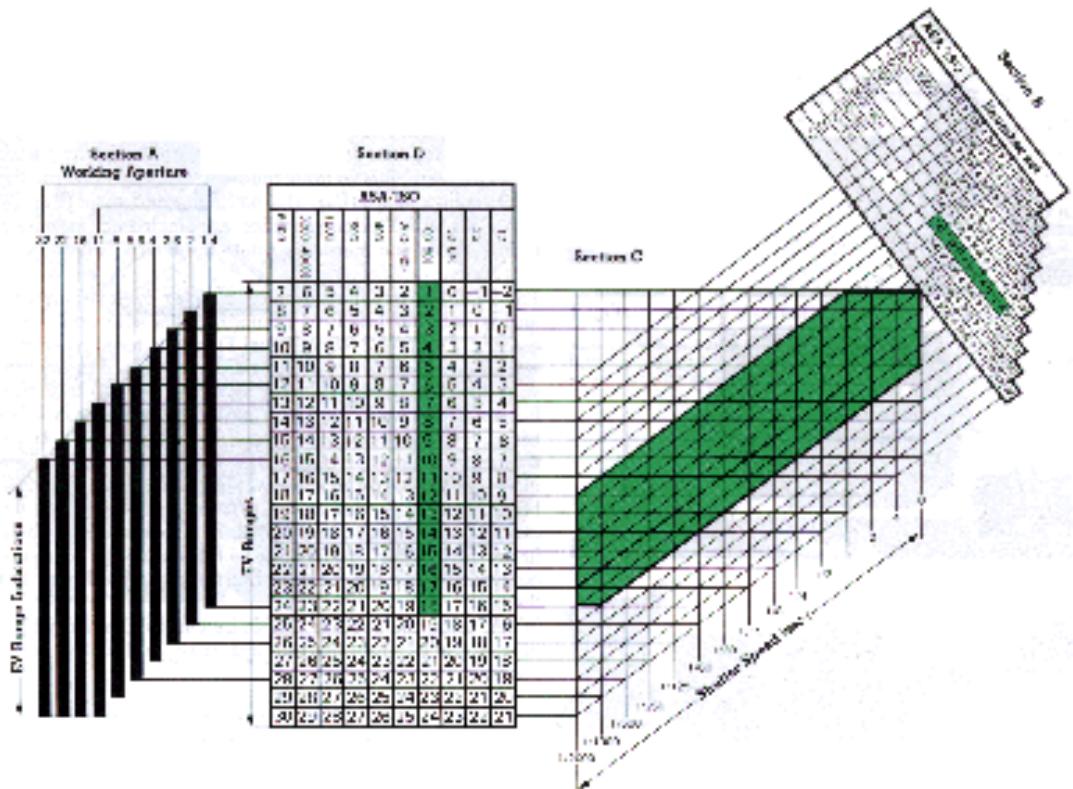
By referring to the f/1.4 column in Section A and the EV values indicated for ASA/ISO 100 in Section D, you will find that the EV range for an f/1.4 lens at ASA/ISO 100 is 1 to 18. Now, refer to Section B and single out the f/5.6 indication for ASA/ISO 100. Go diagonally down until the protruding line intersects with Section C's vertical line for the shutter speed of 8 sec. (the F3 High-Eyepoint camera's slowest shutter speed). From this point of intersection, follow the horizontal line that leads to Section D's EV value for ASA/ISO 100, and you will obtain an EV value of 2. Start again from the f/5.6 indication for ASA/ISO 100 in Section B, and go down diagonally until the protruding line intersects with Section C's vertical line for the shutter speed of 1/2000 sec. (the F3 High-Eyepoint camera's fastest shutter speed) this time. Then follow the horizontal line that leads to Section D's EV value for ASA/ISO 100, and you will get a reading of EV 16. This means that an f/stop of f/5.6 at ASA/ISO 100 and a shutter speed of from 8 to 1/2000 sec. has an effective EV range of 2 to 16, which is well within the F3 High-Eyepoint camera's metering range of EV 1 to EV 18. The area encompassed by the heavy lines in Section C demonstrates a metering range for full aperture method using an f/1.4 lens and ASA/TSO 100 film.
- Stop-down metering
Example: ASA/ISO film speed 100
Stopped-down aperture f/8
The procedure is the same. The f/8 column in Section A and the EV values indicated for ASA/ISO 100 in Section D will show you that the EV range for f/8 is 6 to 23. Refer now to Section B and single out f/8 at ASA/ISO 100. Go diagonally down until the protruding line intersects with Section C's vertical line for the shutter speed of 8 sec. From this point of intersection, follow the horizontal line that leads to Section D's EV value for ASA/ISO 100, and you will obtain an EV reading of 3. This means that an f/stop of f/8 at ASA/ISO 100 and a shutter speed of 8 sec. give an EV value outside the metering range. To find out the slowest shutter speed usable, follow the f/8 indication for ASA/ISO 100 in Section B diagonally down until it intersects the horizontal line in Section C that leads to Section D's EV value of 6 for ASA/ISO 100, and you will find that the slowest shutter speed usable is 1 sec. In other words, at f/8 and ASA/ISO 100, the available shutter speed range that is within the metering range is from 1 to 1/2000 sec., which has an effective EV range of 6 to 17 (indicated by the broken line in Section C)—well within the metering range.
In practice, you will find that it is generally the high end and the low end which require a careful check. The EV range of the Nikon F3 High-Eyepoint camera encompasses most lighting situations, and it is only under dim-light or extra-bright picture-taking situations that you need pay any special attention.
EV Chart
This EV Chart indicates the performance of the F3 High-Eyepoint camera under normal temperatures and gives the usable ranges for all shutter speed/film speed combinations.
Interchangeable viewfinders
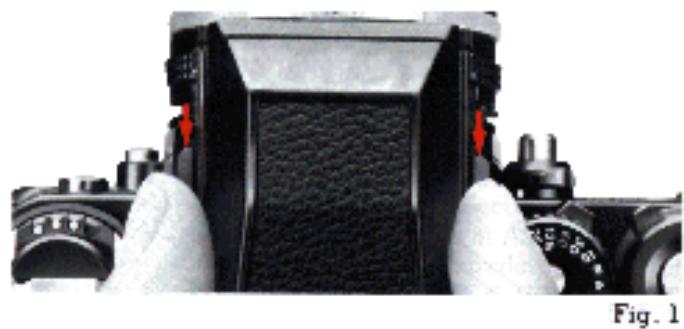
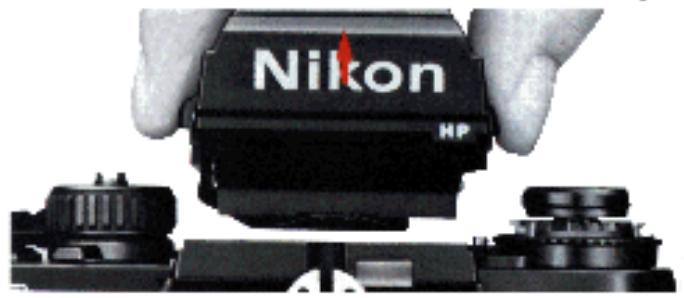
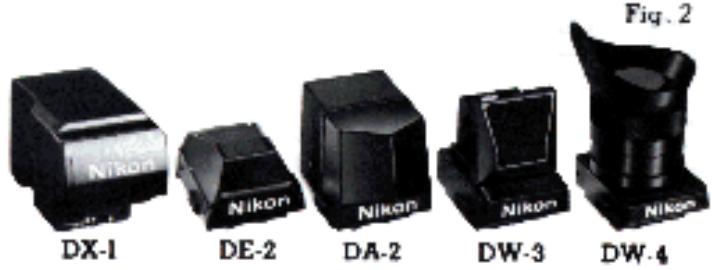
In addition to the DE-3 High-Eyepoint Finder, the F3 High-Eyepoint camera accepts various other interchangeable viewfinders. To remove the finder, slide the finder release levers with your thumb and finger towards the back of the camera (Fig. 1), and lift the finder out (Fig. 2). The DX-1 AF Finder provides an electronic focus-aid indication as you manually rotate the lens to obtain correct focus.
The DE-2 Eyelevel Finder offers regular eyelevel viewing and is recommended for photographers who don't wear glasses. The DW-3 Waist Level Finder is ideal when you want to use the camera at a low angle or upside down over your head for shooting over crowds. The DA-2 Action Finder works well for those situations when you can't bring your eye close to the finder, such as when you are wearing a helmet or goggles or when the camera is enclosed in a waterproof underwater housing. The DW-4 6X Magnification Finder is for critical high magnification close-up work or photomicrography. Regardless of which finder is attached, you still have full automatic exposure control because the meter is built not into the finder but the body.
When using the DA-2 or DW-3, be careful that stray light does not enter from the top and cause an inflated meter reading.
Caution: Before attaching the DX-1, the focusing screen inside the corera body must be removed (refer to the next poge).
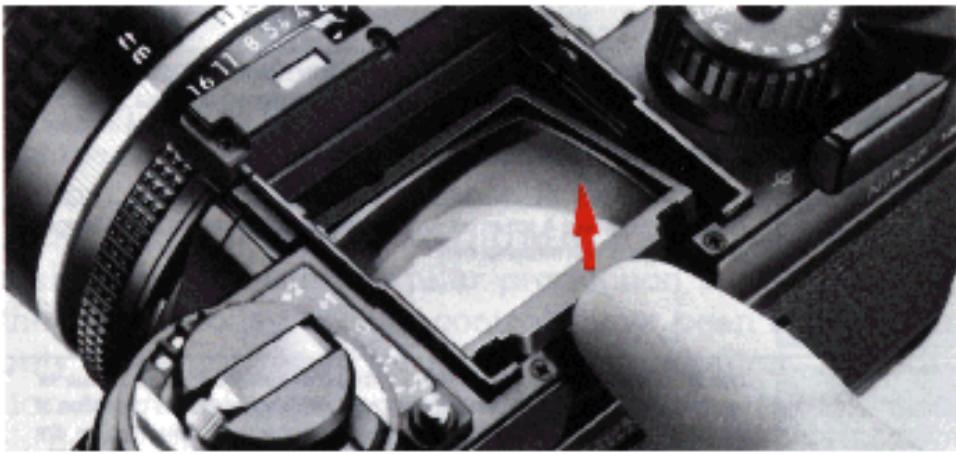
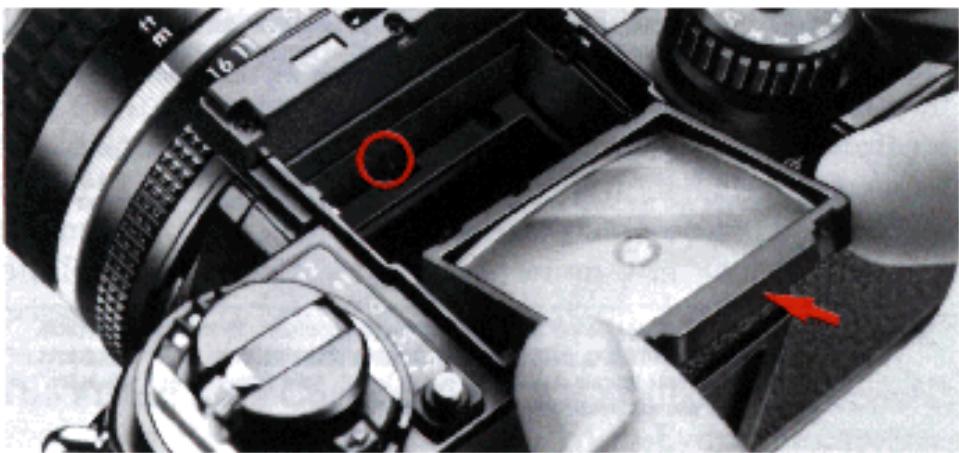
Fig. 1
Fig. 2
Interchangeable focusing screens
Nikon offers you a choice of 21 interchangeable focusing screens: A-U. The type K screen comes with the camera as standard equipment. On the following page is a chart listing all the screens.
To take out the focusing screen, first remove the finder, then insert your fingernail under the rear edge of the screen and lift it out (Fig. 1).
To install another screen, simply insert the front edge (the edge with the slot in the middle) under the pin and push the rear edge of the screen down into place (Fig. 2).
Note: For more information on which screens are compatible with which lenses, consult the instruction sheet supplied with the lens.
Focusing Screen Selector Guide
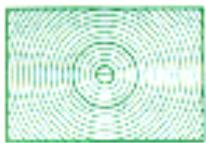
Type A: Matte/Fresnel field with 3mm circular split-image rangefinder spot and 12mm reference circle. Rapid and accurate focusing. Excellent for general photography.
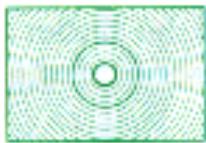
Type B: Matte/Fresnel field with 3mm fine-ground matte focusing spot and 12mm reference circle. Good for general photography, especially with long lenses.
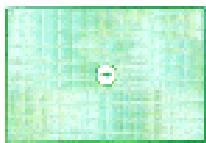
Type C: Fine-ground matte field with 4mm clear spot and cross hair. For photomicrography, astrophotography and other high-magnification applications, using parallax focusing on aerial images.
Type D: Overall fine-ground matte field Full specialized close up photography and for use with long lenses.
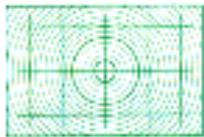
Type E: Matte/Fresnel field with 3mmø fine-ground matte spot, 12mmø reference circle, and etched horizontal and vertical lines. Ideal for architectural photography.
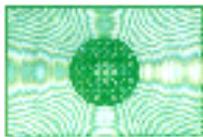
Type G: Clear Fresnel field with extra-bright 12mm microprism focusing spot for viewing and focusing in poor light. Four models (G1 - G4) are available corresponding to specific focal length lenses. Depth of field cannot be observed.

Type H: Clear Fresnel field with microprism focusing pattern over the entire screen area. Permits rapid focusing on any part of the screen with optimum edge-to-edge brightness in poor light. Available in four models (H1 - H4) corresponding to particular focal length lenses.
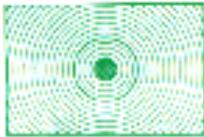
Type J: Matte/Fresnel field with central microprism focusing spot and 12mm circle. Good for general photography.
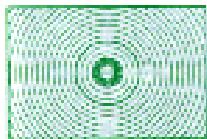
Type K: Combination of Type A and J screens. Matte/Fresnel field with 3mm split-image rangefinder spot surrounded by 1mm-wide microprism doughnut. Rapid and accurate focusing for subjects with both straight lines and ill-defined contours. Suitable for general photography.
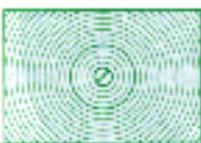
Type L: Same as Type A screen but with split-image rangefinder line at a 45^ angle. Best for subjects with horizontal lines.
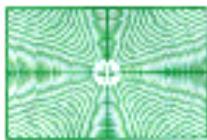
Type M: Fine-ground Fresnel field with 5.5mm clear spot and double cross hair for use in parallax focusing on aerial image, plus millimeter scales for calculation of individual magnification of objects or for measuring objects. Brilliant image in dim light. Suitable for close-ups photomicrography and other high magnification applications.
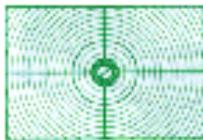
Type P: Same as Type K but with split/image rangefinder line at a 45^ angle and etched horizontal and vertical lines as an aid to compositon. Rapid and accurate focusing for subject with horizontal or vertical lines or ill-defined contours. Suitable for general photography.
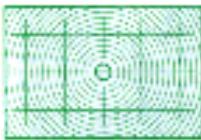
Type R: Same as Type A but with rangefinder prisms of sloping surfaces at a smaller angle and horizontal area vertical lines to aid proper composition. Works best with lenses having maximum apertures from f/3.5 to f/5.6.
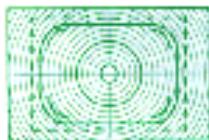
Type T: Matte/Fresnel field with spit image rangefinder, 12mm reference circle, and horizontal and vertical lines. Used when preparing slides for TV broadcasts. Dotted lines indicate standard TV screen format. Solid outline shows sale action area whereas broken lines indicate "safe title" area.
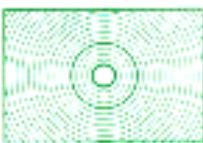
Type U: Matte/Fresnel field with 3mm fine-ground matte focusing spot and 12mm reference circle. Utilizes the same matte field as Type B, but with lenses longer than 100mm the image in the viewfinder is easier to see.
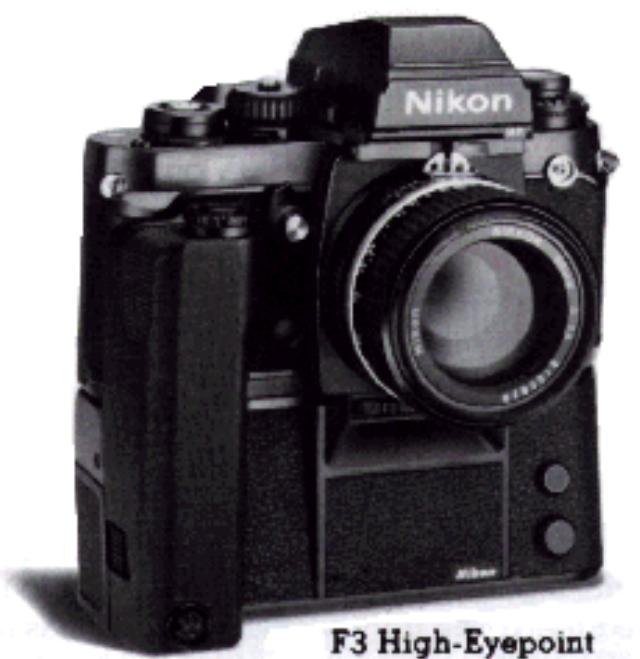
F3 High-Eyepoint with MD-4
Motor Drive MD-4
One of the most exciting accessories for the F3 High-Eyepoint camera is the Motor Drive MD-4. This amazingly compact, light, and streamlined unit attaches to the bottom of the camera in seconds and advances the film either singly or in sequence up to 6^* frames per second- making it the fastest regular production motor drive on the market today. Actual controls have been reduced to only those necessary for convenient operation. In addition to the electromagnetic trigger button (which also turns on the camera's meter when depressed halfway), there are its concentric S-C (Single/Continuous) mode selector, a battery check button and LED indicators, two interlocking rewind slides for automatic film rewinding, and a subtractive frame counter which stops the motor at the desired number of frames. Eight AA-type penlight batteries fit into a quick-release clip housed in the base of the motor drive. An optional NiCd battery pack is available for use in cold weather or when you want the fastest possible firing rate. Once you attach the MD-4 to your camera, you'll never want to take it off.
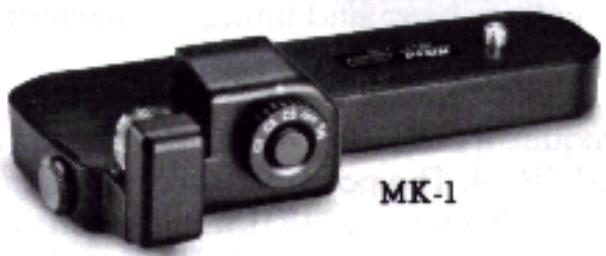
The Firing Rate Converter MK-1 is available as a special accessory for a motor-driven F3 High-Eyepoint
camera. It screws into the tripod socket of the MD-4 and plugs into the remote terminal to provide three firing rates-1, 2, or 3 frames per second. It has its own handy trigger button for use in vertical format shooting.
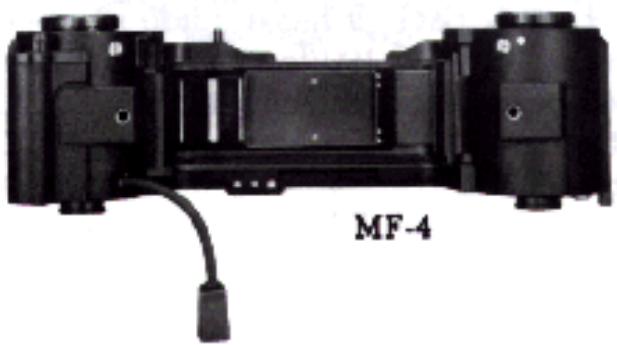
The Magazine Back MF-4 for shooting up to 250 frames without changing film is also available as an option.
- Possible with NiCd battery pack at 1/125 sec. or above with the mirror locked up.
Electronic Flash Units
Nikon Speedlights are dedicated electronic flash units and provide the perfect complement to your F3 High-Eyepoint camera. Just set the aperture and flash output is measured through the lens for correct exposures regardless of the lens in use.
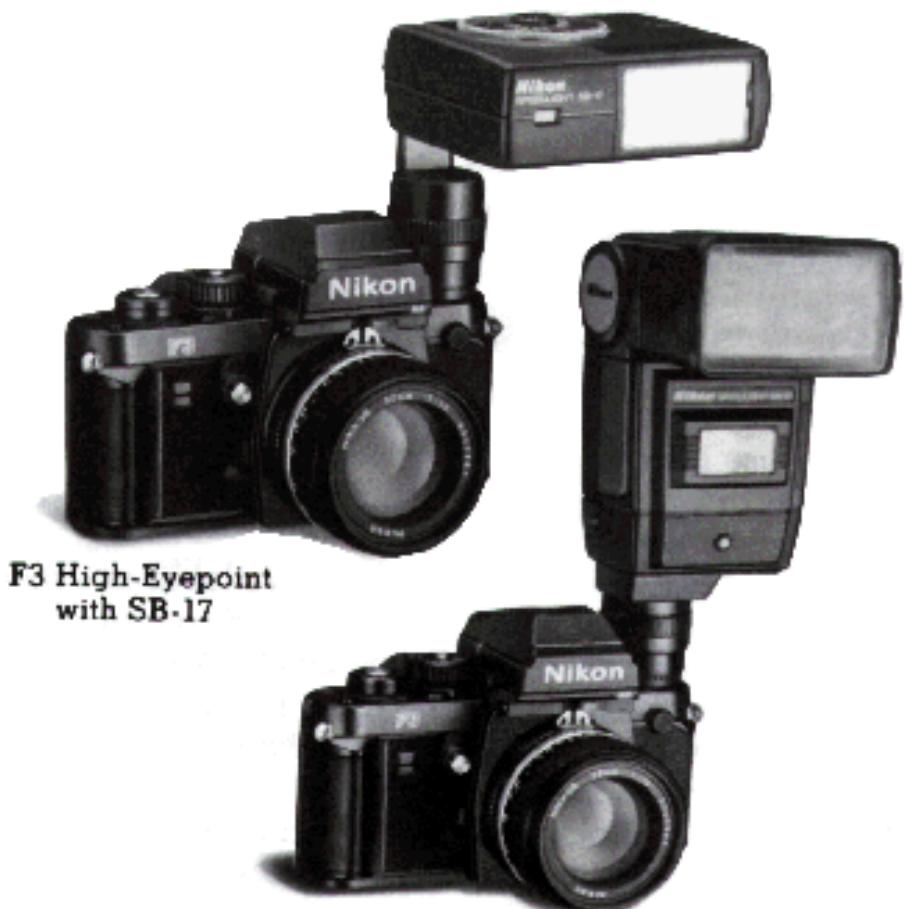
Speedlights SB-16A and 17
The SB-16A and SB-17 mount directly on the camera for automatic TTL flash exposure control. The SB-16A features two flash heads for more natural bounce-flash portraits: main head tilts 90^ and rotates 270^ ; the secondary head faces straight ahead to provide catchlight in subject's eyes. Main head zooms in and out to match the coverage of 28, 35, 50 and 85mm lenses with a guide number of 32 (ISO 100 and meters) or 105 (ISO 100/feet). The light, compact SB-17 has a guide number of 25 (ISO 100/meters) or 82 (ISO 100/feet) and features a rotating flash head and tilting 90^ flashtube module for convenient bounce flash.
Speedlights SB-11 and 14
When your require a bracket mounting unit, Nikon offers two, the SB-11 and SB-14. The powerful SB-11 has a guide number of 36 (ISO 100/meters) or 118 (ISO 100/feet) and features a 120^ tilting flash head for bounce flash. The SB-14 requires a separate battery pack. It has a guide number of 32 (ISO 100/meters) or 105 (ISO 100/feet), and tilts 120^ and rotates 120^ for total bounce control. For automatic TTL control, these units must be used with TTL remote cord SC-12
Speedlight SB-21A
The SB-21A lets you use TTL automatic exposure for macro photography, and a convenient focus illuminator ensures pin-point focus adjustment. The flash head offers a 65^ horizontal and 85^ vertical angle of coverage, and a wide illuminahon panel lets you shoot flash-to-subject distances closer than 40mm (approx. 1.6 in.). SB-21A can be used with an external power source (AC or DC). Guide number is 13 (at ISO 100/meters) or 43 (at ISO 100/feet) with internal batteries, and 15 (or 49) with external power source.
F3 High-Eyepoint
OTHER ACCESSORIES
Eyepiece Correction Lenses
Screwing into the finder eyepiece, four separate lenses are provided, so that near- and farsighted photographers can use the F3 High-Eyepoint camera without their glasses. They are available in -2, O, +1 and +2 diopters representing the combined dioptry of the finder and lens.
Eyepiece Adapter DK-1
The DK-1 is required when either the DR-3 Right-Angle Viewing Attachment, the DG-2 Eyepiece Magnifier, or an Eyepiece Correction Lens designed for the F3 (but not the F3 High-Eyepoint) camera is attached to the Nikon F3 High-Eyepoint camera's viewfinder eyepiece. Note that slight vignetting may occur when you wear glasses and look through the viewfinder with a correction lens for the F3 attached via the DK-1.
Camera Cases
The CF-21, CF-21A, CF-22 Semi-Soft Leather Cases and CS-15 Soft Leather Case were designed exclusively for the F3 High-Eyepoint camera.
TIPS ON CAMERA CARE
Camera care is common sense care. Treat your F3 High-Eyepoint camera as you would treat other valuable precision instruments. Even though the F3 High-Eyepoint camera is built to take many years of hard use, it may be damaged by shock, heat, water, or misuse. Following are some tips to help you keep your camera in good condition.
1. Keep the lens clean.
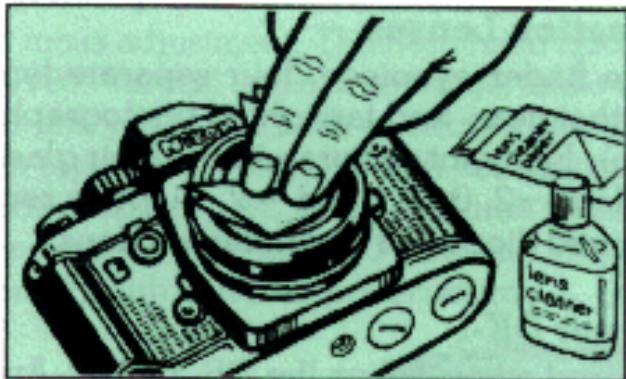
Keep the lens surfaces free of fingerprints and dust as much as possible. Remove dust with a blower brush or lens tissue. Never use cloth or ordinary tissue. If smudges or fingerprints persist, use lens tissue moistened sparingly with alcohol or lens cleaner.
Caution: Use of a spray-gun type blower to clean the lens may cause possible damage to the glass (especially when ED glass is used for the front lens element) by suddenly lowering the temperature on the lens surface. To avoid damage, hold the glower upright, keep its nozzle more than 30cm away from the lens surface and move the nozzle around so that the stream of air is not concentrated in one spot.
2. Clean the inside of the camera.
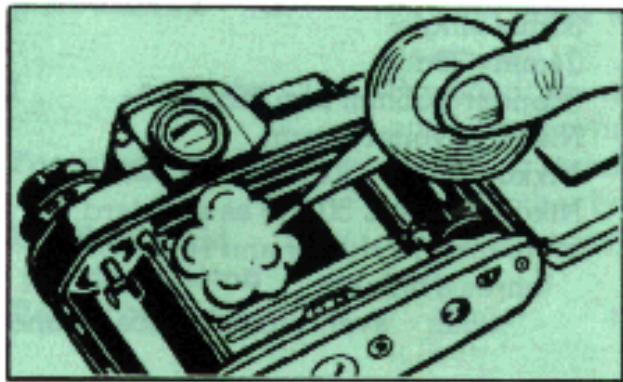
Brush out the inside of the camera periodically using a soft brush. Do not exert pressure on the shutter curtains as this may damage them. Also keep the mirror free from fingerprints and dust.
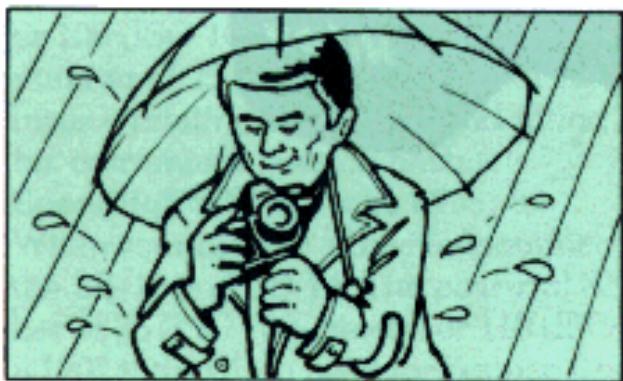
3. Keep the camera away from water.
Avoid excessive moisture. When using the camera near water, guard against splashes, especially sallwater spray.
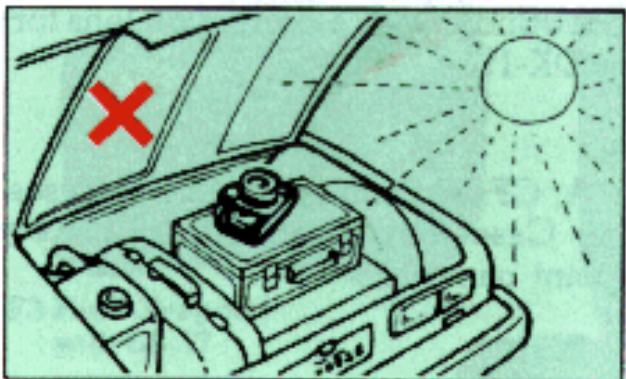
4.Do not expose the camera to high temperatures.
Keep the camera away from places where the temperature is apt to be high, such as on the beach under direct sunlight or in the trunk of a car.
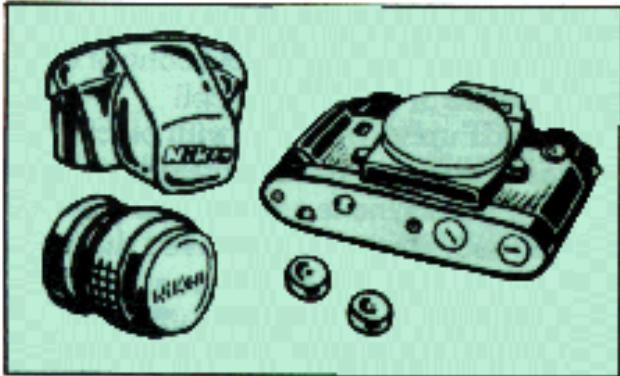
5. Store the camera properly.
Store the camera in a carrying case to protect it from dust. Avoid storing the camera in excessively hot, cold, or damp places. Always attach a body cap to the camera body and a front and rear lens cap to the lens when storing them to prevent dust from getting inside the body or on the lens surfaces. To keep your F3 High-Eyepoint in top working order, it is recommended that you trip the shutter and operate the film advance lever a few times each month with or without film loaded in the camera. Remove the batteries before storing the camera for an extended period of time.
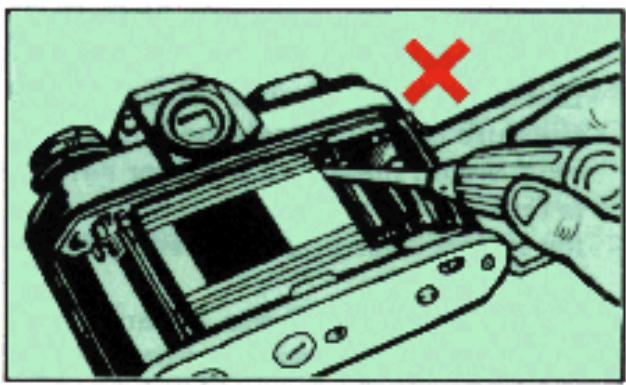
6. Never attempt to disassemble or repair the camera yourself.
These delicate procedures should be left to an authorized repairman.
SPECIFICATIONS
Type of camera
35mm single lens reflex
Picture format
24mm x 36mm
(standard 35mm film format)
Lens mount
Nikon bayonet mount
Lenses
Nikkor 50/1.2 50/1.4 50/1.8, and Nikon Series E 50/1.8 as standard; more than 70 Nikkor and Nikon Series E lenses available
Shutter
Horizontal-travel, titanium focal-plane shutter
Shutter speeds
Auto: Electromagnetically controlled stepless speeds from 8 to 1/2000 sec.;
Manual: Quartz/electromagnetically controlled discrete speeds from 8 to 1/2000 sec., plus B and X (1/80 sec.);
Mechanical: T setting on shutter speed dial and 1/60 sec. when using backup mechanical release lever
Shutter release
Electromagnetic shutter release; initial pressure on shutter release button switches on meter (after power switch is turned on), meter then remains on for 16 sec. after finger is taken off button
Backup mechanical release lever
Trips shutter at 1/60 sec. regardless of shutter speed dial setting except at T; used when batteries are dead
Self-timer
Quartz-timed 10 sec. delayed exposure; LED blinks at 2Hz for first 8 sec. then at 8Hz for last 2 sec.
Exposure control
Aperture priority automatic exposure with manual override and backup mechanical control; through-the-lens, full aperture metering via silicon photo diode (SPD) with centerweighted metering pattern and metering circuits incorporated into camera body; meter works with all viewfinders
Film speed range
ASA/ISO 12 to ASA/ISO 6400
Metering range
EV 1 to EV 18 at ASA/ISO 100 with f/1.4 lens
Exposure compensation dial
Provided; +2 EV in one-third increments
Exposure memoy lock
Provided; operates on Auto to electronically lock in shutter speed
Accessory shoe
Provided; special Nikon type located at base of rewind knob; accepts Nikon SB-12, SB-16A or SB-17 shoemounting electronic flash unit or TTL connecting cord from SB-11 or SB-14 for TTL direct flash output control using camera's SPD metering cell
Flash synchronization
Speeds up to 1/80 sec. with electronic flash; with a Nikon dedicated flash unit, flash sync is automatically set to 1/80 sec. when shutter speed dial is set at "A," or 1/125 sec. or above; flash synchronizes with shutter speed set at slower shutter speed settings; threaded sync terminal provided for off-camera or multiple flash photography
Auto flash control
TTL direct flash control governs a Nikon dedicated flash unit's flash output using camera's SPD sensor; effective ASA/ISO range from ASA/ISO 25 to ASA/ISO 400
Viewfinder
High-eyepoint pentaprism type DE-3 as standard; entire viewfinder image, plus exposure information, visible with the eye located up to 25mm (approx. one inch) away from the eyepiece; interchangeable with five other types: DX-1 AF Finder, DE-2 Eyelevel Finder, DA-2 Action Finder, DW-3 Waist-Level Finder, and DW-4 6X High-Magnification Finder. DE-3 provided with eyepiece shutter; 0.75X magnification with 50mm lens set at infinity; virtually 100% frame coverage
Viewfinder display
Liquid crystal display (LCD) shows shutter speed; on Auto, + 2000 indicates overexposure, -8- underexposure; on Manual, M appears with + indicating overexposure, - underexposure, and - + correct exposure; LED ready-light glows when Nikon dedicated flash unit is completely recycled; aperture in use also shown through aperture-direct-readout (ADR) window
Viewfinder illuminator
Provided; illuminates both liquid crystal display and ADR f/number
Film advance lever
Wound in single stroke or series of strokes; 30^ stand off angle and 140^ winding angle; shutter speed automatically set to 1/80 sec. until frame "l" for fast loading when shutter speed dial is set to "A" or 1/125 sec. and above
Frame counter
Additive type, self-resetting
Film rewind
Folding crank with rewind button in baseplate
Eyepiece shutter
Provided; prevents stray light from entering viewfinder from the rear
Focusing screen
Type K as standard; interchangeable with 20 other types
Depth-of-field preview button
Provided; coaxial with mirror lockup lever
Reflex mirror
Automatic instant-return type with lockup facility; incorporates air damper
Multiple exposure lever
Provided; disengages frame counter for correct count
Camera back
Hinged, interchangeable type; memo holder provided
Power switch
Provided
Batteries
Two 1.55V silver-oxide cells (Eveready EPX76, D76 or equivalent), two 1.5V alkaline-manganese cells or one 3V lithium battery; when MD-4 motor drive is attached, camera gets battery power from batteries in motor drive
Dimensions
Approx. 760g with DE-3 High-Eyepoint Finder
Specification and designs are subject to change without notice.
IMPORTANT!
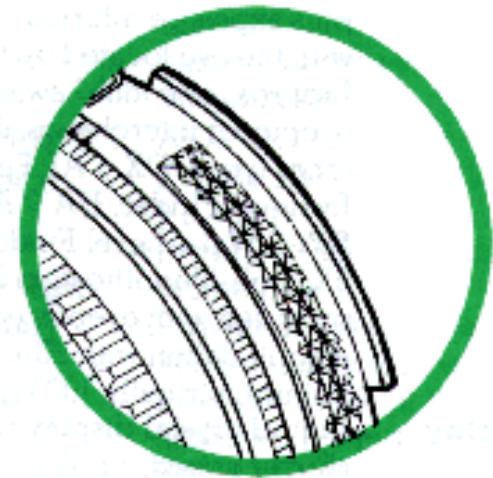
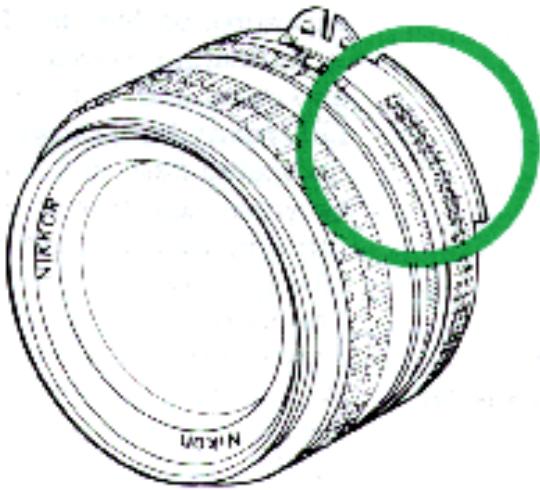
The camera body you have purchased is packaged separately from the lens. Before mounting the lens, check if it is capable of Automatic Maximum Aperture Indexing (AI) operation with your camera body by verifying that the lens' aperture ring is fitted with a meter coupling ridge as illustrated at the right. Note that the "Ai" mark on the cover of the instruction sheet provided with AI Nikkor lenses is your assurance that the lens offers the AI feature.
If the lens is fitted with the mirror coupling ridge, it is fully capable of full aperture exposure measurement and automatic maximum aperture indexing; to attach it to the camera, follow the directions provided in the BASIC OPERATION section of this instruction manual.
If the lens is non-AI, stop-down exposure measurement is required with the camera body's meter coupling lever locked up: to lock up the lever, follow the directions in the "Meter coupling lever" section of CONTROLS IN DETAIL.
- TABLE OF CONTENTS
- FOREWORD
- BASIC OPERATION
- Remove the battery chamber lid 25
- Install the batteries.
- Replace the battery chamber lid.
- Move the power switch 51 to uncover the red dot 50
- Touch the shutter release button 53 lightly.
- Check battery power.
- Mount the lens onto the camera.
- Open the camera back.
- Install the film cartridge.
- Wind the film advance lever 55 to advance film onto the makeup sprocket.
- Close the camera back.
- Take up the film slack.
- Make blank exposure until the frame counter 54 shows "1."
- Set the ASA film speed.
- Set the camera for automatic operation.
- Hold the camera steady.
- Focus on the subject.
- Set the lens aperture.
- Take the picture
- Advance the film.
- Rewind the film.
- Remove the film cartridge.
- Turn the camera off.
- CONTROLS IN DETAIL
- Exposure memory lock button
- Exposure compensation dial 15
- ASA film speed dial 15
- Memo holder 13
- Shutter release button 53
- Film advance lever 55
- Frame counter
- Multiple exposure lever 52
- Batteries
- Backup mechanical release lever
- Depth-of-field preview button
- Meter coupling lever 21
- For non-AI Nikkor lenses with automatic diaphragms
- For non-AI lenses or accessories without automatic diaphragms
- Mirror lockup lever 3
- Self-timer
- Eyepiece shutter lever
- Accessory shoe
- Caution:
- Sync terminal 17
- Viewfinder illuminator
- Film plane indicator
- Infrared focusing index
- ABOUT THE LIQUID CRYSTAL DISPLAY (LCD)
- EV RANGE OF THE CAMERA
- - Auto exposure control at full aperture
- - Auto exposure control with stop-down metering
- Table
- How to read the EV chart
- - Full-aperture metering
- - Stop-down metering
- EV Chart
- Interchangeable viewfinders
- Interchangeable focusing screens
- Focusing Screen Selector Guide
- Motor Drive MD-4
- Electronic Flash Units
- Speedlights SB-16A and 17
- Speedlights SB-11 and 14
- Speedlight SB-21A
- OTHER ACCESSORIES
- Eyepiece Correction Lenses
- Eyepiece Adapter DK-1
- Camera Cases
- TIPS ON CAMERA CARE
- Keep the lens clean.
- Clean the inside of the camera.
- Keep the camera away from water.
- 4.Do not expose the camera to high temperatures.
- Store the camera properly.
- Never attempt to disassemble or repair the camera yourself.
- SPECIFICATIONS
- Exposure memoy lock
- Flash synchronization
- Auto flash control
- Viewfinder
- Viewfinder display
- Film advance lever
- Film rewind
- Eyepiece shutter
- Focusing screen
- Reflex mirror
- Multiple exposure lever
- Camera back
- Power switch
- Dimensions
- IMPORTANT!
Brand : NIKON
Model : F3
Category : SLR camera