K400FDGC - Television EKO - Free user manual and instructions
Find the device manual for free K400FDGC EKO in PDF.


| Product type | LED Smart TV |
| Brand | EKO |
| Model | K400FDGC |
| Screen size | 40 inches (102 cm) |
| Resolution | Full HD (1920 x 1080 pixels) |
| Aspect ratio | 16:9 |
| Contrast ratio | 5000:1 |
| Number of colors | 16.7 million |
| Operating system | Google TV (Android TV) |
| Wireless connectivity | WiFi 2.4 GHz |
| Video inputs | 3 x HDMI (1 ARC), 1 x AV (composite), 2 x USB |
| Audio outputs | 1 x Optical, 1 x Headphone jack |
| Tuner | DVB-T2/C/S2 |
| Power consumption | 74 W |
| Power supply | 100-240 V ~ 50/60 Hz |
| Dimensions with stand (W x D x H) | 892.2 x 215.6 x 549.2 mm |
| Dimensions without stand (W x D x H) | 892.2 x 85.3 x 519.8 mm |
| Net weight | 5.2 kg |
| Gross weight | 7.9 kg |
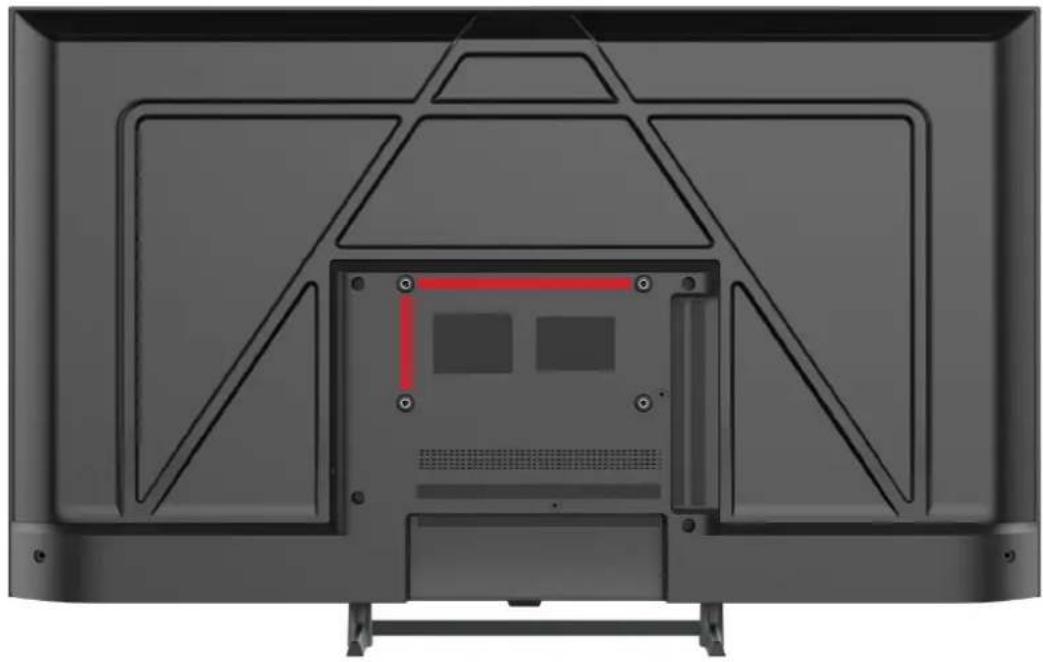
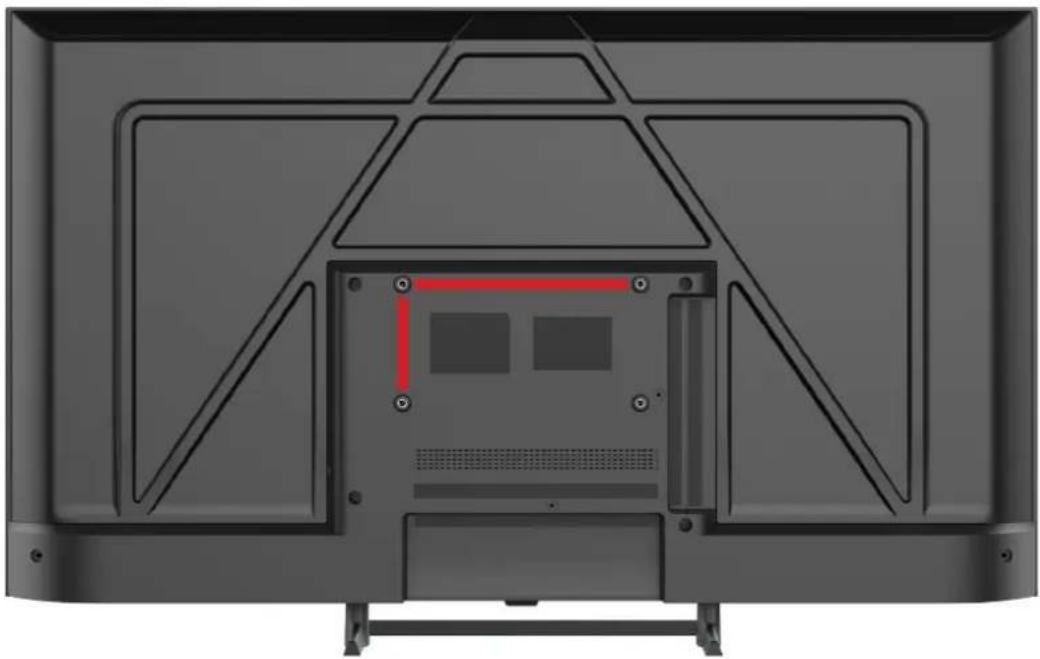
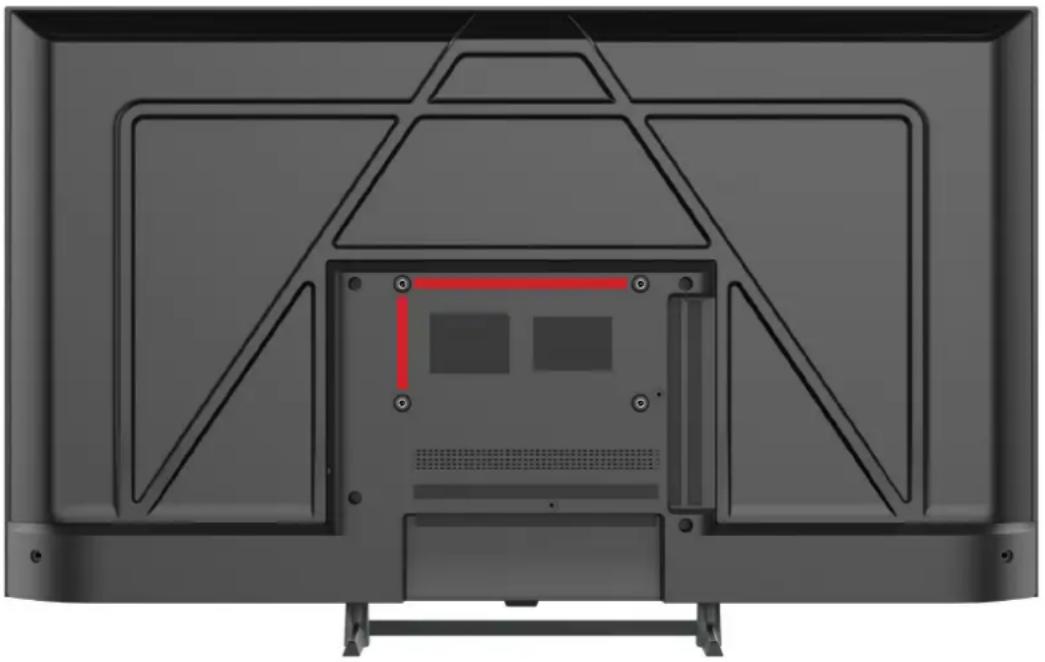
| VESA standard | 200 x 100 mm |
| Smart functions | Google Assistant, Chromecast built-in, Netflix, YouTube, Prime Video, Disney+ |
| Parental control | Yes, with password |
| Recommended cleaning | Dry lint-free cloth, avoid chemical products |
Frequently Asked Questions - K400FDGC EKO
User questions about K400FDGC EKO
0 question about this device. Answer the ones you know or ask your own.
Ask a new question about this device
Download the instructions for your Television in PDF format for free! Find your manual K400FDGC - EKO and take your electronic device back in hand. On this page are published all the documents necessary for the use of your device. K400FDGC by EKO.
USER MANUAL K400FDGC EKO
40" FULL HD SMART TV
K400FDGC
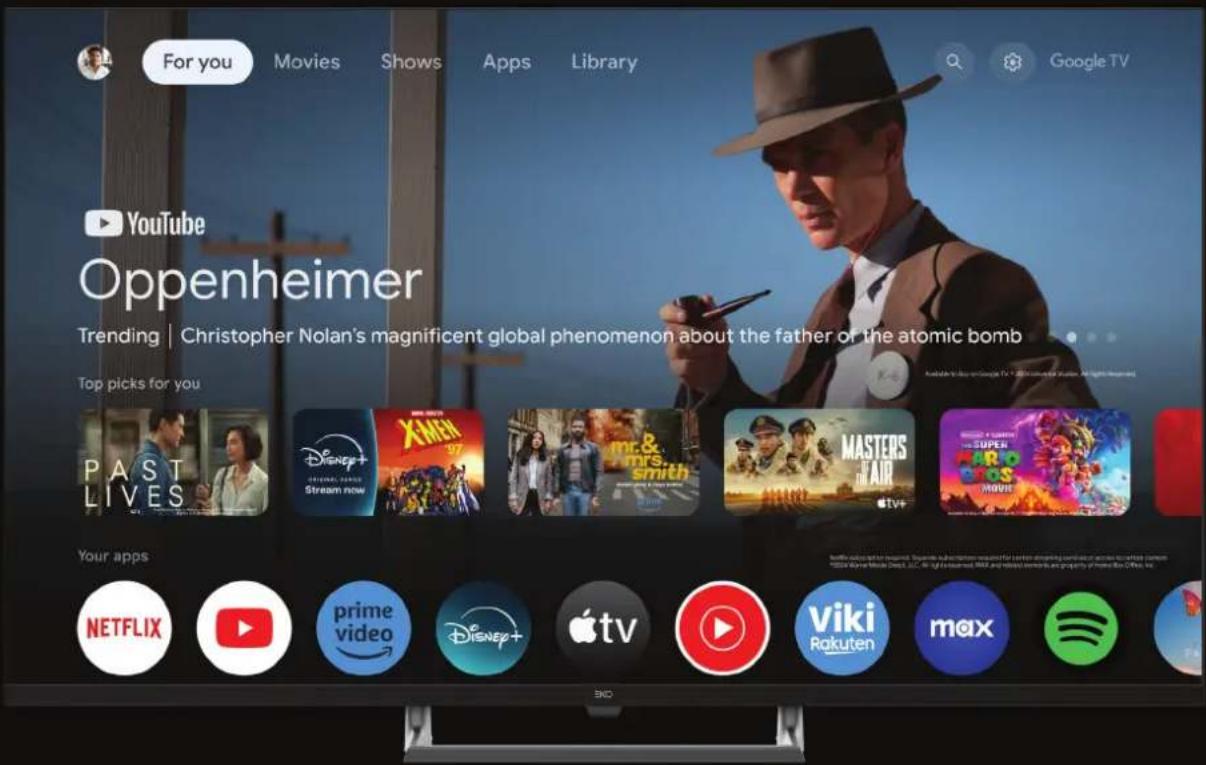
INSTRUCTION MANUAL
Please read this manual carefully before using, and keep it for future reference.
CONTENTS
| General | Safety | 4 | ||||
| Technical | Schedule | 16 | ||||
| Specification | 17 | |||||
| Installation | 19 | |||||
| Controls | and | Connections | ||||
| Remote | Control | 23 | ||||
| Initial | Setup | 26 | ||||
| Wi-Fi | 28 | |||||
| 28 | ||||||
| Acceptance | - | Terms of Service | ||||
| Assistant | Setup | |||||
| Channel | Installation | 32 | ||||
| TV^TM | 33 | |||||
| Dashboard | 3 | |||||
| Assistant | ||||||
| MENU | 36 | |||||
| Picture | 3 | |||||
| Sound | 38 | |||||
| System | 3 | |||||
| About | 40 | |||||
| Parental | Control | 41 | ||||
| FAQs | 42 | |||||
GENERAL SAFETY
Read this instruction manual carefully as it contains important information on the safety, use and maintenance of the appliance. Keep the manual for future reference.
- Disconnect the plug from the wall socket in case of a long period of disuse. Disconnect the plug and antenna cable even in severe thunderstorms.
- Do not pull the cable to pull the plug out of the socket
- Do not rest heavy objects on the cables
- Do not bend or knot the cables
- The TV screen is made of a fragile material, therefore, it should not be subjected to impact or pressure to avoid damage. If it is damaged, remove the plug from the socket and contact a service center. If liquid comes out of the panel, be careful and do not let it come into contact with your eyes and mouth, contact a doctor if necessary.
- Switch off and unplug from the mains before cleaning and maintenance. For cleaning, use only a clean dry cloth. Do not use aggressive detergents such as thinners, alcohol, petrol.
- Place the device on a stable surface that can withstand its weight. If you are using a mobile, it must be strong and large enough to prevent the TV from protruding beyond edges of the cabinet. If it is fixed to the wall, follow the instructions for correct fixing to avoid danger. Do not place the TV in high positions (furniture, shelves, shelves) unless they are properly fixed to the wall. Do not place any textile or similar product between the TV and the furniture. It is necessary to inform children about the dangers so as to prevent them from climbing on the furniture to reach the TV and its accessories.
- Leave adequate space on the sides of the TV to ensure proper ventilation
- Do not expose the TV to direct sunlight, heat sources or naked flame sources (candles)
GENERAL SAFETY INSTRUCTIONS (Cont.)
- No objects containing liquids, such as vases, should be placed on the TV. Avoid exposure to drops and splashes of water.
- Connect only to a mains socket that complies with the regulations in force and in accordance with the rating plate data of the TV. The mains socket must be close and easily accessible to disconnect the TV in case of danger. If the TV does not have a specific shutdown switch, to turn off the TV, disconnect the mains plug.
- Do not insert objects of any kind into the slots of the TV due to the danger of electric shock. If the TV does not have a specific shutdown switch, to turn off the TV, disconnect the mains plug.
- Do not insert objects of any kind into the slots of the TV due to the danger of electric shock.
- Read this manual carefully before using the TV.
- Keep this manual, the complete warranty card, receipt, and product packaging. The safety precautions instructions reduce the risk of fire, electric shock and injury when followed correctly. Please follow all instructions and take note of all warnings.
GENERAL SAFETY INSTRUCTIONS (Cont.)
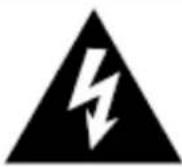
WARNING: TO REDUCE THE RISK OF ELECTRIC SHOCK, DO NOT REMOVE THE COVER. IT DOES NOT CONTAIN USEFUL PARTS FOR THE USER. FOR ASSISTANCE REFER TO QUALIFIED STAFF.
The cover (or back) of the unit should not be removed to prevent risk of electric shock.
This unit must be serviced by a qualified service personnel only.
natural_image
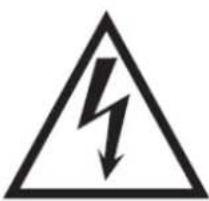
Warning symbol of a lightning bolt inside a triangle (no text or numbers)The lightning flash with symbol within the triangle is intended to warn you of a non-insulated dangerous voltage in the product's enclosure that could be of sufficient magnitude to generate a risk of electric shock to persons.
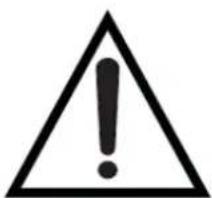
The exclamation point within the triangle is intended to warn you to the presence of important operating and maintenance instructions in the documents included with the product.
natural_image
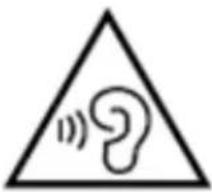
Warning symbol with a triangle containing an ear and sound waves (no text)To avoid possible hearing damage, limit the listening time to high volumes.
GENERAL SAFETY INSTRUCTIONS (Cont.)
WARNING
- Use furniture or stands recommended by the manufacturer.
- The product must be installed on a surface that correctly supports its weight.
- Make sure that the product rests completely on the surface on which it is installed.
- Do not place the product on a tall cabinet without fixing neither the cabinet nor the product stably.
- This will prevent the TV from falling.
- Do not place the product on top of conductive or flammable fabrics or other materials.
- Make sure that children do not climb onto the furniture or support where the TV is installed, with the intention of getting close to it, thus avoiding any risk of falling of the support or product;
any operation on the TV must be carried out by an adult.
WARNING
- Do not expose this appliance to rain or moisture as it may cause a fire or an electric shock hazard.
- Do not tamper with or modify the product in any way.
- Use only accessories described and recommended by the manufacturer.
- Please do not expose the product to direct contact with water.
- Do not place any objects on top of the product, including liquid containers such as glasses.
- Be careful when replacing the remote controller battery; incorrect installation can lead to explosion risks. Replace with the same or equivalent type of battery.
GENERAL SAFETY INSTRUCTIONS (Cont.)
Installation
- To install the TV, please follow the instructions in this manual. This product must be placed on a sufficiently stable surface; incorrect installation is potentially dangerous as the TV could fall and cause injury. Be extremely careful around children.
- Before installing the product, make sure that the output voltage corresponds to that indicated on the rear label of the TV where the electrical specifications are shown.
- Do not use a damaged power cord or plug, or a power outlet with a loose connection. This could cause an electric shock.
- Do not connect multiple devices to the same socket. This could cause the outlet to overheat and cause a fire. Make sure that the socket is easily accessible when operating the TV.
- Do not bend, wrap or twist the power cord excessively.
- Do not let anything rest on the power cord and antenna cable. This could cause a fire or electric shock.
- Do not use the power cord near appliances that produce heat such as radiators, stoves, or irons. Excessive heat could melt the insulation and expose live wires, causing fire or electric shock.
- Unplug this TV during lightning storms or when unused for long periods of time. Otherwise, it could result in fire or electric shock.
- Do not block the ventilation openings of the product with items such as newspapers, tablecloths, curtains. Do not insert objects into the slots available on the sides and rear of the TV. This could cause the temperature inside the TV to rise and cause a fire.
- If you notice any unusual smells or smoke coming from the TV, unplug the power cord from the outlet immediately and contact the service center. Otherwise, it could result in fire or electric shock.
GENERAL SAFETY INSTRUCTIONS (Cont.)
-
When not using the TV for long periods of time or when it needs to be moved, be sure to disconnect the power cord from the wall outlet.
-
The TV should be cleaned periodically. Otherwise, the dust could accumulate over time and cause the temperature inside the TV to increase and / or the insulation of the connections to deteriorate, which in turn could cause an electrical fire.
-
The product is not intended for use by people (including children) with reduced physical, sensory or mental abilities, or small children of any age, unless supervised by an adult responsible for their safety.
-
The remote controller batteries should only be removed by an adult, making sure to keep them out of the reach of infants and children. Seek immediate medical attention if a child has swallowed a battery.
-
Batteries should not be exposed to direct sunlight or heat.
-
To clean the TV, do not use chemicals, detergents, or wet cloths, be sure to use a dry cloth to clean it of marks or dust and only after unplugging the product from the power outlet.
-
Contact a qualified service center for any repair or other service required.
WARNING!
- We strongly recommend that you lock the TV to the stand on which it is installed.
- In this way, accidents caused by the furniture or TV overturning can be prevented.
- To avoid any risk of serious injury, we strongly recommend that this product be permanently attached to the wall or another suitable surface.
- Fasteners are not included as surfaces made of different materials require different fixtures. Please contact qualified personnel.
- If a TV is not placed stably enough, it can be potentially dangerous due to accidental fall. Many injuries, particularly for children, can be avoided by taking simple precautions such as:
- Use furniture or stands recommended by the manufacturer.
- The product must be installed on a stand that can support the weight and size of the TV.
- Make sure that the product rests completely on the surface on which it is installed.
- Teaching children about the dangers that can arise from climbing on furniture with the aim of reaching
Be sure to position the product according to the following considerations:
- Prefer dry surfaces in well ventilated areas.
- Do not expose to sunlight and other heat sources.
- Do not expose to contact with water or other liquids.
- Protect from dust and pollutants.
- Do not install the TV on furniture with limited space, such as bookcases.
- Do not install the TV near heat sources such as radiators, stoves or other appliances that produce heat.
GENERAL SAFETY INSTRUCTIONS (Cont.)
- Do not place containers with liquids next to the TV; if the liquid were to fall and penetrate inside the casing, it could cause short circuits, fires or electric shocks.
- Do not place small metal objects on top of the unit; if such objects penetrate the TV casing, this could cause short circuits, fire or electric shock.
- Do not use or store flammable or combustible materials near the unit. This could cause fire or explosion. Do not place open flames, such as lighted candles, cigarettes, or incense sticks on top of the TV.
- It is advisable that the antenna is installed away from the power outlet; Please contact a professional antenna technician to install the antenna, to avoid incorrect installation which could cause fire, electric shock, or serious injury.
- Install the unit at a reasonable distance from the wall to ensure sufficient ventilation.
- Connect the power supply of your TV to an easily accessible and easy to disconnect socket.
- Do not use this apparatus near water. For example, do not use near a laundry tub, in a wet cellar, near a swimming pool or the like.
- Clean the appliance only with dry cloths.
- Do not block the ventilation openings. Install in accordance with the manufacturer's instructions. The slots and openings on the back or bottom are for ventilation, to ensure reliable operation of the TV and to protect it from overheating. Do not block or cover these openings. Do not block the openings by placing the TV on a bed. a sofa or similar surfaces.
- Do not install this unit near heat sources such as radiators, heating vents, stoves or other apparatus (including amplifiers) that produce heat.
GENERAL SAFETY INSTRUCTIONS (Cont.)
-
Do not alter the safety purpose of the polarized or grounding-type plug. A polarized plug has two blades with one wider than the other. A grounding plug has two blades and a third grounding prong. The largest lamella or the third pole perform a protective function. If the provided plug does not fit into your outlet, consult an electrician for replacement of the obsolete outlet.
-
Protect the power cord from being walked on or pinched particularly at plugs, convenience receptacles, and the point where the cord exits the apparatus.
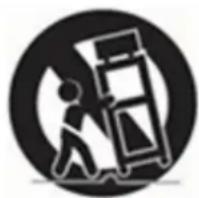
natural_image
Symbolic icon of a person pushing a large box, enclosed in a circle (no text or symbols)- Use only accessories specified by the manufacturer.
-
Use only with the cart, stand, tripod, bracket, or table specified by the manufacturer, or sold with the apparatus. When using a cart, be careful when moving the cart and the appliance together to avoid injury from overturning. The TV / cart assembly must be moved with care. Quick stops, excessive force, and uneven surfaces could cause the cart and TV to tip over.
-
Unplug this apparatus from the power supply during lightning storms or when it will not be used for a long time. For added protection of the TV receiver during a lightning storm or when it is not used for an extended period, unplug it from the wall outlet and disconnect the antenna or cables. This will prevent damage to the TV caused by lightning or power surges.
-
Have repairs carried out by qualified service personnel only. Maintenance is required if the appliance has been damaged in any way, such as damage to the power cord or plug, if liquid has been spilled or objects have fallen into the appliance, appliance has been exposed to rain or moisture, if it does not operate normally or has been dropped.
-
This TV should only be operated with the type of power source indicated on the rating plate. If you are unsure of the type of power supply in your home, consult your dealer or local power supplier. For battery power supply of the TV remote control, refer to the operating instructions.
GENERAL SAFETY INSTRUCTIONS (Cont.)
- The television should not be exposed to dripping or splashing water. Do not place objects filled with liquids, such as vases, on the TV.
- Never push objects of any kind into the TV through openings as they may touch dangerous voltage points or other electrical components which could result in fire or electric shock. Do not spill liquids of any kind on the TV.
- Unplug the TV from the wall socket before cleaning. Do not use liquid or aggressive detergents. Use a damp cloth for cleaning.
- Do not place the television near or on top of radiators or other heat sources. Do not place the TV in recessed places such as bookcases or shelves unless adequate ventilation is provided or the manufacturer's instructions are followed.
- Do not place the TV on an unstable cart, stand, tripod, bracket or table. The TV may fall, causing serious injury or damage to the set.
- Do not try to repair the TV yourself. as opening or removing covers may expose the user to dangerous voltage or other hazards. Have repairs carried out by qualified service personnel only.
- WARNING: To avoid injury, the appliance must be securely fastened to the floor or wall according to the installation instructions.
GENERAL SAFETY INSTRUCTIONS (Cont.)
TREATMENT AND DISPOSAL OF BATTERIES
- ATTENTION: incorrect replacement of the batteries or the use of batteries of different types non-equivalent can cause explosions.
- The battery should not be exposed to excessive heat such as that from the sun, fire or similar sources.
- Do not mix different types of batteries, or new batteries with old ones.
- The battery must be positioned according to the correct polarity.
- If the battery is low it must be removed from the product.
- The battery must be disposed of safely. To protect the environment, always use the appropriate collection containers (consult your dealer).
- Keep batteries away from children and pets. Only adults are allowed to take care of the batteries.
- Never throw batteries into fire or expose them to flames or other heat sources.
- Follow the safety and use instructions for the battery.

This equipment is a Class II or double insulated electrical appliance. it has been designed in such a way that it does not require a safety connection to electrical earth.

HIGH-DEFINITION MULTIMEDIA INTERFACE
The terms HDMI, HDMI High-Definition Multimedia Interface, HDMI Trade dress and the HDMI Logos are trademarks or registered trademarks of HDMI Licensing Administrator, Inc.
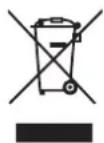
GENERAL SAFETY INSTRUCTIONS (Cont.)
CLEANING AND MAINTENANCE
- Unplug the unit from the electrical outlet before cleaning.
- To remove dust, wipe gently with a soft, lint-free cloth.
- If necessary, use a slightly damp cloth.
- Clean the plug with a dry cloth at regular intervals.
- CAUTION: Moisture and dust can lead to fire or electric shock.
- Be careful not to use liquids or detergents that can get inside the TV. (Liquid inside the TV may cause product failure, fire or electric shock.)
- Do not clean with abrasive cloths and aggressive products such as insect repellents, solvents, thinners or other substances that may deteriorate the surface and finish of the TV cabinet.
Dear Customer
Herewith the manufacturer Ayonz Central Ltd declares that this device complies with the 2014/53 / EU Directives.
The full text of the EU declaration of conformity is available at the following internet address: www.ekosystems.it
TECHNICAL SCHEDULE
| Information Value and precision Unit | ||||
| Supplier's name or trade mark | EKO -- | |||
| Supplier's model identifier | K400FDGC | -- | ||
| Energy efficiency class for standard Dynamic Range (SDR) | E | -- | ||
| On mode power demand for Standard Dynamic Range (SDR) | 37 W | |||
| Energy efficiency class (HDR) | - | -- | ||
| On mode power demand in High Dynamic Range (HDR) mode | - W | |||
| Off mode, power demand | O | W | ||
| Standby mode, power demand | ≤0.5 W | |||
| Networked Standby mode, power demand | ≤2 W | |||
| Electronic display category | television | -- | ||
| Size ratio | 16 : 9 integer | |||
| Screen resolution (pixels) | 1920 x | 1080 | pixels | |
| Screen diagonal | 100 | cm | ||
| Screen diagonal | 40 | inches | ||
| Visible screen area | 4261 | cm2 | ||
| Panel technology used | LCD | -- | ||
| Automatic Brightness Control (ABC) available | NO | -- | ||
| Voice recognition sensor available | NO | -- | ||
| Room presence sensor available | NO | -- | ||
| Image refresh frequency rate | 60 | Hz | ||
| Minimum guaranteed availability of software and firmware updates (until): | 8 year | -- | ||
| Minimum guaranteed availability of spare parts (until): | 7 year | -- | ||
| Minimum guaranteed product support (until): | 03/30/2026 | -- | ||
| Power supply type: | Internal | -- | ||
SPECIFICATIONS
| Display Device 40” FHD Smart TV | |
| Resolution 1920 x 1080 | |
| Display Colours 16.7 million | |
| Contrast ratio: 5000 : 1 | |
| Aspect Ratio 16 : 9 | |
| Software of Version 20250220_123521 | |
| Input / Output | Tuner: DVB-T2 H.265 MAIN 10, DVB-S2RJ45 x1, HDMI x3, USB x2, OPTICAL Out x1, RF IN x2, CI+ x1, AV IN x1, EARPHONE x1 |
| Multimedia PlaybackFormat underUSB Mode | Movie: AVI, MP4, M4V, MOV, 3GP, 3G2, MKV, TS, TRP, TP, MTS, MPG, MPEG, DAT, VOB |
| Music: MP3, OGG, FLAC, F4A, M4A, AAC, ADTS | |
| Photo: JPEG, BMP, PNG | |
| Power Source 100-240V ~ 50/60Hz | |
| Power Consumption 74 W | |
| Dimensions | With stand: 892.2 x 215.6 x 549.2 mm (w x d x h) |
| Without stand: 892.2 x 85.3 x 519.8 mm (w x d x h) | |
| Weight | Net: 5.2 kg |
| Gross: 7.9 kg | |
NOTE: This document is for reference only, the operation interface is subject to the TV software.
SPECIFICATIONS
| WIFI Working frequency 2.4GHz | |
| Maximum transmission power of WIFI | IEEE 802.11b 16±2 dBm at 11MbpsIEEE 802.11g 15±2 dBm at 54MbpsIEEE 802.11n -2.4GHz Band/HT20: 14±2 dBm at MCS72.4GHz Band/HT40: 14±2 dBm at MCS7 |
INSTALLATION
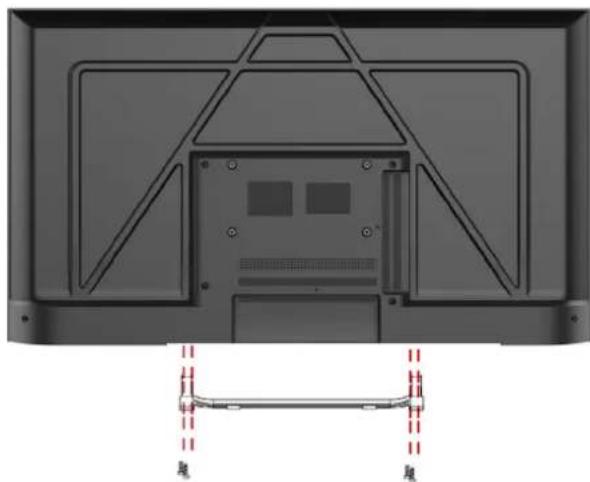
Install the stand as described below, or if you want to mount it to a wall, please contact a professional installer.
Please ensure the TV is not plugged into the wall socket and furthermore we recommend to get another person to assist in the following task.
Attaching the stand
Step 1
Place a soft cushioned material on top of a flat surface to prevent damaging the screen panel. Then place the TV screen flat on top, with the screen side facing down, as illustrated on the right.
Step 2
Align the stand leg to the installation point, as illustrated below
Step 3
Tighten the screws (supplied) with a screwdriver to affix the stand to the panel, as illustrated on the right.
natural_image
Back view of a computer monitor with visible internal components and a side panel showing red dashed lines (no text or symbols)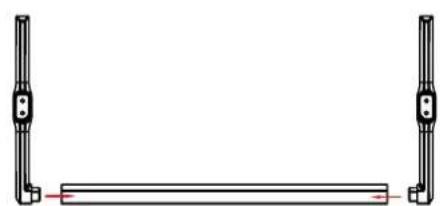
natural_image
Pure mechanical component diagram showing two vertical rods flanking a horizontal bar with a red centerline (no text or symbols)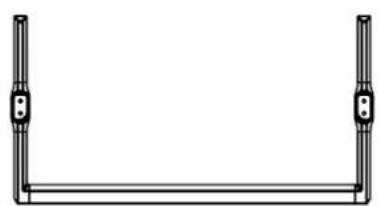
natural_image
Simple line drawing of a U-shaped frame with two vertical posts and a horizontal bar (no text or symbols)
CAUTION!
Do not apply excessive force as this may damage the screw holes.
INSTALLATION (Cont.)
Wall-Mounting Instructions
Please ensure the TV is not plugged into the wall socket and furthermore we recommend to get another person to assist in the following task.
• We recommend you use a professional installer as we assume no liability for any eventual damage to the product or injury to yourself if you mount the TV on your own.
BACK OF TV
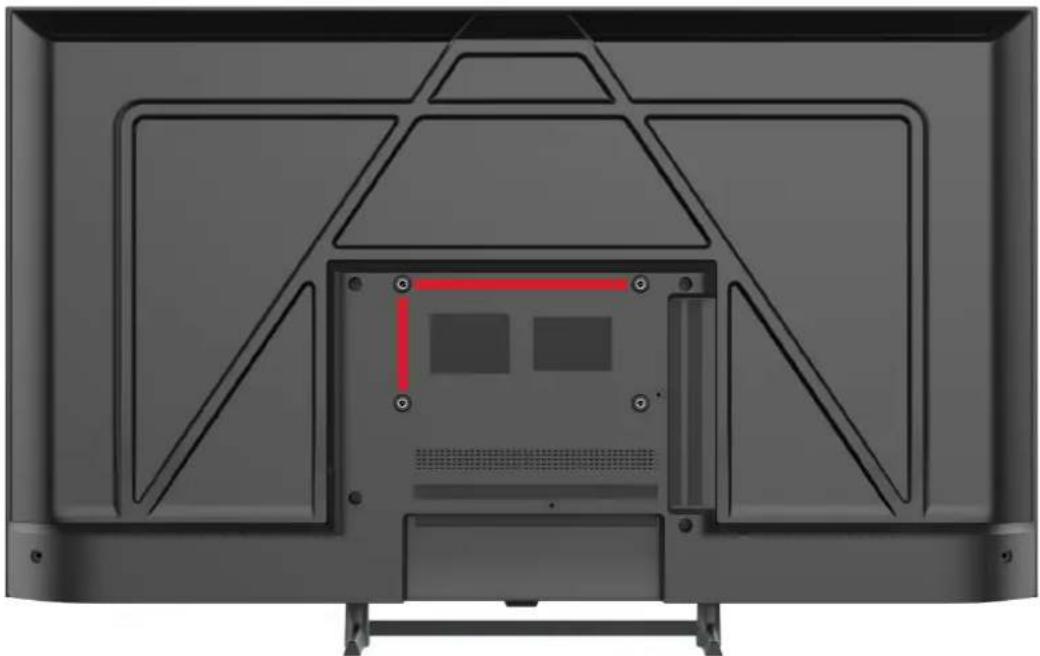
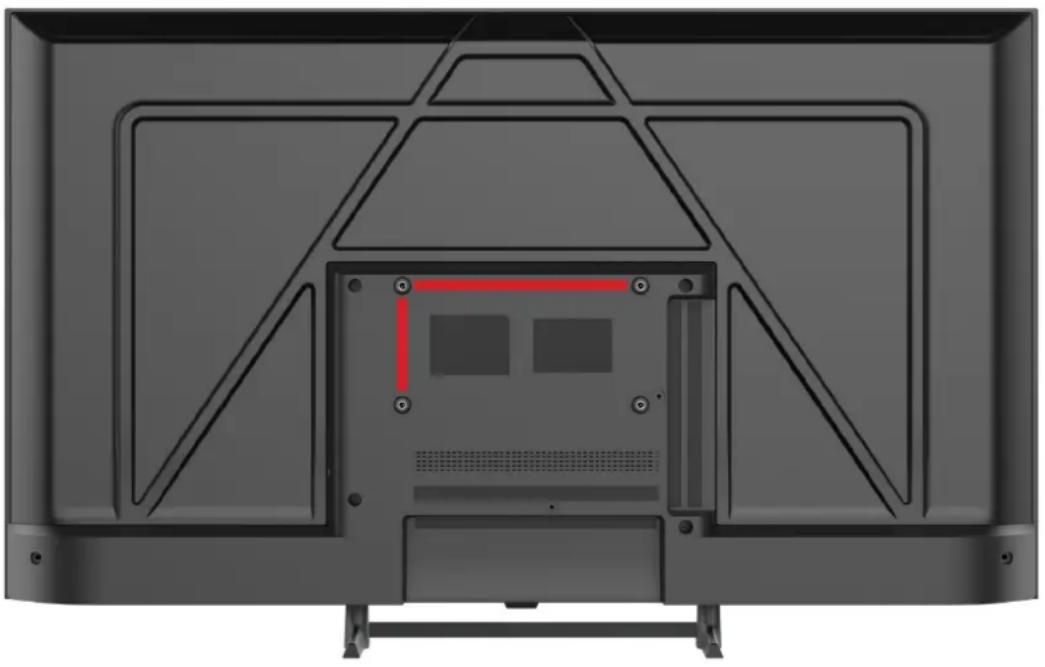
VESA PATTERN: 200 x 100mm
M6*8mm Screws (4 pcs)
natural_image
Back view of a flat-screen TV with visible internal components and mounting feet (no text or symbols)NOTE: If you are wall-mounting the TV, this should be done by a qualified installer.
CONTROLS AND CONNECTIONS
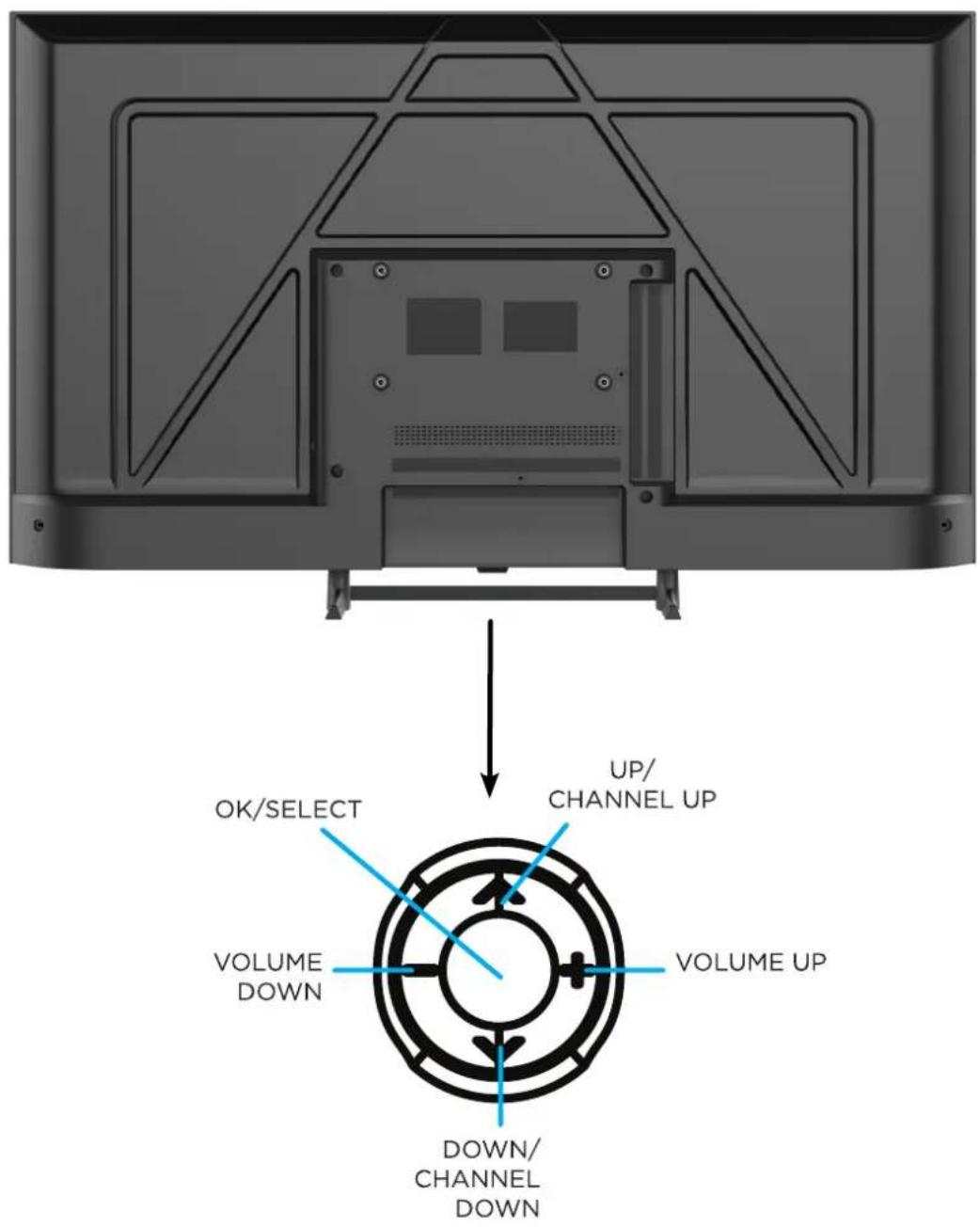
CONTROLS AND CONNECTIONS
BOTTOM PORTS

SIDE PORTS

- RJ45 (ETHERNET)
- OPTICAL
- AV INPUT
- HDMI 3
- HDMI 2
- HDMI 1 / ARC
- RF (LNB)
- RF (ANT)
- EARPHONE
- Cl+
- USB 1 & 2
REMOTE CONTROL
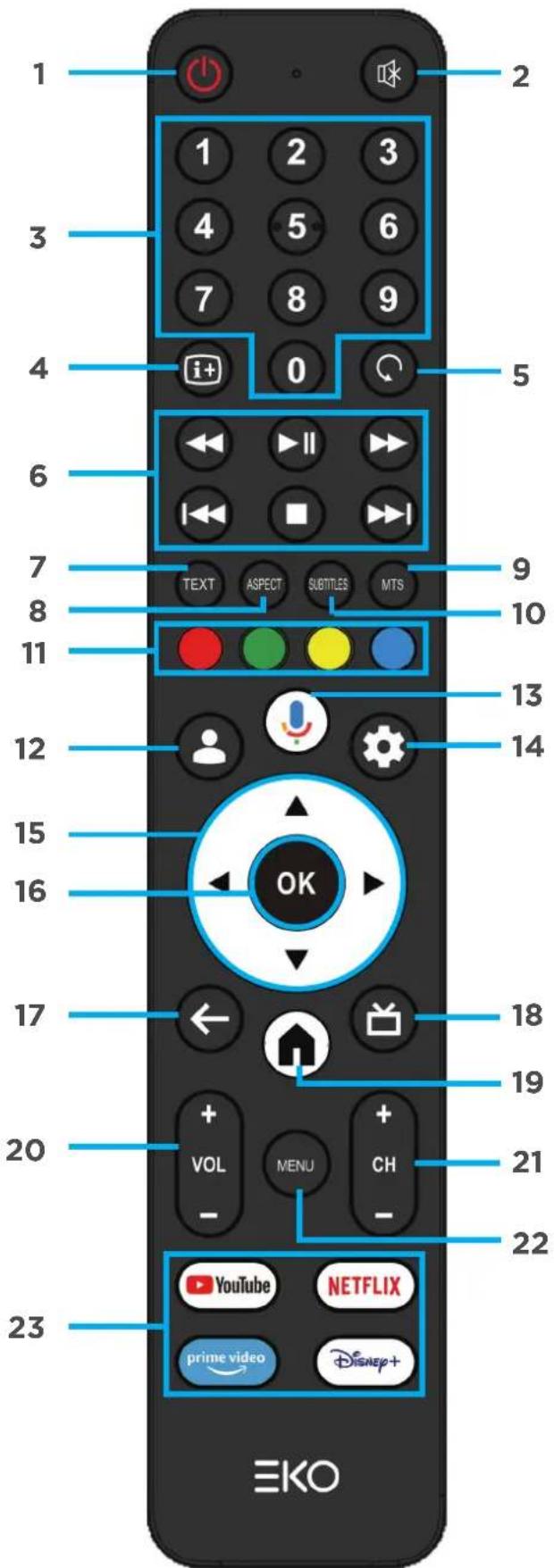
Universal Remote Control Code: A05F
REMOTE CONTROL (CONT.)
- POWER: Turn the TV on/off.
- MUTE: Turn the sound on or off.
- NUMBER BUTTONS (0-9): Select a TV channel.
- i+: Display channel information.
- RETURN: To last viewed channel.
- : Move fast backward.
: Pause and Start.
:▶Move fast forward.
:Play previous file.
■ : STOP
:Play next file.
- TEXT: Turn Teletext ON/OFF.
- ASPECT: Switches the preset screen size mode.
- MTS: Press to select Mono, Nicam, Stereo for ATV channels and Audio Language for DTV channels.
- SUBTITLES: Turn subtitles ON/OFF.
- Corresponds to various colour functions in the menu.
- MEMBER: Choose or add an account.
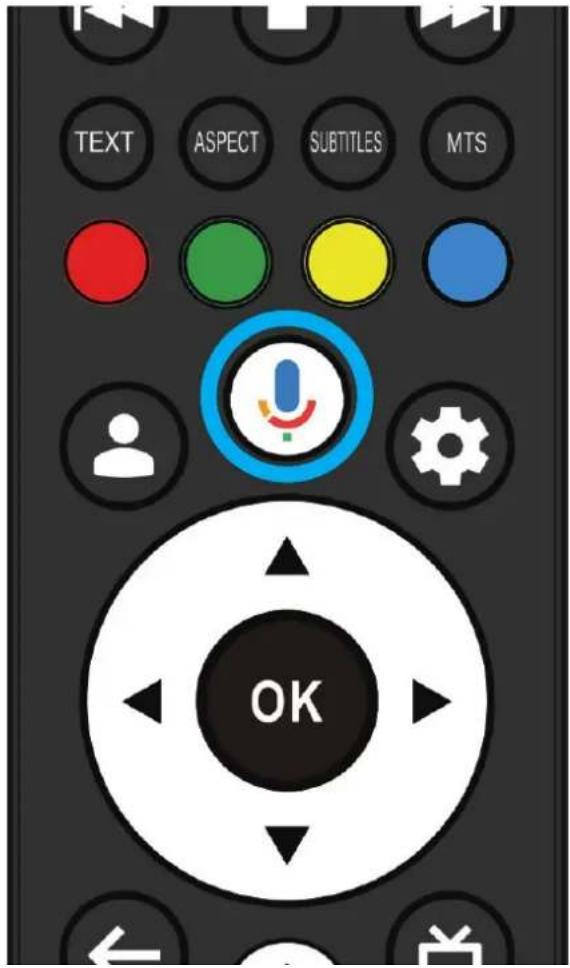
- : Start a voice search or speak to Google Assistant.
- SETTING: Press to open the setting option.
- ARROWS: Navigate on-screen menu.
- OK: OK to confirm selection.
- BACK: Return to previous menu.
- GUIDE: non-function
- HOME: Open Google TV home page.
- VOLUME: Increase or decrease TV volume.
- CHANNEL: Next or previous TV channel.
- MENU: Display Menu
- APPS: Open Netflix, YouTube, PrimeVideo, Disney
Disney+ Button Description
If the Disney+ button cannot link to the correct version of the program, please search for and download the latest version of Disney from Google Play store.
REMOTE CONTROL (CONT.)
REMOTE CONTROL BATTERY INSTALLATION AND WARNINGS
- Open the battery compartment cover on the back of the remote control
- Insert 2 x 1.5V type AAA batteries(not included) placing them according to the correct polarity.
- Open the battery compartment cover on the back of the remote control
- Insert the batteries (check the number of batteries and the type in the remote control compartment) with the correct polarity
- Close the battery compartment cover.
- Batteries once installed should not be exposed to excessive heat such as sunshine, fire or the like.
- Do not use old and new batteries in the remote control.
- Do not use different types of battery.
- If it is not used for a long time, it is recommended to remove the batteries from the remote control.
- Keep batteries away from children and pets.
- Never throw batteries into fire.
- Accidental dropping of the remote control, resulting in breakage, will immediately invalidate the warranty.
- The remote control works effectively when used up to about 5m away from the TV.
- Do not expose the remote controller sensor to strong light
INITIAL SETUP
For the first initial setup, on screen setup wizard will guide you through setting up your TV. Please follow according to onscreen guide to setup your TV correctly.
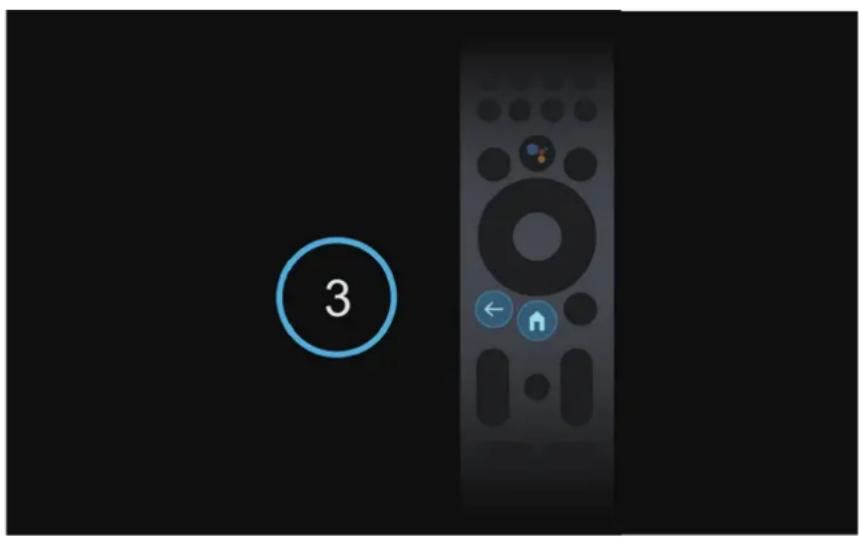
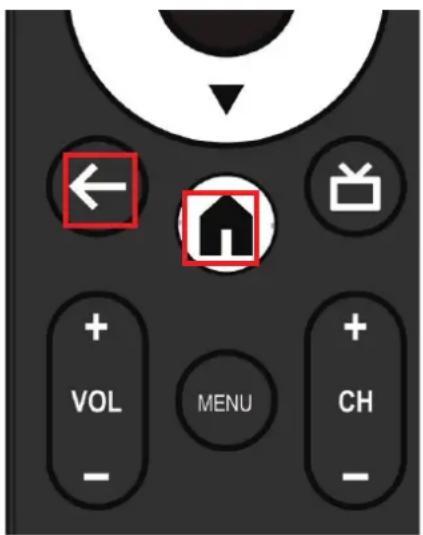
To pair and enable the remote control, press and hold the 'BACK' and 'HOME' buttons for 3 seconds. After the pairing is successful, you can now operate the TV.
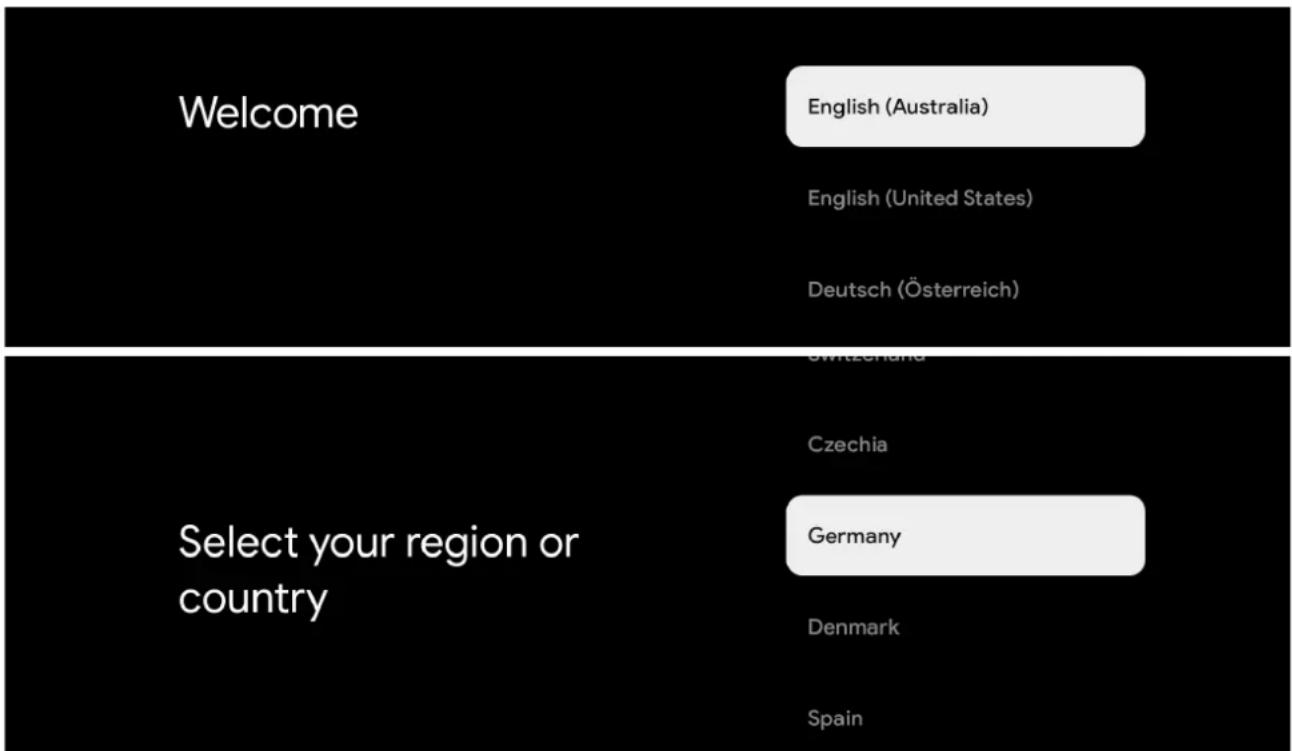
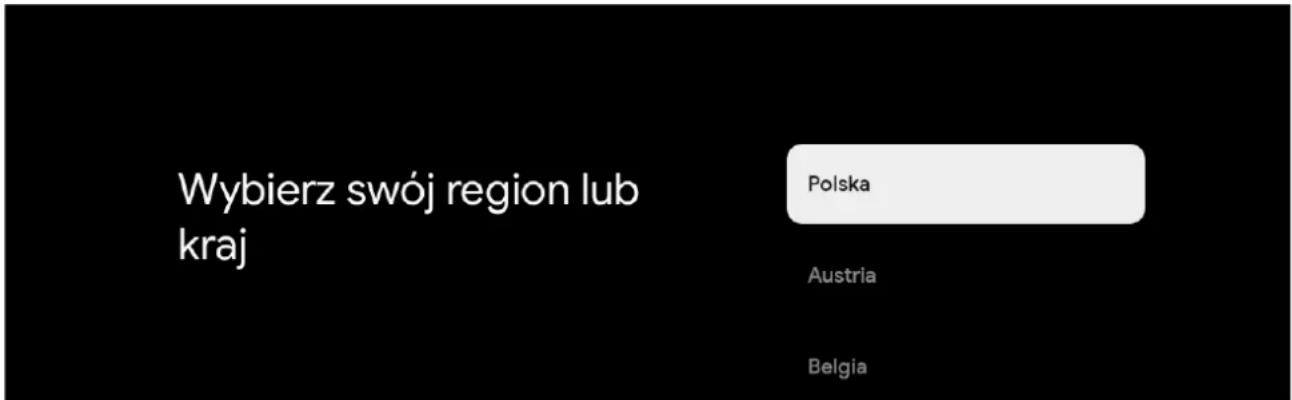
Use the ▲/▼ buttons to select system language, then press OK/SELECT to confirm. Select CORRECT country you are located in otherwise Google TV will not work correctly.
INITIAL SETUP (Cont.)
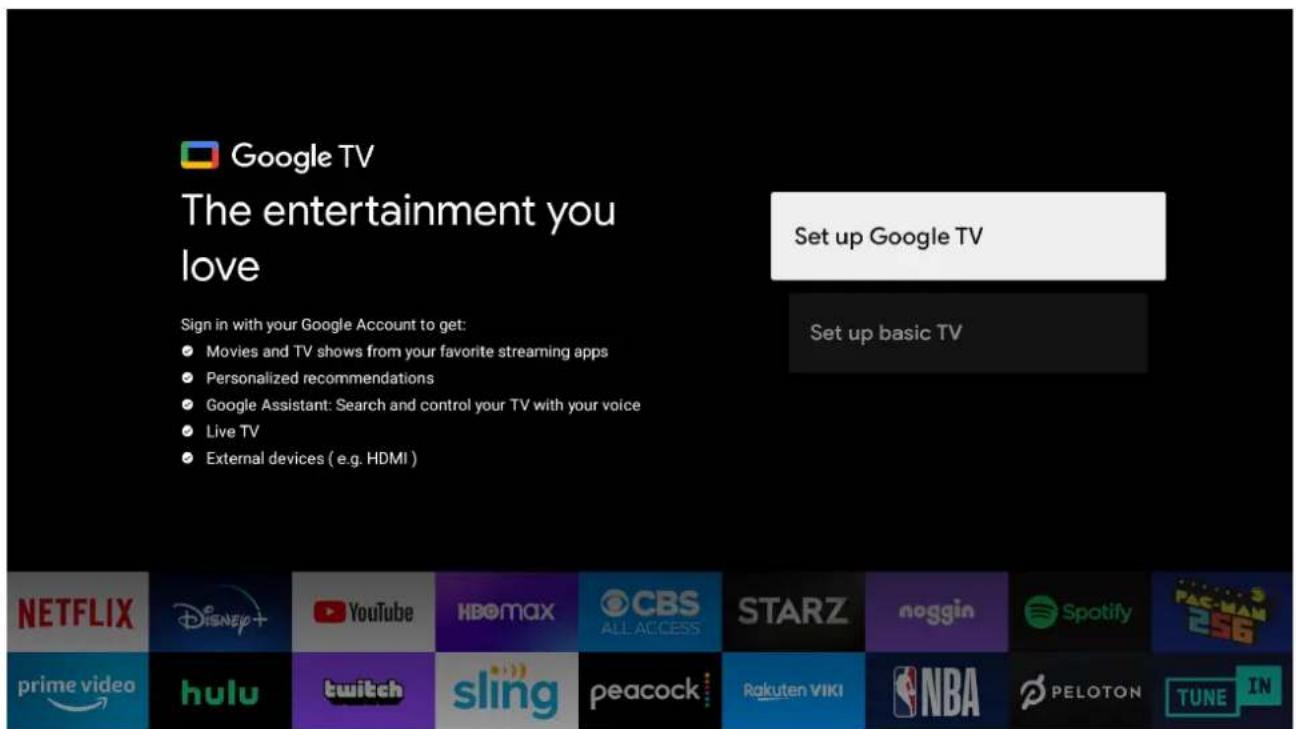
At the Initial Setup you will be asked whether you want to setup your Google TV now or just proceed with basic setup of scanning your live DTV Channels.
If you want to SKIP Google TV Setup steps - SELECT "SET UP BASIC TV".
If you select "SET UP GOOGLE TV" please follow the below instructions below:
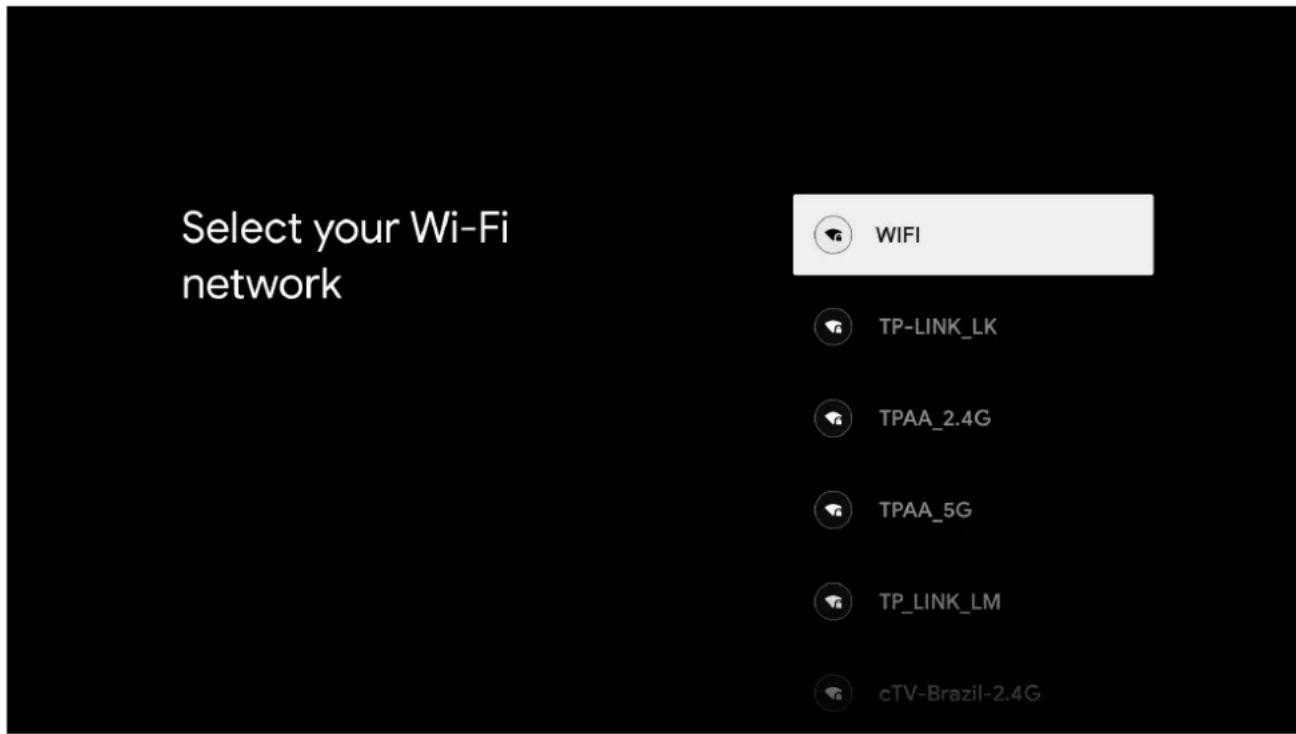
W|F|
Select your home Wi-Fi network and enter in the password to start connection process.
Once successfully connected you will proceed to the next step.
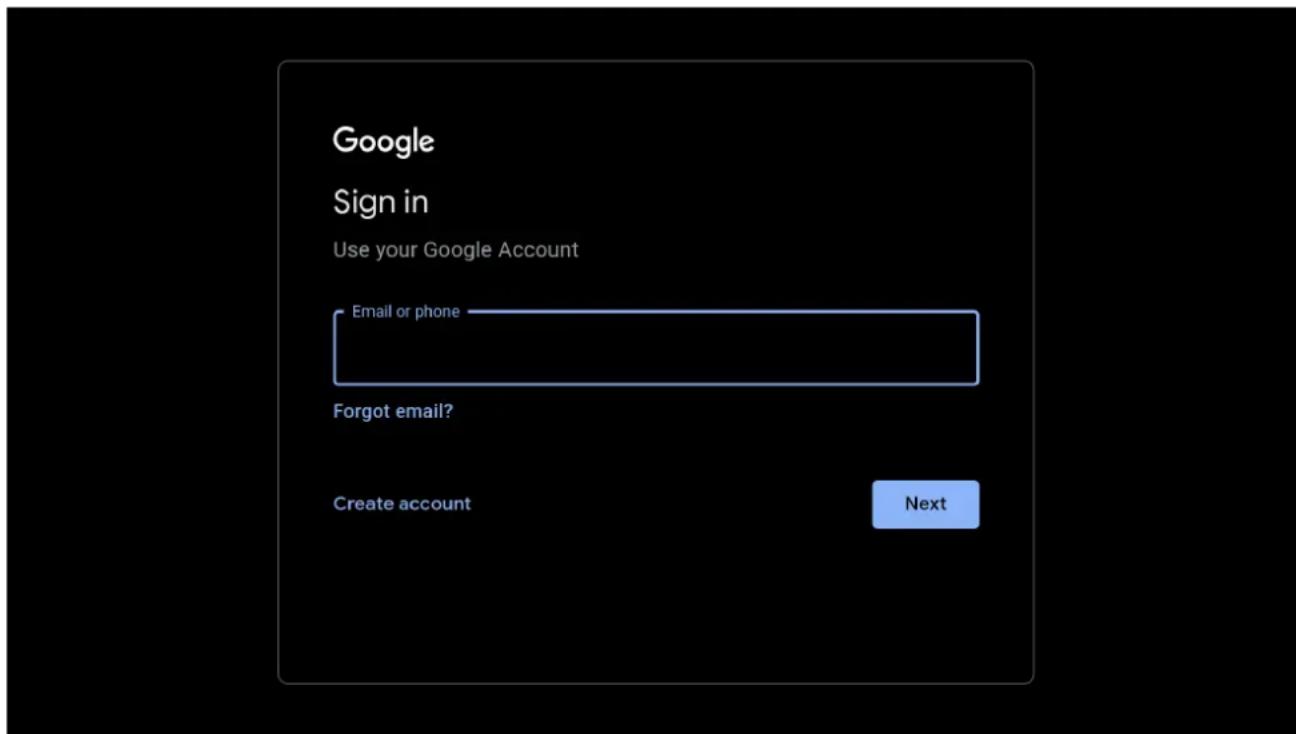
To have access and to download applications from Google Play, you must sign in with a Google Account. Once you open Google Play, you will be prompted to sign in or create a new account.
ACCEPTANCE - TERMS OF SERVICE
By accepting the Google Terms of Service to improve the product experience, Select "ACCEPT" to proceed with this condition.
Hi 463777925!

By clicking "Accept", you agree to the Google Terms of Service and the Google Play Terms of Service. The Google Terms of Service also applies to your use of Assistant. The Google Privacy Policy describes how Google handles information generated as you use Google services.
This device may automatically receive and install updates and apps from Google or your device's manufacturer. Some of these apps may offer optional in-app purchases. You can remove them or adjust their permissions at any time from the device settings.
Accept
Terms of Service
Play Terms of Service
Privacy Policy

Google Services
Select each to learn more about each service, such as how to turn it on or off later. Data will be used according to Google's Privacy Policy.
Click "Accept" to confirm your selection of these Google services settings.
Accept
Use location
Allow Google and apps with your permission to use location estimated from Wi-Fi. Google may collect location data periodically and use this data in an anonymous way to improve location accuracy and location-based services

Help improve Google TV
Automatically send diagnostic information to Google

Recommendations
Google TV uses your activity from across Google to improve your recommendations
Services and your privacy
Google Assistant sends services you talk to a unique code
GOOGLE ASSISTANT SETUP
Now starts the process of setting up your Google Assistant to work best for you.
Please select Continue to start this process.
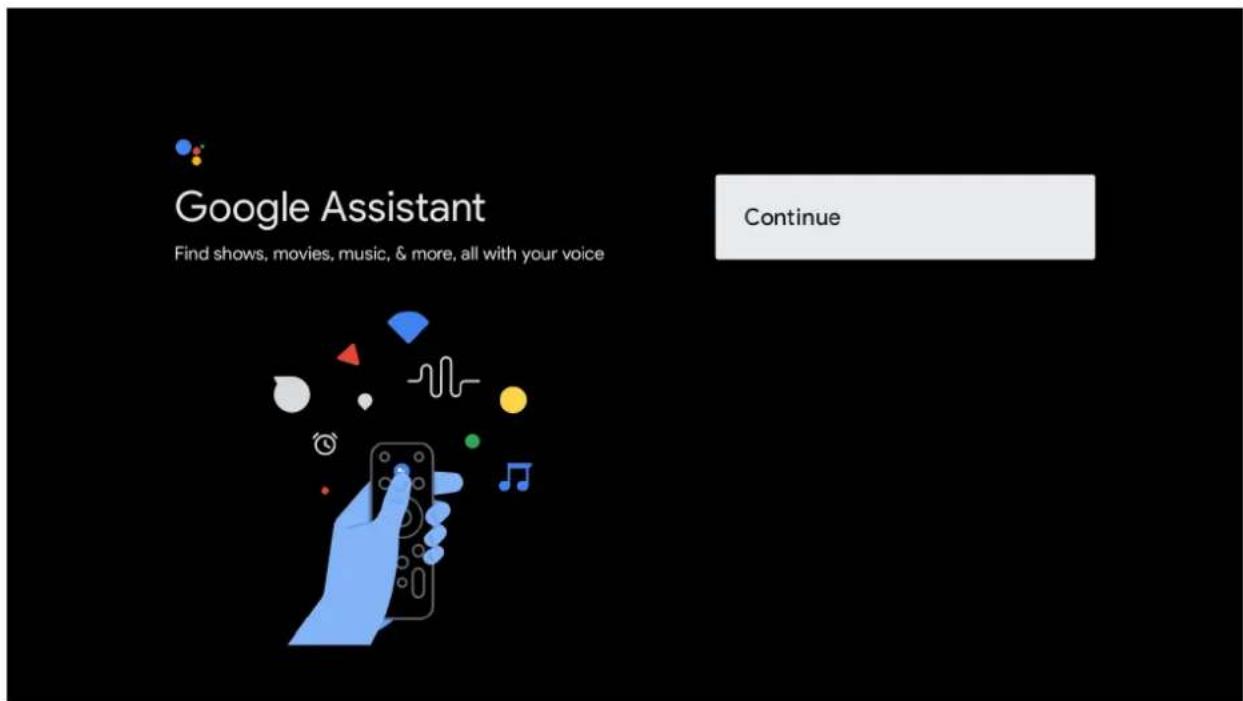
For the best experience with Google Assistant, please select "Allow" for Google Assistant to share requests with your TV's Installed apps.
Without this permission, Google Assistant may not be bale to find all the content from your TV's Apps.
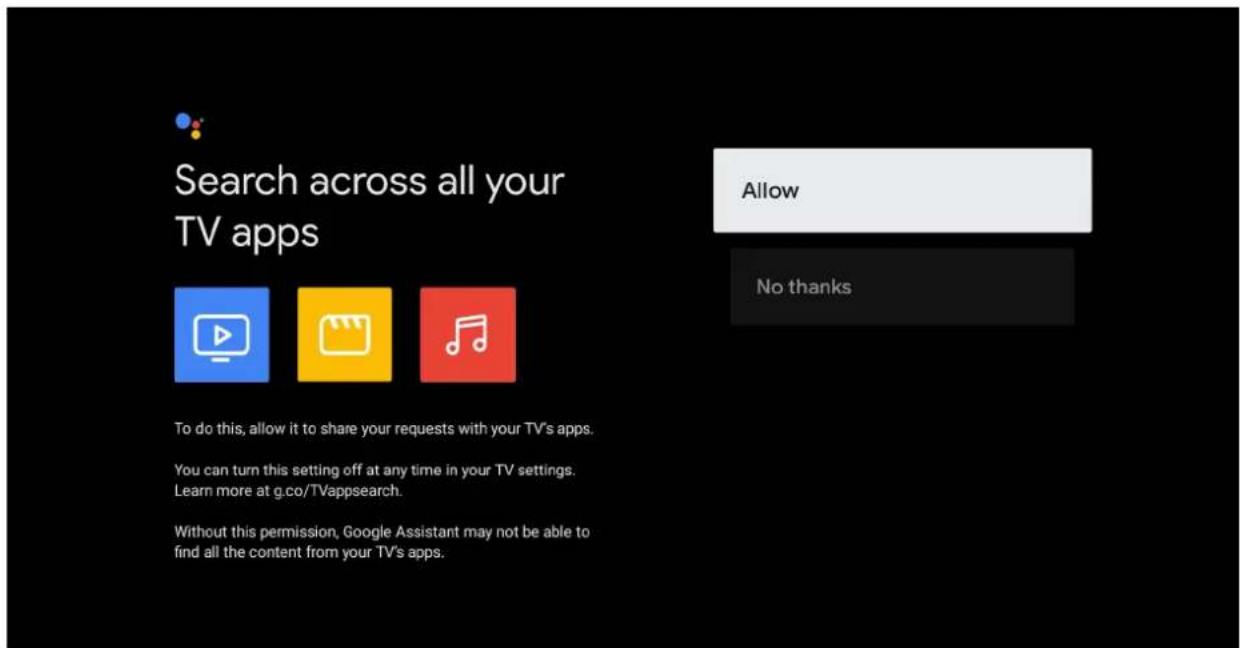
GOOGLE ASSISTANT SETUP(CONT.)
If you have select "Allow" in the previous step, content recommendations can now be provided to you.
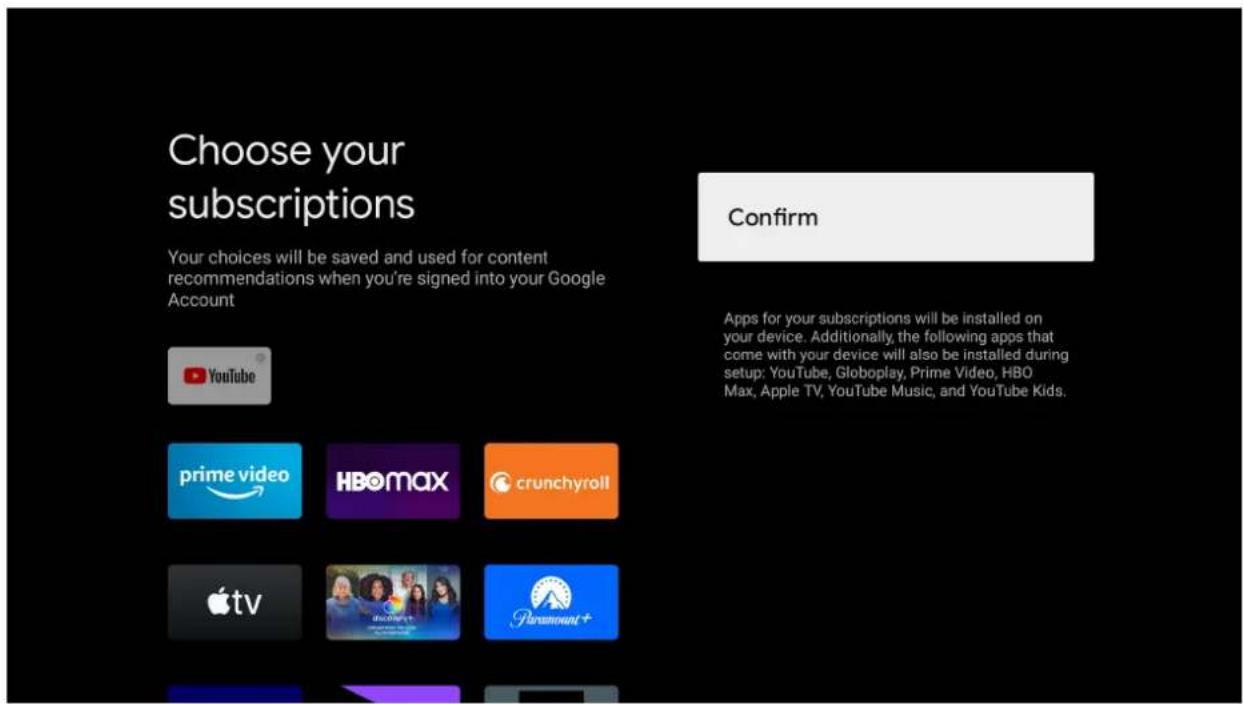
CHANNEL INSTALLATION
Make sure to select "ANTENNA" to scan for channels using antenna cable.
NOTE: Please make sure Antenna (RF) cable is plugged into the TV port located on back of TV.
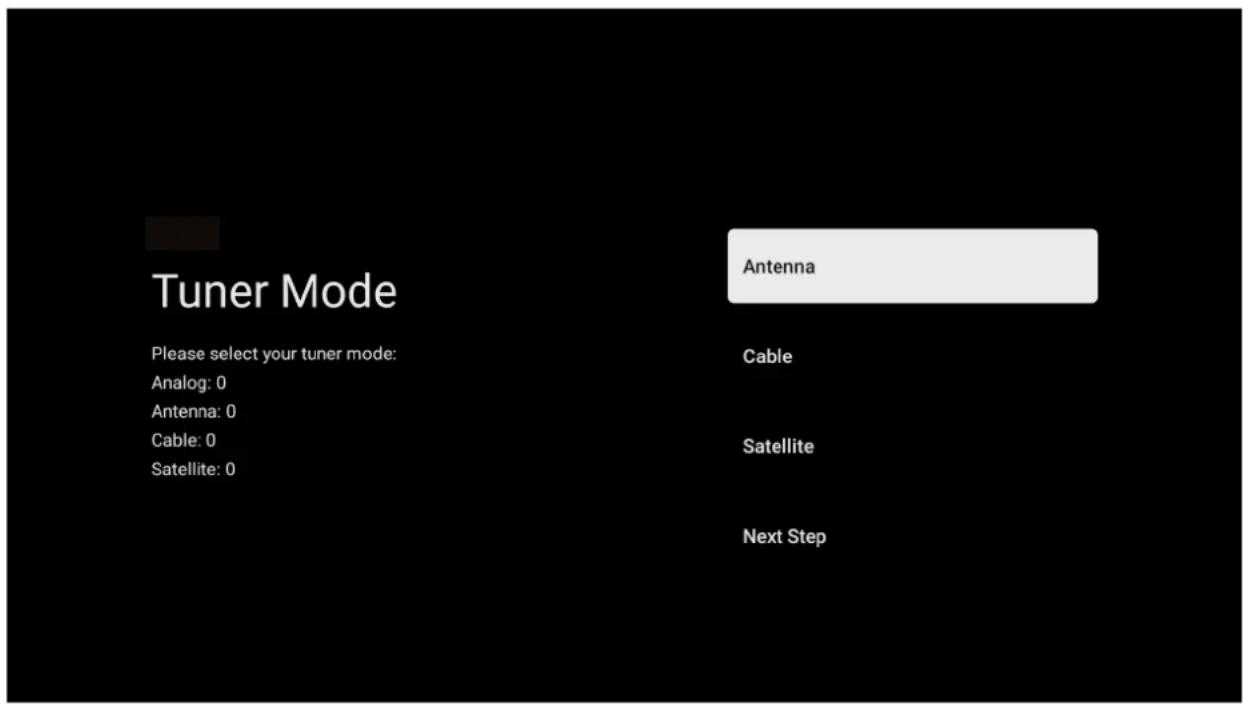
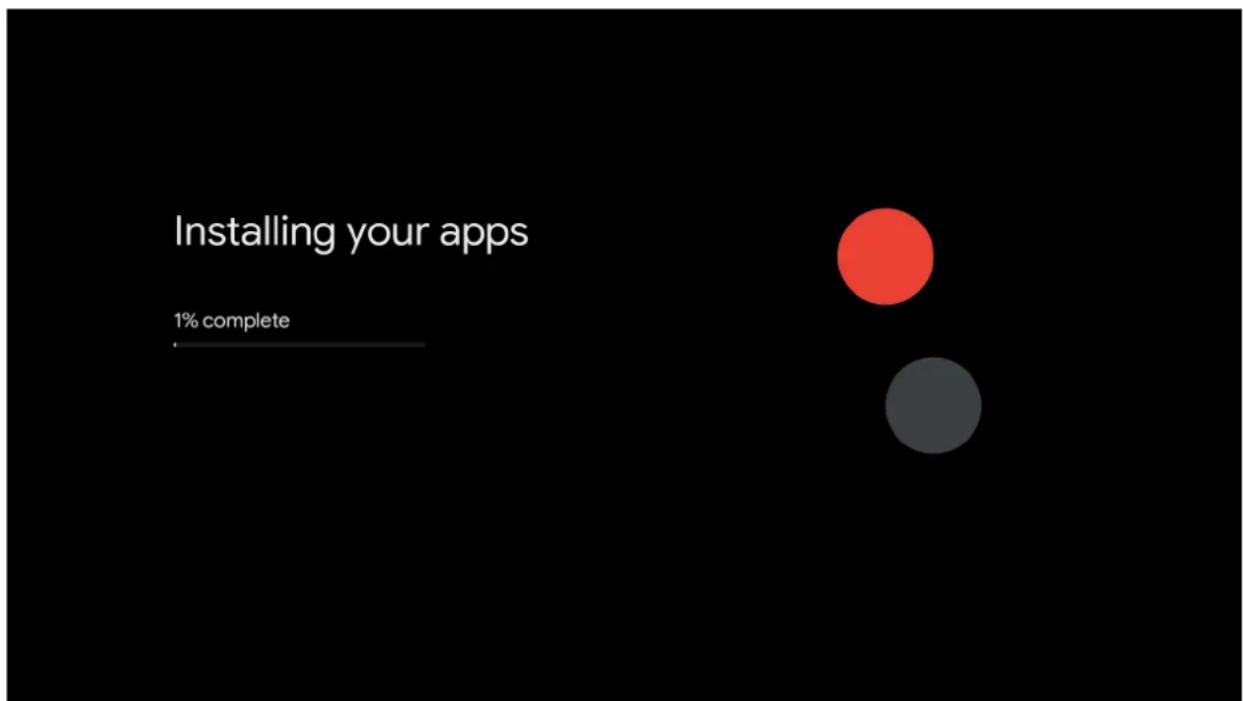
bar
Installing your apps | Category | Value | |---|---| | Red Circle | 100 | | Grey Circle | 50 |GOOGLE TV
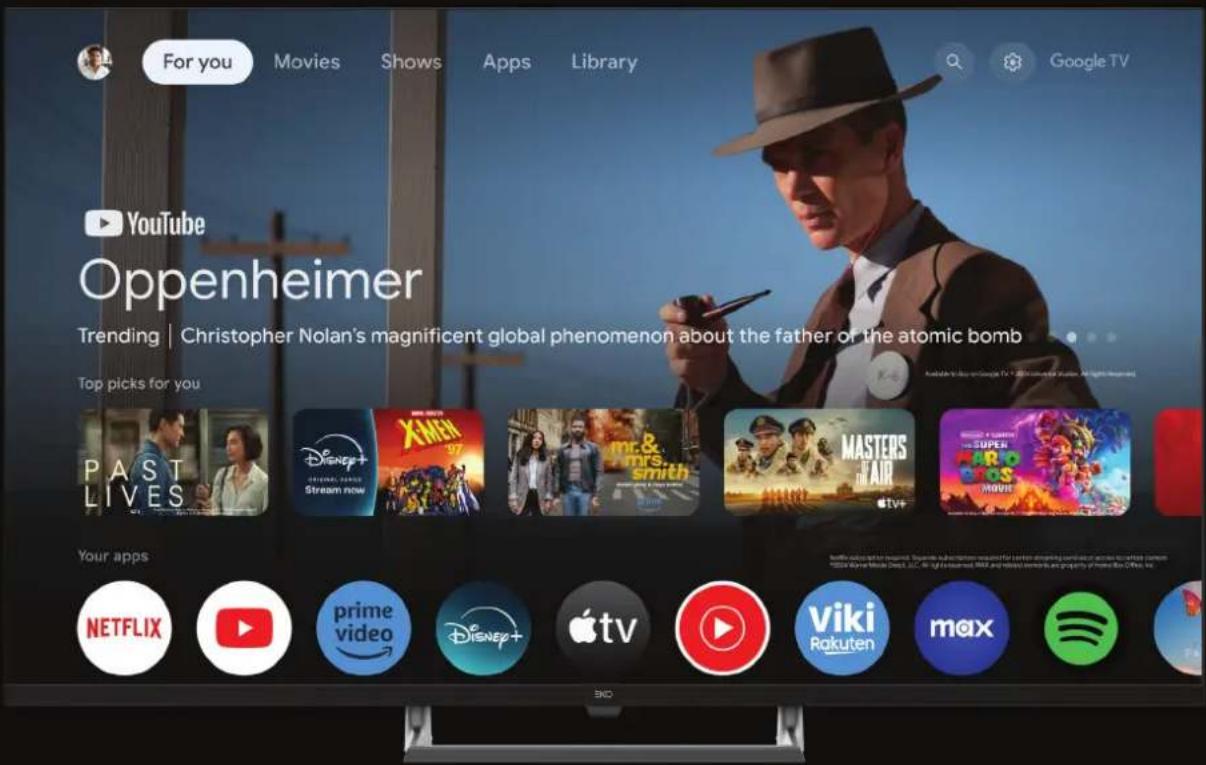
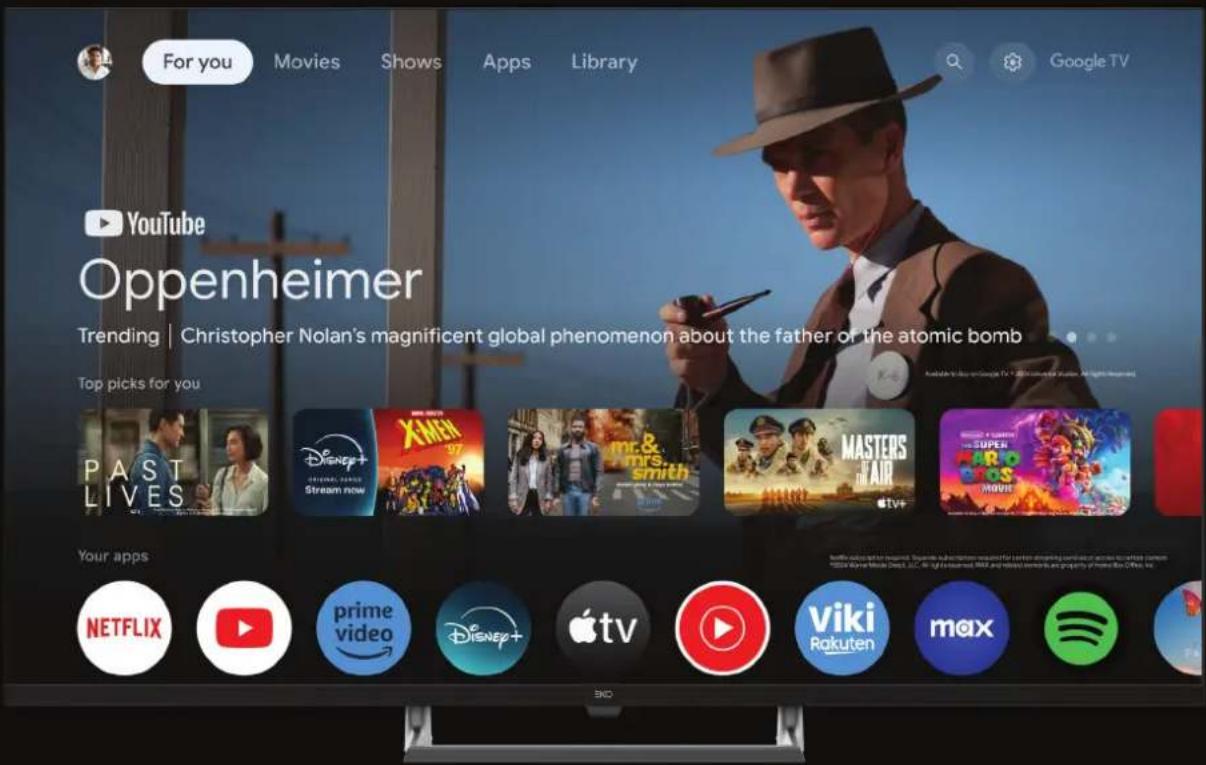
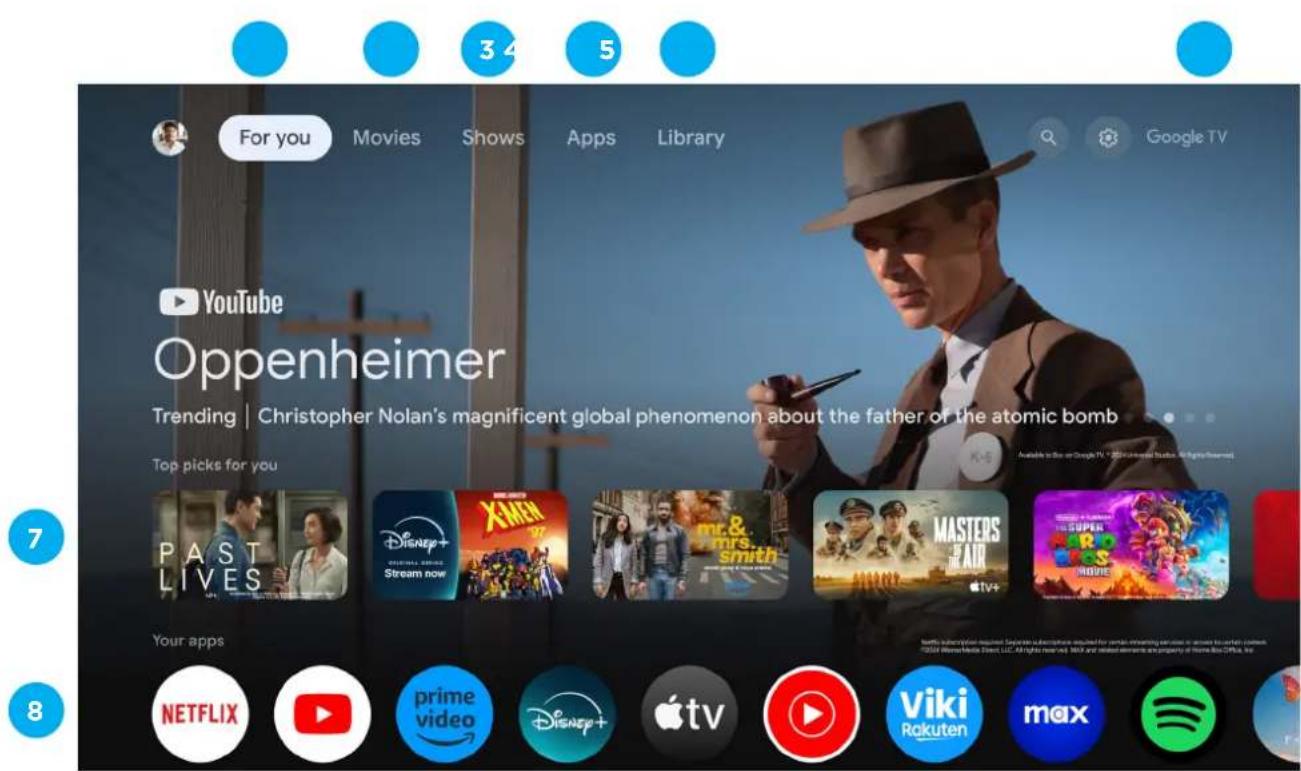
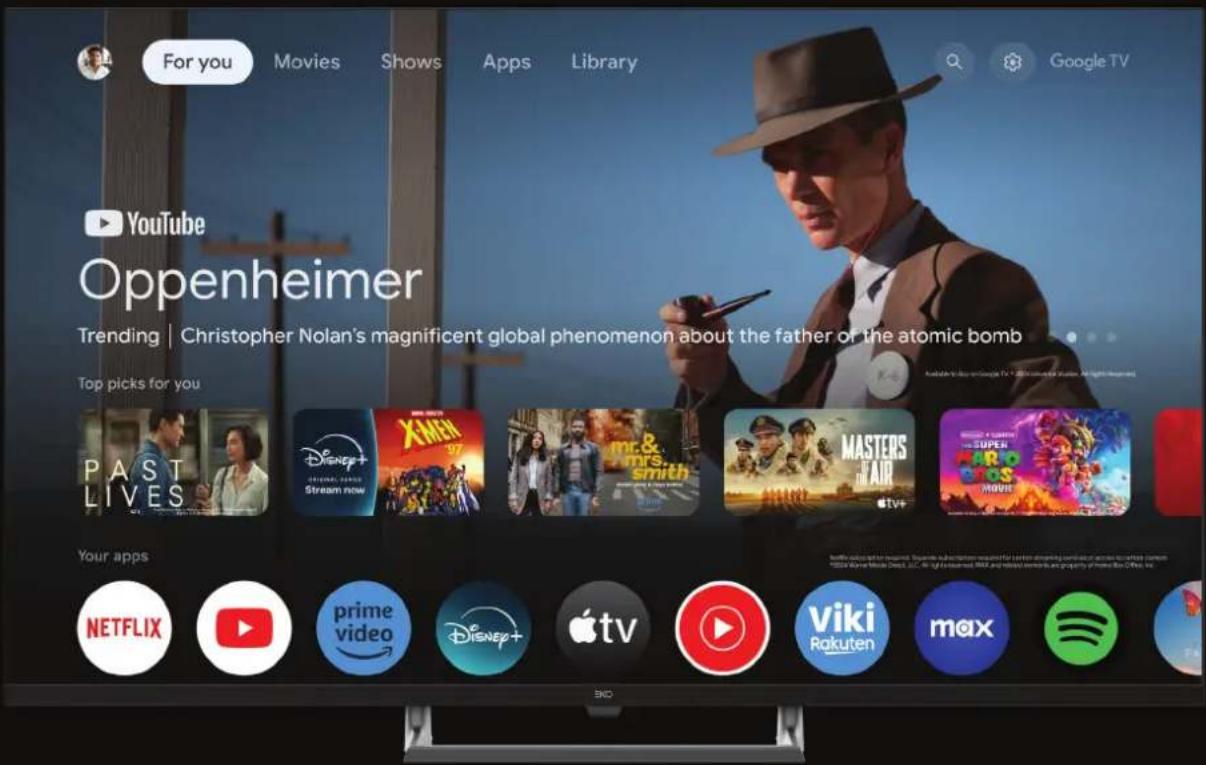
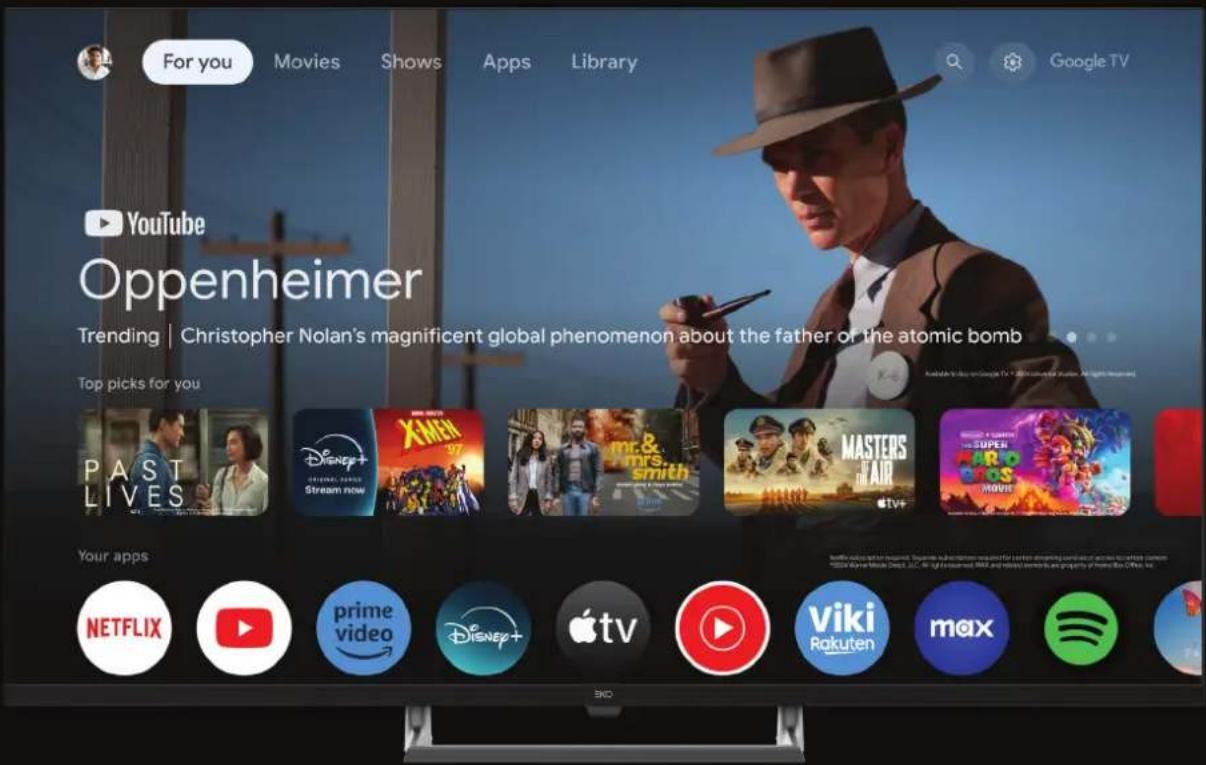
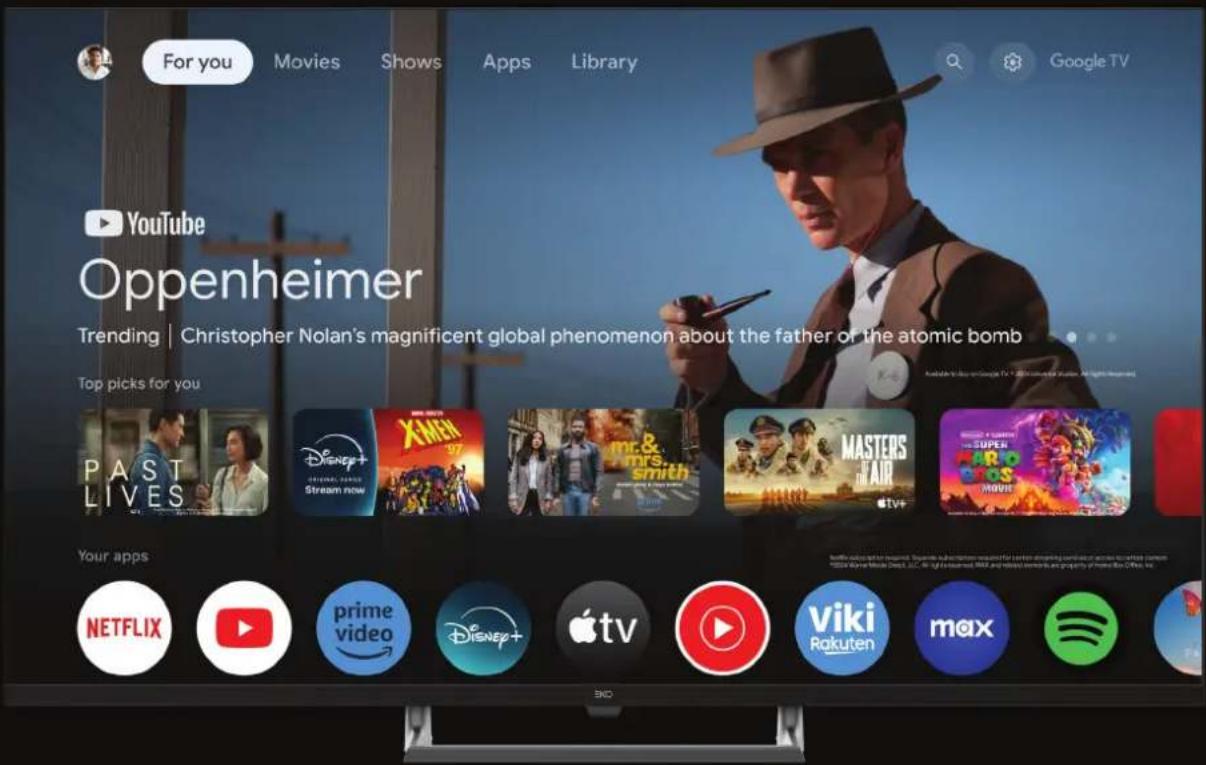
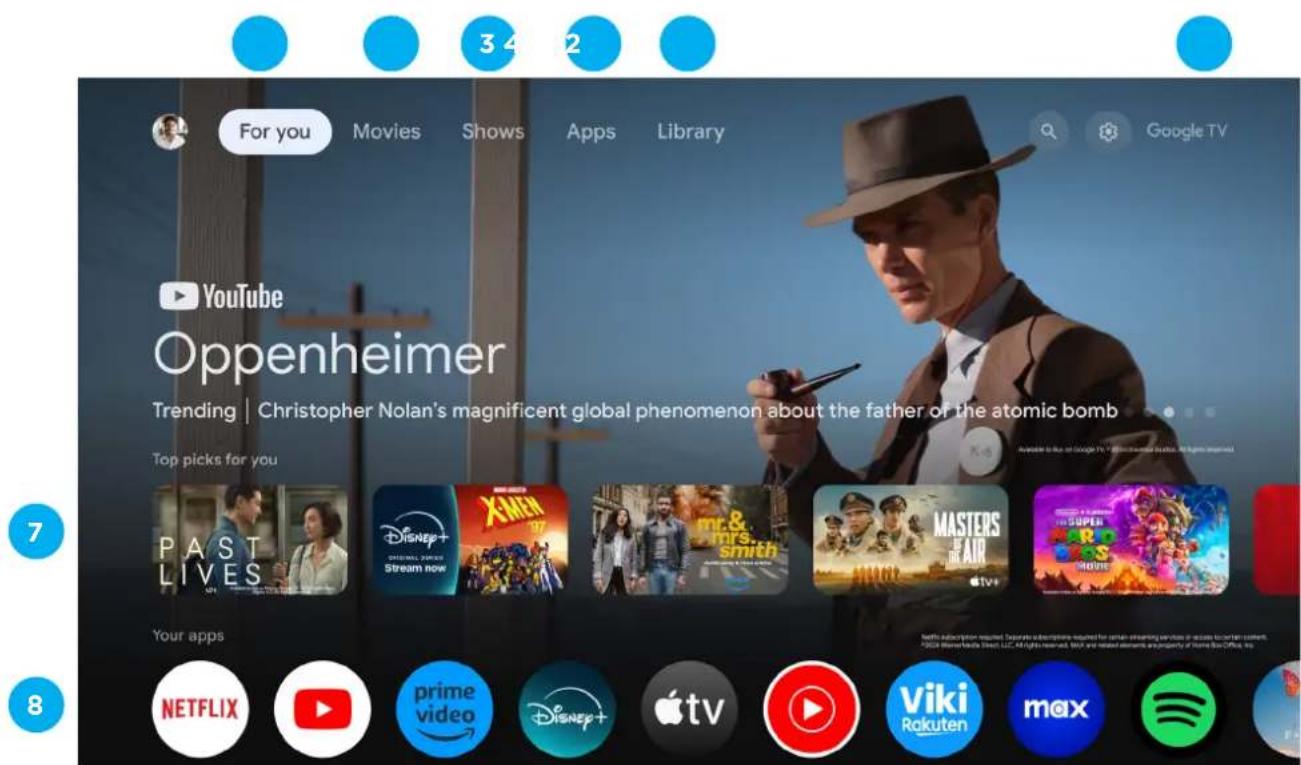
Once you have completed initial setup, you will now enter the Google TV home screen.
Your Google TV experience is ready
Start exploring
natural_image
Abstract geometric shapes including a circle, rectangles, and a smartphone with colored blocks on a black background (no text or symbols)GOOGLE TV(CONT.)
Press the Google Assistant button on your remote to do more on your TV with your voice, or select "Search" and type in what you are looking for.
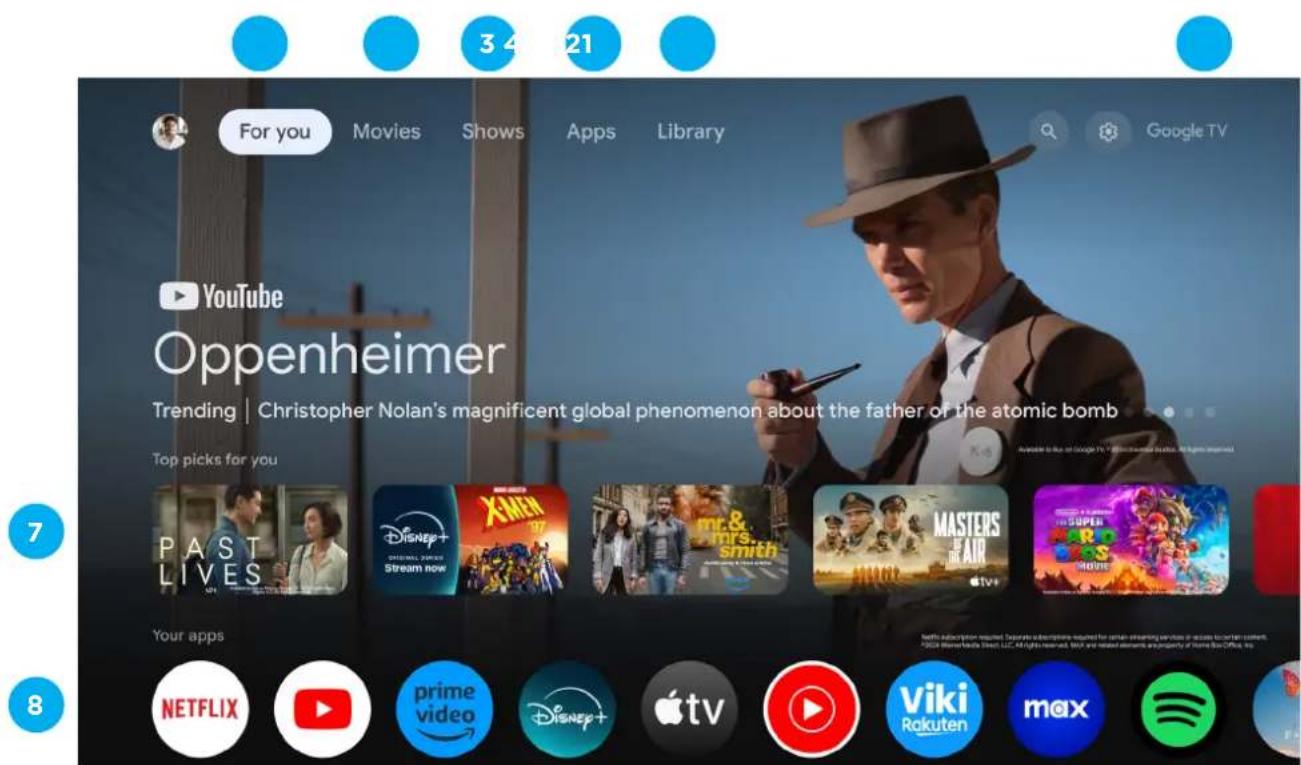
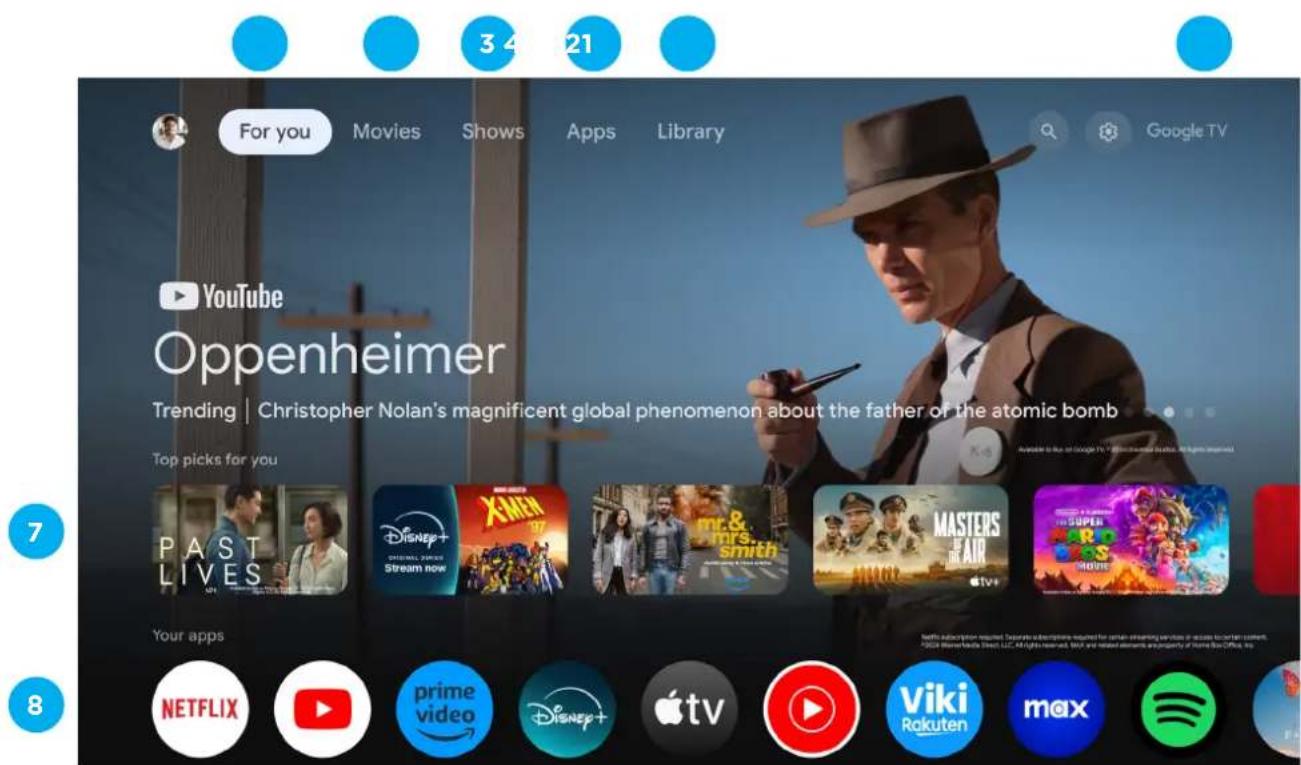
- FOR YOU - Main page for advertised TV shows, Live TV, Installed Apps, and top picks based on content recommendations tailored for you.
7 - Each row past this point will display recommended content from the apps you already have installed.
8 - Apps you have installed. At the end of this row of apps, Select the + box and add your app that you have downloaded and installed to the home screen of your Google TV.
- MOVIES - This menu is all movies recommended for you to watch.
- SHOWS - This menu is all TV shows recommended for you to watch.
- APPS - to search for and download/install onto your Google TV.
- LIBRARY - All installed app will appear in this menu, including updates and more.
- PROFILE - Select this option if you want to access:
+ Add or Manage Google Account
Settings
Date & Time
TV Inputs
Picture (TV Display)
GOOGLE ASSISTANT
Do more on your TV with your voice. Press the Google Assistant button on your remote to quickly search 400,000+ movies and shows, get recommendations to match your mood, control smart home devices, and more.
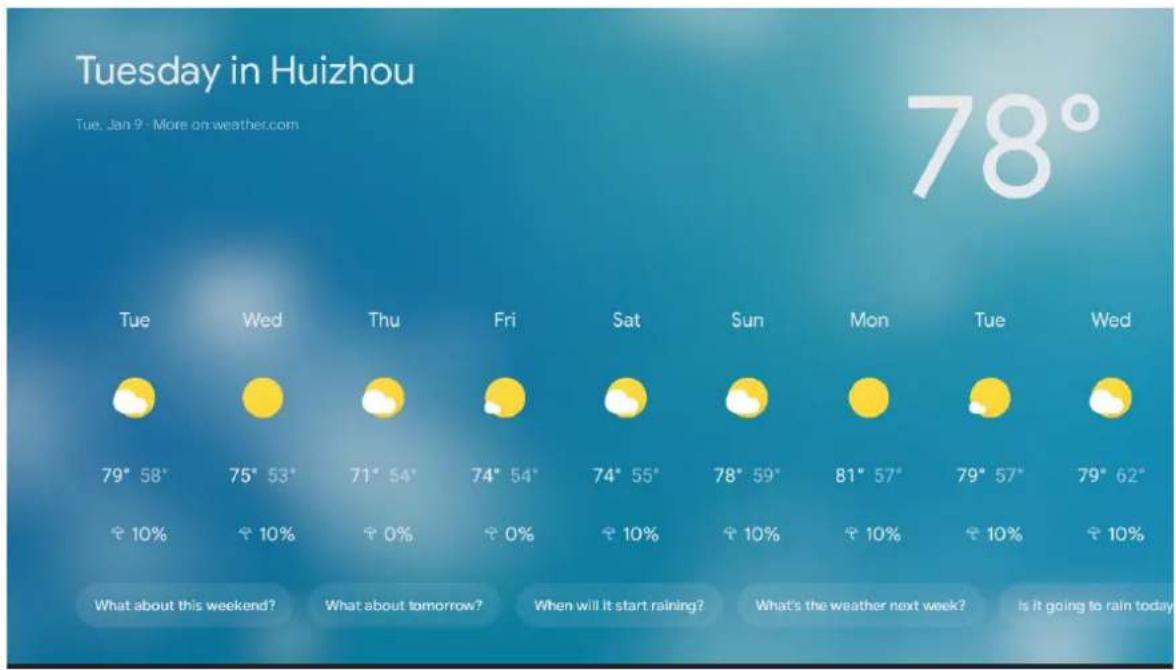
Ask Google to search for the latest blockbuster, stream shows, or open multiplayer games. Have it dim the lights by connecting smart home devices. Manage tasks and see your calendar. Or ask it questions and see the answers on your TV.
"What's the weather today?"
MENU
To access SETTINGS menu:
- Select Profile Icon (#6 on page 34) menu
- Select Settings
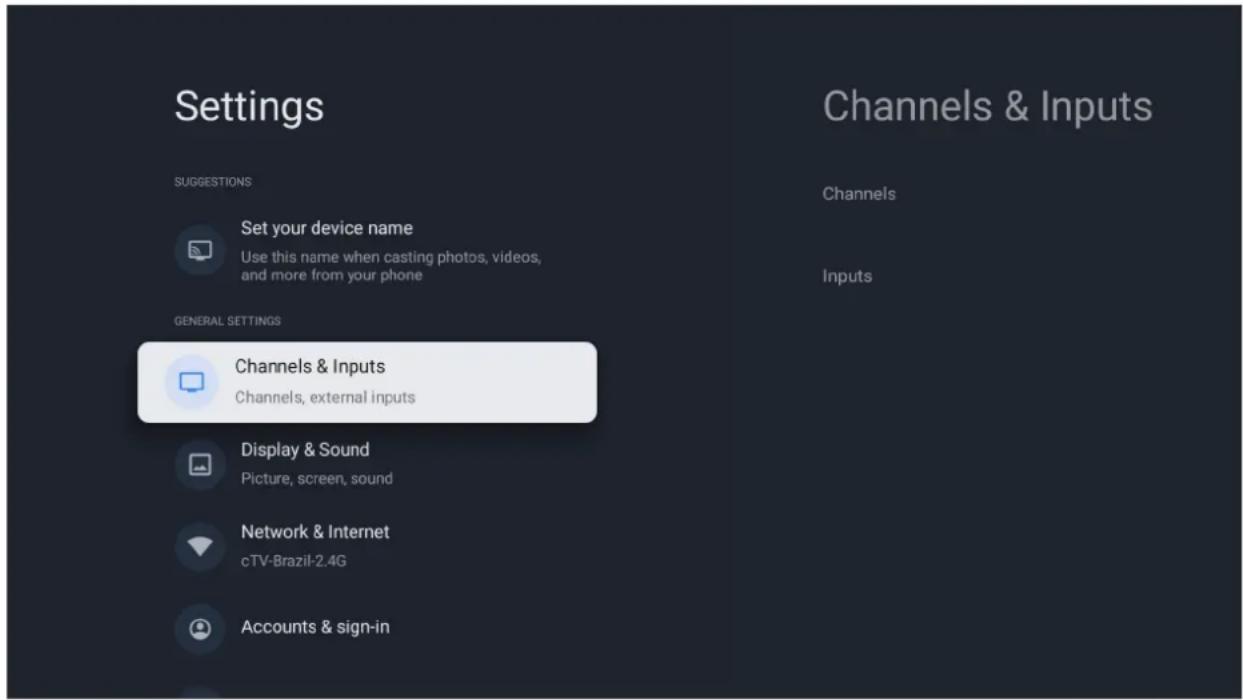
SETTINGS AVAILABLE ARE:
- Set your Device Name - This is to pick a Chromecast name, when searching to chromcast content from smartphone to TV, this name will appear on your smart device.
- Channels & Inputs - Live TV and TV inputs menu
- Display & Sound - Picture and Audio settings
- Network & Internet - Wi-Fi or Ethernet connection settings
- Accounts & Sign in - Google Account settings
PICTURE MENU
To access PICTURE menu:
- Select Profile Icon (#6 on page 34) menu
- Select Settings
- Go down and select Display & Sound.
- Then select Picture
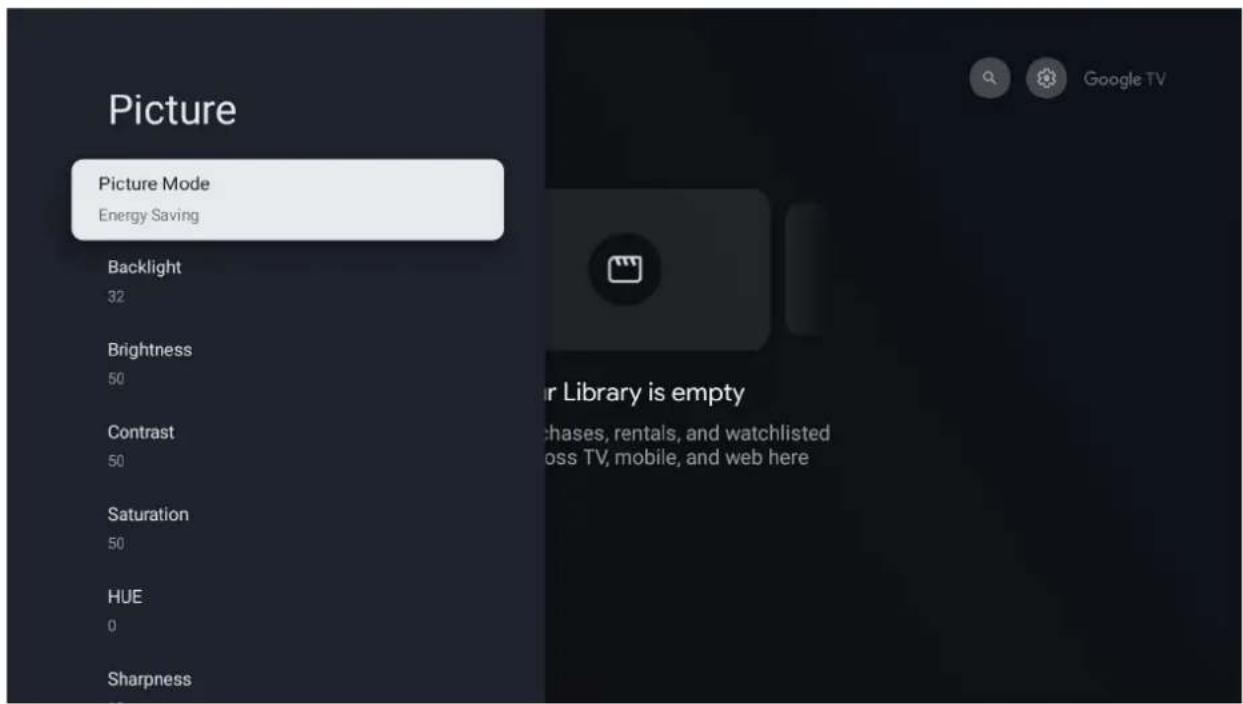
SOUND MENU
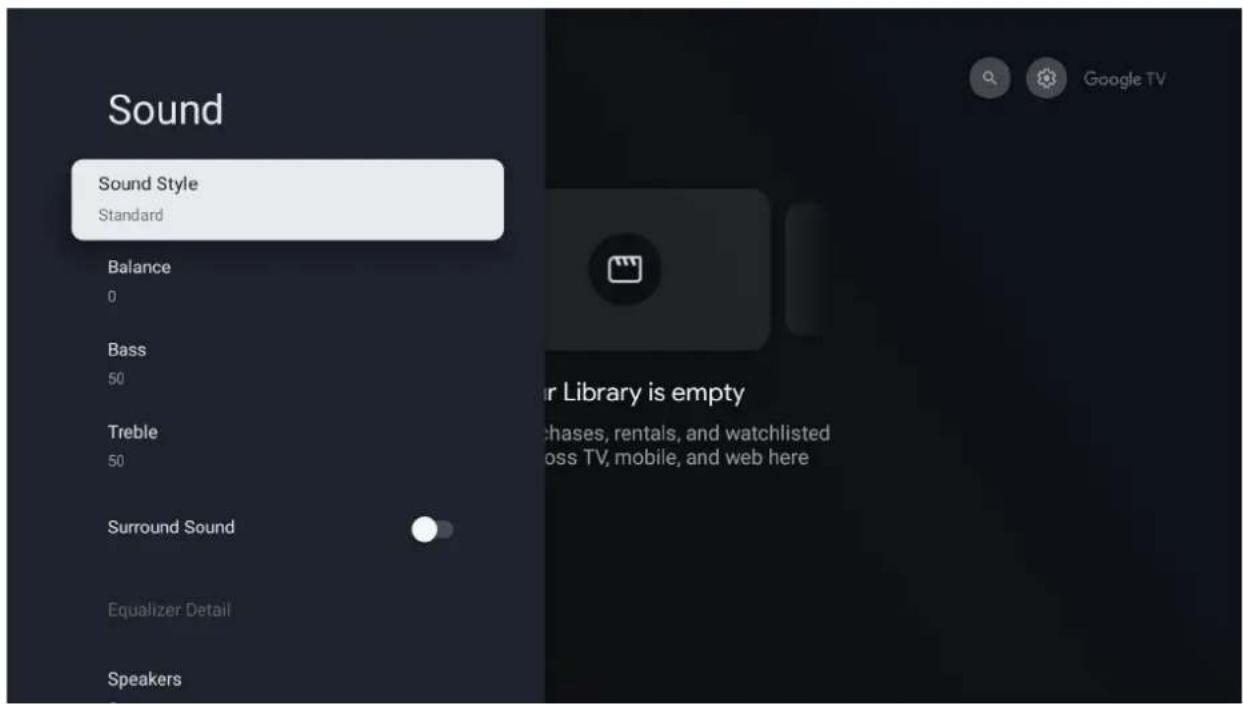
To access SOUND menu:
- Select Profile Icon (#6 on page 34) menu
- Select Settings
- Go down and select Display & Sound.
- Then select Sound
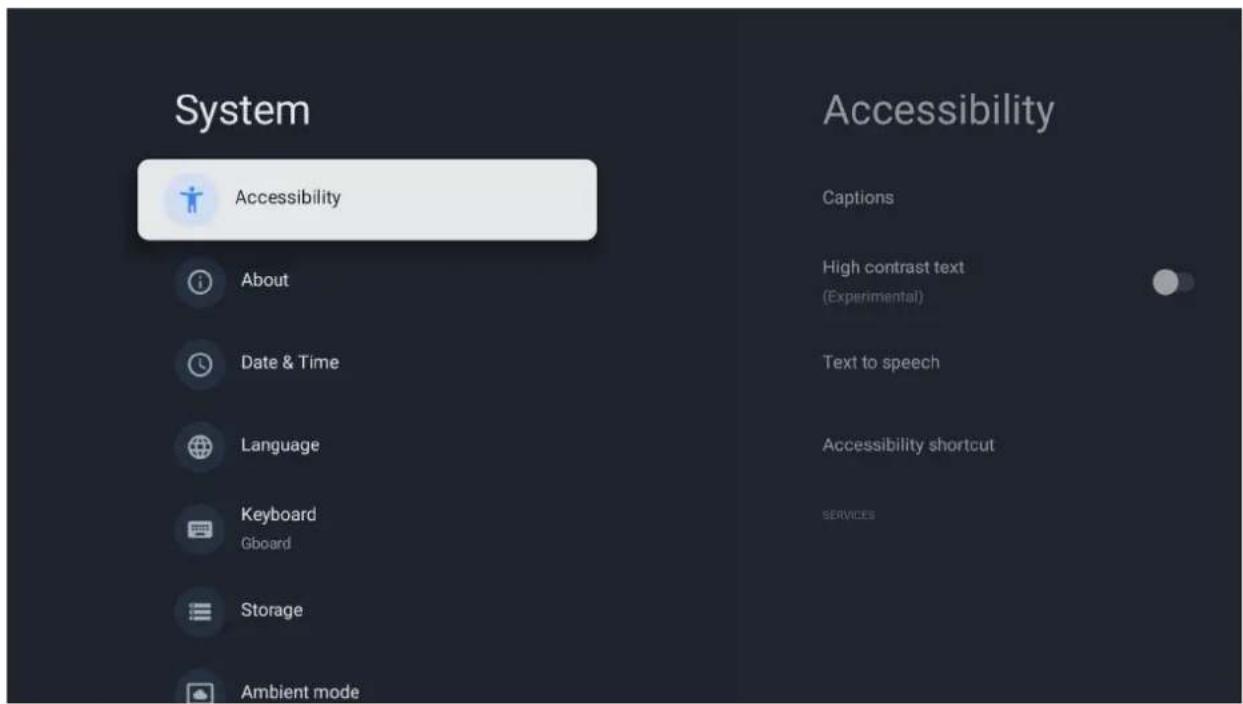
SYSTEM MENU
To access SYSTEM menu:
- Select Profile Icon (#6 on page 34) menu
- Select Settings
- Go down and select System.
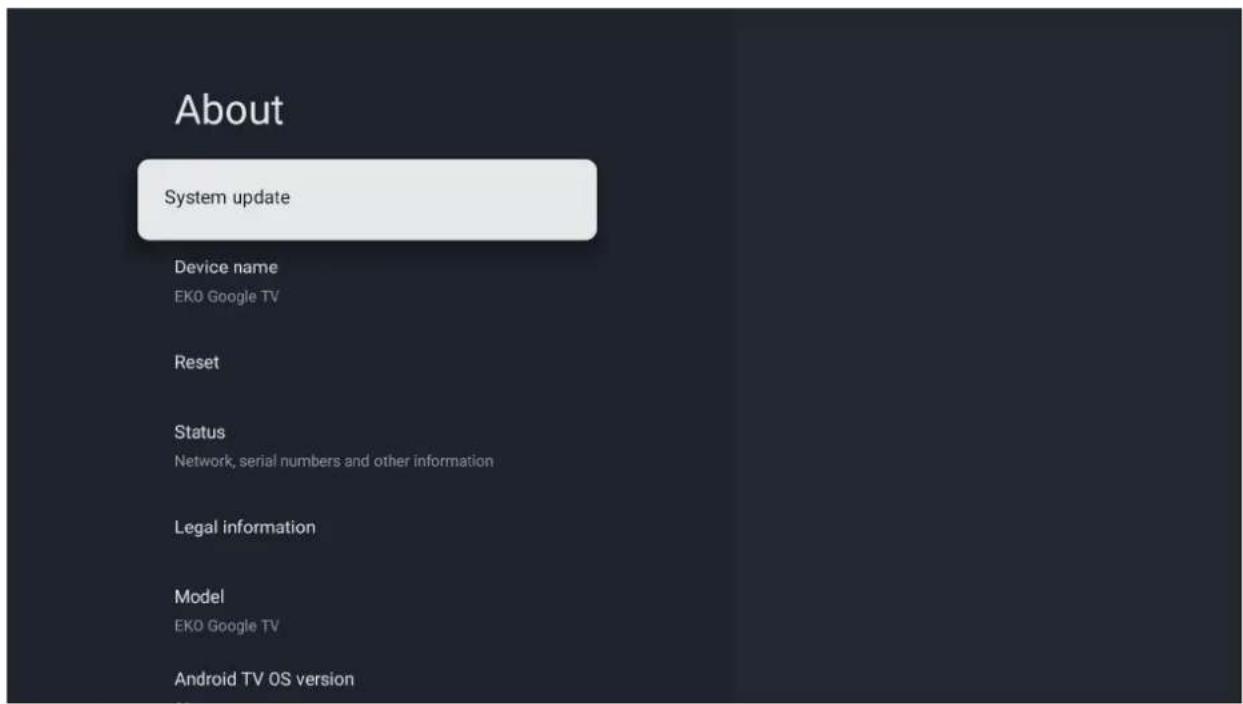
ABOUT MENU
To access About menu:
- Select Profile Icon (#6 on page 34) menu
- Select Settings
- Go down and select About.
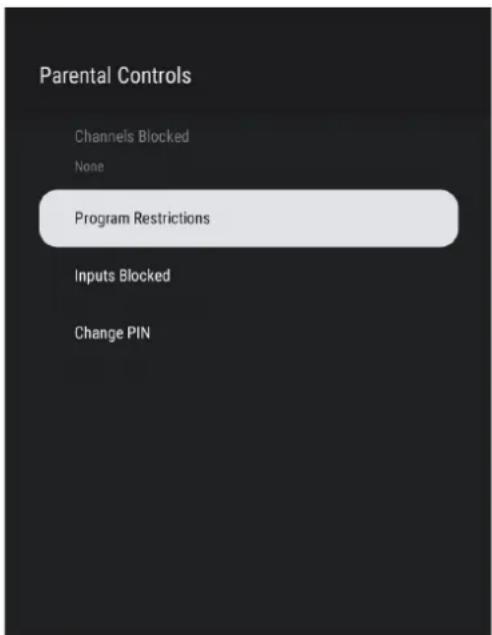
PARENTAL CONTROL
To access PARENTAL CONTROL menu,
- Go to LiveTV APP
- Press menu key on remote control.
- Move to Parent controls.
- Press OK, then input your password which you set at the initial process to open Parent controls menu
From here you have the option to select and create a new password to lock the channels you want to lock.
Note: please make sure to store/save password somewhere you can access at a later date. Forgetting password, you may need to factory reset TV to use again.
GENERAL PROBLEMS WITH TV SET
| Symptoms Items to check and actions to follow | |
| “ghost” or double image | This may be caused by obstruction to antenna due to high rise buildings or hills. Using a highly directional antenna may improve the picture. |
| No power | ·Check if the TV's AC power cord is plugged into the outlet.·Unplug the TV, wait for 60 seconds. Then reinsert plug into the outlet and turn on the TV again. |
| No picture | ·Check antenna connections at the rear of the TV to see if it is properly connected to the TV.·Possible broadcast station trouble. Try another channel.·Adjust the contrast and brightness setting.·Check the Closed Captions control. Some TEXT modes could block the screen. |
| Good picture but no sound | ·Increase the volume level by pressing the VOL+ button on the remote control or on the TV side control panel.·Press the MUTE button on the remote control to ensure mute is off. |
| Good sound but poor color A | Adjust the contrast, color and brightness settings |
| Snowy picture and noise Check the antenna connection | |
| Horizontal dotted line | This may be caused by electrical interference (e.g. hair dryer, near-by neon lights, etc.) Turn off the equipment. |
| Television not responding to remote control | ·Check whether the batteries are working. Replace if necessary.·Clean the remote control sensor lens on the TV.·You can still use the buttons on the side of your TV. |
| Pixels (dots) that are always dark or always lit | Your TV is precision-manufactured using an extremely high level of technology. However, sometimes pixels may not display correctly. These types of occurrences are inherent to this type of product and do not constitute a defective product. |
Italiano
Disposal of old electrical & electronic equipment (Applicable in the European Union and other European countries with separate collection systems)
This symbol on the product or in its packaging indicates that this product shall not be treated as household waste. Instead it shall be handed over to the applicable collection point for the recycling of electrical and electronic equipment. By ensuring this product is disposed of correctly, you will help prevent potential negative consequences for the environment and human health, which could otherwise be caused by inappropriate waste handling of this product. The recycling of materials will help to conserve natural resources. For more detailed information about recycling of this product, please contact your local city office, your household waste disposal service or the shop where you purchased the product.
Français
40" FULL HD SMART TV
K400FDGC
H.265
HEVC
MANUALE UTENTE
natural_image
Warning symbol of a lightning bolt inside a triangle (no text or numbers)natural_image
Warning symbol with a triangle containing an ear and sound waves (no text or numbers)natural_image
Symbolic icon of a person pushing a large object, enclosed in a circle (no text or symbols)ISTRUZIONI GENERALI DI SICUREZZA (Cont.)
natural_image
Back view of a computer monitor with visible internal components and a side-mounted cable (no text or symbols)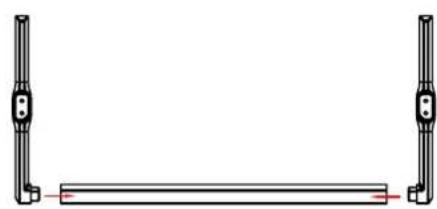
natural_image
Pure mechanical diagram showing two vertical rods flanking a horizontal bar with a red line (no text or symbols)
natural_image
Simple line drawing of a U-shaped frame with two vertical posts and a horizontal bar (no text or symbols)
ATTENZIONE!
natural_image
Top-down view of a black flat-screen TV with visible front panel and side legs (no text or symbols)Universal Remote Control Code: A05F
TELECOMANDO (CONT.)
GOOGLE ASSISTANT SETUP
40" FULL HD SMART TV
K400FDGC
BEDIENUNGSANLEITUNG
natural_image
Warning symbol of a lightning bolt inside a triangle (no text or numbers)natural_image
Warning symbol with a triangle containing an ear and sound waves (no text or numbers)natural_image
Back view of a computer monitor with internal panel and side-mounted cable (no text or symbols visible)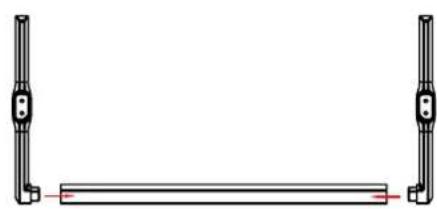
natural_image
Pure mechanical diagram showing two vertical rods flanking a horizontal bar with a red line (no text or symbols)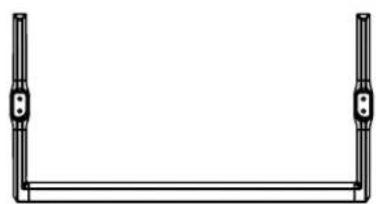
natural_image
Simple line drawing of a U-shaped frame with two vertical posts and a horizontal bar (no text or symbols)
VORSICHT!
natural_image
Top-down view of a flat-screen TV unit back panel showing front, rear, and side panels (no text or symbols visible)Universal Remote Control Code: A05F
FERNSTEUERUNG
GOOGLE ASSISTANT SETUP
natural_image
Pure electrical circuit lines without any symbolsGOOGLE TV(CONT.)
Disposal of old electrical & electronic equipment (Applicable in the European Union and other European countries with separate collection systems)
This symbol on the product or in its packaging indicates that this product shall not be treated as household waste. Instead it shall be handed over to the applicable collection point for the recycling of electrical and electronic equipment. By ensuring this product is disposed of correctly, you will help prevent potential negative consequences for the environment and human health, which could otherwise be caused by inappropriate waste handling of this product. The recycling of materials will help to conserve natural resources. For more detailed information about recycling of this product, please contact your local city office, your household waste disposal service or the shop where you purchased the product.
Français
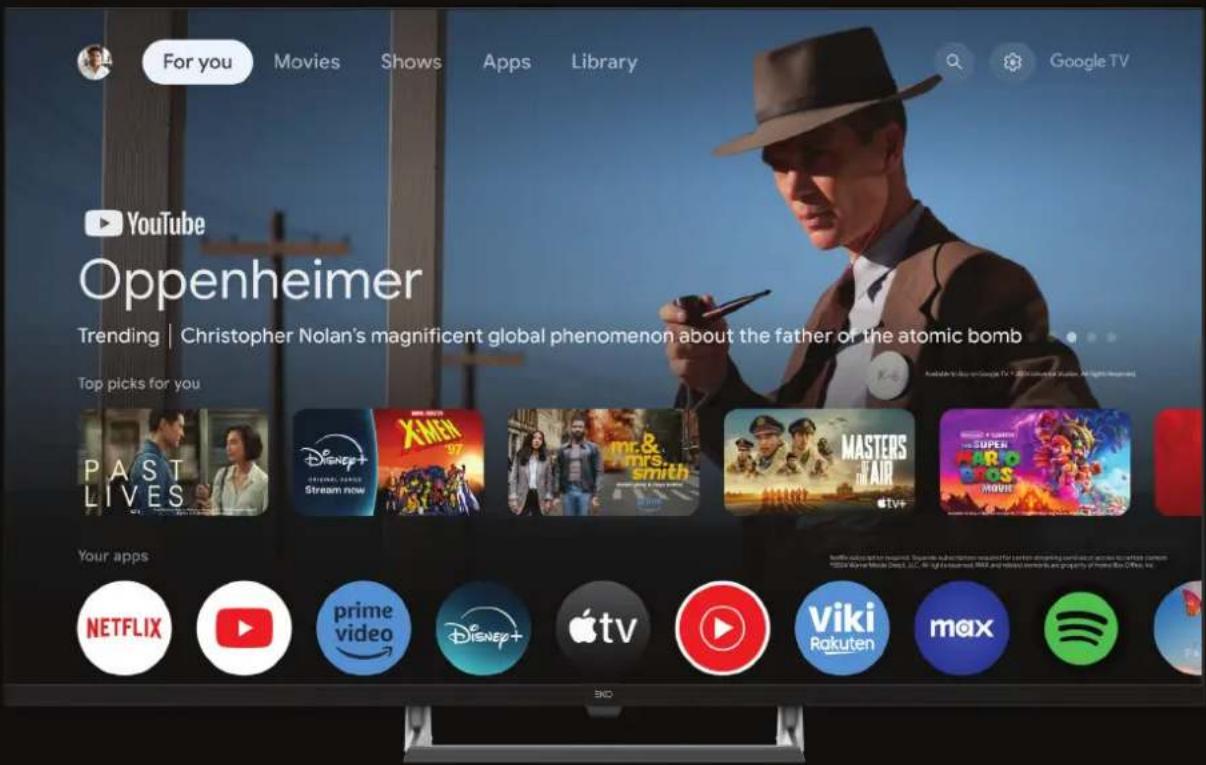
40" FULL HD SMART TV
K400FDGC
INSTRUCTIONS D'UTILISATION
natural_image
Warning symbol of a lightning bolt inside a triangle (no text or numbers)| Information Value and precision Unit | ||||
| Supplier's name or trade mark | EKO -- | |||
| Supplier's model identifier | K400FDGC | -- | ||
| Energy efficiency class for standard Dynamic Range (SDR) | E | -- | ||
| On mode power demand for Standard Dynamic Range (SDR) | 37 W | |||
| Energy efficiency class (HDR) | - | -- | ||
| On mode power demand in High Dynamic Range (HDR) mode | - W | |||
| Off mode, power demand | O | W | ||
| Standby mode, power demand | ≤0.5 W | |||
| Networked Standby mode, power demand | ≤2 W | |||
| Electronic display category | television | -- | ||
| Size ratio | 16 : 9 integer | |||
| Screen resolution (pixels) | 1920 x | 1080 | pixels | |
| Screen diagonal | 100 | cm | ||
| Screen diagonal | 40 | inches | ||
| Visible screen area | 4261 | cm2 | ||
| Panel technology used | LCD | -- | ||
| Automatic Brightness Control (ABC) available | NO | -- | ||
| Voice recognition sensor available | NO | -- | ||
| Room presence sensor available | NO | -- | ||
| Image refresh frequency rate | 60 | Hz | ||
| Minimum guaranteed availability of software and firmware updates (until): | 8 year | -- | ||
| Minimum guaranteed availability of spare parts (until): | 7 year | -- | ||
| Minimum guaranteed product support (until): | 03/30/2026 | -- | ||
| Power supply type: | Internal | -- | ||
SPÉCIFICATIONS
natural_image
Top-down view of a computer monitor with front panel and side panel, showing internal components and alignment markers (no text or symbols)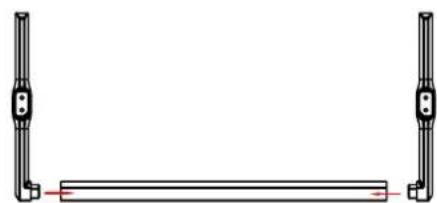
natural_image
Pure mechanical diagram showing two vertical rods flanking a horizontal bar with a red centerline (no text or symbols)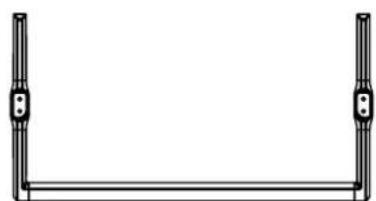
natural_image
Simple line drawing of a U-shaped frame with two vertical posts and a horizontal bar (no text or symbols)
Faites attention!
M6*8mm Screws (4 pcs)
natural_image
Back view of a flat-screen TV with visible internal components and mounting feet (no text or symbols)Universal Remote Control Code: A05F
TÉLÉCOMMANDE (CONT.)
natural_image
Pure electrical circuit lines without any symbolsGOOGLE TV(CONT.)
Disposal of old electrical & electronic equipment (Applicable in the European Union and other European countries with separate collection systems)
This symbol on the product or in its packaging indicates that this product shall not be treated as household waste. Instead it shall be handed over to the applicable collection point for the recycling of electrical and electronic equipment. By ensuring this product is disposed of correctly, you will help prevent potential negative consequences for the environment and human health, which could otherwise be caused by inappropriate waste handling of this product. The recycling of materials will help to conserve natural resources. For more detailed information about recycling of this product, please contact your local city office, your household waste disposal service or the shop where you purchased the product.
Français
40" FULL HD SMART TV
K400FDGC
INSTRUCCIONES DE USO
Lea cuidadosamente este manual antes de usarlo y guardarlo para referencia.
CONTENIDO
Seguridad General 4
Calendario técnico 16
Especificaciones 17
Instalación 19
natural_image
Warning symbol of a lightning bolt inside a triangle (no text or numbers)natural_image
Warning symbol with exclamation mark inside a triangle (no text or numbers)natural_image
Warning symbol with a triangle containing a stylized ear and sound waves (no text or numbers)| Information Value and precision Unit | ||||
| Supplier's name or trade mark | EKO -- | |||
| Supplier's model identifier | K400FDGC | -- | ||
| Energy efficiency class for standard Dynamic Range (SDR) | E | -- | ||
| On mode power demand for Standard Dynamic Range (SDR) | 37 W | |||
| Energy efficiency class (HDR) | - | -- | ||
| On mode power demand in High Dynamic Range (HDR) mode | - W | |||
| Off mode, power demand | 0 | W | ||
| Standby mode, power demand | ≤0.5 W | |||
| Networked Standby mode, power demand | ≤ 2 W | |||
| Electronic display category | television | -- | ||
| Size ratio | 16 : 9 integer | |||
| Screen resolution (pixels) | 1920 x | 1080 | pixels | |
| Screen diagonal | 100 | cm | ||
ESPECIFICACIONES
| WIFI Working frequency 2.4GHz | |
| Maximum transmission power of WIFI | IEEE 802.11b 16±2 dBm at 11MbpsIEEE 802.11g 15±2 dBm at 54MbpsIEEE 802.11n -2.4GHz Band/HT20: 14±2 dBm at MCS72.4GHz Band/HT40: 14±2 dBm at MCS7 |
INSTALACIÓN
natural_image
Back view of a computer monitor with internal panel and side-mounted cable (no text or symbols visible)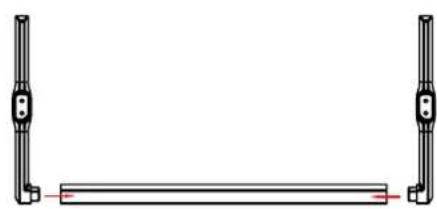
natural_image
Pure mechanical diagram showing two vertical supports with a horizontal bar, no text or symbols present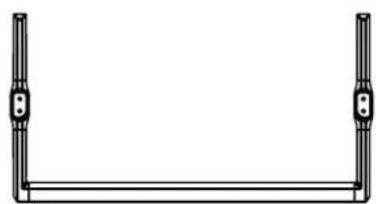
natural_image
Simple line drawing of a U-shaped frame with two vertical posts and a horizontal bar (no text or symbols)
Cuidado!
M6*8mm Screws (4 pcs)
natural_image
Top-down view of a flat-screen TV with visible rear panels and front connectors (no text or symbols)Universal Remote Control Code: A05F
CONTROL REMOTO (CONT.)
Disposal of old electrical & electronic equipment (Applicable in the European Union and other European countries with separate collection systems)
This symbol on the product or in its packaging indicates that this product shall not be treated as household waste. Instead it shall be handed over to the applicable collection point for the recycling of electrical and electronic equipment. By ensuring this product is disposed of correctly, you will help prevent potential negative consequences for the environment and human health, which could otherwise be caused by inappropriate waste handling of this product. The recycling of materials will help to conserve natural resources. For more detailed information about recycling of this product, please contact your local city office, your household waste disposal service or the shop where you purchased the product.
Français
40" FULL HD SMART TV
K400FDGC
MANUAL DE INSTRUÇÕES
natural_image
Warning symbol of a lightning bolt inside a triangle (no text or numbers)natural_image
Warning symbol with a triangle containing a stylized ear and sound waves (no text or numbers)natural_image
Symbolic icon of a person pushing a ladder inside a circle (no text or symbols)| Information Value and precision Unit | ||||
| Supplier's name or trade mark | EKO -- | |||
| Supplier's model identifier | K400FDGC | -- | ||
| Energy efficiency class for standard Dynamic Range (SDR) | E | -- | ||
| On mode power demand for Standard Dynamic Range (SDR) | 37 W | |||
| Energy efficiency class (HDR) | - | -- | ||
| On mode power demand in High Dynamic Range (HDR) mode | - W | |||
| Off mode, power demand | O | W | ||
| Standby mode, power demand | ≤0.5 W | |||
| Networked Standby mode, power demand | ≤2 W | |||
| Electronic display category | television | -- | ||
| Size ratio | 16 : 9 integer | |||
| Screen resolution (pixels) | 1920 x | 1080 | pixels | |
| Screen diagonal | 100 | cm | ||
| Screen diagonal | 40 | inches | ||
| Visible screen area | 4261 | cm2 | ||
| Panel technology used | LCD | -- | ||
| Automatic Brightness Control (ABC) available | NO | -- | ||
| Voice recognition sensor available | NO | -- | ||
| Room presence sensor available | NO | -- | ||
| Image refresh frequency rate | 60 | Hz | ||
| Minimum guaranteed availability of software and firmware updates (until): | 8 year | -- | ||
| Minimum guaranteed availability of spare parts (until): | 7 year | -- | ||
| Minimum guaranteed product support (until): | 03/30/2026 | -- | ||
| Power supply type: | Internal | -- | ||
ESPECIFICAÇÃO
natural_image
Top-down view of a computer monitor rear panel with side-mounted buttons and a horizontal bar, shown with red dashed lines indicating measurement or alignment points (no text or symbols present)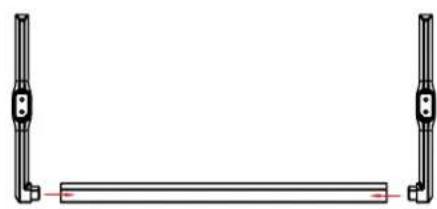
natural_image
Pure mechanical diagram showing two vertical rods flanking a horizontal bar with a red line (no text or symbols)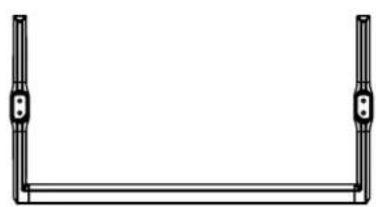
natural_image
Simple line drawing of a U-shaped frame with two vertical posts and a horizontal bar at the bottom (no text or symbols)
precaução!
M6*8mm Screws (4 pcs)
natural_image
Top-down view of a black TV remote with visible rear panel and front panel (no text or symbols)Universal Remote Control Code: A05F
CONTROLO REMOTO (CONT.)
Olá, Zhongtian Wang!

natural_image
Pure electrical circuit lines without any symbolsGOOGLE TV(CONT.)
Disposal of old electrical & electronic equipment (Applicable in the European Union and other European countries with separate collection systems)
This symbol on the product or in its packaging indicates that this product shall not be treated as household waste. Instead it shall be handed over to the applicable collection point for the recycling of electrical and electronic equipment. By ensuring this product is disposed of correctly, you will help prevent potential negative consequences for the environment and human health, which could otherwise be caused by inappropriate waste handling of this product. The recycling of materials will help to conserve natural resources. For more detailed information about recycling of this product, please contact your local city office, your household waste disposal service or the shop where you purchased the product.
Français
40" FULL HD SMART TV
K400FDGC
INSTRUKCJA OBSŁUGI
Read this instruction manual carefully as it contains important information on the safety, use and maintenance of the appliance. Keep the manual for future reference.
- Disconnect the plug from the wall socket in case of a long period of disuse. Disconnect the plug and antenna cable even in severe thunderstorms.
- Do not pull the cable to pull the plug out of the socket
- Do not rest heavy objects on the cables
- Do not bend or knot the cables
- The TV screen is made of a fragile material, therefore, it should not be subjected to impact or pressure to avoid damage. If it is damaged, remove the plug from the socket and contact a service center. If liquid comes out of the panel, be careful and do not let it come into contact with your eyes and mouth, contact a doctor if necessary.
- Switch off and unplug from the mains before cleaning and maintenance. For cleaning, use only a clean dry cloth.
Do not use aggressive detergents such as thinners, alcohol, petrol. - Place the device on a stable surface that can withstand its weight. If you are using a
mobile, it must be strong and large enough to prevent the TV from protruding beyond
edges of the cabinet. If it is fixed to the wall, follow the instructions for correct fixing to avoid danger. Do not place the TV in high positions (furniture, shelves, shelves) unless they are properly fixed to the wall. Do not place any textile or similar product between the TV and the furniture.
It is necessary to inform children about the dangers so as to prevent them from climbing on the furniture to reach the TV and its accessories. - Leave adequate space on the sides of the TV to ensure proper ventilation
- Do not expose the TV to direct sunlight, heat sources or naked flame sources (candles)
OGÓLNE INSTRUKCJE BEZPIECZEŃSTWA
-
No objects containing liquids, such as vases, should be placed on the TV. Avoid exposure to drops and splashes of water.
-
Connect only to a mains socket that complies with the regulations in force and in accordance with the rating plate data of the TV. The mains socket must be close and easily accessible to disconnect the TV in case of danger. If the TV does not have a specific shutdown switch, to turn off the TV, disconnect the mains plug.
-
Do not insert objects of any kind into the slots of the TV due to the danger of electric shock. If the TV does not have a specific shutdown switch, to turn off the TV, disconnect the mains plug.
-
Do not insert objects of any kind into the slots of the TV due to the danger of electric shock.
-
Read this manual carefully before using the TV.
-
Keep this manual, the complete warranty card, receipt, and product packaging. The safety precautions instructions reduce the risk of fire, electric shock and injury when followed correctly. Please follow all instructions and take note of all warnings.
OGÓLNE INSTRUKCJE BEZPIECZEŃSTWA
natural_image
Warning symbol of a lightning bolt inside a triangle (no text or numbers)natural_image
Warning symbol with a triangle containing a stylized ear and sound waves (no text or numbers)natural_image
Symbolic icon of a person pushing a large box, enclosed in a circle (no text or symbols)OGÓLNE INSTRUKCJE BEZPIECZEŃSTWA
natural_image
Back view of a computer monitor with visible internal components and two red dashed lines indicating measurement or alignment points (no text or symbols)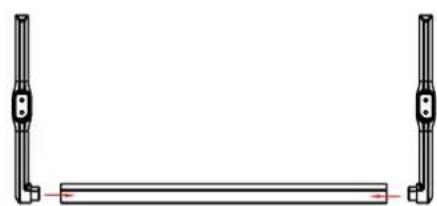
natural_image
Pure mechanical component diagram showing two vertical rods flanking a horizontal bar with a red centerline (no text or symbols)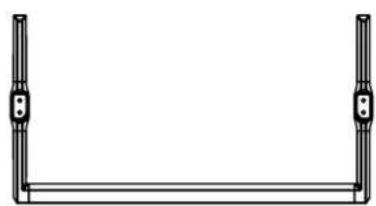
natural_image
Simple line drawing of a U-shaped frame with two vertical posts and a horizontal bar (no text or symbols)
Ostrożność!
M6*8mm screws (4 pcs)
natural_image
Back view of a flat-screen TV with visible internal components and mounting feet (no text or symbols)Universal Remote Control Code: A05F
ZDALNE STEROWANIE (CONT.)
Your Google TV experience is ready
Start exploring
natural_image
Abstract geometric shapes including a circle, rectangles, and a smartphone with colored blocks on a black background (no text or symbols)GOOGLE TV(CONT.)
Disposal of old electrical & electronic equipment (Applicable in the European Union and other European countries with separate collection systems)
This symbol on the product or in its packaging indicates that this product shall not be treated as household waste. Instead it shall be handed over to the applicable collection point for the recycling of electrical and electronic equipment. By ensuring this product is disposed of correctly, you will help prevent potential negative consequences for the environment and human health, which could otherwise be caused by inappropriate waste handling of this product. The recycling of materials will help to conserve natural resources. For more detailed information about recycling of this product, please contact your local city office, your household waste disposal service or the shop where you purchased the product.
Français


- 40" FULL HD SMART TV
- INSTRUCTION MANUAL
- CONTENTS
- GENERAL SAFETY
- Read this instruction manual carefully as it contains important information on the safety, use and maintenance of the appliance. Keep the manual for future reference.
- GENERAL SAFETY INSTRUCTIONS (Cont.)
- WARNING
- Installation
- WARNING!
- Be sure to position the product according to the following considerations:
- TREATMENT AND DISPOSAL OF BATTERIES
- CLEANING AND MAINTENANCE
- Dear Customer
- Attaching the stand
- Step 1
- Step 2
- Step 3
- CAUTION!
- INSTALLATION (Cont.)
- Wall-Mounting Instructions
- BACK OF TV
- CONTROLS AND CONNECTIONS
- REMOTE CONTROL (CONT.)
- Disney+ Button Description
- REMOTE CONTROL BATTERY INSTALLATION AND WARNINGS
- INITIAL SETUP
- INITIAL SETUP (Cont.)
- W|F|
- ACCEPTANCE - TERMS OF SERVICE
- GOOGLE ASSISTANT SETUP
- GOOGLE ASSISTANT SETUP(CONT.)
- CHANNEL INSTALLATION
- GOOGLE TV
- GOOGLE TV(CONT.)
- GOOGLE ASSISTANT
- MENU
- SETTINGS AVAILABLE ARE:
- PICTURE MENU
- SOUND MENU
- To access SOUND menu:
- SYSTEM MENU
- ABOUT MENU
- PARENTAL CONTROL
- GENERAL PROBLEMS WITH TV SET
- Italiano
- Français
- MANUALE UTENTE
- ISTRUZIONI GENERALI DI SICUREZZA (Cont.)
- ATTENZIONE!
- TELECOMANDO (CONT.)
- BEDIENUNGSANLEITUNG
- VORSICHT!
- FERNSTEUERUNG
- INSTRUCTIONS D'UTILISATION
- Faites attention!
- TÉLÉCOMMANDE (CONT.)
- CONTENIDO
- INSTALACIÓN
- Cuidado!
- CONTROL REMOTO (CONT.)
- precaução!
- CONTROLO REMOTO (CONT.)
- Olá, Zhongtian Wang!
- INSTRUKCJA OBSŁUGI
- OGÓLNE INSTRUKCJE BEZPIECZEŃSTWA
- Ostrożność!
- ZDALNE STEROWANIE (CONT.)
Brand : EKO
Model : K400FDGC
Category : Television