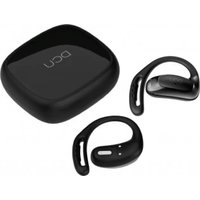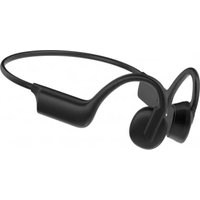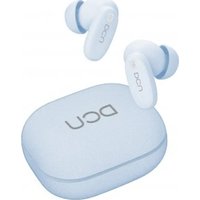
34152515 - Earphones DCU - Free user manual and instructions
Find the device manual for free 34152515 DCU in PDF.


User questions about 34152515 DCU
0 question about this device. Answer the ones you know or ask your own.
Ask a new question about this device
Download the instructions for your Earphones in PDF format for free! Find your manual 34152515 - DCU and take your electronic device back in hand. On this page are published all the documents necessary for the use of your device. 34152515 by DCU.
USER MANUAL 34152515 DCU
natural_image
Line drawing of a pair of outdoor headphones with earbuds and buttons (no text or symbols)| Manual de usuario | 3 | ESP |
| User manual | 11 | ENG |
| Manual d'usuari | 19 | CAT |
| Mode d'emploi | 27 | FRA |
| Manual de usuário | 35 | PORT |
ESP
EN LA CAJA
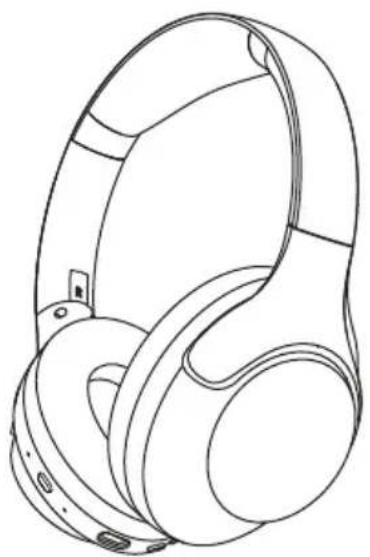
natural_image
Line drawing of a pair of outdoor headphones (no text or symbols)Auricular
natural_image
Line drawing of a portable electronic device with buttons and a close button, no text or symbols present

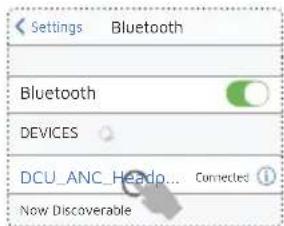
text_image
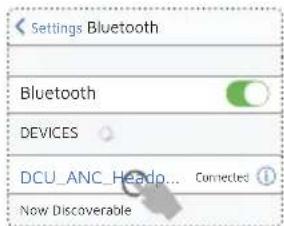
Settings Bluetooth Bluetooth DEVICES DCU ANC Headp... Connected Now DiscoverableSelecciona
DCU_ANC_Headphones
para conectar
Connected: Conectado
Battery Full: Batería Llena: 100%-80%
text_image
Diagram of a device interface with speaker, audio, and microphone icons connected to a central screen
natural_image
Line drawing of a pair of outdoor headphones (no text or symbols)2
text_image
Bluetooth DCU_ANC_Headphones3
text_image
x3times 2S 5S1
c/ Industria 34, 17005-Girona (Spain)
T.: +34 972244105
Email: info@dcutec.com
www.dcutec.com
text_image
LOOK HOW IT WORKS! iMIRALO AQUI!ENG
IN THE BOX
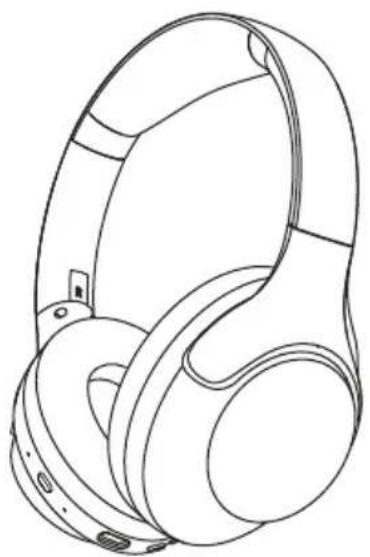
natural_image
Line drawing of a pair of outdoor headphones (no text or symbols)Headphone
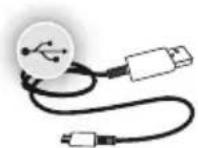
USB type C for charge
User manual

ENG
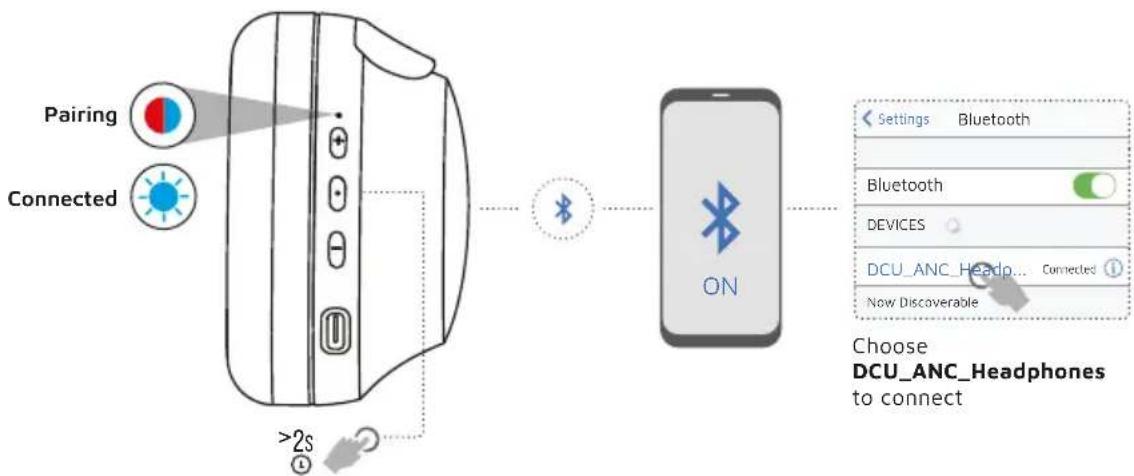
POWER ON CONNECT

flowchart
graph LR
    A["Pairing"] --> B["Connected"]
    B --> C[">2s"]
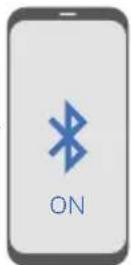
    C --> D["ON"]
    D --> E["Choose DCU_ANC_Headphones to connect"]
    style A fill:#f9f,stroke:#333
    style B fill:#ccf,stroke:#333
    style C fill:#cfc,stroke:#333
    style D fill:#fcc,stroke:#333
    style E fill:#ffc,stroke:#333
VOICE PROMPTS
Power ON
Pairing
Connected
Battery Full: 100%-80%
Battery Medium: 70%-30%
Low Battery: less than 20%
Power on and automatically enter pairing mode
* To enter pairing mode again, power off and then hold PowerButton for 5 seconds
ENG
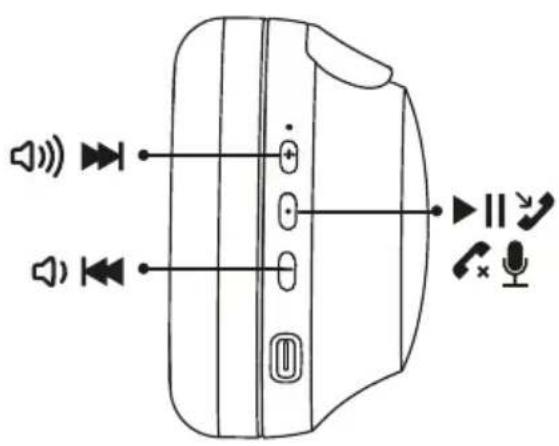
CONTROL
text_image
Diagram of a device interface with speaker, audio, and microphone icons connected to a panel with labeled ports and indicators.
| + | Press once to increase volumePress and hold to skip forward |
| • | Press once to play, pause, or answer,end a phone callPress twice to activate Siri or othervoice control softwarePress and hold 2s to reject incoming callsPress and hold to power ON or OFF |
| - | Press once to decrease volumePress and hold to skip back |
ENG
CONTROL

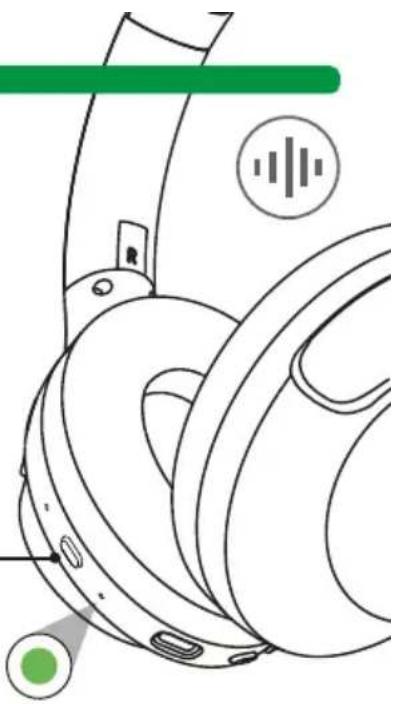
ANC ON
blocks out external sounds

LOW LATENCY ON
real-time audio sync while gaming or watching video
- Press once to cycle Noise Cancelling On and Off
- Press twice to cycle Low Latency On and Off
ANC ON
natural_image
Technical line drawing of a mechanical component with no visible text or symbolsENG
MULTI-POINT CONNECTION
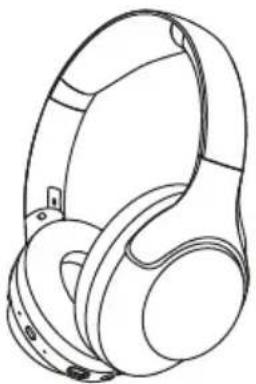
maximum 2 devices

FIRST device
natural_image
Line drawing of a pair of headphones (no text or symbols)SECOND device
text_image
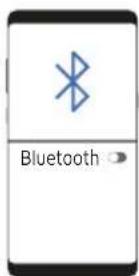
Bluetooth DCU_ANC_Headphones1
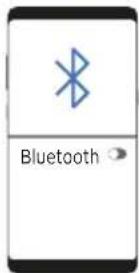
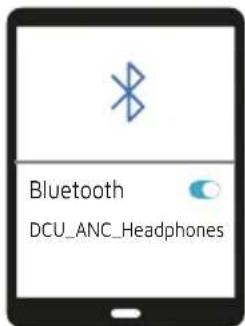
Once FIRST device is connected, turn off Bluetooth in device settings. Headphone will auto enter Bluetooth Pairing.
2
Enter your SECOND device Bluetooth settings and connect to headphone
3
Enter your FIRST device settings. Turn on Bluetooth and reconnect to headphone
ENG
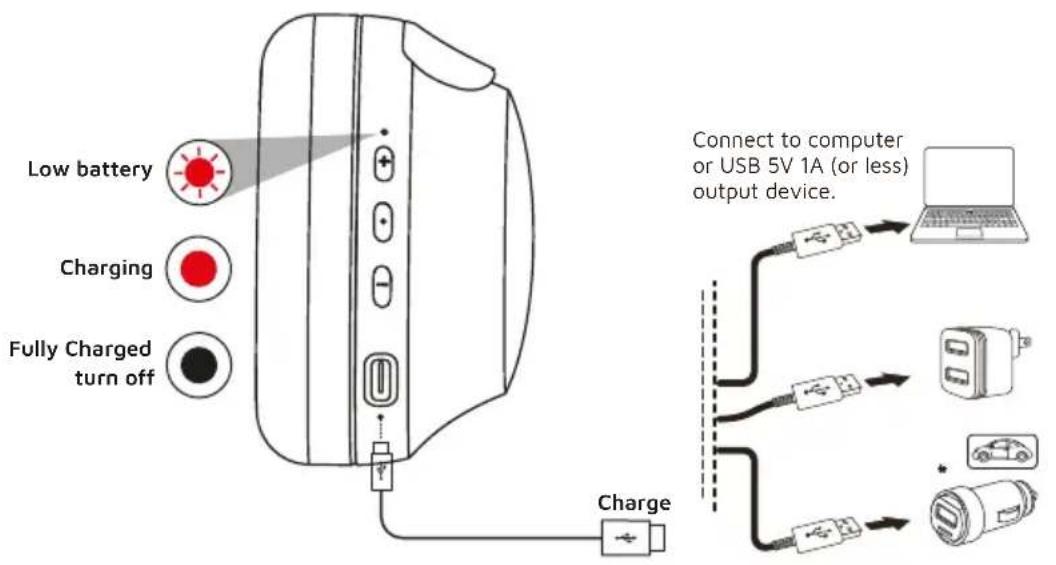
CHARGING
text_image
Low battery Charging Fully Charged turn off Charge Connect to computer or USB 5V 1A (or less) output device.ENG
RESET

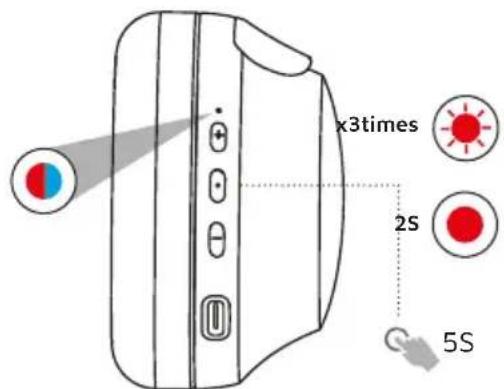
Please make sure you forget "DCU_ANC_Headphones" from your Bluetooth device settings before resetting
text_image
x3times 2S 5S
When Power is off, press and hold the power button for 5 seconds until the light flashes blue and red
text_image
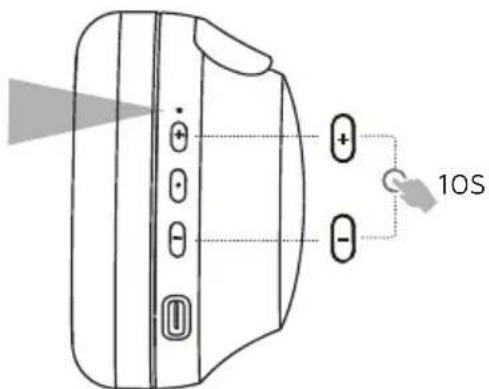
Diagram of a device with labeled buttons and 10S indicator, showing directional arrows and control buttons.
Keep holding +/- buttons simultaneously for 10 seconds until you see the red light flashing 3 times and turn solid red for 2 seconds. Headphone power OFF automatically
ENG
Please read this manual carefully before use.

Safety warnings
Do not place any naked flame sources, such as lighted candles
Dispose of batteries responsibly and be aware of the environmental effects of battery disposal
Do not expose the batteries (batteries installed) to excessive heat, such as fire or the like
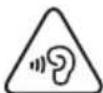
Warning
To prevent possible hearing damage, do not listen at high volume levels for long periods.
For your own safety, please be aware of your surroundings when using these headphones.
DCU Tecnologic customer service
c/ Industria 34, 17005-Girona (Spain)
T.: +34 972244105
Email: info@dcutec.com
www.dcutec.com
text_image
LOOK HOW IT WORKS! iMÍRALO AQUI!CAT
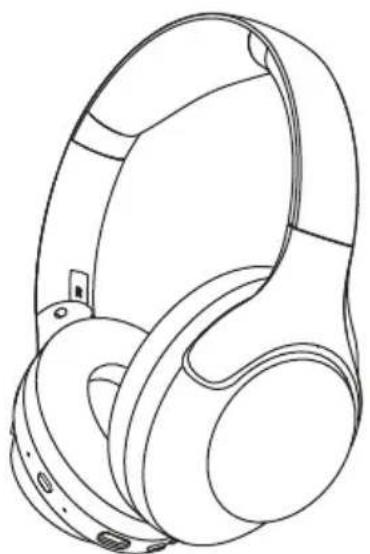
A LA CAIXA
natural_image
Line drawing of a pair of outdoor headphones (no text or symbols)Auricular
text_image
Settings Bluetooth Bluetooth DEVICES DCU ANC Headp... Connected Now DiscoverableSeleccioneu
DCU_ANC_Headphones
per a connectar
text_image
Diagram of a device interface with speaker, audio, and voice icons connected to ports
natural_image
Line drawing of a pair of outdoor headphones (no text or symbols)text_image
Bluetooth DCU_ANC_Headphonestext_image
Diagram of a device with labeled components and a 5S indicator, showing a blue circular icon and directional arrows.c/ Industria 34, 17005-Girona (Spain)
T.: +34 972244105
Email: info@dcutec.com
www.dcutec.com
text_image
LOOK HOW IT WORKS! MIRA-HO AQUI!FRA
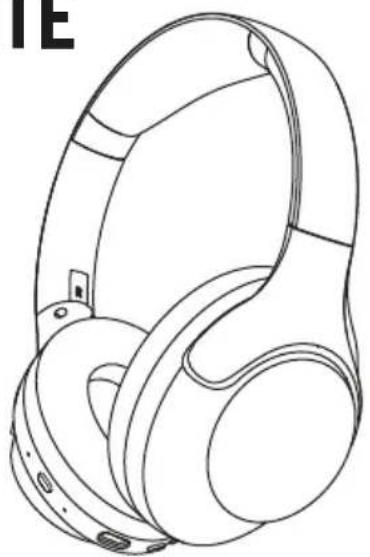
DANS LA BOÎTE
natural_image
Line drawing of a pair of outdoor headphones (no text or symbols)Casque
natural_image
Line drawing of a device with buttons and a pointer, no text or symbols present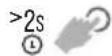

text_image
Settings Bluetooth Bluetooth DEVICES DCU ANC Headp... Connected Now DiscoverableSélectionnez
DCU_ANC_Headphones
pour vous connecter
INSTRUCTIONS VOCALES
Power ON: Allumer
Pairing: Appairer
Connected: Connecté
Battery Full: Batterie pleine: 100%-80%
Battery Medium: Batterie moyenne: 70%-30%
Low Battery: Batterie faible: menys del 20%
Allumé
text_image
Diagram of a device interface with speaker, audio, and microphone icons connected to ports


FAIBLE LATENCE ACTIVÉ
natural_image
Technical line drawing of a mechanical component with no visible text or symbolsFRA
CONNEXION MULTIPOINT
Maximum 2 appareils
Premier appareil
1
natural_image
Line drawing of a pair of outdoor headphones (no text or symbols)2
text_image
Bluetooth DCU_ANC_Headphones3
text_image
Diagram of a device with labeled components and a 5S indicator, showing a red circular component and directional arrows.Service technique et service client
c/ Industria 34, 17005-Girona (Spain)
T.: +34 972244105
Email: info@dcutec.com
www.dcutec.com
text_image
LOOK HOW IT WORKS! REGARDEZ-LE ICI.PORT
NA CAIXA
natural_image
Line drawing of a pair of outdoor headphones (no text or symbols)Fones de ouvido
text_image
Settings Bluetooth Bluetooth DEVICES DCU ANC Headp... Connected Now DiscoverableSeleccione
DCU_ANC_Headphones
para conectar
INSTRUÇÕES DE VOZ
Power ON: Ligar
Pairing: Emparelhamento
Connected: Conectado
Battery Full: Bateria cheia: 100%-80%
Battery Medium: Bateria cheia: 100%-80%
Low Battery: Bateria fraca: menos de 20%
Ligado.
Entrar automaticamente
text_image
Diagram of a device interface with speaker, audio, and phone icons connected to ports
natural_image
Line drawing of a pair of outdoor headphones (no text or symbols)2
text_image
Bluetooth DCU_ANC_Headphones3
text_image
Diagram of a device with labeled components and a 5S indicator, showing a blue circular component and directional arrows.c/ Industria 34, 17005-Girona (Spain)
T.: +34 972244105
Email: info@dcutec.com
www.dcutec.com
text_image
LOOK HOW IT WORKS! OLHE AQUI
natural_image
Line drawing of a pair of outdoor headphones with earbuds and buttons (no text or symbols)DCU
TECNOLOGIC
Any questions about our products:
www.dcutec.com
C/ Industria, 34
Designed in BCN / Made in PRC / B55166847