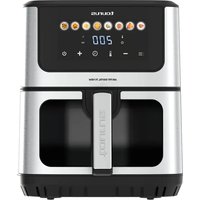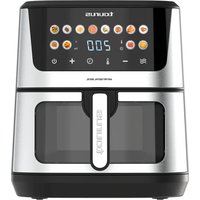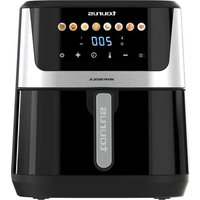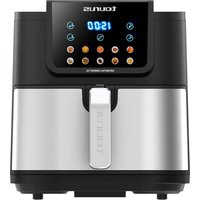
Air Fry Digital Compact XL - Deep fryer TAURUS - Free user manual and instructions
Find the device manual for free Air Fry Digital Compact XL TAURUS in PDF.


| Product type | Air fryer |
| Brand | Taurus |
| Model | Air Fry Digital Compact XL |
| Power supply | 220-240 V ~ 50/60 Hz |
| Power | 1400 W (typical estimation) |
| Capacity | Approximately 3.5 L (estimation for compact model) |
| Adjustable temperature | 60 °C to 200 °C, in 5 °C increments |
| Timer | 1 to 60 minutes, adjustable in 1 minute increments |
| Preset programs | 10 programs (chicken, meat, pizza, cake, shrimp, fries, nuggets, hamburgers, vegetables, fish) |
| Control panel | Digital with time and temperature display |
| Preheat function | Add 3 minutes at 200 °C if the appliance is cold |
| Stir reminder | 4 beeps for cooking times over 6 minutes |
| Auto shut-off | Yes, at the end of the program |
| Thermal protection | Overheat safety device |
| Maintenance and cleaning | Non-stick tray dishwasher safe (gentle cycle) or wash in warm soapy water; body cleaned with a damp cloth |
| Spare parts and repairability | Not specified in the manual, contact technical support |
| Safety | Unlock button to remove the pot, hot surface, do not immerse the appliance |
| Dimensions (estimation) | 30 x 30 x 35 cm (approximate for compact XL model) |
| Weight (estimation) | Approximately 4.5 kg |
Frequently Asked Questions - Air Fry Digital Compact XL TAURUS
User questions about Air Fry Digital Compact XL TAURUS
0 question about this device. Answer the ones you know or ask your own.
Ask a new question about this device
Download the instructions for your Deep fryer in PDF format for free! Find your manual Air Fry Digital Compact XL - TAURUS and take your electronic device back in hand. On this page are published all the documents necessary for the use of your device. Air Fry Digital Compact XL by TAURUS.
USER MANUAL Air Fry Digital Compact XL TAURUS
AIR FRY DIGITAL COMPACT XL
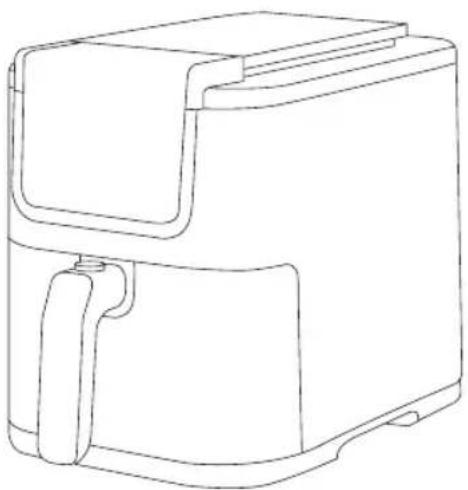
natural_image
Line drawing of a rectangular device with a handle and side panel (no text or symbols)EN. Instructions for use
FR. Mode d'emploi
flowchart
graph TD
    A["Power Source"] --> 2["Component 2"]
    2 --> 5["Label 5"]
    5 --> 1["Component 1"]
    5 --> 3["Component 3"]
    3 --> 4["Component 4"]
    4 --> 1
    style 5 fill:#f9f,stroke:#333
    style 1 fill:#ccf,stroke:#333
    style 3 fill:#cfc,stroke:#333
    style 4 fill:#fcc,stroke:#333
ES
FREIDORA DE AIRE
AIR FRY DIGITAL COMPACT XL
DESCRIPCIÓN
A Panel de control digital
B Cuerpo principal
C Cubeta
D Asa
English (Original instructions)
AIR FRYER
AIR FRY DIGITAL COMPACT XL
DESCRIPTION
A Digital control panel
B Main body
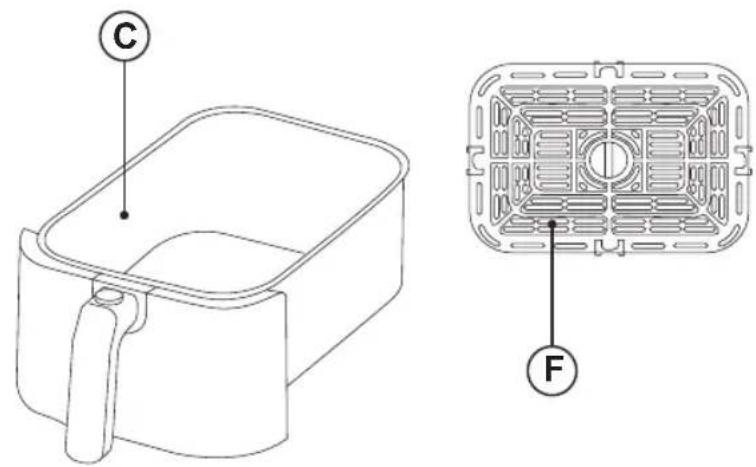
C Frying pot
D Handle
E Unlock button
F Non-stick tray
G Supply cord
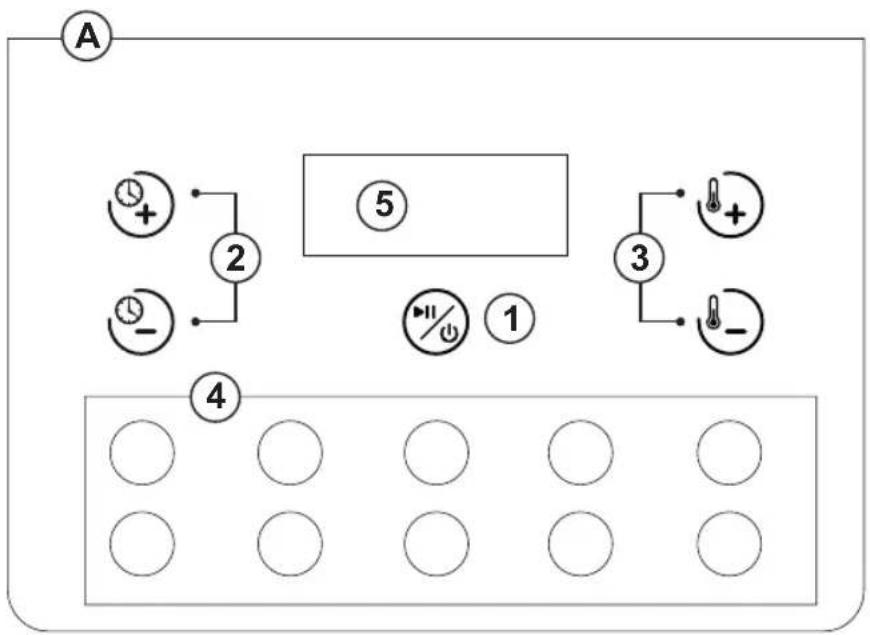
CONTROL PANEL
- On/Off button
- Time selector buttons
- Temperature selector buttons
- Programs buttons
- Time and temperature display
USE AND CARE
- Before each use, fully extend the supply cord of the appliance.
- Do not use the appliance if the parts or accessories are not properly fitted.
- Do not use the appliance if the accessories attached to it are defective. Replace them immediately.
- Do not use the appliance if it is empty.
- Do not add paper, cardboard, plastics, or similar materials inside the fryer. Aluminium foil or parchment paper can be used.
- Do not use the appliance if the On/Off button does not work properly.
- Do not move the appliance while in use.
- To keep the non-stick treatment in good condition, do not use metal or pointed utensils on it.
- Do not force the appliance's work capacity.
- Disconnect the appliance from the mains when not in use and before undertaking any cleaning task.
- Do not store or transport the appliance if it is still hot.
- Never leave the appliance connected and unattended if is not in use. This saves energy and prolongs the life of the appliance.
- Turning the temperature regulator to the minimum setting does not mean that the appliance is switched off.
- As a reference, in the annexed table you will find a recommendation on the cooking temperature and time for several meals.
INSTRUCTIONS FOR USE
BEFORE USE
- Make sure that the entire product's packaging has been removed.
- Please read carefully the "Safety advice and warnings" booklet before first use
- Before using the product for the first time, clean the parts that will come into contact with food in the manner described in the cleaning section.
USE
- Extend the supply cord completely before plugging it in.
- Connect the appliance to the mains.
- Remove the frying pot by pressing the unlock button.
- Place the ingredients you want to fry inside the frying pot.
- Reinsert the frying pot into the fryer.
- Once the frying pot is properly positioned, Press the on/off button to turn on the appliance.
- Select the time and temperature manually by using the time and temperature selector buttons or select a pre-set program.
- This appliance has 10 pre-set programs. To select a program, press the desired program button directly.
- If you wish you can also change the temperature and time settings for the preset programs using time and temperature selector buttons.
- Press the on/off button to start the cooking process.
Note: have in mind that if the appliance is cool you should add 3 minutes 200° to the cooking time to do a preheat.
Note: if you want to shake the ingredients, pull the frying pot out of the appliance and shake it.
- In all programs lasting more than 6 minutes, the appliance will emit 4 beeps as a reminder to stir the food.
- Remove the frying pot by pressing the unlock button.
- Stir the food.
- Reinsert the frying pot into the fryer.
- Once the cooking time reaches its end, the fryer will beep several times and will switch off automatically.
- Check to see that the food is cooked.
- If not, simply place the frying pot back in the fryer and set the timer to fry for a few more minutes.
CAUTION: frying pot, non-stick tray and food will be very HOT.
- Place the frying pot over a plain surface able to work with high temperatures.
TIME AND TEMPERATURE
- The cooking time can be adjusted from 1 to 60 minutes by using time selector buttons, Time increases or decreases 1 minute every press.
- The cooking temperature can be adjusted from 60^ to 200^ by using temperature selector buttons. Temperature increases or decreases 5^ every press.
- Press and hold the selector buttons to quickly increase or decrease the time and temperature.
ONCE YOU HAVE FINISHED USING THE APPLIANCE
- When the selected program finishes, the fryer will stop automatically.
- Unplug the appliance from the mains.
- Allow cool down.
- Clean the appliance as it is explained on the cleaning section.
SAFETY THERMAL PROTECTOR
- The appliance has a safety device, which protects the appliance from overheating.
- If the appliance turns itself off and does not switch itself on again, disconnect it from the mains supply, and wait for approximately 15 minutes before reconnecting. If the machine does not start again seek authorised technical assistance.
CLEANING
- Disconnect the appliance from the mains and allow it to cool before undertaking any cleaning task.
- Clean the appliance with a damp cloth with a few drops of washing-up liquid and then dry.
- Do not use solvents, or products with an acid or base pH such as bleach, or abrasive products, for cleaning the appliance.
- Never submerge the appliance in water or any other liquid or place it under running water.
- It is advisable to clean the appliance regularly and remove any food remains.
- If the appliance is not kept in a good state of cleanliness, its surface may deteriorate and this will inevitably affect the life of the appliance and make it unsafe to use.
- The following pieces may be washed in a dishwasher using a soft cleaning program) or soapy hot water:
- Non-stick tray
- Then dry all parts before its assembly and storage.
RECOMMENDATION TABLE
Here you can find our recommendation on the time and temperature for frying different meals.
| Ingredients Time | (minutes) Temperature (°C) |
| Chicken 25-30 200 | |
| Meat 8-10 180 | |
| Pizza 8 200 | |
| Cake 30 160 | |
| Shrimp 10 200 | |
| French fries 15-30 200 | |
| Nuggets 15 200 | |
| Hamburgers | 7-14 180 |
| Vegetables 8-10 180 | |
| Fish | 20 180 |
TROUBLESHOOTING
| Problem Possible cause Solution | ||
| The screen does not turn on.. Power failure. Check the condition and maintenance of the power supply equipment | ||
| Circuit board failure Contact our Technical Support Service | ||
| The food is undercooked/ overcooked. | Incorrect selected time or temperature. | Adjust the temperature and cooking time according to the amount of food and cooking preferences. |
| Too much food in the frying pot. If you have too much food, fry them in batches. Less food in the frying pot allows for more even heating. | ||
| Smoke is coming out of the appliance during the first use. | There are traces of antioxidant oil in the air fryer. | Preheat the fryer for 10 to 15 minutes at the maximum temperature. |
| The appliance emits a smell. There are food residues inside the fryer. | Clean the fryer and its accessories as described in the “Cleaning” section. | |
| The control panel is unresponsive. | There are oil or water residues on the control panel | Clean and dry the control panel with a cloth. |
| There are oil or water residues on your hands. | Wash and dry your hands. | |
NOTE: If after referring to this table you still cannot resolve the problem, please contact our Customer Support team.
FR
AIR FRY DIGITAL COMPACT XL
DESCRIPTION
AIR FRY DIGITAL COMPACT XL
DESCRIPCIÓ
A Panell de control digital
B Cos principal
C Cubeta
D Nansa
AIR FRY DIGITAL COMPACT XL
ПЕРИГРАФН
AIR FRY DIGITAL COMPACT XL
ОПИСАНИЕ
AIR FRY DIGITAL COMPACT XL
BESKRIVELSE
A Digitalt kontrolpanel
AIR FRY DIGITAL COMPACT XL
BESKRIVELSE
A Digitalt kontrollpanel
B Hoveddelen
C Stekegryte
D Håndtak
E Lås opp-knappen
F Non-stick brett
G Tilførselsledning
KONTROLLPANEL
AIR FRY DIGITAL COMPACT XL
BESKRIVNING
AIR FRY DIGITAL COMPACT XL
KUVAUS
AIR FRY DIGITAL COMPACT XL
AÇIKLAMA
A Dijital kontrol paneli
B Ana gövde
C Kızartma tenceresi
D Tutamak