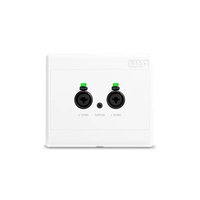
RAD22 - Audio Interface Rane - Free user manual and instructions
Find the device manual for free RAD22 Rane in PDF.


| Product Type | Audio interface for Rane DSP processing system |
| Inputs | 2 XLR/6.35 mm combo inputs (mic/line/line-plus) with 24V phantom power |
| Outputs | 1 stereo line output 3.5 mm (1/8 in) |
| Power | Via Cat 5e or higher cable from a Rane multiprocessor (PoE) |
| Connectivity | RJ-45 RAD port for connection to a Rane multiprocessor |
| Features | Intelligent mute, automatic XLR/TRS switching, 24V phantom power |
| Installation | Wall mount on standard dual-gang electrical box |
| Cable | Cat 5e or higher, max length 100 m |
| LED Indicators | Input (green signal, red clipping); RJ-45 (amber power, green data) |
| Dimensions (approx.) | 10 x 10 x 5 cm (standard wall plate size) |
| Weight (approx.) | 0.5 kg |
| Box Contents | RAD22, mounting plate, screws, user guide |
| Compatibility | Rane multiprocessors (Terminal 1010X, HAL3s, etc.) |
| Maintenance and Cleaning | Clean with a dry, soft cloth. Avoid liquids and abrasive products. |
| Safety | Follow the safety instructions provided in the guide |
| Spare Parts and Repairability | Contact Rane support for parts and repairs |
Frequently Asked Questions - RAD22 Rane
User questions about RAD22 Rane
0 question about this device. Answer the ones you know or ask your own.
Ask a new question about this device
Download the instructions for your Audio Interface in PDF format for free! Find your manual RAD22 - Rane and take your electronic device back in hand. On this page are published all the documents necessary for the use of your device. RAD22 by Rane.
USER MANUAL RAD22 Rane
User Guide (English)
Introduction
Thank you for purchasing the RAD22. At Rane, performance and reliability mean as much to us as they do to you. That's why we design our equipment with only one thing in mind—to make your performance the best it can be.
RAD22 adds flexible I/O capability to RANE DSP systems. The RAD22 provides two mic and line inputs through combination jacks and an 1/8" (3.5mm) stereo line output for monitoring, recording, or amplification. Smart muting allows for disconnecting of XLR / 1/4" cables to prevent disruption to sound systems for hot swapping of microphones, even with 24V phantom power applied. Connect it to the RANE DSP with a Cat 5e cable or better on a local run up to 300 ft. (100m) away from the rack.
Each RAD22 may be installed onto a standard U.S. 2-gang electrical box, or flush-mounted to a wall surface.
Box Contents
RAD22
Mounting Plate
Screws
User Guide
Safety & Warranty Manual
Support
For the latest information about this product (documentation, technical specifications, system requirements, compatibility information, etc.) and product registration, visit ranecommercial.com.
For additional product support, visit ranecommercial.com/support.
Setup
Items not listed under Introduction > Box Contents are sold separately.
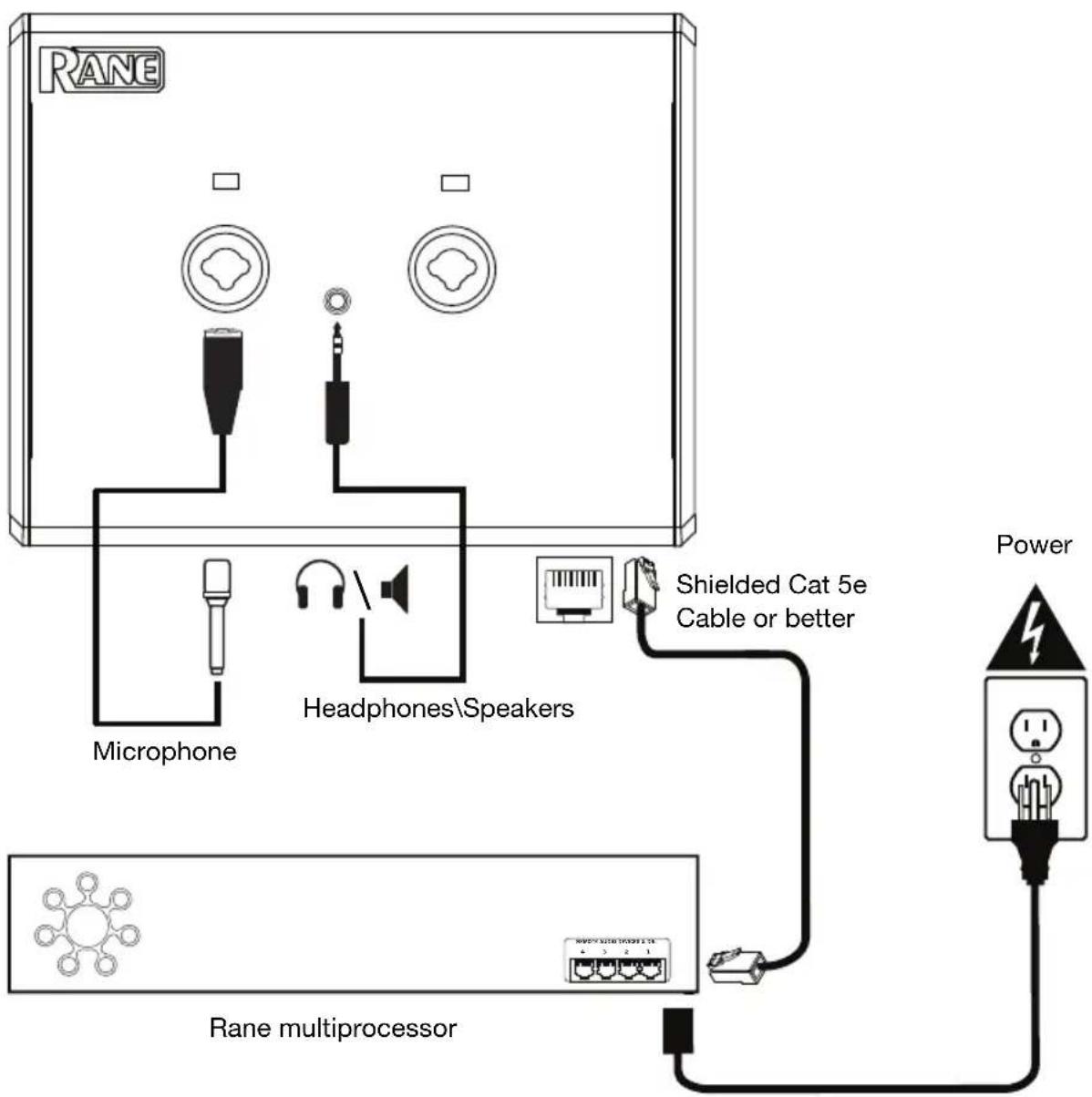
Example
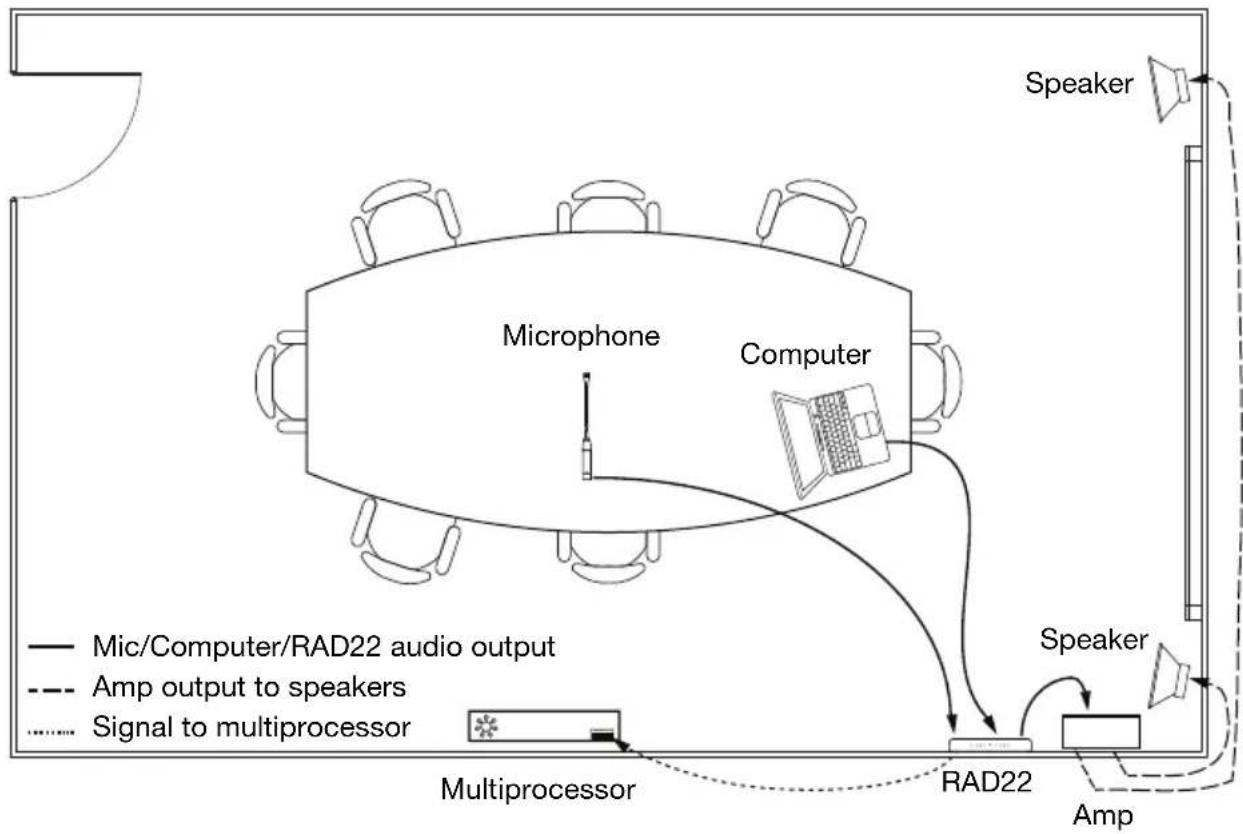
flowchart
graph TD
    A["Speaker"] --> B["Microphone"]
    B --> C["Computer"]
    C --> D["Multiprocessor"]
    D --> E["RAD22"]
    E --> F["Speaker"]
    F --> G["Amp"]
    G --> H["Signal to multiprocessor"]
    H --> I["Multiprocessor"]
    I --> J["Speaker"]
    style A fill:#f9f,stroke:#333
    style B fill:#ccf,stroke:#333
    style C fill:#cfc,stroke:#333
    style D fill:#fcc,stroke:#333
    style E fill:#cff,stroke:#333
    style F fill:#ffc,stroke:#333
    style G fill:#fcc,stroke:#333
    style H fill:#ffc,stroke:#333
    style I fill:#fcc,stroke:#333
Installation
To install the RAD22 in a 2-gang electrical box:
Step 1:
• Install the electrical back box into the surface of the desired location for the RAD22.
- Run the shielded Cat 5e cable or better from a Rane multiprocessor (e.g. Terminal 1010X, HAL3s, etc.) to the inside of the back box.
- Once the back box is installed and secured, secure the metal mounting bracket to the back box using the provided screws.
Step 2:
• Make the RJ-45 RAD connection to the port on the rear panel of the RAD22.
- Connect the other end of the shielded Cat 5e cable or better to the Rane multiprocessor RAD (remote audio device) port to supply power and communications to the RAD22.
- Attach the RAD22 frame to the mounting bracket by hooking the top of the frame onto the extended lips at the top and bottom of the bracket.
Step 3:
- Use a screwdriver to secure the RAD22 to the bottom of the mounting bracket using the provided screw. Be careful not to over-tighten the screw.
- Your RAD22 is now installed!
Features
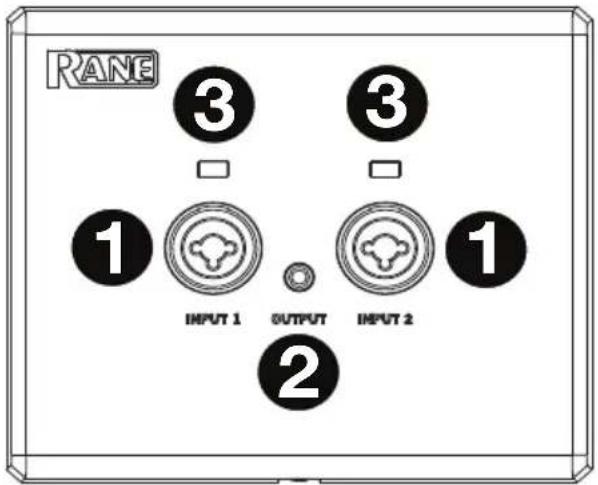
Front Panel
- 1/4" (6.35 mm) / XLR Combo Jacks: Two balanced TRS, switchable Mic / Line / Line-Plus audio inputs are available. The Line-Plus setting accepts unbalanced left and right signals and sums them to mono. 24V phantom power is available for condenser mics.
For input auto switching:
- Connect to an XLR input and the Mic input will automatically be selected. Select either Dynamic or Condenser mode in the Halogen software.
- Connect to a TRS input and the Line input will automatically be selected. The Line or Line-plus mode can be selec
Note: If no input connection is made, the inputs will be muted to prevent noise.
-
1/8" (3.5 mm) Line Output: This line output allows for connection to a mixer, speaker, headphones, or recording device.
-
Input LEDs: The input LED will illuminate green when a proper signal level is detected. The input LED will illuminate red when the signal is overloading or "clipping".
Rear Panel
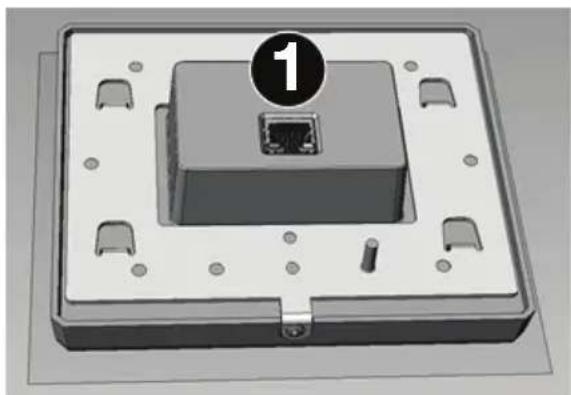
- RAD Port (RJ-45): This port uses a shielded Cat 5e cable to connect to a Rane multiprocessor RAD port for communication and audio transmission. The Cat 5e distance from a multiprocessor port to the RAD22 must not be more than 300 ft. (100 m) to prevent crosstalk.
There are two LEDs integrated into the RJ-45 jack:
- Amber LED ON = good power
- Amber LED OFF = faulty power
- Green LED ON = no data errors
- Green LED OFF = data error (check cable)
natural_image
3D rendering of a rectangular electronic device with a central port and mounting holes, labeled with number 1 (no text or symbols on the device itself)natural_image
3D rendering of a rectangular electronic device with a central port and mounting holes, labeled with number 1 (no text or symbols on the device itself)Assistance technique
natural_image
3D rendering of a rectangular electronic device with a central port and mounting holes, labeled with number 1 (no text or symbols on the device itself)natural_image
3D rendering of a rectangular electronic device with a central port and mounting holes, labeled with number 1 (no text or symbols on the device itself)natural_image
3D rendering of a rectangular electronic device with a central port and mounting holes, labeled with number 1 (no text or symbols on the device itself)Appendix (English)
Technical Specifications
| Input Signal LEDs | Green LED = 50 dBFSRed LED = 0.5 dBFS |
| Microphone Inputs(level set in software) | Input Impedance2.16 kΩ, Balanced, 1.08 k + 1.08 kGain Range (dynamic mic mode)26-46 dB, in 1 dB stepsGain Range (condenser mic mode)14-34 dB, in 1 dB stepsMax. Input (dynamic mic mode)-16 dBu, Gain = 26 dBMax. Input (condenser mic mode)-4 dBu, Gain = 14 dBEquivalent Input Noise-121 dBu, 20 kHz BW, Rs = 150 Ω, Gain = 26 dBCMRR-70 dB, Rs = 150 Ω, 1 kHz, Gain = 26 dBFrequency Response20 Hz - 20 kHz, +0, -0.5 dB, at all Gain settingsTHD + Noise<0.010% @ 1 kHz, 20 kHz BW, Rs = 150 Ω, Output = -6 dBFS, Gain = 26Phantom Power24V, 10 mA MaxDigital Codec48 kHz, 24 bit |
| 1/4" / XLR Balanced Line-Level Inputs | Input Impedance10 kΩ BalancedGain Range0-20 dB, in 1 dB stepsMax. Input level (Line Mode)+24 dBu, 14 Ω, 1 kHzFrequency Response20 Hz - 20 kHz, +0, -0.5 dBDynamic Range (input)106 dB (A-weighted)CMRR-50 dB, Rs: 50 Ω, 1 kHzLine+ Mode+24 dBu, 1 kHz, active, Left (+") and Right (-") signals summed to mono |
| 1/8" (3.5 mm) Output | Impedance200 Ω, 1%, each leg |
| Maximum Output14 dBu, <1% THD, 10k Ω load | |
| Dynamic Range106 dB, 0 dBFS, 20 kHz BW, A-weighted | |
| Frequency Response20 Hz - 20 kHz, +0.0/-0.5 dB | |
| THD+N0.008% @1 kHz, 20 kHz BW, -6 dBFS output | |
| Dimensions(width x depth x height) | 5.6" x 1.4" x 4.8" / 143 x 36 x 123 mm |
| Weight | 0.94 lb. / 0.45 kg |
Specifications are subject to change without notice.
Trademarks & Licenses
Rane is a trademark of inMusic Brands, Inc., registered in the U.S. and other countries.
All other product names, company names, trademarks, or trade names are those of their respective owners.
ranecommercial.com
Brand : Rane
Model : RAD22
Category : Audio Interface