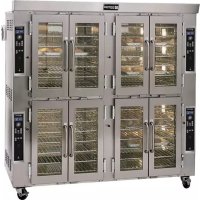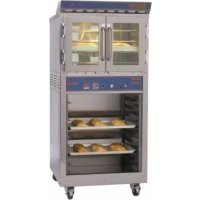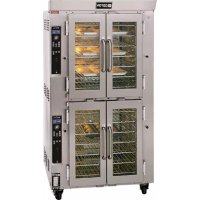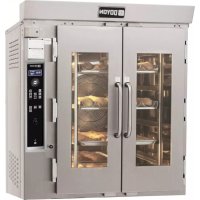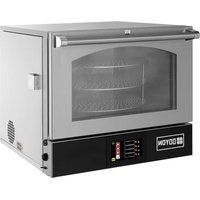
RPO3 - Oven Doyon - Free user manual and instructions
Find the device manual for free RPO3 Doyon in PDF.


User questions about RPO3 Doyon
0 question about this device. Answer the ones you know or ask your own.
Ask a new question about this device
Download the instructions for your Oven in PDF format for free! Find your manual RPO3 - Doyon and take your electronic device back in hand. On this page are published all the documents necessary for the use of your device. RPO3 by Doyon.
USER MANUAL RPO3 Doyon
Menominee, Michigan, USA
49858
Direct: 1 (906) 863-4401
Toll Free for USA & Canada
1 (800) 338-9886
Service Fax: 906-863-6322
Internet: http://www.doyon.qc.ca
E-mail: doyonservice@nu-vu.com

RPO3
IMPORTANT SAFETY INSTRUCTIONS
SAVE THESE INSTRUCTIONS
DANGER
TO REDUCE THE RISK OF FIRE OR ELECTRIC SHOCK
CAREFULLY FOLLOW THESE INSTRUCTIONS
TABLE OF CONTENTS
Installation warnings A-3
Distances to respect A-3
Installation A-5
Control Operating mode A-7
Oven maintenance and cleaning A-11
IMPORTANT INSTRUCTIONS DE SECURITE
CONSERVEZ CE MANUEL D'INSTRUCTIONS
DANGER
AFIN DE RÉDUIRE LES RISQUES D'INCENDIE OU D'ÉLECTROCUTION
SUIVRE CES INSTRUCTIONS AVEC SOIN
TABLE DES MATIÈRES
DESCRIPTION A-2
Introduction A-2
Construction A-2
Expédition A-2
The manufacturer suggests to read this manual carefully.
This equipment is manufactured with first quality material by experienced technicians. Proper installation and maintenance will guarantee a reliable service for years to come.
A nameplate fixed to the front or right side of the oven specifies the model number, serial number, voltage and amperage.
Drawings and replacement parts numbers are included in this manual. The electrical diagram is affixed in the control panel at the back of the oven.
ATTENTION
DOYON is not responsible for damages to the property or the equipment caused by personnel who is not certified by known organizations. The customer is responsible for finding qualified technicians in electricity and plumbing for the installation of the oven.
CONSTRUCTION
You just bought the most advanced oven in the world, "DOYON" technology at it's best. This oven is manufactured using the highest quality components and material.
The oven gives a perfect uniform baking with its unique Jet Air convection system. The DOYON oven is designed with parts that are easy to find.
SHIPPING
For your safety, this equipment has been verified by qualified technicians and carefully crated before shipment. The freight company assumes full responsibility concerning the delivery in good condition of the equipment in accepting to transport it.
IMPORTANT
RECEPTION OF THE MERCHANDISE
Take care to verify that the received equipment is not damaged before signing the delivery receipt. If a damage or a lost part is noticed, write it clearly on the receipt. If it is noticed after the carrier has left, contact immediately the freight company in order that they do their inspection.
We do not assume the responsibility for damages or losses that may occur during transportation.
INTRODUCTION
DO NOT STORE OR USE GASOLINE OR OTHER FLAMMABLE VAPORS AND LIQUIDS IN THE VICINITY OF THIS OR ANY APPLIANCE.
INSTALLATION AND SERVICE
WARNING
IMPROPER INSTALLATION, ADJUSTMENT, ALTERATION, SERVICE OR
MAINTENANCE CAN CAUSE PROPERTY DAMAGE, INJURY OR DEATH.
READ THE INSTALLATION, OPERATING AND MAINTENANCE INSTRUCTIONS
THOROUGHLY BEFORE INSTALLING OR SERVICING THIS EQUIPMENT.
WARNING
--RISK OF ELECTRICAL SHOCK--
APPLIANCE MUST BE SECURED TO BUILDING STRUCTURE, SEE PAGE A5
Installation and service must be done by specialized technicians. Contact a certified electrician and plumber for set up.
The oven must be connected to the utility and electrically grounded in conformity to the effective local regulations. If these are not established, the oven must be connected according to the Canadian Electrical Code (CSA-C22.1-XX) or National Electrical Code (NFPA 70-XX). Refer to last edition year for XX. Installation must also allow proper access for service (24 inches each side and back).
The ovens must be installed with a proper ventilation according with the local building code.
DISTANCES TO RESPECT
A) Back and sides of the oven: 1 inch.
B) Top of the oven: a clearance of 12 inches to the ceiling must exist to permit adequate venting.
C) Counter top: 4 inches minimum of counter top surface( with legs).Or seal flush with counter top
D) Sides of the oven: do not install other than easily removable equipment for service and maintenance (not closer than 1 inch).
E) It is recommended to have a certain length of water pipe, electric cable between oven and wall to help gain access for service.
A-4
AVERTISSEMENT LORS DE L'INSTALLATION
PANNE ÉLECTRIQUE
LORS D'UNE PANNE ÉLECTRIQUE, FERMER L'INTERRUPTEUR DU FOUR POUR
PROTEGER LES COMPOSANTES ÉLECTRONIQUES.
POUR VOTRE SECURITE
NE PAS EMMAGASINER OU UTILISER D'ESSENCE OU AUTRES VAPEURS ET LIQUIDES INFLAMMABLES À PROXIMATE DE CET ÉQUIPEMENT OU DE TOUT AUTRE APPAREIL.
INSTALLATION ET SERVICE
AVERTISSEMENT UNE INSTALLATION, UN AJUSTEMENT, UNE ALTERNATION, UN SERVICE OU UN ENTRETIEN NON CONFORME AUX NORMES PEUT CAUSER DES DOMMAGES À LA PROPRIÉTÉ, DES BLESSURES OU LA MORT. LIRE ATTENTIVÉMENT LES DIRECTIVES D'INSTALLATION, D'OPÉRATION ET D'ENTRETIEN AVANT DE FAIRE L'INSTALLATION OU L'ENTRETIEN DE L'ÉQUIPEMENT.
AVERTISSEMENT --RISQUE DE CHOC ÉLECTRIQUE-- L'APPEARI HOLD ETRE SECURISRA LA STRUCTURE DU BATIMENT, VOIR PAGE A6.
Take off the packaging material with care. Take off all the material used for packing and accessories.
If the equipment is delivered with casters, always lock them after installation and use flexible electrical cable wire and flexible water line hose. The appliance must secure to the building structure with restraining device to guard against transmission of strain to the electrical cable, water line and connectors.
1.To the electrician
Electrical supply installation must be in accordance with the electrical rating on the nameplate.
WARNING
The electrician must make sure that the supply cable does not come in contact with the oven top which becomes hot.
INSTALLATION
EN GÉNÉRAL
Turn on the main power switch. The controller will power up and display large power button.
Press the POWER button icon once, the oven will go ON. The display will turn to Manual mode by default and will start heating to reach the set temperature on the display.
Using the up and down arrows, set the ovens temperature between 150^ to 600^ . -Pressing the icon multiple times will change the increment of temperature adjustments

or the gas temperature increments to ± 1^ or ± 1^


ges temperature increments to ± 5^ or ± 5^


gases temperature increments to ± 25^ or ± 25^ .
Tapping on the temperature display will switch between the set temperature and the current temperature
The oven will go to the desired temperature. When the oven reaches baking temperature, the oven will display READY and the alarm will beep 3 times. Open the door and load the product into the baking chamber. If desired, set the bake time on the timer to remind you when product is ready to unload.
Note: The timer in manual mode is only a reminder this will not control the product bake
The timer(s) can be use in the manual screen operation, they are a reminder timer only. They have no control on the bake.
To set a timer, press the arrows next to timer's display to set the timer to the desired duration.

Pressing on the timer icon multiple times, will cycle it through the following icons:

Range timer adjustment to 15 second increments

-Will change timer adjustment to 1 minute increments

ange timer adjustment to 5 minute increments

To turn the oven OFF, it is recommended to leave the main power switch ON and press the POWER OFF icon. The oven will run on COOL DOWN MODE for a few minutes and then will automatically turn OFF. At this moment, the display will show the main power icon button. If the oven is not used for a long period of time you can turn OFF the main power switch after the cooldown process if finished.
POWER FAILURE
When the power comes back, the oven will come in OFF mode automatically. It's recommended to turn the main power switch to OFF to avoid parts damage in a case of power surge when power comes back
RPO3 Operation&installation manual.doc 12/18
A-8
Manual mode display Icon description:
Speeds

Fan speed LOW. Press the icon to toggle between desired speeds.
Fan speed MEDIUM
DEFAULT Fan speed HIGH
Air flow

When this icon is displayed icon is displayed, the fan is pushing air forward

When this icon is displayed icon is displayed, the fan is pushing air backwards
When this icon is displayed icon is displayed, the fan will alternate the flow of air in the oven's cavity
FAN SPEED FUNCTION
You can change the fan speeds. There are 3 different fan speed setting available LOW, MEDIUM and HIGH, Default speed is HIGH To select a different fan speed press the fan speed icon to select desire fan speed. This function will creating a different air flow.
JET AIR FUNCTION
3 different Default fan reversing cycles setting available 1 (2.5 min ON - 25 sec. OFF), 2 (1.5 min ON - 10 sec OFF), and 3 (2.5 min ON - 10 sec. OFF). Fan reversing is set to 1 default, to select a different fan reversing cycle, press the fan reversing cycle icon to select desired fan reversing cycle time.
This function will change the fan reversing time cycle, creating a different air flow volume during the baking.
| Questions | Solutions |
| Clean the inside of the oven with water and soap. Take out the grills (the grills of the oven could be cleaned with "Easy-Off"). | We recommend and sell: Dirt Buster III: Action foam cleaner CHEMCO Part number: NEB201 |
| After cleaning the inside of the oven, apply a silicone base oven protector. It avoids food from sticking to the metal. | We recommend and sell: 316 Silicone base protector and lubricant for oven Dow Corning Part number: EXS400 |
| Clean the oven windows with products like Brasso or equivalents. They are copper cleaners but good for this use | We recommend and sell: Wright's: Cream copper cleaner J.A. Wright & Co. Part number: EXC300 |
| Clean the oven exterior with a stainless steel cleaner. | We recommend and sell: Stainless steel cleaner SANY or CURTIS (comestible) Part number: NES201 |
ENTRETIENET NETTOYAGE DU FOUR
ENTRETIEN DE L'UNITE
(Continental United States Of America And Canada Only)
Doyon Equipment Inc. guarantees to the original purchaser only that its product are free of defects in material and workmanship, under normal use.
This warranty does not cover any light bulbs, thermostat calibration or defects due to or resulting from handling, abuse, misuse, nor shall it extend to any unit from which the serial number has been removed or altered, or modifications made by unauthorized service personnel or damage by flood, fire or other acts of God. Nor will this warranty apply as regards to the immersion element damaged by hard water.
The extent of the manufacturer's obligation under this warranty shall be limited to the replacement or repair of defective parts within the warranty period. The decision of the acceptance of the warranty will be made by Doyon Equipment service department, which decision will be final.
The purchaser is responsible for having the equipment properly installed, operated under normal conditions with proper supervision and to perform periodic preventive maintenance.
If any parts are proven defective during the period of one year from date of purchase, Doyon Equipment Inc. hereby guarantees to replace, without charge, F.O.B. Menominee, Michigan, USA, such part or parts.
Doyon Equipment Inc will pay the reasonable labor charges in connection with the replacement parts occurring within one year from purchase date. Travel over 50 miles, holiday or overtime charges are not covered. After one year from purchase date, Doyon Equipment Inc will cover parts only for additional year, all labor and transportation charges in connection with replacement parts will be the purchaser's responsibility.
Doyon Equipment Inc. does hereby exclude and shall not be liable to purchaser for any consequential or incidental damages including, but not limited to, damages to property, damages for loss of use, loss of time, loss of profits or income, resulting from any breach of warranty.
In no case, shall this warranty apply outside Canada and continental United States unless the purchaser has a written agreement from Doyon Equipment Inc.