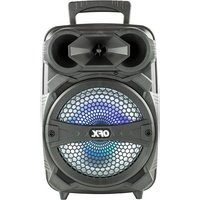
PBX-81 - Loudspeaker QFX - Free user manual and instructions
Find the device manual for free PBX-81 QFX in PDF.


| Product Type | Portable PA (Public Address) Speaker |
| Brand | QFX |
| Model | PBX-81 |
| Power Supply | DC 5V 1A via AC adapter (included) or built-in lithium battery |
| Battery Type | Rechargeable Lithium |
| Charging Time | 2 to 3 hours |
| Battery Life | Approximately 2 hours with standard use |
| Connectivity | Bluetooth 5.0 (name: QFX PBX-81), USB, AUX, FM, microphone input |
| TWS (True Wireless Stereo) Function | Yes, up to 2 speakers in stereo |
| Input Modes | Bluetooth, USB, AUX, FM, microphone |
| Recording Function | Yes, with USB drive or TF card and wired microphone |
| Display | LED display for mode, track number, FM channels |
| Equalizer (EQ) | Yes, selectable modes |
| Remote Control | Not specified, but physical controls on the unit |
| Maintenance | Clean with a dry cloth only |
| Safety | Do not expose to water or moisture; avoid heat sources |
| Spare Parts and Repairability | Replaceable lithium battery (approximately 300 cycles) |
| General Information | Manual available in French, English, Spanish |
Frequently Asked Questions - PBX-81 QFX
User questions about PBX-81 QFX
0 question about this device. Answer the ones you know or ask your own.
Ask a new question about this device
Download the instructions for your Loudspeaker in PDF format for free! Find your manual PBX-81 - QFX and take your electronic device back in hand. On this page are published all the documents necessary for the use of your device. PBX-81 by QFX.
USER MANUAL PBX-81 QFX
natural_image
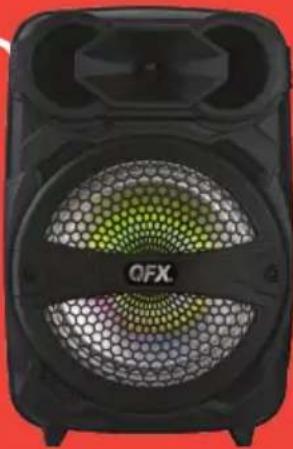
Black QFX portable speaker with hexagonal patterned grille and front-mounted tower (no visible text or symbols)PBX-81 100-240V
User Manual for PBX-81 Portable Speaker
WARNING!
TO REDUCE THE RISK OF ELECTRIC SHOCK, DO NOT REMOVE THE COVER ON THIS SPEAKER. THERE ARE NO USER-SERVICEABLE PARTS INSIDE. REFER ALL SERVICING TO A QUALIFIED TECHNICIAN
To prevent fire or electric shock, do not expose this equipment to rain or moisture. Do not store or operate this product near any liquids, heat sources such as radiators, heat registers. Clean only with a dry cloth. Users should exhibit extra safety when this symbol appears in this instruction manual and follow all precautions as they are stated.
PBX-81 BATTERY
The PBX-81 is a lithium battery powered PA loudspeaker.
Be sure that you have completely charged the battery prior to first use to maximize the battery's lifespan. Once the power adaptor is connected to a power source, it will automatically begin charging (2\~3 hours to fully charge the lithium battery) Even if the battery power is low, it will power on when connected to a power source. When the battery power is low, the battery indicator light is red. When the battery charge fully, the indicator light will turn off. Upon completion of the charging, Please disconnect the unit. With standard usage, a fully charged battery can play for about 2 hours. Battery can be recharged about 300 times in its lifetime. When not in use, the speaker should always be set OFF to prevent the unit from draining the battery. When the unit is not used for prolonged periods of time, the battery will gradually lose its power. It is recommended to fully charge the battery at least every 60 days.
PBX-81 BLUETOOTH
Bluetooth Mode: Open the Bluetooth of phone. Find the Bluetooth name of the unit called "QFX PBX-81" to connect. After a successful match, you can play the music from speaker. You won't need reconnect the Bluetooth when switching mode.
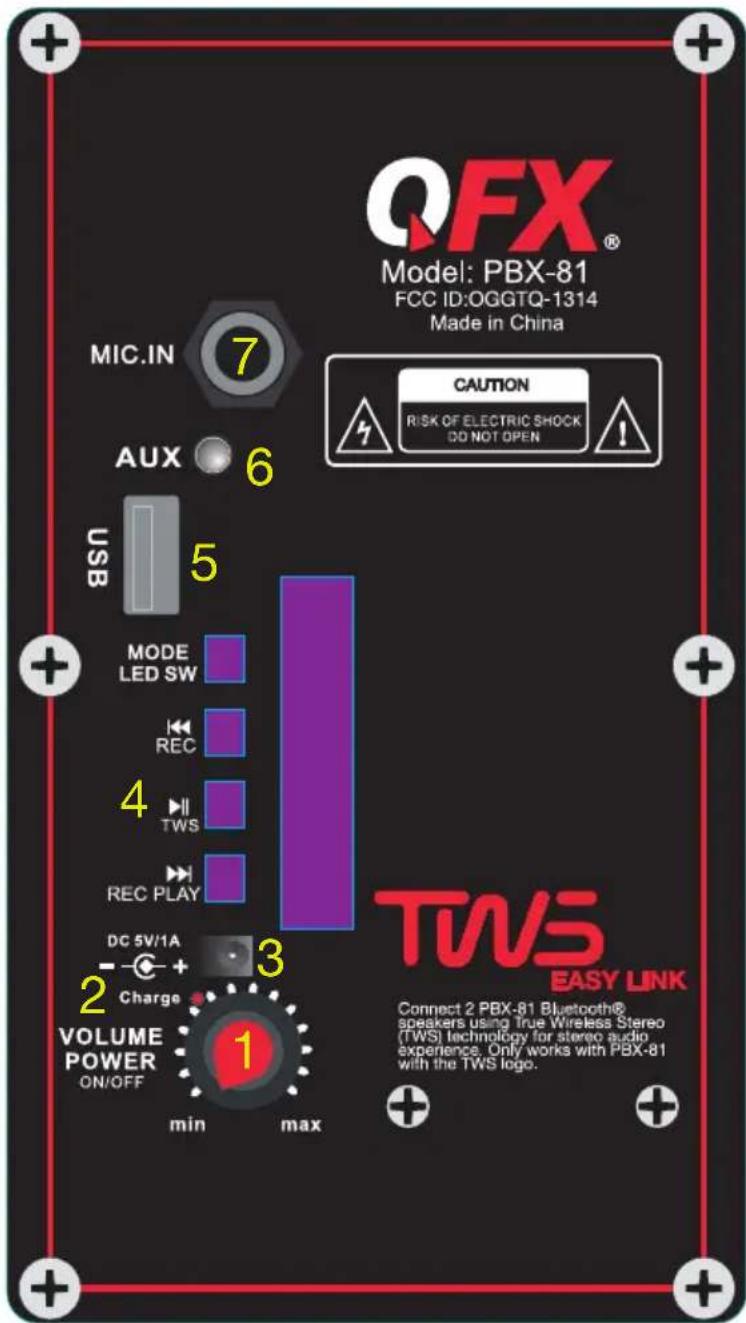
PBX-81 REAR PANEL
- Master volume Knob: Adjust from Min to Max (Power Switch: ON/OFF)
- Battery Indicator
- Power Supply: DC 5V 1A
- Mode Button: Toggle between AUX, USB, FM, BT by Short Press; Long Press to turn on/ off the light
Previous Track Button: Select previous track by short press; Long press to recording the sound Play/Pause Button
Next Track Button: Select next track by short press; Long press to play the recording files
- USB Slot
- AUX IN
- Microphone Input
PBX-81 DISPLAY SYSTEM SETTINGS
- Input Mode: The LED display screen will display the information of input mode for USB/BT/AUX/FM. When a USB flash drive is inserted into the USB input, the unit will automatically switch to USB mode and begin playing Mp3 audio files from the USB flash drive.
- Track Number: The track number currently playing from the USB will display.
- FM Mode: All FM channels display here. Short Press "play/pause" button for auto scan all channels.
PBX-81 Recording Function
Put USB/TF card in the slot. Then Inserting the wired microphone, make sure it is working. Long press “Previous (REC) button” to start recording sound, Then Long press “Next (REC PLAY) button” playing recording file. Long Press “Next (REC PLAY) button” again to exit recording function.
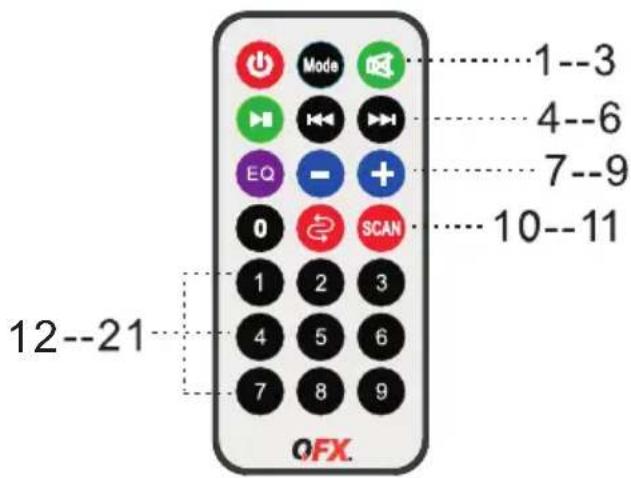
PBX-81 REMOTE CONTROL
-
STANDBY: Make the unit to be standby mode.
-
Input Mode Button: Toggle between USB, FM, AUX, BT
-
Mute: Mute the track
-
PLAY/PAUSE
-
Previous Track: Select previous channel
-
Next Track: Select next channel.
-
EQ: Select EQ mode.
-
VOL-: Reduce the master volume
-
VOL+: Increase the master volume
-
REP: Repeat the playing track.
-
Press to Scan Channel in FM Mode
12-21. KEY Number for selecting the certain track for USB flash drive.
PBX-81 TWS CONNECTION
(1) TWS connection: TWS Connection is only for two speakers, can not support quantity over 2 PCS.
(2) Turn on the Speakers, press the MODE button to switch to BLUETOOTH mode, and the word "BLUE" on the LED screen will flash.
(3) At the first time, please press the Play/Pause (TWS) button of one of unit for 3 seconds. Then two speakers will connect together.
(4) Connect the phone: Open the phone Bluetooth settings, Search and Connect the main device Bluetooth Name 'QFX PBX-81'.
(5) Select music from phone and enjoy TWS playing in pairs with two Speakers.
(6) Exit TWS: Long press the Play/Pause (TWS) button for 3 seconds to exit the TWS function.
TWS
TRUE WIRELESS STEREO
natural_image
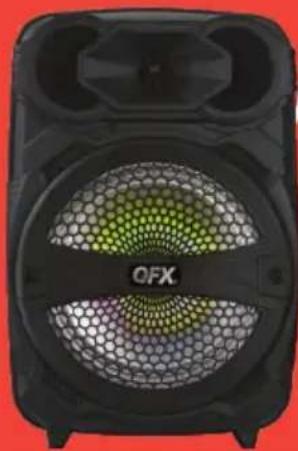
Close-up of a black OFX speaker with a green mesh grille and 'OFX' branding on the front panel (no additional text or symbols visible)
natural_image
Red background with white musical notes and waveforms (no text or symbols)CONNECT2·CONECTAR2·RELIER2
natural_image
Black OFX speaker with hexagonal pattern and 'OFX' branding (no readable text beyond brand name)PAIR 2 PBX-81
STEP 1
PASO 1
ÉTAPE 1

MODE
Push the Mode Button on both speakers until speakers are in Bluetooth Mode. Screen will display the word "Blue"
When both speakers are in Bluetooth mode, push and hold the TWS button for 3 seconds. You will hear a prompt sound. Next time you put both speakers in Bluetooth mode at the same time, speakers will connect automatically.
Cuando ambos altavoces están en Bluetooth modo, presione y mantenga presionado el botón TWS por 3 segundos Escuchara un aviso sonido. La próxima vez que pongas ambos altavoces en modo Bluetooth al mismo tiempo, Los altavoces se conectaran automaticamente. Lorsque les deux enceintes sont en Bluetooth mode, appuyez et maintenez le bouton TWS pendant 3 secondes. Vous entendrez une invite du son. La prochaine fois que vous mettrez les deux enceintes en mode Bluetooth en même temps, les haut-parleurs se connecteront automatiquement.
STEP 3 PASO 3 ÉTAPE 3
On your device, turn your Bluetooth settings "ON", you will then select "QFX PBX-81". Enjoy TWS (True Wireless Stereo) sound from your phone via Bluetooth!

¡ADVERTENCIA!
PARA REDUCIR EL RIESGO DE DESCARGAS ELÉCTRICAS, NO RETIRE LA CUBIERTA DE ESTE ALTAVOZ. NO HAY PARTES REPARABLES POR EL USUARIO ADENTRO. CONSULTE TODO EL SERVICIO A UN TÉCNICO CALIFICADO
PBX-81 TÉLÉCOMMANDE
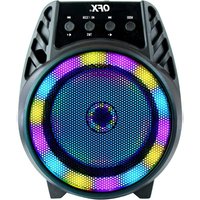
Brand : QFX
Model : PBX-81
Category : Loudspeaker