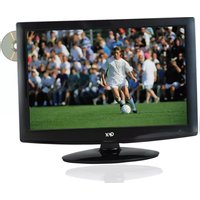
TV-LED1312D - Television QFX - Free user manual and instructions
Find the device manual for free TV-LED1312D QFX in PDF.


Pick your language and provide your email: we'll send you a specifically translated version.
| Product Type | LED Television |
| Brand | QFX |
| Model | TV-LED1312D |
| Screen Size | 12 inches (30.5 cm) |
| Display Resolution | 800 x 600 pixels |
| Aspect Ratio | 16:9 |
| Backlight Type | LED |
| Built-in Tuner | ATSC / NTSC |
| Video Inputs | HDMI, AV, VGA |
| USB Port | Yes, supports media playback |
| Audio Output | Headphone jack |
| Built-in Speakers | 2 x 2W |
| Power Supply | AC 100-240V, DC 12V |
| Power Consumption | 25W |
| Wall Mount | VESA 75 x 75 mm |
| Weight | 1.4 kg |
| Dimensions (W x H x D) | 31 x 25 x 5 cm |
| Remote Control | Included |
| Stand Type | Desktop stand included |
| Warranty | 1 year limited |
Frequently Asked Questions - TV-LED1312D QFX
How do I connect an external device to the QFX TV-LED1312D?
You can connect a DVD player, game console, or laptop using the HDMI or AV inputs. For older devices, use the VGA port with a suitable adapter.
Can I power the TV-LED1312D in my car?
Yes, this TV supports DC 12V power, making it ideal for car use. Simply connect it to the car's cigarette lighter socket with a compatible adapter (not included).
How should I clean the screen?
Use a soft, dry, lint-free cloth to gently wipe the screen. Avoid using water, chemicals, or abrasive materials that could damage the LED panel.
Does the TV have a USB port for playing media?
Yes, the built-in USB port allows you to connect a flash drive and play music, photos, and videos directly on the TV. Simply insert the drive and select the media source via the remote.
How do I program cable or over-the-air channels?
Press the Menu button on the remote, go to Channel Setup, and select Auto Scan. The TV will automatically search for available channels and store them.
Can I mount this TV on a wall?
Yes, the TV is compatible with VESA 75 x 75 mm wall mounts. Use a bracket that meets this standard and follow the mounting instructions carefully.
What is the power consumption of the TV-LED1312D?
The typical power consumption is 25 watts. While in standby mode, it consumes less than 1 watt, making it energy-efficient for everyday use.
Is there an HDMI input for HD devices?
Yes, the TV is equipped with an HDMI input, allowing you to connect HD devices such as streaming boxes, laptops, and Blu-ray players for high-quality video and audio.
Where can I download the user manual?
You can download the user manual in English for the QFX TV-LED1312D for free from notice-facile.com. The PDF version is available for offline viewing.
Does the TV come with a remote control?
Yes, a remote control is included in the box. It allows you to adjust volume, change channels, access menus, and control media playback from a distance.
User questions about TV-LED1312D QFX
0 question about this device. Answer the ones you know or ask your own.
Ask a new question about this device
No questions yet. Be the first to ask one.
Download the instructions for your Television in PDF format for free! Find your manual TV-LED1312D - QFX and take your electronic device back in hand. On this page are published all the documents necessary for the use of your device. TV-LED1312D by QFX.
USER MANUAL TV-LED1312D QFX


Manual assistant
Powered by Anthropic
Waiting for your message
Product information
Brand : QFX
Model : TV-LED1312D
Category : Television