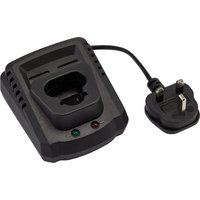
70326 - Battery charger Draper - Free user manual and instructions
Find the device manual for free 70326 Draper in PDF.


| Product type | Battery charger |
| Brand | Draper |
| Model | 70326 |
| Supply voltage | 230 V/50 Hz |
| Nominal output voltage | 12 V DC |
| Nominal output current | 2 A |
| Protection device rated current | 3.15 A |
| Construction class | Class II (double insulation) |
| Charging temperature | 0 °C to 45 °C |
| Charging time (2 Ah battery) | 70 min |
| Charging time (4 Ah battery) | 130 min |
| Charging time (5 Ah battery) | 160 min |
| Compatible battery type | Li-ion 12 V DX12 |
| LED indicators | Green (full charge/connected) and red (charging/error) |
| Intended use | Indoor only |
| Maintenance | Unplug before cleaning; store in a dry place |
| Safety | Overheat, short-circuit and polarity reversal protection |
| Spare parts available | DX12 batteries (ref. 27370, 70311, 27878) |
| Warranty | 12 months |
Frequently Asked Questions - 70326 Draper
User questions about 70326 Draper
0 question about this device. Answer the ones you know or ask your own.
Ask a new question about this device
Download the instructions for your Battery charger in PDF format for free! Find your manual 70326 - Draper and take your electronic device back in hand. On this page are published all the documents necessary for the use of your device. 70326 by Draper.
USER MANUAL 70326 Draper
natural_image
Diagram showing three components of a battery or charging device with arrows indicating internal connection (no text or symbols present)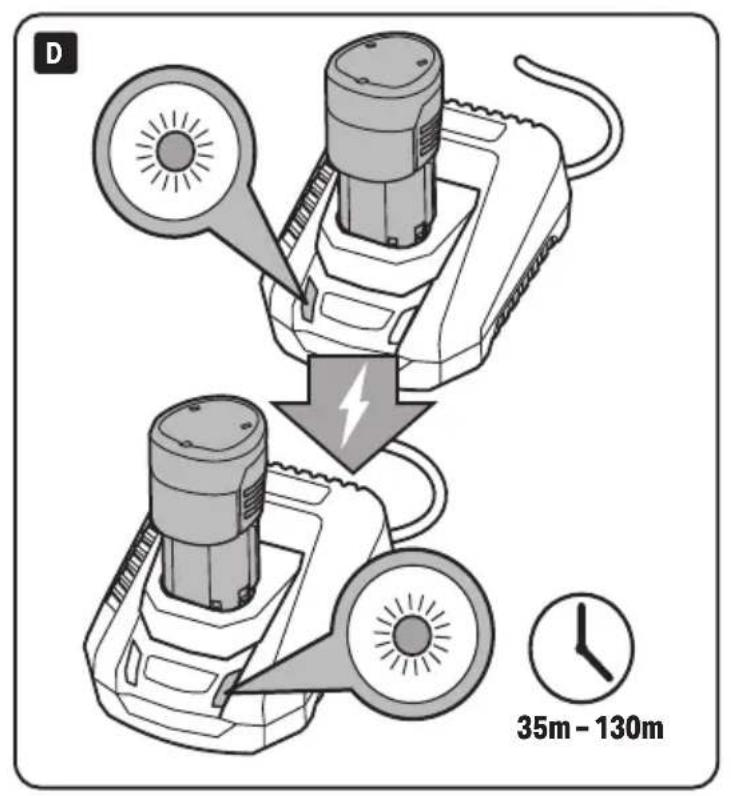
1.1 Product Specification
| Stock No. | 70326 (UK) /08346 (EU) | 27376 (UK) | 27377 (EU) |
| Part No. | C12VDLI /C12LIEU | V12FBC4UK | V12FBC4EU |
| Rated Voltage | 230V/50Hz | 230V/50Hz | 230V/50Hz |
| Rated DC Output | |||
| Voltage | 12V | 12V | |
| Current | 2A | 4A | |
| Protective Device Rated Current 3.15A | 3.15A | ||
| Construction | Class II | Class II | |
| Charging Temperature | 0 - 45°C | 0 - 45°C | |
| Charging Time (approx.) | |||
| 2A Battery | 70mins | 35mins | |
| 4A Battery | 130mins | 70mins | |
| 5A Battery | 160mins | 85mins | |
1.2 DX12 Battery Pack (available separately)
| Stock No. 27370 70311 27878 | |||
| Part No. 122AH CB12VDL14.0 125AH | |||
| Type Li-ion Li-ion Li-ion | |||
| Rating | 2Ah | 4Ah | 5Ah |
| Rated Voltage | 12V | 12V | 12V |
EN 2. Health and Safety Information
2.1 Battery Tool General Health & Safety Precautions
- Recharge only with the charger specified by the manufacturer.
- A charger that is suitable for one type of battery pack may create a risk of fire when used with another battery pack.
- Use power tools only with specifically designated battery packs.
– Use of any other battery packs may create a risk of injury and fire. - When battery pack is not in use, keep it away from other metal objects, like paper clips, coins, keys, nails, screws or other small metal objects, that can make a connection from one terminal to another.
- Shorting the battery terminals together may cause burns or a fire.
- ALWAYS switch off the tool and remove the battery before changing accessories or adjusting the tool.
- DO NOT use a battery pack or tool that is damaged or modified.
- Damaged or modified batteries may exhibit unpredictable behaviour resulting in fire, explosion or risk of injury.
- DO NOT expose a battery pack or tool to fire or excessive temperature.
- Exposure to fire or temperature above 130^ may cause explosion.
- Follow all charging instructions and do not charge the battery pack or tool outside the temperature range specified in the instructions.
- Charging improperly or at temperatures outside the specified range may damage the battery and increase the risk of fire.
2.2 Safety instructions for Mains Powered Chargers & Battery Packs
- Before using the battery pack or charger, read all instructions and cautionary markings on the battery, charger and the product using the battery.
- NEVER service damaged battery packs. Service of battery packs should only be performed by the manufacturer or authorised service providers.
Chargers
- The charger is for indoor use only. DO NOT expose to rain.
- Prior to plugging the charger in to the supply, check that the plug, cord and charger casing are in good condition. If any are damaged, have the defective part(s) replaced immediately by a suitably qualified person.
- Only use a correctly rated mains outlet to provide power, DO NOT plug into site generators, attach to engine generators or D.C. sources. DO NOT use a mains socket outlet that is not switched.
- Use the correct Draper charger in conjunction with its corresponding battery pack (Visit drapertools.com for more information).
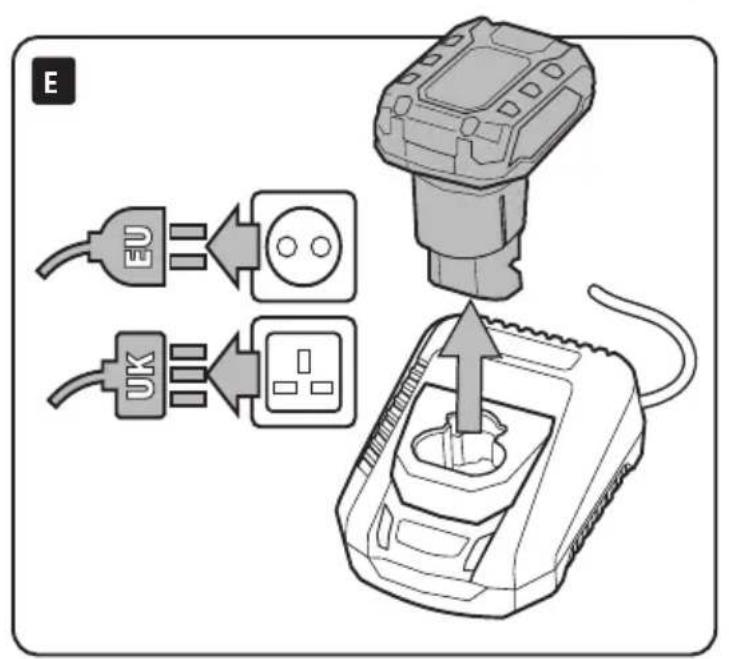
- The charger must be disconnected from the power supply before removing the battery.
- DO NOT charge any other batteries with Draper chargers. Any other application is considered misuse.
- DO NOT attempt to charge non-rechargeable batteries.
- DO NOT attempt to charge battery packs that are too hot (over 45°C) or too cold (under 5°C), if these conditions apply set the battery pack aside to 'normalise' before proceeding with the charging operation.
- Set up the charger and cord in a safe place where they will not be knocked, tripped over, stepped on, etc. and where it is well ventilated. Ensure the ventilation slots in the charger case are not obstructed.
- Switch the charger on and check that the correct indicators illuminate, allow the battery pack to charge. Once charging is complete, switch the charger off, disconnect from power supply, remove the battery pack and store.
Battery Packs
- Only use Draper recommended battery packs with this charger.
- Inspect the battery pack for damage, if it is undamaged, plug it into the charger, ensuring the correct orientation.
• DO NOT short the battery pack. - DO NOT touch the terminals with any conductive material.
- Avoid storing battery pack in a container with other metal objects such as nails, coins, etc.
- DO NOT expose battery cartridge to water or rain.
- The battery must be removed from the tool before it is recycled.
-
The battery is to be disposed of in-line with local authority procedures.
-
DO NOT crush, open or burn the battery. Exposure to potentially harmful materials may occur.
• In case of fire use CO2 or dry chemical extinguisher. - DO NOT expose to high temperatures >50°C. The battery may degrade at high temperatures.
- Charge battery in conditions between 5°C to 45°C with the designated charger for the battery.
- DO NOT use battery if it has been stored at 5°C or less. Allow it to 'normalise' at room temperature before usage/charging.

WARNING! – Leaking battery packs
- The electrolyte in battery packs is corrosive. Avoid contact with the skin.
- If contact is made, flush the area with clean water, pat dry and seek medical attention at the earliest opportunity.
- Inform medical personnel that the contaminant is a 'high alkaline, corrosive liquid'.
- If electrolyte comes into contact with the eyes, flush with plenty of water only. Seek immediate medical attention, relaying the information above.
2.3 Connection to the Power Supply (Charger)

CAUTION! Risk of electric shock. DO NOT open.
This appliance is supplied with an approved plug and cord for your safety.
This appliance is Class II and is designed for connection to a power supply matching that detailed on the rating label and compatible with the plug fitted.
If the power supply cord is damaged, it must be replaced by Draper Tools, an authorised service agent or similarly qualified personnel in order to avoid a hazard.
The damaged or incomplete plug, when cut from the cord, shall be disabled to prevent connection to a live electrical outlet.
The value of the fuse fitted is marked on the pin face of the plug. Should the fuse need replacing, use a small plain-slot screwdriver to remove the fuse cover. Ensure the substitute is of the correct rating, approved to BS 1362 and ASTA or BS Kite marked. This should only be performed by suitably qualified personnel.
ASTA

BSI
Important: If an extension lead is required, use an approved and compatible lead rated for this appliance.
Unwind the entire cable and follow all the instructions supplied with the extension lead.
^1 Double insulated ☐: This product requires no earth connection as supplementary insulation is applied to the basic insulation to protect against electric shock in the event of failure of the basic insulation.
EN 3. Product Overview

DX12 Charger
1 Power supply.
2 Battery charging port.
3 Green charging indicator light.
4 Red charging indicator light.
DX12 Battery (available separately).
5 2 × Battery release tab.
Please visit drapertools.com for our full range of DX12 batteries, chargers, accessories and consumables.
EN 4. Charging the Battery

• Fully charge before first use.
- Ensure the battery is fully insert correctly into the charger.
• ALWAYS unplug the charger after use.
| Status | Lights | |
| Green Red | ||
| Charger plugged in | Flashing OFF | |
| Battery charging | OFF ON | |
| Battery fully charged | ON OFF | |
| Battery too hot Battery not inserted correctly | Flashing Flashing | |
EN 5. Maintenance, Storage and Disposal

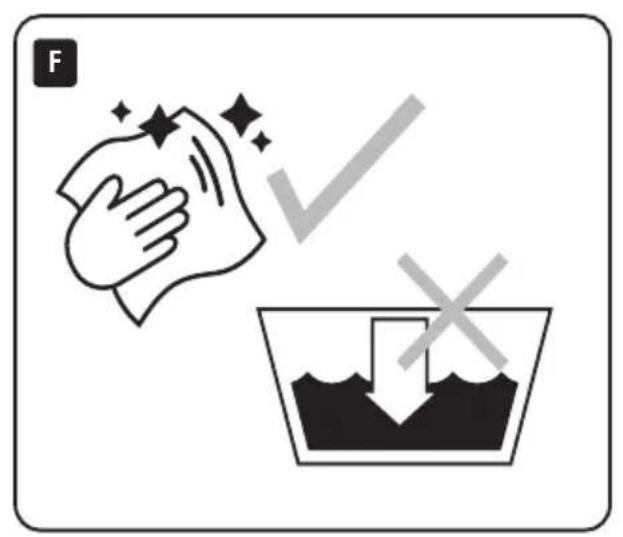
Important: ALWAYS ensure the battery pack is removed and the charger is unplugged before carrying out any cleaning, servicing or maintenance.
• Store in a safe dry area, out of the reach of children.
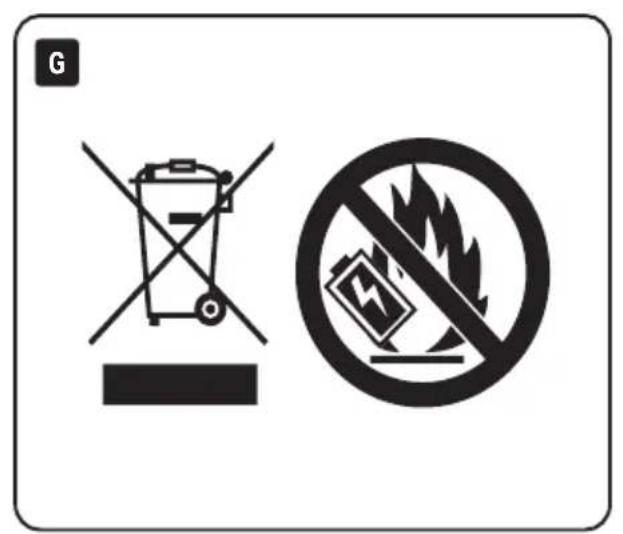
- At the end of its working life, dispose of the product responsibly and in line with local regulations. Recycle where possible.
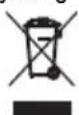
- DO NOT dispose of this product with domestic waste; most local authorities provide appropriate recycling facilities.
• DO NOT incinerate.
- DO NOT burn or mutilate batteries; this may release toxic or corrosive substances.

• DO NOT short circuit cells, may cause burns.
- The battery pack must be removed from the tool before it is scrapped and disposed of safely.
• DO NOT dispose of batteries in a charged condition.
- Expired batteries must be recycled/disposed of in accordance with the appropriate regulation or legislation. They should be returned to your local warranty agent/stockist.
EN 6. Warranty
12 months from date of purchase – Visit drapertools.com/warranty for more information.
EN 7. Symbols
Warning!
Read the instruction manual
Do not incinerate or throw onto fire
For indoor use only. Do not expose to rain
Class II construction (double insulated)
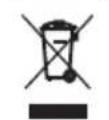
WEEE - Waste Electrical & Electronic Equipment
Do not dispose of Waste Electrical & Electronic Equipment in with domestic rubbish
UK Conformity Assessed
European Conformity







UK Conformity Assessed
ES 2. Health and Safety Information
1.2 DX12 Battery Pack (available separately)
Artikelnummer 27370 70311 27878
WAARSCHUWING! – Lekken van accupacks
Draper Tools Europe B.V
Hursley Road
Oude Graaf 8
Chandler's Ford
6002 NL
Eastleigh
Weert
Hampshire
Netherlands
S053 1YF
UK
Website: drapertools.com
Email: sales@drapertools.com
Product Helpline: +44 (0) 23 8049 4344
Telephone Sales Desk: +44 (0) 23 8049 4333
General Enquiries: +44 (0) 23 8026 6355
Please contact the Helpline for repair and servicing enquiries.
© DX PULSE Published by Draper Tools Limited
- EN 2. Health and Safety Information
- Battery Tool General Health & Safety Precautions
- Safety instructions for Mains Powered Chargers & Battery Packs
- Chargers
- Battery Packs
- WARNING! – Leaking battery packs
- Connection to the Power Supply (Charger)
- CAUTION! Risk of electric shock. DO NOT open.
- EN 3. Product Overview
- DX12 Charger
- DX12 Battery (available separately).
- EN 4. Charging the Battery
- EN 5. Maintenance, Storage and Disposal
- EN 6. Warranty
- EN 7. Symbols
- ES 2. Health and Safety Information
- DX12 Battery Pack (available separately)
- WAARSCHUWING! – Lekken van accupacks
Brand : Draper
Model : 70326
Category : Battery charger