
SS-8454 - Earphones Sogo - Free user manual and instructions
Find the device manual for free SS-8454 Sogo in PDF.
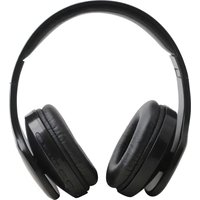


| Product Type | Bluetooth Headset (Earphone) |
| Brand | Sogo |
| Model | SS-8454 |
| Bluetooth Version | 4.1 |
| Bluetooth Profiles | HSP, HFP, A2DP, AVRCP |
| Standby Time | 500 hours |
| Talk Time | 15 hours |
| Music Play Time | 12 hours |
| Charging Time | 3.5 hours |
| Battery Capacity | 500 mAh |
| Charging Voltage | 5 V DC |
| Transmission Distance | 10 meters |
| Speaker Diameter | 40 mm |
| Sensitivity | 110 dB ± 3 dB |
| Impedance | 38 Ω ± 15% |
| Frequency Response | 20 Hz – 20,000 Hz |
| Main Functions | Call, music, FM radio, TF card playback, AUX input, NFC |
| Care and Cleaning | Do not use chemical products; clean with a dry cloth |
| Safety | Do not expose to moisture, shocks or high temperatures |
| Customer Service | www.sogosat.com / 0034 902 222 161 |
| Compliance | Directive 99/05/EC |
Frequently Asked Questions - SS-8454 Sogo
User questions about SS-8454 Sogo
0 question about this device. Answer the ones you know or ask your own.
Ask a new question about this device
Download the instructions for your Earphones in PDF format for free! Find your manual SS-8454 - Sogo and take your electronic device back in hand. On this page are published all the documents necessary for the use of your device. SS-8454 by Sogo.
USER MANUAL SS-8454 Sogo

Wireless Smart Sports Stereo Earphones
ref. SS-8454

SAFETY AND MAINTENANCE
How to use
This instruction manual can also be downloaded from our web page www.sogo.es
Please read this manual before use.
- Please read the suggestions below in order to help prolong the product lifespan.
- Keep the product dry, do not put it in humid circumstances to avoid short circuit.
- Do not expose it to the sun or high heat. High heating will shorten the lifespan of electronic components, damage the battery and deform some plastic parts.
- Do not put it in cold circumstances to avoid damage to the PCB board.
- Do not attempt to take apart the product, especially if you are not a professional.
- Do not drop it, vibrate it strongly, or strike it with hard objects, to avoid damage to the inner electronic circuit.
- Do not use high chemical products or detergent to clean the item.
- Do not scratch the surface with sharp items to avoid damaging the case and appearance.
- Do not charge it continuously for more than 10 hours for the sake of its lifespan.
If the product cannot work properly, please send it to SOGO authorized maintenance agents. Our staff will help to solve the problems for you.
Introduction
Bluetooth is a kind of wireless technology which supports short distance communications (normally works within a distance of 10M). With it, you can exchange information wirelessly between
many IT digital devices like mobile phones, wireless earphones, computers, etc. Bluetooth technology effectively simplifies communications, making device and data transmission quick and efficient.
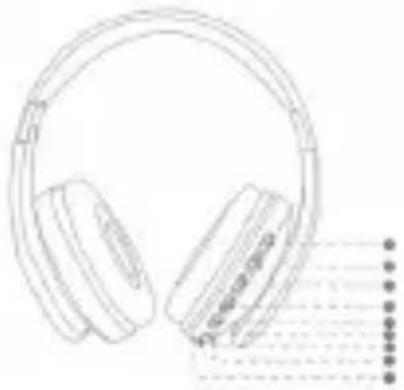
Overview of Controller
A. Switch B. Vol(+) / Next Track C. Stop/Start Music, Answer/Reject Phone / MFB D. Vol(-) / Previous Track E. Change Mode F. Microphone G. Micro USB Charging Port H. AUX I. Indicator Light G. TF
How to Use
Power On/Off
Power on: Long press A for 4 seconds until the blue indicator light flashes for 1 second with the prompt tone “power on”.
Power off: Long press A for 6 seconds until the red indicator light flashes for 1 second with the prompt tone “power off”.
Pairing
- When the device is power off, long press A for 4 seconds, then the blue indicator light will flash.
2. Open Bluetooth function on the phone
- Search Bluetooth Devices
4. Choose "SOGO SS-8454" (If password is required, please input "0000")
5. Blue LED light will flash slowly with a prompt tone if the product is paired successfully.
Pairing two mobile phones
- Follow the pairing steps to connect the first mobile phone, then turn off the Bluetooth function on that phone to pair the second mobile phone.
2. Turn on Bluetooth on the first mobile phone, then manually connect to the first mobile phone.
How to Use
Call
Answer / end a call: Short press the MFB to answer or hang up the current call.
Reject a call: Long press the MFB for 4 seconds.
Redial a call: Double click the MFB for 2 seconds.
Switching a Call:
Press the MFB to hang up the first call and answer the second call.
Button Definition
Power off: Long press the MFB for 6
seconds
Power on: Long press the MFB for 4
seconds
Pairing Mode: Press the E once
Answer incoming call: click the MFB
Reject incoming call: Long press the MFB for 4 seconds
Hang up the phone: Click the MFB
Answer second call: Press MFB 2 times
Next: long press V+ button
Previous: long press V- button
Volume up: Click V+
Volume down: Click V-
Radio mode: Press M once /
hit MBF ,the earphone will search the channel
itself AUX: connect it with the wire
TF mode: Insert the TF card
Bluetooth Earphone Specifications
Bluetooth Version: V4.1
Profile support: HSP/HFP/A2DP/AVRCP
Stand-by Time: 500 h
Talk Time: 15 h
Play Music Time: 12 h
Charging Time: 3.5 h
Frequency Range: 2.40GHz~2.48GHz
Ambient Temperature: -20/+60°C
Charging Voltage: DC 5V
Transmission Distance: 10m
Battery capacity: 500mAh
Driver Specification
Drive: 40 mm
Sensitivity: 110dB±3dB
Impedance: 38Ω±15%
Frequency Response: 20-20000 Hz
SAFETY AND MAINTENANCE
How to use
Power On/Off
DECLARATION OF CONFORMITY
This product complies with directive 99/05/EC of the European Parliament and the Council of March 9, 1999, transposed into Spanish law by Royal Decree 1890/2000, of November 20th.
DECLARATION OF CONFORMITY
This symbol means that in case you wish to dispose of the product once its working life has ended, take it to an authorised waste agent for the selective collection of waste electrical and electronic equipment (WEEE).
SOGO®
Human Technology

ref. SS-8454

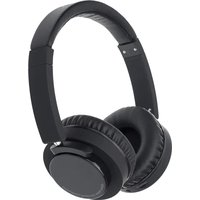
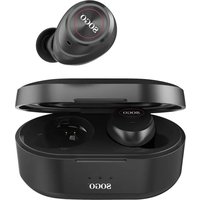
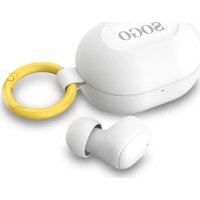
Brand : Sogo
Model : SS-8454
Category : Earphones