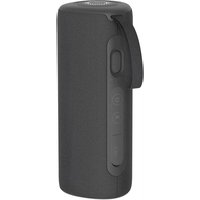
PWS-2246 - Speaker KODAK - Free user manual and instructions
Find the device manual for free PWS-2246 KODAK in PDF.


| Product Type | Bluetooth Speaker |
| Brand | Kodak |
| Model | PWS-2246 |
| Bluetooth Version | 5.0 |
| Supported Bluetooth Profiles | A2DP, HFP, HSP, AVRCP |
| Speaker Power | 12 W x 2 (RMS) |
| Frequency Response | 150 – 16,000 Hz |
| Signal-to-Noise Ratio | ≥ 70 dB |
| Battery Capacity | 7.4 V / 2000 mAh |
| Charging Current | 5 V / 1.5 A |
| Playtime | 8 to 10 hours (at 50% volume) |
| Charging Time | 2 to 3 hours |
| Dimensions | 78 x 78 x 202.3 mm |
| Weight | 602 g |
| Power Supply | 5 V / 2 A adapter (USB-C) |
| Main Features | Bluetooth playback, TWS connection, hands-free calls, AUX mode, 10 LED modes, 3-mode equalizer, touch controls |
| Care and Cleaning | Clean with a soft, dry cloth. Do not use alcohol, ammonia, or abrasive products. |
| Safety | Do not disassemble, do not expose to moisture, do not insert objects, do not modify. |
| Spare Parts and Reparability | Built-in battery not user-replaceable. No user-serviceable parts. |
| General Information | Manual available in multiple languages. Warranty void if modified. |
Frequently Asked Questions - PWS-2246 KODAK
User questions about PWS-2246 KODAK
0 question about this device. Answer the ones you know or ask your own.
Ask a new question about this device
Download the instructions for your Speaker in PDF format for free! Find your manual PWS-2246 - KODAK and take your electronic device back in hand. On this page are published all the documents necessary for the use of your device. PWS-2246 by KODAK.
USER MANUAL PWS-2246 KODAK
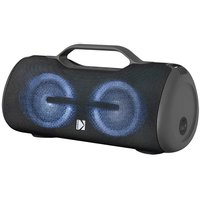
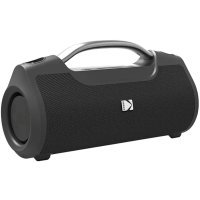
KODAK Portable Wireless Speaker
IPX5 Water Resistant with True Wireless Technology PWS-2246
natural_image
3D rendered image of a textured, rectangular object with a central oval and small protrusions (no visible text or symbols)
User Manual
Please read this manual carefully before operating the speaker. Please keep this manual with you for further reference.
INTRODUCTION
Thank you for choosing this product as your source for entertainment!
You can use this item with tablets, laptops and many types of smartphones to stream music and enjoy hands-free calling. In order to get the best results, please read this manual before using the product.
IMPORTANT SAFETY INFORMATION
- Read all warnings.
- Follow all instructions.
- Do not drop, disassemble, deform, modify or insert any objects into this product.
- Do not attempt to repair, modify or disassemble the product yourself.
- For the first use, fully charge the product.
- Please charge the battery once a month if speaker is not used for long time.
- This product does not contain any user-serviceable components and tampering with it may void the warranty.
- Do not clean the product with alcohol, ammonia-based cleaners and abrasive cleaners.
- Do not place this product in contact with any sharp objects as this may cause scratches and operating damage.
- Do not attempt to replace the product battery, it is built-in and is not user changeable.
- Observe all signs and displays that require an electrical device or RF radio product to be switched off in designated areas.
- Dispose of the product and the product's battery in accordance with local laws and regulations.
- Avoid using in damp or corrosive environment.
WHAT'S INSIDE
Speaker
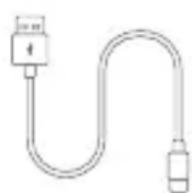
Type-C charging
cable
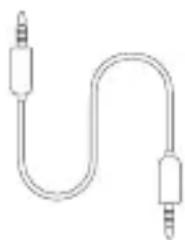
natural_image
Simple line drawing of a U-shaped audio jack (no text or symbols)Aux audio cable User manual

PRODUCT OVERVIEW

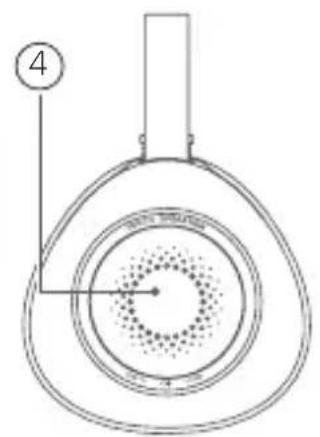
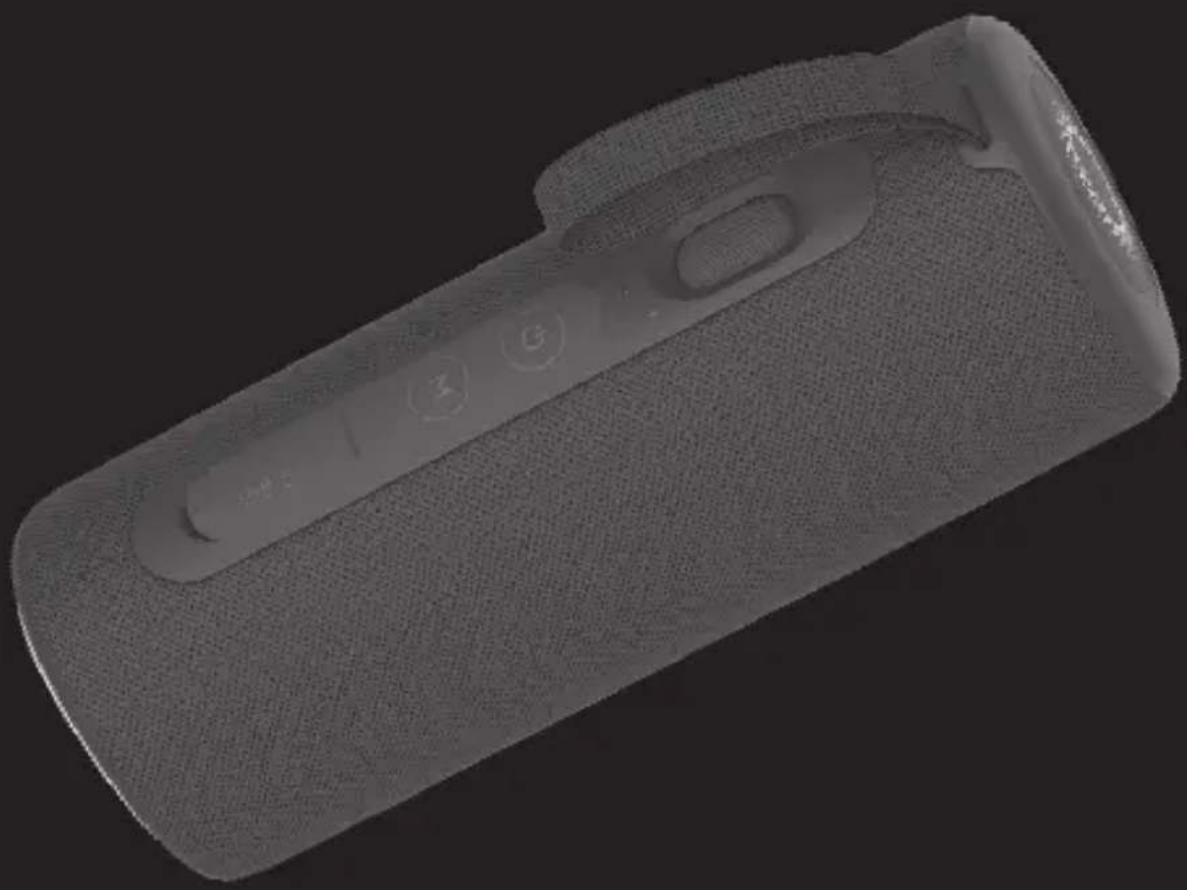
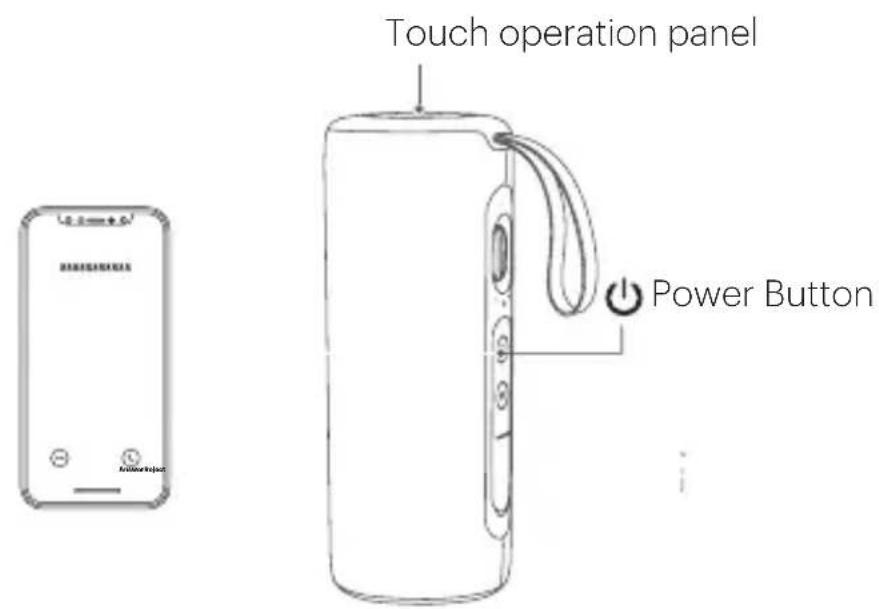
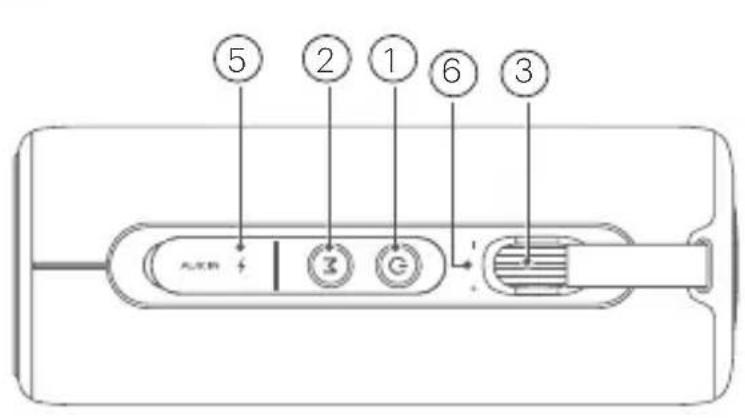
① Long press for 2 second: Power on/off. Short press twice to disconnect BLUETOOTH pairing. Long press to reset BLUETOOTH speaker.
② M Short press to turn on LED mode. Long press to turn off LED light. Short press 2 times for TWS connection. Press again for TWS disconnection.
③ Rotate to increase/decrease volume to your desired level.
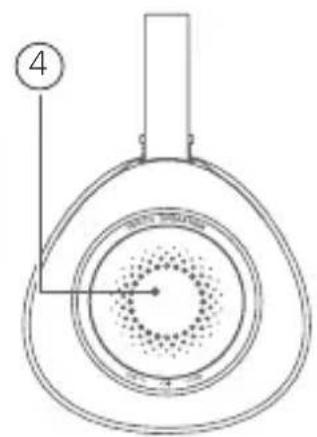
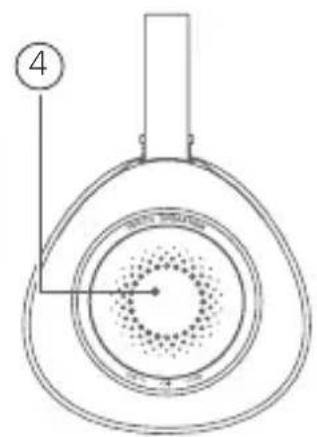
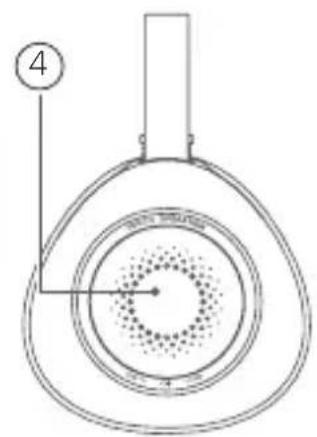
④ Tap once to Pause/play music; pick up/hang up call. Tap twice to move to Next track. Tap three times to move to Previous track. Tap and hold for 2 seconds to Reject an incoming call. Tap and hold for 4 seconds select EQ mode.
⑤ AUX audio input / USB-C audio input and charging USB port.
⑥ Microphone.
OPERATION
1. Power On/Off
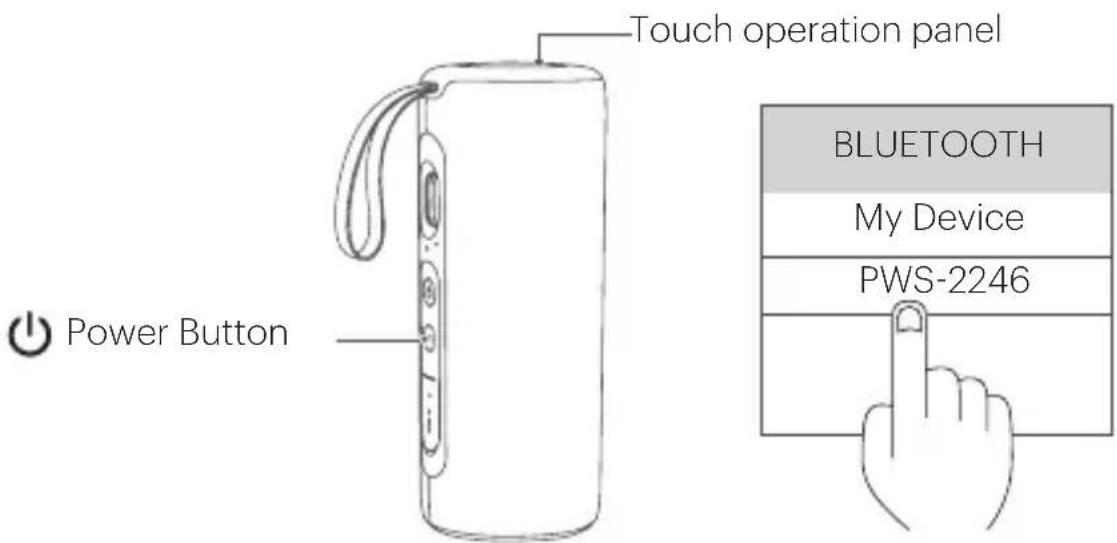
Long press " ⏻ button for 2 seconds to power on, press it again to power off.
2. BLUETOOTH Connection
When the speaker is powered on it will enter BLUETOOTH pairing mode and blue indicator light will start flashing. Select "PWS-2246" on your BLUETOOTH device and connect. Upon successful connection, indicator light will stop flashing and stay on; speaker will start to play music from your play list. Short press " ⏻ button three times to disconnect BLUETOOTH connection.
3. TWS Connection
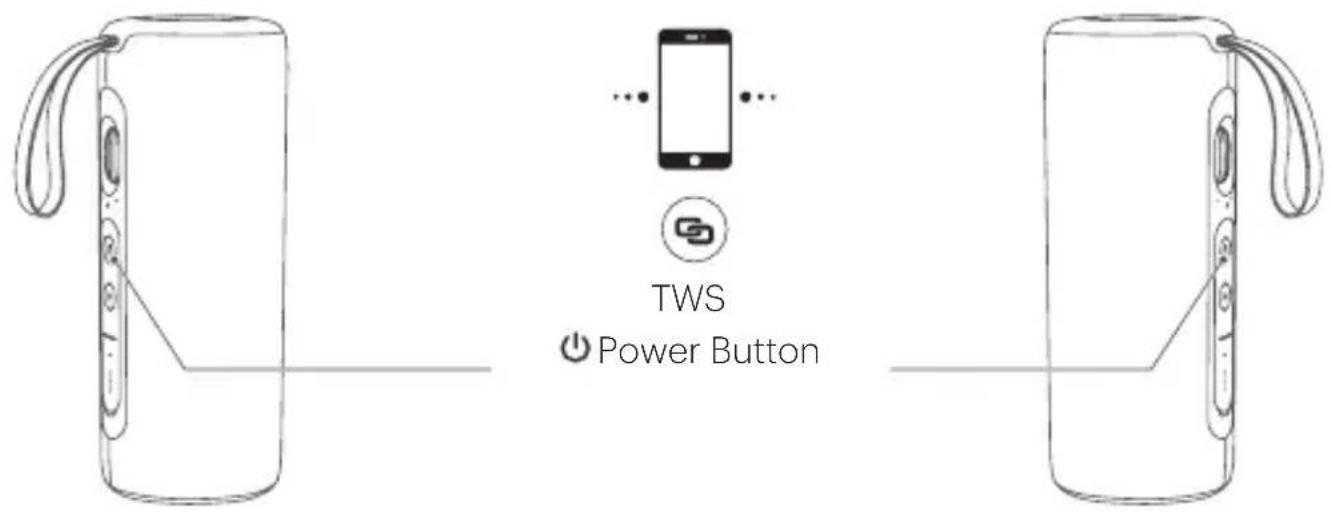
a. Power on two "PWS-2246" speakers, both speakers will enter in BLUETOOTH mode.
b. Short press "M" button twice on each speaker to enter TWS pairing mode, the two speakers will connect automatically and you will hear a "Beep" voice prompt once TWS connection is successful. The master speaker's blue indicator will keep flashing and the sub-master speaker's blue indicator will stay on.
c. Under TWS connection choose "PWS-2246" from your device list to make BLUETOOTH pairing with the master speaker. Upon successful connection you will hear a voice prompt and music will be played on both the speakers simultaneously.
d. To disconnect TWS pairing short press " Mutton twice on each speaker.
4. Volume Control
Rotate the volume control knob clockwise to increase volume and counter clockwise to decrease volume. When the volume is increased to maximum, you will hear a "di-di" sound.
5. Previous/Next track
In BLUETOOTH mode, tap touch operation panel once to pause and tap again to resume play; tap twice to move to next track tap three times to move to previous track. In AUX mode, tap once to mute, tap once again to unmute.
6. Hands-free Calling
When your smartphone is paired to the speaker and you receive an incoming call, tap the touch panel once to answer the call and tap it again to hang up the call. Short tap the panel twice to transfer the call from speaker to phone which can protect your privacy.
7. AUX
Plug in Aux audio cable to the speaker, it will switch to AUX mode automatically.
8. LED Lighting Mode
This speaker supports 10 different LED lighting modes. Short press “M” button to switch to another lighting effect. Mode 1 is default mode and will start when speaker is switched on.
9. EQ Mode
This speaker supports three different EQ modes (Balance sound, pure sound and bass sound). Balance sound effect is set as default, to switch to another EQ mode long tap the touch panel for 3 seconds.
10. Power Saving
Under below situation, the speaker will power off to save battery power: - In BT mode, without any connection with any device for 10 minutes. Long press “ ⏻ for 2-3 seconds to power on again.
11. Charging
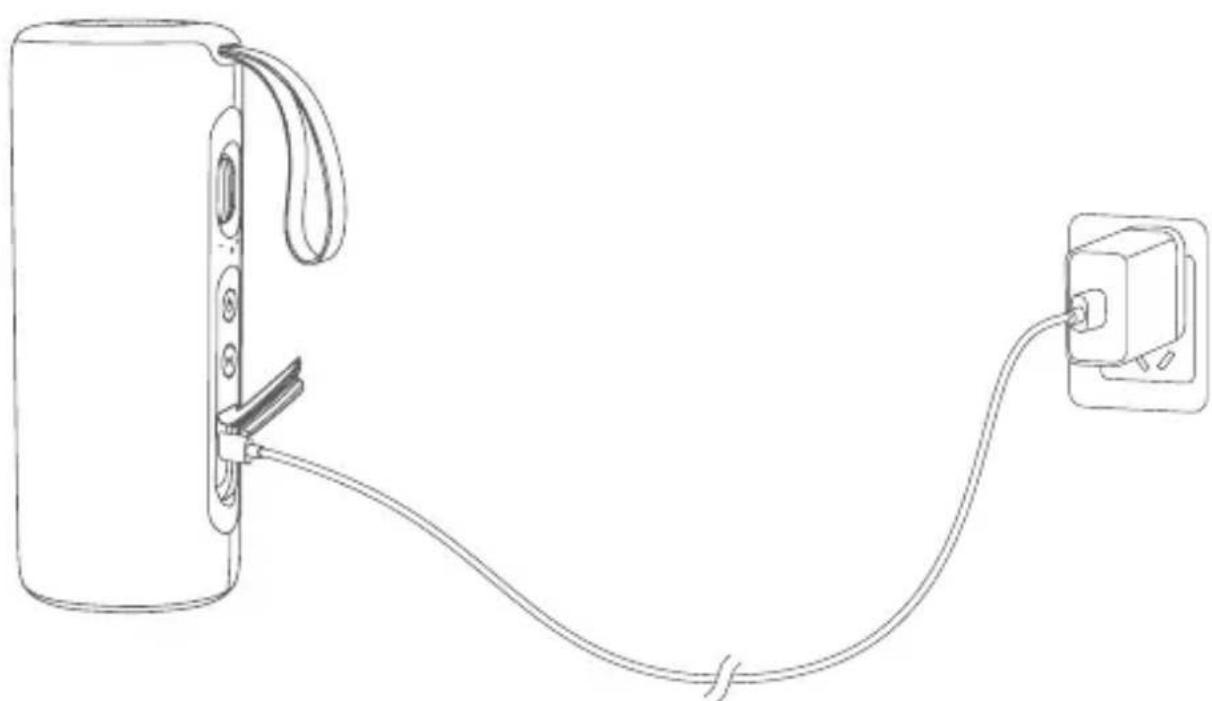
Use only Adapters with 5V/2A or higher which has safety approvals.
- Please charge the speaker when hearing the low battery voice prompt.
- While the speaker is charging Red indicator light turns on and will turn off when speaker is fully charged.
natural_image
Line drawing of a device with cable and plug, no text or symbols presentLED INDICATION
| Power On Status | Blue indicator light will power on and enter in BLUETOOTH mode automatically. It will flash rapidly indicating that the device is ready to pair. |
| AUX In AUX In | mode, indicator light will keep Green. |
| BLUETOOTH Status | Indicator light keeps Blue when BLUETOOTH is connected. |
| Blue indicator keeps flashing if your BLUETOOTH device is out of range or disconnected, indicating the speaker is in searching status. | |
| Maximum Volume | When the speaker volume is increased to maximum, there will be a voice prompt. |
| Charging Status | Red indicator will be on while speaker is charging and will turn off when speaker is fully charged. |
| Low battery Red indicator will flash rapidly when the battery is low. | |
| LED lighting There are 10 different modes, Mode 1 is set as default. | |
SPECIFICATIONS
| Wireless Version 5.0 | |
| Format Supports A2DP/HFP/HSP/AVRCP | |
| Battery Capacity 7.4V/2000mAh | |
| Charging Current 5V/1.5A | |
| Playtime 8~10 hours (50% Volume) | |
| Charging Time 2~3 hours | |
| Speaker Unit 12W x 2 (RMS) | |
| Freq. Response 150~16KHz | |
| S/N Ratio: ≥70dB | |
| Product Size 78 x 78 x 202.3Wmm | |
| Product Weight | 602g±10 |
INTRODUCCIÓN
natural_image
Simple line drawing of a U-shaped audio jack (no text or symbols)Cable de audio x 1

Instrucciones x 1
2. BLUETOOTH Connection
natural_image
Line drawing of a device with cable and plug, showing connection between two connected components (no text or symbols)INDICACIÓN LED
natural_image
Pure electrical circuit lines without any symbols
natural_image
Line drawing of a device with cable and plug, connected to a power outlet (no text or symbols)LED-ANZEIGE
natural_image
Line drawing of a U-shaped audio jack with two leads (no text or symbols)APERÇU DU PRODUIT
natural_image
Line drawing of a device with cable and plug, showing connection between a battery and a wall-mounted power outlet (no text or symbols)SIGNIFICATION DES VOYANTS LED
natural_image
Simple line drawing of a U-shaped audio jack (no text or symbols)Cavo audio Aux

natural_image
Line drawing of a device with cable and plug, showing connection between a battery and a wall-mounted power outlet (no text or symbols)INDICATORE LUMINOSO
natural_image
Simple line drawing of a U-shaped audio jack (no text or symbols)KRÓTKI OPIS PRODUKTU
natural_image
Line drawing of a device with a cable and plug, no text or symbols presentWSKAŹNIK LED
© 2024 Made in China for Star Glory Ltd
Room 905-907, 9/F., Cheung Sha Wan Plaza, Tower 1,
833 Cheung Sha Wan Road, Lai Chi Kok, Kowloon, Hong Kong.
The Kodak trademark, logo, and trade dress are used under license from Kodak.
All information contained in this document is subject to change without notice.
CUSTOMER SERVICE: sales@starglory.com.hk
- KODAK Portable Wireless Speaker
- User Manual
- INTRODUCTION
- Thank you for choosing this product as your source for entertainment!
- IMPORTANT SAFETY INFORMATION
- WHAT'S INSIDE
- PRODUCT OVERVIEW
- OPERATION
- Power On/Off
- BLUETOOTH Connection
- TWS Connection
- Volume Control
- Previous/Next track
- Hands-free Calling
- AUX
- LED Lighting Mode
- EQ Mode
- Power Saving
- Charging
- LED INDICATION
- SPECIFICATIONS
- INTRODUCCIÓN
- INDICACIÓN LED
- LED-ANZEIGE
- APERÇU DU PRODUIT
- SIGNIFICATION DES VOYANTS LED
- KRÓTKI OPIS PRODUKTU
- WSKAŹNIK LED
Brand : KODAK
Model : PWS-2246
Category : Speaker