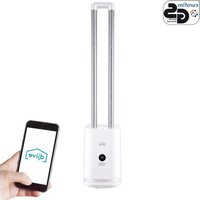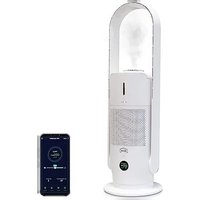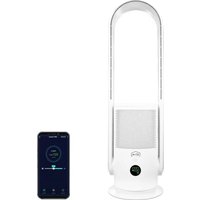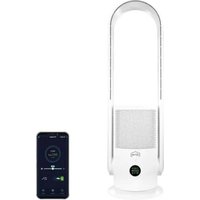
Flowmate ARC Portable - Air purifier Djive - Free user manual and instructions
Find the device manual for free Flowmate ARC Portable Djive in PDF.


User questions about Flowmate ARC Portable Djive
0 question about this device. Answer the ones you know or ask your own.
Ask a new question about this device
Download the instructions for your Air purifier in PDF format for free! Find your manual Flowmate ARC Portable - Djive and take your electronic device back in hand. On this page are published all the documents necessary for the use of your device. Flowmate ARC Portable by Djive.
USER MANUAL Flowmate ARC Portable Djive
natural_image
White portable air purifier with a circular digital display showing '070' and '83 mm' (no text or symbols on the device itself)2IN1
BLADELESS FAN & AIR PURIFIER - PORTABLE
English
Deutsch
Français
Español
Italiano
CONTENTS
SAFETY INSTRUCTIONS 4
PRODUCT OVERVIEW 6
DISPLAY INTERFACE 7
BATTERY STATUS 7
REMOTE CONTROL 8
MAIN BODY FUNCTIONS 12
FILTER REPLACEMENT 13
MAINTENANCE
WIFI CONNECTION 17
TECHNICAL SPECIFICATIONS 17
Dear Customer,
Your new Flowmate ARC Portable is about to be used for the first time for refreshing the air – at home and outdoors.
Please take a moment to read this manual to familiarise yourself with your new 2in1 Bladeless Tower Fan.
If you have any questions, please contact our customer service.
Enjoy fresh clean air every day with your new djive Flowmate.
Customer Care
Phone +49 (0) 209 5130340
support@djive.eu
www.djive.eu 📁fdjivehome 📋jive_home
Robovox Distributions GmbH | Hamburger Straße 11, D - 45889 Gelsenkirchen
SAFETY INSTRUCTIONS ||
WARNING
To avoid fire, electric shock or injury, you urgently need to meet the following requirements. In addition, please follow the respective national and local electricity regulations. Before using the Flowmate ARC Portable please read all instructions and cautionary markings in this manual carefully. When using an electrical appliance, basic precautions should always be considered, including the following:
- The device can be used by children aged from 8 years and above and persons with reduced physical, sensory or reasoning capabilities, or lack of experience and knowledge, only if they have been given supervision or instruction by a responsible person concerning use of the appliance in a safe way and understand the hazards involved. Cleaning and user maintenance should not be performed by children without supervision.
- Please use a separate power outlet according to the required voltage for the fan. Do not use a multi-purpose socket for simultaneous use with other electrical devices.
- Should Flowmate ARC Portable does not work properly due to damaged power cord, turn off the power and ask a qualified person for repair or refer to your djive service contact primarily.
- Do not move Flowmate ARC Portable when applying the plug in or out of power outlet.
- Do not pull out the plug by the cable only. Pull out the plug by grip on appropriated spot.
- Do not operate Flowmate ARC Portable with damaged cord or connector. Please contact djive customer service in order to replace or repair your device.
- Do not stretch or violate the cord. Keep cord also away from any heat sources.
-
Do not place power cord covered by carpets or similar. Make sure to prevent cord from tripping over.
-
Always turn off Flowmate ARC Portable before pulling the plug out of power outlet. In case of long term non-usage, please plug out the device.
-
Do not place any objects covering the air inlet or outlet. Make sure the ventilation mouths are free of dust, lint, hair or other obstacles that could impair the air flow.
-
Flowmate ARC Portable should be placed on horizontal, dry surface and should also be kept away from heat sources, corrosive air and moisture. In order to grant best function results do not place any obstacles 150 mm around the device.
-
Do not use Flowmate ARC Portable outdoors or on wet surfaces.
-
Do not immerse the device, power cord, or plug in water or other liquids to avoid danger of shock or damage. The use of an extension cord is not recommended unless it has been authorized by a qualified person.
-
The device contains an UV-C emitter. Unintended use of the appliance or damage to the housing may result in the escape of dangerous UV-C radiation. UV-C radiation may harm to the eyes and skin. WARNING – This appliance contains a UV-C emitter. Do not stare at the light source.
-
Do not use any cleaning agents or lubricants for cleaning Flowmate ARC Portable and always pull out the power plug before cleaning, transporting and servicing the device.
-
Do not turn or knock over the device.
-
Pacemakers and defibrillators may be affected by strong magnetic fields as well as magnetic cards. If user or someone in household has a pacemaker or defibrillator, avoid having the remote control near to the appliance.
-
The battery is highly inflammable. Keep the battery away from kids, electricity and store it in an environment with temperatures only between +5°C to +45°C. Do not expose the battery to sharp objects, water, or sand as damage to the battery itself, or cable might cause the battery to ignite or explode.
FLOWMATE
PRODUCT OVERVIEW ||
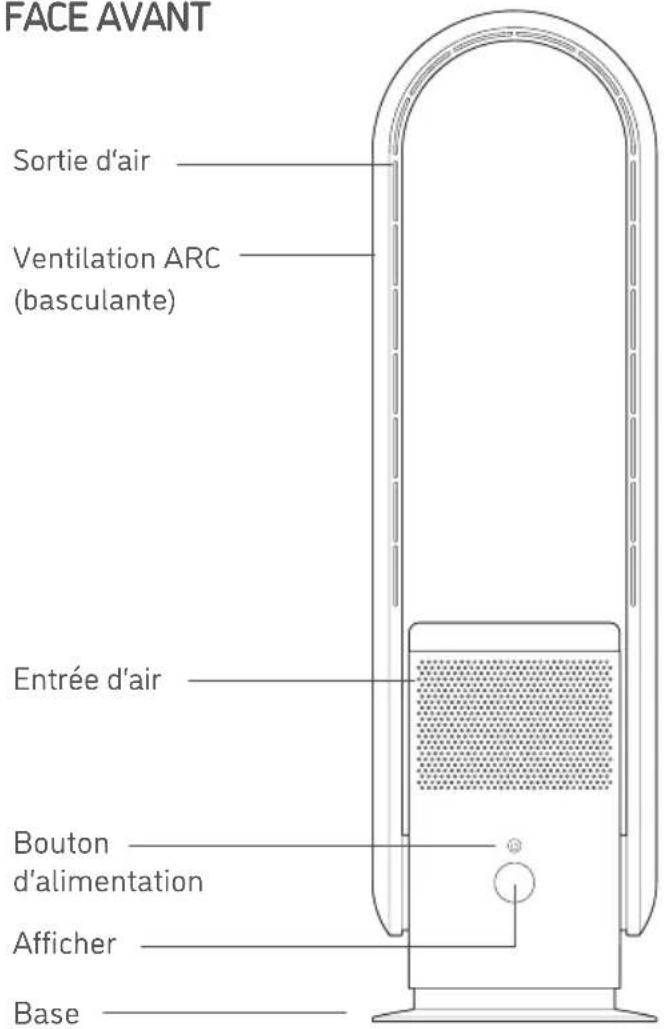
FRONT VIEW

text_image
Air outlet Ventilation ARC (tiltable) Air inlet Power Button Display Base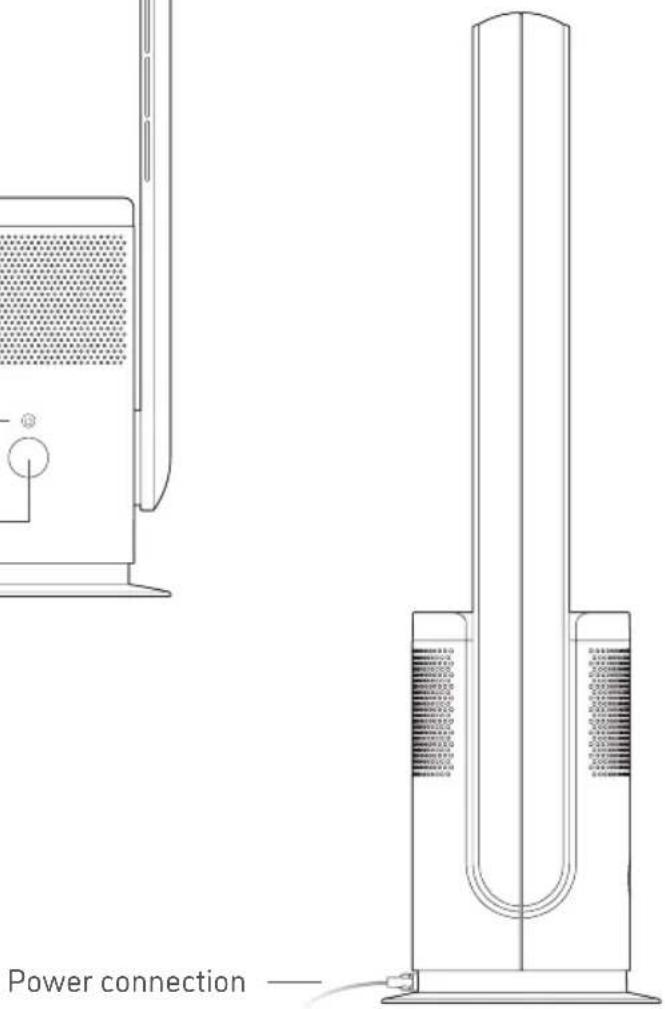
text_image
Power connection —DISPLAY INTERFACE ||
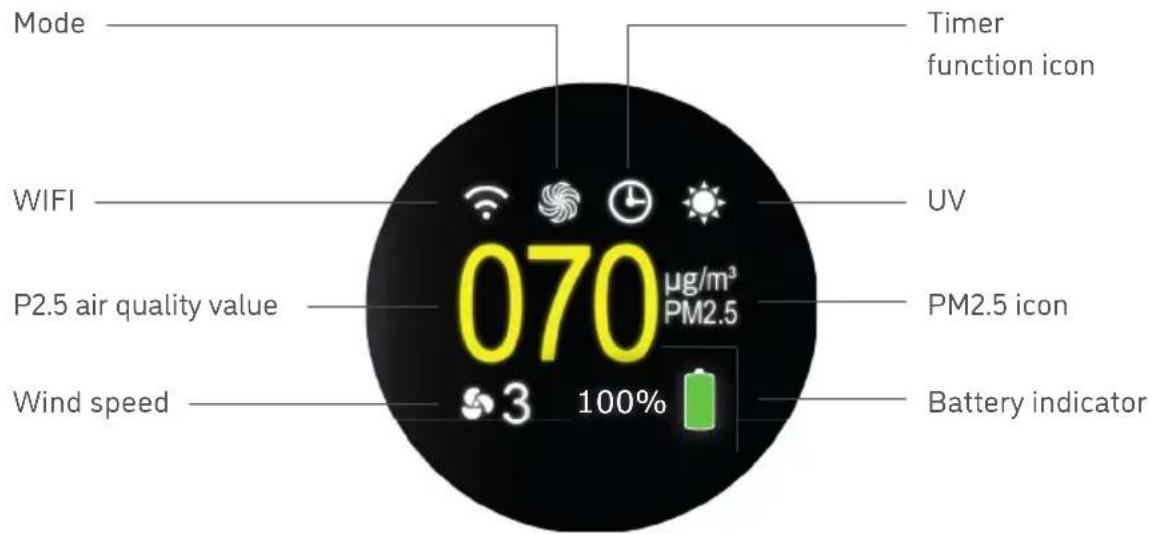
LED INDICATORS
text_image
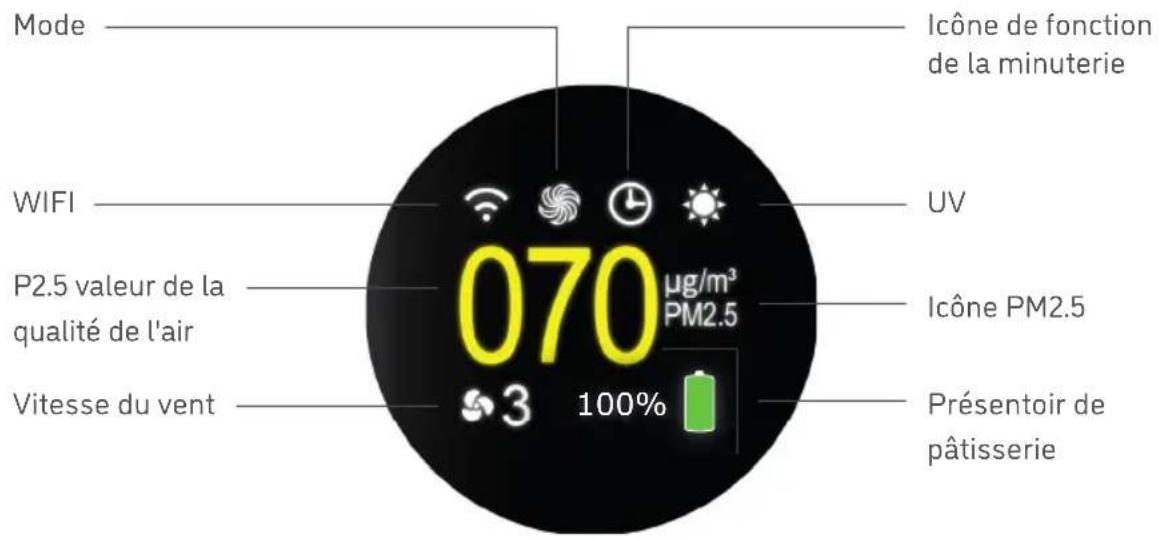
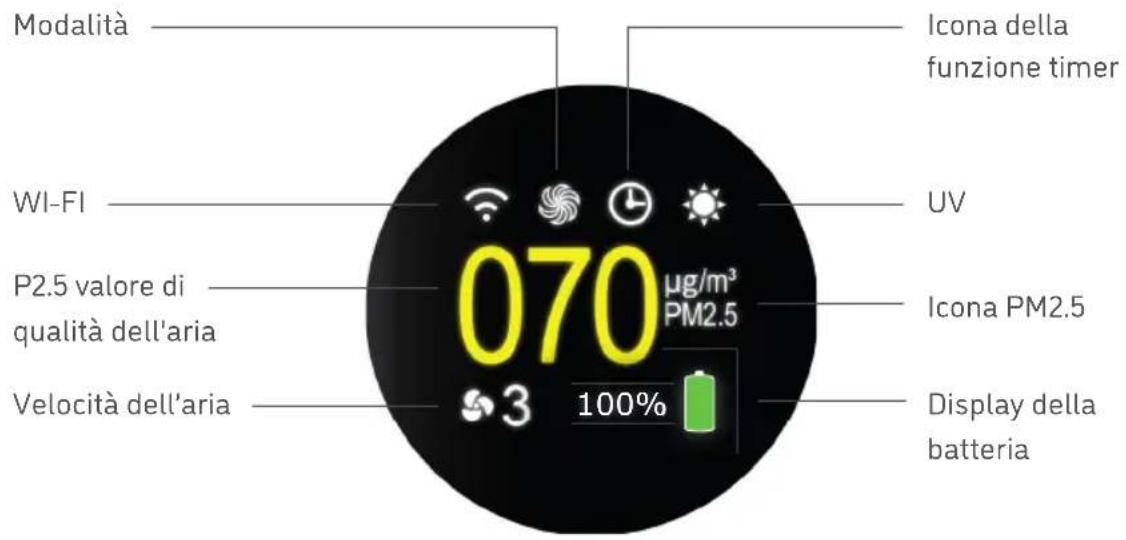
Mode WIFI P2.5 air quality value Wind speed Timer function icon UV 070 µg/m³ PM2.5 PM2.5 icon Battery indicator 3 100%BATTERY STATUS ||
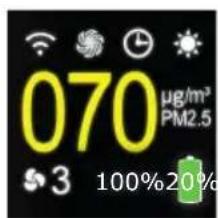
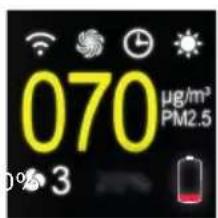
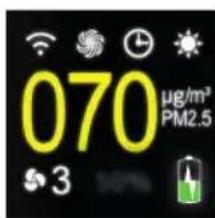
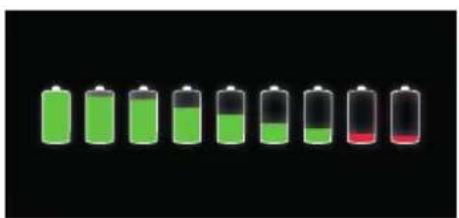
The ARC Portable has the ability to operate even when unplugged due to its internal battery. The battery indicator displays the amount of battery power and the status of whether the arc portable is being charged or not.
text_image
070 µg/m³ PM2.5 3 100% 20%Full battery display.
text_image
070 µg/m³ PM2.5 320% battery remaining.
text_image
070 µg/m³ PM2.5 3Charging status display.
natural_image
Row of eight green and black batteries with red liquid at one end, against black background (no text or symbols)Battery levels from 100% to 10%
FLOWMATE
REMOTE CONTROL ||
text_image
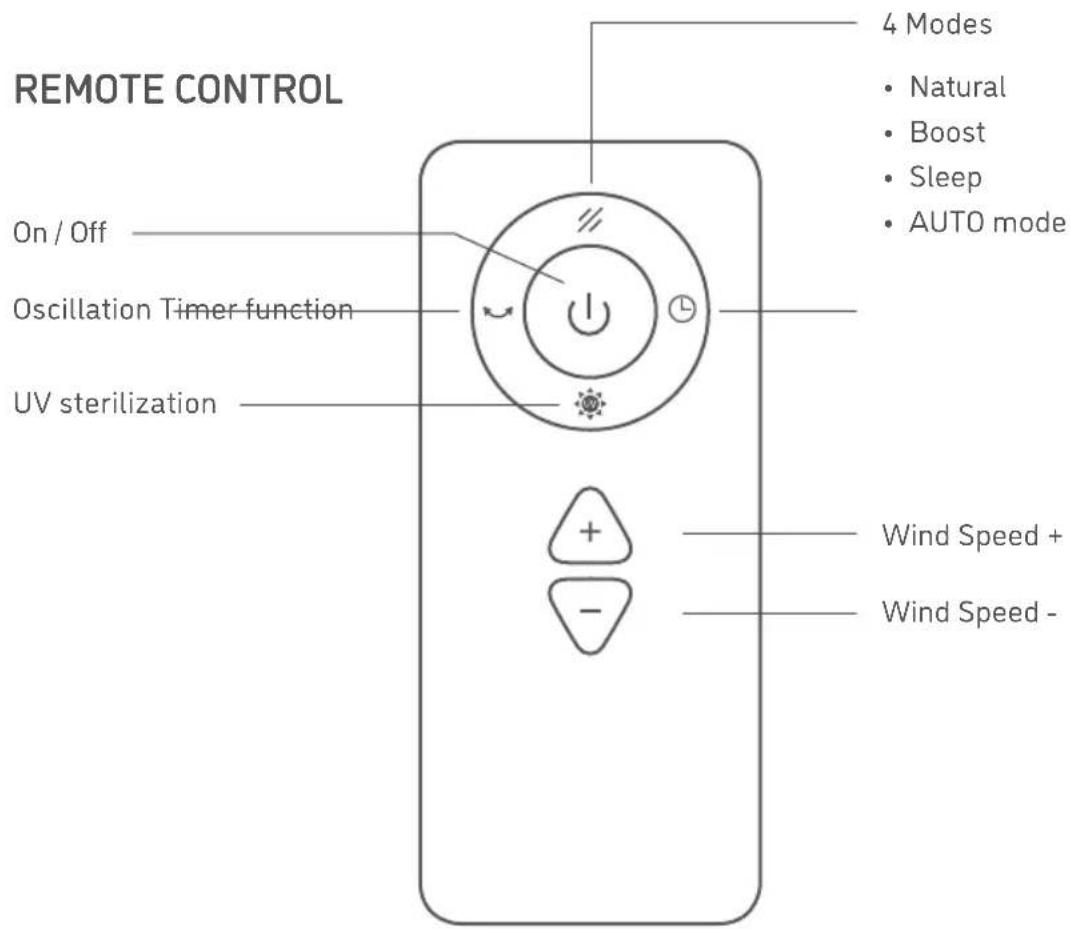
REMOTE CONTROL On / Off Oscillation Timer function UV sterilization 4 Modes • Natural • Boost • Sleep • AUTO mode + - Wind Speed + Wind Speed -FLOWMATE

The device can be switched on and off by touching the „ON / OFF“ button.

This button allows to switch between 4 different wind presets:
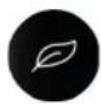
NATURAL
Simulates a natural wind flow by adjusting the wind speed randomly.
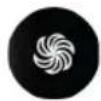
BOOST
Highest possible wind speed running at a maximum of 7300RPM.

SLEEP
Lowest possible wind speed to reduce operational noises to a minimum.

AUTO MODE
Changes the speed automatically based on the air quality

Touch the oscillation button for 1 sec to turn on oscillation function.
The ARC Portable can swing left and right up to 80°. Touch the button again for 1 sec to turn off oscillation.

UV-Sterilization is activated by default. You can easily turn it off by touching the UV button on the remote control. Please note: UV-Sterilization is also deactivated automatically after 1 hour of running.

You can set the timer function from 1 hour up to 8 hours.
Please note: Whether timer is set or not you can use all functions regularly. All timer function adjustments are turned to default once the ARC Portable is turned off.
FLOWMATE
AUTO mode: When atmospheric load (PM2.5) is detected the wind speed level is adjusting automatically as follows:
| 000 - 035 μg Level 2 | |
| 036 - 070 μg Level 4 | |
| 071 - 120 μg Level 6 | |
| 120 - 199 μg Level 9 |
± Press the „+“ key to increase wind speed and press the „-“ key to decrease wind speed.
REMOTE CONTROL
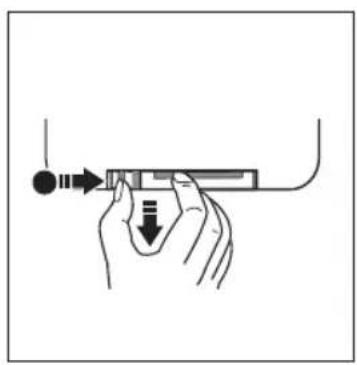
Please remove the insulation sheet before using the remote control. Battery replacement method as shown in the picture. Please note the battery direction.
natural_image
Illustration of a hand holding a pen with an arrow pointing to it, no text or symbols present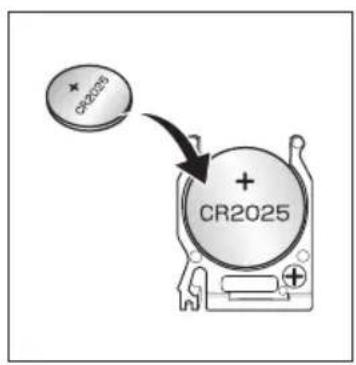
text_image
CR2025 + CR2025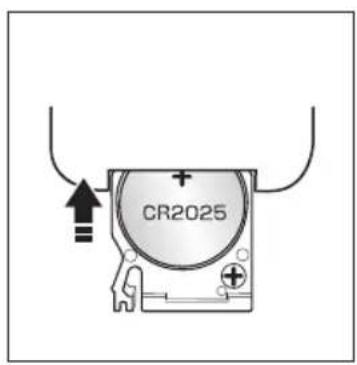
text_image
CR2025Do not recharge the battery. The battery is NOT a toy, keep away from Children. In case of battery swallowed accidentally, see a doctor immediately Point remote control directly to Flowmate ARC Portable in order to grant best connection results.
FLOWMATE

text_image
Diagram showing a remote control with buttons and an alert icon pointing to a speaker grille, indicating sound or audio warning.POTENTIAL ISSUES
It is possible that the ARC Portable may respond to the remote control of other devices.
⚠️ If you use the ARC Portable remote control it is possible that other devices may respond to it.
This is due to the overlapping frequencies of the remote control. It is not a malfunction or other technical issue. To avoid misuse, keep the remote control away from other electrical devices during operation.
WARNING
natural_image
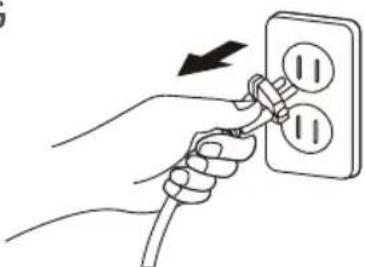
Illustration of hands connecting a power outlet to a wall socket with two switches (no text or symbols)When using the remote control to switch off the device be aware it is not turned off properly.
If the device is not used for a longer period of time, make sure to disconnect the main plug from the power outlet.
FLOWMATE
MAIN BODY FUNCTIONS |||
natural_image
Diagram of a vertical tube with three opposing arrows indicating direction, no text or symbols present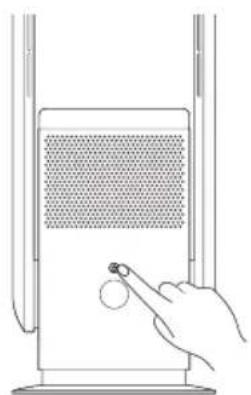
natural_image
Line drawing of a hand pressing a button on a device panel (no text or symbols)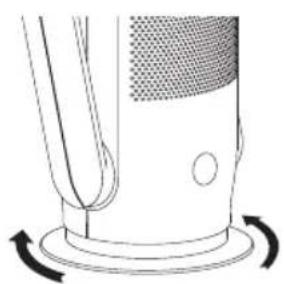
natural_image
Diagram of a mechanical component with rotational arrows indicating motion (no text or symbols)TILTABLE VENTILATION ARC
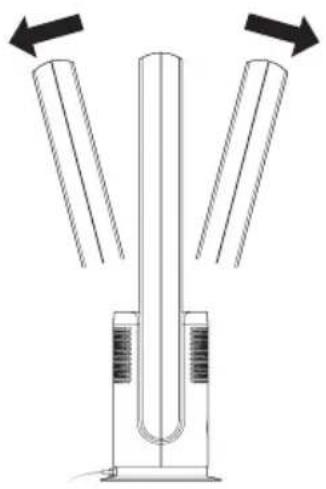
Turn the device off. Please fix the main body in place with one hand and adjust the ventilation arc with the other hand. It is tiltable by 15 degrees front- and backwards.
ON / OFF OPERATION
ON Touch the power button on main body, the buzzer will beep once to start operation.
OFF Touch and hold the power button for 2 seconds, the buzzer will beep two times, device will stop operation.
Please note: Flowmate ARC Portable is always set to standby unless it is plugged out from power outlet.
AIR VOLUME SHIFT
When main body is operating: Press the power button on main body in order to switch air volume from level 1 to 9.
OSCILLATION 80°
The main body has an automatic swivel function of 80^ in both Directions.
FILTER REPLACEMENT
text_image
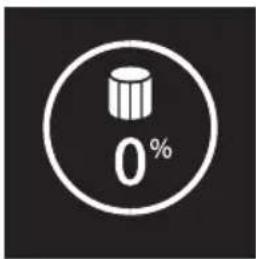
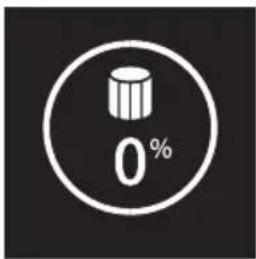
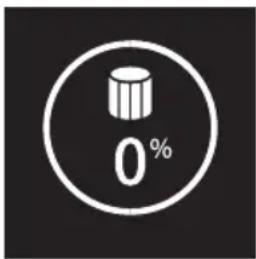
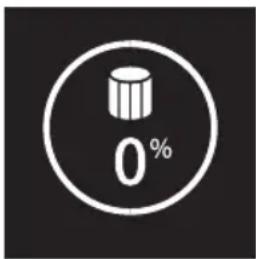
0%The Flowmate ARC Portable is equipped with a HEPA 14 air cleaning filter. Before using the device, install the filter as explained on the following pages.
After 720 hours of operation, the display will show an alarm with a beep as feedback in addition. Press and hold the power button (either on the main body or on the remote control) for 5 seconds to reset the filter duration counter.
FLOWMATE
HOW TO INSTALL OR REPLACE THE HEPA 14 AIR CLEANING FILTER
natural_image
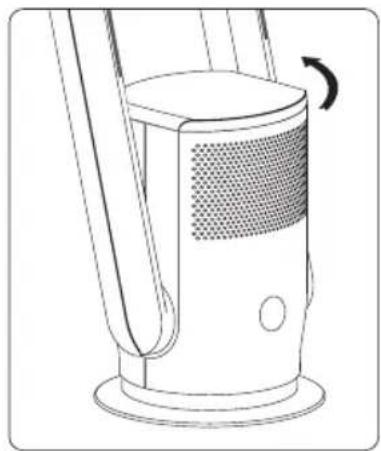
Line drawing of a mechanical device with a curved arrow indicating rotation (no text or symbols)- Turn the cover counter clockwise with the attached filter carefully.
natural_image
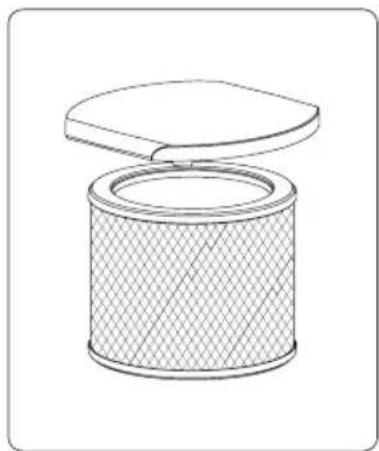
Line drawing of a cylindrical mechanical component with a lid, showing internal structure and texture (no text or symbols)- Remove the old filter carefully from the cover with minimal effort.
natural_image
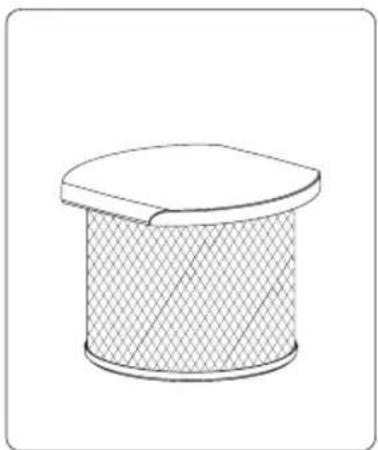
Simple line drawing of a cylindrical object with a flat top and textured fill (no text or symbols)- Unpack the new filter and attach it to the cover (snaps in, no screwing).
natural_image
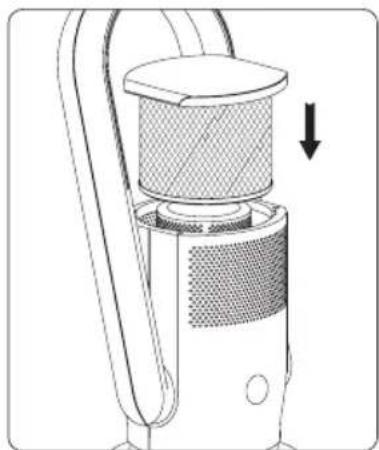
Diagram of a handheld device with mesh insulation and directional arrow (no text or symbols)- Finally put the cover with the attached filter back in place until it magnetically snaps to the main body.
FLOWMATE
MAINTENANCE ||

natural_image
Illustration of a hand inserting a plug into an electrical outlet (no text or symbols)POWER SUPPLY
Plug out Flowmate ARC Portable from power outlet and turn it off before maintenance.
natural_image
Diagram showing a hand cleaning a window with a mesh pattern and a no-smoking sign (no text or symbols present)HOUSING
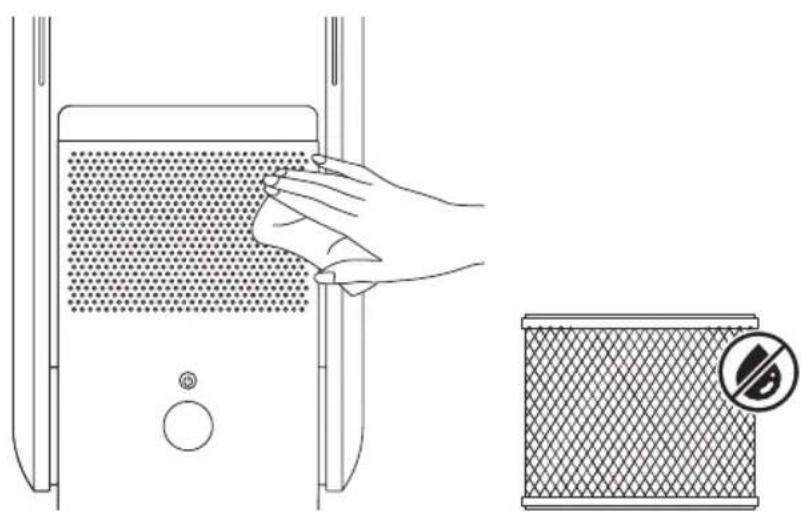
Gently wipe the device with a soft, dry cloth.
If the surface of the device is dirty, dilute it with a mild detergent.
FLOWMATE
AIR INLET & AIR OUTLET
Use a soft brush or vacuum cleaner to remove dust from air inlet and air outlet. Please note: If dust is not removed properly, the device functions maybe affected.
REMOTE CONTROL
Gently wipe the surface of the remote control with a soft, dry cloth. For long time non-usage, please remove the button battery in the remote control.
POWER PLUG
Please clean the power plug with a soft, dry cloth.
SAFEKEEPING
After the device has been cleaned, it can be stored in a plastic bag. Keep away from vibrations and electrical devices with cooling / heating function. Do not expose device to direct sunlight, hot or humid places.
Keep away from children.
Filter is absorbing any type of liquid, therefore do not use water to clean filter directly.
WIFI CONNECTION ||
Make sure device is plugged in into power outlet.
Hold the power button for 5 seconds, WIFI icon on LCD display will flash when connected. The WIFI icon on LCD display will be displayed permantly once the connection is successful.
TECHNICAL SPECIFICATIONS
| FLOWMATE ARC PORTABLE | |
| Product Name Flowmate ARC Portable | |
| Article number White: DJ50024 / Anthracite: DJ50025 | |
| Voltage 26 V | --- |
| Oscillation 80° ± 5° | |
| Rated power 35 W | |
| Timer 1-8 H | |
| Battery 2600 mAh / 21,6 V | |
| Battery run time up to 6 hours | |
| Scope of supply • main body | • remote control• filter• adapter• manual |
INHALT
natural_image
Seven green and black batteries arranged horizontally on a black background, with one red battery shown in the lower half (no text or symbols)natural_image
Illustration of a hand holding a pen or tool with an arrow indicating direction (no text or symbols present)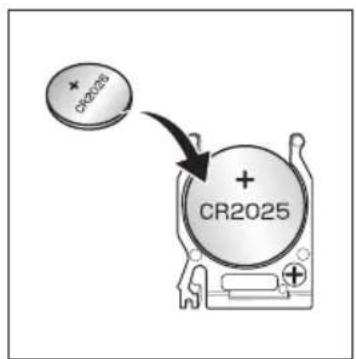
text_image
CR2028 + CR2025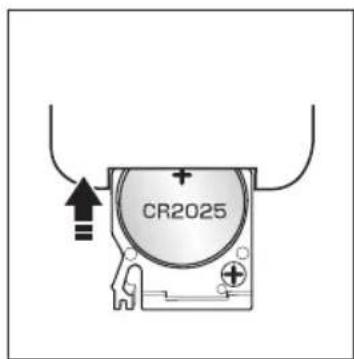
text_image
CR2025text_image
Diagram showing a remote control with buttons and an alert icon pointing to a speaker grillePOTENTIELLE PROBLEME
natural_image
Illustration of hands connecting a wall socket to a power outlet (no text or symbols)natural_image
Diagram of a vertical cylindrical device with three opposing arrows indicating direction (no text or symbols)natural_image
Line drawing of a hand inserting a small circular component into a device with a mesh screen (no text or symbols)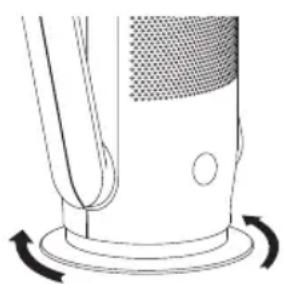
natural_image
Diagram of a mechanical component with rotational arrows indicating motion (no text or symbols)FLOWMATE
FILTERWECHSEL ||
text_image
0%natural_image
Line drawing of a mechanical device with a curved arrow indicating rotation (no text or symbols)natural_image
Line drawing of a cylindrical mechanical component with a lid, showing internal texture and no text or symbols.natural_image
Simple line drawing of a cylindrical object with a flat top and textured fill (no text or symbols)natural_image
Diagram of a handheld device with mesh insulation and a downward arrow indicating action (no text or symbols)natural_image
Illustration of hands connecting a plug to an electrical outlet with two switches (no text or symbols)STROMVERSORGUNG
natural_image
Illustration showing a hand cleaning a window with a mesh pattern and a no-smoking sign (no text or symbols on the diagram itself)REINIGUNG
REEMPLACEMENT DES FILTRES 45
MAINTENANCE
CONNEXION WIFI 49
natural_image
White Djive air purifier with perforated grille and digital display (no text or symbols on device)Cher client, cher client,
APERÇU DES PRODUITS ||
FACE AVANT
text_image
Technical diagram of a vertical cylindrical device with labeled components and internal structure, showing fluid flow indicators.INTERFACE D'AFFICHAGE ||
INDICATEURS LED
natural_image
Seven green and black batteries arranged horizontally on a black background (no text or symbols)natural_image
Illustration of a hand holding a tool with an arrow and a downward arrow, no text or symbols present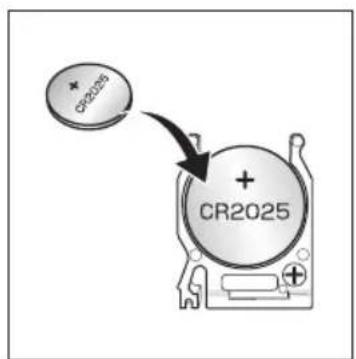
text_image
CR2025 + CR2025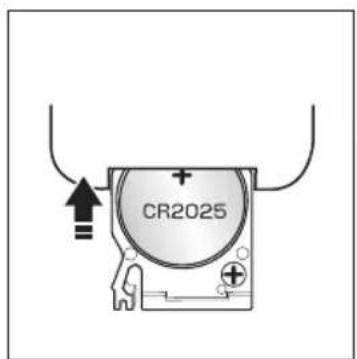
text_image
CR2025text_image
Diagram showing a remote control with buttons and an alert icon pointing to a speaker grillePROBLÈMES POTENTIELS
natural_image
Diagram of a vertical cylindrical device with three opposing arrows indicating direction (no text or symbols)ARC DE VENTILATION INCLINABLE
natural_image
Line drawing of a hand inserting a small circular object into a device with a mesh screen (no text or symbols)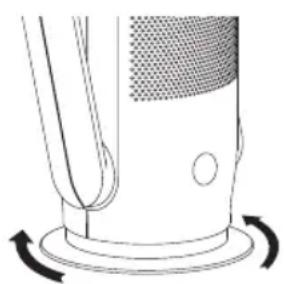
natural_image
Diagram of a mechanical component with rotational arrows indicating motion (no text or symbols)REEMPLACEMENT DES FILTRES
text_image
0%natural_image
Line drawing of a mechanical device with a curved arrow indicating rotation (no text or symbols)natural_image
Line drawing of a cylindrical mechanical component with a lid, showing internal texture and no text or symbols.natural_image
Simple line drawing of a cylindrical object with a flat top and textured fill (no text or symbols)natural_image
Diagram of a handheld device with mesh insulation and a downward arrow indicating action (no text or symbols)natural_image
Illustration of a hand inserting a plug into an electrical outlet (no text or symbols)ALIMENTATION ÉLECTRIQUE
natural_image
Illustration showing a hand cleaning a window with a mesh pattern and a no-smoking sign (no text or symbols on the diagram itself)LOGEMENT
natural_image
White Djive air purifier with a circular digital display showing 070°C and 180% (no text or symbols on the device body)text_image
Technical diagram of a vertical cylindrical device with labeled components and internal structure, showing fluid flow indicators.natural_image
Row of eight green and black batteries with red liquid at one battery (no text or symbols)natural_image
Illustration of a hand holding a tool with arrows indicating direction (no text or symbols)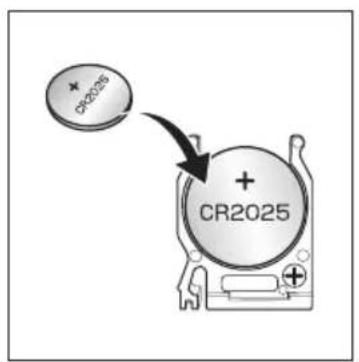
text_image
CR2025 + CR2025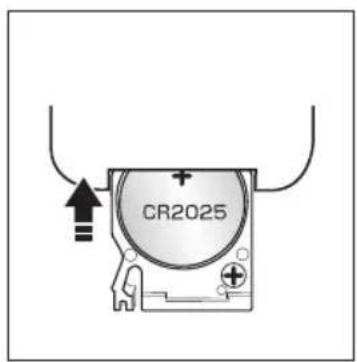
text_image
CR2025text_image
Diagram showing a remote control with buttons and an alert icon pointing to a speaker grillePOSIBLES PROBLEMAS
natural_image
Diagram of a vertical cylindrical device with three opposing arrows indicating direction (no text or symbols)natural_image
Line drawing of a hand inserting a small circular object into a device with a mesh screen (no text or symbols)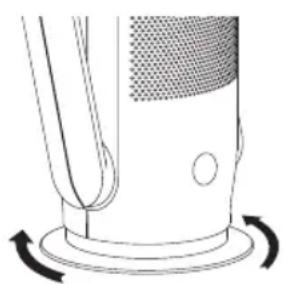
natural_image
Diagram of a mechanical component with rotational arrows indicating motion (no text or symbols)REEMPLAZO DEL FILTRO
text_image
0%natural_image
Line drawing of a mechanical device with a curved arrow indicating rotation (no text or symbols)natural_image
Line drawing of a cylindrical mechanical component with a lid, showing internal texture and no text or symbols.natural_image
Simple line drawing of a cylindrical object with a flat top and textured fill (no text or symbols)natural_image
Diagram of a handheld device with mesh insulation and a downward arrow indicating force or direction (no text or symbols)natural_image
Illustration of a hand inserting a plug into an electrical outlet (no text or symbols)natural_image
Illustration showing a hand cleaning a wall-mounted device with a mesh filter and a no-smoking sign (no text or symbols on the diagram itself)VIVIENDA
CONNESSIONE WI-FI 81
SPECIFICHE TECNICHE 81
[djive]
070
Gentile cliente,
text_image
Technical diagram of a vertical cylindrical device with labeled internal components and measurement markingsINTERFACCIA DEL DISPLAY ||
INDICATORI LED
natural_image
Seven green and black batteries arranged horizontally on a black background (no text or symbols)natural_image
Illustration of a hand holding a pen or tool with an arrow indicating direction (no text or symbols present)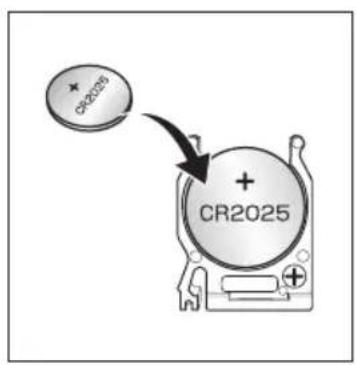
text_image
CR2025 + CR2025
text_image
CR2025text_image
Diagram showing a remote control with buttons and an alert icon pointing to a speaker grillePOTENZIALI PROBLEMI
natural_image
Diagram of a vertical cylindrical device with three opposing arrows indicating direction (no text or symbols)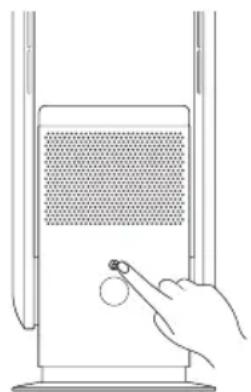
natural_image
Line drawing of a hand inserting a small circular component into a device panel (no text or symbols)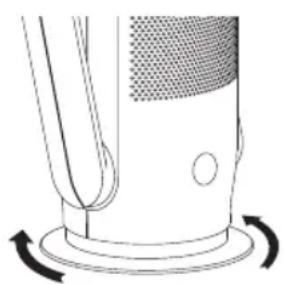
natural_image
Diagram of a mechanical component with rotational arrows indicating motion (no text or symbols)natural_image
Line drawing of a mechanical device with a curved arrow indicating rotation (no text or symbols)natural_image
Line drawing of a cylindrical mechanical component with a lid, showing internal texture and no text or symbols.natural_image
Simple line drawing of a cylindrical object with a flat top and textured fill (no text or symbols)natural_image
Diagram of a handheld device with mesh insulation and a downward arrow indicating action (no text or symbols)natural_image
Illustration of a hand inserting a plug into an electrical outlet (no text or symbols)natural_image
Diagram showing a hand cleaning a textured panel inside a device and a meshed air vent with a no-smoking symbol (no text or labels)ALLOGGIAMENTO
CONNESSIONE WI-FI ||
AN#: DJ50024; DJ50025