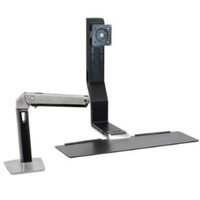
WORK15 - Computer monitor stand OmniMount - Free user manual and instructions
Find the device manual for free WORK15 OmniMount in PDF.


| Product Type | Articulated wall mount for computer monitor |
| Brand | OmniMount |
| Model | WORK15 |
| Materials | Steel and plastic |
| Color | Black |
| VESA Standard | 100x100 mm to 200x200 mm |
| Maximum load capacity | 15 kg |
| Wall plate dimensions | 200 x 200 mm |
| Distance from wall | Varies by adjustment |
| Tilt | +15° / -5° |
| Rotation | 90° (landscape/portrait) |
| Horizontal orientation | Up to 180° of lateral movement |
| Tension adjustment | Yes, tension screws for custom adjustment |
| Installation | Wall mount, anchors and screws included |
| Screen compatibility | Flat screens from 13 to 32 inches |
| Warranty | 5 years |
| Maintenance | Clean with a soft, dry cloth |
| Safety | Do not exceed maximum load; verify wall sturdiness |
| Country of manufacture | China |
Frequently Asked Questions - WORK15 OmniMount
User questions about WORK15 OmniMount
0 question about this device. Answer the ones you know or ask your own.
Ask a new question about this device
Download the instructions for your Computer monitor stand in PDF format for free! Find your manual WORK15 - OmniMount and take your electronic device back in hand. On this page are published all the documents necessary for the use of your device. WORK15 by OmniMount.
USER MANUAL WORK15 OmniMount
MANUEL D'INSTRUCTIONS
BENUTZERHANDBUCH
INSTRUCTIEHANDLEIDING
CAUTION:DO NOT EXCEED
OR PROPERTY DAMAGE MAY
OCCUR!

Reduce.Reuse.Recycle
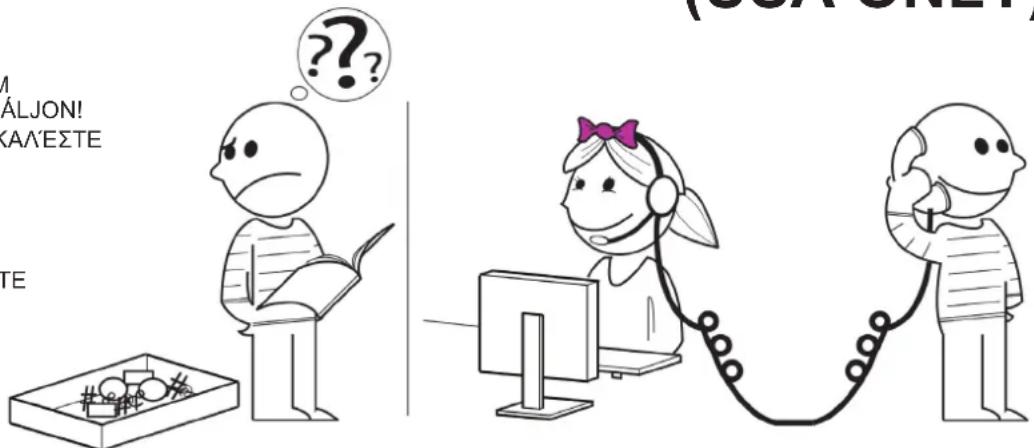
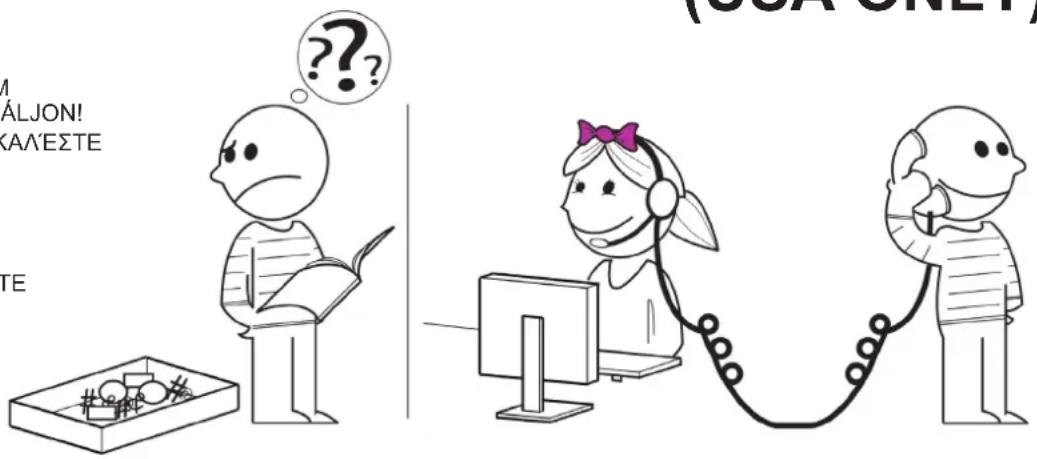
NEED HELP? PLEASE CALL
REIKIA PAGALBOS? SKAMBINKITE
POTREBUJETE POMOC? PROSIM, VOLAJTE
HUYKHANOMOUIb?3BOHNTE
YARDIM MI LAZIM? LUTFEN BIZI ARAYIN
TRENGER DU HJELP? RING OSS
您需要帮助吗?请致电
二質問がる场合は、お電話<だせい
1-800-MOUNT-IT (USA ONLY)
DISCLAIMER - WARNING INFORMATION
Disclaimer - OmniMount Systems, Inc. has extended every effort to ensure to accuracy and completeness of this manual. However, OmniMount Systems, Inc. does not claim that the information covers all installation or operational variables. The information contained in this document is subject to change without notice or obligation of any kind. Regarding the information contained herein, OmniMount Systems, Inc. makes no representation of warranty, expressed or implied, and assumes no responsibility for accuracy, sufficiency, or completeness of the information contained in this document.
WallMounts
WARNING: FAILURE TO READ, THOROUGHLY UNDERSTAND, AND FOLLOW ALL INSTRUCTIONS CAN RESULT IN SERIOUS PERSONAL INJURY, DAMAGE TO PERSONAL PROPERTY, OR VOIDING OF FACTORY WARRANTY!
It is the responsibility of the installer to ensure all components are properly assembled and installed using the instructions provided. If you do not understand these instructions or have any questions or concerns, please contact customer service at 1-800-668-6848 or info@omnimount.com.
Do not attempt to install or assemble this product if the product or hardware is damaged or missing. In the event that replacement parts or hardware are needed, please contact Customer Service at 1-800-668-6848 or info@omnimount.com. International customers needing assistance should contact the Dealer from which they purchased the product.
ESPANOL
kundeservice pa 1-668-6848 eiffer info@omnimuming.com.
Hvist k t h s m 1-806-68-848 o omnimum. Internationale kunder, som har brg forhandieren, som produkt bvekht hos.
DISCLAIMER - WARNING INFORMATION
SUOMI
Omnimount Systems, Inc.
e 1
6848-680-16
info@omnimount.com.
简体中文
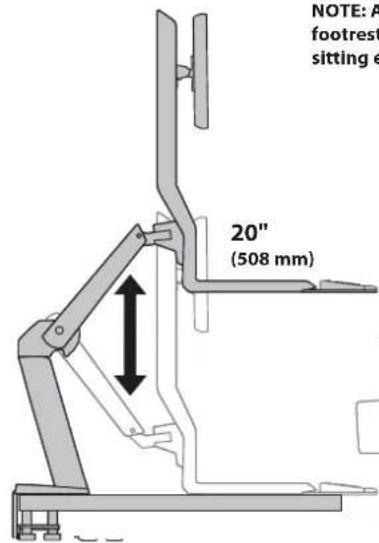
NOTE: Adjust the height of your desk (or chair and footrest) to allow the keyboard to lower to your sitting elbow height for ergonomic computing.
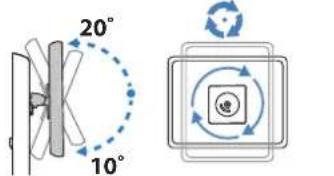
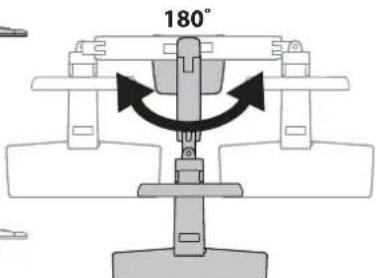

Note: This product will need tension adjustments once installation is complete. Make sure all equipment is properly installed on the product before attempting tension adjustments. Any time equipment is added or removed from this product, resulting in a change in the weight of the mounted load, you should repeat these adjustment steps to ensure safe and optimum operation. Adjustments should move smoothly and easily through the full range of motion and stay where you set it. If adjustments are difficult and do not stay in the desired position, follow the instructions to loosen or tighten the tension to create a smooth, easy adjustment motion. Depending on your product and the adjustment, it may take several turns to notice a difference.
Note: Anything not described is the product of a single unit.

Screws/Hardware for Flat Panel
4x
M-A
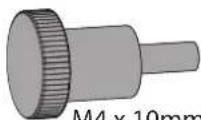
4x
M-B

M4×10mm
Screws/Hardware for Product
1x
P-C

M5×8mm
1x
P-D

M3×6mm
4x
P-E

M5x12mm
2x
P-F

M5 x 15mm
4x
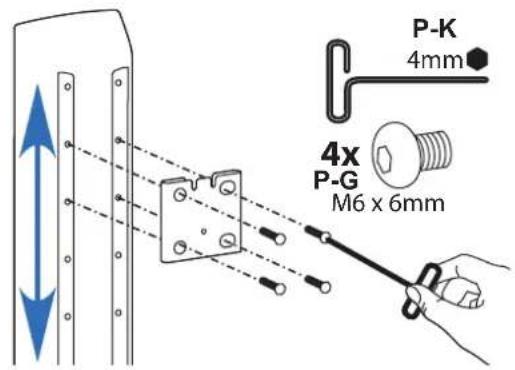
P-G

M6 x 6mm
Screws / Hardware for Flat Panel
Part #
Qty
Description
M-A
4
M4 x 10mm Thumb Screws
M-B
4
M4 x 10mm Phillips Screws
Screws/Hardware for Product
Part #
Qty
Description
P-A
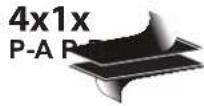
4 Velcro
P-B
1 Alcohol Wipe
P-C
1 M5 x 8mm Allen Head Screw
P-D
1 M3 x 6mm Phillips Screw
P-E
4 M5 x 12mm Phillips Screw
P-F
2 M5 x 15mm Allen Head Screw
P-G
4 M6 x 6mm Allen Head Screw
8x
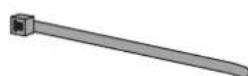
Tool/Accessory Kit
1x

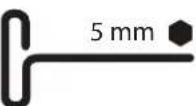
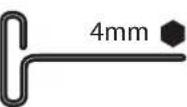
P-I
1x
Tool/Accessory Kit
Part #
Qty
scription
P-H
8
ble Ties
P-1
1
3mm
Allen Wre
P-J
1
5mr
nT
-handle
P-K
1
4ml
n7
'-handle
1x
P-L
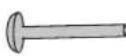
Screws/Hardware for Grommet Mount
1x
P-M
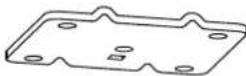
1x
P-N
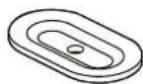
1x
P-O

P-I
1
3mm
A
Len Wre
P-J
1
5mr
T
-handle
Allen Wrench
P-K
1
4m
nT
'-handle
Allen Wrench
Screws/Hardware for Optional Grommet Mount
Part #
Qty
1
Desc
P-L
1
Car
raic
ge Bolt
P-M
1
Ad:
apt
er Plate
P-N
1
Bof
ton
n Adapt
P-O
1
Wir
g
Gal Grommet Mounts
Contents
Part #
Qty
Description
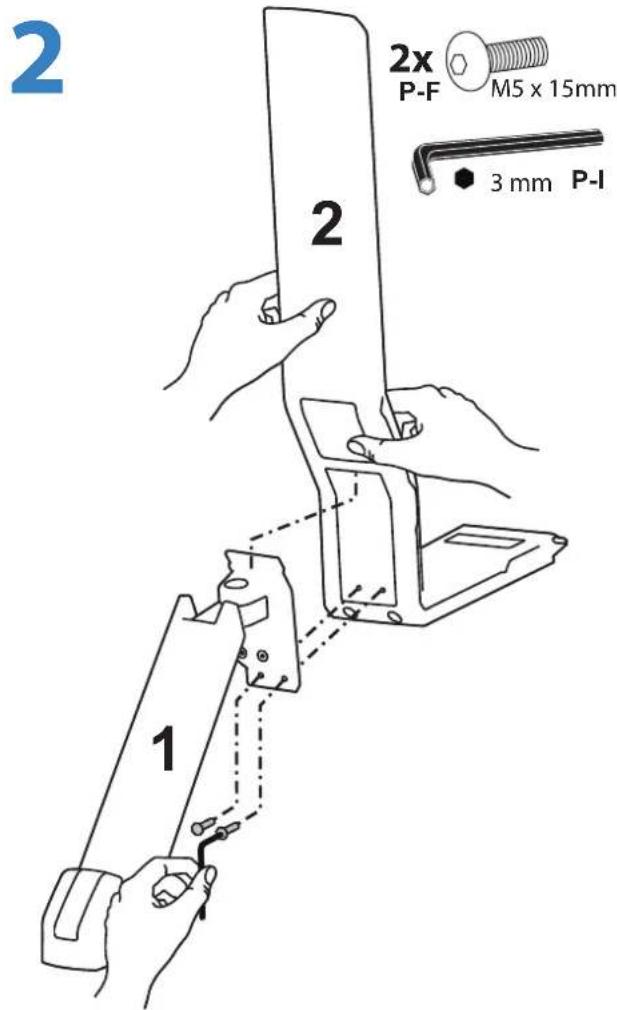
1
1
图
lan
2
1
H
yb
ord/Mc
nito
Support Arm
3
1
Mor
tor Plate
4
1
Mor
tor Plate
Adapter
5
1
Keyboard Surface
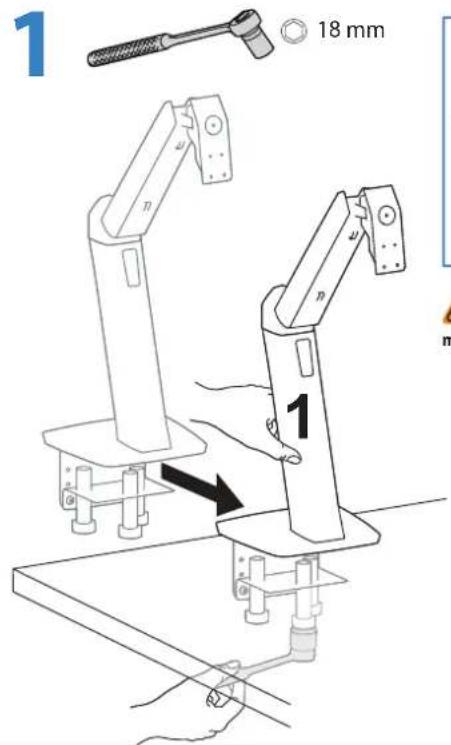
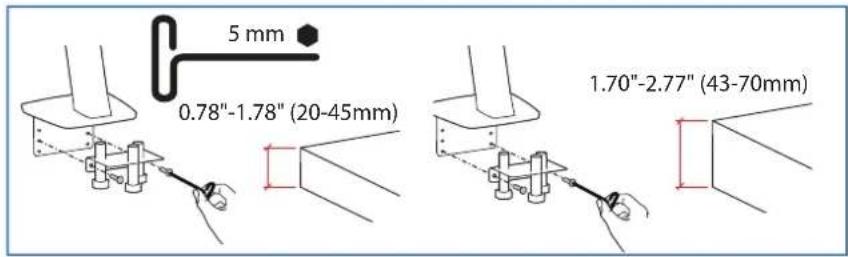
Warning: Because mounting surface materials can vary widely, it is imperative that you make sure mounting surface is strong enough to handle mounted product and equipment.
MOUNTING OPTION B: ATTACH THROUGH DESK CABLE HOLE
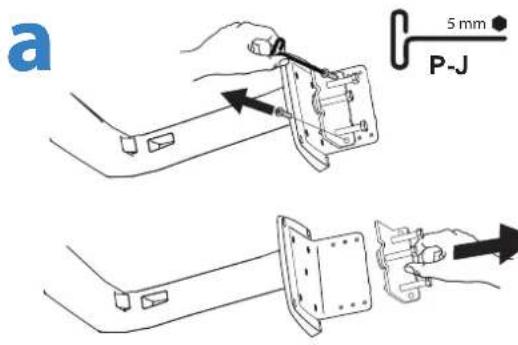
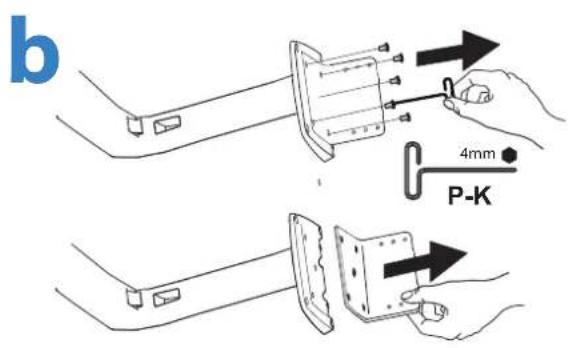
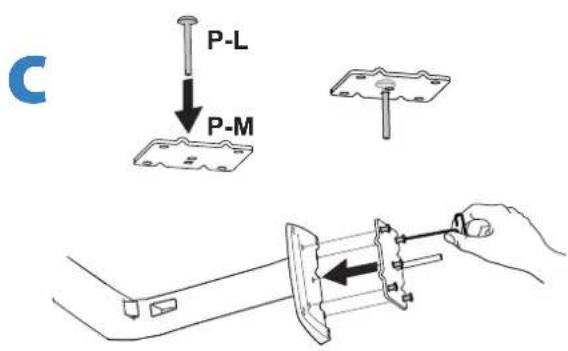

STEP3
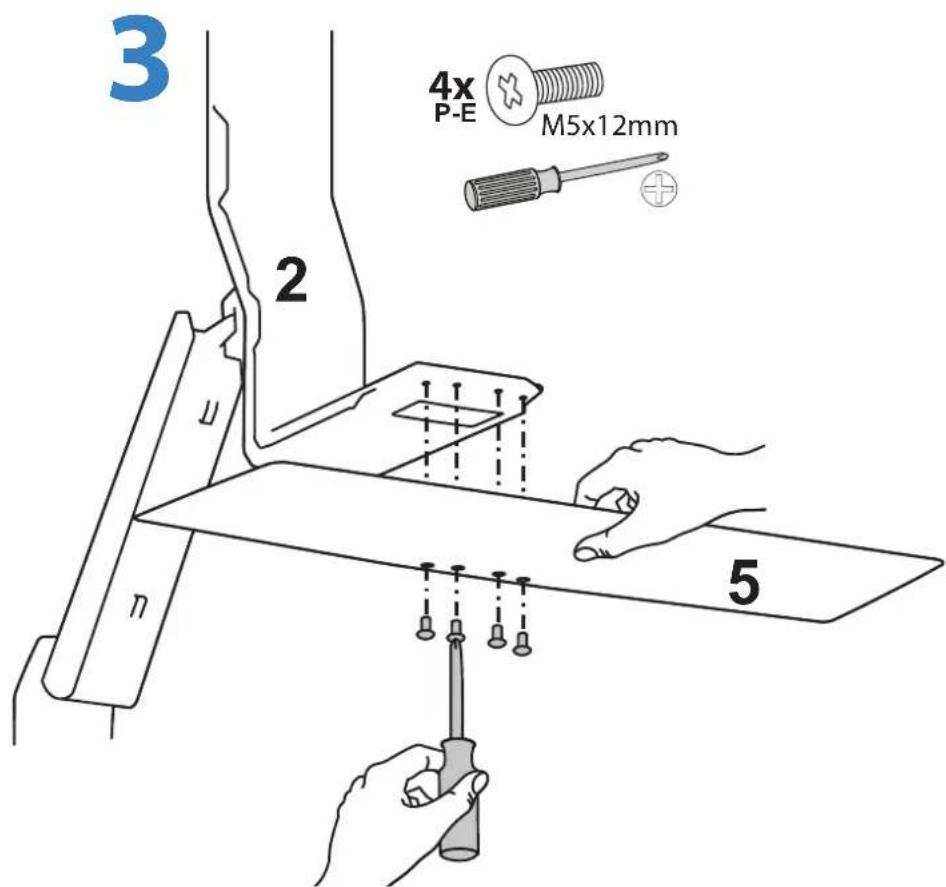
PN:888-45-230-W-01 revB
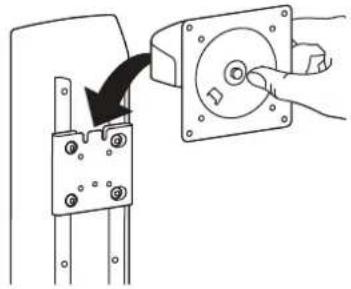
4
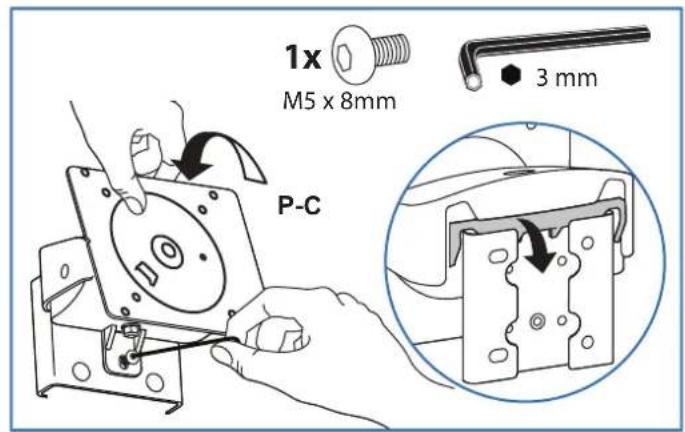
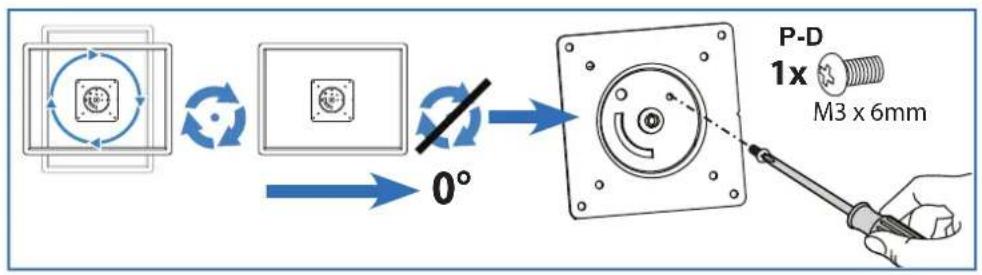
5
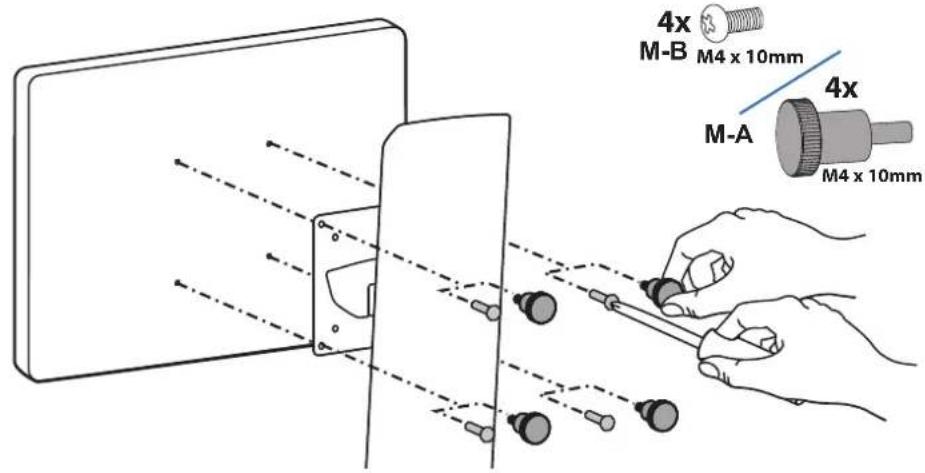
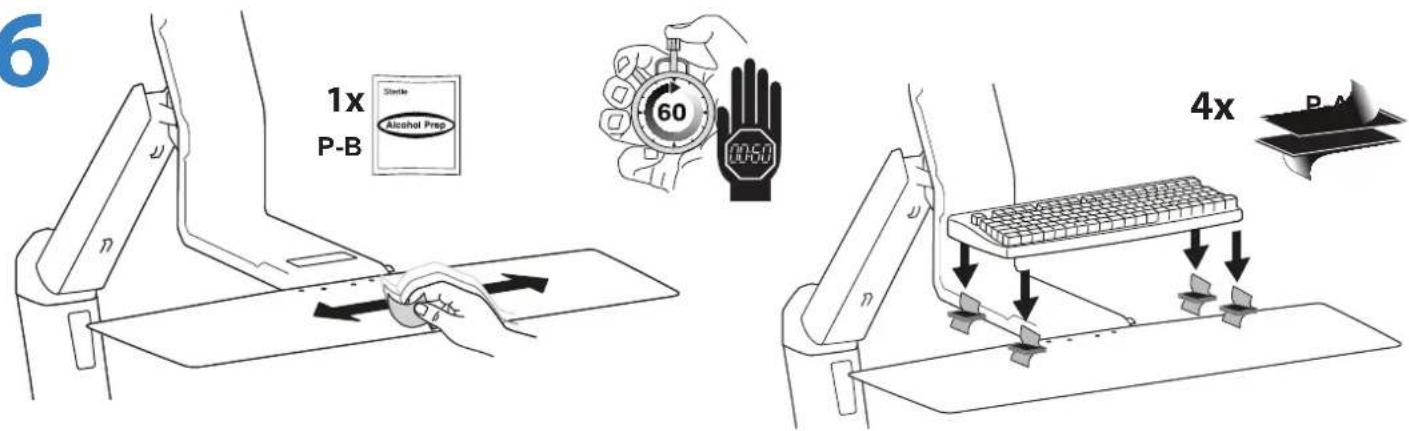
6
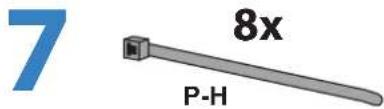
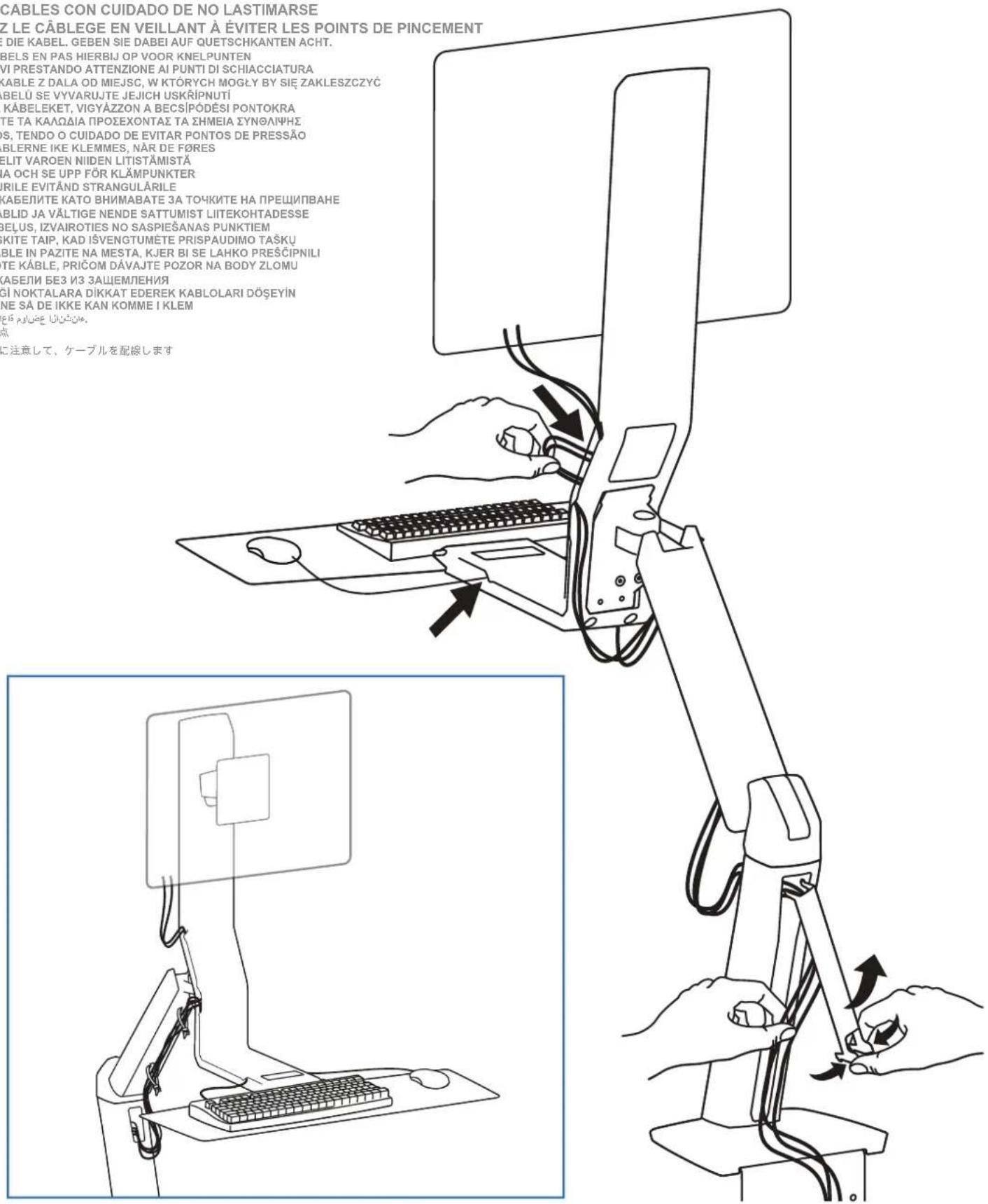
ROUTE CABLES BEING CARFEUL OF PINCH POINTS
DRA KABLARNA OCH SE UPP FOR KLAMPUNKTER
POZATICABLURILE EVITANDSTRANGULARILE
PPEKAPAITE KABENITE KATO BHIMABATE 3A TOHKITE HA IIPELUNBAHE
SUUNAKE KAABLID JA VALTIGENDE SATTUMIST LIITEKOHTADESSE
IZVELCIET KABELUS, IZVAIROTIES NO SASPIESANAS PUNKTIEM
KABELIUS VESKITE TAIP, KAD ISVENGTUMETE PRISPAUDIMO TASKU
NAPELJITE KABLE IN PAZITE NA MESTA, KJER BI SE LAHKO PRESCIPNILI
POZORNEVEDTEKABLE,PRICOMDAVAJTEPOZORNABODYZLOMU
IPOJIOXKNTE KASEJIIN B3 3AUJEHNA
SIKISABILECEGINOKTALARA DIKKAT EDEREK KABLOLARI DOSEYIN
TREKK KABLENSA DEIKKE KAN KOMMEI KLEM
EoUuUcpepepepepepepepepepepepepepepepepepepepepepepepepepepepepepepepepepepepepepepepepepepepepepepepepepepepepepepepepepepepepepepepepepepepepepepepepepepepepepepepepepepepepepepepepepepepepepepepepepepe pe
布线时请小心夹点
比手本注意,一力配


Adjustment·Ajuste·Réglage·Einstellung·Instellen·Regolazione·调整调节
Follow these instructions to tighten or loosen tension.
Follow these instructions to tighten or loosen tension.
Set Your Workstation to Work For YOU!
Learn more about ergonomic computer use at:
Height Position top of screen slightly below eye level.
Position keyboard at about elbow height with wrists flat.
Distance Position screen an arm's length from face-at least 20^ (508mm).
Position keyboard close enough to create a 90^ angle in elbow.
Angle Tilt screen to eliminate glare.
Tilt the keyboard back 10^ so that your wrists remain flat.
Breathe - Breathe deeply through your nose.
Blink - Blink often to avoid dry eyes.
Break - 2 to 3 minutes every 20 minutes
15 to 20 minutes every 2 hours.
This warranty applies to US Residents who purchase from an authorized OmniMount Dealer. OmniMount products are covered against defects in materials and workmanship for 5 years. OmniMount will repair or replace the defective component or product, at its sole discretion. Failure to follow product care instructions from OmniMount will result in void of warranty. To obtain warranty service, contact OmniMount customer service at 800.MOUNT.IT (800.668.6848) or Info@omniMount.com. You must supply a copy of your original receipt. If your product must be shipped to OmniMount for inspection, you will be responsible for the shipping charges. Replacement product shipped to you will be returned freight pre-paid. OmniMount disclaims any liability for modifications, improper installations, installations over the specified weight range, or failure to follow care instructions provided by OmniMount. To the maximum extent permitted by law, OmniMount disclaims any other warranties, expressed or implied, including warranties of fitness for a particular purpose and warranties of merchantability. OmniMount will not be liable for any damages arising out of the use of, or inability to use, OmniMount products. OmniMount bears no responsibility for incidental or consequential damages. This includes, but is not limited to, any labor charges for the repair of OmniMount products performed by anyone other than OmniMount. This warranty gives you specific legal rights, and you may also have other rights which vary from state to state. Specifications are subject to change without prior notice.
ESPANOL
a.
30
FRANÇAIS
Notice to customer outside the United States: Please contact the dealer where you purchased this product for details about how to obtain warranty service in your country.
Thank you for purchasing an OmniMount product
Bnaoradapm Bn, Ye 3akynxTe npoDyK Ha OmniMount
Tāname, et ostsite OmniMount toote
Pateicamies, ka iegadajaties OmniMount izstradajumu
Bnaoradapm Bac 3a npnoobpeTeHne n3dJIy OmniMount
REIKIA PAGALBOS? SKAMBINKITE
POTREBUJETE POMOC? PROSIM, VOLAJTE
HUKHA NOMOUIb? 3BOHNTE
YARDIM MI LAZIM? LUTFEN BIZI ARAYIN
TRENGER DU HJELP? RING OSS
您需要帮助吗?请致电
二質問がる场合は、お電話<ださい

OmniMount Systems, Inc.
8201 South 48th Street
Phoenix, AZ 85044-5355
1-800-MOUNT-IT (1-800-668-6848)
www.omnimount.com

- NEED HELP? PLEASE CALL
- 1-800-MOUNT-IT (USA ONLY)
- DISCLAIMER - WARNING INFORMATION
- ESPANOL
- SUOMI
- 简体中文
- Screws / Hardware for Flat Panel
- Screws/Hardware for Product
- Tool/Accessory Kit
- Screws/Hardware for Optional Grommet Mount
- Gal Grommet Mounts
- Contents
- MOUNTING OPTION B: ATTACH THROUGH DESK CABLE HOLE
- STEP3
- ROUTE CABLES BEING CARFEUL OF PINCH POINTS
- Adjustment·Ajuste·Réglage·Einstellung·Instellen·Regolazione·调整调节
- FRANÇAIS
- Thank you for purchasing an OmniMount product
Brand : OmniMount
Model : WORK15
Category : Computer monitor stand