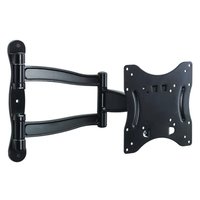
VB60C - TV wall mount OmniMount - Free user manual and instructions
Find the device manual for free VB60C OmniMount in PDF.


| Product Type | TV wall mount |
| Brand | OmniMount |
| Model | VB60C |
| Material | High-strength steel |
| Finish | Textured black |
| VESA Compatibility | Up to 600 x 400 mm |
| Maximum Load Capacity | 45 kg |
| Wall Distance | 48 mm |
| Tilt | -5° to +10° |
| Mounting Type | Wall mounting on wood studs or concrete |
| Included Hardware | Screws, anchors, adapters for various hole patterns |
| Warranty | 5 years against material and workmanship defects |
| Care and Cleaning | Clean with a soft, dry cloth. Do not use abrasive products. |
| Safety | Must support 4 times the weight of the load. Verify wall strength. |
| Spare Parts and Repairability | Contact customer service for replacement parts. Repair by OmniMount under warranty. |
| General Information | Ultra-slim wall mount for flat screens. Easy installation with template. |
Frequently Asked Questions - VB60C OmniMount
User questions about VB60C OmniMount
0 question about this device. Answer the ones you know or ask your own.
Ask a new question about this device
Download the instructions for your TV wall mount in PDF format for free! Find your manual VB60C - OmniMount and take your electronic device back in hand. On this page are published all the documents necessary for the use of your device. VB60C by OmniMount.
USER MANUAL VB60C OmniMount
VERSION F
INSTRUCTION MANUAL
MANUEL D'INSTRUCTIONS
BENUTZERHANDBUCH
INSTRUCTIEHANDLEIDING
MANUAL DE INSTRUÇÕES
BRUGERVEJLEDNING
ASENNUSOPAS
MONTERINGSANVISNING
MANUAL CU INSTRUCTIUNI
natural_image
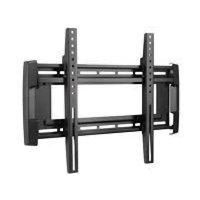
Black wall-mounted device with curved arms and mounting holes, no visible text or symbols on the device itself.Max screen size: 42"
Max weight 60 lbs - 27.2 KG
CAUTION: DO NOT EXCEED MAXIMUM
LISTED WEIGHT CAPACITY. SERIOUS
INJURY OR PROPERTY DAMAGE MAY
OCCUR!
QUESTIONS? 1-800-MOUNT-IT (1-800-668-6848)
NEED HELP? PLEASE CALL
BEHÖVER DU HJÄLP? RING
AVETI NEVOIE DE AJUTOR? SUNATI
НУЖДАЕТЕ СЕ ОТ ПОМОЩ? МОЛЯ, ОБАДЕТЕ СЕ
VAJATE ABI? PALUN HELISTAGE
NEPIECIEŠAMA PALÍDZÍBA? LÜDZU, ZVANIET
REIKIA PAGALBOS? SKAMBINKITE
ALI POTREBUJETE POMOČ? PROSIMO, POKLIČITE.
POTREBUJETE POMOC? PROSÍM, VOLAJTE
НУЖНА ПОМОЩЬ? ЗВОНИТЕ
YARDIM MI LAZIM? LÜTFEN BIZI ARAYIN
TRENGER DU HJELP? RING OSS
natural_image
Simple line drawing of a person reading a book with a thought bubble showing question marks (no text or symbols present)
natural_image
Illustration of a child using a computer to connect to an elderly person via a stethoscope (no text or symbols present)DISCLAIMER – WARNING INFORMATION
Disclaimer – OmniMount Systems, Inc. has extended every effort to ensure to accuracy and completeness of this manual. However, OmniMount Systems, Inc. does not claim that the information covers all installation and or operational variables. The information contained in this document is subject to change without notice or obligation of any kind. Regarding the information contained herein, OmniMount Systems, Inc. makes no representation of warranty, expressed or implied, and assumes no responsibility for accuracy, sufficiency, or completeness of the information contained in this document.
Wall Mounts
WARNING: FAILURE TO READ, THOROUGHLY UNDERSTAND, AND FOLLOW ALL INSTRUCTIONS CAN RESULT IN SERIOUS PERSONAL INJURY, DAMAGE TO PERSONAL PROPERTY, OR VOIDING OF FACTORY WARRANTY!
It is the responsibility of the installer to ensure all components are properly assembled and installed using the instructions provided. If you do not understand these instructions or have any questions or concerns, please contact customer service at 1-800-668-6848 or info@omnimount.com.
Do not attempt to install or assemble this product if the product or hardware is damaged or missing. In the event that replacement parts or hardware are needed, please contact Customer Service at 1-800-668-6848 or info@omnimount.com. International customers needing assistance should contact the Dealer from which they purchased the product.
The included hardware is designed for use on vertical walls constructed of wood studs or solid concrete. A wood stud wall is defined as consisting of a minimum of 2x4 wooden studs (2" wide by 4" deep) with a maximum of 5/8" drywall. The included hardware is not designed for use with metal studs or cinderblock walls. If you're uncertain about the construction of your wall, then please consult a qualified contractor or installer for assistance. For a safe installation, the wall you are mounting to must support 4 times the weight of the total load. If not, then the surface must be reinforced to meet this standard. The installer is responsible for verifying that the wall structure and hardware used in any installation method will safely support the total load.
ESPAÑOL
60 (LBS) / 27.2 (KG) 42
in.

CAUTION!
MAXIMUM WEIGHT CAPACITY
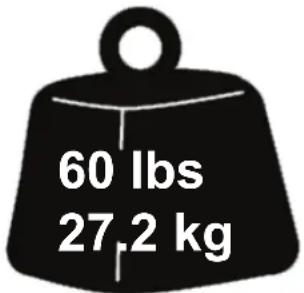
CAUTION!
MAXIMUM SCREEN SIZE
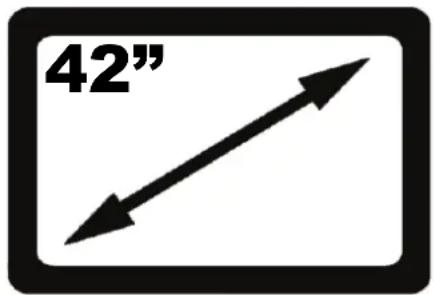
USE WITH FLAT PANELS EXCEEDING THE MAXIMUM WEIGHT CAPACITY OF THIS PRODUCT MAY RESULT IN PRODUCT FAILURE CAUSING POSSIBLE INJURY AND OR PROPERTY DAMAGE.
EL USO CON TELEVISORES DE PANTALLA PLANA CUYO PESO EXCEDA LA CAPACIDAD MÁXIMA DEL PRODUCTO PUEDE OCASIONAR FALLAS EN ÉSTE Y CAUSAR LESIONES O DAÑOS MATERIALES.
SI VOUS UTILISEZ CE PRODUIT AVEC DES ÉCRANS PLATS DÉPASSANT LA CHARGE MAXIMALE AUTORISÉE, LE PRODUIT POURRAIT MAL FONCTIONNER, ENTRAÎNANT BLESSURES ET ENDOMMAGEMENT DE MATÉRIEL.
HARDWARE
SCREWS/HARDWARE FOR FLAT PANEL
(Monitor Kit L-U-vD)
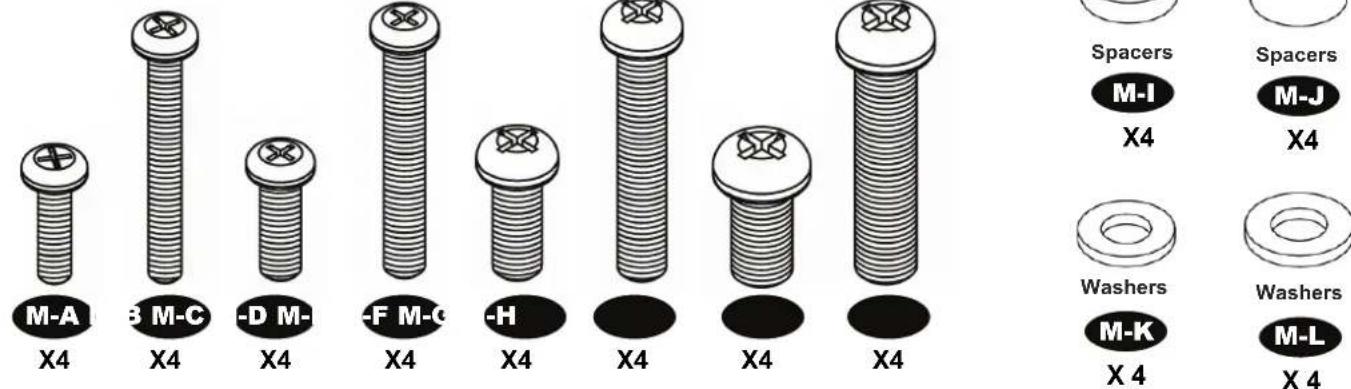
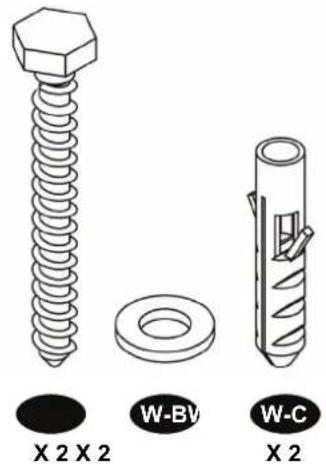
SCREWS/HARDWARE FOR WALL (WALL KIT 516-2vC)
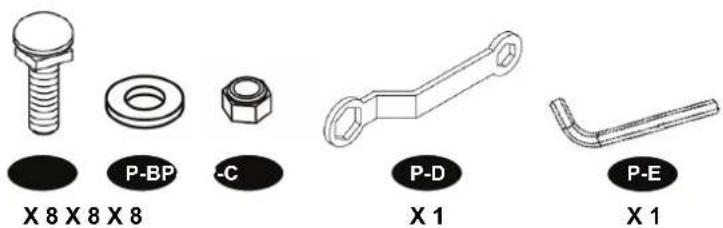
SCREWS/HARDWARE FOR PRODUCT (OM1100323vA)
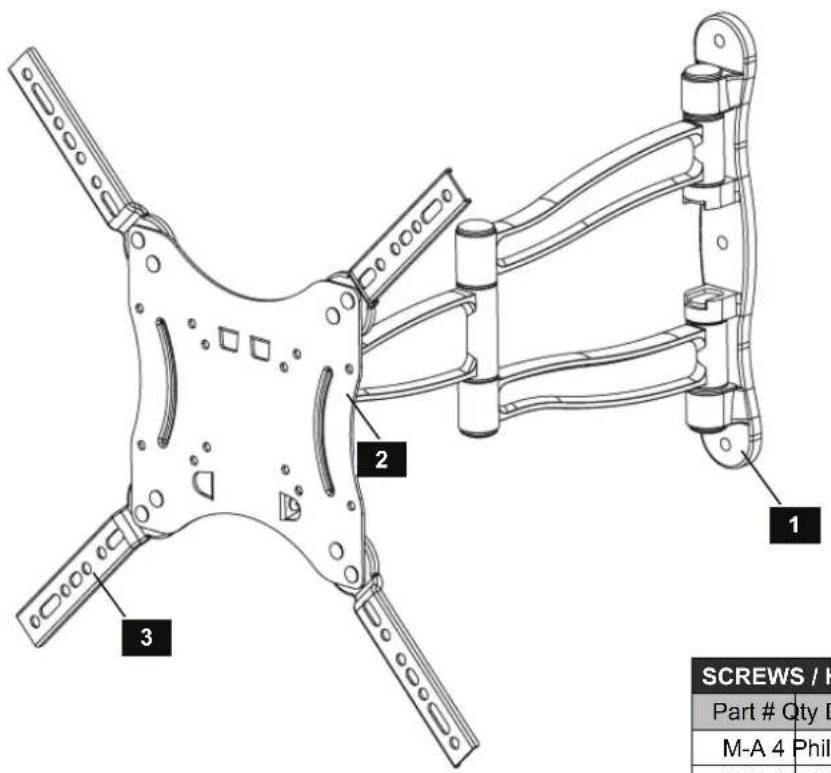
CONTENTS
| Part # Qty Description | ||
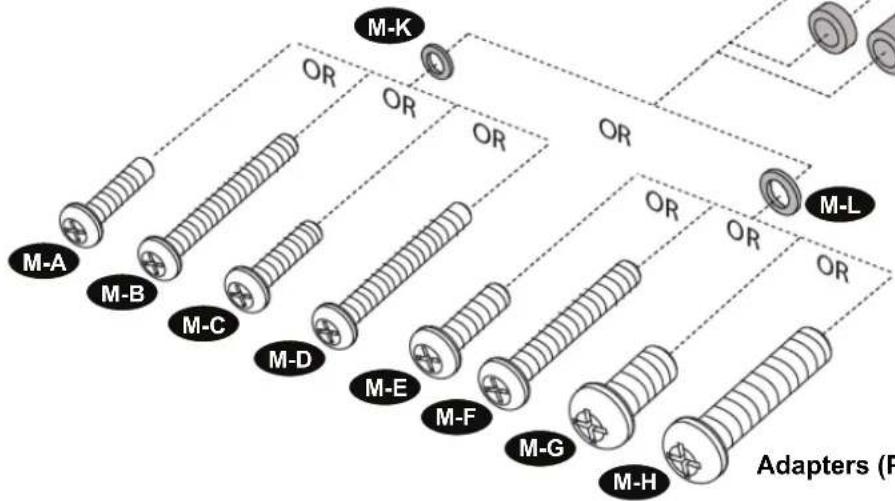
| M-A 4 | Philips screws M4 x 15mm | |
| M-B 4 | Philips screws M4 x 30mm | |
| M-C 4 | Philips screws M5 x 15mm | |
| M-D 4 | Philips screws M5 x 30mm | |
| M-E 4 | Philips screws M6 x 15mm | |
| M-F 4 | Philips screws M6 x 30mm | |
| M-G 4 | Philips screws M8 x 15mm | |
| M-H 4 | Philips screws M8 x 30mm | |
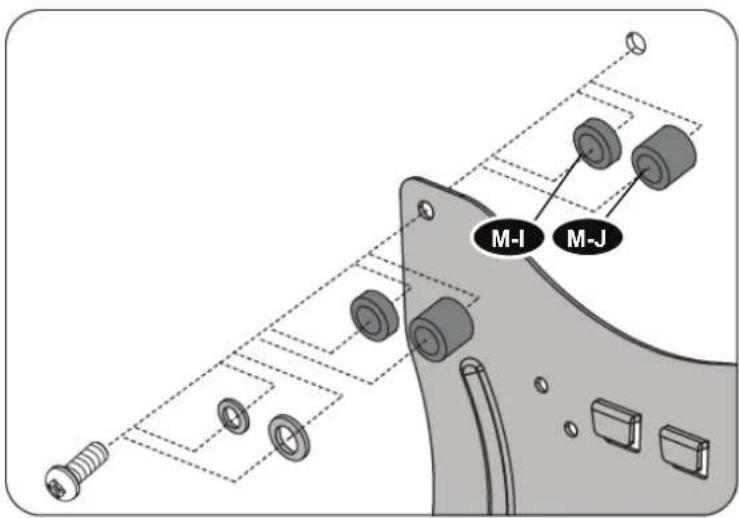
| M-I 4 | Round Spacers: M6-M8 x 5mm | |
| M-J 4 | Round Spacers: M6-M8 x 10mm | |
| M-K 4 | Round Washers: M4-M5 | |
| M-L 4 | Round Washers: M6-M8 | |
| Screws / Hardware for Wall Mounting (Wall Kit 516-2vC) | ||
| Part # Qty | Description | |
| W-A 2 | Lag Bolts (8mm x 65mm) | |
| W-B 2 | Steel Washer (18mm x 8.5mm x 1.5mm) | |
| W-C 2 | Wall Anchor (10mm OD x 8mm ID) | |
| Screws / Hardware for Product (OM1100323vA) | ||
| Part # Qty | Description | |
| P-A 8 | Carriage Bolt | |
| P-B 8 | Washer | |
| P-C 8 | Nylon Nut | |
| P-D 1 | Box Wrench | |
| P-E 1 | Allen Wrench | |
| Contents | ||
| Part # Qty | Description | |
| 1 1 Wall Mount | ||
| 2 | 1 | Flat Panel Plate |
| 3 | 4 | 44 Spider Adapter |
| 4 | 2 | Flat Panel Plate Screw |
| 5 | 1 | Tension Knob |
ATTENTION: DO NOT RETURN TO STORE OPTIONAL M8M5KIT BUSHINGS AVAILABLE

BEFORE YOU RETURN THIS
PRODUCT, PLEASE LET US HELP
YOU. YOU CAN REACH US BY PHONE
1-800-MOUNT-IT
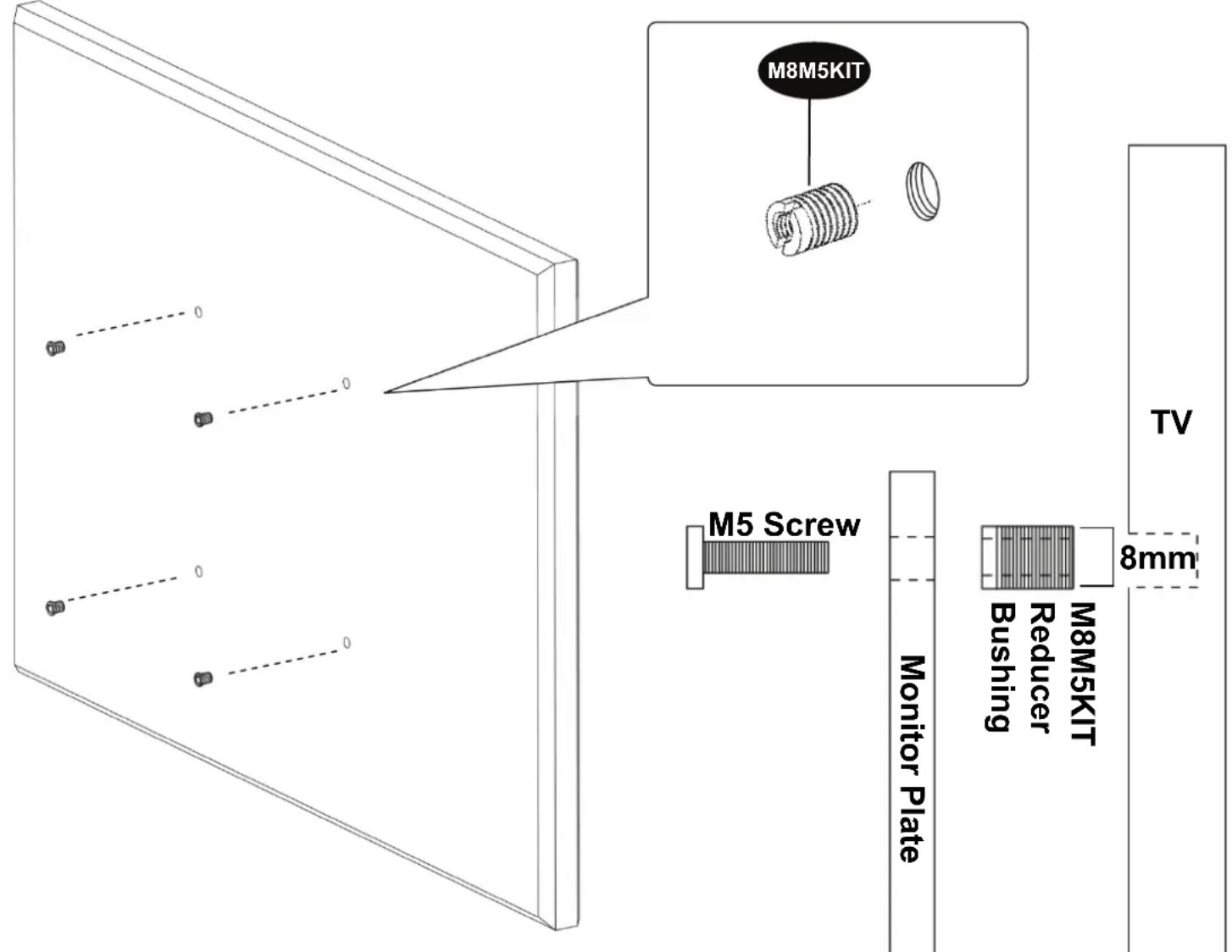
NOTE: Some of the more popular TV brands have recently changed their mounting holes to require 8mm screws. Although some mounts include 8mm screws, the VESA Monitor Plate will only fit 6mm screws. If your TV requires 8mm screws and has a VESA pattern of 200mm x 200mm or smaller, then please call us at 800.MOUNT.IT (800.668.6848) and we will send you a conversion kit which will allow you to use 5mm screws as shown on the diagram to the right.
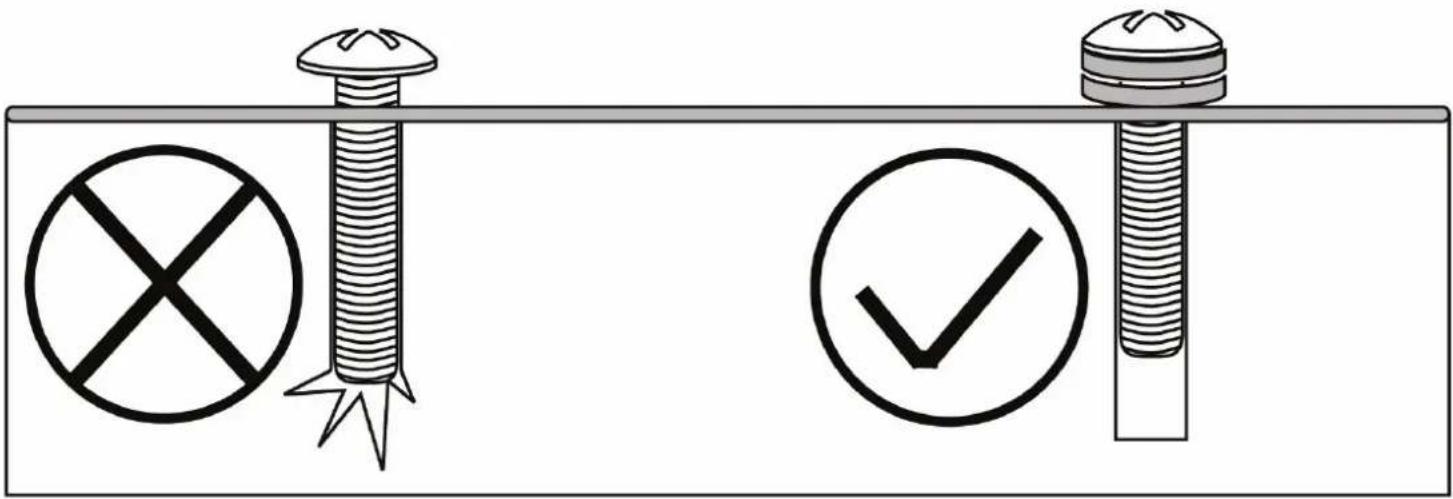
WARNING! PLEASE SELECT THE PROPER SCREW LENGTH FOR YOUR FLAT PANEL BY HAND TIGHTENING TO CHECK YOUR FLAT PANELS THREAD DEPTH.
Do not over-tighten

STEP 1
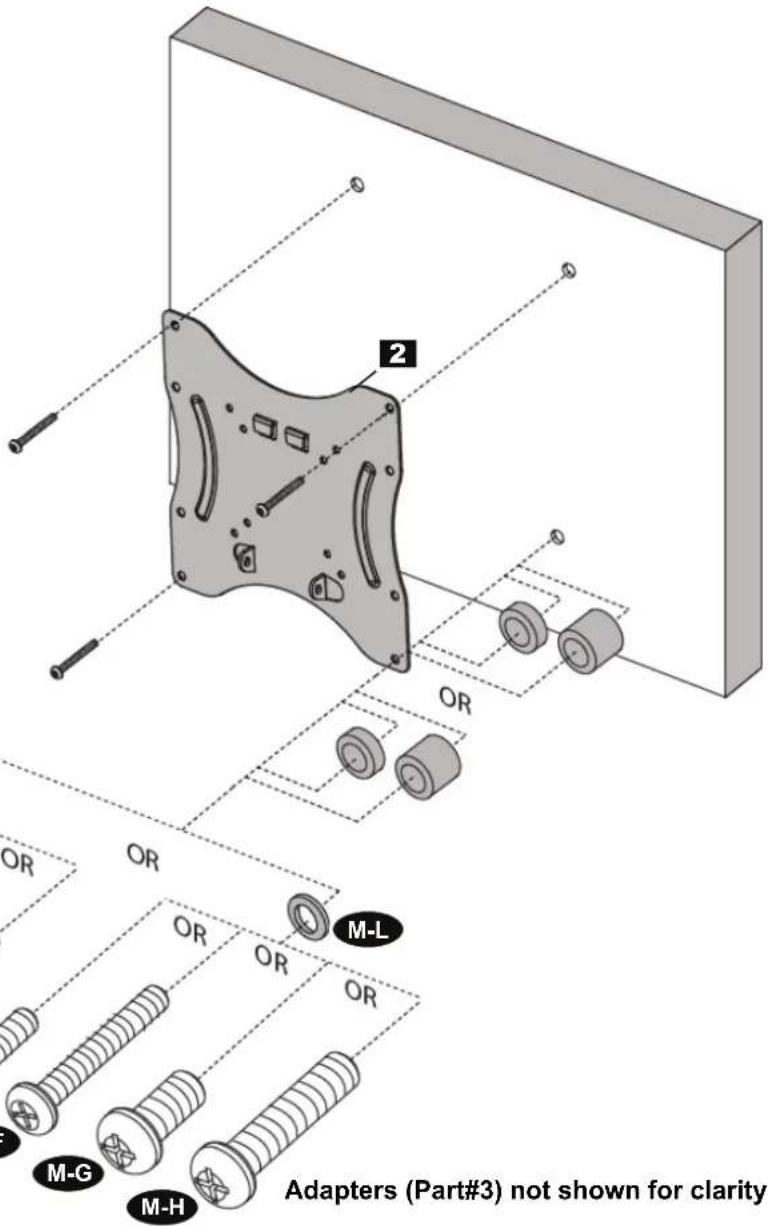
Separate adapter from mount
Use Adapters for larger flat panel hole patterns
Connect adapter to flat panel
natural_image
Illustration of a bolt with a central hub and threaded base, showing a black dot on the surface (no text or symbols)
natural_image
Illustration of a mechanical screw with a central hub and a black dot at the base (no text or symbols)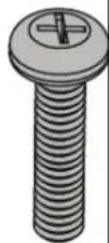
10mm
15mm 20mm 25mm 30mm
flowchart
graph TD
    A["M-A"] --> B["OR"]
    C["M-B"] --> D["OR"]
    E["M-C"] --> F["OR"]
    G["M-D"] --> H["OR"]
    I["M-E"] --> J["OR"]
    K["M-F"] --> L["OR"]
    M["M-G"] --> N["OR"]
    O["M-H"] --> P["OR"]
    Q["M-K"] --> R["OR"]
    S["M-L"] --> T["OR"]
    U["Adapters (F)"] --> V["Arrow to M-K"]
    style A fill:#f9f,stroke:#333
    style C fill:#f9f,stroke:#333
    style E fill:#f9f,stroke:#333
    style G fill:#f9f,stroke:#333
    style I fill:#f9f,stroke:#333
    style K fill:#f9f,stroke:#333
    style M fill:#f9f,stroke:#333
    style O fill:#f9f,stroke:#333
    style Q fill:#f9f,stroke:#333
STEP 3 - WOOD STUD
Find stud and mark edge and center locations
natural_image
Technical line drawing of a wooden fence with a pencil inserted, showing structural components and a dashed line indicating alignment (no text or symbols)STEP 3 - WOOD STUD CONTINUED
Use wall plate or wall template to mark mounting locations
STEP 4 - WOOD STUD
Drill pilot hole
natural_image
Diagram showing a wooden post with a screwdriver and red X marks, no text or symbols present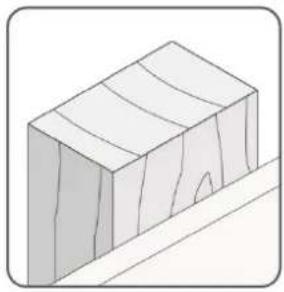
natural_image
Isometric illustration of a rectangular block with horizontal grooves and a diagonal line, no text or symbols present.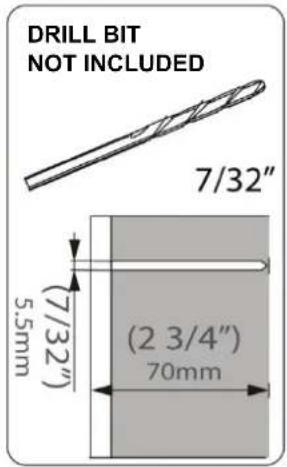
STEP 5 – WOOD STUD
Mount wall plate
Coloque la placa de pared
Montez la plaque murale
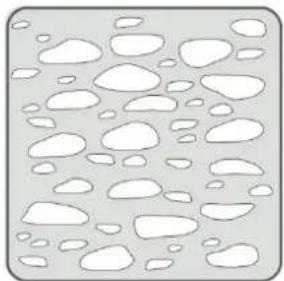
STEP 3 – SOLID CONCRETE
Use wall plate or wall template to mark mounting locations
natural_image
Technical line drawing of a mechanical linkage assembly with no visible text or symbols
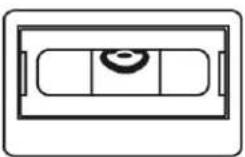
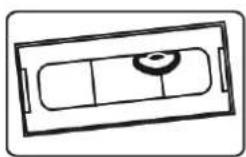

STEP 4 – SOLID CONCRETE CONTINUED
Drill pilot hole
natural_image
Abstract pattern of white oval shapes on a light gray background, no text or symbols present.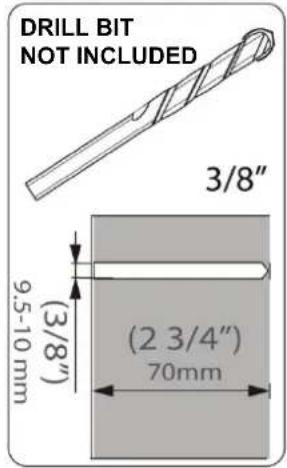
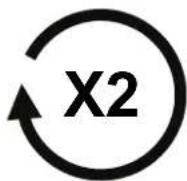
STEP 5 – SOLID CONCRETE CONTINUED
Mount wall plate
Coloque la placa de pared
Montez la plaque murale

STEP 6
Hang with monitor attached
Adapters (Part#3) not shown for clarity
STEP 7
Adjust to desired location
Adapters (Part#3) not shown for clarity
Page Left Blank Intentionally
Page Left Blank Intentionally
Page Left Blank Intentionally
This warranty applies to US Residents who purchase from an authorized OmniMount Dealer. OmniMount products are covered against defects in materials and workmanship for 5 years. OmniMount will repair or replace the defective component or product, at its sole discretion. Failure to follow product care instructions from OmniMount will result in void of warranty.
To obtain warranty service, contact OmniMount customer service at 800.MOUNT.IT (800.668.6848) or Info@omnimount.com. You must supply a copy of your original receipt. If your product must be shipped to OmniMount for inspection, you will be responsible for the shipping charges. Replacement product shipped to you will be returned freight pre-paid.
- OmniMount disclaims any liability for modifications, improper installations, installations over the specified weight range, or failure to follow care instructions provided by OmniMount. To the maximum extent permitted by law, OmniMount disclaims any other warranties, expressed or implied, including warranties of fitness for a particular purpose and warranties of merchantability. OmniMount will not be liable for any damages arising out of the use of, or inability to use, OmniMount products. OmniMount bears no responsibility for incidental or consequential damages. This includes, but is not limited to, any labor charges for the repair of OmniMount products performed by anyone other than OmniMount.
This warranty gives you specific legal rights, and you may also have other rights which vary from state to state.
■ Specifications are subject to change without prior notice.
ESPAÑOL
Notice to customer outside the United States: Please contact the dealer where you purchased this product for details about how to obtain warranty service in your country.
THANK YOU FOR PURCHASING AN OMNIMOUNT PRODUCT
GRACIAS POR ADQUIRIR UN PRODUCTO DE OMNIMOUNT
MERCI D'AVOIR ACHETÉ UN PRODUIT OMNIMOUNT
TACK FÖR ATT DU KÖPTE EN OMNIMOUNT-PRODUKT
VĂ MULTUMIM CĂ ATI ACHIZIȚIONAT UN PRODUS OMNIMOUNT
TAKK FOR AT DU KJ∅PTE ET OMNIMOUNT-PRODUKT
BEHÖVER DU HJÄLP? RING
AVETI NEVOIE DE AJUTOR? SUNATI
НУЖДАЕТЕ СЕ ОТ ПОМОЩ? МОЛЯ, ОБАДЕТЕ СЕ
VAJATE ABI? PALUN HELISTAGE
NEPIECIEŠAMA PALĪDZĪBA? LŪDZU, ZVANIET
REIKIA PAGALBOS? SKAMBINKITE
ALI POTREBUJETE POMOČ? PROSIMO, POKLIČITE.
POTREBUJETE POMOC? PROSÍM, VOLAJTE
НУЖНА ПОМОЩЬ? ЗВОНИТЕ
YARDIM MI LAZIM? LÜTFEN BIZI ARAYIN
TRENGER DU HJELP? RING OSS
natural_image
Illustration of a child using a computer to connect to an adult via a stethoscope (no text or symbols present)
OmniMount Systems, Inc.
8201 South 48th Street
Phoenix, AZ 85044-5355
1-800-MOUNT-IT (1-800-668-6848)
www.omnimount.com

- VERSION F
- INSTRUCTION MANUAL
- QUESTIONS? 1-800-MOUNT-IT (1-800-668-6848)
- NEED HELP? PLEASE CALL
- DISCLAIMER – WARNING INFORMATION
- Wall Mounts
- ESPAÑOL
- CONTENTS
- ATTENTION: DO NOT RETURN TO STORE OPTIONAL M8M5KIT BUSHINGS AVAILABLE
- WARNING! PLEASE SELECT THE PROPER SCREW LENGTH FOR YOUR FLAT PANEL BY HAND TIGHTENING TO CHECK YOUR FLAT PANELS THREAD DEPTH.
- Do not over-tighten
- STEP 1
- Separate adapter from mount
- Use Adapters for larger flat panel hole patterns
- Connect adapter to flat panel
- STEP 3 - WOOD STUD
- Find stud and mark edge and center locations
- STEP 3 - WOOD STUD CONTINUED
- Use wall plate or wall template to mark mounting locations
- STEP 4 - WOOD STUD
- Drill pilot hole
- STEP 5 – WOOD STUD
- Mount wall plate
- STEP 3 – SOLID CONCRETE
- STEP 4 – SOLID CONCRETE CONTINUED
- STEP 5 – SOLID CONCRETE CONTINUED
- STEP 6
- Hang with monitor attached
- STEP 7
- Adjust to desired location
- Page Left Blank Intentionally
- Notice to customer outside the United States: Please contact the dealer where you purchased this product for details about how to obtain warranty service in your country.
- THANK YOU FOR PURCHASING AN OMNIMOUNT PRODUCT
Brand : OmniMount
Model : VB60C
Category : TV wall mount