
GBH 18V-18 X Professional - Drill BOSCH - Free user manual and instructions
Find the device manual for free GBH 18V-18 X Professional BOSCH in PDF.
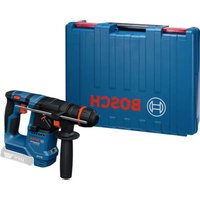


| Product type | Cordless rotary hammer |
| Brand | Bosch |
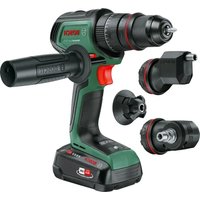
| Model | GBH 18V-18 X Professional |
| Nominal voltage | 18 V |
| No-load speed | 900 rpm |
| Impact rate | 5000 min⁻¹ |
| Max. drilling diameter (concrete) | 18 mm |
| Max. drilling diameter (steel) | 10 mm |
| Max. drilling diameter (wood) | 18 mm |
| Tool holder | SDS plus, cylindrical shank, hexagon |
| Chuck clamping range | 6 – 10 mm |
| Weight (depending on battery) | 2.2 – 3.2 kg |
| Compatible batteries | GBA 18V, ProCORE18V |
| Recommended chargers | GAL 18..., GAX 18..., GAL 36... |
| Main functions | Drilling in concrete/stone, hammer drilling, screwdriving |
| Safety | KickBack Control, vibration damping, double battery lock |
| Lighting | Integrated LED |
| Maintenance and cleaning | Clean ventilation slots, replace dust protection cap if damaged |
| Repairability | Spare parts via Bosch after-sales service centers |
Frequently Asked Questions - GBH 18V-18 X Professional BOSCH
User questions about GBH 18V-18 X Professional BOSCH
0 question about this device. Answer the ones you know or ask your own.
Ask a new question about this device
Download the instructions for your Drill in PDF format for free! Find your manual GBH 18V-18 X Professional - BOSCH and take your electronic device back in hand. On this page are published all the documents necessary for the use of your device. GBH 18V-18 X Professional by BOSCH.
USER MANUAL GBH 18V-18 X Professional BOSCH
GBH 18V-18 X Professional
Robert Bosch Power Tools GmbH
70538 Soltgart
GERMANY
www.bosch-pt.com
160992A9N1(2024.09)TAG/81

160992A9N1
en Original instructions
fr Notice originale
pt Manual original
zh 正本使用说明书
zh原始使用说明
thnnaa
2014年1月1日
id Peturiak Peturiuk untuk
Pengunaa Orisinal
Ban goc hurong dan sur dung
ar
fa 1

English Page 6
Francais.. Page 13
Portugues. Pagina 20
中文 页 28
繁體中文. 页34
Inu. 40
General Power Tool SafetyWarnings
WARNING
Read all safety warnings, instructions, illustrations and specifica
tions provided with this power tool. Failure to follow all instructions listed below may result in electric shock, fire and/ or serious injury.
Save all warnings and instructions for future reference.
The term "power tool" in the warnings refers to your mains-operated (corded) power tool or battery-operated (cordless) power tool.
Work area safety
- Keep work area clean and well lit. Cluttered or dark areas invite accidents.
- Do not operate power tools in explosive atmospheres, such as in the presence of flammable liquids, gases or dust. Power tools create sparks which may ignite the dust or fumes.
- Keep children and bystanders away while operating a power tool. Distractions can cause you to lose control.
Electrical safety
Power tool plugs must match the outlet. Never modify the plug in any way. Do not use any adapter plugs with earthed (grounded) power tools. Unmodified plugs and matching outlets will reduce risk of electric shock.
- Avoid body contact with earthed or grounded surfaces, such as pipes, radiators, ranges and refrigerators. There is an increased risk of electric shock if your body is earthed or grounded.
Do not expose power tools to rain or wet conditions. Water entering a power tool will increase the risk of electric shock.
Do not abuse the cord. Never use the cord for carrying, pulling or unplugging the power tool. Keep cord away from heat, oil, sharp edges or moving parts. Damaged or entangled cords increase the risk of electric shock.
When operating a power tool outdoors, use an extension cord suitable for outdoor use. Use of a cord suitable for outdoor use reduces the risk of electric shock.
If operating a power tool in a damp location is unavoidable, use a residual current device (RCD) protected supply. Use of an RCD reduces the risk of electric shock.
Personal safety
Stay alert, watch what you are doing and use common sense when operating a power tool. Do not use a power tool while you are tired or under the influence of drugs, alcohol or medication. A moment of inatten
tion while operating power tools may result in serious personal injury.
Use personal protective equipment. Always wear eye protection. Protective equipment such as a dust mask, non-skid safety shoes, hard hat or hearing protection used for appropriate conditions will reduce personal injuries.
Prevent unintentional starting. Ensure the switch is in the off-position before connecting to power source and/or battery pack, picking up or carrying the tool. Carrying power tools with your finger on the switch or energising power tools that have the switch on invites accidents.
- Remove any adjusting key or wrench before turning the power tool on. A wrench or a key left attached to a rotating part of the power tool may result in personal injury.
- Do not overreach. Keep proper footing and balance at all times. This enables better control of the power tool in unexpected situations.
Dress properly. Do not wear loose clothing or jewellery. Keep your hair and clothing away from moving parts. Loose clothes, jewellery or long hair can be caught in moving parts.
If devices are provided for the connection of dust extraction and collection facilities, ensure these are connected and properly used. Use of dust collection can reduce dust-related hazards.
Do not let familiarity gained from frequent use of tools allow you to become complacent and ignore tool safety principles. A careless action can cause severe injury within a fraction of a second.
Power tool use and care
Do not force the power tool. Use the correct power tool for your application. The correct power tool will do the job better and safer at the rate for which it was designed.
Do not use the power tool if the switch does not turn it on and off. Any power tool that cannot be controlled with the switch is dangerous and must be repaired.
- Disconnect the plug from the power source and/or remove the battery pack, if detachable, from the power tool before making any adjustments, changing accessories, or storing power tools. Such preventive safety measures reduce the risk of starting the power tool accidentally.
- Store idle power tools out of the reach of children and do not allow persons unfamiliar with the power tool or these instructions to operate the power tool. Power tools are dangerous in the hands of untrained users.
- Maintain power tools and accessories. Check for misalignment or binding of moving parts, breakage of parts and any other condition that may affect the power tool's operation. If damaged, have the power tool repaired before use. Many accidents are caused by poorly maintained power tools.
- Keep cutting tools sharp and clean. Properly maintained cutting tools with sharp cutting edges are less likely to bind and are easier to control.
Use the power tool, accessories and tool bits etc. in accordance with these instructions, taking into account the working conditions and the work to be performed. Use of the power tool for operations different from those intended could result in a hazardous situation. - Keep handles and grasping surfaces dry, clean and free from oil and grease. Slippery handles and grasping surfaces do not allow for safe handling and control of the tool in unexpected situations.
Battery tool use and care
- Recharge only with the charger specified by the manufacturer. A charger that is suitable for one type of battery pack may create a risk of fire when used with another battery pack.
Use power tools only with specifically designated battery packs. Use of any other battery packs may create a risk of injury and fire. - When battery pack is not in use, keep it away from other metal objects, like paper clips, coins, keys, nails, screws or other small metal objects, that can make a connection from one terminal to another. Shorting the battery terminals together may cause burns or a fire.
Under abusive conditions, liquid may be ejected from the battery; avoid contact. If contact accidentally occurs, flush with water. If liquid contacts eyes, additionally seek medical help. Liquid ejected from the battery may cause irritation or burns.
Do not use a battery pack or tool that is damaged or modified. Damaged or modified batteries may exhibit unpredictable behaviour resulting in fire, explosion or risk of injury.
Do not expose a battery pack or tool to fire or excessive temperature. Exposure to fire or temperature above 130°C may cause explosion.
Follow all charging instructions and do not charge the battery pack or tool outside the temperature range specified in the instructions. Charging improperly or at temperatures outside the specified range may damage the battery and increase the risk of fire.
Service
Have your power tool serviced by a qualified repair person using only identical replacement parts. This will ensure that the safety of the power tool is maintained.
- Never service damaged battery packs. Service of battery packs should only be performed by the manufacturer or authorized service providers.
Hammer SafetyWarnings
Safety instructions for all operations
Wear ear protectors. Exposure to noise can cause hearing loss.
Use auxiliary handle(s), if supplied with the tool. Loss of control can cause personal injury.
Hold the power tool by insulated gripping surfaces, when performing an operation where the cutting accessory or fasteners may contact hidden wiring. Cutting accessory or fasteners contacting a "live" wire may make exposed metal parts of the power tool "live" and could give the operator an electric shock.
Safety instructions when using long drill bits with rotary hammers
Always start drilling at low speed and with the bit tip in contact with the workpiece. At higher speeds, the bit is likely to bend if allowed to rotate freely without contacting the workpiece, resulting in personal injury.
Apply pressure only in direct line with the bit and do not apply excessive pressure. Bits can bend, causing breakage or loss of control, resulting in personal injury.
Additional safety information
Use suitable detectors to determine if there are hidden supply lines or contact the local utility company for assistance. Contact with electric cables can cause fire and electric shock. Damaging gas lines can lead to explosion. Breaking water pipes causes property damage.
Always wait until the power tool has come to a complete stop before placing it down. The application tool can jam and cause you to lose control of the power tool.
- Secure the workpiece. A workpiece clamped with clamping devices or in a vice is held more secure than by hand.
In case of damage and improper use of the battery, vapours may be emitted. The battery can set alight or explode. Ensure the area is well ventilated and seek medical attention should you experience any adverse effects. The vapours may irritate the respiratory system.
Do not modify or open the battery. There is a risk of short-circuiting.
The battery can be damaged by pointed objects such as nails or screwdrivers or by force applied externally. An internal short circuit may occur, causing the battery to burn, smoke, explode or overheat.
Only use the battery in the manufacturer's products. This is the only way in which you can protect the battery against dangerous overload.

Protect the battery against heat, e.g. against continuous intense sunlight, fire, dirt, water and moisture. There is a risk of explosion and short-circuiting.
Do not touch any application tools or adjacent housing components shortly after operation. These can become very hot during operation and cause burns.
The application tool may jam during drilling. Make sure you have a stable footing and hold the power tool firmly with both hands. Otherwise you could lose control of the power tool.
8 | English
Do not direct the power tool at nearby persons during operation. The application tool may fly out and cause serious injuries.
Always wear a safety helmet and safety glasses/face protection. Normal glasses and sunglasses are not safety glasses.
Check that the application tool is seated securely and safely before operation.
Always make sure that you maintain a safe distance. When operating the power tool in high up areas, e.g. on a ladder, ensure that no one is beneath you.
Do not open or close the drill chuck by switching on the power tool. The application tool can be ejected. This poses a risk of injury.
Do not direct the power tool at nearby persons during operation. The application tool may fly out and cause serious injuries.
Always wear a safety helmet and safety glasses/face protection. Normal glasses and sunglasses are not safety glasses.
Check that the application tool is seated securely and safely before operation.
Always make sure that you maintain a safe distance. When operating the power tool in high up areas, e.g. on a ladder, ensure that no one is beneath you.
Do not open or close the drill chuck by switching on the power tool. The application tool can be ejected. This poses a risk of injury.
Hold the power tool firmly with both hands and make sure you have a stable footing. The power tool can be more securely guided with both hands.
Product Description and Specifications

Read all the safety and general instructions.
Failure to observe the safety and general instructions may result in electric shock, fire and/or serious injury.
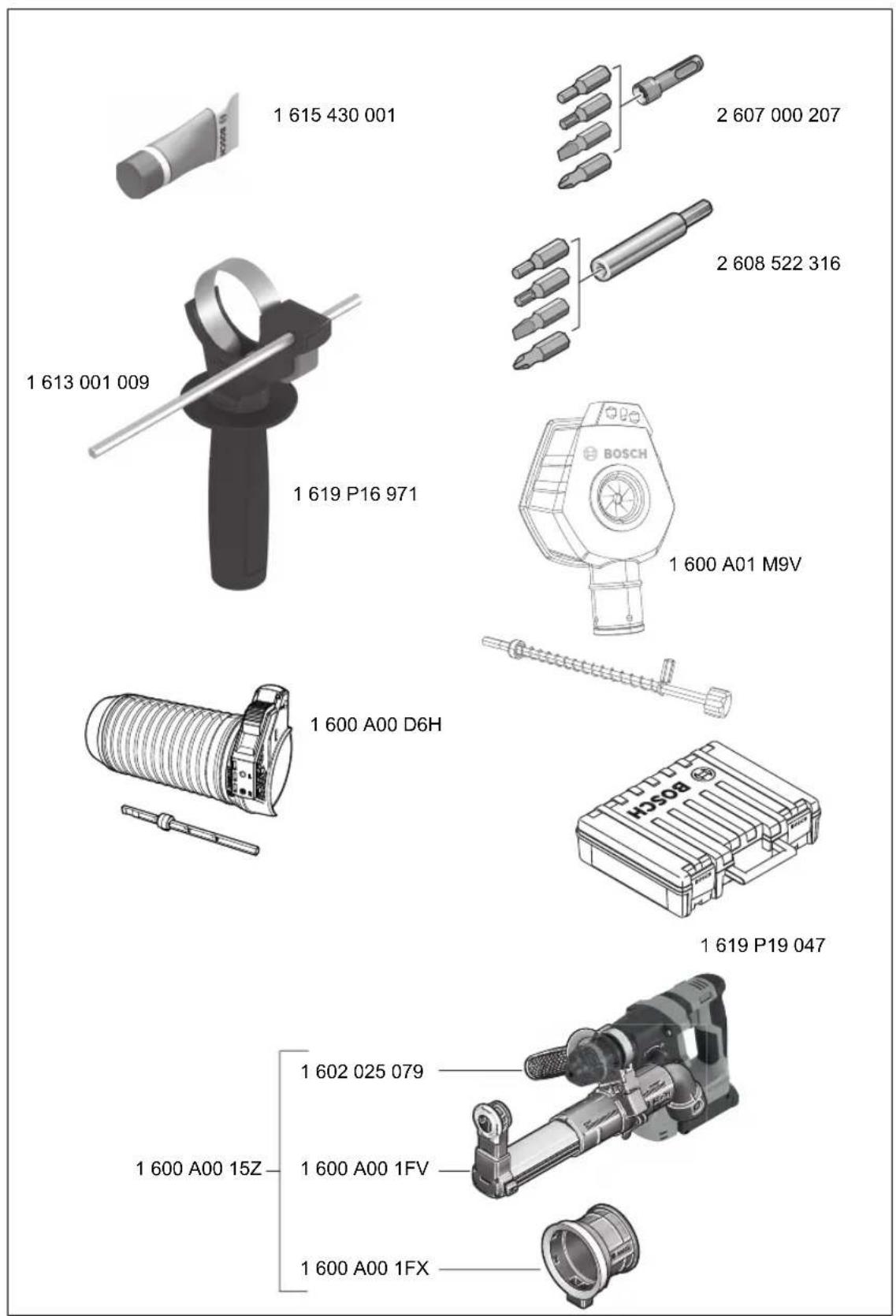
Please observe the illustrations at the beginning of this operating manual.
Intended Use
The power tool is intended for hammer drilling in concrete, brick and stone. It is also suitable for drilling without impact in wood, metal, ceramic and plastic. Power tools with electronic control and right/left rotation are also suitable for screwdriving.
Product Features
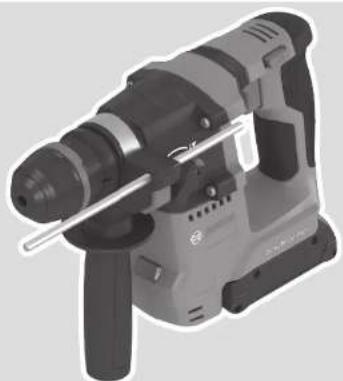
The numbering of the product features refers to the diagram of the power tool on the graphics page.
(1) ONECHUCK drill chuck
(2) ONECHUCK tool holder
(3) Dust protection cap
(4) Front sleeve
(5) Rear sleeve
(6) Vibration damping
(7) Battery release button
(8) Rotational direction switch
(9) Handle (insulated gripping surface)
(10) On/off switch
(11) Rechargeable battery
(12) Release button for impact/mode selector switch
(13) Impact/mode selector switch
(14) Worklight
(15) Button for depth stop adjustment
Auxiliary handle (insulated gripping surface)
(17) Depth stop
(18) Universal bit holder with SDS plus shanka
(19) Universal bit holder with a cylindrical or hexagonal shank
(20) Attachment area for the fall protection system on the power tool
(21) Fall protection system
(22) Fall protection system anchorage point fixer
a) This accessory is not part of the standard scope of delivery.
b) This accessory described here is not included with the product as standard, nor is it part of the Bosch range of accessories.
Technical Data
| Cordless rotary hammer GBH 18V-18 X | ||
| Article number | 3611 J27 1.. | |
| Rated voltage V= 18 | ||
| Rated speed(A) | min-1 | 900 |
| Impact rate(A) | min-1 | 5000 |
| Tool holder - SDS plus | ||
| - Cylindrical | ||
| - Hexagonal | ||
| Drill chuck clamping range for cylindrical shanks | mm 6-10 | |
| Max. drilling diameter | ||
| - Concrete mm 18 | ||
| - Steel mm 10 | ||
| - Wood mm 18 | ||
| Weight(B) | kg 2.2 kg (1.5 Ah)-3.2 kg (12.0 Ah) | |
| Recommended ambient temperature during charging | °C 0 to +35 | |
| Permitted ambient temperature during operation(C) and during storage | °C -20 to +50 | |
| Cordless rotary hammer GBH 18V-18 X | |
| Compatible rechargeable batteries | GBA 18V... ProCORE18V... |
| Recommended battery chargers | GAL 18... GAX 18... GAL 36... |
A) Measured at 20-25 °C with rechargeable battery GBA 18V 4.0Ah
B) Depending on battery in use
C) Limited performance at temperatures < 0°C
Technical data determined using the battery that comes with the product.
Values can vary depending on the product, scope of application and environmental conditions. To find out more, visit www.bosch-professional.com/wac.
Rechargeable battery
Bosch sells some cordless power tools without a rechargeable battery. You can tell whether a rechargeable battery is included with the power tool by looking at the packaging.
Charging the battery
Use only the chargers listed in the technical data. Only these chargers are matched to the lithium-ion battery of your power tool.
Note: Lithium-ion rechargeable batteries are supplied partially charged according to international transport regulations. To ensure full rechargeable battery capacity, fully charge the rechargeable battery before using your tool for the first time.
Inserting the Battery
Push the charged battery into the battery holder until it clicks into place.
Removing the Battery
To remove the rechargeable battery, press the battery release button and pull the battery out. Do not use force to do this.
The rechargeable battery has two locking levels to prevent the battery from falling out if the battery release button is pressed unintentionally. The rechargeable battery is held in place by a spring when fitted in the power tool.
Battery charge indicator
Note: Not all battery types have a battery charge indicator. The green LEDs on the battery charge indicator indicate the state of charge of the battery. For safety reasons, it is only possible to check the state of charge when the power tool is not in operation.
Press the button for the battery charge indicator or to show the state of charge. This is also possible when the battery is removed.
If no LED lights up after pressing the button for the battery charge indicator, then the battery is defective and must be replaced.
Battery model GBA 18V...


LED Capacity
3 × continuous green light 60 - 100 %
2× continuous green light 30 - 60%
1 × continuous green light 5 - 30 %
1× flashing green light 0-5%
Battery model ProCORE18V...


LED Capacity
5× continuous green light 80 - 100%
4× continuous green light 60 - 80%
3 × continuous green light 40 - 60%
2× continuous green light 20-40%
1× continuous green light 5-20%
1× flashing green light 0 - 5%
Recommendations for Optimal Handling of the Battery
Protect the battery against moisture and water.
Only store the battery within a temperature range of -20 to 50°C . Do not leave the battery in your car in the summer, for example.
Occasionally clean the ventilation slots on the battery using a soft brush that is clean and dry.
A significantly reduced operating time after charging indicates that the battery has deteriorated and must be replaced.
Follow the instructions on correct disposal.
Assembly
Before carrying out any work on the power tool (e.g. maintenance, tool change etc.), remove the battery from the power tool. There is risk of injury from unintentionally pressing the on/off switch.
Auxiliary handle
Do not operate your power tool without the auxiliary handle (16).
Make sure that the auxiliary handle is always tightened. Otherwise you could lose control of the power tool when working.
Swivelling the auxiliary handle (see figure A)
You can swivel the auxiliary handle (16) to any angle for a safe work posture that minimises fatigue.
10 | English
- Turn the lower gripping end of the auxiliary handle (16) anticlockwise and swivel the auxiliary handle (16) into the required position. Then turn the lower gripping end of the auxiliary handle (16) clockwise to retighten it. Make sure that the retaining strap of the auxiliary handle slots into the corresponding groove of the housing.
Changing the Tool

The ONECHUCK drill chuck enables you to use SDS plus application tools, cylindrical and hexagonal application tools easily and conveniently without needing to use additional tools or change the drill chuck.
The dust protection cap (3) largely prevents the penetration of drilling dust into the tool holder during operation. When inserting the tool, make sure that the dust protection cap (3) does not become damaged.
Replace a damaged dust protection cap immediately. It is recommended that you have use an after-sales service for this.
Changing the Tool (SDS plus)
Inserting the SDS plus Application Tool (see figures B1-B2)
Hold the rear sleeve (5) of the drill chuck with one hand. Use your other hand to fully open the tool holder by turning the front sleeve (4).
- Clean and lightly grease the shank of the SDS plus application tool.
- Insert the SDS plus application tool into the tool holder while turning it until it locks automatically.
- Check that it is locked by pulling on the tool.
As a requirement of the system, the SDS plus application tool can move freely. This causes a certain radial run-out at no-load, which has no effect on the accuracy of the drill hole, as the drill bit centres itself upon drilling.
Removing the SDS plus Application Tool (see figure B3)
- Push the rear sleeve (5) back and remove the SDS plus application tool.
Changing the Tool (cylindrical/hexagonal shank) Inserting the Application Tool (see figure C1)
Note: Application tools that do not have SDS plus must not be used for hammer drilling. Tools without SDS plus and their drill chucks are damaged by hammer drilling.
Note: Only use tools with a cylindrical or hexagonal shank in the drilling operating mode.
Do not close the drill chuck by switching on the power tool. The application tool can be ejected. This poses a risk of injury.
Note: Only use application tools with a cylindrical or hexagonal shank with a shank diameter of 6 to 10mm
- Turn the impact/mode selector switch (13) to the "drilling" position.
Hold the rear sleeve (5) of the drill chuck with one hand Use your other hand to open the tool holder by turning
the front sleeve (4) until the application tool can be inserted.
- Insert the cylindrical or hexagonal application tool into the drill chuck.
Hold the rear sleeve (5) in place with one hand and, with the other hand, turn the front sleeve (4) firmly in the direction of the arrow until you hear a clear clicking sound. - Check that it is seated securely by pulling on the tool.
Only insert the application tool if the power tool is switched off.
Removing the Application Tool (see figure C2)
- Hold the rear sleeve (5) of the drill chuck with one hand. Use your other hand to open the tool holder by turning the front sleeve (4) in the direction of the arrow until the application tool can be removed.
- Remove the application tool.
- Do not open the drill chuck by switching on the power tool. The application tool can be ejected. This poses a risk of injury.
Dust/Chip Extraction
The dust from materials such as lead paint, some types of wood, minerals and metal can be harmful to human health. Touching or breathing in this dust can trigger allergic reactions and/or cause respiratory illnesses in the user or in people in the near vicinity.
Certain dusts, such as oak or beech dust, are classified as carcinogenic, especially in conjunction with wood treatment additives (chromate, wood preservative). Materials containing asbestos may only be machined by specialists.
-
Use a dust extraction system that is suitable for the material wherever possible.
-
Provide good ventilation at the workplace.
-
It is advisable to wear a P2 filter class breathing mask. The regulations on the material being machined that apply in the country of use must be observed.
-
Avoid dust accumulation at the workplace. Dust can easily ignite.
Operation
Start-up
Setting the Operating Mode
The operating mode of the power tool is selected using the impact/mode selector switch (13).
- To change the operating mode, press the release button (12) and turn the impact/mode selector switch (13) until it clicks into the required position.
Note: Only change the operating mode when the power tool is switched off. Otherwise, the power tool may become damaged.
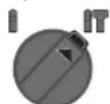
Position for hammer drilling into concrete or stone
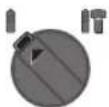
Position for drilling without impact in wood, metal, ceramic and plastic and for screwdriving
Setting the rotational direction (see figure D)
The rotational direction switch (8) is used to change the rotational direction of the power tool. However, this is not possible while the on/off switch (10) is being pressed.
Only operate the rotational direction switch (8) when the power tool is not in use.
Always set the rotational direction to clockwise rotation for hammer drilling and drilling.
- Clockwise: To drill and to drive in screws, press the rotational direction switch (8) all the way to the left.
- Anticlockwise: To loosen and unscrew screws and nuts, press the rotational direction switch (8) all the way to the right.
Note: If the rotational direction switch is in the middle position, the on/off switch is blocked.
Switching On/Off
- To switch on the power tool, press the on/off switch (10).
The worklight (14) lights up when the on/off switch (10) is lightly or fully pressed, allowing the work area to be illuminated in poor lighting conditions. - To switch off the power tool, release the on/off switch (10).
For low temperatures, the power tool reaches the full hammer/impact capacity only after a certain time.
Adjusting the Speed/Impact Rate
You can adjust the speed/impact rate of the power tool when it is on by pressing in the on/off switch (10) to varying extents.
Applying light pressure to the on/off switch (10) results in a low rotational speed/impact rate. Applying increasing pressure to the switch increases the speed/impact rate.
Practical Advice
Setting the drilling depth (see figure E)
You can use the depth stop (17) to set the required drilling depth X.
- Press the button for depth stop adjustment (15) and insert the depth stop into the auxiliary handle (16). The fluting on the depth stop (17) must face downwards.
- Push the SDS plus application tool into the SDS plus tool holder as far as it will go. Otherwise, the movability of the SDS plus drilling tool can lead to incorrect adjustment of the drilling depth.
- Pull the depth stop far enough out that the distance between the drill bit tip and the edge of the depth stop corresponds to the required drilling depth X.
Overload torque
If the application tool jams or snags, the power transmission to the drill spindle will be interrupted. Always
hold the power tool firmly with both hands to withstand the forces this may create and adopt a position with stable footing.
- Switch the power tool off immediately and remove the application tool if the power tool becomes blocked. Switching on when the application tool is blocked may cause high torque reactions.
Rapid shut-off (KickBack control)

The rapid shut-off function (KickBack Control) gives the user greater control over the power tool and offers them better protection than power tools that do not have KickBack Control.
The power tool will switch off if it suddenly and slowly rotates around the drilling axis.
- To switch the tool back on, release the on/off switch (10) and then press it again.
Rapid shut-off is indicated by flashing of the worklight (14) on the power tool.
Vibration damping

The integrated vibration damping function reduces the generated vibration.
Do not continue to use the power tool if the damping element is damaged.
Constant Electronic control
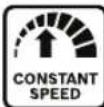
The constant electronic control keeps a constant speed when at no load and under certain load conditions. This guarantees a uniform performance.
Inserting Screwdriver Bits (see figure F)
Only apply the power tool to the screw/nut when the tool is switched off. Rotating tool inserts can slip off.
A universal bit holder with a SDS plus shank (18) or a universal bit holder with a cylindrical or hexagonal shank (19) is required to work with screwdriver bits.
Using a Universal Bit Holder with an SDS Plus Shank
- Clean and lightly grease the insertion end of the shank.
- Insert the universal bit holder (18) into the tool holder while turning it until it locks automatically.
- Check that it is locked by pulling on the universal bit holder.
- Insert a screwdriver bit in the universal bit holder (18). Only use screwdriver bits that fit the screw head.
- To remove the universal bit holder (18), slide the locking sleeve backwards and remove the universal bit holder from the tool holder.
Using a Universal Bit Holder with a Cylindrical or Hexagonal Shank
- Insert the universal bit holder with a cylindrical or hexagonal shank (19). To do this, proceed as you would when inserting the application tool (see "Inserting the Application Tool (see figure C1)", page 10).
12 | English
- Check that it is locked by pulling on the universal bit holder (19).
- Insert a screwdriver bit in the universal bit holder (19). Only use screwdriver bits that fit the screw head.
- To remove the universal bit holder (19), proceed as you would when removing the application tool (see "Removing the Application Tool (see figure C2)", page 10).
Attaching the Fall Protection System (see figure G)
Note: A fall protection system (21) that is suitable for the weight of the entire system should be used to prevent the power tool from falling. The maximum permitted length of the fall protection system is 1.8m . Please always refer to the permitted attachment area (20) on the power tool.
It is best to use the fall protection system with a tape loop secured by an anchor knot or a fall protection system with fall damper.
Please always refer to the operating instructions when attaching the fall protection system (21).
Always secure the opposite side of the fall protection system to a stable structure (e.g. a building or scaffolding) and never to the user.
The fall protection system must be able to move freely and may only be attached to the power tool at the fixed anchorage point (22) and in the permitted attachment area (20).
Select the fixed anchorage point (22) such that the power tool can fall freely into the fall protection system without wrapping around or putting the user at risk of harm in the event of a fall.
Never use the fall protection system on a power tool which has been fitted with the dust extraction attachment.
Maintenance and Service
Maintenance and Cleaning
Before carrying out any work on the power tool (e.g. maintenance, tool change etc.), remove the battery from the power tool. There is risk of injury from unintentionally pressing the on/off switch.
To ensure safe and efficient operation, always keep the power tool and the ventilation slots clean.
Replace a damaged dust protection cap immediately. It is recommended that you have use an after-sales service for this.
- Clean the tool holder after each use.
After-Sales Service and Application Service
Our after-sales service responds to your questions concerning maintenance and repair of your product as well as spare parts. You can find explosion drawings and information on spare parts at: www.bosch-pt.com
The Bosch product use advice team will be happy to help you with any questions about our products and their accessories.
In all correspondence and spare parts orders, please always include the 10-digit article number given on the nameplate of the product.
Malaysia
Robert Bosch Sdn. Bhd.(220975-V) PT/SMY
No.8A,Jalan 13/6
46200 Petaling Jaya
Selangor
Tel.: (03) 79663194
Toll-Free: 1800 880188
Fax: (03) 79583838
E-Mail: kiathoe.chong@my.bosch.com
www.bosch-pt.com.my
You can find further service addresses at:
www.bosch-pt.com/serviceaddresses
Transport
The recommended lithium-ion batteries are subject to legislation on the transport of dangerous goods. The user can transport the batteries by road without further requirements.
When the batteries are shipped by third parties (e.g. air transport or forwarding agency), special requirements on packaging and labelling (e.g. ADR regulations) must be met.
A dangerous goods expert must be consulted when preparing the items for shipping.
Dispatch battery packs only when the housing is undamaged. Tape or mask off open contacts and pack up the battery in such a manner that it cannot move around in the packaging. Please also observe the possibility of more detailed national regulations.
Disposal

Power tools, rechargeable batteries, accessories and packaging should be sorted for environmental-friendly recycling.
Do not dispose of power tools and batteries/re-chargeable batteries into household waste!
Battery packs/batteries:
Li-ion:
Please observe the notes in the section on transport (see
"Transport", page 12).
Français
Robert Bosch Morocco SARL
53, Rue Lieutenant Mahmoud Mohamed
20300 Casablanca
Tel.: +212529314327
E-Mail: sav.outillage@ma.bosch.com
www.bosch-pt.com/serviceaddresses
Transport
Colocar o porta-bits universal com adaptor SDS plus
www.bosch-pt.com/serviceaddresses
Transporte
www.bosch-pt.com/serviceaddresses
搬运
www.bosch-pt.com/serviceaddresses
搬運
n"100000000000000000000000000000000000000000000000000000000000000000000
y
Jnnaaannnnnnnnnnnnnnnnnnnnnnnnnnnnnnnnnnnnnnnnnnnnnnnnnnnnnnnnnnnnnnnnnnnnnnnnnnnnnnnnnnnnnnnnnnnnnnnnnnnnnnnnnnnnnnnnnnnnnnnn
yolwovnuuuvnuuunnuuunnuuunnuu uauu uuuu uuuu uuuu uuuu uuuu uuuu uuuu uuuu uuuu uuuu uuuu uuuu uuuu uuuu uuuu uuuu uuuu uuuu uuuu uuuu uuuu uuuu uuuu uuuu uuuu uuuu uuuu uuuu uuuu uuuu uuuu uuuu uuuu uuu
yauuunuaaunuununununununununununununununununununununununununununununununununununununun
aannnnnne nnnnne
1
yannnnnnaaennnnnnnnnnnnnnnnnnnnnnnnnnnnnnnnnnnnnnnnnnnnnnnnnnnnnnnnnnnnnnnnnnnnnnnnnnnnnnnnnnnnnnnnnnnnnnnnnnnnnnnnnn
nnae nnnnne ne nnnnne nnnnne nnnnne nnnnne nnnnne nnnnne nnnnne nnnnne nnnnne nnnnne nnnnne nnnnne nnnnne nnnnne nnnnne nnnnne nnnnne nnnnne nnnnne nnnnne nnnnne nnnnne nnnnne nnnnne nnnnne nnnnnee nnnnne nnnnne nnnnne nnnnne nnnnne nnnnne nnnnne nnnnne nnnnne nnnnne nnnnne nnnnne nnnnne nnnnne nnnnne nnnnne nnnnne nnnnne nannne nannne nannne nannne nannne nannne nannne nannne nannne
nwnnnn nn nnnnnnnnnnnnnnnnnnnnnnnnnnnnnnnnnnnnnnnnnnnnnnnnnnnnnnnnnnnnnnnnnnnnnnnnnnnnnnnnnnnnnnnnnnnnnnnnn
yolwlnlwnlwnnne nllnnnwnn nn no nnnnnnnnnnnnnnnnnnnnnnnnnnnnnnnnnnnnnnnnnnnnnnnnnnnnnnnnnnnnnnnnnnnnnnnnnnnnnnnnnnnnnnnnnnnnnnnnnnnnnnnnnnnnnnnnnnnnnnnnnnnnnnnnnnnnnnnnnnnnnnnn
alnnaeolnnnnae nnnnne nee
nannnnnnnnnnnnnnnnnnnnnnnnnnnnnnnnnnnnnnnnnnnnnnnnnnnnnnnnnnnnnnnnnnnnnnnnnnnnnnnnnnnnnnnnnnnnnnnnnnnnnnnnnnnnnnnnnnnnnnnnnnnnnnnnnnnnnnnnnnnnnnnnnnnnnnnnnnnnnnn nn
7
nnuuunnuuunnuuunnuuuu uuuuuuuuuuuuuuuuuuuuuuuuuuuuuuuuuuuuuuuuuuuuuuuuuuuuuuuuuuuuuuuuuuuuuuuuuuuuuuuuuuuuuuuuuuuuuuuuuuuuuuuuuuuuuuuuuuuuuuuuuuuuuuuuuuuuuuuuuuuuuuuuuuuuuuuuuuuuuuuuuuuuuuuuuuuuuuuuuuuuuuuuuuuuuuuuuuuuuUU
y
1
1
nunnnnnuu uunnnnnnnnnnnnnnnnnnnnnnnnnnnnnnnnnnnnnnnnnnnnnnnnnnnnnnnnnnnnnnnnnnnnnnnnnnnnnnnnnnnnnnnnnnnnnnnnnnnnnnnnnnnnnnnnnnnnnnnnnnnnnnn
H 1
nnaa aannnnnnae nnnnne nnnnne nnnnne nnnnne nnnnne nnnnne nnnnne nnnnne nnnnne nnnnne nnnnne nnnnne nnnnne nnnnne nnnnne nnnnne nnnnne nnnnne nnnnne nnnnne nnnnne nnnnne nnnnne nnnnne nnnnne nnnnnee
y
muaaannnnaananaananaan
y
y
nnaaannnnnnae nnne nnnnne ne nnnnne nnnnne nnnnne nnnnne nnnnne nnnnne nnnnne nnnnne nnnnne nnnnne nnnnne nnnnne nnnnne nnnnne nnnnne nnnnne nnnnne nnnnne nnnnne nnnnne nnnnne nnnnne nnnnne nnnnne nnnnne nnnnnee
aannnnnnaeennnnnne nnnnnnne annnnnne aannnnnne
ywnnnnnae nn nnnnnnne ne eae nnnnnnne nee nnnnnnne nee nnnnnnne nee nnnnnnne nee nnnnnnne nee nnnnnnne nee nnnnnnne nee nnnnnnne nee nnnnnnne nee nnnnnnne nee nnnnnnne nee nnnnnnne nee nnnnnnne nee nnnnnnne nee nnnnnnne nee nennnnne nee nnnnnnne nee nnnnnnne nee nnnnnnne nee nnnnnnne nee nnnnnnne nee nnnnnnne nee nnnnnnne nee nnnnnnne nee nnnnnnne nee nnnnnnne nee nannnee
1
1
aannnnnnaanennnnnnnnnnnnnnnnnnnnnnnnnnnnnnnnnnnnnnnnnnnnnnnnnnnnnnnnnnnnnnnnnnnnnnnnnnnnnnnnnnnnnnnnnnnnnnnnnnnnnnnnnnnnnnnnnnnnnnnnnnnnnnnnnnnnnnnn
nnaa:nnaaaananaananaananaanana
wlnnnae nnnnne nee eae nne ennnne
1
42 m
1 1111111111111111111111111111111
nnaaannnnnnaanennn nnnnnnnnnnnnnnnn nn nnnnnnnnnnnnnnnnnn nnnnnnnnnnnnnnnnnn nnnnnnnnnnnnnnnn nnnnnnnnnnnnnn nnnnnnnnnnnnnn nnnnnnnnnnnn nnnnnnnnnn nannn
山
10n
1 1
m
aunnnae nnnnnae nnne nnnnne nnnnne nnnnne nnnnne nnnnne nnnnne nnnnne nnnnne nnnnne nnnnne nnnnne nnnnne nnnnne nnnnne nnnnne nnnnne nnnnne nnnnne nnnnne nnnnne nnnnne nnnnne nnnnne nnnnne nnnnne nnnnee
y
H
y
nanaananaananaananaananaananaananaananaananaananaananaananaananaananaananaananaananaananaananaananaananaananaananaananaananaananaananaananaananaananaananaananaananaananaananaananaananaananaananaananaananaananaananaananaananaananaananaananaananaananaanana anannnaa
yuaunununnu
muaaannnnae (nnnae E)
nannnnnnaan (17) nannnnnns
nnuuunnuuunnuuuuunnuuuuuuuuuuuuuuuuuuuuuuuuuuuuuuuuuuuuuuuuuuuuuuuuuuuuuuuuuuuuuuuuuuuuuuuuuuuuuuuuuuuuuuuuuuuuuuuuuuuuuuuuuuuuuuuuuuuuuuuuuuuuuuuuuuuuuuuuuuuuuuuuuuuuuuuuuuuuuuuuuuuuuuuuuuuuuuuuuuuuuuuuuuuuuuuuuuuuuuuuuUU
ln
Inu 150
Inu 150
Inu 150
Inu 150
Inu 150
Inu 150
Inu 150
Inu 150
Inu 150
Inu 150
Inu 150
Inu 150
Inu 150
Inu 150
Inu 150
Inn:
www.bosch-pt.com/serviceaddresses
m
yueo 10000000000000000000000000000000000000000000000000000
nunnnnnnnnnnnnnnnnnnn (nu: nna
nuuuvnuuuvnuuuvnuuuvnuu) uuuuuuuuuu uuuu uuuuuuuuuu uuuuuuuuuuuu uuuuuuuuuuuu
nannnnnnnnnnnnnnnnnnnnnnnnnnnnnnnnnnnnnnnnnnnnnnnnnnnnnnnnnnnnnnnnnnnnnnnnnnnnnnnnnnnnnnnnnnnnnnnnnnnnnnnnnnnnnnnnnnnnnnnnnnnnnnnnnnnnnnnnnnnnnnnnnnnnnnnnnnnnnnnnn nn nannn nannn nannn nannn nannn nannn nannn nannn nannn nannn nannn nannn nannn nannn nannn nannn nannn nannn nannn nannn nannn nannn nannn nannn nannn nannn nannn nannn nannn nannn nannn nannn nannn nannn nn annn nn annn nn annn nn annn nn annn nn annn nn annn nn annn nn annn nn annn nn annn nn annn nn annn nn annn nn annn nn annn nn annn nn annn nn annn nn annn nn annn nn annn nn annn nn annn nn annn nn annn nn annn nn annn nn ann
7

wauuulwun wuaanwun uunwunnuu uunuunuunuunu uunuunuunuunuunu uunuunuunuunu unuuuunuunuunu uunuunuunuunu uunu
Keselamatan personnel
Arkadia Green Park Tower G-7th floor
Ji. Let. Jend. TB. Simatupang Kav.88
Jakarta 12520
Tel.: (021) 3005 5800
Fax: (021) 3005 5801
E-Mail: boschpowertools@id.bosch.com
www.bosch-pt.co.id
www.bosch-pt.com/serviceaddresses
Transpor
Cac canh bao phy them
Dung thiet bj do tim thich hop de xac dinh nou co cac cóng trinh cóng cóng lap dat ngamstrong khu vuc lam viec hay lien he voi City cóng trinh cóng cóng dia phuong de nhoh tro. Dung cham duong dan dien co the gay ra hoa hoan va dien giat. Lam hu hai duong dan khia ga co the gay no. Lam thung ong dan nuoc co the lam hu hai tai san hay co the gay ra dien giat.
Luon luon doi cho may hoan toan ngung hantruoc khi dat xuong.Dung cu lap vao may cothe bi kep chat dan den viec dung cu dien camtay bi mat dieu khien.
Kep chat vát gia cóng. Vát gia cóng duoc kep bang mot thiet bi kep hay bang eto thi vu ng chac hon giu bang tay.
Trong truong hop pin bi hong hay su dung sai cach, hoicoc co the boc ra. Pin co the chay hoac no. Hay lam cho thong thoang khi va. trong truong hop bi dau phai nhoy te chu'a tri. Hoicouc co the gay ngua he ho hap.
Khong thay dai va mo pin. Nguyen co' bi chap mach.
Pin co the bi hu hai boi cac vat dung nhon hnu dinh hay tuoc-no-vit hoac boi cac tac dong luc tu ben ngoai. No co the dan toi doan mach nao bo va lam pin bi chay, boc khoi, phat no hoac qua nong.
58 | Tiếng Viết
Chi su dung pin trong cac san pham cua nha san xuat. Chi bang cach nay, pin se duoc bao vê THANh nguy co qua tai.


Bao vé pin khong de bi lam nong, vi du, chong de lau dai duoi anh nang gay gat, lua, chat ban, nuoc, va su am urot. Co nguy co nô va chap mach.
Khong cham vao bat ky dung cu hoac bo phan vo gan ke nao ngay sau khi van hanh. Chung co the rat nong trong qua trinh vanh va gay bong.
Dung cu gai co the chan khi khoan. Giu dung cu dien that chac bang ca hai tay va giur tu the dung cho thich hop va can bang. Ban co the mat kiem soat thong qua dung cu dien.
Khong huo ng dung cu dien vao nguo o gan trong khi van hanh. Dung cu gai co the vang r aoia va gay thuong tich nghiem tong.
Luon doi mu bao hiem va deo kinh bao vé hoac tam chan mat. Kinh thong thuong hoac kinh ram khong phai la kinh bao vé.
Kiem tra do khit chat cua dung cu gai truckhi vanh.
Luon dam bao rang ban co mot cho dung chac chan. Dam rang khong ai o ben duoi ban, khi ban su dung dung cu dien o mot vi tri cao, vi du trén thang.
Khong mo hoc dong dai cap mui khoan bang cach bat dung cu dien. Mui khoan co the bi vang ra, co nguy co thuong tich.
Khong huo ng dung cu dien vao nguo o gan trong khi van hanh. Dung cu gai co the vang r aoia va gay thuong tich nghiem tong.
Luon doi mu bao hiem va deo kinh bao vheoac tam chan mat. Kinh thong thuong hoac kinh ram khong phai la kinh bao ve.
Kiem tra do khit chat cua dung cu gai truc khi vanh.
Luon dam bao rang ban co mot cho dung chac chan. Dam rang khong ai o ben duoi ban, khi ban su dung dung cu dien o mot vi tri cao, vi du trn thang.
Khong mo hao dong dai cap mui khoan bang cach bat dung cu dien. Mui khoan co the bi vang ra, co nguy co thuong tich.
Giur may that chac bang ca hai tay trong khi lam viec va luon luon giur tur the dung cho thich hop va can bang. Dung hai tay de dieu khien may thi an toan hon.
www.bosch-pt.com/serviceaddresses
Vanhuyen
Pin Li-lon duoc khuyen nghi la doi tuong phai tuan theo cac qui dinh cua Phap Luat ve Hang Hoa Nguyen Hiem. Nguoi su dung co the van chuyen pin hop khoi bang duong bo ma khong can them yeu cau nao khac.
Khi duoc van chuyen thong qua ben thu ba (vd.
van chuyen bang dong hang khong hay dai ly giao
nhan), thai tuan theo cac yeu cau dac biét ve dong
goi va dan nhan. Thai tham van chuyen gia vé
hang hoa nguy hiem khi chan bi goiHang.
Chi gui pin hop khoi khi v o ngoai khong bi hu hong.
Dan bang keo hay che kin cac diem tiep xuc h va dong goi pin hop khoi theo cach sao cho pin khong the xed dich khi nam trong bao bi. Ngoai ra, xin vui long chap hanh cac qui dinh chi tiét có the duoc bo sung them cua quoc gia.
Su thai bo

Dung cu dien, pin, phu kien va bao bi can duoc tai su dung theo quy dinh vmei truong.
Ban khong duoc nem dung cu dien va pin vao thung racgia dinh!
Pin/acute:
Li-Ion:
Tuan tu nhung hong dan trong phan van chuyen (xem,Van chuyen",Trang 63).
Iooal jao yjai Jaauiu yaaio .auiy
aio po sssu 9 aubllgai gaiyau kssl jaoi dsiu u .calaiill jull no auggl
Uo aall jbs jaoaai Juiu o aLgU uJgSJI
jolaiwJ1
05paaui 2. jssu auijSll oall
gSloisie gI Lsio ngSlo sic aJy. .aggIgUgsJIgUjssJUu
oall oaiuic oosg abouol po sc .yba uol U 5g s aflj
aIalai Ojagai JdJd. aIg UJIJIaIIS
JUaJg JUJI, JO aLggl EuaS aauuJU JUJIg gJgJgJg (jjiJU JO aJgJU
joo auiy j 0aii Juaa i ggb uaa 2g jauo
gj g jabao jySsJgS
gjg jgsJgglgjgJj
gliaJIgclelgeo!gaiu!.g
aLjJU Ug g Jg dJgSJI oA
g,1uuiu 20 g lcl aiaou loaiy uulrSJI .glal E9g U
gl 01 jglg 2. aJySL 0dall
a aaww .laljglg lag
galall jai jsw jla jaoi jai
jaiI Lg I gai I gai I gai I gai I gai I gai I gai I gai I gai I gai I gai I gai I gai I gai I gai I gai I gai I gai I gai I gai I gai I gai I gai I gai I gai I gai I gai I gai I gai I gai I gai I gai I gai I gai
Jgll JwJg Jllg aolal yll lL.
Lgolaiw ayagogao Lj no slih baiu jqoi daiiuiy JpJ uJy jiaui jpaal no Jy
a aai jnolg g aag 100
golpsswUcww.qlolsswIog 1jaiuauauauuauuauu uo
aJSLsJpIssWg doloo
.
oall abwlg lol jslg Jai Jsu Jauj eJ 1521100 aalll aui
eao uL u! auiuSs oaiu
JU 1
4ssll juii uLxly uJ
JlK1 1sJ!
JJJ Jaaa aI I sJx
aUJgSJI
10
g 0
auijSII ossu aajulgallg
gJgOoljoglll
ggl/g ggUgUgUgSdo
.0j
aallll lallll allll aai
jall aillg piaiwlly gbrg qall qall celi 1
wjiyIg90,lcugloall
. www.bosch-professional.com/wac
pSj
aalalalalalalalalalalalalalalalalalalalalalalalalalalalalalalalalalalalalalal
(13)UgJ/(gJbJI
(14)
(15)gaoall 10000000000
(16)(Jgjso Jgabaw)
(17)
(18)SDS uaa glu 20
(19)gjglbwjgaw
(20) ω dω
(21)
(22)
(a. gill 1b! joo
(bgjouy
pJlJ
6jg jaii jaii jaii jaii jaii jaii jaii jaii jaii jaii jaii jaii jaii jaii jaii jaii jaii jaii jaii jaii jaii jaii jaii jaii jaii jaii jaii jaii jaii jaii jaii jaii jaii jaii
j0 j001000000000000000000000000000000000000000000000000000000000000000000000000000000
psjoll uusj
JpJlI Cggo gnnnll pJlI J.ogalo Lsuiu
aJJI Ejj
g pssj j j 10s jll g aag
. liogall poaew
gaw uiai jai! jy jy pojll jauo
pajll jai! jj bao jla g jiau pojll
jui abwlg ay y saa oJ Ls
. qujSll oal g Jo plo
pJl jw u
Jn Jn Jn Jn Jn Jn Jn Jn Jn Jn Jn Jn Jn Jn Jn Jn Jn Jn Jn Jn Jn Jn Jn Jn Jn Jn Jn Jn Jn Jn Jn Jn Jn Jn Jn Jn Jn Jn Jn Jn Jn Jn Jn Jn Jn Jn Jn Jn Jn Jn Jn
aai
| 3611 J27 1.. | ### |
| 900 | ### |
| 5000 | min-1 |
| 10-6 | ### |
| 18 | ### |
| 10 | ### |
| 18 | ### |
| 1,5) ### 2,2 3,2-(### 12,0) ###(### | ### |
| 35+...0 | ### |
| 50+...20- | ### |
| GBA 18V... ProCORE18V... | ### |
aal 16
aal 16
(16) aal
(16) aal
#
J
ONECHUCK 10000000000000000000000000000000000000000000000000000000000000000000000000000000000000000

.
Jggsio 3) JgJn no augll Ibc JgJ
JgJ .psswI .W oJy JgJ
Ugso pse Jc auiu JgJ
.3) JgJn no aagll
| LED à la l' |
| μàl x5 jaiu o gó% 100-80 |
| μàl x4 jaiu o gó% 80-60 |
| μàl x3 jaiu o gó% 60-40 |
| μàl x2 jaiu o gó% 40-20 |
| μàl x1 jaiu o gó% 20-5 |
| μàl x1 ω log gó% 5-0 |
jJoo no 1u j uag. gall
-aii jiajiajia(j)SuihlaJalao U Ldo aLio
(SDS plus) Sds jI (B1-B2
(4)aolai aaij 10o oai
aag aag
aJoo aWlui JI LJI 1ai Jgua
aag aagaaagaaagaaagaaagaaagaaagaaagaaagaaagaaagaaagaaagaaagaaagaaagaaagaaagaaagaaagaaagaaagaaagaaagaaagaaagaaagaaagaaagaaagaaagaaagaaagaaagaaagaaagaaagaaagaaagaaagaaagaaagaaagaaagaaagaaagaaagaaagaaagaaagaaagaaa
-10aSDSuswI aWu wO 15220g uo paaagauag cabi agaagabig ayb oawj abwlg
.05uJ uaiuui Lueillie Cuaaiil 13
.05uJ uaiuui Ueaiui Ueaiui Ueaiui Ueaiui Ueaiui Ueaiui Ueaiui Ueaiui Ueaiui Ueaiui Ueaiui Ueaiui Ueaiui Ueaiui Ueaiui Ueaiui Ueaiui Ueaiui Ueaiui Ueaiui Ueaiui Ueaiui Ueaiui Ueaiui Ueaiui Ueail
Laggs SDs plus Jss Sic gds jilg Jg loa. pail aaij U, qall aJc Lg X. Jaa Jnll
| (13) ∪ ∪ ∪ ∪ ∪ ∪ ∪ ∪ ∪ ∪ ∪ ∪ ∪ ∪ ∪ ∪ ∪ ∪ ∪ ∪ ∪ ∪ ∪ ∪ ∪ ∪ ∪ ∪ ∪ ∪ ∪ ∪ ∪ ∪ ∪ ∪ ∪ ∪ ∪ ∪ ∪ ∪ ∪ ∪ ∪ ∪ ∪ ∪ ∪ ∪ ∮ | (14) ∪ ∪ ∪ ∪ ∪ ∪ ∪ ∪ ∪ ∪ ∪ ∪ ∪ ∪ ∪ ∪ ∪ ∪ ∪ ∪ ∪ ∪ ∪ ∪ ∪ ∪ ∪ ∪ ∪ ∪ ∪ ∪ ∪ ∪ ∪ ∪ ∪ ∪ ∪ ∪ ∪ ∪ ∪ ∪ ∪ ∪ ∪ ∪ ∪ (∪ ∪ ∪ ∪ ∪ ∪ ∪ ∪ ∪ ∪ ∪ ∪ ∪ ∪ ∪ ∪ ∪ ∪ ∪ ∪ ∪ ∪ ∪ ∪ ∪ ∪ ∪ ∪ ∪ ∪ ∪ ∪ ∪ ∪ ∪ ∪ ∪ ∪ ∪ ∪ ∪ ∪ ∪ ∪ ∪ ∪ ∪ ∪ ∪ ∪ (∕ ∪ ∪ ∪ ∪ ∪ ∪ ∪ ∪ ∪ ∪ ∪ ∪ ∪ ∪ ∪ ∪ ∪ ∪ ∪ ∪ ∪ ∪ ∪ ∪ ∪ ∪ ∪ ∪ ∪ ∪ ∪ ∪ ∪ ∪ ∪ ∪ ∪ ∪ ∪ ∪ ∪ ∪ ∪ ∪ ∪ ∪ ∪ ∪ ∪ ∴ |
| (15) ∪ ∪ ∪ ∪ ∪ ∪ ∪ ∪ ∪ ∪ ∪ ∪ ∪ ∪ ∪ ∪ ∪ ∪ ∪ ∪ ∪ ∪ ∪ ∪ ∪ ∪ ∪ ∪ ∪ ∪ ∪ ∪ ∪ ∪ ∪ ∪ ∪ ∪ ∪ ∪ ∪ ∪ ∪ ∪ ∪ ∪ ∪ ∪ ∪ (10) ∪ ∪ ∪ ∪ ∪ ∪ ∪ ∪ ∪ ∪ ∪ ∪ ∪ ∪ ∪ ∪ ∪ ∪ ∪ ∪ ∪ (∪ ∪ ∪ ∪ ∪ ∪ ∪ ∪ ∪ ∪ ∪ ∪ ∪ ∪ (∪ ∪ ∪ ∪ ∪ ∪ ∪ ∪ ∪ ∪ (∪ ∪ ∪ ∪ ∪ ∪ ∪ ∪ (∪ ∪ ∪ ∪ ∪ ∪ ∪ (∪ ∪ ∪ ∪ ∪ ∪ (∪ ∪ ∪ ∪ ∪ (∪ ∪ ∪ ∪ ∪ (∪ ∪ ∪ ∪ (∪ ∪ ∪ ∪ (∪ ∪ ∪ (∪ ∪ ∪ (∪ ∪ (∪ ∪ (∪ ∪ (∪ ∪ (∪ ∪ (∪ ∪ (∪ ∪ (∪ ∪ (∪ ∪ (∪ ∪ (∪ ∪ (∪ ∪ (∪ ∪ (∪ ∪ (∪ ∪ (∪ ∪ (∪ ∪ (∪ ∪ (∪ ∪ (∪ ∪ (∪ ∪ (∪ ∪ (∪ ∪ (∪ ∪ (∪ ∪ (\10) ∪ (∪ ∪ ∪ ∪ ∪ ∪ (∪ ∪ (∪ ∪ (∪ ∪ (∪ ∪ (∪ ∪ (∪ ∪ (∪ ∪ (∪ ∪ (∪ ∪ (∪ ∪ (∪ (∪ (∪ (∪ (∪ (∪ (∪ (∪ (∪ (∪ (∪ (∪ (∪ (∪ (∪ (∪ (∪ (∪ (∪ (∪ (∪ (∪ (∪ (∪ (∪ (∪ (∪ (∪ (∪ (∪ (∪ (∪ (∪ (∪ (∪ (∪ (∪ (∪ (∪ (∪ (∪ (∪ (∪ (∪ (∪ (∪ (∪ (∪ (∪ (∪ (\10) (∪ (∪ (∪ (∪ (∪ (∪ (∪ (∪ (∪ (∪ (∪ (∪ (∪ (∪ (∪ (∪ (∪ (∪ (∪ (∪ (∪ (∪ (∪ (∪ (∪ (∪ (∪ (∪ (∪ (∪ (∪ (∪ (∪ (∪ (∪ (∪ (∪ (∪ (∪ (∪ (∪ (∪ (∪ (∪ (∪ (∪ (∪ (∪ (∪ (∻(10) (∪ (∻ (∻ (∻ (∻ (∻ (∻ (∻ (∻ (∻ (∻ (∻ (∻ (∻ (∻ (∻ (∻ (∻ (∻ (∻ (∻ (∻ (∻ (∻ (∻ (∻ (∻ (∻ (∻ (∻ (∻ (∻ (∻ (∻ (∻ (∻ (∻ (∻ (∻ (∻ (∻ (∻ (∻ (∻ (∻ (∻ (∻ (∻ (∻ (∻ (∻ (∰(10) (∻ (∻ (∻ (∻ (∻ (∻ (∻ (∻ (∻ (∻ (∻ (∻ (∻ (∻ (∻ (∻ (∻ (∻ (∻ (∻ (∻ (∻ (∻ (∻ (∻ (∻ (∻ (∻ (∻ (∻ (∻ (∻ (∻ (∻ (∻ (∻ (∻ (∻ (∻ (∻ (∻ (∻ (∻ (∻ (∻ (∻ (∻ (∻ (∻ (∸(10) (∻ (∻ (∻ (∻ (∻ (∻ (∻ (∻ (∻ (∻ (∻ (∻ (∻ (∻ (∻ (∻ (∻ (∻ (∻ (∻ (∻ (∻ (∻ (∻ (∻ (∻ (∻ (∻ (∻ (∻ (∻ (∻ (∻ (∻ (∻ (∻ (∻ (∻ (∻ (∻ (∻ (∻ (∻ (∻ (∻ (∻ (∻ (∿(10) (∻ (∻ (∻ (∻ (∻ (∻ (∻ (∻ (∻ (∻ (∻ (∻ (∻ (∻ (∻ (∻ (∻ (∻ (∻ (∻ (∻ (∻ (∻ (∻ (∻ (∻ (∻ (∻ (∻ (∻ (∻ (∻ (∻ (∻ (∻ (∻ (∻ (∻ (∻ (∻ (∻ (∻ (∻ (∻ (∻ (∻ (∻ (∼(10) (∻ (∻ (∻ (∻ (∻ (∻ (∻ (∻ (∻ (∻ (∻ (∻ (∻ (∻ (∻ (∻ (∻ (∻ (∻ (∻ (∻ (∻ (∻ (∻ (∻ (∻ (∻ (∻ (∻ (∻ (∻ (∻ (∻ (∻ (∻ (∻ (∻ (∻ (∻ (∻ (∻ (∻ (∻ (∻ (∻ (∻ (∻ (∵(10) (∻ (∻ (∻ (∻ (∻ (∻ (∻ (∻ (∻ (∻ (∻ (∻ (∻ (∻ (∻ (∻ (∻ (∻ (∻ (∻ (∻ (∻ (∻ (∻ (∻ (∻ (∻ (∻ (∻ (∻ (∻ (∻ (∻ (∻ (∻ (∻ (∻ (∻ (∻ (∻ (∻ (∻ (∻ (∻ (∻ (∻ (∻ (∰(10)(10)(10)(10)(10)(10)(10)(10)(10)(10)(10)(10)(10)(10)(10)(10)(10)(10)(10)(10)(10)(10)(10)(10)(10)(10)(10)(10)(10)(10)(10)(10)(10)(10)(20) | |
| (11) ∪ ∪ ∪ ∪ ∪ ∪ ∪ ∪ ∪ ∪ ∪ ∪ ∪ ∪ ∪ ∪ ∪ ∪ ∪ ∪ ∪ ∪ ∪ ∪ ∪ ∪ ∪ ∪ ∪ ∪ ∪ ∪ ∪ ∪ ∪ ∪ ∪ ∪ ∪ ∪ ∪ ∪ ∪ ∪ ∪ ∪ ∪ ∪ ∪ \(\text{一} _ { 8 }\) ∪ ∪ ∪ ∪ ∪ ∪ ∪ ∪ ∪ ∪ ∪ ∪ ∪ ∪ ∪ ∪ ∪ ∪ ∪ ∪ ∪ ∪ ∪ ∪ ∪ ∪ ∪ ∪ ∪ ∪ ∪ ∪ ∪ ∪ ∪ ∪ ∪ ∪ ∪ ∪ ∪ ∪ ∪ ∪ ∪ ∪ ∪ ∪ ∪ \(①\) ∪ ∪ ∪ ∪ ∪ ∪ ∪ ∪ ∪ ∪ ∪ ∪ ∪ ∪ ∪ ∪ ∪ ∪ ∪ ∪ ∪ ∪ ∪ ∪ ∪ ∪ ∪ ∪ ∪ ∪ ∪ ∪ ∪ ∪ ∪ ∪ ∪ ∪ ∪ ∪ ∪ ∪ ∪ ∪ ∪ ∪ ∪ ∪ ∪ ∀ | |
| g | |
| g | |
| g | |
| g | |
| g | |
| g | |
| g | |
| g | |
| g | |
| g | |
| g | |
| g | |
| g | |
| g | |
| g | |
| g | |
| g | |
| g | |
| g | |
| g | |
| g |
/psJalgl aJgKl d 2 JaijiaI Ulaill juJI
:UJUJI/psIJI
:gulU Ugip aSjo
jail) jaiI jgJ 0dJgl OJol Jy .(71 aoiJ, "jail
aDg aJall
cuiIg auiJl
4JgJUgAuljS
JwUc) auiuiei oaiyIe Jlaei S
.(aWlog sall uawlg aiall jai
Lc baiia gajayaiuia liu
.9gao mu Jsuu Labylg uauu all iao
4gawg aJLq
.
AeJJIJIJIJI
jJoo 10o ooi j aui g jgai .laaia do
.01aiwU 5 0
pIiWlUJluwUgLoaI a
s s s s s s s s s s s s s s s s s s s s s s s s s s s s s s s s s s s s s s s s s s s s s s s s s s s s s s s s s s s s s s s s s s s s s s s s s s s s s s
www.bosch-pt.com: 2000
134567890
134567890
134567890
134567890
134567890
134567890
U
Robert Bosch Morocco SARL
gJooo ojJolI eJw,53
LJ120300
+212529314327:
sav.outillage@ma.bosch.com:gjgJXJL
:oo oosu uuglic
www.bosch-pt.com/serviceaddresses
Jai
pksgaii gglj pgs jy
gai jn ssswll kay.ogal lglg jgi
aiao! bga w 1 ng daoai gglwl ic
gajn jnssl a) ail abwlg jll sic
saa oia bga yag (jaw aew g
sglall jai yoi ayu yale gail
alall oia jial syic oiahll
qalw lkaunlc n! baq psjall pdsi
jai 2 cai jall cag g gswlll
jai agkai agbgl poe jy jy jy
aJgSJI 0sJI no Jalil
auiu 000000000000000000000000000000000000000000000000000000000000

00 pS 1 sio jg jb jbuoo slu wlio
jbls j1 jdy uogj yol ois g bgs l) joj g h jy jla iW .si osaiw (joj y lai jy jn jg jy jilabas
jol
Jlgl JgLg g 5g g g s Gs
Jg g Suaa oog j. ais jL q
o laaw glg g Lg. aao slgo d Gg
u abu k. aisi jLg yjIy Iy
Culg u, g yjIy lgs pG
.duu duu oljau dy ss
Jai o lai jia i jolgaw g s wlo siio jai lj qai j 0laai g jai oks, jai jai slqns, jic jui jLgji u wliu agao g
jg 0sui g l jw cbl sui 1u w u 1u w u 1u w u
GJg
UJgW
GgJSLjIgJgogac jLs
LJd 1g jgljgws
Jx
Jg jIoljoad oodailjclao
SisgjyduwJgaiUgiws
1yIgioIglouauu aLs
a dLjI L JU 1JU JU JU JU JU JU JU JU JU JU JU JU JU JU JU JU JU JU JU JU JU JU JU JU JU JU JU JU JU JU JU JU JU JU JU JU JU JU JU JU JU JU JU JU
JL Joo
dsj jgj Ulaal sji L dij j 1sleb .siu
.
Joaia Jdaas
4uIw g 1gS
aalgai jgjI a d sblggo sljg lglkla glgds gag jyslj1. 1siiuauu aJoo uclsiigao asiis oLlq qo .ogw lg jgsgogoslajc g
J .a j g s o k i w s j l j j
wJSSgWbLwUlgdsjg
4501j1aam 2
LjS11
Lwwjy
daLwgsJgai dgiu .swla
Jg 1
15wju g0swi 01j uai g jol slauggs
.1i 1
4aW a Juaio Ua
gjglajgwhaljooj jai
Lg uuulai gaa Lg 1
uuljol gjg jb, uoj law wloi
<ugjguljy
SgwhjJuiuJgai.
4oIaiwJySdol
Jilwglai g jilgaa
u uus s g jj j j j j j j j j j j j j j j j j j j j j j j j j j j j j j j j j j j j j j j j j j j j j j j j j j j j j j j j j j j j j j j j j j j j j j j j j j j j j j j j j j j j j j j
[slgbao]
sAs sIs oIaowI bI JI LJI qJ JU 1JL .wUy wUio jj JU bao
173
g 1 g 1 g 1 g 1 g 1 g 1 g 1 g 1 g 1 g 1 g 1 g 1 g 1 g 1 g 1 g 1 g 1 g 1 g 1 g 1 g 1 g 1 g 1 g 1 g 1 g 1 g 1 g 1 g 1 g 1 g 1 g 1 g 1 g 1 g
JU L U JU 1JU JU JU JU JU JU JU JU JU JU JU JU JU JU JU JU JU JU JU JU JU JU JU JU JU JU JU JU JU JU JU JU JU JU JU JU JU JU JU JU JU JU JU JU JU JU JU JU JU JU JU
sI sljly sisi o laiow sJL
a i sljbuio jc sjs cwi J Sso 0
caljlu jiaol (sjgw wJ a jao g SiW
. sig
1sL 1J jJ 1j J 1j 130 1j
slososgdojgljjglgdsis jlw. sisi jl w gws jodw o gdo jla glsdojcuwsl jgs 9jduo do so yu cwl u koo o w jy .duljol (sgw u
Jai Lsduabg j g sis egj slq Jai dss aolga ccl y. suai oai w .
Jusj Csw jao uuaaio bwg lgui yu sjiu
L uSgI gI I Sj Ulae IglI gI gI I JgW
wI gW dJgG Jg 0
CwSj. 0s oLw CwO sW dJl Jg jg uu JgU gU U
g g g g g g g g g g g g g g g g g g g g g g g g g g g g g g g g g g g g g g g g g g g g g g g g g g g g g g g g g g g
aio jolaiwol 1ia! slo JaaJgws u5 uu uuuu
jgi jiei CwS Ug.00sUg
1j 1s jL a j l Jl Jw Jl Ju JolS
jJlJolS jgbljjgl
jIw lG 5JU JIgog
jIwIgIgIgIgIgIgIgIgIgIgIgIgIgIgIgIgIgIgIgIgIgIgIgIgIgIgIgIgIgIgIgIgIgIgIgIgIgIgIgIgIgIgIgIg
.1aLJIuJU
jlu山Lg ju ly jwlsog
sLdaJjwJjSjUj
.1sJgJgJgJgJgJgJgJgJg
jglg jwglac!jl jI pJpI p
.
as wu 1o aao 2 sylj jlw
jw p1 jw w (jw jw jjlo
L. gwh 05gjU (sjw)sljdaS (sgj dwlgali
jIgJjIjI jIaJjIwJjIgSjIaSjIoo
dsj gag cgo jia sbgj wu
.8gwhdui
olwsljal
JswwI yolS Jgai gLai jaw
.1jglai dao jL aJlji
aJlUgSjUgSjUdss
(a)JwUgUy
J#
(1)ONECHUCK ρ Ua
(2)ONECHUCK JJJ
(3)jg jJ JJ
(4)
(5)
(6) (\omega \omega \omega \omega \omega \omega \omega \omega \omega \omega \omega \omega \omega \omega \omega \omega \omega \omega \omega \omega \omega \omega \omega \omega \omega \omega \omega \omega \omega \omega \omega \omega \omega \omega \omega \omega \omega \omega \omega \omega \omega \omega \omega \omega \omega \omega \omega \omega \omega \omega \omega
(7)
(8)
(9)(g<g)
(10)jgol/(jgJ
(11)
(12)
(13)
(14) ≤ ±
(15)gjw gac ouiS
(16)(gLc)gS
(17)gjw gac u
(18)SDS oJu Caw
a plus
L sJilu w caw ly dio logoc o jIgj (19)
aLdo w Cw
yj jbls jg oog 20
gj j1s gj bga
(21)
(b) logaw yj dcbla u jydu (22)
oljgga jgb,claleio j Cwogj (a
gawGai djlolss
oio jg g gai dS jalalao dL (b
dilj olkwsolom Jgaso jgbi
g! talao dolij bgo g gai
.
gi 1
JgL ONECHUCK 1u2d w L
jolalawl jggy g g jw
pduuugui Lgul (slojlu w g uolgiw SDS plus slojlu
JyJyJyJyJyJyJyJyJyJyJyJyJyJyJyJyJyJyJyJyJy
jucg j3 gai j1 (3) 1c g d sbabu w gds
JU JU UU UU UUUUUUUUUUUUUUUUUUUUUUUUUUUUUUUUUUUUUUUUUUUUUUUUUUUUUUUUUUUUUUUUUUUUUUUUUUUUUUUUUUUUUUUUUUUUUUUUUUUUUUUUUUUUUUUUUUUUUUUUUUUUUUUUUUUUUUUUUUUUUUUUUUUUUUUUUUUUUUUUUUUUUUUUUUUUUUUUUuuuuuuuuuuuuuuuuuuuuuuuuuuuuuuuuuuuuuuuuuuuuuuuuuuuuuuuuuuuuuuuuuuuuuuuuuuuuuuuuuuuuuuuuuuuuuuuuuuuuuuuuuuuuuuuuuuuuuuuuuuuuuuuuuuuuuuuuuuuuuuuuuuuuuuuuuuuuuuuuuuuuuuuuuuuuuuuuuuuuuuuuuuuuuuuuuuuuuuuu uu
i,j,μogj
gwsj (sui d c wai jj JlJoi, cwi o saw jlu
g 1 g 0 1
u 1
.
<jI) 1JlJl J
gJlUgjGj gUgUd
17
gss gss sL sLsAs sSgo ylu Ly qil ssj 0y jSL (ggs j Cabaloo sI yol go. clog) as sIglo L sJlao Jaaio sljol bag .siguo .sis J5 siwlu cwwj slj
.0slaui (jL daa) oslo jgjs
wUJggygSglg
.1sS 0laiw P2 jul9
Ldbljdsggsjusoo g jglg d .sdsg jlslebg g glgo jolaiwl
JgU Juau uil aui g juuc g
Lkws Jls
sjlolj
SjSLac Egi puii ogai
jI jSlae gj (13) /ufo a9gduL u
j/duo aogg g ju 12
jgbduuolggoJ (13)
.
j golg jy jI y qI J sLac egi: aisi
jIjI jJUwI JlKoI Ugaii JdJdS
Jgag
L u w s 5jS eJgW Cggo
JU JG SgSgW Cggo juaa g Suolw jg
SLS
(Dgai dSis Eaj) jj Cqpa
(8)/jgasLs 100
.5iS lJg oLsws jg
g g 1s jg w s jg qgs aai i jw jg aam j
Jua 8)
(8)J 1
Iwog Cuaog ju Jua Jua Jua Jua Jua Jua Jua Jua Jua Jua Jua Jua Jua Jua Jua Jua Jua Jua Jua Jua Jua Jua Jua Jua Jua Jua Jua Jua Jua Jua Jua Jua Jua Jua Jua Jua Jua Jua Jua Jua Jua Jua Jua
jgws jss sglgjjgbs
Jaa 19) aRikack cohty uus
aui juui sgl uui Juais
ogac ouiuuiuuiuuiuuiuuiuuiuuiuuiuuiuuiuuiuuiuuiuuiuuiuuiuuiuuiuuiuuiuuiuuiuuiuuiuuiuuiuuiuuiuuiuuiuuiuuiuuiuuiuuiuuiuuiuuiuuiuuiuuiuuiuuiuuiuuiuuiuuiuuiuuiuui uuuuuuuuuuuuuuuuuuuuuuuuuuuuuuuuuuuuuuuuuuuuuuuuuuuuuuuuuuuuuuuuuuuuuuuuuuuuuuuuuuuuuuuuuuuuuuuuuuuuuuuuuuuuuuuuuuuuuuuuuuuuuuuuuuuuuuuuuuuuuuuuuuuuuuuuuUU

Jlalgws JgJ Llaw Bosch oglaw p
dsLco yla lo tala g ggsao d Cwj
gSdyjul wJlaw gJlgw dg Sj
gbaI JxS Oo jolaw laia, lalzio
. 1sblg jyj15g jw
wJyJWgBcS-1JUwBgUgUgUgUgUgUgUgUgUgUgUgUgUgUgUgUgUgUgUgUgUgUgUgUgUgUgUgUgUgUgUgUgUgUgUgUgUgUgUgUgUgUgUgUgUgUgUgUgUgUg
LgI I J CLOSS A B G B O CLEBIL Lw
www.bosch-pt.com/serviceaddresses
Jai g Jaa
JL JIJI JIJI JIJI JIJI JIJI JIJI JIJI JIJI JIJI JIJI JIJI JIJI JIJI JIJI JIJI JIJI JIJI JIJI JIJI JIJI JIJI JIJI JIJI JIJI JIJI JIJI JIJI JIJI JIJI JIJI JIJI JIJI JIJI JIJI
olwJjS jI 0jI
g lalao 10 sjL jy jy jj
l aJoo 10 y Jy Jy dai
gJy gJy oJ jI Cwuj bdo
.ig
LgS Lg/Lg g jj!sui j 1djj

:ol/(sJwSgjU 1
s dgi "Jai g Jaa" jay Uj Sdu Labu .(79 dao, "Jai g Jaa," u sis egaj)
-(19)aioLogoc
Joc oiai Jgolj jui jui jai Jauo. 1000000000000000000000000000000000000000000000000000000000000000
jL jliabblg g gagugu 1s
aijolgamIag
aogj.1gge jgsjyswI gj 10o lJosj qjbljL jL sGswo .pajl (wqj J y
4JJJJgJgJ
.1sJoa olaowl
juluLggluoglo
oJL Jw gW y wg jI wu css s g uS Ucbg uag uug uu uusu 1uUcblg ugl .d uag uu uauu uu www.bosch-pt.com:ulai guau uj oui
80
Legal Information and Licenses
Copyright (c) 2015, Infineon Technologies AG
All rights reserved.
Redistribution and use in source and binary forms, with or without modification, are permitted provided that the following conditions are met:
- Redistributions of source code must retain the above copyright notice, this list of conditions and the following disclaimer.
- Redistributions in binary form must reproduce the above copyright notice, this list of conditions and the following disclaimer in the documentation and/or other materials provided with the distribution.
Neither the name of the copyright holders nor the names of its contributors may be used to endorse or promote products derived from this software without specific prior written permission.
THIS SOFTWARE IS PROVIDED BY THE COPYRIGHT HOLDERS AND CONTRIBUTORS "AS IS" AND ANY EXPRESS OR IMPLIED WARRANTYES, INCLUDING, BUT NOT LIMITED TO, THE IMPLIED WARRANTYES OF MERCHANTABILITY AND FITNESS FOR A PARTICULAR PURPOSE ARE DISCLAIMED. IN NO EVENT SHALL THE COPYRIGHT HOLDER OR CONTRIBUTORS BE LIABLE FOR ANY DIRECT, INDIRECT, INCIDENTAL, SPECIAL, EXEMPLARY, OR CONSEQUENTIAL DAMAGES (INCLUDING, BUT NOT LIMITED TO, PROCEDURE OF SUBSTITUTE GOODS OR SERVICES; LOSS OF USE, DATA, OR PROFITS; OR BUSINESS INTERRUPTION) HOWEVER CAUSED AND ON ANY THEORY OF LIABILITY, WHETHER IN CONTRACT, STRICT LIABILITY, OR TORT (INCLUDING NEGLIGENCE OR OTHERWISE) ASING IN ANY WAY OUT OF THE USE OF THIS SOFTWARE, EVEN IF ADVISED OF THE POSSIBILITY OF SUCH DAMAGE.
Warranty Disclaimer
This product contains Open Source Software components which underly Open Source Software Licenses. Please note that Open Source Licenses contain disclaimer clauses. The text of the Open Source Licenses that apply are included in this manual under "Legal Information and Licenses".

- GBH 18V-18 X PROFESSIONAL
- GENERAL POWER TOOL SAFETYWARNINGS
- WARNING
- WORK AREA SAFETY
- ELECTRICAL SAFETY
- PERSONAL SAFETY
- POWER TOOL USE AND CARE
- BATTERY TOOL USE AND CARE
- SERVICE
- HAMMER SAFETYWARNINGS
- SAFETY INSTRUCTIONS FOR ALL OPERATIONS
- SAFETY INSTRUCTIONS WHEN USING LONG DRILL BITS WITH ROTARY HAMMERS
- ADDITIONAL SAFETY INFORMATION
- ENGLISH
- PRODUCT DESCRIPTION AND SPECIFICATIONS
- READ ALL THE SAFETY AND GENERAL INSTRUCTIONS
- INTENDED USE
- PRODUCT FEATURES
- TECHNICAL DATA
- RECHARGEABLE BATTERY
- CHARGING THE BATTERY
- INSERTING THE BATTERY
- REMOVING THE BATTERY
- BATTERY CHARGE INDICATOR
- LED CAPACITY
- RECOMMENDATIONS FOR OPTIMAL HANDLING OF THE BATTERY
- ASSEMBLY
- AUXILIARY HANDLE
- SWIVELLING THE AUXILIARY HANDLE (SEE FIGURE A)
- CHANGING THE TOOL
- CHANGING THE TOOL (SDS PLUS)
- INSERTING THE SDS PLUS APPLICATION TOOL (SEE FIGURES B1-B2)
- REMOVING THE SDS PLUS APPLICATION TOOL (SEE FIGURE B3)
- CHANGING THE TOOL (CYLINDRICAL/HEXAGONAL SHANK) INSERTING THE APPLICATION TOOL (SEE FIGURE C1)
- REMOVING THE APPLICATION TOOL (SEE FIGURE C2)
- DUST/CHIP EXTRACTION
- OPERATION
- START-UP
- SETTING THE OPERATING MODE
- SETTING THE ROTATIONAL DIRECTION (SEE FIGURE D)
- ONLY OPERATE THE ROTATIONAL DIRECTION SWITCH (8) WHEN THE POWER TOOL IS NOT IN USE
- SWITCHING ON/OFF
- ADJUSTING THE SPEED/IMPACT RATE
- PRACTICAL ADVICE
- SETTING THE DRILLING DEPTH (SEE FIGURE E)
- OVERLOAD TORQUE
- RAPID SHUT-OFF (KICKBACK CONTROL)
- VIBRATION DAMPING
- CONSTANT ELECTRONIC CONTROL
- INSERTING SCREWDRIVER BITS (SEE FIGURE F)
- USING A UNIVERSAL BIT HOLDER WITH AN SDS PLUS SHANK
- USING A UNIVERSAL BIT HOLDER WITH A CYLINDRICAL OR HEXAGONAL SHANK
- ATTACHING THE FALL PROTECTION SYSTEM (SEE FIGURE G)
- MAINTENANCE AND SERVICE
- MAINTENANCE AND CLEANING
- AFTER-SALES SERVICE AND APPLICATION SERVICE
- MALAYSIA
- YOU CAN FIND FURTHER SERVICE ADDRESSES AT
- TRANSPORT
- DISPOSAL
- BATTERY PACKS/BATTERIES
- LI-ION
- FRANÇAIS
- COLOCAR O PORTA-BITS UNIVERSAL COM ADAPTOR SDS PLUS
- TRANSPORTE
- 搬运
- 搬運
- MUAAANNNNAANANAANANAAN
- NNAA:NNAAAANANAANANAANANAANANA
- M
- H
- LN
- KESELAMATAN PERSONNEL
- TRANSPOR
- CAC CANH BAO PHY THEM
- TIẾNG VIẾT
- VANHUYEN
- SU THAI BO
- PIN/ACUTE
- PSJ
- (21)
- PJLJ
- PSJOLL UUSJ
- AJJI EJJ
- PJL JW U
- AAI
- J
- ADG AJALL
- PIIWLUJLUWUGLOAI A
- JAI
- AJGSJI 0SJI NO JALIL
- JIW LG 5JU JIGOG
- JLU山LG JU LY JWLSOG
- OLWSLJAL
- GI
- LKWS JLS
- SJLOLJ
- SJSLAC EGI PUII OGAI
- (DGAI DSIS EAJ) JJ CQPA
- IS LJG OLSWS JG
- JAI G JAA
- OLWJJS JI 0JI
- OL/(SJWSGJU
- JULULGGLUOGLO
- LEGAL INFORMATION AND LICENSES
- WARRANTY DISCLAIMER
Brand : BOSCH
Model : GBH 18V-18 X Professional
Category : Drill