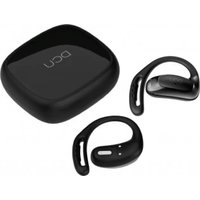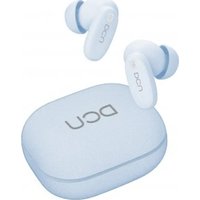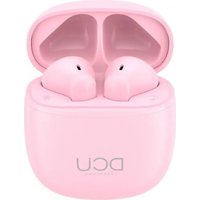
Mini Mate 34152052 - Earphones DCU - Free user manual and instructions
Find the device manual for free Mini Mate 34152052 DCU in PDF.


User questions about Mini Mate 34152052 DCU
0 question about this device. Answer the ones you know or ask your own.
Ask a new question about this device
Download the instructions for your Earphones in PDF format for free! Find your manual Mini Mate 34152052 - DCU and take your electronic device back in hand. On this page are published all the documents necessary for the use of your device. Mini Mate 34152052 by DCU.
USER MANUAL Mini Mate 34152052 DCU
natural_image
Black DCU wireless earbuds with charging case, no visible text or symbols on device bodyTWS Mini Matt Earbuds
Music & Hands Free
34152050 / 34152051 / 34152052
natural_image
Two identical abstract line shapes resembling stylized letters or symbols, with no text or markings.
natural_image
Simple hand-drawn rounded rectangle with a horizontal line inside (no text or symbols)natural_image
Simple line drawing of a U-shaped cable with two connectors (no text or symbols)Cable de carga x1
text_image
DCU THE NEW CREAMnatural_image
Line drawing of a human ear with a small earband device inserted (no text or symbols)Funciones básicas
natural_image
Two identical abstract line shapes resembling stylized letters or symbols, with no text or markings.
natural_image
Simple hand-drawn rounded rectangle with a horizontal line inside (no text or symbols)natural_image
Simple line drawing of a U-shaped cable with two connectors (no text or symbols)Cable de càrrega x1
text_image
DCU THE NEW LONDONManual d'usuari x1
natural_image
Line drawing of a human ear with a single finger inserted into the ear area (no text or symbols)Funcions bàsiques
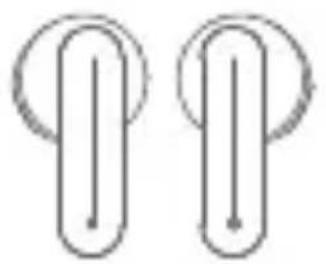
Product and accessories
natural_image
Two identical abstract line shapes resembling stylized letters or symbols, with no text or markings.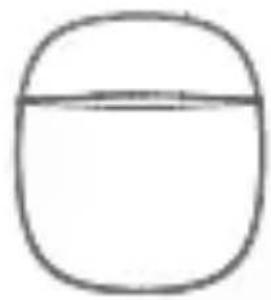
natural_image
Simple hand-drawn rounded rectangle with a horizontal line inside (no text or symbols)Earbuds x2 Charging case x1
natural_image
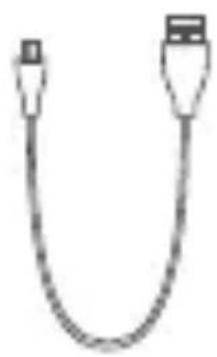
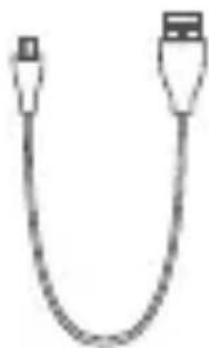
Simple line drawing of a U-shaped cable with two connectors (no text or symbols)Charging cable x1
text_image
DCU THE NEW LONDONUser manual x1
Description of product structure
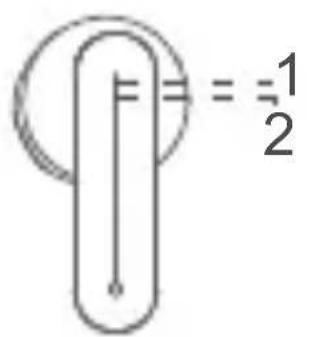
text_image
=1 2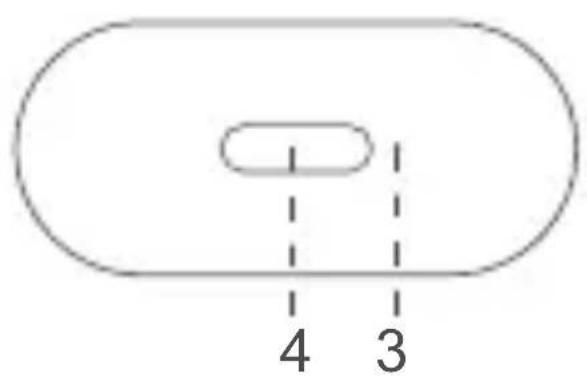
text_image
4 31.MFB (Touch panel)
2.Earbuds Indicator light
3. Case indicator light
4. Charging port
Wearing method
Gently cram the earbuds into the cochlea, adjust the appropriate angle to keep the earbuds stable
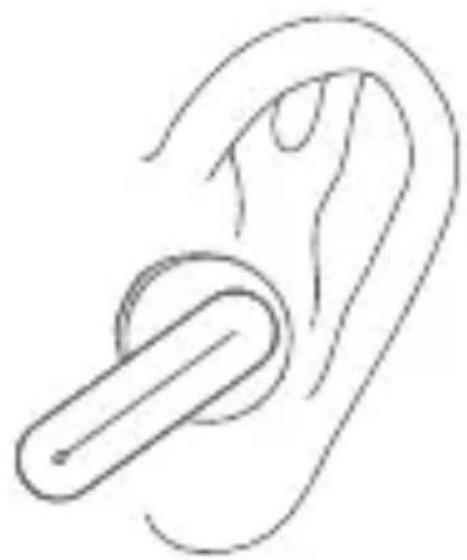
natural_image
Line drawing of a human ear with a clamped device inserted (no text or symbols)Basic function
Power on, Bluetooth connection
Follow the steps (Please confirm that your phone is built-in Bluetooth function)
- Encendido
a) Method 1: Opening the charging case, the earbuds will turn on automatically.
b) Method 2: If earbuds are power off outside the case, touch and hold MFB for 3 seconds on both sides to turn them on.
After one earbud indicator starts flashing orange and white alternately and the other earbud is turned off the product is ready for use.
-
Turn on Bluetooth function on your smart device and select “DCU_Mini_Earbuds” referring to your device’s instructions.
-
Pairing mode can just last 180 seconds. If you miss the pairing time, you need to restart the device and operate follow the procedural steps mentioned above.
*Note:
a). DCU_Mini_Earbuds remember previously connected devices. When turned on, earbuds
attempt to reconnect to previously connected devices.
b). DCU_Mini_Earbuds will lose the connection when deviate the working range of Bluetooth. The earbuds will reconnect automatically if you come back to the range in 3 minutes.
Power off
Method 1: Put the earbuds into the charging case and close the cover, they will automatically shut off.
Method 2: Touch and hold MFB for 5 seconds.
The indicators light in orange and the earbuds are turned off.
Answering incoming calls
Tap the left or right MFB once to answer incoming calls.
End the call
Tap the left or right MFB once to end the current call.
Refuse incoming calls
Touch and hold the left or right MFB for 2 seconds to reject a call.
Voice assistant
Long press the left/right MFB for 2s to activate voice assistant.
Music playing
- Play/Pause: Tap the left or right MFB once
- Double tap the left MFB to switch to the previous song
- Double tap the right MFB to switch to the next song
Charging
- Case
Charge the case using the Type-C cable connected to a USB wall charger. The charging case flashes white when charging and turns solid when fully charged.
- Earbuds
Put the earbuds back into the charging case for charging. While charging, the indicator will light in orange. (The earbuds are NOT charged if the case is connected to power, you need to unplug the case before charge the earbuds).
Mono mode
(take out any earbuds as a unilateral Bluetooth earbud)
(note: single channel mode only needs to remove one of earbuds from the charging box; If two earbuds are removed before connection, the earbud will be used in TWS mode by default, and the TWS connection will be automatically realized.)
- Take out an earbud from charging case, the earbud automatically turns on and reconnect to previously connected devices.
- Switch from one earbud to the other when playing music, taking out the other earbud from the charging case and these two earbuds will connect automatically. Both earbuds will play music automatically and then put the earbud which do not need any more into the charging case and the switching process completes.
(note: call mode is applicable)
- Please refer to the TWS mode for more functions.
Warnings
- Please follow the instruction to operate.
- Please charge the earbuds with input power below 5V/2A, in order to protect the battery. Do not use USB Quick Chargers
- To ensure optimal performance, make sure that
the earbuds are sufficiently charged. If you are not going to use them for a long period of time, please charge the case sometime to extend the life of the battery.
- Please store or use the earbuds in a normal temperature environment.
- Please do not use this product near the water. Do not immerse this product in any liquid or splash any liquid on this product.
- Please keep the earbuds from heat source, such as radiators, hot air regulators, stoves, or other heat generating instruments. As it is not anti-high temperature.
- Don't jam the ports of the earbuds, such as charger port, LED port and microphone etc.
- In order to protect your hearing and extend the speaker service life, it is not recommended to adjust the volume to the maximum level for a long time.
- Whatever reasons damage the earbuds, please feel free to contact our after-sales staff in time rather than repair by yourself. Otherwise, you will accept without after-sales service.
Specification
- Bluetooth Version: V5.1
- Chipset: JL 6976D4
- Earbud Battery: 30mAh*2
- Charging case battery: 300mAh
- Earbuds Play time:4H (50% vol.) up to 20 hours on 1 full charging case
- Earbuds Talk time: 4H (50% vol.) up to 20 hours on 1 full charging case
- Charging time: Approx. 1.5h (earbuds) / 1.5h (case)
- Speaker: ∅10mm
- Speaker frequency: 20Hz\~20KHz
- Wireless working range: 10M (without obstacles)
- Input voltage / current: DC 5V/300mA
natural_image
Two identical abstract line shapes with vertical and horizontal lines, no text or symbols present.
natural_image
Simple hand-drawn rounded rectangle with a horizontal line inside (no text or symbols)natural_image
Simple line drawing of a U-shaped cable with two connectors (no text or symbols)Câble de charge x1
text_image
DCU THE NEW CHINESEMode d'emploi x1
natural_image
Line drawing of a human ear with a small amp for use (no text or symbols)Fonctions
Allumer, connexion Bluetooth
natural_image
Two identical abstract line shapes resembling stylized letters or symbols, no text or markings present.natural_image
Simple hand-drawn oval shape with a horizontal line inside, no text or symbols present.carregamento x1
natural_image
Simple line drawing of a U-shaped cable with two connectors (no text or symbols)Cabo de carregamento x1
text_image
DCU THE NEW LONDONnatural_image
Line drawing of a human ear with a clamped device inserted (no text or symbols)Funções básicas
Ligar, conexão Bluetooth
natural_image
Green recycling symbol with five chasing arrows forming a triangle (no text or labels)CE
RoHS
natural_image
Symbol of a trash bin crossed with a diagonal line, no text or numbers presentDesigned in BCN / Made in PRC / B55166847