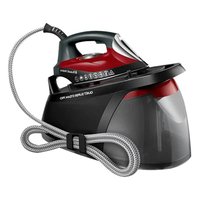
Quiet Super Steam Pro - Iron RUSSELL HOBBS - Free user manual and instructions
Find the device manual for free Quiet Super Steam Pro RUSSELL HOBBS in PDF.


| Product type | Steam iron with steam station |
| Brand | Russell Hobbs |
| Model | Quiet Super Steam Pro |
| Power supply | Mains electric |
| Steam function | Continuous steam and vertical steam |
| Auto-off | Yes, after 10 minutes of inactivity |
| Anti-calc filter | Yes, with warning light and manual cleaning |
| Removable water tank | Yes, with max level indication |
| Soleplate | Smooth soleplate, avoid contact with buttons and zippers |
| Temperature | Thermostat adjustment, heating light |
| Safety | Do not use near bathtubs, protective cut-off in case of overheating |
| Maintenance | Clean soleplate with vinegar, wipe surfaces with a damp cloth |
| Use | Dry and steam ironing, vertical steam for hanging garments |
| Storage | Hose storage with clip, cable winding around base, plug compartment |
| Filling | Do not add products to water, fill to max mark |
| Troubleshooting | Lights and beeps for empty tank, dirty filter, auto-off, internal error |
| Warranty | The warranty does not cover damage due to an uncleaned filter |
Frequently Asked Questions - Quiet Super Steam Pro RUSSELL HOBBS
User questions about Quiet Super Steam Pro RUSSELL HOBBS
0 question about this device. Answer the ones you know or ask your own.
Ask a new question about this device
Download the instructions for your Iron in PDF format for free! Find your manual Quiet Super Steam Pro - RUSSELL HOBBS and take your electronic device back in hand. On this page are published all the documents necessary for the use of your device. Quiet Super Steam Pro by RUSSELL HOBBS.
USER MANUAL Quiet Super Steam Pro RUSSELL HOBBS
natural_image
Black and white photo of a Russell Hobbs air iron with coiled cord and safety warning symbols (no text-heavy elements)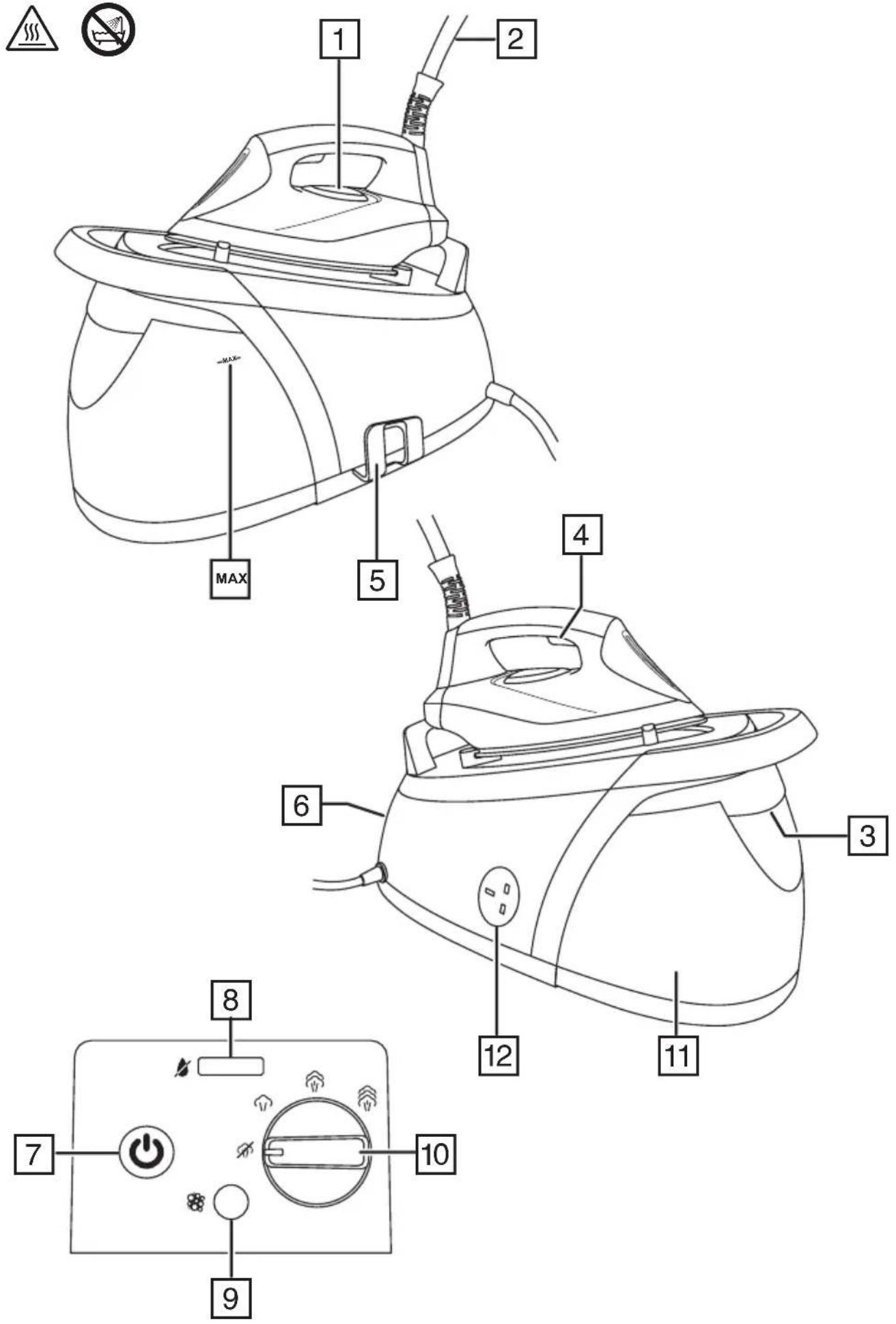
IMPORTANT SAFEGUARDS
Follow basic safety precautions, including:
This appliance can be used by children aged from 8 years and above and persons with reduced physical, sensory or mental capabilities or lack of experience and knowledge if they have been supervised/instructed and understand the hazards involved. Children shall not play with the appliance. Cleaning and user maintenance shall not be done by children unless they are older than 8 and supervised. Keep the appliance and cable out of reach of children under 8 years.
Sit the base unit on a stable, level, heat-resistant surface, preferably a purpose-built “steam generator” type ironing board.
Rest the iron only on the base unit.
Don't leave the iron unattended while plugged in or standing on the ironing board.
Don't operate the appliance if it's dropped or damaged, or if it malfunctions or leaks.
If the cable is damaged, return the appliance, to avoid hazard.
The surfaces of the appliance will get hot.
Do not use this appliance near bathtubs, showers, basins or other vessels containing water.
- Don't iron clothing while it's being worn – you'll injure the wearer.
- Don't use the iron for any purpose other than those described in these instructions.
- Take care not to scratch the soleplate – avoid buttons, zips, etc.
- The iron has a protective thermal fuse, which will blow if it overheats. If this happens, the iron will stop working, and must be returned for repair.
HOUSEHOLD USE ONLY
PARTS
- Thermostat light
- Steam pipe
- Water tank release button
- Steam trigger
- Hose clip
- Control panel
-
On/off button
-
Low water light
- Anti-scale filter warning light/reset button
- Steam control
- Reservoir
- Plug storage socket
- Cover
- Anti-scale filter
BEFORE FIRST USE
- Remove any labels, stickers or packaging from the iron and soleplate.
- Before using the iron for the first time, or if it's not been used for a long time, iron a scrap piece of cotton (an old towel is ideal) to remove any accumulated residues.
- Don't worry if the iron smokes a bit at first, it will soon stop as the manufacturing residues evaporate.
AUTO SHUT-OFF
If you don't press the steam trigger for 10 minutes your iron's auto shut-off feature will operate. The thermostat light and the on/off button will flash to tell you that it is in auto shut-off mode. To cancel the auto shut-off mode, press the steam trigger. Note that your iron will need time to heat up again to the selected temperature. Wait until the temperature light has stopped flashing before resuming ironing.
FILLING/REFILLING
- Don't add anything to the water and don't use water with anything added to it. When the water is converted to steam, chemicals, perfume, and other additives will coat the inside of the steam chamber, shortening the life of the iron.
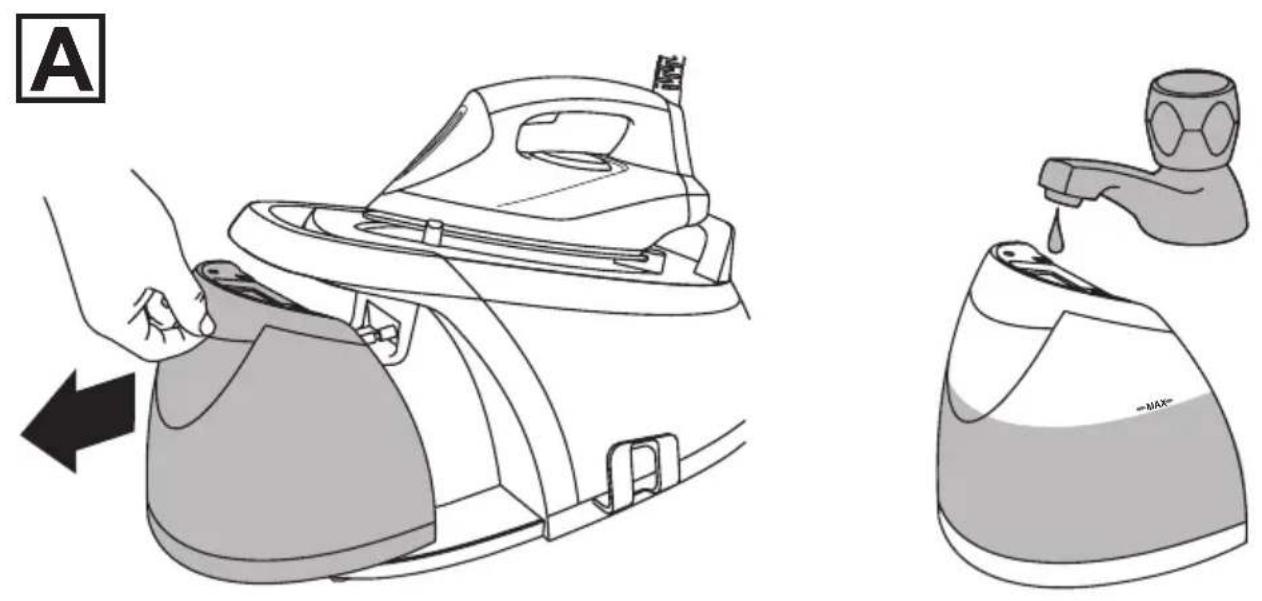
- Press the water tank release button and pull the water reservoir away from the body of the steam generator (fig. A).
- Fill the reservoir to the max mark. Do not exceed the max mark.
- Refit the reservoir into the base unit pushing it in until it clicks.
- A warning light (⚡) will come on and the unit will beep twice when the reservoir needs refilling. If the reservoir is empty, the steam function will stop working after one minute, however, you can still use your iron without steam.
PRELIMINARY SETTINGS
- Put the iron on top of the base unit.
- Put the plug into the power socket (switch the socket on, if it's switchable).
- Turn the unit on by pressing the on/off button.
USING
The temperature of your iron is safe to use on all ironable fabrics and garments.
DRY IRONING
- Set the steam control to ⚡️..
- When the temperature light stops flashing your iron is ready to use.
STEAM IRONING
- Set the steam control to the setting you want, = no steam, = high steam.
- Squeeze the steam trigger to produce steam, release it to stop.
- Your steam generator produces steam very efficiently so use the trigger in short, controlled bursts. Too much steam can wet the fabric or cause condensation issues on your ironing board. Steam can also be reduced by setting the steam control to a lower setting.
NOTE: When you first start your steam generator and pull the trigger for steam ironing, there will be a delay as your steam generator pumps water from the reservoir to prime the system. This is normal and may take 20-30 seconds. This will also happen after refilling the reservoir.
VERTICAL STEAMING
Remove wrinkles from hanging clothes, hanging curtains, and furnishing fabrics.
- Check that there's adequate ventilation behind the fabric, otherwise moisture may build up, causing mildew.
- Check that there's nothing behind the fabric that may be damaged by the steam.
- Check that pockets, turn-ups, and cuffs are empty.
- Lift the iron off the fabric.
- Squeeze the steam trigger to produce steam, release it to stop.
AFTER USE
- Put the iron on top of the base unit.
- Switch the appliance off and unplug it.
- Empty the reservoir.
- Let the iron cool down completely before cleaning it, moving it, or storing it away.
- The steam pipe can be coiled together and placed into the hose clip.
- Wrap the mains cable around the steam generator then slot the plug into the plug storage socket.
CARE AND MAINTENANCE
- Unplug the base unit, and let the appliance cool down fully.
- Wipe outer surfaces with a damp cloth. If necessary, use a little washing-up liquid.
- Remove spots from the soleplate with a little vinegar.
- Take care not to scratch the soleplate
ANTI-SCALE FILTER
To extend the life of the appliance and to avoid problems with lime scale, your steam generator is fitted with an anti-scale filter. When the anti-scale filter needs cleaning, the anti-scale filter warning light (💡) will come on. If the warning light comes on when you are ironing you can continue without cleaning the filter. The next time you use your steam generator the light will flash and the unit will beep three times. The filter must be cleaned before using your steam generator again.
Before attempting to remove and clean the filter you must unplug and allow the appliance to stand for at least 1 hour to allow any built up steam and heat to dissipate.
To clean the filter:
- Switch off and unplug your steam generator
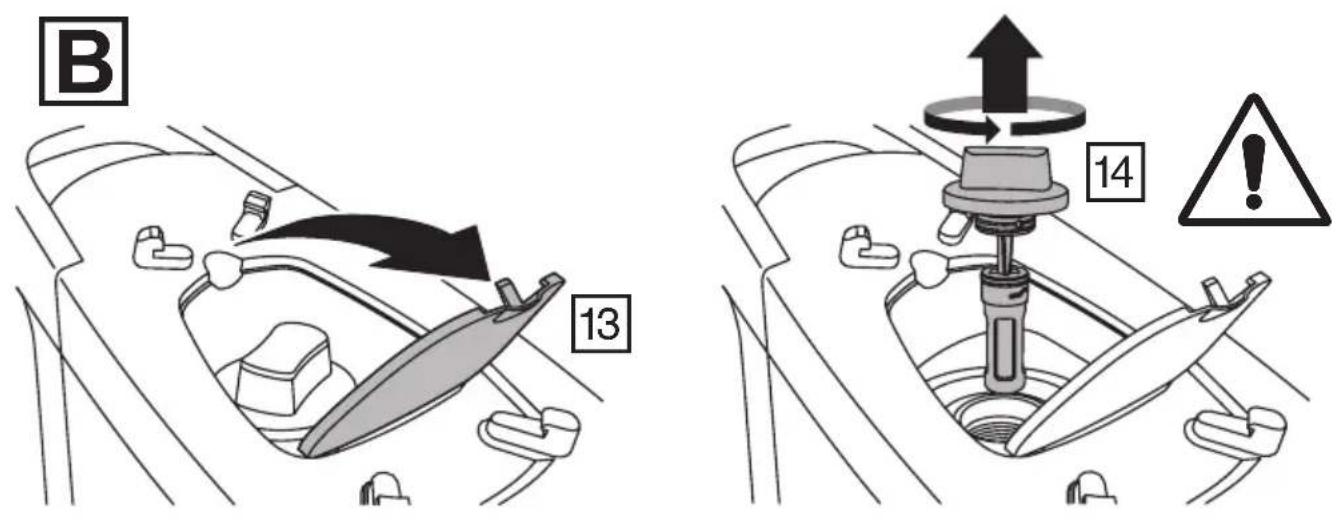
- Remove the iron from the top of the generator to expose the cover beneath.
- Open the cover.
- Unscrew the plug underneath the cover and lift the plug and filter assembly out of the base (Fig B).
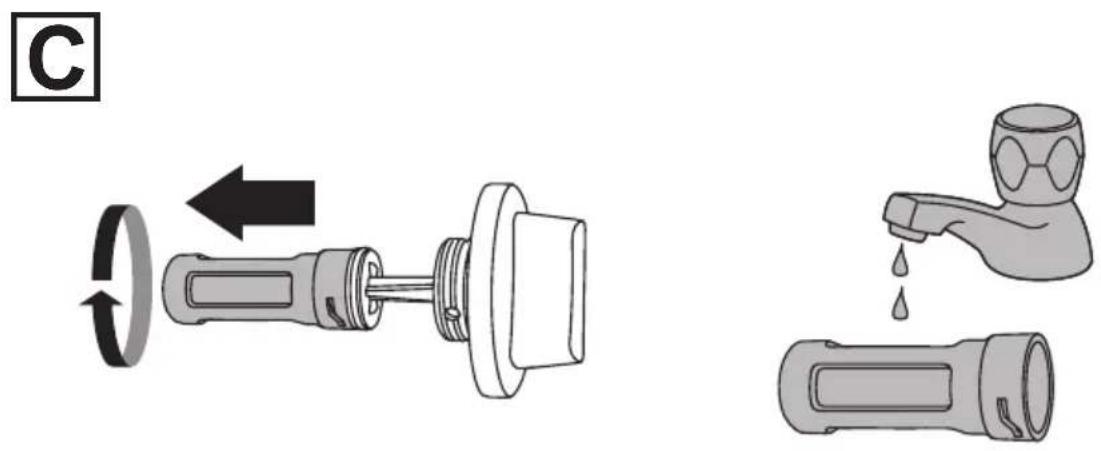
- Remove the filter from the plug by twisting it (fig C).
- Rinse the filter under a tap to remove any deposits. Use a soft brush if necessary.
- Replace the filter onto the plug and twist it until it locks.
-
Refit the plug and filter assembly into the base and tighten it firmly. Close the cover.
-
Plug in your steam generator.
-
Reset the warning light by pressing and holding the anti-scale warning light/reset button (💡) for 3 seconds until the light goes out.
-
Once the appliance is ready, pull the steam trigger until the steam is being produced. This will prime the system.
Important: Using the appliance without cleaning the filter can cause a reduction in the generated steam output and damage the appliance. The guarantee will not cover damage caused to the appliance by not cleaning the anti-scale filter when required.
Do not clean the anti-scale filter in a dishwasher. Wash by hand only using a soft bristled brush if necessary.
TROUBLESHOOTING
Your steam generator is programmed to check itself when it is switched on. If a problem is detected and the unit is not able to operate correctly, the steam trigger will stop working, the thermostat light will flash and the unit will beep continuously. If this should happen, stop using your steam generator.
| Indication Beeps Status | ||
| Anti-scale warning light ( flash) flashing | 3 Anti-scale filter needs cleaning | |
| Thermostat light and on/off button flashing None Auto shut off activated | ||
| Low water light ( flash) flashing | 2 Water tank empty | |
| Thermostat light flashing None Iron is heating up | ||
| Thermostat light flashing | Continuous | Internal error. Discontinue use. |
RECYCLING
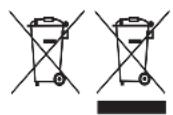
To avoid environmental and health problems due to hazardous substances, appliances and rechargeable and non-rechargeable batteries marked with one of these symbols must not be disposed of with unsorted municipal waste. Always dispose of electrical and electronic products and, where applicable, rechargeable and non-rechargeable batteries, at an appropriate official recycling/collection point.
APENAS PARA USO DOMÉSTICO
PEÇAS
PÄFYLDNING/EFTERFYLDNING
BEHANDLING OG VEDLIKEHOLD
إ Minority Foreign Importation: Exporting foreign imports from the United States, which are not limited to the United States.