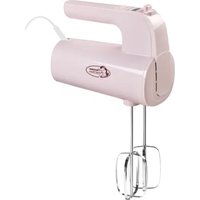
Sweet Dreams AHMD200P - Hand blender BESTRON - Free user manual and instructions
Find the device manual for free Sweet Dreams AHMD200P BESTRON in PDF.


| Product type | Immersion blender / electric mixer |
| Brand | Bestron |
| Model | Sweet Dreams AHMD200P |
| Power | 500 W |
| Power supply | 220-240 V ~ 50/60 Hz |
| Protection class | II |
| Number of speeds | 5 speeds + turbo |
| Turbo function | Yes, temporary (max 30 s for heavy preparations) |
| Digital display | Yes, with timer and speed indicator |
| Timer | Integrated, displayed on screen |
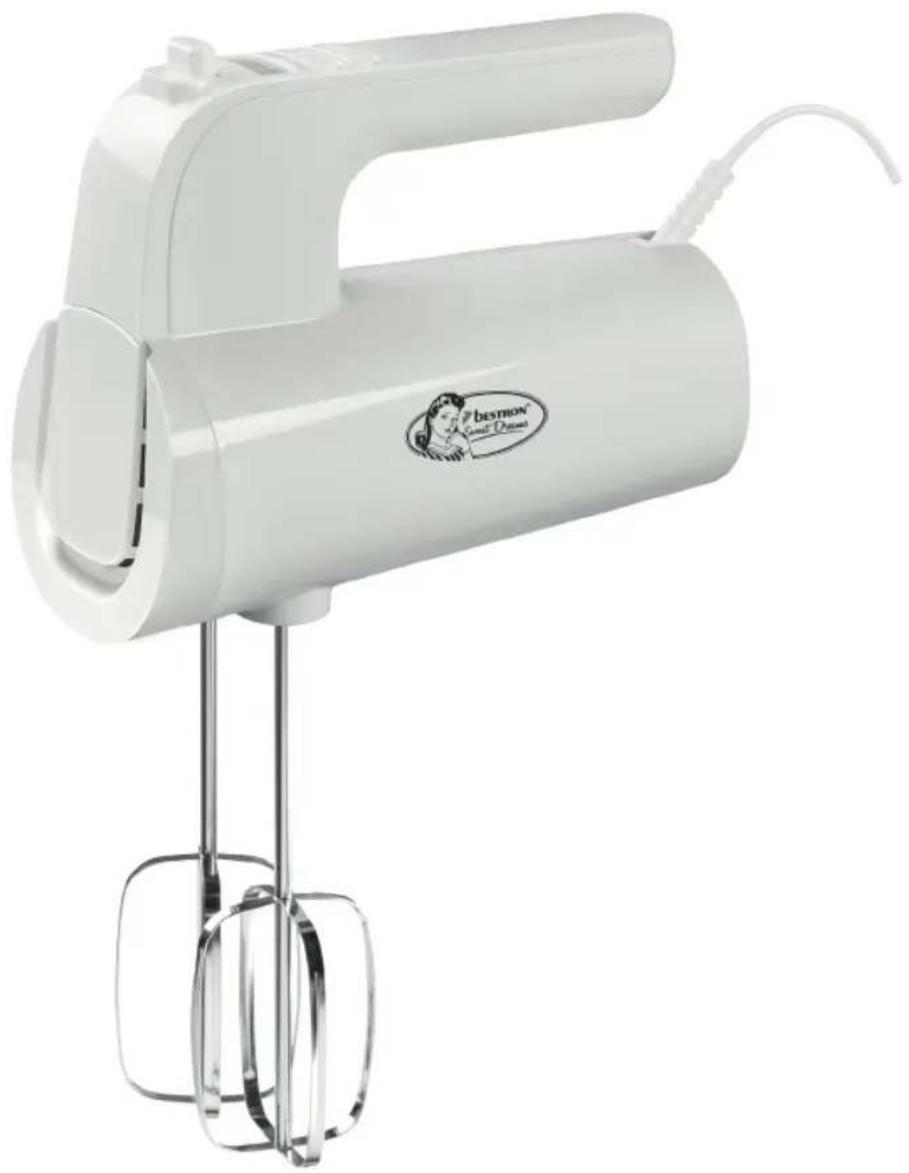
| Included accessories | Whisks (2) and dough hooks (2) |
| Cord length | 127 cm |
| Dimensions (H x W x D) | 30,5 x 90 x 18 cm |
| Weight | Approximately 1,2 kg |
| Noise level | 80 dB(A) |
| Maximum continuous use | 10 minutes, then 20 minutes cooling |
| Cleaning of accessories | Dishwasher or soapy water |
| Cleaning of the motor unit | Damp cloth, never immerse |
| Safety | Automatic shut-off in case of overheating, accessories unlocking only in OFF position |
| Maintenance and repairability | Do not repair yourself, contact a certified professional |
Frequently Asked Questions - Sweet Dreams AHMD200P BESTRON
User questions about Sweet Dreams AHMD200P BESTRON
0 question about this device. Answer the ones you know or ask your own.
Ask a new question about this device
Download the instructions for your Hand blender in PDF format for free! Find your manual Sweet Dreams AHMD200P - BESTRON and take your electronic device back in hand. On this page are published all the documents necessary for the use of your device. Sweet Dreams AHMD200P by BESTRON.
USER MANUAL Sweet Dreams AHMD200P BESTRON
natural_image
White portable electric mixer with a stand and handle, no visible text or symbols on the device itself.INSTRUCTION MANUALHAND
DE
. EN
PLH
SK
G
The image is too blurry to recognize any text content.
m = 311
The image is too blurry to recognize any text content.
The image is too blurry to recognize any text content.
The image is too blurry to recognize any text content.
The image is too blurry to recognize any text content.
The image is too blurry to recognize any text content.
SICHERHEITSHINWEISE
• Make sure that the mains voltage matches with the voltage shown on the rating plate.
• Always install the appliance on a stable and level surface where it cannot fall over.
- Parts of this appliance may become warm or hot. Avoid burning yourself. Do not touch.
- Your hands must be dry when you touch this appliance, it's cord and plug.
- This appliance must lose it's heat so give it sufficient clearance around it. Also do not cover it.
- This appliance, it's cord and plug may not come into contact with water.
- Do not touch this appliance if it have been in contact with water. Immediately unplug it.
- This appliance, it's cord and plu may not come into contact with heat sources or open fire.
- Never let the cord hang over the edge of the sink, a worktop or a table.
• Always remove the plug from the socket when you are not using the electrical appliance.
- Remove the plug from the socket by pulling the plug itself and not the cord.
- Do not use the electrical appliance if the cord is damaged.
- Do not switch on this appliance with an external timer or a separate remote controlled system.
- If the appliance or cord is defective, do not attempt to repair it yourself. Always have repairs carried out by a qualified technician. It must be replaced by the manufacturer, a technical service provider or a person with equivalent qualifications, to avoid any danger.
• Children over the age of 8 years old and persons with reduced physical, sensory or mental capabilities or lack of experience and know-how may use this appliance
• Children under the age of 8 years and persons with reduced physical, sensory or mental capabilities or lack of experience and know-how may not use this appliance. Over the age of 8 years only if supervised.
• Children under the age of 8 years may not clean and maintain this appliance. Over the age of 8 years only if supervised.
- Keep the appliance, it's cable and plug out of reach of children under the age of 8 years old.
- Keep an eye on children to ensure that they do not play with the appliance.
ENVIRONMENT
Dispose of packaging material such as plastic and cardboard boxes in the designated containers.
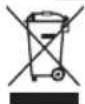
- Do not dispose of this product as normal domestic waste at the end of its life, but hand it in at a collection point for the reuse of electric and electronic equipment. Look for the symbol on the product, the user instructions or the packaging showing the type of waste.
- The materials can be used as indicated. By helping us reuse and process the materials or otherwise recycle the old equipment, you will be making an important contribution towards the protection of the environment.
- Your municipality can tell you where to find the designated waste collection point in your neighbourhood.
SERVICE
If an unexpected problem occurs, please visit www.bestron.com/service for assistance.
| Technical Specifications | |
| Model AHMD200P | |
| Mains (V) 220-240V | |
| Frequency (Hz) 50-60 | |
| Safety Class II | |
| Power (Watt) 500 | |
| Noise (dB(A)) 80 | |
| Max. Capacity - | |
| Maximum continuous operating time (KB) 5 | |
| Dimensions (H x B x D) (cm) 30,5x90x18 | |
| Cable length (cm) 127 | |
DESCRIPTION
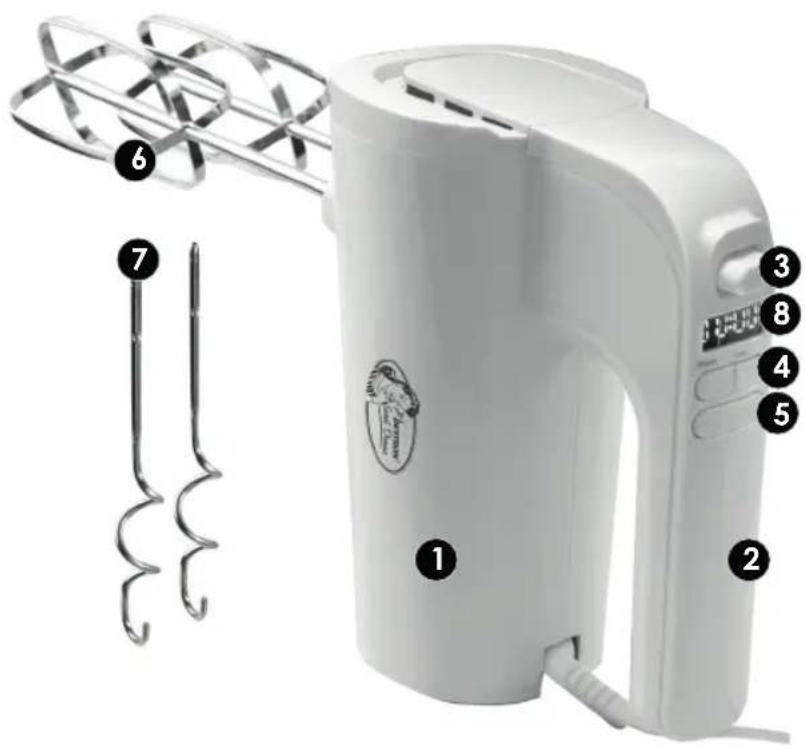
The device is intended for domestic purposes only, not for professional use. The description below corresponds to the image on page 2.
- Motor housing
- Handle
- Release button & ON/OFF switch
- Speed buttons + and -
- Turbo button
- Whisks, for beating/mixing egg whites, whipped cream, mayonnaise, pudding, puree and light doughs.
- Dough hooks, for mixing heavier dough types such as bread dough.
- Digital display
USE - Installing accessories
- Make sure the plug is removed from the socket.
- Press the attachments into the openings on the bottom of the appliance until they click into place.
USE - stirring and mixing
- Plug it into the socket.
- Set the release button (3) to "ON". The display now lights up and shows; 00:00 The left part of the display is for the speed. The right part is the timer.
- By pressing + on the speed button (4), you can start stirring or mixing. The starting position is: 10. You will then see the time increasing in the right part of the display. You can increase the speed by pressing + to the highest setting 5. By pressing - on the speed button (4), you can decrease the speed until the mixer is in the 00 position. The mixer is then off.
- The mixer is equipped with a turbo button (5). This allows you to temporarily increase the speed. Press the turbo button and the display will show: 6. We recommend not using this function for longer than 30 seconds for heavy preparation. You can check this by checking the right part of the display.
- Switch off the device after use by setting switch (3) to the "OFF" position. The display is then off.
Attention:
- The mixer may be switched on continuously for a maximum of 10 minutes. You must then let the device cool down for 20 minutes.
- Switch off the appliance and unplug it before installing or changing accessories.
USE - Removing accessories
- Make sure the plug is unplugged and the switch (3) is on the "OFF" position.
- Now press the release button (3) firmly while holding the attachments.
- If the switch (3) is not on the "OFF" position you will not be able to remove the attachments.
Attention:
CLEANING AND MAINTENANCE
- Remove the plug from the socket.
- Remove the accessories and clean them in soapy water or in the dishwasher. Then dry thoroughly.
- Clean the motor housing of the device with a damp cloth. Then dry thoroughly.
- Store the device.
Attention:
- Clean the accessories after each use.
- Do not use aggressive or abrasive cleaning agents or sharp objects such as knives.
- Never immerse the motor housing in water or any other liquid.
ALL YOU WANT TO KNOW ABOUT YOUR UNIQUE 5 YEAR WARRANTY
ALLES, WAS SIE ÜBER IHRE EINZIGARTIGE 5-JAHRES-GARANTIE WISSEN MÖCHTEN TOUT CE QUE VOUS VOULEZ SAVOIR SUR VOTRE GARANTIE UNIQUE DE 5 ANS ALLES WAT U WILT WETEN OVER UW UNIEKE GARANTIE VAN 5 JAAR TUTTO QUELLO CHE VUOI SAPERE SULLA TUA GARANZIA UNICA DI 5 ANNI TODO LO QUE QUIERES SABER SOBRE TU ÚNICA GARANTÍA DE 5 AÑOS
BESTRON.COM/GUARANTEE

NEED HELP? CHAT WITH US! WHATSAPP CUSTOMER SERVICE
BRAUCHEN SIE HILFE? CHATTE MIT UNS! WHATSAPP KUNDENSERVICE BESOIN D'AIDE? DISCUTE AVEC NOUS! SERVICE CLIENTÈLE WHATSAPP HULP NODIG? CHAT MET ONS! WHATSAPP KLANTENSERVICE HO BISOGNO DI AIUTO? CHATTA CON NOI! SERVIZIO CLIENTI WHATSAPP ¿NECESITAS AYUDA? ¡HABLA CON NOSOTROS! SERVICIO AL CLIENTE DE WHATSAPP BEHÖVS HJÄLP? CHATTA MED OSS! WHATSAPP KUNDSERVICE
BESTRON.COM/WHATSAPP

natural_image
Generic user profile icon with headset and uniform (no text or symbols)EASTERN EUROPE CUSTOMER SERVICE
CZECHIA bestron.service.cz@teknihall.com SLOVENSKO bestron.service.sk@teknihall.com HRVATSKA bestron.service.hr@teknihall.com POLSKA bestron.service.pl@teknihall.com ROMÂNIA bestron.service.ro@teknihall.com BULGARIA bestron.service.bg@teknihall.com HUNGARIA bestron.service.hu@teknihall.com
SERVICE HOTLINE: 00800 954 39 543

240212-01