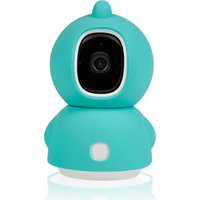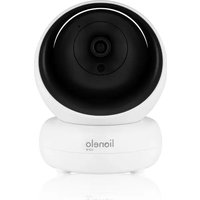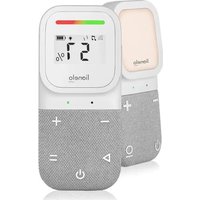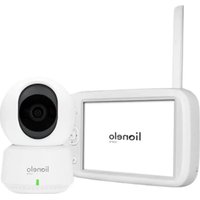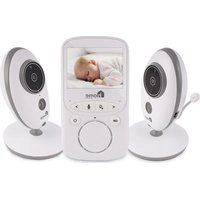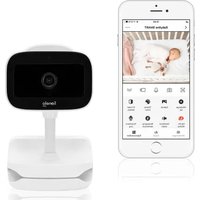
line Go - Baby monitors Lionelo - Free user manual and instructions
Find the device manual for free line Go Lionelo in PDF.


| Product type | WiFi Video Baby Monitor |
| Brand | Lionelo |
| Model | line Go |
| Power supply | 5V DC 1A via USB-C (power adapter recommended) |
| Connectivity | WiFi 2.4 GHz (2.412-2.472 GHz band) |
| Operating frequency | 2.4 GHz WiFi |
| RF output power | 18.37 dBm (HT20), 18.33 dBm (HT40) |
| Storage | microSD card (up to 128 GB, FAT32 format) |
| Night vision | Up to 8 meters |
| Sensors | Temperature, humidity, motion, sound |
| Audio | Two-way (talk to baby) |
| Night light | Yes, variable colors (control on device or in app) |
| App | Lionelo Smart (iOS and Android) |
| Features | Screen rotation, recording, lullabies, alerts |
| LED indicator | Solid red (no connection), flashing red (WiFi waiting), solid blue (OK), flashing blue (pairing waiting) |
| Operating temperature | 0 °C to 40 °C |
| Mounting | Tabletop (flexible stand) or wall mount (screws included) |
| Safety | Keep out of reach of children, do not use near water, keep >1 m away from the crib |
| Maintenance | Clean with a dry cloth, do not use abrasive products |
| Warranty | Legal warranty of conformity, contact help@lionelo.com |
Frequently Asked Questions - line Go Lionelo
User questions about line Go Lionelo
0 question about this device. Answer the ones you know or ask your own.
Ask a new question about this device
Download the instructions for your Baby monitors in PDF format for free! Find your manual line Go - Lionelo and take your electronic device back in hand. On this page are published all the documents necessary for the use of your device. line Go by Lionelo.
USER MANUAL line Go Lionelo
natural_image
Line drawing of a lionelo VR headset with camera and base mount (no text or symbols)Apple Store:
Google Play:
A
EN
Dear Customer!
If you have any comments or questions about the product you have purchased, please contact us: help@lionelo.com
Manufacturer:
BrandLine Group Sp. z o.o.
Operating temperature range: 0°C - 40°C
Frequency: 2.412–2.472 GHz (2.4G WiFi)
RF output power: 18.37 dBm (HT20, 2.4G WiFi), 18.33 dBm (HT40, 2.4G WiFi)
Card type: MicroSD
Maximum microSD capacity: 128 GB
IMPORTANT INFORMATION
- This product is not a toy. Do not let children play with it.
- The product can be used solely in dry locations. Do not use it outdoors or on a wet surface.
- Do not touch the product with wet hands.
- If the product does not function properly, was dropped or any liquid was spilled on it, contact the manufacturer's service team.
- Do not place the product near an oven or other heat sources.
- The product must be installed by an adult. Keep small components away from children.
- The baby monitor does not replace due parental care.
- Do not place the product or its cables in the playpen or within the child's hand reach. Ensure the distance of at least 1 m.
- Do not place the product near water or source of fire.
- Do not touch the plug with sharp or metal items.
- It is recommended to use the power supply 5.0 V DC 1.0 A.
The product conforms to the requirements of European Union directives.
Pursuant to Directive 2012/19/EU, this product is subject to separate collection. Do not dispose of this product with household
waste as it may be hazardous for the environment and human health. Waste product should be taken to the recycling site of waste electric and electronic equipment.
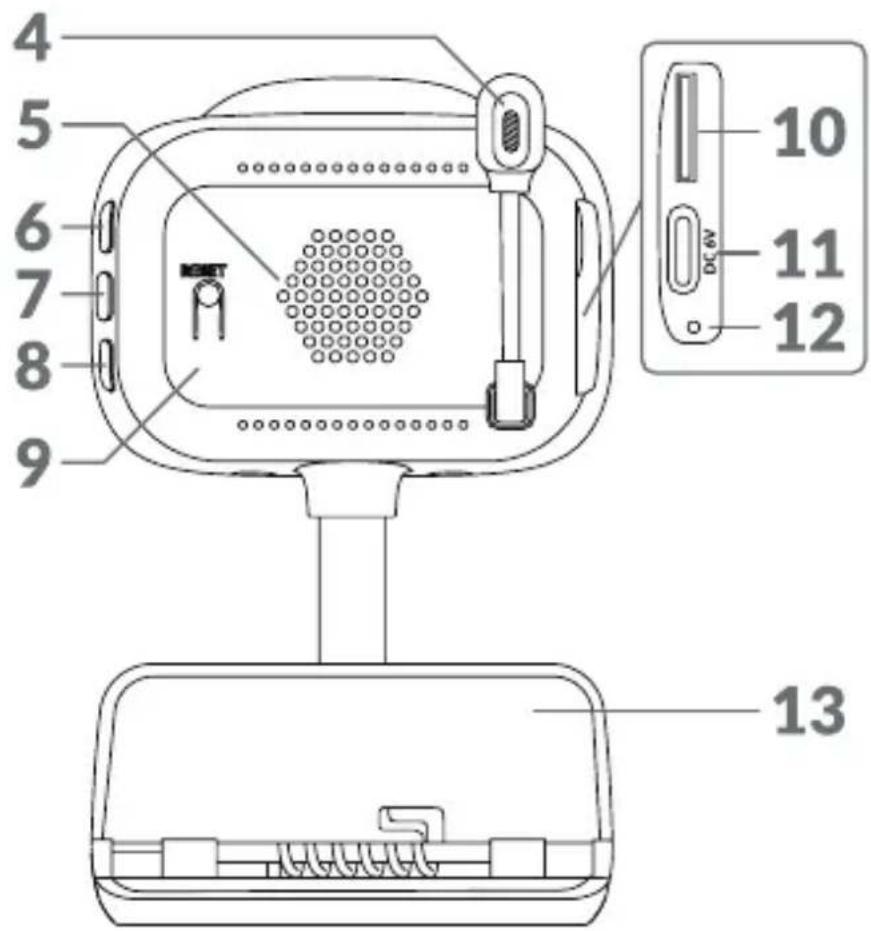
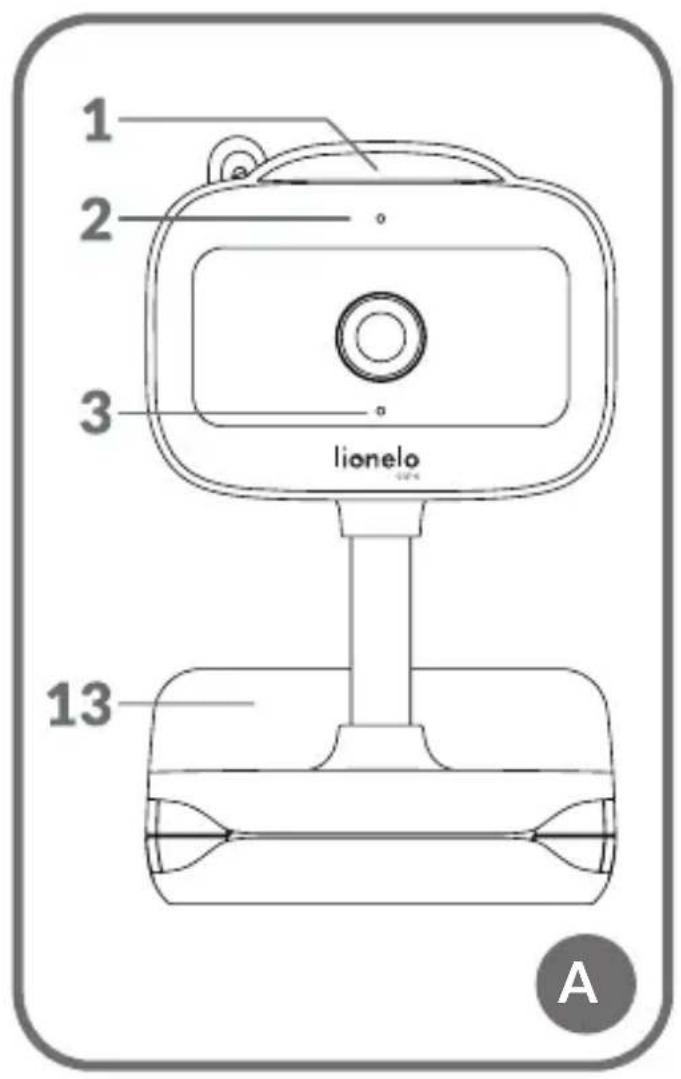
DEVICE DESCRIPTION (FIG. A)
- Bedside lamp
- Light indicator
- Microphone
- Temperature and humidity sensor
- Speaker
- ON/OFF switch
- Bedside lamp ON/OFF switch
- Pairing button
- Reset button
- microSD slot
- USB-C port
- Battery charging indicator
- Installation holder
HOW TO START THE CAMERA AND THE APPLICATION
Search for and download Lionelo Smart application from iOS Store / Google Play or scan the QR code at the beginning of this user manual.
Please note: Solely Wi-Fi 2.4 GHz are supported. 5 GHz networks are not supported.
- Sign up in the application using your e-mail address. Accept the terms of use.
- Choose your username and password, and then click "Accept". Enter the code sent to your e-mail address.
- During configuration process, place the camera as close to the Wi-Fi router as possible to speed up pairing.
Please note: the camera can be added to a single account in the application. To add the camera to another account, you need to delete it from the previous one.
- Connect your camera to the power source using the USB cable.
- Select "Add a new device" option.
- Reset the camera by pressing Reset button and holding it for 5 seconds.
- Select the Wi-Fi network which you want to connect with and then enter your password.
- The QR code will be displayed in the application. Place your phone ca. 20 cm
from the camera. Wait until the camera gives a buzzing sound. The configuration should be completed in ca. 30 seconds.
INSTALLATION
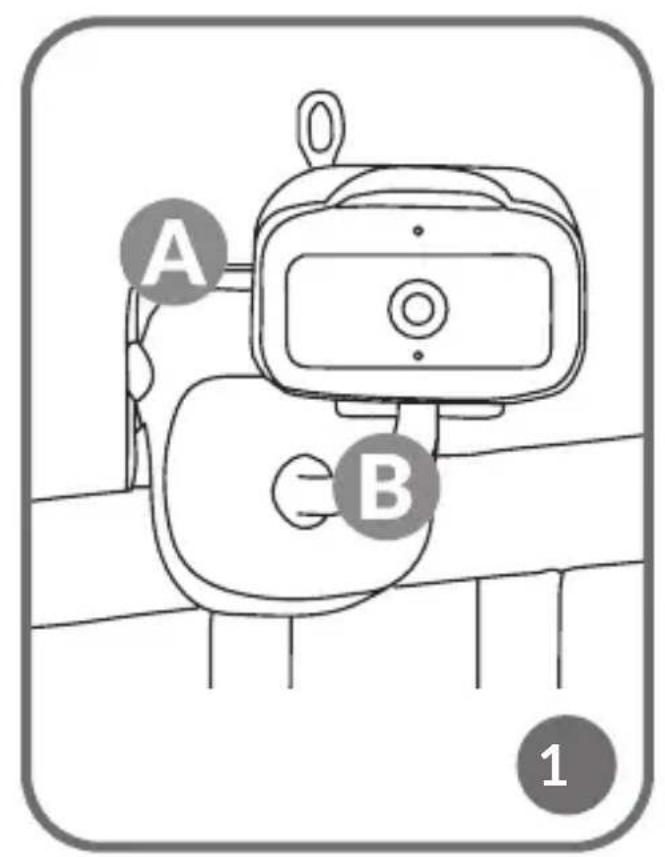
To install the camera on a top, use the installation holder (A, Fig. 1) and position its flexible part as you wish (B, Fig. 1).
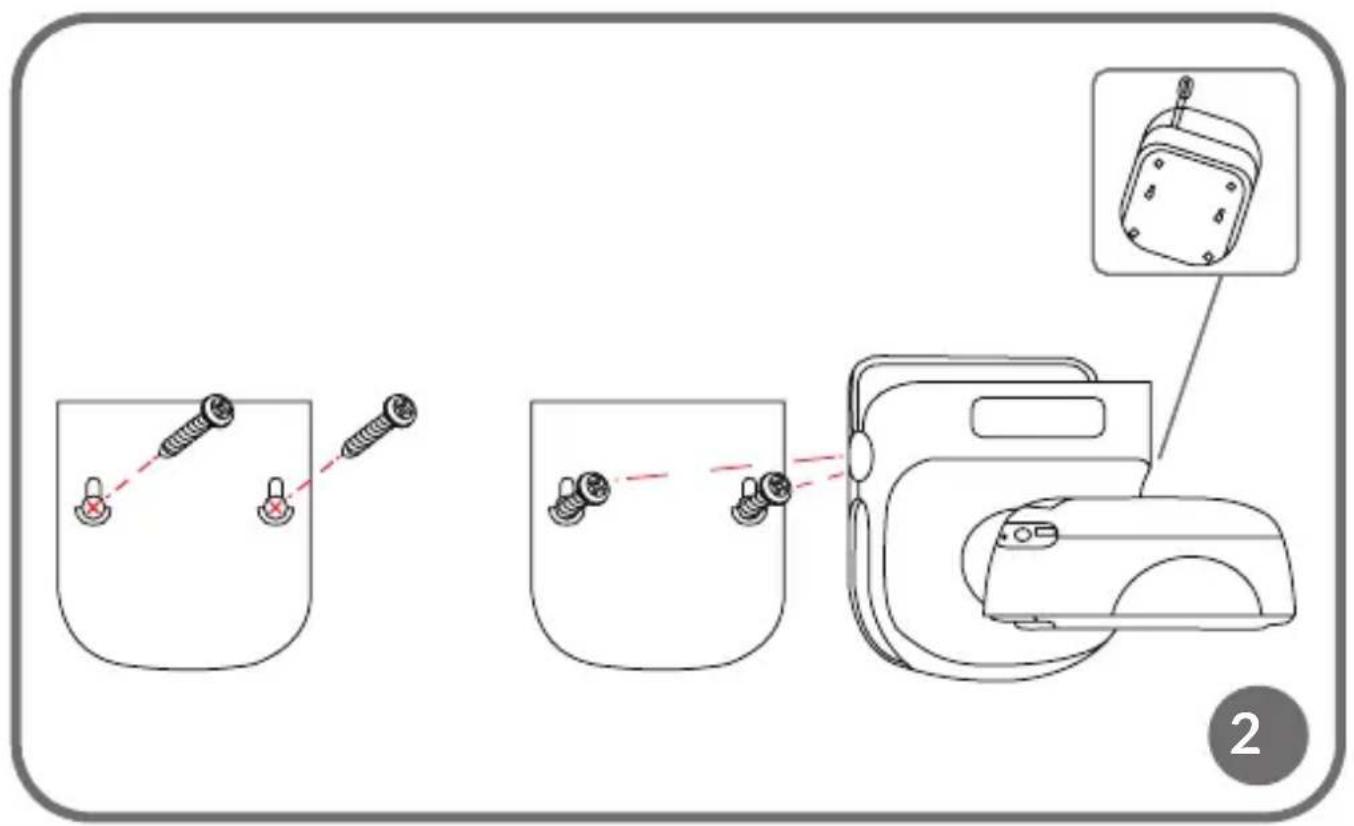
INSTALLATION WITH SCREWS (FIG. 2)
- On the wall, mark the place where you want to insert the plugs. Whenever required, you may use a stencil.
- Make a hole using a tool appropriate for the surface type and insert the plugs. Screw the screws in.
- Install the camera on the wall.
LIGHT INDICATOR
- The light indicator is lit solid red — no connection.
- The indicator flashes red — camera awaits Wi-Fi connection.
- The indicator is lit solid blue — camera operates correctly.
- The indicator flashes blue — camera awaits connection with the application.
CHARGING
To charge the device, place the USB-C cable in the device port (11, Fig. 1) and in the power source. Battery charging indicator (12, Fig. A) will be lit orange. Once the device is fully charged, the indicator will go green.
DEVICE FUNCTIONS
- The application enables the camera to play a selected tune.
- Video recordings and photos are saved in the user's phone or on a microSD card if it has been inserted in the camera (max. 128 GB).
- The application enables bilateral audio communication with the child.
- To turn the image on the screen — turn the video stream vertically or horizontally any time.
- Motion and sound sensors will let you know if there is any motion or sound detected in the room.
- Day/Night — this func on ensures night- me visibility up to 8 m.
For complete applica on func on descrip on, see Lionelo website, Babyline Go product tab.
TEMPERATURE AND HUMIDITY SENSOR
Once the camera is started, the temperature and humidity level in the room will be available in the applica on.
RESET BUTTON
Press the Reset button and hold it for 5 seconds to reset the camera and restore factory settings. The camera will buzz three times.
BEDSIDE LAMP FUNCTION
To use the bedside lamp func on, press the ON/OFF switch (7, g. A). The colour changes automatically. You can also switch the bedside lamp on and choose the colour in Lionelo Smart applica on.
TROUBLESHOOTING
| Problem/ques on Possible solu | on |
| The camera is not visible in the applica on. | Check Wi-Fi signal strength or place the camera near the router during con gura on. Reset the camera and add it once more. |
| The camera has remained in the device list in the applica on a er it has been reset. | Rese ng changes solely camera parameters. The camera needs dele ng in the applica on, too. |
| How to change the Wi-Fi network to which the camera is connected? | Delete the camera from the device list in the applica on and then recon gure it by connec ng with another network. |
| The camera does not iden fy microSD card. | It is recommended to insert microSD card when the camera is o . Ensure that the card is available and it has FAT32 format, with the maximum capacity of 128 GB. Check your Internet connec on. |
| Problem/question Possible solution | |
| There are no notifications in the application. | Verify if the application operates correctly and the notifications are enabled. Check notification settings in your phone. |
| The camera would not connect with the application. The message informing that the camera had already been paired is displayed. | The camera can be added to a single account in the application. To add the camera to another account, you need to delete it from the previous one. |
Photos are illustrative only and the actual products may differ from the ones displayed in photos.
PL
Drogi Kliencie!
BrandLine Group Sp. z o.o.
BrandLine Group Sp. z o.o.
BrandLine Group Sp. z o.o.
BrandLine Group Sp. z o.o.
BrandLine Group Sp. z o.o.
BrandLine Group Sp. z o.o.
INFORMATIE OVER HET APPARAAT
OMSCHRIJVING VAN HET APPARAAT (AFB. A)
BrandLine Group Sp. z o.o.
A. Kręglewskiego 1, 61-248 Poznań (Poznanė), Lenkija
INFORMACIJA APIE PRIETAISA:
Darbo temperatúros diapazonas: 0°C - 40°C
Dažnis: 2.412-2.472 GHz (2.4G WiFi)
RF išejimo galia: 18.37 dBm (HT20, 2.4G WiFi), 18.33 dBm (HT40, 2.4G WiFi)
Kortelès formatas: MicroSD
BrandLine Group Sp. z o.o.
BrandLine Group Sp. z o.o.
Format card: MicroSD
INFORMATION OM PRODUKTEN
PRODUKTBESKRIVNING (FIG. A)
BrandLine Group Sp. z o.o.
BrandLine Group Sp. z o.o.
BrandLine Group Sp. z o.o.
A. Kręglewskiego 1, 61-248 Poznań, Puola