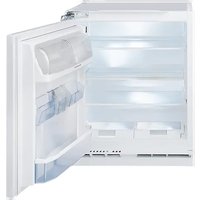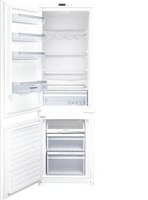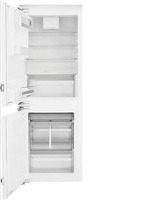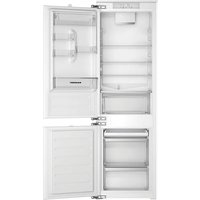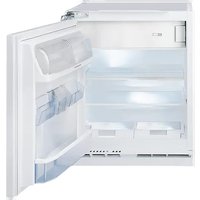
5CP224FD0 - Fridge BLAUPUNKT - Free user manual and instructions
Find the device manual for free 5CP224FD0 BLAUPUNKT in PDF.


| Brand | Blaupunkt |
| Model | 5CP224FD0 |
| Product Type | Combined refrigerator with freezer compartment |
| Climate Class | Not specified |
| Total Net Volume | Not specified |
| Number of Doors | 2 |
| Lighting Type | LED (energy efficiency class G) |
| Control Panel | Touch with LED display |
| Temperature Settings | 5 levels (High to Low) + Fast Cooling |
| Special Functions | Fast cooling, Door alarm, Temperature alarm |
| Defrost System | Automatic for the refrigerator, manual for the freezer |
| Refrigerant Type | Not specified |
| Noise Level | Normal compressor humming |
| Door Reversibility | Yes, possible (not covered by warranty if done yourself) |
| Electrical Supply | 220-240 V, 50 Hz (estimate) |
| Energy Consumption | Not specified |
| Maintenance and Cleaning | Clean with a soft cloth and neutral detergent; do not use steam or abrasives |
| Dimensions (H x W x D) | Not specified |
| Weight | Not specified |
Frequently Asked Questions - 5CP224FD0 BLAUPUNKT
User questions about 5CP224FD0 BLAUPUNKT
0 question about this device. Answer the ones you know or ask your own.
Ask a new question about this device
Download the instructions for your Fridge in PDF format for free! Find your manual 5CP224FD0 - BLAUPUNKT and take your electronic device back in hand. On this page are published all the documents necessary for the use of your device. 5CP224FD0 by BLAUPUNKT.
USER MANUAL 5CP224FD0 BLAUPUNKT
8
10
11
12
natural_image
Pure technical diagram showing parallel lines and a directional arrow, no text or symbols present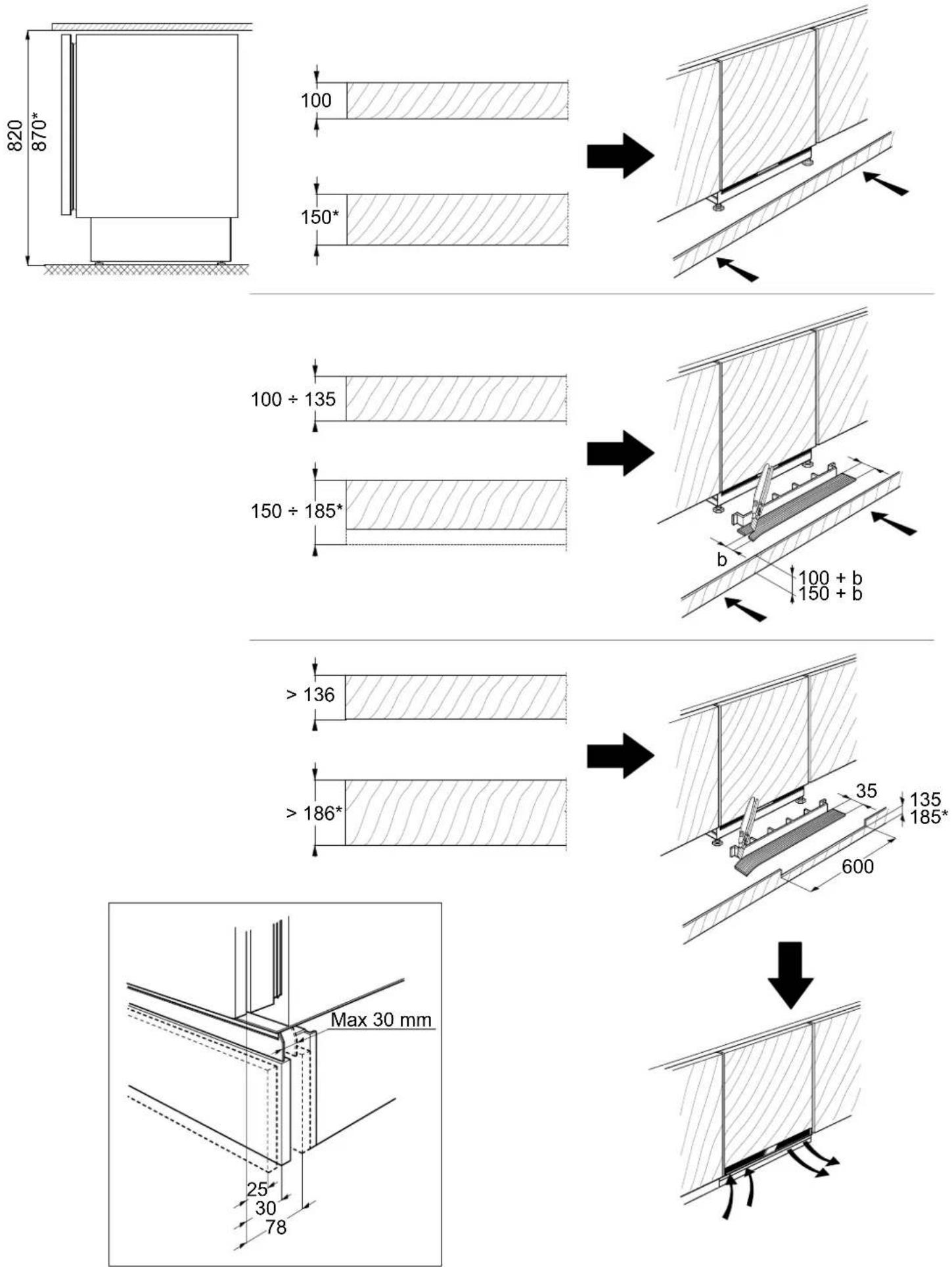
***
flowchart
graph TD
    A["Open Door"] --> B["Arrow Up"]
    B --> C["Arrow Down"]
1
2
natural_image
Illustration of hands installing a door panel into a microwave oven, showing mechanical adjustment (no text or symbols)3
5
6
7
INHALT
ÜBERSICHT....10
Allgemeine Informationen....10
Bedientafel....10
FUNKTIONSWEISE 11
natural_image
Pure diagram of six horizontal black bars with white rectangular cutouts, no text or symbols presentHoch (weniger kalt)
Mittel-hoch
Mittel
Mittel-tief
Niedrig (kälter)
natural_image
Illustration of an open refrigerator with doors open and one side showing a digital display (no text or symbols)Zeichenerklärung
TEMPERATURBEREICH
First time use....19
Refrigerator compartment and food storage 19
How to store fresh food and beverages....19
Freezer compartment 20
Functional sounds....21
Recommendation in case of no use of the appliance....21
CLEANING AND MAINTENANCE....22
Refrigerator light 22
Shelves....22
Door....22
TROUBLESHOOTING 23
SUPPORT 24
OVERVIEW
GENERAL INFORMATION
The drawers, baskets and shelves should be kept in their current position unless otherwise specified in this quick guide. The light system inside the refrigerator compartment uses LEDs light, allowing a better lighting than traditional light bulbs as well as a very low energy consumption.
CONTROL PANEL
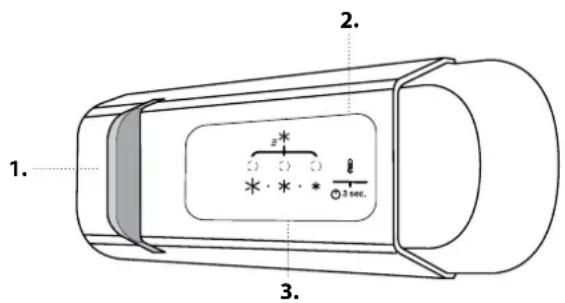

ON/STAND-BY
Press the button for 3 seconds to turn the appliance off. In Stand-by mode the light in the refrigerator compartment does not turn on. Press the button again briefly to reactivate the appliance.
Note: this does not disconnect the appliance from the power supply.
FREEZER AND REFRIGERATOR COMPARTMENT TEMPERATURE
The three LED indicators indicate the refrigerator compartment set temperature. It is possible to set a different temperature of the appliance with the button.
Recommended setting: MEDIUM
The following adjustments are possible:
LEDs lit Set temperature
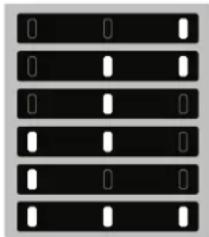
natural_image
Pure diagram of six horizontal black bars with white rectangular cutouts, no text or symbols presentHigh (less cold)
Medium-high
Medium
Medium-low
Low (colder)
Fast cool

To avoid food waste, please refer to the recommended setting and storage times found in the online user manual.
To avoid an increase of food waste, refer to recommended setting and Storage Time in OPERATION chapter
DISPOSAL
Doors and lids of the refrigeration appliance should be removed before disposal in the landfill, to avoid children or animals getting trapped inside.
- LED Light
- On/Stand-by
- Freezer and refrigerator compartment temperature button
FAST COOL FUNCTION (FAST COOLING)
To quickly cool the refrigerator compartment, or 6 hours before putting a large quantity of food to be frozen in the freezer compartment, turn on the "Fast
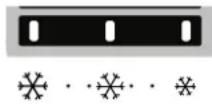
Cooling" function by repeatedly pressing the 112 button until the 3 icons flash green and then stay constant.
The function automatically turns off after 24 hours and the temperature returns to the previous setting when the function is turned on. To turn the function off manually, press the button.
Note: avoid a direct contact between the fresh food and the food that is already frozen.
OPERATION
FIRST TIME USE
Wait at least two hours, after the installation, before connecting the appliance to the power supply. Connect the appliance to the power supply it starts the operation automatically. The ideal storage temperatures for the food are preset in the factory.
After turning the appliance on, you must wait for 4-6 hours for the correct storage temperature to be reached for a normally filled appliance. If the audible signal sounds, it means that the temperature alarm has intervened: press the button to switch off the acoustic alarms.
REFRIGERATOR COMPARTMENT AND FOOD STORAGE
The refrigerator compartment allows for the storage of fresh food and drink. The refrigerator compartment defrosts completely automatically. The occasional presence of drops of water on the internal back wall of the compartment is a sign of the automatic defrosting phase. The defrosting water is channelled into a drain and then collected in a container, where it evaporates.
Note: the ambient temperature, how often the doors are opened and the position of the appliance may affect the internal temperatures in the two compartments. Set the temperatures depending on these factors. In very humid conditions, condensation may form in the refrigerator compartment, especially on the glass shelves. In this case, it is recommended that you close containers with liquids in (e.g. a pot of stock), wrap up food with a high water content (e.g. vegetables) and turn on the fan, if there is one. All of the drawers, door shelves and shelves can be removed.
LIGHT SYSTEM
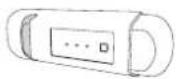
This product contains a light source of energy efficiency class G
HOW TO STORE FRESH FOOD AND BEVERAGES
Foods which give off a large amount ethylene gas (apples, apricots, pears, peaches, avocado, figs, prunes, blueberries, mellons, beans) and those that are sensitive to this gas, such as fruit vegetables and salad, should always be separated or wrapped so as not to reduce the storage life; for example do not store tomatoes together with kiwi fruits or cabbage. Do not store food too close together to enable sufficient air circulation. Use recyclable plastic, metal, aluminum and glass containers and cling film to wrap foods.
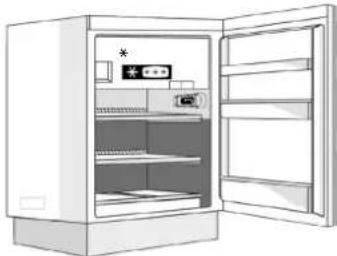
If you have a little quantity of food to store in the refrigerator, we recommend to use the shelves above the crisper for fruits and vegetables since this is the coolest area of the compartment. Always use closed containers for liquids and for food that may give off or be tainted by odor or flavor transfer or cover them. To avoid bottles falling over, you can use the bottle holder (available on selected models).
natural_image
Line drawing of an open refrigerator with doors open (no text or symbols)Legend
TEMPERATE ZONE
Suggested for storage of tropical fruit, cans, drink, eggs, sauces, pickles, butter, jam
COOL ZONE
Suggested for storage of cheese, milk, daily food, delicatessen, yoghurt
COOLEST AREA
Suggested for storage of cold cuts, desserts, meat and fish
FREEZER COMPARTMENT
- It is advisable to set the temperature colder or turn on the Fast Freeze/ Fast Cool* at least four hours before removing the food from the freezer compartment, to prolong the preservation of the food during the defrosting phase.
- To defrost, unplug the appliance and remove the drawers. Leave the door open to allow the frost to melt. To prevent the water from escaping during the defrost, it is advised that you place an absorbent cloth on the bottom of the freezer compartment and wring it out regularly.
- Clean the inside of the freezer compartment and dry it carefully.
- Turn the appliance back on and put the food back inside. To remove the frost on the STOP FROST* accessory, follow the CLEANING.
Ice cubes\*
Fill 2/3 of the ice tray with water and put it back in the freezer compartment. Do not, under any circumstances, use sharp or pointed objects to remove the ice. The quantity of fresh food that can be frozen in a specific time period is indicated on the rating plate. Load limits are determined by baskets, flaps, drawers, shelves etc. Make sure that these components can still close easily after loading.
FUNCTIONAL SOUNDS
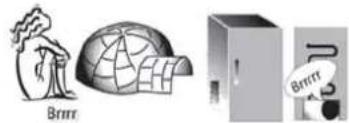
- A buzz generated by the compressor is normal while the product is working.
natural_image
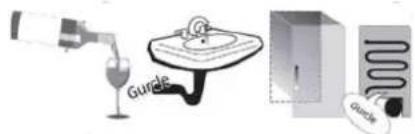
Illustration of a person with smoke next to a globe, next to an open box labeled 'P' and a speech bubble saying 'Brin' (no text on objects)- Gurgling and crackles are generated by the passage of the refrigerant gas inside the cooling circuit, therefore these are normal noises.
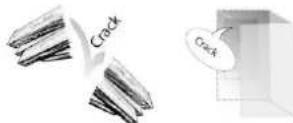
- It's possible to "hear" creaks when the compressor is active and inactive: it is a normal sound of the product's structure.
-
Check that the balconies on the inside of the refrigerator door, the shelves and the drawers in the refrigerator compartment are attached and positioned properly, to avoid possible vibrations.
-
Don't place glass containers (bottles, jars, etc.) in direct contact with each other, to avoid vibrations.
-
This device is equipped with a compressor that operates at an optimum speed to minimize energy consumption. So it may happen that in certain situations (in summer or if large quantities of food are introduced) that the compressor increases the speed and therefore it is more noisy than usual.
RECOMMENDATION IN CASE OF NO USE OF THE APPLIANCE
In the event of non-use of the applicance
Disconnect the appliance from the power supply, empty it, defrost it (if necessary) and clean it. Keep the doors slightly ajar to let air circulate inside the compartments. By doing this, you avoid the development of mould and bad odours.
In the event of an interruption to the power supply
Keep the doors closed so the food stays cold for as long as possible. Do not re-freeze food that has partially defrosted. If there is a prolonged power cut, the black out alarm may also activate (in products with electronics).
CLEANING AND MAINTENANCE
Before any cleaning or maintenance operation, unplug the appliance from the mains or disconnect the electrical power supply.
Never use abrasives. Never clean refrigerator parts with flammable fluids.
Do not use steam cleaners.
The buttons and control panel display must not be cleaned with alcohol or alcohol-derived substances, but with a dry cloth.
Clean the appliance occasionally with a cloth and a solution of warm water and neutral cleaning agents specifically for cleaning the inside of the refrigerator.
REFRIGERATOR LIGHT
The light system inside the refrigerator compartment uses LEDs light, allowing a better lighting than traditional light bulbs as well as a very low energy consumption. Contact the Technical Assistance Service if you need a replacement.
Important: The refrigerator compartment light switches on when the refrigerator door is opened.
SHELVES
All of the drawers, door shelves and shelves can be removed.
DOOR
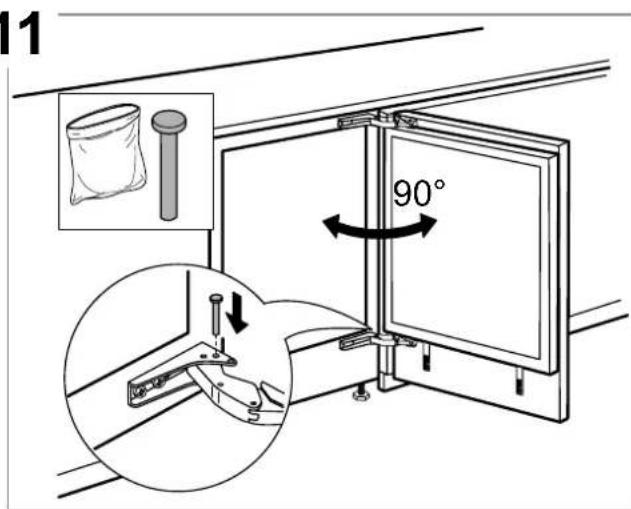
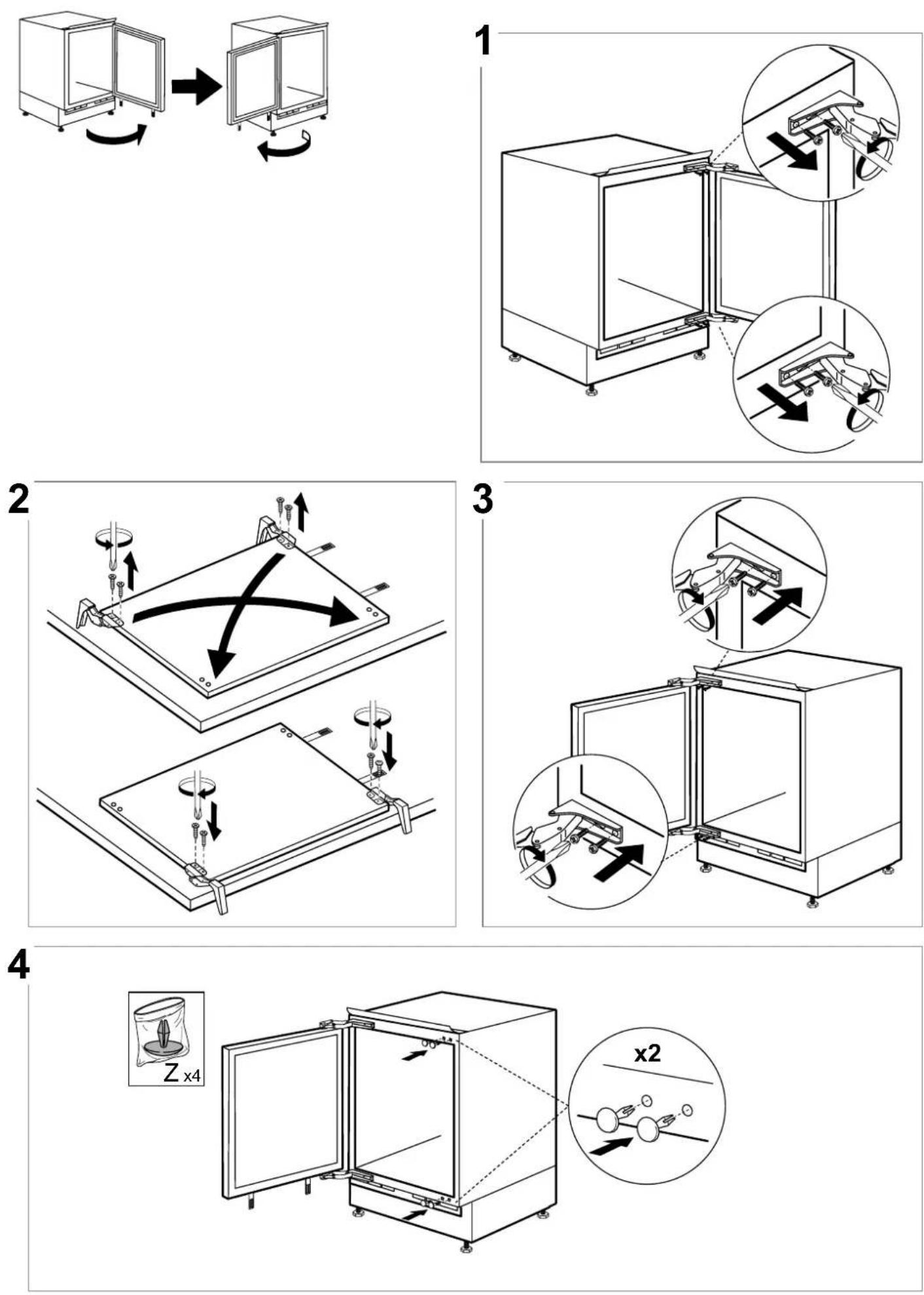
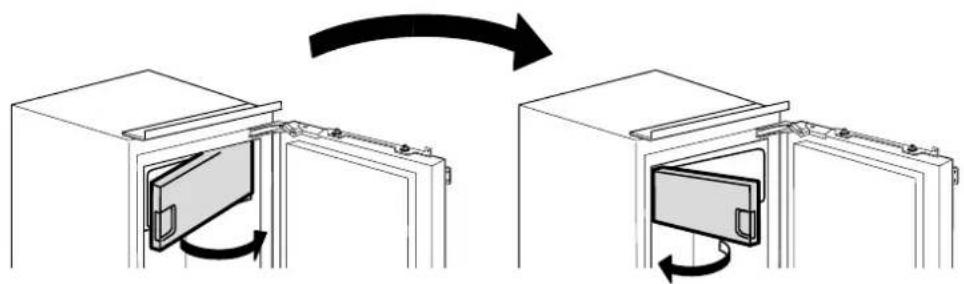
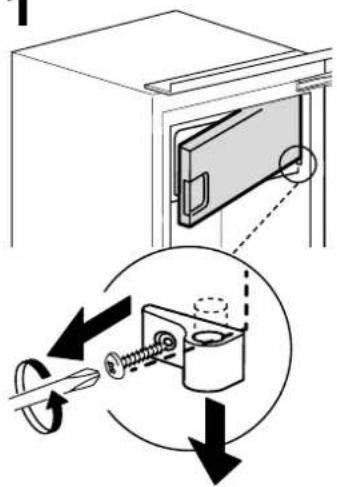
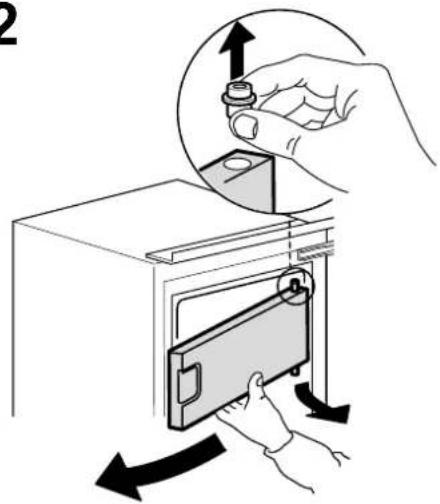
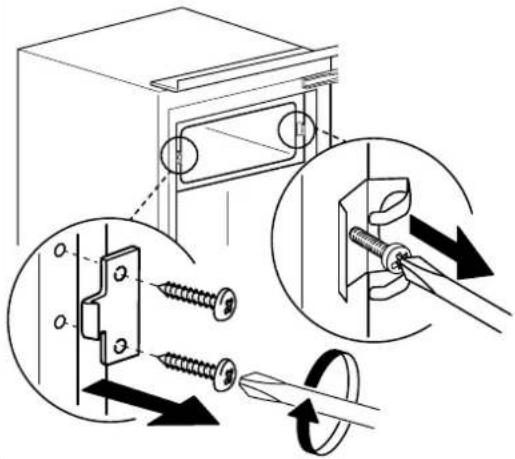
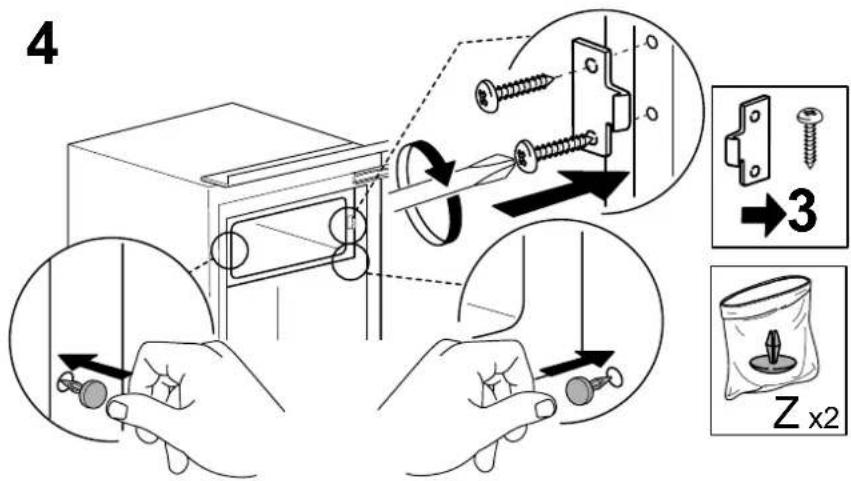
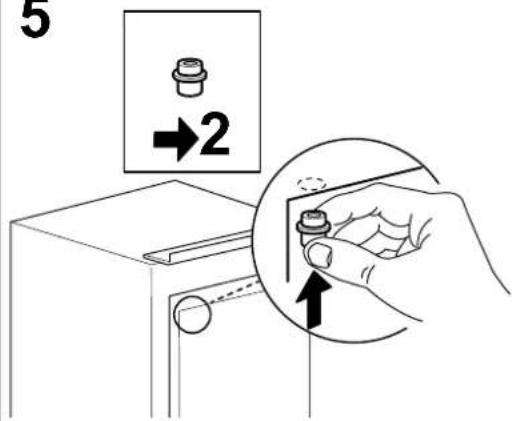
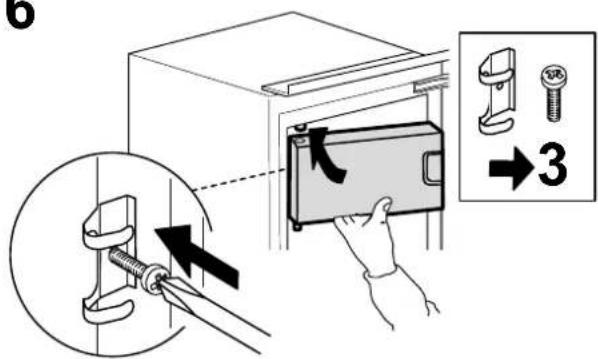
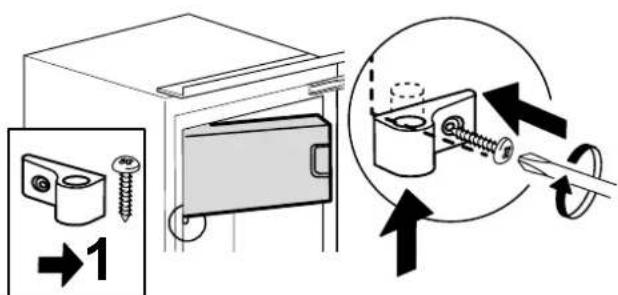
DOOR REVERSIBILITY
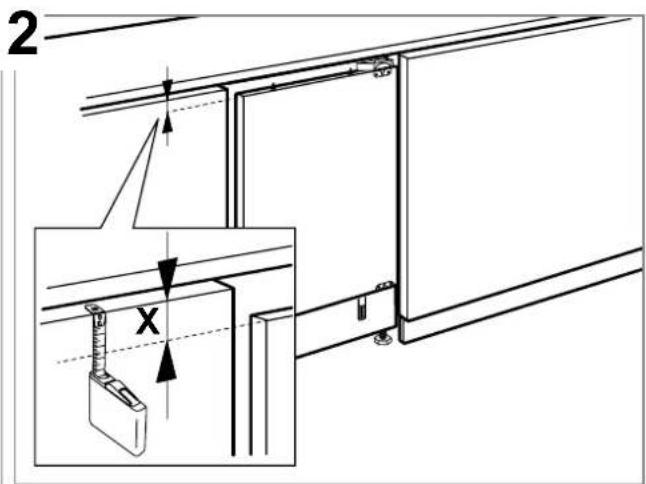
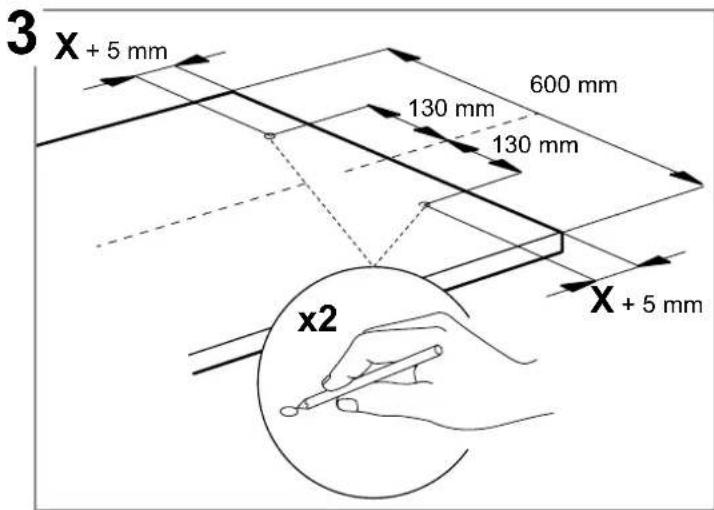
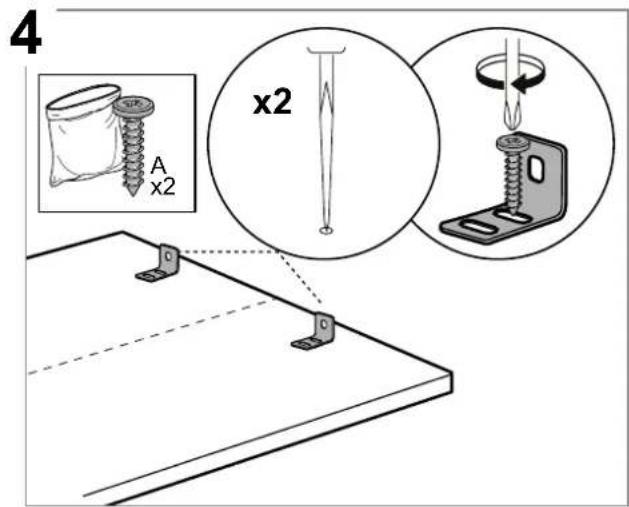
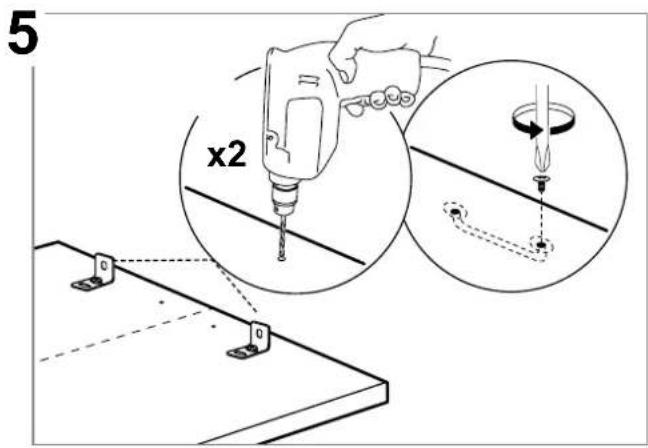
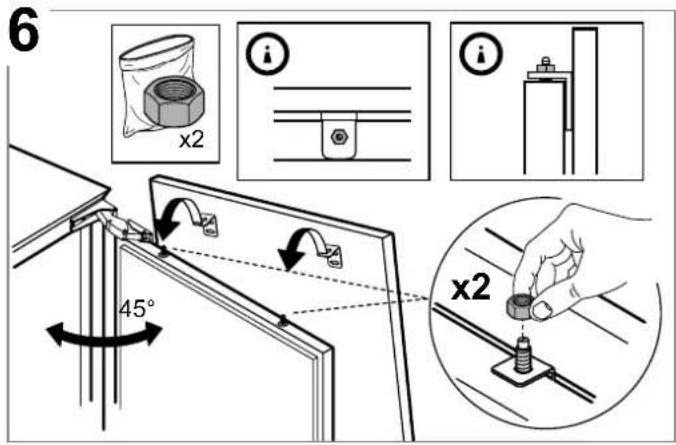
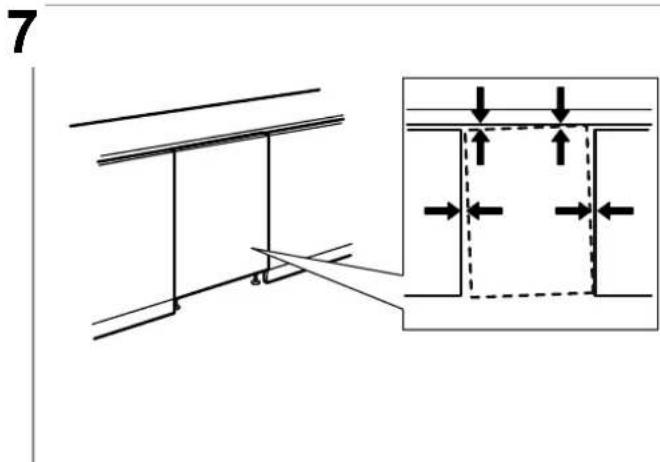
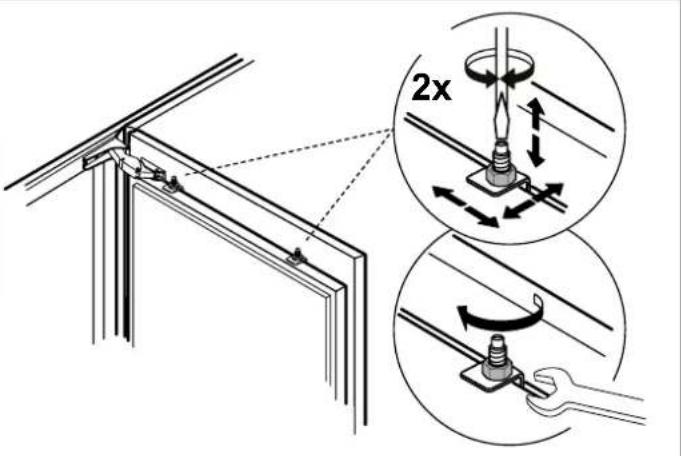
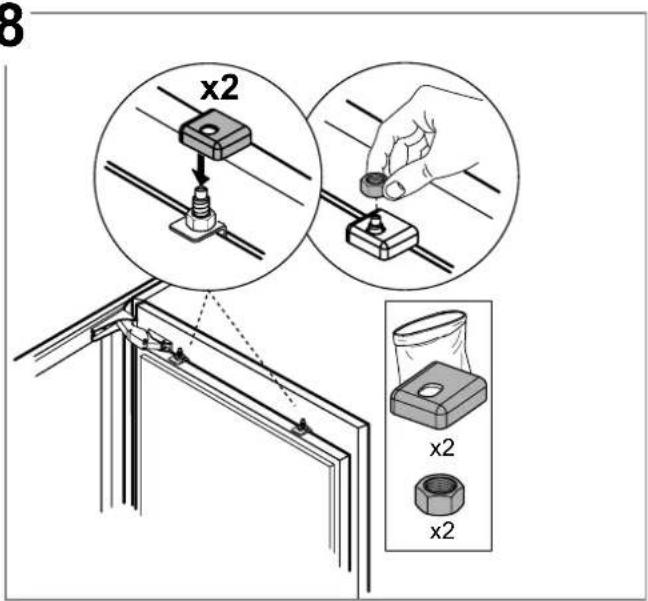
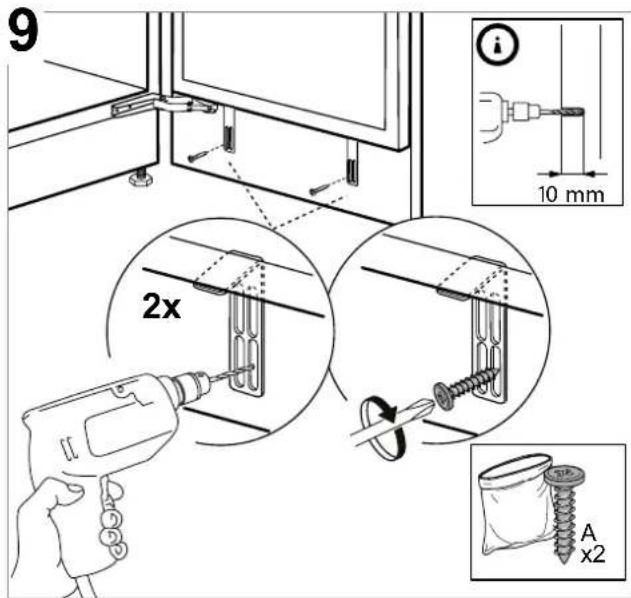
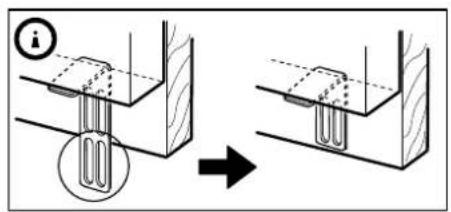
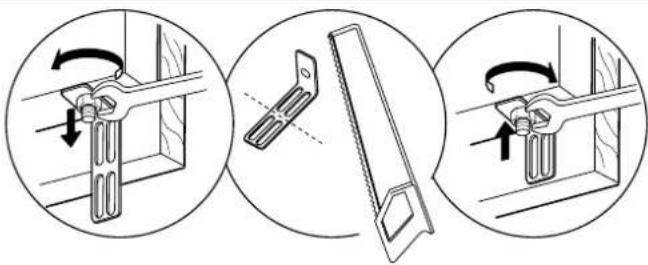
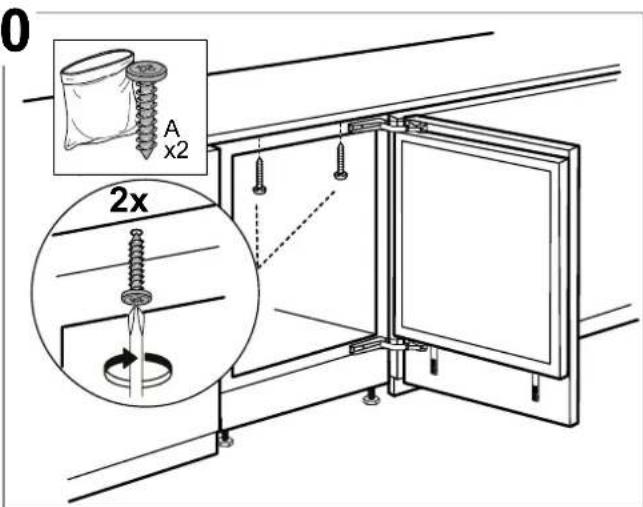
Note: The direction of door opening can be changed. If this operation is not performed by After-sales Service it is not covered by the warranty. Follow instruction in Installation chapter.
TROUBLESHOOTING
What to do if... Possible reasons Solutions
| The control panel is switched off, the appliance does not work. | There may be an appliance power supply problem. | Check that:1. there is not a power outage;2. the plug is properly inserted in the socket and any bipolar power switch is in the correct position (this enables the power supply to the appliance);3. the household electrical system protection devices are efficient;4. the power cable is not damaged. |
| The appliance could be in On/stand by mode. | Turn the appliance on by briefly pressing the button (see On/Stand-by function). | |
| The inside light does not work. | The light may need to be replace.Malfunction of a technical component. | Disconnect the appliance from the power supply and contact the Technical Assistance Service if you need a replacement. |
| The inside light flashes. | Door alarm active.It is activated when the refrigerator compartment door remains open for a prolonged period of time. | To stop the alarm, close the refrigerator door.On reopening the door, check the light works. |
| The temperature inside the compartments is not low enough. | There could be various causes (see “Solutions”). | Check that:• the door closes properly;• the appliance is not installed near a heat source;• the set temperature is adequate;• the circulation of air through the vents at the bottom of the appliance is not obstructed (see installation section). |
| There is water on the bottom of the refrigerator compartment. | The defrost water drain is blocked. | Clean the defrosting water drain (see section “Cleaning and Maintenance”). |
| Excessive amount of frost in the freezer compartment. | The door to the freezer compartment is not closed properly. | Check that there is nothing preventing the door from closing properly.• Defrost the freezer compartment.• Make sure the appliance has been correctly installed. |
| The front edge of the appliance that the door gaskets seal against is hot. | This is not a defect. It prevents condensation from forming. | No solution is necessary. |
| One or more green symbols are flashing continuously and it is not possible to change the temperature set. | Malfunction alarm.The alarm indicates a fault in a technical component. | Contact Technical Assistance Service. |
| The temperature of the refrigerator compartment is too cold. | • The set temperature is too cold.• A large amount of fresh food may have been placed in the freezer compartment. | • Try to set a less cold temperature.• If fresh food has been placed in the freezer compartment, wait until it has fully frozen.• Turn off the fan (if present) following the procedure described in the paragraph “FAN”. |
SUPPORT
When contacting our Service Centre, please state the codes provided on your product's identification plate.
SOMMAIRE
APERÇU....26
natural_image
Illustration of an open refrigerator with doors open and one door open (no text or symbols visible)Légende
ZONE TEMPÉRÉE
natural_image
Illustration of industrial equipment including a globe, cabinet, and power unit (no text or symbols)INHOUDSOPGAVE
OVERZICHT 34
PROBLEEMOPLOSSING....39
ONDERSTEUNING 40
GEBRUIKERSHANDLEIDING
OVERZICHT
ALGEMENE INFORMATIE
natural_image
Pure electrical circuit lines without any symbolsHoog (minder koud)
Gemiddeld hoog
Gemiddeld
Gemiddeld laag
Laag (kouder)
Fast Cool (Snel koelen)
FUNCTIE SNEL KOELEN (SNEL KOELEN)
natural_image
Line drawing of an open refrigerator with doors open (no text or symbols)Legenda
GEMATIGDE ZONE
natural_image
Illustration of industrial equipment including a globe, cabinet, and valve (no text or symbols)natural_image
Pure electrical circuit lines without any symbolsAlta (meno fredda)
Medio-alta
Media
Medio-bassa
Bassa (più fredda)
Fast Cool (Raffreddamento rapido)
natural_image
Line drawing of an open refrigerator with doors open (no text or symbols)Legenda
ZONA TEMPERATA
natural_image
Illustration of three abstract objects: a person with a globe, a dome structure, and an open server unit (no text or symbols)natural_image
Pure diagram of six horizontal black bands with white rectangular cutouts, no text or symbols present.natural_image
Illustration of an open refrigerator with a digital display and control panel (no text or symbols)Leyenda
ZONA DE TEMPERATURA
natural_image
Illustration of three abstract objects: a person with a globe, a dome structure, and an open server unit (no text or symbols)natural_image
Pure diagram of six horizontal black bars with white rectangular cutouts, no text or symbols presentHøj (mindre kold)
Middel-høj
Middel
Middel-lav
Lav (koldere)
Lynafkøling

natural_image
Line drawing of an open refrigerator with doors and shelves (no text or symbols)Forklaring
TEMPERERET OMRÅDE
DRIFTSRELATEREDE LYDE
INNEHÅLLSFÖRTECKNING
ÖVERSIKT 66
Allmän information....66
Kontrollpanel....66
FUNKTION....67
natural_image
Pure diagram of six horizontal black bars with white rectangular cutouts, no text or symbols present.Hög (mindre kall)
Medelhög
Medel
Medellåg
Låg (kallare)
natural_image
Line drawing of an open refrigerator with doors open and a control panel visible (no text or symbols)Förklaring
TEMPERERAD ZON
natural_image
Illustration of a person with a tree, globe, and server unit (no text or symbols)natural_image
Close-up of blue fabric with two medical or dental tools labeled 'BLAUPUNKT' attached to a pocket (no other text or symbols visible)