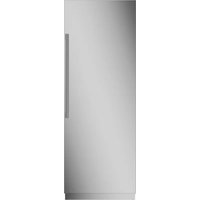
ZIF301NBRII - Freezer Monogram - Free user manual and instructions
Find the device manual for free ZIF301NBRII Monogram in PDF.


| Brand | Monogram |
| Model | ZIF301NBRII |
| Product type | Built-in column freezer |
| Width | 30 inches (76.2 cm) |
| Power supply | 115 V, 60 Hz, 15 or 20 A, grounded |
| Refrigerant | R600a (isobutane), flammable |
| Freezer temperature range | -21 °C to -16 °C (-6 °F to +4 °F) |
| Ice maker | Automatic, 7 ice cubes per cycle, about 15 cycles per 24 h |
| Water filter | XWF or XWFE cartridge, lasts 6 months or 170 gallons |
| Air filter | Yes, replacement recommended every 6 months |
| Wi-Fi connection | Yes (compatible models), Monogram app |
| Door alarm | Yes, adjustable (high/low/off) |
| Sabbath mode | Yes, disables display and alarms |
| Lighting | Interior LED |
| Exterior material | Stainless steel |
| Shelves | Tempered glass, adjustable |
| Drawers | With safety stop, removable |
| Interior maintenance | Warm water and baking soda |
| Recommended stainless steel cleaner | Mild non-abrasive cleaner, avoid chlorine products |
| Warranty | 2 years parts and labor, 5 years refrigeration circuit, up to 12 years for closed-circuit parts |
| Manual | 48 pages, downloadable PDF |
Frequently Asked Questions - ZIF301NBRII Monogram
User questions about ZIF301NBRII Monogram
0 question about this device. Answer the ones you know or ask your own.
Ask a new question about this device
Download the instructions for your Freezer in PDF format for free! Find your manual ZIF301NBRII - Monogram and take your electronic device back in hand. On this page are published all the documents necessary for the use of your device. ZIF301NBRII by Monogram.
USER MANUAL ZIF301NBRII Monogram
SOUTIEN AU CONSOMMATEUR....3
RENSEIGNEMENTS CONCERNANT LA SÉCURITÉ....4
COMMANDES....6
MACHINE À GLAÇONS AUTOMATIQUE (MODÈLES CONGÉLATEUR)....7
FILTRE À EAU 8
FILTRE À AIR (MODÈLES RÉFRIGÉRATEUR)....9
COMMUNICATION AVEC LES ÉLECTROMÉNAGERS....10
PICHET À REMPLISSAGE AUTOMATIQUE ....11
TIROIRS / ÉTAGÈRES / BACS 12
MODE SABBAT 14
ENTRETIEN ET NETTOYAGE....14
PRÉPARATIONN 16
DÉPANNAGE....17
FICHE TECHNIQUE DE PERFORMANCE ....20
GARANTIE LIMITÉE DE MONOGRAM....21
RENSEIGNEMENTS CONCERNANT LE MODÈLE
NUMÉROS DE MODÈLES
ZIF181, ZIF241, ZIF301 et ZIF361
Au Canada: Prodsupport.mabe.ca/crm/Products/ProductRegistration.aspx
SERVICE DE RÉPARATION
natural_image
Architectural floor plan of a multi-level kitchen or storage unit with no visible text or labelsnatural_image
Technical line drawing of a mechanical assembly with a cylindrical component and a magnified inset showing internal components (no text or symbols)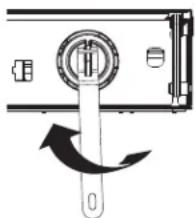
natural_image
Diagram of a door lock mechanism with a knob and scroll wheel (no text or symbols)natural_image
Line drawing of a hand holding a wrist with a finger, showing motion direction (no text or symbols)natural_image
Line drawing of a hand inserting a grid into a device (no text or symbols)natural_image
Hand inserting a grid into a device component (no text or symbols visible)natural_image
Illustration of a hand holding a wrist with a finger, showing a finger movement (no text or symbols)natural_image
Technical line drawing of a front panel with internal components and mounting brackets (no text or symbols)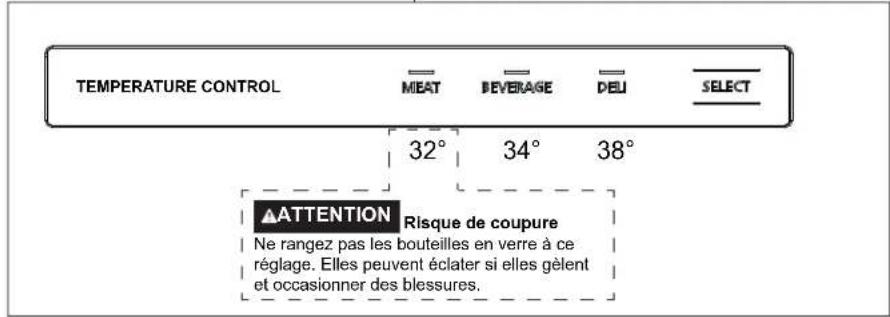
natural_image
Diagram showing two mechanical assembly steps with arrows indicating motion direction (no text or symbols)BALCONNETS
natural_image
Technical line drawing of a cabinet or rack assembly with an inset detail showing a wall-mounted door (no text or symbols present)MODE SABBAT
Garant: GE Appliances, a Haier company, Louisville KY, 40225
Au Canada, Garant: MC Commercial, Burlington, ON, L7R 5B6
NOTES
NOTES
49-1000529 Rev. 3
03-24
natural_image
Architectural floor plan of a multi-level kitchen or storage unit with no visible text or labelsnatural_image
Diagram of a mechanical device with a rotating knob and directional arrow (no text or symbols)▲PRECAUCIÓN
AIR FILTER HOLD 3 SEC
natural_image
Line drawing of a hand holding a wrist with an arrow indicating motion (no text or symbols)natural_image
Line drawing of a hand inserting a device into a device panel (no text or symbols)natural_image
Line drawing of hands inserting a card into a device (no text or symbols)natural_image
Line drawing of a hand holding a wrist with a finger, showing motion direction (no text or symbols)RESET AIR FILTER HOLD 3 SEC
natural_image
Technical line drawing of a mechanical or electrical component assembly (no text or symbols visible)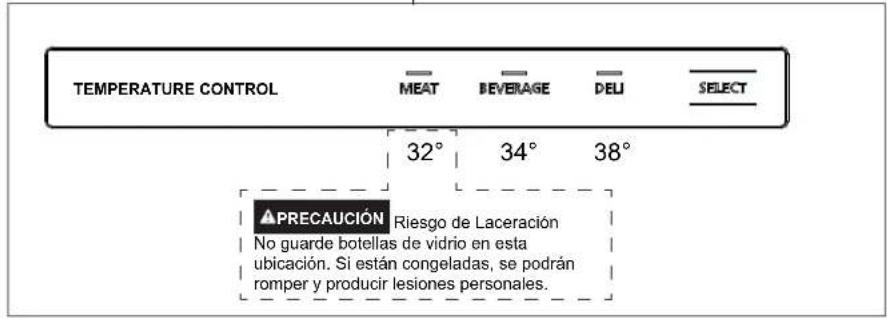
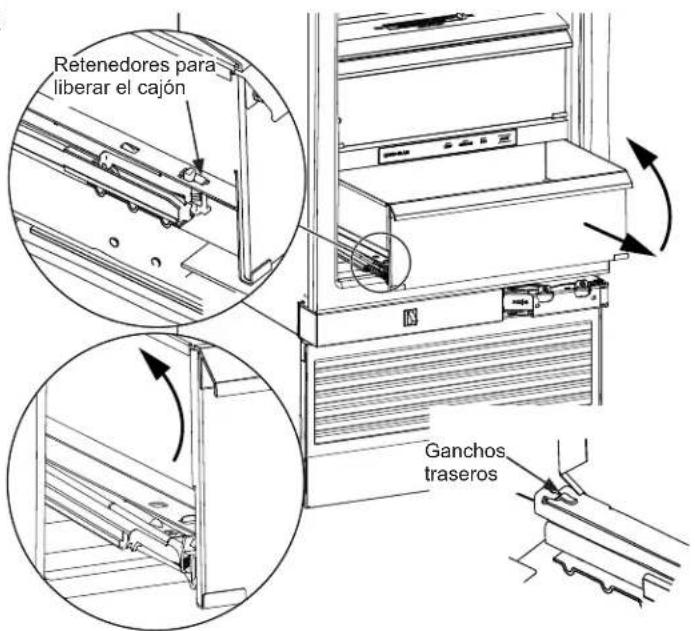
Drawers in the refrigerator will stop before coming all the way out, to help prevent contents from spilling onto floor.
To remove a drawer: Pull the drawer out and press the snaps at the front of both sides to release the drawer. Lift the front of the drawer up while pulling forward to move the pan free of the back slide hooks.
To replace a drawer: Place the back of the pan under the hooks on the back of the slides. Rotate the drawer down until the front snaps are securing the front of the pan.
natural_image
Technical line drawing showing two views of a mechanical assembly with arrows indicating direction (no text or symbols)natural_image
Technical line drawing of a cabinet or rack assembly with a magnified inset showing a door detail (no text or symbols)MODO SABÁTICO
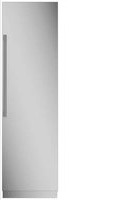
Brand : Monogram
Model : ZIF301NBRII
Category : Freezer