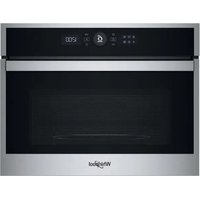
WMW47HMX - Microwave Oven WHIRLPOOL - Free user manual and instructions
Find the device manual for free WMW47HMX WHIRLPOOL in PDF.


| Product type | Microwave oven |
| Brand | Whirlpool |
| Model | WMW47HMX |
| Main functions | Microwave, Grill, Hot air, 6th Sense (reheating, crisp, crisp fry), Defrost, Turbo grill, Steam self-cleaning |
| Control panel type | Double display screen, rotary knob, touch-sensitive keys |
| Microwave power | 900 W |
| Microwave power levels | 90, 160, 350, 500, 650, 750, 900 W |
| Grill power | 3 levels: low, medium, high |
| Included accessories | Turntable glass plate, turntable support, Crisp plate, Crisp plate handle, metal rack, rectangular baking tray |
| Safety features | Key lock, automatic safety lock, automatic stop when door is opened |
| Cleaning | Damp microfiber cloth, pH neutral detergent; steam self-cleaning function |
| Installation type | Countertop placement |
| Capacity | Approximately 25 L (estimate) |
| Dimensions (W x H x D) | Approximately 50 x 30 x 40 cm (estimate) |
| Weight | Approximately 15 kg (estimate) |
| Power supply | 220-240 V, 50 Hz |
| Total power | Approximately 1500 W |
| Spare parts available | Turntable, support, Crisp plate, metal rack, baking tray (via after-sales service) |
| Additional information | 120-page manual available in multiple languages |
Frequently Asked Questions - WMW47HMX WHIRLPOOL
User questions about WMW47HMX WHIRLPOOL
0 question about this device. Answer the ones you know or ask your own.
Ask a new question about this device
Download the instructions for your Microwave Oven in PDF format for free! Find your manual WMW47HMX - WHIRLPOOL and take your electronic device back in hand. On this page are published all the documents necessary for the use of your device. WMW47HMX by WHIRLPOOL.
USER MANUAL WMW47HMX WHIRLPOOL
THANK YOU FOR BUYING A WHIRLPOOL PRODUCT
In order to receive a more complete assistance, please register your product on www.whirlpool.eu/register

Before using the appliance carefully read the Safety Instruction.
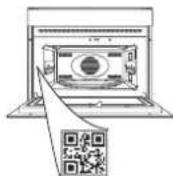
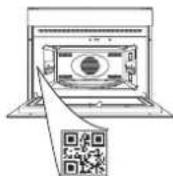
PLEASE SCAN THE QR CODE ON YOUR APPLIANCE IN ORDER TO REACH MORE INFORMATION
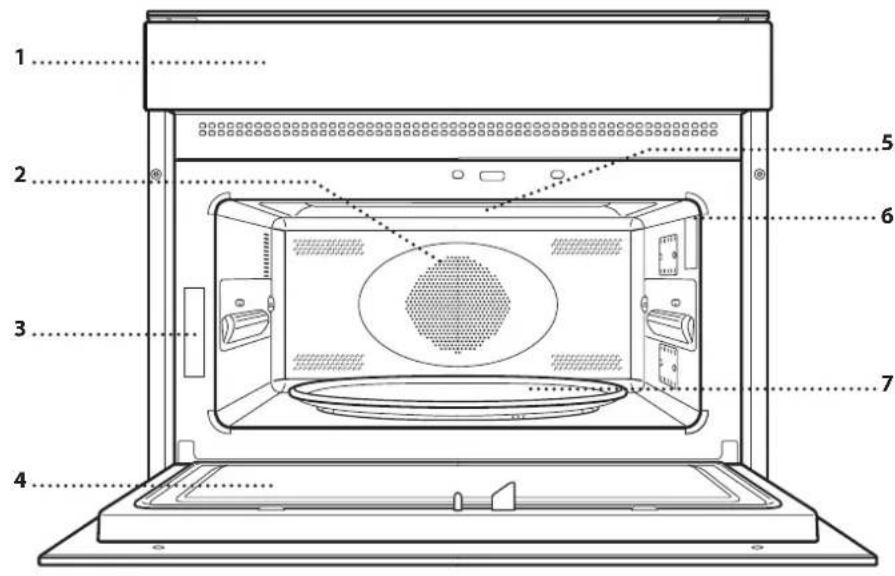
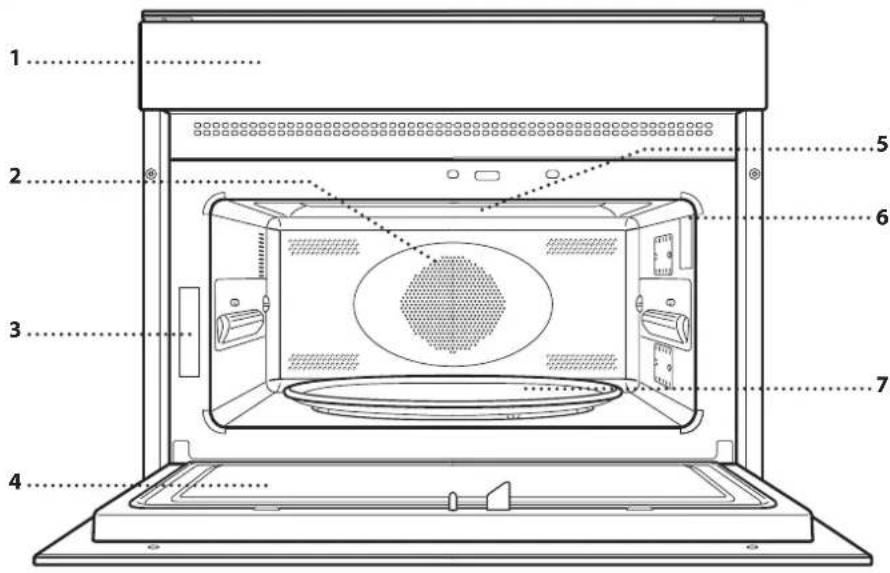
PRODUCT DESCRIPTION
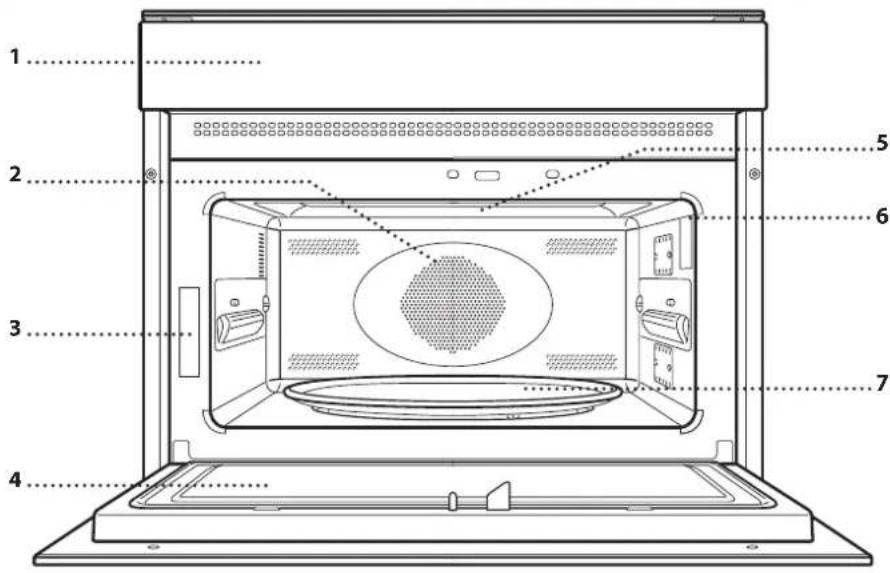
- Control panel
- Circular heating element (non-visible)
- Identification plate (do not remove)
- Door
- Upper heating element/grill
- Light
7.Turntable
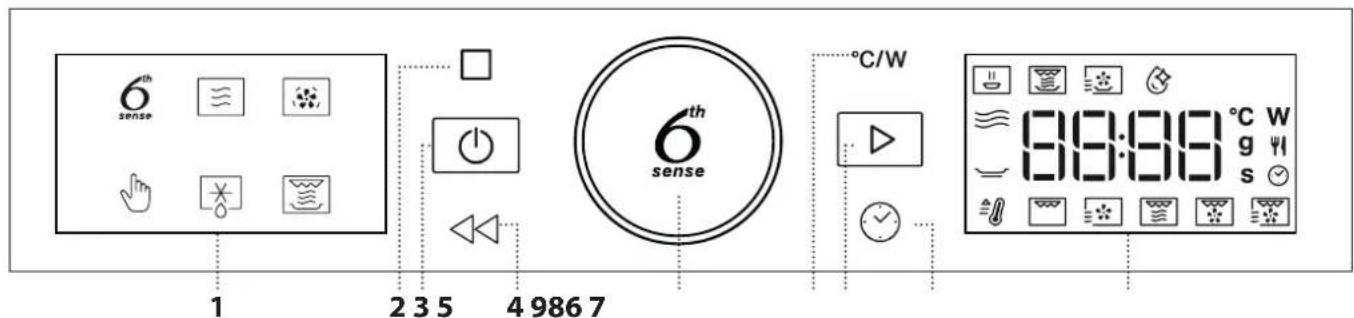
CONTROL PANEL
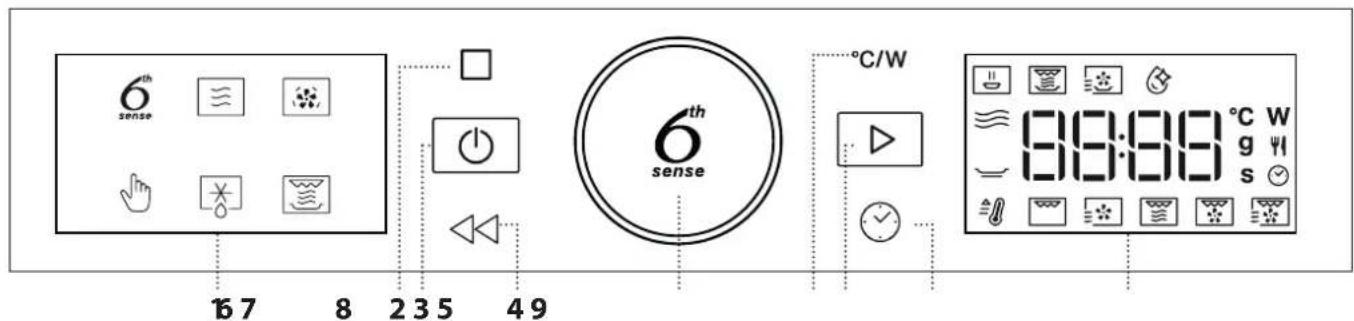
1. LEFT-HAND DISPLAY
2.PAUSE
To pause a cooking cycle
3. ON/OFF
For switching the oven on and off and for stopping an active function at any time.
4.BACK
For returning to the previous screen.
5. ROTARY KNOB / 6th SENSE BUTTON
Turn this to navigate through the functions and adjust all of the cooking parameters. Press 6 to select, set, access or confirm functions or parameters and eventually start the cooking program.
6. POWER
To adjust the temperature, grill level or microwave power.
7. START
For starting functions and confirming settings
8 TIME
For setting the time as well as setting or adjusting the cooking time.
9. RIGHT-HAND DISPLAY
ACCESSORIES
There are a number of accessories available on the market. Before you buy, ensure they are suitable for microwave use and resistant to oven temperatures.
Metallic containers for food or drink should never be used during microwave cooking. Always ensure that foods and accessories do not come into contact with the inside walls of the oven.
Always ensure that the turntable is able to turn freely before starting the oven. Take care not to unseat the turntable whilst inserting or removing other accessories.
Accessories during microwave function may raise in temperature. It is recommended to use protection to handle accessories at the end of the cycle
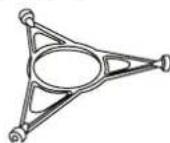
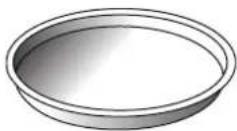
TURNTABLE
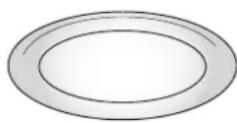
Placed on its support, the glass turntable can be used with all cooking methods.
The turntable must always be used as a base for other containers or
accessories, with the exception of the rectangular baking tray.
TURNTABLE SUPPORT
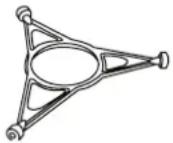
Only use the support for the glass turntable.
Do not rest other accessories on the support.
CRISP PLATE
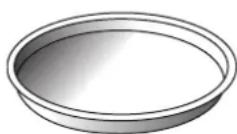
Only for use with the designated functions.
The Crisp plate must always be placed in the center of the glass turntable or wire rack and can be pre-heated when empty, using the
special function for this purpose only. Place the food directly on the Crisp plate.
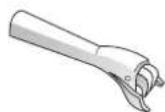
HANDLE FOR CRISP PLATE
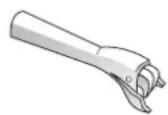
Useful for removing the hot Crisp plate from the oven.
WIRE RACK
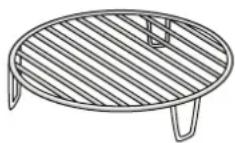
This allows you to place food closer to the grill, for perfectly browning your dish and allows an optimal air circulation.
It must be used as base for the crisp plate in some "Crisp Fry"
functions. Place the wire rack on the turntable, making sure that it does not come into contact with other surfaces.
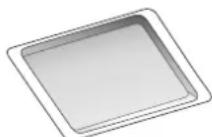
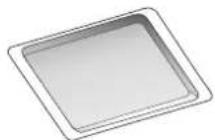
RECTANGULAR BAKING TRAY
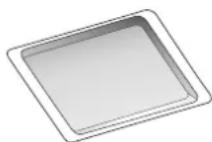
Only use the baking tray with functions that allow for convection cooking; it must never be used in combination with microwaves. Insert the plate horizontally,
resting it on the rack in the cooking compartment.
Please note: You do not need to remove the turntable and its support when using the rectangular baking tray.
FUNCTIONS

6th SENSE FUNCTIONS
With the 6th Sense functions, simply select the type and weight or the quantity of the food items to obtain the best results. The oven will automatically calculate the optimum settings and continue to change them as cooking progresses. To use at best this function, follow the indications on the relative cooking table.

6^th SENSE REHEAT
For reheating ready-made food that is either frozen or at room temperature. The oven automatically calculates the settings required to achieve the best results in the shortest amount of time. Place food on a microwave-safe and heatproof dinner plate or dish.
CATEGORY FOOD WEIGHT
| 1 Plated Meal | 250 - 800 g |
| 2* Frozen Lasagna | 400 g - 1 kg |
| 3* Frozen Portion | 250 - 800 g |
| 4 Milk/Water | 100 - 500 g |
| 5 Soup | 200 - 800 g |

6^th SENSE CRISP
For quickly reheating and cooking frozen foods and giving them a golden, crunchy top. Only use this function with the crisp plate provided. Turn the food when prompted.
CATEGORY FOOD WEIGHT
| 1 Chicken Parts 400 g - 1.2 kg | |
| 2* Hamburgers 100 - 500 g | |
| 3* Chicken Nuggets 100 - 500 g | |
| 4* Pizza 350 - 600 g | |
| 5* Fish Fingers | 100 - 500 g |
Required accessories: Crisp plate, handle for crisp plate.

6th SENSE CRISP FRY
This healthy and exclusive function combines the quality of crisp function with the properties of the warm air circulation. It allows crunchy, tasty frying results to be achieved, with a remarkable reduction of oil needed compared to the traditional way of cooking, even removing the need for oil in some recipes. It is possible fry a variety of preset foods, either fresh or frozen.
CATEGORY FOOD WEIGHT
| 1* French Fries | 100 - 500 g |
| 2* Fish and Chips | 100 - 500 g |
| 3 Breaded Chicken Fillet | 100 - 500 g |
| 4 Peppers Strips | 100 - 500 g |
| 5* Fried Seafood | 100 - 500 g |
Required accessories: Crisp plate, wire rack, handle for crisp plate.

MW SELF CLEAN
The action of the steam released during this special cleaning cycle allows dirt and food residues to be removed with ease. Pour a cup of drinking water into microwave proof container and activate the function.

MICROWAVE
Use microwave function only with food or beverages inside to preserve the correct functionality of the product.
| 900 | Quickly reheating drinks or other foods with a high water content. |
| 750 | Cooking vegetables. |
| 650 | Cooking meat and fish. |
| 500 | Cooking meaty sauces, or sauces containing cheese or egg. Finishing off meat pies or pasta bakes. |
| 350 | Slow, gently cooking. Perfect for melting butter or chocolate. |
| 160 | Defrosting frozen foods or softening butter and cheese. |
| 90 | Softening ice cream. |
| ACTION | FOOD | POWER (W) | DURATION (MIN.) |
| Reheat | 2 cups | 900 | 1 - 2 |
| Reheat | Mashed potatoes 1kg | 900 | 10 - 12 |
| Defrost | Minced meat 500g | 160 | 15 - 16 |
| Cook | Sponge cake | 750 | 7 - 8 |
| Cook | Egg custard | 500 | 13 - 16 |
| Cook | Meat loaf | 750 | 17 - 20 |

FORCED AIR
For cooking dishes in a way that achieves similar results to using a conventional oven. The baking plate or other cookware that is suitable for oven use can be used to cook certain foods. To achieve best results this function have a preheating phase: wait the end of preheat to insert the food.
| FOOD TEMP. (℃) | DURATION (MIN.) | |
| Cupcake / Smallcakes | 160 | 20 - 30 |
| Cookies | 160 - 170 | 20 - 30 |
Recommended accessories: Rectangular baking tray / Wire rack

MANUAL FUNCTIONS

FAST PREHEAT
For quickly preheating the oven before a cooking cycle. Wait for the function to finish before placing food inside the oven. Once preheating has finished, the oven will select the "Forced Air" function automatically.

GRILL
For browning, grilling and gratins. We
recommend turning the food during cooking.
| FOOD | GRILL LEVEL | DURATION (MIN.) |
| Toast High 5-6* | ||
| Prawns Medium 18-22 |
*For thick bread slices preheat the empty microwave with gtil1 high for 3 minutes
Recommended accessories: Wire rack

FORCED AIR + MICROWAVE
To prepare oven dishes in a short time. It is
suggested to use the rack in order to optimize the air circulation.
| FOOD POWER (W) TEMP. (℃) | DURATION (MIN.) | |
| Roasts 350 | 170 35 - 40 | |
| Meat Pie 160 | 180 25 - 35 | |
Required accessories: wire rack

GRILL + MW
For quickly cooking and gratinating dishes,
combining the microwave and grill functions.
| FOOD POWER (W) GRILL LEVEL | DURATION (MIN.) | ||
| Potatoes gratin | 650 Medium | 20-22 | |
| Jacked potatoes | 650 | High | 10-12 |
Recommended accessories: Wire rack

TURBO GRILL
For perfect results, combining the grill and
oven air convection. We recommend turning the food during cooking.
| FOOD | GRILL LEVEL | DURATION (MIN.) |
| Chicken kebab | High | 25 - 35 |
Recommended accessories: Wire rack

TURBO GRILL + MW
For quickly cooking and browning your food,
combining the microwave, grill and the oven air convection.
| FOOD POWER (W) GRILL LEVEL | DURATION (MIN.) | ||
| Cannelloni frozen | 650 | High | 25 - 35 |
| Pork chops | 350 | High | 30 - 40 |
Recommended accessories: Wire rack

DEFROST
For quickly defrosting various different types and simply by specifying their weight. Always the food directly on the glass turntable for best fit.
CRISP BREAD DEFROST
This exclusive Whirlpool function allows you to defrost frozen bread. Combining both Defrost and Crisp technologies, your bread will taste and feel as if it were freshly baked. Use this function to quickly defrost and heat frozen rolls, baguettes & croissants. The Crisp Plate must be used in combination with this function.
| CATEGORY | FOOD | WEIGHT |
| 1* | Timed Defrost | - |
| 2* | Meat | 100 g - 2 kg |
| 3* | Poultry | 100 g - 3 kg |
| 4* | Fish | 100 g - 2 kg |
| 5* | Crisp Bread Defrost | 50 - 800 g |

CRISP
For perfectly browning a dish, both on the top
and bottom of the food. This func used with the special Crisp plate.
| FOOD | DURATION (MIN.) |
| Leavened cake | 7 - 8 |
| Hamburger | 8 - 10* |
- Turn food halfway through cooking.
Required accessories: Crisp plate, handle for the Crisp plate
FIRST TIME USE
1. SETTING THE TIME
You will need to set the time when you switch on the oven for the first time.
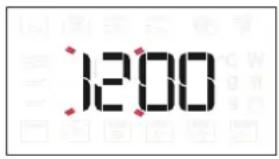
The two digits for the hour will start flashing: Turn the knob to set the hour and then press ⑥ to confirm.
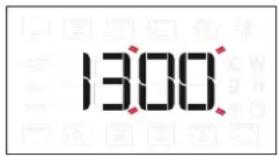
The two digits for the minutes will start flashing. Turn the knob to set the minutes and press ⑥ to confirm.
Please note: To change the time at a later point, press and hold for at least one second while the oven is off and repeat the steps above. You may need to set the time again following lengthy power outages.
2. HEAT THE OVEN
A new oven may release odours that have been left behind during manufacturing: this is completely normal. Before starting to cook food, we therefore recommend heating the oven with it empty in order to remove any possible odours. Remove any protective cardboard or transparent film from the oven and remove any accessories from inside it. Heat the oven to 200^ for around one hour, ideally using a function with air circulation (e.g. "Forced Air"). Follow the instructions for setting the function correctly.
Odors and smoke are normal when the oven is used the first few times, or when it is heavily soiled.
Please note: It is advisable to air the room after using the appliance for the first time.
DAILY USE
1. SELECT A FUNCTION
When the oven is off, only the time is shown on the display. Press and hold to switch the oven on. Turn the knob to view the main functions available on the left-hand display. The function currently in selection will blink, and will stop blinking after the press of the knob (i.e. after its selection). Select one and press.
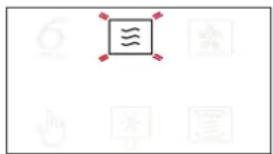
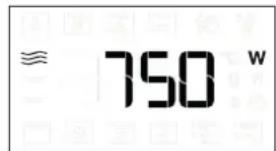
To select a sub-function (where available), select the main function and then press to confirm and go to the function menu.
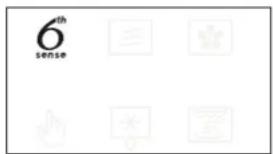
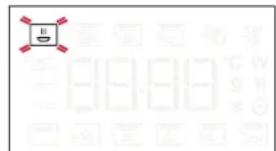
Turn the knob to select from amongst the subfunctions available on the right-hand display and then press to confirm. The sub-function in selection will blink until its confirmation.
2. SET A FUNCTION
. AUTOMATIC FUNCTIONS / JET DEFROST
FOOD CLASS
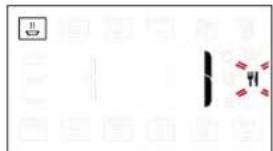
Once you have chosen one of the automatic functions, you will need to select a category for the food you are cooking.
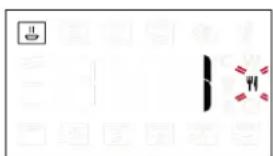
When the icon flashes, turn the knob to select the category you require and then press to confirm. Categories are shown on the stickers applied on the inner door frame.
WEIGHT
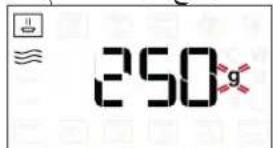
To achieve the best results, the automatic functions (and Jet Defrost) require you to enter the weight of the food, selecting from amongst the default settings: the oven will calculate the ideal length of time for the function to run for each category of food.
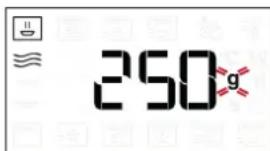
When the default setting appears on the display and the 9 icon flashes, turn the knob to set the weight and then press ⑥ to confirm.
. MANUAL FUNCTIONS
After having selected the function you require, you can change its settings.
The display will show the settings that can be changed in sequence.
When the Wcon flashes on the display, turn the knob to adjust the power setting and then press ⑥ to confirm and continue to alter the settings that follow (if possible).
Please note: Once the function has been activated, the power can be changed by pressing ^ C / W to access the settings menu, then turning the knob to change the setting.
GRILL POWER
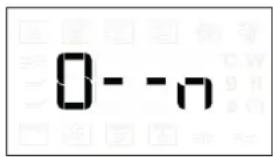
There are three defined power levels for grilling: 1 (low), 2 (mid), 3 (high). The default value is displayed between two flashing " - - " symbols.
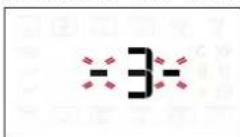
Turn the knob to set the desired grill level, then press 6 to confirm.
DURATION
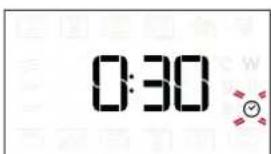
When the icon flashes on the display, use the knob to set the cooking time you require and then press to confirm.
You do not have to set the cooking time if you want to manage cooking manually: Press to confirm and start the function.
Note: During cooking, you can adjust the cooking time by turning the knob; each time you press the cooking time increases by 30 seconds.
QUICK HEAT
Select the function, then use the knob to set the target temperature you require and press to confirm and start the function.
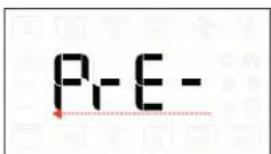
When the oven reaches the target temperature a buzzer sound.
Please note: It is advisable to do not put the food into the oven before the end of this function.
3. ACTIVATE THE FUNCTION
Once you have applied the settings you require, press to activate the function.
Every time the button is pressed again, the cooking time will be increased by a further 30 seconds.
Please note: You can press any time to stop the function that is currently active.
.JET START
When the oven is switched off, it is possible to press to activate cooking with the microwave function set at full power (900 W) for 30 seconds. Each additional press of the button will increase the time by an additional 30 seconds.
. SAFETY LOCK
This function is automatically activated to prevent the oven from being switched on accidentally.
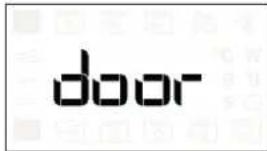
Open and close the door, then press to start the function.
4. PAUSE
To pause an active function, for example to stir or turn the food, simply open the door.
To start it up again, close the door and press.
AUTOMATIC PAUSE
(STIR OR TURN THE FOOD)
Certain functions will pause to allow you to turn or stir the food.
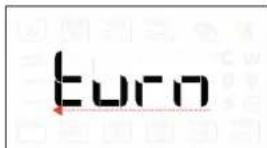
Once the oven has paused cooking, open the door and carry out the action you are prompted to perform before closing the door again and pressing to continue with cooking.
5. COOKING END TIME
An audible signal will sound and the display will indicate that cooking is complete.
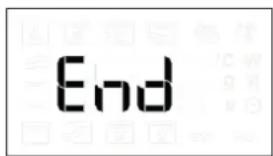
To extend the cooking time without changing the settings, turn the knob to set a new cooking time and press D.
. COOLING DOWN
When a function with hot air is finished, the appliance may carry out a cooling procedure.
The display shows "Cool On".
After this procedure, the oven automatically switches off.
Please note: the cooling procedure can be interrupted by opening the door and will be eventually reactivated, if needs, by closing it again.
. KEY LOCK
To lock the keypad, press and hold for at least 5 seconds.
Do this again to unlock the keypad.
Please note: The key lock can also be activated while cooking is in progress.
For safety reasons, the oven can be switched off at any time by pressing and holding
CLEANING AND MAINTENANCE
Make sure that the appliance has cooled down before carrying out any maintenance or cleaning.
Do not use steam cleaners.
Do not use wire wool, abrasive scourers or abrasive/ corrosive cleaning agents, as these could damage the surfaces of the appliance.
INTERIOR AND EXTERIOR SURFACES
-
Clean the surfaces with a damp microfibre cloth. If they are very dirty, add a few drops of pH-neutral detergent. Finish off with a dry cloth.
-
Clean the glass in the door with a suitable liquid detergent.
-
At regular intervals, or in case of spills, remove the turntable and its support to clean the bottom of the oven, removing all food residue.
-
The grill does not need to be cleaned as the intense heat burns away any dirt. Use this function on a regular basis.
-
Activate the "MW Self Clean" function for an optimum cleaning of the internal surfaces.
ACCESSIONS
All accessories are dishwasher safe with the exception of the Crisp plate.
The Crisp plate should be cleaned using water and a mild detergent. For stubborn dirt, rub gently with a cloth. Always leave the Crisp plate to cool down before cleaning.
TROUBLESHOOTING
| Problem Possible cause Solution | ||
| The oven is not switching on. | Power cut.Disconnection from the mains. | Check for the presence of mains electrical power and whether the oven is connected to the electricity supply. Turn off the oven and restart it to see if the fault persists. |
| The oven makes noises, even when it is switched off. | Cooling fan active. | Open the door or press ☑ |
| The display shows the letter “F” followed by a letter or number. | Software fault. Contact you nearest After-sales Service Centre and state the letter or number that follows the letter “F”. | |
| The oven does not heat up. | When “DEMO” is “On” all commands are active and menus available but the oven doesn’t heat up. | To exit DEMO mode, follow this procedure: press ℃/W, ℄C/W, ℃/W, in sequence (6 taps in total). You will hear a beep signal that the operation has been successful. The clock flashes waiting for the hour setting. At this point, the oven is ready to be used. |
Policies, standard documentation and additional product information can be found by:
- Using the QR code in your appliance
Visiting our website docs.whirlpool.eu/docs - Alternatively, contact our After-sales Service (See phone number in the warranty booklet). When contacting our After-sales Service, please state the codes provided on your product's identification plate.

PRODUKTBESCHREIBUNG
6TH SENSE FUNCTIONS (FONCTIONSENSE)
. FONCTIONS MANUELLES
RECHTHOEKIGE BAKPLAAT
MANUAL FUNCTIONS (FUNZIONI MANUALI)

MANUAL FUNCTIONS (FUNCTIONS MAN.)

PRECALEN. RAPIDO
TAK FORDI DU HAR KØBT ET WHIRLPOOL PRODUKT
Gentag procedure for at oplas tastaturet.
| TOIT | GRILLIMISE TASE | KESTUS (MIN) |
| Kanakebab | Körge 25 - 35 | |
Soovitatavad tarvikud:Traatrest

TURBO GRILL + ML
SISE- JA VÄLISPINNAD
KIITOS SIIT,ETTA OSTIT WHIRLPOOL-TUOTTEEN
6^th SENSE -TOIMINNOT
. MANUALISED TOIMINNOT
| PRODUKTI | GRILEŠANAS LİMETIS | ILGUMS (MIN) |
| Vistas kebabs | High | 25-35 |
leteicamie piederumi: Stieplu rezgis

TURBO GRILL + MW (TURBO GRILEŠANA UN MIKROVIÑNU REZÍMS)
Atrai produktu pagatavosanai un apbruninasa nai, apvienojot mikrovilnu, grila un cepeškrasns gaisa konvekciju.
| PRODUKTI JAUDA (W) | GRILEŠANAS LİMETIS | ILGUMS (MIN) | |
| Kaneloni (saldeti) | 650 | High | 25-35 |
| Cükgalias karbonade | 350 | High | 30-40 |
leteicamie piederumi: Stieplu rezgis

DEFROST (ATKAUSESA)
Lai atr atkausetu dazadu veidu edenus, noradot tikai to svaru. Lai panaktu labako rezultatu, vienmer novietojiet edenu tiesi uz rotejosas stikla plaksnes.
MAIZES CIPSI ATKAUSETI
Si ekskluziva Whirlpool funkcija lauj atkauset saldetu maizi. Apvienojot atkauseesanas un apbruninanasanstehnologijas jusu maize garso ka svaigi cepta. Izmantojiet so fungciju, lai atriatkausetu un uzilditu apalmaizites, bagetes un kruasanus. Krauksku plate jaizmanto ar so fungciju.
| KATEGORIJA | PRODUKTI | SVARS |
| 1* | ATKAUSÉSANA NOTEIKTÁ LAIKÁ | - |
| 2* | Gaça | 100 g-2 kg |
| 3* | Majputni | 100 g-3 kg |
| 4* | Zivs | 100 g-2 kg |
| 5* | MAIZES ČIPSI ATKAUSÉTI | 50-800 g |

CRISP
Piemerots, lai perfekti apbruninatu edienus gan no augspuses, gan apakspuses. Si funkcija izmantojama tikai ar ipaaso krauksku skivi.
| PRODUKTI | ILGUMS (MIN) |
| Rauga kūka | 7 - 8 |
| Hamburgers | 8 - 10* |
DEKOJAME, KAD ISIGIJOTE, WHIRLPOOL" GAMIN!
Kad galétumè tinkamai pasinaudoti
(PAMAIŠYKITE ARBA APVERSKITE MAISTA)
TAKK FOR AT DU KJØPTE ET WHIRLPOOL-PRODUKT
For a motta en mer utfyllende assistanse, vennligst registrar Produktet ditt pa www.whirlpool.eu/register

Fó du bruker apparatet ma du lese sikkerhetsanvisingene noye.
SKANN QR-KODEN PÄ DITT APPARAT FOR Å FÅ YTTERLIGERE INFORMASJON
PRODUKTBESKRIVELSE
- Kontrollpanel
- Rundt varmeelement (ikke synlig)
- Identifikasjonsplate (må ikke fjernes)
- Dør øpen
- Øvre varmeelement/grill
- Lys
7.Roterende tallerken
KONTROLLPANEL
1. VENSTRE DISPLAY
2.PAUSE
For a ta en pause i stekesyklusen
3.PA/AV
RENGJØRING OG VEDLIKEHOLD
6TH SENSE FUNCTIONS (FUNKCJE 6th SENSE)
MANUAL FUNCTIONS (FUNKCJERECZNE)

SZYBKIE NAGRZEW.
TACK FÖR ATT DU HAR KöPT EN PRODUKT FRAN WHIRLPOOL
For basta kundservice, registrar da n apparat paa www.whirlpool.eu/register

gabll lilai jiaeall gail palaal gil gial
a 1
CRISP 1
Cissr Cissr Crisp
a.s.l.l a.s.l.l
ygl 1 yj jplabll g, all j
el gll jg jgl plabll llall yaaill jlaal
Jk jslll
12c! aaiol ocl alalil
"Crisp Fry" 11b, jao 4 Ciao jao
le Aaill Asll g,(Ciao jao (

.5jz j 5y4i0xpa 5
j 1234567890
j j j j j j j j j j j j j j j j j j j j j j j j j j j j j j j j j j j j j j j j j j j j j j j j j j j j j j j j j j j j j j j
aaiiie
auiu uuiiui iie aieo, j gai jai gai y: abx o
aal jll aai lao ai iia
jglsl jglsl aale
CRISP 1
Crisp jlll jlll 1 aai i aai i aai i aai i aai i aai i aai i aai i aai i aai i aai i aai i aai i aai i aai i aai i aai i aai i aai i aai i aai i aai i aai i aai i aai i aai i aai i aai i aai i aai i aai i aai i aai i aai i
.Crisp
y jil gill jlll lal clllsl 5g jie caiy
MW SELF CLEAN

aaiiaaiiaaiiaaiiaaiiaaiiaaiiaai
a a
aall 1

Cg yall aab 10 baa Sall aa
aannnnnne aen annnne ennnnne
aiDall (s) 21, aill, g jiai iiaiaiaia iay
Jusil jusil Jua bbl Jua aas galsgals
yjbjil: jnss sia aie gai jgai jgi
palell laljly jywnll
a_i = 70%
| 100-500 | French Fries (عربية) | *1 |
| 100-500 | 100-500 | |
| 100-500 | 100-500 | |
| 100-500 | 100-500 |
Crisp 1
..crisp ciaa jai!
2011 13
¥
J 0
jgl jll jll gl lla palaal gai jg dai jdx
Jiaai Jiaei Jiaai
CRISP BREAD DEFROST
aall jll jie aill ayil lll paaai aal aal o
i 1
jusw g a jy gill ay yab gll oiai . jlb jia ails
12e! 1
aaii 000 11 jiu yu ciao jao
blll lal 1: jai gll Lla J
1300
aill jie aai iia uie g ydl lalll jall no ciitid
gall zaii plalil g 0d lla lai gul
laall e jil aiau ie g ydl qnl no calill jgl
jgl n jell nae alall g gall no ac giall
o200 1y jai ae wol sd jall n jall no ciaalall
gal ("cl gll "Jia) e gll ayaiyaiyaiyajia gll
jkiayaiyaiygl dcy Caiall
jall n jall plaiiyui ic laiub Jaln jali y
jaiyai Laiuoi ng Laiic gl
jaiyai
g 1
1
aieyge yaiell jiy 1i i jia gai liacie 1ic sgsall caial all ie ciill yjai .slll 6 ic jai
j j 1
Jgll
Jgll
Jgll
Jgll
Jgll
Jgll
Jgll
Jgll
gaiy jiy gaiy yjy yjy yjy Lioic 6
aalbll 1g j caiiie aaiy gaii iiaaii iiaai
gallal yjy jiy gail jai gall jc liag o jll aeg
y
J 1
C/W 1
a
a a a a a a a a a a a a a a a a a a a a a a a a a a a
.5
aill laiis 11 jyell oia g yg aig aig aig
End
= 12( + ) · ( - - )
中
gililyally aaleia Jaei ayj plall Jd Lao jlgll
Jy Jai aai jai
C
1 1 1 1 1 1 1 1 1 1 1 1 1 1 1 1 1 1 1 1 1 1 1 1 1 1 1 1 1 1 1 1 1 1 1 1 1 1 1 1 1 1 1 1 1
a
Jbc
| Jouan Lefevre, CNRS, CNRS, CNRS, CNRS, CNRS, CNRS, CNRS, CNRS, CNRS, CNRS, CNRS, CNRS, CNRS, CNRS, CNRS, CNRS, CNRS, CNRS, CNRS, CNRS, CNRS, CNRS, CNRS, CNRS, CNRS, CNRS, CNRS, CNRS, CNRS, CNRS, CNRS, CNRS, CNRS, CNRS | Jouan Lefevre, CNRS, CNRS, CNRS, CNRS, CNRS, CNRS, CNRS, CNRS, CNRS, CNRS, CNRS, CNRS, CNRS, CNRS, CNRS, CNRS, CNRS, CNRS, CNRS, CNRS, CNRS, CNRS, CNRS, CNRS, CNRS, CNRS, CNRS, CNRS, CNRS, CNRS,CNRS, CNRS, CNRS, CNRS, CNRS, CNRS, CNRS, CNRS, CNRS, CNRS, CNRS, CNRS, CNRS, CNRS, CNRS, CNRS, CNRS, CNRS, CNRS, CNRS, CNRS, CNRS, CNRS, CNRS, CNRS, CNRS, CNRS, CNRS, CNRS, CNRS, CNRS, CNRS, CNRS, CNRs, CNRS, CNRS, CNRS, CNRS, CNRS, CNRS, CNRS, CNRS, CNRS, CNRS, CNRS, CNRS, CNRS, CNRS, CNRS, CNRS, CNRS, CNRS, CNRS, CNRS, CNRS, CNRS, CNRS, CNRS, CNRS, CNRS, CNRS, CNRS, CNRS, CNRS, CNRS, CNRS, CNRS, Jouan Lefevre, CNRS, CNRS, CNRS, CNRS, CNRS, CNRS, CNRS, CNRS, CNRS, CNRS, CNRS, CNRS, CNRS, CNRS, CNRS, CNRS, CNRS, CNRS, CNRS, CNRS, CNRS, CNRS, CNRS, CNRS, CNRS, CNRS, CNRS, CNRS, CNRS, CNRS, CNRs, Jouan Lefevre, CNRS, CNRS, CNRS, CNRS, CNRS, CNRS, CNRS, CNRS, CNRS, CNRS, CNRS, CNRS, CNRS, CNRS, CNRS, CNRS, CNRS, CNRS, CNRS, CNRS, CNRS, CNRS, CNRS, CNRS, CNRS, CNRS, CNRS, CNRS, CNRS, CNRS,CNRRS, CNRS, CNRS, CNRS, CNRS, CNRS, CNRS, CNRS, CNRS, CNRS, CNRS, CNRS, CNRS, CNRS, CNRS, CNRS, CNRS, CNRS, CNRS, CNRS, CNRS, CNRS, CNRS, CNRS, CNRS, CNRS, CNRS, CNRS, CNRS, CNRS, CNRS, CNRS, CNRS, CNRS Jouan Lefevre, CNRS, CNRS, CNRS, CNRS, CNRS, CNRS, CNRS, CNRS, CNRS, CNRS, CNRS, CNRS, CNRS, CNRS, CNRS, CNRS, CNRS, CNRS, CNRS, CNRS, CNRS, CNRS, CNRS, CNRS, CNRS, CNRS, CNRS, CNRS, CNRS, CNRS, CNR Jouan Lefevre, CNRS, CNRS, CNRS, CNRS, CNRS, CNRS, CNRS, CNRS, CNRS, CNRS, CNRS, CNRS, CNRS, CNRS, CNRS, CNRS, CNRS, CNRS, CNRS, CNRS, CNRS, CNRS, CNRS, CNRS, CNRS, CNRS, CNRS, CNRS, CNRS, CNRS,CNR Jouan Lefevre, CNRS, CNRS, CNRS, CNRS, CNRS, CNRS, CNRS, CNRS, CNRS, CNRS, CNRS, CNRS, CNRS, CNRS, CNRS, CNRS, CNRS, CNRS, CNRS, CNRS, CNRS, CNRS, CNRS, CNRS, CNRS, CNRS, CNRS, CNRS, CNRS, CNRS Jouan Lefevre, JF Jouan Lefevre, DEMO Jouan Lefevre, DEMO Jouan Lefevre, DEMO Jouan Lefevre, DEMO Jouan Lefevre, DEMO Jouan Lefevre, DEMO Jouan Lefevre, DEMO Jouan Lefevre, DEMO Jouan Lefevre, DEMO Jouan Lefevre, DEMO | Jouan Lefevre, CNRS, CNRS, CNRS, CNRS, CNRS, CNRS, CNRS, CNRS, CNRS, CNRS, CNRS, CNRS, CNRS, CNRS, CNRS, CNRS, CNRS, CNRS, CNRS, CNRS, CNRS, CNRS, CNRS, CNRS, CNRS, CNRS, CNRS, CNRS, CNRS, CNRS, CEN Jouan Lefevre, CNRS, CNRS, CNRS, CNRS, CNRS, CNRS, CNRS, CNRS, CNRS, CNRS, CNRS, CNRS, CNRS, CNRS, CNRS, CNRS, CNRS, CNRS, CNRS, CNRS, CNRS, CNRS, CNRS, CNRS, CNRS, CNRS, CNRS, CNRS, CNRS, CNRS, Cen Jouan Lefevre, CNRS, CNRS, CNRS, CNRS, CNRS, CNRS, CNRS, CNRS, CNRS, CNRS, CNRS, CNRS, CNRS, CNRS, CNRS, CNRS, CNRS, CNRS, CNRS, CNRS, CNRS, CNRS, CNRS, CNRS, CNRS, CNRS, CNRS, CNRS, CNRS, CNRS, cn Jouan Lefevre, CNRS, CNRS, CNRS, CNRS, CNRS, CNRS, CNRS, CNRS, CNRS, CNRS, CNRS, CNRS, CNRS, CNRS, CNRS, CNRS, CNRS, CNRS, CNRS, CNRS, CNRS, CNRS, CNRS, CNRS, CNRS, CNRS, CNRS, CNRS, CNRS, CNRS, CAS Jouan Lefevre, CNRS, CNRS, CNRS, CNRS, CNRS, CNRS, CNRS, CNRS, CNRS, CNRS, CNRS, CNRS, CNRS, CNRS, CNRS, CNRS, CNRS, CNRS, CNRS, CNRS, CNRS, CNRS, CNRS, CNRS, CNRS, CNRS, CNRS, CNRS, CNRS, CNRS, CHT Jouan Lefevre, CNRS, CNRS, CNRS, CNRS, CNRS, CNRS, CNRS, CNRS, CNRS, CNRS, CNRS, CNRS, CNRS, CNRS, CNRS, CNRS, CNRS, CNRS, CNRS, CNRS, CNRS, CNRS, CNRS, CNRS, CNRS, CNRS, CNRS, CNRS, CNRS, CNRS, CM Jouan Lefevre, CNRS, CNRS, CNRS, CNRS, CNRS, CNRS, CNRS, CNRS, CNRS, CNRS, CNRS, CNRS, CNRS, CNRS, CNRS, CNRS, CNRS, CNRS, CNRS, CNRS, CNRS, CNRS, CNRS, CNRS, CNRS, CNRS, CNRS, CNRS, CNRS, CNRS, CR Jouan Lefevre, CNRS, CNRS, CNRS, CNRS, CNRS, CNRS, CNRS, CNRS, CNRS, CNRS, CNRS, CNRS, CNRS, CNRS, CNRS, CNRS, CNRS, CNRS, CNRS, CNRS, CNRS, CNRS, CNRS, CNRS, CNRS, CNRS, CNRS, CNRS, CNRS, CNRS, CP Jouan Lefevre, CNRS, CNRS, CNRS, CNRS, CNRS, CNRS, CNRS, CNRS, CNRS, CNRS, CNRS, CNRS, CNRS, CNRS, CNRS, CNRS, CNRS, CNRS, CNRS, CNRS, CNRS, CNRS, CNRS, CNRS, CNRS, CNRS, CNRS, CNRS, CNRS, CNRS, CT Jouan Lefevre, CNRS, CNRS, CNRS, CNRS, CNRS, CNRS, CNRS, CNRS, CNRS, CNRS, CNRS, CNRS, CNRS, CNRS, CNRS, CNRS, CNRS, CNRS, CNRS, CNRS, CNRS, CNRS, CNRS, CNRS, CNRS, CNRS, CNRS, CNRS, CNRS, CNRS, CB Jouan Lefevre, CNRS, CNRS, CNRS, CNRS, CNRS, CNRS, CNRS, CNRS, CNRS, CNRS, CNRS, CNRS, CNRS, CNRS, CNRS, CNRS, CNRS, CNRS, CNRS, CNRS, CNRS, CNRS, CNRS, CNRS, CNRS, CNRS, CNRS, CNRS, CNRS, CNRS, CA Jouan Lefevre, CNRS, CNRS, CNRS, CNRS, CNRS, CNRS, CNRS, CNRS, CNRS, CNRS, CNRS, CNRS, CNRS, CNRS, CNRS, CNRS, CNRS, CNRS, CNRS, CNRS, CNRS, CNRS, CNRS, CNRS, CNRS, CNRS, CNRS, CNRS, CNRS, CNRS, CL Jouan Lefevre, CNRS, CNRS, CNRS, CNRS, CNRS, CNRS, CNRS, CNRS, CNRS, CNRS, CNRS, CNRS, CNRS, CNRS, CNRS, CNRS, CNRS, CNRS, CNRS, CNRS, CNRS, CNRS, CNRS, CNRS, CNRS, CNRS, CNRS, CNRS, CNRS, CNRS, SNR Jouan Lefevre, CNRS, CNRS, CNRS, CNRS, CNRS, CNRS, CNRS, CNRS, CNRS, CNRS, CNRS, CNRS, CNRS, CNRS, CNRS, CNRS, CNRS, CNRS, CNRS, CNRS, CNRS, CNRS, CNRS, CNRS, CNRS, CNRS, CNRS, CNRS, CNRS, CNRS, Jouan Lefevre, CEN Jouan Lefevre, CEN Jouan Lefevre, CEN Jouan Lefevre, CEN Jouan Lefevre, CEN Jouan Lefevre, CEN Jouan Lefevre, CEN Jouan Lefevre, CEN Jouan Lefevre, CEN Jouan Lefevre, CEN CEN Jouan Lefevre, CEN Jouan Lefevre, CEN Jouan Lefevre, CEN Jouan Lefevre, CEN Jouan Lefevre, CEN Jouan Lefevre, CEN Jouan Lefevre, CEN Jouan Lefevre, CEN Jouan Lefevre, Cen Jouan Lefevre, CEN Jouan Lefevre, CEN Jouan Lefevre, CEN Jouan Lefevre, CEN Jouan Lefevre, CEN Jouan Lefevre, CEN Jouan Lefevre, CEN Jouan Lefevre, CEN Jouan Lefevre, CEN |