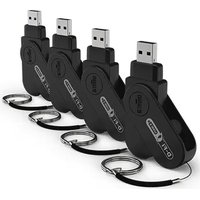
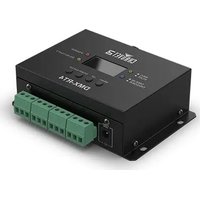
D-Fi USB 2×4 - Controller Chauvet - Free user manual and instructions
Find the device manual for free D-Fi USB 2×4 Chauvet in PDF.


| Brand | Chauvet |
| Model | D-Fi USB 2×4 |
| Product type | Wireless DMX controller |
| Power supply | USB port (5 V, 500 mA) |
| Connectivity | USB, wireless DMX (2.4 GHz) |
| Protocol | DMX512 |
| Wireless range | Up to 30 m (line of sight) |
| Frequency | 2.4 GHz |
| Main functions | Wireless DMX control, ILS-compatible |
| Operating temperature | 0 °C to 40 °C |
| Protection rating | IP20 (indoor use) |
| Compliance | FCC Part 15 Class B |
| Box contents | D-Fi USB 2 (×4), quick reference guides |
| Safety | Do not open, do not expose to moisture, minimum distance 20 cm |
| Maintenance and cleaning | Disconnect before cleaning, use a dry cloth |
| Spare parts and repairability | No user-serviceable parts |
Frequently Asked Questions - D-Fi USB 2×4 Chauvet
User questions about D-Fi USB 2×4 Chauvet
0 question about this device. Answer the ones you know or ask your own.
Ask a new question about this device
Download the instructions for your Controller in PDF format for free! Find your manual D-Fi USB 2×4 - Chauvet and take your electronic device back in hand. On this page are published all the documents necessary for the use of your device. D-Fi USB 2×4 by Chauvet.
USER MANUAL D-Fi USB 2×4 Chauvet
Quick Reference Guide
English EN
Espanol ES
Français FR
Deutsch DE
Italiano IT
Nederlandsls NL

Scan the QR code to access the product page, warranty terms, and the complete User Manual
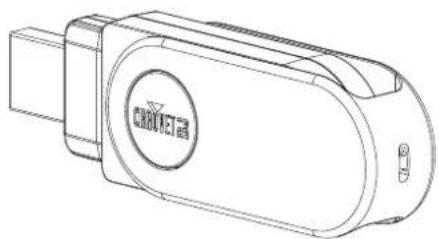
D-Fi USB 2
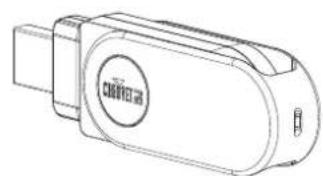
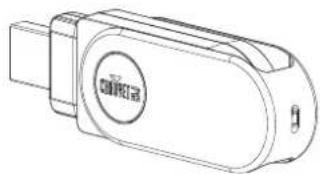
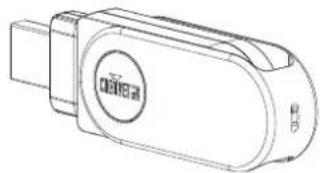
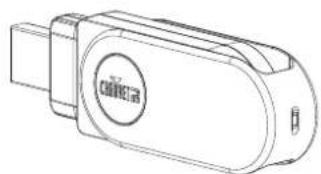
D-Fi USB 2x4
Intentionally Left Blank Page
Safety Notes
These Safety Notes include important information about installation, use, and maintenance of the D-Fi USB 2 and D-Fi USB 2x4.
ALWAYS:
Connect to a grounded circuit.
Connect to operating voltages as specified on the product's spec sticker.
Disconnect from power before replacing the fuse.
Disconnect from its power source during periods of inactivity.
Heed all restrictions and warnings on the spec sticker.
Replace the fuse with the same type and rating.
In the event of a serious operating problem, stop using immediately.
DO NOT:
Open this product or attempt any repairs. It contains no user-serviceable parts.
Allow flammable materials close to the product when it is operating.
Connect to a dimmer or rheostat.
Operate in temperatures higher than 104^ (40^)
Expose to environments that exceed the Ingress Protection (IP) rating.
Expose to rain or moisture.
Use outdoors.
Submerge.
Leave outdoors for extended periods of time.
Expose to corrosive environmental conditions such as temperature, humidity, salinity, pressure, radiation, or shock.
Set this product on a flammable surface.
What is Included
D-Fi USB 2
D-Fi USB 2 Quick Reference Guide
D-Fi USB 2x4
D-Fi USB 2 (X4) Quick Reference Guide
FCC Statement of Compliance
This device complies with Part 15 Part B of the FCC rules. Operation is subject to the following two conditions:
1. This device may not cause harmful interference, and
2. This device must accept any interference received, including interference that may cause undesired operation. This equipment has been tested and found to comply with the limits for a Class B digital device, pursuant to Part 15 of the FCC Rules. These limits are designed to provide reasonable protection against harmful interference in a residential installation. This equipment generates uses and can radiate radio frequency energy and, if not installed and used in accordance with the instructions, may cause harmful interference to radio communications. However, there is no guarantee that interference will not occur in a particular installation. If this equipment does cause harmful interference to radio or television reception, which can be determined by turning the equipment off and on, the user is encouraged to try to correct the interference by one or more of the following measures:
Reorient or relocate the receiving antenna.
Increase the separation between the equipment and receiver.
Connect the equipment into an outlet on a circuit different from that to which the receiver is connected.
Consult the dealer or an experienced radio/TV technician for help.
Any changes or modifications not expressly approved by the party responsible for compliance could void the user's authority to operate the equipment.
RF Exposure Warning for North America and Australia
Warning! This equipment complies with FCC radiation exposure limits set forth for an uncontrolled environment. This equipment should be installed and operated with a minimum distance of 20~cm between the radiator and the user. This transmitter must not be co-located or operating in conjunction with any other antenna or transmitter.
ILS Connection
The D-Fi USB 2 and D-Fi USB 2x4 uses the DMX data connection and the D-Fi USB for wireless connection to the Integrated Lighting System (ILS) ecosystem (patent pending). For more information about configuring the D-
Fi USB 2 and D-Fi USB 2x4 into ILS mode, please refer to the User Manual available at www.chauvetdj.com.
Notas de seguridad
D-Fi USB 2 and D-Fi USB 2x4 usability in the US.
Intentionally Left Blank Page
QUICK REFERENCE GUIDE
Multi-Language
Contact Us
General Information Technical Support
Chauvet World Headquarters
Address: 3360 Davie Rd. Voice: (844) 393-7575
Davie, FL 33314 Fax: (954) 756-8015
Voice: (954) 577-4455 Email: chauvetcs@chauvetlighting.com
Fax: (954) 929-5560
Toll Free: (800) 762-1084 Website: www.chauvetdj.com
Chauvet U.K.
Address: Pod 1 EVO Park Email: UKtech@chauvetlighting.eu
Little Oak Drive, Sherwood Park
Nottinghamshire, NG15 0EB Website: www.chauvetdj.eu
UK
Voice: +44 (0) 1773 511115
Fax: +44 (0) 1773 511110
Chauvet Benelux
Address: Stokstraat 18 Email: BNLtech@chauvetlighting.eu
9770 Kruishoutem
Belgium Website: www.chauvetdj.eu
Voice: +32 9 388 93 97
Chauvet France
Address: 3, Rue Ampère
91380 Chilly-Mazarin
France Website: www.chauvetdj.eu
Voice: +33 178 85 33 59
Chauvet Germany
Address: Bruno-Burgel-Str. 11
28759 Bremen
Germany Website: www.chauvetdj.eu
Voice: +49 421 62 60 20
Chauvet Mexico
(Entrance by Calle 2)
Zona Industrial Lerma Website: www.chauvetdj.mx
Lerma, Edo. de Mexico, CP 52000
Voice: +52 (728) 690-2010
Email: DEtech@chauvetlighting.de
Visit the applicable website above to verify our contact information and instructions to request support. Outside the U.S., U.K., Ireland, Mexico, France, Germany, or Benelux, contact the dealer of record.
D-Fi USB 2 and D-Fi USB 2x4 QRG ML6 Rev. 1
© Copyright 2023 Chauvet
All rights reserved
- Quick Reference Guide
- Safety Notes
- What is Included
- D-Fi USB 2
- D-Fi USB 2x4
- FCC Statement of Compliance
- RF Exposure Warning for North America and Australia
- ILS Connection
- Notas de seguridad
- Contact Us
- General Information Technical Support
- Chauvet World Headquarters
- Chauvet U.K.
- Chauvet Benelux
- Chauvet France
- Chauvet Germany
- Chauvet Mexico
Brand : Chauvet
Model : D-Fi USB 2×4
Category : Controller