
Gourmet Check Pro - Barbecue Outdoorchef - Free user manual and instructions
Find the device manual for free Gourmet Check Pro Outdoorchef in PDF.



| Brand | Outdoorchef |
| Model | Gourmet Check Pro |
| Product type | Wireless cooking thermometer |
| Category | Barbecue accessory |
| Power supply | 2 AAA batteries (not included) |
| Connectivity | Bluetooth® 4.0 |
| Compatible app | Outdoorchef for iOS (≥ 8.0) and Android™ (≥ 4.4) |
| Temperature probes | 2 core probes (Food1, Food2) + 1 oven probe (OVEN) |
| Maximum probe temperature | 300 °C / 572 °F |
| Housing waterproofing | IPX4 (splash-proof) |
| Display | Backlit LCD screen |
| Minimum distance from barbecue | 13 cm |
| Probe maintenance | Dishwasher safe with cap closed, dry for 24 h |
| Housing maintenance | Do not wash in dishwasher, protect from water and heat |
| Safety | Do not expose to more than 300 °C, keep out of reach of children, avoid contact with flames |
| Compliance | CE, directive 2014/53/EU |
| Warranty | Manufacturer warranty Outdoorchef AG (see conditions online) |
| Spare parts | Temperature probes, winding and fixing cord, protective caps |
Frequently Asked Questions - Gourmet Check Pro Outdoorchef
User questions about Gourmet Check Pro Outdoorchef
0 question about this device. Answer the ones you know or ask your own.
Ask a new question about this device
Download the instructions for your Barbecue in PDF format for free! Find your manual Gourmet Check Pro - Outdoorchef and take your electronic device back in hand. On this page are published all the documents necessary for the use of your device. Gourmet Check Pro by Outdoorchef.
USER MANUAL Gourmet Check Pro Outdoorchef
8050 Zürich - Switzerland
GENERAL INFORMATION
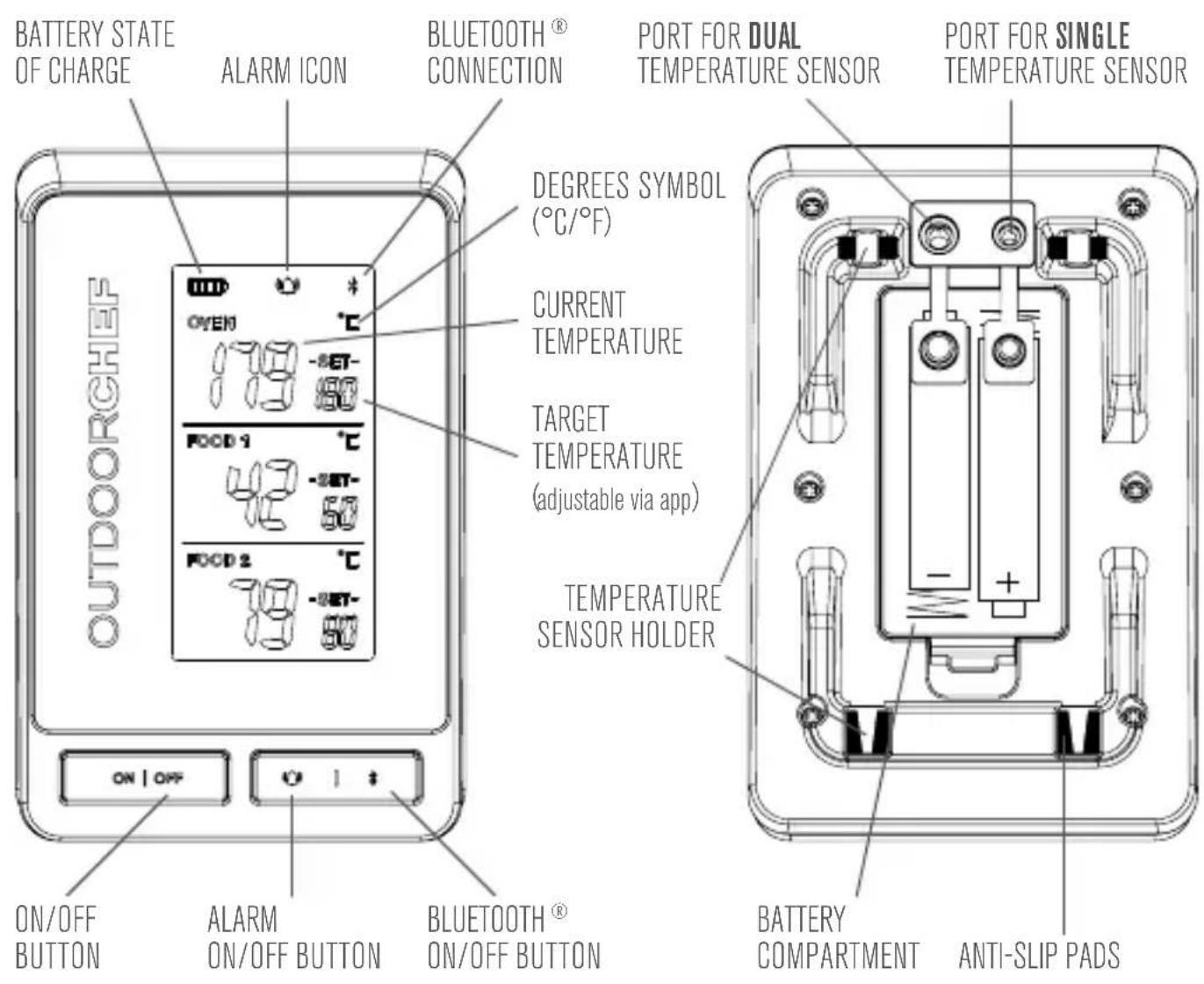
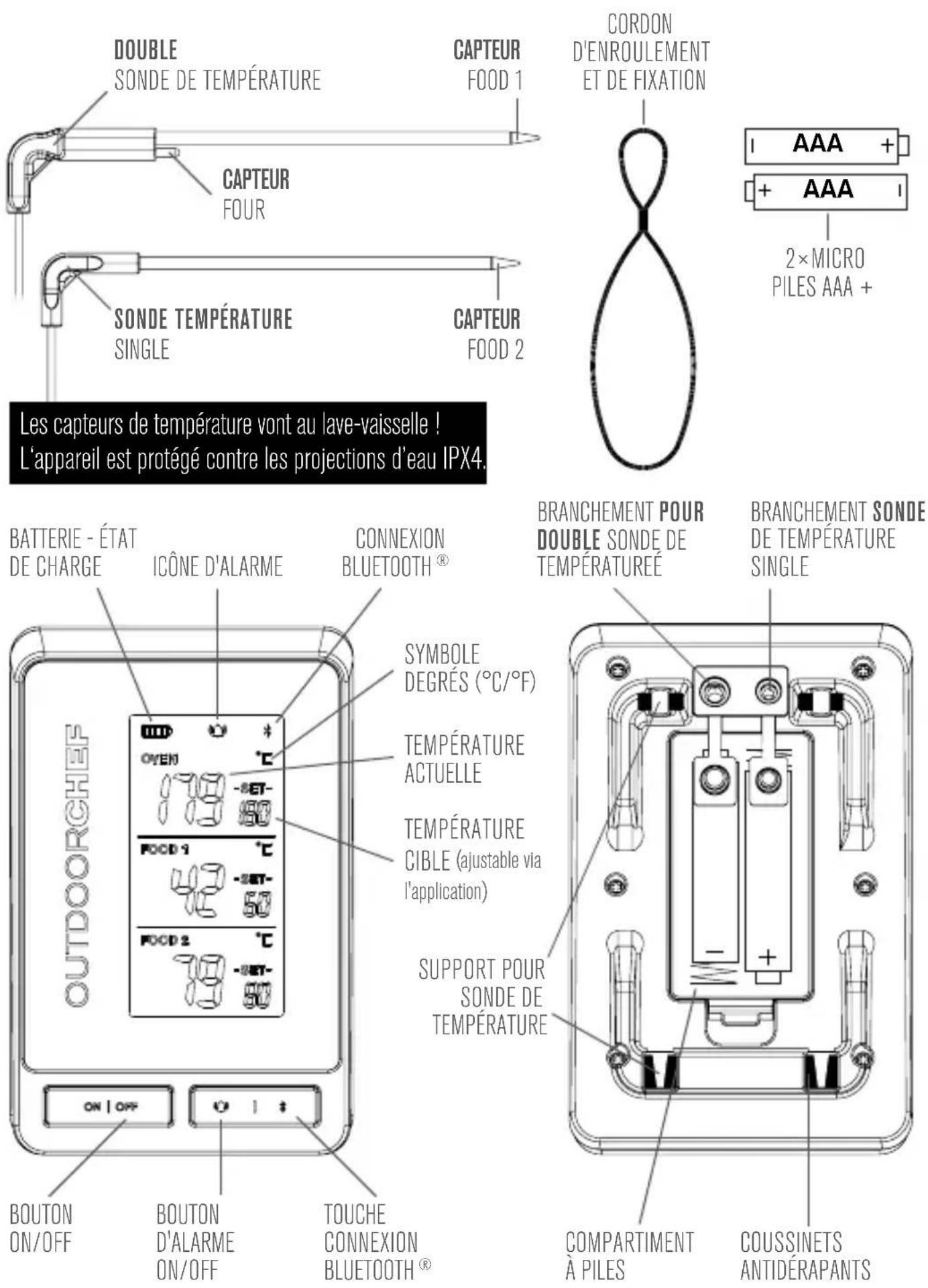
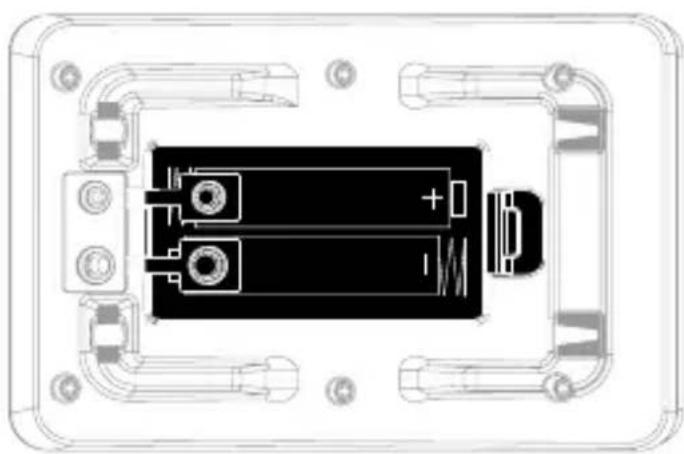
INSERTING THE BATTERIES
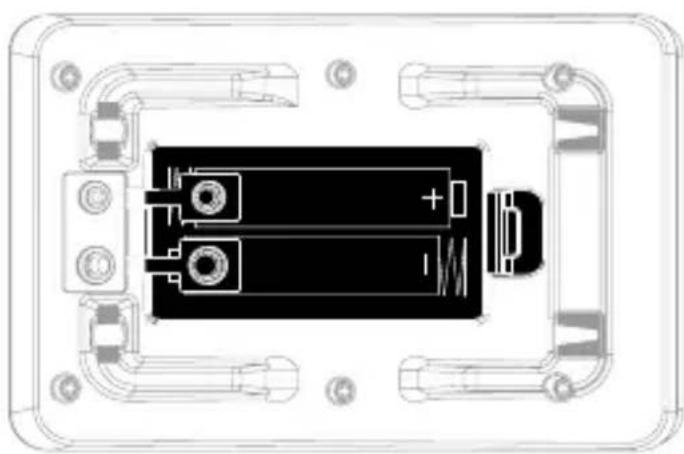
① Open the battery compartment on the back of the device. ② Insert two AAA batteries according to the polarities indicated inside the battery compartment.

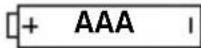
③ Close the battery compartment.
CONNECTING THE TEMPERATURE SENSOR
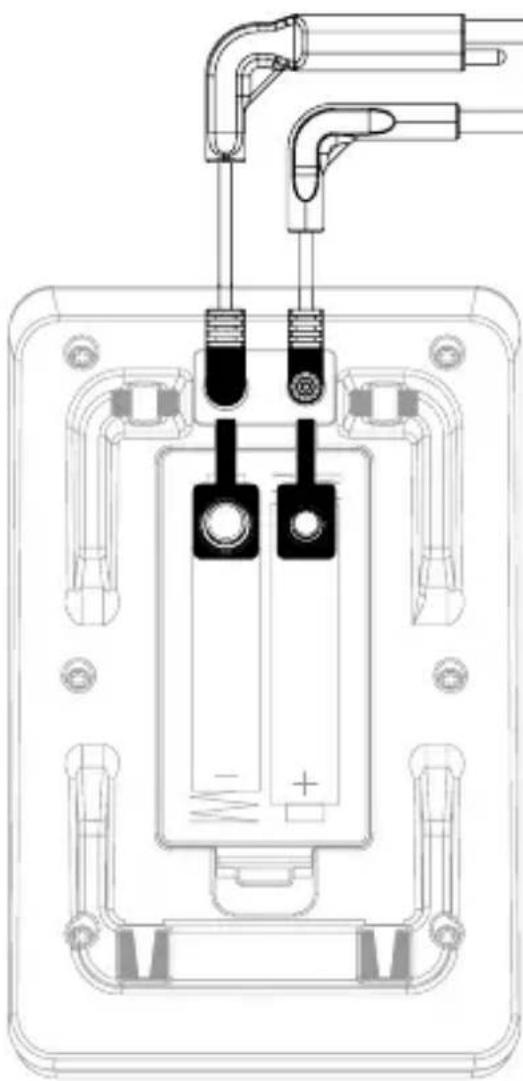
Insert the temperature sensors into the ports provided on the rear of the device. Make sure that the jack plugs are firmly plugged into the jack couplings.
If the temperature sensors are not used, close the jack couplings with the plastic caps. Any infiltration of water or steam into the jack sockets may impair the device's proper functioning and result in incorrect temperature readings.
Before first use
Please read these instructions carefully before using your GOURMET CHECK PRO.
APP DOWNLOAD

DOWNLOAD THE OUTDOORCHEF GOURMET CHECK PRO app from the App Store® or the Google Play™ Store.
Make sure your model meets the system requirements:
iOS ≥ 8.0
Android™ ≥ 4.4
Bluetooth® ≥ 4.2
OPERATION
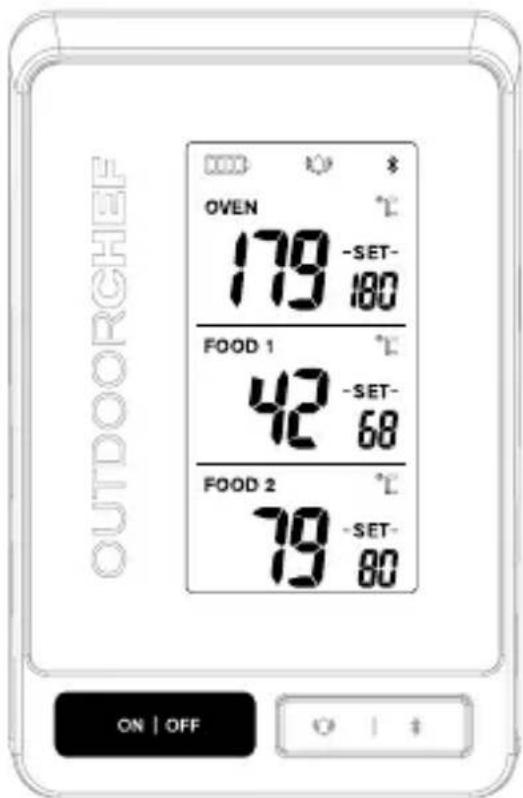
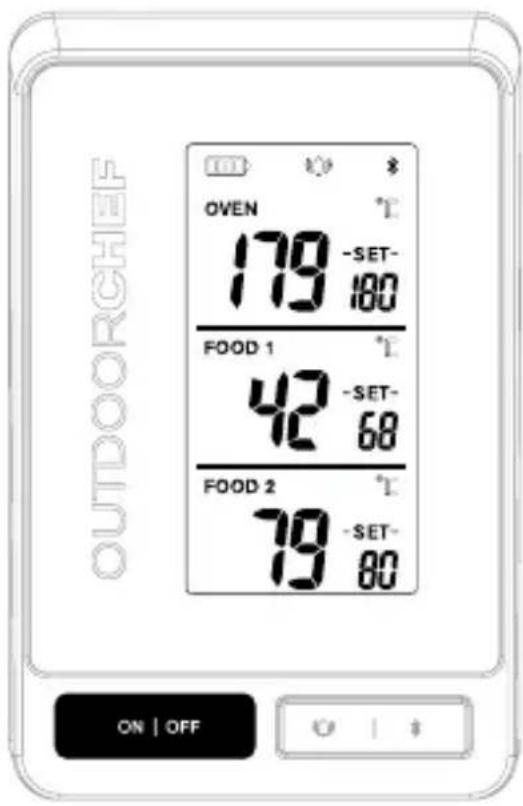
Press and hold the [ON/OFF] button for 2 seconds to switch the electronic unit on or off. When the electronic unit is switched on, the display will show:
"FOOD1" (middle part of the display):
The large number on the left shows the current temperature of the food (as measured).
"SET" shows the current setting for the target core temperature.
"OVEN" (top part of the display):
The large number on the left shows the current temperature of the oven (as measured).
"SET" shows the current setting for the target oven temperature.
"FOOD2" (lower part of the display):
The large number on the left shows the temperature currently being measured by the temperature sensor (without "OVEN")
"SET" shows the current setting for the target core temperature.
The display has background lighting. Press any button to switch the lighting on. The lighting will automatically switch to power-save mode if no button is pressed for 15 seconds.
CONNECTING
To connect to your GOURMET CHECK PRO, the iOS or Android app must be installed. Make sure both devices are turned on and their Bluetooth® function is enabled. As soon as the GOURMET CHECK PRO is switched on and within range, the device will be found by the app and you will see a connection request. Please confirm this. Make sure that the Bluetooth® icon appears on the display. Otherwise, press the Bluetooth® icon to activate it.
① Start the app and follow the instructions to connect the devices. ② Press and hold the [ON/OFF] button on the device for 2 seconds to turn it on. ③ You are now successfully connected.
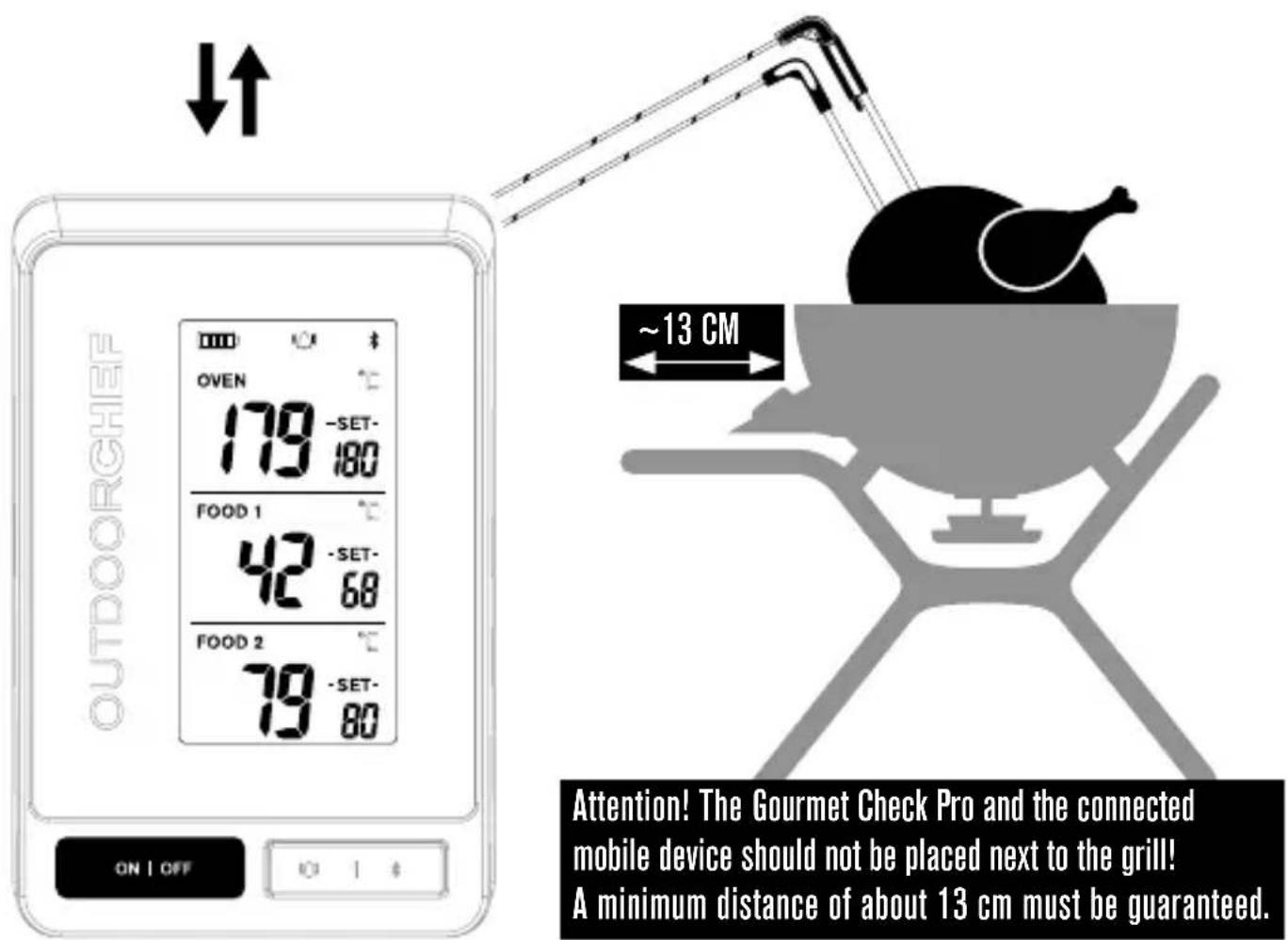
HANGING & WRAP-AROUND STRAP
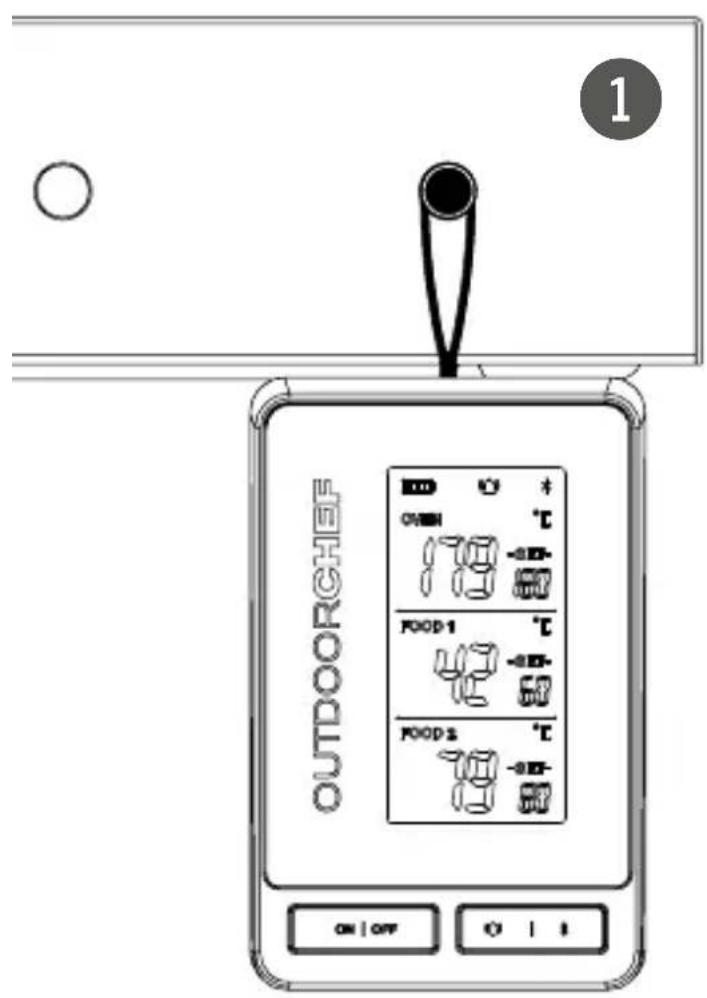
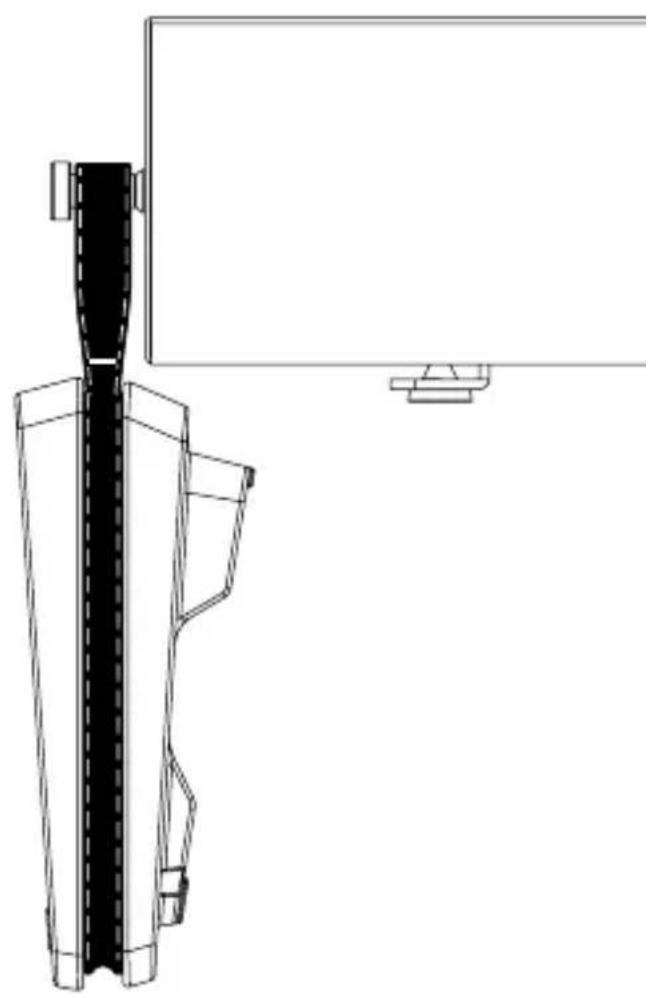
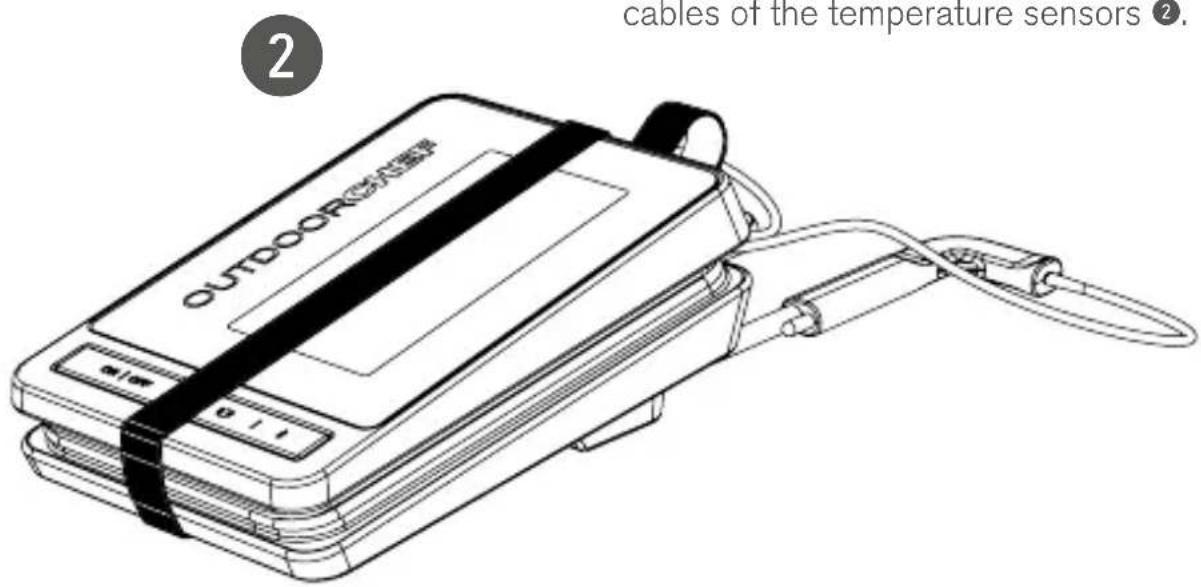
The supplied HANGING & WRAP-AROUND STRAP has various uses. You can hang the appliance on your barbecue ① or elegantly secure the cables of the temperature sensors ②.
CARE INSTRUCTIONS
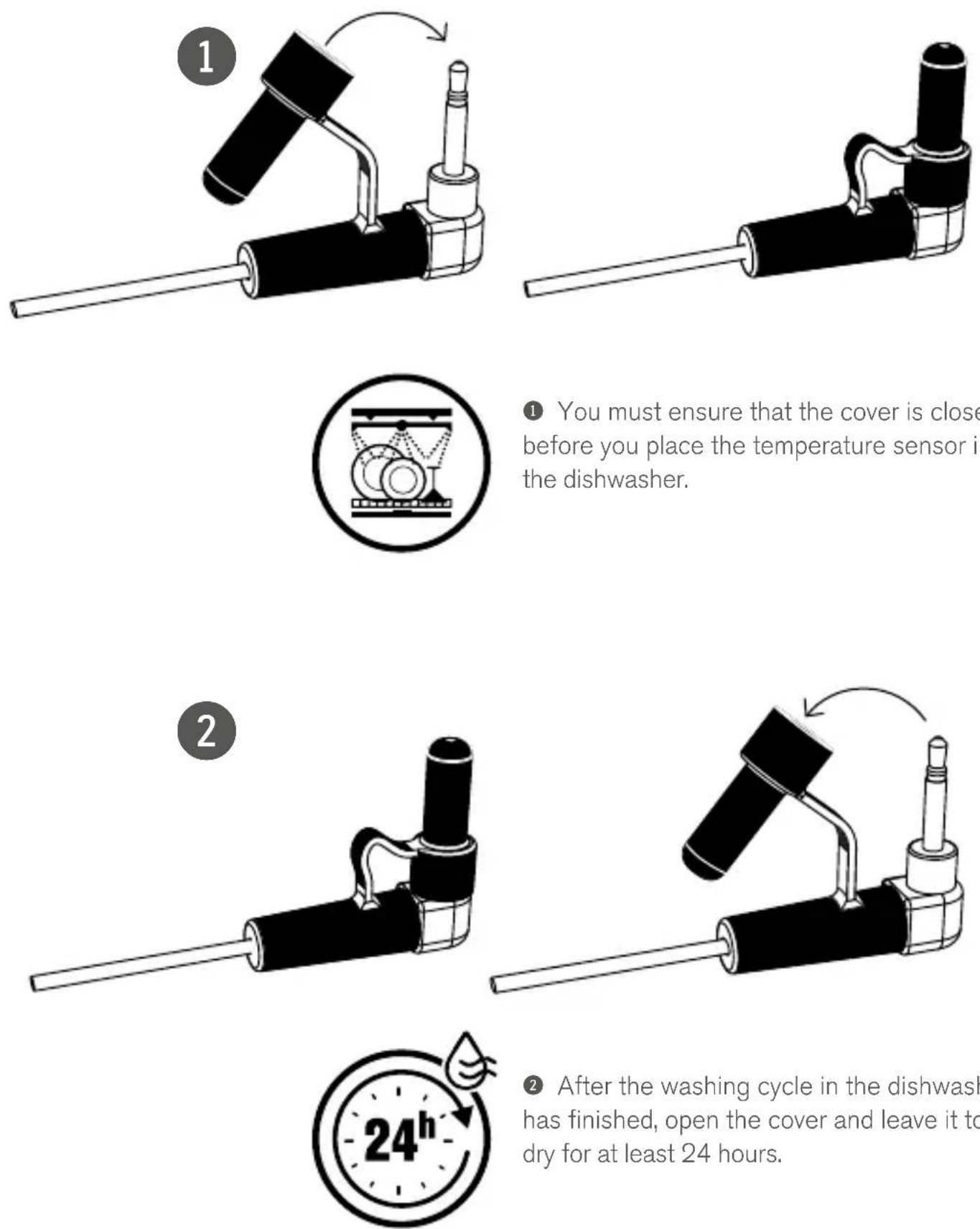
① You must ensure that the cover is closed before you place the temperature sensor in the dishwasher.
② After the washing cycle in the dishwasher has finished, open the cover and leave it to dry for at least 24 hours.
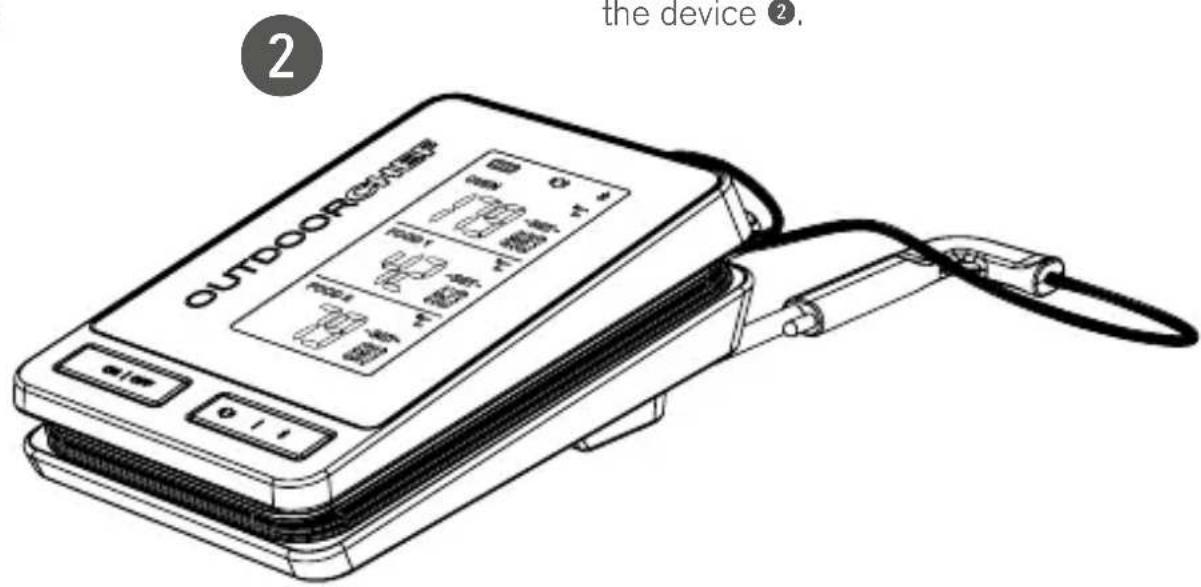
Insert the temperature sensors into the holders provided and press them down until they click into place ①. The temperature sensor cable can now be wrapped around the device ②.
TROUBLESHOOTING (NO CONNECTION)
No connection
If the app does not detect the thermometer or cannot connect to the GOURMET CHECK PRO, follow the steps described below:
- Make sure the thermometer is turned on (display is on, Bluetooth® icon is displayed)
- Place the smartphone or tablet close to the thermometer (to ensure it is within Bluetooth® range)
- Check that the latest iOS or Android OS version and the OUTDOORCHEF app are installed
- Make sure that Bluetooth® is enabled in the device settings
- Restart the smartphone or tablet
Device won't switch on
If the thermometer does not turn on, follow these steps:
- Insert new batteries
- Check that the thermometer is not damaged
For more information on troubleshooting, visit
www.outdoorchef.com
End consumer warranty
As a private end user (consumer) purchasing this OUTDOORCHEF product from an authorised dealer, you are eligible to receive a manufacturer's warranty from Outdoorchef AG. The complete terms and conditions of the warranty can be found online at
www.outdoorchef.com or can be sent to you on request.
Outdoorchef AG
Eggbühlstrasse 28
PO Box
8050 Zürich - Switzerland
GENERAL INFORMATION
The following harmonized standards and technical specifications have been applied:
EN 300328 V2.1.1
EN 301489-1 V2.2.0
EN 301489-17 V3.2.0
EN 62479:2010
EN 61326
1. Simplified Declaration of Conformity:
"Hereby, Outdoorchef AG, declares that the Gourmet Check Pro is in compliance with the essential requirements and other relevant provisions of 2014/53/EU. The full text of the EU declaration of conformity is available at the following internet address: http://data.europa.eu/eli/dir/2014/53/oj
2. Where applicable, the user manual/operational manual shall include the SAR/RF exposure statement similar to the following:
"The device meets RF exposure guidelines when used against the head or when positioned at least 13 cm away from the body. When a carry case, belt clip or other form of device holder is used for body-worn operation, it should not contain metal and should provide at least the above stated separation distance from the body."
3. In cases of restrictions on putting into service or of requirements for authorization of use, necessary explanation and complete instructions about the restrictions or authorization shall be presented in the user manual/operational manual.
- (a) Transmitting frequency band(s); (b) Maximum allowed transmitting power in the frequency band(s) in which the radio equipment operates.
- Any other necessary information, including intended use and installation.
- Device is IPS-protected IPX4.
SAFETY INFORMATION
- Clean the temperature sensor before using it for the first time and after each use
- Only the metal temperature sensor and the cable may be exposed to high temperatures, but not higher than 300°C/572°F
- The cable must not come into direct contact with flames or activated heating elements in the barbecue
- Do not expose the plastic housing with the battery to either heat or direct sunlight
- Do not bend the metal temperature sensor
- Keep the device away from children
- Do not touch metal components with your bare hands during and shortly after use (risk of burns)
- Do not wash the device in a dishwasher, however the temperature sensors may be cleaned in the dishwasher
- Protect the plastic housing from water, moisture and cold
- Do not dismantle the device into its various components

DISPOSAL
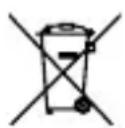




This product must not be disposed of with your other household waste. As a consumer, you are obliged to return all old electrical items for professional disposal. Retailers, manufacturers and importers are obliged to take back, free of charge, worn-out electrical items they carry in their range. Recycling electrical equipment preserves natural resources and protects health and the environment. More information on collection points and on the disposal and recycling of electrical equipment is available from the Federal Office for the Environment (Bundesamt für Umwelt (BAFU)), your local waste management operator, your specialist retailer or the manufacturer of the device.
INSERTING THE BATTERY
Android™ ≥4.4
Bluetooth® ≥4.0
START-UP



- GENERAL INFORMATION
- INSERTING THE BATTERIES
- CONNECTING THE TEMPERATURE SENSOR
- BEFORE FIRST USE
- APP DOWNLOAD
- OPERATION
- CONNECTING
- HANGING & WRAP-AROUND STRAP
- CARE INSTRUCTIONS
- TROUBLESHOOTING (NO CONNECTION)
- NO CONNECTION
- DEVICE WON'T SWITCH ON
- END CONSUMER WARRANTY
- THE FOLLOWING HARMONIZED STANDARDS AND TECHNICAL SPECIFICATIONS HAVE BEEN APPLIED
- SIMPLIFIED DECLARATION OF CONFORMITY
- WHERE APPLICABLE, THE USER MANUAL/OPERATIONAL MANUAL SHALL INCLUDE THE SAR/RF EXPOSURE STATEMENT SIMILAR TO THE FOLLOWING
- IN CASES OF RESTRICTIONS ON PUTTING INTO SERVICE OR OF REQUIREMENTS FOR AUTHORIZATION OF USE, NECESSARY EXPLANATION AND COMPLETE INSTRUCTIONS ABOUT THE RESTRICTIONS OR AUTHORIZATION SHALL BE PRESENTED IN THE USER MANUAL/OPERATIONAL MANUAL
- SAFETY INFORMATION
- DISPOSAL
- INSERTING THE BATTERY
- START-UP
Brand : Outdoorchef
Model : Gourmet Check Pro
Category : Barbecue