CFW91019ENGB - Fridge HAIER - Free user manual and instructions
Find the device manual for free CFW91019ENGB HAIER in PDF.


User questions about CFW91019ENGB HAIER
0 question about this device. Answer the ones you know or ask your own.
Ask a new question about this device
Download the instructions for your Fridge in PDF format for free! Find your manual CFW91019ENGB - HAIER and take your electronic device back in hand. On this page are published all the documents necessary for the use of your device. CFW91019ENGB by HAIER.
USER MANUAL CFW91019ENGB HAIER
WARNING: Risk of fire/flammable material
EN
The symbol indicates there is a risk of fire since flammable materials are used. Take care to avoid causing a fire by ingiting flammable material.
Before first use 6
Installation 6
Daily use 7
Adjust the temperature for fridge 14
Super cool Function 14
Adjust the temperature for freezer 15
Super freeze Function 15
MSA Fresh Function 16
Movement sensor Function 17
Functional Scene 17
Advanced zone Control 19
Ice Making Function 22
ABT PRO 23
Timer Function 24
Door Open Alarm 25
Power-off Memory 25
Link to the phone Function 26
28 Storage guidelines for food
30 Fridge compartment use
31 Freezer compartment use
32 Ice maker use and cleaning
38 Daily care and maintenance
44 Troubleshooting
48 Installation
51 Technical data
53 Customer service
Thank you for purchasing a Haier Product.
Please read these instructions carefully before using this appliance. The instructions contain important information which will help you get the best out of the appliance and ensure safe and proper installation, use and maintenance.
Keep this manual in a convenient place so you can always refer to it for the safe and proper use of the appliance.
If you sell the appliance, give it away, or leave it behind when you move house, make sure you also pass this manual so that the new owner can become familiar with the appliance and safety warnings.
Accessories
Check the accessories and literature in accordance with this list:
Energy lable
Warranty card

User manual "OK" Sticker
Quick Guide
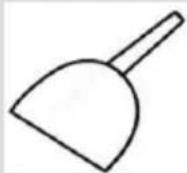
Ice shovel

WARNING – Important Safety information

NOTICE-General information and tips

Environmental information
Disposal
Help protect the environment and human health. Put the packaging in applicable containers to recycle it. Help to recycle waste of electrical and electronic appliances. Do not dispose appliances marked with this symbol with the household waste. Return the product to your local recycling facility or contact your municipal office.
RNING!
Risk of injury or suffocation!
Refrigerants and gases must be disposed of professionally. Ensure that the tubing of the refrigerant circuit is not damaged before being properly disposed of. Disconnect the appliance from the mains supply. Cut off the mains cable and dispose of it. Remove the drawers as well as the door catch and seals, to prevent children and pets to get closed in the appliance.
Before switching on the appliance for the first time, please read the following safety hints.
WARNING!
Before first use
▶Make sure there is no transport damage.
- Remove all packaging and keep out of children's reach.
▶ Wait at least two hours before installing the appliance in order to ensure the refrigerant circuit is fully efficient.
▶ Handle the appliance always with at least two persons because it is heavy.
Installation
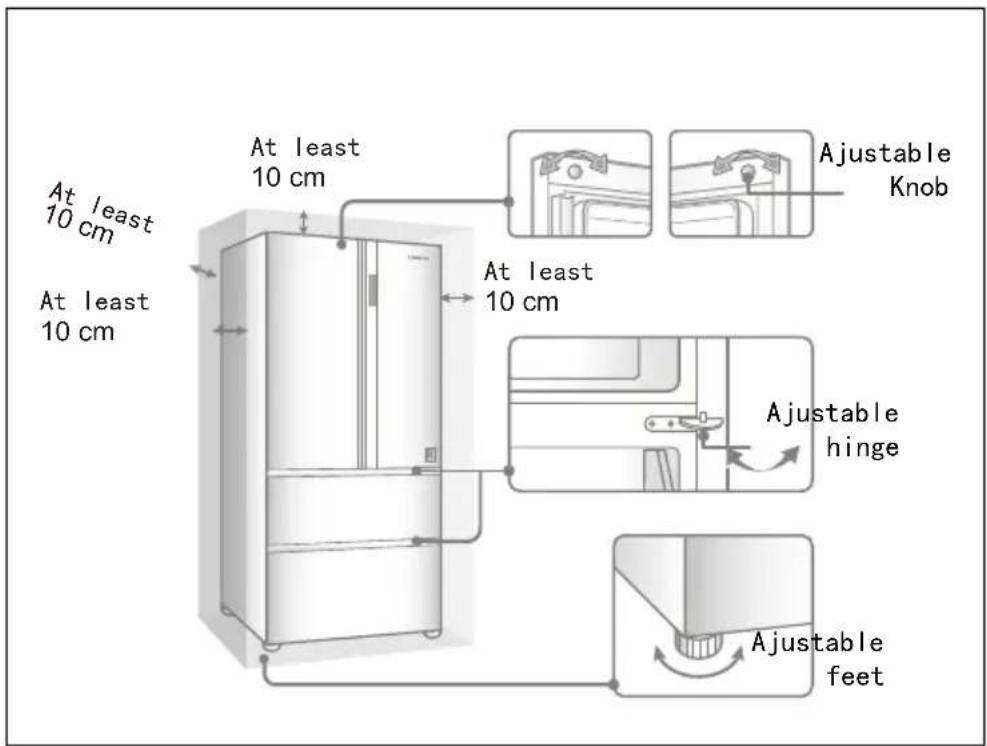
The appliance should be placed in a well-ventilated place. Ensure a space of at least 10 cm above and around the appliance.
▶ Never place the appliance in a damp area or location where it might be splashed with water. Clean and dry water splashes and stains with a soft clean cloth.
- Do not install the appliance in direct sunlight or in the near of heat sources(e.g. stoves, heaters).
▶ Install and level the appliance in an area suitable for its size and use.
- Keep ventilation openings in the appliance or in the in-built structure clear of obstruction.
▶ Make sure that the electrical information on the rating plate agrees with the power supply. If it does not, contact an electrician.
The appliance is operated by a 220-240 VAC/50 Hz power supply. Abnormal voltage fluctuation may cause the appliance to fail to start, or damage to the temperature control or compressor, or there may be an abnormal noise when operating. In such case, an automatic regulator shall be mounted.
▶Do not use multi-plug adapters and extension cables.
- Do not locate multiple portable socket-outlets or portable power supplies at the rear of the appliance.
▶ Ensure that the power cable is not trapped by the refrigerator. Do not step on the power cable.
WARNING!
Use a separate earthed socket for the power supply which is easily accessible. The appliance must be earthed. Only for the UK: The appliance's power cable is fitted with 3-cord (grounding) plug that fits a standard 3-cord (grounded) socket. Never cut off or dismount the third pin (grounding). After the appliance is installed, the plug should be accessible.
▶Do not damage the refrigerant circuit.
Daily use
This appliance can be used by children aged from 8 years and above and persons with reduced physical, sensory or mental capabilities or lack of experience and knowledge if they have been given supervision or instruction concerning use of the appliance in a safe way and understand the hazards involved.
▶ Children aged from 3 to 8 years are allowed to load and unload, but not allowed to clean or install the refrigerating appliances.
- Keep away children under 3 years of age from the appliance unless they are constantly supervised.
▶Children shall not play with the appliance.
If cool gas or other inflammable gas is leaking in the vicinity of the appliance, turn off the valve of the leaking gas, open the doors and windows and do not unplug a plug in the power cable of the refrigerator or any other appliance.
▶ Notice that the appliance is set for operation at a specific ambient range between 10 and 43°C. The appliance may not work properly if it is left for a long period at a temperature above or below the indicated range.
▶ Do not place unstable articles (heavy objects, containers filled with water) on top of the refrigerator, to avoid personal injury caused by falling or electric shock caused by contact with water.
▶ Do not pull on the door shelves. The door may be pulled slant, the bottle rack, may be pulled away, or the appliance may topple.
▶ Open and close the doors only with the handles. The gap between the doors and between the doors and the cabinet is very narrow. Do not extend your hands in these areas to avoid pinching your fingers. Open or close the refrigerator doors only when there are no children standing within the range of door movement.
WARNING!
- Do not store or use inflammable, explosive or corrosive materials in the appliance or in the vicinity.
- Do not store medicines, bacteria or chemical agents in the appliance. This appliance is a household appliance. It is not recommended to store materials that require strict temperatures.
▶ Never store liquids in bottles or cans (besides high percentage spirits) especially carbonated beverages in the freezer, as these will burst during freezing.
▶ Check the condition of food if a warming in the freezer has taken place.
▶ Do not set unnecessarily low temperature in the refrigerator compartment. Minus temperatures may occur at high settings. Attention: Bottles can burst
▶ Do not touch frozen goods with wet hands (wear gloves). Especially do not eat ice lollies immediately after removal from the freezer compartment. There is the risk to freeze or the formation of frost blisters. FIRST aid: keep immediately under running cold water. Do not pull away!
▶ Do not touch the inside surface of the freezer storage compartment when in operation, especially with wet hands, as your hands may freeze onto the surface.
▶ Unplug the appliance in the event of a power interruption or before cleaning. Allow at least 7 minutes before restarting the appliance, as frequent starting may damage the compressor.
▶ Do not use electrical devices inside the food storage compartments of the appliance, unless they are of the type recommended by the manufacturer. Maintenance / cleaning
▶ Make sure children are supervised if they carry out cleaning and maintenance.
▶ Disconnect the appliance from the electrical supply before undertaking any routine maintenance. Allow at least 5 minutes before restarting the appliance, as frequent starting may damage the compressor.
WARNING!
▶Hold the plug, not the cable, when unplugging the appliance.
▶ Do not clean the appliance with hard brushes, wire brushes, detergent powder, petrol, amyl acetate, acetone and similar organic solutions, acid or alkaline solutions. Please clean with special refrigerator detergent to avoid damage.
- Do not scrape off frost and ice with sharp objects. Do not use sprays, electric heaters like heaters, hair dryers, steam cleaners or other sources of heat in order to avoid damage to the plastic parts.
▶ Do not use mechanical devices or other means to accelerate the defrosting process, other than those recommended by the manufacturer.
If the supply cord is damaged, it must be replaced by the manufacturer, its service agent or similarly qualified persons in order to avoid a hazard.
▶ Do not try to repair, disassemble or modify the appliance by yourself. In case of repair please contact our customer service.
Eliminate the dust on the back of the unit at least once in the year to avoid hazard by fire, as well as increased energy consumption.
▶Do not spray or flush the appliance during cleaning.
▶Do not use water spray or steam to clean the appliance.
▶ Do not clean the cold glass shelves with hot water. Sudden temperature change may cause the glass to break.
Refrigerant gas information
WARNING!
The appliance contains the flammable refrigerant ISOBUTANE (R600a). Make sure the refrigerant circuit is not damaged during transportation or installation. Leaking refrigerant may cause eye injuries or ignite. If a damage has occurred, keep away open fire sources, thoroughly ventilate the room, do not plug or unplug the power cords of the appliance or any other appliance. Inform the customer service.
In case of eyes get into contact with the refrigerant, rinse immediately it under running water and call immediately the eye specialist.
Intended use
This appliance is intended for cooling and freezing food. It has been designed exclusively for use in household and similar applications such as staff kitchen areas in shops, offices and other working environments; farm houses and by clients in hotels, motels and other residential type environments as well as in bed-and-breakfast and catering business. It is not intended for commercial or industrial use.
Changes or modifications to the device are not allowed. Unintended use may cause hazards and loss of warranty claims.
Standards and directives
This product meets the requirements of all applicable EC directives with the corresponding harmonised standards, which provide for CE marking.

CAUTION!
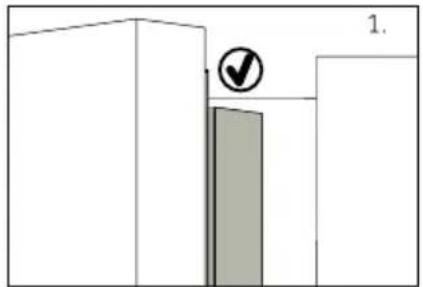
text_image
1.When you close the door, the vertical door strip on the left door should be bent inside (1).

text_image
2.If you try to close the left door and the vertical door strip is unbent (2), you should bend it firstly, otherwise the door strip will hit the fixing shaft or right door. Thus a damage to the door slip or a leak will occur.
There is a heating thread inside the frame. The temperature of the surface will rise a little, which is normal and won't affect the function of appliance.
NOTICE
Due to technical changes and different models, some of the illustrations in this manual may differ from your model.
text_image
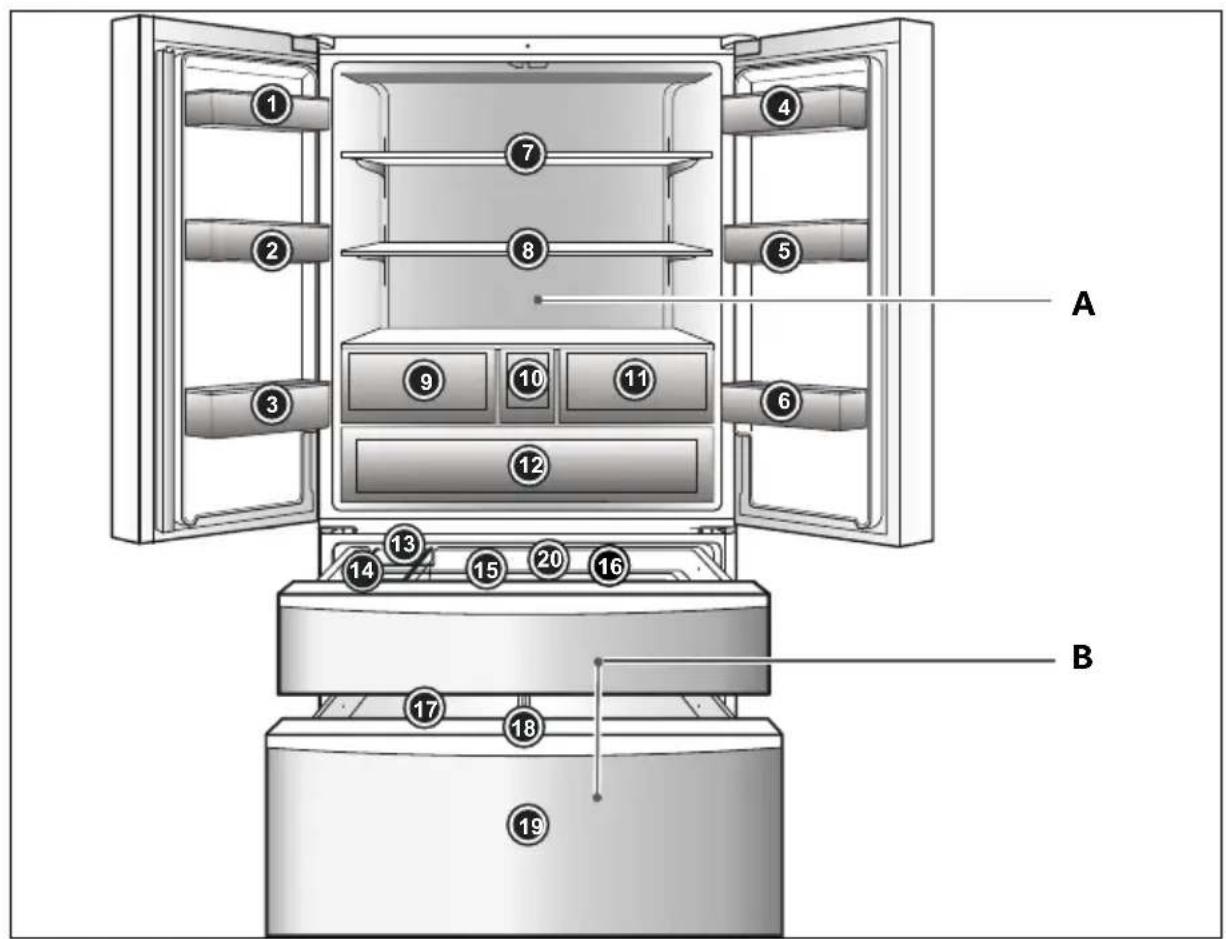
A B 1 2 3 4 5 6 7 8 9 10 11 12 13 14 15 16 17 18 19A: Refrigerator compartment
1 Bottle holder(upper left)
2 Bottle holder(middle left)
3 Bottle holder(lower left)
4 Bottle holder(upper right)
5 Bottle holder(middle right)
6 Bottle holder(lower right)
7 Cantilever shelf
8 Cantilever shelf
9 Moist zone drawer
10 Water storage box
11 My zone drawer
12 MSA drawer
B: Freezer compartment
13 Auto ice maker
14 Ice storage box
15 Upper freezer drawer
16 Upper freezer drawer bracket
17 Sliding drawer
18 Sliding drawer bracket
19 Lower freezer drawer
20 Gear connecting rod
Control panel
text_image
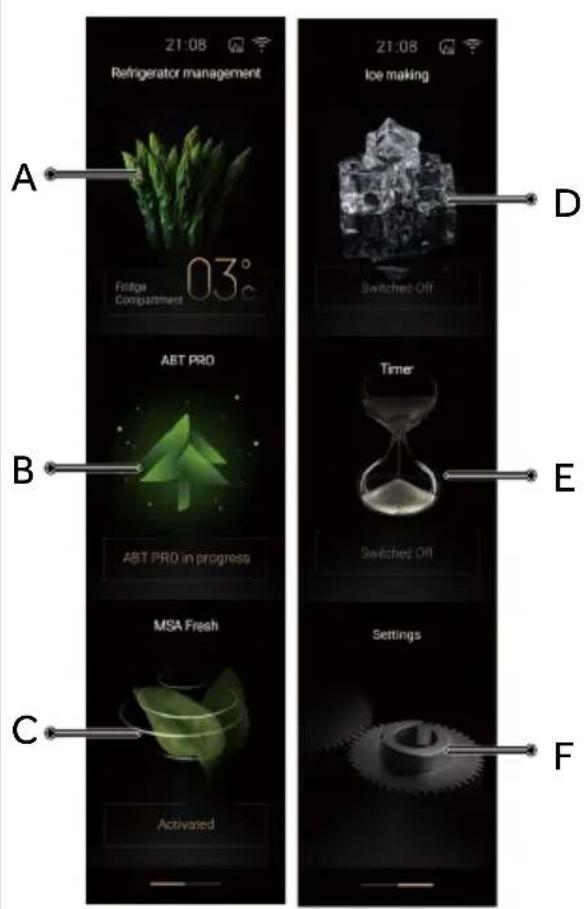
21:08 Refrigerator management 03° Fridge Compartment A B C Activated 21:08 Ice making D Switched Off ABT PRO ABT PRO in progress E Time Switched Off MSA Fresh Settings FButtons:
A Refrigerator adjustment function area
B Smart fresh function area
C MSA space function area
D Ice making function area
E Timer function area
F Function setting area
Before first use
Remove all packaging materials, keep them out of children's reach and dispose them in an environmentally friendly manner.
▶ Clean the inside and outside of the appliance with water and a mild detergent before putting any food in it.
▶ After the appliance has been levelled and cleaned, wait for at least 2-5 hours before connecting it to the power supply. See Section INSTALLATION.
▶ Precool the compartments at high settings before loading with food. The function Super Freeze helps to cool down the compartments quickly.
The refrigerator temperature and freezer temperature are automatically set to 5°C and -18°C respectively. These are the recommended settings. If desired, you can change these temperatures manually. Please see ADJUST THE TEMPERATURE.
Touch keys
The buttons on the control panel are touch keys, which already respond when lightly touched with the finger.
Switch on /of the appliance
The display lights up when the refrigerator is connected to the power supply for the first time. The default setting of the refrigerator is everyday mode:5°C in the fridge compartment, -18°C in the freezing chamber, and the chill compartment is set to cheese.
NOTICE
When the appliance is switched on after disconnection from the main power supply, it may take up to 12 hours for the correct temperatures to be reached.
Empty the appliance before switching off. To switch off the appliance, pull the power cord out off the power socket.
Lock/unlock panel
Automatic lock: When the refrigeration door is opened, if there is no key operation for about 1 minute, the display will automatically turn off and lock.
Unlock: When the display is off, it will light up after opening any door of the refrigerator or tapping any position on the display. The display is unlocked after tapping anywhere on the screen.
Adjust the temperature
The indoor temperatures are influenced by the following factors:
Ambient temperature
Frequency of door opening
Amount of stored foods
Installation of the appliance
Adjust the temperature for fridge
When the display is unlocked, tap the [Fridge compartment] button to enter the refrigeration control interface. Adjust the refrigerating temperature by sliding up and down. The buzzer beeps once after every adjustment. The temperature of Fridge compartment will cycle between 1\~9°C.
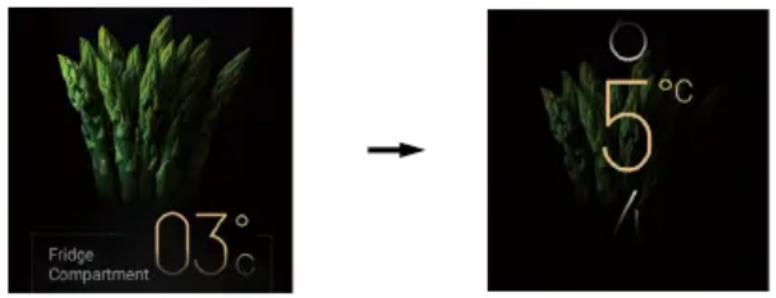
text_image
Fridge Compartment 03° → 5° 1Super cool Function
- When the display is unlocked, tap the [Fridge compartment] button to enter the refrigeration control interface. Tap the Super cool button, the buzzer will sound once, the [Super cool] function icon will light up, and the Super cool function will be switched on. In this state, the Fridge compartment operates as set. After entering the Super cool function for about 5 hours, it will exit automatically.
- When the icon of [Super cool] function is lit, tap the [Super cool] function button, the buzzer will sound once, the icon goes out, and the Super cool function is switched off.
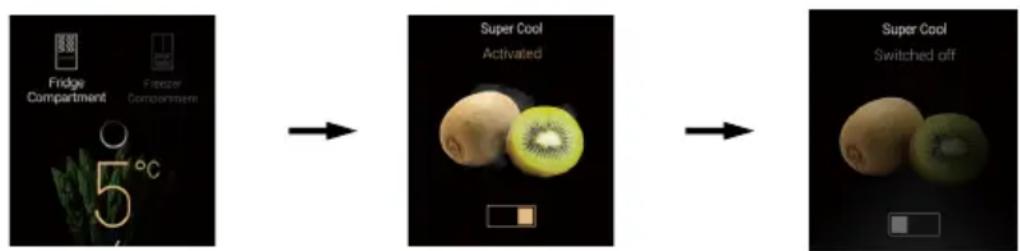
flowchart
graph LR
    A["5°C"] --> B["Super Cool Activated"]
    B --> C["Super Cool Switched off"]
Tap the [Fridge compartment] button Tap once to switch on Super cool Tap again to switch off Super cool
NOTICE
Refrigeration temperature can't be adjusted in Super cool state. If the refrigerating temperature is adjusted, it will prompt that it can't be adjusted in Super cool state.
Adjust the temperature for freezer
When the display is unlocked, tap the [Freezer compartment] button to enter the freezing control interface. Adjust the temperature of Freezer compartment by sliding up and down, the buzzer beeps once after every adjustment. The temperature of Freezer compartment will cycle between -14\~-24°C.
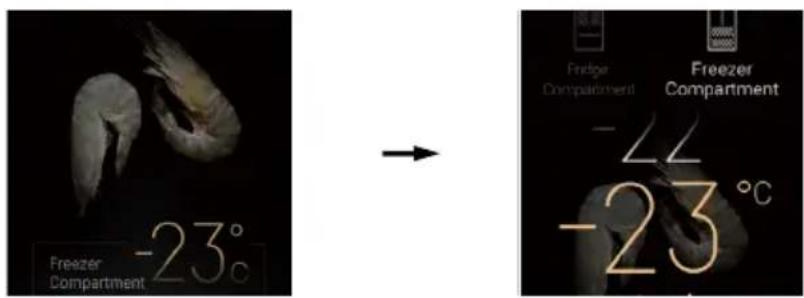
text_image
Freezer Compartment -23°C → Fridge Compartment Freezer Compartment -22 -23°CSuper freeze Function
- When the display is unlocked, tap the [Freezer compartment] button to enter the freezer control interface. Tap the [Super freeze] button, the buzzer will sound once, the icon of [Super freeze] function will light up, and the Super freeze function will be switched on. In this state, the freezer chamber operates as set. After entering the Super freeze function for about 50 hours, it will exit automatically.
- When the icon of [Super freeze] function is on, tap the [Super freeze] function button, the buzzer will sound once, the icon goes out, and the Super freeze function is switched off.
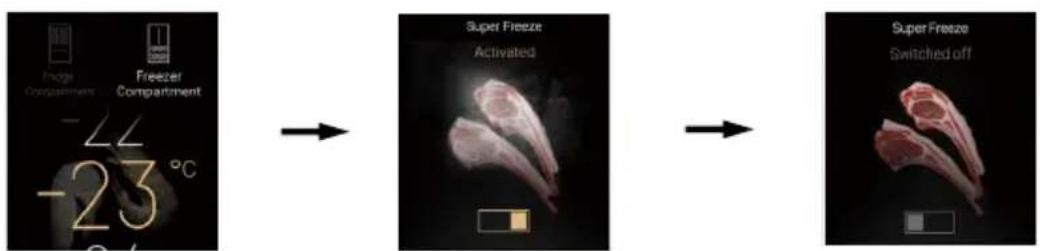
text_image
Fridge Compartment Freezer Compartment -22 -23 °C Super Freeze Activated Super Freeze Switched offTap the [Freezer Compartment] button Tap once to switched on Super freeze Tap again to switched off Super freeze

NOTICE
- Freezing temperature can't be adjusted in Super freeze state. If the freezing temperature is adjusted, it will prompt that it can't be adjusted in Super freeze state.
- Fresh food should be frozen as quickly as possible to the core. This preserved the best nutritional value, appearance and taste. The quick-freeze function accelerates the freezing of fresh food and protects the goods already stored from undesirable warming. Activate the function 24 hours before inserting the food.
MSA Fresh Function
The vacuum pump and filter membrane significantly reduce the oxygen in the sealed room, delay the oxidation process of food, and extend the freshness time of food, which is suitable for storing fruits, vegetables and some foods rich in DHA
- When the display is unlocked, tap the [MSA Fresh] button on the home page to enter the MSA fresh control interface. When the MSA Fresh function is switched off, tap the [MSA Fresh] function button, the buzzer will sound once, the [MSA Fresh] function icon will light up, and the MSA Fresh function will be switched on.
- When the MSA Fresh function is on, tap the [MSA Fresh] function button, the buzzer will sound once, and the [MSA Fresh] function icon goes out, and the MSA Fresh function is switched off.

text_image
MSA Fresh Switched offTap [MSA Fresh] button

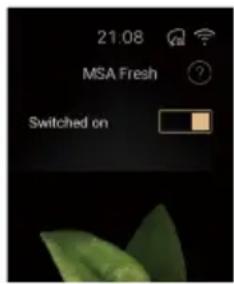
text_image
21.08 MSA Fresh Switched onTap once to switched on

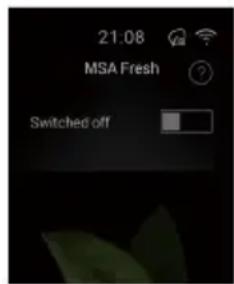
text_image
21:08 MSA Fresh Switched offTap again to switched off
After [MSA Fresh] is switched on, it will automatically enter [Standard Mode]. By tapping the [Standard Mode] or [Powerful Mode] button, you can switch between MSA Standard and MSA Powerful.
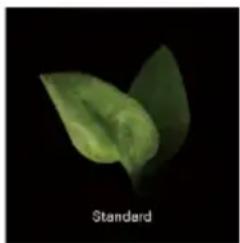
natural_image
Close-up of a green leaf-like structure against a black background, labeled 'Standard' at bottom left (no other text or symbols)Standard mode

natural_image
Green leafy object in a transparent bowl against black background, labeled 'Powerful' at bottom (no other text or symbols)Powerful mode
Movement sensor Function
When it senses that someone is approaching the refrigerator, the display, Smart fresh indicator will automatically light up as a reminder.
- When the display is unlocked, swipe the screen to the left and tap the [Settings] button to enter the setting interface. When the Movement sensor function is switched off, tap the [Movement sensor] button, the buzzer will sound once, the icon of [Movement sensor] function will light up, and the Movement sensor function will be switched on.
- When the icon of Movement sensor function is on, tap the [Movement sensor] button, and the [Movement sensor] icon goes out, and the Movement sensor function is switched off.
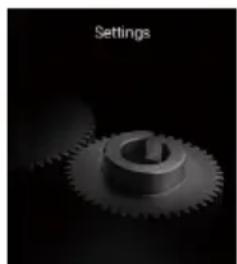
natural_image
Monochrome image of a gear with a central shaft, labeled 'Settings' in the top-left corner (no other text or symbols)Tap the [Settings] button

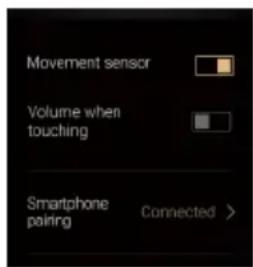
text_image
Movement sensor Volume when touching Smartphone pairing Connected >Tap to switch on movement sensor function

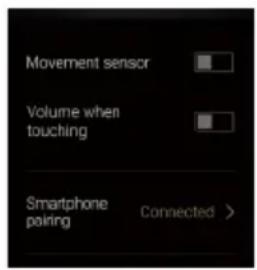
text_image
Movement sensor Volume when touching Smartphone pairing Connected >Tap again to switch off movement sensor function
Functional Scene
Everyday mode
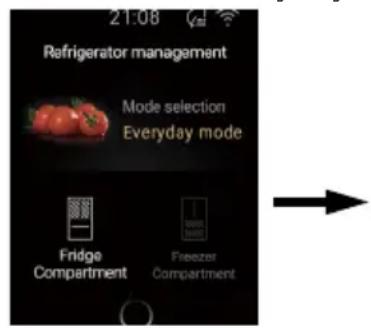
- When the display is unlocked, tap the [Fridge compartment] or [Freezer compartment] button to enter the adjustment interface, and tap the [Mode selection] function button to enter the scene mode interface.
- Tap the [Everyday mode] button, the [Everyday mode] icon lights up, and the refrigerator is set to the everyday mode.
Tips:
[Everyday mode] is a custom mode, which allows adjusting the temperature of refrigeration and freezing, and switch on the Super cool and Super freeze functions.

text_image
Refrigerator management Fridge Compartment 03°Tap the [Fridge compartment] button
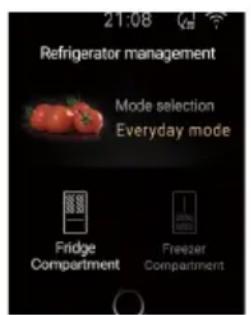
text_image
21:08 Refrigerator management Mode selection Everyday mode Fridge Compartment Freezer CompartmentTap [Mode selection]

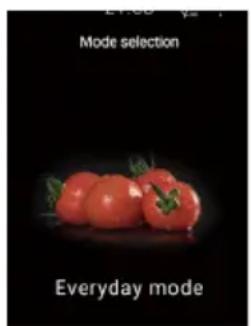
text_image
Mode selection Everyday modeTap [Everyday mode]
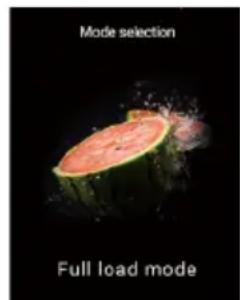
Full load mode
- When the display is unlocked, tap the [Fridge compartment] or [Freezer compartment] button to enter the adjustment interface, and tap the [Mode selection] button to enter the scene mode interface.
- Tap the [Full load mode] button, the [Full load mode] icon lights up, and the refrigerator is set to the full load mode.
Tips:
In [Full load mode] state, refrigerating and freezing will automatically exit after running at the lowest level for a certain period of time, and change to everyday mode. When a large amount of food is put in the Frige compartment or Freezer compartment, it is recommended to switch on [Full load mode].
In [Full load mode] state, the temperature of refrigeration and freezing can't be adjusted.
In [Full load mode] mode, if you exit the Super cool and Super freeze functions, it will automatically switch to Everyday mode.
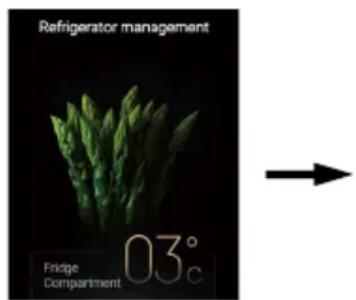
text_image
Refrigerator management Fridge Compartment 03° CTap the [Fridge compartment] button
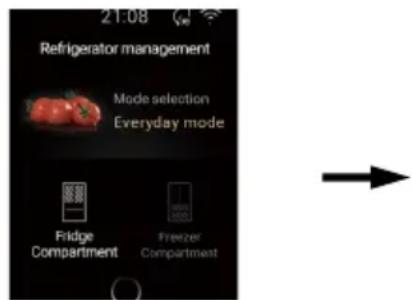
text_image
21:08 Refrigerator management Mode selection Everyday mode Fridge Compartment Freezer CompartmentTap [Mode selection]
text_image
Mode selection Full load modeTap [Full load mode]
Holiday mode
- When the display is unlocked, tap the [Fridge compartment] or [Freezer compartment] button to enter the adjustment interface, and tap the [Mode selection] button to enter the scene mode interface.
- Tap the [Holiday Mode] button, the [Holiday Mode] icon lights up, and the refrigerator is set to Holiday mode.
Tips:
[Holiday Mode] can be used when you are away from home for a long time. After it is switching on, the energy-saving mode will be activated, the temperature will be set at 17^ C, the contents of the refrigerator compartment (including MSA Fresh Zone, Moist zone, Myzone) must be released beforehand. This mode does not affect the operation of the freezer compartment.
In [Holiday Mode], the refrigeration temperature can't be adjusted.
In [Holiday Mode], if the Super cool function is switched on, the Holiday mode will exit and switch to everyday mode.
text_image
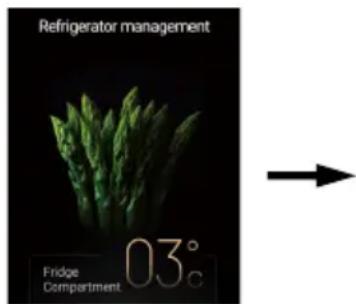
Refrigerator management Fridge Compartment 03°Tap the [Fridge compartment] button
text_image
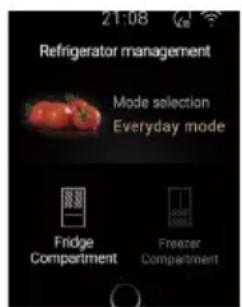
21:08 Refrigerator management Mode selection Everyday mode Fridge Compartment Freezer CompartmentTap [Mode selection]


text_image
Mode selection Holiday modeTap [Holiday mode]
Smart mode
- When the display is unlocked, tap the [Fridge compartment] or [Freezer compartment] button to enter the adjustment interface, and tap the [Mode selection] button to enter the scene mode interface.
- Tap the [Smart mode] button, the [Smart mode] icon lights up, and the refrigerator is set to smart mode.
Tips:
In [Smart mode] state, the refrigerator automatically adjusts the temperature of the Fridge compartment and Freezer compartment according to the ambient temperature.
In [Smart mode] state, the temperature of refrigeration or freezing can't be adjusted.
In [Smart mode] state, if the Super cool function or Super freeze function is switched on, the smart mode will exit and switch to everyday mode.
text_image
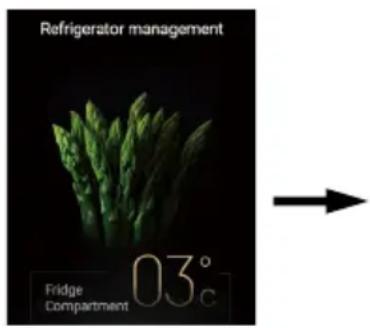
Refrigerator management Fridge Compartment 03°cTap the [Fridge compartment] button
text_image
21:08 Refrigerator management Mode selection Everyday mode Fridge Compartment Freezer CompartmentTap [Mode selection]

text_image
Mode selection A Smart ModeTap [Smart mode]
Advanced zone Control
Moist zone
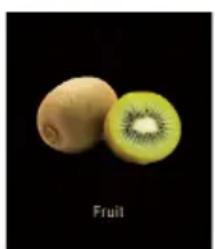
Fruit:
-
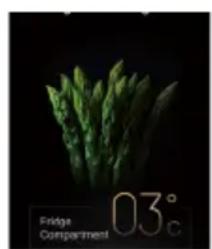
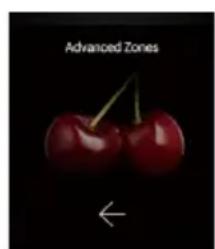
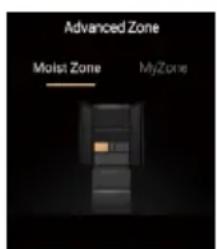
When the display is unlocked, tap the [Fridge compartment] button to enter the adjustment interface, and tap the [Advanced zone] button to enter the moist zone control interface.
-
Tap the [Fruit] button, the [Fruit] icon will light up, and the moist zone will be set to Fruit.
natural_image
Close-up of fresh green asparagus on a dark background, with no visible text or symbols.Tap the [Fridge compartment] button

natural_image
Close-up of two red cherries with green stems against a black background, labeled 'Advanced Zones' and an arrow below (no other text or symbols)Tap [Advanced zone]

text_image
Advanced Zone Moist Zone MyZoneTap [Moist zone]

natural_image
Two kiwifruit pieces, one cut open to show the interior (no text or symbols on the fruit itself)Tap [Fruit]
NOTICE
The Advanced zone function control of the refrigerator door display is synchronized with the moist zone function control of the interior display.
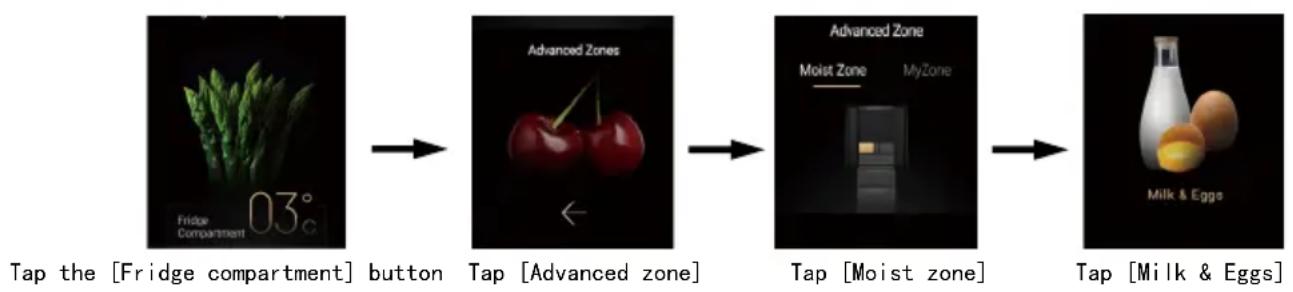
Milk & Eggs
- When the display is unlocked, tap the [Frige compartment] button to enter the adjustment interface, and tap the [Advanced zone] button to enter the moist zone control interface.
- Tap the [Milk & Eggs] button, the [Milk & Eggs] icon will light up, and the moist zone will be set to Milk & Eggs.
flowchart
graph LR
    A["03° Fridge Compartment"] --> B["button"]
    B --> C["Advanced Zones"]
    C --> D["←"]
    D --> E["Tap [Advanced zone"]]
    E --> F["Advanced Zone"]
    F --> G["Moist Zone"]
    G --> H["MyZone"]
    H --> I["Tap [Moist zone"]]
    I --> J["Milk & Eggs"]
    J --> K["Tap [Milk & Eggs"]]
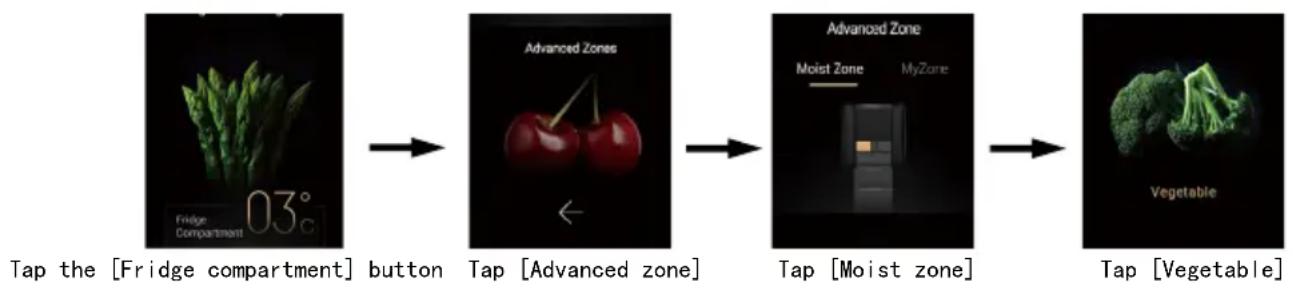
Vegetable:
- When the display is unlocked, tap the [Fridge compartment] button to enter the adjustment interface, and tap the [Advanced zone] button to enter the moist zone control interface.
- Tap the [Vegetable] button, the [Vegetable] icon will light up, and the moist zone will be set to Vegetable.
flowchart
graph LR
    A["03° Fridge Compartment"] --> B["button"]
    B --> C["Advanced Zones"]
    C --> D["←"]
    D --> E["Tap [Advanced zone"]]
    E --> F["Advanced Zone"]
    F --> G["Moist Zone"]
    F --> H["MyZone"]
    G --> I["Tap [Moist zone"]]
    H --> J["Tap [Vegetable"]]
My zone
0 C Fresh:
- When the display is unlocked, tap the [Fridge compartment] button to enter the adjustment interface, and tap the [Advanced zone] button and tap [My zone] to enter the my zone control interface.
- Tap the [0^ Fresh] button, the [0^ Fresh] icon will light up, and the [My zone] will be set to 0^ Fresh.
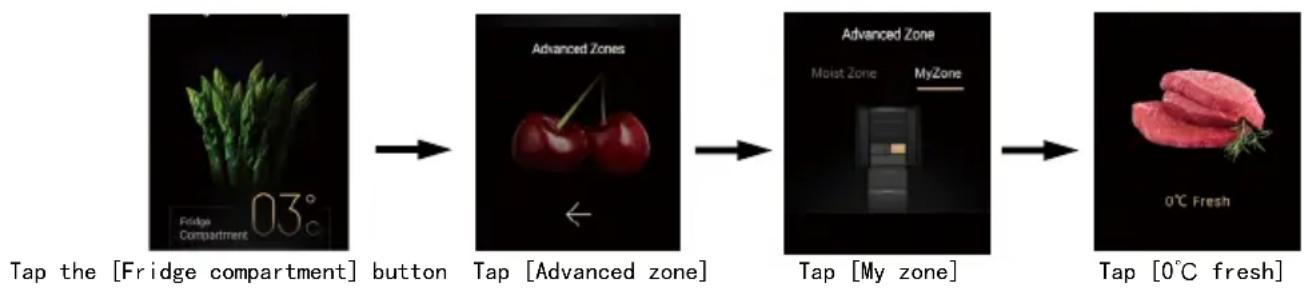
flowchart
graph LR
    A["Top the [Fridge compartment"] button] --> B["Advanced Zones"]
    B --> C["Advanced Zone Moist Zone MyZone"]
    C --> D["Tap 0°C fresh"]
Cool drink:
- When the display is unlocked, tap the [Fridge compartment] button to enter the adjustment interface, and tap the [Advanced zone] button and tap [My zone] to enter the my zone control interface.
- Tap the [Cool Drink] button, the [Cool Drink] icon lights up, and the [My zone] will be set to Cool Drink.
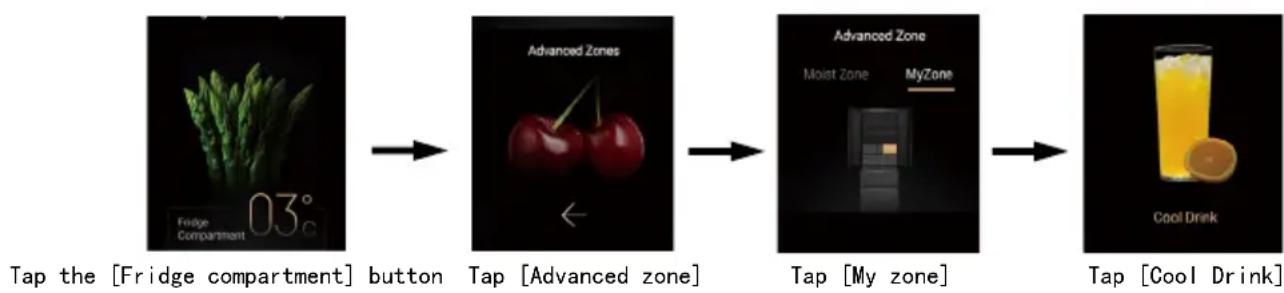
flowchart
graph LR
    A["Top the [Fridge compartment"] button] --> B["Advanced Zones"]
    B --> C["Advanced Zone"]
    C --> D["Tap My zone"]
    D --> E["Tap Cool Drink"]
Cheese:
- When the display is unlocked, tap the [Fridge compartment] button to enter the adjustment interface, and tap the [Advanced zone] button and tap [Cheese] to enter the my zone control interface.
- Tap the [Cheese] button, the [Cheese] icon lights up, and the my zone in the refrigerator is set to Cheese.
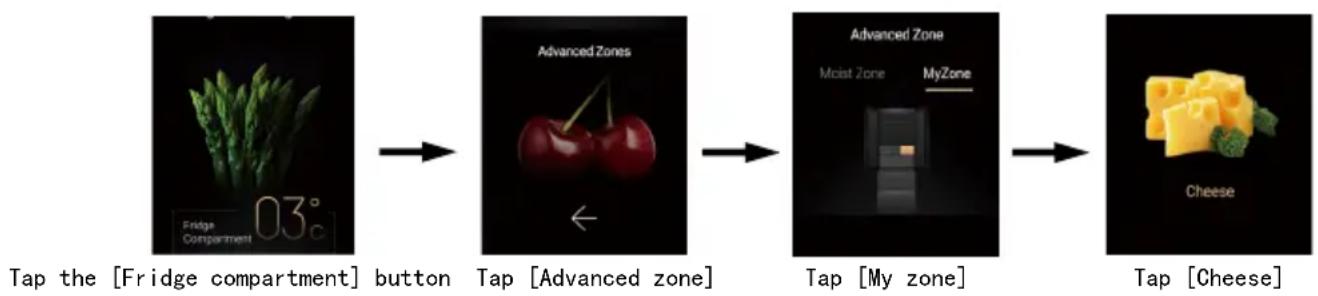
flowchart
graph LR
    A["03° Fridge Compartment"] --> B["button"]
    B --> C["Advanced Zones"]
    C --> D["←"]
    D --> E["Tap [My zone"]]
    E --> F["Advanced Zone"]
    F --> G["Moist Zone MyZone"]
    G --> H["→"]
    H --> I["Tap [Cheese"]]
Ice Making and Fast Ice Making Function
When the power is switched on for the first time, the ice making function is switched off, and the [Ice making] and [Fast ice making] icons are off. When the water storage box is empty or the ice maker is removed, ice making automatically stops.
If there is no need for ice making (or when the ice making function is switched off), please empty the water storage box. Please refer to "Use and Cleaning of Ice Maker" on page 32\~37 for the related usage of the ice maker.
Ice making function:
- When the display is unlocked, swipe to the left on the home page, tap the [Ice making] button to enter the ice making function interface, tap the [Ice making] function button, the buzzer will sound, the display shows ice making switched on, the [Ice making] icon lights up, and the ice making function is switched on.
- When the [Ice making] function icon is on, tap the [Ice making] function button, the buzzer will sound once, indicating that the ice making is switched off, the [Ice making] function icon goes out, and the ice making function is switched off.

flowchart
graph LR
    A["Ice making Activated"] --> B["Ice making Activated"]
    B --> C["Switched off"]
Tape [Ice making] button
Tap to switch on [Ice Making]
Tap to switch off [Ice Making]
Fast Ice Making function:
-
When the display is unlocked, swipe to the left on the home page, tap the [Ice making] button to enter the ice making function interface, tap the [Fast ice making] function button, the buzzer will sound, the display shows Fast Ice Making switched on, the [Fast ice making] icon lights up, and the Fast ice making function is switched on.
-
When the [Fast ice making] function icon is on, tap the [Fast ice making] function button, the buzzer will sound once, indicating that the Fast ice making is switched off, the [Fast ice making] function icon goes out, and the Fast ice making function is switched off.
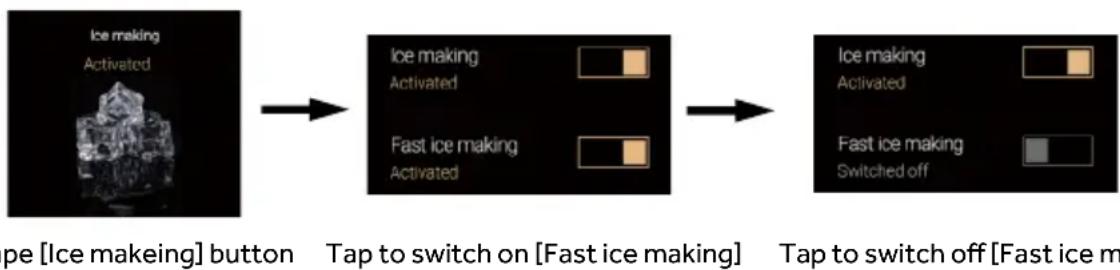
flowchart
graph LR
    A["Ice making Activated"] --> B["Ice making Activated"]
    B --> C["Fast ice making Activated"]
    C --> D["Tap to switch on [Fast ice making"]]
    D --> E["Tap to switch off [Fast ice m"]
ABT PRO
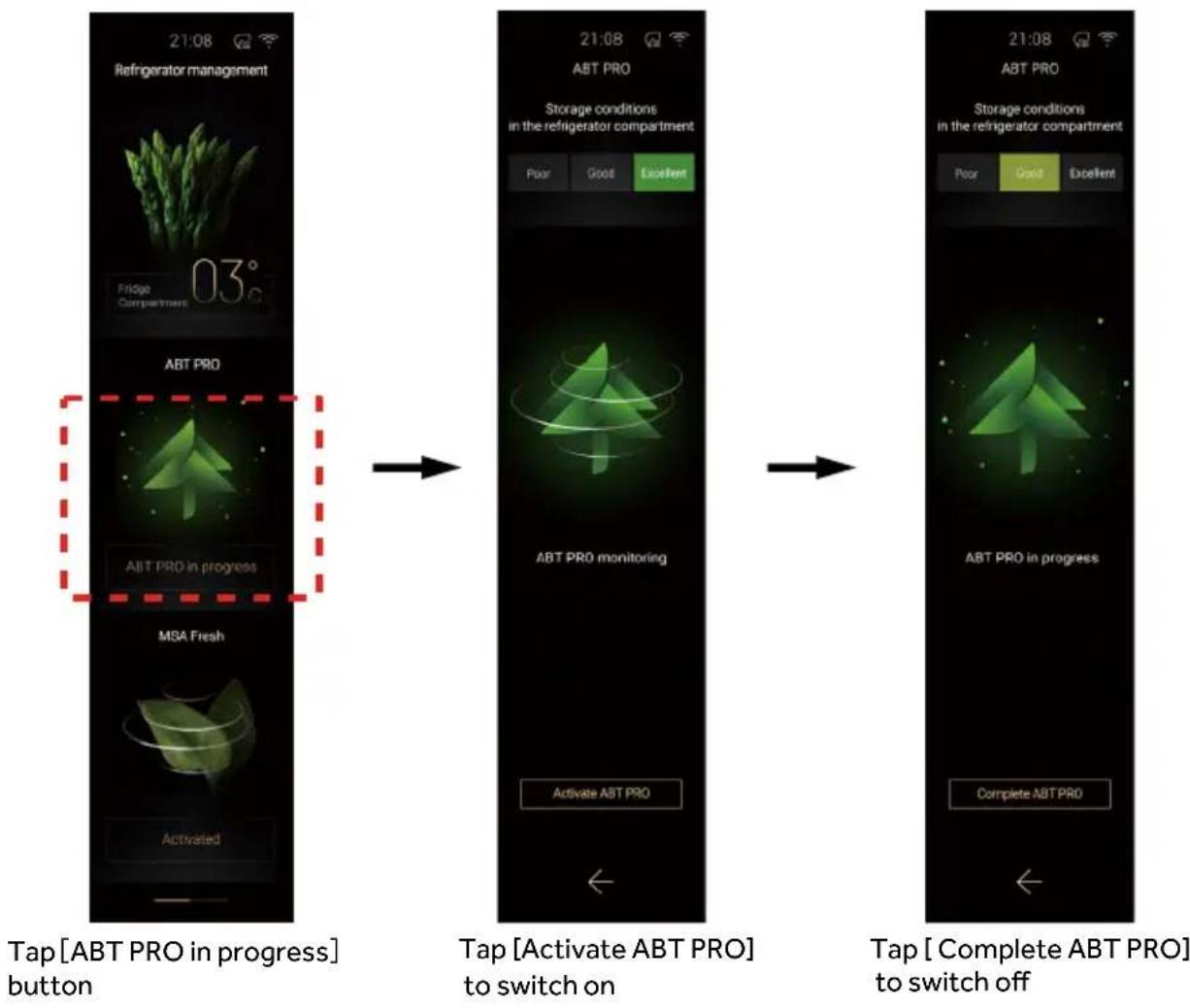
When the display is unlocked, tap [ABT PRO] to enter the ABT PROcontrol interface. The refrigerator automatically switches on the ABT PRO function by detecting the odor conditions in Fridge compartment; you can also manually switch on the purification function. After the purification is switched on, it can be manually exited, or exits automatically after the purification in the Fridge compartment is completed. When the refrigerator is in the state of sterilization and deodorization, the color of the ABT PRO indicator on the right door changes to blue; when the sterilization and deodorization is finished, the color of the indicator changes to white.
Description of refrigerating health:
Best: The refrigerator is in excellent condition, and there is no obvious odor;
Good: The refrigerator is in good condition, but there is an odor;
Poor: The refrigerator is in poor condition, the odor is obvious, and the ingredients may be spoiled or smelly ingredients don't seal well;
The level setting in the refrigerator comes from population test, and some sensitive users may still feel a weak odor at the optimal level;
Remarks:
The ABT PRO system is mainly aimed at identifying and removing abnormal odors, and it is slow to identify and remove the aromatic odors of some ingredients, such as fruit fragrances (jack fruit, etc.), seasonings, condiments (sausages, etc.), etc. There is no healthy way to remove the smell of such ingredients. To prevent the smell, it is recommended to store them in a sealed container or not in the refrigerator.
The level setting in the refrigerator comes from population test, and some sensitive users may still feel a weak odor at the optimal level.
Timer Function
When the display is unlocked, swipe the screen to the left to enter other functional areas, and tap the [Timer] button to enter the timer function interface. Count down as needed, and the refrigerator will remind you when the time is up.
text_image
Timer Switched OffSettings Function
When the display is unlocked, swipe the screen to the left to enter other functional areas, and tap the [Settings] button to enter the setting function interface.
Set screen brightness, time and date, view electronic manuals and customer service functions, etc.
natural_image
3D rendered mechanical gear with a central shaft, set against a dark background (no text or symbols)Door Open Alarm
If any door is not closed for a period of time, the refrigerator will sound an alarm to remind the user. The door open alarm is cancelled when the corresponding door is closed.
Power-off Memory
The instantaneous working state of the power-off is memorized, and it still works according to the previous settings after the power is turned on again.
Link to the phone Function
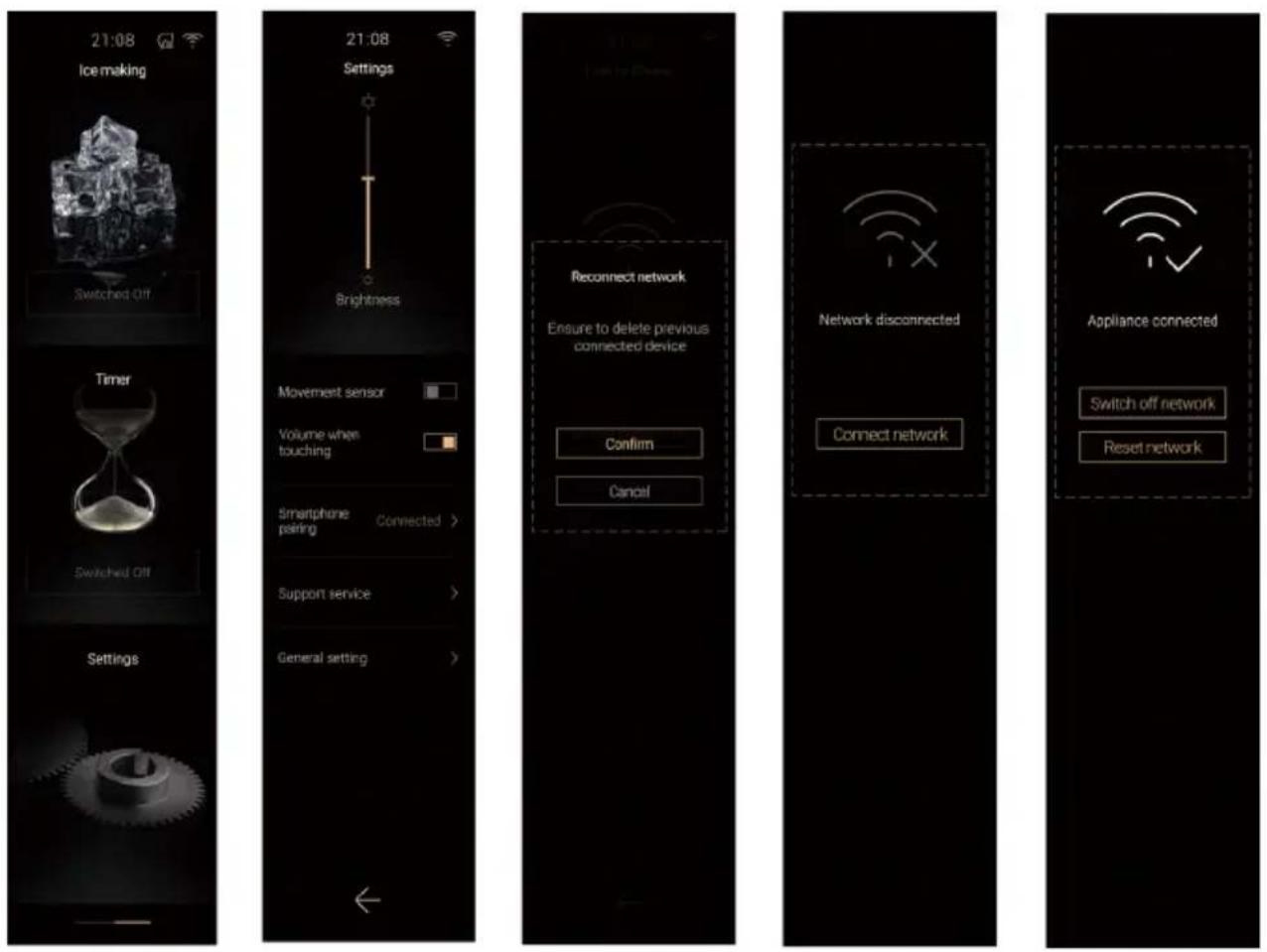
When the display is unlocked, swipe the screen to the left to enter other functional areas, tap the [Settings] button to enter the setting interface, tap [Smartphone pairing], enter the mobile phone binding function interface, and bind according to the guide.
In-refrigerator display
When the refrigerator door is opened, the display inside the refrigerator lights up and is locked.
Unlock:
When the display is locked, tap the [3sec. Unlock] icon for 3 seconds, the buzzer will beep, the icon will switch off, and the display will be unlocked.
Lock:
When the display is unlocked, the display is locked if there is no key operation in 30 seconds, and [3sec. Unlock] lights up.
When the display is unlocked, tap the [3sec. Unlock] for 3 seconds, the buzzer sounds once, [3sec. Unlock] lights up, and the display is locked.
Function adjustment:
When the display in the refrigerator is unlocked, tap the corresponding function button, the buzzer will sound, icon will light up to enter the corresponding function.
- When the MSA function is in standard mode, the MSA Fresh function icon is partially illuminated;
- When MSA is in powerful mode, all icons of MSA Fresh function are lit;
- When the MSA function is switched off, the MSA Fresh function icons will all go out.

flowchart
graph LR
    A["Moist zone Control"] --> B["Fruit"]
    A --> C["Milk & Eggs"]
    A --> D["Vegetable"]
    E["MSA Fresh function My zone button"] --> F["My Zona"]
    E --> G["Fruit VEG"]
    E --> H["My Zona"]
    E --> I["G'Fresh"]
    E --> J["Cool Drink"]
    E --> K["Cheese"]
    L["Lock/Unlock"] --> M["Red Unlock"]
Recommended Storage Areas
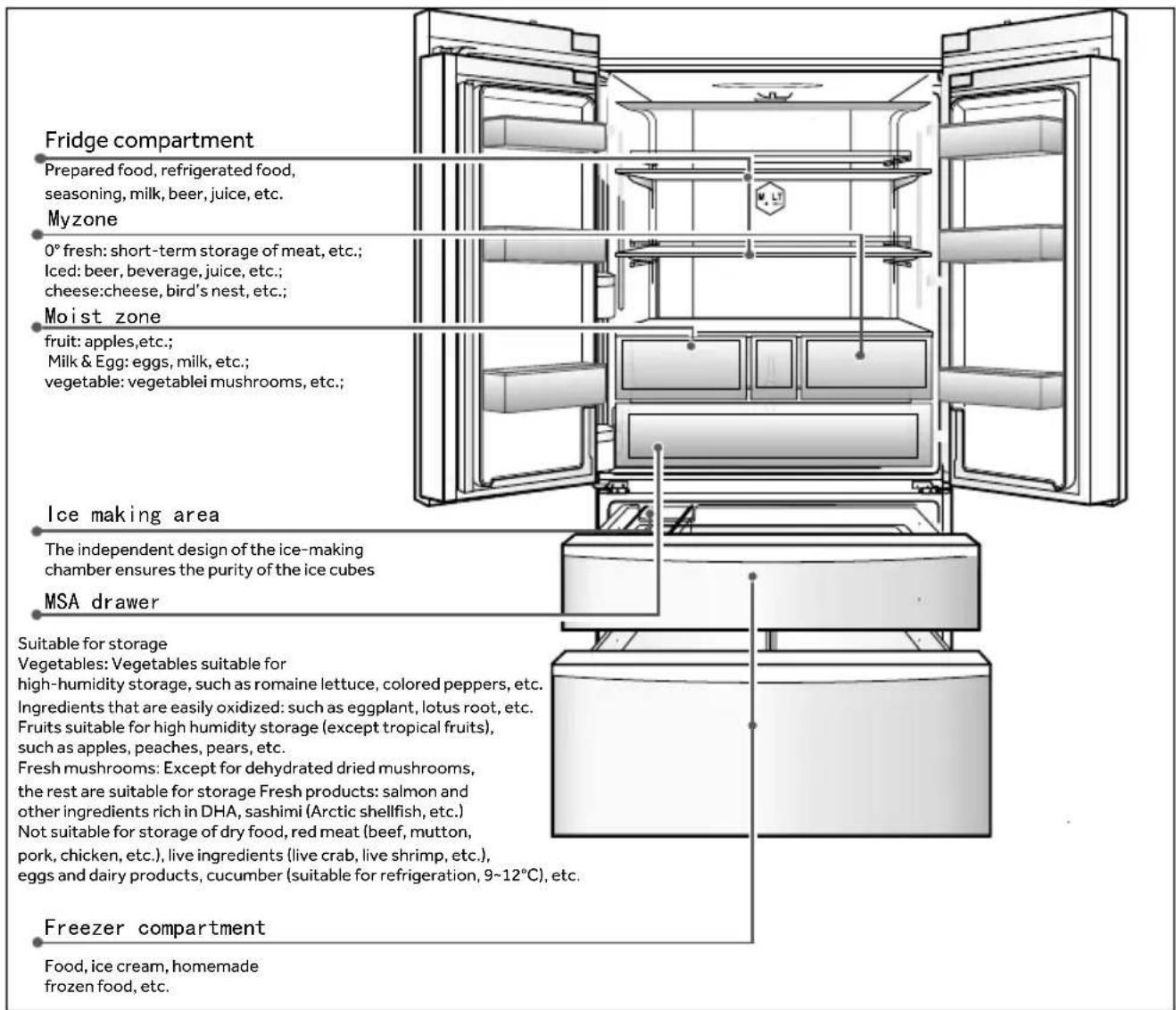
The Fridge compartment is mainly for short-term storage or ready-to-eat food. Although the average space temperature of most areas of the Fridge compartment can be controlled at 0°C\~10°C by adjusting the temperature setting, the food can't be kept fresh for a long time, so the Fridge compartment can only be used as a short-term storage.

NOTICE
When the ambient temperature in winter is 0^ C\~ 10^ C, the temperature of the refrigerating chamber is lower, and the lower temperature is about 0^ C. At this moment, vegetables and fruits should be placed in the upper part of the Fridge compartment to avoid freezing.
When closing the left door of the Fridge compartment, make sure that the vertical beam is closed in place, or the door can't be closed tightly, and the temperature in the chamber will rise and an alarm will be issued for a long time.
The MSA drawer is a relatively closed space. When storing food with a lot of moisture, the evaporation of moisture will condense into water droplets in the space or at the bottom of the drawer, which is a normal phenomenon and can be wiped with a dry cloth.
Due to the cold air circulation in the refrigerator, the temperature of each area in the refrigerator is different, so it is recommended that different foods should be placed in different temperature areas.
text_image
Fridge compartment Prepared food, refrigerated food, seasoning, milk, beer, juice, etc. Myzone 0° fresh: short-term storage of meat, etc.; Iced: beer, beverage, juice, etc.; cheese: cheese, bird's nest, etc.; Moist zone fruit: apples,etc.; Milk & Egg: eggs, milk, etc.; vegetable: vegetablei mushrooms, etc.; Ice making area The independent design of the ice-making chamber ensures the purity of the ice cubes MSA drawer Suitable for storage Vegetables: Vegetables suitable for high-humidity storage, such as romaine lettuce, colored peppers, etc. Ingredients that are easily oxidized: such as eggplant, lotus root, etc. Fruits suitable for high humidity storage (except tropical fruits), such as apples, peaches, pears, etc. Fresh mushrooms: Except for dehydrated dried mushrooms, the rest are suitable for storage Fresh products: salmon and other ingredients rich in DHA, sashimi (Arctic shellfish, etc.) Not suitable for storage of dry food, red meat (beef, mutton, pork, chicken, etc.), live ingredients (live crab, live shrimp, etc.), eggs and dairy products, cucumber (suitable for refrigeration, 9~12°C), etc. Freezer compartment Food, ice cream, homemade frozen food, etc.Storage guidelines for various types of food
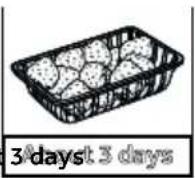
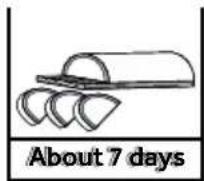
Benchmarks for fruit and vegetable storage time
Brown lettuce
Cabbage
Strawberry
Grape
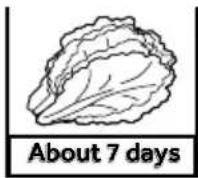
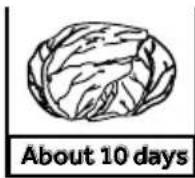
About
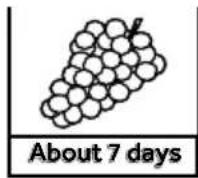
Benchmarks for fish and meat storage time
Sashimi
Fish
BeefArtificial crab stick
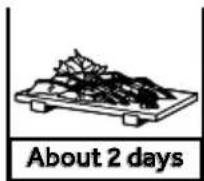
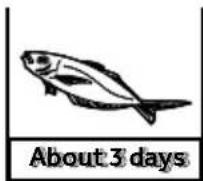
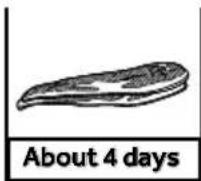
Recommended food storage
- Fresh food: fish and shellfish, meat.
• Dairy products, snacks: yogurt, cheese, jellies, puddings.
• Vegetables, sweets: salads, sauces. - Homemade, natural foods: sauces, jams, low-salt pickles, raw noodles.
• Processed foods: fish balls, fish, meat sauce, ham, ham sausage.
Precautions for energy saving
- Whenever possible, install the refrigerator in a cool, well-ventilated room away from heat sources and sunlight.
- Minimize the time and frequency of opening doors.
For example: Store food regularly to reduce the time it takes to open the door when taking it.
- Pack food for storage.
- Cool hot food or beverages before placing them in the refrigerator.
- The food that needs to be thawed should be placed in the refrigerator first, and the food in the refrigerator can be cooled by the low temperature of the frozen food.
- Do not overfill the refrigerator so as not to impede air circulation.
- The lower the temperature of the refrigerator, the greater the energy consumption, under the premise of meeting the food storage conditions, as far as possible to set the temperature in the box as high as possible.
Precautions of food refrigeration
- Radishes should have their leaves cut off to prevent nutrients from being absorbed by the leaves.
- Watermelon, muskmelon, papaya, banana, and pineapple should not be refrigerated as their metabolism will be promoted. However, if the fruits are not ripe, storage in the Frige zone for a certain period of time can promote the maturity.
- Some foods, such as onions, garlic, ginger, water chestnuts and rhizomes, can be stored for a long time at room temperature and do not need to be refrigerated.
- For fresh vegetables, it is best to wash the soil before putting them in the refrigerator to prevent bacteria from growing in the refrigerator or polluting other foods.
Do not put in hot food directly
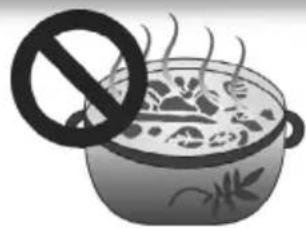
natural_image
Illustration of a steaming pot with a prohibition symbol (no text or symbols present)Hot food must be cooled to room temperature before being placed in the refrigerator. Putting hot food directly will not only cause the temperature in the refrigerator to rise, but also affect the freshness of other foods.
Food should be cleaned before putting in the refrigerator
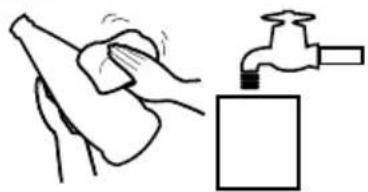
natural_image
Illustration showing a hand cleaning a surface with a faucet nearby (no text or symbols)In order to ensure a good hygienic environment inside the refrigerator, it is recommended to store the food in the refrigerator after cleaning and drying the water droplets.
Food should be sorted before refrigerating
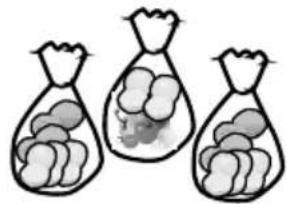
natural_image
Three bag icons filled with food items, no text or symbols presentStore the food separately according to the type of food, and put the food you eat every day in the front of the shelf, so as to avoid unnecessary opening of the door and food expiration due to forgetting.
Do not overfill the refrigerator
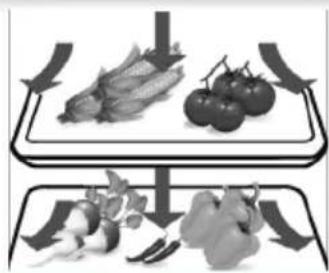
natural_image
Two identical grayscale illustrations of a tray with vegetables, one above and one below, showing different shapes (no text or symbols)The stored food should be separated from each other, leaving a channel for cold air circulation, so as to achieve better refrigeration effect.
Avoid food contact with the liner
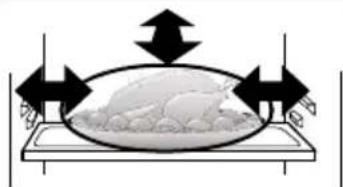
natural_image
Diagram of a bowl with arrows indicating direction, no text or symbols presentLong-term contact of the food stored in the refrigerator (especially the oily food) with the liner will cause the liner to corrode. Direct contact between the food and the liner should be avoided as much as possible. If the liner is stained with oil, it should be cleaned in time.
Minimize the frequency of opening
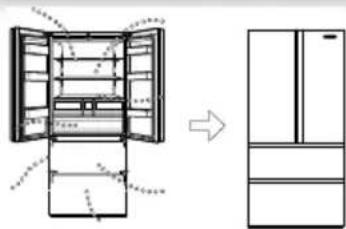
natural_image
Diagram showing the open refrigerator with internal compartments and a side view of the refrigerator (no text or labels)By reducing the frequency of opening and closing the refrigerator door and avoiding too large opening angle, the loss of cold air can be reduced to achieve the purpose of saving electricity.
Do not block the temperature sensing device
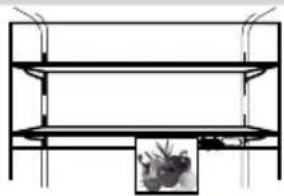
natural_image
Pure architectural or engineering diagram showing two horizontal shelves with vertical supports and a small inset image of a tree (no text or symbols)In the Frige zone as shown in the figure, there is a temperature sensing device. Please make sure that the device is not completely blocked by food, or it may cause the refrigerator can't measure the correct temperature and work intermittently, resulting in too low temperature in the Frige zone and unnecessary power wasted.
Do not block the air outlet
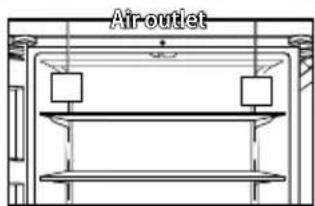
text_image
Air-outletHidden air outlet. If the cold air is blocked and can't come out, the temperature in the refrigerator can't be lowered, and the compressor won't stop, resulting in a waste of electricity.
Different foods can be stored in different compartments according to their needs, so that the food can get the best storage temperature.
Use of Freezer compartment
- To enjoy seasonal flavors for a long time, food needs to be stored in the Freezer zone for a long time.
- The temperature setting range of the Freezer compartment is: -14°C\~ -24°C, which can be adjusted as required. Since the temperature of the Freezer compartment is very low, the food can be kept fresh for a long time, so the frozen food to be kept for a long time should be stored in the Freezer zone.
- The food storage containers include ice storage box, upper freezer drawer, lower freezer drawer, left sliding drawer and right sliding drawer.
Food Freezing Considerations
It is best to pack the food before freezing
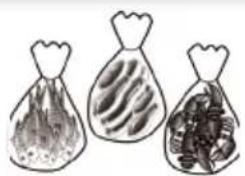
natural_image
Three hand-drawn bags of different food items, one with textured fill and two filled with granular contents (no text or symbols)The outer surface of the package must be dry to avoid freezing together. Packaging materials should be odorless, airtight, watertight, non-toxic, and non-polluting to avoid food odor and quality degradation.
Do not put too much food
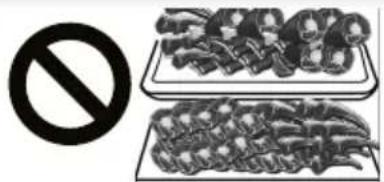
text_image
Prohibition symbol with crossed-out food items and a prohibition sign, indicating no prohibition or prohibition of food.The amount of fresh food put into the freezer at one time should not be too much, preferably not more than the freezing capacity of the refrigerator (refer to the technical data content on page 51)
Avoid repeated freezing of food
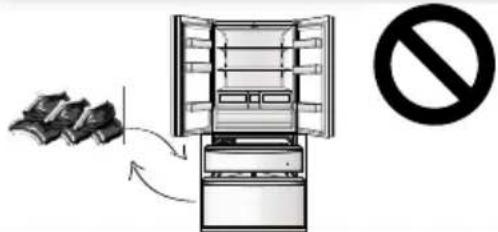
text_image
Diagram showing a refrigerator with food being removed and a prohibition symbol indicating no chemical waste.In principle, only take out the required amount of food from the freezer to thaw. The thawed food shouldn't be re-frozen, unless it is processed into a finished dish, or the food flavor will be affected.
Do not put in hot food directly
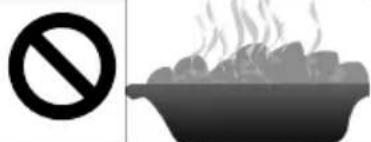
text_image
Prohibition symbol with no sign and cooking pot illustrationHot food recommend cooled to room temperature before being placed in the freezer.
Date the food according to the shelf life
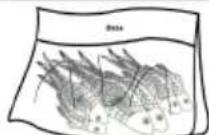
It is best to indicate the date, time limit and name of the frozen food on the packaging bag according to the storage period of different foods to avoid expiration.
Bottled beverages mustn't be placed in the freezer
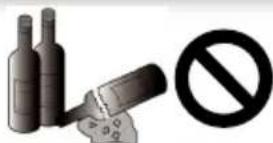
text_image
Image showing a bottle and a cigarette with a prohibition symbol, likely indicating no smoking or anti-drug.Do not put bottled beer or drinks in the freezer to prevent cracking
Divide food into appropriate portions
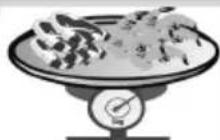
≤ 2.5kg
This makes it easier to freeze through, which can better ensure the quality of thawing and cooking, and each serving should not exceed 2.5kg.
Names of Ice Maker Parts
The automatic ice maker of the product is equipped with a unique water storage box. You can directly inject water into the water storage box and make ice safely and automatically. The automatic ice maker can be removed for cleaning and taken out when ice is not needed, leaving room for other frozen foods.
Ice Maker
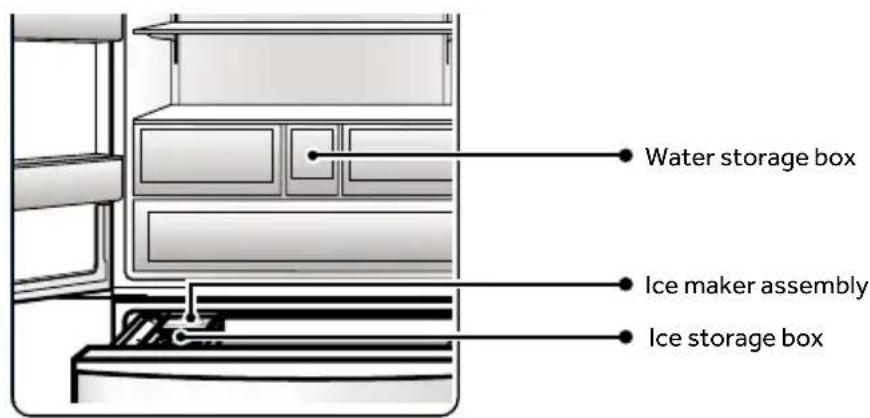
text_image
Water storage box Ice maker assembly Ice storage boxWater storage box
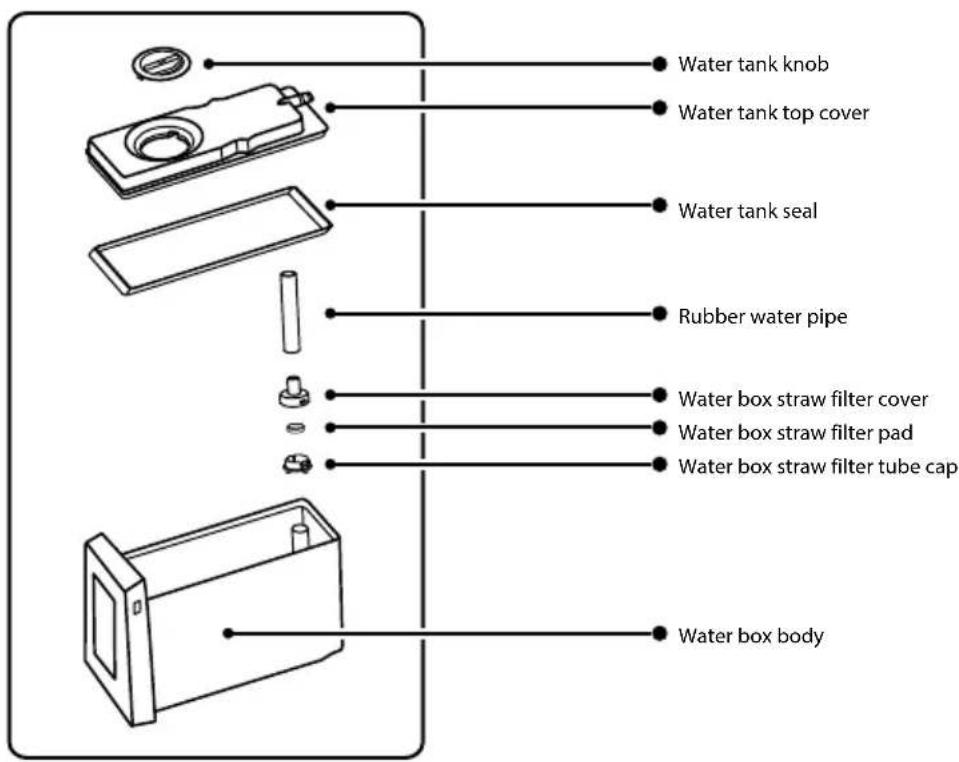
text_image
Water tank knob Water tank top cover Water tank seal Rubber water pipe Water box straw filter cover Water box straw filter pad Water box straw filter tube cap Water box bodyHow to Use Ice Maker

NOTICE
When ice making is not needed in winter, the ice maker assembly and water storage box can be removed to leave space for food storage. When storing the ice maker assembly and the water storage box outside the refrigerator, be careful to avoid dust. When using it again, it needs to be cleaned and wiped.
Add water to water storage box
Step 1:
Remove the water storage box. Lift the front of the box slightly and pull it out.
Step 2:
Rotate the knob to open the water storage box and fill with water. Be careful not to exceed the MAX level. (Refer to the mark on the water storage box for the MAX level. If the water is overfilled, it will leak from all sides.)
Step 3:
Put back the water storage box. It must be inserted into the innermost, or it will not be able to supply water normally.
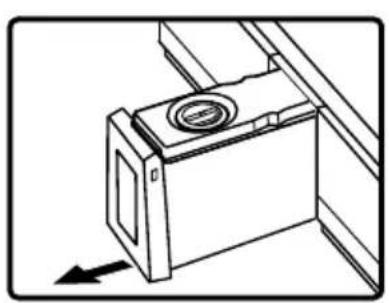
natural_image
Technical line drawing of a mechanical component with a circular feature and an arrow indicating direction (no text or symbols)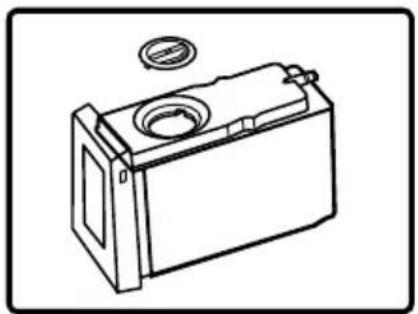
natural_image
Line drawing of a battery casing with a circular vent and a small inset component (no text or symbols)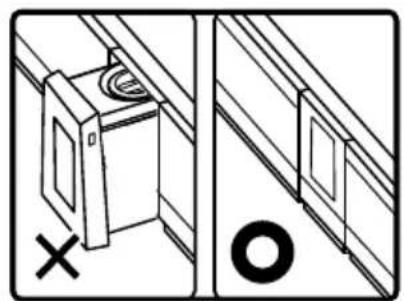
natural_image
Technical diagram showing two views of a cabinet or enclosure with a cross mark and a washer circle (no text or symbols)
NOTICE
- The temperature of the water filled in the water storage box must not exceed 60^ C .
- Only fill with drinking water; do not pour remaining mineral water, juice and tea into the water storage box.
- When making ice with well water or dechlorinated water (alkaline ionized water, water from a water purifier), scale and mucus are more likely to form, so frequent cleaning and maintenance are required.
- If you use undrinked mineral water to make ice, please clean the ice box and water storage box with neutral tableware detergent first, or scale and mucus will be produced, which will eventually lead to mold and odor.
- When the temperature is low in winter, the water in the water storage box may freeze.
- When there is no water in the water storage box, the water pump and the ice maker may also have working sound. This is a normal phenomenon.
Take ice cubes
After making ice, use an ice shovel to take ice cubes.
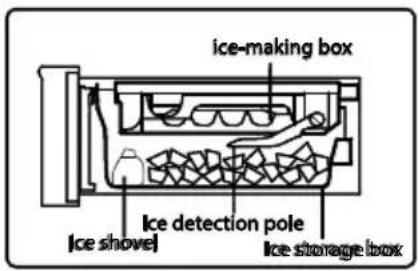
text_image
ice-making box Ice detection pole Ice storage box Ice shovel
NOTICE
If you have just started using it or it has been more than a week since the last use, the newly made ice cubes may be smelly or dusty, so the first made ice (about 8 ice cubes) recommend thrown away.
- If you have cleaned the water supply channel of the ice maker, the ice cubes made for the first time can also be used immediately.
Ice cube storage
The ice storage capacity of the ice box can be automatically confirmed by the ice detector. (In order to correctly determine the ice storage capacity, do not place the ice cubes flatly) After the storage reaches a certain amount, stop ice making. Please confirm the amount of ice stored in the ice box. If there is too much ice, it will not be able to make ice, or it may affect the normal opening and closing of the door.
Cleaning and Maintenance of Ice Make
Cleaning of water storage box and its parts
Step 1:
Remove the top cover of the water storage box upwards.
Step 2:
Remove the water storage box straw, straw filter cover, straw filter pad and filter pad cap.
Step 3:
Remove the water storage box seal.
Step 4:
Clean the water storage box and its parts with a soft sponge. To remove stubborn stains, use diluted dishwashing detergent and rinse with water after removal.
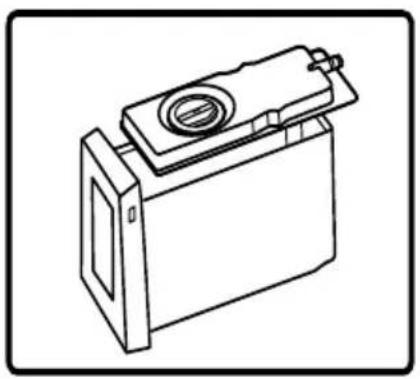
natural_image
Line drawing of a battery casing with a cylindrical top and side panel (no text or symbols)
natural_image
Line drawing of a mechanical device with a lid and base housing (no text or symbols)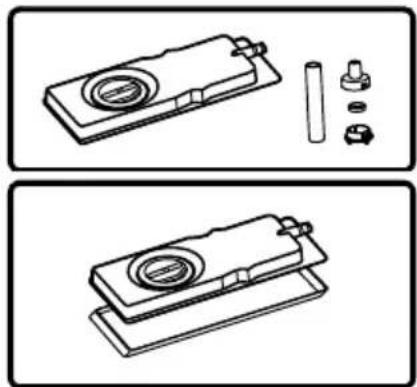
natural_image
Technical line drawings of a mechanical assembly with components, no text or symbols present
NOTICE
The installation sequence is the reverse of the removal sequence. Do not add water beyond the MAX level. (If the water exceeds the MAX level, water will leak from all sides.)
Cleaning Ice Box
Step 1:
Turn off the ice making function and open the upper freezer door.
Step 2:
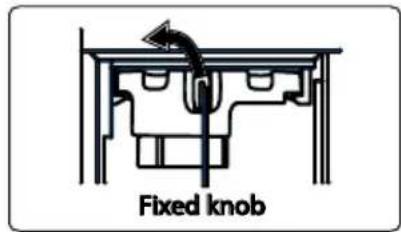
Rotate the ice box fixing knob to the left all the way, hold the handle on the front of the ice box outwards, and slowly
Step 3:
Turn the ice maker over, pull the white ice maker knob out, and then remove the ice maker.
Step 4:
Wash the ice box with water; do not use brushes or decontamination powders that may scratch the surface.
Step 5:
Install the ice box in the reverse order of removal. Push the ice maker into the drawer and push it to the bottom until you hear a "click", which indicates it is fully inserted. Turn the retaining knob back to the right to lock.
text_image
Fixed knob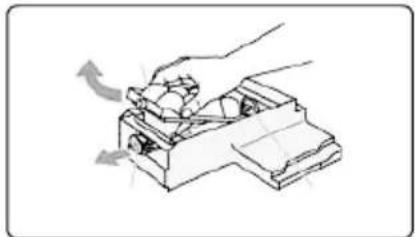
natural_image
Line drawing of a hand using a tool to press or adjust a mechanical component (no text or symbols present)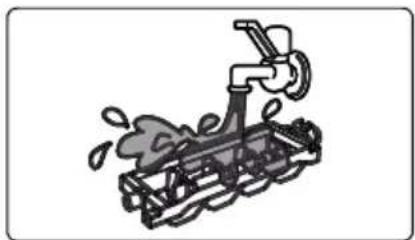
natural_image
Illustration of a mechanical device with a faucet and spray particles (no text or symbols)
NOTICE
After freezing anything other than water, the ice maker should be cleaned in time before putting it back into the automatic ice maker.
- When cleaning the water storage box, inner water storage box and the lid, use a soft sponge to wash it; do not use brush or decontamination powder. To remove stubborn stains, use diluted dishwashing detergent, but be sure to rinse with water. Do not use hard bristle brushes, wire brushes, abrasives (such as toothpaste, detergent powder, etc.), organic solvents (such as gasoline, thinner, acetone, alcohol, etc.), hot water, acid or alkali that can cause plastic cracking.
- The ice box assembly is not washable. If it gets wet, wipe it with a dry cloth. Otherwise, the ice making function will be damaged if water gets into the appliance. Do not add water to the ice box when installing the ice maker as the water is supplied automatically.

WARNING
Only fill potable water into the ice maker.
Ice Maker Q&A
Q1: Do not make ice?
| Phenomenon | Do not make ice. |
| Reason | a. Water is not added to the water storage box.b. The water in the water storage box is frozen.c. The water storage box is not inserted in place.d. The ice making assembly is not installed properly.e. The “Ice Making” function is not turned on. |
| Solution | a. Add water to the water storage box.b. Take out the water storage box, remove the ice on the box, and appropriately increase the temperature setting of the Frige zone.c. Insert the water storage box correctly in place.d. Push the ice maker assembly all the way in until the securing knob can be locked.e. Turn on the “Ice Making” function. |
Q2: The amount of ice is small, the ice cubes are small or melted?
| Phenomenon | The produced ice cubes are few, small and partially melting. |
| Reason | a. The refrigerator door is opened and closed frequently or isn't closed tightly.b. The ice storage box is uneven or mixed with other things |
| Solution | a. Close the refrigerator door tightly, and try to open and close it as less frequently as possible.b. Use an ice shovel to flatten the ice cubes and remove the mixed foreign matter. |
Q3:The produced ice cubes are cloudy
| Phenomenon | The ice cubes produced have white suspensions. |
| Reason | Ice is made with water that contains minerals. |
| Solution | This is normal and there is no need to worry. |
Q4: The ice cubes have an odor?
| Phenomenon | The ice produced by the ice maker has a peculiar smell. |
| Reason | a. The water in the water storage box has not been replaced for a long time.b. Odorous water or beverages are poured into the water storage box.c. The ice cubes have been made and kept in the ice box for too long.d. The filter is not installed, or the filter of the water storage box is dirty. |
| Solution | a. Change the water.b. Refer to “Cleaning and Maintenance of Ice Maker” for cleaning.c. Ice cubes should not be stored for a long time, or it will cause odor with other foods.d. Clean the water storage box and install or replace the filter. |
Q5: The ice cubes are in strange shapes?
| Phenomenon | a. Ice cubes agglomerate or differ in size from each other.b. Ice cubes are rounded.c. Ice cubes have protrusions. |
| Reason | a. The refrigerator is slanted.b. The ice cubes have been placed for too long.c. There are concave and convex water supply channels on the ice box. |
| Solution | a. The feet can be adjusted properly to ensure the refrigerator is placed smoothly.b. Use ice cubes as soon as possible, or remake.c. This is normal and there is no need to worry. |
Refrigerator Cleaning
- In order to keep the refrigerator clean, clean it once a month.
- Before cleaning, remove the stored food.
- The removed shelves and drawers can be washed. The installation sequence is the reverse of the removal sequence.
- Safety inspection is required after cleaning: the power plug is completely inserted into the socket, and there is no abnormal heat. The power cord is free of cracks and scratches.
NOTICE
- Before cleaning, unplug the power supply first; do not plug/unplug with wet hands, or there is a risk of electric shock and injury.
- Do not spill water directly on the refrigerator, or it is easy to rust, leak and malfunction.
- Do not put your hands under the refrigerator, as they may be scratched by the metal corners.
- Do not use hard brushes, wire brushes, abrasives (such as toothpaste, cleaning powder, etc.), organic solvents (such as gasoline, thinner, acetone, alcohol, etc.), hot water, acids or alkalis to clean the refrigerator.
- If the plug of the power cord is damaged or dust accumulates, it may cause electric shock and fire. If there is any abnormal situation, please unplug the power plug and contact Haier after-sales service.
- There is a fine pattern design on the glass surface. If there are fingerprints (stains, etc.), please use the cleaning tool provided with the product to wipe it with warm water or neutral kitchen detergent. Then use a soft, clean dry cloth to wipe off any water stains.
Note: Product damage or discoloration may occur if cleaning the refrigerator with detergent, bleach, acetone, thinner, alcohol, chloride, benzene, etc.

WARNING
Do not damage the refrigeration circuit during maintenance and cleaning.
Cleaning and Maintenance of Parts
Automatic defrost
This refrigerator is an air-cooled frost-free with automatic defrost function. The water after defrosting is evaporated in the evaporating dish, so manual defrosting is not required.
WARNING
The defrosting process must not be accelerated by mechanical devices or other means other than those recommended by the manufacturer.
Refrigerating door glass
If there are fingerprints (stains, etc.) on the glass of this refrigerator during use, please use the cleaning tool in the gift bag, dip in warm water or neutral kitchen detergent and wipe it. Then use a soft, clean dry cloth to wipe off any water stains.
Note: Using detergent, bleach, acetone, thinner, alcohol, chloride or benzene to clean the refrigerator may cause product damage or discoloration.
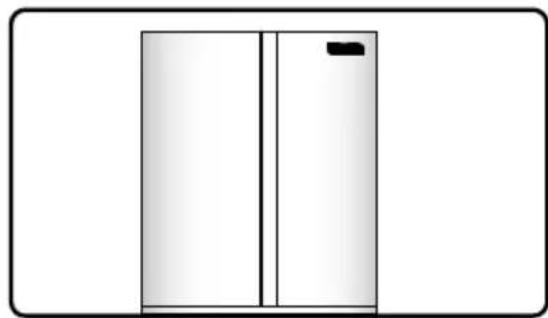
natural_image
Simple line drawing of a two-panel door with a black clip on the top (no text or symbols)Fridge compartment bottle holder
Hold it with both hands and push it upwards.
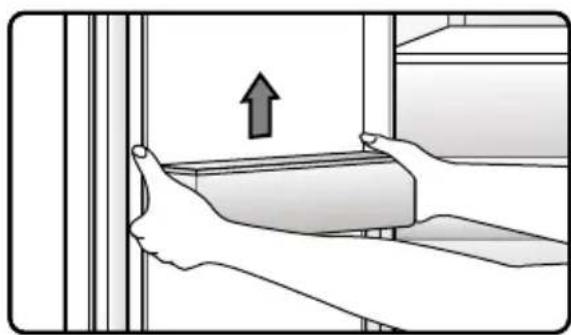
natural_image
Illustration of hands holding a rectangular object with an upward arrow, next to vertical bars (no text or symbols)Cantilever shelf
Hold the front end of the shelf, rotate the front end up to a certain angle, lift the shelf completely, and pull it out.
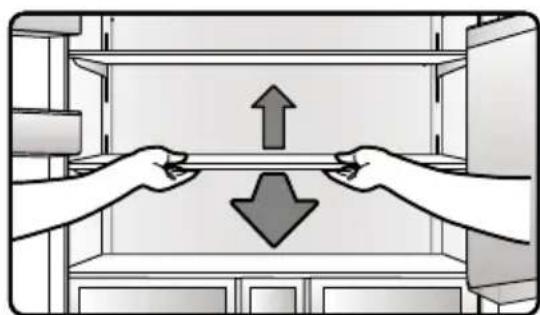
natural_image
Illustration of two hands exchanging a shelf with upward and downward arrows (no text or symbols)Advanced zone drawer
When dismantling the drawer, first remove the bottle holder, then pull the drawer out, place both hands on the left and right sides of the drawer, lift up on the slide rail bracket at the end of the drawer, and then lift the drawer up and take it out. The installation is opposite.
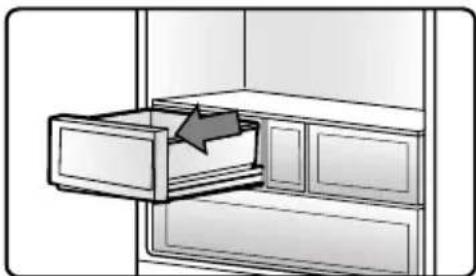
natural_image
Illustration of a drawer with an arrow pointing to the interior (no text or symbols)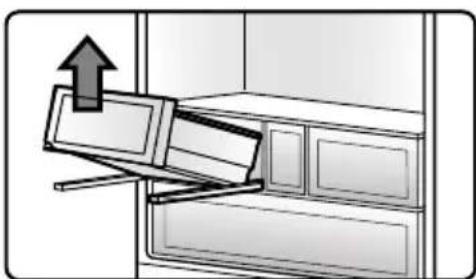
natural_image
Illustration of a refrigerator with an upward arrow indicating motion (no text or symbols)Water storage box
Pull the water storage box outwards and take it out.
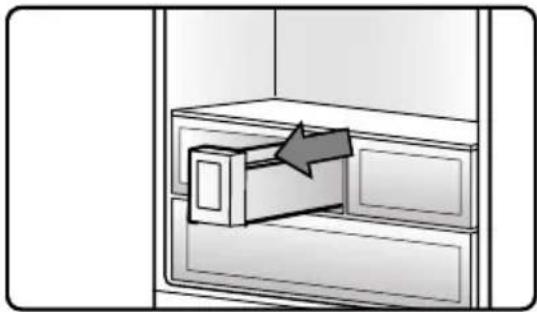
natural_image
Illustration of a file drawer with an arrow indicating direction (no text or symbols)MSA drawer
Pull the MSA drawer out as far as it will go.
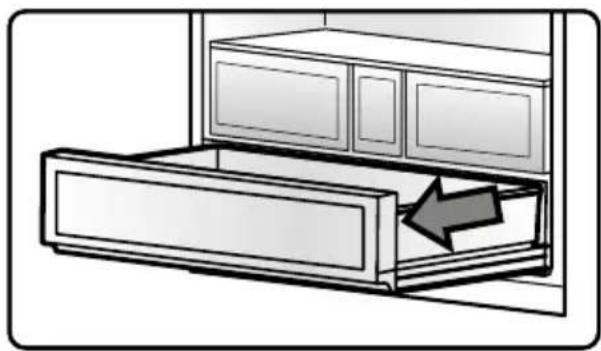
natural_image
Illustration of a cabinet with an arrow indicating direction or movement, no text or symbols present
NOTICE
MSA drawer sealing strip 1 is for sealing, do not disassemble the sealing strip during use; do not disassemble MSA drawer 2 during use; if the above two parts need to be disassembled, please contact the after-sale service for treatment.
If the sealing strip is slightly detached during use, try to plug it back in by hand. If it can't be plugged back in, please contact the after-sales service for treatment.
Disassembly and cleaning of ice storage box
1.Pull the upper freezer drawer door as far as it will go.
2. Tilt the ice storage box upwards and take it out.
Use a soft towel or sponge dipped in warm water (neutral detergent can be added) to wipe the ice storage box, and then install it in the opposite direction after cleaning.
Disassembly and cleaning of upper freezer drawer
- Pull the upper freezer drawer door to the maximum.
- Pull the upper freezer drawer up and out.
- Install the upper freezer drawer in the reverse order above.
Use a soft towel or sponge dipped in warm water (neutral detergent can be added) to wipe the upper freezer drawer, and then install it in the opposite direction after cleaning.
Disassembly of gear connecting rod
- After removing the upper freezer drawer, push the gear connecting rod to the most forward position. Pull out the protruding buckle of the fixing piece on the left end of the gear connecting rod.
- Move the metal rod to the left, and the metal rod is disengaged from the connection of the right end gear.
- Pull out the disengaged metal rod from the left end gear connection.
- Install the gear connecting rod in the reverse order of the above.
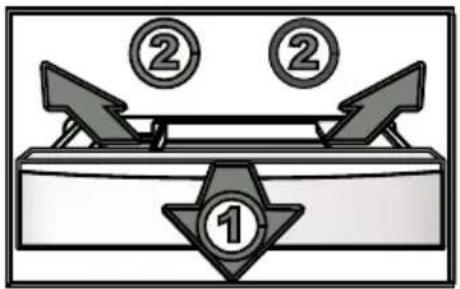
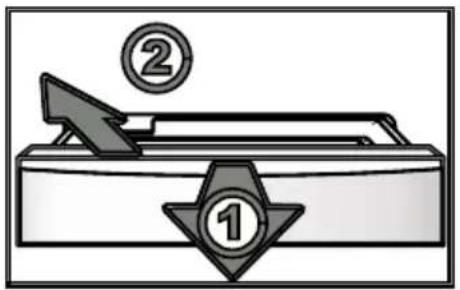
Disassembly and cleaning of sliding drawer and holder
- Pull the lower freezer drawer door to the maximum.
- Lift the sliding drawer out.
- Move the sliding drawer bracket back, disengage the clamp position, and take it out.
Wipe the sliding drawer and sliding drawer bracket with a soft towel or sponge dipped in warm water (neutral detergent can be added), and then
install it in the opposite direction after cleaning.
flowchart
graph TD
    A["②"] --> B["①"]
    B --> C["Arrow to top of B"]
    C --> D["Arrow to bottom of B"]
    D --> E["Arrow to top of B"]
    E --> F["Arrow to bottom of B"]
    F --> G["Arrow to top of B"]
text_image
Diagram of a handwriting machine with labeled parts 1 and 2, showing a handle, arrow, and circular indicators.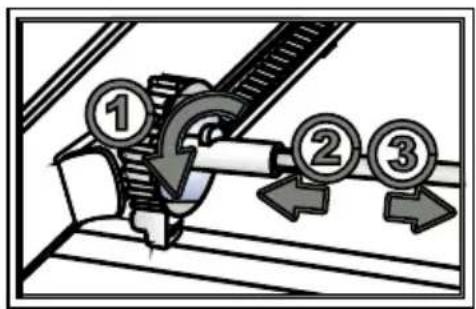
text_image
Diagram showing a mechanical assembly with numbered components and directional arrows indicating motion or flow.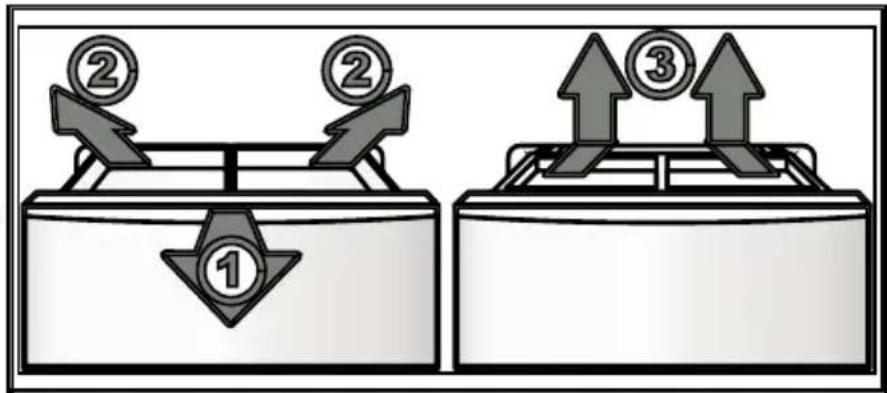
text_image
Diagram showing two balance scales with numbered coins and directional arrows, one labeled '1', the other '2' and '3', indicating a financial or operational concept.Disassembly and cleaning of lower freezer drawer
- Pull the door of the lower freezer drawer to the maximum and take out the sliding drawer inside the lower freezer drawer.
- Move the sliding drawer bracket back, disengage the clamp position, and take out the bracket.
- Pull the lower freezer drawer up and out.
- Install the lower freezer drawer in the reverse order of the above.
Use a soft towel or sponge dipped in warm water (neutral detergent can be added) to wipe the lower freezer drawer, and then install it in the opposite direction after cleaning.
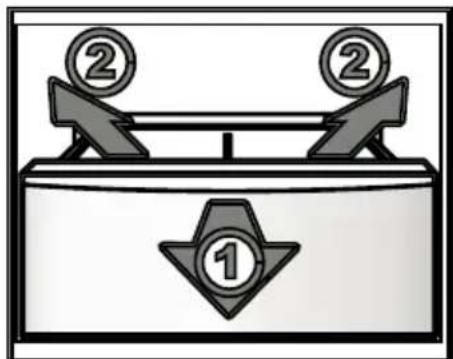
text_image
Diagram illustrating a balance scale with two numbered items, one marked '①' and the other '②', indicating a balanced or equilibrium setting.Transportation
Before transportation
- Unplug the power plug.
- Take out the food, clean the inside of the refrigerator, and open the door to dry.
- Adjust the left and right adjustable bottom corners and lift it off the floor.
During transportation
- Use wheels to move back and forth. (Don't use wheels if the floor is vulnerable)
- When carrying, be sure to grab the handles on the bottom and the upper back. (It may cause injury if your hand slips)
- When you move house, do not put down the refrigerator or handle with an inclination angle greater than 45^ , or malfunction may result.
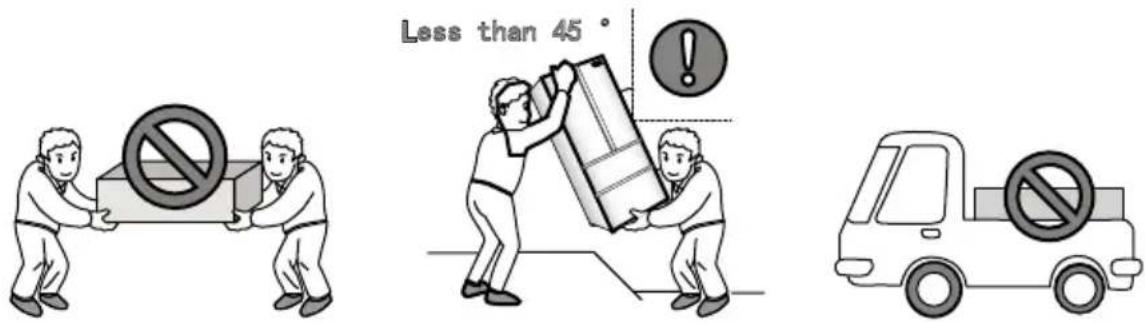
text_image
Less than 45°Deactivation
Handling during a power outage
Even in summer after a power outage, the temperature inside the refrigerator will not be affected within 1-2hours. In case of power outage, do not put in new food, and try not to open the refrigerator door.
If you know in advance that there will be a power outage, make more ice cubes, store them in a watertight container, and place them in the upper part of the freezer.

NOTICE
The temperature rise inside the refrigerator due to power outage or other failure will shorten
Stop using
If the refrigerator needs to be out of use for an extended period of time, unplug the power plug, disconnect the power supply, and clean the refrigerator as previously described.
When the refrigerator is out of use, the door should be opened to prevent the unpleasant smell of trace food residues in the refrigerator.
NOTICE
After unplugging the power supply, keep an interval of at least 7 minutes before plugging it in again. Under normal circumstances, do not stop the refrigerator, so as not to affect the service life of the refrigerator.

WARNING
After the appliance is scrapped, it should be properly disposed of or handed over to professionals, and should not be discarded casually to avoid harming the environment or causing other dangers.
While on vacation
If you go on vacation for a long time, please cut off the power supply, take out the food, clean the interior after the frost has melted, and open the refrigerator door after drying, so as to avoid the unpleasant smell caused by trace food residues:
- Unplug the power plug and cut off the power.
- Remove all food from the refrigerator.
- If necessary, refer to the method described in Refrigerator Cleaning on page 38 to clean the refrigerator.
Many occurring problems could be solved by yourself without specific expertise. In case of a problem please check all shown possibilities and follow below instructions before you contact an after sales service. See CUSTOMER SERVICE.
WARNING!
Before maintenance, deactivate the appliance and disconnect the mains plug from the mains socket.
Electrical equipment should be serviced only by qualified electrical experts, because improper repairs can cause considerable consequential damages.
▶ A damaged supply should only be replaced by the manufacturer, its service agent or similarly qualified persons in order to avoid a hazard.
| Problem Possible Cause Possible Solution | ||
| The compressor does not work. | ·Mains plug is not connected in the mains socket.·The appliance is in the defrosting cycle | ·Connect the mains plug.·This is normal for an automatic defrosting |
| The appliance runs frequently or runs for a too long period of time. | ·The indoor or outdoor temperature is too high.·The appliance has been off power for a period of time.·A door of the appliance is not tightly closed.·The door has been opened too frequently or for too long.·The temperature setting for the freezer compartment is too low.·The door gasket is dirty, worn, cracked or mismatched.·The required air circulation is not guaranteed. | ·In this case, it is normal for the appliance to run longer.·Normally, it takes 8 to 12 hours for the appliance to cool down completely.·Close the door/drawer and ensure the appliance is located on a level ground and there is no food or container jarring the door.·Do not open the door/drawer too frequently.·Set the temperature higher until a satisfactory refrigerator temperature is obtained. It takes 24 hours for the refrigerator temperature to become stable.·Clean the door/drawer gasket or replace them by the customer service.·Ensure adequate ventilation. |
| The inside of the refrigerator is dirty and/or smells. | ·The inside of the refrigerator needs cleaning.·Food of strong odour is stored in the refrigerator. | ·Clean the inside of the refrigerator.·Wrap the food thoroughly. |
| Problem Possible Cause Possible Solution | ||
| It is not cold enough inside the appliance. | The temperature is set too high.Too warm goods has been stored.Too much food has been stored at one time.The goods are too close to each other.A door/drawer of the appli-ance is not tightly closed.The door/drawer has been opened too frequently or for too long. | Reset the temperature.Always cool down goods be-fore storing them.Always store small quantities of food.Leave a gap between several foods allowing air flowing.Close the door/drawer.Do not open the door/drawer too frequently. |
| It is too cold inside the appli-ance. | The temperature is set too low.The Super-Frz/Su-per-Coolfunction is activated or is running too long. | Reset the temperature.Switch off the Super-Frz/Su-per-Cool function. |
| Moisture forma-tion on the inside of the refrigerator compartment. | The climate is too warm and toodamp.A door/drawer of the appli-ance is not tightly closed.The door/drawer has been opened too frequently or for too long.Food containers or liquids are left open. | Increase the temperature.Close the door/drawer.Do not open the door/drawer too frequently.Let hot foods cool to room temperature and cover foods and liquids. |
| Moisture accumulates on the refrigerators outside surface or between the doors/door and drawer. | The climate is too warm and too damp.The door is not closed tightly. The cold air in the appliance and the warm air outside it condensates. | This is normal in damp climate and will change when the hu-midity decreases.Ensure that he door/drawer is tightly shut. |
| Strong ice and frost in the freezer compartment. | The goods were not adequately packaged.A door/drawer of the appliance is not tightly closed.The door/drawer has been opened too frequently or for too long.The door/drawer gasket is dirty, worn, cracked or mismatched.Something on the inside prevents the door/drawer to close properly. | Always pack the goods well.Close the door/drawer.Do not open the door/drawer too frequently.Clean the door/drawer gasket or replace them by new ones.Reposition the shelves, door racks, or internal containers to allow the door/drawer to close. |
| The sides of the cabinet and door strip get warm. | - - This is normal. | |
| The appliance makes abnormal sounds. | The appliance is not located on level ground.The appliance touches some object around it. | Adjust the feet to level the appliance.Remove objects around the appliance. |
| A slight sound is to be heard similar to that of flowing water. | - - This is normal. | |
| You will hear an alarm beep. | The fridge storage compartment door is open. | Close the door. |
| You will hear a faint hum. | The anti-condensation system is working. | This prevents condensation and is normal. |
| Problem Possible Cause Possible Solution | |
| The interior lighting or cooling system does not work. | Mains plug is not connected in the mains socket.The power supply is not intact.The LED-lamp is out of order. |
| Water leaking or dripping from the water dispenser spout. | The water tank is not installed correctlyThe water dispenser spout is not screwed tight to the tank.The white silicon O ring is missing from the water spout. |
To contact the technical assistance, visit our website: https://corporate.haier-europe.com/en/
Under the section "website", choose the brand of your product and your country. You will be redirected to the specific website where you can find the telephone number and form to contact the technical assistance.
Power interruption
In the event of a power cut, food should remain safely cold for about 5 hours. Follow these tips during a prolonged power interruption, especially in summer:
▶Open the door/drawer as few times as possible.
▶ Do not put additional food into the appliance during a power interruption.
If prior notice of a power interruption is given and the interruption duration is longer than 5 hours, make some ice and put it in a container in the top of the refrigerator compartment.
An inspection of the goods is required immediately after the interruption.
As temperature in the refrigerator will rise during a power interruption or other failure, the storage period and edible quality of food will be reduced. Any food that defrosts should be either consumed, or cooked and refrozen (where suitable) soon afterwards in order to prevent health risks.
Memory function during power interruption
After restoration of power the appliance continues with the settings that were set before the power failure.

RNING!
▶The appliance is heavy. Always handle with at least two persons.
- Keep all packaging materials out of children’s reach and dispose them in an environmentally friendly manner.
▶Take the appliance out of the packaging.
▶Remove all packaging materials.
Environmental conditions
The room temperature should always be between 10^ C and 43^ C, since it can influence the temperature inside the appliance and its energy consumption. Do not install the appliance near other heat-emitting appliances (ovens, refrigerators) without isolation.
Space requirement
Recommended space when door is opened.
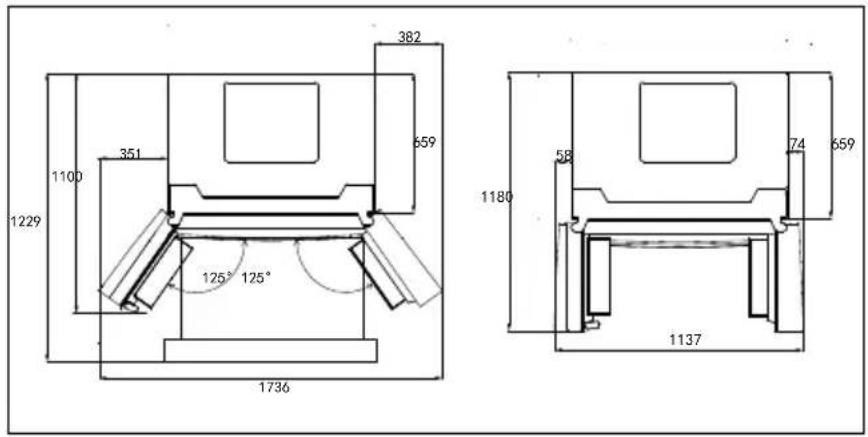
text_image
382 1100 351 659 1229 125° 125° 1736 1180 58 74 659 1137Dimensions of the refrigerator: width 1005x depth 787x height 1900 (mm).
Notice:
The above dimensions are design dimensions and may vary due to different measurement methods.
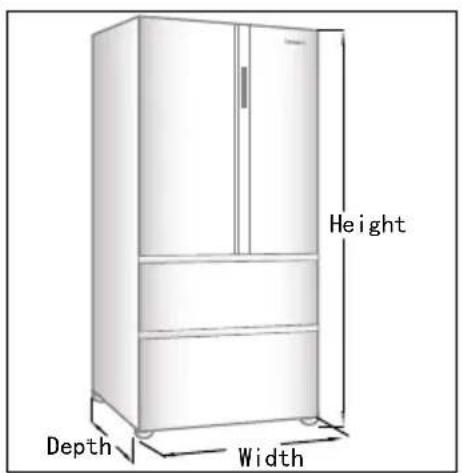
text_image
Height Depth Width
TICE
For a free standing appliance: this refrigerating appliance is not intended to be used as a built-in appliance
Ventilaton cross-section
Too small of a distance from adjacent items may result in the dagration of freezing capability and increased electricity costs. Allow over 100 mm of clearance from each adjacent wall when installing the appliance.
Aigning the appliance
Choose a flat and firm ground; to raise it, use a stable, hard, non-combustible pad. If it is slightly unstable or the refrigerator doors are not aligned, adjust the gray adjustable feet on the front of the refrigerator
- Turn it clockwise to raise the height of the refrigerator.
- Rotate counterclockwise to lower the refrigerator.
text_image
At least 10 cm At least 10 cm At least 10 cm Ajustable Knob Ajustable hinge Ajustable feetFine tuning of the doors
When the two doors are not at the same height, you can use the Allen key to adjust the chain to make the two doors even.
If the refrigerating door is uneven in the front and rear, you can rotate the adjustable knob on the upper part of the refrigerating door to make fine

NOTICE
- In the future use of refrigerator, doors uneven phenomenon may occur to the weight of stored food. Then please adjust according to the above methods
- To prevent the refrigerator from tipping forward during use, please make the adjustable feet fully contact with the ground to secure the refrigerator in place. Do not use the refrigerator's packaging foam pads to raise the refrigerator..
text_image
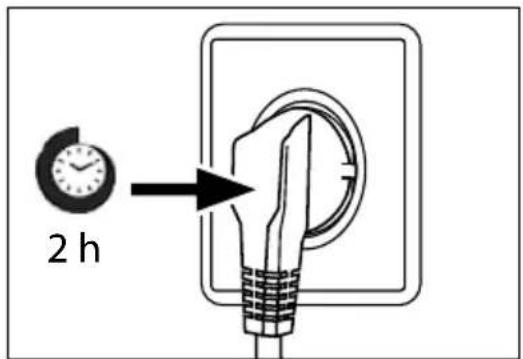
2 hWaiting time
To the maintenance-free lubrication oil is located in the capsule of the compressor. This oil can get through the closed pipe system during slanting transport. Before connecting the appliance to the power supply you have to wait at least 2 hours so that the oil runs back into the capsule.
Electrical connection
Before each connection check if:
▶ power supply, socket and fusing are appropriate to the rating plate.
▶the power socket is earthed and no multi-plug or extension.
▶the power plug and socket are strictly according.
Connect the plug to a properly installed household socket.
To avoid risks a damaged power cord must be replaced by the customer service (see warranty card).
Product fiche according to regulation EU No. 2019/2016
| Brand Haier | |
| Model name / identifier CFW91019ENGB | |
| Category of the model | Refrigerator-freezer |
| Energy efficiency class | E |
| Annual energy consumption(kWh/year)(1) 383 | |
| Total volume(L) 750 | |
| Volume refrigerator(L) 461 | |
| Volume freezer(L) 266 | |
| Volume chiller section(L) | 23 |
| Star rating | 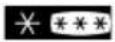 |
| Temperature of other compartments>14°C | Non applicable |
| Frost-free system | Yes |
| Freezing capacity(kg/24h) | 17 |
| Climate rating(2) | SN-N-ST-T |
| Noise emission class and airborne acoustical noise emissions(db(A) re 1pW) | C(38) |
| Temperature rise time (h) | 15 |
| Ice making capacity (Only for HTF-520IP7) | 0.7 kg/24h |
| Type of appliance | freestanding |
Explanations:
- Yes, featured
(1) Based on the results of the standards conformance test over 24 hours. The actual consumption depends on the use and the location of the appliance.
(2) Climate rating SN: This appliance is intended for use in an ambient temperature of between +10°C and +32°C
Climate rating N: This appliance is intended for use in an ambient temperature of between +16°C and +32°C
Climate rating ST: This appliance is intended for use in an ambient temperature of between +16°C and +38°C
Climate rating T: This appliance is intended for use in an ambient temperature of between +16°C and +43°C
Additional technical data
| Voltage / Frequency 220-240V ~/ | 50Hz |
| Rated power (W) | 260 |
| Input current (A) | 2 |
| Coolant | R600a |
| Dimensions (H/W/D in mm) | 1900 / 1005 / 787 |
| compartment Voltage | Energy efficiency class Model | |
| Refrigerator 12V G | CFW91019ENGB | |
| Under Freezer 12V G | ||
| Myzone 12V G | ||
| Moist zone 12V G | ||
| MSA zone 12V G | ||
| Upper freezr 12V G | ||
| Door body 12V G |
flowchart
graph LR
    A["LED"] <--> B["LED"]
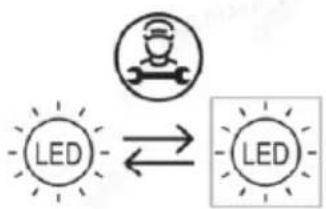
This product contains a light source of energy efficiency classes G
Replaceable (LED only) light source by a professional
We recommend our Haier Customer Service and the use of original spare parts. If you have a problem with your appliance, please first check section TROUBLE-SHOOTING.
If you cannot find a solution there, please contact
▶your local dealer or
▶ our European Call Service-Center (see listed phone numbers below) or
the Service & Support area at www.haier.com where you can activate the service
▶claim and also find FAQs.
To contact our Service, ensure that you have the following data available. The information can be found on the rating plate.
Model
Serial No. ____
Also check the Warranty Card supplied with the product in case of warranty.
| European Call Service-Center | ||
| Country* | Phone number Costs | |
| Haier Italy (IT) | 199 100 912 | |
| Haier Spain (ES) 902 509 123 | ||
| Haier Germany (DE) 0180 5 39 39 | 99 | • 14 Ct/Min Landline• max 42 Ct/Min Mobile |
| Haier Austria (AT) 0820 001 205 • 14,53 Ct/Min Landline• max 20 Ct/Min all others | ||
| Haier United Kingdom (UK) | 0333 003 8122 | |
| Haier France (FR) | 0980 406 409 | |
* For other countries please refer to www.haier.com
Haier Europe Trading S.r.l
Branch UK
Westgate House, Westgate, Ealing
London, W5 1YY
*Duration of the guarantee of the refrigerating appliance:
Minimum guarantee is: 2 years for EU Countries, 3 years for Turkey, 1 year for UK, 1 year for Russia, 3 years for Sweden, 2 years for Serbia, 5 years for Norway, 1 year for Morocco, 6 months for Algeria, Tunisia no legal warranty required.
*The period of spare parts for the repair of the appliance:
Thermostats, temperature sensors, printed circuit boards and light sources are available for a minimum period of seven years after placing the last unit of the model on the market.
Door handles, door hinges and baskets for a minimum period of seven years and door gaskets for a minimum period of 10 years, after placing the last unit of the model on the market.
*For further information about the product, please consult https://eprel.ec.europe.eu/ or scan the QR on the energy label supplied with the appliance.
natural_image
Simple line drawing of a building with a checkmark symbol and label '1.' (no text or symbols present)text_image
21:08 Refrigerator management A 03° Fridge Champet board ABT PRO 21:08 Ice making Switched Off Timer DTasten:
text_image
Fridge Compartment 03° → 5° 4Super Cool-Funktion
flowchart
graph LR
    A["5°C Fridge Compartment"] --> B["Super Cool Activated"]
    B --> C["Super Cool Switched off"]
text_image
-23°C Freezer Compartment → -23°C Freezer Compartment Freezer Compartmentnatural_image
Close-up of a translucent, curved object with no visible text or symbols, labeled 'Standard' at the bottom (no other readable text or symbols)Standard-Modus
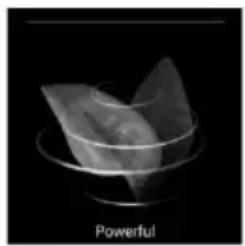
natural_image
Monochrome image of a transparent container with a folded paper-like object inside, labeled 'Powerful' at the bottom (no other text or symbols)Powerful-Modus
text_image
Refrigerator management Pridge Compartment 03°Taste [Fridge Compartment] antippen
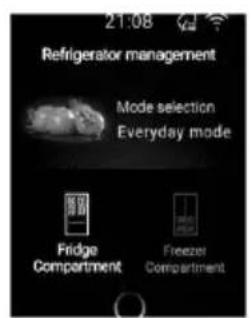
text_image
21:08 Refrigerator management Mode selection Everyday mode Fridge Compartment Freezer Compartment[Mode Selection] antippen
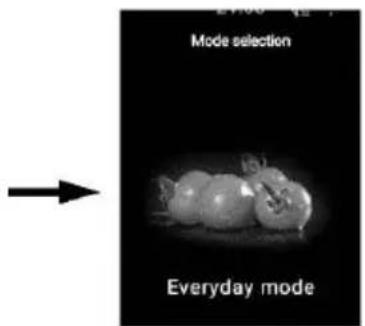
text_image
Mode selection Everyday mode[Everyday Mode] antippen
Volllast-Modus
text_image
Refrigerator management Fridge Compartment 03°Taste [Fridge Compartment] antippen
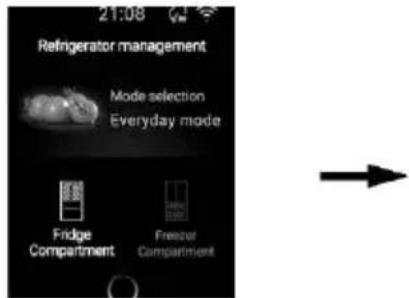
text_image
21:08 Refrigerator management Mode selection Everyday mode Fridge Compartment Freezer Compartment[Mode Selection] antippen
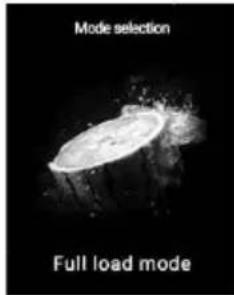
text_image
Mode selection Full load mode[Full load mode] antippen
Holiday-Modus
text_image
Refrigerator management 03° Fridge CompartmentTaste [Fridge Compartment] antippen
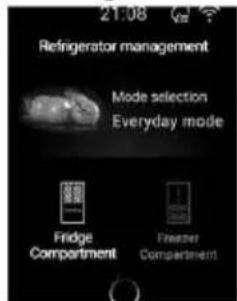
text_image
21:08 Refrigerator management Mode selection Everyday mode Fridge Compartment Freather Compartment[Mode Selection] antippen

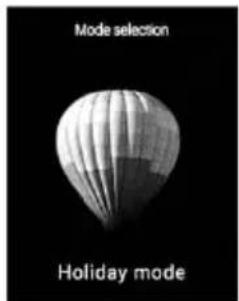
text_image
Mode selection Holiday mode[Holiday Mode] antippen
Smart-Modus
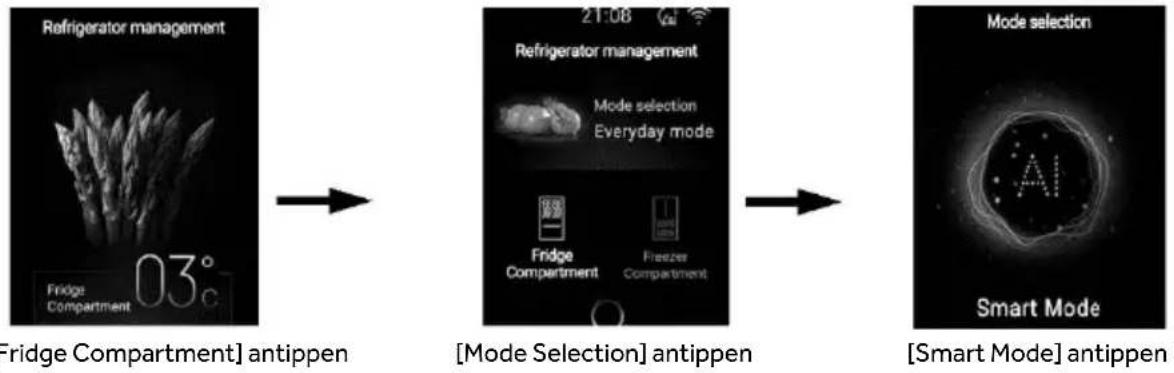
Taste [Fridge Compartment] antippen
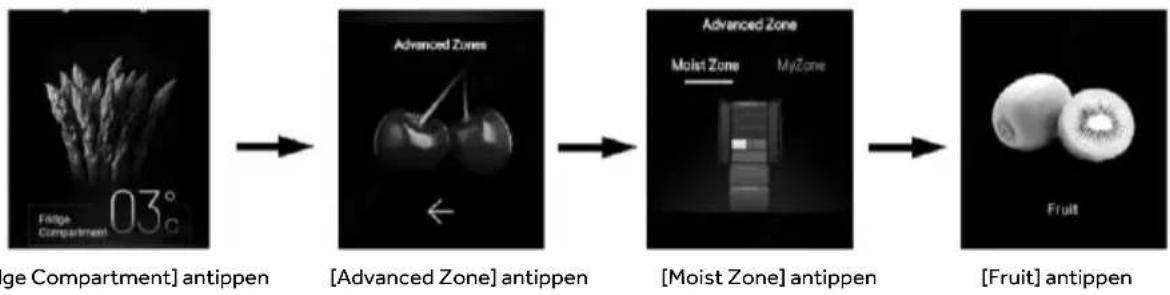
Taste [Fridge Compartment] antippen

HINWEIS
flowchart
graph LR
    A["Taste [Fridge Compartment"] antippen] --> B["Advanced Zones"]
    B --> C["Moist Zone"]
    C --> D["Milk & Eggs"]
Vegetable:
flowchart
graph LR
    A["Taste [Fridge Compartment"] antippen] --> B["Advanced Zones"]
    B --> C["Moist Zone"]
    C --> D["Vegetable"]
My Zone
0°C Fresh:
flowchart
graph LR
    A["Raw Rice (Fridge Compartment)"] --> B["Advanced Zones"]
    B --> C["My Zone"]
    C --> D["0°C Fresh"]
Cool drink:
Taste [Fridge Compartment] antippen
[Advanced Zone] antippen

text_image
Advanced Zone Moist Zone MyZone [My Zone] antippen Cool Drink [Cool Drink] antippenCheese:
natural_image
Black and white image of a fristery object with no visible text or symbolsTaste [Fridge Compartment] antippen

text_image
Advanced Zones[Advanced Zone] antippen

text_image
Advanced Zone Moist Zone MyZone[My Zone] antippen

natural_image
3D rendered cheese block with porous texture against black background (no text or symbols)[Cheese] antippen
text_image
Ice making ActivatedTaste [Ice Making] antippen
text_image
Timer Switched Offnatural_image
3D rendered gear mechanism with no visible text or symbolsTüröffnungsalarm
natural_image
Illustration of a cooking pot with steam rising, no text or symbols presentnatural_image
Illustration showing a hand cleaning a surface and a faucet (no text or symbols)natural_image
Three hand-drawn bags containing small objects, no text or symbols presentnatural_image
Illustration of a food tray with vegetables and tomatoes, no text or symbols presentnatural_image
Diagram of a food item on a tray with directional arrows indicating movement (no text or symbols)text_image
Diagram showing a refrigerator with open doors and a side view of the refrigerator, illustrating the structural change.natural_image
Simple line drawing of a two-tiered shelving unit with a framed picture on the wall (no text or symbols)natural_image
Three hand-drawn bags of different types of food items, including meat, striped meat, and snacks (no text or symbols)text_image
Prohibition symbol and food item comparison image showing a prohibition sign and two plate of cooked meat itemstext_image
Diagram illustrating a chemical process involving an open refrigerator with waste and a prohibition symboltext_image
Image showing a no-smoking symbol next to a steaming dish in a bowl, indicating food safety or health warning.text_image
Image showing wine bottles and a hand holding a cigarette with a prohibition symbolnatural_image
Technical line drawing of a mechanical component with an arrow indicating direction (no text or symbols)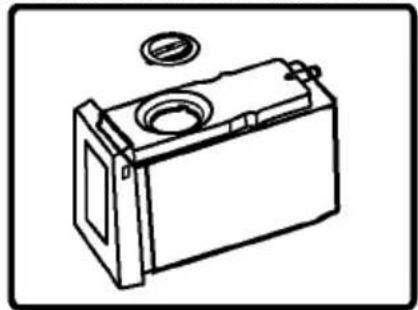
natural_image
Line drawing of a battery casing with a circular vent and mounting bracket (no text or symbols)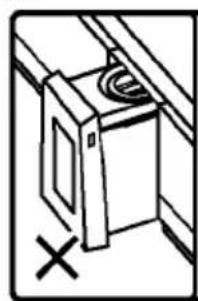
natural_image
Simple line drawing of a cabinet or oven with a circular vent and a cross mark, no text or symbols present.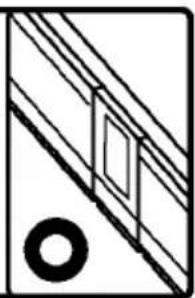
natural_image
Pure geometric diagram with diagonal lines and a circle, no text or symbols present
HINWEIS
natural_image
Line drawing of a battery with a circular top and side panel (no text or symbols)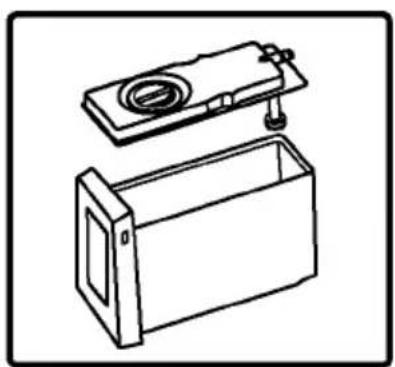
natural_image
Line drawing of a mechanical device with a lid and base housing (no text or symbols)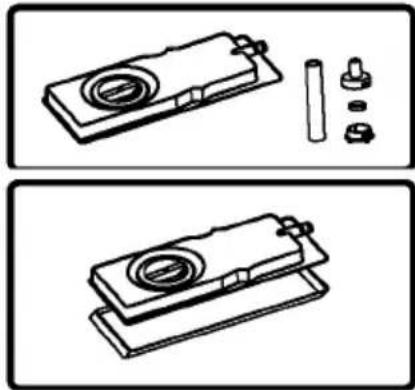
natural_image
Technical line drawings of a mechanical assembly with no visible text or symbols
HINWEIS
natural_image
Illustration of a hand using a mechanical device to press or adjust a component (no text or symbols visible)Schritt 3:
natural_image
Illustration of a mechanical tiller with motion lines indicating flow or movement (no text or symbols)Schritt 4:
natural_image
Simple line drawing of a two-panel refrigerator with a door and lid (no text or symbols)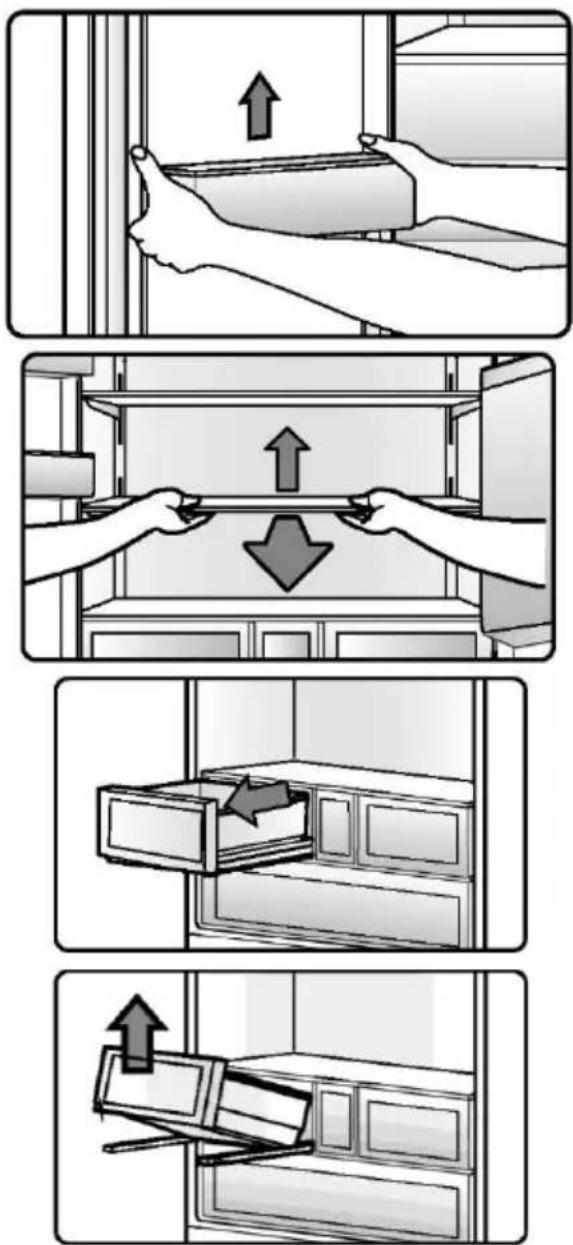
text_image
Illustration showing four steps of installing or removing a cabinet, with arrows indicating upward movement.natural_image
Illustration of a file drawer with an arrow indicating direction (no text or symbols)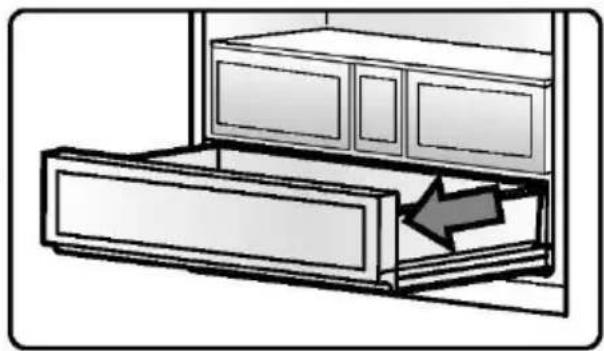
natural_image
Diagram of a cabinet with an arrow indicating direction or movement, showing internal compartments and storage (no text or symbols)
HINWEIS
text_image
Diagram showing a mechanical or electrical component with labeled parts 1 and 2, indicating positions or sections.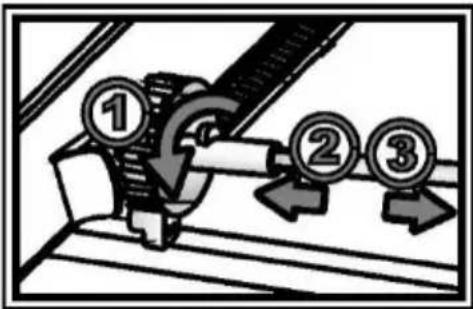
text_image
Diagram showing mechanical assembly with numbered components and directional arrows indicating motion or movementtext_image
Diagram showing two balance scales with numbered coins and directional arrows, one labeled '①' and the other '③', indicating a financial or operational scenario.text_image
21:08 Refrigerator management A 03° A B ABT PRO ABT PRO in progress C Activated 21:08 Ice making D Switched Off Timer E Switched Off Settings FBotones:
text_image
Fridge Compartment 03° C → 5° /1Función Super Cool
flowchart
graph LR
    A["Fridge Compartment"] --> B["Exercise Compartment"]
    B --> C["5°C"]
    C --> D["Super Cool Activated"]
    D --> E["Super Cool Switched off"]
text_image
Freezer Compartment -23°C → Freezer Compartment -22 -23°Ctext_image
Freeze Compartment Freezer Compartment -23°C Super Freeze Activated Super Freeze Switched offtext_image
MSA Fresh Switched offtext_image
21:08 MSA Fresh Switched ontext_image
21:08 MSA Fresh Switched offnatural_image
Abstract grayscale shape resembling a leaf or petal against black background, labeled 'Standard' at bottom (no other text or symbols)Modo Standard
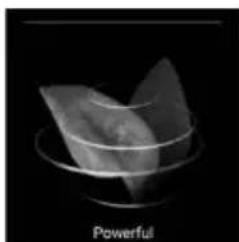
natural_image
Abstract 3D geometric shape with concentric rings, labeled 'Powerful' at bottom (no other text or symbols)Modo Powerful
text_image
Refrigerator management Fridge Compartment 03°Pulse el botón [Fridge compartment].
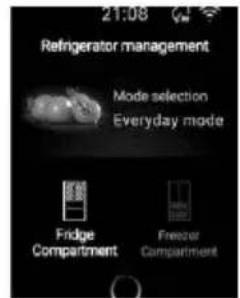
text_image
21:08 Refrigerator management Mode selection Everyday mode Fridge Compartment Freezer CompartmentPulse [Mode selection].

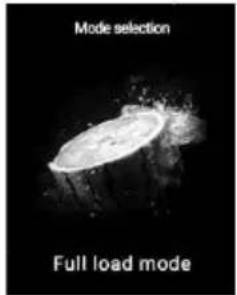
text_image
Mode selection Full load modePulse [Full load mode].
Modo Holiday
text_image
Refrigerator management 03° Fridge CompartmentPulse el botón [Fridge compartment].
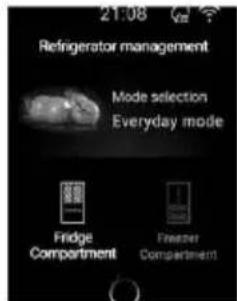
text_image
21:08 Refrigerator management Mode selection Everyday mode Fridge Compartment Freather CompartmentPulse [Mode selection].

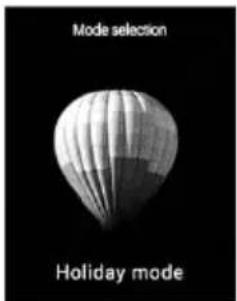
text_image
Mode selection Holiday modePulse [Holiday mode].
Modo Smart
text_image
Refrigerator management Fridge Compartment 03°Pulse el botón [Fridge compartment].
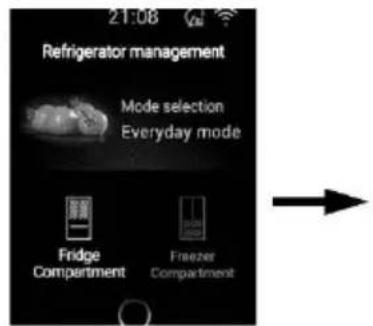
text_image
21:08 Refrigerator management Mode selection Everyday mode Fridge Compartment Freezer CompartmentPulse [Mode selection].

text_image
Mode selection A Smart ModePulse [Smart mode].
Control de Advanced Zone
Moist Zone
Fruit:
text_image
Fridge Compartment 03° cPulse el botón [Fridge compartment].

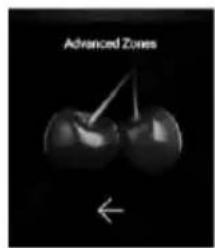
text_image
Advanced ZonesPulse [Advanced zone].

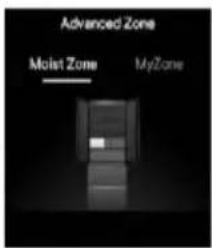
text_image
Advanced Zone Moist Zone MyZonePulse [Moist zone].

natural_image
Two whole kiwifruit pieces shown against a black background, labeled 'Fruit' below (no other text or symbols)Pulse [Fruit].

AVISO
natural_image
Black-and-white image of a plant with visible leaves, labeled 'Fridge Compartment' and '03°c' (no other text or symbols)Pulse el botón [Fridge compartment].

text_image
Advanced ZonesPulse [Advanced zone].

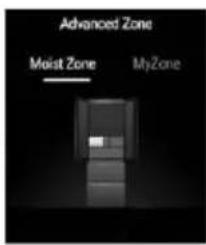
text_image
Advanced Zone Moist Zone MyZonePulse [Moist zone].

natural_image
Black and white photo of a vase with three eggs, labeled 'Milk & Eggs' below (no other text or symbols)Pulse [Milk & Eggs]
Vegetable:
natural_image
Black-and-white image of a plant with visible leaves, labeled 'Fridge Compartment' and '03°' (no other text or symbols)Pulse el botón [Fridge compartment].

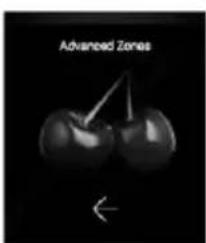
text_image
Advanced ZonesPulse [Advanced zone].

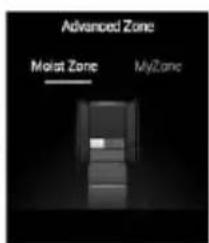
text_image
Advanced Zone Moist Zone MyZonePulse [Moist zone].

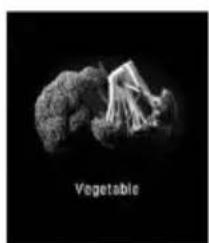
natural_image
Black-and-white image of a textured, irregularly shaped object labeled 'Vegetable' (no other text or symbols visible)Pulse [Vegetable]
My Zone
0°C Fresh:
flowchart
graph LR
    A["03° Fridge Compartment"] --> B["Pulse [Advanced zone"]]
    B --> C["Pulse [My zone"]]
    C --> D["Pulse [0°C fresh"]]
Cool drink:
natural_image
Close-up of a glassware structure with no visible text or symbolsPulse el botón [Fridge compartment].

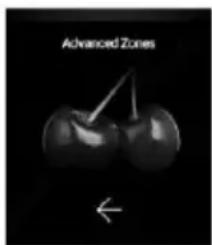
text_image
Advanced ZonesPulse [Advanced zone].

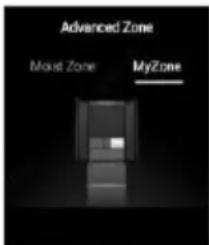
text_image
Advanced Zone Moust Zone MyZonePulse [My zone].

natural_image
Close-up of a white 3D block structure labeled 'Cheese' against a black background (no other text or symbols)Pulse [Cheese].
flowchart
graph LR
    A["Ice making Activated"] --> B["Ice making Activated"]
    B --> C["Ice making Switched off"]
Pulse el botón [Ice making].
Pulse para activar [Ice making].
Pulse para desactivar [Ice making].
flowchart
graph LR
    A["Ice making Activated"] --> B["Ice making Activated"]
    B --> C["Fast ice making Activated"]
    C --> D["Ice making Activated"]
    D --> E["Fast ice making Switched off"]
Pulse el botón [Ice making].
Pulse para activar [Fast ice making].
Pulse para desactivar [Fast ice making].
ABT PRO
text_image
Timer Switched OffFunción de ajuste
natural_image
3D rendered gear mechanism with no visible text or symbolstext_image
Unos 3 diasTernera Surimi
natural_image
Illustration of a cooking pot with steam rising, featuring a prohibition symbol overlay (no text or symbols present)natural_image
Illustration of a hand cleaning a surface with a faucet (no text or symbols)natural_image
Three bags of food items, no text or symbols presentnatural_image
Two identical trays of vegetables on a table, one with leafy top and others with stems and leaves (no text or symbols visible)natural_image
Diagram of a globe on a platform with directional arrows indicating movement or flow (no text or symbols)natural_image
Diagram showing the open refrigerator with internal compartments and a side view of the refrigerator (no text or labels)natural_image
Simple line drawing of a two-tiered shelving unit with a framed picture on the wall (no text or symbols)natural_image
Three hand-drawn bags of different types of food, including meat, striped meat, and dried fruit (no text or symbols)text_image
Prohibition symbol with crossed-out food items and a prohibition sign, indicating no prohibition or prohibition of food.text_image
Diagram showing a refrigerator with waste disposal and a prohibition symbol, illustrating waste reduction mechanism.text_image
Prohibition symbol with no sign and a cooking pot image showing steaming foodtext_image
Image showing a bottle and a stop sign symbol, indicating no smoking or disinfection.natural_image
Technical line drawing of a mechanical component with an arrow indicating direction (no text or symbols)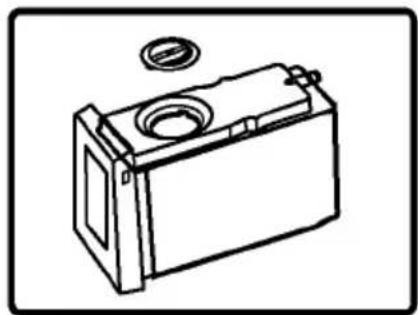
natural_image
Line drawing of a rectangular battery with a circular vent and a small inset showing the lid (no text or symbols)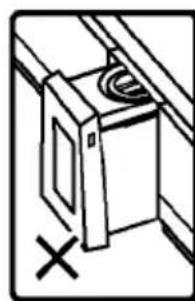
natural_image
Simple line drawing of a cabinet with a circular component and a cross mark, no text or symbols present.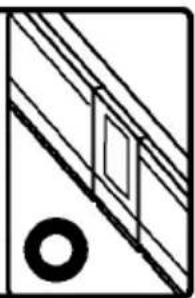
natural_image
Pure geometric diagram with diagonal lines and a circle, no text or symbols present
AVISO
natural_image
Line drawing of a battery with a circular top and side panel (no text or symbols)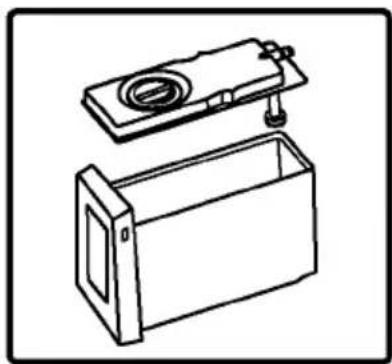
natural_image
Line drawing of a box with a lid and handle, no text or symbols present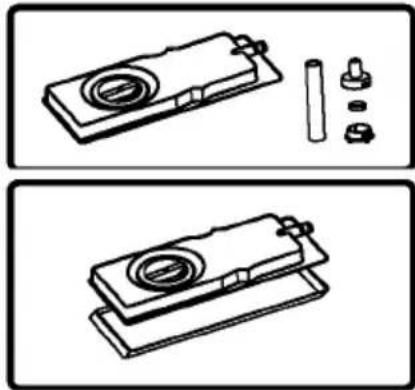
natural_image
Technical line drawings of a mechanical assembly with no visible text or symbols
AVISO
natural_image
Illustration of a hand using a tool to press or adjust a mechanical component (no text or symbols visible)Paso 3:
natural_image
Illustration of a mechanical tool or machine with motion lines indicating movement (no text or symbols)Paso 4:
natural_image
Simple line drawing of a two-panel refrigerator with a door and front panel (no text or symbols)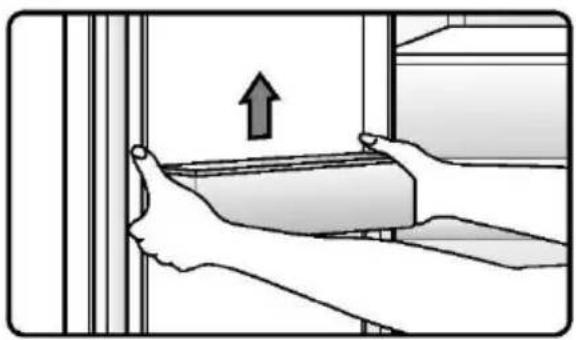
natural_image
Illustration of hands installing or adjusting a wall-mounted component with an upward arrow (no text or symbols)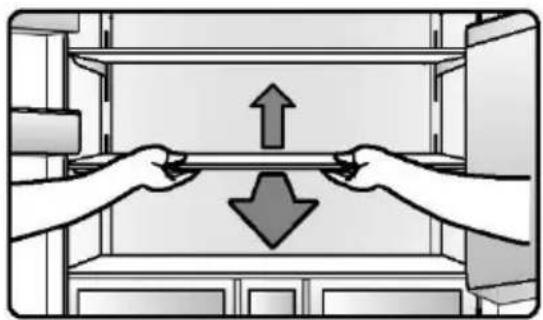
natural_image
Illustration of two hands lifting a shelf with opposing arrows (no text or symbols)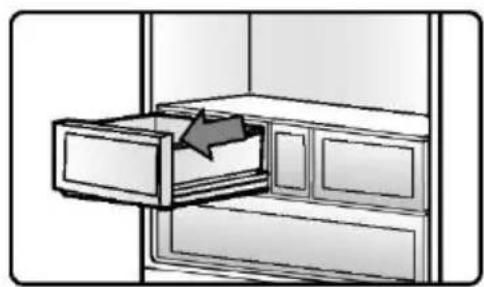
natural_image
Illustration of a drawer with an arrow pointing to a cabinet handle (no text or symbols)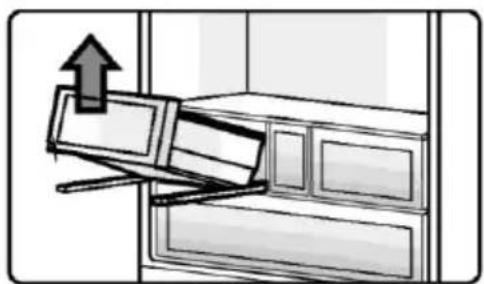
natural_image
Illustration of a cabinet with an upward arrow indicating motion or movement (no text or symbols present)natural_image
Illustration of a file drawer with an arrow indicating direction (no text or symbols)natural_image
Diagram of a cabinet with an arrow indicating direction, showing internal compartments and storage (no text or symbols)
AVISO
text_image
Diagram showing a mechanical or electrical component with labeled parts 1 and 2, indicating positions or sections.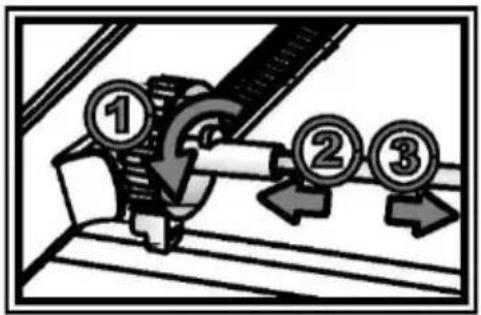
text_image
Diagram showing a mechanical assembly with numbered components and directional arrows indicating motion or movement.text_image
Diagram showing three labeled boxes with arrows and coins, indicating directional movement or process flow.natural_image
Two people pushing a large box with a no-smoking symbol (no text or labels)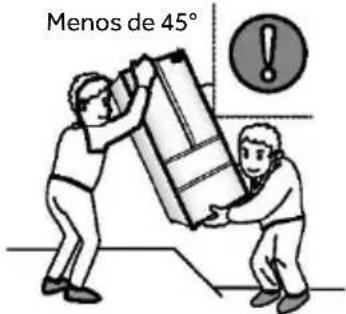
text_image
Menos de 45°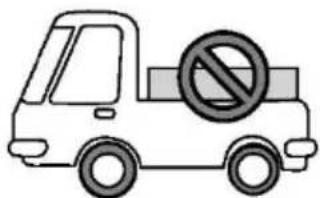
text_image
Cartoon truck with a no-smoking symbol on its side, indicating no traffic or restriction.Desactivación
natural_image
Simple line drawing of a building with a checkmark symbol on the door (no text or labels)text_image
21:08 Refrigerator management 21:08 Ice making A D Fridge Compastrive 03° Switched Off ABT PRO B Timer E ABT PRO in progress Switched Off MSA Fresh Settings C Activated FTouches :
text_image
Fridge Compartment 03° C → 5° / iFonction Super Cool
text_image
Fridge Compartment Evaporator Compartment 5°Cnatural_image
Two kiwifruits with visible skin texture, labeled 'Super Cool Activated' above (no other text or symbols)text_image
Super Cool Switched offtext_image
-23° Freezer Compartment → -23° Freezer Compartment -23°text_image
Large Compartment Freezer Compartment -23°C Super Freeze Activated Super Freeze switched offtext_image
MSA Fresh Switched offtext_image
21:08 MSA Fresh Switched ontext_image
21:08 MSA Fresh Switched offnatural_image
Abstract grayscale shape resembling a stylized flower or leaf against black background, labeled 'Standard' at bottom (no other text or symbols)Mode Standard
natural_image
Monochrome image of a glass bowl containing a triangular object, labeled 'Powerful' at the bottom (no other text or symbols visible)Mode Powerful
text_image
Refrigerator management Fridge Compartment 03°text_image
21:08 Refrigerator management Mode selection Everyday mode Fridge Compartment Freezer Compartmenttext_image
Mode selection Everyday modetext_image
Refrigerator management Fridge Compartment 03°text_image
21:08 Refrigerator management Mode selection Everyday mode Fridge Compartment Freezer Compartmenttext_image
Mode selection Holiday modenatural_image
Black-and-white image of a plant with visible leaves, labeled 'Fridge Compartment' and '03°c' (no other text or symbols)text_image
Advanced Zone Moist Zone MyZonenatural_image
Black and white photo of a vase with three eggs, labeled 'Milk & Eggs' below (no other text or symbols)natural_image
Black-and-white image of a flower with visible petals and leaves, labeled 'Fridge Compartment' and '03°' (no other text or symbols)text_image
Advanced Zone Moist Zone MyZonenatural_image
Black-and-white image of a broccoli cluster labeled 'Vegetable' (no other text or symbols visible)natural_image
Close-up of a white, textured surface resembling a plant or mineral formation against a black background, with no visible text or symbols.text_image
Advanced Zone Moist Zone MyZonenatural_image
3D rendered cheese block structure on black background (no text or symbols)text_image
Timer Switched OffFonction Réglages
natural_image
3D rendered mechanical gear with no visible text or symbolsFonction Link to the phone
natural_image
Illustration of a steaming pot with a prohibition symbol (no text or symbols present)natural_image
Illustration of a hand cleaning a bottle with a faucet (no text or symbols)natural_image
Three bag icons filled with food items, no text or symbols presentnatural_image
Illustration of a balanced scale with vegetables and tomatoes on either side (no text or symbols)natural_image
Diagram of a globe with directional arrows indicating rotation or movement (no text or symbols)natural_image
Diagram showing a refrigerator with open doors and a side view of the refrigerator (no text or labels)natural_image
Simple line drawing of a two-tiered shelving unit with a framed picture on the wall (no text or symbols)natural_image
Three hand-drawn bags of different types of food, including meat, striped meat, and dried fruit (no text or symbols)text_image
Image showing a prohibition symbol and two food items with visible fillings, likely indicating no restrictions or food restrictions.text_image
Diagram illustrating a chemical process involving a refrigerator with waste and a prohibition symbolnatural_image
Symbolic illustration of a prohibition sign next to a steaming bowl (no text or symbols present)text_image
Image showing a bottle and a hand holding a bottle with a stop sign, indicating no smoking or disinfection.natural_image
Technical line drawing of a mechanical component with an arrow indicating direction (no text or symbols)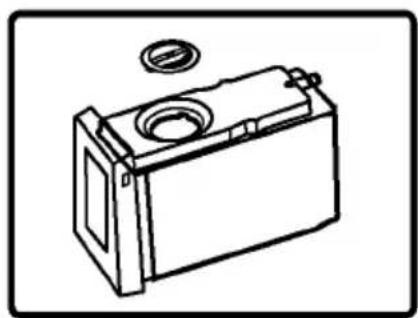
natural_image
Line drawing of a battery casing with a circular vent and a small inset component (no text or symbols)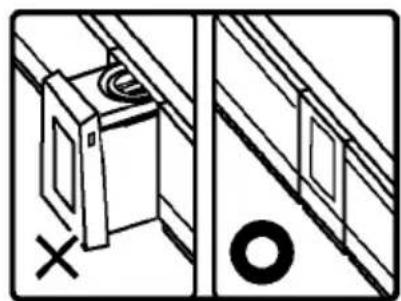
natural_image
Diagram showing a door opening and a wall-mounted device with a circular button, alongside a magnified view of the door (no text or symbols present)
REMARQUE
natural_image
Line drawing of a battery casing with a lid and mounting bracket (no text or symbols)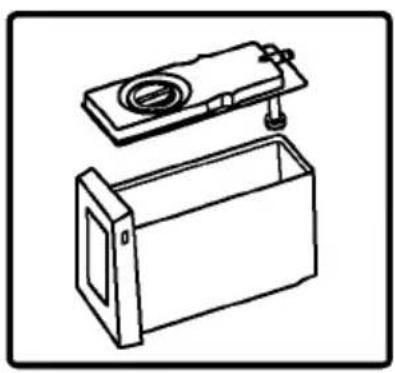
natural_image
Line drawing of a mechanical device with a lid and base housing (no text or symbols)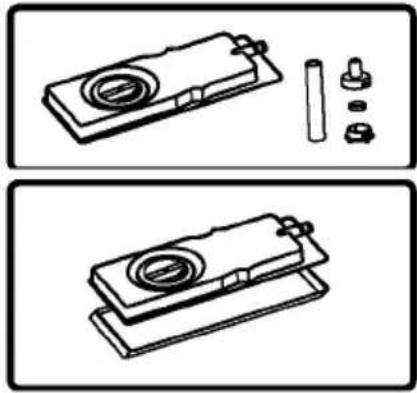
natural_image
Technical line drawings of a mechanical component with no visible text or symbols
REMARQUE
natural_image
Line drawing of a hand using a tool to press or adjust a mechanical component (no text or symbols present)Étape 3 :
natural_image
Illustration of a mechanical tiller with motion lines indicating movement (no text or symbols)Étape 4 :
natural_image
Simple line drawing of a two-panel refrigerator with a black door on top (no text or symbols)natural_image
Illustration of hands installing or adjusting a wall-mounted component with an upward arrow (no text or symbols)Clayette en porte-à-faux
natural_image
Illustration of two hands lifting a rectangular object with opposing arrows, no text or symbols presentTiroir Advanced Zone
natural_image
Illustration of a drawer with an arrow pointing to a cabinet interior (no text or symbols)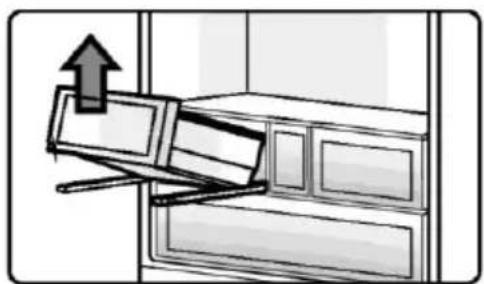
natural_image
Illustration of a cabinet with an upward arrow indicating motion or movement (no text or symbols present)Réservoir d'eau
natural_image
Illustration of a file drawer with an arrow indicating direction (no text or symbols)Tiroir MSA
natural_image
Diagram of a cabinet with an arrow indicating direction, showing internal compartments and storage (no text or symbols)
REMARQUE
text_image
Diagram showing a mechanical or electrical component with labeled parts 1 and 2, featuring directional arrows and circular symbols.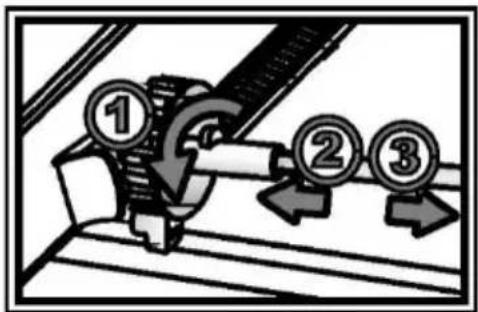
text_image
Diagram showing a mechanical or electrical component with numbered callouts (①, ②, ③) indicating specific parts or steps.text_image
Diagram showing three labeled boxes with arrows and coins, indicating directional movement or process flow.text_image
21:08 Refrigerator management 21:08 Ice making A D 03° Fringe Compartments Switched Off ABT PRO B Timer E ABT PRO in progress Switched Off MSA Fresh Settings C Activated FTasti:
text_image
Fridge Compartment 03° → 5° 1Funzione Super Cool
text_image
Fridge Compartment Fridge Compartment 5°Cnatural_image
Two kiwifruits with a cut section, labeled 'Super Cool Activated' above (no other text or symbols)text_image
Super Cool Switched offtext_image
Freezer Compartment -23°C → Finger Compartmental Freezer Compartment -23°Cnatural_image
Abstract grayscale image of a stylized leaf-like shape with no text or symbolsModalità Standard
natural_image
Black-and-white photo of a cup filled with a folded paper or plastic sheet, labeled 'Powerful' at the bottom (no other text or symbols visible)Modalità Powerful
text_image
Refrigerator management Fridge Compartment 03°text_image
21:08 Refrigerator management Mode selection Everyday mode Fridge Compartment Freezer CompartmentToccare [Mode Selection]

text_image
Mode selection A Smart ModeToccare [Smart mode]
Controllo Advanced Zone
Moist Zone
Fruit:
natural_image
Black and white image of a textured, leafy surface with 'Fridge' label and '03°' text overlay (no other readable symbols or text)text_image
Advanced Zone Moist Zone MyZoneToccare [Moist zone]

natural_image
Two whole kiwifruit pieces against a black background, labeled 'Fruit' below (no other text or symbols)Toccare [Fruit]
AVVISO
flowchart
graph LR
    A["Fridge Compartment 03°"] --> B["Advanced Zones"]
    B --> C["Advanced Zone Moist Zone"]
    C --> D["Vegetable"]
My Zone
0°C Fresh:
flowchart
graph LR
    A["Fridge Compartment 03°"] --> B["Advanced Zones"]
    B --> C["Advanced Zone Moist Zone"]
    C --> D["Cool Drink"]
Cheese:
flowchart
graph LR
    A["Fridge Compartment 03°"] --> B["Advanced Zones"]
    B --> C["My Zone"]
    C --> D["Cheese"]
flowchart
graph LR
    A["Ice making Activated"] --> B["Ice making Activated"]
    B --> C["Switched off"]
text_image
Ice making Activatedtext_image
Ice making Activated Fast ice making Activatedtext_image
Ice making Activated Fast ice making Switched offtext_image
Timer Switched Offnatural_image
3D rendered gear with a central shaft, set against a dark background (no text or symbols)Funzione Link to the phone
natural_image
Illustration of a cooking pot with a prohibition symbol overlay (no text or symbols present)natural_image
Illustration of a hand cleaning a surface with a faucet (no text or symbols)natural_image
Three bags of food items, no text or symbols presentnatural_image
Illustration of a balance scale with vegetables and tomatoes on either side (no text or symbols)natural_image
Diagram of a bowl on a tray with arrows indicating direction (no text or symbols)text_image
Diagram showing refrigerator interior and exterior view with labeled parts and directional arrownatural_image
Three hand-drawn bags of different types of food items, including meat, striped meat, and snacks (no text or symbols)natural_image
Two platelets of cooked meat with a prohibition symbol (no text or labels)text_image
Diagram illustrating a chemical process involving a chemical reactor and a prohibition symbol, with arrows indicating reaction direction.natural_image
Symbolic image showing a prohibition sign next to a cooking pot with steam rising (no text or labels)text_image
Image showing a bottle and a hand holding a cigarette next to a prohibition symbolnatural_image
Technical line drawing of a mechanical component with an arrow indicating direction (no text or symbols)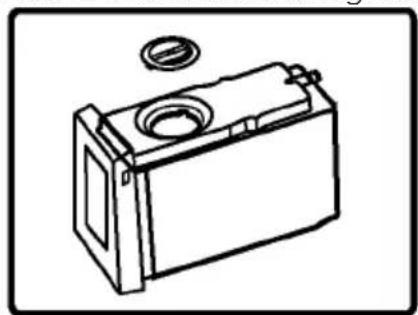
natural_image
Line drawing of a battery casing with a circular vent and a washer (no text or symbols)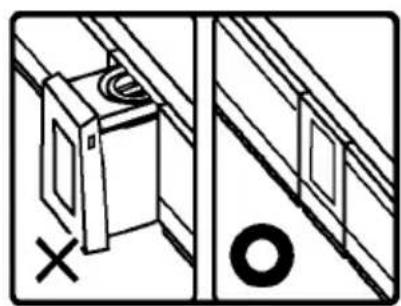
natural_image
Diagram showing a door opening and a wall-mounted device with a cross mark, alongside a circular object (no text or symbols)
AVVISO
natural_image
Line drawing of a battery with a circular top and side panel (no text or symbols)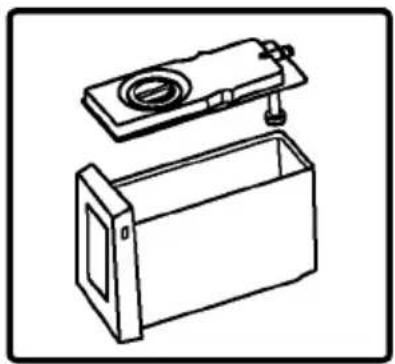
natural_image
Line drawing of a mechanical device with a lid and base housing (no text or symbols)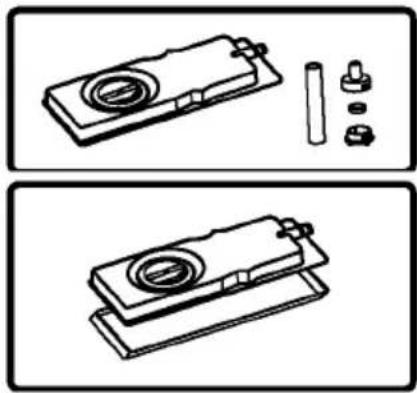
natural_image
Technical line drawings of a mechanical component with cylindrical parts and mounting holes (no text or symbols)
AVVISO
natural_image
Line drawing of a hand using a tool to press or adjust a mechanical component (no text or symbols present)Passo 3:
natural_image
Illustration of a mechanical device with motion lines indicating movement (no text or symbols)Passo 4:
Cassetto Advanced Zone
natural_image
Simple line drawing of a double door with a black button on the top (no text or symbols)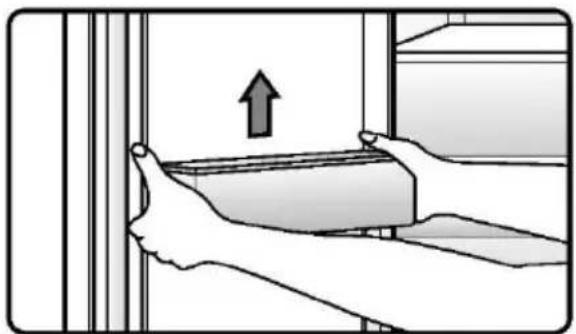
natural_image
Illustration of hands holding a rectangular object with an upward arrow, next to vertical bars (no text or symbols)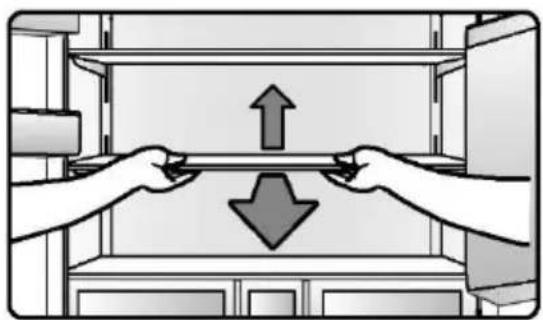
natural_image
Illustration of two hands lifting a rectangular object with opposing arrows, no text or symbols present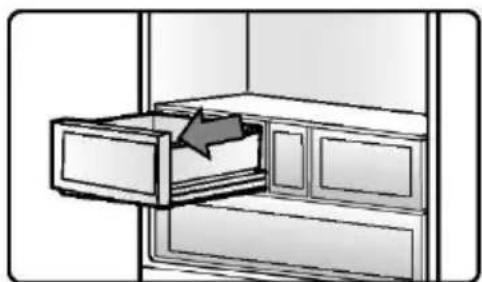
natural_image
Illustration of a drawer with an arrow pointing to a cabinet interior (no text or symbols)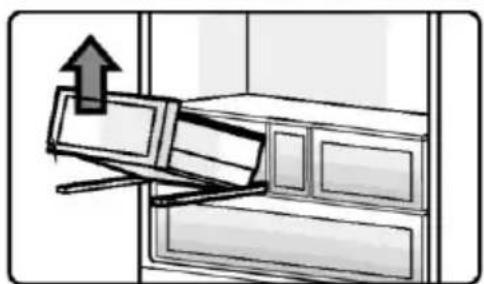
natural_image
Illustration of a computer monitor with an upward arrow, placed on a cabinet (no text or symbols)natural_image
Illustration of a file drawer with an arrow indicating direction (no text or symbols)Cassetto MSA
natural_image
Diagram of a cabinet with an open drawer and a black arrow indicating direction (no text or symbols)
AVVISO
text_image
Diagram showing a mechanical or electrical component with labeled parts 1 and 2, indicating sequence or status.text_image
Diagram showing mechanical assembly with numbered components and directional arrows indicating motion or movementflowchart
graph LR
    A["LED Light"] <--> B["Robot Icon"]
    B --> C["LED Light"]
Westgate House, Westgate, Ealing
London, W5 1YY
natural_image
Abstract geometric composition with four shaded triangles radiating from a central point (no text or symbols)Haier
text_image
Black and white barcode image with vertical lines on both sides0060537584 2023 Version 01