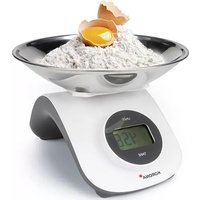
Cleo 76161 - Cooker KORONA - Free user manual and instructions
Find the device manual for free Cleo 76161 KORONA in PDF.


| Type of product | Kitchen scale |
| Brand | KORONA |
| Model | Cleo 76161 |
| Maximum capacity | 5 kg (11 lb) |
| Graduation | 1 g (0.1 oz) |
| Power supply | No batteries needed, integrated rechargeable battery, turn the On button to generate power |
| Display | Digital display |
| Platform material | Stainless steel |
| Weight units | g / oz / lb:oz / water-ml / milk-ml |
| Main functions | Rotation activation, tare, unit selection, auto-off |
| Cleaning and maintenance | Wipe with a damp cloth, never immerse in water |
| Safety | Protect from shocks, humidity, dust, chemicals, strong temperature variations, and electromagnetic fields |
| Warranty | 5 years on material and manufacturing defects |
| Package contents | Scale, stainless steel weighing platform, user manual |
| Dimensions (approx.) | Not specified in the manual |
| Weight (approx.) | Not specified in the manual |
Frequently Asked Questions - Cleo 76161 KORONA
User questions about Cleo 76161 KORONA
0 question about this device. Answer the ones you know or ask your own.
Ask a new question about this device
Download the instructions for your Cooker in PDF format for free! Find your manual Cleo 76161 - KORONA and take your electronic device back in hand. On this page are published all the documents necessary for the use of your device. Cleo 76161 by KORONA.
USER MANUAL Cleo 76161 KORONA
English Instruction for use Kitchen scale Cleo

KORONA electric GmbH Hauptstraße 169 · 59846 Sundern · Germany Tel. +49 2933 90284-80 www.korona-electric.de

DEUTSCH
Inhalt
natural_image
Line drawing of a hand using a digital balance scale to measure food (no text or symbols)▶
natural_image
Line drawing of a hand holding a digital kitchen scale with a bowl (no text or symbols)natural_image
Line drawing of a hand using a digital balance scale to measure a wafer (no text or symbols present)▶
natural_image
Line drawing of a digital balance scale with an arrow pointing to the top pan (no text or symbols)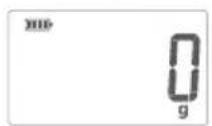
natural_image
Line drawing of a hand holding a digital camera (no text or symbols)▶

natural_image
Line drawing of a hand using a balance scale to measure a small object (no text or symbols present)▶
natural_image
Line drawing of a digital balance scale with an arrow pointing to the top pan (no text or symbols)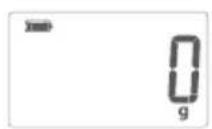
TARE
- Intended Use....7
- Signs and symbols....7
- Safety and General Notes 8
- Unit description 8
- Before First Use....8
-
Operation....9
-
Tare Function 9
- Changing the weight unit 10
- Storage and Maintenance......10
- Disposal....10
- What if there are problems?......11
- Guarantee and service 11
Delivery Scope
- Kitchen scale
- Stainless Steel Bowl
- Instruction Manual
Dear Customer
You have chosen a quality product from Korona.
Before use, please read these instructions carefully and keep them in a safe place for future reference. When passing on the appliance to a third party, make sure to include these instructions for use.
To enjoy the product for many years to come, please adhere to the following Safety and Care Instructions!
With kind regards
Your Korona team
1. Intended Use
This appliance is only intended and suitable for weighing foods. All other use or modification of the appliance is not intended by the manufacturer and might entail a risk of damage.
This appliance is not intended for commercial use!
2. Signs and symbols
The following symbols appear in these instructions:

Important
Safety note indicating possible damage to the unit/accessory!

Note
Note on important information!
3. Safety and General Notes

• Max. capacity 5kg (11 lb), graduation 1 g (0.1 oz)
- Protect your scale from impact with hard objects, moisture, dust, chemicals, toiletries, liquid cosmetics, great temperature fl ectuation and closeness to sources of heat (open fi res, radiators).
- Strong electromagnetic fields (e.g. cell phones) may impair the accuracy of the scale.
- Please note that the sensor buttons respond to contact with conductive objects. If applicable, place a thick mat between the scale and any other objects.
- Manufacturer takes no responsibility for any damage caused by incorrect use.
- Repairs may only be performed by a qualified Customer Service or by an accredited retailer.
- Cleaning: You can clean the scale with a damp cloth and a little washing up liquid, if required. Do not use any aggressive cleaning agents. Never immerse the scale in water nor rinse it under running water.
4. Unit description
1 Power button
2 Display
3 Tare
4 Unit button (back of appliance)
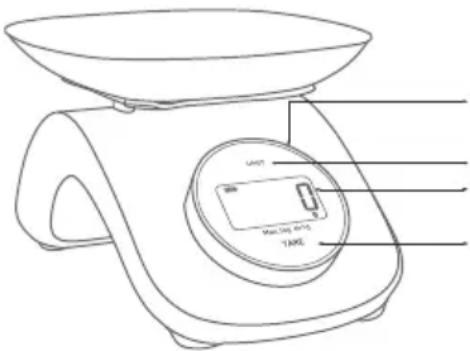
- Turn this button to generate energy
- Set units g/oz/lb:oz/water-ml/milk-ml
- Display
- Tare
5. Before First Use
Remove all packaging material and check whether the appliance is complete and undamaged.

Warning:
Plastic bags are a danger to toddlers and babies, therefore keep them away to avoid suffocation.
6. Operation
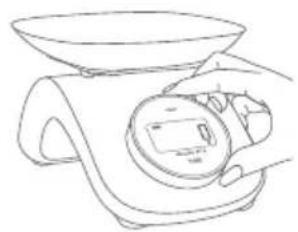
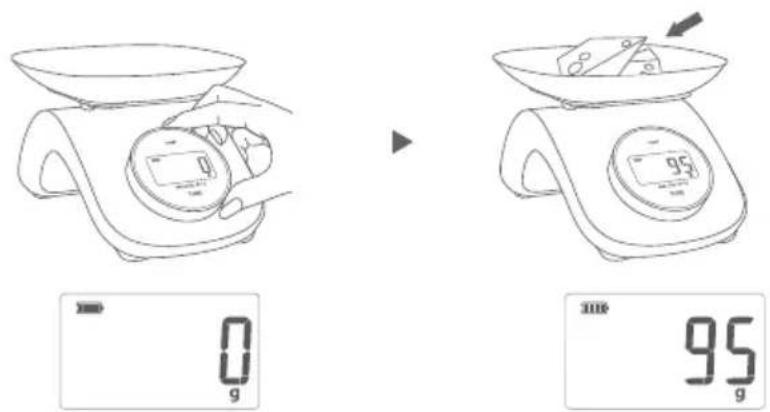
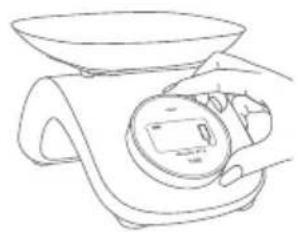
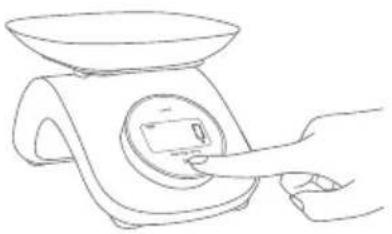
The scale operates without batteries. The integrated power source is activated by turning the power button.
- Place the scale on an even, firm and non-slippery surface.
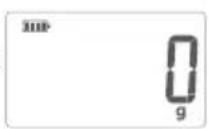
- Switch on the scale by turning the power button not less than 120 degrees to the right until zero appears on the display.
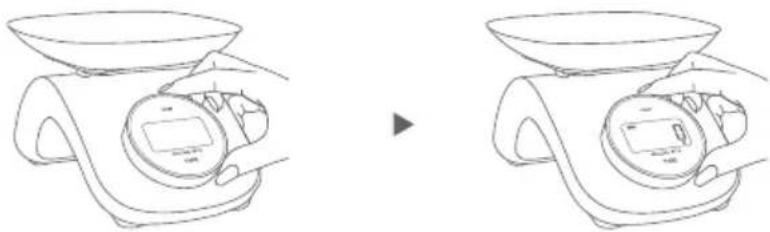
natural_image
Line drawing of a balance scale with two views showing different weights (no text or symbols)- Change the weight unit, if necessary.
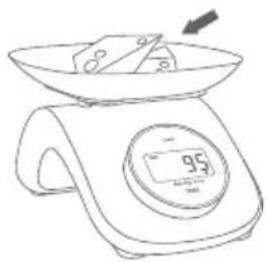
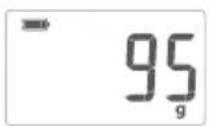
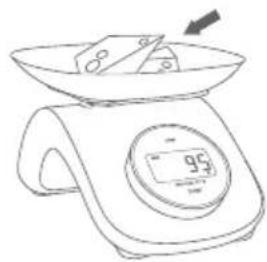
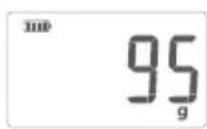
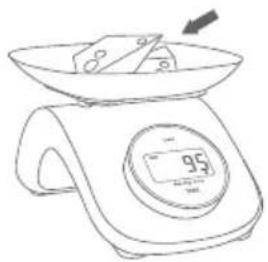
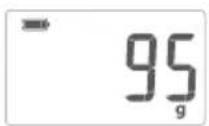
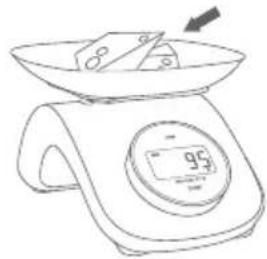
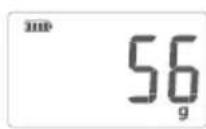
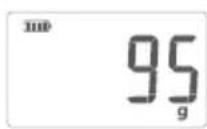
- Place the food to be weight onto the scale and the weight will be displayed (e.g. 95 g)
7. Tare Function
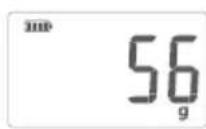
- Switch on the scale and place an empty container on the scale. On the display the weight of the container is shown.
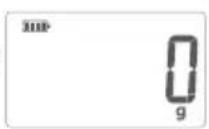
- Press "Tare" which is printed underneath the display and the display will show zero.
- Place the food to be weight into the container. The display will now only show the weight of the food.
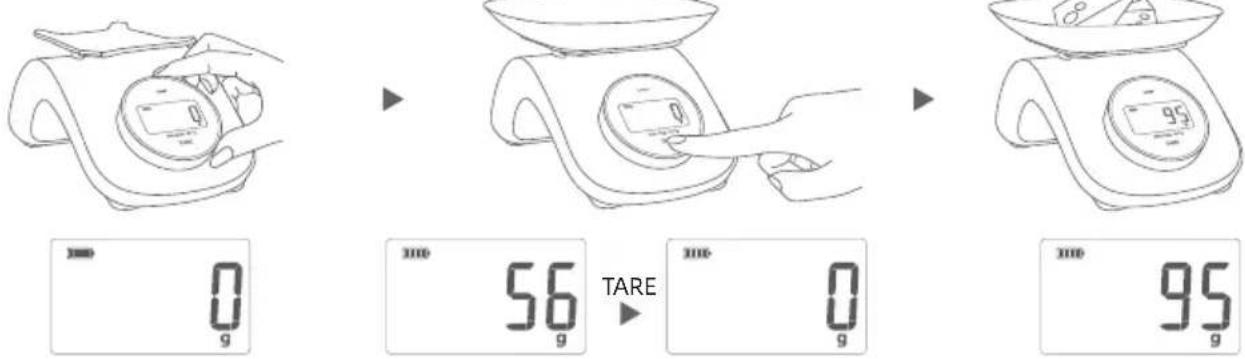
If you would like to weigh something else, remove the food from the container and press "Tare" to reset the appliance.

Note:
The display will show a negative weight if you remove the container and food from the scale. Press “Tare” and the appliance will be reset to zero.
After use the appliance will switch off automatically.
8. Changing the weight unit
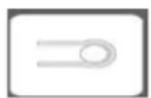
On the back of the scale you will find the unit button which you can use to switch the units between g / oz / lb:oz / water-ml / milk-ml

Note:
The weight unit has to be set before starting the weighing process. It cannot be changed during the weighing process.
9. Storage and Maintenance

Important:
- Clean the unit on a regular basis. Do not use any abrasive cleaning products.
- Make sure that no liquids come into contact with the scales. Never submerge the scales into water.
- Do not store the scale in an upright position.
10. Disposal
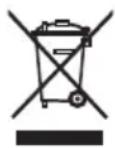
Appliances marked with this sign must not be disposed of with your household waste, but – according to the EU directive on Waste Electric And Electronic Equipment are to be collected separately. Therefore, please return this device at the end of its life cycle to special collection points for disposal or your local dealer.
The Scale is packed in a retail box. Such boxes are recyclable waste, i.e. they are reusable or recyclable.
11. What if there are problems?
If the scale detects and error when measuring, the following is displayed.
Overload indication
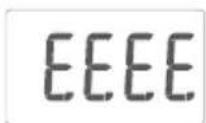
The max. weight of 5 kg was exceeded.
Low power indication
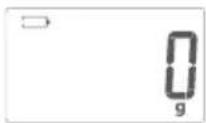
The appliance will turn off automatically. To recharge, please turn the power button.
12. Guarantee and service
This product is guaranteed against defects in materials and workmanship for a period of 5 years.
This guarantee is not valid:
- if the appliance has not been used in accordance to the instructions
• for damages due to wear and tear (batteries, etc.)
• for damages known by customer at time of purchase
• for damages caused by owner.
This guarantee does not affect your statutory right, nor any legal right you may have as a costumer under applicable national legislation governing the purchase of goods.
In order to assert his/her right in a guarantee case during the guaranteed period, the customer must provide evidence of the date of purchase (receipt).
The guarantee is to be asserted against
Korona electric GmbH
Hauptstraße 169
59846 Sundern
Germany
within 5 years after the date of purchase. In case of guarantee the customer is given the right to get the appliance repaired at our own or at an authorized shop. Further rights (due to guarantee case) are not given to the customer.
NEDEEPLSONDS
Inhoud
natural_image
Line drawing of a balance scale with hands holding two pans, one open and one closed, showing change (no text or symbols)natural_image
Line drawing of a balance scale with hand operating it, showing before and after states (no text or symbols)Indication de surcharge
EEEE
natural_image
Line drawing of a balance scale with hand operating it, showing before and after states (no text or symbols)natural_image
Line drawing of a hand using a digital balance scale to measure food (no text or symbols)▶
natural_image
Line drawing of a hand holding a digital kitchen scale with a bowl (no text or symbols)natural_image
Line drawing of a hand using a digital balance scale to measure a wafer (no text or symbols present)▶
natural_image
Line drawing of a digital balance scale with an arrow pointing to the top pan (no text or symbols)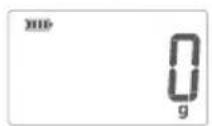
natural_image
Line drawing of a hand holding a small electronic device (no text or symbols)▶
natural_image
Line drawing of a hand using a balance scale to measure a small object (no text or symbols present)▶
natural_image
Line drawing of a digital balance scale with an arrow pointing to the top pan (no text or symbols)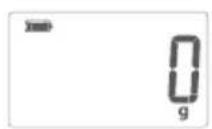
TARE
natural_image
Line drawing of a balance scale with hand operating it, showing two views before and after (no text or symbols)natural_image
Line drawing of a balance scale with hands holding two digital meters, one being shifted (no text or symbols)natural_image
Line drawing of a balance scale with two views showing different designs (no text or symbols)


- DEUTSCH
- Inhalt
- Delivery Scope
- Dear Customer
- Intended Use
- Signs and symbols
- Safety and General Notes
- Unit description
- Before First Use
- Warning:
- Operation
- The scale operates without batteries. The integrated power source is activated by turning the power button.
- Tare Function
- Note:
- After use the appliance will switch off automatically.
- Changing the weight unit
- Storage and Maintenance
- Important:
- Disposal
- What if there are problems?
- Overload indication
- Low power indication
- Guarantee and service
- NEDEEPLSONDS
- Inhoud
- Indication de surcharge
Brand : KORONA
Model : Cleo 76161
Category : Cooker