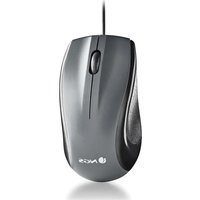
MUSK - Mouse NGS - Free user manual and instructions
Find the device manual for free MUSK NGS in PDF.


| Product Type | Multimode Wireless Mouse |
| Brand | NGS |
| Model | MUSK |
| Connectivity | 2.4 GHz (via USB nano receiver), Bluetooth BT1/BT2 |
| Sensor | Optical, DPI settings: 800 / 1200 / 1600 |
| Buttons | 5 buttons + scroll wheel, silent buttons |
| Power | Rechargeable via USB Type-C port |
| Battery Life | Not specified, battery with 12-month warranty (consumable) |
| Indicators | Low battery indicator, connected mode (BT1/BT2/2.4 GHz) |
| On/Off Switch | Yes, located under the mouse |
| Included Accessories | USB nano receiver, Type-C charging cable, phone/tablet holder |
| Operating Frequency | 2408 ~ 2474 MHz |
| Maximum RF Power | 0 dBm (2 mW) |
| Compatibility | Computers, tablets, smartphones (via BT or receiver) |
| Safety | Complies with EU directives (SAR ≤ 2.0 W/kg at 1.0 cm from body) |
| Cleaning | Use a soft dry cloth; do not immerse |
| Repairability | Battery not user-replaceable; contact an authorized center for replacement |
| Warranty | Battery: 12 months; product: refer to retailer |
| Weight | Not specified |
Frequently Asked Questions - MUSK NGS
User questions about MUSK NGS
0 question about this device. Answer the ones you know or ask your own.
Ask a new question about this device
Download the instructions for your Mouse in PDF format for free! Find your manual MUSK - NGS and take your electronic device back in hand. On this page are published all the documents necessary for the use of your device. MUSK by NGS.
USER MANUAL MUSK NGS
| Turn on the mouse and keyboard. Connect the nano receiver to a USB port on the computer. | Press the mode button and leave it on 2.4GHz. |
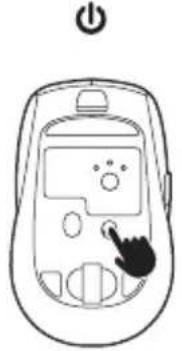 | 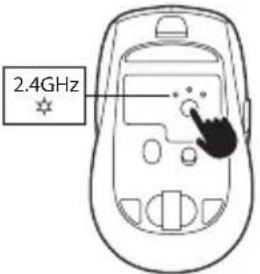 Press the 2.4GHz button. Press the 2.4GHz button. |
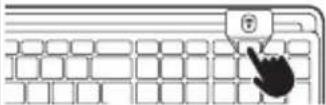 |
ENGLISH
BT1 / BT2
| Turn on the mouse and keyboard. | Press the mode button and leave it on BT1 / BT2. Hold down the button for 3 seconds, and the light will blink rapidly. | NGS ECLIPSE KIT BT1/BT2 | |
| Keep the BT1 / BT2 button pressed for 3 seconds. | |||
| BT1 BT2 3s 3s | 3s 3s | ||
ENGLISH

NGS
ENGLISH
BT1 / BT2
ENGLISH

NGS
TECHNICAL SPECIFICATIONS
KEYBOARD
- Multimode
- Rechargeable
• 12 multimedia keys
• Keycaps with scissor mechanism - Silent keys
- ON/OFF switch
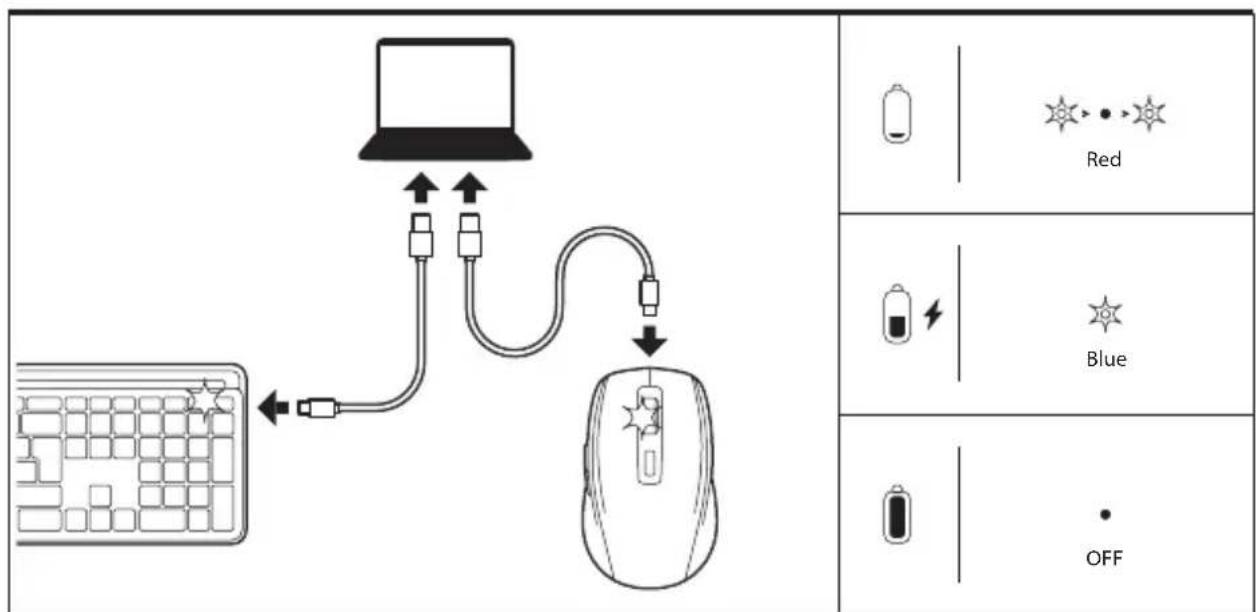
- Seven LED indicators (2.4GHz/BT1/BT2, Caps lock, Num lock, Low power, Charging mode)
MOUSE
- Multimode
- Rechargeable
• 800/1200/1600 DPI - Scroll wheel + 5 buttons
- Silent buttons
- ON/OFF switch
- Low power indicator
• Frequency range: 2408\~2474 MHz
• Maximum RF output: 0dBm (2mW)
Battery warranty
The battery is a consumer product, and as such it is under warranty for 12 months.
ENGLISH
SECURITY
IMPORTANT SAFETY INSTRUCTIONS
For all products:
- Read and follow the instructions.
- Keep the Instructions in a safe place.
- Observe the warnings.
- Use only the accessories and auxiliary products specified in the product.
- Take care when transporting the product to prevent damage.
- Do not expose batteries to excessive heat such as direct sunlight or fire, as well as moisture in the area where you intend to use and/or store it.
- This device is intended for use only with the power supply and/or charging cable provided by the manufacturer.
This device complies with the European Union requirements (1999/5/EC) related to the limitation of the general public's exposure to electromagnetic fields concerning health protection.
The limits are part of broad recommendations for the protection of the general public. These recommendations have been developed and verified by independent scientific organizations through frequent and thorough assessments of scientific studies. The measurement unit for the European Council's recommended limit for mobile devices is the "Specific Absorption Rate" (SAR), and the average SAR limit is 20 W/kg over 10 grams of body tissue.
Lurbe Grup S.A. complies with the requirements of the International Commission on Non-Ionizing Radiation Protection (ICNIRP).
In the case of body-worn use, this product has been tested and complies with the ICNIRP exposure guidelines and the European standard EN 62479 and EN 50663. The SAR value has been measured with the device positioned 1.0 cm away from the body while transmitting at the highest certified output power level across all frequency bands of the mobile device.
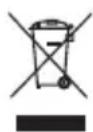
WEEE Notice: The Waste Electrical and Electronic Equipment (WEEE) Directive, which came into force as European law on 14/02/2014, addresses the treatment of electronic equipment at the end of its life cycle. Priority is given to reuse, recycling, and other forms of recovery of such waste to minimize disposal. The WEEE logo is the one found in this section.
This product should not be disposed of with household waste. It is your responsibility to properly dispose of all waste from your electrical equipment, and for this purpose, you must take them to the designated collection point for the recycling of such hazardous waste. The separate collection and proper recovery of waste from your electrical and electronic equipment at the time of disposal allows us to help preserve natural resources and ensure the safety of human health and the environment. For more information on disposal, recovery, and collection points for electrical and electronic equipment waste, please contact your local city center, domestic waste disposal service, the store where you purchased the equipment, or the equipment manufacturer.
ENGLISH
Compliance with RoHS requirements.
This product complies with Directive 2011/65/EU and its amendment (EU) 2015/863 of the European Parliament and the Council of June 4, 2015, on the restriction of the use of certain hazardous substances in electrical and electronic equipment.
For products that include batteries.
EU Directive 2013/56/EU on batteries.
The new Directive 2013/56/EU on batteries and accumulators, which replaces the previous directive, came into force on 01/07/2015. The directive applies to all types of batteries and accumulators (AA, AAA, button cells, lead-acid, rechargeable), including those incorporated into appliances, except for military, medical, and power tool applications. The directive sets standards for the collection, treatment, recycling, and disposal of batteries and aims to prohibit certain hazardous substances and improve the environmental performance of batteries and all operators in the supply chain.
User instructions for extraction, recycling, and disposal of used batteries.
To remove the batteries from the equipment or remote control, reverse the battery insertion process described in the owner's manual.
In the case of products with built-in batteries that last for the entire product's lifespan, it is not possible for the user to remove the batteries. In these cases, recycling or recovery centers handle the dismantling of the product and the extraction of the batteries. If, for any reason, it is necessary to replace one of these batteries, the procedure must be carried out at authorized service centers.
In the European Union and other locations, it is prohibited to dispose of batteries with household waste. All batteries must be disposed of in an environmentally friendly manner. Please contact local waste management officials for information on safe collection, recycling, and disposal of used batteries.
WARNING: Risk of explosion if the battery is replaced Incorrectly. To reduce the risk of fire or burns, do not disassemble, crush, puncture, short-circuit external contacts, expose to temperatures above 60°C (140°F), or dispose of in fire or water. Replace only with specified batteries.

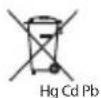
The symbol for separate collection of all batteries and accumulators is shown in this section.
Batteries, accumulators, and button cells containing more than 0.0005% mercury, more than 0.002% cadmium, or more than 0.004% lead will be marked with the relevant chemical symbol: Hg, Cd, or Pb, respectively. Refer to the symbol shown below:


FRANÇAIS
BOUTONS DE COMMANDE
FRANÇAIS
BT1 / BT2
ESPAÑOL
BT1 / BT2
DEUTSCH
BT1 / BT2
ITALIANO
BT1 / BT2
natural_image
Illustration of a standard computer keyboard with two black cursor icons pointing at the left (no text or symbols present)POLSKI

NGS
SPECYFIKACJA TECHNICZNA
KLAWIATURA
MAGYAR
BT1 / BT2
SLOVENŠČINA
BT1 / BT2
SRPSKI
BT1 / BT2
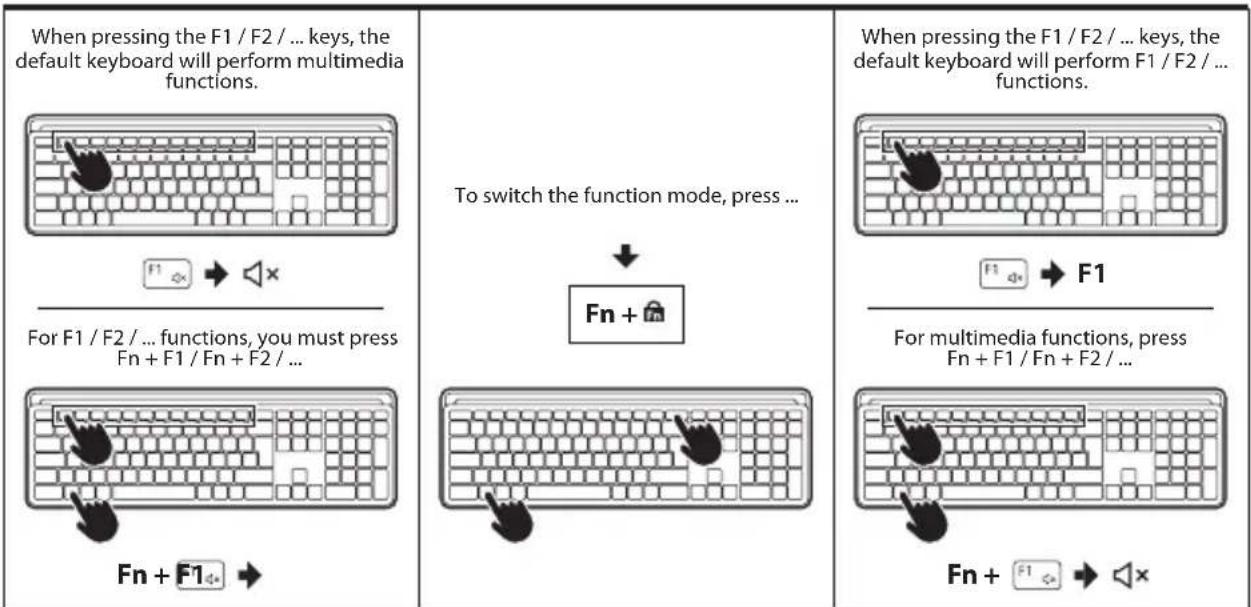
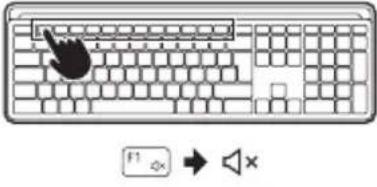
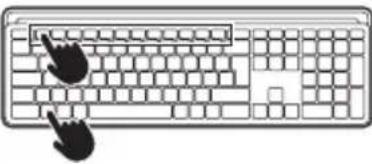
| Pritiskom na F1/F2/... tastera,podrazumevana tastatura će izvršavatimultimedijalne funkcije. | Za promenu režima funkcije, pritisnite... | Pritiskom na tastera F1/F2/...,podrazumevana tastatura će izvršavati F1/F2/... funkcije. |
 | 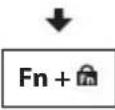 | 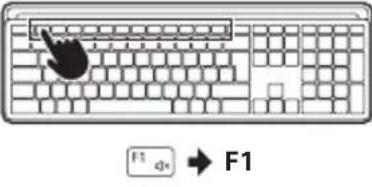 |
| Za F1/F2/... funkcije, morate pritisnuti Fn +F1/Fn + F2/... | Za multimedijalne funkcije, pritisnite Fn +F1/Fn + F2/... | |
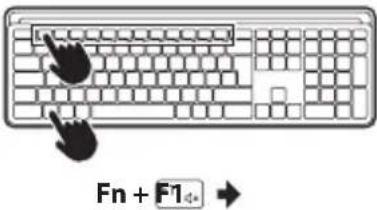 | 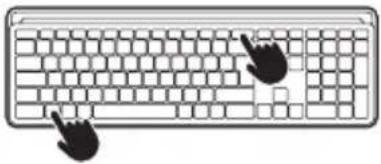 |  Fn + [IMAGE] Fn + [IMAGE] |
SRPSKI

NGS
TEHNIČKE SPECIFIKACIJE
TASTATURA
• Višenamenska
- Punjiva
• 12 multimedijalnih tastera
• Tastature sa makazastim mehanizmom
• Tihi tasteri
• ON/OFF prekidač
- Sedam LED indikatora (2,4 GHz/BT1/BT2, Caps lock, Num lock, Niska snaga, Režim punjenja)
MIŠ
• Višenamenski
• Punjiv
• 800/1200/1600 DPI
- Točkić za pomeranje + 5 dugmadi
• Tihi tasteri
• ON/OFF prekidač
- Indikator niske snage
• Frekvencijski opseg: 2408\~2474 MHz
• Maksimalna RF snaga: 0 dBm (2 mW)
Garancija za bateriju
Baterija je potrošački proizvod i kao takva je pod garancijom 12 meseci.
SRPSKI
BEBEZBENOST
VAŽNE UPUTSTVA O BEZBEDNOSTI
Za sve proizvode:
- Pročitajte i sledite uputstva.
- Čuvajte uputstva na bezbednom mestu.
- Poštujte upozorenja.
- Koristite samo dodatke i pribor koji se isporućuju sa proizvodom.
- Pazite na prevoz kako bl proizvod ostao nepovređen.
- Ne izlažite baterije ekstremnoj toplini kao što su sunce ili vatra, kao i vlažnosti prostora gde ćete ga koristiti i/ili čuvati.
- Ovaj uredaj je namenjen da se koristi samo sa izvorom napajanja i/ili kablom za punjenje isporučenim od strane proizvođača.
Ovaj uredaj ispunjava zahteve Evropske unije (1999/5/EC) u vezi sa ograničavanjem izloženosti opsteg stanovništva elektromagnetnim poljima u smislu zaštite zdravlja. Ograničenja su deo opsežnih preporuka za zaštitu opsteg stanovništva. Te preporuke su razvijene i proverene od strane nezavisnih naučnih organizacija kroz česte i detaljne procene naučnih studija. Jednica mere za preporučeno ograničenje Evropskog saveta za mobilne uređaje je "Specifična aporspcija" (SAR, specific Absorption Rate), a srednja SAR granica iznosi 20 W/kg na 10 grama telesnog tkiva.
Lurbe Grup S.A. ispunjava zahteve Međunarodne komisije za zaštitu od nejonskih zračenja (ICNIRP, International Commission on Non-ionizing Radiation Protection).
U slučaju nošenja uz telo, ovaj proizvod je testiran i ispunjava ICNIRP smermice izloženosti i evropski standard EN 62479 i EN 50663. SAR vrednost je merena sa uređajem udaljenim 1,0 cm od tela, istovremeno emitujući na najvišem sertifikovanom izlaznom nivou snage u svim frekvencijskim opsezima mobilnog uređaja.
Obaveštenje o WEEE-u: Direktiva o WEEE-u (Waste Electrical and Electronic Equipment, Otpad od Električne i Elektronske Opreme), koja je stupila na snagu kao evropski zakon dana 14.02.2014, odnosi se na tretman elektronske opreme na kraju njenog životnog veka. Prioritet je ponovna upotreba, recikliranje i druge forme oporavka takvog otpada radi smanjenja odlaganja. Logo WEEE-a je onaj koji se nalazi u ovoj istoj sekciji.
NORSK
BT1 / BT2
SUOMI
BT1 / BT2
SVENSKA
BT1 / BT2
DANSK
BT1 / BT2
EU DECLARATION OF CONFORMITY
DECLARACIÓN UE DE CONFORMIDAD DECLARATION "UE" DE CONFORMITÉ DECLARAÇÃO DE CONFORMIDADE DA UE DICHIARAZIONE DI CONFORMITÀ DELL'UE EU-KONFORMITÄTSERKLÄRUNG
The undersigned, on behalf of the manufacturer:

NGS
LURBE GRUP, S.A.
Calle Portuetxe, 27
20018 - San Sebastián, Guipúzcoa (Spain)
Declares that the design and construction of the PRODUCT/
This declaration of conformity is issued the sole responsibility of the manufacturer.
Complies with the relevant Union harmonisation legislation / Cumple con la legislación de armonización de la Unión pertinente / Conforme à la législation d'harmonisation de l'Union applicable / Atende à legislação de harmonização da União pertinente / È conforme alla legislazione di armonizzazione dell'Unione pertinente / Entspricht der einschlägigen Unionsharmonisierungsgesetzgebung /
ELECTROMAGNETIC COMPATIBILITY DIRECTIVE (EMC) 2014/30/EU RADIO EQUIPMENT DIRECTIVE 2014/53/EU ROHS DIRECTIVE 2011/65/EU & (EU) 2015/863
References to the relevant harmonised standards used or references to the other technical specifications / Referencias a las normas armonizadas pertinentes utilizadas o referencias a otras especificaciones técnicas / References aux normes harmonisées pertinentes utilisées ou références aux autres spécifications techniques / Referências às normas harmonizadas relevantes utilizadas ou referências a outras especificações técnicas / Riferimenti alle norme armonizzate pertinenti utilizzate o riferimenti ad altre specifiche tecniche / Verweise auf die relevanten harmonisierten Normen oder Verweise auf andere technische Spezifikationen /
IEC 62321-3-1: 2013
IEC 62321-4: 2013 AMD 1: 2017
IEC 62321-5: 2013
IEC 62321-6: 2015
IEC 62321-7-1:2015
IEC 62321-7-2: 2017
IEC 62321-8: 2017
IEC 62368-1:2020+A11:2020
ETSI EN 300 328 V2.2.2
ETSI EN 300 440 V2.2.1
ETSI EN 301 489-1 V2.2.3
DRAFT ETSI EN 301 489-3 V2.1.2
ETSI EN 301 489-17 V3.2.4
EN 55032: 2015 + A11: 2020
EN 55035: 2017 + A11: 2020
EN 62479: 2010
EN 50663: 2017
Date of issue of this declaration of conformity: 10/05/2023
SIGNATURE
NESTOR ALZUGARAY
PRODUCT MANAGER

NGS®
technical support: www.ngs.eu/support
www.ngs.eu

- BT1 / BT2
- TECHNICAL SPECIFICATIONS
- KEYBOARD
- MOUSE
- Battery warranty
- ENGLISH
- SECURITY
- IMPORTANT SAFETY INSTRUCTIONS
- For all products:
- Compliance with RoHS requirements.
- For products that include batteries.
- EU Directive 2013/56/EU on batteries.
- User instructions for extraction, recycling, and disposal of used batteries.
- FRANÇAIS
- BOUTONS DE COMMANDE
- ITALIANO
- SPECYFIKACJA TECHNICZNA
- KLAWIATURA
- TEHNIČKE SPECIFIKACIJE
- TASTATURA
- MIŠ
- Garancija za bateriju
- BEBEZBENOST
- VAŽNE UPUTSTVA O BEZBEDNOSTI
- Za sve proizvode:
- EU DECLARATION OF CONFORMITY
- NGS
- LURBE GRUP, S.A.
- This declaration of conformity is issued the sole responsibility of the manufacturer.
- NGS®
Brand : NGS
Model : MUSK
Category : Mouse