303524 - Audio-video accessory CSL - Free user manual and instructions
Find the device manual for free 303524 CSL in PDF.


User questions about 303524 CSL
0 question about this device. Answer the ones you know or ask your own.
Ask a new question about this device
Download the instructions for your Audio-video accessory in PDF format for free! Find your manual 303524 - CSL and take your electronic device back in hand. On this page are published all the documents necessary for the use of your device. 303524 by CSL.
USER MANUAL 303524 CSL
primewire your link to the world.
2-Port HDMI-Splitter
Thank you for choosing a Primewire product. Please read the following user manual carefully so that you can enjoy your purchased product. Before using the delivered product, check that it is complete, faultless and undamaged.
1. Scope of delivery
• 2-Port HDMI-Splitter
- Power supply
- User manual
2. Technical data
| Input 1 x HDMI socket | |
| Output 2 x HDMI socket | |
| Maximal resolution 3840*2160@30Hz | |
| Current supply via enclosed power supply | |
| Power supply | • Input: 100-240V 50-60Hz AC• Output: 5V 1A DC |
| Feature Consumer Electronics Control (CEC) | |
3. Properties
With this HDMI splitter you can transmit the signal of an HDMI player to two display devices (TV, monitor, projector) simultaneously. The splitter detects the maximum resolutions of the display devices automatically. The HDMI splitter adjusts to the device with the lowest value.
4. Getting started
Take out the HDMI splitter and the power supply from the packaging. Connect the power supply to the corresponding port on the splitter labeled „Power“.
Turn off all devices you want to connect and link them to the splitter by using a suitable HDMI cable. The various HDMI ports of the splitter are explained in the table below:
| Input Port of the HDMI player | |
| Output 1 Port of the first HDMI display device | |
| Output 2 Port of the second HDMI display device |
Now plug the power supply of the HDMI splitter into a properly installed grounded socket and turn on the devices connected by the HDMI cable. The splitter is now ready for use.
Note: Please note that the maximum resolution is determined at HDMI output 2. To do this, connect the device with the lower resolution to output 2.
After disconnecting the power, the splitter takes over the maximum settings of the HDMI output 2. To ensure correct performance, we recommend to connect the device with the lower configuration options (resolution) to the HDMI output 2.
Note: Please note that for UHD resolutions a maximum cable length of 5m should not be exceeded, otherwise the image quality may be affected (HDMI input + HDMI output = total length).
5. Safety instructions and liability disclaimer
Never try to open the device to carry out repairs or conversions. Avoid contact with mains voltages. Do not short-circuit the product. The device is not certified for use in the open air; only use it in dry conditions. Protect it from high humidity, water and snow. Keep it away from high temperatures. Do not subject the device to sudden changes in temperature or heavy vibration as this might damage electronic components. Examine the device for damage before using it. The unit should not be used if it has received an impact or has been damaged in any other way. Please observe national regulations and restrictions. Do not use the device for purposes other than those described in the instructions. This product is not a toy. Keep it out of the reach of children or mentally impaired persons. Any repair or alteration to the device not carried out by the original supplier, will invalidate the
warranty or guarantee. The product may only be used by persons who have read and understood these instructions. The device specifications may change without any separate prior notice to this effect.
6. Disposal instructions
Electrical and electronic devices may only be disposed of in accordance with the European WEEE Directive and not with household rubbish. Components must be disposed of or recycled separately as dangerous, toxic elements can inflict sustained damage on the environment if they are disposed of incorrectly. As a consumer, you are bound by the Electrical and Electronic Devices Act (ElektroG) to return electrical and electronic goods free of charge at the end of their useful life to the manufacturer, the place of purchase or to specially set up, public collection points. The details in each case are governed by national law. The symbol on the product, the operating instructions and/or the packaging refers to these regulations. By separating materials in this way, recycling and disposing of old devices, you are making an important contribution towards protecting our environment.

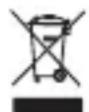
WEEE Directive: 2012/19/EU
WEEE Register No: DE 67896761
WD Plus GmbH hereby declares that the device 303524/20200306SZ090 complies with the basic requirements and other relevant regulations. A complete declaration of conformity can be found at : WD Plus GmbH, Wohlenbergstraße 16, 30179 Hanover, Germany