
300193 - Webcam CSL - Free user manual and instructions
Find the device manual for free 300193 CSL in PDF.


| Product Type | Webcam with integrated microphone |
| Brand | CSL |
| Model | 300193 |
| Connectivity | USB 2.0 (Type A) and 3.5 mm audio jack |
| Cable Length | Approx. 1.2 m |
| Focus | Manual focus (turn lens) |
| Lighting | LED lighting, brightness adjustable via rotary control on cable |
| Microphone | Built-in |
| Driver Installation | Automatic (Plug & Play) for Windows XP and higher |
| Compatible Operating Systems | Windows XP, Vista, 7, 8, 10 (and later) |
| Power Supply | USB bus powered (5V DC) |
| Usage Environment | Indoor use only, dry areas |
| Safety | Do not disassemble; protect from water, high humidity, extreme temperatures |
| Disposal | Follow WEEE directive (2012/19/EU); do not dispose with household waste |
| Included Items | USB webcam, user manual |
| Certification | WEEE registered (DE 94495668) |
| Manufacturer | CSL Computer GmbH & Co. KG, Hanover, Germany |
Frequently Asked Questions - 300193 CSL
User questions about 300193 CSL
0 question about this device. Answer the ones you know or ask your own.
Ask a new question about this device
Download the instructions for your Webcam in PDF format for free! Find your manual 300193 - CSL and take your electronic device back in hand. On this page are published all the documents necessary for the use of your device. 300193 by CSL.
USER MANUAL 300193 CSL
natural_image
Black and white digital camera with 'Megaplex' branding and 10X Digital Zoom setting (no text beyond branding)USB webcam with integrated microphone
Thank you for choosing this product from CSL and for placing your trust in our company. Before using the product for the first time, please read this manual carefully to ensure your long-term enjoyment of this product. For future reference, please keep this manual.
1 Scope of delivery
- USB webcam
- User manual
2 Technical specifications
| Cable length approx. 1,2m | |
| Port | • USB• 3,5mm jack plug (microphone) |
| Features | • manual focus• LED lighting• integrated microphone |
3 Getting started
Please take the webcam from the package and connect the device to a free USB port on your computer. The 3.5 mm jack plug is provided for the integrated microphone. If you want to use the microphone of your headset, a connection for the webcam function is not required.
The corresponding drivers are installed automatically (Microsoft Windows XP or higher). No manual driver installation is required.
Note: The webcam features a manual focus. Please turn slowly on the lens until the focus on an object will more sharper. And the LED lighting of the webcam can be adjusted by the rotary control on the connection cable.
4 Safety instructions and disclaimer
Do not attempt to service this product by yourself as opening or removing covers may result in fire, electric shock or equipment damage. Please avoid any contact to the electric current. This product is only licensed for indoor use and dry areas. Please protect it from water, rain, snow or high humidity and keep it away from high temperatures and direct sunlight.
Do not expose this product to extreme and sudden changes of temperature or heavy vibrations; this may lead to damage of the internal electronic part of this unit. Check this product for signs of damage before putting it in operation. In case the device received any damage, it should not be used. Please contact our customer support. Please observe the relevant national provisions and legal restrictions. Do not use this product for anything other than intended and as described in the manual. Any attempt of repairs or alterations by someone other than the original supplier will invalidate the guarantee and result in refusal of warranty claims.
Persons who are familiar with the operating manual and the applicable regulations concerning working safety and accident prevention may only use the network card. This unit is not intended to be used by persons (including children) with limited physical, sensory or mental aptitude or lack of experience and/or knowledge unless they are supervised by a person responsible for their safety or have received instructions as to how the device is used properly. The technical specifications of this product may change without prior notice.
5 Disposal Instructions
The European Directive (WEEE) requires that old electrical and electronic appliances shall be disposed of separately from normal household garbage for optimal recycling. The component parts must be separated, collected and sent for recycling or disposal in an environment-friendly manner. Otherwise, toxic and dangerous substances could cause enduring damage to the environment if disposed of incorrectly.
As a consumer you are legally obligated (Electrical and Electronic Equipment Act-ElektroG) to return electronic equipment at the end of its lifetime to their manufacturer, point of sale, public collection points or importer free of charge.
The relevant local laws apply here. The symbol on the product, in the instructions or on its packing indicates these regulations. The reuse or recycling of materials and old units makes an important contribution towards protecting the environment.

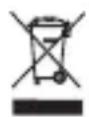
WEEE guideline: 2012/19/EU
WEEE register number: DE 94495668
CSL Computer GmbH & Co. KG, herewith declares that this product 20376/20160803SZ006 conforms to the principle requirements and other relevant stipulations. The complete Declaration of Conformity can be obtained from: CSL Computer GmbH & Co. KG, Sokelantstraße 35, 30165 Hanover
Brand : CSL
Model : 300193
Category : Webcam