
Time Digital - Digital Alarm Clock GENEVA - Free user manual and instructions
Find the device manual for free Time Digital GENEVA in PDF.


| Product type | Digital alarm clock with Bluetooth speaker |
| Brand | Geneva |
| Model | Time Digital (J004) |
| Power supply | AC-DC power adapter (100-240V~, 50/60Hz, 0.8A max, output 15V 2A 30W) |
| Display | LED, adjustable brightness (auto or manual) |
| Main functions | Clock, alarm, Bluetooth speaker, Line-In/AUX input, QI wireless charging, USB charging port (5V 1A) |
| Connectivity | Bluetooth 5.0 (with BLE), 3.5mm line input |
| Number of modes | 3 modes: Clock, Line-In, Bluetooth |
| Wireless charging | Yes, QI compatible (charging area on top) |
| USB charging port | Yes, 5V 1A max (rear) |
| Alarm setting | Yes, with snooze function (5, 10, 15 or 30 minutes) |
| Auto standby | After 15 minutes of no audio playback |
| Security | Integrated Kensington® lock |
| Accessories included | AC-DC power adapter |
| Care and cleaning | Unplug before cleaning; use a dry cloth only |
| Safety precautions | Do not expose to moisture, do not place objects filled with liquid, use on a solid surface, do not block ventilation openings |
| Alarm clock usage | Built-in alarm tone; Bluetooth/Line-In inputs cannot be used as alarm signal |
| Bluetooth compatibility | Bluetooth compatible devices (default PIN code: 0000) |
| Dimensions | Not provided by manufacturer |
| Weight | Not provided by manufacturer |
Frequently Asked Questions - Time Digital GENEVA
User questions about Time Digital GENEVA
0 question about this device. Answer the ones you know or ask your own.
Ask a new question about this device
Download the instructions for your Digital Alarm Clock in PDF format for free! Find your manual Time Digital - GENEVA and take your electronic device back in hand. On this page are published all the documents necessary for the use of your device. Time Digital by GENEVA.
USER MANUAL Time Digital GENEVA
Digital Alarm Clock with Bluetooth Speaker, Wireless Charge, USB Charge and Line-In
- MANUAL - ENGLISH
- BEDIENUNGSANLEITUNG - DEUTSCH
- MODE D'EMPLOI - FRANÇAIS
- MANUALE DELL'UTENTE - ITALIANO
- 拉通电话 - 韩国
- マニュル - 日本語
- 手册-繁体中文
Safety Instructions
Please store this instruction manual for future reference.
- WARNING: To reduce the risk of fire or electric shock, do not expose this apparatus to rain or moisture. The apparatus shall not be exposed to dripping or splashing and that objects filled with liquids, such as vases, shall not be placed on apparatus.
- WARNING: The direct plug-in adapter is used as disconnect device, the disconnect device shall remain readily operable.
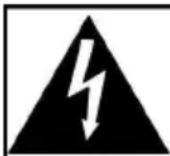
CAUTION
RISK OF ELECTRIC SHOCK
DO NOT OPEN

ATTENTION: RISQUE DE CHOC ELECTRIQUE-NE PAS OUVRIR
- This lightning flash with arrowhead symbol within an equilateral triangle is intended to alert the user to the presence of non-insulated "dangerous voltage" within the product's enclosure that may be of sufficient magnitude to constitute a risk of electric shock.
- WARNING: To reduce the risk of electric shock, do not remove cover (or back) as there are no user-serviceable parts inside. Refer servicing to qualified personnel.
- The exclamation point within an equilateral triangle is intended to alert the user to the presence of important operating and maintenance instructions in the literature accompanying the appliance.
- Correct Disposal of this product. This marking indicates that this product should not be disposed with other household wastes throughout the EU. To prevent possible harm to the environment or human health from uncontrolled
waste disposal, recycle it responsibly to promote the sustainable reuse of material resources. To return your used device, please use the return and collection systems or contact the retailer where the product was purchased. They can take his product for environmental safe recycling.
- No naked flame sources, such as lighted candles, should be placed on the apparatus.
- Do not use this product near water or moisture.
Clean only with a dry cloth.
- Unplug this product from the wall outlet before cleaning.
- Place the unit on a solid surface.
- Do not put it in a closed bookcase or a cabinet that may keep air from flowing through its ventilation openings.
- Do not install near any heat sources, such as radiators, heat registers, stoves or other appliances that produce heat.
- Protect the power cord from being walked on or pinched, particularly at plugs and the point where they exit from the product.
- Servicing is required when the product has been damaged. Do not attempt to service this product yourself. Opening or removing covers may expose you to dangerous voltages or other hazards. Please contact the manufacturer to be referred to an authorized service center near you.
- To prevent risk of fire or electric shock, avoid over loading wall outlets, extension cords, or integral convenience receptacles.
- Do not let objects or liquids enter the product.
- Use proper power sources. Plug the product into a proper power source, as described in the operating instructions or as marked on the product.
- In the rare event you experience an error, unplug the power cord for 60 seconds and then plug it back in firmly.
- This device complies with part 15 of the FCC Rules. Operation is subject to the following two conditions: (1) This device may not cause harmful interference, and (2) this device must accept any interference received, including interference that may cause undesired operation.
Top view
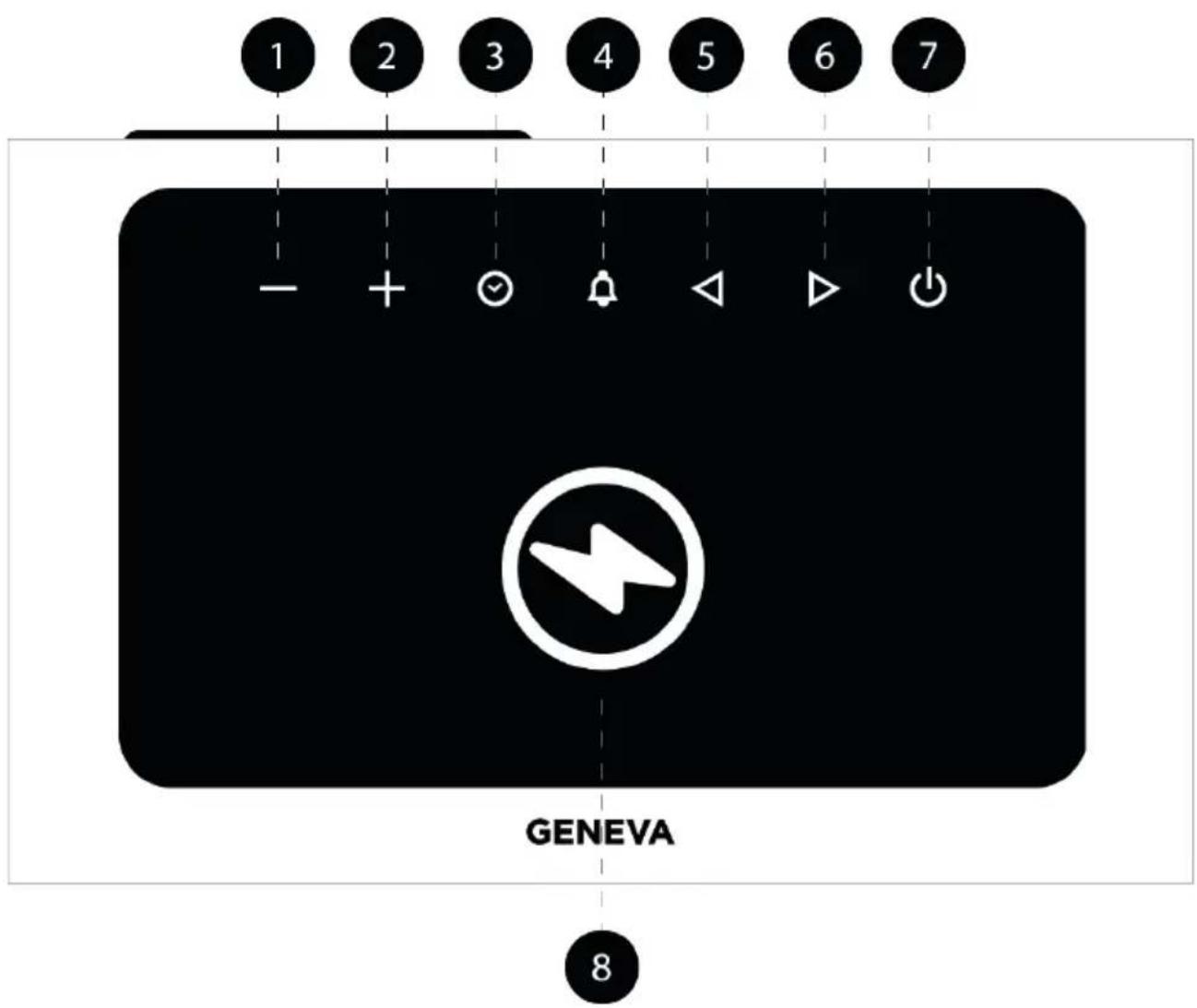
- Volume down
- Adjust time (clock mode, alarm mode).
- Volume up
- Adjust time (clock mode, alarm mode).
- Set Clock.
- Set Alarm Time.
- Previous track
- Set minutes / set hours (clock mode, alarm mode).
- Next track
- Set minutes / set hours (clock mode, alarm mode).
- On/Off/Bluetooth Mode/Line-In Mode/Clock Mode toggle.
- Wireless charging zone.
Front view
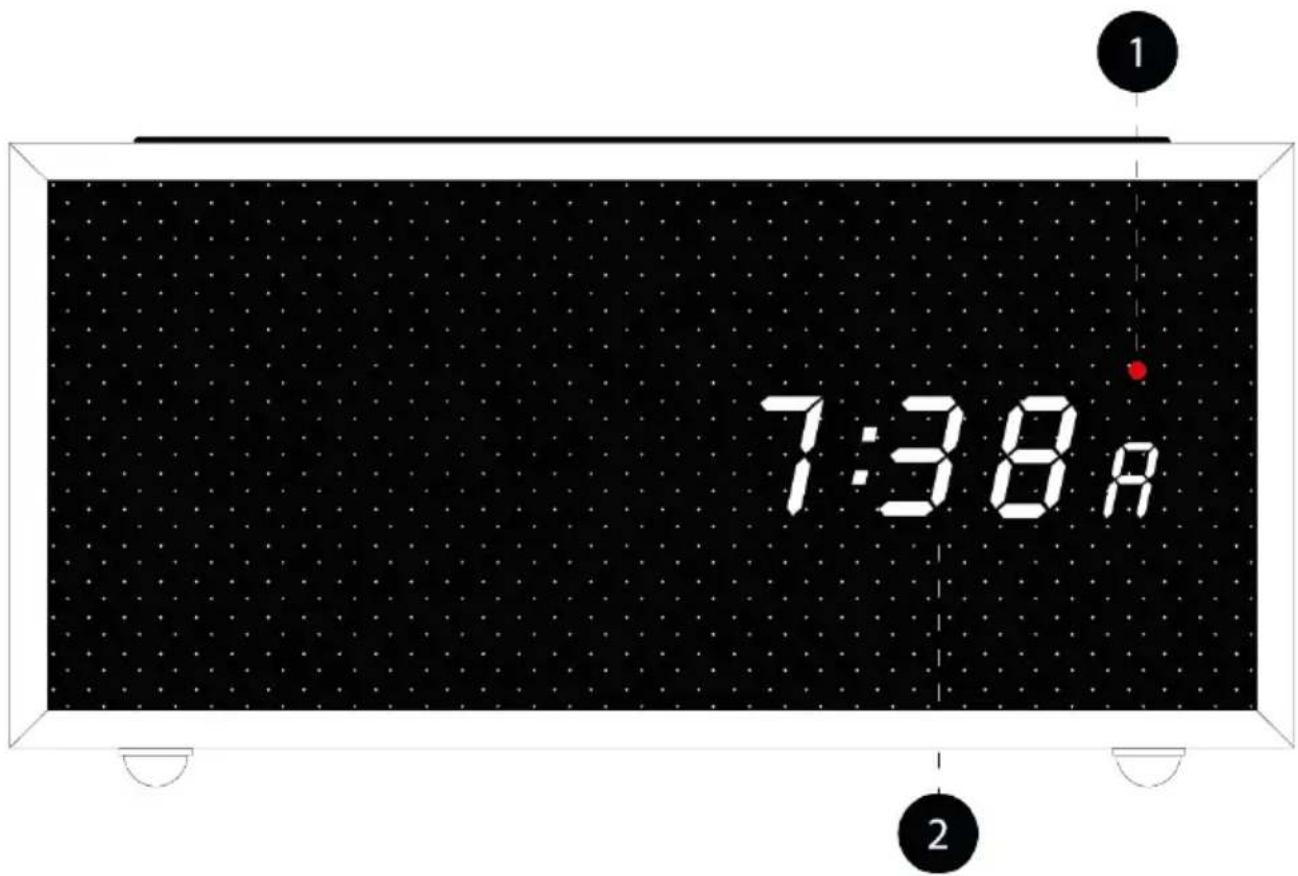
- Status LED:
Blue color in Bluetooth Mode.
Red color in Line-In Mode.
OFF in Clock Mode.
- LED display.
Back panel
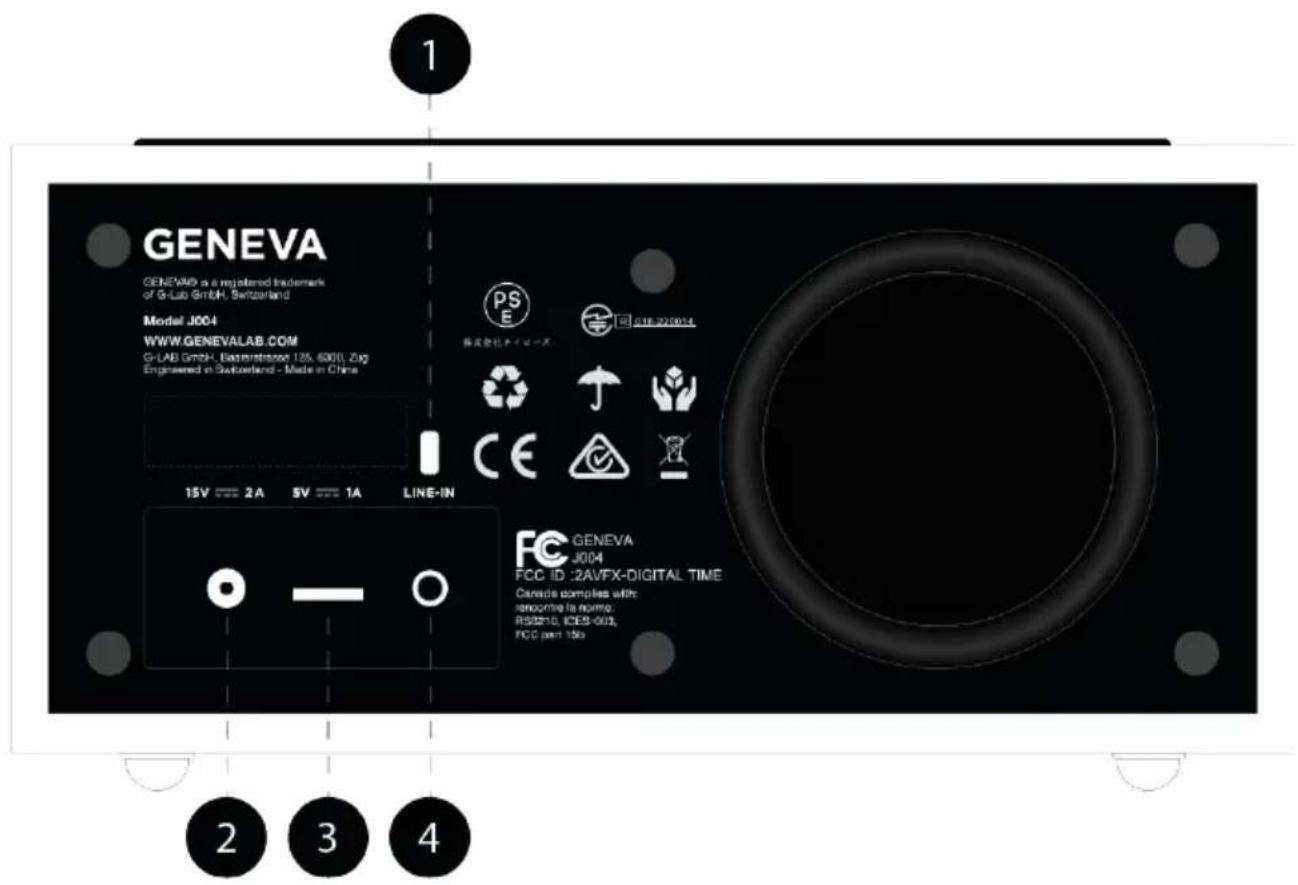
- Kensington® lock.
- AC-DC adapter connection.
NOTE: Use only the supplied AC-Adapter.
- USB charger port. Max output is 5V - 1A.
NOTE: This connector supports charging only. Max. output is 5V - 1A. - Line-In connector, 3.5mm
Getting started
Geneva Time/Digital is a digital alarm clock with Bluetooth speaker, Line-IN/AUX capabilities, wired and wireless charging.
IMPORTANT NOTES:
- The alarm clock has its own ringtone. The Bluetooth and Line-In/AUX inputs cannot be used as alarm signals.
- The speaker works only when the AC adapter is connected.
- Wireless charging and wired charging only work when the AC adapter is connected.
- Wireless charging will only work with devices that are compliant with wireless charging.
- Wireless charging speed may be reduced by smartphone covers: the greater the distance between the Geneva Time/Digital charging cells and the smartphone, the slower the charging speed.
On/Off/Modes
Press seconds to switch on Geneva Time/Digital.
Geneva Time/Digital has 3 operation modes:
CLOCK MODE:
The current time is shown on the display, the alarm can be set ON and OFF, LED is off.
To set clock time:
- Press ③seconds to enter clock mode.
- use - and + to set minutes.
- press to toggle between hours and minutes.
- use - and + to set hours.
- press ③second to store the clock.
LINE-IN MODE:
The current time is shown on the display, the alarm can be set ON and OFF,
the LED colour is RED.
The message "Line-In mode" is played from the speaker.
NOTE: Adjust the volume on your device and on Geneva Time/Digital using the - and + buttons. This will give you the best possible listening experience.
BLUETOOTH MODE:
Before pairing, make sure your device supports Bluetooth and that your device is not connected to another Bluetooth product.
Some devices may pair differently. Below is a general guide.
-
Press until "Bluetooth mode" message is played from the speaker:
-
LED flashes in blue color.
-
Display displays "b" and 4 digits referring to the unique name of the Geneva Time/Digital, e.g: "GenevaTime/Digital1234".
-
Select "GenevaTime/Digital1234" when it appears on your device screen to initiate pairing.
Some devices may ask you to enter a PIN. If so, enter "0000". The message "Connected" is played from the speaker.
- You can start listening to your music wirelessly.
Adjust the volume level on your device or on Geneva Time/Digital using the - and + buttons. The volume level is automatically synchronised.
IMPORTANT NOTE: Geneva Time/Digital will switch off after approximately 15 minutes if no music is played.
Once your device is paired with Geneva Time/Digital, you can skip tracks using the and buttons. Geneva Time/Digital will pair automatically each time your device is available.
In order to connect a new device, you must first disconnect the device you are playing. The message "Disconnected" is played from the speaker.
Set Alarm
Geneva Time / Digital has a proprietary ringtone.
To set alarm clock, long press "A" flashes on display.
-
use - and + to set minutes.
-
press to toggle between hours and minutes.
-
use - and + to set hours.
-
long press to store alarm clock time. Alarm is now ON. The display shows "A"
Press to set alarm on and off
SLEEP MODE
Geneva Time/Digital does not have a sleep mode, but it will automatically switch to stand-by mode after 15 minutes if no sound is being played.
SNOOZE
When the alarm rings, you can either:
-
press to set a snooze time of 5, 10, 15 or 30 minutes. Each press increases the snooze time. The display shows: "t 05, t 10, t 15, t 30". The snooze time can be increased/decreased by pressing during the snooze interval.
-
Long-press for 1 second to cancel the alarm. "A" disappears from the display.
Wireless Charge
The Geneva Time/Digital is equipped with a wireless charging zone that is compliant with the QI specification.
Display dimming
Geneva Time/Digital's light sensor automatically dims the LED intensity.
To manually adjust the brightness of the LED display:
-
press 5 seconds: LED displays "Aut0" for automatic dimming.
-
Use and adjust the LED brightness.
LED shows 1,2,3 dots each time the button is pressed.
- Press 5 seconds to save the setting.
NOTE: The brightness setting will revert to automatic when:
-
the power supply is disconnected.
-
Geneva Time/Digital is turned
Technical Information
Model: J004 - Geneva Time/Digital
Type: Digital alarm clock with Bluetooth speaker
Power Supply: 15V/2A
Dimension (mm): 195W x 95H x 138D
Weight: 1.25 KG
Specifications are subject to change without notice
Compliant to Bluetooth 5.0 and BLE specification (QDID:115952);
Input: 100-240V~
50/60Hz 0.8A Max
Output:15.0V 2.0A, 30W
Product disposal instructions (wee directive)
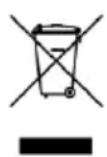
The symbol shown here and on the product means that it is classed as Electrical or Electronic Equipment and should not be disposed with other household or commercial waste at the end of its working life. The Waste of Electrical and Electronic Equipment (WEEE) Directive (2002/96/EC) has been put in place to recycle products using best available recovery and recycling techniques to minimise the impact on the environment, treat any hazardous substances and avoid the increasing landfill. For more information please contact your local authority or the retailer where the product was purchased.
Sicherheitshinweise
Alimentation: 15V/2A
Dimensions (mm) : 195W x 95H x 138D
Poids: 1.25 KG
Dits晋LReIe dAe and aie foT siL: "T 05, T 10, T 15, T 30".


Brand : GENEVA
Model : Time Digital
Category : Digital Alarm Clock